MLB used fleet of iPads to create fake crowd sounds during COVID-19
When Major League Baseball needed to solve the problem of silent stadiums during the COVID-19 pandemic, the league looked to the iPad.
To provide simulated crowd noises during the 2020 season, MLB used 30 iPads — one for each team — that were loaded with crowd reactions. But, as Sports Illustrated points out, getting the sound right is harder than it seems.
“You’re a conductor of sorts. You’re controlling a symphony,” said Amelia Schimmel, Oakland A’s ballpark entertainment executive producer.
While normal-sounding crowd noise is difficult to simulate, it’s also crucial to keep players from performing in dead silence, and to keep the games familiar for fans watching at home.
According to SI, the dozens of sound noises loaded onto each iPad were originally made for PlayStation game “MLB: The Show.” Each noise has three sound levels, and layering can create different effects. All a so-called “conductor” needs to do is scroll and tap to trigger specific reactions.
During the coronavirus health crisis, stadium crews needed to constantly adjust the background noise and reactions to plays. The senior director of productions for the Seattle Mariners, Ben Martens, gave one specific example to SI.
“There’s that initial reaction of the ball hitting the bat,” Martens said of a Mariners player making hard contact. But it isn’t a full cheer yet, because the crowd wouldn’t know how it would play out.
Different production teams prepared in different ways. The Milwaukee Brewers, for example, watched a few 2019 games with the crowd noises isolated to get a better sense of how fans reacted to actual plays and situations. The goal wasn’t to conduct crowd noises that sounded ideal, it was to “make it sound real,” said Schimmel.
Teams also had the opportunity to add their own custom sounds into the mix. The Oakland A’s, for example, added a recording of super-fan The Banjo Man.
This isn’t the first time that MLB has used iPads for a variety of tasks. The league first kicked off an iPad dugout program in 2016, before expanding it in 2020. Prior to 2015, iPads were actually banned in dugouts.
Cyberpunk Parkour Game Ghostrunner Speeds Onto Switch Next Week
Co-publishers All In! Games and 505 Games have announced that Ghostrunner, a cyberpunk parkour game described as “AAA quality”, will be launching on Switch next week on 10th November.
It was originally planned to hit the eShop in October alongside its launch on other platforms, but was pushed back to give the developers a little more time and ensure it offered Switch players “the best possible experience”.
It’s also been revealed that if you pick it up within the first month, so up until 10th December, you’ll get your hands on an in-game bonus made up of two exclusive Katanas, one of which is called the ‘Exclusive Nintendo Katana Sword’.
Here’s a feature list for the game:
– Become the ultimate cyberpunk ninja on the go – Ghostrunner is designed to take full advantage of the Switch hardware, delivering a smooth experience – Ascend a dystopian tower: run on walls, deploy an energy-based grappling hook, hijack and ride flying drones, and much more – Wield a katana sharp enough to cut through flesh and steel in thrilling one-hit-one-kill combat – Fast respawns alleviate frustration to keep players gripped by the twisting narrative
The game’s reviewed pretty well on other platforms so it’ll be interesting to see how it fares on Switch.
As ever, make sure to let us know if you’re planning on buying this one in the comments below.
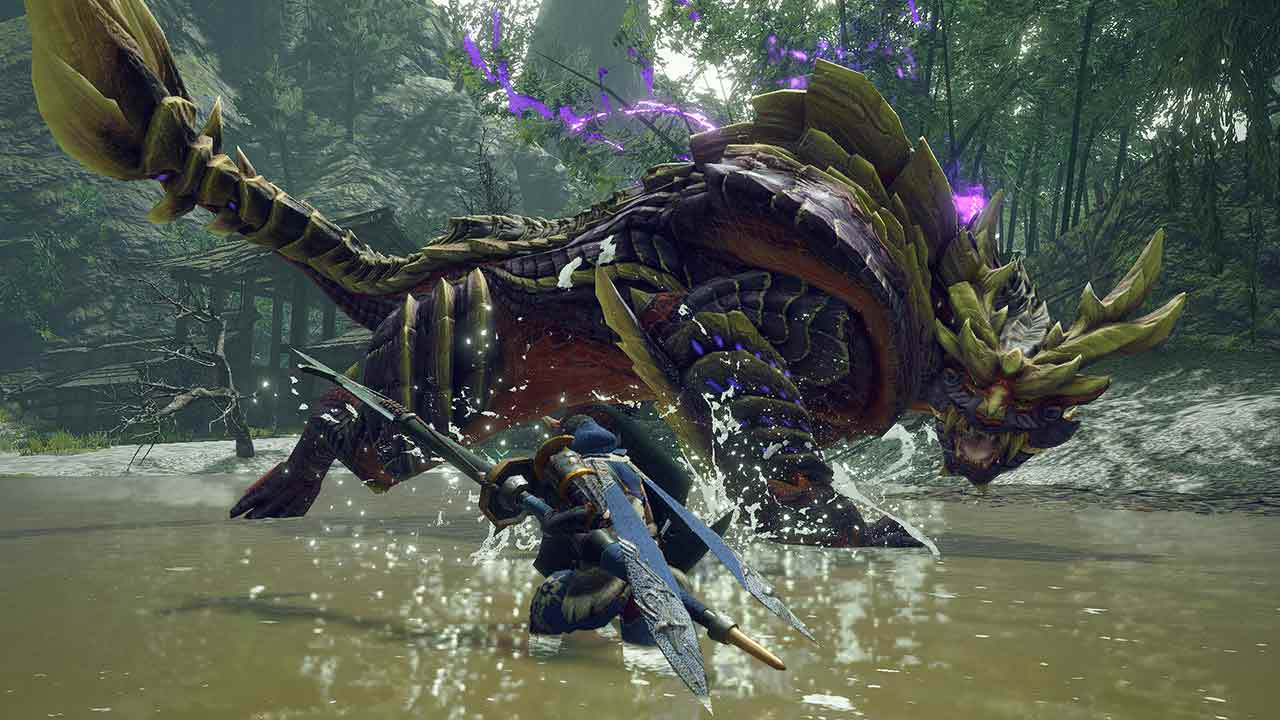
Video: New Monster Hunter Rise Gameplay Shows Off A Great Sword Hunt
Capcom has shared brand new gameplay footage from the upcoming Monster Hunter Rise, giving us another look at the Great Sword in action.
The footage comes from a new Capcom TV livestream, and has been reshared to YouTube by friend of Nintendo Life, Arekkz Gaming. While we’ve already seen some Great Sword gameplay in the new title before, this new clip shows off a different area of the map and a new hunt – which should come in especially handy if you happen to main the Great Sword for the majority of your Monster Hunter game time.
Just in case it had somehow slipped your mind, Monster Hunter Rise is due to launch on 26th March 2021 on Switch. The game and the new amiibo planned to release alongside it are already available to pre-order at select stores.
Are you excited for Monster Hunter Rise? Is it on your 2021 gaming wishlist? Tell us below.
Call Of Duty: Black Ops Cold War Pre-Load And File Size Details
Call of Duty: Black Ops Cold War's November 13 release date is quickly approaching. Fans who want to hop in as soon as the game drops are in luck: Pre-loading will be available, though only if you preorder. Pre-loading on PS4 and Xbox One will start on November 5 at 9 PM PT/ midnight ET. Pre-loading on PC will start on November 10 at 10 AM PT/ 1PM ET. Pre-loading on next gen consoles will start on their respective launch dates--November 10 for Xbox Series X and November 12 for PlayStation 5. The file size for PS4 is 95 GB. Xbox one file size is 93 GB. PC is 35 GB for just multiplayer, 82 GB for the full game, and 125 GB for the full game on Ultra settings. The PS5's file size will be 133 GB and the Series X/S will be a whopping 136 GB.
In addition to the ability to pre-load, folks who preorder Call of Duty: Black Ops Cold War will get the Confrontation Weapon Pack. According to a blog post on the Call of Duty site, the Confrontation Weapon Pack for Cold War comes with digital preorders, along with the Woods Operator pack for Modern Warfare and Warzone. It will be available as soon as Create-a-Class is unlocked and comes with two rifles "stylized to show the cultural divide between East and West Cold War Forces."
The rifle representing the USSR is the Iron Curtain. It's an assault rifle based on "an iconic Soviet heavy-hitting weapon." The other Blueprint is the Western Front, which is a three-round burst tactical rifle with "plenty of patriotic flare." Both Blueprints will have five pre-configured attachments, so you can experiment with which ones work best for you before they're unlocked organically for each weapon. To check out and equip these Blueprints, you will need to head to the Create-a-Class section of the Loadouts menu.
[freebies.indiegala.com] Dark woods, monsters, paranormal activity, nice puzzles, Octave is a point 'n click horror-adventure game with elements of action.
Halloween Scratchy Sale Day 2
[www.indiegala.com] Spooky scary deals send you free scratchy treats filled with mysterious Steamy sweets! For every purchase...you'll get something special: a BONUS Scratch Card with a secret Steam game in it for every store cart purchase!
Posted by: keto360slimcc - 11-05-2020, 09:18 AM - Forum: Lounge
- No Replies
Para la mayoría de las personas, una dieta variada y saludable les proporcionará todas las vitaminas y minerales que necesitan, y tomar suplementos innecesarios puede ser perjudicial. En cuanto a la epilepsia, Keto 360 Slim Argentina - es un trastorno caracterizado por convulsiones, pero con una variedad de causas y un amplio rango de gravedad. La dieta cetogénica se ha utilizado para disminuir las convulsiones que de otro modo serían inmanejables en algunas personas con epilepsia durante 100 años, y se ha investigado intensamente durante décadas.
Hay ciclos intradiarios de concentraciones sanguíneas y urinarias de KB durante una KD. Los niveles más altos y detectados de manera más confiable tienden a observarse en la orina temprano en la mañana y después de la cena. Por lo tanto, es razonable estudiar a los participantes al mismo tiempo que se analizan las cetonas en orina o sangre. Todas las instrucciones sobre los alimentos y la preparación de las comidas fueron proporcionadas por dietistas.
Win a free copy of side-scrolling vehicular adventure, Far: Lone Sails!
There’s something kind of enchanting about side-scrollers, as characters travel along fixed paths towards unknown destinations, with every slide of the screen unveiling more of the world and its mysteries. It’s a formula that’s used to fantastic effect in indie games like Playdead’s Limbo and Inside, or even to some degree in Videocult’s Rainworld. But Far: Lone Sails adds its own twist to this famous formula, as you set sail on your landship and work to keep it running as you make the journey across a lonely, post-apocalyptic world.
If you look at our Far: Lone Sails review, you can see how much we enjoyed the game! So much, in fact, that we decided to partner with Mixtvision to give away some Android and iOS copies of the side-scrolling adventure.
So if hoisting up the sails, shoveling fuel into the engine, and watching the land roll by beneath you sounds like the easy life, be sure to enter the giveaway below for a chance to win yourself a copy on your platform of choice.
In order to enter the giveaway, all you have to do is choose your platform, and enter in the appropriate box. Please do have a glance at our terms and conditions first, though.
Also arriving on other consoles, this new port follows a successful launch on Steam last month. Just like the first game, Wet Dreams Dry Twice follows ‘iconic ladies man’ Larry Laffer, this time on a search for his lost love, Faith. Naturally, it’s just as cheeky as you’d expect:
“Hey ladies, it’s time to return to Larry-town! This may come as a surprise to some, but I am still going strong! That’s right, I’m a real stamina stallion! I left New Lost Wages, got stranded in Cancum, and had prepared to marry my only true love, Faith. But unforeseen events interruptedus and we’ve become separated again! She is somewhere in the famous, sunny, and huge Kalau’a archipelago and I have to find her. Help me! If I don’t find her soon, I think I may burst!
No obstacle will keep me away from my beloved, my Faith, not even the wild and untamed islands of Kalau’a. Those lovely island ladies can only distract me for so long as my heart’s compass only points in one direction – Faith! Care to set sail with me as a true pirate and become a real gold digger? Join my crew on this glorious quest — you may just end up soaked to the bone!”
Key Features Include: ●Explore the Kalaua’a archipelago with all its mysterious and magnificent islands — featuring over 50 beautifully hand-drawn locations ●Meet over 40 new and old companions from Wet Dreams Don’t Dry and chat up some fresh new feminine friends ●Help Larry solve difficult and exciting (and maybe a little erotic) new riddles and complete quests, providing him with a truly happy ending
The game will launch digitally on Switch in spring 2021, although no pricing has been confirmed at the time of writing. If you want to learn more about the series, make sure to check out our full review of the first game which launched on Switch last summer.
Posted by: xSicKxBot - 11-05-2020, 06:59 AM - Forum: Lounge
- No Replies
Snag This Steam Game For Free For A Limited Time
Aside from the usual monthly giveaways via PlayStation Plus, Xbox Live Gold, and Prime Gaming, we're not seeing as many free game offers as we were earlier this year, when developers were giving away their games to provide free entertainment for those stuck inside. But you can still find some nice freebies from time to time, and the latest is a great strategy and resource management game from 2015: Kingdom. In honor of the series' five-year anniversary, publisher Raw Fury is giving away Kingdom for free on Steam until this Friday, November 6, at 10 AM PT / 1 PM ET. If you miss this deadline, you can also claim the game via Humble Bundle, which is giving away Kingdom Steam keys for free until Monday, November 9. To get the game at Humble, you have to be signed up for its newsletter.
Steam is giving away the classic version of Kingdom, which was later reworked and re-released with new content as Kingdom: New Lands in 2016. Kingdom is a 2D side-scrolling game where you play as a king or queen on horseback, moving left or right through the world as you build up your kingdom by enlisting people to join you, gathering resources, and building defenses against the creatures that threaten your land at night. Though GameSpot hasn't reviewed Kingdom: Classic, it currently has over 13,000 Very Positive reviews on Steam, so it'll be worth grabbing while it's free and checking out.
Pandas is Excel on steroids—the powerful Python library allows you to analyze structured and tabular data with surprising efficiency and ease. Pandas is one of the reasons why master coders reach 100x the efficiency of average coders. In today’s article, you’ll learn how to work with missing data—in particular, how to handle NaN values in Pandas DataFrames.
You’ll learn about all the different reasons why NaNs appear in your DataFrames—and how to handle them. Let’s get started!
Checking Series for NaN Values
Problem: How to check a series for NaN values?
Have a look at the following code:
import pandas as pd

import numpy as np data = pd.Series([0, np.NaN, 2])

result = data.hasnans print(result)

# True
Series can contain NaN-values—an abbreviation for Not-A-Number—that describe undefined values.
To check if a Series contains one or more NaN value, use the attribute hasnans. The attribute returns True if there is at least one NaN value and False otherwise.
There’s a NaN value in the Series, so the output is True.
Filtering Series Generates NaN
Problem: When filtering a Series with where() and no element passes the filtering condition, what’s the result?
The method where() filters a Series by a condition. Only the elements that satisfy the condition remain in the resulting Series. And what happens if a value doesn’t satisfy the condition? Per default, all rows not satisfying the condition are filled with NaN-values.
This is why our Series contains NaN-values after filtering it with the method where().
Working with Multiple Series of Different Lengths
Problem: If you element-wise add two Series objects with a different number of elements—what happens with the remaining elements?
import pandas as pd s = pd.Series(range(0, 10))

t = pd.Series(range(0, 20))

result = (s + t)[1] print(result)

# 2
To add two Series element-wise, use the default addition operator +. The Series do not need to have the same size because once the first Series ends, the subsequent element-wise results are NaN values.
At index 1 in the resulting Series, you get the result of 1 + 1 = 2.
Create a DataFrame From a List of Dictionaries with Unequal Keys
Problem: How to create a DataFrame from a list of dictionaries if the dictionaries have unequal keys? A DataFrame expects the same columns to be available for each row!
import pandas as pd data = [{'Car':'Mercedes', 'Driver':'Hamilton, Lewis'}, {'Car':'Ferrari', 'Driver':'Schumacher, Michael'}, {'Car':'Lamborghini'}] df = pd.DataFrame(data, index=['Rank 2', 'Rank 1', 'Rank 3'])

df.sort_index(inplace=True)

result = df['Car'].iloc[0] print(result)

# Ferrari
You can create a DataFrame from a list of dictionaries. The dictionaries’ keys define the column labels, and the values define the columns’ entries. Not all dictionaries must contain the same keys. If a dictionary doesn’t contain a particular key, this will be interpreted as a NaN-value.
This code snippet uses string labels as index values to sort the DataFrame. After sorting the DataFrame, the row with index label Rank 1 is at location 0 in the DataFrame and the value in the column Car is Ferrari.
Sorting a DataFrame by Column with NaN Values
Problem: What happens if you sort a DataFrame by column if the column contains a NaN value?
import pandas as pd df = pd.read_csv("Cars.csv") # Dataframe "df"

# ----------

# make fuel aspiration body-style price engine-size

# 0 audi gas turbo sedan 30000 2.0

# 1 dodge gas std sedan 17000 1.8

# 2 mazda diesel std sedan 17000 NaN

# 3 porsche gas turbo convertible 120000 6.0

# 4 volvo diesel std sedan 25000 2.0

# ---------- selection = df.sort_values(by="engine-size")

result = selection.index.to_list()[0]

print(result)

# 1
In this code snippet, you sort the rows of the DataFrame by the values of the column engine-size.
The main point is that NaN values are always moved to the end in Pandas sorting. Thus, the first value is 1.8, which belongs to the row with index value 1.
Count Non-NaN Values
Problem: How to count the number of elements in a dataframe column that are not Nan?
import pandas as pd df = pd.read_csv("Cars.csv") # Dataframe "df"

# ----------

# make fuel aspiration body-style price engine-size

# 0 audi gas turbo sedan 30000 2.0

# 1 dodge gas std sedan 17000 1.8

# 2 mazda diesel std sedan 17000 NaN

# 3 porsche gas turbo convertible 120000 6.0

# 4 volvo diesel std sedan 25000 2.0

# ---------- df.count()[5]

print(result)

# 4
The method count() returns the number of non-NaN values for each column. The DataFrame df has five rows. The fifth column contains one NaN value. Therefore, the count of the fifth column is 4.
Drop NaN-Values
Problem: How to drop all rows that contain a NaN value in any of its columns—and how to restrict this to certain columns?
import pandas as pd df = pd.read_csv("Cars.csv") # Dataframe "df"

# ----------

# make fuel aspiration body-style price engine-size

# 0 audi gas turbo sedan 30000 2.0

# 1 dodge gas std sedan 17000 1.8

# 2 mazda diesel std sedan 17000 NaN

# 3 porsche gas turbo convertible 120000 6.0

# 4 volvo diesel std sedan 25000 2.0

# ---------- selection1 = df.dropna(subset=["price"])

selection2 = df.dropna()

print(len(selection1), len(selection2))

# 5 4
The DataFrame’s dropna() method drops all rows that contain a NaN value in any of its columns. But how to restrict the columns to be scanned for NaN values?
By passing a list of column labels to the optional parameter subset, you can define which columns you want to consider.
The call of dropna() without restriction, drops line 2 because of the NaN value in the column engine-size. When you restrict the columns only to price, no rows will be dropped, because no NaN value is present.
Drop Nan and Reset Index
Problem: What happens to indices after dropping certain rows?
import pandas as pd df = pd.read_csv("Cars.csv") # Dataframe "df"

# ----------

# make fuel aspiration body-style price engine-size

# 0 audi gas turbo sedan 30000 2.0

# 1 dodge gas std sedan 17000 1.8

# 2 mazda diesel std sedan 17000 NaN

# 3 porsche gas turbo convertible 120000 6.0

# 4 volvo diesel std sedan 25000 2.0

# ---------- df.drop([0, 1, 2], inplace=True)

df.reset_index(inplace=True)

result = df.index.to_list()

print(result)

# [0, 1]
The method drop() on a DataFrame deletes rows or columns by index. You can either pass a single value or a list of values.
By default the inplace parameter is set to False, so that modifications won’t affect the initial DataFrame object. Instead, the method returns a modified copy of the DataFrame. In the puzzle, you set inplace to True, so the deletions are performed directly on the DataFrame.
After deleting the first three rows, the first two index labels are 3 and 4. You can reset the default indexing by calling the method reset_index() on the DataFrame, so that the index starts at 0 again. As there are only two rows left in the DataFrame, the result is [0, 1].
Concatenation of Dissimilar DataFrames Filled With NaN
Problem: How to concatenate two DataFrames if they have different columns?
import pandas as pd df = pd.read_csv("Cars.csv")

df2 = pd.read_csv("Cars2.csv") # Dataframe "df"

# ----------

# make fuel aspiration body-style price engine-size

# 0 audi gas turbo sedan 30000 2.0

# 1 dodge gas std sedan 17000 1.8

# 2 mazda diesel std sedan 17000 NaN

# 3 porsche gas turbo convertible 120000 6.0

# 4 volvo diesel std sedan 25000 2.0

# ---------- # Additional Dataframe "df2"

# ----------

# make origin

# 0 skoda Czechia

# 1 toyota Japan

# 2 ford USA

# ---------- try: result = pd.concat([df, df2], axis=0, ignore_index=True) print("Y")

except Exception: print ("N") # Y
Even if DataFrames have different columns, you can concatenate them.
If DataFrame 1 has columns A and B and DataFrame 2 has columns C and D, the result of concatenating DataFrames 1 and 2 is a DataFrame with columns A, B, C, and D. Missing values in the rows are filled with NaN.
Outer Merge
Problem: When merging (=joining) two DataFrames—what happens if there are missing values?
import pandas as pd df = pd.read_csv("Cars.csv")

df2 = pd.read_csv("Cars2.csv") # Dataframe "df"

# ----------

# make fuel aspiration body-style price engine-size

# 0 audi gas turbo sedan 30000 2.0

# 1 dodge gas std sedan 17000 1.8

# 2 mazda diesel std sedan 17000 NaN

# 3 porsche gas turbo convertible 120000 6.0

# 4 volvo diesel std sedan 25000 2.0

# ---------- # Additional dataframe "df2"

# ----------

# make origin

# 0 skoda Czechia

# 1 mazda Japan

# 2 ford USA

# ---------- result = pd.merge(df, df2, how="outer", left_on="make", right_on="make")

print(len(result["fuel"]))

print(result["fuel"].count())

# 7

# 5
With Panda’s function merge() and the parameter how set to outer, you can perform an outer join.
The resulting DataFrame of an outer join contains all values from both input DataFrames; missing values are filled with NaN.
In addition, this puzzle shows how NaN values are counted by the len() function whereas the method count() does not include NaN values.
Replacing NaN
Problem: How to Replace all NaN values in a DataFrame with a given value?
import pandas as pd df = pd.read_csv("Cars.csv") # Dataframe "df"

# ----------

# make fuel aspiration body-style price engine-size

# 0 audi gas turbo sedan 30000 2.0

# 1 dodge gas std sedan 17000 1.8

# 2 mazda diesel std sedan 17000 NaN

# 3 porsche gas turbo convertible 120000 6.0

# 4 volvo diesel std sedan 25000 2.0

# ---------- df.fillna(2.0, inplace=True)

result = df["engine-size"].sum()

print(result)

# 13.8
The method fillna() replaces NaN values with a new value. Thus, the sum of all values in the column engine-size is 13.8.
Length vs. Count Difference — It’s NaN!
Problem: What’s the difference between the len() and the count() functions?
import pandas as pd df = pd.read_csv("Cars.csv")

df2 = pd.read_csv("Cars2.csv") # Dataframe "df"

# ----------

# make fuel aspiration body-style price engine-size

# 0 audi gas turbo sedan 30000 2.0

# 1 dodge gas std sedan 17000 1.8

# 2 mazda diesel std sedan 17000 NaN

# 3 porsche gas turbo convertible 120000 6.0

# 4 volvo diesel std sedan 25000 2.0

# ---------- # Additional dataframe "df2"

# ----------

# make origin

# 0 skoda Czechia

# 1 mazda Japan

# 2 ford USA

# ---------- result = pd.merge(df2, df, how="left", left_on="make", right_on="make")

print(len(result["fuel"]))

print(result["fuel"].count())

# 3

# 1
In a left join, the left DataFrame is the master, and all its values are included in the resulting DataFrame.
Therefore, the result DataFrame contains three rows, yet, since skoda and ford don’t appear in DataFrame df, only one the row for mazda contains value.
Again, we see the difference between using the function len() which also includes NaN values and the method count() which does not count NaN values.
Equals() vs. == When Comparing NaN
Problem:
import pandas as pd df = pd.read_csv("Cars.csv") # Dataframe "df"

# ----------

# make fuel aspiration body-style price engine-size

# 0 audi gas turbo sedan 30000 2.0

# 1 dodge gas std sedan 17000 1.8

# 2 mazda diesel std sedan 17000 NaN

# 3 porsche gas turbo convertible 120000 6.0

# 4 volvo diesel std sedan 25000 2.0

# ---------- df["engine-size_copy"] = df["engine-size"]

check1 = (df["engine-size_copy"] == df["engine-size"]).all()

check2 = df["engine-size_copy"].equals(df["engine-size"])

print(check1 == check2)

# False
This code snippet shows how to compare columns or entire DataFrames regarding the shape and the elements.
The comparison using the operator == returns False for our DataFrame because the comparing NaN-values with == always yields False.
On the other hand, df.equals() allows comparing two Series or DataFrames. In this case, NaN-values in the same location are considered to be equal.
The column headers do not need to have the same type, but the elements within the columns must be of the same dtype.
Since the result of check1 is False and the result of check2 yields True, the final output is False.
Where to Go From Here?
Enough theory, let’s get some practice!
To become successful in coding, you need to get out there and solve real problems for real people. That’s how you can become a six-figure earner easily. And that’s how you polish the skills you really need in practice. After all, what’s the use of learning theory that nobody ever needs?
Practice projects is how you sharpen your saw in coding!
Do you want to become a code master by focusing on practical code projects that actually earn you money and solve problems for people?
Then become a Python freelance developer! It’s the best way of approaching the task of improving your Python skills—even if you are a complete beginner.