Pandas is Excel on steroids—the powerful Python library allows you to analyze structured and tabular data with surprising efficiency and ease. Pandas is one of the reasons why master coders reach 100x the efficiency of average coders. In today’s article, you’ll learn how to work with missing data—in particular, how to handle NaN values in Pandas DataFrames.
You’ll learn about all the different reasons why NaNs appear in your DataFrames—and how to handle them. Let’s get started!
Checking Series for NaN Values
Problem: How to check a series for NaN values?
Have a look at the following code:
import pandas as pd

import numpy as np data = pd.Series([0, np.NaN, 2])

result = data.hasnans print(result)

# True
Series can contain NaN-values—an abbreviation for Not-A-Number—that describe undefined values.
To check if a Series contains one or more NaN value, use the attribute hasnans. The attribute returns True if there is at least one NaN value and False otherwise.
There’s a NaN value in the Series, so the output is True.
Filtering Series Generates NaN
Problem: When filtering a Series with where() and no element passes the filtering condition, what’s the result?
The method where() filters a Series by a condition. Only the elements that satisfy the condition remain in the resulting Series. And what happens if a value doesn’t satisfy the condition? Per default, all rows not satisfying the condition are filled with NaN-values.
This is why our Series contains NaN-values after filtering it with the method where().
Working with Multiple Series of Different Lengths
Problem: If you element-wise add two Series objects with a different number of elements—what happens with the remaining elements?
import pandas as pd s = pd.Series(range(0, 10))

t = pd.Series(range(0, 20))

result = (s + t)[1] print(result)

# 2
To add two Series element-wise, use the default addition operator +. The Series do not need to have the same size because once the first Series ends, the subsequent element-wise results are NaN values.
At index 1 in the resulting Series, you get the result of 1 + 1 = 2.
Create a DataFrame From a List of Dictionaries with Unequal Keys
Problem: How to create a DataFrame from a list of dictionaries if the dictionaries have unequal keys? A DataFrame expects the same columns to be available for each row!
import pandas as pd data = [{'Car':'Mercedes', 'Driver':'Hamilton, Lewis'}, {'Car':'Ferrari', 'Driver':'Schumacher, Michael'}, {'Car':'Lamborghini'}] df = pd.DataFrame(data, index=['Rank 2', 'Rank 1', 'Rank 3'])

df.sort_index(inplace=True)

result = df['Car'].iloc[0] print(result)

# Ferrari
You can create a DataFrame from a list of dictionaries. The dictionaries’ keys define the column labels, and the values define the columns’ entries. Not all dictionaries must contain the same keys. If a dictionary doesn’t contain a particular key, this will be interpreted as a NaN-value.
This code snippet uses string labels as index values to sort the DataFrame. After sorting the DataFrame, the row with index label Rank 1 is at location 0 in the DataFrame and the value in the column Car is Ferrari.
Sorting a DataFrame by Column with NaN Values
Problem: What happens if you sort a DataFrame by column if the column contains a NaN value?
import pandas as pd df = pd.read_csv("Cars.csv") # Dataframe "df"

# ----------

# make fuel aspiration body-style price engine-size

# 0 audi gas turbo sedan 30000 2.0

# 1 dodge gas std sedan 17000 1.8

# 2 mazda diesel std sedan 17000 NaN

# 3 porsche gas turbo convertible 120000 6.0

# 4 volvo diesel std sedan 25000 2.0

# ---------- selection = df.sort_values(by="engine-size")

result = selection.index.to_list()[0]

print(result)

# 1
In this code snippet, you sort the rows of the DataFrame by the values of the column engine-size.
The main point is that NaN values are always moved to the end in Pandas sorting. Thus, the first value is 1.8, which belongs to the row with index value 1.
Count Non-NaN Values
Problem: How to count the number of elements in a dataframe column that are not Nan?
import pandas as pd df = pd.read_csv("Cars.csv") # Dataframe "df"

# ----------

# make fuel aspiration body-style price engine-size

# 0 audi gas turbo sedan 30000 2.0

# 1 dodge gas std sedan 17000 1.8

# 2 mazda diesel std sedan 17000 NaN

# 3 porsche gas turbo convertible 120000 6.0

# 4 volvo diesel std sedan 25000 2.0

# ---------- df.count()[5]

print(result)

# 4
The method count() returns the number of non-NaN values for each column. The DataFrame df has five rows. The fifth column contains one NaN value. Therefore, the count of the fifth column is 4.
Drop NaN-Values
Problem: How to drop all rows that contain a NaN value in any of its columns—and how to restrict this to certain columns?
import pandas as pd df = pd.read_csv("Cars.csv") # Dataframe "df"

# ----------

# make fuel aspiration body-style price engine-size

# 0 audi gas turbo sedan 30000 2.0

# 1 dodge gas std sedan 17000 1.8

# 2 mazda diesel std sedan 17000 NaN

# 3 porsche gas turbo convertible 120000 6.0

# 4 volvo diesel std sedan 25000 2.0

# ---------- selection1 = df.dropna(subset=["price"])

selection2 = df.dropna()

print(len(selection1), len(selection2))

# 5 4
The DataFrame’s dropna() method drops all rows that contain a NaN value in any of its columns. But how to restrict the columns to be scanned for NaN values?
By passing a list of column labels to the optional parameter subset, you can define which columns you want to consider.
The call of dropna() without restriction, drops line 2 because of the NaN value in the column engine-size. When you restrict the columns only to price, no rows will be dropped, because no NaN value is present.
Drop Nan and Reset Index
Problem: What happens to indices after dropping certain rows?
import pandas as pd df = pd.read_csv("Cars.csv") # Dataframe "df"

# ----------

# make fuel aspiration body-style price engine-size

# 0 audi gas turbo sedan 30000 2.0

# 1 dodge gas std sedan 17000 1.8

# 2 mazda diesel std sedan 17000 NaN

# 3 porsche gas turbo convertible 120000 6.0

# 4 volvo diesel std sedan 25000 2.0

# ---------- df.drop([0, 1, 2], inplace=True)

df.reset_index(inplace=True)

result = df.index.to_list()

print(result)

# [0, 1]
The method drop() on a DataFrame deletes rows or columns by index. You can either pass a single value or a list of values.
By default the inplace parameter is set to False, so that modifications won’t affect the initial DataFrame object. Instead, the method returns a modified copy of the DataFrame. In the puzzle, you set inplace to True, so the deletions are performed directly on the DataFrame.
After deleting the first three rows, the first two index labels are 3 and 4. You can reset the default indexing by calling the method reset_index() on the DataFrame, so that the index starts at 0 again. As there are only two rows left in the DataFrame, the result is [0, 1].
Concatenation of Dissimilar DataFrames Filled With NaN
Problem: How to concatenate two DataFrames if they have different columns?
import pandas as pd df = pd.read_csv("Cars.csv")

df2 = pd.read_csv("Cars2.csv") # Dataframe "df"

# ----------

# make fuel aspiration body-style price engine-size

# 0 audi gas turbo sedan 30000 2.0

# 1 dodge gas std sedan 17000 1.8

# 2 mazda diesel std sedan 17000 NaN

# 3 porsche gas turbo convertible 120000 6.0

# 4 volvo diesel std sedan 25000 2.0

# ---------- # Additional Dataframe "df2"

# ----------

# make origin

# 0 skoda Czechia

# 1 toyota Japan

# 2 ford USA

# ---------- try: result = pd.concat([df, df2], axis=0, ignore_index=True) print("Y")

except Exception: print ("N") # Y
Even if DataFrames have different columns, you can concatenate them.
If DataFrame 1 has columns A and B and DataFrame 2 has columns C and D, the result of concatenating DataFrames 1 and 2 is a DataFrame with columns A, B, C, and D. Missing values in the rows are filled with NaN.
Outer Merge
Problem: When merging (=joining) two DataFrames—what happens if there are missing values?
import pandas as pd df = pd.read_csv("Cars.csv")

df2 = pd.read_csv("Cars2.csv") # Dataframe "df"

# ----------

# make fuel aspiration body-style price engine-size

# 0 audi gas turbo sedan 30000 2.0

# 1 dodge gas std sedan 17000 1.8

# 2 mazda diesel std sedan 17000 NaN

# 3 porsche gas turbo convertible 120000 6.0

# 4 volvo diesel std sedan 25000 2.0

# ---------- # Additional dataframe "df2"

# ----------

# make origin

# 0 skoda Czechia

# 1 mazda Japan

# 2 ford USA

# ---------- result = pd.merge(df, df2, how="outer", left_on="make", right_on="make")

print(len(result["fuel"]))

print(result["fuel"].count())

# 7

# 5
With Panda’s function merge() and the parameter how set to outer, you can perform an outer join.
The resulting DataFrame of an outer join contains all values from both input DataFrames; missing values are filled with NaN.
In addition, this puzzle shows how NaN values are counted by the len() function whereas the method count() does not include NaN values.
Replacing NaN
Problem: How to Replace all NaN values in a DataFrame with a given value?
import pandas as pd df = pd.read_csv("Cars.csv") # Dataframe "df"

# ----------

# make fuel aspiration body-style price engine-size

# 0 audi gas turbo sedan 30000 2.0

# 1 dodge gas std sedan 17000 1.8

# 2 mazda diesel std sedan 17000 NaN

# 3 porsche gas turbo convertible 120000 6.0

# 4 volvo diesel std sedan 25000 2.0

# ---------- df.fillna(2.0, inplace=True)

result = df["engine-size"].sum()

print(result)

# 13.8
The method fillna() replaces NaN values with a new value. Thus, the sum of all values in the column engine-size is 13.8.
Length vs. Count Difference — It’s NaN!
Problem: What’s the difference between the len() and the count() functions?
import pandas as pd df = pd.read_csv("Cars.csv")

df2 = pd.read_csv("Cars2.csv") # Dataframe "df"

# ----------

# make fuel aspiration body-style price engine-size

# 0 audi gas turbo sedan 30000 2.0

# 1 dodge gas std sedan 17000 1.8

# 2 mazda diesel std sedan 17000 NaN

# 3 porsche gas turbo convertible 120000 6.0

# 4 volvo diesel std sedan 25000 2.0

# ---------- # Additional dataframe "df2"

# ----------

# make origin

# 0 skoda Czechia

# 1 mazda Japan

# 2 ford USA

# ---------- result = pd.merge(df2, df, how="left", left_on="make", right_on="make")

print(len(result["fuel"]))

print(result["fuel"].count())

# 3

# 1
In a left join, the left DataFrame is the master, and all its values are included in the resulting DataFrame.
Therefore, the result DataFrame contains three rows, yet, since skoda and ford don’t appear in DataFrame df, only one the row for mazda contains value.
Again, we see the difference between using the function len() which also includes NaN values and the method count() which does not count NaN values.
Equals() vs. == When Comparing NaN
Problem:
import pandas as pd df = pd.read_csv("Cars.csv") # Dataframe "df"

# ----------

# make fuel aspiration body-style price engine-size

# 0 audi gas turbo sedan 30000 2.0

# 1 dodge gas std sedan 17000 1.8

# 2 mazda diesel std sedan 17000 NaN

# 3 porsche gas turbo convertible 120000 6.0

# 4 volvo diesel std sedan 25000 2.0

# ---------- df["engine-size_copy"] = df["engine-size"]

check1 = (df["engine-size_copy"] == df["engine-size"]).all()

check2 = df["engine-size_copy"].equals(df["engine-size"])

print(check1 == check2)

# False
This code snippet shows how to compare columns or entire DataFrames regarding the shape and the elements.
The comparison using the operator == returns False for our DataFrame because the comparing NaN-values with == always yields False.
On the other hand, df.equals() allows comparing two Series or DataFrames. In this case, NaN-values in the same location are considered to be equal.
The column headers do not need to have the same type, but the elements within the columns must be of the same dtype.
Since the result of check1 is False and the result of check2 yields True, the final output is False.
Where to Go From Here?
Enough theory, let’s get some practice!
To become successful in coding, you need to get out there and solve real problems for real people. That’s how you can become a six-figure earner easily. And that’s how you polish the skills you really need in practice. After all, what’s the use of learning theory that nobody ever needs?
Practice projects is how you sharpen your saw in coding!
Do you want to become a code master by focusing on practical code projects that actually earn you money and solve problems for people?
Then become a Python freelance developer! It’s the best way of approaching the task of improving your Python skills—even if you are a complete beginner.
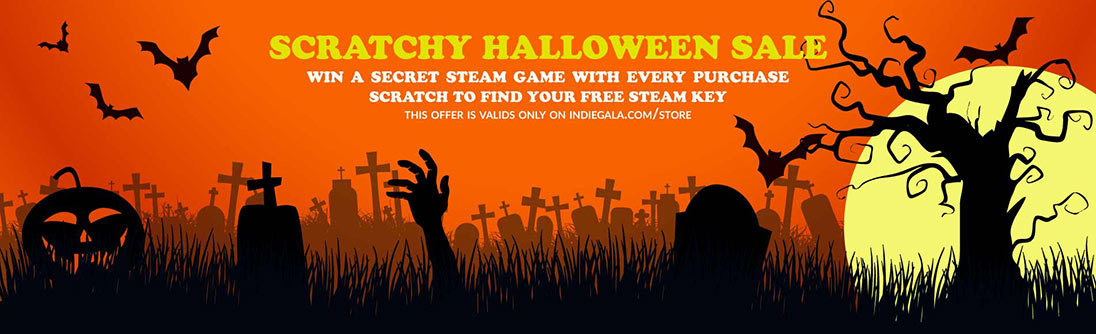
HALLOWEEN SCRATCHY SALE, Beyond Infinity Bundle, The Outer Worlds
HALLOWEEN SCRATCHY SALE Day 1
[www.indiegala.com] Spooky scary deals send you free scratchy treats filled with mysterious Steamy sweets! For every cart purchase...you'll get something special.
Wales Interactive Shares Switch Release Dates For Maid Of Sker And Five Dates
Publisher Wales Interactive has shared release dates for two upcoming titles heading to Switch. Stealth survival horror game Maid of Sker will be launching on 26th November, while interactive rom-com Five Dates arrives one week earlier on the 17th.
If you’re wanting to learn more about these two games, we have gameplay trailers and official descriptions for you below. Dive in:
Maid of Sker
Maid of Sker is a first-person survival horror, set in a remote hotel with a gory and macabre history from British folklore. Armed with only a defensive sound device, you’ll utilise stealth tactics to avoid death amongst a cult of sound-based AI enemies. Set in 1898 and inspired by the haunting Welsh tale of Elisabeth Williams, this is a story of a family empire driven by torture, slavery, piracy and a supernatural mystery that suffocates the grounds of the hotel.
Created and developed by Wales Interactive with a plot crafted by the writing talent and designers behind the likes of SOMA, Don’t Knock Twice and Battlefield 1.
Five Dates
Five Dates is an interactive rom-com about the unpredictable world of digital dating. With five potential female matches, Vinny explores whether compatibility, chemistry and connection is still possible in a world where physical touch is no longer an option.
Vinny, a millennial from London, joins a dating app for the first time while living in lockdown during the coronavirus pandemic. With five potential female matches, Vinny must pluck up courage to video date with wildly different personalities, starring Mandip Gill (Doctor Who) and Georgia Hirst (Vikings).
The viewer’s choices will define Vinny’s interactions with each date and their interest in seeing him again. Amidst a branching, multi-directional chain of conversation topics and deep-dive questions, Vinny is faced with digital game dates, awkward scenarios and unexpected truths.
Either of these taking your fancy? Feel free to share your thoughts on each game in the comments below, and let us know whether or not you plan on picking them up.
Crash Bandicoot 4, Spelunky 2, And More Discounted In New PS4 Sale
If you're looking for something new to play on PS4, there are some excellent deals at the PlayStation Store right now, including the first discounts on Crash Bandicoot 4: It's About Time and Spelunky 2. PSN is also hosting a new sale dubbed "Planet of the Discounts," which features great deals on games such as Sekiro: Shadows Die Twice and Red Dead Redemption 2.
Crash Bandicoot 4: It's About Time released in September to critical acclaim. The platforming game earned an 8/10 in GameSpot's Crash Bandicoot 4: It's About Time review, with critic Mike Epstein praising the inventive level design, environments, and surplus of content. You can snag it for $45 until November 12.
The Planet of the Discounts sale is live until November 21, so you have a couple of weeks to shop the deals. Spelunky 2 has received a modest 20% discount, dropping the price to $16. The long-awaited roguelike platforming sequel earned an 8/10 in GameSpot's Spelunky 2 review.
Hi,
New BO4 update mean new trainer update
I got hit in the recent "banwave" but some ppl still can play fine. So, Use it at your own risk.
You'll need to use the BoxedApp Packer method to play, otherwise you'll instant crash.
Here the tut for BoxedApp Packer :
1 - download a tool named "BoxedApp Packer" , Google is your friend.
You'll receive an email to download the tool, take the second link (I blurred the link cuz rules, no outside links.)
2 - click "Select" then "Browse..."
3 - Select your trainer and click Open
4 - Click "Build"
5 - Click "Yes"
Simple as that ! Nothing more, nothing less.
Now use the .exe file from your output folder.
Here video guide (video made on the previous trainer) :
Just follow what I do, simple as fck
Make sure your folder is not named izipizi_mpgh.net or something similar, create a fresh name folder and extract the trainer in it, rename the .exe and then do the BoxedApp Packer thing.
Start the trainer when you're in-game to avoid some problem. As always, if you need help im available in PM or IM (mpgh chat)
Enjoy !
Posted by: SickProdigy - 11-04-2020, 09:24 PM - Forum: PC Mods
- No Replies
I have added a teleport profile system which allows you to save and name locations
that can be reloaded at anytime or shared with others. Not sure how useful it will be but
something I wanted to try. ENJOY!
BO2Z Toolbox-
BO2Z Toolbox is designed to be used on the Plutonium
version of Black Ops 2 Zombies in lan mode, this tool makes
no attempt to bypass or evade anticheat. If you use this tool
online, you do at your own risk and most features probably
won't even work.
Running BO2 in windowed mode will allow you to use
the menu ingame by pressing the menu hotkeys. Even
though in windowed the game still looks like fullscreen.
Then press hide hotkey to close the menu. Hotkeys can
be changed in settings.
New In 1.4:
-Updated For Latest Patch
-Added Teleport Profile System
-Updated To Toolbox Framework Version 2.0
-Bug Fix
-Fixed Icon Image
FEATURES-
god mode, ammo, lock spread, give cash, rapid fire, gravity, playspeed, timescale, auto semis, teleport & more
Customizable colors and hotkeys
Run Black Ops Zombies 2 in window mode and press the show hotkey to bring up the menu then hide hotkey to close it
VIDEO-
GUI-
[size=undefined]Thanks to:[/size]
-NeWaGe
-New Age Software
** This aimbot use AHK, So I won't be upload any file **
Notice the red light when you look at the enemy player? This aimbot target that red color and help you aim.
Note: Don't use red dot or red reticle, just change the reticle to other color.
Note2: If there're red background behind enemy, this will throw off your aim.
Note3: I use this since AW, It's work great with thermal, but since BO4 thermal reticle is yellow and player heat is also yellow, this hack is useless for BO4.
Click here to view the original image of 753x366px.
Click here to view the original image of 816x465px.
NOTE! This is a preview only right now. This will be released free when its finished.
PS4 Only! This is a port of my private trainer from PC BO4
Its not ready yet for release, Im not sure when just yet but its coming.
You can play with friends on a retail PS4 and play in modded lobbies together using this.
Im attempting to get set xp for other players. + Have a systemlink game count as a online game so ranking up is possible. If successful this will not be free, It will be added to the trainer but for that addition this will be paid content.
Many more features need adding so i will update this thread with whats new.
This has been created using TylerMods PS4 Trainer for mutiple games, I have updated the tool featuring BO4 latest update cheats + Crashbandicoot NSane Trilogy. Which i will release together with BO4 Trainer when BO4`s trainer is ready.
All credit for the tool goes to TylerMods, i dont think he is registered on here so i cannot link his username.
Im releasing this free because its PS4 lol, + not OP features are in it (Yet) but the OP features will be paid!
The tabs i didnt show you are not completed yet thats why i only show you the tab name
Be afraid, be very afraid. The days are getting shorter, the nights darker and there’s a chill in the air that you just can’t shake. There’s no better time than now to face your fears and play that scary game you’ve been avoiding all year.
Because we know not everyone wants to dive into their fears head-on, we’ve put together a helpful game guide with our very own Spook-O-Meter, with five pumpkins being bone-chillingly scary to one pumpkin being a delightfully spooky and rambunctious time for even the littlest of monsters. Better yet, the games on this list are available to play with Xbox Game Pass on Xbox, PC or Android mobile devices with cloud gaming (beta). So, grab the candy bowl and get ready to enjoy some of the spookiest games that play best on Xbox.
Don’t Play These Games Before Bed ?????
You run but you can’t escape the beast hunting you. Somewhere in the distance, you hear your friend’s blood curdling scream, and you know it’s coming. Heavy footsteps and the shrill sound of steel dragging on concrete linger behind you. You bolt up, your breath heavy, your sheets covered in sweat. Looking around your bedroom, you see there’s no one there… but you’re painfully aware of what could happen the next time you close your eyes.
These Games Aren’t for the Faint of Heart????
You just can’t avoid the feeling you are being watched. The visions of grotesque monsters won’t leave your brain and you jump at the faintest of sounds. You check behind every door, look under the bed and peek behind the shower curtain—just to make sure no one is there. Is that a pair of eyes you see staring back?
Games That Could Make You Afraid to Turn Out the Light ???
Did you hear that noise? Maybe it was the wind. Maybe it was something—or someone—gently tapping on the wall outside your bedroom. Drip… drip…. drip…. Was that the bathroom sink leaking again or the sound of your heart beating in your head? Remember to pull the covers tight. Don’t want anything — or anyone — grabbing your feet as they dangle off the edge of the bed.
Games That Might Make You Howl ??
Outside your window in the dark, twisting woods, you think you hear a noise. Your skin crawls when a faint howl sounds in the distance. What was that rustling in the brush? At least your friends are around—oh wait.
These Games are a Little Bit Spooky and Perfect for Everyone?
Cuddle up on the sofa or under the covers with a sweet treat and your Xbox controller. Just watch out for those pesky creepers and huge spiders behind every corner. And don’t worry about that smell of rotten eggs, it’s just a witch’s breath!
If you’re looking for even more frightful fun, be sure to check out the Spooky Fall Event coming to Minecraft Dungeons! From October 26 through November 3, we’re diving into all things creepy and crawly that you don’t want to miss. The time-limited Seasonal Trials will bring new challenges, and with new challenges comes new rewards! The prizes for surviving these supernatural trials will be ultra-exclusive gear and weapons that are a must-have for this spooky season.
There is another Humble Bundle of interest to game developers, the Mastering Animation by CRC Press bundle. This is a collection of e-books around the concept of animation, from traditional to digital, comics, manga and anime, as well as animation related subjects such as legal and writing. The bundle is organized into the following tiers:
1$
Dream Worlds: Production Design for Animation
Animate to Harmony: The Independent Animator’s Guide to Toon Boom
Voice Over for Animation
Layout and Composition for Animation
Frame by Frame Stop Motion
How to Make Animated Films
8$
Animation from Pencils to Pixels
Designing Sound for Animation
The Art of Fluid Animation
Hybrid Animation: Integrating 2D and 3D Assets
Reel Success: Creating Demo Reels and Animation Portfolios
Acting and Performance for Animations
Animated Life
Making Toons That Sell without Selling Out
15$
Writing for Animation, Comics and Games
Directing for Animation
Acting and Character Animation
Animation in China
The Pocket Lawyer for Comic Book Creators
Animation: From Concept to Production
Independent Animation
Comics for Film, Games and Animation
Japanese Visual Culture
Lighting for Animation
All books are provided in PDF, EPUB and PRC(?) formats. As with all Humble Bundles you can decide how the proceeds are allocated between Humble, the Publisher, charity and if you so choose (and thanks if you do!) to support GFS using this link. You can learn more about the bundle in the video below.









![[Image: bobo.gif]](https://www.mpgh.net/forum/images/emotions/bobo.gif)
![[Image: J16K3EV.jpg]](https://i.imgur.com/J16K3EV.jpg)
![[Image: gQyUc2P.png]](https://i.imgur.com/gQyUc2P.png)
![[Image: JTgtvfs.png]](https://i.imgur.com/JTgtvfs.png)
![[Image: pn1qLue.png]](https://i.imgur.com/pn1qLue.png)
![[Image: Oczw6ZO.png]](https://i.imgur.com/Oczw6ZO.png)
![[Image: rurPIbE.png]](https://i.imgur.com/rurPIbE.png)
![[Image: JX1sBUm.jpg]](https://i.imgur.com/JX1sBUm.jpg)
![[Image: h1jZNbl.jpg]](https://i.imgur.com/h1jZNbl.jpg)
![[Image: 47J8WhF.jpg]](https://i.imgur.com/47J8WhF.jpg)
![[Image: e354c6c6bf4ad9ce32e2aebdba3332a4.png]](https://i.gyazo.com/e354c6c6bf4ad9ce32e2aebdba3332a4.png)
![[Image: ab8d5744a0f828dad5ff51d46fa6938c.png]](https://i.gyazo.com/ab8d5744a0f828dad5ff51d46fa6938c.png)
![[Image: 86d8ebc1aa78572ffe89ed792f197adf.png]](https://i.gyazo.com/86d8ebc1aa78572ffe89ed792f197adf.png)
![[Image: b8671bcb742ca94ca56f78009e9ae885.png]](https://i.gyazo.com/b8671bcb742ca94ca56f78009e9ae885.png)
![[Image: emo5.png]](https://www.mpgh.net/forum/images/emotions/emo5.png)