Unreal Engine As A 3D Modeling & Sculpting Application
The most recent releases of Unreal Engine now include new beta Unreal Modeling Tools Editor Mode enabling you to create, sculpt and even texture entirely in Unreal Engine. If you want to check out the new features, you need to enable the plugin. Don’t worry, there are step by step instructions available below
In Unreal Engine, select Edit->Plugins.
In the Plugins dialog, filter by Model and locate and select Modeling Tools Editor Mode and click the Enabled checkbox.
This will first prompt you if you want to continue due to it being an experimental feature. Allow this, then it will prompt you to restart Unreal Engine, click Restart Now.
Once your project has restarted, you can access the new modeling tools in the Modes menu by selecting Modeling.
Once enabled a new toolbar will be available with options for creating new geometry from primitives or other creation modes, tools for modifying and deforming as well as sculpting geometry and much more.
Go hands-on with the Unreal Modeling Tools Editor Mode plugin in the video below.
Posted by: xSicKxBot - 12-21-2020, 10:39 PM - Forum: Windows
- No Replies
Start the new year with 3 ways to better organize your life
Our homes have never worked harder for us than they are right now. A home is our office, school, gym, sanctuary, and safe retreat from the world. That means it’s more important than ever to have organization systems in place to keep key parts of your home humming along.
See how these organization tips can help you achieve some of your New Year’s resolutions.
Discover an easier way to organize and manage your finances
Managing personal finances can be an unwelcome task for some people, but having the right tools can help make it easier. Join the millions of people who use Microsoft Excel to track their budgets, help simplify the task of managing finances, and to help stay on track with longer-term financial goals.
If you’re not a Microsoft 365 subscriber, there are some free templates you can use if you just want a simple tracking template or want to track your family’s monthly expenses. Just add your income and spending information and let the spreadsheets do the rest of the math for you.
Save time, organize and protect your computer files
Get the peace of mind that comes from knowing your computer files and photos are backed up and accessible to you wherever you go and whenever you need them. With OneDrive, your files sync between your computer and the cloud, so if you make changes on your computer, those changes are reflected in the file in the cloud—and vice versa.
You can work directly with your synced files anytime and can access your files even when you’re offline. Whenever you go online next, any changes you made while offline will sync automatically.
Organize and collect your thoughts while online
We all do it: While researching something online, we lose track of the key information we found. This year, discover a fun and visual way to track your ideas on the web by using Collections in Microsoft Edge. Collections allow you to easily identify your saved webpages by displaying the name, a quick summary, and a picture so you can find what you’re looking for at a glance.
Create collections to help you accomplish your New Year’s resolutions. Plan to eat better? Create a collection of recipes to try. Want to work out more? Create a collection of your favorite workout videos so you can easily find the video you want to watch each day. Looking to learn something new this year? Create a collection with videos and how-to pages to get you started.
You can also easily add Pinterest inspiration to your existing collection or export your entire collection to a new board on Pinterest. Whatever to-do list you have for 2021, you can capture it in a visually delightful way using Collections in Microsoft Edge.
Whether you’re looking to track and understand your spending better, to help protect your important files are protected, or to keep track of your ideas on the web, Microsoft has tools to help you take control and take charge in the new year.
4 cool new projects to try in COPR from December 2020
COPR is a collection of personal repositories for software that isn’t carried in Fedora. Some software doesn’t conform to standards that allow easy packaging. Or it may not meet other Fedora standards, despite being free and open-source. COPR can offer these projects outside the Fedora set of packages. Software in COPR isn’t supported by Fedora infrastructure or signed by the project. However, it can be a neat way to try new or experimental software.
This article presents a few new and interesting projects in COPR. If you’re new to using COPR, see the COPR User Documentation for how to get started.
Blanket
Blanket is an application for playing background sounds, which may potentially improve your focus and increase your productivity. Alternatively, it may help you relax and fall asleep in a noisy environment. No matter what time it is or where you are, Blanket allows you to wake up while birds are chirping, work surrounded by friendly coffee shop chatter or distant city traffic, and then sleep like a log next to a fireplace while it is raining outside. Other popular choices for background sounds such as pink and white noise are also available.
Installation instructions
The repo currently provides Blanket for Fedora 32 and 33. To install it, use these commands:
k9s is a command-line tool for managing Kubernetes clusters. It allows you to list and interact with running pods, read their logs, dig through used resources, and overall make the Kubernetes life easier. With its extensibility through plugins and customizable UI, k9s is welcoming to power-users.
The repo currently provides k9s for Fedora 32, 33, and Fedora Rawhide as well as EPEL 7, 8, Centos Stream, and others. To install it, use these commands:
rhbzquery is a simple tool for querying the Fedora Bugzilla instance. It provides an interface for specifying the search query but it doesn’t list results in the command-line. Instead, rhbzquery generates a Bugzilla URL and opens it in a web browser.
Installation instructions
The repo currently provides rhbzquery for Fedora 32, 33, and Fedora Rawhide. To install it, use these commands:
gping is a more visually intriguing alternative to the standard ping command, as it shows results in a graph. It is also possible to ping multiple hosts at the same time to easily compare their response times.
Installation instructions
The repo currently provides gping for Fedora 32, 33, and Fedora Rawhide as well as for EPEL 7 and 8. To install it, use these commands:
Review: Among Us – The Lockdown Hit Finally Comes To Switch
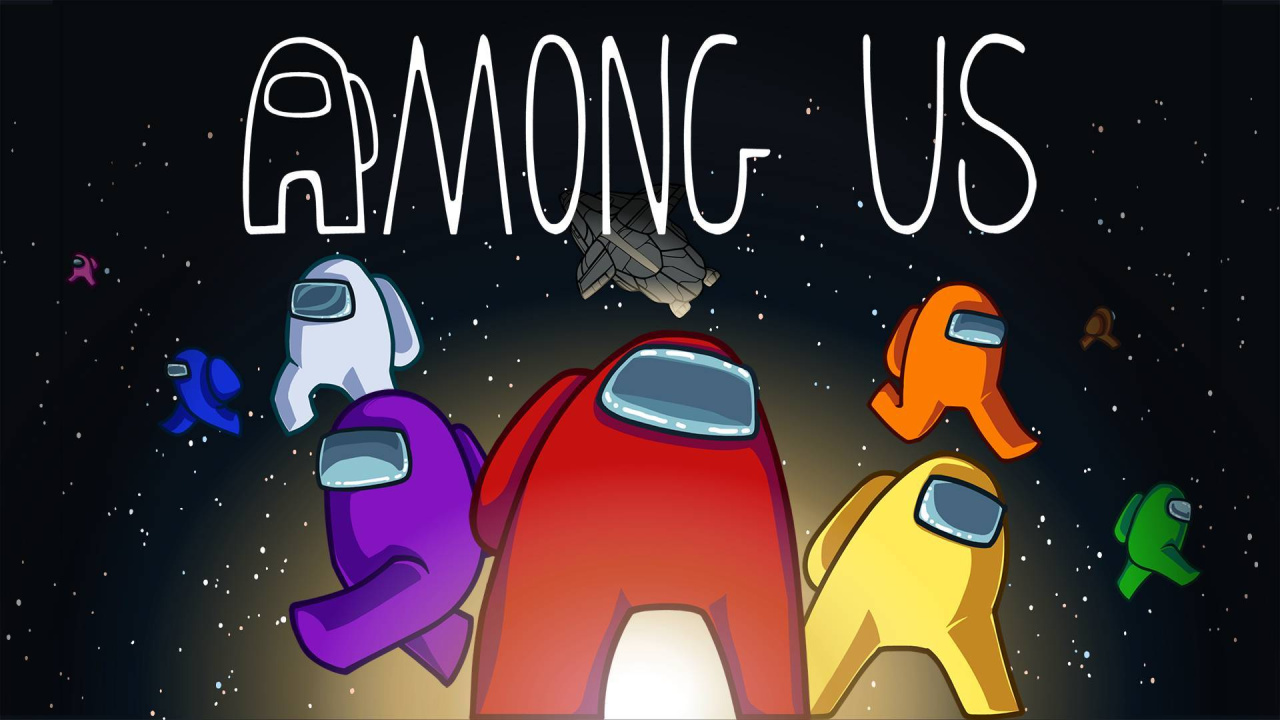
Innersloth’s Among Us has become something of a gaming sensation in 2020, some two whole years after it first quietly released as a free-to-play title on iOS and Android devices. Due to a combination of factors – which no doubt include huge Twitch popularity driven by its unique social dynamics and a captive lockdown audience looking for some simple multiplayer fun-times – this cute little indie gaming experiment is now one of the most talked-about titles of the year. Having been left out of the party up until this point, Switch owners finally get to join in the fun with a cross-play enabled port which has a few niggling issues here and there but, overall, delivers in serving up some super-addictive whodunnit hijinks.
Among Us sees groups of between four and ten players come together as crewmates aboard one of three claustrophobic spacecraft where they work together to complete a checklist of random tasks while keeping a keen eye out for an imposter or three lurking within their ranks. The imposter – or imposters – are randomly assigned at the beginning of each round and must attempt to murder all of the other players, sabotage their craft and generally cause a nuisance without raising suspicion and alerting their shipmates to their true identity, leading to them being called out during one of the game’s hilarious emergency meetings and ultimately jettisoned out of the ship and into the never-ending blackness of the space void.
The genius here is in how such a simple premise – one that takes no time at all for even the most casual of gamers to get to grips with – can lead to so much actual tension and genuine hilarity. The social interactions that take place, the paranoia, the emergency meetings full of backstabbing, cajoling and bare-faced lies, the imposters attempting to set one-another up and the arguments that break out… it’s never less than supremely entertaining.
Of course, being an online game where you’ll most likely spend the vast majority of your time playing with randoms, the quality of your experience can be vastly affected by the players you are joined by at any given time but, with servers currently full of eager participants, we’ve found that Among Us delivers more often than it lets you down and, if you happen to be playing with a bunch of friends locally or over the interweb, it’s a guaranteed blast.
There’s a wonderful mixture of gameplay elements at work here, a finely balanced combination of teamwork, co-operation and deceitful subterfuge involved in either successfully removing the imposters from the fold or murdering all and sundry, and rounds rarely play out in exactly the same manner as a result.
Assuming the role of an innocent crewmate and zipping around the ship to repair wiring, swipe cards, upload data and so on can be genuinely tense as you wait to be offed at any moment. Likewise, taking on the role of the murderous imposter can be a properly intense time where you need to choose your moment to strike, sabotage or disappear into a vent very carefully. The game also does a wonderful job of minimising downtime with dead players continuing to contribute as ghosts who can still partake in tasks and also get to sit back and enjoy the hilarious lies and deceit during emergency meetings where they now know who the imposter is.
Porting this game to Switch has seen Innersloth need to get to grips with the console’s unique control setup and, in this regard, there are few niggling issues here – the biggest of which arises from the game’s lack of in-built voice communication options. If you’re not using the likes of Discord to communicate with other players you’ll need to type in your questions, accusations and remonstrations during the constant emergency meetings that take place during a round and doing so can be a bit of a pain, most especially if you’re playing in docked mode where fiddling around on the fullscreen keyboard is cumbersome and also blocks your view of the ongoing conversation. It’s not a huge problem, and it’s one that’s much less of an issue in handheld mode where touchscreen controls to speed up the process, but it can sully the fun somewhat when you can’t get what you want to say out quickly enough.
Elsewhere, however, the controls here have been well implemented, with the touchscreen making the various little task-based minigames a breeze to blast through. There are also gyro controls – useful for blasting away asteroids – but these, rather bizarrely, only currently seem to work in docked mode, an oversight which will hopefully be patched in the not-too-distant future.
Just like the PC version of Among Us, this port will set you back just a measly couple of pounds, a fee which sees you freed from the shackles of the free-to-play mobile version’s incessant advertising. However, it’s a shame that for now, this Switch edition is missing out on some content in the form of skins which players can use to customise their cute little avatars. It’s not a massive omission, and we’re sure these things will turn up in-game sooner rather than later, but it’s something worth noting if you’re deciding between this or the Steam version of the game.
Slight control niggles and missing skins aside, this is the exact same Among Us you’ll likely already know and love, packed full of the same addictive silliness that has seen it surge to massive popularity in 2020; this is a wonderful little indie multiplayer experience that’s a great fit for portable play on Switch and one of the year’s most compelling casual gaming experiences.
Conclusion
Among Us is an instantly accessible and super-addictive casual gaming experience that serves up some hilarious whodunnit hijinks in short bursts that are perfectly suited to portable play. There are a few niggles here with regards to controls that make communication fussier than it really needs to be, but this is a fine port that finally enables Switch gamers to jump in and see what all the fuss is about with this most unlikely of gaming sensations.
There's no denying that 2020 has been a wild year, not just because of the fantastic games on display, but because of how COVID has shaken and, at times, stopped the world. But putting all that aside, there really have been some amazing games to play across all the major platforms, and they've made coping with the unexpected changes this year somewhat more bearable. Many of them were even made with developers working from home.
Like previous years, we've been highlighting some of the best games this year. Our top 10 picks make up our Best Game of 2020 nominees list, but there were plenty of other excellent gems that we liked. If you're keen to find out which games GameSpot reviewed highest this year, then we've got a whole list here to point you towards all the games we've scored 8 or higher.
For more of the year's best, be sure to check out our Best Games of 2020, but if you're more of a forward-thinking individual, jump into our hub for the Most Anticipated Games of 2021, which contains features highlighting the biggest games coming out next year.
FREE Scrap Garden, Steel Division Deal, Shiro Sale
Scrap Garden FREEbie
[freebies.indiegala.com] Scrap Garden is a charming puzzle platformer about the adventures of Canny, a lonely robot, who awakens in a post-apocalyptic world to find all other robots shut down and seized up.
Steel Division: Normandy 44 at 85% OFF
[www.indiegala.com] command detailed, historically accurate tanks, troops, and vehicles at the height of World War in IN Steel Division!
Crypto Sale Day 9: Shiro Games Winter Sale, up to -80%
[www.indiegala.com] Join our Crypto Sale, and get an EXTRA 30% OFF on all bundles and 15% OFF on all store deals when paying with a supported cryptocurrency. Here are just a few of the highlights:
The 247th GalaQuiz will be LIVE soon, win up to $50 in GalaCredit!
The game is free to keep for 24 hours until Dec 22nd, 2020 - 16:00 UTC. Epic is also giving everyone a $10 coupon to be used on any purchase of $15 or higher.
We are welcoming everyone to join our discord[discord.gg]. We are more active there on finding giveaways, small or large, and there are daily raffles you can participate.
December 21, 2020: We’ve added a new code to our list
There’s a Roblox game out there for everyone, whether it’s running away from Piggy, or looking after cute pets in Adopt Me! But recently one game in particular has risen to massive popularity: Shindo Life. Originally called Shinobi Life 2, the game is a re-imagining of the original Shinobi Life, a Naruto-style ninja game where you explore an open world, and fight against opponents in the arena, using your martial prowess and abilities. But you can also use spins to get freebies, which can make your character stronger.
That’s where our Shindo Life codes list comes in. Here we’ll round up the latest free codes in the game so you can claim some free spins and power yourself up. We also explain how to redeem the codes in-game lower down the page.
If you find this article helpful, be sure to check out some of our other Roblox content. For more freebies, try our Roblox promo codes guide. We also have a list of Prime Gaming loot, which often features new Roblox cosmetics!
Here are the latest shindo life codes:
n0n0noooooo! – free spins (new)
g1ftz0hgafts! – free spins
c4ndywh00ps! – free spins
B3LLaReR1ng1ng! – free spins
PtS3! – STAT reset
Expired list:
c0ldNc0zy!
Sn0wdayz!
Jin6le3!
M3rrym3rry!
8hunnet!
MerryGiftmas!
G1ft4u!
s4ntaBois!
SubToRiserrDawn!
C4ntst0pus!
Sub2ProbAzim!
Sub2Alphi!
r3vn3g3!
0nW4rdtoW1ns!
Sub2GhostInTheCosmos!
Sub2Sw33P33!
WeDidEtBois!
w3B4ckbaby!
700k!
600kSubs!
Ch4seDaDr3am!
K33pTry1ng!
B3L3veEt!
d0ntLoseHope!
Ch4s3Dr3ams!
Go4ll0ut!
KeepM0v1ngOnwards!
BelieveInSelf!
OneMillionSubs2021!
N3v3rSt0p!
wh1t3f4ng!
W0rkH4rd!
K33pg0ing!
H0t0cak4!
Th1sM0mentC0unts!
Tru5t1nG0D!
Y0uG0tTh15!
St4yStr0ng!
what are shindo life codes?
These codes are given out by the developer of Shindo Life, and they offer in-game rewards, but most notably, they give you free spins.
how do i get more shindo life codes?
What you really want from Shindo Life codes are free spins, and you can get these in-game by completing daily quests or leveling up. You can also join the Rell Games Discord to see when any new codes are posted for the game.
how do i redeem shindo life codes?
In order to redeem these codes, you need to cycle through the in-game menu to the ‘edit’ section. In the top right you’ll see ‘YouTube codes’. Tap here to enter your code, and then the redeem button, to get your rewards!
If you want to play Shindo Life for yourself, you can download Roblox on Google Play and the App Store. For more recommendations, we also have a list of the best Roblox games!
Konami Announces Yu-Gi-Oh! Rush Duel Is In Development For Switch
Yuga Ohdo – the protagonist of Yu-Gi-Oh! SEVENS
At Jump Fiesta 2021 Online this weekend, Konami announced Yu-Gi-Oh! Rush Duel was in development for the Switch.
This latest take on the card game series first appeared in Japan alongside the Yu-Gi-Oh! SEVENS anime earlier this year, and is the seventh Yu-Gi-Oh! show. Gematsu provides a little extra insight about what players can expect from the Switch version:
Players can Normal Summon any number of monsters from their hand in one turn, as well as draw until at least five cards are in their hand.
In the Switch game, players will be able to battle against the characters that appear in the Yu-Gi-Oh! SEVENS anime.
The anime itself hasn’t even been localised yet, although a trademark for an English version was filed in June this year. If this goes ahead, perhaps the Switch game will follow.
Super Baby 2 And Gogeta [SS4] Are Joining Dragon Ball FighterZ
After some leaks earlier this week, Bandai Namco has now officially confirmed Super Baby 2 and Gogeta SS4 from GT will be joining Dragon Ball FighterZ‘s third DLC pass. The announcement was made during Japan’s National Championship broadcast.
Super Baby 2 will be released on 15th January 2021, and Gogeta [SS4] – a fusion of Goku and Vegeta is “coming soon”. There’ll also be a 2-day early access period for each character. Below is your first official look:
What do you think of the final two fighters joining Dragon Ball FighterZ’s third DLC pass? Leave a comment down below.