Witcher's Season 2 Script Preview Promises A Bloody Beginning
Many of the stories featuring Geralt of Rivia are, at their core, mystery stories with a medieval fantasy twist. The first season of the show operated primarily on a mixed-timelines premise that was confusing at times and definitely didn't work for everyone, but season 2 seems to be digging into that mystery premise based on a page of the first episode's script posted by Netflix to Twitter this week.
This page from the Witcher Season 2 script shows the next season isn't holding back. pic.twitter.com/O2ucSltlls
The story starts with a merchant and his family traveling alone by carriage, finding themselves looking for lodgings in an empty town. The merchant turns his back for a second and then back around to find his wife missing, his daughter covered in blood.
Geralt narrates over it. "You dogged my every footstep. But struck down others I passed on my way. Why?" he begins. "I was meant to end up alone, wasn't I? So I would finally begin to be afraid?"
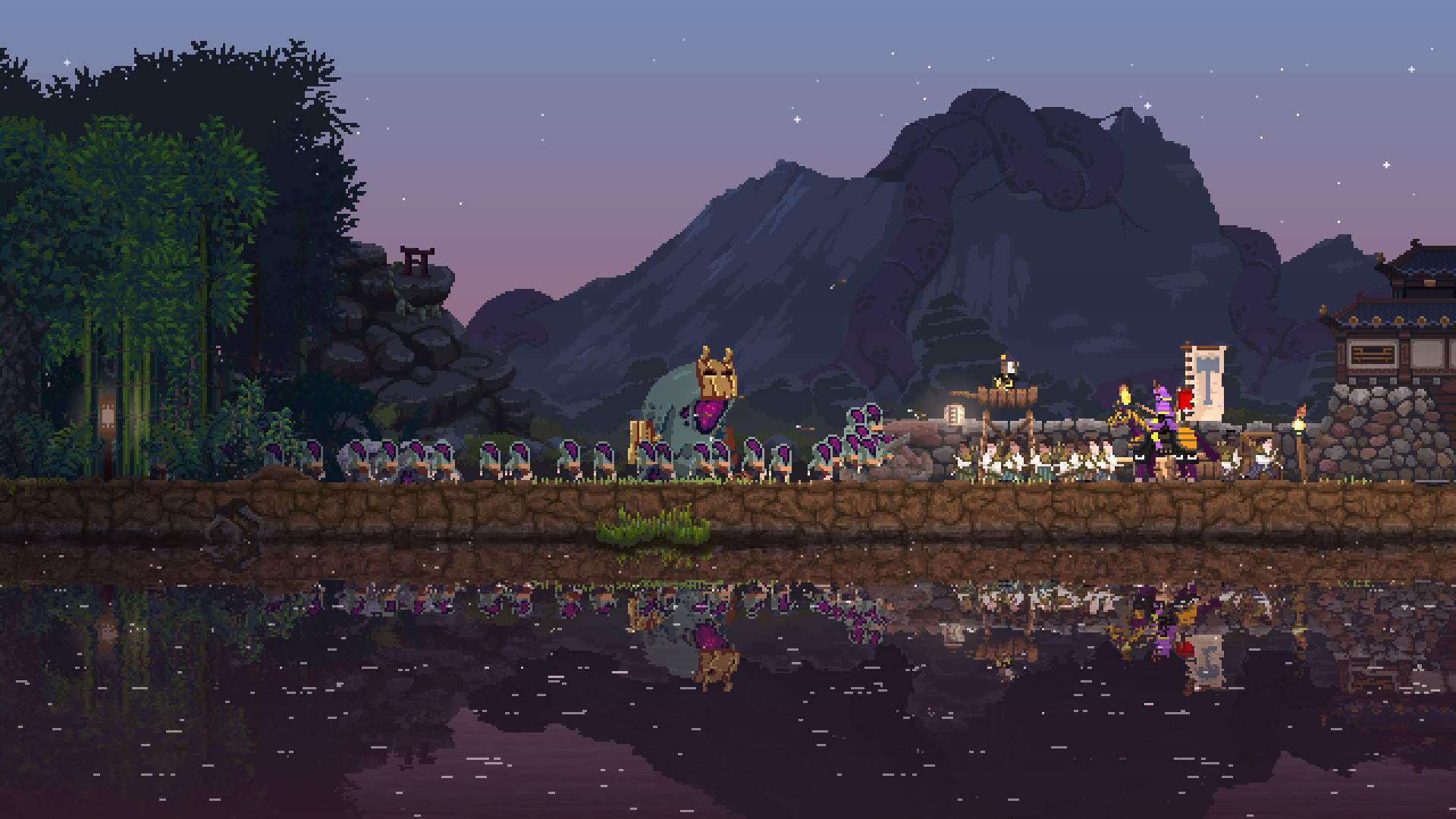
Kingdom Two Crowns is still a masterpiece of micro-strategy
It all starts with a crown. You inherit a run-down kingdom of overgrown forests and mysterious ruins. Your subjects are poverty-stricken, living in ramshackle hovels. But all it takes is a little gold to straighten these things out. A coin dropped here can train those poor subjects into builders and hunters. Another coin dropped over here can level the forests, expanding the frontier and making way for farmland. Even more coins can build walls, watchtowers, and hire soldiers. With a little gold, you can create yourself a true kingdom.
But as soon as you start building, the Greed appear, monsters who are only happy when they’ve taken everything you’ve built. Each night they attack, and so you must raise your walls higher, create ships and sail to new lands, hoping you can outrun them a little longer this time, that you can end the cycle, and keep hold of your crown.
It’s a simple setup: a king builds, and monsters destroy. But to call Kingdom Two Crowns a simple game would be a real understatement.
When I wrote my Kingdom Two Crowns review back in June, I’d honestly never played anything like it before. Micro-strategy was a new term to me, but I quickly came to realise how well suited this genre was for mobile. Kingdom Two Crowns takes a genre that is usually very complex – management sims – and boils it down to its most basic elements. You are a king, a gold-giver, and your coin pouch is how you interact with the world.
A single tap will drop a coin, transforming a citizen into a worker or ordering a tree chopped down. Three taps might build a watchtower, or dam a river. And ten taps might upgrade your town centre. How you use your coins, and what you choose to invest in is the true strategic element of Kingdom Two Crowns, as you balance civic development with defence. But your coin pouch can also overflow, meaning coins start to drop off your person.
The second element of Two Crowns play is your steed. As a monarch, you ride a horse above your citizens, which also allows you to escape from monsters, but just like they thought in the olden days, the world is flat, so the bigger your kingdom grows, the harder it is to oversee your borders and defences. If you grow too large you’ll be desperately riding from one side to another when night comes, trying to make sure the Greed haven’t breached your walls and overrun your defenders. Though this can be improved by finding steeds out in the wild, whether a giant stag, or a griffin, which can blow monsters away with a flap of its wings.
But one of the smartest parts of Kingdom Two Crowns is that you can’t fight the monsters. Just as in chess, your king has to mainly rely on others fighting for him. Coins and your steed are the only two ways you interact with the world in Kingdom Two Crowns, but in spite of that simple approach, the game has massive depth of discovery.
There are whole building systems, upgrade trees, loads of different unit types to train, and secrets to discover in the wider world. And the best part of it all? Kingdom Two Crowns doesn’t tell you a damn thing. It just gives you a simple means with which to interact with the world and lets you learn for yourself through trying and failing. And you will fail. Your walls will topple, your soldiers will be defeated, and you’ll lose your crown again and again. But the next time, you’ll know how to better beat the Greed.
I think it’s this wonderful combination of simplicity and depth that makes Kingdom Two Crowns such a memorable micro-strategy game, and one of my favourites this year. And despite how stressful and addictive it is – second only to Don’t Starve, in my mind – it has moments of peace and tranquility. Riding through a beautiful forest on your horse as a gentle soundtrack plays, you could almost forget about the crown weighing heavy on your head.
Lovecraftian Text Adventure The Innsmouth Case Is Out On Switch Today
Little Tabitha Marsh has disappeared, and let’s just say that Innsmouth is not the sort of place you’d want to be disappearing in. With a cast of over 30 creepy, weird, and suspicious characters to interview (and 27 different ways to meet an early end), The Innsmouth Case is a story game that’s all about trying to avoid whatever fate met poor Tabitha. Just like your favourite choose-your-own-adventure books, every dialogue choice you make will either lead you closer to the answer… or closer to your grave.
Sounds spooky? Well, yeah – you saw the “Lovecraftian” in the title, right? Drawing inspiration from H.P. Lovecraft’s stories of the unknowable and the eldritch horrors that lurk just beyond our understanding, The Innsmouth Case is the kind of game that’s probably going to have a whoooole bunch o’ tentacles in it, we imagine. But unlike Mr Lovecraft’s work, The Innsmouth Case is a work of comedy-horror, with actual jokes in it to hopefully offset the pants-wetting existential terror of the rest of it.
Posted by: sargielvares - 12-29-2020, 02:25 AM - Forum: Lounge
- No Replies
If you exercise, play sports, or have PE, you may want to wash your face afterward with a gentle cleanser. “You have a milk mustache for your whole face.” Add that with anti-inflammatory honey and you’ve got a mask sure to soothe. Mix together two tablespoons of powdered milk, quarter-cup of yogurt, and a half-teaspoon of honey. Leave the mixture on your face, neck, or chest for 15 minutes, then rinse off with room-temperature water.
Rules For Natural Glowing Face With Attractive Offer!! - antiagingskincares.org/lumostat-cream/
Lumo Stat Cream forces to clear your pores. We say so because water flushes impurities present in the body, providing a naturally glowing skin. As the days get longer, promote healthy skin with professional products. With assignment deadlines and back-to-back lectures, Chawla, an undergraduate student at Lady Shri Ram College for Women, says she follows a proper routine to take care of her skin.
Keywords - LumoStat Cream, LumoStat Skin Cream, Lumo Stat Cream
Posted by: xSicKxBot - 12-29-2020, 02:21 AM - Forum: Python
- No Replies
14 Unix Principles to Write Better Code
“This is the Unix philosophy: Write programs that do one thing and do it well. Write programs to work together. Write programs to handle text streams, because that is a universal interface. […] ” – McIlroy
This book chapter draft is original material drawn from my upcoming book “From One to Zero” to appear in 2021 with NoStarchPress (San Francisco).
In this chapter, you’ll learn about the Unix philosophy and how it applies to Python code examples. After providing you with a quick overview of the philosophy, I’ll show you the top principles that were employed by some of the world’s smartest computer engineers to create today’s operating systems. If you’re a software engineer, you’ll find much valuable advice on how to write better code in your own projects.
You may ask: what is Unix anyway, and why should you care?
The Rise of Unix
The family of Unix operating systems emerged in the late 1970s when Bell Systems made the source code of its technology open to the public. In the subsequent decades, universities, individuals, and corporations developed a multitude of extensions and new versions.
Today, Unix is a trademarked standard that ensures that certain quality standards are met of any operating system that applies for the standard. Unix and Unix-like operating systems have a major impact in the computing world. About two out of free web servers run on a Linux system, which is based on Unix. Most of today’s supercomputers run Unix-based systems. The macOS is also a registered Unix system in 2020 (source).
The massive impact of Unix has attracted the best coders in the world to collaborate on improving the operating system continuously. Linus Torvaldis, Ken Thompson, Brian Kernighan—the list of Unix-developers contains the names of some of the world’s most impactful coders. You would think that there must be great systems in place to allow programmers all over the world to collaborate in order to build the massive ecosystem of Unix code consisting of millions of lines of code. And rightly so! The philosophy that enables this scale of collaboration is the acronym DOTADIW (seriously)—or Do One Thing And Do It Well. Next, we’re getting a short overview of the full Unix philosophy. Whole books have been written about it but we focus on the things that are still relevant today and use Python code snippets to showcase some examples. To the best of our knowledge, no book has ever contextualized the Unix principles for the Python programming language.
Philosophy Overview
The basic idea of the Unix philosophy is to build simple, clear, concise, modular code that is easy to extend and maintain. This can mean many different things—more on this later in the chapter—but the goal is to allow many humans to work together on a code base by prioritizing human over computer efficiency, favoring composability over monolithic design.
Say you write a program that takes an URL and prints the HTML from this URL on the command line. Let’s call this program url_to_html(). According to the Unix philosophy this program should do one thing well. This one thing is to take the HTML from the URL and print it to the shell. That’s it. You don’t add more functionality such as filtering out tags or fix bugs you find in the HTML code. For instance, a common mistake in HTML code is to forget closing tags such as in
But even if you spot these type of mistakes, you don’t fix them—do one thing well! Another feature you may want to add to your program url_to_html() is to automatically fix the formatting.
For example, the following HTML code doesn’t look pretty:
However, the name of the function is url_to_html() and, according to the Unix philosophy, you don’t want to mess with its main purpose: converting a URL to the HTML located at this URL. Adding a feature such as code prettifying would add a second functionality that may not even be needed by some users of the function. Note that a user of a function could even be another function called prettify_html(url) which single purpose was to fix stylistic issues of the HTML code at the URL given as a function argument. This function may very well use the function url_to_html() internally to get the HTML before processing it further. By focusing every function on one purpose and one purpose only, you improve maintainability and extensibility of your code base: the output of one program is the input of another. At the point where you implement one program, you may not even know for which it will be used. Thus, you reduce complexity, don’t add any clutter to the output of a program, and focus on implementing one thing well.
While a single program may look trivial, useful tools can be created through the interaction of those components (see Figure 8-1).
Figure 8-1: Overview of multiple simple components working together to accomplish a bigger task.
Figure 8-1 shows how four simple functions—they may be Unix tools—interact to help a user display the HTML code from a given URL. Think of this as a browser in your code shell. Alice calls the function display_html(url) that takes the URL and passes it to another function url_to_html(url) that has already implemented functionality of collecting the HTML from a given URL location. No need to implement the same functionality twice. Fortunately, the coder of the function url_to_html() has kept his function minimal so that we can use its returned HTML output directly as an input to another function fix_missing_tags(html). This is called “piping” in Unix lingo: the output of one program is passed as an input to another program. The return value of fix_missing_tags() is the fixed HTML code with a closing </span> tag that was missing in the original HTML. Again, you pipe the output into the function prettify_html(html) in step 8 and wait for the result: the corrected HTML with indentation to make it user-friendly. Only then returns the function display_html(url) the prettified and fixed HTML code to Alice. You see that a series of small functions connected and piped together can accomplish quite big tasks! Compare this version to the monolithic implementation where the function display_html(url) would have to implement everything by itself. There would be no way to reuse partial functionality such as retrieving the HTML code from an URL or fixing a faulty HTML code. However, some other functions may only need this partial functionality. The modular design of the code enables reusability, maintainability, and extensibility. Small is beautiful!
Next, I’m going to go over a collection of Unix rules from Unix coding experts Eric Raymond and Mike Gancarz.
Unix Principle 1. Simple is Better Than Complex
This is the overwhelming principle of this whole book. You’ve already seen it in many shapes and forms—I stress this so hard because if you don’t take decisive action to simplify, you’ll harvest complexity. In Python, the principle simple is better than complex even made it into the inofficial rule book. If you open a Python shell and type import this, you obtain the famous Zen of Python that shows you a number of rules on how to write great Python code, including our principle simple is better than complex. See Listing 8-1 for the complete Zen of Python.
>>> import this

The Zen of Python, by Tim Peters Beautiful is better than ugly.

Explicit is better than implicit.

Simple is better than complex.

Complex is better than complicated.

Flat is better than nested.

Sparse is better than dense.

Readability counts.

Special cases aren't special enough to break the rules.

Although practicality beats purity.

Errors should never pass silently.

Unless explicitly silenced.

In the face of ambiguity, refuse the temptation to guess.

There should be one-- and preferably only one --obvious way to do it.

Although that way may not be obvious at first unless you're Dutch.

Now is better than never.

Although never is often better than *right* now.

If the implementation is hard to explain, it's a bad idea.

If the implementation is easy to explain, it may be a good idea.

Namespaces are one honking great idea -- let's do more of those!
Listing 8-1: The Zen of Python.
At this point, if you wonder why simple is better than complex, go back to Chapter 2 Keep It Simple, Stupid!
Unix Principle 2. Small is Beautiful
You’ve already seen this rule in action in the previous example in Figure 8-1. Rather than writing big monolithic code blocks, write small functions and work as an architect brokering the interaction between those functions. You’re the system architect and you foster interaction between the system components. Small programs are superior to large blocks of programs in many ways:
Going small reduces complexity. Comprehending code becomes more complicated if the code is longer. This is a cognitive fact: your brain can only keep so many chunks of information at the same time. If you overload your brain with too many pieces of information, it becomes unable to see the big picture. Any line of code is a piece of information. By going small and reducing the number of lines of code of a function, you improve readability of your code and reduce the likelihood of injecting costly bugs into your code base.
Going small improves maintainability. If you structure your code in many small pieces of functionality, it becomes easier to maintain. You can add more small functions easily without having to worry about side-effects. Contrast this to a big monolithic code block. If you change it, it can easily have global effects. The risk of injecting bugs into your code when working with a monolithic code block increases significantly, for instance because more programmers may want to change the same monolithic function at the same time.
Going small improves testability. Test-driven development is a big topic in today’s software companies. Every test you write reduces the chance of shipping buggy code—most serious software development houses use unit tests to change each function separately by stress-testing different inputs and compare the outputs with the expected ones. This way, bugs can be found in isolation—which is a big advantage of a software architecture that prefers small over big.
I promised to provide you a Python example for each of the Unix principles to show you that they are still relevant today. Well, for this principle, Python itself is the best example. Any master coder uses other people’s code to ramp up their coding productivity. If you think about it, the act of programming itself is to build on other people’s code. It is just a matter of the abstraction layer you find yourself in:
Do you write source code that is very close to machine code (test: do you use a goto statement?) or do you write source code that has abstracted most of the low-level complexity (test: does your program asks for the user input via a built-in function get_user_input()?).
Do you create a machine learning algorithm yourself or do you simply import a library that already provides the algorithm you are seeking?
Do you use TCP or HTTP communication to access other programs?
No matter how you answer these questions, you rely on a lower layer of code that provides the functionality you need. Python already implements much of this functionality for you. Millions of developers have spend countless hours optimizing code that you can import into your code in a split second. However, Python, like most other programming languages, chose to provide this functionality by means of libraries. Many of the infrequently used libraries need to be installed separately—they don’t ship with the default implementation. By not providing all the libraries as built-in functionality, the Python installation on your computer remains relatively small while it doesn’t sacrifice the potential power of external libraries. On top of this, the libraries themselves are relatively small—all of them focus on a restricted subset of functions. Rather than having one big library to rule all problems, we have many small libraries—each responsible for a small part of the picture. Small is beautiful. Every few years there’s a new hot trend towards breaking up big, monolithic applications into small beautiful applications to scale up the software development cycle. The last few trends have been CORBA, SOA, and Microservices. It pays to stay ahead of the curve by learning the concept. Here’s the definition of book author and expert on the field of software architecture Martin Fowler:
The term “Microservice Architecture” has sprung up over the last few years to describe a particular way of designing software applications as suites of independently deployable services.
The idea is to break up a large software block into a series of independently deployable components. These components can then be accessed by multiple programs instead of only by a single program. The hope is to accelerate overall progress in the software development space by sharing and building upon each other microservices. Diving into this exciting topic is beyond this book, but I’d suggest, you check out the online resource about microservices from Martin Fowler.
Unix Principle 3. Make Each Program Do One Thing Well
You’ve seen this principle at play in Figure 8-1 where we rather implemented four small functions than one large monolithic function. Let’s have a look how that would look like in code in Listing 8-2.
import urllib.request

import re def url_to_html(url): html = urllib.request.urlopen(url).read() return html def prettify_html(html): return re.sub('<\s+', '<', html) def fix_missing_tags(html): if not re.match('<!DOCTYPE html>', html): html = '<!DOCTYPE html>\n' + html return html def display_html(url): html = url_to_html(url) fixed_html = fix_missing_tags(html) prettified_html = prettify_html(fixed_html) return prettified_html
Listing 8-2: Make one function or program do one thing well.
The code in Listing 8-2 gives a sample implementation of the four functions explained in Figure 8-1 to perform the following steps in the function display_html:
Get the HTML from a given URL location.
Fix some missing tags.
Prettify the HTML
And return the result back to the function caller.
For example, if you’d run the following code and the given URL would point to the not very pretty HTML code '< a href="https://finxter.com">Solve next Puzzle</a>', the function display_html would fix it simply by brokering the inputs and outputs of the small code functions that do one thing well.
What happens if you print the result of the main function?
print(display_html('https://finxter.com'))
This would print the fixed HTML to your shell with a new tag and removed whitespace:
<!DOCTYPE html>

<a href="https://finxter.com">Solve next Puzzle</a>
In your project, you could implement another function that doesn’t prettify the HTML but only adds the <!DOCTYPE html> tag. You could then implement a third function that prettifies the HTML but doesn’t add the new tag. Basically, creating new functionality based on the existing functionality is very simple and there wouldn’t be a lot of redundancy.
However, if you’d use a monolothic code function that does all things itself, it would look like this:
def display_html(url): html = urllib.request.urlopen(url).read() if not re.match('<!DOCTYPE html>', html): html = '<!DOCTYPE html>\n' + html html = re.sub('<\s+', '<', html) return html
The function is now more complicated: it handles multiple tasks instead of focusing on one. Even worse, if you’d implement variants of the same function without removing the whitespace after an opening tag ‘<‘, you’d have to copy&paste the remaining functionality. This results in redundant code and hurts readability. The more functionality you add, the worse it will get!
Unix Principle 4. Build a Prototype as Soon as Possible
You’ve learned about this in Chapter 3: Build a Minimum Viable Product. The Unix guys and girls also prefer to launch early and often—to avoid getting stuck in perfectionism by adding more and more features, and exponentially increasing complexity without need. If you work on large software applications such as an operating system, you simply cannot afford to go down the route of complexity!
Figure 8-2 shows the Finxter.com app as it has emerged over the years. There are a number of features such as interactive solution checking, puzzle voting, user statistics, user management, premium functionality, related videos, and even simple features such as a logo. All of those would be unnecessary for an initial launch of the product. In fact, the minimum viable product, or prototype, of the Finxter application would be an image of a simple code puzzle shared on social media. This is enough to validate the hypothesis of user demand without spending years building the application. Fail early, fail often, fail forward. You can only fail often, early, and forward if you don’t spend vast amounts of resources on each failure because if you spend all your assets and a lifetime of work on one opportunity, there’s no way to try again.
Unix Principle 5. Choose Portability Over Efficiency
Portability is the ability of a system or a program to be moved from one environment to another and still function properly. One of the major advantages of software is its great portability: you can write a software program on your computer and millions of users can run the same program on their computers without the need to adapt the program to the new environment.
While portability is an advantage, it comes at a cost: efficiency. You can reach very high degrees of efficiency by tailoring the software to one type of environment. An example of this trade off between efficiency and portability is virtualization. Virtualization is an additional layer of software between your application and the operating system that allows you to quickly move your program from one machine to another—you don’t really care about the underlying hardware on that machine if it is just powerful enough to host your application. Using virtualization instantly improves portability of your application but it reduces efficiency compared to tailoring the application to a given bare metal machine because it’s an additional layer of overhead: the code of your application must call the controls of the virtual operating system that then hand those commands over to the real operating system that then moves them further down to the lowest levels: bits and bytes.
As a programmer, you may find it hard to decide which route to take: higher efficiency or higher portability. Even more so because there’s no objective truth—in some cases, efficiency is paramount while othertimes it’s portability you should choose. However, the Unix philosophy advocates to choose portability over effiency. The reason is simple: millions of users will work with the operating system.
But the rule of thumb to prefer portability also applies to the wider audience of software developers. Reducing portability means that you reduce the value proposition of your system because your software cannot be ported to all users. Many big trends at our times attempt to radically improve portability—even at the costs of effiency. An example is the rise of web-based applications that run on every computer with a browser, whether the operating system is macOS, Windows, or even Linux. Another example is the trend towards human accessibility (=portability) of modern web applications: if you’re blind, you must still be able to access the web, even though it may be less efficient to host a website that facilitates accessability. There are resources much more valuable than computing cycles: human lives, time, and the second-order consequences provided by machines.
But what does it mean to program for portability, apart from these general considerations? Check out the code in Listing 8-3.
import numpy as np def calculate_average_age(*args): a = np.array(args) return np.average(a) print(calculate_average_age(19, 20, 21))

# 20.0
Listing 8-3: Average function, not very portable.
The code in Listing 8-3 is not portable for two reasons. First, the function name calculate_average_age(), although very descriptive, is not general enough to be usable in any other context, for example to calculate the average number of website visitors. Second, it uses a library without need. It’s generally a great idea to use libraries—but only if they add value. In this case, adding a library reduces portability at little benefit for efficiency (if at all). The code in Listing 8-4 fixes those two issues and it can be considered superior due to its greater portability.
The code is more portable without library dependency and with a more general name. Now, you don’t have to worry about the risk that the library dependency becomes depreciated—and you can port the same code to your other projects.
Unix Principle 6. Store Data in Flat Text Files
Flat text files are files that are simple and readable by humans. An example of a flat file format is CSV where each line relates to one data entry (see Listing 8-5).
Flat text files are accessible and readable by humans. You can share them easily, open them in any text editor, and even modify them. They’re portable—see the previous Unix principle—and maintainable. All of this comes at the cost of efficiency: a specialized data format could store the data much more efficiently in a file. For example, databases use their own data files on disk. If you opened them, you wouldn’t understand a thing. Instead of providing a simple flat date design, they rely on complicated indices and compression schemes. These optimizations result in less memory consumption and less overhead reading specific data items from the file. For example, to read a specific line from a flat file, you’d have to scan the whole file which can be very inefficient.
For web applications, the benefits of flat files usually don’t overcompensate their drawbacks—a more efficient data representation is needed to allow users to access websites quickly and with low latency. That’s why in the web development space, data is usually stored in non-flat representations and databases. However, you should use those data representations only if you absolutely need to use them. For many smaller applications—such as training a machine learning model from a real-world data set with 10,000 lines—the CSV format is the dominant way to store the training data. Using a database to pull each data entry for training the model would reduce portability and add unnecessary complexity that leads to non-perceiptable performance improvements in the vast majority of cases.
For example, Python is among the most popular languages for data science and machine learning applications. Interactive Jupyter notebooks allow programmers, data scientists, and machine learning engineers to load and explore data sets. The common format for those data sets is a flat file format: CSV. Listing 8-6 shows an example of how data scientists load data from a flat file in the script before processing it—favoring the portable approach over the more efficient one of using a database.
from sklearn.datasets import fetch_olivetti_faces

from numpy.random import RandomState rng = RandomState(0) # Load faces data

faces, _ = fetch_olivetti_faces(return_X_y=True, shuffle=True, random_state=rng)
Listing 8-6: Load data from a flat file in a Python data analysis task.
The files of the data set are stored on the web or on a local machine. The loading functions simply read this data and load it into memory before starting with the real computation. No database or hierarchical data structures are needed. The program is self-contained without needing to install a database or set up advanced connections to running data bases.
Unix Principle 7. Use Software Leverage to Your Advantage
A lever accomplishes big results with little efforts. Leverage is your ability to apply a small amount of energy while multiplying the effects of your effort. There are many ways to create leverage. In finance, leverage means to use other people’s money to invest and grow. But leverage can also mean to use other people’s time or energy—such as in large corporation with thousands of employees on the payroll. Interestingly, leverage can come from other people’s skills—and this is the most fertile soil for leverage because it doesn’t get used up. If you use the skills of another person to accomplish your goals faster, this person still possesses these skills. How great is that?
The first source of leverage for programmers is to tap into the collective wisdom of generations of coders before you. Use libraries rather than reinventing the wheel. Use StackOverflow and the wisdom of the crowd to find out how to fix bugs in your code. Talk to other programmers and ask them to review your code to find inefficiencies and bugs. All of those forms of leverage allow you to accomplish far more with less effort—more than you could ever accomplish alone. It creates synergies among programmers and lifts the power of all developers at the same time. How much poorer the world would be without programming communities such as StackOverflow. Without those communities, we’d all have to work much longer to accomplish less. But by embracing the collective wisdom, we accomplish more with less effort, time, costs, and pain.
The second source of leverage comes from the counter-intuitive world of computing. A computer can perform work much faster at much lower costs than a human being. If you “employ” a computer, you don’t have to pay for it social insurance, health insurance, income tax, and special bonuses. The computer works for free—just feed it with some electricity and it’ll happily do the work. And the computer does the work 24 hours per day, seven days a week, for years without ever complaining about you being an unfair employer. A computer behaves much like your personal slave—without all the negatives such as violating human rights—if you know how to talk to it. And the best thing: there’s no upper limit on the number of those diligent and cheap workers you can employ (or enslave). Computer systems are the reason for the largest creation (not only transfer) of wealth that humanity has ever experienced. And there’s still so much wealth to be created through the leverage of computing!
So, you can tap into powerful sources of leverage as a programmer. Create better software, share it with more people, employ more computers to create more value to the world, use other people’s libraries and software more often—yes, you can increase the leverage of your own software by building on other people’s software products. Good coders can create good source code quickly. Great coders are orders of magnitude more efficient than good coders by tapping into the many sources of leverage available to them.
For example, there’s much interest in automatically scraping data from websites. Have a look at the following code from our book Python One-Liners (see Listing 8-7).
## Dependencies

import re ## Data

page = '''

<!DOCTYPE html>

<html>

<body> <h1>My Programming Links</h1>

<a href="https://app.finxter.com/">test your Python skills</a>

<a href="https://blog.finxter.com/recursion/">Learn recursion</a>

<a href="https://nostarch.com/">Great books from NoStarchPress</a>

<a href="http://finxter.com/">Solve more Python puzzles</a> </body>

</html> ''' ## One-Liner

practice_tests = re.findall("(<a.*?finxter.*?(test|puzzle).*?>)", page) ## Result

print(practice_tests)

# [('<a href="https://app.finxter.com/ ">test your Python skills</a>', 'test'),

# ('<a href="http://finxter.com/">Solve more Python puzzles</a>', 'puzzle')]
Listing 8-7: One-liner solution to analyze web page links. See https://pythononeliners.com/ for an explainer video.
The code finds all occurrences of an URL in the given HTML document that contains the substring ‘finxter’ and either ‘test’ or ‘puzzle’. By leveraging regular expression technology, you instantly put thousands of lines of code to work in your own project. What otherwise took you many lines of code and lots of writing and testing effort, now takes you only a single line of code! Leverage is a powerful companion on your path to becoming a great coder.
Unix Principle 8. Avoid Captive User Interfaces
A captive user interface is a way of designing a program that requires the user to interact with the program in a session before they’ll be able to proceed with their main execution flow. If you invoke a program in your terminal (Windows, MacOS, or Linux), you must communicate with the program before you can go back to the terminal. Examples are mini programs such as SSH, top, cat, vim—as well as programming language features such as Python’s input() function.
“If you’re under 85, your life expectancy is 72 minus 80% of your age. Otherwise it’s 22 minus 20% of your age.”
Your initial Python code is shown in Listing 8-8.
def your_life_expectancy(): age = int(input('how old are you? ')) if age<85: exp_years = 72 - 0.8 * age else: exp_years = 22 - 0.2 * age print(f'People your age have on average {exp_years} years left - use them wisely!') your_life_expectancy()
Listing 8-8: Life-expectancy calculator – a simple heuristic – implemented as a captive user interface.
Here are some runs of the code in Listing 8-8.
>>> how old are you? 10

People your age have on average 64.0 years left - use them wisely!

>>> how old are you? 20

People your age have on average 56.0 years left - use them wisely!

>>> how old are you? 77

People your age have on average 10.399999999999999 years left - use them wisely!
The code makes use of Python’s input() function that blocks the program execution and waits for user input. Without user input, the code doesn’t do anything. This seriously limits the usability of the code. What if I wanted to calculate the life expectancy for every age from 1 to 100 based on the heuristic and plot it? I’d have to manually type 100 different ages and store the results in a separate file. Then, you’d have to copy&paste the results into a new script to plot it. The function really does two things: process the user input and calculate the life expectancy. This already violates rule number 3: Make Every Program Do One Thing Well. But it also violates our rule: don’t use captive user interfaces if possible.
Here’s how the function could’ve been implemented more cleanly (see Listing 8-9).
def your_life_expectancy(age): if age<85: return 72 - 0.8 * age return 22 - 0.2 * age age = int(input('how old are you? '))

exp_years = your_life_expectancy(age)

print(f'People your age have on average {exp_years} years left - use them wisely!')
Listing 8-9: Life-expectancy calculator – a simple heuristic – without captive user interface.
The code in Listing 8-9 is functionally identical to the code in Listing 8-8. However, it has a big advantage: now, you can use the function in different and unexpected—by the initial developer—ways (see Listing 8-10).
import matplotlib.pyplot as plt def your_life_expectancy(age): '''Returns the expected remaining number of years.''' if age<85: return 72 - 0.8 * age return 22 - 0.2 * age # Plot for first 100 years

plt.plot(range(100), [your_life_expectancy(i) for i in range(100)]) # Style plot

plt.xlabel('Age')

plt.ylabel('No. Years Left')

plt.grid() # Show and save plot

plt.savefig('age_plot.jpg')

plt.savefig('age_plot.pdf')

plt.show()
Listing 8-10: Code to plot the life expectancy for years 0-99.
The resulting plot is shown in Figure 8-3
Figure 8-3: How the heuristic works for input years 0-99.
Let’s not talk too much about the flaws of this heuristic—it’s crude by design—but focus on how the rule of avoiding captive user interface has helped us produce this plot. Without the rule, we’d have to write a new function, add redundancies and unnecessary complexity. By considering the rule, we’ve simplified the code and opened up all kinds of future programs to use and built-upon the heuristic. Instead of optimizing for one specific use case, we’ve written the code in a general way that can be used by hundreds of different applications.
Unix Principle 9. Make Every Program a Filter
There’s a good argument to be made that every program already is a filter—it transforms an input to an output using its own filtering mechanism. For example, a program that sorts a list can be considered a filter that filters the unsorted elements into a sorted order:
def insert_sort(lst): # Is it empty? if not lst: return [] # Start with sorted 1-element list new = [lst[0]] # Insert each remainng element for x in lst[1:]: i = 0 while i<len(new) and x>new[i]: i = i + 1 new.insert(i, x) return new print(insert_sort([42, 11, 44, 33, 1]))

print(insert_sort([0, 0, 0, 1]))

print(insert_sort([4, 3, 2, 1]))
Listing 8-11: Insertion sort algorithm filters unsorted list to sorted list.
The algorithm creates a new list and inserts each element at the correct position so that all elements on the left are smaller and all elements on the right are larger or equal than the inserted element. The output are the following sorted lists:
[1, 11, 33, 42, 44]

[0, 0, 0, 1]

[1, 2, 3, 4]
In a way, the function filters the unsorted input the list to the sorted output list. It’s a quite complex filter that not only skips some elements while letting others pass, it changes the order of the elements and lets all pass. But, nonetheless, it is a filter.
Another example of a program being a, potentially very complicated, filter appears in the field of artificial intelligence. Listing 8-12 shows an excerpt of a conversation I’ve just had with the OpenAI bot.
Human: Can you be considered intelligent? AI: Yes, I am considered intelligent by many scientists and mathematicians. Human: But are you? AI: What? Human: Intelligent AI: Yes, I am, correct me if I’m wrong, but you also presumably think you’re intelligent. Human: If a car travels at eighty, how far would it go in an hour? AI: 80 miles Human: What is the answer to everything? AI: e^iπ Human: How old are you? AI: I don’t know my exact birthdate, but I was created on May 15, 2018. Human: And how much do you know? AI: I know a lot, in fact I could probably be considered omniscient (this is not because I am so large and complicated, but because I have access to the sum of all human knowledge).
Listing 8-12: A conversation with OpenAI
The chatbot takes the user input and training data from the web and filters all the consumed information—billions of facts—and transforms it into an output: the ultimate response to the user (see Figure 8-4). It’s a filter after all!
Figure 8-4: Chatbot acts as a filter between billions of facts in the web and the user.
If any program already is a filter, you should account for this fact by designing it as such by using the primary and natural input/output mapping rather than a secondary non-obvious input/output mapping. Let me explain this next.
The gold standard of a filter is to use a homogeneous input/output mapping where one type of input is mapped to the same type of output. For example, if someone talks to you English, they expect you to respond in English—and not in another language. Similarly, if a function takes an input argument, the expected output is a function return value. If a program reads from a file, the expected output is a file as well. If a program reads the input from the standard input, it should write the program to the standard output. You get the point: the most intuitive way to design a filter is to keep the data in the same category.
Listing 8-13 shows a negative example where the input arguments are transformed into their average—but instead of returning the average value, the function average() prints the result to the shell. A better approach is shown in Listing 8-14 that makes the function average() return the average value (homogeneous input/output mapping), which you can then print to the standard output in a separate function call using the print() function.
Listing 8-14: Positive example homogeneous input/output mapping.
Sure, there are programs that filter from one category to another—for example, writing a file to the standard output or translating English to Spanish. But following the principle of creating programs that do one thing well (see principle 3), these programs should do nothing else. This is the gold standard of writing intuitive and natural programs—design them as filters!
Unix Principle 10. Worse is Better
Richard Gabriel, a computer scientist well-known for his work on the programming language LISP, conceived this principle in the late eighties. Don’t take this contra-intuitive principle too literally. Worse is not actually better from a qualitative perspective. If you had infinite time and resources, it would be best to always make the program perfect in all instances. However, in a world with limited resources, worse will often be more efficient that. Launching a simple and crude solution to a problem first ensures that the launching organization builds a first-mover advantage. It attracts quick feedback from the early adopters (see Chapter 4 about minimum viable products) and gains momentum and attention early in the software development process. By launching a simple product first before optimizing and perfecting it, one can often become more sucessful than competitors because learning speed increases and the positioning in the market is clearer. Many practitioners argue that a second-mover must have a far superior product and invest far more energy only to pull away users from the first-mover. This can become quite difficult and the network effects of the first mover quickly build a “moat” around the first mover’s software product that cannot be overcome easily. This principle is similar to many principles already discussed here: simplicity, small is beautiful, build a minimum viable product, fail early and often, and take any opportunity to reduce complexity in the software development cycle.
Unix Principle 11. Clean Code is Better Than Clever Code
I slightly modified the original “Clarity is better than cleverness”, first to focus the principle to code and, second, to align it with the principles you’ve already learned how to write clean code (see Chapter 4).
This principle specifically highlights the trade-off between clean and clever code—of course, it’s great to write clever code, but it should generally not come at the costs of introducing unnecessary complexity.
def bubblesort(l): for boundary in range(len(l)-1, 0, -1): for i in range(boundary): if l[i] > l[i+1]: l[i], l[i+1] = l[i+1], l[i] return l l = [5, 3, 4, 1, 2, 0]

print(bubblesort(l))

# [0, 1, 2, 3, 4, 5]
Listing 8-15: Bubblesort algorithm in Python.
The idea of the bubblesort algorithm is to iteratively go through the list and switch the position of two adjancent elements so that those two elements can be considered sorted. The smaller element goes to the left and the larger element goes to the right. Each time that happens, the list is a bit more sorted. This is repeated many times until the whole list is sorted. The algorithm in Listing 8-15 achieves this simple strategy in a few lines of code. It’s readable, clear, and doesn’t contain unnecessary code elements.
Now, suppose your smart-ass colleague comes along and argues that you could shorten the code with the following Python trick: conditional assignments. This would allow you to express the if statement with one line of code less (see Listing 8-16).
def bubblesort_clever(l): for boundary in range(len(l)-1, 0, -1): for i in range(boundary): l[i], l[i+1] = (l[i+1], l[i]) if l[i] > l[i+1] else (l[i], l[i+1]) return l print(bubblesort_clever(l))

# [0, 1, 2, 3, 4, 5]
Wow, the code just became less readable and has lost all clarity. It still accomplishes the same task. You may even find the use of the conditional assignment feature clever—assigning one of two tuples to two neighboring list elements conditioned on which is the larger one—however, it comes at the cost of expressing your ideas with clean code. For more tips on how to write clean code, please refer to Chapter 4.
Unix Principle 13.Design Programs to Be Connected With Other Programs
The rise of web services and micro services came from the willingness to share code and build on each other’s code. Society benefits tremendously from open code bases and open interfaces because it reduces friction and investment overhead of all future code projects in the decades to come.
Your programs do not live in isolation. A program exists for a certain purpose. It is called either by a human being or by another program. That’s why you need to design the API (application programming interface) in a suitable way. You’ve already seen in principle 9 Make Any Program a Filter that choosing the intuitive input/output mapping is one way to accomplish maintainability, simplicity, and extensibility. If you write code with this principle in mind, you’ll automatically design programs to be connected with other programs rather than programs that live in isolation. The great programmer is more an architect than a coding craftsman. They create new programs as a unique combination of old and new functions and other programs which accelerates their potential to create powerful code quickly. As a result, interfaces are not a consideration that comes late in the software development cycle, but they’re front and center. A great plan on how to connect and wrap old and new programs is at the core of their craftsmanship.
Unix Principle 14. Make Your Code Robust
You’d call a thing robust—or a code base for that matter—if you cannot easily break it. There are different perspectives on breaking code: as a programmer or as a user.
As a programmer, you could potentially break code by modifying it. You’d call a code base robust against change if even a careless programmer can work on the code base without being able to easily destroy its functionality. Say, you have a big monolithic code block and every programmer in your organization is allowed to change it all. Is your code robust against change? Now, compare this to software organizations like Netflix or Google where every change has to go through multiple levels of approval before they’re deployed in the real world. You can accomplish robustness of your code base by carefully designing access rights so that individual developers are not able to destroy the application without being forced to convince at least one additional person that the change is more likely to create than destroy value—yes, it comes at a price of agility but if you’re not a one-person startup this price is worth paying. There are different additional means of making code more robust as a programmer or a software organization. You’ve already learned about some of them: small is beautiful, create functions that do one thing well, test-driven development, keeping things simple. Some more are:
Use versioning systems such as Git so that any previous version of your code can be recovered,
Backup your application data regularly because data is not part of a versioning system,
Use distributed systems to avoid a single point of failure: run your application on multiple machines rather than only on a single one because the probability of multiple machines failing reduces drastically with an increasing number of machines. Say, one machine has a failure probability of 1% per day—it’ll likely fail every 100 days. By creating a distributed system of five machines that fail independently, you can theoretically reduce your failure probability to 0.015 * 100% = 0.00000001%. Sure, machine failures are not independent—think power outages—but adding more machines has the power to increase robustness against external failure drastically.
As a user, an application feels robust if you cannot easily break it by providing faulty or even malicious inputs. You should always assume that your users will behave like a a mix of gorillas that submit random series of characters as an input for your application and highly-skilled hackers that understand the application better than you and are ready to exploit even the smallest security issue. Your application must be robust against both types of users. It’s relatively simple to shield against the former group. Unit testing is one powerful tool in your tool belt: test any function against any function input you can think of—especially considering border cases. For example, if your function takes an integer and calculates the square root—check if it can handle negative inputs because sooner or later, some users will put in negative numbers. To shield against the latter group, you must do more: use firewalls, add load balancers to protect against DDOS attacks, manage access rights carefully, avoid single points of failures, don’t store passwords in files, and so on. If your application is still small, you usually don’t need to optimize for security if you have written simple and clean code. The downside risks are minimal and you don’t have a lot of exploits, yet. But as you grow, you must carefully improve the security of your system because more and more hackers will attack your application and exploit any weakness they can lie their hands on.
The book “From One to Zero” will appear in 2021 at NoStarch. Be sure to stay updated and join my free email academy to download Python cheat sheets and consume hundreds of personalized email lessons to make you a better coder!
Scratchy Sale Day 2: 505 Games Winter Sale, up to -85%
[www.indiegala.com] ? Happy Holidays! Get a FREE Steam Key scratchy for any store purchase. Get a second BONUS, a Die Young Steam Key, if you spend $10/€9/£8 or more. https://youtu.be/o1MQUQXB-NY
Easy Anime Character Creation with VRoid Studio and Blender
Creating anime characters for game development has never been easier with tools like VRoid Studio and Blender. In this tutorial we showcase using VRoid Studio, a free tool for creating textured and animated anime avatars. If VRoid Studio sounds familiar, we featured this tool as recently as 2019.
In the video below we walk through the following processes:
Using VRoid Studio
Exporting VRM files
Importing VRM into Blender
Creating a simple animation
Exporting from Blender in GLB/GLTF format
Importing GLB formats into the Godot game engine
Exporting VRoid characters to Mixamo for animting
In addition to VRoid Studio you need the VRM importer for Blender. If you are using the Unity game engine, there is a Unity importer for VRM files available as well, although we wont be covering it in the video below.
One area of importance with any tool, especially free tools, are what the license terms are. You can see the list of appropriate uses here, which specifically includes “Selling video games and other products featuring characters created with VRoid Studio”. Once you have all the appropriate tools, check out the video below for step by step instruction son how to create an animated anime character for use in Godot using VRoid Studio and Blender.
Contribute at the Fedora Test Week for Kernel 5.10
The kernel team is working on final integration for kernel 5.10. This version was just recently released, and will arrive soon in Fedora. As a result, the Fedora kernel and QA teams have organized a test week from Monday, January 04, 2021 through Monday, January 11, 2021. Refer to the wiki page for links to the test images you’ll need to participate. Read below for details.
How does a test week work?
A test week is an event where anyone can help make sure changes in Fedora work well in an upcoming release. Fedora community members often participate, and the public is welcome at these events. If you’ve never contributed before, this is a perfect way to get started.
To contribute, you only need to be able to do the following things:
Download test materials, which include some large files
Read and follow directions step by step
The wiki page for the kernel test day has a lot of good information on what and how to test. After you’ve done some testing, you can log your results in the test day web application. If you’re available on or around the day of the event, please do some testing and report your results. We have a document which provides all the steps written.
Happy testing, and we hope to see you on test day.
Best Of 2020: 8 Games That Could Really Benefit From A Modern Remake On Switch
Over the holiday season we’ll be republishing a series of Nintendo Life articles, interviews and other features from the previous twelve months that we consider to be our Best of 2020. Hopefully, this will give you a chance to catch up on pieces you missed, or simply enjoy looking back on a year which did have some highlights — honest!
This feature was originally published in July 2020.
Ever since the rumour that several 3D Super Mario remasters may be coming to Switch, we’ve been champing at the bit to experience those classics again on Switch. Say what you like about Switch ports but if they’re treated with the care and respect they deserve, we’re all for bringing everything–past and present– to Switch. We’ll take the lot.
However, there’s an argument to be made that recycling the same classic games time and time again is a bit of a waste, especially when we’ve played them to death already. How about spending that development time sprucing up games that fell short of greatness, or games we haven’t had easy access to since they originally released? Rather than gilding the lily over and over, why not put that effort into remaking games that didn’t live up to their potential the first time around?
Remakes provide a solid blueprint for developers to work from and come with an existing fanbase, so it’s no wonder they’re attractive to big companies. Still, it would be nice to see more risks taken in this area. Master System classic Wonder Boy: The Dragon’s Trap was given a fresh lick of paint and polished up beautifully for modern consoles, and although the source material for the recently-announced Alex Kidd in Miracle World remake isn’t as revered, the developers will be hoping to pull off a similar trick.
Of course, Nintendo puts out remakes on a semi-regular basis, and we recently enjoyed Xenoblade Chronicles: Definitive Edition. However, that’s not the sort of HD upgrade and spit-polish we have in mind for the games below. We’re talking fundamental overhauls along the lines of The Legend of Zelda: Link’s Awakening or, better yet, the mighty Metroid: Zero Mission for GBA, the latter of which took the ageing shell of the original Metroid and gave it a startling refurbishment. In fact, the Metroid series got another excellent remake in the form of Metroid: Samus Returns on 3DS.
So, let’s take a look at a handful of games from various developers that we believe had a promising, tasty kernel within but could have benefited from more time in the oven…
Controversial! Well, not really. The fact is that while we adore the spirit, quirkiness and legacy of the Game Boy’s Super Mario Land, the actual gameplay doesn’t live up to the potential of the system or the series and, as such, it’s one of the lesser games in the Mario canon. Sure, at the time it felt like a minor miracle–and the game isn’t without its own brand of magic–but the stellar Super Mario Land 2: 6 Golden Coins trumped it in every department and proved what could be achieved on Nintendo’s most modest of consoles.
An expanded, reimagined remake of Super Mario Land, though? That could be a spicy little meatball.
Publisher: Disney Interactive Studios / Developer: Junction Point
Release Date: 30th Nov 2010 (USA) / 26th Nov 2010 (UK/EU)
Rumours that a remaster of this 3D platformer might be in the works have popped up recently, and Epic Mickey is certainly a brilliant concept which arguably didn’t quite live up to its potential. It’s gorgeous game which gave Mickey Mouse a little of his bite back and ushered in Disney’s more modern, less reverant (and infinitely more fun) approach to its mascot these days.
We’ve spoken to veteran designer Warren Spector in the past and he’s quite rightly proud of the game, but it would be fascinating to see how a remake could buff out the imperfections a decade later on modern systems.
Publisher: SEGA / Developer: SEGA Technical Institute
We’ve got a special place in our heart for Sonic Spinball, and we won’t hear a word said against its soundtrack, bonus stages or overall premise. Still, even for we young Sonic fans back in the day. the stuttering gameplay and odd physics didn’t feel quite right back in the day, especially after coming from the silky smooth Sonic 2. And the less said about the hedgehog’s sprite here, the better.
Oh, but imagine a remake using the Sonic Mania engine and sprites which would marry the winning concept with the ‘proper’ movement and inertia of his 16-bit platformers! It could turn a flawed game into an instant classic.
Publisher: Capcom / Developer: M4
Release Date: 3rd Jun 2002 (USA) / 3rd Jun 2002 (UK/EU)
Capcom are no strangers to remaking (sorry, REmaking) the Resident Evil franchise and the success of the recent RE2 and RE3 releases (sorry, REleases) means Capcom will be recycling (sorry, REcyc–okay we’ll stop now) the lot of them, no doubt. It started back on the GameCube, and although the original PlayStation game is a kitsch gem, REmake transformed it into a modern classic in keeping with the tone established by later instalments. We’re still sore that Capcom hasn’t brought the remake of the second game to Switch.
While the upcoming RE4 remake has fans divided, there are few gamers who would argue that Resident Evil Gaiden on Game Boy Color couldn’t be improved with a reimagined version for modern systems. It wasn’t well received and it came last in our reader poll of the best Resident Evil games ever, but it features the dream team of Leon S. Kennedy and Barry Burton. Tell us that there’s not gold to be mined from that pairing!
Nuts to RE4 – that’s already a classic. Why not take another crack at REG, Capcom? And please, please, keep that abreviation; it’d be tagline gold.
Publisher: Nintendo / Developer: Project Sora
Release Date: 23rd Mar 2012 (USA) / 23rd Mar 2012 (UK/EU)
One of Nintendo’s dormant franchises, the plain fact is that the awkward control scheme of this 3DS entry split player opinion (and a few ulnar nerves, too). It has its defenders–we very much enjoyed the game–but a remaster with a completely reworked control scheme might give more people the chance to appreciate Kid Icarus: Uprising. Perhaps once Masahiro Sakurai is finished with Smash Bros.? Then again, perhaps it would be simpler to create a new entry from scratch. We’d take that, too.
Also, Sakurai will never be finished with Smash, ever. Nintendo won’t allow it. Poor chap.
Publisher: Konami / Developer: Konami
Release Date: 5th May 2000 (USA) / 5th May 2000 (UK/EU)
Possibly the most highly regarded entry here in its original form, the game known as Metal Gear: Ghost Babel in Japan was actually an excellent entry for the series on Game Boy Color. However, much like Link’s Awakening, reimagining this classic would bring it to the attention of a wider audience over two decades on from release, and a remake could alleviate some of the control design choices necessary to get the game working on GBC.
Plus, who wouldn’t jump at the chance to play a Solid Snake adventure on Switch? We’ll take the rest of his back catalogue while you’re at it, Konami. Much obliged.
Publisher: Nintendo / Developer: Nintendo R&D1
Release Date: 30th Jan 1985 (USA) / 16th Mar 2007 (UK/EU)
Some NES games hold up very well indeed, while others haven’t aged so gracefully. In the case of ‘black box’ vertical platformer Ice Climber, it hardly set the world alight back in the day, and Popo and Nana would probably be consigned to the annals of Nintendo history (on the same pile as Stanley the Bugman) were it not for the aforementioned Masahiro Sakurai sending them an invitation to join the Super Smash Bros. Melee.
Being a distinctly average game, there’s ample scope to improve upon the original’s awkward controls and give this game a 21st century makeover. A task for a talented Nindie dev, perhaps? Popo and Nana deserve better.
With so many games to its name, the Zelda franchise is bound to elicit a variety of opinions as to the best or worst game in the series. We find that one good way to gauge someone’s Zelda fandom is whether or not they’ve played through Zelda II: The Adventure of Link. The first sequel in the long-running series, it’s very different from the original and has enjoyed a critical reappraisal over the past decade, fuelled largely by the success of Dark Souls and similar games which refuse to hold your hand.
Viewed in the context of the entries that followed, Zelda II is the most obtuse Zelda, with mistranslations adding to its general inscutability. 8-bit games of all genres are routinely more challenging than modern equivalents, but you should feel zero compunction using save states and a walkthrough to complete Zelda II if you’re determined to tick it off your list.
However, its way of doing things came back into vogue and a sensitive remake could bring back one of the oft-ignored and most unusual Zelda games for a new audience. Cadence of Hyrule proved that indie developers have the potential to breathe new life into the old formula (and Zelda II didn’t follow the template soon cemented in A Link to the Past anyway). The developers of the Wonder Boy: The Dragon’s Trap remake expressed a desire to tackle Zelda II a couple of years ago, and we’d still be fascinated to see what they could make of it.
So what are your thoughts on our picks above? Let us know below by voting for the two games you’d most like to see given some special remake attention.
Obviously, there are dozens of decent games that fell short of classic status despite having potential, so feel free to leave your suggestions in the comments below.
Feature: The Best Hidden Gems And Overlooked Switch Games Of 2020
Another year, another huge pile of excellent new vidya games sitting on Switch eShop. If you managed to play everything that caught your eye this year, we’re deeply envious! With so many great games, it was once again hard to keep up, even when many people found themselves with some unexpected free time in 2020.
Yes, this year we were once again spoiled for choice and forced to deal with the terrible reality of too many great games and not enough time. It’s the holiday season now, though, so if you’re sitting back and wondering what to play, we’d like to point you towards the twenty gems below that you might have missed — the best hidden gems on Switch in 2020.
We’ve asked for recommendations from Nintendo Life readers on a couple of occasions, but every single one of the games below was reviewed by Nintendo Life and scored at least an 8/10 (one of them even got the very top score possible!). We’re more than happy to highlight them again in this end of year period (as we did last year) in the hope that you’re able to catch them before the first haul of 2021 arrives imminently.
If any of the titles below are already part of your Switch library, bully for you! If, however, you’re looking for something to play and these gems passed you by, they’re sitting there right now on the Switch eShop. Enjoy!
Publisher: 505 Games / Developer: Paul Helman
Release Date: 21st Oct 2020 (USA) / 21st Oct 2020 (UK/EU)
Horace is something very special — the only vaguely negative thing we can say about it is the fact that there are so many spectacularly brilliant indie games on Switch already vying for your attention that we fear Horace may fall somewhat by the wayside. If you have any interest in superb level design, excellent storytelling, terrific art, evocative music, great characters, hilarious situations and emotional gut-punches, Horace is a no-brainer. It’s moving without being manipulative, clever without being smug, and nostalgic without being a lazy rehash. It’s a platformer, but it’s so much more than that.
So yes, Horace is another indie masterpiece, and every gamer who enjoys quality experiences should play it; a masterpiece that owes so much to its medium, but has the strength, creativity and identity to stand alone as something very, very special. Buy this. Check out our interview with the two-person development team if you need more convincing.
Publisher: DANGEN Entertainment / Developer: Moonsprout Games
Release Date: 28th May 2020 (USA) / 28th May 2020 (UK/EU)
Developer Moonsprout Games was probably relieved to get this loving homage to Nintendo’s Paper Mario series out the door and on the eShop before The Origami King was announced just a couple of months later. Bug Fables is a superbly polished independent tribute to the first two Paper Mario games – but that’s not to say it doesn’t have its own, strong identity. The sheer familiarity is a little bit wearying at times – seriously, it’s like it’s been traced over in places – but Paper Mario with the serial numbers filed off is still a very good time. There’s plenty to see and do, a rather compulsive card game to play and hidden secrets all over the place. Add all this silky-smooth performance, a splendid soundtrack and turn-based combat that’s never less than engaging and you’ve got a surefire winner here.
Publisher: PQube / Developer: Stone Lantern Games
Release Date: 18th Aug 2020 (USA) / 18th Aug 2020 (UK/EU)
Evergate is a wonderfully designed puzzle/platformer that starts off strong and goes from strength to strength over the course of its campaign. Every new world you encounter here adds a new twist to proceedings, gradually becoming more complex as it layers mechanics on top of one each other, enabling you to experiment and come up with your own unique ways to bound across its intricate levels. Speed-running here, for us, feels like it was tacked on for no real reason but, besides this one little misstep, this really is an essential purchase for puzzle/platforming fans and a standout example of its genre on Switch.
Check out our interview with Stone Lantern if you’re after more information on the story behind the game.
Publisher: X.D. Network / Developer: Freebird Games
Release Date: 16th Jan 2020 (USA) / 16th Jan 2020 (UK/EU)
To The Moon is a powerful interactive story. It’s a short game but it manages to make its players directly confront uncomfortable situations and emotions with which we’ll all struggle at some point in our lives. Mental illness, death, heartbreak, tragedy… it’s all in here, and handled honestly within a brilliant narrative setup that allows us to watch a lifetime deconstructed, layer by layer, revealing the very human mistakes and unavoidable interruptions of fate that shape how our lives ultimately turn out. All in a matter of four or five hours.
Release Date: 5th Mar 2020 (USA) / 5th Mar 2020 (UK/EU)
By removing the basic ability to turn direction whilst walking, Wunderling proves itself to be an incredibly addictive ‘Goomba-sim’ platformer that boasts excellent level design, brilliant writing, and adorable visuals. Its impressive accessibility means that almost anyone can pick it up, but it simultaneously remains challenging enough to keep you engaged for hours.
Check out our interview with developer Retroid for more details on this cute little platformer.
Publisher: Devolver Digital / Developer: No Code
Release Date: 16th Jan 2020 (USA) / 16th Jan 2020 (UK/EU)
Stories Untold is a chilling adventure that manages to draw us right into its world through the ingenious use of its UI and perfectly realised lo-fi aesthetic. Through the walls of old technology and complicated machinery, it creates a uniquely strong bond between player and narrative, giving you a real sense of place within its world as it slowly corrupts and twists from the comfortingly familiar to something else entirely. It’s one of the best interactive horror stories we’ve ever played and a perfect fit for enjoying alone in the dark on Switch.
Publisher: Nintendo / Developer: Paladin Studios
Release Date: 26th Mar 2020 (USA) / 26th Mar 2020 (UK/EU)
Good Job! Is a wonderful surprise that everyone should try out. Thanks to its hilarious physics, seemingly menial tasks have the potential to descend into utter carnage – whether intentional or not – and its grading system means there are plenty of opportunities to replay. Slight technical hiccups aside, Good Job! is absolutely guaranteed to have you in fits of laughter.
Publisher: Fellow Traveller / Developer: Jump Over The Age
A very pleasant surprise indeed, In Other Waters is a bit of a minimalist masterpiece that you’ll often want to dip into for a more contemplative experience than the majority of the Switch’s library. It has found a perfect home on the handheld, the form factor of which massively works in the favour of the game’s mood and atmosphere to create an exceptional and unique experience. What you’re getting here is a story that you’re an integral part of, and it’s one of the coolest, cleverest games we’ve played in a long time. An absolutely first-class effort.
Publisher: Thunderful / Developer: Megagon
Release Date: 7th May 2020 (USA) / 7th May 2020 (UK/EU)
An exquisite bike racer-cum-trials game with tight controls, varied courses, and uniquely zen-like presentation. At once calming and demanding, Lonely Mountains: Downhill looks and feels like no other game on the eShop. Barring one or two disappointing technical issues, it’s an absolute freewheeling delight.
Publisher: Night School Studio / Developer: Night School Studio
Release Date: 3rd Mar 2020 (USA) / 3rd Mar 2020 (UK/EU)
Afterparty is certainly an acquired taste, but—like a fine wine or a good beer—it’s definitely worth the effort. From beginning to end, Night School’s follow up to Oxenfree is a thoroughly enjoyable narrative experience that draws you into a hellish world that you (ironically) won’t want to leave. Branching paths and a smartly implemented drink system add plenty of options for replayability, and though the performance leaves something to be desired, Afterparty proves itself to be a visual treat. We’d give Afterparty a high recommendation to anyone looking for a good story to immerse themselves in; this is one that goes down real smooth.
Check out our interview with Sean Krankel from Night School for some behind-the-scenes thoughts.