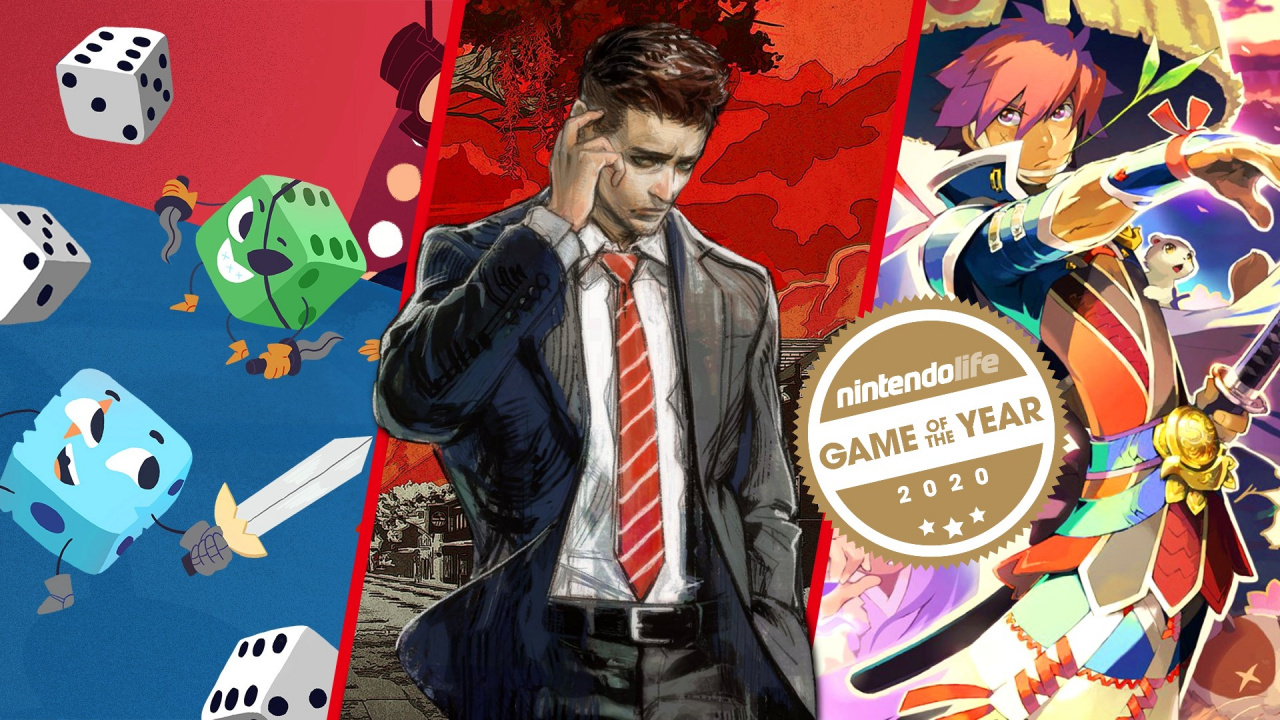
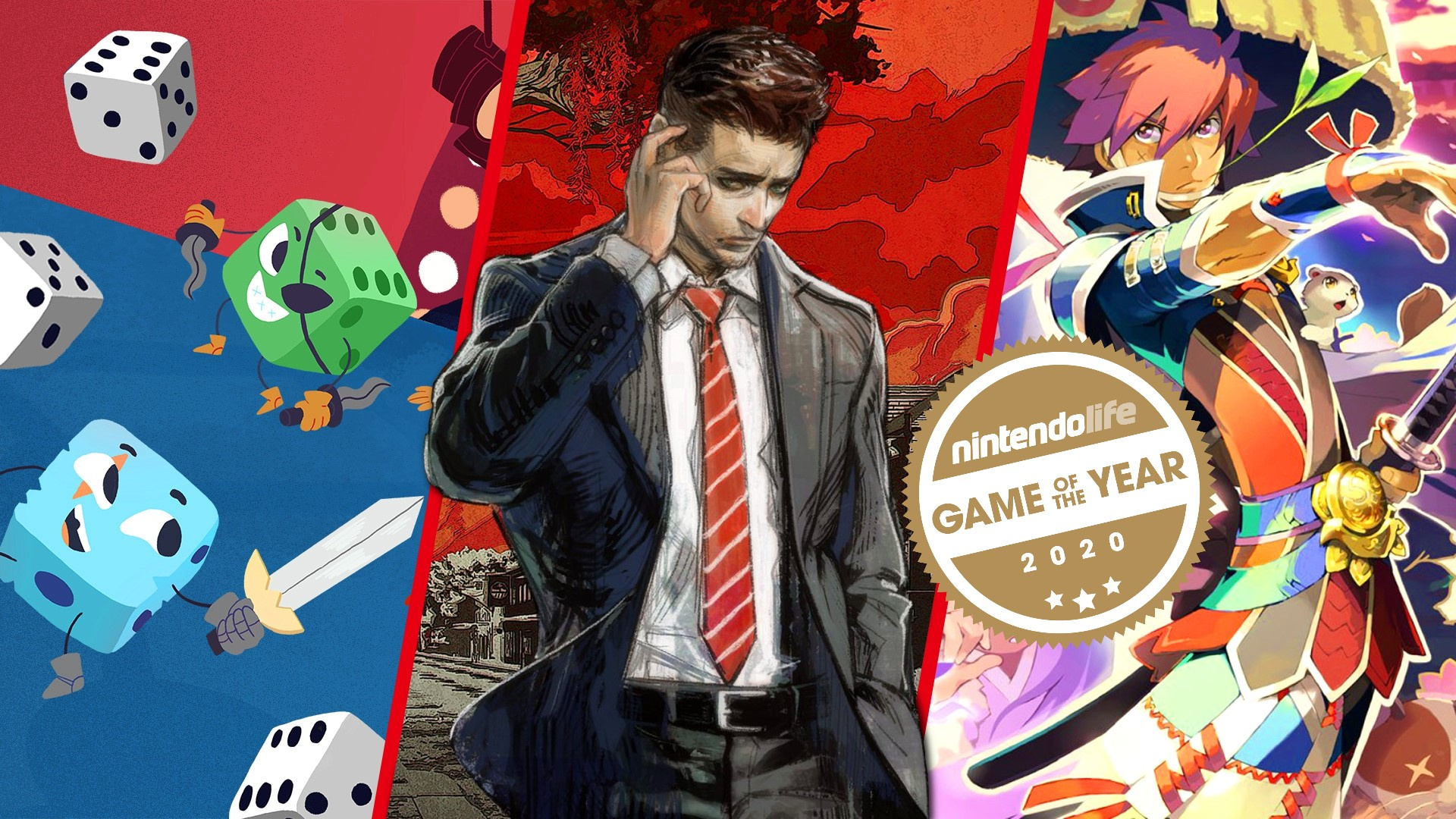
The Switch might have only got Disaster Report 4: Summer Memories in April, but series’ developer Granzella has seemingly already begun work on the fifth game.
In a 2020 retrospective article on its official website, the end of a section about the fourth game discusses the fifth title. It’s mentioned how “planning and partial prototyping” for Disaster Report 5 has already started and to “look forward” to more news in the future. Here is the message in full:
Rumors of a “5“
There might be some of you saying “All you have to say are advertisements?,” so I will share a bit about our next title.
According to information I acquired from sources I am unable to disclose, planning and partial prototyping for Disaster Report 5 seems to have already begun.
As for whether or not “Stiver Island” (Capital Island) is involved in the story this time… I’ll leave it at that for now as I’d rather not lose my job.
Please look forward to more news in the future!
As noted by Gematsu, it’s not the first time Granzella has necessarily teased the fifth game, but it’s the most official so far.
Disaster Report 4: Summer Memories has a lot of references to a fifth entry – including the ability to change the title screen to read “Disaster Report 5?” – so it’s no surprise to hear a fifth game is on the way.
If you’re interested in getting to know more about this series before the next game is officially announced, be sure to check out the fourth entry, available now on the Switch. You can also read our review.
Posted by: xSicKxBot - 12-28-2020, 03:46 AM - Forum: Lounge
- No Replies
Resident Evil Village: Everything We Know
Resident Evil Village, stylized to include the roman numeral VIII in the title, is the next game in the main Resident Evil series. It is a direct follow-up to Resident Evil 7, but developer and publisher Capcom has been insistent on using its full title rather than an abbreviation like RE8 in order to stress the importance of the mysterious village at the heart of the game. We got our first look at Resident Evil Village during Sony's PS5 reveal event in June. While we know some detail about the setting, characters, and how it ties in with the previous game, we don't have a release date or other crucial information just yet.
Here's what we know about Resident Evil Village so far. For more on upcoming games, check out our most anticipated games of 2021.
When Does Resident Evil Village Launch?
Resident Evil Village does not have an official release date yet, but we know it's scheduled to launch sometime in 2021. A recent leak points to a possible April 2021 launch, but until we hear from Capcom officially, we cannot verify this information ourselves.
Posted by: xSicKxBot - 12-28-2020, 02:11 AM - Forum: Python
- No Replies
Python getattr()
Python’s built-in getattr(object, string) function returns the value of the object‘s attribute with name string. If this doesn’t exist, it returns the value provided as an optional third default argument. If that doesn’t exist either, it raises an AttributeError. An example is getattr(porsche, 'speed') which is equivalent to porsche.speed.
Usage
Learn by example! Here’s an example on how to use the getattr()built-in function.
# Define class with one attribute

class Car: def __init__(self, brand, speed): self.brand = brand self.speed = speed # Create object

porsche = Car('porsche', 100)

tesla = Car('tesla', 110) # Two alternatives to get instance attributes:

print(getattr(porsche, 'brand') + " " + str(getattr(porsche, 'speed')))

print(tesla.brand + " " + str(tesla.speed)) # Get an attribute that doesn't exist with default argument:

print(getattr(porsche, 'color', 'red'))
The output of this code snippet is:
porsche 100

tesla 110

red
Syntax getattr()
The getattr() object has the following syntax:
Syntax:

getattr(object, attribute[, default]) # Get object's attribute value or default if non-existent
Arguments
object
The object from which the attribute value should be drawn.
attribute
The attribute name as a string.
default
The return value in case the attribute doesn’t exist.
Return Value
object
Returns the value of the attribute of instance object or default if non-existent.
Video getattr()
Return value from getattr()
The getattr(object, attribute, default) method returns one of the following:
the value of the object‘s attribute
default, if the attribute doesn’t exist
AttributeError if neither the attribute exists, nor default is provided.
But before we move on, I’m excited to present you my brand-new Python book Python One-Liners (Amazon Link).
If you like one-liners, you’ll LOVE the book. It’ll teach you everything there is to know about a single line of Python code. But it’s also an introduction to computer science, data science, machine learning, and algorithms. The universe in a single line of Python!
The book is released in 2020 with the world-class programming book publisher NoStarch Press (San Francisco).
Why Using getattr() Instead of Dot to Get an Attribute?
You’ve seen two alternatives to get an attribute:
getattr(object, attribute_str)
object.attribute
Why using the getattr() function over the more concise dot syntax?
There are two main reasons:
getattr() provides a default value in case the attribute doesn’t exist whereas the dot syntax throws an error.
getattr() allows to dynamically access the attribute with the string instead of the name. For example, you may obtain the string as a user input, in which case, you cannot use the dot syntax object.attribute because attribute is a string, not a name.
Related Functions
The setattr() function returns the value of an attribute.
The hasattr() function checks if an attribute exists.
The delattr() function deletes an existing attribute.
Summary
Python’s built-in getattr(object, string) function returns the value of the object‘s attribute with name string.
# Define class with one attribute

class Car: def __init__(self, brand, speed): self.brand = brand self.speed = speed porsche = Car('porsche', 100)

print(getattr(porsche, 'brand') + " " + str(getattr(porsche, 'speed')))

# porsche 100
If this doesn’t exist, it returns the value provided as an optional third default argument.
print(getattr(porsche, 'color', 'red'))

# red
If that doesn’t exist either, it raises an AttributeError.
print(getattr(porsche, 'color')) '''

Traceback (most recent call last): File "C:\Users\xcent\Desktop\Finxter\Blog\HowToConvertBooleanToStringPython\code.py", line 12, in <module> print(getattr(porsche, 'color'))

AttributeError: 'Car' object has no attribute 'color' '''
An example is getattr(porsche, 'speed') which is equivalent to porsche.speed.
print(getattr(porsche, 'speed'))

print(porsche.speed)

# Both print attribute value: 100
I hope you enjoyed the article! To improve your Python education, you may want to join the popular free Finxter Email Academy:
Do you want to boost your Python skills in a fun and easy-to-consume way? Consider the following resources and become a master coder!
Where to Go From Here?
Enough theory, let’s get some practice!
To become successful in coding, you need to get out there and solve real problems for real people. That’s how you can become a six-figure earner easily. And that’s how you polish the skills you really need in practice. After all, what’s the use of learning theory that nobody ever needs?
Practice projects is how you sharpen your saw in coding!
Do you want to become a code master by focusing on practical code projects that actually earn you money and solve problems for people?
Then become a Python freelance developer! It’s the best way of approaching the task of improving your Python skills—even if you are a complete beginner.
Login with Twitter using OAuth1.0a Protocol via API in PHP
Last modified on December 27th, 2020.
Almost all Internet giants (in good sense) like Google, Facebook, Twitter and LinkedIn support OAuth login. They provide API with detailed documentation to help developers integrate OAuth authentication.
There are many client libraries available to implement Twitter OAuth login. But we will do with just plain core PHP. Yes, actually it is sufficient, lightweight and better.
Application with the OAuth login feature has many advantages.
Simplifies the login process.
Reduces friction by minimising user’s effort with a single click.
Saves developers’ effort from building a custom login.
In its community API gallery, Twitter lists many PHP libraries. These libraries contain handlers to read-write API data in a secure manner. An authentication step ensures access security on each API request.
Twitter uses various authentication methods. Those are, OAuth 1.0a, OAuth 2.0 Bearer token, Basic authentication. I used OAuth 1.0a authentication to validate login with Twitter API requests.
During the login flow, Twitter prompts to enter user credentials to login. Then, it will ask to authorize the App for the first time.
“Login with Twitter” flow is very similar to the 3-legged OAuth flow used to get the access token. With the reference of this token, API will return user data as per the request URL. This example will read user name, photo and more details after successful authentication.
In this article, we will see how to integrate “Login with Twitter” by completing each of the below steps.
How to get and configure the API keys.
How to perform the 3-step authentication flow.
Create requests and handle responses during the authentication flow.
Store the authenticated user data into the Database.
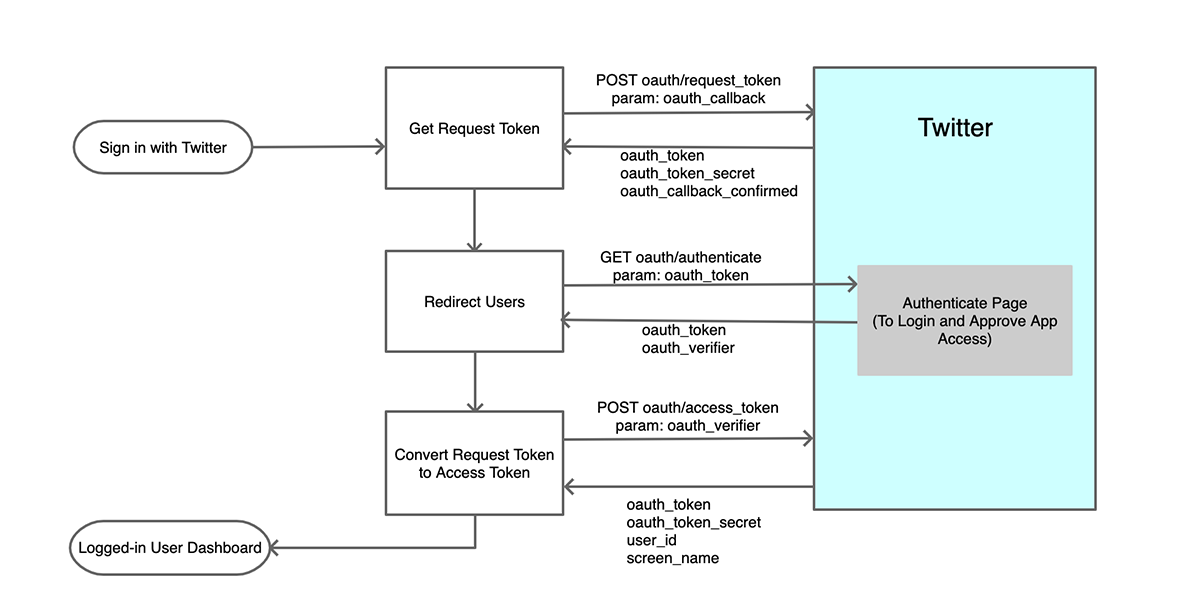
The Twitter login authentication flow includes three steps.
Get a Request token and a secret-key.
Redirect to Twitter to login and approve access rights to the Twitter app.
Get an Access token and the secret-key to access the user account via API.
During the OAuth login process, each request has to be signed with an OAuth signature. In this example, it has a service class to prepare signed requests.
The following diagram shows the “Login with Twitter” flow. It indicates the steps, request parameters and API response data.
Click to see a larger image.
How to integrate Twitter OAuth login?
Twitter gives a Login with Twitter or Sign in with Twitter button control to put into an application. It makes users sign in to the application with a couple of clicks.
After obtaining the Twitter API keys and token secret, configure them with the PHP application. The next section will show the config file created for this example.
Then, create the request-response handlers to communicate with the Twitter API. It will proceed step by step process to obtain tokens to process the next request.
Instead of using custom handlers, we can use built-in Twitter client libraries.
With the access_token, API will allow access to hit the endpoints. But, it depends on the App permissions set in the developer console.
On getting the response data from the API, the application login flow comes to end. With this step, it will change the logged-in status of the application users in the UI.
Generating Twitter API keys
The process of generating Twitter API keys is straight-forward. Once we have seen the steps to get keys for Google OAuth login integration.
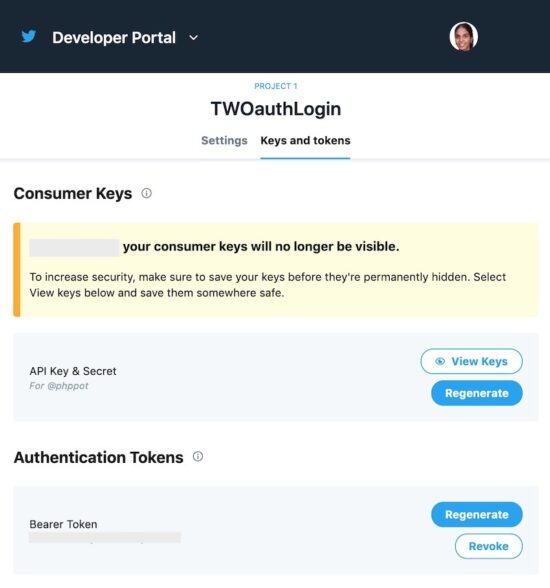
Login to the Twitter developer portal and follow the below steps.
Login to Twitter and go to its developer console.
Create a Twitter developer App. (project-specific app or standalone app).
Go to app settings to edit permissions and authentication settings.
Go to the “keys and tokens” tab to copy the consumer key and the secret key.
Save the keys in a secured place and configure them into the application.
Twitter allows creating two types of developer App. A project-specific app or a standalone app. The project-specific app can use v2 endpoints. The standalone apps can only access the v1 endpoints.
Twitter API keys will no longer keep the API keys and tokens permanently. This is for security purposes. But it allows regenerating the keys and tokens.
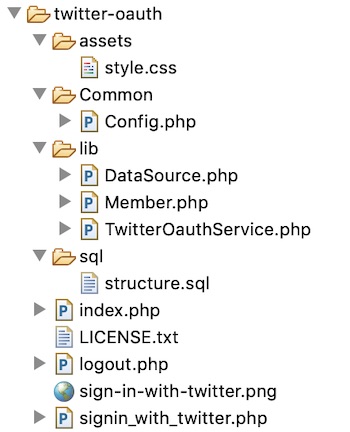
Configure the Twitter App consumer_key and secret_key in Config.php file. This application config defines the application constants. It includes the root path, database config and Twitter consumer and secrete key.
There are various ways to implement Twitter OAuth login in a PHP application. Generally, people use built-in client-side libraries to implement this. Twitter also recommends one or more PHP libraries in its community API gallery.
This example shows a simple code for “Login with Twitter” integration. It uses no external libraries to achieve this.
It has a custom class that prepares the API request and handle responses. It creates OAuth signatures to send valid signed requests to the API.
A landing page will show the “Sign in with Twitter” button to trigger the OAuth login process. On clicking, it invokes the PHP service to proceed with the three steps sign-in flow.
As a result, it gets the Twitter user data on successful authentication. The resultant page will change the logged-in state and display the user data.
If you refuse to approve the app access or login, Twitter will redirect back to the application. This redirect URL is set with the param list of the API request.
This example uses the Database to keep the user details read from the API response. Thus, it records the application’s users logged-in via Twitter OAuth login.
Twitter OAuth PHP service
This PHP service class request Twitter API for the access key and token. It follows the three steps to obtain the access token.
The following three methods perform the three steps.
Step 1: getRequestToken() – sends the oauth_callback with the authentication header. It requests request_token and the secrete key from the Twitter API.
Step 2: getOAuthVerifier() – redirects the user to the Twitter authentication page. It let users sign in and approve the App to access the account. It passes the OAuth request token received in step1 with the URL. After authentication, Twitter will invoke the oauth_callback with the oauth_verifier in the querystring.
Step 3: getAccessToken() – requests the access_token and secrete key from the API. The params are the request_token, request_token_secret, oauth_verifier get from Step 1, 2.
Twitter requires each of the API requests has to be signed. This PHP service class has a function to generate the signature by the use of API request parameters.
Initiate login flow with “Sign in with Twitter” control
The landing page of this example will show a “Sign in with Twitter” button. On clicking this button, it invokes functions to proceed with the 3-step login flow.
The following code shows the index.php file script. It checks if any user logged-in already. If so, it displays the user dashboard. Otherwise, it shows the “Sign in with Twitter” button.
It invokes the TwitterOAuthService to initiate the login flow. This initiation will happen when the user tries to log in.
After completing the 3-steps, the TwitterOauthService will return the user access token. Then it invokes GET oauth/verify_credentials endpoint to read the user daya.
It will return the logged-in user data as a JSON response. The application callback endpoint receives this data.
Then, the code will save the data into the database and put the logged-in user id into the session. Based on the existence of this user session the landing page will show the user dashboard.
The below section shows the tbl_member database table script. Import this script before executing this example.
sql/structure.sql
--

-- Database: `oauth_login`

-- -- -------------------------------------------------------- --

-- Table structure for table `tbl_member`

-- CREATE TABLE `tbl_member` ( `id` int(11) NOT NULL, `oauth_id` varchar(255) NOT NULL, `oauth_provider` varchar(255) NOT NULL, `full_name` varchar(255) NOT NULL, `screen_name` varchar(255) NOT NULL, `photo_url` varchar(255) NOT NULL, `create_at` timestamp NOT NULL DEFAULT CURRENT_TIMESTAMP ON UPDATE CURRENT_TIMESTAMP

) ENGINE=InnoDB DEFAULT CHARSET=latin1; --

-- Indexes for dumped tables

-- --

-- Indexes for table `tbl_member`

--

ALTER TABLE `tbl_member` ADD PRIMARY KEY (`id`); --

-- AUTO_INCREMENT for dumped tables

-- --

-- AUTO_INCREMENT for table `tbl_member`

--

ALTER TABLE `tbl_member` MODIFY `id` int(11) NOT NULL AUTO_INCREMENT;
Login with Twitter example output
After completing the application config, the home page will display the “Sign in with Twitter” button as below.
Before login, the home page will display the “Sign in with Twitter” button as below. I used the login button downloaded from the official Twitter documentation.
There might also be issues claiming it due to the site's servers handling the high traffic. Wait it out a bit until claiming it again.
The game is free to keep for 24 hours until Dec 28th, 2020 - 16:00 UTC. Epic is also giving everyone a $10 coupon to be used on any purchase of $15 or higher.
We are welcoming everyone to join our discord[discord.gg]. We are more active there on finding giveaways, small or large, and there are daily raffles you can participate.
How to erase and prepare a Mac for gifting, recycling, or selling
Before selling, gifting, or recycling a Mac, you’ll want to take a number of steps to properly prepare it. Here’s how.
Whether you have your eye on a new M1 Mac or you just want to get rid of an old macOS device in an environmentally responsible way, it’s important to properly sign out of certain services and delete your old data before doing so.
The process is fairly straightforward but may take some time, so be sure to budget some time to preparing your Mac before getting rid of it. Also, these steps only apply to Intel-based Macs, since a couple of steps are a bit different on Apple Silicon machines.
With both of those things in mind, here’s how to prepare your Mac device before you get rid of it.
Step one: Back up your Mac
Make sure to back up your Mac before proceeding.
If you’re planning on selling, regifting, or recycling your Mac device, it’s likely that you’ve already thought about the data stored on it. If you haven’t, let this be a reminder.
Preparing a Mac for transfer to a new owner should involve deleting all the data on it for both security and privacy reasons. If you don’t want to lose that data forever, you’ll need to back up your device before you proceed to any additional steps.
The simplest method of backing up your Mac is using Apple’s built-in Time Machine feature. There are other options to consider, and more information is available here.
Sign out of your services
Signing out of your services and your Apple ID, is also a good idea.
Erasing your Mac will typically ensure that your data stays in your own hands. But, depending on the version of macOS that the Mac is running, there are a few additional steps you may want to take.
If you’re on OS X Mountain Lion or earlier, then it’s a good practice to sign out of iMessage. Here’s how.
Open the iMessage app on your Mac.
Choose Messages from the top menu bar, and then select Preferences.
In this menu, click on iMessage.
Finally, click Sign Out.
If you plan on transferring a device running macOS Mojave or earlier, then you’ll want to sign out of iTunes, too.
Open iTunes.
In the iTunes window, select Account and Authorizations.
From that drop down menu, select Deauthorize this Computer.
You’ll be prompted to enter your Apple ID account credentials and password.
Once you do, hit Deauthorize.
Finally, it’s a good idea to sign out of iCloud on any Mac device before you go about erasing the drive.
In macOS Catalina and macOS Big Sur, this is done by clicking on the Apple icon in the top menu bar, then navigating to System Preferences > Apple ID. From here, select Overview and then click on the Sign Out button.
It’s a similar but slightly different on macOS Mojave and earlier. Choose the Apple icon in the menu bar, select System Preferences, click iCloud, and then click Sign Out.
You may be asked if you want to keep a copy of the iCloud data on your Mac. It doesn’t really matter one way or the other, since you’ll be erasing your drive and any iCloud data will remain synced to your Apple cloud storage.
A couple of additional steps
Apple also recommends that users reset the NVRAM on their devices.
One step that many people miss is to reset the nonvolatile random-access memory (NVRAM) and parameter RAM (PRAM) before reinstalling macOS.
It’s a best practice, however. Resetting the PRAM will clear certain user settings from your Mac’s memory. It’ll also restore certain deeper-level security features that may have been changed. Here’s how to do it.
Shut down your Mac.
Turn on your Mac and immediately press and hold Option, Command, P and R.
After about 20 seconds, you can release your keys.
You’ll know that the reset worked if you see the Apple logo appear and disappear for a second time on T2-equipped Macs. On older Macs, you’ll hear that signature startup sound.
Do note that resetting the NVRAM and PRAM using this method only works on Intel-based Macs. There’s no option to manually reset NVRAM on Apple Silicon Macs.
In addition to resetting your NVRAM, you may also want to manually unpair any Bluetooth devices from your Mac.
This step isn’t strictly necessary, but it could avoid confusion if you live with the person you’re transferring the Mac to. It could also mitigate any Bluetooth security concerns you may have.
Just navigate to Apple menu > System Preferences > Bluetooth. Hover over the devices you’d like to unpair and click the X icon next to them.
Finally, erase and reinstall macOS.
Once you’re finished with the necessary steps, you can reinstall a fresh copy of macOS.
Now that all of that is done, you’re finally ready to erase your Mac’s drive and restore it back to its factory default settings.
There are a number of ways to go about this, but the easiest is to use Disk Utility to format your drive and reinstall macOS.
Here’s how to do it.
Shut down your Mac.
Turn on your Mac and immediately press and Command and R.
You may be prompted to select a user and log in with the password for that account.
From here, you’ll be presented with a utilities window. Select Disk Utility.
Select Macintosh HD from the sidebar.
Click Erase and input a new name and format. For simplicity’s sake, you can leave both to Macintosh HD and APFS or Mac OS Extended (Journaled).
Next, click Erase Volume group. If that isn’t an option, click Erase.
If you have Find My enabled, you’ll be prompted to deactivate it with your Apple ID and password.
You may want to delete any other internal volumes besides Macintosh HD. Just click the minus icon next to each volume.
Finally, quit Disk Utility
Now that your disk has been erased, you can select Reinstall macOS (Version Name) from the utilities window.
Once macOS finishes installing, you’ll likely be faced with a setup assistant. It’s at this point that you should shut down your Mac and leave the setup process to whomever is receiving it.
Feature: Nintendo Life’s Alternative Game Awards 2020
It’s GOTY time, people! Yes, as 2020 draws to a close, the internet is flooded with customary lists touting the best whatever of the year (with Hades rightfully being at the top of most of them). We’ve had our say — and so have you — but today we’re going to have some fun with the Nintendo Life Alternative Game Awards 2020.
As you’ll see from the categories below, this is where we let loose a little festive cheer and highlight things that cropped up throughout the year that we believe deserve recognition for some reason, usually because they raised a smile (or an eyebrow). We had fun with these light-hearted gongs last year, and we’re all in need of some holiday levity.
So, join us for a look at Nintendo Life’s 2020 ‘alternative’ GOTYs. We begin with the most unnecessarily unweildy title…
Finding the right name for your game can be tough (as we found out when we spoke to various developers earlier in the year on just that subject) but brevity is usually a virtue. At least, brevity is a virtue to us writers, but then we have to type out the full titles more than most.
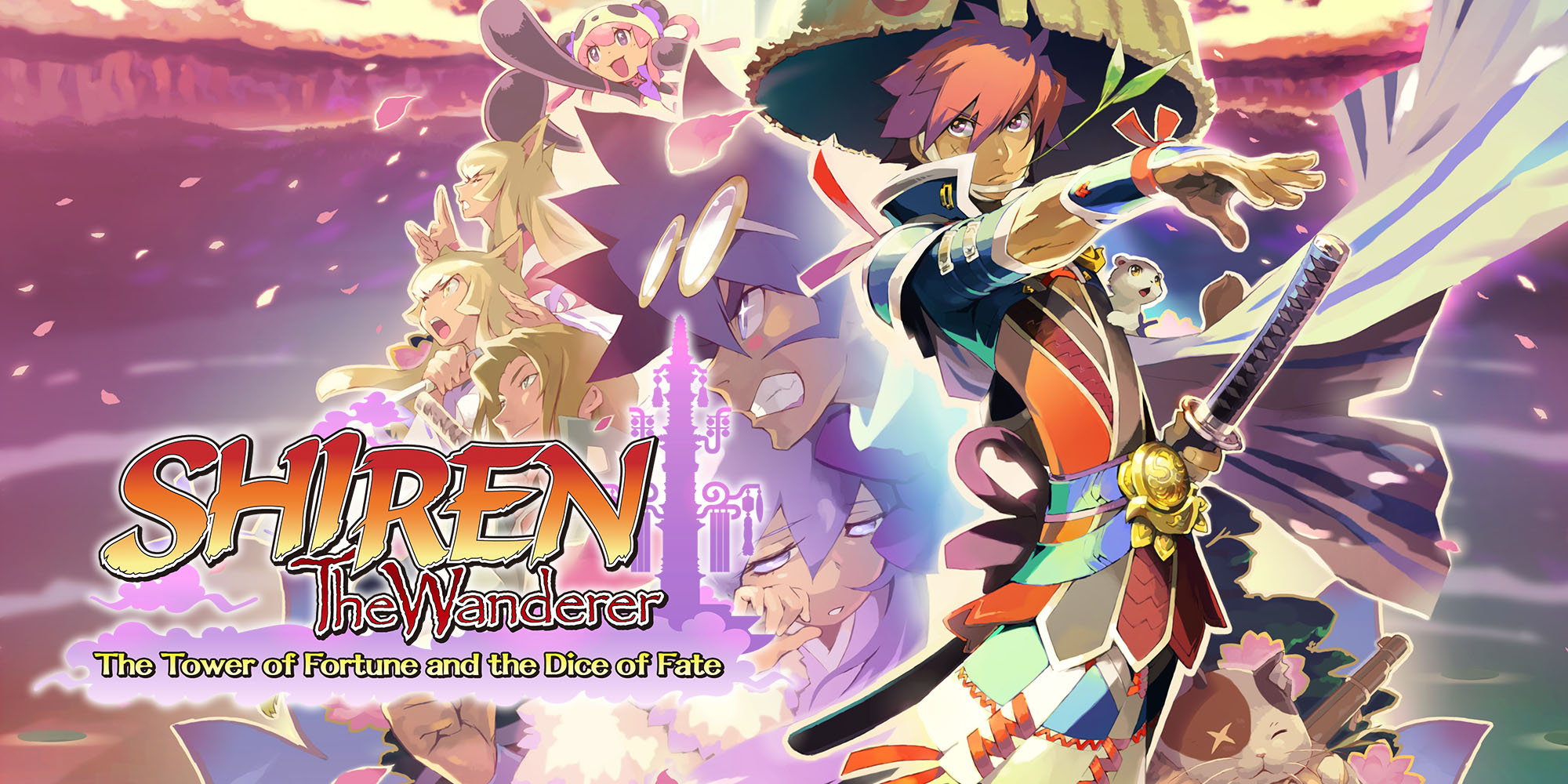
The title which struck us as particularly cumbersome this year is Spike Chunsoft’s Switch release of previously Japan-only DS title “Noun the Noun: The Noun of Noun and the Noun of Noun”. Nothing against this roguelike dungeon crawler — it’s always nice to see Japanese-exclusives come to the West — but the noun soup of Shiren the Wanderer: Etc., Etc wound us up for some reason. As Indiana Jones taught us, four nouns is your absolute limit, preferably with an adjective thrown in for some spice.
We do our best to keep our Switch Essentials genre lists fresh, and we continually add and cull entries as new worthy titles are released. Sometimes, though, a game comes along that doesn’t easily sit on any particular list and we’re left in a quandary as to how to highlight it as a solid gold good’un.
HAL Laboratory’s Part Time UFO is a wonderfully quirky example. As per our tagline for the review, it’s a game about picking things up. It’s cute and physics-based. It’s split into stages and has puzzle-y elements. It’s a bit like World of Goo, sort of. It’s a… well, it’s a game — a good one!
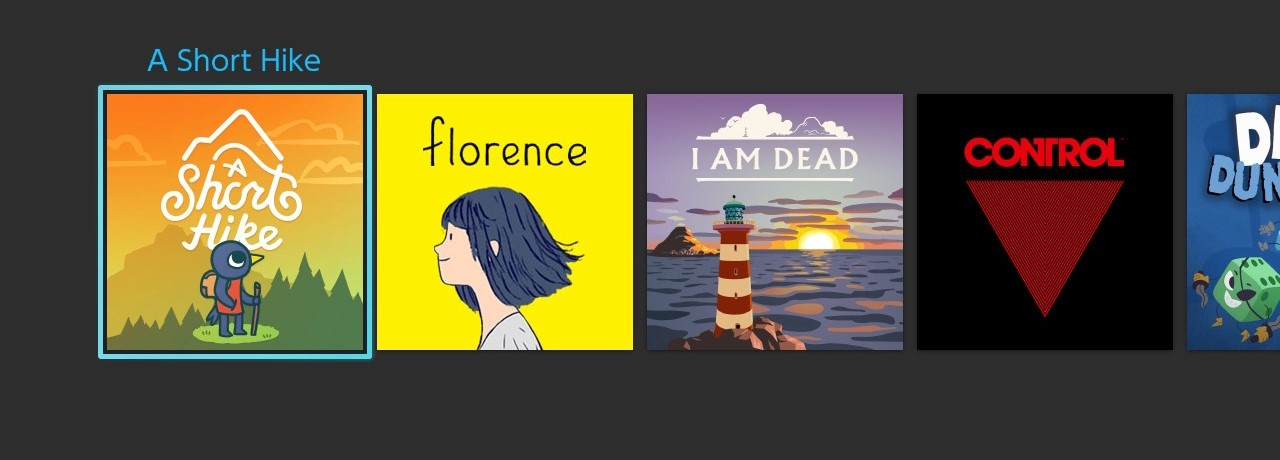
We’ve seen some lovely Switch icons appear on our console menus this year. The wonderful (and ever-changing) world of Switch game icons is a topic we’ve examined before, and Switch Icon Showdown is a site devoted to nothing but ranking the best and worst examples. For the most part, developers have arguably got better at assembling a pleasing little icon that sits nicely on the Switch menu screen; A Short Hike was perhaps the loveliest we saw all year.
It’s all a matter of opinion, of course. Some people may have adored the original Carrion icon. Each to their own.
Best ‘End-Of-Year Arrival That Dropped Too Late To Make Our GOTY List’ 2020
December is a busy month for anyone who likes video games, and if you’re writing about them, you’ve got one eye on your GOTY shortlist (and backlog), and the other on pre-holiday end-of-year prep. It’s likely that most of the team won’t have had the opportunity to give late-releasing games a fair shake — if they’ve had time or access to play them at all — so there’ll inevitably be some real gems that fall through the cracks when it comes to voting. This is usually followed by a pang of regret after the holidays that we can’t go back and massage our picks to acknowledge a late-comer or two.
Roguelike deckbuilder Dicey Dungeons is one such game; the couple of us who have managed to squeeze in time with it over the past week or so have loved every single minute. Cracking music, addictive battling with a great art style and sense of humour; if you’re looking for something to while away the hours this Christmas while the rest of the family are watching Home Alone 3 or some such rubbish, this one’s an absolute winner.
Tencent Scoops Up Gears Tactics And Warframe Devs In Leyou Acquisition
Chinese media conglomerate Tencent has picked up two more developers after acquiring the Hong Kong-based video game company Leyou: Warframe developer Digital Extremes and Splash Damage, the studio best known for Brink, co-creating Gears 5's multiplayer and Gears Tactics with The Coalition, and the PC version of Halo: The Master Chief Collection.
Both Digital Extremes and Splash Damage released statements about the acquisition, saying business at each studio will continue as usual. The studios will remain independent entities within Tencent, letting them leverage the giant's resources to bolster development efforts.
"One of our core pillars is transparency and so we’d like to let you know what that means: We will remain creatively independent, we expect no changes to Warframe or how our studio operates, and we will remain as dedicated ever to you, the community, who has been with us every step of the way since we launched Warframe," Digital Extremes said about the acquisition.
The Undertaker is Now Available in WWE 2K Battlegrounds
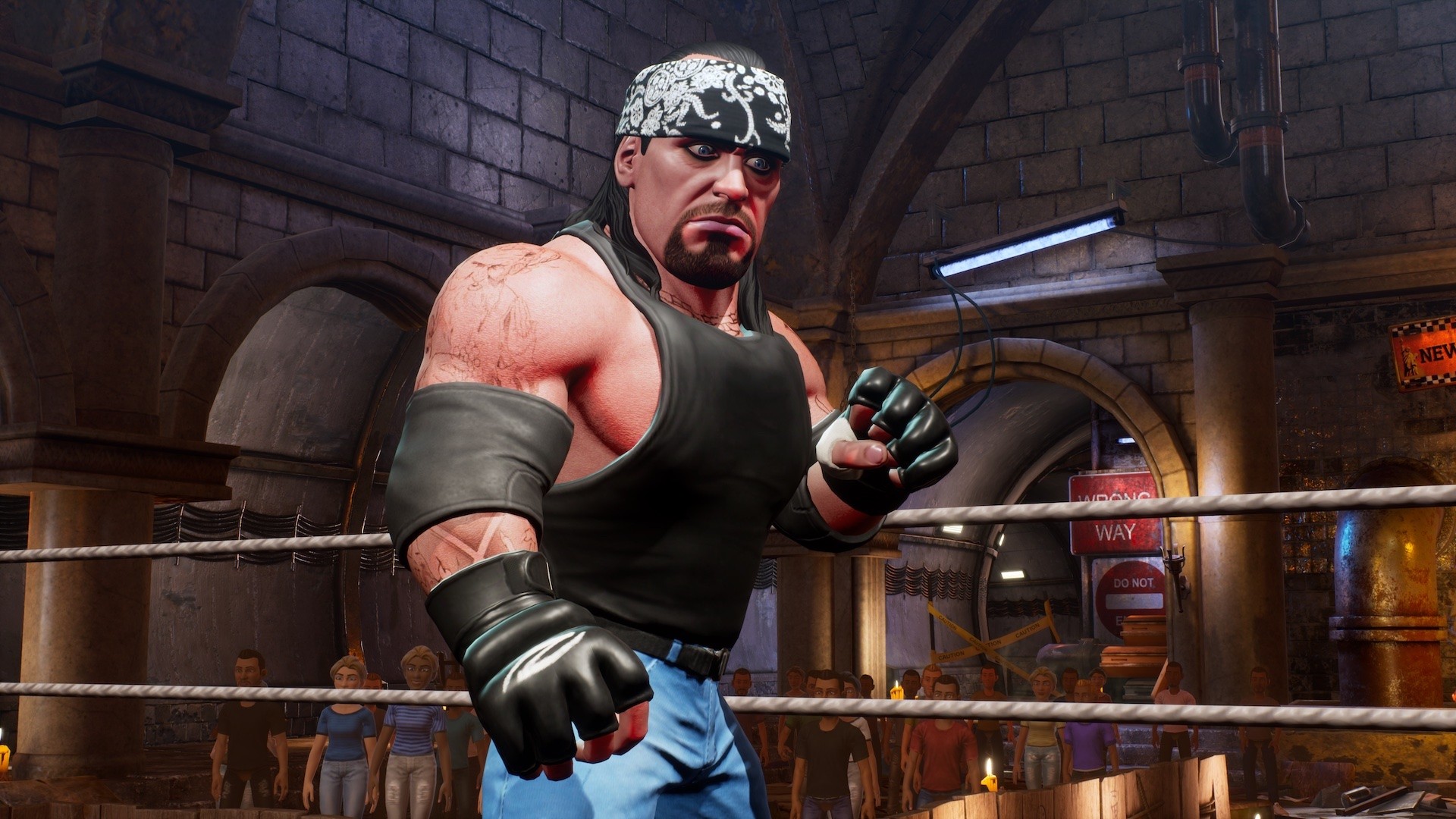
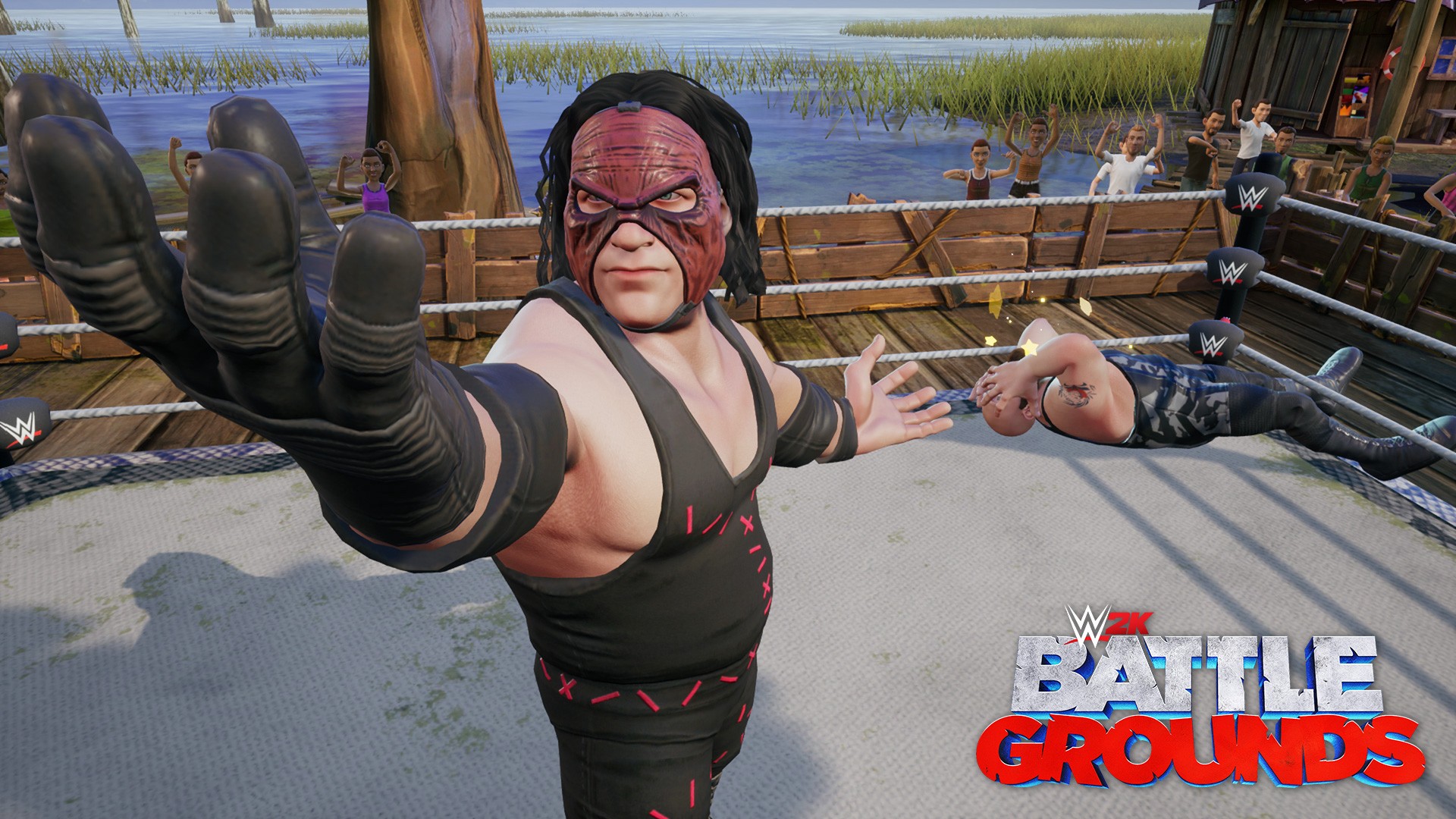
Celebration of the Deadman’s 30th anniversary continues as wrestling fans can now get their hands on the Undertaker. While we may have seen the last of this version of Undertaker laying out AJ Styles at WrestleMania, fans can continue to lay waste to their opponents as him in WWE 2K Battlegrounds.
The new attire now gives fans three alternate attires of the Undertaker to unlock, which includes his old school gear from his 1990 debut. His base character is already available to all players right out of the gate without needing to unlock, giving players four versions in total, of the Undertaker to choose from.
But that’s not all! Today’s game update also includes the debut of Underataker’s unholy brother Kane, allowing fans to dominate the tag team scene with the Brothers of Destruction.
Also included in today’s update is Billie Kaye, who’s base character is unlocked for all players, Andrade, the Survivor Series arena theme and additional vanity items, such as masks for your created character.
In case you missed it, we also released a batch of new Superstars over the last two weeks, which featured NBA 2K21 cover star “Laheem” Lillard, Gronkster, Macho Man Randy Savage, Rhea Ripley, and The Boogeyman! It’s never a dull moment in WWE 2K Battlegrounds.
Finally, next week we’ll be releasing more WWE Superstars, including Edge, who was previously only available as a pre-order bonus, Peyton Royce, and Buddy Murphy.
As we head into the holiday season, be sure to be on the lookout for additional superstars and stay tuned for our next announcement about which group of characters are coming next.
Now head on over to the battlegrounds and make your opponents rest in peace by picking up WWE 2K Battlegroundsfor Xbox One, or play it on the Xbox One Series X|S via backwards compatibility!
WWE 2K Battlegrounds
2K
☆☆☆☆☆31
★★★★★
$39.99$23.99
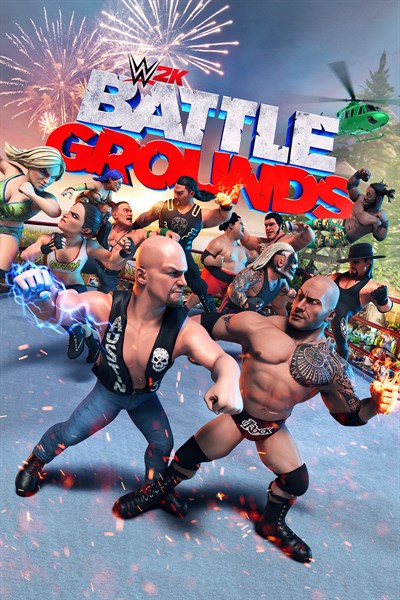
The world of WWE is your battleground with all-new, over the top, in-your-face arcade action as your favorite WWE Superstars and Legends battle it out in outlandish interactive environments around the world. Compete in your favorite match types with an arsenal of exaggerated maneuvers, special abilities, and devastating power-ups, including Steel Cage, Royal Rumble, Fatal Four Way and more, as Mauro Ranallo and Jerry “The King” Lawler call all the mayhem! Are you ready to enter the battleground? Brawl Without Limits!
Take your favorite WWE Superstars and Legends into battle with unrestrained, unhinged, and in-your-face pandemonium! Pull off over-the-top moves and use your special abilities to destroy your opponent while battling in interactive environments! Battle It Out Across the Globe! Play through an all-new story mode told through original comic strips, alongside Paul Heyman and Stone Cold Steve Austin and help lead the charge to find the next WWE Superstars! Battle as unique and colorful new characters against established WWE Superstars to test your mettle and show your skills while unlocking new characters and Battlegrounds along the way. It’s Your Battleground!
Make WWE 2K Battlegrounds your own with tons of customizable parts as you create, customize, and edit your own original created characters and Battlegrounds! Loads of Match Types!
Wage war in a wide variety of your favorite match types with fun, new twists, including Steel Cage, Royal Rumble, Fatal Four Way and the all-new Battlegrounds Challenge! Local and Online Battles! Compete in Online Tournaments or stake your claim as King of the Battleground and survive the online melee against players from around the world! Plus, battle it out in local multiplayer and dominate your friends!
The ink has dried on Tencent’s acquisition of Leyou Technologies, meaning the Chinese video game and technology giant now owns Splash Damage, Digital Extremes, and a handful of other developers acquired by Leyou over the years.
Earlier in the year, news broke that Tencent was looking to acquire Leyou. The deal, a $1.5 billion acquisition, was officially confirmed by Tencent shareholders today and studios involved in the deal like Splash Damage have weighed in on their own sites.
“We’ve always been dedicated to creating team-based games that spark friendships and build passionate communities, and we strive to work with partners who believe in that mission,” reads a statement from Splash Damage CEO Richard Jolly.
“In our many discussions with Tencent, it became clear that they not only believe in that mission but will do everything they can to enable and empower us to realise it.This is going to be a bold new phase for our studio, with an amazing line-up of ambitious games that deliver on what Splash Damage is all about. We couldn’t be more excited.”
On the Digital Extremes side of things, the Warframe developer says in its own statement that the deal won’t impact development of the game and that it expects to retain creative independence under Tencent as it had under Leyou.
This deal extends Tencent’s massive reach in the game industry. In addition to these new acquisitions, Tencent owns studios like Riot Games, Funcom, and Shark Mob on top of investments in Supercell, Epic Games, Frontier Developments, Activision Blizzard, Ubisoft, and many more.