On most days, Tekken 2 can be picked up from online stores, retro game shops, and yard sales for a modest price. This week, the usual $10 price of Tekken 2 slightly increased on the PlayStation Network by 1,000% and was briefly listed for $10,000.
On Twitter, KBGamer spotted Sony's error, and Tekken producer Katsuya Harada appeared to be most pleased with the new price. "WHAT A MARVELOUS PRICE SONY," Harada tweeted.
Please Fix The Road is a colorful, minimalistic, laid-back and casual puzzle game in which it's probably not hard to guess... you're fixing roads!
In each level you have a specific limited set of tools that will help you get all the cars, boats, trains or animals from their point A to point B. The mentioned animals include, of course, kittens, dogs and... pink llamas!
You can insert, destroy, rotate, copy, swap, raise, lower, push or move different segments of roads, rivers, paths or railroad tracks. The game combines elements of many other logic games into a nice minimalistic experience.
Posted by: xSicKxBot - 06-15-2022, 03:15 AM - Forum: Python
- No Replies
How to Save a Dictionary to a File in Python
Rate this post
Summary: You can use Python’s pickle library to save dictionary data to a file. Another efficient approach to save dictionary data to a file is to use Python’s built-in JSON package. You can also use simple file handling functions to store dictionary data in a text file directly.
Problem: Given a Python dictionary. How will you save the data from the dictionary to a file so that it can be loaded to be used later?
You might need the help of persistent storage systems like databases or files to store serialized data structures like arrays, lists, and dictionaries. One of the major reasons behind doing so is databases and files are reusable, i.e., after analyzing the given data, we can store it in the file, and later that data can be read to use in an application.
This article will deal with dictionary data that you can store in a file.
Pickle is a module in Python that uses binary protocols to serialize and de-serialize an object structure. “Pickling” refers to the process of converting a Python object to a byte stream. “Unpickling” is just the reverse operation wherein a byte stream is converted to a Python object. Pickling is also sometimes referred to as serialization.
A good idea to implement a Pickle file is when you are dealing with sensitive data or when you need to keep a program status across sessions.
Approach:
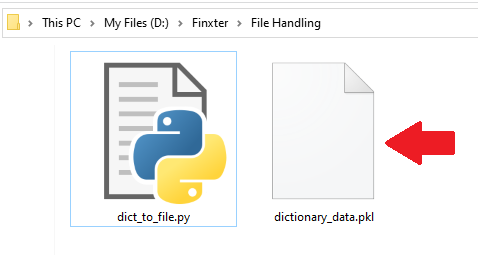
Create the pickle file (i.e., filename.pkl) with the help of the open(filename, mode) function. Since we will be storing the data in a pickle file which stores the data as a binary stream, hence, open the file in binary (“wb“) mode.
Use the pickle.dump(dictionary, filename) method to store/serialize the dictionary data to the file.
To read data from this file, call the pickle.load(filename) method.
Note: Remember to close the file.
Code: Let’s visualize the above approach with the help of the following code snippet:
Note: The json.dump() method is used to convert a Python object to a JSON string.
Method 3: Using Numpy
Using JSON and Pickle are the best options when it comes to storing a dictionary to a file. But we also have another way of doing so using the Numpy module.
Approach: Call the np.save(filename, dictionary) function to save the file into the disk. To read the data from this file us call the np.load('file.npy', allow_pickle='TRUE').item() function.
Code:
import numpy as np

d = {'country': 'Germany', 'capital': 'Berlin'}

np.save('file.npy', d)

read_d = np.load('file.npy', allow_pickle='TRUE').item()

print(read_d)
Do you want to become a NumPy master? Check out our interactive puzzle book Coffee Break NumPy and boost your data science skills! (Amazon link opens in new tab.)
Method 4: Basic Approach
Last but not the least, you can store the dictionary data to a simple text file by simply writing the data to the file using file handling functions.
Approach:
Call the open('filename.txt', 'w') function to create/open the file in the write mode.
Use the file.write(str(dictionary)) function to write the dictionary data to the file and then close the file.
To read the data from this file open up the file and use the file.read() method to read the data from this file.
d = {'country': 'Germany', 'capital': 'Berlin'}

f = open('file.txt', 'w')

f.write(str(d))

f.close()

f = open('file.txt', 'r')

data = f.read()

print(data)

f.close()
We learned four ways of storing the dictionary data to a file in Python in this article. The most suitable ways of storing the dictionary data in a file are using the JSON or the pickle modules. However, feel free to try out the other ways discussed in this tutorial.
I hope this article helped you. Please subscribe and stay tuned for more interesting tutorials and discussions.
But before we move on, I’m excited to present you my new Python book Python One-Liners (Amazon Link).
If you like one-liners, you’ll LOVE the book. It’ll teach you everything there is to know about a single line of Python code. But it’s also an introduction to computer science, data science, machine learning, and algorithms. The universe in a single line of Python!
The book was released in 2020 with the world-class programming book publisher NoStarch Press (San Francisco).
- The Badge can be acquired by playing 1 demo giving you 10 xp, and can be upgraded until you get 100xp by playing 10 demos total. You only need to install, launch, then exit.
- You can scroll down to the demos section of the next fest page, and sort by 2D and other genres with smaller sized games, so you can install them quicker for the badge. Available till June 20th.
Posted by: xSicKxBot - 06-15-2022, 03:15 AM - Forum: Lounge
- No Replies
Destiny 2 Season Of The Haunted: Seasonal Challenges Guide - Week 4
It's a fresh week of challenges in Season of the Haunted, as the fourth week of the current season has just begun. If you're looking to grind out a few more levels on your season pass, there are a few great objectives that you can work through.
Beyond the current Sever storyline and a few rounds of Gambit, you can earn rewards for taking on a Nightfall challenge on Hero difficulty, completing this week's Sever mission using a Solar subclass, and seeing how good your aim is with some precision marksmanship. For the PvP challenge this week, it's time to let your Supers run wild as Mayhem has cycled back into the playlist.
As usual, you'll gain a substantial amount of experience for completing seasonal challenges. That in turn helps you fill up your season pass sooner, grabbing even more loot in the process to outfit your Guardian with in Season of the Haunted. You can also tackle seasonal challenges at your own pace, as they'll only expire once a season concludes. If you decide to take a break from Destiny 2 for a week or two, you can return and complete multiple challenges at the same time.
Posted by: xSicKxBot - 06-14-2022, 09:54 AM - Forum: Python
- No Replies
How to Erase Contents of a File
5/5 – (1 vote)
Problem Formulation and Solution Overview
In this article, you’ll learn how to erase the contents of a file in Python.
To make it more fun, we have the following running scenario:
Let’s say you have a Python script that retrieves the daily stock exchange prices for five (5) Tech Companies and saves it to prices.txt. To ensure no mistakes, you would like to erase the contents of this file before saving the latest data.
Question: How would we write code to erase the contents of a file?
We can accomplish this task by one of the following options:
Tip: A file object is returned whenever a file is opened in Python. This object allows access to process/manipulate the open file.
Next, fp.truncate(0) is called. This method resizes the said file to a specified number of bytes. If no argument is passed, the current file position is used.
Finally, fp.close() is called to close the open file.
If this code is successful, an empty prices.txt file now resides in the current working directory.
Method 2: Use open(), seek(0) and truncate(0)
This method opens/re-opens a file and erases the contents without removing the file itself using open(), seek() and truncate(0).
This code opens/re-opens the prices.txt file in read/write mode (r+) and saves the output to fp which creates a file object similar to the output above.
Next, fp.seek(0) is called to re-position the file pointer (fp) to a given position in the file. In this case, the position is 0 (the top of the file).
Then, fp.truncate(0) is called. This method resizes the said file to a specified number of bytes. If no argument is passed, the current file position is used.
If this code is successful, an empty prices.txt file now resides in the current working directory.
Method 3: Use with open()
This method erases the contents of a file without deleting the file itself using with open() on one-line!
with open('prices.txt', 'w'): pass
This code calls with open() to open prices.txt for writing (w). Then, the pass statement executes, which does nothing, and the file automatically closes.
Tip: The pass statement is used as a placeholder. When pass executes, nothing happens. This is necessary when code is expected, but no code is required.
If this code is successful, an empty prices.txt file now resides in the current working directory.
Method 4: Use open() and close() on one line
Also a good option, this method opens a file for writing (open()) and closes said file (close()) using one line of code!
open('prices.txt', 'w').close()
This code uses open() to open prices.txt for writing (w). Since no other code is called, the file contents are erased, and the file closes (close()).
If this code is successful, an empty prices.txt file now resides in the current working directory.
Bonus: Erase File Contents after Specified Location
What happens if you want to erase everything after the first x number of characters in a file and return the same?
This example could be used for erasing the entire contents of a file. However, let’s retrieve the first four (4) characters from prices.txt (AAPL) and erase the remainder.
First, this code calls in the os library to access the many functions available for interacting with the operating system.
Then, prices.txt is opened in read/write mode, and if the file does not exist, or fails, a new file is created (os.O_RDWR|os.O_CREAT)).
Then, the file is truncated to 4 bytes/characters (os.ftruncate(fp, 4)) and the file pointer (fp) moves to the top of the file (os.lseek(fp, 0, 0)).
Next, the code reads in the first four (4) bytes/characters indicated above and decodes the output (os.read(fp, 100).decode('utf-8')) and saves to str.
The output is sent to the terminal, and the file closes.
Output
Read String is: AAPL
Summary
These four (4) methods of how to erase the contents of a file should give you enough information to select the best one for your coding requirements.
Good Luck & Happy Coding!
Programmer Humor
There are only 10 kinds of people in this world: those who know binary and those who don’t. ~~~
There are 10 types of people in the world. Those who understand trinary, those who don’t, and those who mistake it for binary.
Posted by: xSicKxBot - 06-14-2022, 09:54 AM - Forum: Lounge
- No Replies
Why The Callisto Protocol Dropped Its PUBG Connection
One of 2022's most-anticipated games is the horror title The Callisto Protocol from Dead Space and Call of Duty veteran Glen Schofield's new studio, Striking Distance. Following the game's big showing at Summer Game Fest Live recently, GameSpot sat down with Schofield to learn more about the game.
In our interview, Schofield talks about one of the biggest pieces of news surrounding the game--its connection, or now lackthereof--to the PUBG universe. Schofield shared that The Callisto Protocol started as a PUBG universe game because Krafton was working on a timeline with story and lore for PUBG with the aim of creating additional titles in the PUBG universe.
However, as development progressed, it came to be that The Callisto Protocol would break off from PUBG and stand on its own. "We went along that way for a while, but then, I don't know, it was really a while ago--I want to say a year--we're already not in that world," Schofield recalled.







 Question: How would we write code to erase the contents of a file?
 Tip: A file object is returned whenever a file is opened in Python. This object allows access to process/manipulate the open file.


