What would you do if you woke up locked in a dark room, with your hands covered in blood? Play as Luca, and endure the brute torture of MADiSON, a demon that has forced him to continue a gory ritual started decades ago, making him commit abominable acts. Will you be able to finish this sinister ceremony?
Announcing GraalVM Enterprise in Oracle Cloud Infrastructure DevOps
Today, we are announcing that you can use GraalVM Enterprise directly in Oracle Cloud Infrastructure (OCI) DevOps build pipelines to build high-performance Java applications, at no additional cost.
Posted by: xSicKxBot - 07-13-2022, 10:43 AM - Forum: Python
- No Replies
A Beginner’s Guide to Forex Trading Bots and Python – Practical Projects
Rate this post
Full Course: Check out the full beginner course on Forex trading on this Finxter page (5 video lessons).
As a Python beginner, or anything else new that we dive into, everything is fresh and exciting for a while and we have no problem staying motivated to do the work and move ahead.
It’s no wonder you can stay fired up when you are learning the most popular language, in a field that looks promising for years to come, and its innovations will shape the future. That’s exciting!
There’s a book that summarizes the next step in your journey, whether it be Python, Forex, business, freelancing, or anything else. It deals with what most people call, “being at the intermediate level.”
It’s called “The Dip”, by Seth Godin. Like most “self-help” type books, even though this one is only around 100 pages, it could have been done in 10 or 15. In this case though, the author gets an “A+” for the concept.
The idea that after the honeymoon, there will be a period of uncertain struggle on where to go next. Python has the mother of all dips.
To wrap up this beginner’s guide, I want to help you find your way through the dip and come out the other side a success. That “way” is in the title – “Practical Projects.”
Freelance and Get Some Work that Uses Your Python Skills
Doing a project for someone who doesn’t know how, or have the time to do it themselves, is a great way to put your Python skills to the test.
The great thing about freelancing your skills, is you never know what someone is going to need, and this can give you a great variety of projects.
PRO TIP: Don’t wait until you “feel” ready. You will never feel ready – what you need is confidence – by doing some real work, learning from your mistakes, and not making them again.
Getting started on a platform like Upwork is simple and you will know which projects you can handle, and which ones you can’t – besides, it’s good for you to take a couple that will push your skills and require you to learn how to complete them.
Here are a few more Ideas for some real-world projects:
Data Analysis Projects with Python and Its Libraries
We went through some simple examples of what you can do with data earlier in the series. Let’s break down a sample in detail:
Think about a subject that interests you, and where you can find data collections for that topic.
Do a search and find some downloadable files from their collections.
Pick a file that suits your project, download the CSV, (I hope you’re using Anaconda and Jupyter), clean it up and organize it, then see what types of patterns, if any, you can identify. I grabbed historical data on interest rates from the Fed’s website for my last analysis. There is so much information out there for free that we will never be able to cover a tiny percentage of it. So narrow it down to your specific needs.
Projects and Tests for Forex Trading and Python
Form a hypothesis – “Is there a correlation between the EUR/USD and WTI?” In light of recent global events, one would be safe in questioning crude oil’s affect on the entire world.
Do a comparison – Do you remember in a previous lesson when I demonstrated how to overlay one instrument with another on your charts? This is a simple way to look for correlation. Remember, correlation can be positive or negative.
Look to see if one or the other seems to “lead” its partner. This can be a great way to see into the future – so to speak.
If your theory looks promising, question if there is a way to quantify and automate the information using Python. This would also be a good time to start digging into machine learning. Use Python to streamline the process and set alerts.
This is a hypothetical situation I created as an example. Do not trade any theory from anyone without thoroughly testing it yourself.
Sources for Datasets
Governments collect data and make it available to the public on their websites. Records of everything from NFP to GDP, and weather events can be found with a little effort.
Central banks, the IMF, and the World Bank also issue reports and data on a variety of economic indicators and predictions created by their own experts.
Be wary of “advice” sites that are trying to sell you something – look for facts gleaned from statistics and research instead.
Get on Board with a Broker and Get a Robot
We have already discussed how to choose a broker, and did some analysis together on the subject. With the regulations in place these days, it’s really easy to find one that is legit. It will boil down to personal preference in the end. Make sure you feel comfortable with your choice, and that they have responsive customer service so you can communicate easily.
As a beginner, just like with Python, it’s important to start getting some experience while you’re learning to code your own bots. Using a ready-made bot on a demo account is the best way to get going and see if automated trading is right for you.
REMEMBER: Don’t make it all about the money just yet – the knowledge you’re getting in the process is the real value. If you have followed the steps in this series, you should already be on your way to safely making money with Python.
Bonus for Finishing the Beginner Series on Forex Bots and Python
For all of you who have stuck it out until the end of our beginner series, I’m going to give you some analysis that will demonstrate the many different ways to go about your trade planning – they’re endless, which is what makes Forex so interesting. No matter your style, you can find a system that fits.
In the accompanying video, I’m going to give some high-level tips and analysis on the EUR/USD pair that we have been using in the series, and explain what actually makes currency values change.
Check out the video, and it has been a pleasure sharing this information with you.
Posted by: xSicKxBot - 07-13-2022, 10:43 AM - Forum: Lounge
- No Replies
Exoprimal Is A Surprisingly Smart Dinosaur-Killing Machine
From trailers and gameplay videos, it can be tough to get a handle on Exoprimal. The team-based multiplayer game has players running around in mechanical mech suits, fighting waves of dinosaurs that pour out of huge portals floating in the sky. Gunning down thousands of raptors in a robot super-suit sounds weird at best, but in practice, it turns out Exoprimal is a thoughtful cooperative shooter that puts a premium on teamwork and team composition to defeat all manner of prehistoric menaces--as well as other players.
We played about three hours of Exoprimal during its recent closed network test, which gave a sense of some of its multiplayer modes and the mech suit character classes you can use within them. While matches involve fighting off waves of prehistoric creatures, your actual goal is to beat another team of mech-suited dino hunters. It's all about appeasing the seemingly homicidal artificial intelligence Leviathan, which is endlessly gathering combat data based on your performance in order to create better mech suits and put down the extra-dimensional dinosaur threat once and for all.
In the Exoprimal matches we played, you jump onto a team with four other players, either from your party or added to your session through matchmaking. The typical mode we saw was Dino Survival, in which you're dropped into a semi-destroyed location and are forced to fight off waves of dinosaurs at different points. Your dinosaur battles actually constitute a race against another team, however, and the goal is to complete your objectives more quickly than the other squad.
The season starts now – grab your racket and become the world’s next tennis champion! Your opponent is on the court and the crowd waits for a promising challenger for the grand finale… Are you ready for Matchpoint?
In this tutorial we will unearth the solutions to three commonly asked questions that users come across while dealing with huge sets of data.
Problem Formulation
Given: Consider the following csv file (Note: You need to use it as a Pandas DataFrame).
import pandas as pd df = pd.read_csv('countries.csv')

print(df)
 Country Capital Population Area

0 Germany Berlin 84,267,549 348,560

1 France Paris 65,534,239 547,557

2 Spain Madrid 46,787,468 498,800

3 Italy Rome 60,301,346 294,140

4 India Delhi 1,404,495,187 2,973,190

5 USA Washington 334,506,463 9,147,420

6 China Beijing 1,449,357,022 9,388,211

7 Poland Warsaw 37,771,789 306,230

8 Russia Moscow 146,047,418 16,376,870

9 England London 68,529,747 241,930
Here’s the list of the questions that we will be focusing upon in this article:
How to get the last N rows of a Pandas DataFrame?
How to get last N rows from last N columns of a Pandas DataFrame?
How to read last N rows of a large csv file in Pandas?
Without further delay, let us dive into the solutions to the first question and learn how to get the last N rows of a Pandas DataFrame.
Method 1: Using iloc
Approach: Use the iloc property as pandas.DataFrame.iloc[-n:].
The iloc property is used to get or set the values of specified indices. Select the last n rows using the square bracket notation syntax [-n:] with the iloc property. Here, -n represents the index of the last n rows of the given pandas DataFrame.
 Country Capital Population Area

5 USA Washington 334,506,463 9,147,420

6 China Beijing 1,449,357,022 9,388,211

7 Poland Warsaw 37,771,789 306,230

8 Russia Moscow 146,047,418 16,376,870

9 England London 68,529,747 241,930
Method 2: Using tail()
Approach: Use the pandas.DataFrame.tail(n) to select the last n rows of the given DataFrame.
The tail(n) method returns n number of methods from the bottom end of the DataFrame. Here, n represents an integer that denotes the number of rows you want to fetch from the bottom end of the DataFrame.
 Country Capital Population Area

5 USA Washington 334,506,463 9,147,420

6 China Beijing 1,449,357,022 9,388,211

7 Poland Warsaw 37,771,789 306,230

8 Russia Moscow 146,047,418 16,376,870

9 England London 68,529,747 241,930
Well, that brings us to the next question in line – “How to get the last N rows from last N columns of a Pandas DataFrame?”
Method 1: Integer Based Indexing
Approach: Call pandas.DataFrame.iloc[-n:, -m:] to display last n rows from the last m columns of the given DataFrame.
Code: In the following code snippet we will fetch the last 5 rows from the last 2 columns, i.e., Population and Area.
 Population Area

5 334,506,463 9,147,420

6 1,449,357,022 9,388,211

7 37,771,789 306,230

8 146,047,418 16,376,870

9 68,529,747 241,930
Method 2: Name Based Indexing
In case, you happen to know the names of the specific columns and you want to get the last N records from the DataFrame from those columns then you can follow a two step process.
Call the Pandas.DataFrame.loc(:, 'start_column_name':'end_column_name') selector. It allows you to use slicing on column names instead of integer identifiers which can be more comfortable.
.loc is for label based indexing. Hence, the negative indices are not found and reindexed to NaN. Thus, to deal with this you have to use the tail() method to extract the last N records from the selected columns.
Code: The following code snippet shows how you can use the column names and fetch the corresponding values from the last 5 rows of the given Dataframe.
 Population Area

5 334,506,463 9,147,420

6 1,449,357,022 9,388,211

7 37,771,789 306,230

8 146,047,418 16,376,870

9 68,529,747 241,930
Last but not least, let us solve the third and final problem of today’s tutorial – “How to read last N rows of a large csv file in Pandas?”
Unfortunately, read_csv() does not facilitate us with any parameter that allows you to directly read the last N lines from a file. This can be a troublesome issue to handle when you are dealing with large datasets.
Thus, a workaround to this problem is to first find out the total number of lines/records in the file. Then use the skiprows parameter to directly jump to the row/line from which you want to select the records.
Code: In the following code snippet we will fetch the first 5 rows from the csv file into our DataFrame.
import pandas as pd def num_of_lines(fname): with open(fname) as f: for i, _ in enumerate(f): pass return i + 1 num_lines = num_of_lines("countries.csv")

n = 5

df = pd.read_csv("countries.csv", skiprows=range(1, num_lines - n))

print(df)
Output:
 Country Capital Population Area

0 USA Washington 334,506,463 9,147,420

1 China Beijing 1,449,357,022 9,388,211

2 Poland Warsaw 37,771,789 306,230

3 Russia Moscow 146,047,418 16,376,870

4 England London 68,529,747 241,930
Conclusion
Phew! We have successfully solved all the problems that were presented to us in this tutorial. I hope this tutorial helped you to sharpen your coding skills. Please stay tuned and subscribe for more interesting coding problems.
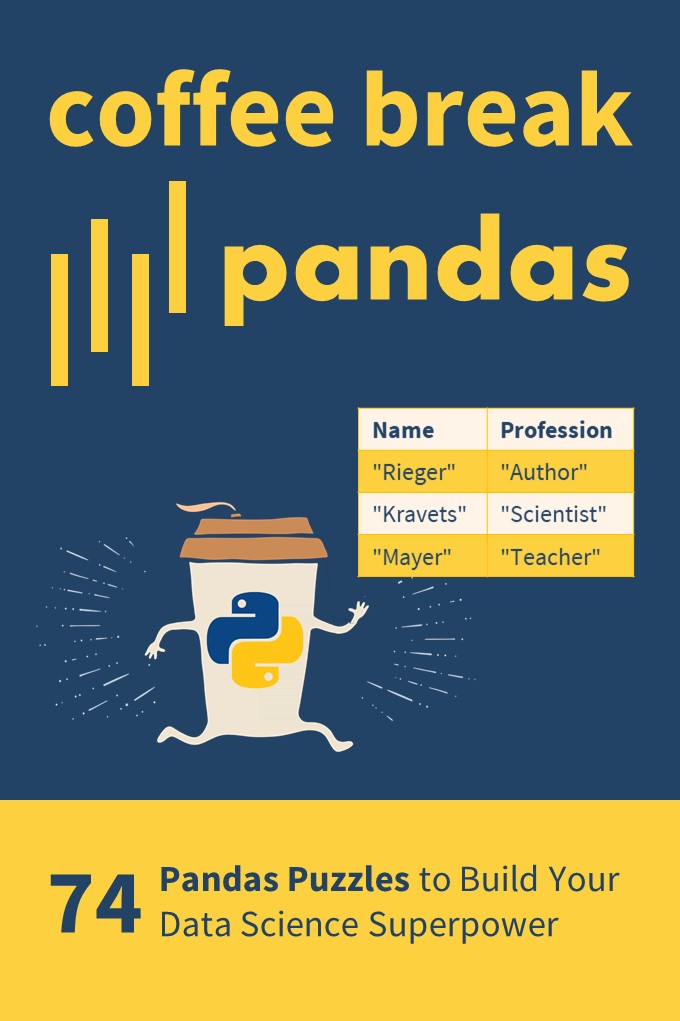
If you want to boost your Pandas skills, consider checking out my puzzle-based learning book Coffee Break Pandas (Amazon Link).
It contains 74 hand-crafted Pandas puzzles including explanations. By solving each puzzle, you’ll get a score representing your skill level in Pandas. Can you become a Pandas Grandmaster?
Coffee Break Pandas offers a fun-based approach to data science mastery—and a truly gamified learning experience.
[www.indiegala.com] A new exclusive music bundle passed through the atmosphere and has impacted our souls with its electronic/cyberpunk beats by Meteor & Cyborg.
Future 80s Tunes Bundle | 15 Music Albums | 94% OFF
[www.indiegala.com] Synthwave, Retro Electro, Dreamwave, Spacesynth, the past travels to the future via the soundwaves of time, bringing us a turbo radical collection for the journey of a generation. (Happy Hour live) [www.indiegala.com]
Prime Day Deal: Grab Ratchet And Clank: Rift Apart For Just $40
Amazon Prime Day has once again seen a number of big discounts hit the gaming section, and if you're on PS5, you can grab one of the best games on that system right now for a very attractive price. Ratchet & Clank: Rift Apart was a technical showcase with plenty of heart when it arrived last year, and if you missed it, then now's a good time to reunite with the lovable PlayStation duo.
Not just a good-looking game that could put Pixar films to shame, Ratchet and Clank: Rift Apart feels like a blast from the past to play. It's classic PlayStation platforming action made even better by the fine-tuned DualSense controls and a host of other features that makes the game a standout title. It also has a great cast, a wacky assortment of weapons to wield, and a variety of graphical options to make the game shine on your TV.
You are a point of light in a new open world Strand-type game. Create pathways through the darkness, nurture the creatures of the Forest, repair ancient structures, and ultimately: confront the Witch who broke this place.
How to convert .blf from a CAN bus to .csv in Python?
What is BLF? The Binary Logging Format (BLF) is a proprietary CAN log format from the automative company Vector Informatik GmbH.
What is CAN? The Controller Area Network (CAN bus) is a message-based protocol standard for microcontrollers in vehicles to communicate without a host computer.
Method 1: Using BLF Reader and CSV Writer
To convert the BLF file 'my_file.blf' to the CSV file 'my_file.csv', you can first iterate over the bus messages using can.BLFReader('my_file.csv') and add the data to a list of lists. Then, you can use the csv.writer() approach to write the list of lists to a CSV file.
Here’s an example that improves upon this SO thread:
import can

import csv log = [] for msg in list(can.BLFReader("my_file.blf")): msg = str(msg) row = [msg[18:26], msg[38:40], msg[40:42], msg[46], msg[62], msg[67:90]] log.append(row) with open("my_file.csv", "w", newline='') as f: writer = csv.writer(f, delimiter=',', quotechar='\"', quoting=csv.QUOTE_ALL) writer.writerows(log)
A more sophisticated version of this code is provided in this Github repository. Here’s a screenshot of the code — notice the more advanced processing of a single message compared to our solution:
The candas library provides utility functions to work with .blf files and the CAN bus. Among other things, it helps you with the conversion from BLF to CSV as outlined here.
This is the provided example:
import candas as cd db = cd.load_dbc("dbc_folder") # This is the BLF file 'my_file.blf':

log = cd.from_file("my_file") # This prints a signal from the messages in the BLF:

print(log["AVGcellTemperature"])
Method 3: Using Custom Solution from python-can Library
You can use your tailor-made solutions by combining the Readers and Writers provided in the python-can library.
It provides multiple utility functions such as:
Listener
BufferedReader
RedirectReader
Logger
Printer
CSVWriter
SqliteWriter
ASC
Log
BLF
Chances are you’ll find what you’re looking for when going over those functions!
Related Video
Still not satisfied? I found the following relevant video when searching for a solution to this problem. I think you’ll find some nice tricks in the video!



 Full Course: Check out the full beginner course on Forex trading on




 How to convert
  What is BLF? The Binary Logging Format (
