[www.indiegala.com] Paradise awaits behind this bundle, bite into the forbidden fruit of adult 18+ eroge and enjoy a selection of erotic video games [www.indiegala.com]
[www.indiegala.com] Moving Out 2 is the wacky sequel to the world-famous physics-based moving simulator. Working as a solo F.A.R.T, or with up to three friends, slip into your Smooth Moves uniform and help the residents of Packmore, and beyond, to pack up and ship out! https://www.youtube.com/watch?v=lquKsZmuEZU&ab_channel=Team17
The Blender Foundation have just announced their “Big Projects” list for Blender in 2021. It is hard to argue that 2020 wasn’t a banner year for Blender development, with three major releases as well as the first ever LTS release. Through 2020 we saw improvements to the Blender UI/UX, sculpting tools, modeling, EEVEE, Cycles and so much more. We also saw a record number of massive companies coming on board the Blender development fund. With the release today of the projects list, we get insight into the Blender priorities in 2021, including priorities such as:
launch of a new open movie called Sprite Fight
the everything nodes project, where everything in Blender will be able to be driven procedurally using nodes (see Geometry Nodes in action here)
all new Asset Browsers editor window for better content management
massive improvements to the VSE or Video Sequence Editor
EEVEE real-time rendering improvements including Vulkan support, motion blur, depth of field and possibly raytracing
VR improvements including the ability to use VR controllers and author content in virtual reality
Cycles rendering improvements especially related to perfromance
Animation 22 (previously Animation 2020), an effort to improve animation tools in Blender, sponsored by AWS
improved pipeline and USD support, Pixar’s open interchange format
You can learn more about the Blender’s accomplishments in 2020, as well as the new projects in 2021 in the video below.
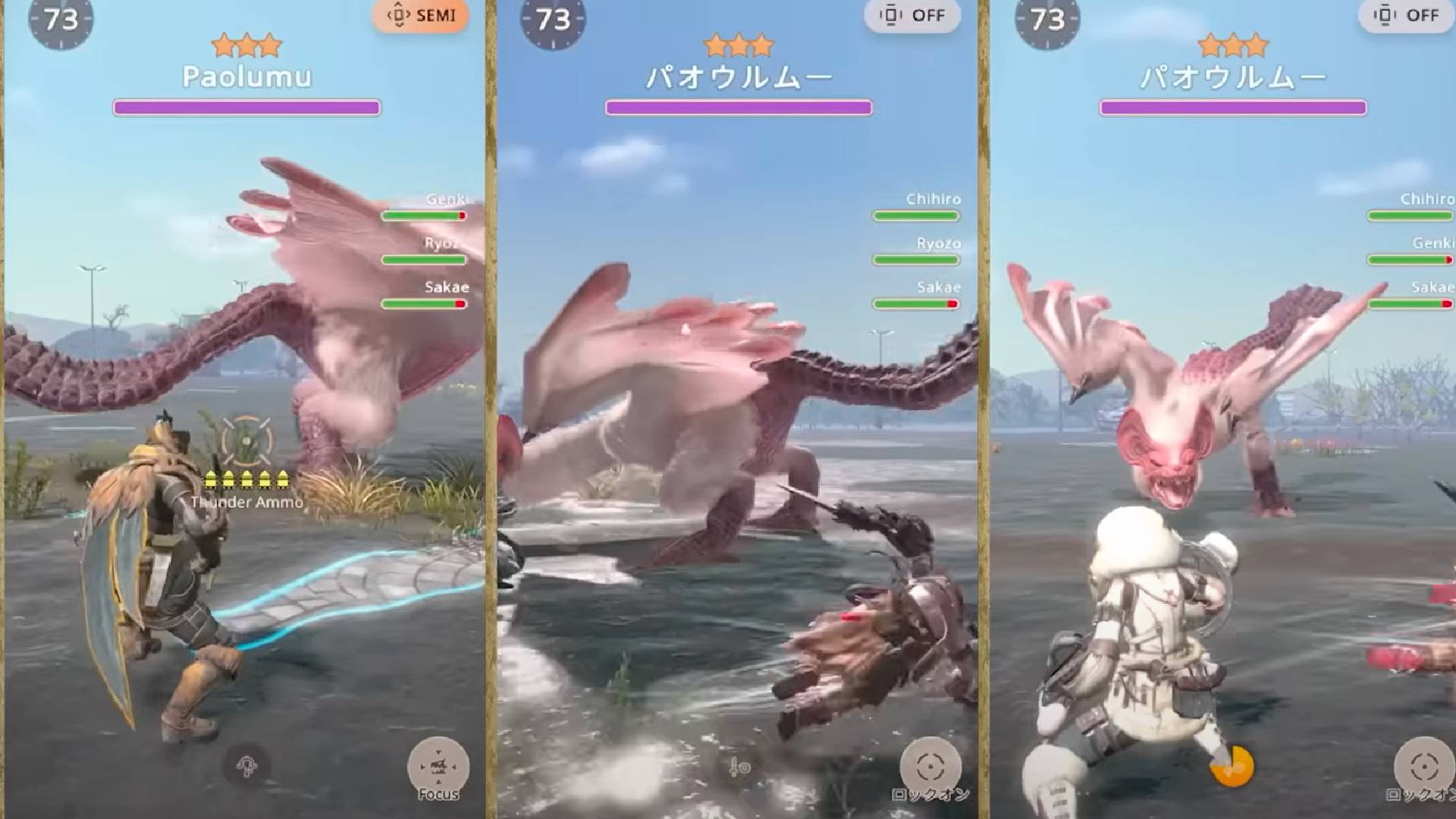
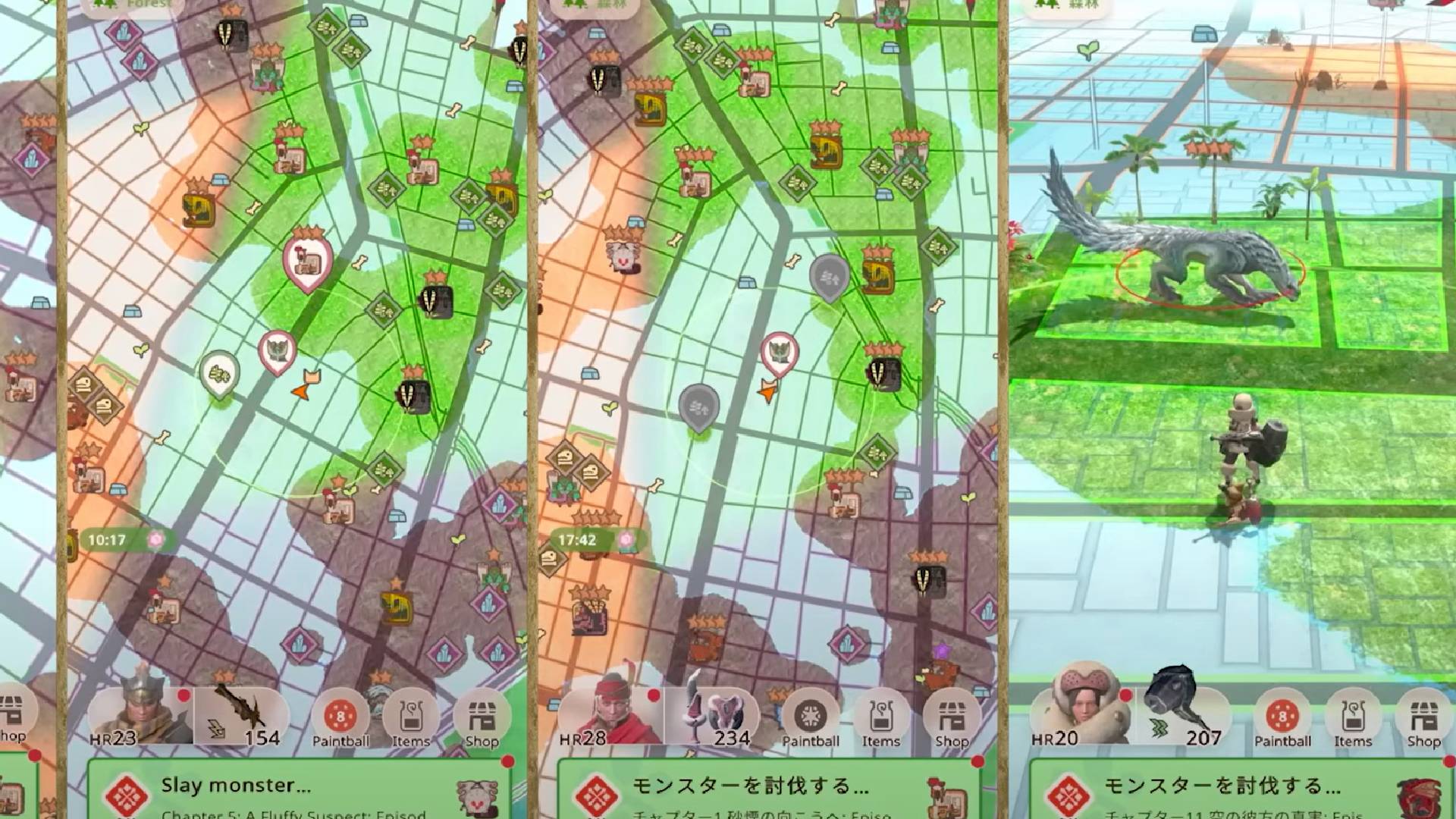
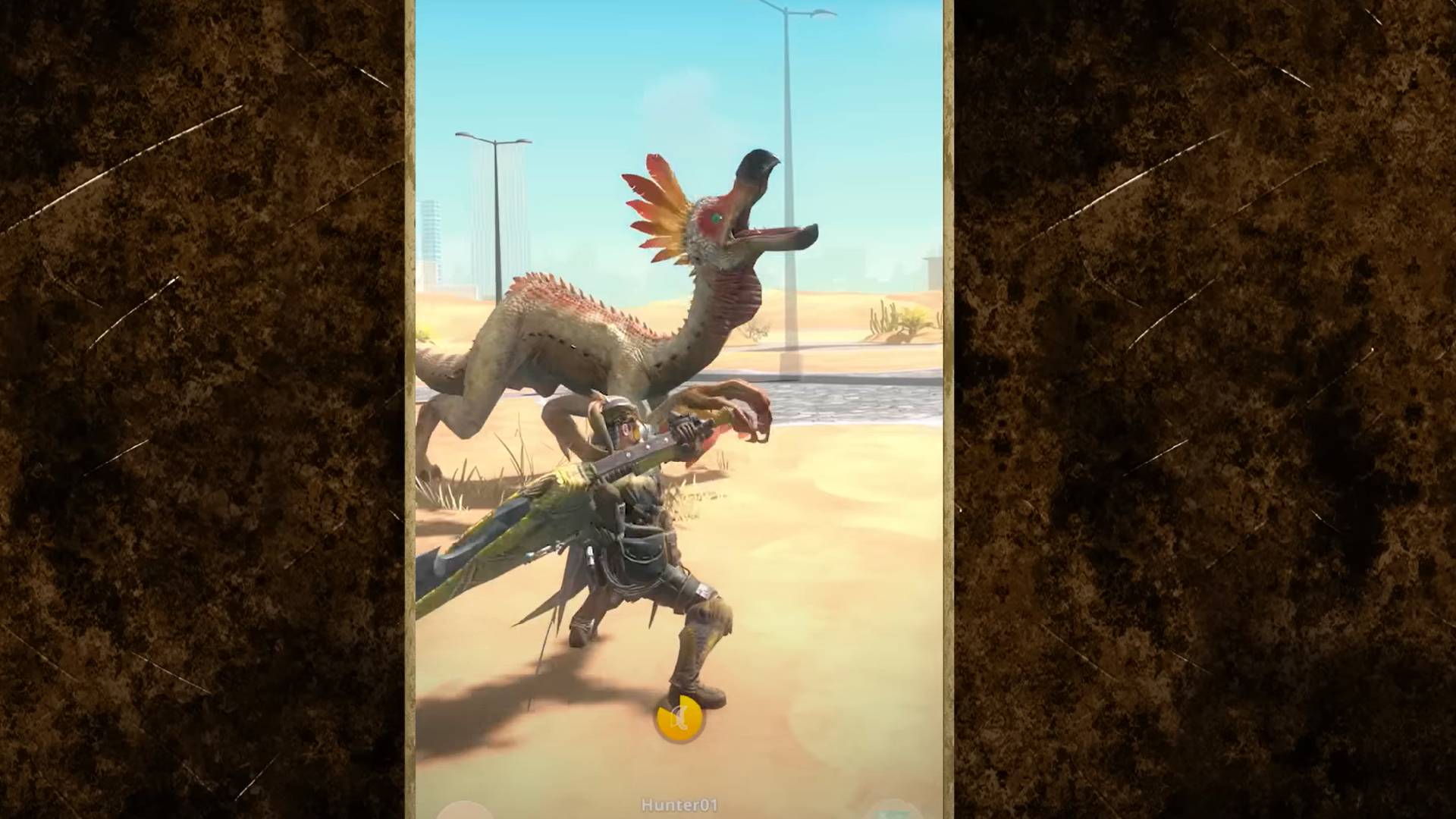
Mobile - Monster Hunter Now makes you fight a Diablos in just 75 seconds
The Monster Hunter franchise has never been hotter, and it’s easy to see why. After a steady string of releases over the last two decades, developer Capcom slowly refined and expanded upon the winning formula, giving fans bigger and better games as the years progressed. Recent outings like Monster Hunter World and Monster Hunter Rise have been huge critical and sales successes, and now it’s time for something new.
Now, MH creator Capcom is teaming up with mobile developer Niantic (Pokémon Go, Pikmin Bloom, Ingress) in the hopes of expanding the appeal and audience of Monster Hunter, and who better than the creators of Pokémon Go to realize that goal? Monster Hunter might not quite have the prolific library of monsters that Pokémon does, but it has a sizable and dedicated audience already.
To learn more about the game, we spoke to Kei Kawai, who works as executive producer of Monster Hunter Now and as Niantic chief product officer. Bringing the world of Monster Hunter to mobile is a difficult task, so we wanted to hear more about the challenges of adapting a game with so many elements and so much nuance to a mobile device.
One interesting element is learning that Niantic is the one that approached Capcom in the first place. Speaking on the collaboration, Kawai says that “I pitched the idea for the game to the team at Capcom, and they agreed to the idea in that first meeting.” Given Niantic’s previous success with Pokémon Go, it’s little surprise Capcom saw potential in the idea, and according to Kawai, Capcom had “already been considering a location-based game” anyway.
If you’re an existing Pokémon Go fan, you might wonder why you should check out Monster Hunter Now. While Kawai does explain that “different IPs appeal to different audiences” they also maintain that Niantic and Capcom have “worked hard to give players a very different kind of experience.” What does that entail exactly? Well, according to Kawai, Monster Hunter Now is “a new game built from the ground up” while the main shift is with “real time battles and a lot of action.”
As a Monster Hunter fan for some years, I’m interested in how the notoriously complex battle system translates to mobile, and Niantic and Capcom have clearly made this a top priority. When asked about transferring the gameplay, Kawai explains that Monster Hunter Now has been in development for “over four years,” a lot of which was “trial and error.” According to Kawai, early prototypes had matches lasting anywhere between “five and ten minutes,” though playtesting eventually led to the current game’s maximum of 75 seconds. I’ve spent multiple hours tackling beasts on consoles, but I certainly don’t think I want to stand in the street for forty minutes in the hopes of slaying a Rathian.
Instead, the focus is on making “a game that remains true to Monster Hunter” but is still accessible to the mobile audience and experience, with controls that are “easy to start and hard to master.” One essential element of this is the one-finger gameplay that replaces the regular weapon attacks. However, Niantic and Capcom are adding nuance to this mode with “innovations from the team like the gyro for the projectile weapons.”
The community is one element of Monster Hunter that fans adore, and this seems to be another priority for the Monster Hunter Now team. As Kawai explains, the existing focus on multiplayer and the existing community are “what makes Monster Hunter such a great fit for a Niantic game.” In Now, up to four players can “match up quickly with people around you,” and you can also work alongside strangers. This collaborative gameplay is apparently “key to defeating the higher-level monsters.”
One recurring element of Monster Hunter that I personally adore is the pattern of flagship monsters representing a game and its cover art. Recently Monster Hunter Rise featured the fearsome Magnamalo, and I couldn’t help but ask if Monster Hunter Now might get its own monster down the line. Kawai gives a suitably careful answer, saying “This is really a question for our friends at Capcom,” though apparently the launch of Monster Hunter Now is just the start, and the developer would “love to include new unique monsters in the game in the future.”
Monster Hunter Now has been in beta testing for a couple of months now, and while we have also been playing a pre-release build, we are waiting to give a full review near launch. According to Kawai, this testing has been crucial, and the Monster Hunter Now team is still making “final touches” to the game, including “fine-tuning the speed of progress and the strengths of the different monsters and weapons.” Much like other Monster Hunter games, we anticipate the community is going to be crucial in creating a fair and satisfying game.
While Pokémon Go is over seven years old, it’s certainly interesting that Monster Hunter is seeing now as the perfect time to launch this mobile title. However, after the success of Rise, World, and even the release of a Monster Hunter movie, Niantic would like to use this opportunity to help Monster Hunter “reach a broader and truly global audience of smartphone users and mobile game players.”
Now is sure to be many players’ first introduction to the series, and as Kawai mentions, Niantic hopes that the title will “help expand the franchise and bring new players into the world.” After all, Go is partly responsible for a huge resurgence in Pokémon’s popularity. If you’re at all worried about the team behind this, Kawai assures fans that both series producer Ryozo Tsujimoto and “all the top Monster Hunter producers at Capcom” are giving Niantic “valuable feedback throughout the process.”
The Monster Hunter series is one with a clear vision, and it’s reassuring to know that so many of its most talented creators are overseeing this new venture. It’s evident that Capcom and the Monster Hunter team want to build on their existing audience and spread the gospel of Monster Hunter, and Kawai confirms it, saying the team hopes to build on the existing audience “by attracting a diverse audience to the game, including families. There is so much potential on mobile.”
One element of the game that is unclear so far is how Niantic and Capcom hope to keep players engaged over time. The Monster Hunter gameplay loop of creating armor and weapons is fantastic, but a mobile game needs certain elements to keep things fresh. When asked how Now is set to keep fans playing, Kawai explains that Niantic is “introducing a season system and will be adding new monsters, storylines, and weapons types to the game over time.”
Kawai further explains as they mention that “Niantic has a great track record of running live operations and in-game events for mobile games,” and it’s certainly true. After a somewhat slow start, Pokémon Go is now constantly supported with regular interesting events, with creative new features or tasks to keep players happy. According to Kawai, the Now team is “excited about running the game as a service” and seeing what the team can achieve with such a “passionate community.”
Finally, we couldn’t finish the interview without asking Kawai what the series means to them, and thankfully it’s clear this title is being developed with a lot of love and passion. Kawai told us that the Monster Hunter series “means a lot to me personally,” and there’s a fun (and novel) reason for that.
Kawai says “my cousin actually met and then married their partner by playing Monster Hunter together at college,” and according to Kawai that’s where they “got the idea for the game.” Two people meeting and bonding over the series is touching, and as Kawai further explains the “Monster Hunter world clearly had the power to bring people together in the real world.”
We also couldn’t help but ask Kawai what their favorite monster is, and they happily explained that “It has to be Pukei-Pukei. I just love its offbeat quirkiness!” We’ll have to wait just a bit longer to learn more about Monster Hunter Now, but it’s clear that the developer is passionate about the series, and driven to help spread it even further. Perhaps just like Kawai’s cousin, it’ll help bring you closer to people in the real world, very soon.
gRPC is a modern open source remote procedure call framework. There are many exciting features in gRPC: real-time streaming, end-to-end code generation, and great cross-platform support to name a few. The most exciting to me, and consistently mentioned by developers who are interested in gRPC, is performance.
Last year Microsoft contributed a new implementation of gRPC for .NET to the CNCF. Built on top of Kestrel and HttpClient, gRPC for .NET makes gRPC a first-class member of the .NET ecosystem.
In our first gRPC for .NET release, we focused on gRPC’s core features, compatibility, and stability. In .NET 5, we made gRPC really fast.
gRPC and .NET 5 are fast
In a community run benchmark of different gRPC server implementations, .NET gets the highest requests per second after Rust, and is just ahead of C++ and Go.
This result builds on top of the work done in .NET 5. Our benchmarks show .NET 5 server performance is 60% faster than .NET Core 3.1. .NET 5 client performance is 230% faster than .NET Core 3.1.
In the rest of this blog post I’ll talk about the improvements we made to make gRPC fast in ASP.NET Core.
HTTP/2 allocations in Kestrel
gRPC uses HTTP/2 as its underlying protocol. A fast HTTP/2 implementation is the most important factor when it comes to performance. Our gRPC server builds on top of Kestrel, a HTTP server written in C# that is designed with performance in mind. Kestrel is a top contender in the TechEmpower benchmarks, and gRPC benefits from a lot of the performance improvements in Kestrel automatically. However, there are many HTTP/2 specific optimizations that were made in .NET 5.
Reducing allocations is a good place to start. Fewer allocations per HTTP/2 request means less time doing garbage collection (GC). And CPU time “wasted” in GC is CPU time not spent serving HTTP/2 requests.
The performance profiler above is measuring allocations over 100,000 gRPC requests. The live object graph’s sawtooth shaped pattern indicates memory building up, then being garbage collected. About 3.9KB is being allocated per request. Lets try to get that number down!
dotnet/aspnetcore#18601 adds pooling of streams in a HTTP/2 connection. This one change almost cuts allocations per request in half. It enables reuse of internal types like Http2Stream, and publicly accessible types like HttpContext and HttpRequest, across multiple requests.
Once streams are pooled a range of optimizations become available:
There are many smaller allocation savings. dotnet/aspnetcore#19783 removes allocations in Kestrel’s HTTP/2 flow control. A resettable ManualResetValueTaskSourceCore<T> type replaces allocating a new object each time flow control is triggered. dotnet/aspnetcore#19273 replaces an array allocation with stackalloc when validating the HTTP request path. dotnet/aspnetcore#19277 and dotnet/aspnetcore#19325 eliminate some unintended allocations related to logging. dotnet/aspnetcore#22557 avoids allocating a Task<T> if a task is already complete. And finally dotnet/aspnetcore#19732 saves a string allocation by special casing content-length of 0. Because every allocation matters.
Per-request memory in .NET 5 is now just 330 B, a decrease of 92%. The sawtooth pattern has also disappeared. Reduced allocations means garbage collection didn’t run at all while the server processed 100,000 gRPC calls.
Reading HTTP headers in Kestrel
A hotpath in HTTP/2 is reading and writing HTTP headers. A HTTP/2 connection supports concurrent requests over a TCP socket, a feature called multiplexing. Multiplexing allows HTTP/2 to make efficient use of connections, but only the headers for one request on a connection can be processed at a time. HTTP/2’s HPack header compression is stateful and depends on order. Processing HTTP/2 headers is a bottleneck so has to be as fast as possible.
dotnet/aspnetcore#23083 optimizes the performance of HPackDecoder. The decoder is a state machine that reads incoming HTTP/2 HEADER frames. The approach here is good, the state machine allows Kestrel to decode frames as they arrive, but the decoder was checking state after parsing each byte. Another problem is literal values, the header names and values, were copied multiple times. Optimizations in this PR include:
Tighten parsing loops. For example, if we’ve just parsed a header name then the value must come afterwards. There is no need to check the state machine to figure out the next state.
Skip literal parsing all together. Literals in HPack have a length prefix. If we know the next 100 bytes are a literal then there is no need to inspect each byte. Mark the literal’s location and resuming parsing at its end.
Avoid copying literal bytes. Previously literal bytes were always copied to an intermediary array before passed to Kestrel. Most of the time this isn’t necessary and instead we can just slice the original buffer and pass a ReadOnlySpan<byte> to Kestrel.
Together these changes significantly decrease the time it takes to parse headers. Header size is almost no longer a factor. The decoder marks the start and end position of a value and then slices that range.
Once headers have been decoded, Kestrel needs to validate and process them. For example, special HTTP/2 headers like :path and :method need to be set onto HttpRequest.Path and HttpRequest.Method, and other headers need to be converted to strings and added to the HttpRequest.Headers collection.
Kestrel has the concept of known request headers. Known headers are a selection of commonly occuring request headers that have been optimized for fast setting and getting. dotnet/aspnetcore#24730 adds an even faster path for setting HPack static table headers to the known headers. The HPack static table gives 61 common header names and values a number ID that can be sent instead of the full name. A header with a static table ID can use the optimized path to bypass some validation and quickly be set in the collection based on its ID. dotnet/aspnetcore#24945 adds extra optimization for static table IDs with a name and value.
Adding HPack response compression
Prior to .NET 5, Kestrel supported reading HPack compressed headers in requests, but it didn’t compress response headers. The obvious advantage of response header compression is less network usage, but there are performance benefits as well. It’s faster to write a couple of bits for a compressed header than it is to encode and write the header’s full name and value as bytes.
dotnet/aspnetcore#19521 adds initial HPack static compression. Static compression is pretty simple: if the header is in the HPack static table then write the ID to identify the header instead of the longer name.
Dynamic HPack header compression is more complicated, but also provides bigger gains. Response header names and values are tracked in a dynamic table and are each assigned an ID. As a response’s headers are written, the server checks to see if the header name and value are in the table. If there is a match then the ID is written. If there isn’t then the full header is written, and it is added to the table for the next response. There is a maximum size of the dynamic table, so adding a header to it may evict other headers with a first in, first out order.
dotnet/aspnetcore#20058 adds dynamic HPack header compression. To quickly search for headers the dynamic table groups header entries using a basic hash table. To track order and evict the oldest headers, entries maintain a linked list. To avoid allocations, removed entries are pooled and reused.
Using Wireshark, we can see the impact of header compression on response size for this example gRPC call. .NET Core 3.x writes 77 B, while .NET 5 is only 12 B.
Protobuf message serialization
gRPC for .NET uses the Google.Protobuf package as the default serializer for messages. Protobuf is an efficient binary serialization format. Google.Protobuf is designed for performance, using code generation instead of reflection to serialize .NET objects. There are some modern .NET APIs and features that can be added to it to reduce allocations and improve efficiency.
The biggest improvement to Google.Protobuf is support for modern .NET IO types: Span<T>, ReadOnlySequence<T> and IBufferWriter<T>. These types allow gRPC messages to be serialized directly using buffers exposed by Kestrel. This saves Google.Protobuf allocating an intermediary array when serializing and deserializing Protobuf content.
Support for Protobuf buffer serialization was a multi-year effort between Microsoft and Google engineers. Changes were spread across multiple repositories.
protocolbuffers/protobuf#7351 and protocolbuffers/protobuf#7576 add support for buffer serialization to Google.Protobuf. This is by far the biggest and most complicated change. Three attempts were made to add this feature before the right balance between performance, backwards compatibility and code reuse was found. Protobuf reading and writing uses many performance oriented features and APIs added to C# and .NET Core:
Span<T> and C# ref struct types enables fast and safe access to memory. Span<T> represents a contiguous region of arbitrary memory. Using span lets us serialize to managed .NET arrays, stack allocated arrays, or unmanaged memory, without using pointers. Span<T> and .NET protects us against buffer overflow.
stackalloc is used to create stack-based arrays. stackalloc is a useful tool to avoid allocations when a small buffer is required.
Low-level methods such as MemoryMarshal.GetReference(), Unsafe.ReadUnaligned() and Unsafe.WriteUnaligned() convert directly between primitive types and bytes.
BinaryPrimitives has helper methods for efficiently converting between .NET primitive types and bytes. For example, BinaryPrimitives.ReadUInt64LittleEndian reads little endian bytes and returns an unsigned 64 bit number. Methods provided by BinaryPrimitive are heavily optimized and use vectorization.
A great thing about modern C# and .NET is it is possible to write fast, efficient, low-level libraries without sacrificing memory safety. When it comes to performance, .NET lets you have your cake and eat it too!
private TestMessage _testMessage = CreateMessage();

private ReadOnlySequence<byte> _testData = CreateData();

private IBufferWriter<byte> _bufferWriter = CreateWriter(); [Benchmark]

public IMessage ToByteArray() => _testMessage.ToByteArray(); [Benchmark]

public IMessage ToBufferWriter() => _testMessage.WriteTo(_bufferWriter); [Benchmark]

public IMessage FromByteArray() => TestMessage.Parser.ParseFrom(CreateBytes()); [Benchmark]

public IMessage FromSequence() => TestMessage.Parser.ParseFrom(_testData);
Method
Runtime
Mean
Ratio
Allocated
ToByteArray
.NET 5.0
1,133.82 ns
1.00
184 B
ToBufferWriter
.NET 5.0
589.05 ns
0.51
64 B
FromByteArray
.NET 5.0
409.88 ns
1.00
1960 B
FromSequence
.NET 5.0
381.03 ns
0.92
1776 B
Adding support for buffer serialization to Google.Protobuf is just the first step. More work is required for gRPC for .NET to take advantage of the new capability:
grpc/grpc#18865 and grpc/grpc#19792 adds ReadOnlySequence<byte> and IBufferWriter<byte> APIs to the gRPC serialization abstraction layer in Grpc.Core.Api.
grpc/grpc#23485 updates gRPC code generation to glue the changes in Google.Protobuf to Grpc.Core.Api.
grpc/grpc-dotnet#376 and grpc/grpc-dotnet#629 updates gRPC for .NET to use the new serialization abstractions in Grpc.Core.Api. This code is the integration between Kestrel and gRPC. Because Kestrel’s IO is built on top of System.IO.Pipelines, we can use its buffers during serialization.
The end result is gRPC for .NET serializes Protobuf messages directly to Kestrel’s request and response buffers. Intermediary array allocations and byte copies have been eliminated from gRPC message serialization.
Wrapping Up
Performance is a feature of .NET and gRPC, and as cloud apps scale it is more important than ever. I think all developers can agree it is fun to make fast apps, but performance has real world impact. Lower latency and higher throughput means fewer servers. It is an opportunity to save money, reduce power use and build greener apps.
As is obvious from this tour, a lot of changes have gone into gRPC, Protobuf and .NET aimed at improving performance. Our benchmarks show a 60% improvement in gRPC server RPS and a 230% improvement in gRPC client RPS.
.NET 5 RC2 is available now, and the official .NET 5 release is in November. To try out the performance improvements and to get started using gRPC with .NET, the best place to start is the Create a gRPC client and server in ASP.NET Core tutorial.
We look forward to hearing about apps built with gRPC and .NET, and to your future contributions in the dotnet and grpc repos!
Posted by: xSicKxBot - 09-08-2023, 05:46 AM - Forum: Windows
- No Replies
Microsoft - Today we’re expanding our collaboration with Epic as we deliver a high
Frontline workers represent the face of organizations and make up the lion’s share of the workforce. But new Work Trend Index data reveals that 1 in 2 frontline workers cite being burned out in their jobs. Investing in technology that supports the frontline is key. Notably, 65% of frontline workers are optimistic that AI will help them in their jobs.
We are excited to highlight new Microsoft solutions and investments in next-generation AI for the frontline workforce across nearly every business. Frontline managers and workers can optimize their time from work order creation to schedule management with Copilot in Dynamics 365 Field Service and the new Shifts plug-in for Microsoft 365 Copilot. In Viva Connections, frontline workers can stay up-to-date on internal communications. And with shared device mode for Intune, VMware and SOTI, employees can simplify the sign-in experience securely.
Today’s announcements not only reduce administrative burden and time on spent on manual tasks, but also enable frontline workers to focus on end customer experiences and receive an overall improved employee experience. Learn more here: https://lnkd.in/e9Ash_82
AppleInsider - Apple is eliminating the social media support roles from Twitter and
Apple Support app
Apple is reportedly looking to cut back on providing human support on various social media outlets like YouTube and Twitter.
The official @AppleSupport account was launched in 2016, and it’s primarily used to provide tips for Apple products and address customers directly. The account earned an award from Twitter that same year, thanks to its high level of engagement.
However, according to sources speaking toMacRumors, that will be coming to an end. The report states Apple is planning to eliminate its social media support advisor roles available on Twitter/X, YouTube, and the Apple Support Community forum.
The change will start beginning October 1, 2023, when Apple will stop all human replies via direct message on Twitter. Instead, according to the source, customers will receive an automated reply informing them how they can contact Apple to receive assistance.
The paid Community Specialist role that helps customers via the Support Community forum will also be eliminated. And Apple will stop offering technical support through comments posted on YouTube videos.
Reportedly over 150 employees are reportedly impacted by this change, but Apple is offering to transition them to phone support roles. One source said Apple is not allowing the employees to transition to other chat-based support roles, unless medically necessary.
The transition away from social media support is expected to be completed by the end of November. The employees who elect to make the transition to phone support will be provided with the necessary training.
Apple last updated its official Support app in August, providing more information regarding physical Apple Store locations, and more. The app, Apple’s official support website, and phone line are going to be the only official support venues going forward.
AppleInsider is unable to confirm these changes are taking place. The story will be updated with any additional information as it becomes available.
CloudBees And Google Cloud Partner To Accelerate Application Development On Anthos
CloudBees and Google Cloud are collaborating to deliver a modern DevOps platform based on open source technologies powered by Google Cloud’s Anthos. The companies are using transformational technologies like Jenkins X, Kubernetes and Tekton to create a unified, end-to-end software delivery system. CloudBees provides companies large and small with Jenkins-based continuous delivery solutions that are secure, open toolchain-enabled and scalable to transform software delivery processes across hybrid computing environments. Google Cloud is delivering to enterprises a secure, open, intelligent and transformative enterprise cloud platform. Anthos, a hybrid and multi-cloud platform, is built on open source technologies pioneered by Google Cloud and enables consistency between on-premise and cloud environments. (Source: Press Release)
FLAC, or Free Lossless Audio Codec, is a lossless audio compression format that preserves all the original audio data. This means that FLAC files can be decoded to an identical copy of the original audio file, without any loss in quality. However, lossless compression typically results in larger file sizes than lossy compression, which is why a method to convert FLAC to lossy formats is desirable. This is where TransFLAC can help.
FLAC is a popular format for archiving digital audio files, as well as for storing music collections on home computers. It is also becoming increasingly common for music streaming services to offer FLAC as an option for high-quality audio.
For portable devices, where storage space is limited, lossy audio formats such as MP3, AAC, and OGG Vorbis are often used. These formats can achieve much smaller file sizes than lossless formats, while still providing good sound quality.
In general, FLAC is a good choice for applications where lossless audio quality is important, such as archiving, mastering, and critical listening. Lossy formats are a good choice for applications where file size is more important, such as storing music on portable devices or streaming music over the internet.
TransFLAC: Convert FLAC to lossy formats
TransFLAC is a command-line application that converts FLAC audio files to a lossy format at a specified quality level. It can keep both the FLAC and lossy libraries synchronized, either partially or fully. TransFLAC also synchronizes album art stored in the directory structure, such as cover, albumart, and folder files. You can run TransFLAC interactively in a terminal window, or you can schedule it to run automatically using applications such as cron or systemd.
The following four parameters must be specified:
Input FLAC Directory: The directory to recursively search for FLAC audio files. The case of the directory name matters. TransFLAC will convert all FLAC audio files in the directory tree to the specified lossy codec format. The program will resolve any symlinks encountered and display the physical path.
Output Lossy Directory: The directory to store the lossy audio files. The case of the directory name matters. The program will resolve any symlinks encountered and display the physical path.
Lossy Codec: The codec used to convert the FLAC audio files. The case of the codec name does not matter. OPUS generally provides the best sound quality for a given file size or bitrate, and is the recommended codec. Valid values are: OPUS | OGG | AAC | MP3
Codec Quality: The quality preset used to encode the lossy audio files. The case of the quality name does not matter. OPUS STANDARD quality provides full bandwidth, stereo music, good audio quality approaching transparency, and is the recommended setting. Valid values are: LOW | MEDIUM | STANDARD | HIGH | PREMIUM
TransFLAC allows for customization of certain items in the configuration. The project wiki provides additional information.
Posted by: xSicKxBot - 09-08-2023, 05:46 AM - Forum: Minecraft
- No Replies
News - Minecraft: JAVA Edition 1.19.4
Changes
Updated Horse Breeding
Jukeboxes have changed to be at parity with Bedrock
Interacting with armor or elytra items in-hand will now swap them with equipped gear
The camera tilt when hurt is now based on the direction of incoming damage
Potions colors have been adjusted to make different types of potions more distinguishable
Potions no longer have an enchantment glint due to it obscuring the color of the potion contents
Enchantment glint on items and armor is now more subtle
Armor Stands now preserve custom names when placed and broken
Vexes now use a separate charging animation when empty-handed
Tweaks to recipe unlocking to make discovering vital crafting recipes easier for new players
Updated the Create New World screen
New accessibility options and improvements
Updated the Realms screen to be more in line with the Singleplayer and Multiplayer screens
Added a notification system for Realms to tell you important information about your Realm
Added “Credits & Attribution” button in the Options menu
Horses, Donkeys, and Llamas
The speed, jump height, and health of a baby are now a variation of the average of the parents’ attributes, rather than being biased toward the average possible value.
This change makes horse breeding a viable way of getting great horses if a player starts with good parents and puts in enough time and Golden Carrots.
Jukebox
Emits a note particle above it while playing a music disc
While playing a music disc, it will emit a redstone signal of 15
Droppers and hoppers can now interact with it
Creative Menu
Added painting variants to the creative menu
Paintings with a pre-defined variant will now display the author and title in the item description when hovered over
Recipe Unlocking
The Crafting Table recipe is unlocked immediately on creating a new world
The Crossbow recipe is no longer unlocked by sticks
The Soul Campfire recipe is no longer unlocked by sticks
Updated Create New World Screen
The screen is now organized into three tabs
The Game-Tab allows to set the world name, Gamemode, Difficulty, and whether to allow cheats
The World-Tab allows to set the World-Type and Seed, and to toggle the generation of structures and the bonus chest
The More-Tab provides access to the Game Rules and DataPack Selection Screen
Tabs can be switched with the keyboard by pressing Ctrl+Tab and Ctrl+Shift+Tab
Specific tabs can also be navigated by pressing Ctrl+Tab Number
For example, Ctrl+2 navigates to the second tab
Removed the Import Settings button and the corresponding Export Settings button in the Edit World Screen
Added a screen to easily enable/disable experimental features
The screen can always be found under the More-tab
In snapshots, a shortcut button can be found under the Game-tab
Accessibility
Added an accessibility onboarding screen for players launching the game for the first time
Auto-Jump is now off by default
Added arrow key navigation
Added high contrast resource pack
The resource pack screen is now keyboard-navigatable
Changed how tooltips in the menu UI are positioned so buttons are still readable
Added a tooltip in the key binds screen that specifies which key binds are conflicting
Added a “Damage Tilt” accessibility option that controls the amount the camera shakes when being hurt
Added two new options in the accessibility menu for adjusting the speed and transparency of enchantment glints
Added a “Notification Time” accessibility option that changes how long notifications such as unlocked recipes, advancements, subtitles, and selected item names are visible for
Arrow Kew Navigation
Menu screens can now be navigated by using the arrow keys
When navigating with arrow keys, sliders need to be activated by pressing Enter or Space to start changing the value
High Contrast Resource Pack
Added a built-in resource pack that enhances the contrast of UI elements
Added a new option in the Accessibility menu that enables the high contrast resource pack
This only affects the menu UIs for now, but we’ll be looking to bring this to gameplay UIs in the future as well
Technical Changes
The data pack version is now 12
The resource pack version is now 13
Added a group of entities to display items, blocks, and text
Added entities to detect interactions and attacks
Added data-driven damage types
Added a damage command for applying damage to entities
Added ride command to mount and dismount entities
The clone command now supports cloning to and from different dimensions
A new string source is now available for the data modify command
New execute sub-commands: if dimension, if loaded, on, positioned over, summon
Added a new type of atlas configuration source: paletted_permutations
Pressing F3+S will now dump contents of dynamic textures (like atlases, maps, etc.) to screenshots/debug/
Added fallback fields to translate text components
Out-of-bound arguments in translate formats are no longer silently ignored
Added the following game events:
entity_dismount with a vibration frequency of 6
entity_mount with a vibration frequency of 7
Changed the following game events:
item_interact_finish now has a vibration frequency of 2 instead of 14
Removed heldItemTooltips option from options.txt
Added a network protocol feature for forcing a bundle of packets to be processed within the same client tick
Added –pidFile argument to the dedicated server command line for printing process id to file
The vanilla resource pack en_us language file is now sorted alphanumerically by key
Added show_notification field to recipes
Accepts a boolean which determines if a notification is shown when unlocking this recipe
defaults to true if isn’t specified
A new recipe type smithing_transform has been added for the updated Netherite Upgrade recipe
A new recipe type smithing_trim has been added for the new Armor Trim recipe
A new recipe type crafting_decorated_pot has been added for the new Decorated Pot recipe
New registries trim_pattern and trim_material have been added for the armor trim system
Smithing table has temporarily two menu types
Old menu without the Smithing Template slot has been renamed to legacy_smithing
Will be removed when the Armor Trim feature stops being an experimental feature
New menu with a Smithing Template slot was added called smithing
Added new flag (value 128) to HideFlags NBT field for hiding armor trim item tooltips
Resource Pack Format
The enchantment glint now has two separate texture files: enchanted_glint_entity.png and enchanted_glint_item.png
The texture format used to dynamically scale buttons and sliders has been updated to always include fixed 20px borders on the left and right
Slider textures are now defined in a separate slider.png file
The Create New World screen now uses a separate light_dirt_background.png for its background, unlike other screens
Commands
Clone
The clone command now supports specifying the source and target dimensions.
This determines how the damage affects the entity as well as which death message is displayed
entity: The entity inflicting the damage
cause: The cause of the damage, in the case of indirect damage
Example: When shot by an Arrow, the entity is the Arrow projectile while cause might be a Skeleton
location: The location the damage originated at (when no entity caused the damage)
For instance, location might represent the location of a Bed exploding in the Nether
Data
New source available:
string <entity|block|storage> [path] [start] [end] – reads a value as text, resulting in a string value
New arguments:
start: Index of first character to include at the start of the string
end: Index of the first character to exclude at the end of the string
Effect
infinite is now a valid option for effect durations
Infinite effect durations show up as “∞” in the player inventory view
Execute
Execute If|Unless
New conditions available for the execute if|unless sub-command:
execute if|unless loaded <pos> – checks if the position given is fully loaded (regarding both blocks and entities)
execute if|unless dimension <dimension> – checks if the execution is in a matching dimension
Parameters:
pos: Block position to check
dimension: A dimension id
Execute On
New execute sub-command for selecting entities based on relation to the current executing entity:
execute on <relation>
Relations:
vehicle – the entity that the executing entity is riding
passengers – all entities directly riding the executing entity (no sub-passengers)
controller – the entity that is controlling the executing entity (for example: first passenger in a boat)
owner – the owner of the executing entity, if it is a tameable animal (like cats, wolves, or parrots)
leasher – the entity leading the executing entity with a leash (might be a leash knot in case of being attached to a fence)
target – the attack target for the executing entity
attacker – the last entity that damaged the executing entity in the previous 5 seconds
origin:
shooter, if the executing entity is a projectile (like Arrow, Fireball, Trident, Firework, Thrown Potion, etc.)
thrower, if the executing entity is an item
source of effect, if the executing entity is an Area Effect Cloud
igniter, if the executing entity is a Primed TNT
summoner, if the executing entity is Evoker Fangs or a Vex
If the relation does not apply to the executing entity or no entities are matching it, the selector returns zero elements.
Execute Positioned Over
New execute sub-command for finding positions on top of a heightmap. Changes the height of the execution position to be on top of the given heightmap.
Syntax:
execute positioned over <heightmap>
Heightmaps
A heightmap records the highest position in a column of blocks according to some criteria. Available options:
world_surface: Any non-air block
motion_blocking: Any motion blocking material (e.g. ignores flowers and grass)
motion_blocking_no_leaves: Any non-leaf motion blocking material
ocean_floor: Any non-fluid motion blocking material
Execute Summon
New execute sub-command for summoning a new entity and binding the context (@s) to it. Meant to simplify entity setup and reduce the need for raw NBT editing.
Syntax:
execute summon <entity id>
Fillbiome
The amount of network data transmitted when using the fillbiome command has been optimized
Title
All time arguments to title times are now time durations and work with t, s, and d suffixes
Weather
The duration of the weather change now matches the game’s regular weather cycle if not specified
The duration parameter is now a time duration in ticks and works with t, s, and d suffixes
To retain existing functionality, you need to add an s suffix to pre-existing commands
Ride
New command to allow entities to start or stop riding other entities.
Syntax:
ride <target> mount <vehicle>
Makes a single target mount a single vehicle
The command will fail if:
vehicle is a player
target is already riding a vehicle
target and vehicle are the same entity
vehicle is already a passenger (direct or indirect) of target
ride <target> dismount
Dismounts target from any vehicle it is riding
Fails if target is not riding anything
Damage Types
Damage Types are a new registry that can be extended through data packs. A Damage Type determines how damage is handled by the game. This includes which attributes the damage has as well as which death message is used when an entity dies due to that type of damage.
message_id: The message id used for deaths caused by this damage type
Will be combined with other string fragments to form a translation key
exhaustion: The amount of hunger exhaustion caused by this damage type
scaling: Whether this damage type scales with difficulty levels. Possible values:
never: Damage is always the same
always: Damage always scales with difficulty
when_caused_by_living_non_player: Damage scales with difficulty if it was caused by a living entity who is not a player
effects: Optional field controlling how damage manifests when inflicted on players. Possible values:
hurt (default): the default hurt sound
thorns: Thorns hurt sound
drowning: Drowning sound
burning: A single tick of burning sound
poking: Berry bush poke sound
freezing: Freeze tick sound
death_message_type: Optional field that controls if special death message variants are used. Possible values:
default (default): No special death message logic is applied
fall_variants: Show a variant of fall damage death instead of a regular death message, e.g. death.fell.assist.item
intentional_game_design: Show the intentional game design message instead of a regular death message
Damage type tags control many aspects of how damage from different sources is interpreted.
Predicates
Damage Type Predicates
The following fields have been removed from damage type predicates: is_projectile, is_explosion, bypasses_armor,bypasses_invulnerability, bypasses_magic, is_fire, is_magic, is_lightning.
A new tags array has been added, with the predicate matching if all entries match. Each entry has two fields:
id: The ID of a damage type tag
expected: Whether the damage is expected to have or not have the tag for the predicate to match
Game Rules
Added commandModificationBlockLimit, controlling the maximum number of blocks changed in one execution of clone, fill and fillbiome
Added doVinesSpread game rule, determining if vines will spread to nearby blocks
Defaults to true
Text Components
Added an optional fallback field to translate text components.
The new field is a string that will be used in place of translation if it is missing
If fallback is missing, the old behavior (i.e. using the key itself as the translation) is preserved
Display Entities
Three new entities have been added for flexible display of items, blocks, and text
Those entities, similarily to markers, don’t tick and have no collisions or physics
Models render at entity position, with normal rotation around X and Y axis (so it can be controlled by teleport commands), but also with additional arbitrary model transform
Common Data Types
Tag contents for display entities include some new data types with a complex structure. Any form can be used for modifying data, but only one form is used for saving.
Transformations
Arbitrary affine transform.
Matrix form: array of 16 numbers, describing row-major matrix
Decomposed form (used for saving): object with following fields:
translation – 3d vector
left_rotation, right_rotation – rotation
scale – 3d vector
Transforms are composed in order translation, left_rotation, scale, right_rotation
Rotations
Quaternion form (used for saving): array of 4 numbers, describing components (x, y, z, w)
Axis-angle form: object with following fields:
axis – unit 3d vector
angle – in radians
Interpolation
Some properties of display entities can be interpolated. That means that clients will see gradual changes over time instead of instantaneous jumps.
Display entities keep track of current and previous values of interpolated values:
All properties marked as “interpolated” are part of a single interpolation set
Any update to interpolated property will cause all values of interpolation set to be saved as “current”
Data command executions that do not change value of property (even if it’s present in NBT) do not count as updates
Updates are synchronized to clients at most once per tick, so multiple updates within command will still count as a single update
The last values generated before an update are saved as “previous”
If interpolation is enabled, the entity will transition between “previous” and “current” values over interpolation_duration ticks
Interpolation can be started by writing to the start_interpolation field (this field is not normally present in NBT)
The value in this field is a delay in ticks between client receiving the update and interpolation start
A value of 0 ticks means that interpolation will start in next client tick after receiving the update
Positive values increase this delay further
Interpolation will end (entity fully in “current” state) in start_interpolation + interpolation_duration ticks after receiving the update
The interpolation target can be updated without setting start_interpolation, but it will still behave as if it was started at the moment of the last update to start_interpolation
That means that if the value is updated, but more than interpolation_duration ticks have passed since last start_interpolation update, the entity will immediately jump to new values
Common Properties
All display entity types have the following fields:
transformation – the transformation applied to model (after normal entity orientation). Defaults to identity. Interpolated
billboard – option to control if entity should pivot to face player when rendered:
fixed – no rotation (default)
vertical – entity can pivot around its vertical axis
horizontal – entity can pivot around its horizontal axis
center – entity can pivot around its center point
brightness – if present, overrides light values used for rendering. Omitted by default (which means rendering uses values from entity position). Object has two fields:
sky – value of skylight, 0..15
block – value of block light, 0..15
view_range – maximum view range of this entity. Actual distance depends on client-side render distance and entity distance scaling. Default value 1.0 (roughly the same as fireball)
shadow_radius – size of shadow. Defaults to 0 (no shadow). Interpolated
shadow_strength – strength of the shadow. Controls the opacity of the shadow as a function of distance to block below. Defaults to 1. Interpolated
width, height – describe size of culling bounding box
Bounding box spans vertically y to y+height and horizontally width/2 in all directions from entity position
If either field is set to 0, culling is disabled
Both default to 0
glow_color_override – override glow border color. Defaults to -1 (use team color). Alpha component is ignored
Item_Display
Displays a single item stack.
Stack can be changed with commands by setting slot container.0
Fields:
item – item stack to display. Same format as in inventory (example: {id: “minecraft:dirt”, Count: 1})
item_display – describes item model transform applied to item (as defined in display section in model JSON)
Does not display all block entities, even if they would normally be created on block placement (like chests)
Fields:
block_state – block state to display. Same format as item held by endermen (example {Name:”minecraft:dirt”})
Text_Display
Displays a text component.
Fields:
text – text to display. Components are resolved with the context of the display entity
line_width – line width used to split lines (note: new lines can be also added with \n characters). Defaults to 200
text_opacity – opacity (alpha component) of rendered text. Defaults to 255. Interpolated
background – color of background. Includes alpha channel. Defaults to 0x40000000. Interpolated
default_background – if true, rendering uses default text background color (same as in chat). Defaults to false
shadow – whether the text should be displayed with a shadow. Defaults to false
see_through – whether the text should be visible through blocks. Defaults to false
alignment – how the text should be aligned
Values: center (default), left, right
Note: text display backgrounds uses new shader types rendertype_text_background and rendertype_text_background_see_through.
Interaction Entities
A new type of entity that records attacks (“left clicks”) and interactions (“right clicks”). Interactions are invisible and of a custom size.
Fields:
width: Width of the entity’s bounding box (default 1)
height: Height of the entity’s bounding box (default 1)
attack: Records the last attack action on the entity
interaction: Records the last interaction action on the entity
response: Boolean specifying if interacting should trigger a response (arm swing, sound effects, etc – default false)
Action Format
When an action is stored, it always has two fields:
player: The UUID (in standard integer array format) of the player performing the action
timestamp: The timestamp of the game tick when the event happened (stored as a long)
Advancement Triggers
Interacting with an Interaction entity triggers player_interacted_with_entity
Attacking an Interaction entity triggers player_hurt_entity
Execute On With Interactions
The Interaction entity targets the player who last interacted with it. That makes the following possible:
execute on attacker: execute as the last player who attacked the entity
execute on target: execute as the last player who interacted with the entity
Tags
Block Behavior
Fire burns out faster in certain biomes, and this is now controlled by the increased_fire_burnout biome tag
Mob Spawning
The only_allows_snow_and_gold_rabbits biome tag has been renamed to spawns_gold_rabbits to match its behavior
White Rabbit variants are now controlled by the spawns_white_rabbits biome tag
Fox variants are now controlled by the spawns_snow_foxes biome tag
Mob Behavior
Snow Golems melting in warm biomes is now controlled by the snow_golem_melts biome tag
Only mobs in the dismounts_underwater entity tag will now force the rider to dismount when underwater
Network Protocol
Clients now reset their Secure Chat session state when receiving the login packet
Packet Bundles
Added new delimiter packet to clientbound game protocol
All packets between two delimiters are guaranteed to be processed within the same tick
For security reasons this feature is not supported in the serverbound direction
Paletted Permutations
paletted_permutations is a new type of atlas configuration source used to dynamically generate new textures in memory based on a set of color palettes
Color palettes allow you to swap out the colors of a texture without having to supply all files for the variants of a texture in a resource pack
This is useful for things like armor trims, where you want to be able to change the color of parts of the armor without having to create a new texture for each color
The paletted_permutations source has a set of required parameters:
textures A list of namespaced locations of base textures
These textures will be used to generate variants of them that have been modified by color palettes
palette_key A namespaced location of a color palette key file
A color palette key is used to define the set of key pixel colors we want to swap out with the color palettes defined below
permutations A map of permutations from suffix to a namespaced location of a color palette file
The suffix is appended at the beginning to the resource location of the output variant textures, with a _ character separating the suffix and the base texture name
The color palette is a texture file with a set of pixels that are used for replacing pixels that match the color palette key in each base texture
The number of pixels in each color palette must be the same as that of the palette_key defined for this source
Key matching is done by comparing the RGB values of each pixel in the palette_key to the RGB values of each pixel in the color palette
The alpha channel is ignored for key matching, but in the resulting texture the alpha channel is multiplied with the color palette’s alpha channel
Pixels that do not match the palette_key are copied over to the resulting texture as-is
After defining a paletted_permutations source, you can then reference those namespaced output textures in other resources in your resource pack
For example, if you have the following paletted_permutations source:
Trim patterns and materials for armor are defined by the server through the trim_pattern and trim_material registry respectively
As a result, new trim patterns and materials can be added via data packs
These are synchronized to clients when they join the server
However, clients must have an accompanying resource pack to see those registered trim patterns and materials
The paths to these textures are inferred based on the filename of the pattern json, and will try to find the textures within the same namespace as the trim pattern’s name field
The following data is defined by a trim pattern:
asset_id which is a namespaced id used to infer texture locations and localization
template_item which is the id of the smithing template item used to apply the trim pattern
description which is a text component used for displaying the pattern name of an armor trim when hovering an armor itemstack
The following data is defined by a trim material:
asset_name which is a string used as a suffix for armor trim texture locations
ingredient which is the id of the ingredient item used to apply the trim material
item_model_index which is a float which defines the item model override each armor item model should target to change their visuals for this material
override_armor_materials which is an optional map of armor material to overridden color palette
Map key is the armor material that this trim material wants to override with a different color palette
Map value is the name of the color palette that will be used when this trim material is applied to an armor piece with the corresponding armor material
description which is a text component used for displaying the material name of an armor trim when hovering an armor item stack
The style defined in this description is applied to the armor trim pattern description as well
Experimental Features
The following changes only apply when one or more Experiments is turned on, either by activating the corresponding experimental data pack or by turning it on in the Experiments screen while creating the world.
Added Smithing Template items
Redesigned the Smithing Table
Changed how Netherite equipment is crafted
Added a new armor trimming system to visually customize your armor
Added Sniffer mob and Torchflowers
Added the Cherry Grove biome
Added Archaeology
Mob Heads can now be placed on top of Note Blocks without sneaking
Smithing Templates
Smithing Tables have been redesigned into a workstation for physical equipment upgrades and modifications
Alongside slots for combining a piece of equipment and materials, there is now a required slot for an item type called Smithing Templates
Smithing Templates define what type of upgrade you will be making to equipment
It specifies both what type of items you can upgrade, and which ingredients are valid to customize the upgrade
There are currently two categories of Smithing Templates: Armor Trim and Netherite Upgrade
Smithing Templates are consumed when used to upgrade an item in the Smithing Table
You can craft a copy of a Smithing Template in the Crafting Table with 7 diamonds + 1 block of material that the template is made out of + 1 smithing template, which will output 2 of the same Smithing Template
Netherite Equipment
Netherite equipment crafting now also requires a Netherite Upgrade Smithing Template
Netherite Upgrade Smithing Templates can be found randomly in all Bastion Remnant chests, and there is a guarantee of 2 in every Treasure Room Bastion Remnant
This change was made for a variety of reasons:
Increase the time players utilize Diamond equipment before Netherite
Make Netherite equipment a more significant achievement in the game’s progression
Adapt Netherite more naturally into the new Smithing Table crafting system
Armor Trims
You can now visually customize your armor with a variety of unique trims at the Smithing Table
Armor trims are purely visual with no gameplay benefits, and can only be applied to Helmets, Chestplates, Leggings, and Boots
All trim patterns are visually the same on an armor’s item icon, but the color will still change based on the trim material
To check which trim pattern a piece of armor has, you can hover over it in the inventory
Armor Trim Smithing Templates can be found all throughout the world, and each of the following structures contains its own unique Smithing Template:
Pillager Outpost: Sentry Armor Trim
Desert Pyramid: Dune Armor Trim
Shipwreck: Coast Armor Trim
Jungle Temple: Wild Armor Trim
Ocean Monument: Tide Armor Trim
Ancient City: Ward Armor Trim
Woodland Mansion: Vex Armor Trim
Nether Fortress: Rib Armor Trim
Bastion Remnant: Snout Armor Trim
Stronghold: Eye Armor Trim
End City: Spire Armor Trim
Smithing Templates are found in chests in their respective structure
The Ocean Monument has no chests, Elder Guardians sometimes instead drop a Smithing Template upon death
Some Armor Trim Smithing Templates are rarer than others, so be on the lookout for them to impress your friends!
An armor trim has two properties: a pattern and a material
The pattern is defined by the Smithing Template used to apply the trim and represents the visual pattern of the trim
The material is defined by what ingredient you used to apply the trim and represents the color of the trim
The viable ingredients you can use to define the color of your armor trim are the following: