Nintendo says the Switch is played as much docked as it is undocked
Developers that have a game in the works for the Nintendo Switch may be interested in this little tidbit dropped by Nintendo about how players use the sometimes-portable game console.
According to the company, current data shows that the Switch is used just as much in its docked, TV-connected form as it is as a standalone system. Nintendo Senior Vice President for Sales and Marketing Doug Bowser recently told Ars Technica that the split is surprisingly “about even,” noting that the system is used “about 50 percent in the dock and 50 percent away from the dock.”
Of course, this varies per game, he explained, pointing out that games like Just Dance tend to favor docked mode while Mario Kart 8 Deluxe and The Legend of Zelda: Breath of the Wild skew more toward that 50/50 split.
That data naturally comes with a few caveats, however. Nintendo can only see docked versus undocked preferences for players that have their systems online, so not all users are included in the data. AdditionalNintendonedo can’t tell when the system is being used in tabletop mode versus portably, so both of those uses are grouped together as un-docked play.
Welcome to Next Week on Xbox, where we cover all the new games coming soon to Xbox One! Every week the team at Xbox aims to deliver quality gaming content for you to enjoy on your favorite gaming console. To find out what’s coming soon to Xbox One, read on below and click on each of the game profiles for pre-order details (dates are subject to change).
Xbox One X Enhanced – Lumines Remastered brings minimalism to the puzzle genre where the fusion of light and sound sets the stage for a two-color falling block experience in HD and 4K. Groove to electronic jams while strategically dropping blocks before the BPM bar sweeps combos clean after each measure.
Travel to a newly discovered world called Geode. This formerly pristine planet is under siege by the invading forces of Q‘bthulhu’s shadow army who they seek to lay claim to Geode’s rich resources. On Geode you’ll face all-new challenges adapting to this alien world and its peace-loving denizens.
Players can expect to explore and fight through an array of fan-favorite maps ravaged by war and time, with original Mercenary vehicles available to battle with or against the game’s existing roster of over 680 vehicles. World of Tanks: Mercenaries is the future of World of Tanks on home consoles.
Xbox One X Enhanced – Invaders from another world attack without warning, unleashing machine lifeforms. To break the deadlock, a new breed of android infantry is sent into the fray: the YoRHa squad. NieR: Automata is a fresh take on the Action RPG genre that gracefully blends mesmerizing action with a captivating story.
Xbox One X Enhanced – Return to your childhood and play a touching and heart-warming one-of-a-kind narrative experience from the directors and development team behind the BAFTA award-winning Life is Strange. As Chris, a creative and imaginative 10-year-old boy, escape reality with fantastical adventures as his alter ego: The Awesome Captain Spirit!
Next Up Hero is a dungeon crawler featuring hand-drawn heroes that hack, slash, bongo-drum, boomerang, and jet their way through Ventures. Choose your Hero and start rolling dungeons, gearing out, and maxing your stats. Invite a friend for co-op — you’re going to need all the help you can get. Also available for Xbox Game Pass members.
Feel the adrenaline of exhilarating descents in the intensity of this legendary race and carry out the finest racing tactics to lead your team to victory and earn the mythical Yellow Jersey. Embody the greatest champions and hit the official track of the Tour de France 2018. Featuring local co-op and versus multiplayer.
Dive into the bizarre world of Epic Loon, a quirky physics platformer for up to 4 players playable in couch co-op or battle mode. An offbeat tribute to classic sci-fi movies, players lead a group of aliens to take over Joe’s TV after they are rudely awakened from their home inside of an old-school VHS tape.
Xbox One X Enhanced – Your favorite marsupial is back and enhanced, entranced, and ready-to-dance with the N. Sane Trilogy game collection. Spin, jump, wump and repeat as you take on the epic challenges and adventures through the three games that started it all: Crash Bandicoot, Crash Bandicoot 2: Cortex Strikes Back, and Crash Bandicoot 3: Warped.
Xbox One X Enhanced – Take on the American motorsports scene as you explore and dominate the land, air, and sea of an exhilarating open world. With a wide variety of exotic cars, bikes, boats, and planes to choose from, experience the thrill and excitement of competition as you test your skills across a wide range of driving disciplines.
A new twist on the beloved classic Breakout formula. Instead of moving a small paddle back and forth across the screen, rotate the bricks in a circular fashion as you frantically try to keep the ball in the play area. Combined with a fantasy theme and beautifully hand painted graphics, casual and hardcore gamers will be entertained for hours.
Nintendo Is Considering A Successor To The 3DS According To Its New President
The newly appointed Nintendo President, Shuntaro Furukawa, may have only officially stepped into his position earlier this week, but already he’s been talking to a number of local media outlets in Japan about the direction of the company.
Speaking to The Kyoto Shimbun, the president touched on a range of subjects in relation to Nintendo’s current and future business practices. His points about the 3DS follow on from recent conversation in the West linked to the expected lifespan of the system. Mr Furukawa is of the belief the device still has advantages over the Switch and stated Nintendo was “considering various possibilities” in regards to a successor for the popular handheld device. How serious he is about this is unclear, as the Switch is obviously a key focus for Nintendo right now – with the aim being for every person to own one.
Mobile gaming is steadily becoming an important area for the company as well. According to Furukawa, Nintendo wants to diversify its offerings and eventually make mobile platforms a main pillar of revenue, even though it only contributes to about four percent of the total sales at this point in time. Collaborations with companies such as DeNA is another important factor in helping this area succeed.
Would you like to see a successor to the 3DS, or do you think Nintendo should focus on the Switch and the mobile market? Tell us below.
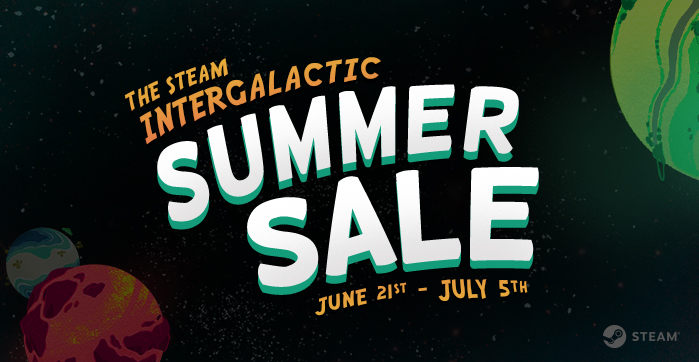
The Steam Intergalactic Summer Sale continues! For the next nine days, take advantage of huge savings throughout our store on over ten thousand games. You can also help unlock free games by playing our Summer Saliens Game.
Today’s Featured Deals include:
Slay the Spire – 37% off Tom Clancy’s Ghost Recon Wildlands – 67% off Metal Gear Solid Franchise – Up to 80% off Mafia III – 65% off Elite Dangerous – 55% off Okami HD – 30% off Hellblad Senua’s Sacrifice – 33% off Rocket League – 50% off and many more
Along with the sale is the Summer Saliens Game. Team up with other Saliens to fight The Duldrumz on different planets and free the abducted games. Gain XP as you battle, level up, unlock new abilities, and win cosmetic items to deck out your Salien. Plus, get Summer Sale Trading Cards just for playing.
Choose to battle on a planet that piques your interest and you’ll automatically be entered for a chance to win one of its rewards when it’s conquered. The longer your Salien spends on a planet the higher your chances of winning! The groups with the most tiles when a planet is taken will get to plant their flag as conquerors, undoubtedly gaining Saliverse-wide fame in the process.
The Steam Intergalactic Summer Sale will run until 10 AM Pacific, July 5th. Complete information can be found HERE.
Posted by: xSicKxBot - 07-02-2018, 07:40 AM - Forum: Lounge
- No Replies
Xbox One Free Games With Gold For July 2018 Revealed
July is fast approaching, which means Xbox Live Gold subscribers will soon get a new batch of Xbox One and Xbox 360 games to download for free. Microsoft has pulled the curtain back on July's offerings. The titles that will be available at various times throughout the next month include the Xbox One games Assault Android Cactus and Death Squared and the Xbox 360 games Virtua Fighter 5: Final Showdown and Tom Clancy's Splinter Cell: Conviction. Thanks to backwards compatibility, those Xbox 360 titles are playable on Xbox One as well.
As for the Xbox One offerings, Assault Android Cactus is a fast-moving twin-stick shooter that's been well received as it's landed on various platforms since its initial release in 2015. It's available to download July 1-31. Death Squared is a colorful co-op puzzle game that can be played alone or with up to four players. You can download it between July 16 and August 15.
On the Xbox 360 side, Virtua Fighter 5: Final Showdown is a fighting game geared toward online competitive play. Thanks to a set of in-depth tutorials, it's more welcoming to newcomers than some other fighting games. It's available for free July 1-15. Tom Clancy's Splinter Cell: Conviction is a stealth-action game from 2010 that contains both a single-player campaign and a co-op campaign so you and a friend can sneak around and take down enemies together. You can grab it gratis July 16-31.
This page is an attempt to track ongoing developments in the Linux development community that have a good chance of appearing in a mainline kernel and/or major distributions sometime in the near future. Your “chief meteorologist” is Jonathan Corbet, Executive Editor at LWN.net. If you have suggestions on improving the forecast (and particularly if you have a project or patchset that you think should be tracked), please add your comments below.
Forecast Summaries
Current conditions: the 4.17 kernel was released on June 3; some of the more important additions in this kernel are::
Some significant scheduler improvements that, in particular, will help with energy-efficient scheduling on mobile devices.
Support for the unloved blackfin, cris, frv, m32r, metag, mn10300, score, and tile architectures has been removed. This change will result in 4.17 being smaller (in terms of lines of code) than 4.16 — only the third time that has happened in the history of the kernel project.
Support for the receiving TLS-encrypted data has been added to the kernel.
The tracing subsystem has gained support for histogram triggers, making it easier to aggregate event data in the kernel without needing to write BPF programs.
In addition to that, of course, is a long list of bug fixes, code cleanups, and more. The 4.17 kernel was the work of 1,700 developers who contributed over 13,500 individual changes; see this article for more information on where 4.17 came from.
Short-term forecast: the 4.18 kernel can be expected in early August. There are a number of changes coming in this release, including:
The power domains subsystem has seen a number of enhancements that will lead to improved whole-system power management.
It is now possible for unprivileged processes to mount filesystems when running in a user namespace. This will make it possible to mount filesystems within containers without the need for additional privileges.
The AF_XDP subsystem will eventually lead to highly accelerated networking in a number of settings. This work is part of a larger effort to win back users of user-space networking stacks by providing better facilities in the kernel.
Bpfilter is a new packet-filtering mechanism based on the BPF virtual machine. The 4.18 version of bpfilter won’t do much, but it is expected to be the base on which the next generation of kernel firewalling systems is built.
Restartable sequences, a new API for performing highly optimized lockless operations in user space, have finally made it into the mainline kernel.
It’s also worth noting that the new AIO-based polling mechanism, originally merged for 4.18, has been reverted pending further work. 4.18 is in the stabilization phase now, so there should be no new features merged during this development cycle.
Posted by: xSicKxBot - 07-02-2018, 01:21 AM - Forum: Lounge
- No Replies
Awesome Steam Summer Sale Games Available For $5 Or Less
Everyone knows you can find great PC gaming deals during the Steam's summer sale, but with so many games to choose from, it can be hard to make a decision on what to buy. We thought we'd make it a little easier by highlighting some of the best games available for less than the price of a latte. All of these games are on sale for $5 or less, so you can probably buy a few of them without breaking the bank. The sale ends July 5, so grab them before then.
Triple-A games famously cost many millions of dollars to make, but even they can eventually go down to below-$5 pricing during Steam summer sales. Right now you can buy Darksiders for $4 or Deus Ex: Human Revolution for $3. Even the 2016 sequel Deus Ex: Mankind Divided is available for $5 right now on Steam. If large-scale destructive hijinks is your kind of thing, you can grab Just Cause 3 for $5 as well.
Loads of smaller indie games are available for just a few bucks right now as well, including the ultra-violent kill-fest Hotline Miami and the thoughtful puzzle platformer The Swapper. Other indie gems include Bastion, FTL, and Oxenfree, all on sale for just a few bucks. And if you haven't played the brilliant RPG Undertale yet, you can do so now for $5.
TeamSpeak is a voice chat server. Featuring clients for most major platforms, crystal clear voice calls, low latency, and encryption, TeamSpeak is a great choice for use cases ranging from business meetings to gaming. If you’d like to launch a TeamSpeak server of your own, Ubuntu 14.04 with its long support cycle is an excellent platform to use. This guide will get you running with a TeamSpeak server running under Ubuntu 14.04 LTS.
Getting Started
Confirm that you have the following before you follow this guide:
• 1 Node (Cloud Server or Dedicated Server) running Ubuntu 14.
• Root access to the node or one sudo non-root user
• A TeamSpeak client on your platform of choice in order to test things out.
How To: (Tutorial)
Start by running these commands on your Ubuntu 14.04 server. These commands will automatically get the latest update for your server.
Code:
apt-get update && apt-get upgrade -y
Ubuntu should include the nano, wget, perl and bzip2 binaries, but if they aren’t included then you’ll need to install the necessary packages.
Code:
apt-get install nano wget tar perl bzip2
We’ll now create a user for the TeamSpeak server to run under. Creating a separate user minimizes the extent to which a TeamSpeak security issue can compromise your server. If TeamSpeak was running as root, a security flaw in TeamSpeak could grant someone root access and let them install or change whatever they wish.
Code:
adduser --disabled-login teamspeak
You can leave the fields blank when prompted for information. Simply press “y” when asked to confirm the values you’ve set.
Now we’ll download and set up the TeamSpeak server itself.
Code:
wget http://dl.4players.de/ts/releases/3.0.12.4/teamspeak3-server_linux_amd64-3.0.12.4.tar.bz2
OR newer version updated below!
wget http://dl.4players.de/ts/releases/3.2.0/teamspeak3-server_linux_amd64-3.2.0.tar.bz2

tar xvf teamspeak3-server_linux_amd64-3.0.12.4.tar.bz2

cd teamspeak3-server_linux_amd64

cp * -R /home/teamspeak

cd ..

rm -rf teamspeak3-server_linux_amd64*

chown -R teamspeak:teamspeak /home/teamspeak
TeamSpeak does not ship with its own startup script. We’ll create our own so it can be managed in Ubuntu’s init system.
With the script in place, it must now be linked into /etc/init.d, where Ubuntu expects to find all of its startup scripts.
Let’s next run the startup script so the server is launched.
Code:
service teamspeak start
Pay attention to the startup messages displayed when the server launches. You will be given the necessary credentials to manage the new server, so be sure to record them in a safe place.
Press Enter to return to the shell prompt.
Check if your server is running by typing this command:
Code:
service teamspeak status
Server is running
If you’ve set up iptables on your Ubuntu server, you’ll need to open some ports for the TeamSpeak server. Here are the necessary iptables commands so your server can be reached from the outside.
Code:
iptables -A INPUT -p udp --dport 9987 -j ACCEPT
 iptables -A INPUT -p udp --sport 9987 -j ACCEPT
 iptables -A INPUT -p tcp --dport 30033 -j ACCEPT
 iptables -A INPUT -p tcp --sport 30033 -j ACCEPT
 iptables -A INPUT -p tcp --dport 10011 -j ACCEPT
 iptables -A INPUT -p tcp --sport 10011 -j ACCEPT
If you’re using the iptables-services package to manage your iptables chains, here is a set of rules that can be added to its configuration to open up the firewall for TeamSpeak.
Code:
-A INPUT -p udp --dport 9987 -j ACCEPT
 -A INPUT -p udp --sport 9987 -j ACCEPT
 -A INPUT -p tcp --dport 30033 -j ACCEPT
 -A INPUT -p tcp --sport 30033 -j ACCEPT
 -A INPUT -p tcp --dport 10011 -j ACCEPT
 -A INPUT -p tcp --sport 10011 -j ACCEPT
It is now necessary to administer the TeamSpeak server itself. On first launch, you were given an administrative token, along with credentials for a superuser account.
Code:
service teamspeak start
Starting the TeamSpeak 3 server
TeamSpeak 3 server started, for details please view the log file
Code:
------------------------------------------------------------------
 I M P O R T A N T
 ------------------------------------------------------------------
 Server Query Admin Account created
 loginname= "serveradmin", password= "*********"
 ------------------------------------------------------------------
 ------------------------------------------------------------------
 I M P O R T A N T
 ------------------------------------------------------------------
 ServerAdmin privilege key created, please use it to gain
 serveradmin rights for your virtualserver. please
 also check the doc/privilegekey_guide.txt for details.
 token=*************************************************
 ------------------------------------------------------------------
The token is what must be pasted into your TeamSpeak client. Do so now.
If the token is copied successfully, you’ll see the message “Privilege Key successfully used.” Your client now has administrative rights on the new TeamSpeak server.
The Wrap-Up
You are now ready to host clear, high-quality voice chats on your newly-configured TeamSpeak server. If you’ve found this article helpful and know someone else who might benefit, be sure to share it with them so they too can launch their very own system for hosting voice chats.
If you found this article helpful, feel free to share it with your friends and let us know in the comments below!
Please set the environment variable TS3SERVER_LICENSE to "accept" in order to accept the license agreement.
Alternatively, create a file named ".ts3server_license_accepted" in the working directory or start the server with the command line parameter "license_accepted=1".
To view the license agreement set TS3SERVER_LICENSE to "view" in order to print the license to the console.
Alternatively view the file "LICENSE" in your favorite text viewer yourself.
How to accept the server license agreement (Server >= 3.1.0)
With the release of TeamSpeak 3 server version 3.1.0 it is required that you agree to our license. This license can be found in the file "license.txt" or "LICENSE" (depending on your platform), which is located
in the same location as the ts3server binary (the main folder). Note that on Unix platforms you can also view the license by starting the TeamSpeak 3 server with the environment variable TS3SERVER_LICENSE set to "view".
You can accept the license in one of three ways:
Create an empty file called ".ts3server_license_accepted" in the current working directory. For example on Unix like systems do:
touch .ts3server_license_accepted
Start the ts3server with the commandline parameter "license_accepted" set to 1. For example:
ts3server license_accepted=1
Set the OS environment variable TS3SERVER_LICENSE to "accept" prior to starting the server. For example on Windows:
set TS3SERVER_LICENSE=accept
Hope this helps guys! Installing Teamspeak 3+ on ubuntu 14.04+ server linux system debian





![[Image: ukq0i.png]](https://i.stack.imgur.com/ukq0i.png)
