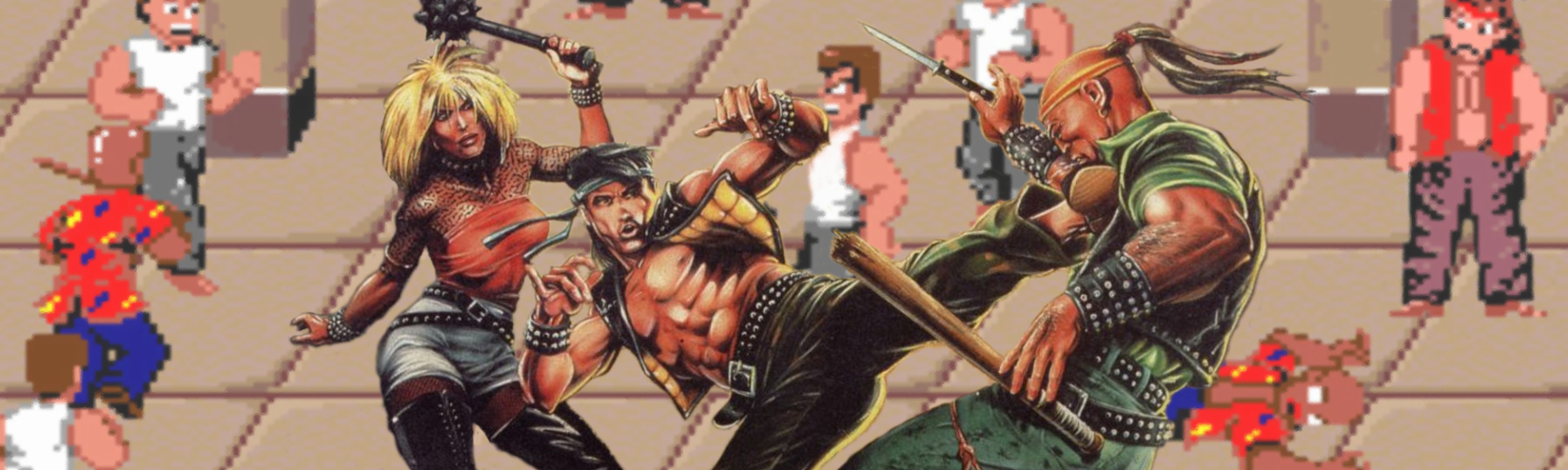
Hamster is really spoiling us with this port, because unlike the PS4 version, this Switch offering manages to include both the original Nekketsu Kōha Kunio-kun Japanese release and the reskinned, The Warriors-inspired western localisation known as Renegade. While both games play essentially the same, it’s nice to have the choice between either iteration of the classic brawler.
When it comes to actual plot, only Nekketsu Kōha Kunio-kun will be of help. As soon as the game starts, a cutscene shows main hero Kunio coming to the aid of a friend getting pummelled by Hanazono High School students at the Nekketsu High School front gates. True to his hot-blooded nature, Kunio gives chase and finds himself alone at the Shinjuku subway station facing the entire gang, including their leader – and Kunio’s eternal rival – Riki Samejima. If you manage to come out on top, said friend gets pummelled again, so you’ll need to head out beat up gang-upon-gang of wannabe badasses.
However, the western version is a little bit different. In Renegade, you play as Mister K, and instead of a school uniform, you sport some leather attire. There are no cutscenes and the bosses have no names. What it loses in personality it somewhat makes up for the dystopic, gang-controlled urban setting. So it’s the same game, but with two very different flavours. While most will probably have fond nostalgic memories of this version, we can’t help but feel like we’re playing the lesser version of the game.
Controls use the familiar Double Dragon scheme and, as such, will probably take you a bit before they become second nature. ‘Y’ strikes to the left, ‘B’ jumps and ‘A’ strikes to the right. Considering this was one of the first games in the genre there are actually quite a lot of moves Kunio/Mister K can perform: striking in the direction you are facing will unleash a series of chained punches. Connect a few of these and they will induce a stunned state on enemies.
You can then either keep pummelling them to the ground or move up to them and grab them by the collar and chose two types of punishment: hitting in their direction will perform up to three knee strikes while hitting away will perform a pleasing and useful crowd-controlling overhead throw. Once on the floor, you can move to your foe, hit down on their chest to assume a mount position. Hitting toward will deliver a series of fatal head punches. Hitting jump and one of the attack buttons will deliver a standing jump kick to either direction. In short – there’s a rewarding amount of depth to your moveset.
Mastering all these moves, crowd-controlling the rival gangs and baiting the bosses is the way to succeed in this game, and while newcomers will truly feel the odds stacked unfairly against them, once everything clicks you can do the main game loop in a very satisfying 15 minutes. Unlike future entries in the genre, there is no way to recover energy from food on the ground and you can’t pick up weapons dropped by fallen foes. If you want to catch a break, tweak around the excellent Hamster emulation wrapper to change the number of lives to two, get an extra life at 30k points and even drop the difficulty to easy if you find yourself stuck on the first level. No shame there: this game is as hardcore as they come.
Graphics are certainly lovely by 1986 standards: chunky, well-animated sprites run around knocking heads in some lovely iconic scenery. Each level is two or three screens long, with level one and level two featuring lethal falls off the right and left side of the screen that you should use and abuse to dispatch enemies (while trying not to fall in yourself). Sound effects are also pleasing and the occasional speech samples add some personality to the game’s four bosses.
If you’re fluent in Japanese, you will notice that the coarse language has been toned down in the English version, which is understandable. Hamster’s usual addition of online leaderboards – as well as Hi-score chase and Caravan modes – will help you get the most out of this single-player experience.
Conclusion
Renegade/Nekketsu Kōha Kunio-kun represents a lovely and important piece of forgotten video game history. For the hardcore fans that were raised on it, or simply as a curio for a new generation of gamers looking to find out on how the scrolling beat-’em-up began, this is still a recommended if not essential purchase. There are certainly better options of the genre on the Switch already, but none of them might have even existed if Kunio didn’t have such a short temper in 1986…
The Steam Intergalactic Summer Sale continues! For the next seven days, take advantage of huge savings throughout our store on over ten thousand games. You can also help unlock free games by playing our Summer Saliens Game.
Today’s Featured Deals include:
Stellaris – 60% off Steep – 70% off Dying Light – 67% off ELEX – 50% off Batman Franchise – Up to 75% off Battle Chasers Nightwar – 50% off Bioshock Franchise – Up to 75% off Company of Heroes Franchise – Up to 75% off and many more
Along with the sale is the Summer Saliens Game. Team up with other Saliens to fight The Duldrumz on different planets and free the abducted games. Gain XP as you battle, level up, unlock new abilities, and win cosmetic items to deck out your Salien. Plus, get Summer Sale Trading Cards just for playing.
Choose to battle on a planet that piques your interest and you’ll automatically be entered for a chance to win one of its rewards when it’s conquered. The longer your Salien spends on a planet the higher your chances of winning! The groups with the most tiles when a planet is taken will get to plant their flag as conquerors, undoubtedly gaining Saliverse-wide fame in the process.
The Steam Intergalactic Summer Sale will run until 10 AM Pacific, July 5th. Complete information can be found HERE.
We’re on the final stretch for 1.13 and hope to have it released by the end of July. If you’re experiencing any issues with world conversion (opening a 1.12.2 world in 1.13-pre6), please let us know by reporting it on the Minecraft issue tracker.
A full changelog for this pre-release can be found on Minecraft.net.
Changed dolphin treasure finding behaviour to be more on parity with Bedrock
Improved fonts
Some sounds are now more wet
Brought out the bug spray!
FIXED BUGS IN 1.13-PRE6
MC-234 – Digging straight down glitches out the breaking animation (Z-fighting)
MC-14502 – Special characters on splash text on title screen rendered wrong
To get pre-releases, open your launcher and go to the “launch options” tab. Check the box saying “Enable snapshots” and save. To switch between the snapshot and normal version, you can find a new dropdown menu next to the “Play” button. Back up your world first or run the game on in a different folder (In the “launch options” page).
Please report any and all bugs you find in Minecraft to bugs.mojang.com.
Pre-releases can corrupt your world, please backup and/or run them in a different folder from your main worlds.
Share your thoughts on how 1.13 is shaping up in the comments below!
New Training Options Address Demand for Blockchain Skills
Blockchain technology is transforming industries and bringing new levels of trust to contracts, payment processing, asset protection, and supply chain management. Blockchain-related jobs are the second-fastest growing in today’s labor market, according to TechCrunch. But, as in the rapidly expanding field of artificial intelligence, there is a pronounced blockchain skills gap and a need for expert training resources.
Blockchain for Business
A new training option was recently announced from The Linux Foundation. Enrollment is now open for a free training course called Blockchain: Understanding Its Uses and Implications, as well as a Blockchain for Business professional certificate program. Delivered through the edX training platform, the new course and program provide a way to learn about the impact of blockchain technologies and a means to demonstrate that knowledge. Certification, in particular, can make a difference for anyone looking to work in the blockchain arena.
“In the span of only a year or two, blockchain has gone from something seen only as related to cryptocurrencies to a necessity for businesses across a wide variety of industries,” said Linux Foundation General Manager, Training & Certification Clyde Seepersad. “Providing a free introductory course designed not only for technical staff but business professionals will help improve understanding of this important technology, while offering a certificate program through edX will enable professionals from all over the world to clearly demonstrate their expertise.”
TechCrunch also reports that venture capital is rapidly flowing toward blockchain-focused startups. And, this new program is designed for business professionals who need to understand the potential – or threat – of blockchain to their company and industry.
“Professional Certificate programs on edX deliver career-relevant education in a flexible, affordable way, by focusing on the critical skills industry leaders and successful professionals are seeking today,” said Anant Agarwal, edX CEO and MIT Professor.
Hyperledger Fabric
The Linux Foundation is steward to many valuable blockchain resources and includes some notable community members. In fact, a recent New York Times article — “The People Leading the Blockchain Revolution” — named Brian Behlendorf, Executive Director of The Linux Foundation’s Hyperledger Project, one of the top influential voices in the blockchain world.
Hyperledger offers proven paths for gaining credibility and skills in the blockchain space. For example, the project offers a free course titled Introduction to Hyperledger Fabric for Developers. Fabric has emerged as a key open source toolset in the blockchain world. Through the Hyperledger project, you can also take the B9-lab Certified Hyperledger Fabric Developer course. More information on both courses is available here.
“As you can imagine, someone needs to do the actual coding when companies move to experiment and replace their legacy systems with blockchain implementations,” states the Hyperledger website. “With training, you could gain serious first-mover advantage.”
Mega Man 11 is fast approaching, with only two of the eight Robot Masters revealed so far. Now we can make that three, because Capcom has just taken the wraps off another on its official blog. Blast Man is a theatrical showman who occupies an abandoned theme park that he's revised after his own "Blast Man Adventure."
As you may expect from the name, Blast Man lobs bombs, then hits his Power Gear to create super-bombs with bigger explosions. Your reward for beating him is the Chain Blast, a sticky bomb that can take out enemies by itself or get chained with other Chain Blast bombs for multiple detonations. Using the Power Gear makes the explosions huge.
The announcement also revealed a new game mode, Balloon Attack. It's similar to a Time Attack mode, but rather than enemies the stages are littered with colorful balloons. You'll need to burst blue balloons and avoid popping red balloons to keep your run through the stages going.
Blast Man joins Fuse Man and Block Man as the three known Robot Master bosses so far. For more on Mega Man 11 and modernizing a classic franchise, check out our interview with producer Kazuhiro Tsuchiya and director Koji Oda. Mega Man 11 is coming to PC, PS4, Xbox One, and Nintendo Switch on October 2.
Posted by: xSicKx - 07-05-2018, 08:07 AM - Forum: PC Discussion
- No Replies
Hello and welcome to another issue of This Week in Rust! Rust is a systems language pursuing the trifecta: safety, concurrency, and speed. This is a weekly summary of its progress and community. Want something mentioned? Tweet us at @ThisWeekInRust or send us a pull request. Want to get involved? We love contributions. This Week in Rust is openly developed on GitHub. If you find any errors in this week's issue, please submit a PR.
Updates from Rust Community
News & Blog Posts
[podcast] Rusty Spike Podcast - episode 35. Rust 1.27, new books, Microsoft, Eclipse, converting C to Rust, the Rust 2018 preview, the Rust 2018 roadmap, and RFCs.
[podcast] New Rustacean news – Rust 1.27. Stable SIMD, dyn trait, rustfix and the alpha release of the Rust 2018 Edition Preview.
Crate of the Week
This week's crate is datafrog, the lightweight embeddable datalog engine that powers Rust's non-lexical lifetimes (NLL). Thanks to Jules Kerssemakers for the suggestion. Submit your suggestions and votes for next week!
Call for Participation
Always wanted to contribute to open-source projects but didn't know where to start? Every week we highlight some tasks from the Rust community for you to pick and get started!
Some of these tasks may also have mentors available, visit the task page for more information.
If you are a Rust project owner and are looking for contributors, please submit tasks here.
Updates from Rust Core
174 pull requests were merged in the last week
Final Comment Period
Every week the team announces the 'final comment period' for RFCs and key PRs which are reaching a decision. Express your opinions now. RFCs
The Xbox One's backwards compatibility feature, introduced in November 2015, lets you play original Xbox and Xbox 360 games on the current-gen console. But what games are available? We've rounded them all up--and we'll continue to update this post as new games are made available to the extensive list. More are added regularly, although new original Xbox games will be less common. [Updated July 3 with two more games.]
Xbox One Backwards Compatibility Lineup:
Xbox
New titles are bolded
Black
Blinx: The Time Sweeper
BloodRayne 2
Breakdown
Conker: Live & Reloaded
Crimson Skies: High Road to Revenge
Dead to Rights
Destroy All Humans
The Elder Scrolls III: Morrowind
Full Spectrum Warrior
Fuzion Frenzy
Grabbed by the Ghoulies
Hunter: The Reckoning
Jade Empire
The King of Fighters Neowave
Mercenaries: Playground of Destruction
MX Unleashed
Ninja Gaiden Black
Panzer Dragoon Orta
Panzer Elite Action: Fields of Glory (Europe only)
Prince of Persia: The Sands of Time
Psychonauts
Red Faction II
Sid Meier's Pirates
SSX 3
Star Wars Battlefront
Star Wars Battlefront II
Star Wars Jedi Knight: Jedi Academy
Star Wars: Jedi Starfighter
Star Wars: Knights of the Old Republic
Star Wars Knights of the Old Republic II: The Sith Lords
Star Wars: Republic Commando
Xbox 360
New titles are bolded
0 Day Attack on Earth
3D Ultra Minigolf Adventures
A Kingdom for Keflings
A World of Keflings
Aegis Wing
Age of Booty
Alan Wake
Alan Wake's American Nightmare
Alice: Madness Returns
Alien Hominid HD
Altered Beast
Anomaly Warzone Earth
Arkanoid Live
Army of Two
Assassin's Creed
Assassin's Creed II
Assassin's Creed: Brotherhood
Assassin's Creed III
Assassin's Creed III: Liberation HD -- added July 3
Assassin's Creed IV: Black Flag
Assassin's Creed Revelations
Assassin's Creed Rogue
Assault Heroes 2
Asteroids & Deluxe
AstroPop
Aqua
Axel & Pixel (not available for purchase)
Babel Rising
Band of Bugs
Banjo Kazooie: Nuts n Bolts
Banjo Tooie
Banjo Kazooie
Batman: Arkham Origins
Battlefield: Bad Company
Battlefield: Bad Company 2
Battlefield 3
Battlefield 1943 -- added May 24
BattleBlock Theater
Battlestations: Midway
Bayonetta
Beat'n Groovy
Bejeweled 2
Bejeweled 3
Bellator: MMA Onslaught
Beyond Good & Evil HD
Bionic Commando Rearmed 2
BioShock
BioShock 2
BioShock Infinite
Bloodforge
Blood Knights
Blood of the Werewolf
BloodRayne: Betrayal
Blue Dragon
Bomberman Live: Battlefest
Boom Boom Rocket
Borderlands
Borderlands 2
Bound by Flame
Braid
Brain Challenge
Bullet Soul
Bullet Soul: Infinite Burst
Bully: Scholarship Edition
Burnout Paradise
Burnout Revenge -- added May 8
Cabela's Alaskan Adventures
Cabela's Dangerous Hunts 2013
Cabela's Hunting Expeditions
Cabela's Survival: Shadows of Katmai
Call of Duty 2
Call of Duty 3
Call of Duty 4: Modern Warfare
Call of Duty: Advanced Warfare
Call of Duty: Black Ops
Call of Duty: Black Ops II
Call of Duty: Ghosts
Call of Duty: Modern Warfare 3 -- added June 19
Call of Duty: World at War
Call of Juarez Gunslinger
Capcom Arcade Cabinet
Carcassonne
Cars: Mater-National Championship
Cars 2
Castle Crashers
Castlestorm
Castlevania: Symphony of the Night
Catherine
The Cave
Centipede & Millipede
Child of Light
Civilization: Revolution
Clannad
Commanders: Attack of the Genos
Comic Jumper
Comix Zone
Condemned
Contra
Counter-Strike: Global Offensive
Crackdown
Crazy Taxi
Crystal Quest
Crystal Defenders
Cyber Troopers Virtual On: Oratorio Tangram
The Darkness II
Dark Souls
Dark Void
Darksiders
Darksiders II
Daytona USA
de Blob 2
Dead Rising 2: Case West
Dead Rising 2: Case Zero
Dead Space
Dead Space 2
Dead Space 3
Dead Space Ignition
Deadfall Adventures
Deadliest Warrior: Legends
Deadliest Warrior: The Game
Deadly Premonition
Deathspank: Thongs of Virtue
Defense Grid
Deus Ex: Human Revolution
Deus Ex: Human Revolution Director's Cut
Dig Dug
Dirt 3
Dirt Showdown
Discs of Tron
Disney Bolt
Disney Castle of Illusion Starring Mickey Mouse
Disney Epic Mickey 2: The Power of Two
Divinity II
Domino Master
Doom
Doom II
Doom 3: BFG Edition
Doritos Crash Course
Double Dragon: Neon
Dragon Age: Origins
Dragon Age II -- added May 3
Dragon's Lair
Driver: San Franciso
DuckTales Remastered
Duke Nukem: Manhattan Project
Dungeons & Dragons: Chronicles of Mystara
Dungeon Siege III
E4: Every Extend Extra Extreme
Earthworm Jim HD
Earth Defense Force 2017
Earth Defense Force: Insect Armageddon
Eat Lead: The Return of Matt Hazard
The Elder Scrolls IV: Oblivion
Encleverment Experiment
Escape Dead Island
F1 2014
Fable Anniversary
Fable Heroes -- added June 26
Fable II
Fable II Pub Games
Fable III
Faery: Legends of Avalon
Fallout 3
Fallout: New Vegas
Far Cry 2
Far Cry 3
Far Cry 3 Blood Dragon
Feeding Frenzy
Feeding Frenzy 2
Fight Night Champion -- added May 15
Fighting Vipers
Final Fight: Double Impact
Flashback
Flock
Forza Horizon
Fret Nice
Frogger
Frogger 2
FunTown Mahjong
Galaga
Galaga Legions
Galaga Legions DX
Garou: Mark of the Wolves
Gatling Gears
Gears of War
Gears of War 2
Gears of War 3
Gears of War: Judgment
Geometry Wars: Retro Evolved
Geometry Wars: Retro Evolved 2
Geometry Wars 3: Dimensions
Ghostbusters
Ghostbusters: Sanctum of Slime
Gin Rummy
Girl Fight
Goat Simulator
Golden Axe
Go! Go! Break Steady
Golf: Tee It Up
Grand Theft Auto: San Andreas -- added June 7
Grand Theft Auto IV
Grid 2
Grid Autosport -- added June 26
Gripshift
Guardian Heroes
Gunstar Heroes
Guwange
Gyromancer
Gyruss
Half-Minute Hero: Super Mega Neo Climax
Halo: Combat Evolved
Halo 3
Halo 3: ODST Campaign Edition
Halo 4
Halo: Reach
Halo: Spartan Assault
Halo Wars
Hard Corps: Uprising
Hardwood Backgammon
Hardwood Hearts
Hardwood Spades
Harms Way
Haunted House
Heavy Weapon
Hexic 2
Hexic HD
Hitman: Absolution
Hitman: Blood Money
Hydro Thunder
I Am Alive
Ikaruga
Ilomilo
Injustice: Gods Among Us + disc-only Ultimate Edition
Insanely Twisted Shadow Planet
Interpol: The Trail of Dr. Chaos
Iron Brigade
Jeremy McGrath's Offroad
Jet Set Radio
Jetpac Refuelled
Jewel Quest
Joe Danger Special Edition
Joe Danger 2: The Movie
Joust
Joy Ride Turbo
Juju
Jurassic Park: The Game
Just Cause 2
Kameo
Kane & Lynch 2
Killer Is Dead
The King of Fighters '98
The King of Fighters 2002
KOF Sky Stage
Lazy Raiders
Left 4 Dead
Left 4 Dead 2
Lego Batman
Lego Indiana Jones
Lego Indiana Jones 2: The Adventure Continues
Lego Pirates of the Caribbean: The Video Game
Lego Star Wars: The Complete Saga
Lego Star Wars III: The Clone Wars
Limbo
Lode Runner
Lost Odyssey
Lumines Live!
Luxor 2
Mad Tracks
Mafia II
Magic: The Gathering 2012
Marlow Briggs and the Mask of Death
Mars: War Logs
Mass Effect
Mass Effect 2
Mass Effect 3
Matt Hazard: Blood, Bath, and Beyond
The Maw
Medal of Honor: Airborne
Meet the Robinsons
Mega Man 9
Mega Man 10
Metal Gear Rising: Revengeance
Metal Gear Solid: Peace Walker HD Edition
Metal Slug 3
Metal Slug XX
Midnight Club: Los Angeles -- added June 7
Midway Arcade Origins
Might & Magic Clash of Heroes
Military Madness
Mirror's Edge
The Misadventures of P.B. Winterbottom
Missile Command
Monaco: What's Yours Is Mine
Monday Night Combat
Monkey Island: SE
Monkey Island 2: SE
Monopoly Deal
Moon Diver
Motocross Madness
Ms. Splosion Man
Ms Pac-Man
Mutant Blobs Attack
Mutant Storm Empire
Mutant Storm Reloaded
MX vs. ATV Reflex
N+
NBA Jam: On Fire Edition
Neogeo Battle Coliseum
Nights Into Dreams
Of Orcs and Men
Omega Five
Operation Flashpoint: Dragon Rising
Operation Flashpoint: Red River
The Orange Box
Outland
Pac-Man
Pac-Man C.E
Pac-Man CE DX+
Pac-Man Museum
Peggle
Peggle 2
Perfect Dark
Perfect Dark Zero
Persona 4 Arena
Phantasy Star II
Phantom Breaker: Battle Grounds
Pinball FX
Planets Under Attack
Plants vs. Zombies
Poker Smash
Portal: Still Alive
Portal 2
Prince of Persia
Prey
Pure
Putty Squad
Puzzle Quest
Puzzle Quest 2
Puzzle Quest: Galactrix
QIX++ Puzzlegeddon
Rage
Raiden IV
Raskulls
Rayman 3 HD
Rayman Legends
Rayman Origins
Red Dead Redemption
Red Faction: Armageddon
Red Faction: Battlegrounds
RoboBlitz
Rocket Knight
Rockstar's Table Tennis -- added June 7
R-Type Dimensions
Runner 2
Sacred 3
Sacred Citadel
Saints Row -- added May 29
Saints Row 2 -- added May 1
Saints Row: The Third
Saints Row IV
Saints Row: Gat Out of Hell -- added May 29
Sam & Max: Beyond Time & Space
Sam & Max Save the World
Samurai Shodown II
Scarygirl
Scrap Metal
ScreamRide
Sega Vintage Collection: Alex Kidd & Co.
Sega Vintage Collection: Monster World
Sega Vintage Collection: Streets of Rage
Sega Vintage Collection: ToeJam & Earl
Sensible World of Soccer -- added June 26
Shadow Assault/Tenchu
Shadow Complex
Shadowrun
Shadows of the Damned
Shank 2
Shinobi
Shred Nebula
Shotest Shogi
Silent Hill: Downpour
Skate 3
Skullgirls
Skydive
Slender: The Arrival
Small Arms
Sniper Elite V2
Soltrio Solitaire
Sonic & All-Stars Racing Transformed
Sonic & Knuckles
Sonic Adventure
Sonic Adventure 2
Sonic CD
Sonic The Fighters
Sonic Generations
Sonic The Hedgehog
Sonic The Hedgehog 2
Sonic The Hedgehog 3
Sonic The Hedgehog 4: Episode 1
Sonic The Hedgehog 4: Episode II
Soulcalibur
Soulcalibur II
South Park: The Stick of Truth
Space Ark
Space Giraffe
Space Invaders Infinity Gene
Spec Ops: The Line
Spelunky
The Splatters
Splinter Cell: Conviction
Split/Second
Splosion Man
SSX
Stacking
Star Wars: The Force Unleashed
Star Wars: The Force Unleashed II
Steins; Gate 比翼恋理のだーりん (Japan only)
Steins; Gate (オリジナル版) (Japan only)
Steins; Gate 線形拘束のフェノグラム (Japan-only, requires game disc)
Strania
Street Fighter IV
Stuntman: Ignition
Super Contra
Super Meat Boy
Super Street Fighter IV Arcade Edition
Supreme Commander 2
Syberia
Tecmo Bowl Throwback
Tekken 6
Tekken Tag Tournament 2
Texas Hold 'Em
Ticket to Ride
TimeShift
Tom Clancy's Ghost Recon Advanced Warfighter -- added July 3
Tom Clancy's Ghost Recon: Future Soldier
Tom Clancy's Rainbow Six Vegas
Tom Clancy's Rainbow Six Vegas 2
Tomb Raider: Underworld
Torchlight
Tour de France 2009
Tour de France 2011
Toy Soldiers
Toy Soldiers Cold War
Toy Story 3
Toybox Turbos -- added May 29
Tower Bloxx Deluxe
Trials HD
Trine 2
Tron: Evolution
Ugly Americans: Apocalypsegeddon
Unbound Saga
Undertow
Vanquish
Virtua Fighter 5 Final Showdown
Viva Piñata
Viva Piñata: Trouble in Paradise
The Walking Dead: A Telltale Games Series
The Walking Dead: Season 2 - A Telltale Games Series
The Walking Dead: Michonne - A Telltale Miniseries
Whether for research or recreation, installing a new GPU can bolster your computer’s performance and enable new functionality across the board. This installation guide uses Fedora 28’s brand-new third-party repositories to install NVIDIA drivers. It walks you through the installation of both software and hardware, and covers everything you need to get your NVIDIA card up and running. This process works for any UEFI-enabled computer, and any modern NVIDIA GPU.
Preparation
This guide relies on the following materials:
A machine that is UEFI capable. If you’re uncertain whether your machine has this firmware, run sudo dmidecode -t 0. If “UEFI is supported” appears anywhere in the output, you are all set to continue. Otherwise, while it’s technically possible to update some computers to support UEFI, the process is often finicky and generally not recommended.
A modern, UEFI-enabled NVIDIA card
A power source that meets the wattage and wiring requirements for your NVIDIA card (see the Hardware & Modifications section for details)
In order to meet the power requirements of the new GPU, the power supply was upgraded to an EVGA – 80 PLUS 600W ATX 12V/EPS 12V. This new PSU was 300W above the minimum recommendation, but simply meeting the minimum recommendation is sufficient in most cases.
And, of course, Fedora 28.
Hardware and modifications
PSU
Open up your desktop case and check the maximum power output printed on your power supply. Next, check the documentation on your NVIDIA GPU and determine the minimum recommended power (in watts). Further, take a look at your GPU and see if it requires additional wiring, such as a 6-pin connector. Most entry-level GPUs only draw power directly from the motherboard, but some require extra juice. You’ll need to upgrade your PSU if:
Your power supply’s max power output is below the GPU’s suggested minimum power. Note: According to some NVIDIA card manufacturers, pre-built systems may require more or less power than recommended, depending on the system’s configuration. Use your discretion to determine your requirements if you’re using a particularly power-efficient or power-hungry setup.
Your power supply does not provide the necessary wiring to power your card.
PSUs are straightforward to replace, but make sure to take note of the wiring layout before detaching your current power supply. Additionally, make sure to select a PSU that fits your desktop case.
CPU
Although installing a high-quality NVIDIA GPU is possible in many old machines, a slow or damaged CPU can “bottleneck” the performance of the GPU. To calculate the impact of the bottlenecking effect for your machine, click here. It’s important to know your CPU’s performance to avoid pairing a high-powered GPU with a CPU that can’t keep up. Upgrading your CPU is a potential consideration.
Motherboard
Before proceeding, ensure your motherboard is compatible with your GPU of choice. Your graphics card should be inserted into the PCI-E x16 slot closest to the heat-sink. Ensure that your setup contains enough space for the GPU. In addition, note that most GPUs today employ PCI-E 3.0 technology. Though these GPUs will run best if mounted on a PCI-E 3.0 x16 slot, performance should not suffer significantly with an older version slot.
Installation
1. First, open up a terminal, and update your package-manager (if you have not done so already), by running:
sudo dnf update
2. Next, reboot with the simple command:
reboot
<!– Authors left out code or an app in this step, so since it's optional…
3. (Optional) If you’d like, check your system’s current GPU performance to compare against:
To verify that your NVIDIA card performs better than your current setup, you may want to record your current GPU’s performance before installation. To do so, scroll down to the “Run GLMark2” section under “Verification.” Record your current GLMark2 score, then proceed to the next steps.
–>
3. After reboot, install the Fedora 28 workstation repositories:
6. After the reboot, verify the addition of the repository via the following command:
sudo dnf repository-packages rpmfusion-nonfree-nvidia-driver info
If several NVIDIA tools and their respective specs are loaded, then proceed to the next step. If not, you may have encountered an error when adding the new repository and you should give it another shot.
7. Login, connect to the internet, and open the software app. Click Add-ons> Hardware Drivers> NVIDIA Linux Graphics Driver> Install.
Then, reboot once again.
8. After reboot, go to ‘Show Applications’ on the side bar, and open up the newly added NVIDIA X Server Settings application. A GUI should open up, and a dialog box will appear with the following message:
Take the application’s advice, but before doing so, ensure you have your NVIDIA GPU on-hand and are ready to install. Please note that running nvidia xconfig as root and powering off without installing your GPU immediately may cause drastic damage. Doing so may prevent your computer from booting, and force you to repair the system through the reboot screen. A fresh install of Fedora may fix these issues, but the effects can be much worse.
If you’re ready to proceed, enter the command:
sudo nvidia-xconfig
If the system prompts you to perform any downloads, accept them and proceed.
9. Once this process is complete, close all applications and shut down the computer. Unplug the power supply to your machine. Then, press the power button once to drain any residual power to protect yourself from electric shock. If your PSU has a power switch, switch it off.
10. Finally, install the graphics card. Remove the old GPU and insert your new NVIDIA graphics card into the proper PCI-E x16 slot, with the fans facing down. If there is no space for the fans to ventilate in this position, place the graphics card face up instead, if possible. When you have successfully installed the new GPU, close your case, plug in the PSU, and turn the computer on. It should successfully boot up.
NOTE: To disable the NVIDIA driver repository used in this installation, or to disable all fedora workstation repositories, consult The Fedora Wiki Page.
Verification
1. If your newly installed NVIDIA graphics card is connected to your monitor and displaying correctly, then your NVIDIA driver has successfully established a connection to the GPU.
If you’d like to view your settings, or verify the driver is working (in the case that you have two GPUs installed on the motherboard), open up the NVIDIA X Server Settings app again. This time, you should not be prompted with an error message, and information on the X configuration file and your NVIDIA GPU should be available (see screenshot below).
Through this app, you may alter your X configuration file should you please, and may monitor the GPU’s performance, clock speed, and thermal information.
2. To ensure the new card is working at capacity, a GPU performance test is needed. GL Mark 2, a benchmarking tool that provides information on buffering, building, lighting, texturing, etc, offers an excellent solution. GL Mark 2 records frame rates for a variety of different graphical tests, and outputs an overall performance score (called the glmark2 score).
Note:glxgears will only test the performance of your screen or monitor, not the graphics card itself. Use GL Mark 2 instead.
To run GLMark2:
Open up a terminal and close all other applications
sudo dnf install glmark2
glmark2
Allow the test to run to completion for best results. Check to see if the frame rates match your expectation for your NVIDA card. If you’d like additional verification, consult the web to determine if a glmark2 benchmark has been previously conducted on your NVIDA card model and published to the web. Compare scores to assess your GPUs performance.
If your framerates and/or glmark2 score are below expected, consider potential causes. CPU-induced bottlenecking? Other issues?
Assuming the diagnostics look good, enjoy using your new GPU.
Run your own global football tournament with FIFA World Cup
By Ian Boudreau04 Jul 2018
There’s hardly a more tactical situation than the pitch during the “beautiful game,” and with the World Cup’s first knockout round on the books, we’re gearing up for some intense matches in Russia heading into the finals. FIFA Mobile has a World Cup expansion out now though, if you prefer to take some direct control over the on-screen action.
Yes, it’s a free-to-play app that’s stuffed with EA’s usual microtransactions, but it’s hard to argue that the mobile incarnation of FIFA isn’t fun. And let’s face it, it’s drop-dead gorgeous to boot. There’s just something extremely satisfying about a perfectly-swiped scoring kick, isn’t there?
[embedded content]
This is FIFA Mobile, so you get a good amount of command over your team’s lineup and player training. There’s a surprising amount of depth in the strategy layer, and it’s not hard to get into even for casual soccer – sorry, I mean, football fans. You will need a fully-qualified team that’s 65+ OVR to participate in the World Cup, however.
Find it on the iOS App Store or Google Play. The World Cup mode will be available until August
There are a few more tutorial chapters in active development. The existing content should already be enough to get you up and running using the Cocos Creator game engine! There will also be at least one video tutorial covering basically everything covered by the text series.