Posted by: xSicKxBot - 01-08-2019, 09:49 AM - Forum: Lounge
- No Replies
Don’t Miss: 7 great stealth encounters in games that are worth studying
There’s an art to acting imperceptibly to those around you — to being surreptitious, or at least hidden from view. Especially in games, where other characters are programmed to spend all of their time looking for signs of trouble. But encounters and levels designed specifically for stealth are more often poorly-designed or rote by-the-numbers exercises in frustration than delightful moments of virtuosity.
Whether in a stealth game or as a palate cleanser or change of pace in a shooter or action-adventure, designing a great stealth encounter takes novelty, finesse, and patience. It’s hard to get it right, but thankfully there are plenty of stellar examples we can look to for pointers.
We reached out to four stealth-loving game designers to get their thoughts on the stealth encounters that everyone should study and came up with these seven recommendations.
Deus Ex: Mankind Divided‘s stealthy party takedowns
Wildfire designer and Sneaky Bastards editor Dan Hindes points to Deus Ex: Mankind Divided‘s closing stage as a standout moment. “Usually, stealth games require you to infiltrate a hostile/restricted area and take down enemies one by one, without getting spotted,” he explains. But this level puts you in “neutral” territory: a fancy party in which both you and your enemies are guests and the goal is to take them down without alerting waitstaff, security, or other guests.
“This leads to tense, exciting moments where a disguised enemy might be standing next to a regular party guest,” says Hindes. “You’ll need to distract the party guest for a few seconds, take down the disguised enemy, and stuff their unconscious body under a table of champagne glasses – just before that party guest comes back for a refill, while you walk away like nothing has happened. Or perhaps you’ll shoot a camera with an EMP blast to disable it for a few seconds, while you neutralize an enemy and move their body away from the camera’s field of vision, before the camera comes back online. These feel like moments from a Mission Impossible movie.”
Better yet, there are restricted spaces at the party like the kitchen and backstage — areas that are ideal for luring enemies into but that are also rife with danger because guards will notice unusual behavior more readily. By simply twisting the dynamics of the situation, traditional stealth mechanics and actions suddenly become fresh and exciting.
TAKEAWAY: Novel situations and new contexts can bring life to stale or old gameplay loops, and nothing says “cool spy shit” like pulling off big stealth maneuvers while staying out in the open.
Turning the tables on Mr Freeze in Batman: Arkham City
Good boss fights are hard to design, but Batman: Arkham City serves up a masterclass with the caped crusader’s big battle against Mr Freeze. The encounter is a double-ended cat and mouse game, with the player being hunted while simultaneously searching for a way to use the environment to create an opening for a stealthy boss kill. “As a player, it felt really good to turn the situation around and keep hitting that overconfident jackass,” explains David León, studio head at Aragami developer Lince Works.
“Designing a boss battle in a stealth game is especially difficult, as the whole point of the stealth genre is to evade confrontation and find a stealthy / indirect way to beat any challenge.” But here the developers found a way to take the same stealth mechanics that are used throughout the game and twist them into a high-stakes one-on-one battle against a much more powerful foe. In a similar vein, consider looking closely at the final stage of Metal Gear Solid 5‘s Hellbound mission — in which Snake and his prisoner must hide from a formidable, terrifying Metal Gear.
TAKEAWAY: The best stealth-based boss fights are about turning the tables on a more powerful foe (and they’re about embracing the same mechanics that are central to the rest of the game, but with a twist).
Braving the white death in Commandos 2
Big Robot founder/director Jim Rossignol notes that stealth tactics puzzler Commandos 2 was “an absolutely landmark game” — one he believes that confirms that stealth is often best done in 2D. “Nowadays it lacks a lot of the finesse and technical scaffolding that modern stealth games demonstrate,” he continues, “but there was something about that systemic minimalism combined with exquisite pixel art that made it unbelievably engaging.”
Take the White Death mission, for example. Set on Arctic ice in a Nazi polar camp near a crashed British submarine, the player is left to sneak off the boat while it’s crawling with enemy soldiers, then to a hiding place where a second escaped commando ponders his next move. The player must then lead the pair, dashing through the ice, bootprints in trampled ice and snow trailing behind them, towards a parked German destroyer through a busy camp full of watchful Germans patrolling with their ever-pivoting vision cones stretching out before them.
All along the way — and in the moments that follow — the commandos’ survival depends upon split-second timing, smart planning, clever manipulations of an inventory full of stolen distractions, and constant improvisation — as tensions ebb and flow and quicksave/quickload keys work overtime.
TAKEAWAY: Don’t let complexity become a crutch; some of the most compelling stealth experiences come from the emergent possibilities triggered by multiple layers of simple systems interacting with each other.
Surviving the horrors of The Cradle in Thief: Deadly Shadows
All four Thief games can offer numerous lessons for good stealth mechanics and level/scenario design, but Rossignol mentions the penultimate level of Deadly Shadows, Robbing The Cradle, as a particular standout (though he concedes that what he remembers most was watching comic author/former games journalist Kieron Gillen play it in front of a crowd on a big projector screen). It’s a horror-inspired break from the pure stealth of the rest of the game, widely regarded as one of the greatest (and scariest) game levels of all time.
Where stealth games are generally content to create their tension by establishing a fear of detection with hordes of patrolling, attentive guards, Robbing The Cradle goes much further. One simple way it does this is that it takes the lighting dynamics of the Thief series, which in essence is that light is hostile while its absence is friendly, and manipulates this relationship. Lights slowly pulsate and flicker — like breaths — while sounds rise and fall and dance around uneasily with them, crafting atmosphere from shattering expectations.
Clever level design enhances the tension, too, forcing players to discover the building’s dark past for themselves, and gradually it becomes clear that this is not just a level about stealthily avoiding enemies (which are notably absent for much of the level). The building itself as an adversary — one that’s hellbent on keeping the player in its grasp.
“It’s a truly horrible level,” says Rossignol, “and I think it’s one of those bits of design that gets almost everything right. Telling a story, enabling the player to find their own way, and multiplying the existing tension created by stealth by introducing genuinely terrifying enemies. Also Gillen’s bug-eyed screaming. Not that everyone gets that part, of course.”
TAKEAWAY: Great stealth games set clear rules and establish player expectations, then toy with them and gleefully manipulate these same expectations to reinforce and amplify tension — which is the essence of a good stealth encounter. (Also, don’t be afraid to put storytelling right into the heart of a stealth encounter’s design.)
Braving the financial district in The Last of Us
Stealth games — or stealth missions in games — used to play like they were almost anti-action games, where direct confrontations were to be avoided at all costs, but that hardline kind of stealth has in recent years given way to a closer blending of styles — like in The Last of Us, where being discovered simply necessitates a change in approach. This is well exemplified by an encounter that occurs right after escaping a hotel in a financial district.
“It’s a relatively small area, but an incredibly fun compact sandbox that’s dense with opportunities,” says Morten Hedegren, game and level designer at ECHO studio Ultra Ultra. Right from the start, there’s a two-storey coffee shop, a barricade, and a large tree all in sight for possible sneaking options along the sides, plus some concrete to hide behind in the middle for players who like to go in and out of cover — which, unusual for the time but common now, is non-sticky — rather than full-stealth.
Hedegren points out that the routes around the sides are especially great for providing tension and suspense, and as an added bonus they offer a vertical element that’s great for escaping from danger or for surveying the area. “These types of encounters in The Last of Us served as a huge source of inspiration when we designed the levels in ECHO,” says Hedegren. “We always tried to give the player enough room to experiment and move through the environments in very open ended and dynamic ways.”
TAKEAWAY: Sometimes it’s good to let players slip fluidly in and out of a stealth mindset, free to utilize any pathways, objects, and obstacles you lay out before them however they see fit.
Blending in, the silly way, in Hitman: Blood Money
Stealth doesn’t have to be about sneaking; it’s just as readily about blending in and looking inconspicuous, so not to draw attention to the fact you shouldn’t be there. You’ll find some of the best examples of this — that disguises are as much a form of stealth as sneaking — in the Hitman games.
Particularly Blood Money, suggests Rossignol, who looks favorably on a mission in which the player infiltrates a suburban party dressed as a murderous-looking clown. “There’s something perfect about this,” says Rossignol. “It’s always a conceit, of course, and very ‘gamey’ — no one in real life would be fooled by a hat and an apron stolen from a corpse — but that is one of the things that makes it work.”
“We tend to think of viewcones and lurking in the shadows,” he continues, “but for me searching for the appropriate outfit is a perfect stealth solution.”
TAKEAWAY: Unless you’re making a simulation (and maybe even then), stealth need not be serious. Embrace fun and whimsical solutions to remaining undetected and drop in touches of frivolity if the situation allows.
Call of Duty 4: Modern Warfare‘s All Ghillied Up
Few stealth moments in games measure up to the carefully-crafted suspense of Modern Warfare‘s sneaking flashback. Cast as a sniper and paired up with a superior officer, the mission has the player dressed in a ghillie suit and tasked with following his directions to hide from enemies — while they walk directly over the top of you — and sneakily, methodically dispatch several guards.
Get it wrong and all hell breaks lose — unlike in typical first-person shooter stealth segments, which tend to give hard fail states and require a do-over — with enemies pouring out from all sides to start a frantic firefight. But take it slow, follow orders, and stay patient, and there’s a brilliant build and release cycle of tension — especially in light of the chaos of the preceding mission (a failed assassination attempt).
It’s a different brand of stealth to the other encounters on this list, with heavy reliance on tight scripting, but it’s a compelling argument that artful stealth design is more about the experience than the mechanics.
TAKEAWAY: Great stealth moments don’t need elaborate stealth mechanics, but if you’re going for a more experiential, scripted kind of stealth take care to avoid hard fail states — let your players do it the hard way, if they choose to, and let them stay in control even if you direct them to behave a certain way.
Conclusion: Tense situations, solved creatively
Good stealth design is predicated upon tension. It’s about letting the player choose when and how to engage in conflict, and making them fear that their plans will be spoiled at any moment if they put a foot wrong.
Great stealth encounters establish a clear reason for caution — for the patient and methodical approach that stealth requires — and then constantly tighten and loosen the metaphorical noose around the player-character’s head, never completely allowing tension to wane until the mission is accomplished.
But they also leave room for player expression, with no one single solution and a systemic elegance that allows even catastrophic failures to be survived — with a bit of luck and skill, a lot of ingenuity, and possibly a very unstealthy few moments of activity. Solid Snake’s cardboard boxes and Agent 47’s far-fetched disguises may seem ridiculous, but history gives us much more unlikelyattempts at stealth, so don’t feel like you have to be sensible in crafting your stealth systems and scenarios.
Thanks to Dan Hindes, David León, Jim Rossignol, and Morten Hedegren for their help putting this list together.
Posted by: xSicKxBot - 01-08-2019, 09:49 AM - Forum: Lounge
- No Replies
Red Dead Redemption 2 leads list of GDC 2019 Choice Awards nominees!
Organizers of the 19th Annual Game Developers Choice Awards, the leading peer-based video game event celebrating the industry’s top games and developers, are excited to today announce this year’s nominees!
Winners in all categories will be honored at the Game Developers Choice Awards (GDCA) ceremony, taking place on Wednesday, March 20, 2019 at 6:30pm at the San Francisco Moscone Center during the 2019 Game Developers Conference (GDC) and held in conjunction with the Independent Games Festival Awards (IGF).
Organizers are also announcing that the Game Developers Choice Awards will be hosted once again by Tim Schafer, LucasArts industry veteran and founder of Double Fine Productions (Psychonauts 2). Both GDCA and IGF Awards are available to attend for all GDC 2019 pass-holders, as well as streamed via http://twitch.tv/gdc & other to-be-announced streaming platforms.
The developer-picked GDCA nominations are led by Rockstar Games’ Red Dead Redemption 2 with a total of 7 nominations, followed closely by Sony Santa Monica’s God of War and Insomniac Games’ Marvel’s Spider-Man with a total of 6 nominations each. Rockstar Games’ Red Dead Redemption 2, the sprawling adventure set in a richly detailed open world at the dusk of the Wild West era, received nominations for Best Audio, Best Design, Innovation Award, Best Narrative, Best Technology, Best Visual Art and Game of the Year.
Sony Santa Monica’s God of War, the epic new chapter of the influential action series that features stunning battles with gods and an involving tale of a father’s struggles guiding his son through an unforgiving world, was nominated for Best Audio, Best Design, Best Narrative, Best Technology, Best Visual Art and Game of the Year. Marvel’s Spider-Man, the acclaimed action-adventure game developed by Insomniac Games starring the beloved comic book character, was also nominated for Best Audio, Best Design, Best Narrative, Best Technology, Best Visual Art and Game of the Year.
Other titles receiving multiple nominations include the rewardingly challenging platformer, Celeste from Matt Makes Games, the innovative puzzle whodunnit game Return of the Obra Dinn from Lucas Pope’s 3909, the deeply immersive take on a classic puzzle game, Tetris Effect from Monstars, Resonair & Enhance, and the emotional tale of life and love, Florence from Mountains.
Any video game that was released and made publicly available during the 2018 calendar year, irrespective of platform or delivery medium, is eligible for free nomination for the 2019 Game Developers Choice Awards. Both nominees and winners are selected by the Game Developers Choice Awards-specific International Choice Awards Network (ICAN), which is an invitation-only organization, comprised of leading game creators from all parts of the industry.
The complete list of nominees, including honorable mentions, for the 19th annual Game Developers Choice Awards is as follows:
BEST AUDIO
Celeste (Matt Makes Games)
Red Dead Redemption 2 (Rockstar Games)
God of War (Sony Santa Monica / Sony Interactive Entertainment)
Marvel’s Spider-Man (Insomniac Games / Sony Interactive Entertainment)
Tetris Effect (Monstars and Resonair / Enhance)
Honorable Mentions: Beat Saber (Beat Games), Wandersong (Greg Lobanov / Humble Bundle), Return of the Obra Dinn (Lucas Pope / 3909), Battlefield V (EA DICE / Electronic Arts), Forza Horizon 4 (Playground Games and Turn 10 Studios / Microsoft Studios)
BEST DEBUT
Polyarc (Moss)
Mountains (Florence)
Nomada Studio (Gris)
Villa Gorilla (Yoku’s Island Express)
Sabotage (The Messenger)
Honorable Mentions: Beat Games (Beat Saber), Digital Sun (Moonlighter), Two Point Studios (Two Point Hospital), Okomotive (Far: Lone Sails)
BEST DESIGN
Marvel’s Spider-Man (Insomniac Games / Sony Interactive Entertainment)
Celeste (Matt Makes Games)
Into the Breach (Subset Games)
Red Dead Redemption 2 (Rockstar Games)
God of War (Sony Santa Monica / Sony Interactive Entertainment)
Honorable Mentions: Frostpunk (11 bit studios), Minit (Kitty Calis, Jan Willem Nijman, Jukio Kallio & Dominik Johann / Devolver Digital), Return of the Obra Dinn (Lucas Pope / 3909), Astro Bot Rescue Mission (SIE Japan Studio / Sony Interactive Entertainment), Monster Hunter: World (Capcom)
BEST MOBILE GAME
Alto’s Odyssey (Snowman)
Florence (Mountains / Annapurna Interactive)
Reigns: Game of Thrones (Nerial / Devolver Digital)
Holedown (Grapefrukt Games)
Donut County (Ben Esposito / Annapurna Interactive)
Honorable Mentions: Furistas Cat Cafe (Runaway), The Room: Old Sins (Fireproof Studios), Pocket Run Pool (Zach Gage), Alphabear 2 (Spry Fox), Twinfold (Kenny Sun)
INNOVATION AWARD
Red Dead Redemption 2 (Rockstar Games)
Florence (Mountains / Annapurna Interactive)
Nintendo Labo (Nintendo EPD / Nintendo)
Tetris Effect (Monstars and Resonair / Enhance)
Return of the Obra Dinn (Lucas Pope / 3909)
Honorable Mentions: Minit (Kitty Calis, Jan Willem Nijman, Jukio Kallio & Dominik Johann / Devolver Digital), Celeste (Matt Makes Games), God of War (Sony Santa Monica / Sony Interactive Entertainment), Astro Bot Rescue Mission (SIE Japan Studio / Sony Interactive Entertainment), Moss (Polyarc), A Way Out (Hazelight Studios / Electronic Arts)
BEST NARRATIVE
Florence (Mountains/Annapurna Interactive)
God of War (Sony Santa Monica / Sony Interactive Entertainment)
Marvel’s Spider-Man (Insomniac Games / Sony Interactive Entertainment)
Return of the Obra Dinn (Lucas Pope / 3909)
Red Dead Redemption 2 (Rockstar Games)
Honorable Mentions: Assassin’s Creed Odyssey (Ubisoft Quebec / Ubisoft), Detroit: Become Human (Quantic Dream / Sony Interactive Entertainment), Celeste (Matt Makes Games), Life is Strange 2 (Dontnod Entertainment / Square Enix), Where the Water Tastes Like Wine (Dim Bulb Games and Serenity Forge / Good Shepherd Entertainment)
BEST TECHNOLOGY
Marvel’s Spider-Man (Insomniac Games / Sony Interactive Entertainment)
Forza Horizon 4 (Turn 10 Studios and Playground Games / Microsoft Studios)
God of War (Sony Santa Monica / Sony Interactive Entertainment)
Red Dead Redemption 2 (Rockstar Games)
Honorable Mentions:Sea of Thieves (Rare / Microsoft Studios), Far Cry 5 (Ubisoft Montreal and Ubisoft Toronto / Ubisoft), Battlefield V (EA DICE / Electronic Arts), Detroit: Become Human (Quantic Dream / Sony Interactive Entertainment), Return of the Obra Dinn (Lucas Pope / 3909)
BEST VISUAL ART
Gris (Nomada Studio / Devolver Digital)
Marvel’s Spider-Man (Insomniac Games / Sony Interactive Entertainment)
God of War (Sony Santa Monica / Sony Interactive Entertainment)
Return of the Obra Dinn (Lucas Pope / 3909)
Red Dead Redemption 2 (Rockstar Games)
Honorable Mentions: Battlefield V (EA DICE / Electronic Arts), Tetris Effect (Monstars and Resonair / Enhance), Dragon Ball FighterZ (Arc System Works / Bandai Namco Entertainment), Assassin’s Creed Odyssey (Ubisoft Quebec / Ubisoft), Below (Capybara Games)
BEST VR/AR GAME
Budget Cuts (Neat Corporation)
Beat Saber (Beat Games)
Tetris Effect (Monstars and Resonair / Enhance)
Moss (Polyarc)
Astro Bot Rescue Mission (SIE Japan Studio / Sony Interactive Entertainment)
Honorable Mentions: Jurassic World Alive (Ludia), In Death (Sólfar Studios), Tendar (Tender Claws), Firewall Zero Hour (First Contact Entertainment / Sony Interactive Entertainment), Deracine (FromSoftware / Sony Interactive Entertainment)
GAME OF THE YEAR
Red Dead Redemption 2 (Rockstar Games)
Return of the Obra Dinn (Lucas Pope / 3909)
Marvel’s Spider-Man (Insomniac Games / Sony Interactive Entertainment)
Celeste (Matt Makes Games)
God of War (Sony Santa Monica / Sony Interactive Entertainment)
Honorable Mentions: Tetris Effect (Monstars and Resonair / Enhance), Super Smash Bros Ultimate (Bandai Namco Studios & Sora / Nintendo), Into the Breach (Subset Games), Assassin’s Creed Odyssey (Ubisoft Quebec / Ubisoft), Florence (Mountains / Annapurna Interactive), Monster Hunter: World (Capcom)
The Game Developers Choice Awards also recognize two individuals this year with annual Special Awards categories: Pioneer and Lifetime Achievement. The Lifetime Achievement Award will be presented to esteemed writer and director, Amy Hennig, who has had a multifaceted career in game development, starting with development on the Atari 7800 and including roles as creative director and writer of Naughty Dog’s Uncharted game series.
The recipient of the Pioneer Award will be announced in the near future. For more information about the 19th annual Game Developers Choice Awards, visit the GDCA website. Both the Game Developers Choice Awards and IGF ceremonies are available to attend for all GDC 2019 pass-holders.
Bring your team to GDC! Register a group of 10 or more and save 10 percent on conference passes. Learn more here.
Reminder: Warframe PC To Nintendo Switch Account Migration Ends 15th January
If you’re a keen Warframe player who has been planning to transfer your PC account to Nintendo Switch, consider this a handy public service announcement: account migration ends on 15th January.
Warframe released on Nintendo Switch (to much praise, it has to be said) in November 2018, allowing players to get stuck into its free-to-play action on the go. The account migration feature was soon put in place to let users transfer their account from PC to the Switch – your PC account is still left safely intact, don’t worry – but you’ll need to act fast if you’re hoping to make use of it. The feature closes at 11am PT / 2pm ET (so that’s 7pm GMT / 8pm CET) on the date mentioned above.
If you still need to migrate your account, here are the steps you’ll need to follow:
– Download Warframe on your Nintendo Switch system, and make a Nintendo Switch Warframe account – Authorize Linking your Account by accepting the prompt that appears when Warframe runs for the first time on your Nintendo Switch – Log in here using your PC Account – Go to the Account Management page – Click “Migrate PC Account to Nintendo Switch” at the bottom of the page – Be sure to read all text on the page that appears in order to understand all details surrounding your account migration – Enter your PC Warframe Account password twice and hit the “confirm” button – You will be redirected to a Nintendo sign-in page, click the “Sign In” button – Enter the account credentials of the Nintendo Account you wish to copy your PC Warframe Account to finish migrating accounts.
Have you been enjoying Warframe on Switch? Let us know how you’ve been getting on down below in the comments.
Posted by: xSicKxBot - 01-08-2019, 12:34 AM - Forum: Lounge
- No Replies
Nintendo Could Eventually Move Away From Consoles, Says Company President
Nintendo has become known for developing games on its own dedicated hardware over the last 30 years, but that could eventually change. The company's new president Shuntaro Furukawa stated in a recent interview that the company is open to changing its approach based on shifting technologies, even if that means no longer developing its own consoles.
"We aren't really fixated on our consoles," Furukawa told Nikkei (translated by Nintendo Everything). "At the moment we're offering the uniquely developed Nintendo Switch and its software--and that's what we're basing how we deliver the 'Nintendo experience' on. That being said, technology changes. We'll continue to think flexibly about how to deliver that experience as time goes on.
"It has been over 30 years since we started developing consoles. Nintendo's history goes back even farther than that, and through all the struggles that they faced the only thing that they thought about was what to make next. In the long-term, perhaps our focus as a business could shift away from home consoles--flexibility is just as important as ingenuity."
As for how he plans to address the changing landscape, Furukawa said that he'd like to increase their mobile output, as well as continue to pursue some licensing agreements with its characters.
"I'm thinking about little ways we can reduce that kind of instability," he said. "I'd like to increase the (amount of) games on smartphones that have a continuous stream of revenue. We're also dabbling in theme parks and movies--different ways to have our characters be a part of everyday life. I'm anticipating a strong synergy like that."
None of this suggests the Nintendo Switch will necessarily be the company's last (or even second- or third-to-last) home console. The speculation seems to have been hypothetical and mostly about how he intends for the company to stay flexible. As long as home consoles are doing well for Nintendo's bottom line, it will probably continue making them. But it does mean there could be a day when one of the longest-running console manufacturers gets out of the game.
Last year, Furukawa made headlines just after being named Nintendo's new president when he suggested the company was considering "various possibilities" regarding a 3DS successor. At the time, he also commented that he planned to make smartphones "a pillar of [our] income."
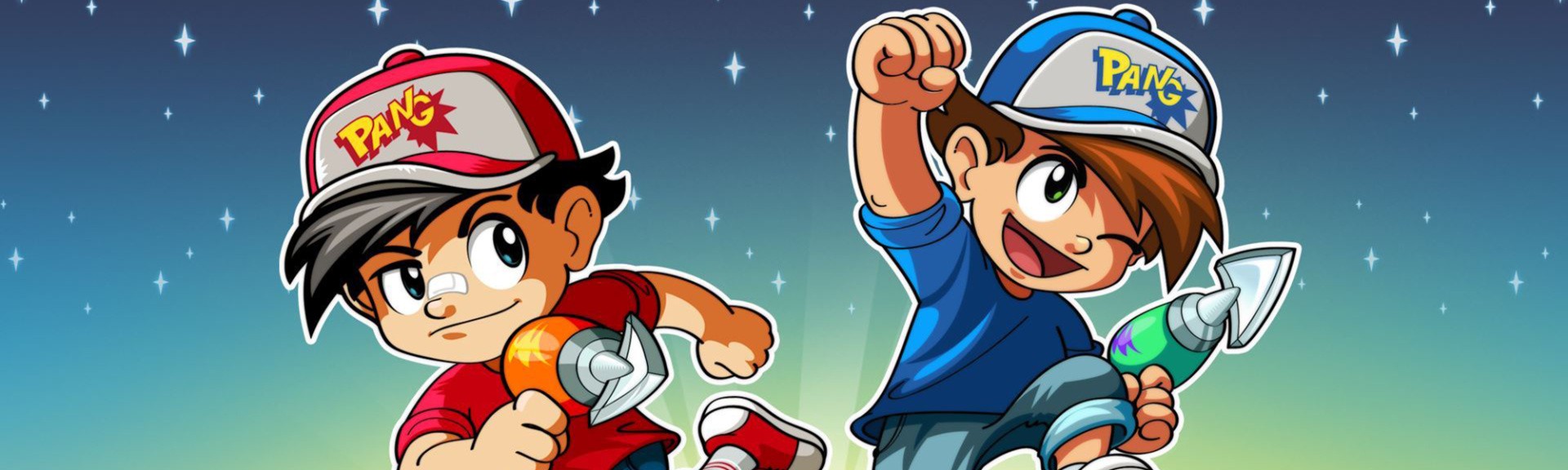
Review: Pang Adventures – A Welcome Update That Should Have Taken More Risks
Back in the late ’80s, a Japanese studio called Mitchell Corporation – which had previously cut its teeth on motorcycle fighting game (Mad Motor) and a risque casino title (Poker Ladies) – decided to have a go at another increasingly popular genre: the action-puzzler. Originally made for arcades, Pang (or Buster Bros. as it was known here in the West – it was also called Pomping World in some regions, which is the best name for any video game, ever) took something as simple as destroying a multiplying set of bouncing balls and transformed it into a timeless gaming hit.
Turn the clock forward 30 years and the latest iteration, Pang Adventures, is ready to mark its anniversary with a debut on Nintendo Switch. Now in the hands of French studio DotEmu – which is best known for porting all manner of retro classics to Switch and other platforms – this new incarnation keeps the same basic rules and co-operative gameplay and simply turns up the dial up with even more challenging layouts and power-up combinations.
At first glance, Pang Adventures looks and plays like a cross between Bust-A-Move, Block Breaker and Space Invaders. Whether played solo or in local or online co-op, you play a young hero who is faced with fighting off a cartoonish alien invasion. To do this, you’ll play on a single-screen where you can only fire a harpoon gun upwards. Above you, a set of bouncing balls explode and divide into smaller ones every time you land a hit. The more you strike, the greater the chance you’ll get knocked out when they land, so it’s all about tactically destroying balls in focused groups.
The fun comes not just in using space to your advantage, but how each map can be used to destroy every ball safely and within each 30-second time limit. Some balls start in strange and usual patterns, requiring you to hit them in a certain way to create pockets where you can continue the fight. Others will have platforms that can be shot away to funnel balls into a ‘kill box’, or creatures such as crabs that will pop them for you if you guide them carefully into their pincers. You’ll always want to be thinking about scoring big, so collecting everything from fruit to statue heads will help you hit those numerical heights.
With power-ups to collect (which offer a short time of extra defensive or offensive use, such as a gem-like shield or life-saving blaster that coats the air above you in glorious bullet hell) DotEmu has managed to maintain the simplicity of Pang’s original design while ramping up the variables at play. When played solo, it’s certainly far more of a challenge, but when played locally or online with a partner, Pang Adventures is a riot as you rush to save one another from a rain of bouncing ball death. When you factor in those increasing difficulty spikes – such as balls that send electrical currents into your path if you destroy them – there’s a gratifying sense of achievement to be found once you’ve overcome a particularly tricky level.
‘Tour’ mode will likely be your first port of call, splitting its alien invasion story across the globe as you travel to each location (ranging from the sands of Bora Bora to the cold highlands of bonny Scotland, and beyond) and its 15 themed levels. In between each one you’ll face that region’s boss, which will force you to put into practice some of the new tactics you’ve learned, such as using explosive balls to take out larger pockets of balls in the air, or learning patterns to avoid instant death. It’s the right balance of challenge and fun, but that difficulty really does start to ramp up about half-way through its four-to-five-hour campaign.
Elsewhere, there’s a survival-style ‘Panic’ mode, and a retro-themed version of Pang in Score mode if you’re in this for the high scores. You can play cooperatively in all three modes, so there’s a ton of content here for someone who wants to play with a friend, a stranger or by their lonesome. The near-instant retry system means that you never really feel like you’ve been cheated out of a win, and with every level only last for 30 seconds at most, Pang Adventures serves as a far more suitable pairing for Nintendo Switch than it did on PC or other consoles.
If any real criticism can be laid at Pang Adventures’ door, it’s that DotEmu simply hasn’t tried to do something wholly original with the concept. As a contemporary tribute to an arcade classic, it ticks all the right boxes, but compared to the likes of Tetris Effect – which took an even more iconic game and turned it into a near out-of-body experience – this instalment does feel a little too safe considering the innovation that’s already available on the eShop.
Conclusion
Pang Adventures offers a tense and instantly enjoyable ode to a timeless arcade romp, and one that’s bound to engage and reward players who enjoyed it 30 years ago as well as those discovering it for the first time on the eShop. The support for online play is a real bonus, as many puzzle games of this ilk are want to simply plump for couch-play only, but for all its colourful chaos you are left hoping for something a little less predictable. Fans of the original will love it, but they may also lament the fact that more hasn’t been done to update this classic series.
Deploying applications to a kubernetes cluster is well defined and can in some cases be as simple as kubectl create -f app.yaml. The user’s story to deploy apps across multiple clusters has not been that simple. How should an app workload be distributed? Should the app resources be replicated into all clusters, or replicated into selected clusters or partitioned into clusters? How is the access to clusters managed? What happens if some of the resources, which user wants to distribute pre-exist in all or fewer clusters in some form.
In SIG multicluster, our journey has revealed that there are multiple possible models to solve these problems and there probably is no single best fit all scenario solution. Federation however is the single biggest kubernetes open source sub project which has seen maximum interest and contribution from the community in this problem space. The project initially reused the k8s API to do away with any added usage complexity for an existing k8s user. This became non-viable because of problems best discussed in this community update.
What has evolved further is a federation specific API architecture and a community effort which now continues as Federation V2.
Conceptual Overview
Because federation attempts to address a complex set of problems, it pays to break the different parts of those problems down. Let’s take a look at the different high-level areas involved:
Veteran actor Danny DeVito is joining the sequel to Jumanj: Welcome to the Jungle. Variety reported and actor Dwayne "The Rock" Johnson confirmed that DeVito will have a role in the film that's due out at the end of the year. The news about DeVito joining the sequel comes just days after it was reported that Awkwafina will also appear in the movie.
Plot details are being kept under wraps for the Jumanji sequel, and this includes details on who DeVito will play. But it appears DeVito will be among the people who get sucked into the Jumanji video game and become someone new once inside the game.
“The magic of Jumanji is who becomes who," The Rock told Variety. "And the idea of Danny DeVito joining our cast was too irresistible and something we knew we wanted to deliver to our audience this upcoming Christmas. Dwanta Claus loves everyone."
He wants to play the game that plays you. Welcome @DannyDeVito to our JUMANJI cast! Can’t wait my friend. Oh the fun we will have, if... you just call out it’s name. #JUMANJIhttps://t.co/PJoTAqhHV1
DeVito has been acting since the '70s, and he's still an in-demand actor. In addition to Jumanji 2, DeVito continues to star in It's Always Sunny in Philadelphia, while he's set to appear in two Disney movies this year: Dumbo and The One and Only Ivan. DeVito picked up a Best Picture Oscar nomination for his producing role for Erin Brockovich.
All the major stars of the 2017 Jumanji movie--Dwayne "The Rock" Johnson, Jack Black, Kevin Hart, and Karen Gillan--are all expected to come back for the sequel. What's more, director Jake Kasdan, who is the son of legendary Star Wars writer Lawrence Kasdan, is returning as well.
Plot details are under wraps for the Jumanji sequel, but The Rock teased that Kasdan gave a "dynamite pitch" for the plot. The film hits theatres in December 2019.
Do you like playing videos in your web browser? Well, good news, the Chromium web browser available in Fedora gets a Video Acceleration API support. That makes video playback much smoother while using significantly less resources.
A little bit of history
Chromium with a VAAPI patch was already available on other distributions. But this was not the case with Fedora. I really want hardware acceleration. But my love for Fedora was holding me back. Then with sheer willpower, I joined Fedora and started maintaining a package in COPR.
I am not really a distro hopper but a DE hopper. I usually jump from Gnome to KDE and vice versa depending upon my mood. Then I started maintaining Chromium with vaapi patch on COPR. I was using the official patch which was submitted upstream for code review. I had very little hope that it will get merge. The patch is outdated and and try jobs were failing at that time.
After six months, the Chromium upstream maintainers made a statement that they are not interested to include this patch. So after that I started working on my own patch with referenced from the official patch. My patch is about using the existing flags that other operating system uses instead of creating a new flag just for experimentation.
Chromium uses AMDGPU’s UVD engine while playing a video
Chromium uses Existing flags on Fedora
Effects of the VAAPI patch
Chromium with this patch was extremely stable on both of my machines. They both have AMD GPU. The video playback is smooth. This improved overall power savings as well.
Credits: Tobias Wolfshappen
As you can see, chromium with the vaapi patch takes up significantly less resources in comparison to chromium without the patch and Firefox. The CPU usage went down from 120% to 10%. The playback is smooth with no shuttering.
VA-API patch in chromium for Fedora
It was then Fedora’s Engineering Manager @ Red Hat and Chromium maintainer, Tom Callaway, finally recognises the VAAPI patch and decides to include in Fedora’s Chromium browser. Fedora becomes the second distribution to include the VAAPI patch in their official Chromium package.
Alien: Blackout brings the survival/horror staple to mobile
By Joe Robinson07 Jan 2019
After the critical acclaim of Alien: Isolation on PC/console, I imagine there’s plenty of mobile gamers who’d want a decent Alien-esque experience on mobile on their smartphones or tablets. The real question is whether or not the recently announced Alien: Blackout is the droid you were looking for.
This game was teased last week after a trademark filing was spotted last year. Many people thought it might be a full-on Alien: Isolation sequel. I imagine those people are a bit disappointed.
Still, on paper Blackout doesn’t seem that bad so far. It’s billed as being a ‘survival/horror’ game, where you play as Amanda Ripley as she attempts to guide the crew of damaged space station to safety, out of the way of a rampant xenomorph.
The choices you make in the game, whether to sacrifice certain crew-members or try to use the station’s damaged systems, will affect the outcome. Pocket Gamer even thinks it’ll be a premium game, given that the action is spread across seven distinct levels. It’s not your typical freemium structure, at any rate, but we’ll have to wait and see.
Blackout is being developed by FoxNext Games, D3 Go! Whose previous claims to fame is some licensed Puzzle Quest titles. Rival Games, from Finland, are also helping out, and you may know them from Thief of Thieves.
No word on a release date as of yet, but we know it’s coming to iTunes, Google Play and the Amazon App Store.
Happy 2019! Here in the new year, we’re continuing our series on aliases. By now, you’ve probably read our first article on aliases, and it should be quite clear how they are the easiest way to save yourself a lot of trouble. You already saw, for example, that they helped with muscle-memory, but let’s see several other cases in which aliases come in handy.
Aliases as Shortcuts
One of the most beautiful things about Linux’s shells is how you can use zillions of options and chain commands together to carry out really sophisticated operations in one fell swoop. All right, maybe beauty is in the eye of the beholder, but let’s agree that this feature *is* practical.
The downside is that you often come up with recipes that are often hard to remember or cumbersome to type. Say space on your hard disk is at a premium and you want to do some New Year’s cleaning. Your first step may be to look for stuff to get rid off in you home directory. One criteria you could apply is to look for stuff you don’t use anymore. ls can help with that:
ls -lct
The instruction above shows the details of each file and directory (-l) and also shows when each item was last accessed (-c). It then orders the list from most recently accessed to least recently accessed (-t).
Is this hard to remember? You probably don’t use the -c and -t options every day, so perhaps. In any case, defining an alias like
alias lt='ls -lct'
will make it easier.
Then again, you may want to have the list show the oldest files first:
alias lo='lt -F | tac'
There are a few interesting things going here. First, we are using an alias (lt) to create another alias — which is perfectly okay. Second, we are passing a new parameter to lt (which, in turn gets passed to ls through the definition of the lt alias).
The -F option appends special symbols to the names of items to better differentiate regular files (that get no symbol) from executable files (that get an *), files from directories (end in /), and all of the above from links, symbolic and otherwise (that end in an @ symbol). The -F option is throwback to the days when terminals where monochrome and there was no other way to easily see the difference between items. You use it here because, when you pipe the output from lt through to tac you lose the colors from ls.
The third thing to pay attention to is the use of piping. Piping happens when you pass the output from an instruction to another instruction. The second instruction can then use that output as its own input. In many shells (including Bash), you pipe something using the pipe symbol (|).
In this case, you are piping the output from lt -F into tac. tac‘s name is a bit of a joke. You may have heard of cat, the instruction that was nominally created to concatenate files together, but that in practice is used to print out the contents of a file to the terminal. tac does the same, but prints out the contents it receives in reverse order. Get it? cat and tac. Developers, you so funny!
The thing is both cat and tac can also print out stuff piped over from another instruction, in this case, a list of files ordered chronologically.
So… after that digression, what comes out of the other end is the list of files and directories of the current directory in inverse order of freshness.
The final thing you have to bear in mind is that, while lt will work the current directory and any other directory…
# This will work:

lt

# And so will this:

lt /some/other/directory
… lo will only work with the current directory:
# This will work:

lo

# But this won't:

lo /some/other/directory
This is because Bash expands aliases into their components. When you type this:
lt /some/other/directory
Bash REALLY runs this:
ls -lct /some/other/directory
which is a valid Bash command.
However, if you type this:
lo /some/other/directory
Bash tries to run this:
ls -lct -F | tac /some/other/directory
which is not a valid instruction, because tac mainly because /some/other/directory is a directory, and cat and tac don’t do directories.
More Alias Shortcuts
alias lll='ls -R' prints out the contents of a directory and then drills down and prints out the contents of its subdirectories and the subdirectories of the subdirectories, and so on and so forth. It is a way of seeing everything you have under a directory.
mkdir='mkdir -pv' let’s you make directories within directories all in one go. With the base form of mkdir, to make a new directory containing a subdirectory you have to do this:
mkdir newdir

mkdir newdir/subdir
Or this:
mkdir -p newdir/subdir
while with the alias you would only have to do this:
mkdir newdir/subdir
Your new mkdir will also tell you what it is doing while is creating new directories.
Aliases as Safeguards
The other thing aliases are good for is as safeguards against erasing or overwriting your files accidentally. At this stage you have probably heard the legendary story about the new Linux user who ran:
rm -rf /
as root, and nuked the whole system. Then there’s the user who decided that:
rm -rf /some/directory/ *
was a good idea and erased the complete contents of their home directory. Notice how easy it is to overlook that space separating the directory path and the *.
Both things can be avoided with the alias rm='rm -i' alias. The -i option makes rm ask the user whether that is what they really want to do and gives you a second chance before wreaking havoc in your file system.
The same goes for cp, which can overwrite a file without telling you anything. Create an alias like alias cp='cp -i' and stay safe!
Next Time
We are moving more and more into scripting territory. Next time, we’ll take the next logical step and see how combining instructions on the command line gives you really interesting and sophisticated solutions to everyday admin problems.