
+- Sick Gaming (https://sickgaming.net)
+-- Forum: Console, Mobile, and PC Gaming (https://sickgaming.net/forum-119.html)
+--- Forum: Nintendo Discussion (https://sickgaming.net/forum-34.html)
+--- Thread: News - Guide: How To Claim Battle Royale Victory In Tetris 99 (/thread-88731.html)
News - Guide: How To Claim Battle Royale Victory In Tetris 99 - xSicKxBot - 02-15-2019
Guide: How To Claim Battle Royale Victory In Tetris 99
Tetris 99 is, amazingly, the newest and freshest ‘Battle Royale’ on the block, T-spinning its way into a heated battle against the likes of Fortnite and Apex Legends for world domination. Okay – it might not be in quite the same league as those gaming heavyweights – but it certainly brings an equal amount of fun to the table, and arguably even more challenge.
Facing off against 98 others players in real time is hard and, let’s be honest, the game really isn’t very good at telling you how to play. With that in mind, we’ve been practising like crazy to bring you this super-useful list of tips and tricks. What do the attacks in Tetris 99 do? How do you win? What even are the controls? We’ve got you covered…
On this page:
- The Basics of Tetris (and Tetris 99’s controls)
- The ‘Battle Royale’ Twist
- Which Attack Mode Should You Choose In Tetris 99?
- Tetris 99 Hints And Tips
The Basics of Tetris (and Tetris 99’s controls)
How To Play
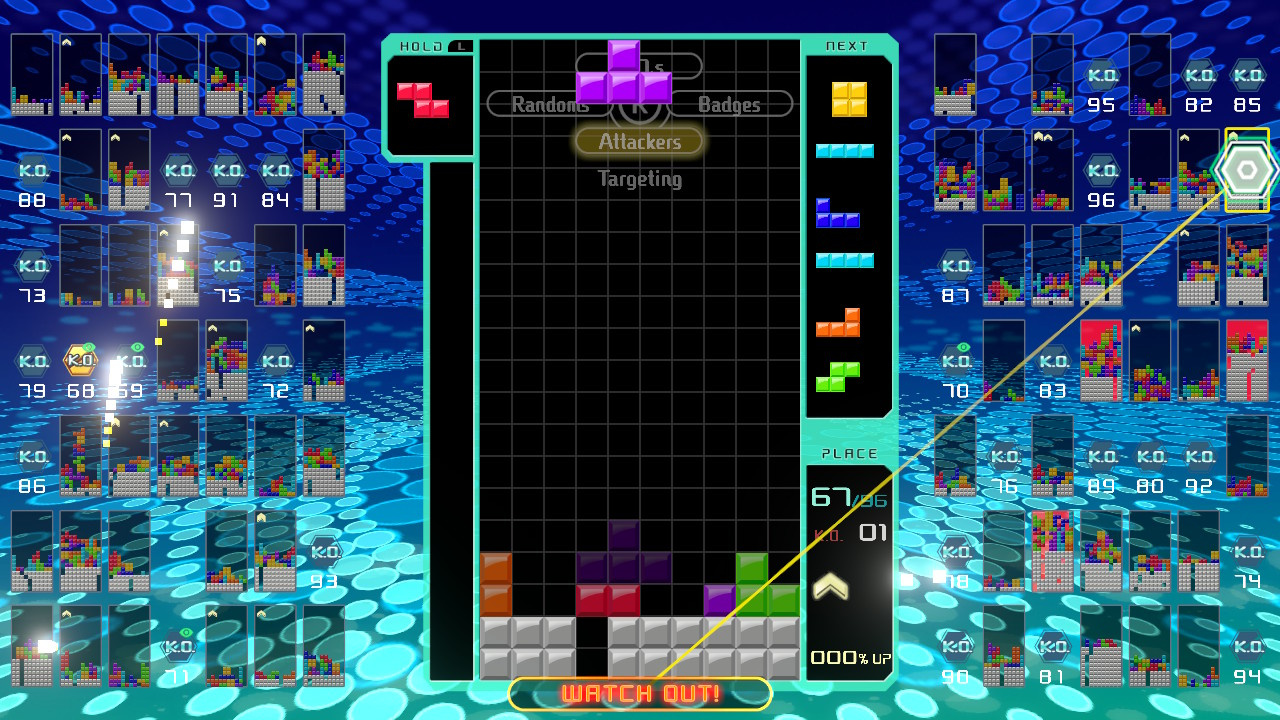
Let’s kick things off with the basics (feel free to scroll on down if you already know how to play the main game). When loading up a game, you’ll see differently-coloured Tetriminos – blocks made up of different shapes – fall from the top of the screen. Your job is to rotate, drop, and carefully place these at the bottom of your screen to create full lines. Doing so clears that line from the board, and you can even clear multiple lines in one go with clever block placement.
In a usual game of Tetris, the aim is to simply survive for as long as possible, or get crazy high scores by clearing lots of lines or getting combos. Tetris 99 changes things up, however, as we’ll find out later on.
The Controls
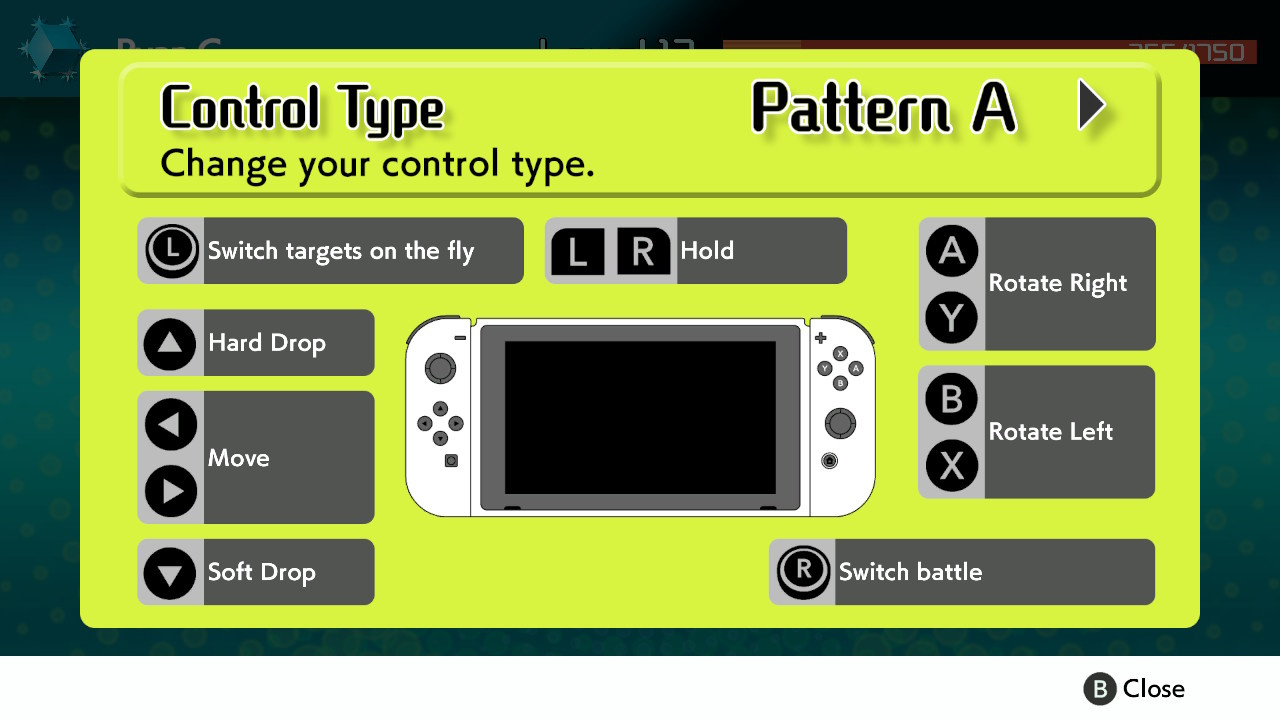
If you’ve never played a game of Tetris before, or if you’re feeling a little rusty, you’re going to have a pretty hard time learning the basics in Tetris 99. Before jumping into a full match, make sure to memorise these controls:
- A/Y: Rotate Right – This will rotate your current, falling Tetrimino block to the right by 90 degrees.
- B/X: Rotate Left – This will rotate your current, falling Tetrimino block to the left by 90 degrees.
- L/R: Hold – This stores one block for later use, which can then be activated whenever you like by pressing the button again. Perfect for holding back tricky-to-place blocks, or saving an ‘I’ block to slot in at a later time.
- D-Pad Left/Right: Move – This will move your current, falling block to the left or right.
- D-Pad Up: Hard Drop – Pressing up will cause your current block to automatically snap to its destination. Once you’ve moved and rotated your block to where you like, press this to move on quickly.
- D-Pad Down: Soft Drop – Just like the hard drop, except this allows you to manually drop at your own pace.
- Left Stick/Touchscreen: Select target – The left stick and touchscreen allow you to manually pick an opponent to attack during the Battle Royale.
- Right Stick: Switch attack mode – The right stick toggles through the different attack mode options in Battle Royale (explained further down in this guide).
It’s also worth noting that you can switch the left and right stick options around in the settings, should you prefer them the opposite way around.
The ‘Battle Royale’ Twist
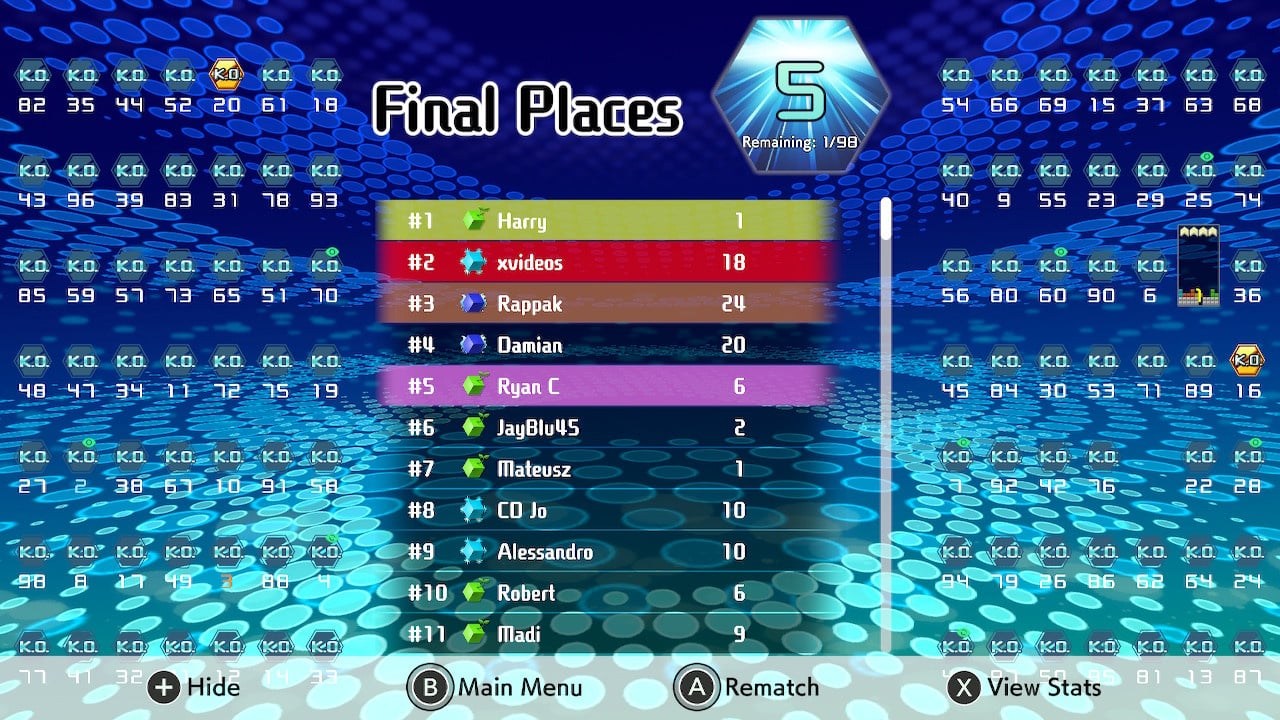
In Tetris 99, you’ll be playing against 98 other players in real time. Players can attack each other during the game, sending ‘junk’ lines to an opponent’s screen, and the last one standing after all the mayhem is declared the winner.
There are a surprising number of things to think about here, such as your attack, defence, and keeping an eye on what your opponents are doing. Hopefully, these tips will help you on your way to victory.
How To Send ‘Junk’ Lines
You can send ‘junk’ lines to opponents by clearing more than one line of blocks at a time (or sometimes even with just one if you’ve racked up combos or badges).
Clearing two lines will send one to your selected opponent; clearing three will send two, and clearing four will send four. Generating combos (successfully clearing lines with every block which falls from the top without a break) can add to these numbers.
What Are Badges And How Do They Work?
Badges add multiplier bonuses to your attacks, essentially adding to the number of lines you’ll send over to your opponent. Every time you wipe out another player, you’ll secure a portion of a badge, and you’ll also get any badges they were currently holding, too.
Reddit user Wiwiweb has managed to calculate exactly how these badges work. You can have up to four badges on you at any one time (the brackets below show how many badge portions you’ll need to make up that complete badge, and the attack bonus for owning each badge is shown afterwards).
- 1st badge: (2 badge bits) +25% lines
- 2nd badge: (4 badge bits, 6 total) +50% lines
- 3rd badge: (8 badge bits, 14 total) +75% lines
- 4th badge (maximum): (16 badge bits, 30 total) +100% lines
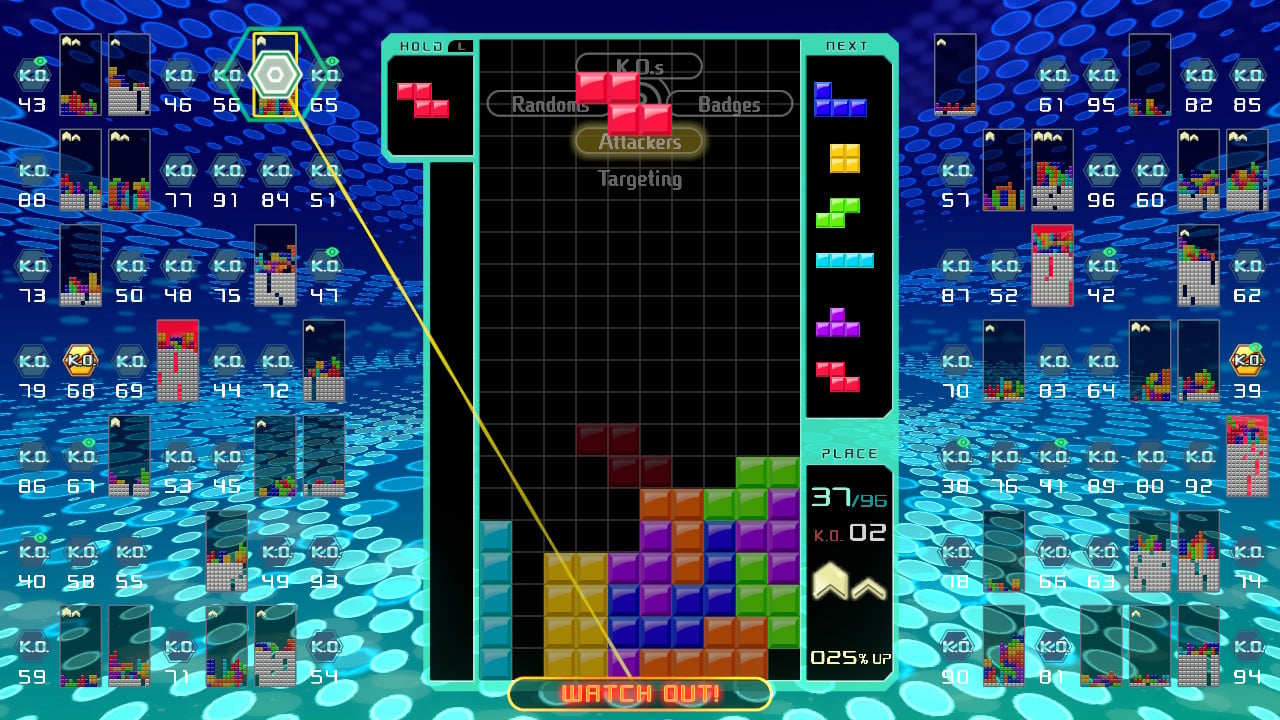
You can see how many badges you have just below your K.O. count. In this image below, we have one complete badge and are working towards a second.
How To Prevent Attacks
Sometimes, it feels like everyone is attacking you and there’s absolutely no hope in sight. Luckily, there is a way to monitor incoming attacks, and ways to deal with them.
Every attack sent your way will show up in a tall column on the side of your main screen, all as various coloured blocks. These pesky blocks are queueing up to throw themselves onto your main board, and will rise up from the bottom. They’re usually yellow to begin with, but will change to red and then an angry flashing red as time progresses. These colours indicate how soon the enemy lines will enter your screen – flashing red blocks will jump over when you’ve placed your next block.
When you have enemy blocks in this column, any ‘junk’ lines you send will actually fight against these blocks, rather than be sent to your opponent. If you see enemy blocks building up, you need to start clearing lines on your screen to clear them out – even clearing single lines delays the enemy block from entering your screen.
If you’re wanting to play defensively, it can help to save a block which can clear lots of lines with the L/R button, before deploying it as soon as your enemy block column starts to fill.
Which Attack Mode Should You Choose In Tetris 99?
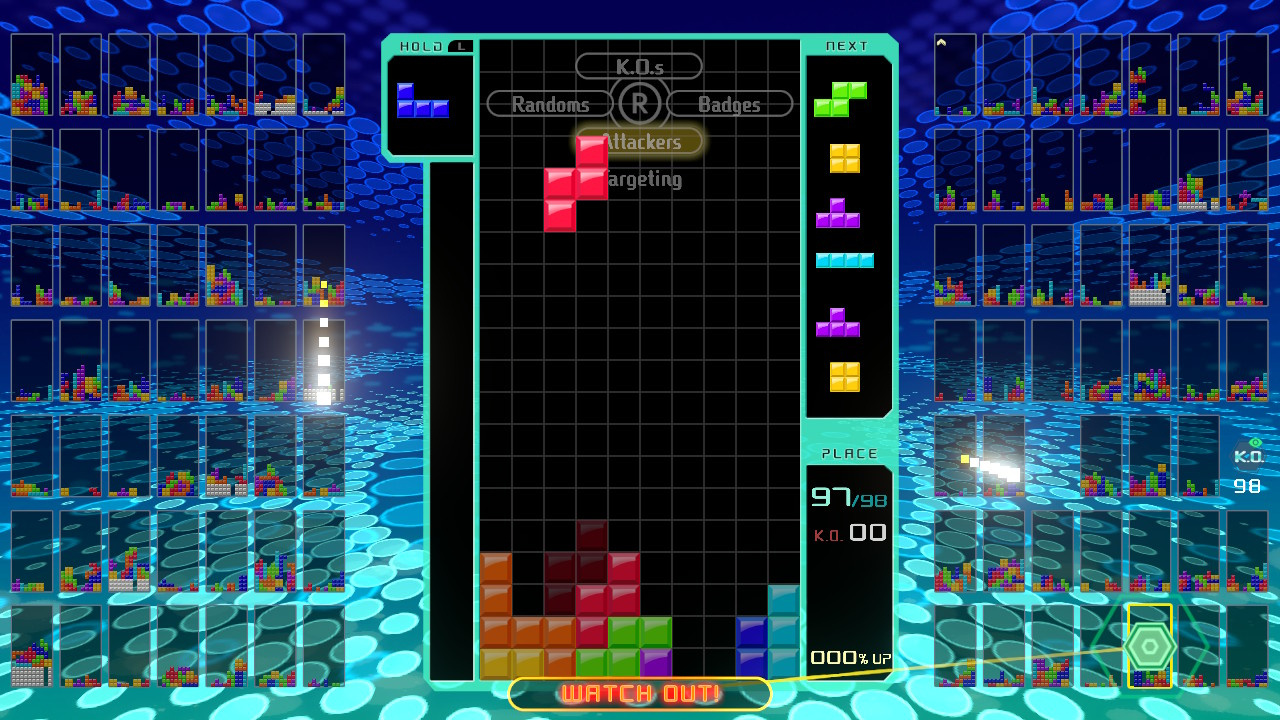
As we’ve mentioned several times above, flicking the right stick allows you to choose from four different targetting or attack modes. These different options essentially target a different group of enemies from the other 98 players on your screen. Below, we explain how each of the four modes work and when best to use them – you’ll find that switching between them depending on your situation can often be the best way to play.
[b]K.O.s (Right Stick Up)[/b]
The K.O.s option targets those who are currently in danger of seeing their blocks reach the top of their screen. By targetting these players, you theoretically have a higher chance of immediately claiming a K.O. when attacking them with ‘junk’ lines, gaining at least a portion of a badge in the process for multiplayer damage.
The problem is that, sometimes, a player will be wiped out before your ‘junk’ line attacks them, meaning you don’t get the kill or the badge reward. If you’re really wanting to go for kills, this isn’t a bad way to do it, but it can never be 100% reliable.
[b]Badges (Right stick Right)[/b]
This option will target the player who currently has the most badges, allowing you steal them all for yourself should you wipe them out.
It’s worth noting that the player with the most badges is likely to be highly skilled, and could well be hard to beat. If they happen to be playing in ‘Attackers’ mode (below), this could also mean real problems for you, as their junk will be sent your way. We’d suggest ignoring this option until you’re feeling confident; switching to this mode towards the end of a battle can be a good way to assert your dominance and become the most powerful player on the field for the final 10 or 20, but it’s not to be used lightly.
[b]Attackers (Right Stick Down)[/b]
Ironically, Attackers is probably your best defensive option, and will probably be the best friend of new players who are simply trying to survive for a decent length of time.
This mode targets those who are currently attacking you, and will actually split your attack across each of those players. This means that, by sending ‘junk’ lines their way, you can distract anyone trying to destroy your game and potentially take out multiple opponents at once. As your attack is divided between all of those attacking you, the number of lines sent to opponents will naturally be less per player, however, so getting kills isn’t as likely here.
[b]Randoms (Right Stick Left)[/b]
As the name suggests, Randoms appears to select players at complete random. If we’re honest, this mode doesn’t seem all that useful in any scenario, and we’d suggest choosing one of the others (Attackers if you’re just starting out). Your attacks will buzz around from one player to another, hardly ever doing enough damage to completely wipe them out.
Manual (Left Stick/Touchscreen)
By using the left control stick or the touchscreen, you can manually select whichever of the other 98 players you like, sending all of your attacks their way. As you can imagine, this is quite an advanced tactic – keeping an eye on each individual player while clearing your own lines is incredibly tricky.
If you can manage all of this, though, then selecting players can be a good way to go. Perhaps you’d like to wipe out a strong player to claim their lovely badges, or maybe player number 87 just rubs you up the wrong way? If you’re a beginner, we’d ignore this feature for now, but it’s worth bearing in mind as you get better and better.
Tetris 99 Hints And Tips
- ‘Holding’ a long, thin block is always a good tactic if you’re looking to clear loads of blocks in one go, so don’t waste these precious commodities.
- While there’s always the temptation to rush and score as many lines as possible, remember that you’re not going for a score here. Sometimes, especially early on the game when the pressure is off, it pays to take things slowly and build up your blocks so you’re in a good position to clear them out once a long, thin block appears.
- Getting junk dumped on your screen isn’t much fun, but ironically, it can be the key to success. Dumped blocks have a thin gap which can be exploited if you have a long, thin block. It’s possible to send all those junk blocks right back at the person who gave them to you if you’re set to ‘Attackers’ mode.
- When the game speeds up, you need all the time you can get to really think about your next move, so don’t ‘Hard Drop’ pieces if you can help it. Instead, let them fall at their normal speed (which will still be pretty quick at this point) and use that additional second or two to glance at the block that’s coming next (shown on the right-hand side of the playfield) so you can plan where you’re going to place it.
- Switching to your ‘Hold’ piece is a good way to get out of a pickle, especially when the game gets faster. This is because switching to piece – even when your current piece is quite far down the screen – places the ‘new’ piece back at the top of the screen, buying you more time. The catch is that you can only switch to your ‘Hold’ piece once per drop.
- It’s possible to keep rotating your current piece even when it looks like it’s totally dropped – exploit this to get yourself out of tight spots and buy yourself time.
Hopefully, this guide has helped you to get a decent grip on the game and work towards those tasty victories. If you have any more tips, make sure to post them below in the comment section for other readers to see!
Also, if you’re wanting to learn even more about the game, make sure to check out our Tetris 99 review!