Pokemon Sword & Shield: How To Evolve Milcery Into Alcremie
Every Pokemon game has those few Pokemon you just can't figure out how to evolve. In Pokemon Sword and Shield, there's one Pokemon in particular that doesn't evolve through any existing means: Milcery, which evolves into the adorable Alcremie. Trading, evolutionary stones, and other evolution-related items don't work on Milcery. Instead, it requires one of the strangest methods to evolve of any Pokemon to date.
First, you have to catch yourself a Milcery. They can be found on Route 4 outside Turffield, and you can only encounter them through the exclamation points that pop up as you walk through the tall grass--you won't see one roaming the overworld. Once you have one, your next stop is one of the three Battle Cafes found throughout Galar. The Motostoke cafe is the easiest to beat, followed by the one in Hammerlocke and finally the one in Wyndon, but any of them will work.
One of the many rewards you can get from winning the daily battle at a cafe is a Sweet of some sort. So far, we've found a Berry Sweet, Strawberry Sweet, Love Sweet, and Flower Sweet--we'll update this article if we find more. Each of these Sweets will have a description indicating that Milcery loves holding them, so give one to your Milcery and get ready for the weird part.
Simply giving a Sweet to a Milcery isn't enough to evolve it. Rather, you have to spin the left analog stick in circles until your character does a fancy twirl followed by a pose--then Milcery will evolve into Alcremie. It seems the thinking here is that you have to stir heavy cream a bunch in order to make whipped cream... but regardless, you'll get a form of Alcremie corresponding to the kind of Sweet you had it hold. As far as we can tell, it's purely aesthetic, but the Pokedex will track and display each different form for you.
Alcremie has the potential to be a great support Pokemon in doubles matches, so it's definitely worth the hassle; its signature move, Decorate, increases the Attack and Special Attack of another Pokemon on the field, which can be a boon in a number of situations. For more on Gen 8, be sure to read our Pokemon Sword and Shield review. For other weird evolutions, check out our guides on evolving Applin, Galarian Linoone, and Sinistea.
Tiled, the open source map editor, the open source map editor just released version 1.3, the first major release in almost a year. Details of the 1.3 release from the release notes:
Scripted Extensions
The biggest change in this release is the introduction of the scripting API, which allows you to extend the functionality of Tiled with JavaScript. Scripts can implement custom actions, custom editing tools and add support for additional map or tileset formats.
Almost everything that can be modified through the UI can be changed through a script as well. Scripts can also connect to certain events to automate actions, for example on loading or saving an asset. Any changes made by scripts automatically create appropriate undo commands, which can be grouped together using the Asset.macro function.
Scripts can be grouped in folders to make it easier to share them with others, for example by cloning a git repository into the extensions folder. Tiled automatically reloads the scripts when it detects a change to any loaded script file.
Issues View
A new “Issues” view was added, where reported warnings and errors are displayed persistently and can be searched. Many of the issues reported here can also be double-clicked to jump to the relevant location for fixing the issue. The error and warning counts are displayed on the status bar to make sure they don’t go unnoticed.
While Tiled may encounter many issues of itself, for example when AutoMapping or exporting to certain formats, issues can also be reported through the scripting API. This could be used to add sanity checks to make sure your map won’t trigger an error in your game.
Configurable Keyboard Shortcuts
The keyboard shortcuts of most actions can now be changed from the new Keyboard tab in the Preferences. Shortcut schemes can be imported and exported and potential conflicts are marked in red.
New Update Notifications
Tiled now features a native up-to-date check, which displays an unobtrusive notification in the status bar whenever it detects that a newer version is available. This replaces the previously used 3rd-party solutions Sparkle and WinSparkle. For those who don’t want it, it can be turned off in the Preferences, in which case you can still manually check for a new version by opening the “About Tiled” dialog.
The new system does not automatically download & install the new package. For automatic updates, I recommend installing Tiled through the itch.io app.
Be sure to check the full release notes for an in-depth change log. You can learn more about this release in the video below. Additionally we have done a complete tutorial series that will get you up and running with Tiled.
You know what I tried for the first time the other week? Fortnite. I know, right? Since I have a phone that can actually run it now, I thought I’d take it for a spin. It’s ok… I mean I’ve always known the format was quite interesting. I played the original PUBG game back when it was still a mod for ArmA 3.
Not wholly convinced about playing it on a phone… might just download it on PS4 or something and play it that way instead. Still, it’s a pretty interesting phenomenon and now that they’ve released a Stormtrooper skin for it I can completely understand why it’s earned so much money. Like, I want to buy that skin. If I end up playing the game more, I might just.
Meanwhile, thousands of miles away…
New App Releases
Minecraft Earth (iOS & Android)
Bit of a cheat this one as it’s only to say that the Early Access has now finally rolled out to people in the US. So if you’re American and you’ve been waiting to try out the Minecraft-meets-Pokemon GO hybrid, now you can!
Hearthstone Battlegrounds (iOS & Android)
I know, I know, another cheat. In case you didn’t spot this, Hearthstone Battlegrounds is now available for everyone to play via the Hearthstone client, not just those who pre-ordered the new Dragon card set for the main game. I’ve written some initial thoughts along with some tactics & tips here.
—————–
And… that’s it? Again? They’ll probably be more Apple Arcade games dropping today but we usually don’t find out what those are till quite late, so I’ll update the master list again on Monday. Lots of other free-to-play games have dropped that other sites have mentioned might be special, but I’ll leave those to you guys to decide.
Oh, there’s Star Titan, which is a side-scrolling run-and-gun game with mechs on both iOS and Android that costs $1.99. Not our usual fare, but there’s precious little else to talk about this week. Here’s a trailer:
It’s been a bit of a dire couple of weeks in terms of premium releases, all things considered.
App Updates & News
Pacific Fire
One of the only decent mobile wargames to come out this year, Pacific Fire has just been updated again with new scenarios that allow you to play from the Japanese perspective, including a mega-campaign that covers the entire war as the IJN. It’s also now available on the Amazon App Store, if that’s a game-changer for you.
I asked about an iOS version, and developer said they’re working on it. Potentially by the end of the year, but either way it’s definitely on its way.
Stardew Valley
Farming/Life Simulator Stardew Valley is getting a huge update soon in the form of the 1.4 update. It essentially tackles a wide range of issues and it’s main aim is to ‘Polish’ the experience and really improve the quality of life for all. Bug fixes, extra end-game content… you name it, it’s probably being done. PC Players will be getting the update on November 26th, but Mobile and Console players will be following soon afterwards, so we’ll let you know when it drops. You can read more details here.
Also if you’ve been looking forward to the mobile release of Black Desert Online, the global launch date has been set to December 11th, 2019. You can still pre-register at the official website.
App Sales, Deals & Discounts
Just to sum up what’s been a bit of a lazy week in mobile-land, there aren’t even that many sales going around either. I imagine everyone’s saving up their Big Sale Energy for Black Friday at the end of the month.
Mystic Vale is on sale at $2.99 for only the second time since launch. It’s another deck-building port in digital format, and it’s interesting although not really stand-out.
Bridge Constructor Portal is down to $1.99 in celebration of its DLC launch. I think I got it wrong last week when I mentioned the new DLC, it might have released this week.
Dimension of Dreams was one of the many, many strategy/card game/rogue-lite releases we got earlier in the year. It was pretty good, and now that the base game is free you can see for yourself. It’s got a fair few pricey IAPs though.
Seen anything else you liked? Played any of the above? Let us know in the comments!
Posted by: xSicKxBot - 11-16-2019, 03:17 AM - Forum: Lounge
- No Replies
This Week At Bungie – 11/14/2019
This week at Bungie, a celebration is coming to a close.
We’re entering the final stretch of Festival of the Lost. Eva Levante has been dishing out treats for weeks, but she’s got a final trick up her sleeve. We won’t spoil the fun, though. That’s for you to discover on your own.
If you haven’t collected all of your masks or completed your Triumphs, you have until the reset on Tuesday, November 19 to fill out your collection. Momentum Control will be available through the end of the event, so if you’re looking to round out your Jade Rabbit catalyst, get to it. Momentum will be on rotation again in the future, so stay tuned for announcements.
Throughout the event, we’ve been sharing our favorite Guardian costumes. Here’s a quick roundup of the fun. If you have any last-minute submissions in hopes of earning the Levante Prize emblem, be sure to submit your costume to the Creations page on Bungie.net.
A Global Community
To ensure every Guardian feels at home, we’ve been putting more focus on Destiny’s global community. No matter your locale, your voice is important to us. What began with region specific Twitter accounts has evolved into a new community initiative. This week, we’d like to take the opportunity to introduce the first two international members on the Community team.
Loïc:
“Bonjour”, Guardians! Epyon here. I’m the French Community Manager, which means that not only will I have the pleasure to serve the Guardians from France, but also to provide proper bread to Dmg04. And when I say “proper bread”, I obviously mean “French bread”. Beside all the usual French clichés, what can I tell you? Until very recently, I was a journalist, working at Jeuxvideo.com, the main video game media here in France. Among many other things, I’ve been reporting on Bungie and Destiny for more than six years now, which is pretty amazing given that this is mostly because of another Bungie creation that I once chose to write about. You know, that big dude with the green armor, who blows up ring worlds… I also had the privilege to co-host the French version of Fireteam Chat (“Escouade Chat” in French). And because it seems that I never had enough of Bungie, I even wrote a book that came out last year. And now, this? Joining Bungie? Life’s crazy, friends.
My dear fellow French Guardians: we’ll have many things to talk about in the coming weeks and months. I know you’re all over the internet, gathered through Facebook groups, Discord channels, and so on. I’ll come and find you, wherever you are to talk with you, and hear what you have to say about the game we all love so much. In the same time, be sure to make Bungie.net’s forum your home. At least, another one. Use the checkbox, choose “French” as your language, and… “voilà !” I’ll be there, reading, answering, and amplifying your voice at the studio. No matter what, don’t hesitate to hit me up on Twitter (@Epyonzilla). Even if you’re a Hunter or a Warlock.
See you starside!
Maurice:
Hi folks! My name is Maurice and I’ll be taking care of the German-speaking part of our community from now on. Some of you might know me as the former editor-in-chief and host of Inside PlayStation, and as one of the more vocal Destiny fans in the German games media. Being able to join Bungie as a dedicated Community Manager for the German-speaking audience is a bigger deal than it might seem at first glance: DACH-Guardians (Germany, Austria, and Switzerland) have traditionally been participating in the community by joining the English subreddit and organizing splinter-groups on other platforms. Our community has been all over the place, so to speak. I’ll be visiting you where you like to gather, but I’ll also be establishing a unified clubhouse that doesn’t come with a language barrier. If this is something you would like to participate in (sorry for the technical discourse), make sure to choose German as your language on your Bungie.net account, go to the forums and untick the English checkbox. And bitteschön: You’re now part of the club! Direct line to the studio and all.
There will be many things for me to figure along the way and I encourage you to do your part by letting me know how I can serve you best, and where my attention might be needed. Just use the forums or hit me up on Twitter @Maurice_BNG. Let’s build this thing together, one step at a time. As you might imagine I am over the Moon right now. And on it – chasing that Undying title. To quote an old friend of mine: THIS IS AMAZING!!!
These are our first two steps into a larger world. They won’t be the last introductions you see, as more teammates join us over time. Stay tuned.
Your Story
As I mentioned above, Destiny’s community is large and varied. Everyone is a little different in terms of how they defeat the Darkness. We have heard a lot of stories over the years about conquering challenges, meeting new friends, and the various ways that Destiny has touched your lives. We’d like to hear more! We’ve opened up avenues to share your favorite Destiny experiences with us, both on Bungie.net and reddit. This isn’t a contest. It’s a way for us to get to know you better, and to hear about the kinds of in-game moments that have made the largest impact on you.
So if you’re up to it, share your most memorable moments of Destiny – anything that made you feel:
A sense of tremendous achievement
A sense of belonging
Devastated or heartbroken
Utter domination
A human connection
Like laughing until you cried
The moment you knew you loved this game!
Thank you for being such an amazing community. We look forward to hearing more of your stories.
Seeking Balance
Over the last year, we’ve made various changes to the sandbox of Destiny 2. Some weapons have been brought down, some armor has been brought up, and the “meta” has shifted from class to class. Coming next Season, the sandbox will evolve once more. This week, we’ll be looking at two notorious items that you may have heard about.
From the Development team:
The Recluse
Changed the effects of Master of Arms:
Removed the precision damage modifier
Recluse will continue to receive a damage bonus from Master of Arms, but damage will not default to precision values when the perk activates
Many doubted The Recluse when it was first announced, but it has since proved to be resilient to being squashed. Although the precision damage modifier did not actually improve the efficacy of the weapon at its best, it did allow for fairly mindless spraying to be just as good as concentrated aiming. After considering various options on what to do with it, the decision was made to remove that part of the functionality and preserve its activation methods. The alternative was leaving in an effect we believe to be too strong for a Legendary weapon.
One-Eyed Mask
Changed the effects of Vengeance
Removed the overshield granted from defeating an opponent that inflicted damage on you
In a previous sandbox update, One-Eyed Mask received some tuning in how Vengeance was applied to Titans. Next Season, this perk will continue to provide health regeneration when defeating an opponent that has inflicted damage upon your Guardian, but it will no longer grant an overshield.
Additionally, the team is addressing some feedback concerning the newly released Xenophage Exotic:
Xenophage
Increased PvE damage by +50%
Ammo pulled from PvP crates has been increased to 4/6 from 3/4 from shared and solo Heavy ammo crates, respectively
Xenophage unintentionally shipped a little weak, so it’s getting a bump up in raw damage. Machine Guns have a higher ammunition capacity than other Heavy weapons, trading raw DPS for ease of use. Xenophage slides further towards other Heavy weapons such as Grenade Launchers in that aspect but didn’t get enough power back. This will correct that.
In the next few weeks, we’ll have further sandbox patch note previews, paired with some quality of life changes to things like Escalation Protocol Armor, bug fixes, and more.
Time Never Stops
Every day, Destiny Player Support is navigating the forums, identifying issues, and providing workarounds to those in need. They’ve got a good temperature of what’s going on, but they’re also keeping track of what’s to come. This week, they’ve got some info on upcoming deadlines.
This is their report:
FINAL WEEK: Festival of the Lost 2019
At the weekly reset this upcoming Tuesday, November 19, Festival of the Lost 2019 will conclude.
Players have until then to unlock the Braytech Werewolf, earn masks, and brush their teeth (or mastication module). From that point onward, the Haunted Forest will become unavailable and Eva Levante will once again depart from the Tower.
Also of note, during this final week Eva Levante is selling Festival Charms. For two hours after a Festival Charm is consumed, players will receive an increased number of Chocolate Strange Coins for activity completions.
Stadia and Cross Save
Also next week, Destiny 2: The Collection goes live with the launch of Stadia.
In the meantime, we recommend that players who wish to bring their existing Destiny 2 characters to the Stadia platform prepare Cross Save now. Once Stadia is live, players will need to link their Stadia account to their Bungie profile, and confirm that they wish for the account to be Cross Saved.
For more information, players should visit our Cross Save page.
ONE MONTH LEFT: Season of the Undying
As of this week, players have roughly one month left before Season of the Undying concludes.
Players who wish to unlock Seasonal ranks, Triumphs, and/or exclusive gear need to do so before maintenance begins on Tuesday, December 10.
We’d also like to take this opportunity to make players aware that, if incomplete, the following pursuits will be removed from players’ inventories once this season concludes:
Season 8: First Watch (Vanguard)
Season 8: Battle Drills (Crucible)
Season 8: Keepin’ On (Gambit)
For more information on what’s specific to Season of the Undying, players should see our overview page.
Destiny 2 Known Issues
Listed below are emergent issues being investigated in Destiny 2.
Players who Cross Save to a platform where they do not own Forsaken may lose access to the exotic quest for Malfeasance when they defeat the Ascendant Primeval Servitor.
The “complete ten legendary frames” steps for the Jötunn and Le Monarque Exotic quests is currently only counting curated weapon drops from Black Armory forges.
The weekly Vanguard Strike challenge says that players must “complete Vanguard bounties during the week”. This is not true. Players must complete Vanguard Strikes with an equipped subclass that matches that week’s elemental singe modifier.
For the latest list of emergent issues, players should visit our Known Issues thread. Players who observe other issues should report them to the #Help forum.
Sweet Tooth
We’ve been debating what the best Halloween candy is for the last few weeks, but I can firmly say (without acknowledging the obviously wrong opinions of my colleagues) that candy corn is the absolute worst. To get my mind off of this abomination of a “treat”, I’ve been watching some montages on the Community Creations page. Join me in cleansing your thoughts of this horrible candy.
Movie of the Week: Five Light Years
Honorable Mention: Oh Baby, a Triple!
Honorable Mention: I’m a Titan Main Now
These players, blueberry included, are now the proud owners of our Year-3 MOTW emblem. If you’d like a shot, submit your creation here.
That’s a wrap, folks. I’m still on the mend from a 30-minute solo dungeon attempt, but I may try again this weekend.
Next week, we’re looking forward to the launch of Destiny 2 on Stadia! If you’ll be experiencing your first revive in the cold wastes of the Cosmodrome, we look forward to giving you a warm welcome – we’re kind of notorious for that as a community. If you’re a Guardian who will be extending your journey to this new platform, don’t forget to get linked up using Cross Save as you activate your account.
What bread are you currently chasing for Season of the Undying? A new title? Some last minute Festival masks? Sound off!
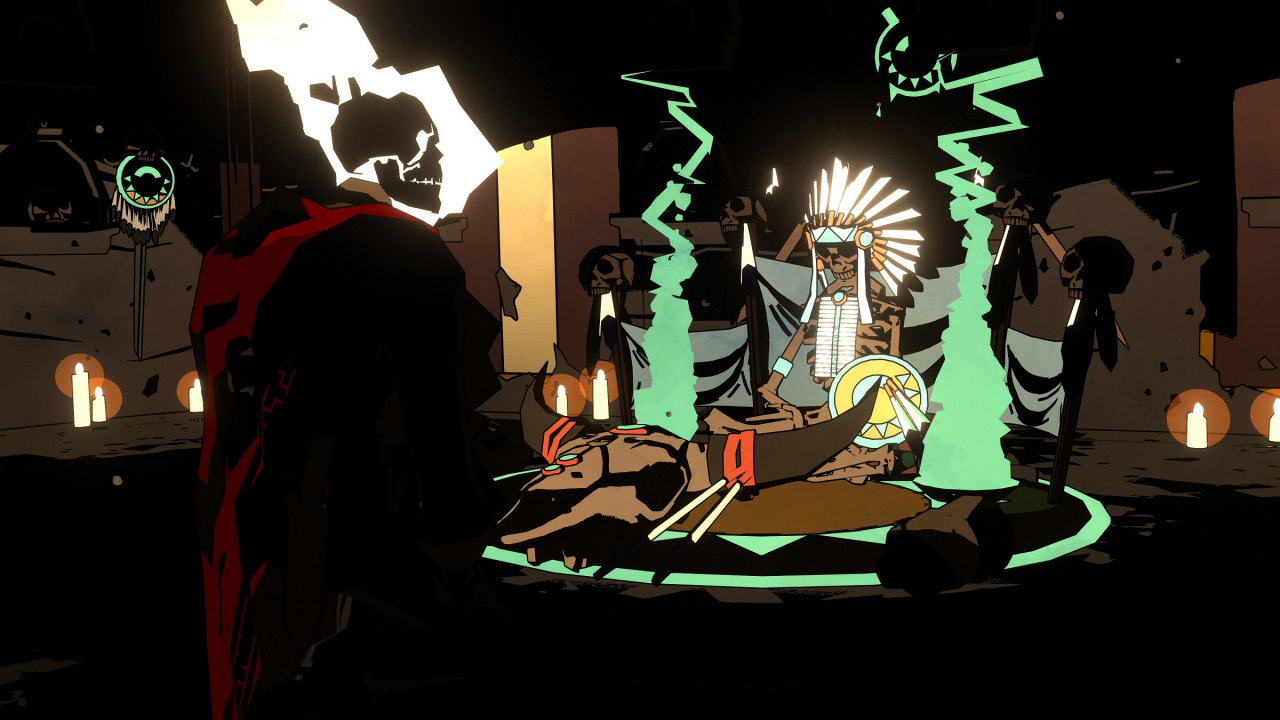
West Of Dead Is Bringing The One And Only Ron Perlman To Your Switch
Raw Fury’s West ofDead got announced last night during Microsoft’s X019 event, but guess what – it’s coming to Switch too.
A twin-stick shooter set in a procedurally-generated, monster-filled version of the Wild West, West of Dead showcases the vocal talents of Ron Perlman, who is perhaps most famous for playing the lead character in the two good Hellboy movies.
Here’s some official info:
A place of gun smoke and darkness, sin and damnation, wendigos and witches. A shifting, chaotic world that takes its form from the memories, culture or beliefs of the souls who pass through. When a dead man awakens with only the memory of a figure in black, he sets into motion a chain of events that have truly mythic consequences.
Step into the boots of the dead man William Mason (voiced by Ron Perlman) and descend into the grim and gritty world of Purgatory in this fast-paced twin-stick shooter that’ll put your skills to test. Dodge behind cover as you try to outgun your enemies in the unknown procedurally generated hunting grounds. The Wild West has never been this dark.
As you can see from the footage, this is looking pretty special. It’s coming next year.
Poll: Pokémon Sword And Shield Are Out Today, Which Version Are You Getting?
In some ways, time has passed incredibly quickly since Pokémon Sword and Shield were first announced, yet at the same time, the build-up to their release has felt like an absolute eternity.
Thankfully, the games are now finally available and ready to collect from your local game store (or your doorstep, if you’ve already pre-ordered them online). As has become tradition in recent times with any major release, we’re eager to see how many of you are planning on picking up the new games.
Of course, with Pokémon being Pokémon, this release day poll’s a little different. We know that some of you will be grabbing your favourite-looking version, while some of you will end up getting both. And, of course, we’re sure some of you reading won’t have any interest in the games whatsoever.
So, over to you. Leave a vote in our poll below and feel free to expand upon your answer in the comments below!
Happy Pokémon day! Feel free to keep checking back to see how the votes go…
Posted by: xSicKxBot - 11-16-2019, 03:16 AM - Forum: Lounge
- No Replies
Project xCloud preview sees 50 more games, hits Windows 10 in 2020
Project xCloud is bolstering its library ahead of its eventual launch by increasing its current preview library of 4 games to more than 50 titles, while also detailing how the service will evolve moving into 2020.
Games like Borderlands, Hellblade, Devil May Cry 5, Tekken 7, and many others are joining Gears 5, Halo 5Guardians, Sea of Thieves, and Killer Instinct as titles playable for those in the xCloud Preview.
Looking into 2020, the Project xCloud Preview is slated to launch for players in Canada, India, Japan, and Western Europe and Xbox plans to bring Project xCloud to a number of other platforms next year as well.
Windows 10 is, understandably, the first one mentioned and only one explicitly confirmed right now, but Xbox says that its “collaborating with a broad set of partners” to bring the service to other devices down the line.
Support for the PlayStation 4’s DualShock 4 wireless controller, along with support for Razer gamepads, is slated for 2020 as well and Xbox plans to bring other features, like the ability to stream games from their own personal Xbox consoles, to the service that same year.
Posted by: xSicKxBot - 11-16-2019, 03:16 AM - Forum: Lounge
- No Replies
Video: Inside Far Cry Primal’s character pipeline and customization tech
In this 2017 GDC talk, Ubisoft’s Julien Lalleve and Kieran O’Sullivan describe how they moved from their 3DS Max-based pipeline, to a cross-software pipeline using Python and ShaderFX to create the character pipeline for Far Cry Primal.
The pair also revealed how they built Wolfskin, a deep character customization system that works across the pipeline in the modeling software and the game engine. By splitting up data efficiently and removing complex setup from the daily workflow, they show how they greatly increased productivity, integration and iteration time.
In addition to this presentation, the GDC Vault and its accompanying YouTube channel offers numerous other free videos, audio recordings, and slides from many of the recent Game Developers Conference events, and the service offers even more members-only content for GDC Vault subscribers.
Those who purchased All Access passes to recent events like GDC or VRDC already have full access to GDC Vault, and interested parties can apply for the individual subscription via a GDC Vault subscription page. Group subscriptions are also available: game-related schools and development studios who sign up for GDC Vault Studio Subscriptions can receive access for their entire office or company by contacting staff via the GDC Vault group subscription page.
Posted by: xSicKxBot - 11-16-2019, 03:15 AM - Forum: Lounge
- No Replies
Pokemon Won't Drop Its Guard - What Does That Mean In Sword And Shield?
Pokemon Sword and Shield are finally out on Nintendo Switch, and you'll spend much of your time in the games exploring the Wild Area--a vast open-world expanse that stretches across the Galar region. The Wild Area is home to a variety of different Pokemon, including some that will be a much higher level than you, making it a good place to catch and train monsters.
Unlike previous games, however, Sword and Shield won't just let you capture any Pokemon you encounter during your journey--at least, not right away. While attempting to capture certain monsters, you'll likely notice a message that says the Pokemon "won't drop its guard." So what does this mean, and how do you catch these Pokemon?
The short answer is you can't. In a departure from previous games, Sword and Shield restrict the level of the wild Pokemon you can catch depending on how many badges you have. For example, if you have one badge, you can only catch wild Pokemon that are up to level 25. That means any time you attempt to capture a monster that's above that level, you'll see a message that the Pokemon won't drop its guard.
Of course, just because you can't catch these Pokemon doesn't mean there isn't an incentive to challenge them. If you're confident in your battle skills, taking on these strong monsters will be a good source of experience points, and because Exp. Share is always enabled, every Pokemon in your party will reap some benefit from the encounter, even if it doesn't directly participate in the battle. However, the disparity in levels can be pretty severe; you can encounter a wild Pokemon in the 50s while your party is still in the 20s, so exercise caution when challenging a strong-looking monster.
Here’s what the 16-inch MacBook Pro keyboard sounds like
Apple has released the 16-inch MacBook Pro to the world, after almost a year of rumors. The most obvious changes are how the keyboard feels, and what the machine sounds like in use.
Comparing the 2019 16-Inch MacBook Pro (right) keybaord against the Mid-2019 15-Inch MacBook Pro keybaord
Apple’s new MacBook Pro Keyboard
Keyboards are highly subjective. So highly subjective, that computer manufacturers have produced hundreds if not thousands of different key switches, all with different performance characteristics.
So, a little context is important. We’re not giant fans of typing on glass, like the iPad. We didn’t have a problem with the keyboard that was introduced with the 2016 MacBook Pro —but it wasn’t a favorite of ours.
We get that the 2016 design, and iterations, are polarizing. Where the 2012 through 2015 design had the entire expression of keyboard like and hate, the 2016 through 2019 MacBook Pro weighed more heavily on the “it’ll do” to “this is terrible” range.
In regards to reliability, across the entire staff, exactly one unit had to be replaced. We had the same failure rate with the 2012 through 2015 keyboard. And, the data we’ve been collecting on the 2018 model and the mid-2019 refresh suggests that whatever Apple did for reliability is working, with it having an equivalent failure rate in the first year to the 2012 through 2015 design.
The new 16-Inch MacBook Pro has slightly more key travel than the previous generation
Looking forward, the key actuation on the 16-inch MacBook Pro is punctuated by a soft click, most similar to the mid-2019 noise versus any other, if a bit quieter. Where the 2015 design noise was more from the key bottoming out the switch, if you press slowly, you can feel where the click is on the new computer, before hitting the bottom of the chamber. Gone is the clackety-clack of the original 2016 MacBook Pro keyboard, and you’ll never mistake this keyboard for a desktop mechanical model.
There is more sensory data on the keys in the video that accompanies this piece. But, here are the numbers —the key travel on the 16-inch MacBook Pro keyboard is one millimeter. This is in comparison to between 0.6 millimeters and 0.7 millimeters on the 2016-style keyboard, and between 1.2 millimeters and 1.5 millimeters on the 2012 through 2015 style.
Typing on the updated 16-Inch MacBook Pro keyboard
In our testing, we had a baseline of 38 DBa of ambient noise measured with a Kanomax model 4431 meter, with the test gear at head height and distance. Typing on the 2016 MacBook Pro with no other CPU load brought that up to about 43 DBa. The highest we could manage on the 16-inch MacBook Pro with a particularly angry bout of random key-mashing was 40 DBa. Quieter indeed.
With that 2016 redesign, Apple made a big deal about key stability being an underpinning of the design. In short, the new keyboard is more key travel than the 2016, but less than the 2012. Whatever Apple did for key stability in the 2016 was moved to the 16-inch MacBook Pro —and this is a good thing.
And, Apple tells us that individual keys can be replaced. We didn’t get any information on what this entails, but at this juncture, it still looks like a complete disassembly is required to do so.
The 16-inch MacBook Pro has a new cooling system, and it sounds different
Apple says that the new MacBook Pro has a completely redesigned cooling system, with different fan blades and more surface area in heat exchanging surfaces. This means that the computer sounds different under load.
Strictly from a noise standpoint, in the same 38 DBA room, the 2016 MacBook Pro under heavy load is about 45 DBa at the same range that we did the keyboard testing. The 16-inch MacBook Pro hit a maximum of 44 DBa, with equivalent fan speeds to the 2016 model.
The MacBook Pro for the last seven years has sounded about the same. It’s hard to describe how it sounds now, but there is a lower pitch and a different warble to the fans now, likely because of the new blade shape. You’ll notice the difference if you’re a long-time user, but it isn’t distracting, and you’ll forget the old sound pretty quickly.
The updated keyboard includes a physical escape key
We’ve only just started testing thermal performance. Our initial testing suggests that the 16-inch MacBook Pro can maintain a higher clock speed for longer —which isn’t well-reflected in benchmark testing to date.
The fans on the new MacBook Pro start to get audible in that 38 DBa office environment at about 83C processor temperature. Based on observation, they start to pick up speed at about a 75C CPU temperature. a bit earlier than the 80C that the 2016 through 2019 MacBook Pro start to ramp up. We’ll be testing this more in the future.
The efficacy of this thermal re-design in regards to your workflow will vary very much depending on your individual workload. But —using a utility that turns off the boost feature on the processor essentially guarantees a silent machine with next to no fan noise, at a cost of taking about one and a half times longer to complete your job. We’ll be talking about this in the future too.
Save hundreds on the 16-inch MacBook Pro
Apple resellers are accepting orders for the new 16-inch MacBook Pro with a variety of incentives. Expercom is knocking up to $438 off select new configurations with coupon code appleinsider, while Adorama is taking up to $250 off retail models with promo code APINSIDER (prices start at just $2,199 with code). Details can be found in this 16-inch MacBook Pro deal roundup.
Meanwhile, at B&H, shoppers can save $100 on the retail systems and select between no interest financing when paid in full within 12 months with the B&H Financing Card or a sales tax refund in eligible states with its Payboo Credit Card. The latter can save many shoppers anywhere from $200 to $500 on average.
Amazon is also offering instant discounts on the 16-inch MacBook Pro, matching B&H with prices as low as $2,299.
Be sure to check out the AppleInsider16-inch MacBook Pro Price Guide for the latest deals and product availability on Apple’s new 16-inch MacBook Pro hardware.