Talking Point: What Are You Playing This Weekend? (November 16th)
It’s been an eventful week in the run up to the launch of a certain creature-capture game that will inevitably be keeping team NL (and most of you, we’d imagine) busy this weekend – Sonic the Hedgehog returned in updated silver screen form in a new trailer which seems to have gone down much better than the first one, Smash Bros. fans have been getting to grips with Terry and the new update, and Nintendo 64 sales spiked dramatically on eBay ahead of the holiday season.
The Nintendo Life team have gathered to discuss our plans and we’d love for you to join in via our poll and comment sections below. Enjoy!
Ryan Craddock, staff writer
This weekend – and all of next week, in fact – I’ve scheduled in a lovely bit of ‘me time’. In my case, that means hours and hours’ worth of Pokémon Sword!
Yes, I can’t help but get a slight tingle of excitement each time a new generation appears – I can only blame my younger self for that – so I’ll be exploring Galar with my super-sad and super-sweet Sobble. I’ve been looking forward to this moment for a while, finally being able to stick the game in, turn off the internet, and blissfully ignore the hate. Ah, lovely.
Liam Doolan, news reporter
At the time of writing, I’m currently 10 hours into my Galar region adventure. I’ve caught 76 Pokémon and obtained three badges. I went with a digital version of Pokémon Shield in the end, but I’ll probably end up purchasing a physical copy of Pokémon Sword later down the line.
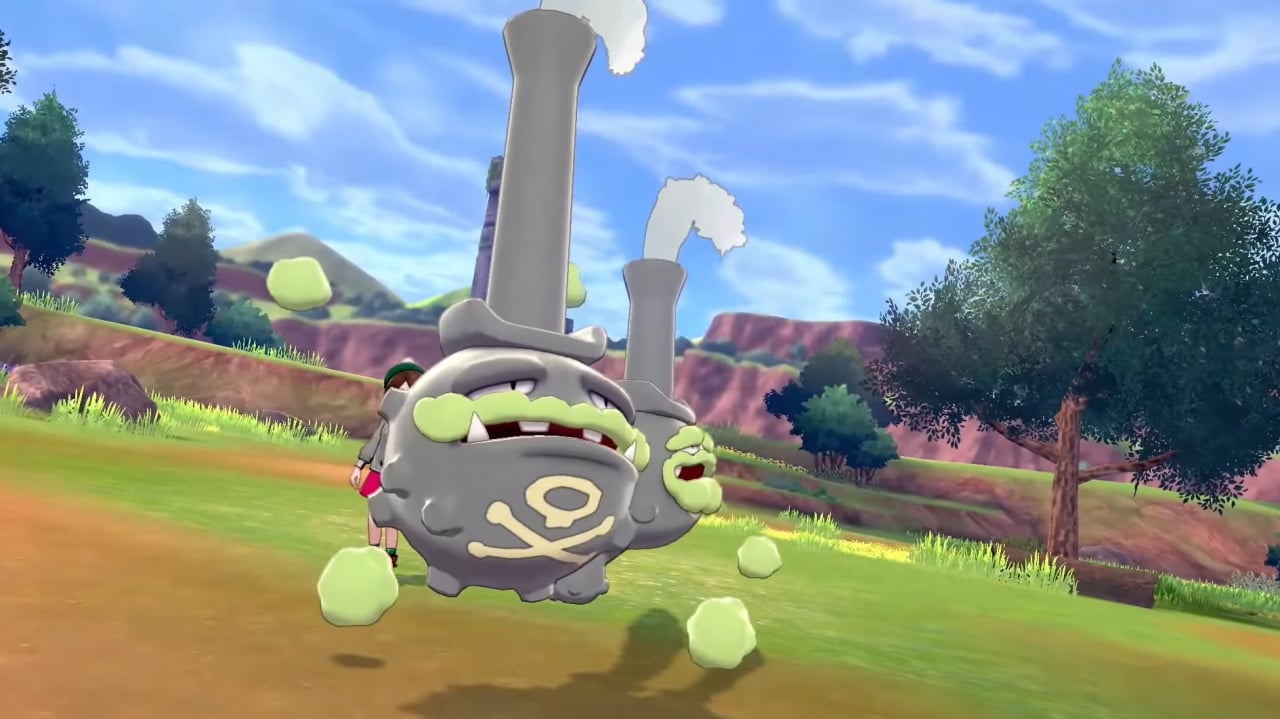
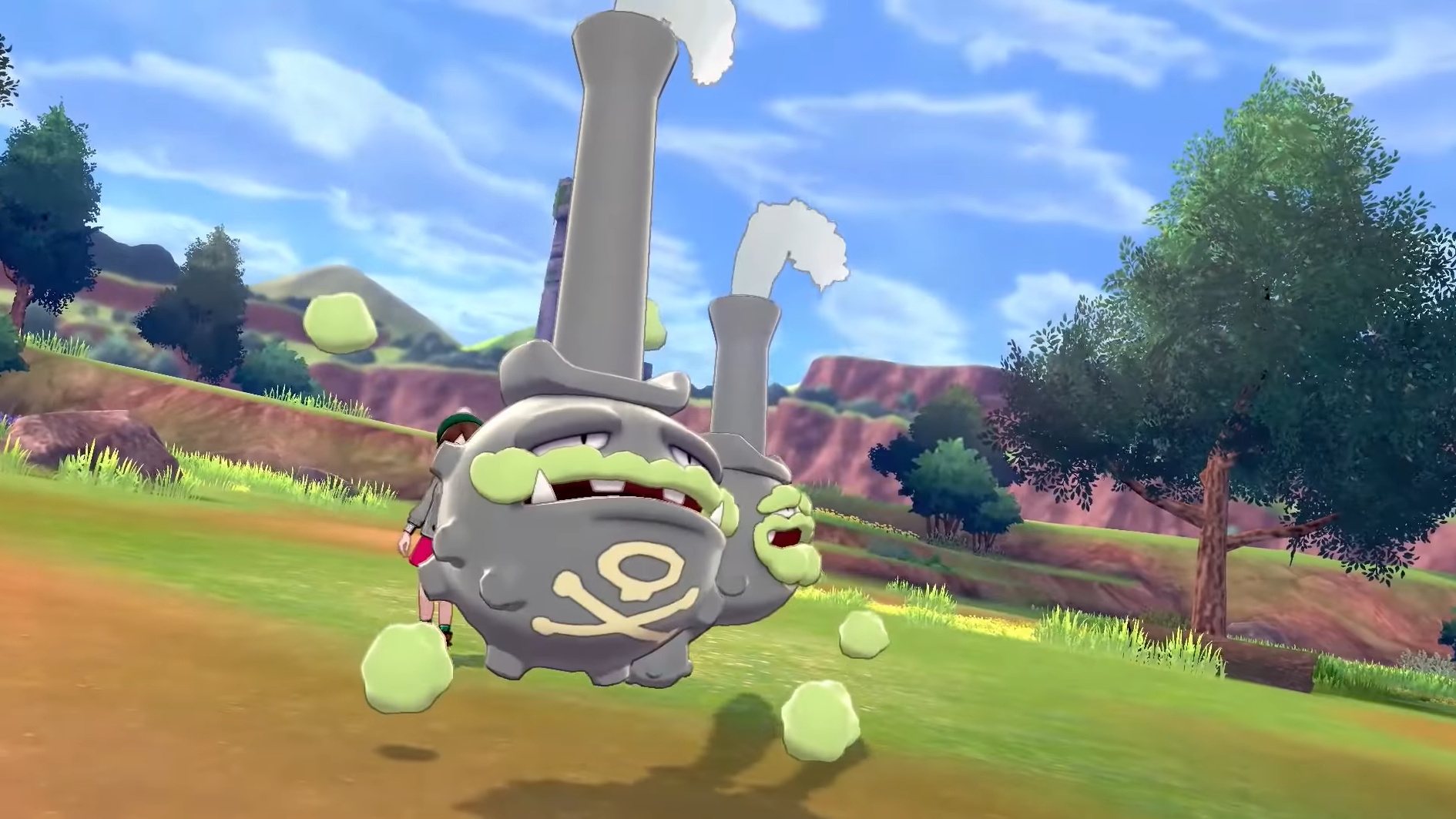
My party at the moment is comprised of the fire starter’s third evolution Cinderace, the special Let’s Go Pikachu, the water-rock type Drednaw, the Generation IV pocket monster Skorupi, the flying-type Corvisquire, and the sad-looking snake Pokemon, Silicobra. My plan for the rest of the weekend is to defeat all of the Gym Leaders and explore as much of the game as I possibly can. Wish me luck!
Gavin Lane, staff writer
No prizes for guessing what I’ll be up to over the weekend. Yes, I will be diving into the Galar region along with approximately 28% of the planet. After a quick check as to who was getting which version, I went with Pokémon Sword.
After having a soft spot for Grookey for months and months, the moment came to pick my starter and who did I pick? That’s right – Sobble. That gormless tadpole face somehow worked its magic and made me ditch the monkey. Shocker. Let’s hope he’s handier in battle than he looks.
Game of the Week is the hilarious stealth release The Stretchers. I can’t remember the last time I had so much fun with a rag doll physics-heavy game, a stellar effort from Tarsier Studios and Nintendo.
Austin Voigt, contributing writer
This weekend, I’m not really sure what to play. I heard something about a game called “Poke-Mans”, which sounds terrible. I detest the idea of collecting adorable creatures and exploring a world with them. So, seeing as nothing fun has come out recently, and I’ve pretty much cleared my entire backlog of games out of sheer boredom, maybe I’ll give up video games and just watch TV, or go learn how to knit or something.
Zion Grassl, video producer
I’m out of town on vacation for the weekend, so I’m not sure how much game time I’ll be able to sneak in, but lemme tell ya, this month is making it extremely hard to ignore my Switch. On the drive to our destination I finished collecting all of the pages in New Super Lucky’s Tale (which was an absolute delight from beginning to end) which then caused me to last minute purchase Yooka-Laylee and the Impossible Lair! I just can’t get enough of the puns.
I’m also currently downloading Pokemon Sword (goodbye free time) so I’ll have plenty of things to play for the drive home! Can’t wait to hang with my boy, Scorbunny!
As always, thanks for reading! Make sure to leave a vote in the poll above and a comment below with your gaming choices over the next few days…
Posted by: xSicKxBot - 11-17-2019, 09:14 AM - Forum: Lounge
- No Replies
Pokemon Sword And Shield: Where To Catch Cool And Rare Pokemon
Pokemon Sword and Shield have finally arrived on Switch. While the games may not include every Pokemon in the series, they do feature a good mix of old favorites and new Gen 8 monsters, so you still have plenty of options to choose from when assembling your Pokemon team.
Where To Catch Certain Pokemon
Most monsters in Sword and Shield can be found roaming about the Wild Area, a sprawling open-world expanse that stretches across the Galar region. The Wild Area isn't the only place you can encounter Pokemon, but it is home to the largest variety of them (some of which will actually be too strong for you to catch at first), making it the best place to look for new monsters.
As you explore the Wild Area, the weather will change dynamically, which will influence what Pokemon appear in the wild. You also need to keep in mind that you can only catch Pokemon of a certain level depending on how many badges you've collected, so you can't capture every wild Pokemon you encounter.
Fortunately, this isn't as restrictive as it sounds; you'll still encounter plenty of monsters, including a bunch of old favorites very early on in your journey. Many can be found in various portions of the Wild Area, but your first chance to catch some will actually be in certain routes and other places. If you're just getting started, here are some Pokemon you'll likely want to add to your collection and where you can find them:
As you progress through the adventure, you'll also encounter rare and even fully evolved Pokemon in the wild. You're guaranteed to run into some in certain parts of the Wild Area, but there may be only one of them at a time, so if you miss your chance to catch it, you'll need to wait a while for it to spawn again--something to keep in mind before you challenge any fully evolved Pokemon you spot.
Fortunately, you can save right before you battle the monster and restart if you inadvertently knock it out (although to ensure a clean reset, you should disable autosaving in the options menu). These Pokemon's habitats also won't be listed in the Pokedex, so we've rounded up some rare Pokemon we've encountered and where they can be found:
Pokemon
Habitat
Machamp
Giant's Mirror
Tyranitar
Dusty Bowl (Shield only)
Gengar
Dusty Bowl
Gyarados
East Lake Axewell
Lucario
North Lake Miloch
Vileplume
Dappled Grove
Ludicolo
Dappled Grove (Shield only)
Gallade
Bridge Field
Dusknoir
Stony Wilderness
Snorlax
Motostoke River Bank
Conkeldurr
Motostoke River Bank
Haxorus
Axew's Eye
Pangoro
Rolling Fields
Ditto
Lake of Outrage
Lapras
North Lake Miloch, Lake of Outrage
Eevee evolutions
Lake of Outrage (depends on weather)
Rotom
Lake of Outrage
Pokemon Sword and Shield are available now on Nintendo Switch. You can read our thoughts on the games in our Pokemon Sword and Shield review. If you're just getting started on your Galar journey, then be sure to check out our other Sword and Shield guides below for more helpful tips.
A galaxy-spanning adventure awaits in Star Wars Jedi: Fallen Order, a 3rd person action-adventure title from Respawn. An abandoned Padawan must complete his training, develop new powerful Force abilities, and master the art of the lightsaber – all while staying one step ahead of the Empire.
The open source MIT licensed game engine Xenko just released version 3.1. We have featured Xenko several times in the past including this somewhat outdated tutorial series. The 3.1 release is somewhat difficult to nail down what is new, as the release blog post primarily focuses on the new NuGet features:
Xenko was always a big proponent of NuGet: since first version, Xenko was distributed as a NuGet package.
However, due to limitations (hello packages.config and project.json!), we were leveraging NuGet more as a distribution medium than proper NuGet packages: Xenko 3.0 is still a monolithic single package and it would not work out of the box when referenced from Visual Studio without using Xenko Launcher and Game Studio.
Xenko 3.0 paved the way by making Xenko compatible with the new project system (game projects were referencing Xenko using a PackageReference).
Today, Xenko 3.1 brings Xenko as a set of smaller NuGet package, each containing one assembly, with proper dependencies:
As a result, it is now possible to create a game project that references only the packages you want.
You can learn more about the release, as well as a complete unfiltered change long here. One other thing to be aware of before upgrading to Xenko 3.1 is the requirement to use Visual Studio 2019! You can learn more about Xenko and this release in the video below.
Ex-Apple executives take aim at datacenter processor market
By Malcolm Owen Saturday, November 16, 2019, 11:25 am PT (02:25 pm ET)
A trio of former Apple executives who worked on the iPhone maker’s mobile chips have launched their own startup to design processors destined for use in data centers, with the company Nuvia recently raising $53 million in funding.
From left to right: John Bruno, Gerard Williams III, and Manu Gulati
The three founders of Nuvia are Gerard Williams III, Manu Gulati, and John Bruno, who all worked for Apple for multiple years. Williams left Apple earlier this year after spending nine years at the company, leaving his position as senior director of platform architecture, and having helped architect Apple’s CPU and Systems-on-Chip development for Apple’s self-designed A-series processors.
According to Williams’ LinkedIn, he was the “Chief Architect for all Apple CPU and SOC development,” including leading work on the Cyclone, Typhoon, Twister, Hurricane, Monsoon, and Vortex architectures.
Gulati worked on mobile SoC development for eight years at Apple, before being hired away by Google in 2017. Bruno worked on Apple’s platform architecture group for five years after spending time at AMD, before making a similar exit to Google.
Reutersreports the trio are using their backgrounds in mobile chip development and the creation of power-efficient but powerful processors for the iPhone and other Apple products in Nuvia, but for data center usage. By targeting a processor market that typically uses power-hungry chips, the team are hoping their self-designed chip codenamed “Phoenix” will offer performance gains and lower energy usage, as well as more security than current server processors.
“We want to bring all these aspects that we have developed over time through our careers to this new market and really exploit them in this market, because it’s an area ripe for innovation and advancement,” Williams advised.
The effort puts them against industry giants like AMD and Intel who already make up the majority of server processors used today. A similar concept is also being made like other chip producers, such as Qualcomm and Marvell, who are keen to pivot their knowledge of mobile chip design towards server usage.
So far, the project has caught the attention of major server vendor Dell, who among with a number of other investors has put $53 million in funding into the startup. Dell is a major customer of Intel, so investing in potential alternatives offering power savings could be worth investigating, but the company advised it could not comment on whether Dell would use Nuvia’s chips in its servers.
Doug Bowser Says More Female Consumers Are Buying The Switch Lite
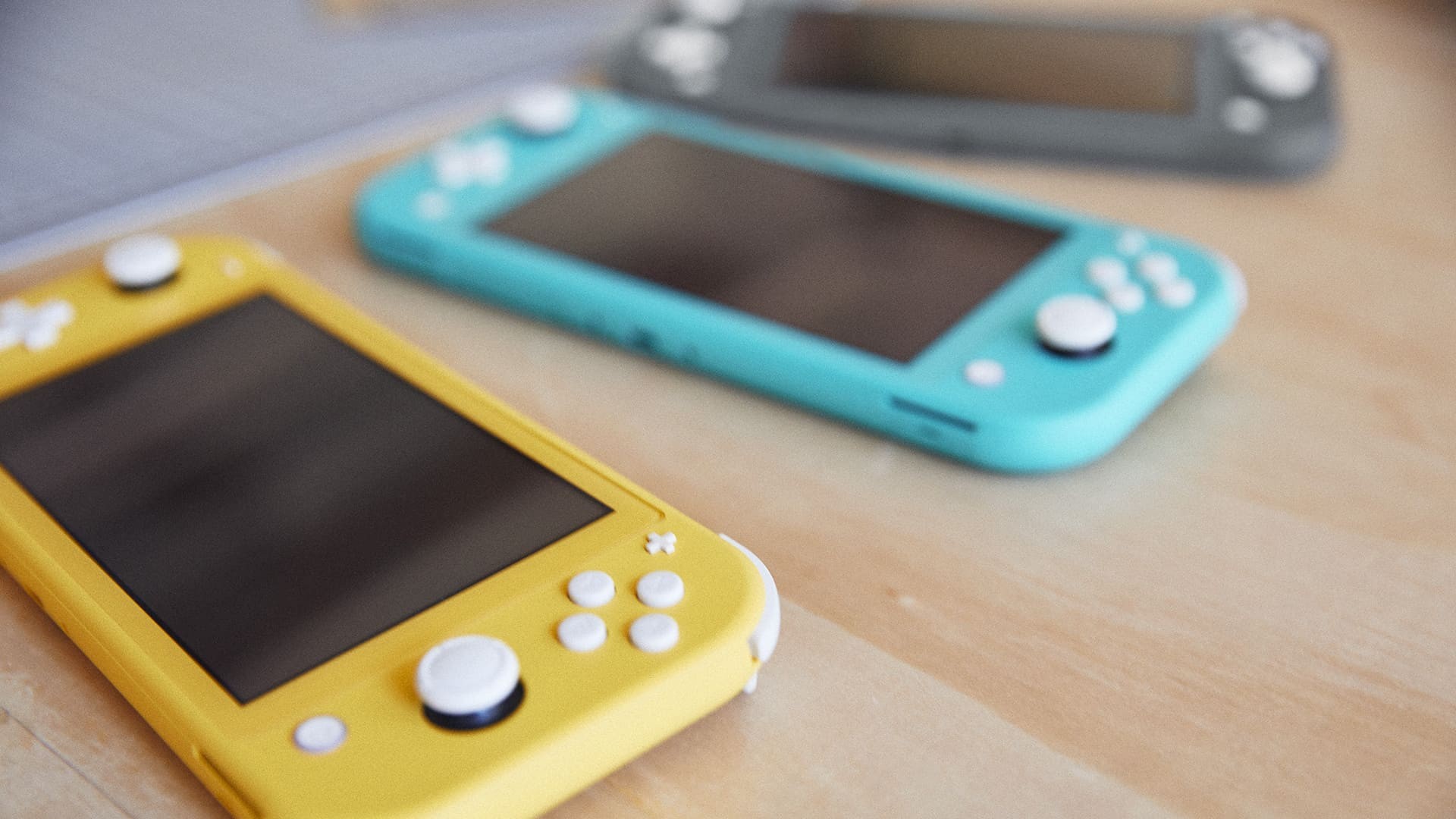
It’s no secret that Nintendo wants to expand its audience with its smaller and more affordable Switch Lite system.
The company president Shuntaro Furukawa recently revealed registrations for the new model had a higher percentage of female users and also said there was evidence of a “good number of consumers” purchasing the Lite as their second device.
The Nintendo of America president Doug Bowser has noticed this trend as well. Here’s what he had to say during an interview with Fortune:
We’re seeing a higher percent of female consumers buying Nintendo Switch Lite than buy the flagship. We see Lite as a great opportunity for us to expand with that audience.
While he didn’t explain why this might be happening, he did reiterate the comments Furukawa made during Nintendo’s latest financial results briefing, by stating how the Lite was “absolutely” aiming to expand the Switch audience:
Our intent with Nintendo Switch Lite is absolutely to reach a more expanded audience and to do so by offering a more dedicated gaming device for those that were really looking for that experience.
The first Switch Lite sales figures arrived at the end of October, revealing the device (as of 30th September) had shifted 1.95 million units. At that point, the new system had only been on the market for ten days. To date, Switch sales combined have surpassed 36.87 million units.
Did you or anyone you know pick up a Switch Lite on release? Leave a comment below.
Posted by: xSicKxBot - 11-17-2019, 01:36 AM - Forum: Lounge
- No Replies
Pokemon Sword And Shield: What Are Watts?
Pokemon Sword and Shield are out now on Nintendo Switch, marking the start of the series' eighth generation. While the games very much follow in the footsteps of previous Pokemon titles, they also shake the formula up in some notable ways, introducing a slew of new features and items to the mix.
Among the new additions are Watts. As you explore the Wild Area, you'll notice Max Raid dens scattered about the environment, and interacting with these will net you a number of Watts. So what exactly are Watts, and what are they used for?
What Are Watts?
Essentially, Watts are a secondary form of in-game currency in Sword and Shield. As previously mentioned, you'll primarily earn them from Max Raid dens. If a den is glowing but isn't currently hosting a Max Raid Battle, you'll receive 50 Watts simply by interacting with it (this number will increase to 200 after you've cleared the main storyline). If a Max Raid Battle is occuring at the den, then you'll receive 300 Watts (or 2,000 post-game) before participating in the battle. Watts can also be earned by battling or catching wild Pokemon that are glowing.
As you progress through the game, you can exchange Watts for items and services from certain NPCs around the Wild Area. For example, the Digging Duo near the Pokemon nursery in Bridge Field will excavate items for you for 500 Watts, and the items they can potentially dig up include evolutionary stones and other rare finds. You can also use Watts to upgrade your bike, extending how long you can dash with it, or purchase Technical Records--single-use teachable moves--from different Watt Traders around the Wild Area. These characters are dressed in League clothes, so they'll be easy to spot while you're out in the field.
Below, we've rounded up a list of the different characters in Sword and Shield who accept Watts and the services they provide, so you can easily keep track of where they're located and what they sell. For more on the games, be sure to read our Pokemon Sword and Shield review.
Where To Spend Watts
NPC
Location
Service
Fisherwoman
Roaming around lakes
Sell various Pearls for 100 W
Watt Trader
Meetup Spot
Sells Poke Balls, TRs, and Wishing Pieces
Watt Trader
Dappled Grove
Sells Poke Balls, TRs, and Wishing Pieces
Watt Trader
East Lake Axewell
Sells Poke Balls, TRs, and Wishing Pieces
Digging Duo
Bridge Field
Dig up evolutionary stones, fossilized items, and more for 500 W
If you’re on Windows using Visual Studio, for the best experience we recommend installing the latest preview of Visual Studio 2019 16.4. Installing Visual Studio 2019 16.4 will also install .NET Core 3.1 Preview 3, so you don’t need to separately install it. For Blazor development with .NET Core 3.1, Visual Studio 2019 16.4 is required.
Alongside this .NET Core 3.1 Preview 3 release, we’ve also released a Blazor WebAssembly update. To install the latest Blazor WebAssembly template also run the following command:
dotnet new -i Microsoft.AspNetCore.Blazor.Templates::3.1.0-preview3.19555.2
Upgrade an existing project
To upgrade an existing ASP.NET Core 3.1 Preview 2 project to 3.1 Preview 3:
Update all Microsoft.AspNetCore.* package references to 3.1.0-preview3.19555.2
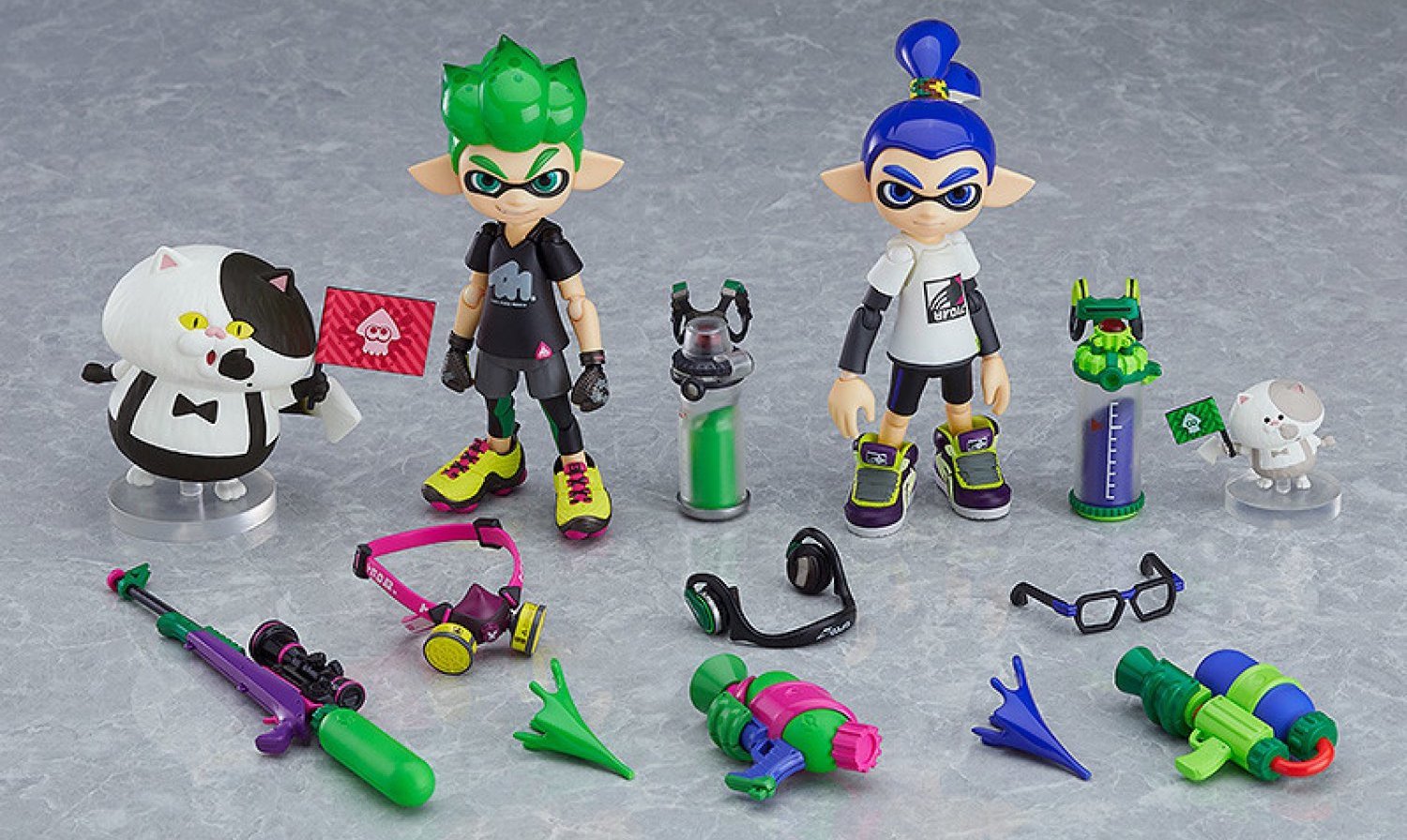
Goodsmile’s New Splatoon Figmas Are Fresher Than Your Bed Linen On Laundry Day
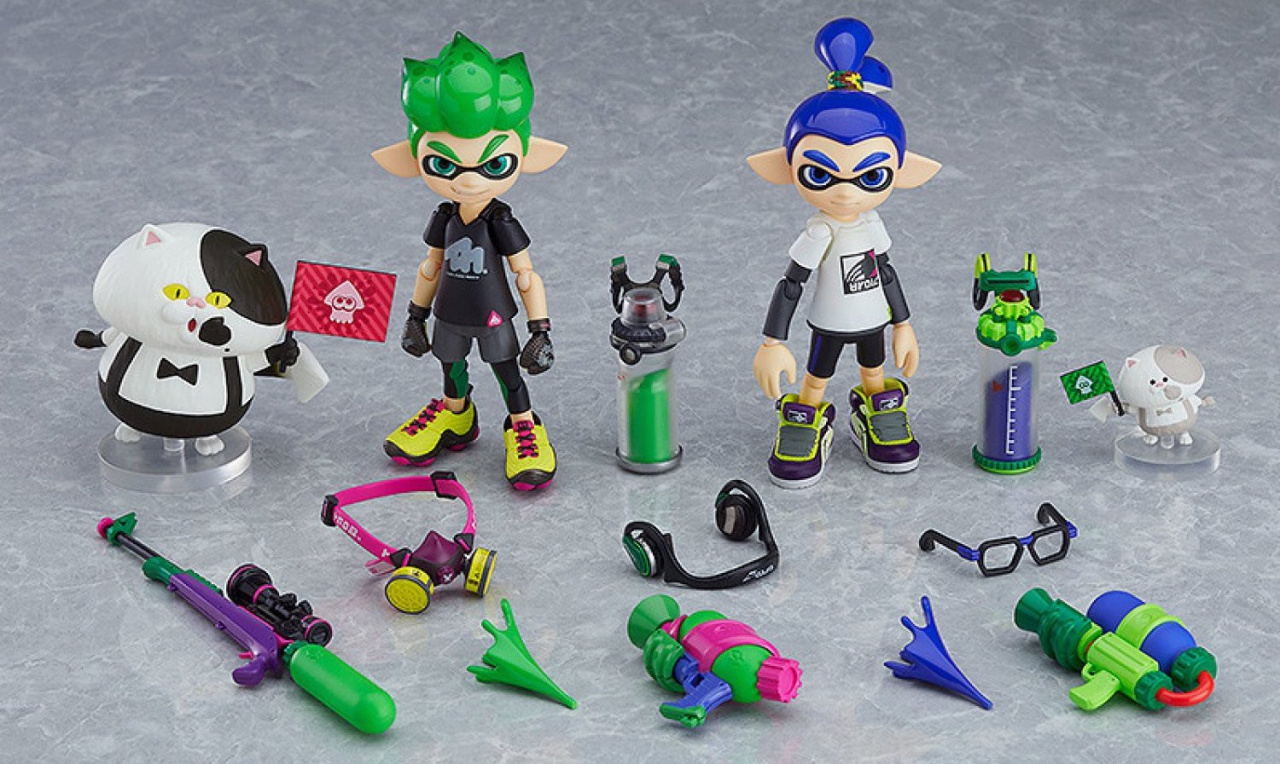
Japanese toymaker figma has announced some new Splatoon figures for 2020, and they’re looking insanely good.
A new ‘DX’ double pack – which contains two Inkling Boys, Judd and Li’l Judd and a whole bunch of accessories – is available for pre-order now. This pack comes with Splattershot guns, a Splatterscope, Squidfin Hook Cans, a Painter’s Mask, Retro Specs, ink splat effects, flags for Judd and Li’l Judd and stands to pose the figures on. Phew! The only catch is that they’re not out until June next year.
If that’s a little too rich for your blood, then you can pick up the Inkling Boy or Inkling Girl on their own for a lower price. The latter is available now, while the former launches alongside the double pack in June 2020.
The double pack will cost ¥13,800, while the single Inkling Boy is ¥6,800. An existing DX double-pack with two Inkling Girls is also available now. We’re drowning in Splatoon figmas, and we love it.
If you place your order using the links below and enter the discount code NLIFE at checkout, you’ll get 5% off the total.
Please note that some links on this page are affiliate links, which means if you click them and make a purchase we may receive a small percentage of the sale which helps support the site. Please read our FTC Disclosure for more information.
Eek, Pokémon Sword And Shield Could Be Corrupting Micro SD Card Data
Update: It appears that more people are having this issue with the digital version of the game, and a Switch hacker has claimed to identify the cause, relating to those using exFAT as the filesystem on their SD card (via NintendoSoup). At this point, we imagine this is still isolated to a small number of people and therefore may be SD card dependent. We’ve reached out to Nintendo UK for comment on the matter.
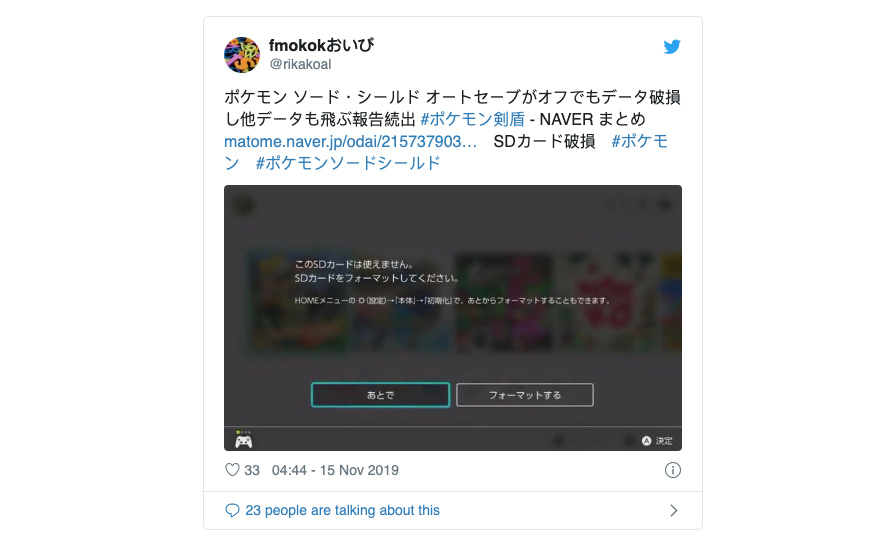
However, as we know from experience, not all software launches are smooth ones. One Japanese player has reported that Pokémon Sword And Shield caused data on their Micro SD cards to become corrupt, requiring them to re-download digital games.
You can watch the moment it happens in the following video:
Some have speculated that the autosave is the problem, but this appears to have been refuted by others who have been affected. How widespread this issue actually is remains to be seen, but we’re seeing additional reports on Twitter, too – and not just with the Japanese edition of the game:
It’s worth noting that this issue does not impact save data, which is stored in the Switch’s internal memory and not on the Micro SD card. Still, it’s quite an annoying situation, and one we hope Game Freak and Nintendo will address sooner rather than later.
In the meantime, let us know if you’ve been impacted by this problem by posting a comment below.