LinkedIn and 3rd parties use essential and non-essential cookies to provide, secure, analyze and improve our Services, and to show you relevant ads (including professional and job ads) on and off LinkedIn. Learn more in our Cookie Policy.
Select Accept to consent or Reject to decline non-essential cookies for this use. You can update your choices at any time in your settings.
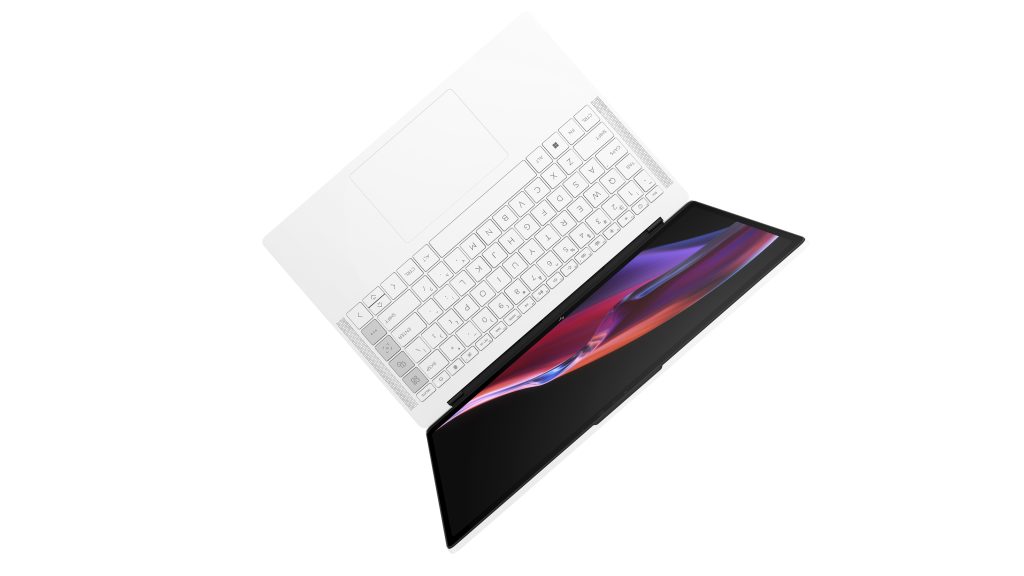
At CES 2023, HP announced new Windows 11 PCs focusing on sustainable hybrid experiences, including the new HP Dragonfly Pro, inspired by freelancers and their increasing presence in the U.S. workforce.
This PC, co-engineered with AMD, is the first HP device to provide one-touch access to HP 24/7 live concierge support directly via one of the device’s four hot keys. The Control Center hot key delivers quick access to the device’s most common settings, while you can easily adjust camera settings with the Camera hot key. You can customize the fourth key to help optimize workflow or simple navigation.
HP Dragonfly Pro
The device is also EPEAT Gold Certified in the U.S., leveraging recycled metals and plastics along with sustainably sourced and recycled packaging [1]. Since HP shipped its first product using recycled materials in 2019, the company has used more than half a billion pounds of recycled materials [2].
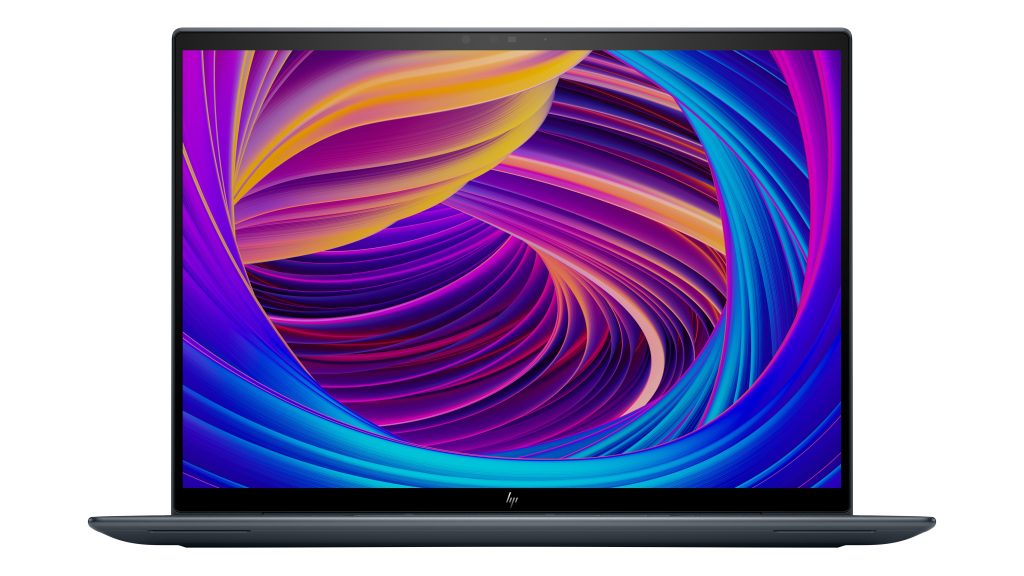
The HP Dragonfly G4 has new intuitive video conferencing innovations aimed at recharging hybrid work, such as a multi-camera experience that supports dual video streams so faces and whiteboards can be shown at the same time, as in picture-in-picture or side-by-side [3]. The PC also uses intelligent face tracking to recognize which camera a speaker is facing, to keep audiences engaged without breaking contact [3]. To preserve battery life, it learns how you’re using the PC and will go into hibernation mode automatically at the end of the workday and can eventually predict when you’ll be starting the day to convert to an instant-on experience to help you get going faster.
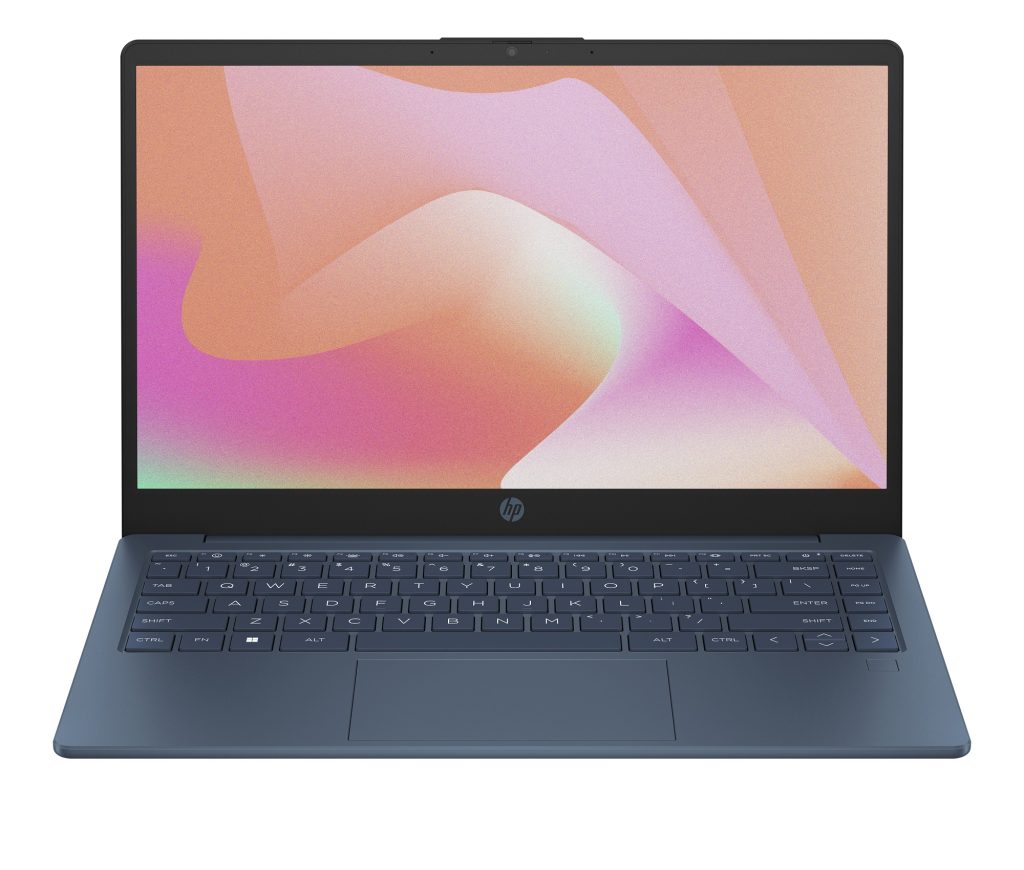
HP 14 inch Eco Edition
Continuing the theme of sustainability, the new HP 14 inch Eco Edition Laptop PC was made with up to 25% leveraging recycled and post-consumer recycled plastics. Bio-circular content such as cooking oil was used in the bottom cover of the device, which will also feature packaging that is 100% sustainably sourced and recyclable. Like the other new consumer notebooks HP introduced at CES, it is ENERGY STAR and EPEAT Silver Certified, with the Eco Edition version EPEAT Gold Certified [4].
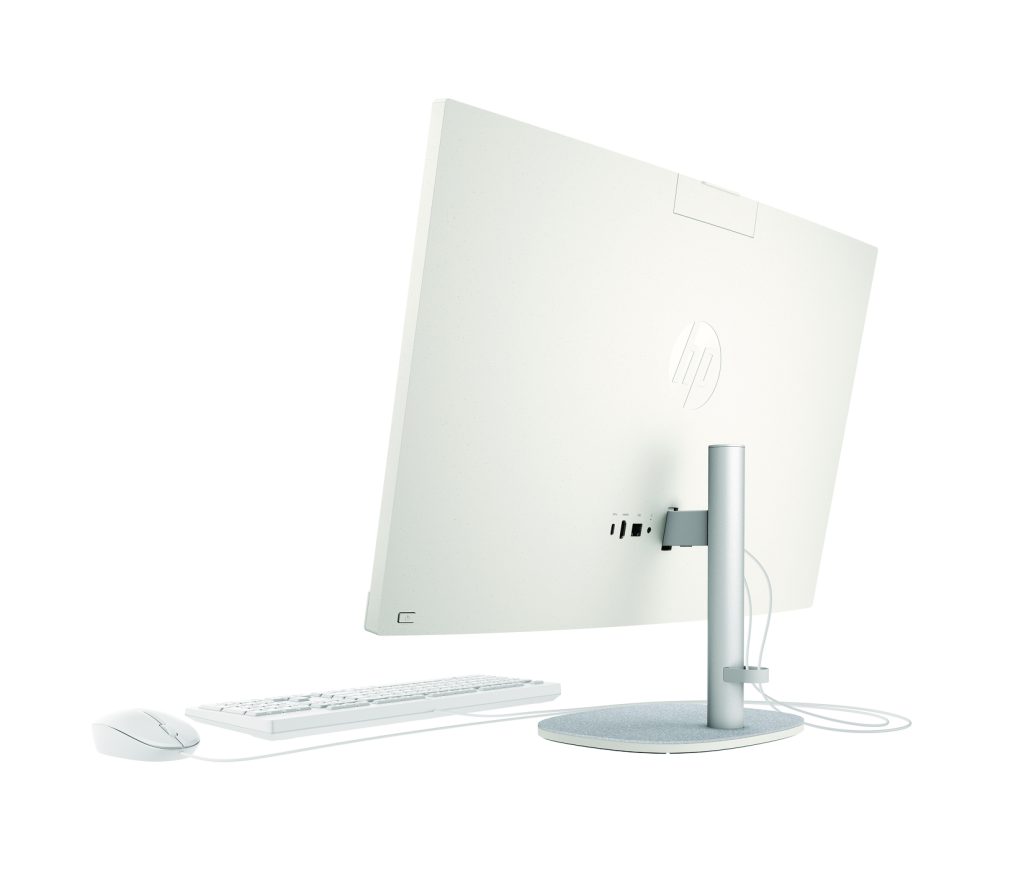
HP 27-inch AIO
The HP 24- and 27-inch All-In-One PCs are HP’s most sustainable all-in-one offerings yet, with recycled coffee grounds used as speckles in the finish of the PC. More than 40% of this AIO’s enclosure contains post-consumer recycled plastics, 75% recycled aluminum is used on the arm stand and 100% reclaimed polyester is used on the stand base. HP has also reduced the 100% sustainably sourced and recyclable box packaging in size by 62%, which translates to up to 66% more units per pallet, reducing the CO2 footprint [5].
HP OMEN 17
The OMEN 17 Laptop, HP’s most powerful gaming laptop, has up to 13th Gen Intel Core i9-13900HX and latest NVIDIA GeForce graphics, which utilizes OMEN Tempest Cooling Technology for desktop-caliber gaming. This PC is HP’s first to feature optical mechanical keys, which are 25 times faster than traditional keys. Like its consumer and commercial counterparts, the OMEN lineup comes with Windows 11 installed, but it adds a one-month subscription to Xbox Game Pass Ultimate [6], providing access to hundreds of high-quality PC games.
Head over to HP to find out more about these and other devices the company announced at CES 2023.
[1] Based on US EPEAT registration according to IEEE 1680.1-2018 EPEAT. EPEAT status varies by country. Visit www.epeat.net for more information. 100% outer box packaging and corrugated cushions made from sustainably sourced certified and recycled fibers.
[2] Based on PCs and displays from 2019 through 2022 using recycled metal, plastic and fiber.
[3] Dual video streams and camera switching with Multi-Camera requires a second camera that is sold separately or as an optional feature and requires myHP application.
[4] Eco edition applies to HP 14 inch PC manufactured after Nov. 2022. Based on EPEAT Gold registrations meeting all required criteria and achieving more recycled content used in more components than any other competitor PC in its class. Based on EPEAT Gold (first in its class to achieve 75-100% of the optional points) according to IEEE 1680.1-2018 EPEAT. Status varies by country. Visit www.epeat.net for more information. Approx. 25% system level recycled plastics, included in the following PC components: speaker box, bottom cover, bezel and keyboard keycaps. Keyboard is 100% water-based paint and scissors are made from renewable feedstock. Recycled aluminum in display cover and back cover manufactured from bio-circular content according to mass balance approach. Packaging outer box is 100% made from sustainably source certified and recycled fibers. Fiber cushions made from 100% recycled wood fiber and organic material.
[5] Based on all HP AiO products manufactured after Nov. 2022. Most sustainable defined as achieving the highest EPEAT Gold registration by meeting all required criteria according to IEEE 1680.1-2018 EPEAT. Status varies by country. Visit www.epeat.net for more information. Most combined sustainability features in an AIO product include more than 40% of post-consumer recycled plastics and approx. 10% recycled metal. Types of sustainable materials: aluminum, post-consumer plastic, ocean bound plastic, recycled polyester, coffee grounds. Revised design and packaging that reduces carbon emissions. HP internal analysis based on all PCs in the market as of November 2022. Recycled coffee grounds are used as speckles in the finish of the PC. Enclosure: Applies to HP 23.8”/27” All-in-One Desktop PC 40% post-consumer recycled plastic in plastic parts used in the front and back cover. Stand arm and neck: Applies to HP 23.8”/27” All-in-One Desktop PC, contains 75% recycled aluminum in stand arm and neck Felt Base Cover: Applies to HP 23.8”/27” All-in-One Desktop PC, felt base cover contains 100% recycled polyester Packaging: 100% outer box packaging and corrugated cushions made from sustainably sourced certified and recycled fibers. Molded pulp cushions made from 100% recycled wood fiber and organic materials. Plastic cushions are made from >90% recycled plastic. Pallet size reduction: Applies to the newest generation of HP 23.8” All-in-One Desktop PC. As compared to the pallet density of the previous generation HP 23.8 inch All-in-One Desktop PC. Packaging box size reduction: for the newest HP 23.8”/27” All-in-One Desktop PC as compared to the box size of the previous generation HP 23.8 inch All-in-One Desktop PC.
[6] Xbox Game Pass Ultimate not available in all regions. Learn more about supported regions at https://www.xbox.com/regions.
Gamers looking to level up now have more options, thanks to Windows 11 PCs introduced at CES 2023 by Dell and Alienware. And with Xbox Game Pass Ultimate [1] built in through the Xbox app, players can access hundreds of PC games. Game Pass on Windows 11 takes advantage of features like DirectX 12 Ultimate, DirectStorage, Auto HDR and Controller bar [2] to make playing easier and faster.
Alienware’s most powerful laptop, the m18, has 13th Gen Intel Core HX processors that harness up to 65W (compared to previous-gen 45W), the full stack of NVIDIA GeForce Next-Gen Laptop GPUs and dual user-replaceable DDR5 SO-DIMM slots. Additionally, AMD Advantage models will be powered by next-gen AMD Ryzen Processors and Radeon Graphics for mobile.
The X Series laptops, Alienware’s flagship brand, introduced a new size: the 16-inch x16, its first since 2004. The new Alienware x16 is the answer if you’re trying to decide between buying a 15-inch or 17-inch gaming laptop. It comes with a taller 16:10 display and an improved six-speaker design, part of a spatial audio experience. This laptop comes with 100 micro-LEDs and is the first Alienware laptop enhanced with the new AlienFX Scanner, Loop and Rainbow lighting mods. The illuminated RGB touchpad is now 15% larger (than the one found on the x17 R2).
The x16 features the latest technologies including 13th Gen Intel Core HX processors, NVIDIA GeForce Next-Gen Laptop GPUs and next-gen AMD technology for mobile.
Dell’s new G15 gaming laptop is a top-notch entry-level PC for gaming enthusiasts, with colors appealing to ‘80s pop aesthetics. It comes with exclusive gaming function macro keys and toggle audio keys to enhance the player experience. It supports graphic-intensive games with ease and consistency, even in marathon sessions, powered by the latest Intel, AMD and NVIDIA technology for immersion into your favorite games. And for the first time, the G Series includes the Alienware inspired Vapor Chamber Cooling and Element 31 thermal interface as well as improved, ultra-thin copper fans that increase airflow more than 20%.
Find out more about these and other Dell and Alienware devices being showcased at CES 2023.
[1] Xbox Game Pass Ultimate is shipping on Alienware PCs except in Southeast Asia, where it is not available. In those markets, PC Game Pass will be included with PCs. Xbox Game Pass Ultimate not available in all regions. Learn more about supported regions at https://www.xbox.com/regions.
[2] DirectX 12 Ultimate available with supported games and graphics chips. DirectStorage requires API adoption by games. Requires an NVMe SSD to store and run games that use the Standard NVM Express Controller driver and a DirectX12 GPU with Shader Model 6.0 support. Auto HDR requires an HDR monitor and is supported on titles using the DirectX 11 or later API. Compatible controllers are wired or Bluetooth Game Input compatible controllers, such as the Xbox Wireless Controller.
At CES 2023, Acer debuted the first models of its new Swift Go line, highlighting an ultraportable design with Windows 11 and 13th Gen Intel Core processors built in.
The Swift Go 16 and Swift Go 14 have an OLED display with a 120 Hz refresh rate. The thin-and-light laptops deliver vibrant, true-to-life images with 500-nit peak brightness, 100% DCI-P3 color range and VESA DisplayHDR True Black 500-certification. Long hours of work, learning and play are made easier thanks to the laptop displays’ TÜV Rheinland Eyesafe display certification, productivity-optimized 16:10 ratio and touch-optional capabilities. The laptops’ backlit keyboards and OceanGlass touchpads further ensure a smooth and productive experience when scrolling.
Verified as Intel Evo platform laptops, the new Swift Go 16 and Swift Go 14 each have a battery life of more than 9.5 hours. Both laptops also have an upgraded TwinAir dual fan system, dual D6 copper heat pipes and an air-inlet keyboard that expels heat to maintain cool temperatures, boosting performance and reliability. They are ready to take on tasks for work, school and creative projects as both feature a range of ports including USB Type-C with Thunderbolt 4, HDMI 2.1. and a MicroSD card reader. Fast and reliable Wi-Fi 6E keeps you connected when it matters most.
The Predator Helios 16 and Predator Helios 18 are two new Windows 11 gaming laptops Acer revealed at CES 2023 with new designs and upgraded thermals. They come with the latest 13th Gen Intel Core mobile processors and NVIDIA GeForce RTX 40 Series GPUs, making them Acer’s most powerful gaming laptops to date. Housing all this powerful tech is a new design for the Helios series, featuring a simplified matte black chassis with clean edges and thinner bezels. The faster performance core delivers ultra-efficient multitasking and immersive entertainment while playing favorite games, without interruptions. Players can experience lifelike virtual worlds and boosted performance with ray tracing, high-quality frames with DLSS 3 and Reflex’s optimized system latency to gain a competitive edge. To play the most demanding AAA games, these laptops come equipped with up to 32 GB DDR5-4800 MHz RAM and up to 2 TB PCIe Gen4 NVMe SSD in RAID 0.
Like other Acer gaming PCS that come with Windows 11 Home, they include one month of Xbox Game Pass Ultimate or PC Game Pass, providing access to hundreds of high-quality PC games*. With Windows 11’s latest update, you’ll be able to tap into features such as Focus sessions, snap layouts that make it easier to get things done and the new Microsoft Defender SmartScreen to keep you safer on the web.
Higher resolutions and fast refresh rates make images glide across these screens with minimal ghosting or tearing. The immersive 18-inch panel delivers portable gaming on a bigger scale and is ideal for multiple monitor setups, taking the action to a new level with clarity and detail. To keep these powerful new components cool, the new Predator laptops feature enhanced thermal solutions with dual custom-engineered 5th Gen AeroBlade 3D metal fans and vector heat pipes in the shape of rectangles for improved heat transfer.
Acer also announced refreshed models of its all-in-ones, such as the Aspire S Series, which come in both 27-inch and 32-inch models. They present a minimalist yet modern option for those working from home but are also designed to support a family’s everyday computing and entertainment demands, thanks to sharp, near-borderless WQHD displays and dual speakers with DTS Surround sound audio. They also have an ergonomic tiltable display to provide comfortable viewing when working or browsing.
Since video calls and content creation are so important nowadays, these AIOs include a magnetically mounted 1080p FHD webcam (and an optional 1440p QHD webcam with a ring light accessory). Thanks to Acer EyeSense facial recognition software and Windows Hello fingerprint reader, you can log in without a password to these Windows 11 devices, while securing personal data.
The 32-inch version comes with up to 13th Gen Intel Core i7-13700 desktop processors and Intel Arc A-Series Graphics, while the 27-inch model is powered by the latest 12th Gen Intel Core i5 and i7 processors as well as Intel Iris Xe Graphics, delivering superior multi-tasking performance where it is needed most.
Find out more about these and other Acer announcements at CES 2023.
*All Acer gaming PCs shipped with Windows 11 Home come with a 1-month trial of Xbox Game Pass Ultimate, though some countries only support PC Game Pass. Xbox Game Pass Ultimate not available in all regions. Learn more about supported regions at https://www.xbox.com/regions.
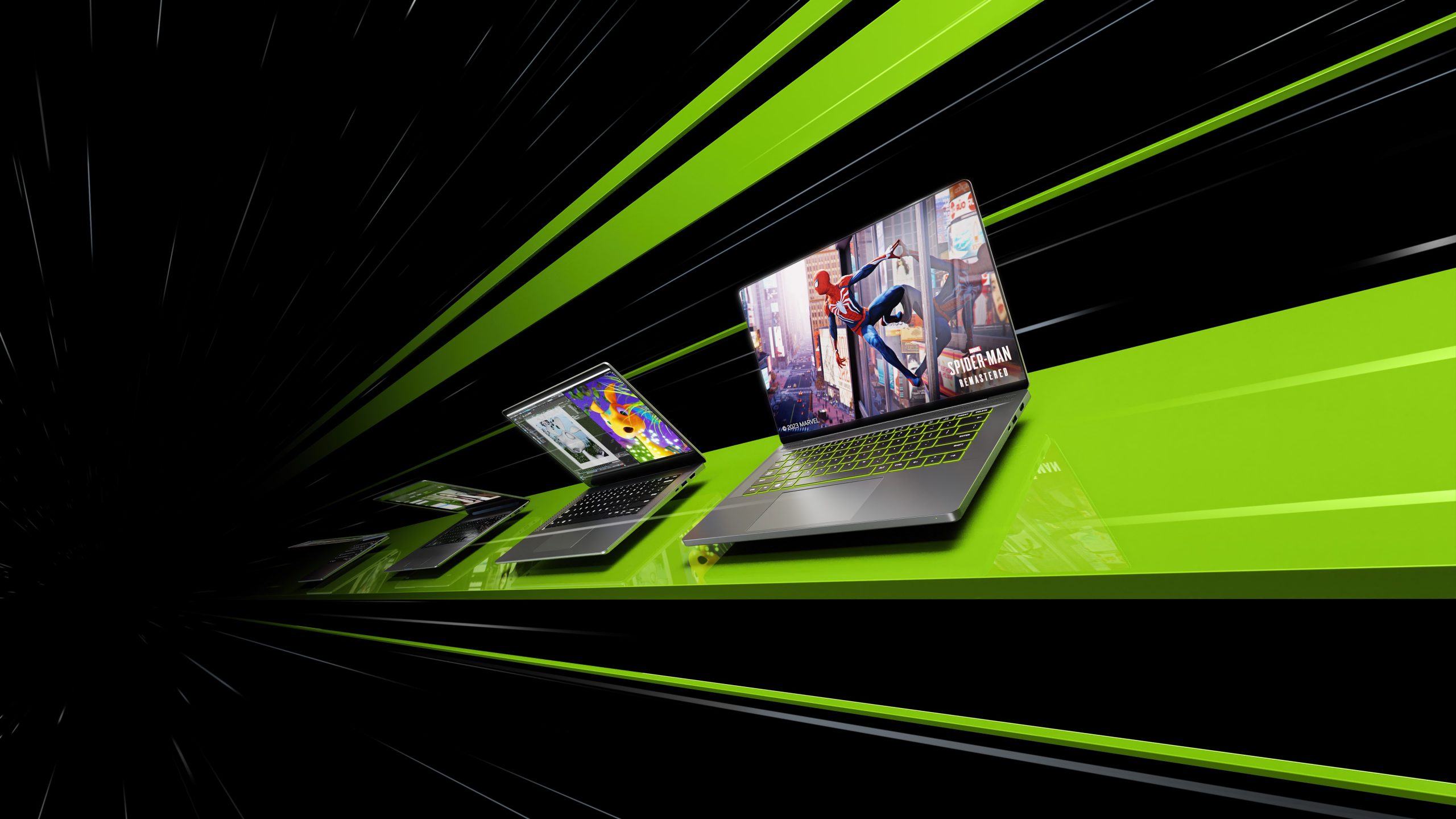
At CES 2023, NVIDIA announced its largest generational leap in performance ever with its GeForce RTX 40 Series laptop graphics processing units (GPUs) that run on Windows 11 and include DirectX 12 Ultimate.
Gamers and creators will find plenty of appeal with DLSS 3, which boosts performance and creates additional high-quality frames using AI. This builds upon NVIDIA RTX, a platform for ray tracing and AI technologies that more than 250 top games and applications use to combine realistic graphics with fast performance.
Creators will also find that NVIDIA’s AI can speed up workflows in 3D rendering, video editing, graphic design and more. And these powerful new laptop GPUs are now coming to 14-inch laptops, increasing performance by up to 20 times vs. traditional 14-inch laptops.
AI also comes into play with NVIDIA’s new Max-Q advanced suite of technologies aimed at optimizing the entire laptop (GPU, CPU, memory, thermals, software, display, etc.) to deliver powerful PC laptops that are thin and quiet, with long-lasting batteries.
Go to NVIDIA to find out more about their CES announcements and releases.
Turning down a job offer during campus placement was a big decision for Manjusha M. With a job, she could help support her parents in the small town of Kannur in the southern Indian state of Kerala.
“I got an engineering degree mostly because I’d heard it would help get good jobs,” she said. “The job I was offered during campus placement was at a call centre. I did not want to take it up simply because it wasn’t the career I was looking at.”
Unlike prestigious engineering colleges, where tech companies court students in their final year with job placement opportunities, the same isn’t true for educational institutions in smaller towns. There are limited job opportunities as soon as one graduates, and usually not in the IT field, as Manjusha experienced.
Manjusha M. with her father at the temple where he works in Kannur, Kerala. Hailing from a small town, she’s built a successful career in the cybersecurity sector. Photo by Hilal Mansoor for Microsoft.
For nearly a year, Manjusha held a teaching position at a local college. But even as she continued teaching, she was also applying for jobs in the IT sector. It was during one such job hunt, in 2019, where she came across an advertisement for CyberShikshaa.
Launched by Microsoft India along with the Data Security Council of India (DSCI) in 2018, CyberShikshaa is a program for skilling female engineering graduates from small towns in the niche field of cybersecurity. It was launched with the belief that even if opportunities don’t exist everywhere, talent does.
“At the time, the government pointed to the lack of talent in cybersecurity professionals in the country and asked if we had any ideas,” said Manju Dhasmana, director for philanthropies at Microsoft Asia. “We decided to turn this challenge into an opportunity. We began planning a program to make sure that we reach young people in small towns who would normally not have access to this kind of opportunity.”
Skilling gaps in the IT sector remain a huge challenge in India. Engineering colleges are often unable to equip their students to meet the requirements that technology companies seek in candidates. This makes engineering graduates, such as Manjusha, unemployable despite having a computer engineering degree.
The skill gap data presents an even grimmer picture when it comes to diversity. According to Dhasmana, in 2018 less than 11% of women worked in cybersecurity in India. “We immediately saw this as an opportunity to bring more diversity into cybersecurity,” she said. “Today, we are at 22%.”
When the teams at Microsoft and DSCI started out, they were clear that for any skilling initiative to be successful, it had to be sustainable and scalable. “This is a movement,” Dhasmana said, “So we had to go in with a clear objective and milestones.”
Over the years, CyberShikshaa has successfully trained 1,100 women and employed more than 800 women through multiple training batches. The modules are four months long with a sharp focus on individual project work.
What sets CyberShikshaa apart is the approach it takes to solve the problem. The program began with the idea that skilling is only useful if it helps the person land a job. However, it wasn’t too long after the launch they realized they had a problem. While students were scoring well in the technical rounds in job interviews, they were lacking in soft skills and would often not get jobs due to a lack of a cultural fit.
The team introduced soft skills in the training and added mentoring from their colleagues within Microsoft and other companies, especially those looking to hire cybersecurity professionals.
Aarti Bindra, managing director at ACPL Systems, an information security company, had difficulty finding qualified engineers as she looked to increase the diversity in her company. Now she had a viable set of candidates.
“Quality has been a concern,” Bindra said. “Candidates come with all kinds of certifications, but very few realize the depth of cybersecurity and find it difficult to fit in. When I learned about CyberShikshaa from DSCI, with whom we work closely, I was excited. It helped us find the right talent and also build gender diversity in our organization.”
Manjusha M. with her parents standing outside their home in Kannur, Kerala. Photo by Hilal Mansoor for Microsoft.
For Manjusha, CyberShikshaa was the turning point in her life.
Today, she is working as a cybersecurity associate at ACPL Systems. She landed the job after graduating from the program in the summer of 2019.
At ACPL Systems, she has grown from a Security Operation Centre (SOC) trainee to a SOC analyst and now to a cybersecurity associate, where she works on web application firewalls to protect customers from incoming online threats.
“Most engineering graduates study only to get good scores on their exams. I was the same,” she said. “But the CyberShikshaa course helped me get a very, very clear understanding of the basic concepts. I can see the difference it has made to my career.”
CyberShikshaa hasn’t just equipped Manjusha with technical know-how, it also instilled confidence. “I barely spoke English before I started the course. Now, I deal with clients in foreign countries,” she said. “CyberShikshaa gave me the confidence I needed to do this.”
To create a lasting impact on an entire industry, CyberShikshaa requires scaling. The program has already grown beyond its initial charter of training and placing young women engineers from small towns. In its quest to scale, CyberShikshaa realized that it’s not just a scarcity of cybersecurity talent but also a lack of skilled trainers.
Launched in June 2022, CyberShikshaa for Educators with ICT Academy is the latest addition to the program’s portfolio, providing cybersecurity training to 400 faculty members. The program will go deeper into industry verticals and expand its reach into semi-urban and rural locations of the country.
“Cybersecurity challenges vary between industries. We will focus on specialized training for careers in the banking, financial services and insurance (BFSI) industry, as well as emerging technologies such as artificial intelligence and machine learning, as CyberShikshaa enters its fifth year,” said Vinayak Godse, CEO of DSCI. “Traditional control-based security actions and decisions are being replaced by those based on data and intelligence. The specialized training would prepare CyberShikshaa trained women for this change.”
The aim is to equip more than 10,000 rural, underserved youth to become cybersecurity professionals. And, like Manjusha, not just help them land a job but offer them an opportunity for a career.
“I wouldn’t have been able to get here, make what I do or support my parents if it hadn’t been for CyberShikshaa,” Manjusha said.
Top image: Manjusha M., a CyberShikshaa graduate, works remotely from her home as a cybersecurity associate at ACPL Systems. Photo by Hilal Mansoor for Microsoft.
Abhishek Mande Bhot is an independent writer and editor covering news, lifestyle, and luxury for publications in India and the US.
When B. Ramkumar was tasked with preparing daily reports on marketing leads from hundreds of Microsoft Excel sheets for his managers, he figured there had to be a more efficient way to get the task done.
Ramkumar’s team collates all the reports that each of the nearly 1,500 offices under their jurisdiction send them. These reports, created by multiple teams within each office, contain potential leads for the sales teams to follow and are an important tool for the management to identify new business opportunities for the bank. Except the reports wouldn’t always get uploaded correctly and multiple users working on live data would cause significant data loss.
“While we could collect all this information from various sources, there was no centralized location to store and follow up on them. I wanted us to do more at a local level, so we could track these better,” says R. Radhakrishna, chief general manager of State Bank of India’s Chennai local head office.
SBI is the country’s largest bank with over 450 million customers and more than 250,000 employees. Today, all SBI’s employees have Office 365 and use services, such as OneDrive, Teams, SharePoint Online and Power Apps, as part of a digital transformation that the 220-year-old bank underwent in 2017.
At a time where there’s an app for almost everything, Ramkumar, a manager in the digital and transaction banking unit at SBI’s Chennai office, toyed with the idea of creating an app that could automate the data collation process and present the data visually.
“I thought, why not convert the Excel sheet we send out into an app that would be user friendly—not just for the people in the branches, but also for the back offices that were monitoring the data? Which is how we came up with the idea of the Digi Toolkit app,” he says.
But Ramkumar, who is blind, had no educational background or professional experience in programming. He hadn’t learned basic computer skills in school, unlike his peers, because accessibility in computer technology was still a few decades away.
Built using Microsoft Power Apps, Digi Toolkit enables employees to fill customer details easily on their smartphones or PC. The information is stored in a central database, which provides more accurate information and better insights. Photo by Sri Loganathan Velmurugan for Microsoft.
Enter Microsoft Power Apps, the low-code app development platform that empowers people with little or no coding experience to build apps to improve business processes.
With Digi Toolkit, employees can input the data into the app where the collation process is automated. In the backend, Digi Toolkit is also able to deliver far more accurate data. Since users only have access to the data they input (versus an entire shared sheet) this avoids intentional or unintentional tampering, and every piece of data can be traced back to who entered it.
This data is relayed back to the branch managers, who now have a singular view of all the products their customers are interested in. Before, each team would pursue that customer lead independently.
With Digi Toolkit, the branch manager now knows all the products that an individual customer has expressed an interest in and is able to brief them over a single call instead of multiple calls from different teams.
For Radhakrishna, the app provides a consolidated view of the performance of every branch in an easy to consume fashion rather than having to pore over Excel sheets.
“We are now able to capture leads more effectively and also track and follow up on them,” he says.
From left to right: B. Ramkumar, who came up with the Digi Toolkit app; R. Radhakrishna, chief general manager of SBI’s Chennai local head office; Praveen Kumar T., who worked on Power Automate features for the app; and Bharathram S., who tested the user interface for the app. Photo by Sri Loganathan Velmurugan for Microsoft.
Digi Toolkit was Kumar’s second outing with Power Apps. But to fully execute his ideas, he realized he needed help, as this project was much larger in scope than anything he’d built earlier.
“We happened to meet when I was presenting a complaint escalation tool I’d built using Power Apps for the digital and transaction banking unit,” said Praveen Kumar, an assistant manager overseeing home loans for SBI in Chennai circle. “Even though I don’t have any coding experience, I realized he was struggling with Power Automate as it wasn’t completely accessible, so I teamed up with him.”
Another colleague jumped in to test the user interface elements when Ramkumar was done creating the app.
“In 2020, when I first started using it, Power Apps wasn’t as accessible as it is now. So, I was only able to generate ideas but was not able to contribute anything to designing the interface or coding. But, over time, Power Apps has become a lot more accessible,” he said. “I’m eagerly waiting for the next opportunity where I can chip in to create yet another app. And to think I don’t even know how to code!”
Vidya Krishnan, SBI’s deputy managing director for IT, finds Power Apps to be a “powerful and flexible” platform. Photo by Soumik Kar for Microsoft.
Vidya Krishnan, SBI’s deputy managing director for IT, finds Power Apps to be a “powerful and flexible” platform that’s enabling the bank’s staff to build custom business solutions that are tailored to their specific needs.
“The adoption of new technologies can lead to culture changes within an organization. For example, the introduction of new collaboration tools could change the way that teams communicate and work together, and the adoption of new productivity tools could change the way that work is organized and managed,” she says.
Fathima Syed is another employee who’s using Power Apps. But unlike Ramkumar, who had no IT background, Syed is an engineer. She works at SBI’s Hyderabad office, where her team handles and maintains servers.
She struggled to provide solutions for software development requests that came her way.
“We don’t have a lot of product development happening,” she said. “This is obviously not feasible every time because not all requests warrant hardcore programming. For these, we use Power Apps,” she says.
Syed discovered Power Apps quite by chance. While responding to a request from one of her colleagues at the branch level, she suggested using Microsoft Forms to lodge a complaint. Her colleague recommended that Syed use Power Apps instead, so it could be a two-way communication where complainants could also track the status of their request.
Fathima Syed, an engineer and pro-developer working at SBI’s Hyderabad office, uses Power Apps to create solutions for colleagues that don’t require hardcore programming. Photo by Arut Karan for Microsoft.
Over time, she has developed half-a-dozen apps. Some solve a one-time problem like collating data of all hardware connected to a bank branch’s network for inventory purposes, while others address ongoing issues like logging office maintenance complaints or collecting photos of server racks from various branches to ensure they’re well maintained.
One app that’s currently live uses the Power Automate feature in Power Apps to add a flow to emails that have tasks for branches in them. The emails could be as simple as announcing the start and end day for sales and marketing campaigns.
The Power Automate flow automatically adds the task to the recipient’s Outlook calendar as a reminder. The app is currently live for more than 100 branches that fall under the Hyderabad local head office and will be rolled out to nearly 1,300 branches.
“This saves a lot of time as no one has to call every branch and remind them of upcoming deadlines to meet,” Syed says.
Syed likes that she’s able to provide solutions for her colleagues without having to devote a lot of time or requests for precious IT resources.
Power Apps is being leveraged to develop several solutions across SBI offices around the country. From capturing attendance to conducting quizzes at staff training centers to ensuring ATMs are accessible for people with disabilities, there are Power Apps in place.
The adoption of Power Apps has taken off with more than 300 apps in regular use and more than 1,400 apps developed.
For Radhakrishna, the chief general manager of SBI’s local head office in Chennai, Power Apps has become a canvas for new innovations. Recently, his team launched QR codes that SBI’s customers can scan to enter their requirements.
“Now we can have customers fill their details themselves and the leads get collated into the Digi Toolkit system automatically. This wouldn’t have been possible without Power Apps,” he says.
The banking behemoth is in the process of setting up a Centre of Excellence for Power Apps that won’t just drive adoption, but also will find ways to scale up some of the apps at an organizational level while also adding a governance layer to the entire exercise.
“SBI and Microsoft could collaborate and explore for setting up of a joint Centre of Excellence, to offer hands-on training and brainstorming to innovate, digitize and automate the routine business processes,” says Krishnan.
Top photo: B. Ramkumar, a manager in the digital and transaction banking unit at SBI’s Chennai office, developer the Digi Toolkit app using Microsoft Power Apps. Photo by Sri Loganathan Velmurugan for Microsoft.
Abhishek Mande Bhot is an independent writer and editor covering news, lifestyle, and luxury for publications in India and the US.
At CES 2023, Intel rolled out its 13th Gen Intel Core mobile processor family, led by the launch of the new flagship Intel Core i9-13980HX – what the company calls “the first 24-core processor for a laptop.” The new H-series processors push the computing possibilities for gamers and creators with up to 5.6GHz turbo frequency – the highest clock speed available for the laptop market.
Intel also debuted the 13th Gen Intel Core P-series and U-series mobile processors, intended for those who want high performance on the go in sleek, thin systems. These processors feature up to 14 cores (6 Performance-cores, 8 Efficient-cores) and the enhanced Intel Thread Director. New Intel Iris Xe Graphics features include endurance gaming, XeSS Super Sampling and Intel Arc Control. Intel Evo designs built on 13th Gen Intel Core mobile processors will also feature longer real-world battery life and new key experiences.
In another first, select designs based on these processors will feature the Intel Movidius vision processing unit (VPU). Intel co-engineered this with Microsoft on its new Windows Studio effects so that AI heavy tasks required for professional-grade collaboration and streaming can be offloaded to the VPU, freeing the CPU and GPU for other workloads or multitasking.
To round out the 13th Gen Intel Core desktop processor family, Intel also launched new 35-watt and 65-watt SKUs to provide mainstream PC users more choices for power efficiency while delivering improved performance in gaming, creation and productivity.
Lastly, the company showed off the new Intel Processor and Intel Core i3 in the N-series family of products, which have been purpose-built for educators and students, entry-level computing and IoT edge native applications. Among its features: new Efficient-cores built on the Intel 7 process technology, up to 28% better application performance and 64% better graphics performance on the Intel Processor over the previous generation and extended connectivity with ultra-fast Intel Wi-Fi 6E (Gig+) and Bluetooth 5.2.
Find out more about Intel’s CES 2023 announcements on these processors.
Can you believe it’s already December of 2022? The new year is peeking in, and we are so excited about what 2023 will bring for Microsoft Teams. With people going back to the office, we continue to define new ways for async and collaboration experiences. This month, we offer even more ways to enhance meetings with new Whiteboard features, ways to clear up your chats, and new certified devices so you never miss a moment to be successful!
Speaking of sneak peeks, check out the opportunity to try out new Teams Premium features today! aka.ms/TeamsPremium
Organize and easily remove chat conversations you no longer need without impacting other participants in the same chat.
Expanded reactions
Express feedback more creatively with over 800 Teams emojis for every situation. Communicate reactions to celebrate, express your agreement, or emphasize the completion of tasks.
Add people to a group chat with @mention Add new participants to the chat with @mention, removing the need to navigate to the add-dialog. When adding new participants, you can control how much of the chat history to share.
Recommended people when creating a new message Save time looking for the right stakeholders. Using AI, Teams chat will assist you in initiating new conversations by recommending colleagues based on your previous collaborations. This feature will be generally available by the end of the year.
Receive all group chat messages with resource-specific consent The resource-specific consent (RSC) permissions model, originally developed for Teams Graph APIs, has been extended for chat and channel scope. Using RSC, you can request team owners to consent for a bot to receive user messages across standard group chats without being @mentioned.
Sign Language View and always-on captions in meetings Prioritize up to two other participants’ videos for sign language in meetings so they stay visible even while content is shared. Additionally, you can set captions to stay on across all meetings.
Devices
Microsoft Teams Rooms on Android—new touch and collaboration experiences The newly released Microsoft Teams Rooms on Android Update 3 (App version: 1449/1.0.96.2022120503) includes several touch-enabled experiences to enhance the meeting and collaboration experience on touch-enabled devices. See below for more information on these new features, including walk up and use Microsoft Whiteboard, bring Whiteboard into an ad hoc meeting, a redesigned share menu and Whiteboard support, and touch awareness and 4K display support. Learn more.
Walk up and use Microsoft Whiteboard With Microsoft Teams Rooms on Android displays whiteboard sessions can be started from a supported displays home screen at any time, including outside of a formal meeting. With one touch, a Microsoft Whiteboard session can be launched allowing for instant collaboration Admins can enable this feature with the “Allow initiate Whiteboard” setting on the device.
Bring Microsoft Whiteboard into an ad hoc meeting Seamlessly switch from a local collaboration experience to an online co-creation space by tapping “Start meeting” on the local Whiteboard screen. ”Start meeting” quickly kicks off an ad hoc meeting and automatically presents the Whiteboard already started on the home screen onto the meeting stage. Simply add remote participants to the meeting and contribute across the same board in real time. Instead of having to choose between viewing the gallery or the shared board, remote participants can now be seen side by side with Microsoft Whiteboard using the Content + Gallery layout, allowing for collaboration with greater ease and efficiency.
Redesigned share menu and Microsoft Whiteboard support for resource accounts Content sharing in a meeting is now more accessible with the redesigned share menu. When you tap “Share” in the meeting control bar, you can find all content options that can be shared in one place, including Microsoft Whiteboard. This Whiteboard sharing experience in a meeting is now supported on resource accounts. Click here to see instructions on managing Whiteboard sharing in Teams.
Touch awareness and 4K display support Touch screens now allow you to control the room system from both the touch display at the front of the room as well as the touch console, making it convenient to operate a Teams Room using whichever device is closest to reach. Admins can turn on this feature with the “Enable touch screen controls” setting on the device. Additionally, 4K display now is supported to further enhance the meeting experience on large-screen devices.
Chat bubbles during meetings Microsoft Teams Rooms on Android can now display chats sent during a Teams meeting on the front-of-room display. Chat messages are displayed as chat bubbles over the current view, enabling in-room participants to engage with the conversation happening in the chat.
Hardware occupancy sensor integration With supported occupancy sensor hardware, a notification banner is displayed on the Teams panel if the room is occupied when it is available or if the room is not occupied when it is reserved. The room also will be automatically checked in when the sensor detects occupancy if check-in is enabled. Learn more.
Certified devices
Neat Bar Pro Neat Bar Pro packs a stack of tech into a simple and elegant device and joins the rest of the Neat device portfolio certified for medium-sized Microsoft Teams. Neat Bar Pro natively runs Teams Rooms on Android, delivering an immersive, natural meeting experience. It supports up to two large screens, making it easy to see people and content together more clearly, and offers high-quality audio and video through two extreme-resolution cameras, a multiple microphone array, and three full-range speakers. Learn more.
Neat Bar Pro supports Neat’s unique experiences to make video meetings more engaging and natural for today’s hybrid workforce. This includes the patented Neat Symmetry, which presents everyone in the meeting room equally up close, whether they’re sitting, standing, or moving around. Its powerful microphone array and Neat Audio Processing also ensure clear vocal pickup, minimizing background noise. As with all Neat devices, it is easy to set up and manage, and Neat Bar Pro comes with a dedicated Neat Pad controller to make it easy to start and manage meetings.
Jabra Evolve Buds Evolve Buds are truly wireless earbuds engineered for hybrid working and certified for Microsoft Teams. Utilizing BlueTooth Multipoint keeps them connected to a laptop and phone at the same time. Jabra MultiSensor Voice reduces disruptive background noise, allowing you to take calls from anywhere.
Jabra Evolve 2 55 Headset The Evolve2 55 headset is specially engineered to go with your flow, so it’s ready to work the way you do and is certified for Microsoft Teams. Because no hybrid workday is the same, Evolve2 55 is designed to make things easy no matter where you are. It’s action-ready right out of the box, with easy pairing and dual connectivity—Bluetooth® for on-the-go speedy access and a professional USB adapter for instant plug-and-play connection to your laptop. A wireless range of up to 30 meters or 100 feet provides even more flexibility to go where you need to. Learn more.
EPOS EXPAND Vision 1 The EXPAND Vision 1 is a compact, portable USB webcam delivering ultra-sharp video and exceptional voice pickup whether you work from home, on the go, or in an individual office space. EXPAND Vision 1 makes you look and sound professional with EPOS Audio™ and a 4K camera optimized to produce high-quality video in any light conditions. The EPOS webcam delivers effortless video conferencing with two noise-canceling microphones. Additionally, the picture can be adjusted quickly and easily in just a few clicks, with control over key settings like field of view, light, and color.
Platform
Approvals as PDFs can be saved, printed, and transferred Approval creators can save a completed approval request to a PDF file and have the option to print it. This feature allows customers to easily transfer their proof of approval as a PDF to another system or store it as a file.
Adobe Acrobat streamlines the PDF experience in Teams Building on the momentum of collaborative apps in Teams, Adobe has released the new integration of Adobe Acrobat into Microsoft Teams. Adobe Acrobat can now be set as the default PDF app in Teams. This makes it easier to share and review PDFs, collaborate with comments and annotations, easily access PDFs stored in Microsoft SharePoint and Microsoft OneDrive, and more. Learn how this new experience can help organizations become more efficient, improve their security, and reduce their costs.
Frontline workers
Frontline workers using shared devices can use Edge and Yammer apps on Android alongside Teams Microsoft’s shared device mode allows frontline workers to easily authenticate by automatically signing users in and out of all the apps that have enabled this feature. In addition to Microsoft Teams and Managed Home Screen being generally available, Edge and Yammer apps on Android are now in public preview. Learn more.
Government
These features currently available to Microsoft’s commercial customers in multi-tenant cloud environments are now rolling out to customers in the US Government Community Cloud (GCC), US Government Community Cloud High (GCC-High), and/or the United States Department of Defense (DoD).
View meeting transcripts on Microsoft Teams on Android and iOS for Government clouds You can now start transcription for your meetings and view meeting transcripts on Microsoft Teams for iOS and Android.
The North American Aerospace Defense Command (NORAD) is preparing for their annual tradition of tracking Santa across the map, all the way from the freezing Nordic North to the Sunny South. As NORAD conducts its primary mission of defending Canadian and United States airspace, they take on the supplementary mission of tracking Santa’s journey for the holidays with Bing Maps APIs.
Much like Santa and his Elves, NORAD gets help from volunteers, partners and Microsoft Employees who will be joining the crew at the Peterson Airforce Base to ensure Santa’s safe travels around the globe!
Track Santa on a 3D Map with NORAD
Working with Cesium, a platform for developers to build web-based 3D map apps, NORAD has built a 3D tracker that displays Santa’s whereabouts. The 3D tracker app uses Bing Maps satellite imagery to give a realistic texture to the 3D globe rendered by the CesiumJS library.
For devices that do not support 3D, the app falls back to a 2D map using Bing Maps API’s intuitive features. That tracker map displays a pin marking Santa’s current location for you to follow. You can also learn more about each location Santa visits by clicking on an icon that brings up Wikipedia articles and Santa Cam videos that you can play. Never miss a jolly move with our Santa tracker – even if he’s flying through a Nordic blizzard.
Join the world-wide countdown to the big trip with NORAD, play some games and see Santa’s location on a Bing Map by visiting https://www.noradsanta.org/.