Posted on Leave a comment

Surface Go available now, starting at $399

Since we announced Surface Go last month, we’ve seen great interest and excitement for this new product. Many of you have shared your appreciation for a sleek, beautiful, go-anywhere device that gives you so much portability, versatility and productivity for $399. We’re thrilled to make Surface Go available for purchase today in the U.S. and Canada, and in additional markets later this month.

Woman on a train working on a Surface GoSurface Go marks an important inflection point in our Surface journey. From the first tablet that could replace your laptop that pioneered the 2:1 category, to laptops that rival desktops, desktops that transform your desk into a Studio, and Surface Hub, which can make any space a collaborative space, Surface has always been about empowering you to be more productive and creative.

And yet, a lot has changed since we shipped our first Surface – not only in how technology and device categories have advanced, but in how work and life have blended. We all have the same 24 hours, but the way we move through the day is different. There is less structure or expectation of the types of tasks and activities we accomplish throughout our day. We may fit in a workout or personal errand in the middle of the work day, and we are just as likely to be productive in a coffee shop, on an airplane, in an office, or from our couch at the end of our day.

Surface devices are great for work and are proven to save you more time vs using an Apple device. According to a study we commissioned from Prowess, people using Surface devices consistently perform tasks faster, more easily, and in fewer steps than those using Apple devices. When a 200-employee company uses Surface Pro instead of iPad Pro for teaming, they save more than 72 workdays per year. In a separate study, Forrester Consulting noted that when highly mobile workers use Microsoft 365 and a Surface Pro LTE device, they see 9 hours a week in productivity gains.

Man in business suit showing something on Surface Go screen to womanAt Microsoft, as we consider the future of modern work and life, we envision a redefinition of personal productivity as something to encompass not just our job and daily tasks, but the steps we take to pursue our passions and our purpose. We’re thinking a lot about the role of technology in this new era of productivity and about our opportunity – and responsibility – to design products that empower us, not overwhelm us. We recently conducted some research that looks at our increasingly complex relationship with technology and the devices we carry every day. We found some interesting things:

People are conflicted about how devices fit into our daily lives. Nearly 80 percent of people in our research agree that technology empowers them to do more with their life, and 77 percent say their device enables them to be where they want to be, when they want to be there. This flexibility has been key in the workplace, where 75 percent say devices add flexibility in how they manage their job. This balance comes with a cost though. Almost 60 percent of respondents say their devices make them feel like they always need to be “on,” and 53 percent suggest their device forces them to split their attention. We can help by building features like Do Not Disturb in Outlook, which helps you protect your personal time and Focus Assist in Windows, to help you focus on what matters most.

People are increasingly frustrated by the limitations of their tablets. While there is no denying the appeal of the lightweight portability of the tablet form factor, people also reported higher feelings of frustration associated with an inability to be productive, as compared to laptops and smartphones. When choosing between their laptop, smartphone or tablet, tablets are reported to provide the least positive impact on people spending time on what they care about, and 65 percent of people would give up their tablet before other devices.

The laptop is still the go-to device associated with productivity. More than half of people associate productivity with laptops – and not just for work or school, but to pursue passions and hobbies. In fact, 74 percent of people claim that their laptop makes their life better overall and report that just having a laptop with you on vacation can give you peace of mind, with 64 percent of people saying they’re at ease when traveling with one.

This data reinforces the trend we have been seeing in the marketplace of 2:1 devices growing, while tablets continue to decline*.  It speaks to what we have been hearing loud and clear from you – you want your devices to enable you to feel empowered and productive throughout your increasingly complex and blended life. At only 1.15 pounds, Surface Go gives you the versatility and portability of a tablet, the performance of a laptop and the option of smartphone-like LTE connectivity**, all in a single, compact device. Surface Go empowers you to stay connected, pursue your passions and tackle your side projects without weighing you down or compromising on quality.

Surface Go is available at Microsoft Stores, Best Buy and other local retailers as well as our reseller partner network.

*Based on data from IDC
**LTE model later this year

Posted on Leave a comment

Kick off the new school year with big savings

It’s that time of year, and whether you’re sending your baby to kindergarten or watching your recent graduate head off to college, a tech upgrade might be on your shopping list.  

If you’ve been too busy enjoying the final moments of summer to search for the latest tech offers, we’ve got you covered with a number of great deals for last minute shoppers this month. And while you’re at the Microsoft Store, check out the new Surface Go. It’s available now and for students on the move, it’s the perfect mix of portability and power.  

Here are just some of the great deals you can find this month at Microsoft Stores, online and other partner retailers! 

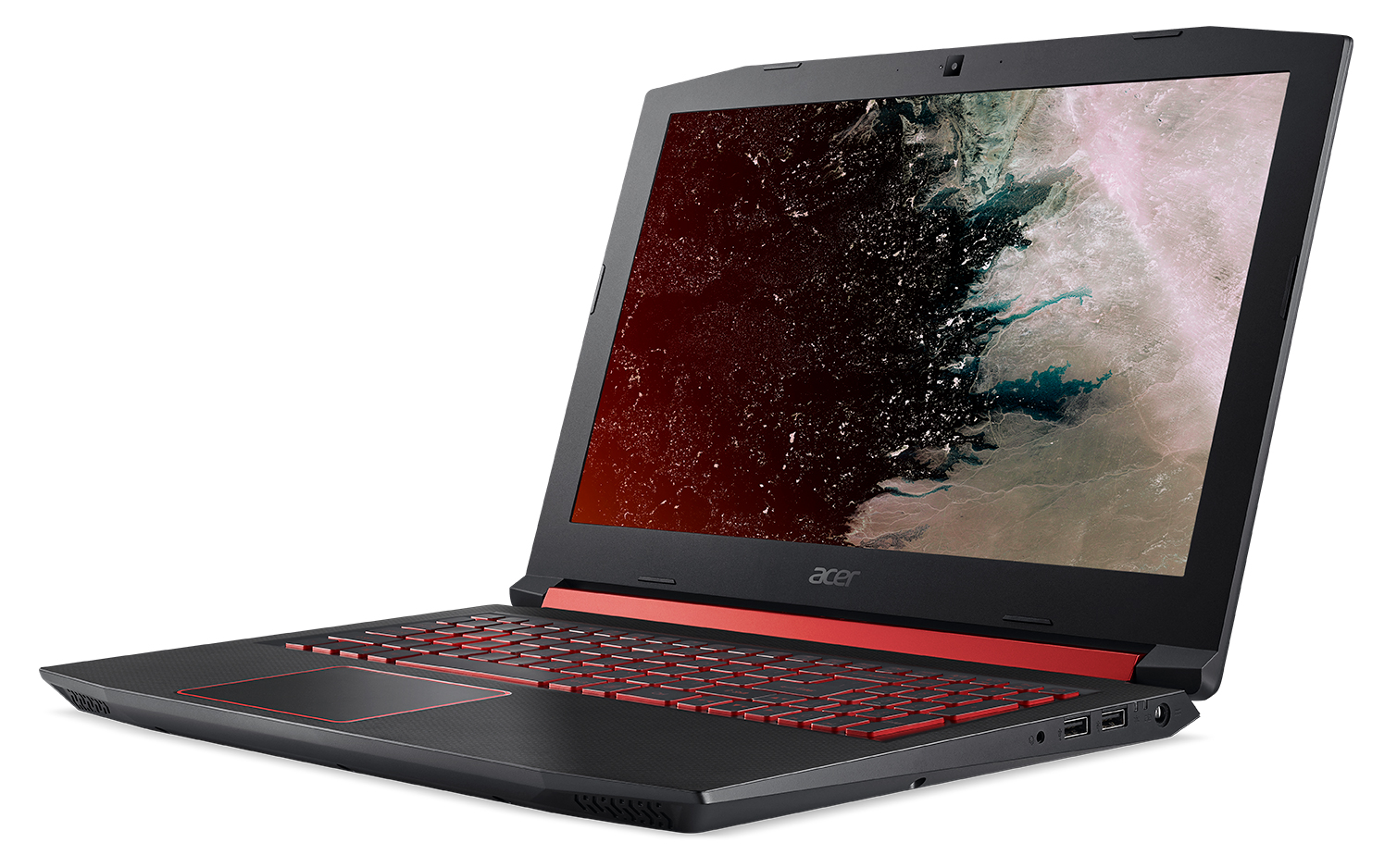
Acer’s Nitro 5 gaming notebook with the display facing left

Best Buy is offering $100 off Acer’s Nitro 5 gaming notebook (regularly $749) while supplies last.

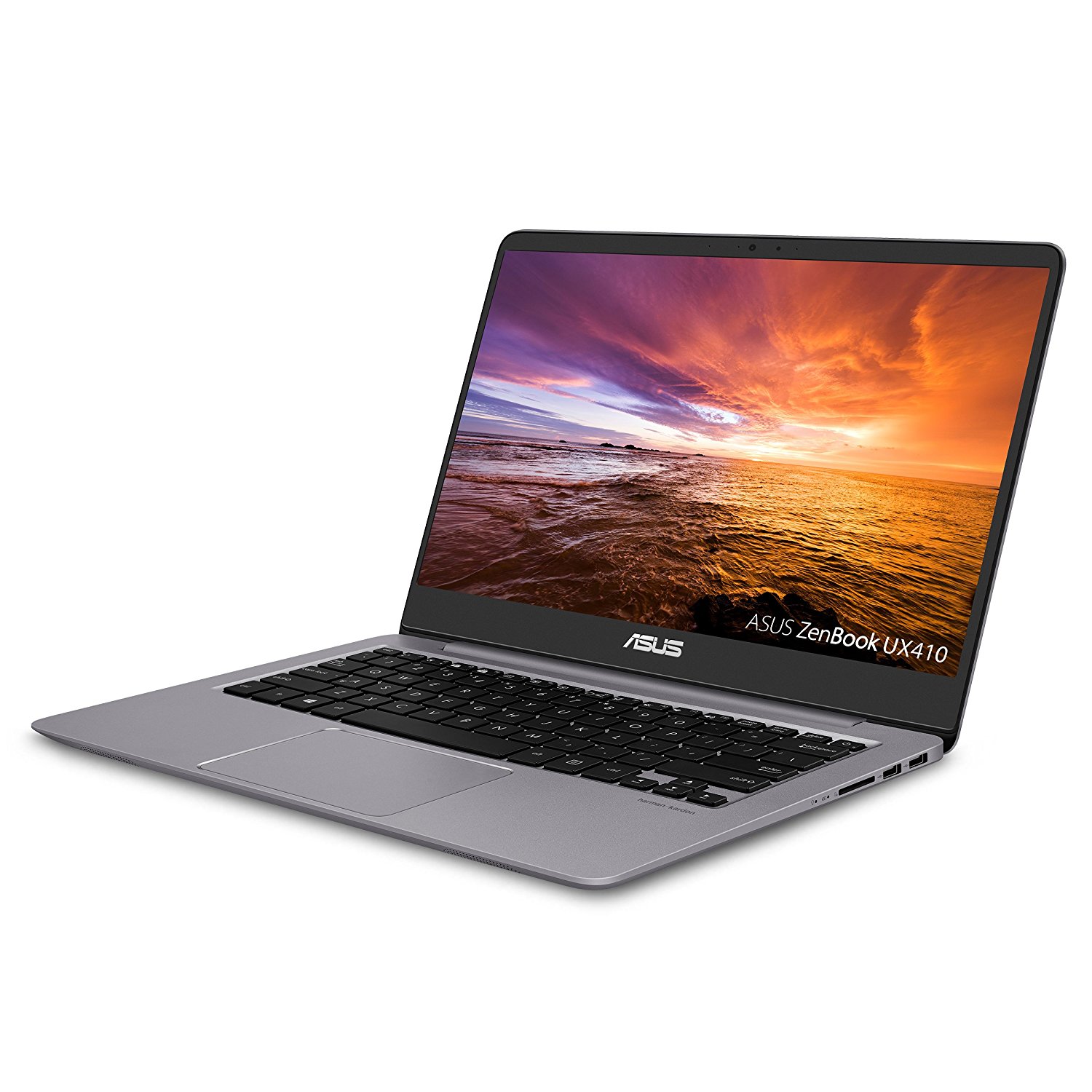
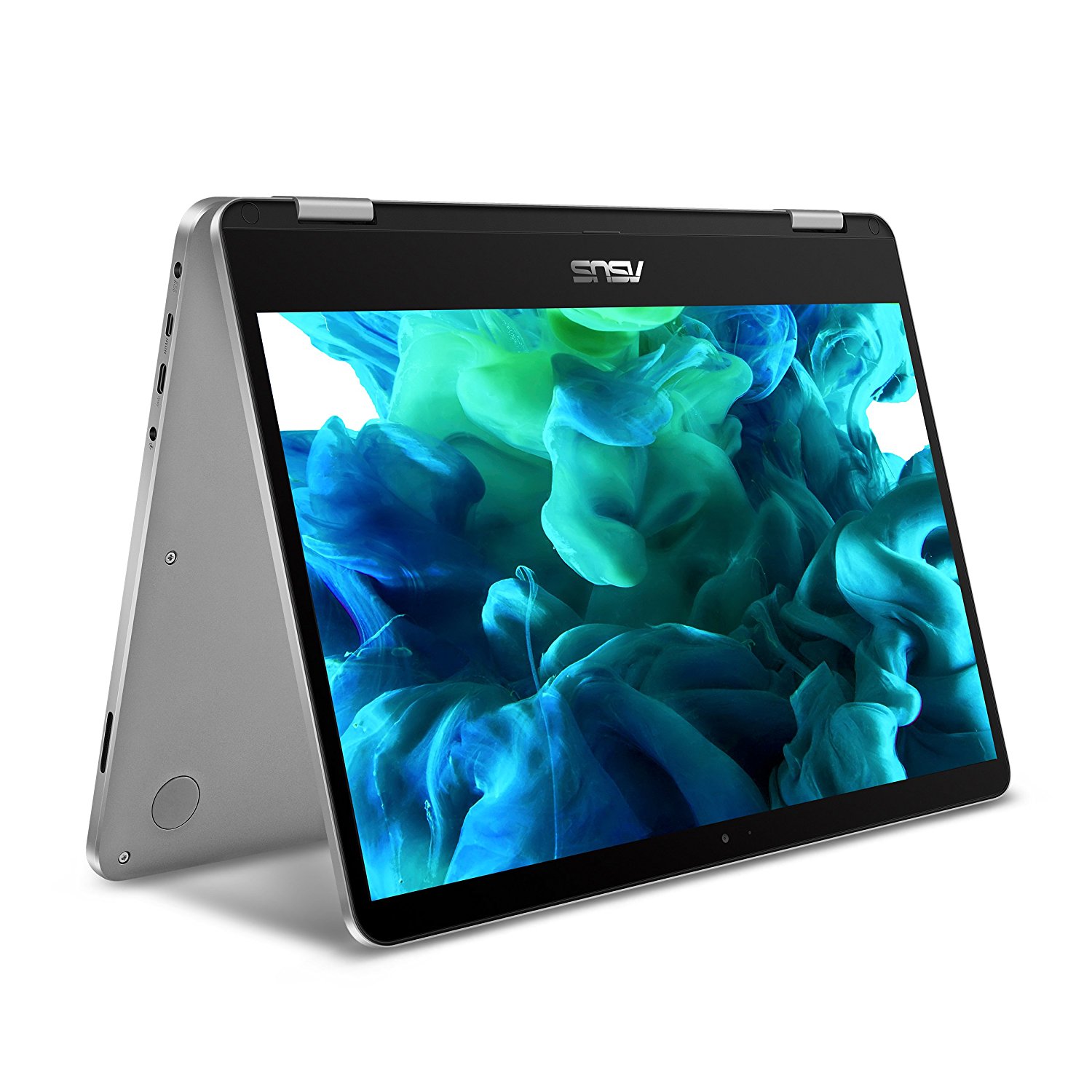
ASUS ZenBook 14 UX410UA, display facing leftASUS VivoBook Flip 14-TP401CA

Get $75 off ASUS ZenBook 14 UX410UA, or $80 off ASUS VivoBook Flip 14-TP401CA  5-18 at ASUS.com, Amazon.com and NewEgg.com ( only). 

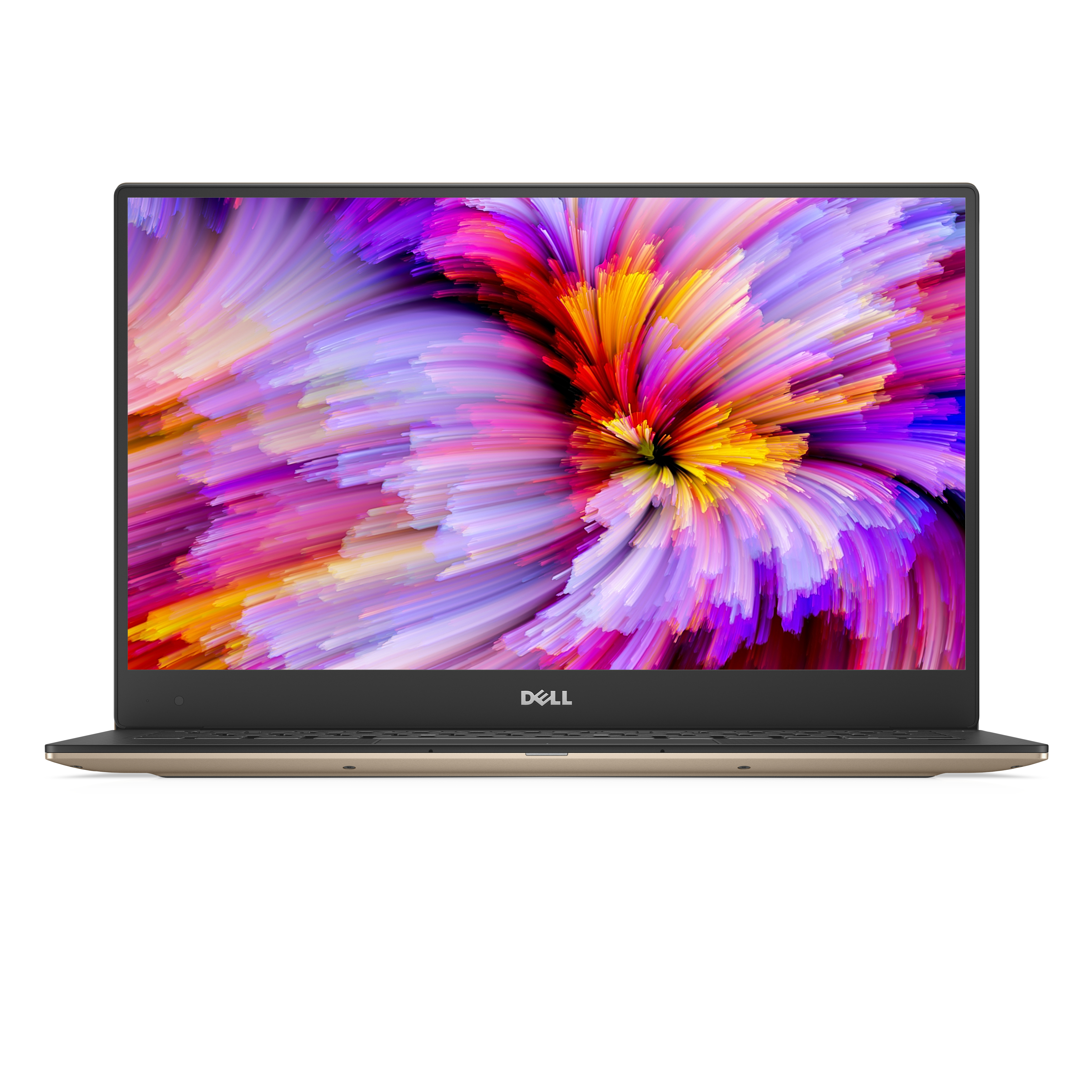
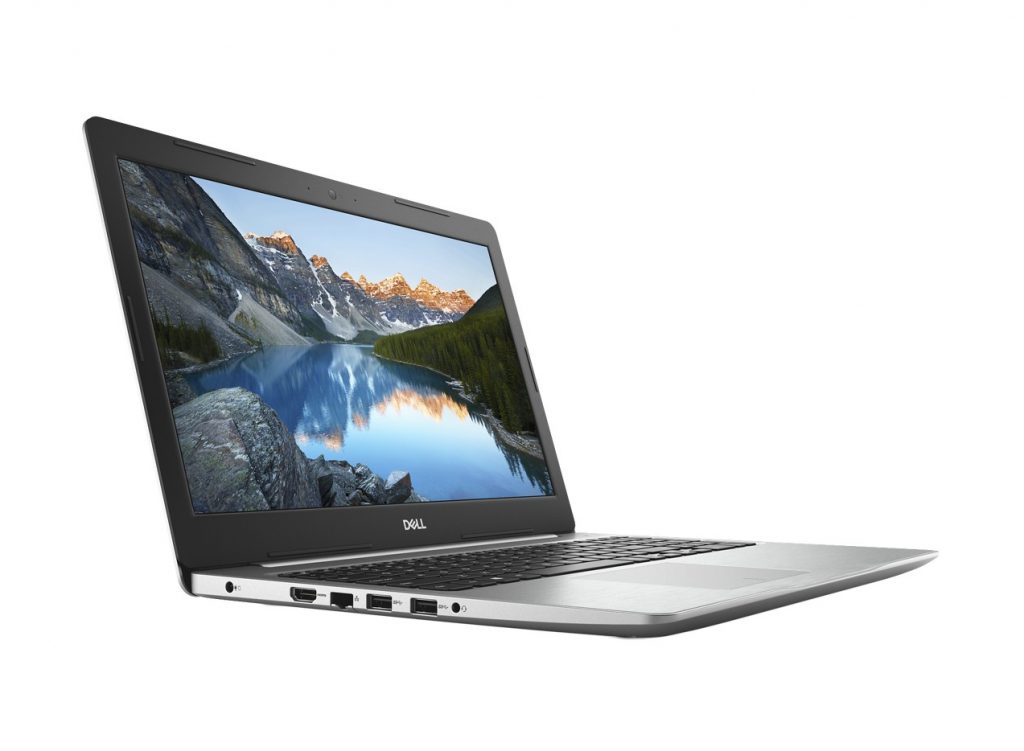
Dell XPS 13 (Model 9360) Non-Touch 13-inch notebook computer

Dell 15-inch Inspiron 15 5000

Save $279 on the smallest 13.3-inch laptop, the Dell XPS 13, or save $249 on the 15-inch Inspiron 15 5000 on Dell.com through Aug. 30. (U.S. only)  

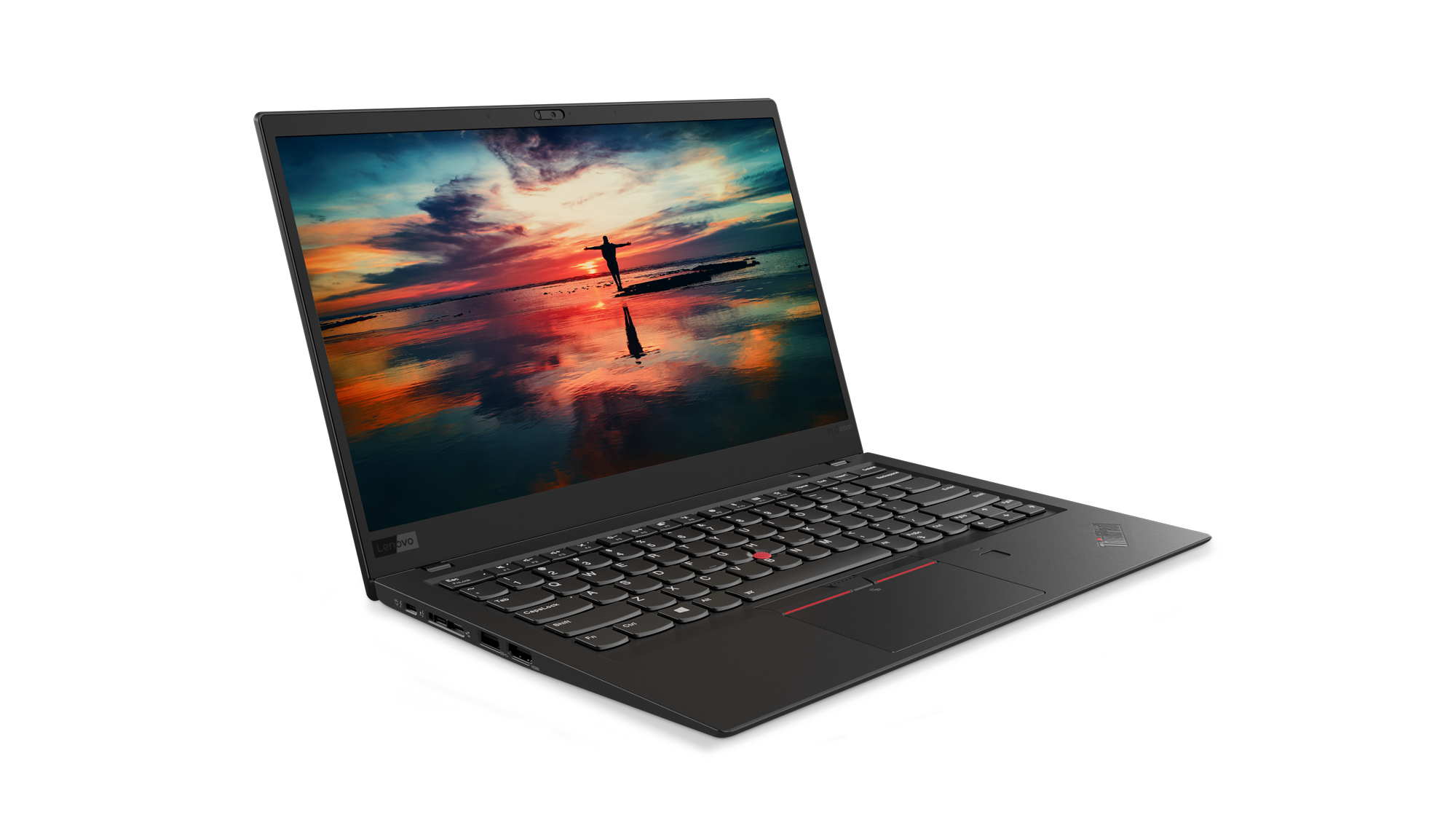
Lenovo Thinkpad X1 Carbon facing right with a sunset on its display

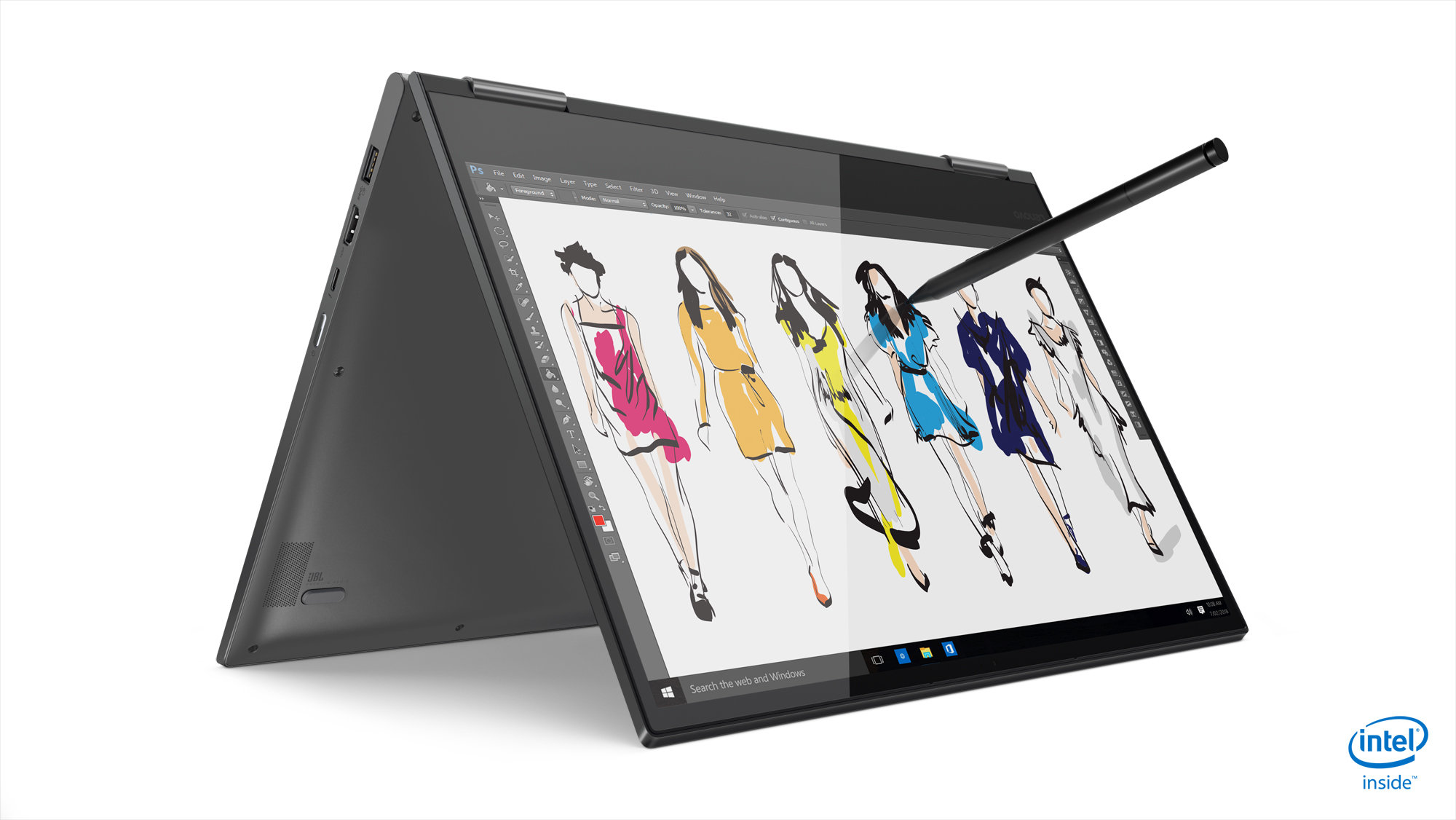
Lenovo Yoga 730 13-inch

Through Sept. 19, when you buy Lenovo’s Yoga 730 13’’ or the Thinkpad X1 Carbon 6th Gen on Lenovo.com, you’ll also get three-year onsite service and accidental damage protection, Microsoft Office Home and Student and a $100 Southwest Airlines travel voucher! (U.S. and Canada).  

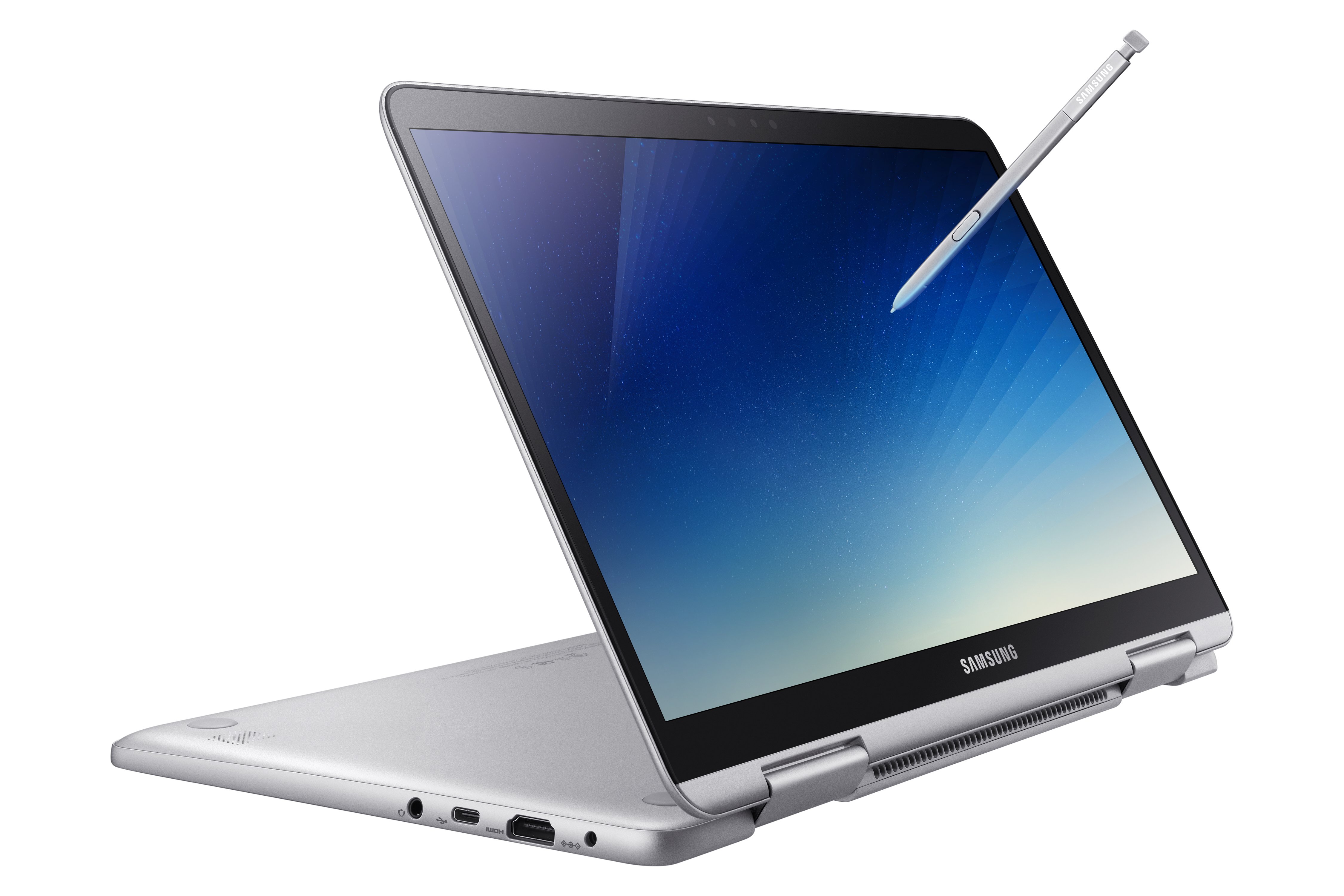
Samsung Notebook 9 Pen tapping the screen of a Samsung laptopGet $100 off a Samsung Notebook 9 Pen through Aug. 25 on Samsung.com (U.S. only).

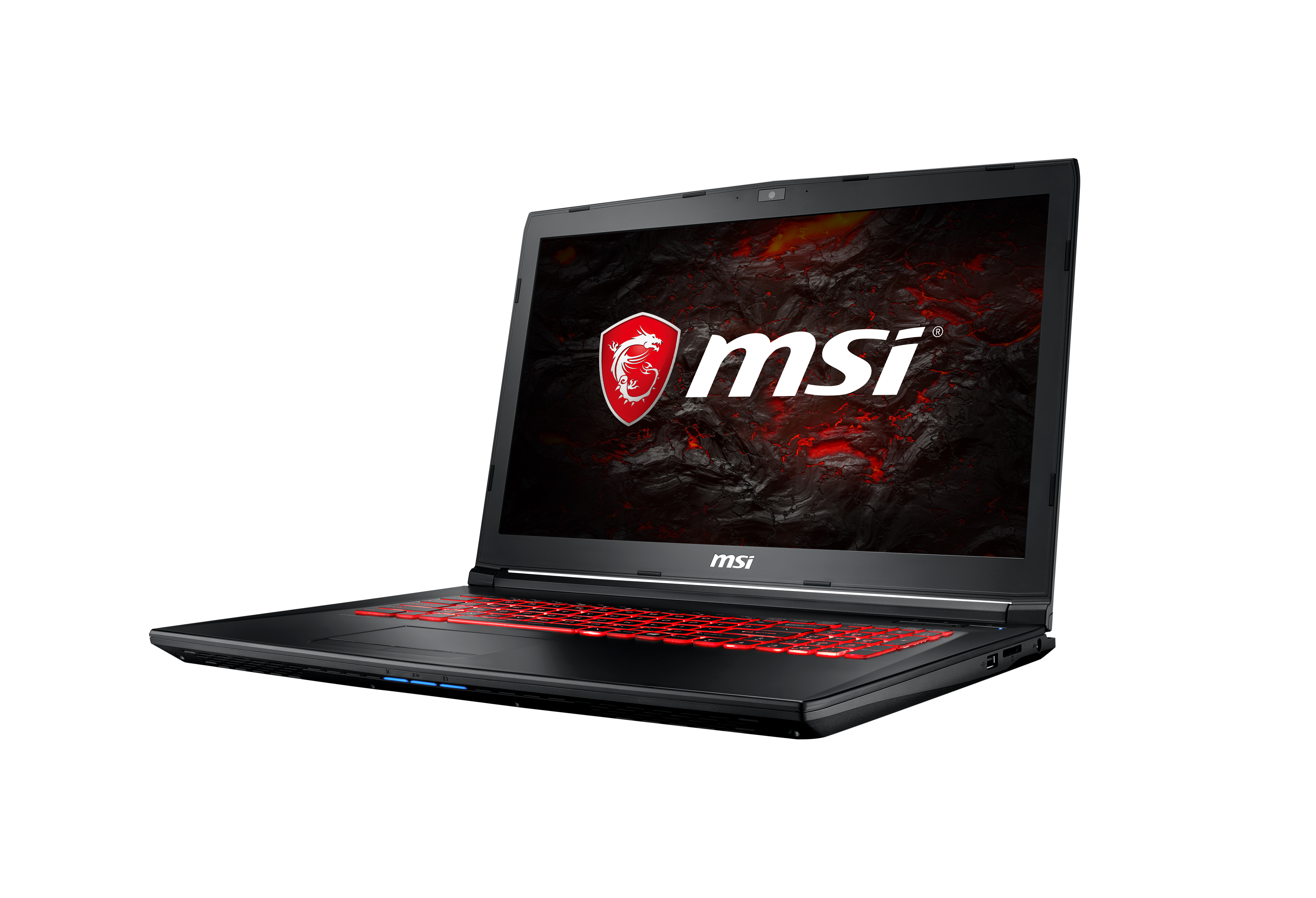
MSI GL72M open and facing left, with lit red keyboard

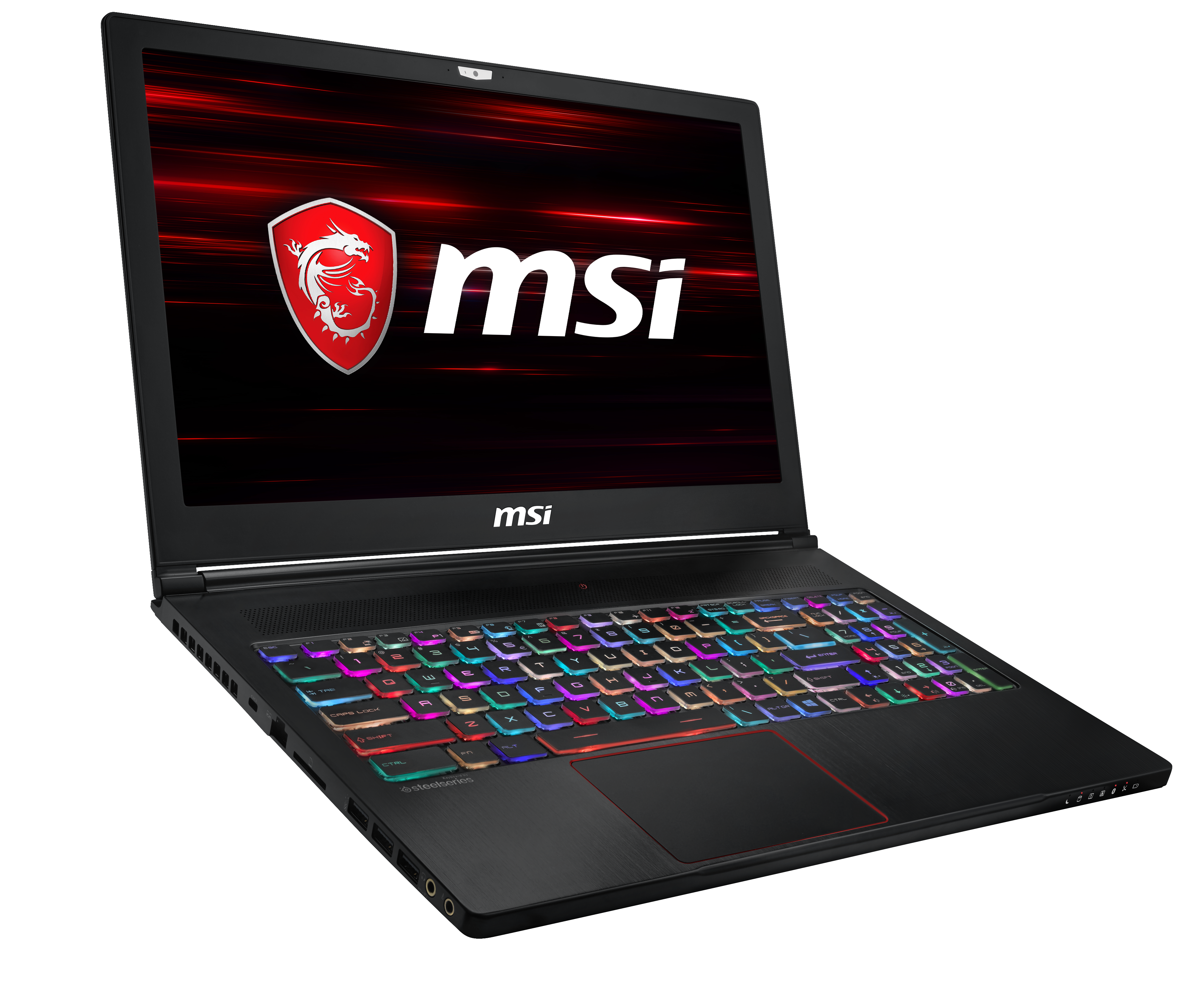
MSI GS63 Stealth open and facing right, open to multi-color lit keyboard

MSI is running a student special through Aug. 12 at Best Buy and BestBuy.com on great laptops for work and play with $100 off the GL72M and $150 off the GS63 Stealth. (U.S. with other deals available worldwide). 

Students in a classroom, with one working on a Surface

Take advantage of the Microsoft Store’s great Back to School savings and save up to 10 percent on select Surface, PCs, and accessories. Parents and students can save up to $500 on select PCs and $360 on a Surface Pro i5 128GB bundle. Through Thursday, Aug. 4, save up to $300 on Surface Laptop i5 256GB/8G and up to $300 on other select Surface Laptops. 

Of course, there’s no better deal than FREE, so be sure to check out Microsoft’s many free workshops to help learners of all abilities. This fall, parents can visit the for STEM Saturdays, Literacy Workshops and Productivity Hack Sessions. And teachers can tune in this Saturday for our free Back to School Live teacher training session to get inspiration and tech tips to make the most of Microsoft technology in their classrooms this year.  

Posted on Leave a comment

Adventist Health System enhances delivery using Microsoft 365

Today’s post was written by Tony Qualls, director of enterprise technical services at Adventist Health System in Altamonte Springs, Florida.

Over the years, healthcare has changed from hospital-based care to preventive and continuous care that happens throughout an individual’s life—outside of hospital walls and inside patient homes and neighborhood clinics. Consequently, Adventist Health System is in the midst of a big transformation to a more consumer-centric organization to meet the needs of patients and families at every stage of health.

Our more than 80,000 employees are embracing this new care delivery model, and as many of them are frequently on the go, they need secure, quick access to information from anywhere.

With Microsoft 365, we’re able to give them access to the information they need in a secure, compliant environment. We’ve been a longtime user of Microsoft Office 365 to deliver the latest productivity innovations to our clinical and non-clinical employees. We migrated to Microsoft 365 to gain more flexibility with our licensing for Office 365 and for the Windows 10 operating system and Microsoft Enterprise Mobility + Security (EMS).

We have 28,000 Microsoft 365 E3 licenses for our office staff and 41,000 Office 365 F1 licenses for our Firstline team members—nurses, doctors, and other employees. These individuals carry laptops and tablets with them throughout the day or access shared devices using badge-tapping technology. With Microsoft 365, we can cost-effectively license the specific applications that employees need to accomplish various tasks throughout their workdays.

For example, our clinical staff uses Skype for Business Online to improve patient flow and connect physicians with remote patients. Now, we’re taking it to the next level with Microsoft Teams—probably the fastest-growing Office 365 application we have deployed. Everything’s in one place—SharePoint Online sites, files, chat, meetings, and Microsoft Planner. It’s so easy to use, and we find that after people get invited to one Teams channel, they turn around and create channels of their own to support other projects. With Teams, we have persistent conversations, documents, and other resources about a topic in one place, which helps groups focus and move faster. In addition, it’s a highly secure environment that we trust, and we can remain completely compliant with HIPAA and other healthcare regulations.

At Adventist Health System, we strive for excellence in all that we do. Our IT employees strive to be recognized as an industry leader. Utilizing Teams is just one way we are supporting our organization’s vision to be wholistic, exceptional, connected, affordable, and viable.

Communication is crucial to the success of any organization, and Adventist Health System is no different. The quicker we can share information, updates, and plans, the faster we gain buy-in from our team members. The clinical workspace thrives on rapid communication and collaboration around patient care. This, in turn, helps foster better outcomes and patient satisfaction.

It’s exciting to see the Teams roadmap incorporating artificial intelligence capabilities by offering speech-to-text and meeting transcription services. As we gather takeaways and valuable information from meetings, I am happy that Teams allows me to focus on listening to my staff and peers while it captures and transcribes meeting notes for later review.

There’s an abundance of innovation coming from Microsoft, and we’ve taken the approach of releasing new Office 365 applications directly to employees and letting user communities provide guidance, tips, and support on Yammer channels. This has been a great adoption model that has empowered employees to put these tools to work in ways that make sense for them.

Because Microsoft matches productivity innovation with security innovation, we can confidently utilize new technologies on tens of thousands of mobile devices. We’ve standardized on Windows 10 Enterprise, chiefly for security features such as default encryption. But EMS also includes a great bundle of security tools and licensing options that have significantly decreased our licensing costs while giving us enhanced security capabilities.

From a support perspective, Microsoft Intune and mobile email with Exchange Online have been tremendous timesavers. Employees had to unenroll and re-enroll devices in a previous email security program, and our infrastructure support team was inundated with support tickets around the need to resync mobile email accounts. But with Intune, employees download the Microsoft Outlook mobile app, we apply the correct policies, and they’re off and running.

With Microsoft 365, our clinical, support, and IT staffs are all better equipped to help Adventist Health System transform its business in a secure, compliant manner to meet the needs of today’s changing healthcare landscape.

—Tony Qualls

Posted on Leave a comment

4 ways to engage employees with new live events in Microsoft 365

Earlier this month, we announced new intelligent event capabilities in Microsoft 365 that enable anyone to create live and on-demand events for teams and across the organization. Today, we invite you to use the public preview of live events in Microsoft 365 and discover new ways to foster connection and engagement between leaders and employees at every level in your organization.

More than ever before, employees in the modern workplace seek work environments that unlock creativity, make their lives more productive and fulfilling, and foster a sense of connection with their organization’s mission and purpose.

A critical first step for your organization to thrive in this new culture of work is to drive alignment of your people around shared purpose and goals. Leaders realize that organizations who do this well have an advantage in attracting and retaining an engaged workforce.

Here are four ways your organization can enable leaders and employees to connect with new live events in Microsoft 365:

1—Use live events to kickstart interactive discussions across your organization

Today, executives at Microsoft—including CEO Satya Nadella—use Microsoft 365 to connect and communicate with employees around the globe. Now, any company or organization with Microsoft 365 can create these moments of high engagement, where people are focused on leaders and their messages and ask questions to clarify or reinforce conversations in the community.

Using Microsoft Stream, Teams, or Yammer, you can create a live event wherever your audience, team, or community resides. Attendees receive notifications and can participate in real-time, with high-definition video and interactive discussion using web, mobile, or desktop.

Following an event, it’s easy to make the recording available on an event page, allowing you to watch the event on your own schedule and catch up quickly with powerful AI features that unlock the content of the event recording. The recording is automatically transcribed and detects changes in speakers—making it simple to search for content later.

For employees who are in different time zones or unable to attend live, the conversation keeps going, so they still feel connected to leaders and peers—helping to overcome geographical or organizational boundaries.

The event and recordings are powered by Microsoft Stream, the intelligent video service in Office 365.

Image of a laptop open to display a live event in Microsoft 365.

2—Foster sustained dialogue in open communities

Give everyone a voice—before, during, and after a live event in Microsoft 365—with Yammer communities that span functions or the entire organization. Providing a forum for employees to be heard is an important piece of transforming a culture. These communities are where people can come any time to raise ideas, concerns, or questions, and where leaders can reply in an authentic way.

An active Yammer community builds trust and a sense of connection and belonging. And it provides a forum where employees who might not feel comfortable speaking out during a live event can connect directly with leaders.

With inline message translation, live events in Microsoft 365 empowers people to express themselves in their own language.

3—Create an intranet site for leaders to share events, blogs, video, news, and resources

Communicate at scale as a leader with a continuous, online presence using content, conversation, and video channels within a SharePoint communications site. You can optimize for news distribution and blogs, and deepen engagement with related content, polls and surveys, and readership analytics.

This is also a great spot to share recorded events for later viewing. Simply create a dedicated page for each event where employees can submit questions and comments in advance. Leaders and organizers can then use this input to craft the messaging and content of the events.

4—Plan corporate communications and measure impact

Executive and internal communications may be managed by a team of one or a team of many—but it takes careful planning and execution to ensure success. Microsoft Teams—the hub for teamwork in Office 365—is ideally suited to work together in the creation and production of events and other executive communications. It provides an effective backstage for your live event, giving you a shared space to work with speakers and approve content before sharing with a broader audience.

Once you have begun engaging your audience, every message within a Yammer community has a visible count of how many people your post has reached. This helps both community organizers and employees understand what is being read. Group insights demonstrate how the knowledge and information created in the community benefit people—regardless of their membership status in the group. For example, passive visitors may gain value from group conversations and apply the information elsewhere in their daily work. You can also see the number of views for an event recording and across a channel, and how many people liked the video. Pages and news articles also have statistics to understand readership.

Empowering all leaders across an organization

Leadership, of course, does not just refer to organizational leaders. Leaders of communities may be subject matter experts, functional managers, or passionate individuals who are leading areas of expertise, practices, or interest groups. These same capabilities in Microsoft 365 can enable leaders at any level to create and sustain connection with their communities.

Patrick Yates, manager of Diversity and Inclusion at TDS Telecom, considers community connections and engagement an important part of the employee experience, and a boon to recruiting talent. “Younger generations entering the workforce especially want a modern, inclusive environment—to be part of something that’s larger than themselves.”

Connect your employees and leaders today

Experience the public preview of live events in Microsoft 365, and get started on connecting your leaders and employees today. We will be adding additional features and functionality based on your feedback in the Tech Community.

To create a live event, you will need an Office 365 E3 or E5 license and your admin must give you permission to do so. To attend a live event, you need an Office 365 license for authenticated users. Public (anonymous) access is possible in specific configurations.

For more information on the intelligent event capabilities, visit the Microsoft 365 live events post on Tech Community.

Posted on Leave a comment

Asia and the intelligent edge: Riding a new wave of innovation

A new wave of innovation is surging ahead. And, the world’s manufacturing powerhouse, Asia, is riding its crest.

The billions of appliances, gadgets, machines, and vehicles that are routinely rolling off Asian production lines are becoming smarter and connected. So too are the factories that make them.

Built with sensors, infused with artificial intelligence (AI) and enabled by machine learning (ML), these devices will push the boundaries of the Internet of Things (IoT) through the next decade and beyond. Advanced algorithms will help them see, listen, reason, predict and more, without requiring “always on” connectivity to the cloud.

This is the intelligent edge and it is based on the principle that data has gravity. In other words, the closer we move computing to a device, the faster we can move from insights to action.

You can see edge computing is any scenario where data is collected and processed inside a device or machine, allowing it to act faster than it would if had to rely on the cloud. Equipment on a factory floor can use ML and AI to anticipate when a part will break or fail. An autonomous car will be able to take evasive action when it faces a possible collision. In both cases, the milliseconds saved could be the critical difference between a safe outcome and an accident.

At this year’s Computex trade show in Taipei, we saw how the intelligent edge will be a key part of a future in which trusted, ubiquitous computing will be part of the fabric of life.

“Everything in our lives is being connected,” Nick Parker, Microsoft’s Corporate Vice President of Consumer and Device Sales, said in a keynote address to a sell-out audience.ws. “Whether it is the sensors in our domestic appliances, whether it is our cars, whether it is new markets for precision agriculture, whether it is the IoT of our lives, or maybe in the experiences we have with technology.”

Nick Parker, Corporate Vice President of Consumer and Device Sales, Microsoft

With insights gleaned from these connected intelligent devices, companies will be able to reimagine business models with new product offerings, new customer experiences, and new efficiencies.

The business potential is huge, and the competition is likely to be fierce. Isaiah Cheung, Microsoft’s Vice President for Consumer and Device Sales in the Greater China Region, said the race is now on among Asian manufacturers and service providers to get into the intelligent edge game.

“New emerging device companies in our region want to infuse their products with AI,” he said. “And big, established companies are doing the same. They want AI built into the big multimillion dollar machinery in their factories to improve efficiency. And, they want to build the intelligent edge into all the consumer devices, appliances and services they export around the world.

“Just the other day, I had one big brand ask me how they could put AI into a new line of rice cookers. Another one is doing the same with its white goods. The list goes on and on.”

Isaiah Cheung, Vice President, Consumer and Device Sales, Microsoft Greater China Region

To add to this progress, Microsoft has established the  Intelligent Edge Partner Community. “Our initial focus is on fostering collaboration across our partners, providing training, and early-adopter programs,” Roanne Sones, Microsoft’s Corporate Vice President of Core Operating System and Intelligent Edge, shared. “From a resource perspective, members receive access to documentation, specs, builds and certification details to further their intelligent edge business”.

Parker sees a new wave of business opportunities and economic progress coming off the back of the intelligent edge, with Asia being a major player.

“Asia has always been very much a center of global innovation, whether it is in a lab in Shenzhen or our partnerships across the Greater China region in terms of supply chain or our partnerships in Taiwan,”  Parker to a media conference at Computex. “We see so much of our new technology, particularly in the intelligent edge, starting here and delivering worldwide.”

Roanne Sones, Corporate Vice President of Core Operating System and Intelligent Edge, Microsoft.

Asia is also playing a major role in developing new AI technologies, with Microsoft’s research labs around the world – including in China and India – working in this space for decades. They have achieved a series of breakthroughs, using the immense computing power of the Azure cloud.

With this know-how, Microsoft has been able to infuse AI into its core products and services. It has delivered AI tools and frameworks, including cognitive, vision, spatial and object APIs, and earlier this year announced a limited preview of Project Brainwave, an architecture for deep neural net processing on the edge – all of which partners can use to enable next-generation AI applications and solutions that run on devices.

Project Brainwave – a new deep learning acceleration platform for real-time AI.

Meanwhile, intelligence is spreading across mass markets as microcontroller units (MCU) become connected. These tiny AI-enabled single-chip computers (see picture at the top of this article) now power more than 9 billion new devices around the world every year.

“An MCU is a single-chip computer that is no larger than your thumbnail,” Distinguished Engineer and Managing Director at Microsoft, Galen Hunt, told the Computex audience. “These are very tiny, very low-cost chips and enabling them with connectivity means you can turn anything into an IoT device. We are headed to a world where everything can become connected.”

As amazing as they are, these tiny chips have had one a big flaw: They were never designed to be secure. When a device is compromised, it can impact your privacy, your data and your infrastructure, and even your physical security.

“If these devices aren’t secured, who are we bringing into our most personal spaces? Who are we bringing into our homes, into our schools, into our hospitals, our offices, our factories? And what is at stake? Our data, our privacy, our infrastructure, our property, even our safety.”

This changed this year when Microsoft launched Azure Sphere, an end-to-end solution for creating highly secure, MCU-powered devices.

Galen Hunt, Distinguished Engineer and Director, Microsoft

In a recent blog, Hunt described MCU internet connectivity as “a two-way street.” “With these devices becoming a gateway to our homes, workplaces, and sensitive data, they also become targets for attacks. Look around a typical household and consider what could happen when even the most mundane devices are compromised: a weaponized stove, baby monitors that spy, the contents of your refrigerator being held for ransom.

“We also need to consider that when a device becomes compromised, it’s not just a problem for the owner, it can also become a problem for society. A device can disrupt and do damage on a larger scale.”

This is what happened with the 2016 Mirai botnet attack where roughly 100,000 compromised IoT devices were repurposed by hackers into a botnet that effectively knocked the east coast of the United States off the internet for a day.

With connected MCUs built into billions of new devices every year, it is of “paramount importance” that security keeps pace with an ever-changing threat landscape.

Hunt suggests that as we look to a future, where every device will be smart or intelligent, we need to redefine what we mean by “smart”. Yes, smart devices are intuitive, insightful, and easy to use. But we need to add one more thing: Smart devices must be secure – if a device is not secure it is not smart.

This makes security essential for manufacturers in Asia and around the world. “We see an ecosystem that is very eager to deliver the products that customers need, and customers need secure products,” he said adding that Azure Sphere makes it easy for manufacturers to create smart/intelligent products that are innately secured.

READ: Unlocking the Economic Impact of Digital Transformation in Asia Pacific

ALSO READ: Microsoft’s AI Blog

Posted on Leave a comment

Microsoft’s Airband Grant Fund invests in 8 start-ups delivering broadband to rural communities around the world

Today, internet access is as essential as electricity. It empowers entrepreneurs to start and grow small businesses, farmers to implement precision agriculture, doctors to improve community health and students to do better in school. But almost half the world’s population is still not online, often because they live in underserved areas, and therefore miss out on opportunities to take advantage of and become part of the digital economy. As a global technology company, we believe we have a responsibility and a great opportunity to help close this gap.

That’s why we’re excited to announce the eight early-stage companies selected for our third annual Airband Grant Fund. These start-ups are overcoming barriers to provide affordable internet access to unconnected and underserved communities in the U.S., Africa and Asia using TV white spaces (TVWS) and other promising last-mile access technologies. Our grant fund will provide financing, technology, mentorship, networking opportunities and other support to help scale these start-ups’ innovative new technologies, services and business models. The Airband Grant Fund is part of the Microsoft Airband Initiative, launched last year to extend broadband access across the United States and, ultimately, connectivity around the globe.

We are excited to partner with this year’s cohort of Airband grantees, which include:

These companies are improving life for some of the most underserved communities here in the U.S. and around the world. For example, approximately 35 percent of people living on tribal lands in the U.S. lack broadband. Tribal Digital Village wants to change that. With support from our Airband Grant Fund, they will use TVWS – vacant broadcast spectrum that enables internet connections in challenging rural terrain – and other technologies to deploy broadband to tribal homes on 20 isolated reservations in Southern California. “We realized that without access to the internet, tribal students weren’t going to have access to advanced opportunities that other kids had,” said Matt Rantanen, director of technology for Tribal Digital Village. “But there was no infrastructure on tribal land and no telecommunications companies wanted to work with us to build it out. So we had to build it ourselves.”

ColdHubs is another organization finding innovative ways to tackle the broadband access challenge. In Owerri, Nigeria, ColdHubs is transforming their refrigerated crop storage rooms into Wi-Fi hot spots using TVWS technology. The company aims to empower smallholder farmers with the ability to earn better livelihoods. Their solar-powered crop storage facilities help reduce food spoilage, which causes 470 million smallholder farmers to lose 25 percent of their annual income. Farmers who use ColdHubs can extend the freshness of their fruits and vegetables from two to about 21 days, reducing post-harvest loss by 80 percent. By turning these facilities into Wi-Fi “Farm Connect Centers,” ColdHubs will enable farmers to get online and access agricultural training, resources to improve crop yields and marketing and digital skills training.

Whether in the U.S. or around the world, we believe in nurturing innovative solutions by supporting local companies and entrepreneurs. We are eager to work in close partnership with these Airband Grant Fund recipients over the next year to refine and expand the reach of their solutions. And in the coming months, we’ll have more to share on the exciting progress we’re making on our Airband Initiative, and our goal to deliver broadband to 2 million rural Americans by 2022, and to extend connectivity to underserved communities around the world. Learn more about the Airband Grant Fund recipients here.

Tags: ,

Posted on Leave a comment

Microsoft Edge debuts passwordless sign-in for Windows Insiders

Today, we are happy to introduce support for the Web Authentication specification in Microsoft Edge, enabling better, more secure user experiences and a passwordless experience on the web.

With Web Authentication, Microsoft Edge users can sign in with their face, fingerprint, PIN, or portable FIDO2 devices, leveraging strong public-key credentials instead of passwords.

Staying secure on the web is more important than ever. We trust web sites to process credit card numbers, save addresses and personal information, and even to handle sensitive records like medical information. All this data is protected by an ancient security model—the password. But passwords are difficult to remember, and are fundamentally insecure—often re-used, and vulnerable to phishing and cracking.

For these reasons, Microsoft has been leading the charge towards a world without passwords, with innovations like Windows Hello biometrics and pioneering work with the FIDO Alliance to create an open standard for passwordless authentication – Web Authentication.

We started this journey in 2016, when we shipped the industry’s first preview implementation of the Web Authentication API in Microsoft Edge. Since then, we have been updating our implementation to as we worked with other vendors and the FIDO alliance to develop the standard. In March, the FIDO Alliance announced that the Web Authentication APIs have reached Candidate Recommendation (CR) status in the W3C, a major milestone for the maturity and interoperability of the specification.

Beginning with build 17723, Microsoft Edge supports the CR version of Web Authentication. Our implementation provides the most complete support for Web Authentication to date, with support for a wider variety of authenticators than other browsers.

Windows Hello allows users to authenticate without a password on any Windows 10 device, using biometrics—face and fingerprint recognition—or a PIN number to sign in to web sites. With Windows Hello face recognition, users can log in to sites that support Web Authentication in seconds, with just a glance.

Animation showing a purchase using Web Authentication via Windows Hello

Users can also use external FIDO2 security keys to authenticate with a removable device and your biometrics or PIN. For websites that are not ready to move to a completely passwordless model, backwards compatibility with FIDO U2F devices can provide a strong second factor in addition to a password.

We’re working with industry partners on lighting up the first passwordless experiences around the web. At RSA 2018, we shared a sneak peak of how these APIs could be used to approve a payment on the web with your face. Passwordless authentication experiences like this are the foundation of a world without passwords.

We’re excited to get implementation into the hands of more developers to see what you build. To get started with Web Authentication in Microsoft Edge, check out more information on our implementation in the Web Authentication dev guide, or install Windows Insider Preview build 17723 or higher to try it out for yourself!

– Angelo Liao, Program Manager, Microsoft Edge
– Ibrahim Damlaj, Program Manager, Windows Security

Updated July 30, 2018 10:12 am

Posted on Leave a comment

How thinking like a recruiter can open more doors in your job search

Building your career is a journey filled with challenges, excitement, and forks in the road. And journeys are easier with maps. In this column, job experts answer your questions and deliver advice to help you take the next step.

Question: I’m interested in a role that I found on a job site. I reached out to a recruiter at the company through LinkedIn, but I didn’t hear back. Did I go about this the wrong way?

Answer:  If you’ve spotted the perfect role on a job site, you may be tempted to run a quick LinkedIn search, identify a recruiter who works at that company, and reach out. Sometimes this approach works, but more often, you never hear anything back. Why?

While LinkedIn is a great way to connect with others during a job search, you may be going about your networking in the wrong way—or even with the wrong person.

Microsoft recruiter Mike Maglio offers a simple approach to using LinkedIn to increase your chance of getting a response and making a meaningful connection. His secret? Think like a recruiter.

It’s no surprise that recruiters use LinkedIn’s search tool to find potential candidates for their open jobs. The trick, Maglio says, is for job seekers to use the same search tool to find recruiters who might be hiring for the jobs you want.

“In their profile, a lot of recruiters will explain what they do and what organizations they cover to show up in searches more accurately,” he said. You can find them by doing your own search.

For example, if you are a software engineer who is passionate about working on Azure technology, search for “Azure AND recruiter AND Microsoft.” Maglio suggests job seekers use Boolean search logic with terms such as “AND” to yield more relevant results with a more accurate listing of recruiters in that space. “Use filters such as current company, location, etc. to get even more relevant results,” he added.

“Even within a product as big as Azure, you still want to get as specific with your search as possible,” said Maglio. “The more targeted you are, the better.”

Check out the profiles of the recruiters you found, and then choose a couple who work with your specific qualifications, such as software engineer, recent graduate, and Azure solutions.

Now that you’ve located the right recruiters, it’s time to introduce yourself. Craft a message that is concise, precise, and offers information that explains who you are. “Recruiters get many messages, so being direct and specific increases the likelihood you’ll get a response,” said Maglio.

Use a warm welcome, such as “Hello [Recruiter Name]” and then be clear about what you are seeking (e.g., referral for a role, connection to a team, information, etc.). A recruiter is going to look at your profile, so you don’t have to send a full resume or  write an introduction with all of your experience.

Do you have a mutual connection? Mention that person in your introduction—or better yet ask your mutual connection to make an InMail introduction between you and the recruiters, Maglio suggested. This gives you an automatic “trust boost” because the recruiters are familiar with the connection who’s referring you.

“If you are reaching out about a role, include the link to the job posting. Let the recruiters know that you’re interested and would like to be considered for the role,” he said. It will also help recruiters connect you with other recruiters or hiring teams, in case that specific role is handled by someone else.

If you are simply wanting more information, be clear about that. If the recruiters can help, they might potentially schedule time to chat with you or even refer you to someone in the organization.

Recruiters need to understand who you are beyond your resume and LinkedIn profile, so use your chance to show them what you can bring to the company or job.

“You should be able to demonstrate your value and show you are a knowledgeable applicant, but be concise,” said Maglio.

“You could briefly speak to a relevant article or press release that ties into your passion. Or—if possible—call out a patent, applications you’ve built, or a slideshow of projects that can be viewed,” he said.

These examples show your passions and interests, beyond just your resume. “But keep it short and sweet,” Maglio said. “The last thing you want to do is bury that kind of info.”

If you’ve followed these steps and haven’t been able to connect with the first set of recruiters you’ve identified, keep applying and refining these steps.

The right connection is out there, along with the role of your dreams.

Posted on Leave a comment

Women will be included in ‘NBA Live 19’ and can embark on their own career mode

Inclusion. It’s more than just recognizing everybody. Instead, inclusion puts together the best of equality, representation, and integration. In NBA Live 19, you’ll get the chance to see female created players for the first time in NBA Live’s history. Not only will you be able to create your own player, but women will now also be included in the game and can embark on their own career mode in The Rise.

Creating Authentic Appearances

NBA Live offers a face scanning app. Through this, players get the opportunity to scan their faces into the game to make their created player as accurate as possible. This option used to only be available for men but now will be officially opened up for women. Once scanned into the game, you can then go ahead and choose from 30 different head shapes as well as hundreds of hairstyle options, stemming from different hair types, lengths, and colors.

NBA Live 19 Screenshot

NBA Live 19 Screenshot

Next, players will have the opportunity to select their position, height, and weight. There are no real limitations for height and weight other than those being shaped by natural position limits. For example, guards, regardless of gender, will sit in the five-foot-eight to six-foot-five range. Wings can be anywhere between six-foot-four to six-foot-ten, and bigs will range from six-foot-eight to seven-foot-two. This means that if you want to create a seven-foot dunking center and have her ball out, you absolutely can. If you want to create a six-foot point guard who will break some ankles, do it.

Where Can I Play with My Created Player?

As part of NBA Live 19’s featured mode, The One, you can complete the buildup to becoming The One, titled The Rise. In this mode, you travel the world receiving advice, feedback, and tips from a mentor, and WNBA and NBA players along the way. You’ll get the chance to play everywhere from Brazil to Paris and in the states as you take on the best and create your own legacy to rival that of the basketball’s elite.

NBA Live 19 Screenshot

NBA Live 19 Screenshot

In the newest feature to hit NBA Live, Build Your Squad, you’ll also get the chance to recruit players to play with you in The Streets after you beat their team. The NBA Live squad currently consists of Joel Embiid, Allen Iverson, and Candace Parker. With this feature, those are just three examples of players that you can roll out in your squad with but, beating them won’t be easy. Building the best possible squad and making sure that you can defeat your opponents is key!

Playing in the Streets with Candace Parker

Candace Parker is one of the greatest athletes to ever lace ‘em up. Doesn’t matter whether you’re looking at the basketball court, a football field, or anywhere else, she’s solidified herself as one of the greatest to ever play a professional sport. As an MVP, champion, and stone-cold competitor, Parker knows what it’s like to have to fight to build a legacy – she’s successfully done it. We sat down with her ahead of the announce of Female Create-a-Player to talk about what inclusion, and fighting for your reputation, means to her.

NBA Live 19 Screenshot

NBA Live 19 Screenshot

Candace says her main message would be that you can do anything you put your mind to. Her parents didn’t differentiate and gave her the same feedback as they gave her brothers if they didn’t play well or had a bad game. She feels the time is over when you say, “I can’t do it because I’m girl.”

She also spoke about growing up playing pick-up basketball where the first time, she would be last pick on a team. By the very next game, she was picking the teams because of how dominant she was. The WNBA has been growing and, with it, the spread of talent across the board from female ballers who are now hooping at a young age. Candace has been elated with the growth of hoops for young women and hopes to see it continue to grow.

NBA Live 19 Screenshot

NBA Live 19 Screenshot

“I think in order for it to grow, you need to see it and that’s what it’s doing now,” she started. “You see it on games, you see it on television, internet, social media, things like that. So, I think just visibility has helped our game so much and, obviously, the WNBA has been around for a very, very long time and I hope to make it better and leave it better than I came into it.”

Try Out Female Create-a-Player in NBA Live 19 Soon

On August 24, you’ll be able to go ahead and create your own female player and take her through the journey to becoming The One with the NBA Live 19 demo. With female-specific gear to unlock, and all-time greats to beat, your rise couldn’t start soon enough. The full release of the game is on September 7. Hop on the sticks and show that you have what it takes to become The One in NBA Live 19! You can pre-order the game now!

Posted on Leave a comment

Windows 10 Tip: Find out all you can do with improved Game bar

Good news for PC gamers: The Windows 10 April 2018 Update delivered a makeover to the Game bar so it’s even easier to find what you’re looking for.

New buttons on the Game bar provide easy access to your captures, themes (dark, light, or your current Windows theme) and the time (thanks to a new clock).

You can also use the bar to toggle your microphone and camera, start a Mixer stream without any extra hardware or software, and edit the title of your Mixer stream.

Check out the improved Game bar:

The improved Game bar shows up on the screen of a game

If you like this, check out more Windows 10 Tips.