In the above example we have a file by the name test.txt that stores the names of few well known personalities . Our purpose is to read each line (which in this case contains names) one by one and store them in a list.
Note: The file taken into consideration is the same file as mentioned in the example above. Therefore the solution derived is in accordance to the same file. I have attached the file below for your convenience. Please feel free to download it in case you want to practice with it.
Without further delay let us dive into the solutions.
Method 1: Using The readlines And strip Methods
readlines()is a built-in method in Python used to read a file line by line and then store each line in a list.
string.strip(): Removes leading and trailing whitespaces including newline characters ‘\n’ and tabular characters ‘\t’.
We are going to use the readlines() method to read the file line by line while the strip() method is used to get rid of the new line character '\n' while storing the elements in the list. Let us have a look at the following program to visualize how we can solve our problem using the above mentioned methods.
with open('test.txt') as f: content = f.readlines()
# you may also want to remove whitespace characters like `\n` at the end of each line
li = [x.strip() for x in content]
print(li)
string.rstrip() is a built-in function in Python removes all whitespaces on the right of the string (trailing whitespaces). Thus, we can use it to strip or separate elements out of each line and then store them in a list using the [] notation.
Example:
with open('test.txt') as f: lines = [line.rstrip() for line in f]
print(lines)
Another approach to our problem is to use a for loop to iterate over the lines in the file one by one and then append them to a list using the append() function. The strip() function again comes into play which allows us to strip the newline character.
with open("test.txt") as file_in: lines = [] for line in file_in: lines.append(line.strip('\n')) print(lines)
❖ splitlines() is an inbuilt function in Python which is used to split a string breaking at line boundaries.
Example:
# Open the file for reading.
with open('test.txt', 'r') as infile: data = infile.read() # Read the contents of the file into memory. # Return a list of the lines, breaking at line boundaries.
li = data.splitlines()
print(li)
In the solution above, we’re opening the file for reading and assigning it to the variable ‘infile.’ Once the code has finished running, the file will be automatically closed. Then we use the splitlines() method to store it in a list by storing each line of the file as a separate element.
Method 5: Using The pathlib Library And The splitlines() Method
The pathlib library was introduced in Python 3.4 and has a handy method known as read_text() which is a nice way to read the file without having to worry about opening or closing it. The splitlines function turns the contents of the file to a list containing the elements of the file line by line.
Example:
from pathlib import Path
p = Path('test.txt')
lines = p.read_text().splitlines()
print(lines)
List comprehension is a compact way of creating lists. The simple formula is [expression + context].
Expression: What to do with each list element?
Context: What elements to select? The context consists of an arbitrary number of for and if statements.
The example [x for x in range(3)] creates the list [0, 1, 2].
If you want to learn more about list comprehensions, please have a look at our blog tutorial here. Now let us have a look at a one-line solution to our problem using list comprehension.
print([line.rstrip() for line in open('test.txt')])
Method 7: Reading a csv File Line By Line And Store In a List
Thus far we have seen how we can read a text file line by line and store the elements in a list. Now let us discuss how we can do the same for a csv file. The approach used by us, in this case, is the pandas library in Python which allows us to read the data from the csv file and store the values in an array. We can convert the array to a list using the tolist() method.
The file that we are going to mention in the example to follow looks like the one given blow.
I hope that after reading this article you can read files line by line and then store the elements in a list such that each line represents an element of the list. Please subscribe and stay tuned for more interesting articles!
Where to Go From Here?
Enough theory, let’s get some practice!
To become successful in coding, you need to get out there and solve real problems for real people. That’s how you can become a six-figure earner easily. And that’s how you polish the skills you really need in practice. After all, what’s the use of learning theory that nobody ever needs?
Practice projects is how you sharpen your saw in coding!
Do you want to become a code master by focusing on practical code projects that actually earn you money and solve problems for people?
Then become a Python freelance developer! It’s the best way of approaching the task of improving your Python skills—even if you are a complete beginner.
This guide shows you the importance of building your personal brand as a freelance developer.
Why Freelance Developing?
Freelancing is the new mega trend in the 21st century. Freelancing platforms such as Upwork and Fiverr grow double-digits year after year. The COVID-19 crisis has revived the interest in remote work and, statistically, most people dream of being their own boss and gaining more control of their lives.
Do you want to be one of the winners of spotting this trend early? There are many arguments why freelance developing may be a great thing for you to do. Here are the most convincing ones:
Time: Zero time on the road—you don’t have any commute time (I love it!)
Your personal brand is the image you represent to the outer world.
“Personal branding is the conscious and intentional effort to create and influence public perception of an individual by positioning them as an authority in their industry, elevating their credibility, and differentiating themselves from the competition, to ultimately advance their career, increase their circle of influence, and have a larger impact.” (source)
This definition consists of different parts:
Conscious and intentional: The act of personal branding is an active one. You must pursue it and aim to control the positioning and your perception.
Effort: Building your personal brand is a long-term strategy for success. It’s not a get-rich-quick scheme. But it’s by far the most certain, predictable, and controllable way to success.
Positioning: You cannot be the jack-of-all-trades. You must be the master of one. You may not have thought about this much, but choosing the right positioning, where you can perform from your strengths, is the most important business move in your whole life. Read my detailed blog tutorial on this topic!
Credibility: It is hard to be earned but easily lost. Never jeopardize your good name and your credibility. Be a man or woman of your words. Overdeliver. Keep your promises. Be punctual.
Differentiation: It is more important to be different than to be good. If you cannot be excellent—that is: you cannot join the top 5% in your field—no problem: be different! You’ll still be able to command premium prices with average skills, if you’re different.
Impact: The easiest way to motivate yourself, get others to follow you, and build your personal brand that is perceived positively is to choose to aim for a goal higher than your own selfish ones. Don’t aim for your own profit but allow others to make great profit and you will have impact. The rewards will follow if you’re truly impactful.
You may ask: why is it important to build a personal brand in the first place? Let’s explore this question next!
Why Branding?
The most fundamental law of economics states that as demand for a fixed resource rises, prices rise, too. As you build and refine your personal brand, the demand for your time increases. This has all kinds of benefits such as higher hourly pay, higher status, higher perception of attractiveness, increased opportunities, and an exponentially growing network of supporters. Building a personal brand that shines is more than ever the highest-leveraged activity you can do to ensure your success into the future.
The web has broken up many social structures and the way personal brands are created. If you don’t have a web presence, it’s very unlikely that you have already built yourself a powerful personal brand. The web is a highly scalable way to reach people all over the world. Without this highly-scalable distribution channel, it becomes very hard to reach more people. However, if you use the web in the right manner, you can make a name for yourself in relatively little time.
The brand is a concept of your person in other people’s mind. If you give them stuff they like and make them feel good, they’ll have an overwhelmingly positive concept of your person. If you make them feel awkward or bad, they’ll also have a negative concept of you. Your personal brand is a reflection of your own actions. If you control your actions and reactions, you control how other people perceive you.
Examples of Great Personal Brands on Upwork
Next, we’re going to look at three freelance developers who built their personal brand on Upwork.
Jason clearly positions himself as a machine learning engineer and data scientist. He doesn’t offer web development, Python, or server maintenance. Great brand building is always a game of smart positioning in an attractive space. He clearly states his value proposition in his profile text:
If your project involves data, I CAN HELP, here's how: Don't have any data? I'll scrape some for you! Have data, but it's very raw?
I'll clean it for you! Have data, but not sure what to do with it? I'll analyze it, provide useful insights, and create stunning visualizations! Trying to build a machine learning model? I'll use state of the art techniques to develop the best model possible!
He positions himself as an expert in a field charging premium prices of $300/h. And his testimonials support the great value he offers. Here are four testimonials:
Social proof is always an important building block of powerful personal brands.
Now, let’s have a look at another machine learning engineer that earns less than one-tenth of Jason:
#2 Machine Learning Engineer ($20/h)
The positioning is more freelancer-focused than client-focused (read the first few sentences and you’ll know what I mean). Social proof is not as strong as for the first freelancer Jason. That’s why the freelancer both has less total earnings, fewer ratings and gigs, and a reduced hourly rate.
These two examples show, plain and simple, how powerful building your personal brand can be. What one person earns in 15 hours will another person earn in only one hour—to a large extend because of personal brand building.
How to Nurture Your Personal Brand [5 Simple Steps]
As a general framework for brand-building, you can perform the following five simple steps (source).
Step 1: Clearly formulate your personal brand statement. Before you can start working on your brand, you must know what message you send out to the world. Brand consistency is king!
Step 2:Examine your online presence. Look for everything you’ve ever posted online and put it in a document for easy access.
Step 3:Remove threats hurting your reputation. The data protection laws of most countries empower you to request removal of all harmful content that can hurt your reputation or are not in line with your personal brand.
Step 4:Create online assets that are in line with your brand strategy. You can post to social networks, create your own blog, or shoot videos. Make sure that the message you’re delivering is consistent to your brand strategy. For example, if you want to position yourself as trusted advisor, make sure to earn that trust and don’t sell your audience to the highest bidder!
Step 5: Strengthen your brand by creating a habit around fostering your brand. Every one-time action is destined to fail. However, if you establish a regular process or routine for brand reputation management, you create a positive upward spiral towards success. The more assets you create that are in-line with your brand, the more other people will reinforce this brand and it becomes stronger and stronger. Before you know, you’ll be able to charge $300 per hour on Upwork.
Do you want to develop the skills of a well-rounded Python professional—while getting paid in the process? Become a Python freelancer and order your book Leaving the Rat Race with Python on Amazon (Kindle/Print)!
Where to Go From Here?
Enough theory, let’s get some practice!
To become successful in coding, you need to get out there and solve real problems for real people. That’s how you can become a six-figure earner easily. And that’s how you polish the skills you really need in practice. After all, what’s the use of learning theory that nobody ever needs?
Practice projects is how you sharpen your saw in coding!
Do you want to become a code master by focusing on practical code projects that actually earn you money and solve problems for people?
Then become a Python freelance developer! It’s the best way of approaching the task of improving your Python skills—even if you are a complete beginner.
Summary: To kill a thread use one of the following methods:
Create an Exit_Request flag.
Using the multiprocessing Module.
Using the trace Module.
Using ctypes to raise Exceptions in a thread
Problem:How to kill a thread in Python?
This is one of the most commonly asked questions in Python. Thus, in this article, we are going to address this issue and make sure you have a clear understanding of this topic. Before divining into the topic directly, we will have a look at threading in brief and then move on to our mission-critical question. So without further delay, let the games begin!
Introduction
What is a Thread?
According to Wikipedia, in computer science, a thread of execution is the smallest sequence of programmed instructions that can be managed independently by a scheduler, which is typically a part of the operating system. Multiple threads can run concurrently within a single program. For example in a word processor, a background thread may be used for spell-checking while a foreground thread may be used to processes user input (keystrokes ), while yet a third thread may be used to load images from the hard drive, and a fourth thread might be busy doing periodic automatic backups of the file being edited.
Therefore, treading in Python is used to run multiple threads that can be tasks or function calls, at the same time. Please note that this doesn’t mean that multiple threads are executed on different CPUs.
Python threads do not make the program faster in case it already uses 100 % CPU time. That is probably a part of parallel programming which is not within the scope of this discussion.
Note: Threading in Python is itself an entire topic of discussion. The purpose of this introduction is to just get you acquainted with the idea of threads. It is highly recommended that you have some understanding of threading in Python before diving into the topic of killing the thread.
➥ When do we use Threading in Python?
Threads in Python are used in situations where the execution of a task or function call involves some waiting. An example could be interaction with a service hosted on a webserver. Thus, treading allows Python to execute other code while waiting.
➥ Example:
import threading
import time print("Printing values from 90 to 100: ")
def loop_thread(): for t in range(90, 101): time.sleep(1) print(t) threading.Thread(target=loop_thread).start()
Output:
Printing values from 90 to 100: 90
91
92
93
94
95
96
97
98
99
100
Now that have an overview of threads, let us dive into our mission-critical question.
Ways To Kill A Thread In Python
Simply put, killing a thread abruptly is a very bad practice unless absolutely required. Having said that, you might want to kill a thread after a certain duration or after some interrupt. So, instead of closing it forcibly, you can kindly ask the thread to go away after ensuring a proper clean up which means:
The thread you are trying to kill might be holding a critical resource that must be closed properly.
The thread might have created several other threads that must be killed as well before the parent thread can be killed.
Let us understand the numerous ways that help us to do that.
Method 1: Creating An Exit Request Flag
If you are the manager of your own threads, a nice way of handling thread termination is to create an exit flag that each thread checks at regular intervals to know if it is time for it to exit.
Example:
import threading import time def thread_foo(stop): while True: print("THREAD STILL RUNNING!") if exit_flag: break exit_flag = False
t = threading.Thread(target = thread_foo, args =(lambda : exit_flag, )) t.start() time.sleep(0.1) print('Done sleeping! Time to stop the threads.')
exit_flag = True
t.join() print('THREAD TERMINATED!')
Output:
In the above example, we created a function that keeps executing the thread until the program encounters the variable exit_flag = True. As soon as that happens, the thread can be killed using the t.join() method.
➥ Note:join() causes the main thread to wait for your thread to finish. In other words, join() acts as a “hold” on the main thread. It ensures that your thread has completed its execution before the main thread can move forward. In a way, it assures a clean and proper termination of your thread.
Method 2: Using The Multiprocessing Module
As stated in the Python documentation, multiprocessing is a package that supports spawning processes using an API similar to the threading module. Also, killing a process is much safer than killing a thread because threads share global variables and have a dependency, whereas processes are completely independent and exist separate from each other. The multiprocessing module has the terminate()function which is used to kill a process.
Let us have a look at the following example given below to understand how we can use the multiprocessing module to kill the process.
import multiprocessing
import time
def Child_process(): while True: for i in range (20): print ('Process: ', i) time.sleep(0.05)
t = multiprocessing.Process(target = Child_process)
t.start()
time.sleep(0.5)
t.terminate()
print("Child Process successfully terminated")
Another approach to kill a thread is to install trace into the thread that will exit the thread.
The module given below allows you to kill threads. The class KThread is a drop-in replacement for threading.Thread. It adds the kill() method, which should stop most threads in their tracks.
Disclaimer: The procedure given below has been taken from the following resource: Kill a thread in Python
KThread.py: A killable Thread implementation
import time
import sys
import trace
import threading class KThread(threading.Thread): """A subclass of threading.Thread, with a kill()
method.""" def __init__(self, *args, **keywords): threading.Thread.__init__(self, *args, **keywords) self.killed = False def start(self): """Start the thread.""" self.__run_backup = self.run self.run = self.__run threading.Thread.start(self) def __run(self): """Hacked run function, which installs the
trace.""" sys.settrace(self.globaltrace) self.__run_backup() self.run = self.__run_backup def globaltrace(self, frame, why, arg): if why == 'call': return self.localtrace else: return None def localtrace(self, frame, why, arg): if self.killed: if why == 'line': raise SystemExit() return self.localtrace def kill(self): self.killed = True # Example Usage
#This illustrates running a function in a separate thread. The thread is killed before the function finishes.
def func(): print('Function started') for i in range(1,100): print(i) time.sleep(0.2) print('Function finished') A = KThread(target=func)
A.start()
time.sleep(1)
A.kill()
Output:
Function started
1
2
3
4
5
Method 4: Using ctypes To Raise Exceptions In A Thread
In cases when you need to kill a thread forcibly, for example while wrapping an external library that is busy for long calls and you want to interrupt it, you can use raise_exc() to raise an arbitrary exception, or call terminate() to raise SystemExit automatically. It uses the unexposed PyThreadState_SetAsyncExc function (via ctypes) to raise an exception in the context of the given thread.
The following code allows (with some restrictions) to raise an Exception in a Python thread:
Example:
import threading
import inspect
import ctypes
import time def _async_raise(tid, exctype): """raises the exception, performs cleanup if needed""" if not inspect.isclass(exctype): raise TypeError("Only types can be raised (not instances)") res = ctypes.pythonapi.PyThreadState_SetAsyncExc(ctypes.c_long(tid), ctypes.py_object(exctype)) if res == 0: raise ValueError("invalid thread id") elif res != 1: # """if it returns a number greater than one, you're in trouble, # and you should call it again with exc=NULL to revert the effect""" ctypes.pythonapi.PyThreadState_SetAsyncExc(tid, 0) raise SystemError("PyThreadState_SetAsyncExc failed") class Thread(threading.Thread): def _get_my_tid(self): """determines this (self's) thread id""" if not self.is_alive(): raise threading.ThreadError("the thread is not active") # do we have it cached? if hasattr(self, "_thread_id"): return self._thread_id # no, look for it in the _active dict for tid, tobj in threading._active.items(): if tobj is self: self._thread_id = tid return tid raise AssertionError("could not determine the thread's id") def raise_exc(self, exctype): """raises the given exception type in the context of this thread""" _async_raise(self._get_my_tid(), exctype) def terminate(self): """raises SystemExit in the context of the given thread, which should cause the thread to exit silently (unless caught)""" self.raise_exc(SystemExit) def f(): try: while True: for i in range(10000): print(i) time.sleep(0.1) finally: print ("TERMINATING!!!") t = Thread(target = f)
t.start()
time.sleep(0.6)
t.terminate()
t.join()
To become successful in coding, you need to get out there and solve real problems for real people. That’s how you can become a six-figure earner easily. And that’s how you polish the skills you really need in practice. After all, what’s the use of learning theory that nobody ever needs?
Practice projects is how you sharpen your saw in coding!
Do you want to become a code master by focusing on practical code projects that actually earn you money and solve problems for people?
Then become a Python freelance developer! It’s the best way of approaching the task of improving your Python skills—even if you are a complete beginner.
Whether you’re a freelance developer, agency owner, or web designer—each time you charge a client, you must create an invoice for the transaction. Here’s the ultimate freelancer invoice template you can use in your own business:
Download the Freelancer Invoice Template in the following formats:
This article is for you if you are either of the following:
You’re a freelance developer or freelancing agency and you want to offer your services to a client.
You’re a clientand you want to take the service from a freelance developer.
If you belong to either group, you’re in the right place!
Disclaimer: Before I share the contract templates for freelance developers with you, I’m legally required to tell you that I’m not an attorney (I’m a programmer first and teacher second). So, you cannot take this as legal advice. Instead, I simply share some contract templates with you that I found useful during my own career as a freelance developer.
Yeah, I also like the color of the disclaimer background. Are you ready for the legal stuff? So, let’s get it over already!
ALL LINKS OPEN IN A NEW TAB! I hate those links that don’t do this.
This particular contract was quite useful during my career as a freelance developer earning $100 per hour and more—and I’m very grateful for the great work they’ve put into it. It’s also a contract that doesn’t shy away clients because it’s easy to read, relatable, and authentic. Love it!
You can find the full contract either on the Google Docs I created for you (click on the image!) or at the original site as given in the following link.
Do you seek more general contract templates for freelancers? Here’s a Word contract template from legaltemplates.net:
What I particularly like about this template is that the underscores highlight clearly where you need to fill in the blanks. It cannot get any simpler than that!
You don’t need four contracts—one is sufficient. However, I found that there’s one resource missing of a general freelancer contract (not necessarily tailored towards freelance develoepers) that’s also available as a Google Docs. As it turns out, there’s one that fits these requirements perfectly!
These four contract templates should be sufficient to get you started with your first few gigs. I know it can be a pain to customize a given contract template—you have to read over it at least once—but view it as a one-time investment into your business success. If you set up the contract once, it can protect you from litigation for many years to come. Get this one thing done today and make one big step progress towards your new freelancing adventure!
I hope you liked this article—before you go, please allow me to present my new book: Leaving the Rat Race with Python where I show the best success tips for upcoming freelancers in the programming space:
Do you want to develop the skills of a well-rounded Python professional—while getting paid in the process? Become a Python freelancer and order your book Leaving the Rat Race with Python on Amazon (Kindle/Print)!
Where to Go From Here?
Enough theory, let’s get some practice!
To become successful in coding, you need to get out there and solve real problems for real people. That’s how you can become a six-figure earner easily. And that’s how you polish the skills you really need in practice. After all, what’s the use of learning theory that nobody ever needs?
Practice projects is how you sharpen your saw in coding!
Do you want to become a code master by focusing on practical code projects that actually earn you money and solve problems for people?
Then become a Python freelance developer! It’s the best way of approaching the task of improving your Python skills—even if you are a complete beginner.
This article is based on a book chapter from my upcoming book “From One to Zero: A Minimalistic Approach to Programming”.
My programming students often write in with their struggles and failures. Many students ultimately overcome their struggles—but a large percentage of them give up their programming ambitions after realizing how hard creating software can be. These students started with the goal of becoming professional coders, but, ultimately, they missed that target.
After thousands of personal conversations with these students, it became apparent that many new coders don’t fail because they don’t know one or the other Python feature or because they lack technical skills, intelligence, or even talent.
These are not the underlying reasons why they fail.
Instead, they fail because they are overwhelmed by the complexity lurking everywhere in programming. The complexity causes them to throw in the towel. This is unfortunate because there are many ways to mitigate the harmful effects of complexity in programming. In the previous chapter, you’ve already learned some strategies about the 80/20 principle (Focus on the vital few and sacrifice the trivial many!).
In this chapter, we’re going to have a comprehensive look at this important and highly underexplored topic. What exactly is complexity? Where does it occur? How does it look like?
Let’s start with a quick overview—there’s significant complexity in selecting the right
programming language among dozens of popular languages,
coding project to work on—from thousands of open-source projects and myriads of problems,
Given the great confusion caused by these sources of complexity, it’s no surprise that “How to start?” is one of the most common questions from programming beginners.
To answer the question right away, the best way to start is not by choosing a programming book and reading over all syntactical features of the programming language. Surprisingly, these coding books sell well—even I am a seller of such books. However, interacting with thousands of programming students personally I realized that many ambitious students buy programming books as a commitment device to put the learning task on their ToDo lists—if they’ve spent money on the book, they better read it or the investment will be lost. But as so many other tasks on their ToDo lists, reading a programming book is seldomly one to be completed.
Many students buy these programming tutorial books but very few actually read them.
So, what is the best way to start to learn to program? In my opinion, the best way to start is to choose a practical code project—a simple one if you’re a beginner—and push it to completion.
Don’t read coding books before you do this.
Don’t read random tutorials on the web.
Don’t scroll through endless feeds on StackOverflow.
Just set up the project and start coding with the limited skills you have and your common sense.
It’s okay if you don’t understand what you’re doing, you will gradually increase your understanding. You read books and articles only to make progress on the project in front of you. By diving into the process of finishing your first project, you need to solve a number of highly relevant problems:
How to store the input in your program for later use?
How to manipulate the input to obtain the desired output?
By answering these questions, you gradually build a well-rounded skill set of a practitioner. Over time, you’ll answer these questions better and better. Your speed and skill to solve these problems will grow. You’ll be able to solve similar problems much bigger and you’ll create your internal database of programming patterns and conceptual insights. Even advanced coders learn and improve with the exact same process—only the coding projects have become much larger and more complicated.
Let’s assume you adopt this project-based learning approach. You focus on a single project and work on it for a considerable amount of time. What is your biggest enemy now? You guessed it: complexity.
You’ll struggle with complexity in:
finding bugs in ever-growing codebases,
understanding code components and how they interact,
choosing the right feature to be implemented next,
understanding the mathematical and conceptual basics of the code.
Complexity is everywhere, at every stage of a project that comes to life. And the hidden costs of this complexity are very tangible: coders who are just starting out throw in the towel and the projects never see the light of day. The beginner argues: “coding is too difficult for me” and he truly believes it—even though nothing can be further from the truth.
The root of the problem is overwhelming complexity and a lack of focus. So, the question arises:
How to solve complexity and a lack of focus?
The answer is straightforward, and I’ve already stressed it a few times in this book: minimalism. Seek simplicity and focus – in every stage of the coding cycle. I want you to take this one concept out of the book: Take a radically minimalistic position in every area you’ll encounter in the programming space. If this book can convince you to take more extreme measures to increase your focus, it has accomplished its mission!
Let’s dive deeper into the concept of complexity to develop an understanding of one of the great enemies of your coding productivity.
What is Complexity?
In different fields, the term complexity comes with different meanings. Sometimes, it’s strictly defined, such as in computational complexity of a computer program that provides a means to analyze a given code function for varying inputs. Other times, it’s loosely defined as the amount or structure of interactions between system components. But in this book, we’re going to use it in a more generic way.
The Merriam Webster dictionary defines complexity as “something complex”. The term complex is defined as “a whole made up of complicated […] parts”. If you resolve the term complicated—“difficult to analyze, understand, or explain”—you end up with the following rough definition:
Complexity: “a whole, made up of parts, that is difficult to analyze, understand, or explain”.
This is how we use the term complexity in this book. Complexity describes a whole system or entity. It is difficult to explain or describe. Because of its difficulty, complexity causes struggle and confusion. When confronted with complexity, people find themselves cognitively unable to comprehend the deeper meaning, implications, or effects of “the whole”.
They cannot see the big picture—complexity is the enemy of clarity, closure, and predictability, because a complex system behaves in highly unpredictable ways. Where do you find complexity? You’ll find it everywhere, because real-world systems are messy: A highly interrelated web of causes and effects that obfuscates the behavior of a real system, and that is impossible to decode for individuals who are themselves caught in this complex web. Like a differential equation, the output of one system feeds into another system’s input which, in turn, feeds back into the first system as an input. Examples of highly complex systems are the stock market, social trends, emerging political viewpoints, and big computer programs with hundreds of thousands of lines of code—such as the Windows operating system.
If you are a coder, you are especially prone to overwhelming complexity. Let’s dive into different sources of complexity in the field of programming:
Complexity in a Project Lifecycle
Complexity in Software and Algorithmic Theory
Complexity in Learning
Complexity in Processes
Complexity in Social Networks
Complexity in Your Daily Life
Complexity in a Project Lifecycle
The best way to learn and create lasting value is through your participation or initiation of a real-world project. But how does it look like when a real-world project comes to life? Let’s dive into the different stages of the project lifecycle: Planning, Defining, Designing, Building, Testing, and Deployment (see Figure 1).
Figure 1: A software project comes to life – the project lifecycle consists of six conceptual phases: Planning, Defining, Designing, Building, Testing, Deployment.
Figure 1 shows the software development life cycle consisting of six phases. Even if you’re working on a very small software project, you’re likely going through all six phases of the software development lifecycle. Next, you’ll quickly dive into all six phases—and how complexity has a significant impact on every one of them.
Planning
The first stage of the software development life cycle is the planning phase. From software engineering literature, you may know this as requirement analysis. The purpose of this phase is to determine how the end product will look like. A successful planning phase leads to a strictly defined set of required features to deliver to the customer or the end user.
The planning phase solves a multi-dimensional problem where different departments and functions must collaborate to determine the optimal set of features of the software. A number of factors must be taken into consideration: the costs of building a feature, the risk of not being able to successfully implement the feature, the expected value for the end user, marketing and sales implications, maintainability, scalability, legal restrictions and many more.
This phase is crucial because it can save you from massive wastages of downstream energy in the following phases. Business owners know that capital allocation (or generally-speaking: resource allocation) is the single most important function of a CEO. The planning phase is where leverage plays out to its fullest extent: Planning mistakes can lead to millions of dollars’ worth of wasted resources. On the other hand, careful planning has the power of setting the business up for great success in the years to follow. The planning phase is a great leverage point where you can apply your newly acquired skill of 80/20 thinking.
However, the planning phase is also very difficult to do right.
Why? Because of our major enemy that is lurking everywhere: complexity. It is complicated to assess risk in advance properly. It’s equally complicated to figure out the strategic direction of a company or an organization. It’s complicated to guess the customers’ responses to a software project. It’s complicated to weigh the positive impact of different feature candidates—the features that are considered for inclusion. And it’s complicated to determine the legal implications of a given software feature. Taken together, the sheer complexity of solving this multi-dimensional problem is killing us.
Defining
Compared to the previous phase, this phase is relatively simple. The defining phase consists of translating the results of the previous phase (requirements) into properly specified software requirements. In other words, it formalizes the output of the previous phase to gain approval or feedback from clients and end users who will later use the product.
Designing
The goal of the designing phase is to draft the architecture of the system, decide on the modules and components that deliver the defined functionality, and design the user interface – keeping the requirements in mind that were developed in the previous two phases. The gold standard of the designing phase is to create a crystal-clear picture on how the final software product will look like and how it is built.
But the devil lies in the detail! A great system designer must know about the pros and cons of various software tools to build the system in the most efficient manner. For example, some libraries may be very easy to use by the programmer but slow in execution speed. Building own libraries is harder for the programmers but may result in much higher speed and, consequently, improved usability of the final software product. The designing phase must fix these variables so that the benefit/costs ratio is maximized—for the specific definitions of costs and benefits in your organization.
Roughly speaking, you want maximum bang for your buck.
Building
This is where many coders want to spend all their time in. The building phase is where the transformation from the architectural draft to the software product happens. Here, your ideas transform into tangible results—it feels satisfying to see your brainchild come to life.
Through proper preparation in the previous phases, a lot of complexity has already been eliminated. For example, the builders know which features to implement from all the possible features. They know how the features look like and which tools to use to implement them.
Yet, the building phase is always full of new and emerging problems. Unexpected things happen that slow down the progress such as bugs in external libraries, performance issues, corrupted data, human mistakes, and many more. Building a software product is a highly complicated endeavor. To write great software, you must use an artificial language and properly explain to dumb machines what to do in every possible circumstance. A small spelling mistake (=bug) can decide over the correctness and viability of the whole software product.
Testing
Congratulations, you’ve implemented all requested features and the program seems to work.
Are you done? Not quite!
You still must test the behavior of your software product for different user inputs and usage patterns. It seems like a minor detail, but this phase is often the most important of all!
In fact, it’s so important that many practitioners now advocate the use of test-driven development where you don’t even start to implement (in the previous phase) without having written all tests. While you can argue against that point of view – I haven’t seen a way to rigorously deploy test-driven development in practice – it’s generally a good idea to spend lots of time to think of different ways to test your product by creating test cases and checking if the software delivers the correct result for these test cases.
For example, if you implement a self-driving car, you must write so-called unit tests to check if each little function (a unit) in your code generates the desired output for a given input. This will usually uncover some faulty functions that behave strangely under certain (extreme) inputs. But even if all your unit tests successfully pass, you haven’t yet completed the testing phase. You must test the correct interaction of the units as they’re building a greater whole. You must design real-world tests, drive the car for thousands or even tens of thousands of miles to uncover strange behavior patterns under strange and unpredictable situations.
What if your car drives on a small road without road signs?
What if the car in front of you abruptly stops?
What if multiple cars wait for each other on a crossroad?
What if the driver suddenly steers into approaching traffic?
There are so many tests to consider – the complexity is so high that many people throw in the towel here. What looked good in theory, even after your first implementation, often fails in practice after applying different levels of software testing such as unit tests or real-world usage tests.
Deployment
Your software has passed the rigorous testing phase. Now, it’s time to release it and throw it into the marketplace.
This phase requires you to launch the product, create marketing campaigns, talk to early users of the product, fix new bugs that will surely come to light after being exposed to users, orchestrating the deployment of the software on different operating systems, supporting and troubleshooting different kinds of problems, and maintaining the code base to adapt and improve over time. Needless to say that this phase can become quite messy, given the complexity and interdependency of the various design choices of your product (like software libraries used, computing power required, usage patterns assumed).
Are you already discouraged? Good – now you know the enemy. But stay with us because there’s a solution in this book!
Complexity in Software and Algorithmic Theory
While there’s significant complexity in the whole process around software development, there’s as much complexity within a given piece of software. Complexity in software—how is it defined? You may already have an intuition regarding complexity in software products (“Wow – how did they implement this face detection feature! It must have been really complicated!”).
But there are many metrics in software engineering that measure the complexity of software in a more formal way.
For instance, there’s the precisely defined term of algorithmic complexity. This has nothing to do with intuition about how easily you can understand a given code piece. Instead, algorithmic complexity talks about the resource requirements of different algorithms. It allows you to compare different algorithms that solve the same problem. For example, say you’ve implemented a game app with a high-score rating system. You want the players with the highest score to appear at the top of the list, and the players with the lowest score at the bottom.
In other words, you need to sort the list. Sorting a list is more complicated for 1,000,000 than it is for 100 players. There are thousands of algorithms to sort a list. Some algorithms scale better with an increasing size of the list input; others scale worse. As long as you’re app serves a few hundred users, it doesn’t really matter which algorithm you choose. But as your user base grows, the runtime complexity of the list grows super-linearly. Soon, your users will have to wait longer and longer for the list to be sorted. They start complaining—you need better algorithms!
Figure 2 exemplifies the algorithmic complexity of two schematic algorithms. On the x-axis, it shows the size of the list to be sorted. The y-axis shows the runtime of the algorithm (in time units). Algorithm 1 is much slower than Algorithm 2. In fact, the inefficiency of Algorithm 1 becomes more and more apparent, the more list elements must be sorted. As a result, your game app becomes slower and slower, the more users play with it.
Figure 2: Algorithmic complexity of two different sorting algorithms.
That’s why algorithmic complexity is a thoroughly researched field with decades of progress and myriads of computer scientists who continuously reduce the algorithmic complexity of algorithms to solve the same problems quicker and quicker. In my opinion, the algorithms produced in decades of computer science research are among the most valuable technological assets of humanity. Those algorithms allow us to solve the same problems with fewer resources, not once, but over and over. We truly stand on the shoulders of giants.
Interestingly, algorithmic complexity is not the only metric that measures complexity of code. There are also some practical measures such as Cyclomatic Complexity, a metric developed by Thomas McCabe in 1976 that describes the number of linearly independent paths through your code: the number of paths that have at least one edge that’s not in another path. For example, code with an if statement would result in two independent paths through your code, so it would have a higher cyclomatic complexity than a flat code without an if statement. The cyclomatic complexity is a solid measure of the cognitive complexity of many code bases.
However, this measure of complexity ignores the cognitive complexity that comes from, say, nesting different for loops compared to a flat for loop. There are other measures that improve upon this (such as NPath complexity). The important take-away, however, is that complexity is such a big factor in both algorithmic theory and implementation practice that it has been thoroughly researched for decades by hundreds of thousands of researchers. The goal of all these efforts is to reduce complexity to mitigate its harmful effects on productivity and resource utilization of humans and machines alike.
Complexity in Learning
The world’s information can be modeled as a huge network of interrelated chunks of information—and no chunk of information is independent of other chunks.
In the year 2012, Google announced to populate a data structure called the “Knowledge Graph” with information. The knowledge graph represents information in a network-like structure—which, instead of storing dumb and independent facts, maintained an interrelationship between different facts and pieces of information.
The Google search engine then used this interdependency of facts to enrich the search results with higher-level knowledge and to create many answers autonomously.
Example: small part of the knowledge graph may be about the famous computer scientist Alan Turing. In the knowledge graph, the concept of Alan Turing is connected to different pieces of information such as his birth year (2012), his field of study (computer science, philosophy, language theory), and his doctoral advisor (Alonzo Church). Each of those pieces of information is also connected to other facts (e.g., Alonzo Church’s field of study was computer science as well), forming a massive network of interrelated facts. You can use this network to acquire new information and answer user queries programmatically. For example, a query about the “field of study of Turing’s doctor father” would result in the deducted answer “computer science”. While this may sound trivial to you, generating new factoids like these lead to a breakthrough in information retrieval and search engine relevancy. You’d probably agree that it’s far more effective to learn by association than by remembering unrelated facts. You can easily remember a story, but you struggle remembering the phone number of your mother!
Any field of study explores and tries to extend the knowledge graph of humanity with more facts and observations. But any field of study focuses only on a small part of the graph—each consisting of myriads of interrelated factoids. You cannot really say that you’ve understood a fact, if you haven’t already understood all related facts. How can you possibly know Alan Turing without knowing about the believes, philosophies, and characteristics of his doctorate advisor Church? And how can you understand Church without also understand Turing?
If you study any field, you must accumulate knowledge about a great number of interrelated facts. Over time, you’ll understand more than you understood before—but you’ll never understand everything. Knowledge is far too complex. There are too many dependencies and facts in the graph. You can learn more but the more you learn, the more you become aware of the limitations of your knowledge. It is obvious that complexity poses the most fundamental boundaries to your ambitions to learn. Learning and complexity are two sides of the same coin: complexity is at the boundary of the knowledge you’ve already acquired. To learn more, you must first know how to control complexity.
We’re getting kind of abstract here, so let’s have a practical example! Say you want to program a trading bot that buys and sells assets according to a set of sophisticated rules. There’s lots of useful knowledge that you could learn before starting your project. You could learn about concepts such as the basics of programming, distributed systems, databases, application programming interfaces (APIs), web services, machine learning, data science, maths and many more.
You could learn about practical tools such as Python, NumPy, Scikit-learn, CCXT, TensorFlow, and Flask. You could learn about trading strategies and stock market philosophies. And, in fact, many people approach these problems with such a mindset. They never stop learning. They never feel ready to start the project. They keep learning because the more they learn, the less they feel knowledgeable. Each of the mentioned categories will demand thousands of hours of study to master it. You’ll never attain sufficient mastery in all those fields to truly satisfy your desire to feel prepared. Frustrated and overwhelmed by the complexity of the whole endeavor, you feel like throwing in the towel and leave the field to more intelligent coders. Complexity is about to take its next victim: you.
Fortunately, because you’ve read this book, you’ve attained the only effective weapon against complexity. This weapon has many names: focus, simplification, scaling down, reducing, minimalism. It’s how you obtain success: you focus on mastering one area—and forgetting about anything else. You reduce complexity with minimalism. You think first-principles and forget about the noise. You create one program, not many. Philosophically, you go for one full life and don’t try to live one hundred partial ones.
Complexity in Social Networks
Complexity appears wherever there’s interaction between many different components. Social networks are a prime example. If you’re working in a large organization, you know that hundreds or even thousands of people must work together towards shared goals. At the same time, thousands of people also have thousands of different opinions and perspectives on the same matters.
Attaining the same goal can be a stretch for one person and a breeze for another. Writing 100 lines of code may take one programmer a week and another one a day. A third programmer writes 200 lines of code in half an hour, delivering higher quality than both. Moreover, some people work well in teams, others work better alone.
Complexity is an integral part of social networks. But in what way is this relevant for a tech book like this? Many talented software engineers end up as team leaders. (You get promoted until you reach your level of incompetency.) They now leave the simple and clean world of software, speaking comparatively, and enter the world of social interactions, office politics, leadership, and team motivation. Naturally, they use the tools they’ve learned in programming and apply them to their new tasks of leading a team. They try to program every team member with detailed activity logs and rigid structures—and, as a result, end up micromanaging people as they’ve micromanaged dumb machines. Yet, this clearly doesn’t scale and it doesn’t keep morale up!
If you find yourself as a team leader, start to take yourself back. Forget your rule books and algorithms. Instead, trust and motivate, be empathetic and listen, defend your team members against distractions and harmful influences while taking your own interests back to nurture your team, and create a healthy and functioning microorganism with its own intelligence, culture, and dynamics in solving problem as they arise.
Effective social interaction is a highly multi-dimensional problem and there are exceptions to every rule you could formulate for social situations. Many coders cannot handle it: they would rather master the complexity of computers with rules and algorithms, than embracing the messy complexity of human relationships.
Are there any further sources of complexity? You bet there are!
Complexity in Processes
A process is a series of actions that you, a group of people, or even a machine takes with the goal of realizing a defined result.
The complexity of a process is given by its number of actions, participants, or branches. In general, if you have more actions, the process becomes more complicated (see Figure 3).
Figure 3: Two example processes: one-person development vs team development.
A lot of processes have been developed and many software companies follow process models to develop software (e.g., agile development, scrum), maintain customer relationship (e.g., CRM, sales scripts), and create new products and business models (e.g., business model canvas). If people are the lifeblood of a business, processes are the veins and arteries. If your arteries are clocked, you need to get rid of the bottlenecks quickly or your body will suffer. It’s the same for a business: if the business suffers, you must remove bottlenecks in your business processes to stay alive.
In an organization, it’s often easier to establish a new process than to change an existing one because of the stakeholders of established processes. Try to shut down an unprofitable department in your organization and you’ll quickly learn this lesson. Many organizations deteriorate into bureaucracies through the continuous accumulation of more and more processes. Complexity starts to accumulate in the system. Innovation finds less and less vehicles for change—it can’t break through the complexity. Resources are wasted and an increasing number of actions within processes become redundant or even unnecessary. Trying to fix the suffering business, management invests energy to establish new processes and new actions and the vicious cycle begins to destroy the business or organization.
Complexity is the enemy of efficiency. If you want to build an efficient organization, or if you want to become an efficient individual, radically weed out unnecessary steps, actions, and processes. Keep your house clean and engage in radical minimalism! Don’t worry, you most likely won’t reach the point where you have weeded out too much. There’s no point in telling yourself that complexity in processes is useful and things can be oversimplified. This is like telling an obese society that they must ensure to eat enough sugar to feed their bodies with energy. Yes, but no – an increase in complexity and sugar consumption is built into the modern world and takes care of themselves!
Complexity in Your Daily Life or the Death of a Thousand Cuts
The purpose of this book is to increase the productivity of your programming efforts. To become a more efficient programmer, you must tackle the daily distractions and the constant competition for your valuable time. There’s a never-ending stream of external distractions that keep you from doing the deep work required for programming. Computer science professor Cal Newport talks about this in his excellent book Deep Work (a recommended read). He argues that there’s both an increasing demand for work that requires deep thinking—programming, researching, medicine, writing—and a decreasing supply due to the proliferation of communication devices, opportunities, and entertainment systems. If increasing demand meets decreasing supply, economic theory suggests that prices will rise. If you’re capable of engaging in deep work, your economic value will increase and your income will rise.
In fact, you can observe this trend in the programming industry: the average freelance developer earns $61 per hour. There never has been a better time for programmers who can engage in deep work. For instance, highly skilled machine learning engineers demand multiples of hundreds of thousands of dollars in yearly salaries.
Now, the caveat: it has become almost impossible to engage in deep work if you don’t brutally enforce it. The external world demands your attention. Your boss and your colleagues will regularly pop into your office. Your smartphone will demand your attention in, say, 20 minute intervals. Your email provider will present you with email after email—each asking for a slice of your time. To make matters worse, not only the external world plays against your plan to engage in deep work—your internal work does, too. Deep work results in delayed gratification. It’s a satisfying feeling to have spent weeks of your time to complete a computer program that works.
However, what you desire in most moments is instant gratification. If you’re about to dive into deep work, your subconsciousness realizes how much effort it is and looks for ways to escape from the effort engaging in deep work. You want to answer the message from your friend because it will produce an easy boost of your endorphins. You want to engage in meaningless chit chat in the coffee corner. You want to watch Netflix and TV. The promise of delayed gratification becomes less and less attractive compared to the happy, colorful and lively world of instant gratification.
Due to the abundant availability of external stimuli in today’s world, your efforts to become productive are likely to die the death of a thousand cuts. Yes, you can switch off your smartphone once and use willpower to not watch an episode of your preferred series today. But can you do it consistently day after day? And even if you could force yourself not to use social media, will you be able to resist the urge of answering all emails in your Inbox—and use this time to write on your first novel? There’s an important difference between being busy and being productive!
How to Handle a Complex World
I hope that by now you are properly motivated why you need to overcome complexity—this was the purpose of this whole chapter. You should now see how complexity is the enemy of the lean and efficient organization and individual. You simply cannot become productive without mastering tactics and strategies to handle complexity. A simple but efficient tactic to overcome complexity in social networks is to uninstall them from your smartphone (I won’t water down this recommendation only because some people assume it’s not possible—read Deep Work from Cal Newport if you want to learn how it can be done). A simple strategy to overcome complexity in business is to schedule a monthly session where you discuss with your teams tasks you can get rid of—even knowing that these tasks may provide some value to some people (think: opportunity costs, not absolute value).
Let’s recap some of the most important consequences of the preceding arguments:
Complexity harms productivity due to the loss of focus it incurs.
If you don’t take control and full responsibility for this problem, it will quickly consume your most precious resource: time.
At the end of your life, you won’t judge whether you’ve led a meaningful life based on how many emails you’ve replied to, how many hours of computer games you’ve played, or how many Sudokus you’ve solved.
In the previous chapter, you’ve learned about the power of the 80/20 principle.Focus on the vital few and ignore the trivial many. How is the 80/20 principle connected to complexity? This is an interesting question – both seem to be two sides of the same coin! In a way, complexity creates the opportunity of focusing on the vital few. If only the vital few existed, everyone would only focus on them and there wouldn’t be any opportunity to create more with less.
But fear not – this is not how the world works. Instead, you’ll have plenty of opportunities to achieve more with less because complexity is an integral part of modern life. In fact, with inflating opportunities to spend your time, a growing amount of educational and entertaining content, and proliferating opportunities to visit every place and connect to every person under the sun, you can be sure to face an increasing amount of complexity in the decades to come. However, by learning how to handle complexity, by keeping it simple, you’ll be able to fight complexity better than most people and you’ll create a powerful competitive advantage for yourself and your business.
As the 80/20 principle, complexity is everywhere, and you constantly need to think about how to reduce complexity and simplify things. Keep it simple, stupid!
In the next chapter, we’ll learn how to apply this idea of keeping it simple by radically reducing complexity in the software development cycle and the value creation process as a software developer: minimum viable products.
… to be continued …
This article is based on a draft of a new chapter of my upcoming book “From One to Zero: A Minimalistic Approach to Programming”. Stay tuned for launch updates!
Where to Go From Here?
Enough theory, let’s get some practice!
To become successful in coding, you need to get out there and solve real problems for real people. That’s how you can become a six-figure earner easily. And that’s how you polish the skills you really need in practice. After all, what’s the use of learning theory that nobody ever needs?
Practice projects is how you sharpen your saw in coding!
Do you want to become a code master by focusing on practical code projects that actually earn you money and solve problems for people?
Then become a Python freelance developer! It’s the best way of approaching the task of improving your Python skills—even if you are a complete beginner.
Do you want to develop the skills of a well-rounded Python professional—while getting paid in the process? Become a Python freelancer and order your book Leaving the Rat Race with Python on Amazon (Kindle/Print)!
The landscape of work is changing—independent work becomes more and more important on a relative and absolute basis. Upwork and Fiverr, the biggest freelancing platforms, are growing double-digit year after year. Do you want to participate in this disruptive trend and become a successful (part-time) freelance developer?
This article shows you the best website templates to make a great first impression to clients. Make no mistake, in a highly competitive landscape like the internet, the first impression is vital for your long-term success. If you choose the right website template in a WordPress-based website, you’ve done the first right step to your freelance success. So, what are the best WordPress templates for freelance developers?
ALL LINKS IN THIS ARTICLE OPEN IN A NEW TAB!
Let’s dive right into them!
Free Templates for Freelance Developers
There are plenty of free WordPress themes around—and we don’t see the need to buy a theme, or even create a custom theme for yourself. Instead, why not focus on growing your business and invest in your education—if you absolutely insist on spending money?
“OceanWP is the perfect theme for your project. Lightweight and highly extendable, it will enable you to create almost any type of website such a blog, portfolio, business website and WooCommerce storefront with a beautiful & professional design.”
“A plain-vanilla & lightweight theme for Elementor page builder.”
If you want to create your thriving coding business online—look no further, check out one of those free WordPress plugins and build your freelancing website as soon as possible!
Do you want to develop the skills of a well-rounded Python professional—while getting paid in the process? Become a Python freelancer and order your book Leaving the Rat Race with Python on Amazon (Kindle/Print)!
Paid Templates for Freelance Developers
We also saw a few freelance developers who used a paid theme. While we don’t find this necessary, given the great free themes that exist, feel free to check out the websites of those freelance developers for inspiration!
To become successful in coding, you need to get out there and solve real problems for real people. That’s how you can become a six-figure earner easily. And that’s how you polish the skills you really need in practice. After all, what’s the use of learning theory that nobody ever needs?
Practice projects is how you sharpen your saw in coding!
Do you want to become a code master by focusing on practical code projects that actually earn you money and solve problems for people?
Then become a Python freelance developer! It’s the best way of approaching the task of improving your Python skills—even if you are a complete beginner.
Do you want to work from home and earn a healthy living as a freelance developer? There has never been a better time! Freelance Developers make $51 per hour, on average, in the US. The highest hourly ratings are earned by freelancers outside freelancing platforms such as Upwork or Fiverr—by means of their own websites.
But how do you create a freelance developer website that converts strangers to paying customers?
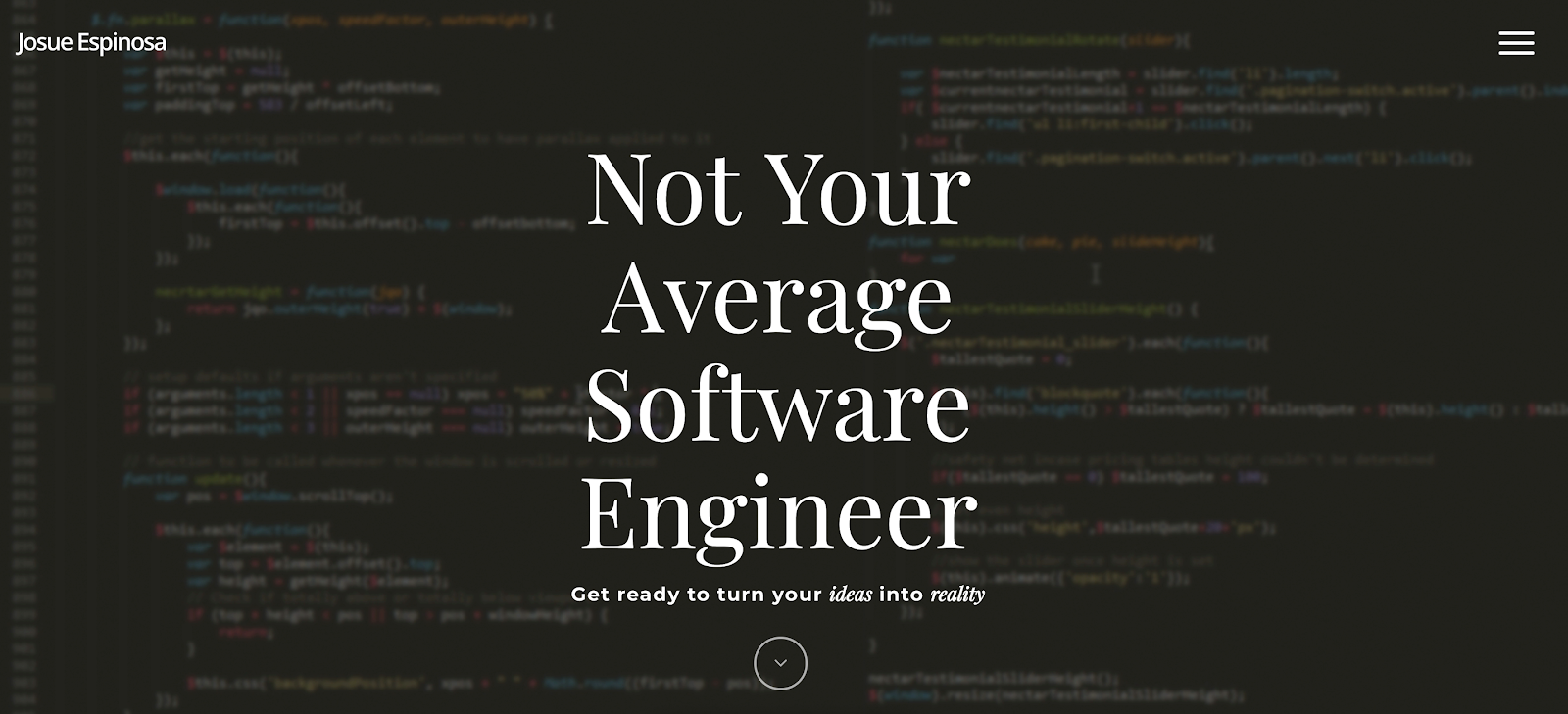
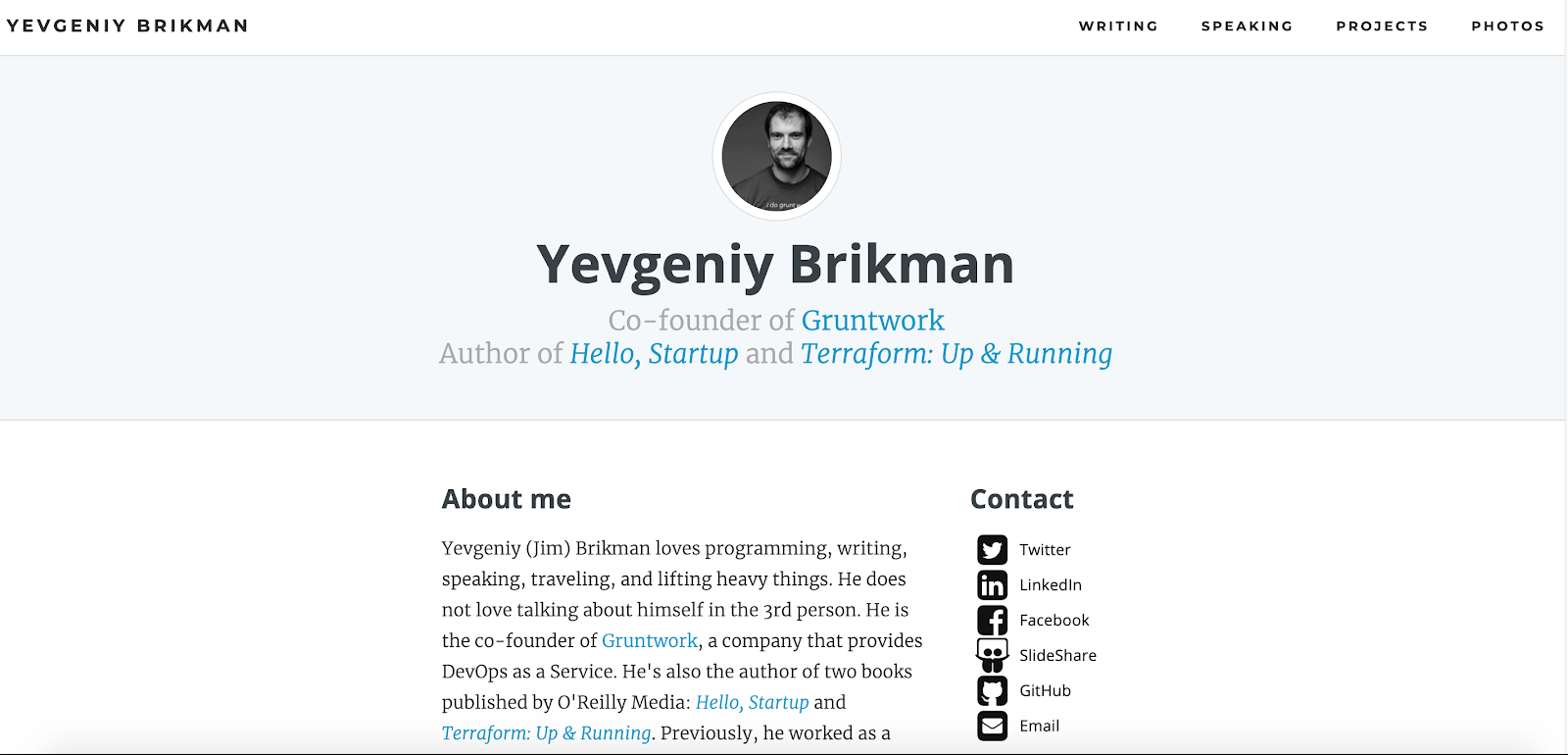
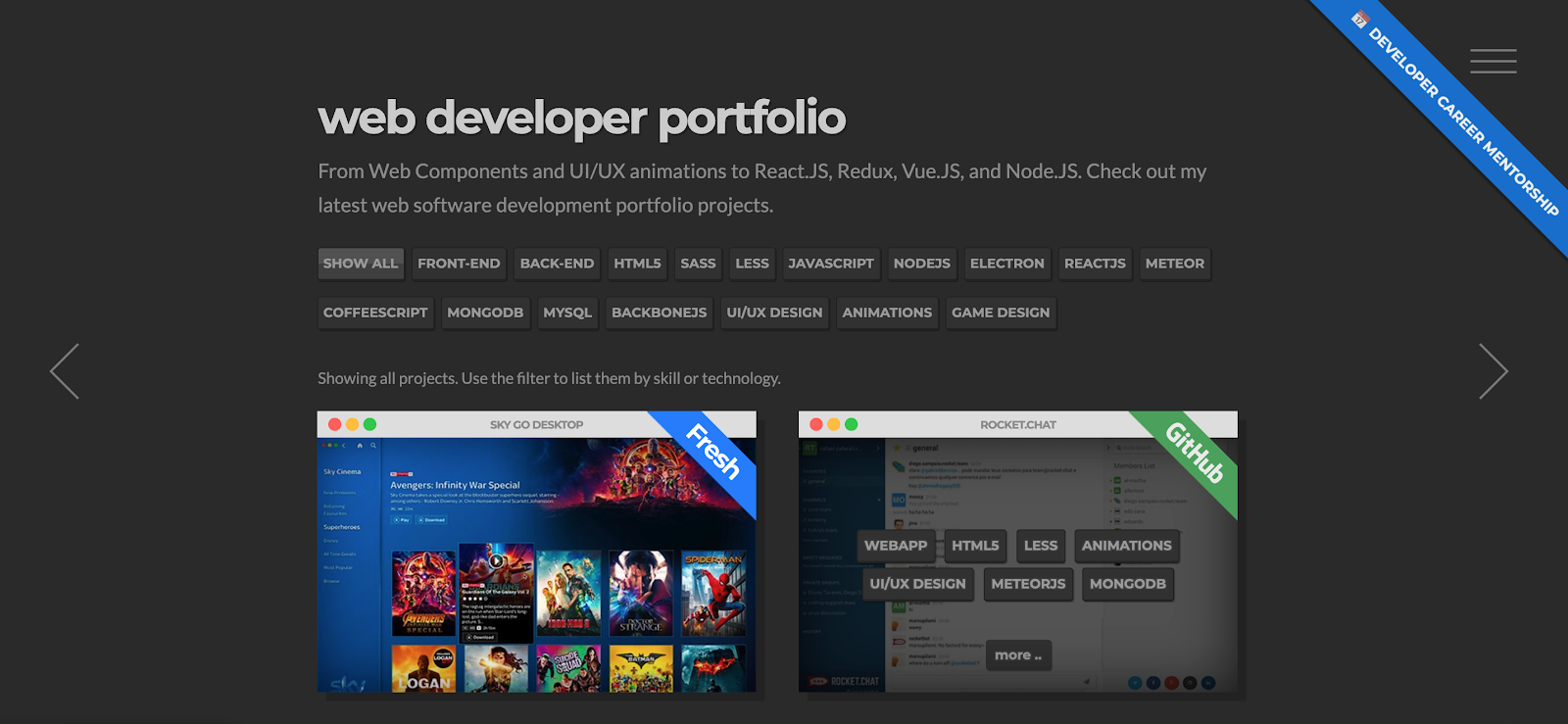
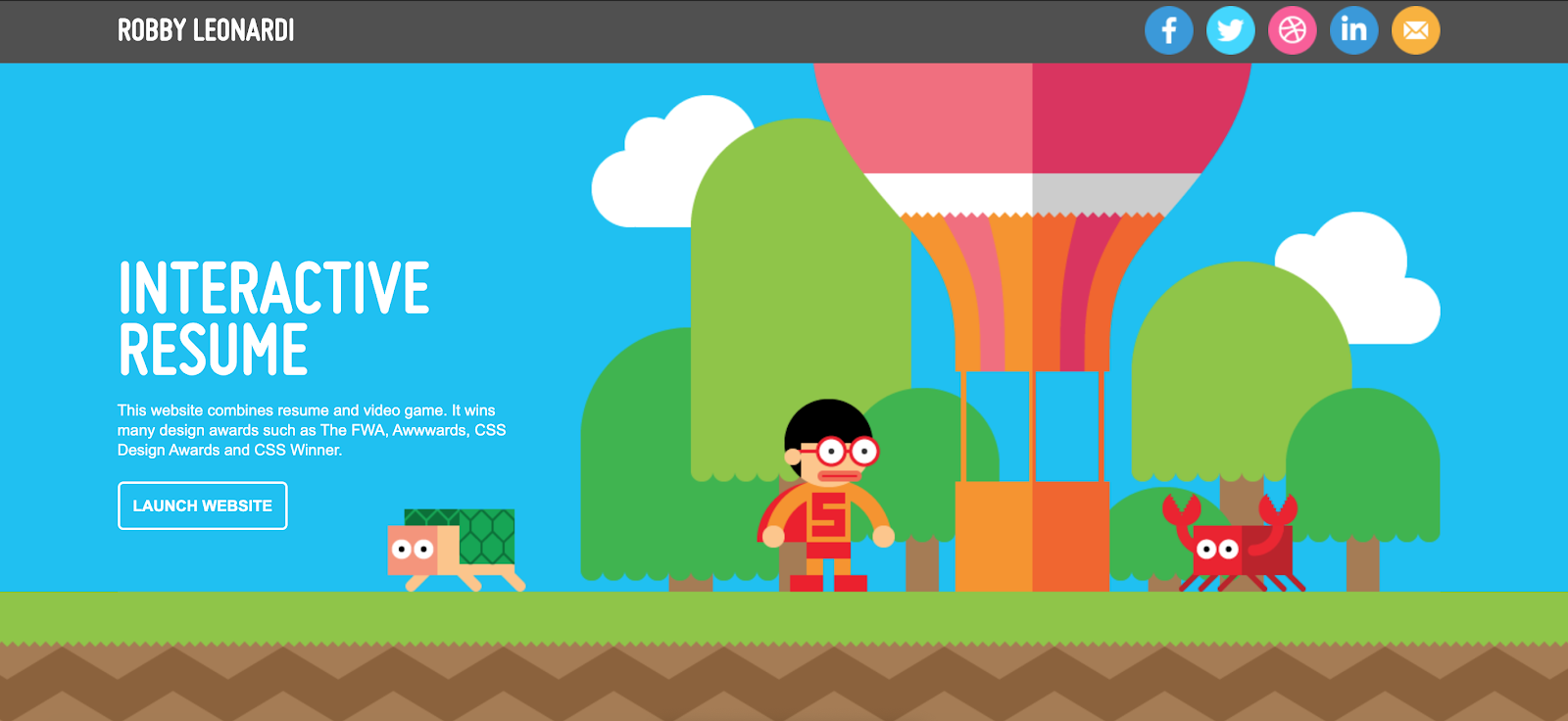
In this article, I’ll answer this question by example. Each of the top 19 websites shown here is carefully selected based on the respective freelancer’s estimated success.
If you want to learn how to succeed as a freelance developer, check out our Finxter resources to create your thriving coding business online:
Check out those resources—your success is about being prepared! All links open in a new tab.
How to Create Your Own Freelance Developer Website in 5 Simple Steps
Creating a website as a freelance developer is relatively easy. Here are the five steps that you must complete:
Domain+Hosting: Create your meaningful domain name—like i-help-you-solve-your-tech-problems.com—and a simple WordPress site using a website hosting service (just Google this to get it done). WordPress is still the best technology that can create beautiful websites in very little time.
Niche+Customer Problem: Find the specific niche and customer problem you want to solve. Go niche. Go small. Don’t fear being too niched down–that doesn’t exist as a one-person freelancing business. Even a world-market of 2 clients a year will do if they pay you enough money. Don’t miss this step—it’s critical. Read more about finding your best niche here.
Trust: Add trust elements to your website. What have you already accomplished in programming? Which websites and projects can they check out? What’s your StackOverflow bio? What’s your Github account? What did your previous employers say about you? Add pictures from you and make yourself human! Go deep into your past and find all valuable things you ever did that help you create trust for this specific customer problem you are targeting.
Pay: Find a way to get paid. There are plugins to embed a PayPal button—but the best way is to ask for an email. Just embed an HTML button with a mailto source attribute. You should have a separate bank account to divide your personal finances with your business finances from the start.
That’s it. You’ll revisit everything from time to time and improve your web presence through feedback and iteration. There are more things to do but you’ll figure them out as they appear. Don’t overthink—just do it!
Freelance Developer Website Examples
Next, I’m going to go over the best website examples of freelance developers I found at various resources (e.g., here).
To become successful in coding, you need to get out there and solve real problems for real people. That’s how you can become a six-figure earner easily. And that’s how you polish the skills you really need in practice. After all, what’s the use of learning theory that nobody ever needs?
Practice projects is how you sharpen your saw in coding!
Do you want to become a code master by focusing on practical code projects that actually earn you money and solve problems for people?
Then become a Python freelance developer! It’s the best way of approaching the task of improving your Python skills—even if you are a complete beginner.
Are you looking for a value-oriented, experienced Python freelance developer to help you with your Python scripts and business applications? I’m your guy! I’ve got 20+ years of experience in the Python programming space. My focus is on writing short scripts to automate essential steps in your daily work routine. The scripts I wrote have saved clients more than 1000 hours of manual labor – in the last year alone. I will help you to find and unlock hidden time resources in your workday.
EXPERIENCE
Fiverr – Python Freelance Developer
MONTH 2015 – 2020
100+ five-star gigs successfully completed
Highest-rated freelance developer in “script automation”
Upwork – Python Freelance Developer
MONTH 2015 – 2020
20 five-star gigs successfully completed
Top 20 highest-rated freelancer from thousands of freelance developers
$20,000 gig volume in 2020
TECHNICAL SKILLS
Python
Command-Line Scripting
Pandas
NumPy
Matplotlib
EDUCATION AND COURSES
University of Berlin – Bachelor of Science 2010
Computer science with a focus on automation & scripting
Finxter Python Freelancer Program – Certificate 2020
Do you want to develop the skills of a well-rounded Python professional—while getting paid in the process? Become a Python freelancer and order your book Leaving the Rat Race with Python on Amazon (Kindle/Print)!
Where to Go From Here?
Enough theory, let’s get some practice!
To become successful in coding, you need to get out there and solve real problems for real people. That’s how you can become a six-figure earner easily. And that’s how you polish the skills you really need in practice. After all, what’s the use of learning theory that nobody ever needs?
Practice projects is how you sharpen your saw in coding!
Do you want to become a code master by focusing on practical code projects that actually earn you money and solve problems for people?
Then become a Python freelance developer! It’s the best way of approaching the task of improving your Python skills—even if you are a complete beginner.
The Python interpreter throws the NameError exception if it encounters an undefined variable or function name. To fix it, you must figure out why the variable is not defined—the most frequent bugs are (1) to use the variable of function name in the code before it was defined, or (2) to misspell the name in either the definition or the usage.
Have a look at the minimal example in our interactive code shell:
Exercise: Define variable some_variable before you use it and fix the bug!
Note: All the explanations and solutions provided below have been verified using Python 3.8.5.
Problem
When one is beginning to write Python code, they will come across the NameError exception. The Python Interpreter throws this exception to state an error. Experienced Python coders, even Python legends like Guido (I suppose), run into these errors, every now and then. In its simplest form, the error looks like something similar to the following:
>>> print(some_variable)
Traceback (most recent call last): File "<stdin>", line 1, in <module>
NameError: name 'some_variable' is not defined
>>>
Desired Output
This article aims to help the reader understand some of the most common reasons for this error.
>>> print(some_variable)
hello world
>>>
The desired output, assumes the variable some_variable, points to the string "hello world". In other words, the desired output would be an error free run of the reader’s Python code.
Background
Python is an interpreted language. This means, it interprets any Python code, line by line, from the beginning of the code to the end. The execution usually stops at the first error which the Python Interpreter encounters. The error message usually prints out helpful information about the problem. In most cases, the reader can debug, deduce and locate the erroneous syntax and fix it. This blog will attempt to describe one such common problem called the NameError.
Missing Variable Definition
One common cause of the NameError exception is a missing variable definition. As mentioned before, Python is an interpreted language. This means that the reader should define the variables before using them. Consider the following code. The reader is eager to try out some basic Python code real quick. So they fire up the Python interpreter to try out their fresh Python skills.
>>> print(some_variable)
Traceback (most recent call last): File "<stdin>", line 1, in <module>
NameError: name 'some_variable' is not defined
>>>
Oops!!! The reader finds out they have not defined some_variable, before they used it! Fix this problem as shown below. Define some_variable before using it!
>>> some_variable = ‘Hello World’
>>> print(some_variable)
Hello World
>>>
Misspelled Variable Name
Misspelled variable names can be erroneous in a similar way. Consider the following example code.
>>> som_variable = ‘Hello World’
>>> print(some_variable)
Traceback (most recent call last): File "<stdin>", line 1, in <module>
NameError: name 'some_variable' is not defined
>>>
Note: som_variable is not the same as some_variable (i.e. missing 'e')
Missing Function Definitions
Another common cause of the NameError exception is a missing function definition. Like variable definitions, the reader should define any function, before using it. Consider the following code.
>>> some_other_string = ‘Hello World’
>>> some_function(some_other_string)
Traceback (most recent call last): File "<stdin>", line 1, in <module>
NameError: name 'some_function' is not defined
>>>
Again, the function 'some_function' is not defined before its use. Fix this problem as shown below. Define 'some_function' before using it.
Misspelled function names can be erroneous in a similar way. Consider the following example code.
>>> def som_function(some_string):
... print(some_string)
... >>> some_other_string = ‘Hello World’
>>> some_function(some_other_string)
Traceback (most recent call last): File "<stdin>", line 1, in <module>
NameError: name 'some_function' is not defined
>>>
Note: 'som_function' is not the same as 'some_function' (i.e. missing 'e')
Wrong Scope
Yet another common cause of the NameError exception is the use of the variable in the wrong scope. Consider the following example.
>>> ## Define the function some_function()
>>> def some_function():
... a_local_variable = ‘I am Local…’
... print("Printing a Local variable from within a function definition: " + a_local_variable)
... >>> ## Call some_function()
>>> some_function()
Printing a Local variable from within a function definition: I am Local...
>>> >>> ## Try to print "a_local_variable" from outside the function definition
>>> print("Attempting to print the variable from outside some_function(): " + a_local_variable)
Traceback (most recent call last): File "<stdin>", line 1, in <module>
NameError: name 'a_local_variable' is not defined
>>>
The NameError exception occurred because a_local_variable got called from outside its function scope. One way to fix this is by defining a_local_variable as a global variable instead. Consider the following example.
>>> ## Define a Global Variable
>>> a_global_variable = ‘I am global…’
>>> >>> ## Define the function some_function()
>>> def some_function():
... print("Printing the Global variable from within a function definition: " + a_global_variable)
... >>> ## Call some_function()
>>> some_function()
Printing the Global variable from within a function definition: I am global...
>>> >>> ## Try to print "a_global_variable" from outside the function definition
>>> print("Attempting to print the Global variable from outside some_function(): " + a_global_variable)
Attempting to print the Global variable from outside some_function(): I am global…
>>>
Unquoted String In print() Statement
Forgetting to quote strings in the print() statement can cause the NameError exception. This does not happen often, but it is good to know that it can happen. The reader is more likely to see a SyntaxError rather than a NameError. Consider the following examples…
>>> print(Hello)
Traceback (most recent call last): File "<stdin>", line 1, in <module>
NameError: name 'Hello' is not defined >>> print(Hello World) File "<stdin>", line 1 print(Hello World) ^
SyntaxError: invalid syntax
>>>
In both the examples above, unquoted strings cause errors. NameError in one case and SyntaxError in another.
In this case, the fix is simple. Enclose the strings in quotes.
>>> print(‘Hello’)
Hello >>> print(‘Hello World’)
Hello World
Conclusion
Such errors will happen in the reader’s coding life. The important thing is to learn from it and move on. Over time the reader will get better at coding, as they incorporate good coding habits. Such errors happen lesser and lesser as the reader gets more experienced.

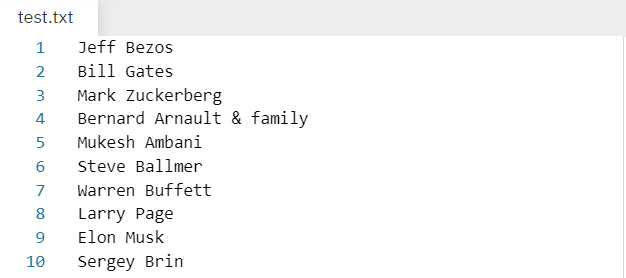
 . Our purpose is to read each line (which in this case contains names) one by one and store them in a list.
 for your convenience. Please feel free to download it in case you want to practice with it.






 What is a