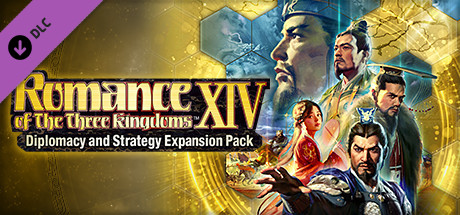
The Diplomacy and Strategy Expansion Pack for the series’ latest title “ROMANCE OF THE THREE KINGDOMS XIV” is available at last!An all new world of strategy awaits you.Make a display of your strategies on an increasingly worldly stage!
There is a new bundle of interest to game developers, the GameDev Map & Level Creator Bundle. This is a collection of graphics, tiles, backgrounds and tilesets for use in 2D game development. As with all Humble’s this bundle is organized into tiers:
1$ Tier
Egyptian Tileset
World Map Pixel Art Tileset
Super Pixel Dungeon
Fantasy Map
Night City Game Level Kit
Tropical Island 2D Game Tileset
Desert Tileset
Fantasy Village
15$ Tier
Game Level Map Set Kit
Fantasy Jungle Pixel Art Tileset
House Interiors Tileset Pack
City Street Tileset Pack
WiraWiri Game Level Map Builder
Misty Forest Ground Tiles
595 Medieval 2D Game Asset Pack
Platformer Game Tile Set 3
Simple RPG Tileset
Platformer Game Tile Set 1
Super Pixel Ice Cavern Tileset
25$ Tier
Cartoon Platformer Tileset Pack
Mega Factory Scene Creation Pack
Pxiel Art Tileset Collection
Game Level Map 9 Different Worlds
Underwater Tile Set
Isometric Forest
Wolfsong Tilesets
Top Down Tileset Interior
16 Jump Vertical Game Backgrounds
2D Isometric Starter Style Kit
The Dungeon Top Down Tileset
Game Level Map Pack Side Scrolling
Top Down Tileset Forest
Mega Castle & Dungeon Pack
Game Level Map Creator For Water Levels
Landscape Constructor Set
Woodlands Level Map Creator
Green Greens Forest Platformer Tileset
As with all Humbles, you get to decide how your funds are allocated, between Humble, charity, the publisher and if you so choose (and thanks if you do!) to support GFS purchasing through this link. An important thing to consider with any purchased assets is the legal license, which is available here. You can learn more about this bundle in the video below.
Developers creating games using the Core game engine can now make money from their creation with the newly announced Perks monetization system. Lagging behind user content platforms like YouTube and Twitch, creating game content is becoming hotter and hotter. With the recent massive IPO of Roblox revealing that developers just made 1/4 billion dollars on the platform it’s obvious there is money to be made here. With the Perks monetization system, Manticore Games are offering developers a much more equitable 50% share instead of the 24.5% currently earned by Roblox developers.
With Perks, monetizing your games is easy. Simply put, Perks are in-game purchases built specifically for Core. They allow creators to sell in-game benefits and earn Credits from players. Players buy Perks with Core Credits, which creators can then easily convert to fiat (real) currency.
In just a few simple steps, you can make your game free-to-play or premium, require a membership, offer expansion packs, or whatever you want. No matter how you choose to engage and entice your players, we make it simple. And if after going in one economic direction you decide to pivot to another, you can change it up very quickly. Perks always gives you full control over the economics of your games.
Another significant difference is how developers make money and what is covered by the platform. In addition to double the earnings, the Core platform will also be taking care of a bigger portion of the workload as illustrated in this graphic.
The Core Platform is powered by Unreal Engine and Epic Games have recently taken a stake in the company illustrating a certain belief in the idea. We went hands-on with the Core Engine when the open alpha release was announced. You can check out the video below to learn more about Core and the new Perks monetization program.
Star Wars: Knights of the Old Republic II, Obsidian Entertainment’s legendary RPG, is set to land on iOS and Android later this month. This one originally launched on Xbox all the way back in 2004, before hitting PC the following year.
While it doesn’t come up as often as its beloved predecessor, Obsidian’s game is no less special, serving up a compelling Star Wars yarn, a solid cast of characters, and a surprisingly dark tone. After all, you do play as what is thought to be one of the galaxy’s last remaining Jedi.
In true Obsidian fashion, you can expect to make many tough choices as you continue along on your adventure, ultimately deciding whether to stick to the light or embrace the power of the Sith Lords. Despite its age, it’s still well worth a shot – and playing it while on the go should be a nice bonus.
The port’s publisher, Aspyr Media, has been behind some of the most impressive mobile ports going, including Civilization VI, Jade Empire, and – yes – the original KOTOR. Speaking of Bioware’s classic, it’s currently heavily discounted on both the App Store and Google Play, just in case you fancy running through it ahead of KOTOR 2’s launch on December 18.
Today we are taking a look at 3 Blender 2.9 tips that every Blender user should know but probably don’t including enabling experimental mode, undo/redo stack and preventing UI from loading. There is a step by step video embedded below if you get lost on a step in the written version.
Tip 1: Enabling Undo/Redo Stack
If you’re are a error prone as I am, or are the type that likes to experiment, you probably find yourself using undo and redo all the time. If you want to jump forward multiple steps or flip forward and back in the undo history, this feature is for you.
To turn Undo History on, select Edit->Preferences…
Now select Keymap on the left, then locate Screen->Screen(Global) scroll down and locate Add New.
Now in the Add New window, expand the arrow, click the Select a Key button and enter Z. Also toggle Ctrl and Alt on, then in the text box area replace “none” with “ed.undo_history” then hit enter, like so:
Now if you hit Ctrl + Alt + Z in Blender, you will get an on screen menu to jump forward and back in the undo/redo history stack.
You can now move forward and back in undo by selecting the state from the window.
Tip 2: Enabling Developer Extras/Experimental Options
With each new release of Blender, especially alpha and beta releases, there are several experimental features. You do however need to enable them. Once again select Edit->Preferences…, then select the Interface tab. Toggle the option next to Developer Extras and the Experimental tab will now be displayed.
Clicking the Experimental Tab, you can now turn off and on experimental features by clicking the check box next to each feature. Most features will also have an info link to learn more, which will open the development page in a web browser.
Keep in mind these features are marked as experimental for a reason, do not use them in production.
Tip 3: Preventing UI from Loading When Opening A Blend File
This tip is probably the most obvious, but also the most life changing if you didn’t already know it. When you open a .blend file you download from online you will notice you also get the UI settings of the author of that Blend file. If you’d rather have it load with your own UI settings there are two ways to do it.
First is on a case by case basis. When you open a Blend file using File->Open, in the open dialog, click the gear icon, and unselect Load UI.
Now if you would prefer to have this setting disabled by default, you can also do it via Edit->Preferences… select the Save & Load tab then disable Load UI.
Also remember, if you want to keep these settings each time you load Blender, you need to save your changes. Simply click the Hamburger icon in the Preferences window and select Save Preferences, you shouldn’t have to perform this step if you have Auto-Save Preferences turned on.
You can see all three to these tips in action in the video below.
After a week of teases, Garena has now revealed that Cristiano Ronaldo is coming to Free Fire as a new playable character called ‘Chrono’. He’s set to arrive as part of the game’s latest campaign, ‘Operation Chrono’, which takes us to a dystopian “slum universe” featuring advanced tech aplenty and no shortage of intrigue.
Specific details on how exactly Chrono will play remain a little light, though we do know that more info will arrive soon enough. Operation Chrono is currently expected to kick off on December 19.
This is easily among Garena Free Fire’s biggest collaborations to date, which is really saying something considering that we’ve seen crossovers with Netflix’s Money Heist, DJ Alok, The Night Comes for Us star Joe Taslim, and many more. Clearly, Chrono is joining an already impressive roster of Garena Free Fire characters.
Ronaldo himself teases “tons of new features and elements” for Operation Chrono. “It’s a great feeling having not only a character in Free Fire modelled after me, but also having the whole universe within the game changing along with it,” he shares.
If you’re looking to prepare for this new update, we’ve got all the tips you need to start earning those all-important Garena Free Fire diamonds. We’re just nice like that.
Wave Engine recently released version 3.1. Wave Engine is a completely free to use 3D game engine capable of targeting most platforms and XR devices. We have been keeping an eye on this engine since 2015 when we featured it in the Closer Look series. More recently we looked at Wave Engine again in 2019 when WaveEngine 3.0 was previewed after a long period of silence. After another long period of silence we received the 3.1 release which brings .NET 5 and C# 9 support as well as graphical improvements.
We are glad to announce that, aligned with Microsoft, we have just released WaveEngine 3.1 with official support for .NET 5 and C# 9. So if you are using C# and .NET 5, you can start creating 3D apps based on .NET 5 today. Download it from the WaveEngine download page right now and start creating 3D apps based on .NET 5 today. We would like to share with you our journey migrating from .NET Core 3.1 to .NET 5, as well as some of the new features made possible with .NET 5.
From .NET Core 3.1 to .NET 5
To make this possible we started working on this one year ago, when we decide to rewrite our low-level graphics abstraction API to support the new Vulkan, DirectX12 and Metal graphics APIs. At that time, it was a project based on .NET Framework with an editor based on GTK# which had problems to support new resolutions, multiscreen or the new DPI standards. At that time, we were following all the great advances in performance that Microsoft was doing in .NET Core and the future framework called .NET 5 and we decided that we had to align our engine with this to take advantage of all the new performance features, so we started writing a new editor based on WPF and .NET Core and changed all our extensions and libraries to .NET Core. This took us one year of hard work but the results comparing our old version 2.5 and the new one 3.1 in terms of performance and memory usage are awesome, around 4-5x faster.
Now we have official support for .NET 5 and this technology is ready for .NET 6 so we are glad to become one of the first engines to support it.
In the video below we review Wave Engine 3.1. All of the samples used in the video are available on GitHub. Please note this repository should not be cloned, it simply links to a different repository for each sample.
Way back in 2018 Unity announced the official deprecation of the UNET networking solution, which consisted of the low level (LLAPI) and high level (HLAPI) networking solutions. The reasons for the deprecation were:
Through our connected games initiatives, we’re revamping how we can make networked games easier, more performant, and multiplayer-ready by default. To make these important changes, we need to start anew. That means existing multiplayer features will be gradually deprecated, with more performant, scalable, and secure technologies taking their place. But don’t worry – games with impacted features will have plenty of time to react.
At this point in time the future was clearly DOTS (Data Oriented Technology Stack) which included a new solution called Unity NetCode. In the end the migration to DOTS hasn’t gone as smoothly as expected and recently Unity have started back-filling support for GameObject based development. One recent example was the acquisition, then subsequent free release of the Bolt visual scripting solution. Today Unity have made a similar move, by adopting the open source MLAPI networking project as the new official Unity networking solution. Details from the Unity blog:
One of Unity’s top priorities for 2021 is to expand the Unity ecosystem with a first-party multiplayer networking solution for GameObjects that is easy to set up and extend, scales to meet the needs of high-performance titles, and is seamlessly integrated into the Unity ecosystem.
The existing UNet HLAPI architecture is not well suited for the in-depth evolution that is required to support games at scale. Rest assured, we don’t want to reinvent the wheel. The ecosystem currently offers multiple strong solutions, and the best path toward providing you with the scalable framework we envision is to build on the amazing work that already exists in the community.
We considered various open source software (OSS) alternatives and found a framework that fit our needs. We’re thrilled to share that the OSS multiplayer networking framework MLAPI is joining the Unity family, along with its creator, Albin Corén.
As of today, we’re already working on integrating and evolving MLAPI into what will become Unity’s first-party GameObjects netcode solution. We plan to continue the development fully open source. Developing in the open and welcoming community contributions. If you are interested, you can join us on the GitHub MLAPI repo.
You can learn more about MLAPI and the ongoing saga of networking on Unity in the video below.
Game of Thrones: Conquest introduces new heroes to the battlefield in its latest update. The game, which sees players battle for control of Westeros, recently added dragons to the fray in its first major post-launch update.
The heroes will be familiar faces for any who have read the books, or seen the TV show, including Jon Snow, Tyrion Lannister, Danaerys Targaryen, and Cersei Lannister, as well as fan favourites like Hot Pie, Hodor, and Jaqen H’ghar. Each has their own unique skills, stats, and abilities which could help turn the tides of war.
Players will be able to unlock heroes through “Summons”, which can contain Hero Relics, Hero XP, and other rewards. With enough Hero Relics – which range in rarity from Uncommon to Mythic – you can unlock up to six heroes to form your own Small Council. Once you unlock a hero, you can level them up using XP, Relics, and Oaths.This will boost their level, both of their signature skills, and can unlock powerful Star Skills that are potent enough to win a battle on their own.
As well as dictating their forces from a seat on the Small Council, heroes can be sent on Marches into battle with their troops – and of course with dragons to aid them. Different heroes excel in different roles – Jaime Lannister thrives in the heat of battle, whereas his father Tywin prefers to pull the strings from the shadows.
Your best chance of unlocking Seats of Power through successful Kingdom vs. Kingdom and limited-time Rebellion events will be with a cadre of powerful heroes to do your gruesome bidding.
If you like the look of – or are already enjoying – Game of Thrones: Conquest, then check out our breakdown of the best mobile strategy games. We’re sure you’ll find something to pique your interest.
FMOD, perhaps the most popular audio middleware solution for games, just updated their indie developer licenses effectively making the use of FMOD free for smaller indie game developers. So what defines an indie game developer here? First you need to make less than $200K gross revenue per year and second, you need to have less than $500K USD in funding for your game title. There are also some limitations on industry, so for example gambling and simulation projects do not qualify for this license.
The primary details of this announcement came via this tweet:
The key paragraph from the linked legal document is the following:
This EULA grants you the right to use FMOD Studio Engine, for Commercial use, subject to the following:
Total gross revenue / funding per year for the developer, before expenses, is less than $200k (Refer to www.fmod.com/licensing#licensing-faq for information);
FMOD Studio Engine is integrated and redistributed in a game application (Product) only;
FMOD Studio Engine is not distributed as part of a game engine or tool set;
Product includes attribution in accordance with Clause 3.
More details about the licensing changes are available here. FMod has support for several game engines including Unreal and Unity, if you are a Godot developer there is FMOD support available via this project, as well as a GDNative version available here. To learn more about FMOD and the new indie licensing check out the video below.