Posted on Leave a comment

Fortnite’s SpongeBob SquarePants skin is sadly not a Sweet Victory

When word of SpongeBob SquarePants‘ arrival in Fortnite whispered through the rumor mill recently, I couldn’t help but be excited. A SpongeBob SquarePants Fortnite skin sounds chaotic, somewhat silly, and genuinely incredible. Especially if he’s bringing the Patty Wagon with him. Yet, I can’t help but feel very disappointed about the final result.

Yeah, technically, SpongeBob Squarepants can join your growing Fortnite skin library. He joins newcomers such as Marty McFly and The Bride, staples of the current season. However, don’t expect to actually roam around as the Krusty Krab’s finest employee in-game. Rather than becoming a fully-fledged character to do battle as, SpongeBob SquarePants is nothing more than a Sidekick.

For those jumping into Fortnite after a while, Sidekicks are NPCs that accompany you across the map. No one outside of your squad can see them, just your party. They’re kinda cutesy, with the option to pet them if you wish. The big catch is that pretty much every Sidekick so far is a paid cosmetic, setting you back at least 1,200 V-Bucks, depending on who you want to join your side.

SpongeBob SquarePants’ full bundle costs a sizeable 3000 V-Bucks. In exchange for your currency, you’ll receive the SpongeBob Slippies Kicks, Gary Slippies Kicks, the Jellyfish Jam and Lil’ Big Jellyfish emotes, a Goofy Goober guitar, Bikini Bottom drumset, and the Golden Spatula Harvesting Tool. It also bundles in Sweet Victory as a Jam Track and a DoodleBob Back Bling. Now all of that sounds pretty awesome, right?

Fortnite SpongeBob Squarepants: An image of the SpongeBob SquarePants bundle in the Item Shop.

It’s just a shame that you don’t get a proper SpongeBob SquarePants skin included. If you’re keen to buy just the Sidekick version of him, it costs 1800 V-Bucks. Logically, Epic Games is making him a Sidekick so he adheres to the game’s hitbox metrics. Basically, if he’s too short, Epic is likely deeming it an unfair advantage. That’s why Lisa and Bart Simpson are in mech suits. It kind of sucks, to be honest.

At least Sweet Victory is worth a purchase for 500 V-Bucks. What an absolute banger. It’s quite the year for the character, though. After an appearance in Sonic Racing: Crossworlds and a stint in Fortnite SpongeBob Tycoon, all that’s left is for remasters of the best SpongeBob games to come our way, I reckon.

Posted on Leave a comment

If this leak is true, Sandrone might be Genshin Impact’s most disappointing Harbinger yet

Ah, Sandrone, The Marionette, Seventh of the Fatui Harbingers – what a cool design and a sassy character. She and her personal ruin machine Pulonia strike a formidable pair in Genshin Impact, but what’s going on with her (or their?) playable status?

Some information has, allegedly, come out regarding The Marionette’s playable release. Bear in mind this leak is marked as ‘sus’ on the subreddit, but stranger things have (unfortunately) happened. The leak comes from 神威难藏舅, translated by Columbina Mains.

Supposedly, Sandrone will release in update 6.7 – we’re currently in Genshin Impact update number 6.2, so there’s still a while to wait, but whoever releases in 6.5 will be a support for her, with a cryo vision. Allegedly, remember.

We’ve never seen Sandrone’s vision, but it was heavily assumed to be geo, given her vaguely yellow color palette, and the rise of the lunar crystallize reaction in Nod-Krai. According to this latest leak, she will actually be electro. This does kind of make sense given her whole machine vibe, but I was looking forward to a geo-based Harbinger. She may focus on the superconduct (electro and cryo) reaction.

YouTube Thumbnail

As the Nod-Krai story has opened up, we’ve met Sandrone in the story. She confronts the Traveler in the middle of the city, in a sassy conversation, and then appears with her robots, who unfortunately get attacked by the Wild Hunt. She’s in Nod-Krai to generally oversee the entire Kuuvahki Experimental Design Bureau, and retrieve Columbina, a fellow Harbinger, and also Moon Maiden in the region.

But apparently, Sandrone won’t be known as Sandrone on her release and will have a very different personality. For me, this is kinda disappointing. This marks another Harbinger that has had its evil side watered down, renamed, and potentially had a personality made more approachable and nice. Scaramouche became the cheeky Wanderer, Arlecchino recently wore cat ears in an event, and Columbina is barely a Harbinger anymore and is actually… a goddess? Don’t get me started on what might happen to Dottore.

Anyway, regardless of how you feel about this, it may not be true and may be entirely fake news. Only time will tell.

Posted on Leave a comment

CyberGhost VPN review – a great choice for newcomers

Verdict

Pocket Tactics 8/10

CyberGhost is one of the top VPNs around, and easily the most recognisable. I found it to be fast and flexible, with a low ping and jitter, making it suitable for gaming. Its collection of streaming-focused servers optimized for particular services is really helpful, and delivers reliable results. While CyberGhost is missing some of the more advanced features of competing VPNs, I think it’s a fine choice for most people.

Pros

  • Useful free trial for mobile version
  • Dedicated streaming servers
  • Low ping
Cons

  • Limited to 7 simultaneous connections
  • No local LAN network support for printing and casting
  • Advanced privacy options limited

Thanks to its quirky ghost logo, CyberGhost has become one of the most easily recognizable VPN providers. You’ll have seen its adverts on TV and YouTube, on podcasts, and in magazines. It has apps for mobile, desktop, and smart TVs, and a free trial for Android and iPhone, making it an attractive prospect if you’re looking for a new VPN – but is it worth it? And how does it stack up next to other providers?

Let’s examine the company first. CyberGhost launched in 2004, initially based in Romania, but has since been purchased by Kape Technologies. This is the same company that owns competing VPN services, Private Internet Access (also known as PIA), and ExpressVPN (both of which have a home on our list of the best mobile VPNs).

Meanwhile, CyberGhost has a 3.8-star rating on Google Play and 4.3/5 on the Apple App Store. These scores indicate that CyberGhost is well-regarded by mobile users… but, of course, I wasn’t going to come to any conclusions before I tested it myself.

CyberGhost VPN screenshots showing the user connected to a server, choosing a server, and disconnecting.

Specs

CyberGhost VPN specs:

Server range 125 locations across 100 countries, with 21 dedicated IP locations
Compatible apps FIFA Mobile, Minecraft, Roblox, Genshin Impact, Twitter, Facebook, Netflix, Disney+, and more
Free trial 3 days (app only)
Money-back guarantee 45-day money-back guarantee
Simultaneous connections 7
Router support Yes
Average latency 36m/s
Average jitter 2m/s

Using CyberGhost VPN on your smartphone

One of the key challenges for a mobile VPN is how well the app integrates with your network connection – and, of course, how easy it is to use.

CyberGhost offers one of the cleanest, fuss-free interfaces in the mobile VPN field. A simple on/off button is complemented by a Settings icon and a server list that expands when tapped. This is grouped by countries, servers optimized for Netflix and other streaming services, and a list of your favorite servers (added by tapping the star icon).

With CyberGhost set to run when your phone starts up, the client app can be configured to automatically connect when a WiFi network is detected, and if approved at installation, it displays notifications that you can use to connect or disconnect the VPN with a touch – it’s much faster than going to the app and opening it up.

CyberGhost VPN review images showing a long list of available server locations.

Privacy features

It is easy to improve your privacy with a VPN like CyberGhost installed. It uses the industry-standard AES 256-bit encryption to keep your connection private, so as long as you don’t log into an account at the destination website, no one will ever know you viewed it. Even if you do log in, if you always access the site with the VPN on and don’t submit any data that will identify you, you’re still fully anonymous.

In short, if you want to protect your privacy, you just need to install the VPN, select a server, and then switch it on with one tap. If you take advantage of its free trial, you don’t even need to spend anything. It’s swift, and it’s efficient.

Various privacy-enhancing tools are also included. Within the CyberGhost app’s Settings screen, beyond the tools to manage your connection and devices, a collection of toggles enable and disable various additional options. In most cases, you shouldn’t need to alter any of these, but knowing where to find them is useful. These control things like VPN protocol (OpenVPN or WireGuard are available, but you can set the app to choose automatically), transport mode (TCP, UDP, or automatic), and packet size. This option is useful for resolving connection or speed issues. You can also configure the app to block ads, trackers, and malware, and enable the VPN to activate when your phone connects to a specific network. If you’re likely to connect to a public WiFi service, this is useful to have.

If you’re wondering why you would ever want to turn off any of these features (they’re all pretty handy, after all) it’s really just to conserve your phone’s processing power. If you know you’re not going to be doing a lot on your phone while you’re out and about, but still want to be conscious about public WiFi, then you could turn off the more advanced features while just keeping it on. No need to drain battery power unnecessarily.

Also, if you want to know more about privacy, CyberGhost has a collection of articles in its Privacy Hub. These explain various concepts and practices to help you stay private and secure online. It’s a lot of general stuff that everybody should be aware of.

CyberGhost VPN screenshots showing the split tunnelling feature, and its WiFi detection tool.

Other features

You’re probably considering a mobile VPN either for privacy over unsecured or untrusted WiFi networks, or to enable access to overseas game servers. Or you might be looking for a VPN that can help you to access streaming libraries in different regions (such as Netflix US when you live in the UK).

However, VPNs have other purposes, such as complete anonymity and protecting your browsing from observation under totalitarian regimes. Some VPNs offer tools that support this, usually a form of “double-VPN” (which encrypts the connection twice), but unfortunately, CyberGhost does not.

Although there is a domain fronting option, this feels like an afterthought. Rather, the app’s feature set suggest that it is geared more towards entertainment rather than life-saving privacy. That’s fine, because a lot of VPN users aren’t going to need a service as thorough as that, but if you do, then you should steer clear of this one.

Now let’s get to something very important – something that every VPN worth its salt should have: a no-logs policy. While CyberGhost has a strict no-logs policy, its owner, Kape Technologies, is based in the UK. This means that it could theoretically be subject to data requests on activity by a specific account from a member of the Five Eyes alliance (USA, Canada, Australia, New Zealand, and the UK). Its base in Romania should prevent that, but it is worth considering; that said, CyberGhost issues a Quarterly Transparency Report (Q3 2025) which lists the data requests from law enforcement, and states: “They all have the same goal: to connect an IP address to a person. That connection can’t be made on our network.”

That is reassuring. However, note that virtual server locations are in use. What this means is that servers that appear to be connecting from one location are actually connecting via another. This is done when laws in a particular country make it difficult or even impossible for secure VPN servers to be available there. India is one example.

When you use a VPN, your IP address is hidden, and destination websites instead see one that belongs to the VPN server you connected through. This is useful for anonymity, but not great if you want to use a banking app. In this case, subscribers to CyberGhost can request a dedicated IP address. It has an additional fee – $5/month on a monthly deal, with 20% and 50% savings each over six-month and two-year deals.

However, compared with other VPN apps and services, CyberGhost is missing a few features. While geared towards streaming (I tested access to Disney US from the UK, and it worked fine), casting to a TV with the VPN enabled doesn’t work. Split Tunneling, a feature where some apps can be excluded from the VPN connection, doesn’t fix this, as it requires the app to be able to access other devices on the network. Some competing VPNs – like NordVPN – offer this feature, often called “LAN access” but sadly, CyberGhost does not.

CyberGhost VPN performance

I did the following tests using a wireless router and a Vodafone fiber broadband connection.

  • Baseline: 80.7Mpbs/69.9Mbps (Ping: 14m/s)
  • UK Server (Manchester): 73.6Mbps/65.4Mbps (Ping: 36m/s)
  • US Server (New York): 73.2Mbps/65.2Mbps (Ping: 92m/s)

Using a VPN inevitably impacts internet speed, and CyberGhost is no different from its competitors in this regard. However, you can see from these results that the signal drop is minimal.

When it comes to ping and jitter, CyberGhost performs well, but naturally, the performance is better the closer to home your target server. Attempting to play a game via a server situated on the other side of the planet, for example, will have a detrimental impact on the game’s playability.

Final verdict

VPN services increasingly need to stand out from the crowd, and CyberGhost has a strong brand. It’s recognizable to many, even if they don’t use a VPN or know what they do. This makes it a great gateway to the world of VPNs, and CyberGhost is affordable, too. Starting at $12/month on a rolling contract, with six-month and two-year options (equivalent to $6.99/month and $2.03/month at the time of writing), this VPN provider also lets you maintain anonymity by paying with Bitcoin, along with the usual credit card/PayPal/Amazon Pay combo.

In short, CyberGhost’s branding is all about keeping you barely visible – like a ghost – online. But with this marketing comes some pressure. Is CyberGhost a good VPN, and does it measure up to competing VPNs?
Well, I’ve tried and used a lot of VPNs over the years. I’ve always been impressed by CyberGhost for its cutesy, accessible presentation, but this is not something that is universally welcomed. I know of people who consider CyberGhost to be the “VPN for n00bs” (actual quote from one of them), but in my opinion, this is not something to be derisive about. Everyone should be using a VPN, and if the service is accessible and the app is easy to use, then that is a Very Good Thing Indeed.

But while CyberGhost is accessible, and perhaps the most ideal route to improved mobile device privacy, the speedtest.net results leave room for some improvement. Yes, the app is excellent, the streaming performance reliable, and CyberGhost is suited to gaming… but it falls short on a few of the more advanced options its competitors boast.

Posted on Leave a comment

Clash RNG codes December 2025

If your fingers are getting tired from all that clicking, use our Clash RNG codes to lighten the load a little. Even with the free auto clicker, farming plenty of elixir for the best chests is a daunting task, and I’d much rather do it with some luck potions by my side.

We check for new Clash RNG codes every day, so bookmark this page and check back soon if you’re just as hooked on this Clash Royale-inspired clicker as we are.

Here are all the new Clash RNG codes:

  • THANKYOU – three luck potions and three elixir potions (new!)

Clash RNG isn’t the only Roblox game with a codes system, so check out our list of Roblox codes to get rich quick across the entire platform.

What are Clash RNG codes?

Clash RNG codes are special passwords from the developer, ChillyTea Studios, that give you boosts during your clicking adventures. So far, these codes have offered potions to increase your luck and boost your elixir farming.

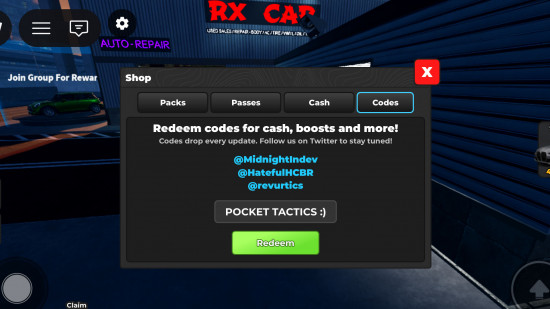
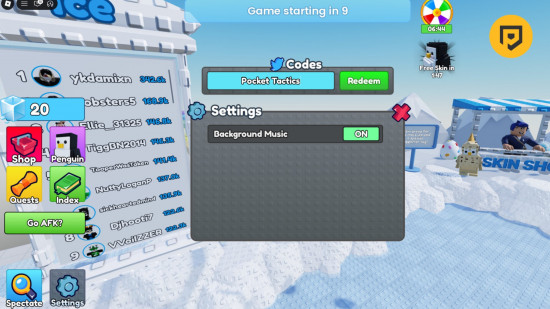
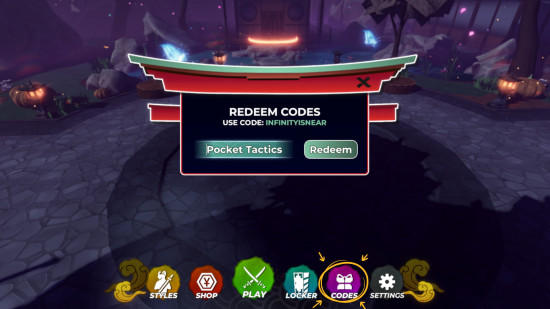
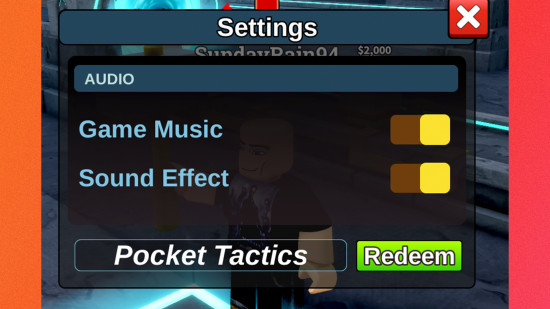
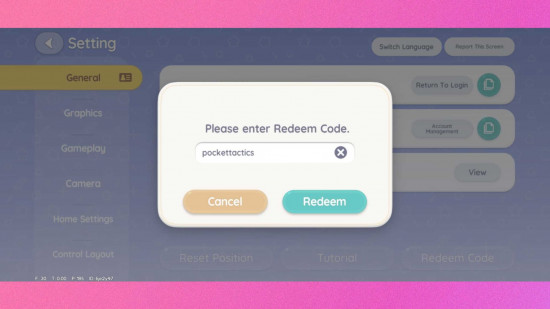
Clash RNG codes: A screenshot of the codes box with POCKET TACTICS in it and a PT logo in the top right corner

How do I redeem Clash RNG codes?

Redeeming Clash RNG codes is simple. All you need to do is:

  • Open Clash RNG in Roblox
  • Tap the Settings cog
  • Copy and paste one of our codes into the box and hit Enter on your keyboard
  • Enjoy your freebies

Is there a Clash RNG Discord server?

Yes, there is a Clash RNG Discord server. You can join it by clicking here to see the latest announcements, report bugs, and share pictures and videos of your gameplay.

Clash RNG codes: The welcome sign from the Discord server with a PT logo in the top right corner

How do I get more Clash RNG codes?

The easiest way to get more Clash RNG codes is to visit this page often. We check for new codes every day and make sure that our current codes are still working, so you can rely on us for the most accurate information. You can also join the Clash RNG Discord server and the ChillyTea Studios Roblox group to scout some codes out yourself.

Posted on Leave a comment

Today’s Coin Master free spins October 2023

Are you wondering how to get Coin Master free spins? You’ve come to the right place. This mobile game combines the thrill of playing slots with the social battling of Clash of Clans to create something that you just can’t put down; in a good way. The problem is, you so often have to put it down if you’re not willing to fork out the cash for regular spins.

In this Coin Master blog, we’re going to provide you with all of the ways you can get your hands on a few free spins and a Coin Master bonus here and there. We also recommend you check out our Coin Master free cards and Coin Master free coins guides to get even more rewards, and our Pet Master free spins guide if you fancy checking out Moon Active’s latest game.

Coin Master free spins today:

  1. 25 spins
  2. Ten spins and one million coins
  3. Ten spins and one million coins
  4. 25 spins

Coin Master free spins September 30:

  1. Ten spins and one million coins
  2. 25 spins
  3. 25 spins
  4. Ten spins and one million coins
  5. Ten spins and one million coins
  6. 25 spins

Coin Master free spins September 29:

  1. 25 spins
  2. 25 spins
  3. Ten spins and one million coins
  4. Ten spins and one million coins
  5. 25 spins

Coin Master free spins September 28:

  1. 25 spins
  2. 25 spins
  3. Ten spins and one million coins
  4. 25 spins
  5. 25 spins
  6. Ten spins and one million coins
  7. 25 spins

Coin Master free spins September 27:

  1. Ten spins and one million coins
  2. 25 spins
  3. 25 spins
  4. Ten spins and one million coins
  5. 25 spins

Coin Master free spins September 26:

  1. 25 spins
  2. 25 spins
  3. 25 spins
  4. Ten spins and one million coins
  5. Ten spins and one million coins
  6. 25 spins
  7. 25 spins

Coin Master free spins September 25:

  1. 25 spins
  2. 25 spins
  3. 25 spins
  4. 25 spins
  5. Ten spins and one million coins
  6. 25 spins

Coin Master free spins September 24:

  1. 25 spins
  2. Ten spins and one million coins
  3. Ten spins and one million coins
  4. Ten spins and one million coins
  5. Ten spins and one million coins
  6. 25 spins

Coin Master free spins September 23:

  1. 25 spins
  2. 25 spins
  3. 25 spins
  4. 25 spins
  5. 25 spins
  6. 25 spins

Coin Master free spins September 22:

  1. 25 spins
  2. 25 spins
  3. 25 spins
  4. 25 spins
  5. Ten spins and one million coins
  6. 25 spins

How can I get Coin Master free spins?

Here are a bunch of tips to help you get even more free spins in Coin Master.

Follow Coin Master on social media

Each day, Moon Active, Coin Master’s developer, provides a bunch of links that you can follow to get your hands on Coin Master free spins. If you keep on top of this, you can get a steady stream of free stuff for very little effort. You can follow Coin Master on Facebook or Twitter.

Want more? Check out CodesDb for a powerful, searchable database of the latest game codes.

Sign up for email gifts

If you sign up for email gifts, you can get yourself a handful of Coin Master free spins every single day just by following a link on your phone. We haven’t encountered any spam from signing up so far either, so it’s a quick and easy method of getting yourself some tasty free spins.

Invite friends

Each time you invite a friend who successfully joins Coin Master through Facebook, you’ll get 40 Coin Master free spins, which is considerable. They don’t even have to actually play the game; they simply have to download it and log in via their Facebook account to get you the free spins. Of course, it’s in both your interests to actually play it, which brings us nicely to our next point.

Request spins as gifts

You can get up to 100 Coin Master free spins per day from friends, though to get to those heights you’ll need 100 active friends who are kind enough to send you a gift each day. Each gift consists of a single free spin.

Unless you’re incredibly popular, it’s highly unlikely that you’ll have 100 friends; let alone 100 that will actually deign to play a game with you. We recommend heading on over to the official Reddit community or Facebook communities to try and find people willing to play with you.

Watch video ads

You can get a limited number of Coin Master free spins per day by watching a video ad. Simply scroll to the slot machine and tap on the spin energy button on the bottom right. If it’s not there, you’ve run out of free spins you can get through this method for the day, but if it is, simply tap on it and you’ll watch an ad.

Spin

Ironically, you can actually get a ton of Coin Master free spins by, well, spinning. If you get three spin energy symbols in a row, you’ll get a bunch of free spins. Pick up a chain of them and you can spin for ages before you run out.

Level up your village

Each time you level up your village, you’ll get a bunch of Coin Master free spins. It’s not easy though, as it costs a considerable amount of gold to purchase new buildings and improve them, and you have to purchase every single one of them, including improvements, to level up. That’s going to cost a lot of spins, as it is.

Looking for a new game? Take a look at our Honkai Star Rail codes, Honkai Star Rail tier list, or even our Pokédex!

Participate in events

There’s almost always at least one event happening in Coin Master, and it can absolutely shower you with free spins. While viewing the slot machine, look at the top right of the screen. Any virtual buttons that you can see beneath the menu (which is displayed as three lines) are an event. Tap on one and you’ll see what each event involves.

Take advantage of these events and you can get yourself a lot more Coin Master free spins than usual.

Wait

This is an obvious suggestion, but it’s actually worth taking into consideration. You get five free spins every single hour, and you can only hold a maximum of 50 spins at any one time. That means every ten hours you’ll hit the maximum number of spins, and any Coin Master free spins you would have earned after that will cease to exist.

So, we recommend setting a reminder to visit Coin Master every ten hours at least to spend your spins so you are always earning more. You’ll actually end up earning a huge number of extra spins if you’re dedicated, so it’s totally worth doing.

YouTube Thumbnail

Coin Master free spin FAQ

Now, we’ll answer a bunch of questions you may have regarding getting Coin Master free spins.

Do Coin Master free spins links expire?

Yes, the daily links that we include at the top of this page expire after three days, which is why we only include those from today and the two days prior.

Can I get 50 Coin Master free spins?

Coin Master 50 spin rewards most commonly appear during in-game events, like those that reward you for raiding or battling other players. There’s also a small chance to get this number from daily links, so bookmark this page and check back often.

Can I get 60 Coin Master free spins?

Yes, though it doesn’t appear to happen often from daily links. We’d recommend playing often and participating in events, and following the social media channels to find out what’s happening soon.

Can I get 70 Coin Master free spins?

We’ve never seen a Coin Master 70 spin reward appear as part of the daily links, but it has been known to appear as part of special events.

To get your hands on this rare reward, we would recommend playing on a daily basis and following social media channels to get an indication of when the next big event will take place.

Can I get 100 Coin Master free spins?

Yes, though not from the daily links. We’ve seen this number of free spins appear often during in-game events, most notably for those that reward you for raiding and participating in PvP battles.

Play often and follow the social media channels for events to keep an eye out for this.

Can I get 50,000 Coin Master free spins?

Again, 50,000 Coin Master spin rewards don’t seem to appear as part of the daily rewards cycle, but have been known to crop up during events. Follow the socials and play regularly to get the best chance at this reward.

And that will just about do it for our Coin Master free spins guide. For something a little different, why not take a look at our guide to answers for Wordle today? And if you’re looking for something new to play, check out our best mobile games list, or head over to our Honkai Star Rail tier list and Genshin Impact tier list.

Posted on Leave a comment

Fighting Pokémon weakness, resistance, and strength

If you’re trying to humble a Hitmontop or out-macho a Machamp, we’re here to help with our fighting Pokémon weakness guide. We’ve got everything you need to know about Pokémon’s most physical typing, including fighting Pokémon weaknesses, resistances, and strengths. So, take a scroll down the page and find out how to beat Bruno and the rest of the black belts of the Pokémon world with ease.

For more Pokétips, check out our guides to fairy Pokémon weakness, ghost Pokémon weakness, psychic Pokémon weakness, poison Pokémon weakness, steel Pokémon weakness, electric Pokémon weakness, water Pokémon weakness, and dark Pokémon weakness. Or, catch up on every generation with our complete Pokédex.

So, let’s ring for round one and get into our fighting Pokémon weakness guide.

What are fighting Pokémon weaknesses?

Until gen six, there were just two fighting Pokémon weaknesses in psychic- and flying-types, but these days there are also fairy Pokémon to contend with. Psychic and fairy moves are the biggest threat, especially as fighting Pokémon often have low special defence, but you should do your best to avoid all three of these dangerous typings.

YouTube Thumbnail

What are fighting Pokémon resistances?

Fighting Pokémon are resistant to dark-, rock-, and bug-type attacks, making them perfect for taking into a forest on a pitch-black night. The bug-type resistance isn’t too helpful, with Pokémon distinctly lacking in potent bugs, but the option to switch in a fighting Pokémon when faced with a rock or dark Pokémon might help turn the tide of a battle.

What are fighting Pokémon strengths?

The fighting-type is easily one of the most offensive in Pokémon, with five different types hit for super-effective damage by fighting moves. If you face an opponent who specialises in any of these typings or has a couple of dual-type Pokémon with these types, a fighting-type move is sure to do some impressive HP damage.

Custom image for Pokemon fighting weaknesses guide with the fighting type icon

There you have it, our fighting Pokémon weakness guide. While you’re here, check out another hit title with our Honkai Star Rail tier list and Honkai Star Rail codes guide.

Posted on Leave a comment

The best city builder games 2023

Who doesn’t want to play the best city builder games on Switch and mobile, right? There’s something so inherently satisfying about building a city. Like some sort of mega-Tetris, the idea of slotting together buildings and maintaining the day-to-day challenges of a city is both fascinating and fun. Honestly, I could have been an architect I reckon, if it wasn’t for all the studying, and being smart, and the cost. So instead let’s dive into some games you can afford, and play today, no degree required.

Just before we don our hard hats and start assembling the rest of our article, be sure to check out the suburbs of Pocket Tactics for some real hidden gems. Much like an out-of-town restaurant, we’ve had fantastic Yelp reviews for our guides covering the best Switch racing games, the best horror games on Switch and mobile, the best Switch RPGs, the best Switch tactics games, and, if just like our mate Bob you love a bit of building, have a look at our guide on the best games like Minecraft for Switch and mobile.

It’s time to get on with our guide to the best city builder games on Switch and mobile.

City Builder games: a screenshot from Cities Skylines shows a series of skyscrapers

Cities: Skyline – Switch 

Well, this one is a bit on the nose, isn’t it? Cities: Skyline is a deep and incredibly addictive city builder where you can make the marvelous metropolis of your dreams. This granular simulation game gives you so much control, allowing you to optimize and manipulate the education systems, healthcare, and many other elements to better balance your city’s economy.

The Switch port sacrifices a bit of visual clarity, but being able to play this incredibly rich sim on the go is well worth it. Developer Colossal Order has optimized the UI incredibly well for Switch, and there’s even Pro Controller support so you can feel the rumble of machinery as you erect your latest skyscrapers. Cities: Skyline on Switch also includes both the After Dark and Snowfall DLC packs. so that’s plenty of building bang for your buck.

City Builder games: a screenshot from Steamworld Build shows a desert level with several buildings and factories

Steamworld Build – Switch 

Alright, this is a slightly pre-emptive pick, but we have actually played and absolutely loved this entry in our Steamworld Build preview. Plus, the Steamworld Build release date isn’t far away at all, so you’d better get saving. Developer Thunderful (previously Image & Form) is well recognized for taking concepts and adding a layer of quirky personality to them, and then delivering a stellar game along the way. Steamworld Dig 1&2, Steamworld Heist, Steamworld Quest… all bangers. Well, they are if you ask us.

Steamworld Build brings across all of the depth, charm, and smart optimization that the Steamworld franchise is famous for. You balance your city-building abilities above ground with a surprisingly deep (sorry) mining side of the game, as you send units to explore the depths and earn the very elements you need to continue building above ground. It looks great, feels very addictive, and we can’t wait to relax over the holidays with another charming Steamworld entry.

City builder games: A screenshot from Dragon Quest Builders 2 shows character overlooking a large buidling made of blocks

Dragon Quest Builders 2 – Switch 

Don’t judge a book by its cover, and don’t look at Dragon Quest Builders 2 and assume it’s Minecraft with silly JRPG outfits. I mean, it is that, but it’s also so much more. DQB2 takes the mining formula and adds so many smart quality-of-life upgrades that it makes going back to Minecraft feel like a chore. Plus, a lovely storyline propels the narrative and slowly introduces more tasks, building tools, and areas for you to explore.

On top of just being able to build your basic blocky barrack, as you explore the narrative and visit multiple islands, you befriend the people you meet along the way and bring them back to your home, building a cute community as you progress. You get farm animals, plenty of different building types, some really funny Dragon Quest-themed furniture, and the wholesome feeling of providing refuge for some waifs and strays. There’s a lengthy demo for Dragon Quest Builders 2, so give it a tickle and see if it’s for you. Forgive the sluggish intro, we promise it opens up fairly quickly!

City builder games: a screenshot from Civilisation VI shows a large area filled with buildings and settlements

Civilisation VI – Switch and mobile 

The king, the legend, the G.O.A.T. of city-building sim games. As the French band Justice once sang… “Civilization.” That’s right Justice, what else is there to say? Well, Civ 6 is the latest iteration of the long-running franchise, and it brings along years of smart upgrades, challenges, and attention to detail that many other sim games can never hope to match.

Build your own personal empire and try to fend off the forces of encroaching countries. Develop tools and resources quickly, and soon you can overpower your foes with the smartest weapons this side of Tyrion using green flames on some pirate boats. What’s more, the extensive Switch port includes scenario packs based on Vikings, Poland (dobry, dobry!), Australia, and Persia. If you’re planning on conquering soon, be sure to check out our Civ 6 tier list first.

City builder games: a screenshot from Townscaper shows buildings floating above the water

Townscaper – Switch and mobile 

Let’s bring things down a notch, with a minimalist city-builder that’s more about vibes than vigorous architectural action. In Townscaper there are no goals, no tasks, no time limit, and definitely no enemies. Your job is just to build. Either use a controller or tap the screen to plop some buildings into an empty water-based void, and before long you’re making the adorable city of your dreams.

It’s not quite as granular as you might expect, but you can still create towns with a varying degree of tiers, you can swap colors, and even make cute little awnings and balconies. Whether you play on Switch or mobile, this is a cheap and cheerful way to spend a few hours, and it’s especially a lovely and very peaceful way to gain some calm and exert some control when the world feels a little bit too much. Check out our Townscaper review for more information.

City builder games: Super Mario characters appear in Minecraft

Minecraft – Switch and mobile 

Yeah, I know, this isn’t quite a city-builder, but technically you can build a city if you want to – as long as you have a month to spare. In Minecraft, your ability is only as big as your ambition, and you can create cities, countries, or even the entire world of Westeros (second Game of Thrones mention klaxon). You can choose survival if you want to brave the elements and tackle those dreaded creepers, and there’s something so thrilling about cobbling together your very first tiny little home.

However, if you just want to build me up, buttercup, then slap that bad boy onto creative and start building like God that one week. Enjoy unlimited resources, the insane depth of Redstone and other interactive elements, and plenty of real estate. Plus, you can watch the mountain of Minecraft YouTube videos to get some tips and even set up a server to share a game world with your pals. Yes, it’s a meme at this point, but there’s a reason Minecraft became the biggest game in the world. If this weary 34-year-old man can still unwind with a pickaxe, then you can give it a go as well.

City Builder games: a screenshot from Simpsons Tapped Out shows the city of Springfield

The Simpsons: Tapped Out – mobile 

I refuse to even entertain the idea that there’s anything in the world that isn’t improved by adding The Simpsons. My childhood skateboard? It had Bart on it, and it ruled. My t-shirt? You’d better believe it, The Simpsons are there making me look rad. GTA? Nah, The Simpsons Hit & Run shows Homer and the crew can make everything better. My parents divorce? Cheers Homer, we got through it together.

Anyway, uuhhh, The Simpsons: Tapped Out is a free-to-start city-builder, where you create your own approximation of Springfield. Use currency known as donuts to build Moe’s Tavern, Springfield School, the famous tyre fire, and much more. We will say, be careful, as while it’s addictive and very fun, The Simpsons: Tapped Out often feels designed to frustrate you into spending money, and purchase options go as high as the hundreds in an obvious attempt to harpoon those elusive mobile gaming whales. Still, if you can resist the urge, there’s so much to love here.

YouTube Thumbnail

There you go, folks! That’s all we have for our guide to the best city builder games on Switch and mobile. If you just can’t get enough of that wonderful Duff (or video games), you can also read our argument for The Simpsons: Hit and Run remake now.

Posted on Leave a comment

Mineko’s Night Market review – you can’t resist the toebeans

Mineko’s Night Market has been on my radar for a long time – over two years, in fact. Back when I first started working on Pocket Tactics, I remember falling in love with my first glimpses of the game and telling my team that I would love to review it when the release date came around. So it feels pretty satisfying to sit here after so much time has passed, finally able to dive into a Mineko’s Night Market review.

But, with a long wait comes a build-up of anticipation and expectations – so does the game live up to the hype? Well, I may be a tad biased due to Mineko’s Night Market checking most of my boxes, but I genuinely love this game. It’s simple and charming, with a fun sense of humor, a touching narrative, and a relaxing yet engaging gameplay loop, all making for a very enjoyable little title with heaps of personality.

Mineko’s Night Market describes itself as a narrative-driven, social simulation adventure that celebrates Japanese culture, and it certainly delivers on that front. The story follows a young girl called Mineko, who moves to a small island with her dad. However, there are strange goings on happening on this island – and she soon finds herself in the middle of it all.

The island was once populated by many cats, as well as the Sun Cat, Nikko – a giant cat who lived atop Mt. Fugu and watched over the people below. However, with Nikko seemingly gone, the island is now a shell of its former self, and many of its inhabitants don’t even believe he exists – that is, except for Bobo, who immediately befriends Mineko and invites her to help prove Nikko’s existence.

YouTube Thumbnail

Finding evidence of Nikko and returning the island to its former glory isn’t an easy task, as there are heaps of mysterious agents poking around – and they’ve even captured all the cats in cages. But one night, Nikko visits Mineko, and she embarks on a mission to not only free all the captured cats and help build the island back up, but to also help Nikko return to his home on top of Mt Fugu.

The narrative is utterly adorable, and I absolutely love the references to Japanese mythology throughout. The characters are also wonderful, from adults like Mineko’s dad and Hank the Hunk to the other kids like the initially antagonistic Miyako and boyband-obsessed Hana. The dialogue you share with them is charming and even insightful at times, with playful quips and jokes, sweet little anecdotes, and endearing backstories. There are also some truly moving moments throughout, exploring themes of friendship and belonging in a really touching way.

The main gameplay revolves around a weekly calendar. Throughout the weekdays, you can explore different areas, collect resources, craft items, and complete quests. On Saturday evenings, it’s time for the titular Night Market, where you sell your wares and take part in events to increase the market’s level and, ultimately, help it flourish into the iconic attraction it used to be.

Mineko's Night Market review - Mineko standing by a bridge and a zen garden in Nikko's temple

You travel to different locations by going to the bus stop outside of your house. There isn’t a usual clock, so you can spend as much time in each area as you like, but time passes when you return from a location. Buses only run during the day and evenings, so you can visit a maximum of two locations a day, but you can explore them and gather items to your heart’s content, as long as you have the stamina for it.

Speaking of stamina and hearts, you only have one heart’s worth when you start the game. Harvesting or collecting items takes a set amount of stamina, from picking up a hairball or a flower, to chopping wood or mining rocks. You can eat or drink in order to restore stamina, with drinks and small snacks generally giving you half a heart and larger meals like yakisoba or sushi to-go giving you a full heart, but you can only eat or drink three items a day – so generally it’s best to splash out and buy the to-go meals rather than the cheaper ramune.

This feels a little restrictive at first, but as you progress through the story, you gain additional hearts so you can complete more tasks in a day. Also, each consumable gives you a cute little message when you use it, which is a nice added detail.

Usually, on your first visit to a new location, it’s infested with agents – and a few of the locations require you to have bought a tool from Hank’s Tool Shop before you can go there at all. Once you arrive, in order to unlock the location fully and progress further, you need to get past the agents, free a set amount of captured cats, and then complete a final task such as locating a Nikko artifact, disconnecting a comms tower, or destroying a supply crate.

Mineko's Night Market review - Mineko saving a cat from three sleeping agents

In these sections, you have three ‘lives’ (noted by little Mineko head icons at the top of the screen). If you step in front of an agent’s flashlight, you lose a ‘life’. If you lose all three ‘lives’, you have to start the sequence again. Getting past most of the agents is generally a case of timing – wait until they move out of the way, then sprint through to get to the caged cat. However, there’s some variation that requires a bit of puzzle-solving or even bribery.

While these sections are all the same at their core, they still offer enough variety that you sometimes need to stop and think, and I find them very enjoyable. You also get a very satisfying moment when you manage to free all the cats and push the agents out of the area, allowing you to see it with all its flowers, resource points, and kitties out in the wild again. Oh, and how could I forget? Each location generally has a bunch of cats sitting around. And, yes, you can pet them – it doesn’t even cost any stamina to do so.

Some kitties just change position when you pet them, while others follow you around in a cute little kitten conga line until you leave the area and go home. The follower kitties sometimes get in the way, especially if you’re collecting items off the floor, meaning you may end up petting a cat rather than collecting an item – but honestly, as a cat mom, that’s pretty much my real life anyway, and due to the lack of stamina required to pet cats and there being no time limit in each location, there’s really no harm done.

Outside of picking items up on the floor, such as flowers or hairballs, the resources you collect each have their own sort of minigame. For example, mining rocks and chopping trees requires you to hit a button at the right moment, hold it, and release it when the marker is in the right place.

Fishing is another simple, quick-time-esque gathering game, where you need to wait until the fish pulls the lure down, then hit the button to real. Pretty much every resource you gather is useful for crafting, but you can also submit certain items to museums. Once you submit enough items, the museums get a makeover and open to the public, once again helping the island to expand and earning you some nice items.

Mineko's Night Market review - a screenshot of Mineko during the sewing craftbench minigame

Similarly, different crafting benches have their own minigames, too. These range from simple – such as hitting a button when the marker is hovering over the right section to cut a stem on the flower craftbench – to a bit more complex – such as guiding a paint brush around a map on the art craftbench or following a pattern with a sewing machine on the sewing craftbench. If you pull it off perfectly, you get a perfect item, which is worth more money. If you do well but don’t get it exactly right, you get a normal item. And, if you completely mess up, you get a garbage item that isn’t worthy of selling at all.

As mentioned earlier, the main purpose of crafting is to have stock to sell at the Night Market on Saturdays. However, you can also sell items at shops throughout the week if you need a bit of extra cash to buy some food, or a new tool or craftbench. You also get villager requests, where different characters ask for specific items – initially, these are usually food items, though later, they start asking for specific crafted items.

Completing village requests increases your relationship with the characters and is a great way to unlock new recipes or receive items. Though you can also unlock recipes through bottles that you catch while fishing, this is a nice incentive for you to cultivate friendships with the different characters around town, contributing to a nice level of world-building that feels very wholesome. It’s also very satisfying when you get the chance to give the villagers items that they then use to kit out their house, sprucing the island up even further.

When you get used to these different elements, it’s easy to fall into a comfortable rhythm, visiting certain locations throughout the week to top up your resources, crafting the items that sell the best, and then turning up to the market to make a big profit. But, with frequent new locations and story developments, this gameplay loop doesn’t get stale too quickly, and there’s always something new to do. However, if you prefer to take things slow, there’s no real time limit, either. So you can spend as many weeks as you want gathering and crafting before progressing on to the next part of the story.

Mineko's Night Market review - a screenshot of the end of a cat race during the Night Market, showing Mineko and Bobo sitting on cats in front of a stage

Visually, Mineko’s Night Market is equally as beautiful. It adopts a simplistic, 2D picture-book aesthetic with lovely elements that nod to iconic Japanese artwork such as Hokusai’s The Great Wave off Kanagawa. The colors are varied yet somewhat muted, adding to the soft, relaxing vibe of the world, and everything feels like it’s washed in the golden light of a setting sun.

The music is also lovely, with unique, soothing tracks for the gathering locations and a jazzy, whimsical piece that backs up the espionage-esque sections with the agents, among others. Most of the pieces have a lo-fi vibe, and some even incorporate instruments reminiscent of classic Japanese music. It’s a lovely OST that truly enhances the relaxing nature of the game, and I could definitely imagine myself listening to it as I work in the future.

Outside of that, the sound design for the bulk of the game is unintrusive and fitting. The characters aren’t voiced at all, but to be honest, that doesn’t really detract from my enjoyment at all, especially as, combined with the large speech bubbles, it only seems to enhance the overall pop-up picture-book feel.

I was lucky enough to get my hands on both a Switch version and the Steam beta version, both of which I’ve tested thoroughly and played for hours. When it comes to controls, Mineko’s Night Market feels very intuitive on the Switch. Press one trigger to sprint and press the other to creep. One button for inventory, another for opening your journal, and another for collecting an item. It all feels comfortable and responsive, and I didn’t need to do any remapping for it to feel right.

The Steam version, on the other hand, took me a little while to get used to. While WASD works for movement, the default controls seem designed around using the directional arrows, as left shift is sprint and right shift is creep. You press enter to collect/interact with things, E to open your inventory, and J to open your journal, and the mouse doesn’t do anything at all. Luckily, you can remap the controls pretty easily through the settings menu, and after I got used to my new layout (left shift will always be sprint for me, it’s second nature at this point), I’ve come to find it comfortable and somewhat reminiscent of older PC games from back when I was a kid.

Mineko's Night Market review - Mineko petting a cat by the frozen lake

The performance on the Switch and Steam is mostly comparable. The simplistic art style and animations makes for a smooth and visually pleasing experience on both platforms for the most part, and screenshots even look comparable – which is a rarity for the Switch.

However, the Switch version does have some issues. Load screens are much longer, so you become very familiar with the running Mineko sprite on the bottom right corner. This is especially frustrating when you are going between the craft shop and tool shop in the village, as there’s a load screen for entering and exiting both of the shops, making the act take much longer than it needs to.

There’s also quite a bit of stuttering when you load into a new area or enter a cutscene, with the music cutting out and the characters sometimes freezing. These issues are essentially absent from the Steam version, so keep that in mind if choosing between platforms.

Outside of that, I experienced some bugginess in the HQ where, on the second floor, jumping into a vent to progress to the area where the door code was broken. I couldn’t progress, which meant I had to restart the game and lost my progress for the day. I also had a few buggy moments on the frozen lake, where Mineko would get caught on the corner of one of the frozen, slip-stream-esque sections, but it always worked itself out. This issue seems to be consistent across both the Steam and Switch versions. However, as this is a beta build, I’m cutting the game some slack here – and I have faith that the devs will fix these grievances in the full launch.

Overall, Mineko’s Night Market is a delightfully charming game, and, to me, it was well worth the wait. I know it’s cliche to say, but it really does emit the same coziness present in Animal Crossing games and Studio Ghibli films (specifically My Neighbor Totoro vibes), while also managing to pay homage to a beautiful culture and stand on its own two feet as a unique experience.

Mineko's Night Market review - Mineko and Nikko sitting in a Sakura tree, watching the moon over Mt Fugu, as Mineko says 'we're gonna get you home, Nikko'

It’s simple and certainly doesn’t try to reinvent the wheel, but it’s also very relaxing and perfect for those days where the world feels a bit too much. So, if you’re having a rough time and feeling a bit blue, remember the Night Market is every Saturday, and Nikko is waiting for you.

Right, that’s it for our Mineko’s Night Market review. If this type of game is your vibe as much as it is mine, there are plenty of other titles to explore in our list of the best indie games, cute games, or our top picks for the best Switch games overall. We’ve also got a list of all the ACNH villagers, along with guides to Fae Farm multiplayer, Fae Farm flowers, and Fae Farm Fish.

Mineko’s Night Market review

Mineko’s Night Market is a truly charming little game, full of cute cats, quirky characters, and plenty of chill vibes. Its narrative successfully celebrates Japanese culture, friendship, and belonging in such a beautiful way, and is supported by a simple yet engaging gameplay loop made up of gathering, crafting, and even a spot of espionage. A must for cozy game lovers all over the world, and the perfect way to unwind after a stressful day.

Posted on Leave a comment

The best League of Legends games 2023

The insanely popular MOBA League of Legends might be PC-only, but that doesn’t mean that you’re limited to chunky computers to enjoy your favorite franchise. With our list of the best League of Legends games on Switch and mobile, we’ll help you experience this zany world from a whole new angle.

Sometimes you find yourself extremely invested in one thing, whether that’s a genre of game or a franchise. At Pocket Tactics, we’ve got you covered with tons of lists covering the best football games, volleyball games, party games, Pokémon games, Mario games, vampire games, and loads more.

Let’s take a look at the best League of Legends games on Switch and mobile.

League of Legends games: A tablet screenshot of a game of Wilf Rift pasted on a blurred version of the same thing to fill the image

League of Legends: Wild Rift – mobile

Playing League of Legends: Wild Rift is the closest you can get to playing the original MOBA on the go, especially as even some of the best portable gaming consoles that can run the launcher are still ironing out their kinks. Wild Rift is built from the ground up for mobile play, featuring over 40 champions and two game modes: Wild Rift and ARAM.

Riot has consistently supported Wild Rift since its release in 2020, and the official website still promises that a console release is coming soon. Hopefully, we’ll be conquering the arena on our Nintendo Switch in the near future. Why not check out our League of Legends: Wild Rift tier list to see where your favorite character ranks?

League of Legends games: Promotional art for Ruined King in all-green tones

Ruined King – Switch

Ruined King: A League of Legends Story was the first League spin-off game to come from Riot’s publishing arm, Riot Forge. This tactical RPG sees you play as Miss Sarah Fortune, a popular gunslinger character from League’s enormous roster, as she takes over as the ruler of Bilgewater.

Alongside other recognizable characters like Braum, Ahri, and Pike, you work together to fight off an approaching threat from the black mist. This game is a great place to jump into the lore of League of Legends without worrying about who you main in the MOBA. We’ve got a bunch more details in our Ruined King: A League of Legends Story Switch review.

League of Legends games: Cover art of Ekko and a hooded figure

Convergence – Switch

Riot aims to conquer yet another genre with Convergence: A League of Legends Story. This Metroidvania serves as Ekko’s origin story, delving deeper into his life in Zaun and how he mastered his time manipulation abilities. Convergence is also a great game to start with if you’re looking for a familiar face, as Ekko plays a critical role in Netflix’s Arcane series, which helped to spread League even further than ever before.

Convergence features tight combat, fully-voiced dialogue, and beautiful character and environment art to truly immerse you in the story. For more on the game from a League newbie, check out our Convergence: A League of Legends Story Switch review.

League of Legends games: Key pixel art for The Mageseeker featuring Sylus

The Mageseeker – Switch

Another Riot Forge entry, The Mageseeker: A League of Legends Story explores Sylus’ backstory as an imprisoned mage through an action-packed pixel roguelike from the developers of Moonlighter. Sylus is more of an anti-hero than a typical game protagonist, but this game sees you get to know him and his motivations across multiple runs and ultimately delivers his redemption.

Of course, this mage-freeing adventure also features other popular League champions like Morgana and Lux which avid fans can look forward to, but much like the other League of Legends Story entries, you don’t need any prior knowledge to fall in love with this game. Check out our The Mageseeker Switch review to find out more.

League of Legends games: A graphic showing off the Volibear in Runeterra

Legends of Runeterra – mobile

What videogame universe is complete without a digital CCG? Legends of Runeterra is Riot’s answer to physical card games like Magic the Gathering and digital competitors like Blizzard’s Hearthstone. The cards represent champions, locations, and other lore tidbits from League’s expansive universe.

Legends of Runeterra has both PvE and PvP gameplay and is free-to-play, so if you want to get involved in the League universe through a genre that you’re comfortable with, there’s no harm in giving it a go. You can head over to our Legends of Runeterra decks guide to find out where to start, or check out our other picks for best mobile card games of 2023.

There you have it, our list of the best League of Legends games available on the Nintendo Switch and mobile. There are more Riot Forge games on the horizon, so why not check out the Bandle Tale release date or our Song of Nunu preview.

Posted on Leave a comment

Great Sword! Monster Hunter Now downloads reach five million

We know people love Monster Hunter, but the absolutely – ahem – monster amount of Monster Hunter Now downloads is still something of a surprise. Niantic and Capcom announced recently that Monster Hunter Now has reached over 5 million downloads in its first week, an absolutely whopping number and a great start for the mobile spin-off.

To celebrate, Niantic is giving fans a bonus package that includes 5,000 Zenny and two free paintballs. Simply use one of the brand new Monster Hunter Now codes to get access to it. Alongside this, Niantic revealed the first Monster Hunter Now event, as the Diablos Invasion event hits players this weekend on September 23, 2023, and September 24, 2023. The event runs from 1:00 pm until 4:00 pm local time on both days.

During the event, Diablos appears more frequently in desert regions. Plus, time-limited event quests are active, asking you to complete new missions, such as snapping a picture of Diablos using the AR mode within Monster Hunter Now. You can learn more about the Diablos Invasion event at the Monster Hunter Now website.

If you want to get a glimpse of the exciting mobile game in action, you can check out the Monster Hunter Now trailer below.

YouTube Thumbnail

There you have it, hunters, that’s all we have on those huge Monster Hunter Now downloads for today. If you’re diving in and need some tips, be sure to check our guides covering the Monster Hunter Now weapons and the Monster Hunter Now monsters as well.