Posted on Leave a comment

Bedrock: 1.21.130

New Features

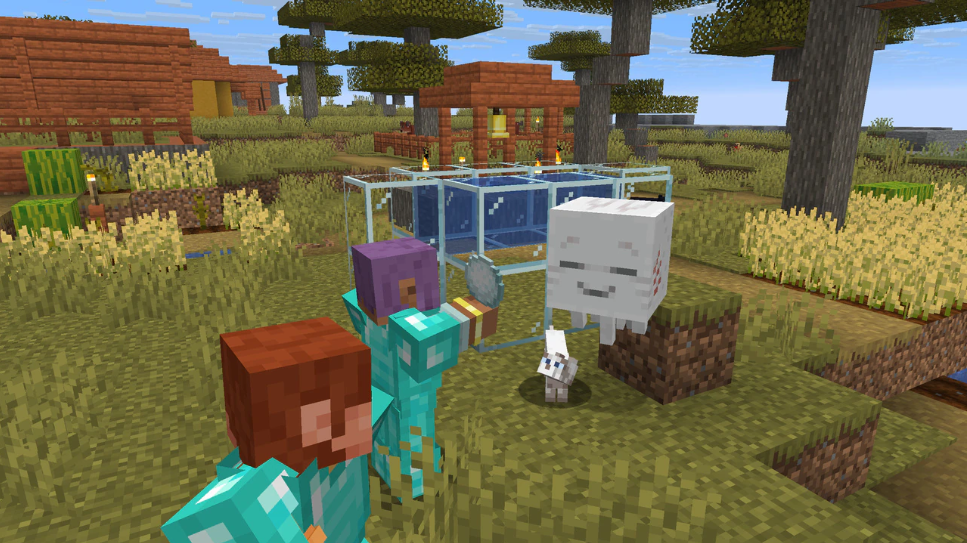
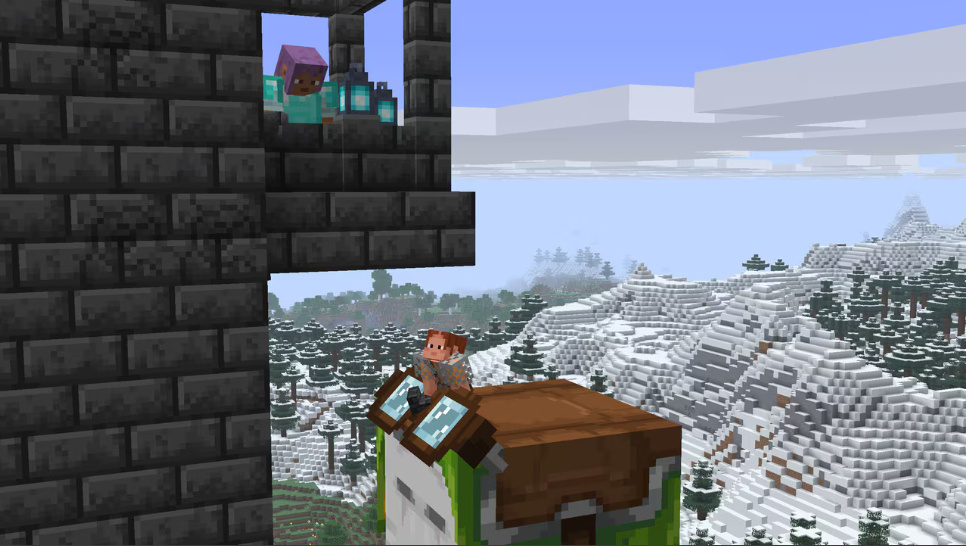
Mount improvements

  • Horses, Zombie Horses, Donkeys, Mules, and Camels no longer sink when ridden by players while swimming
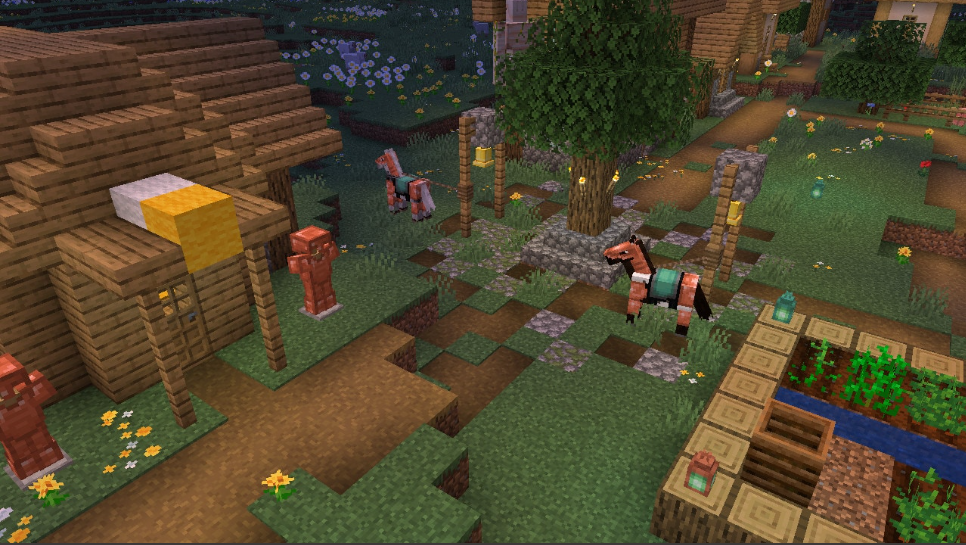
  • Added Netherite Horse Armor
    • Can be crafted at a Smithing Table using a Diamond Horse Armor, a Netherite Ingot, and a Netherite Upgrade
    • Provides 19 armor points

Nautilus

  • New neutral aquatic mob
  • Attacks using a Dash attack if provoked
  • Spawns in all ocean biomes
  • Tamed using Pufferfish or a Bucket of Pufferfish
  • Tamed Nautilus can be mounted using a Saddle
  • Has a Dash skill similar to Camels, used by pressing Jump button
  • Occasionally attacks Pufferfish within range using Dash attack
  • Adds “Breath of the Nautilus” effect to mounted player
  • Tamed Nautilus without Saddle has a roaming restriction of 32 blocks
  • Tamed Nautilus with Saddle has a roaming restriction of 16 blocks
  • Nautilus has a charge attack cooldown of 4 seconds
  • Takes suffocation damage on land
  • A Nautilus can spawn between Y-Level 38 and 58

Nautilus Armor

  • Equipable on Nautilus and Zombie Nautilus
  • Comes in Copper, Golden, Iron, Diamond, and Netherite versions
  • Using Shears on a Nautilus will first remove its armor, and then its Saddle

Breath of the Nautilus

  • Effect that affects mounted player
  • Pauses player oxygen consumption (but does not replenish oxygen)

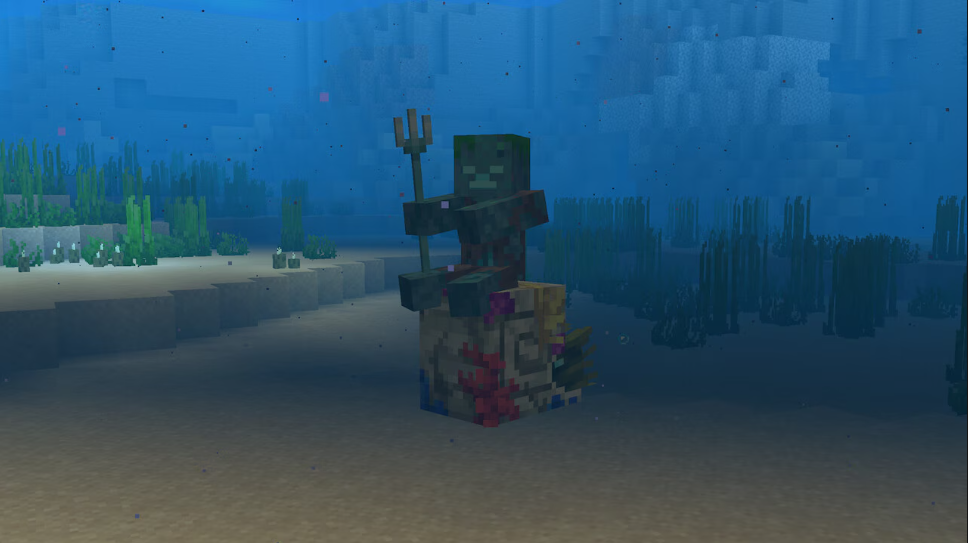
Zombie Nautilus

  • New neutral underwater mob
  • Attacks using a Dash attack
  • Spawns with a Drowned rider wielding a Trident
  • Is hostile if the rider is a hostile mob
  • Neutral without a rider
  • Tamed using Pufferfish or a Bucket of Pufferfish
  • Tamed Zombie Nautilus can be mounted using a Saddle
  • Has a Dash skill similar to Camels, used by pressing Jump button
  • Occasionally attacks Pufferfish within range using Dash attack
  • Adds “Breath of the Nautilus” effect to mounted player
  • Cannot be bred
  • Tamed Zombie Nautilus without Saddle has a roaming restriction of 32 blocks
  • Tamed Zombie Nautilus with Saddle has a roaming restriction of 16 blocks
  • Takes suffocation damage on land

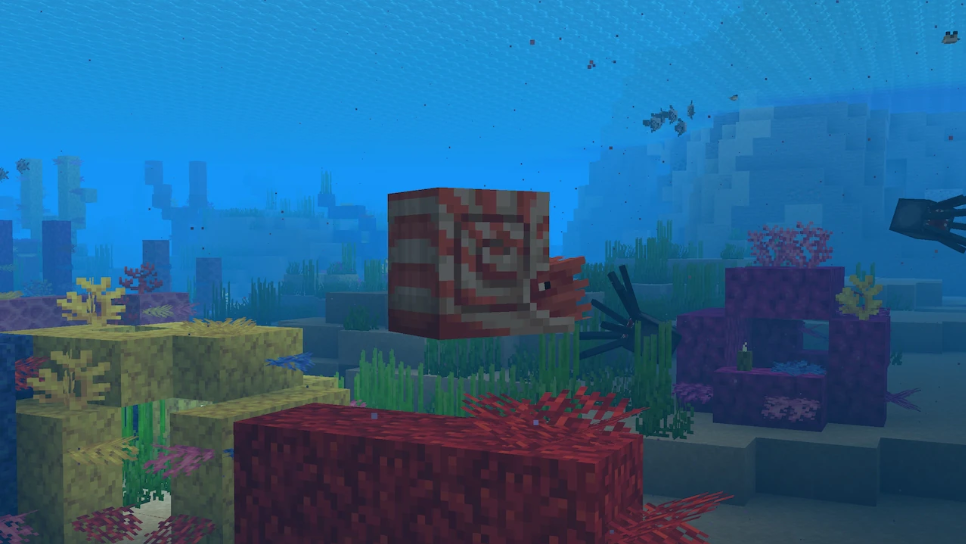
Coral Zombie Nautilus

  • New Zombie Nautilus variant
  • Spawns in Warm Oceans, replacing the normal Zombie Nautilus
  • Visual variant, functions identically to the normal Zombie Nautilus

Spear

  • New weapon that can be crafted in Wood, Stone, Copper, Iron, Gold, Diamond, and Netherite versions
  • Each material has different stats for timing, influencing how fast they are to use
  • Has a minimum reach for damage, being too close to a target will yield no damage
  • Has extended maximum reach compared to other tools and weapons
  • Zombies and Piglins can spawn with the Spear
  • Has two attacks: Jab and Charge
  • Animals defeated in one hit by the charge attack of a Spear with the Fire Aspect enchantment will drop cooked food

Charge Attack

  • Press and hold secondary action button to use
  • Damage based on Spear material, the player’s view angle and velocity of both player and target
  • While holding down button the attack goes through three stages before returning to idle:
    • Engaged: Spear can deal damage, knockback, and dismount mounted enemies if speed is above the required thresholds
    • Tired: Indicated by Spear rotating to a vertical position and shaking Spear can deal damage and knockback (but not dismount) if the speed is above the required thresholds
    • Disengaged: Indicated by Spear being lowered, pointing downwards Spear gives damage but not knockback or dismount if the speed is above the required threshold

Jab Attack

  • Quick press primary action button to use
  • Low damage attack with knockback
  • Cooldown between attacks
  • Wood spears have the fastest cooldown; Netherite the slowest
  • Can hit multiple enemies
  • Does not destroy blocks

Lunge Enchantment

  • Spear exclusive enchantment
  • Only works with the Jab attack
  • When doing a Jab attack with Lunge it propels the player horizontally in the view direction
  • View angle needs to be perfectly leveled horizontally to achieve maximum lunge distance
  • Using the Lunge attack consumes hunger
    • Level 1 Lunge consumes 1 hunger point, level 2 consumes 2 points, and level 3 consumes 3 points
  • Cost of 1 Durability point for using Lunge for all Enchantment levels

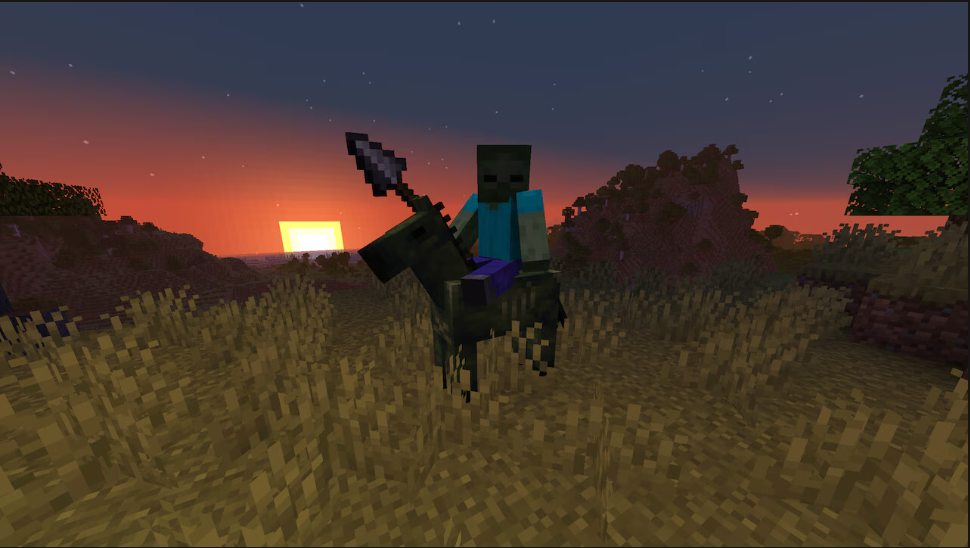
Zombie Horse

  • Spawns naturally at night in Plains and Savanna biomes
  • Spawns with a Zombie rider wielding a Spear
  • Is hostile if the rider is a hostile mob
  • Neutral without a rider
  • Tamed like normal Horses
  • Favorite food is Red Mushroom
  • Tamed Zombie Horse can be mounted using a Saddle
  • Cannot be bred
  • Zombie Horses avoid areas with sunlight
  • Zombie Horses can be leashed when they are untamed, but not when mounted by a Zombie

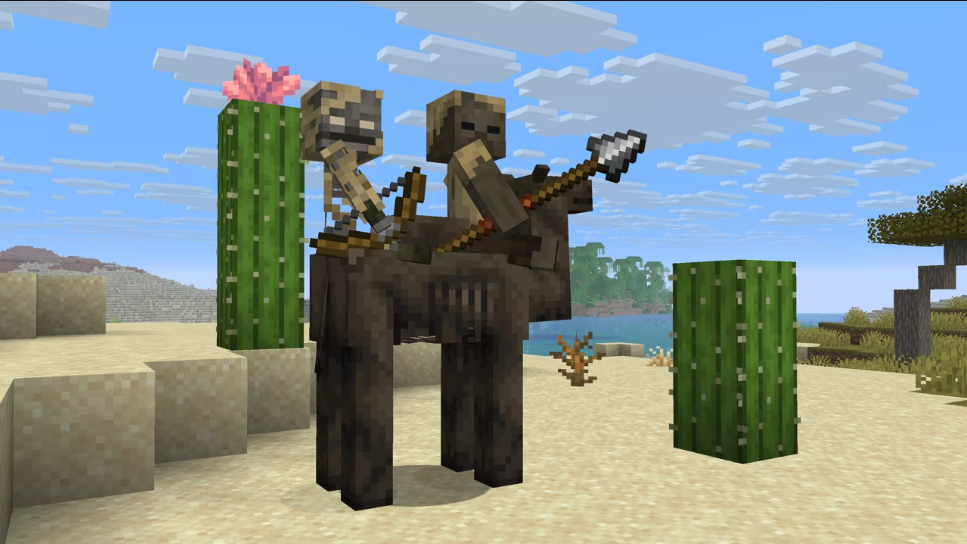
Parched

  • New Skeleton variant
  • Spawns at 0 light level in Deserts, replacing some of the regular Skeletons
  • Does not burn in sunlight
  • Shoots Arrows of Weakness
  • Has a slower rate of fire compared to normal Skeletons, similar to Bogged
  • Does not spawn in caves, following the Husk’s spawning rules
  • Parched have a chance of spawning riding Spiders and Cave Spiders in Deserts, instead of regular Skeletons

Camel Husk

  • New undead Camel variant
  • Spawns at 0 light level in Deserts
  • Does not burn in sunlight
  • Spawns with two riders: A Husk wielding a Spear and a Parched
  • Does not spawn in caves, following the Husk’s spawning rules
  • Is hostile if the rider is a hostile mob
  • Passive without a rider
  • Despawns like other hostile mobs, but becomes persistent when ridden by a player
  • Favorite food is Rabbit Foot
  • Cannot be bred
  • As a mount, they work similar to normal Camels
  • Zombie Husks that spawn riding a Camel Husk have a 50% chance of dropping a Rabbit Foot
  • The Camel Husk can not be leashed while being ridden by a hostile mob

Features and Bug Fixes

Audio

  • The swimming sound no longer plays when flying underwater
  • The critical hit sound now correctly plays when a player lands a critical hit

Blocks

  • Hanging Roots can now be waterlogged (MCPE-128957)
  • Crimson Roots and Crimson Fungus now generate in the Warped Forest biome (MCPE-83616)

Character Creator

  • Players are no longer prevented from loading into a world due to an Invalid Platform Skin error
  • Fixed an issue where remote player skins would sometimes change to a default skin when they moved in and out of render range (MCPE-222444)

Gameplay

  • Hoppers now have a short cooldown after being moved by a Piston that prevents interaction. This fixes a bug with Bundle duplication
  • Fixed a bug preventing players from growing Pink Petals, Wildflowers, or Leaf Litter by targeting the side of a block (MCPE-190684)
  • Added the Damage Tilt slider to Video settings, controlling how much the screen tilts when the player takes damage, in parity with Java
  • Hoppers can no longer stack multiple Bottles in one slot inside a Brewing Stand (MCPE-228374)

General

  • Fixed a bug where pressing ALT + F4 in-game opened the pause menu instead of closing the game (MCPE-228098)
  • Resolved an issue on Windows where shared worlds (those available to all players) did not load resource or behavior packs (MCPE-228607)
  • Reenabled missing music for several biomes
  • Fixed an issue where signing in at the exact wrong time would make many online features unable to load for 5 minutes
  • Added splash text “One does not simply walk to the Far Lands”

    Developer’s Note: This statement was proven false on October 4, 2025.

Graphical

  • The first critical hit particle for Arrows is now slightly delayed
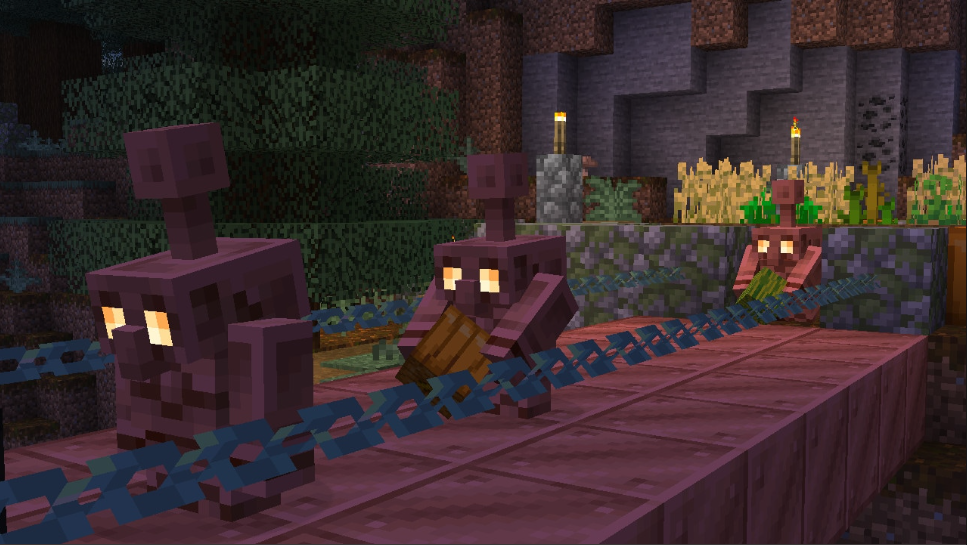
  • The nose of the Copper Golem is now rotated correctly while the Golem is sitting down (MCPE-228256)
  • Fixed large flipbook textures corrupting other textures
  • Fixed a bug where the fade command would fade to black instead of the specified color when Vibrant Visuals is enabled. Also fixed certain effects such as fire and the Spyglass overlay rendering in front of the fade effect (MCPE-223049)
  • Fixed snowflakes flickering during player movement
  • The partial transparency applied to mobs when close to the camera now also applies to players. (MCPE-227786)
  • Fixed Mooshroom’s mushrooms and armor on mobs not being affected by “Enable Dithering” setting (MCPE-228281) (MCPE-228296)
  • Fixed a regression where Torches and Lanterns weren’t emitting point lights in raytracing-enabled worlds

Input

  • Automatically selects the Chat screen text field on opening for Windows when using Keyboard and Mouse, enabling text input as soon as screen opens (MCPE-229046)
  • Fixed a bug on Windows where disabling the system setting “Scroll inactive windows when hovering over them” had no effect (MCPE-229088)
  • On-Screen Keyboard will no longer appear over the chat box when docked; Input screens, such as signs, will no longer close when switching between different input modes (MCPE-228584)
  • Fixed a bug on Windows where the game widgets would interact with the cursor when another window was focused (MCPE-229548)
  • Fixed an issue where Xbox controllers connected to ROG Xbox Ally did not work while built-in controller was active (MCPE-184251) (MCPE-180470)
  • Fixed a bug on Windows where the mouse cursor moved in the background during gameplay (MCPE-230832)

Items

  • Gold Horse Armor has been renamed to Golden Horse Armor (MCPE-101388)

Mobs

  • Fixed bug where Camels could not dash when standing in water
  • Pufferfish can now spawn in the Lukewarm Ocean and Deep Lukewarm Ocean biomes
  • Pufferfish and Tropical Fish can now be caught when fishing in Jungle biomes
  • Drowned attack now knockbacks attacked mob into air when mob is not in water (MCPE-133343)
  • Added chance for Zombie Horse Riders to spawn in Savannas and Plains
  • Camels now take fall damage starting 4 blocks higher when walking or dashing (MCPE-171996)
  • Phantoms can no longer drown (MCPE-101541)
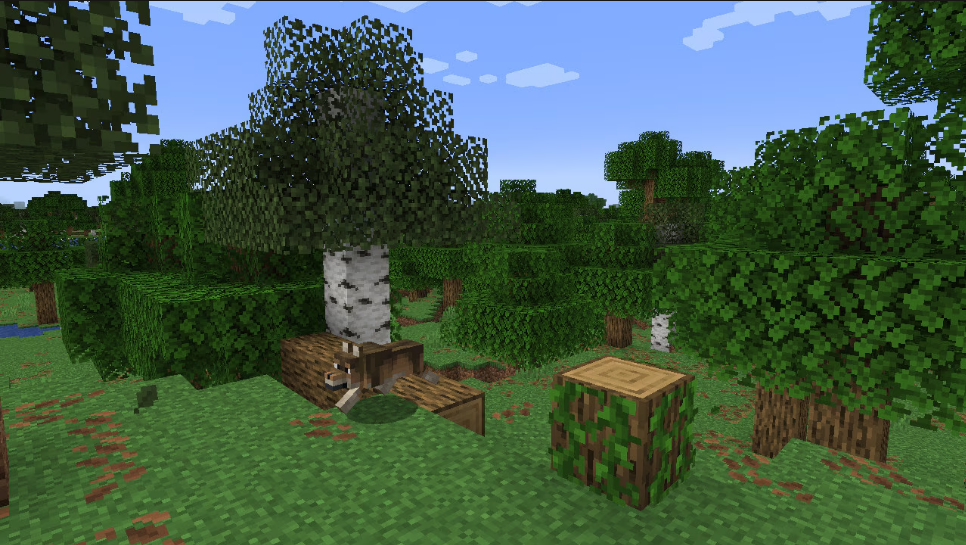
  • Wolf shadow and model are now centered (MCPE-176018)
  • Fixed some Goat sounds not being controlled by the Friendly Mobs slider (MCPE-178232)
  • Piglins will no longer scream with enthusiasm while admiring gold MCPE-229509
    • They will instead do a courteous grunt of acknowledgement
    • Very polite, just like on Java
  • Only Baby Zombie jockeys and Baby Husk jockeys can ride the following mobs:
    • Adult Chickens
    • Untamed Ocelots
    • Untamed Cats
    • Untamed Wolves
    • Adult Zombies
    • Adult Husks
    • Adult Zombified Villagers
    • Adult Zombified Piglins
    • Cows
    • Adult unsaddled Pigs
    • Sheep
    • Adult untamed Horses
    • Adult untamed Donkeys
    • Adult untamed Mules
    • Adult Skeleton Horses
    • Adult Zombie Horses
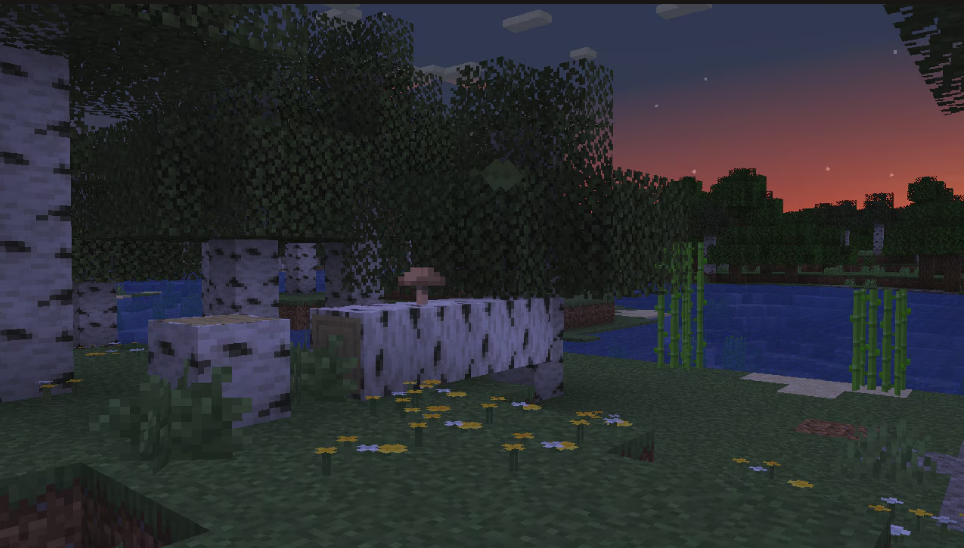
    • Mooshrooms
    • Spiders that were not spawned as jockey mounts
    • Cave Spiders that were not spawned as jockey mounts
  • Zombies and Husks that have been spawned as their rider configuration can only ride Zombie Horses and Camel Husks, respectively
  • Dolphins no longer spawn in the Cold Ocean or Deep Cold Ocean biomes
  • It is no longer possible for two mobs to mount each other simultaneously

Profile

  • Removed unexpected Sign Out button on user profile on Windows. Players should sign out via the Xbox app (MCPE-228176)

Realms

  • Fixed Realm server selection behaving unpredictably
  • Fixed controller focus being cut off for the top of the Realms Timeline Opted-Out members list
  • Realms Manage Feed is now located within Realms Stories instead of Realms Settings
  • Fixed an issue where players could get temporarily stuck when adding members to a newly purchased Realm
  • Navigate players back to either the start screen or the settings screen when they confirm the message about not being able to connect to a network
  • Present players with the option to play using mobile data or to change their game settings if mobile data is disabled when attempting to join a newly purchased Realm
  • Introducing Realms Saves, a new and improved version of our previous backup system. Keep your Realms worlds safe with a new bank of cloud storage included with your Realms subscription. Realms saves come in two flavors:
    • Automatic saves are functionally the same as our previous “backups” system:
      • They are on by default – no need to enable anything to keep your Realm world safe with automatic saves.
      • They are taken at the end of every Realms play session when the server shuts down, or every 30 minutes during a play session.
      • They are only retained for a limited time, according to our retention policy (which has not changed with this update): How Mojang Saves Backups for Your Minecraft Realm | Minecraft Help
      • They do not count towards your bank of cloud storage.
      • All previous Realms backups will be converted to automatic saves.
    • Manual saves are created by the Realm owner and count towards a bank of storage that comes with your Realms subscription.
      • Manual saves are retained as long as your Realm is. They are not automatically deleted by our retention policy*, but Realm owners can delete manual saves if they want to free up storage space.
      • Realms Plus subscriptions come with 10GB of manual save storage and Realms core subscriptions come with 5GB.
      • Automatic saves can be turned into manual saves by the Realm owner.
    • Realms saves can be found in the Realms settings menu accessed via the “Edit Realm” button rather than the Realms world settings menu that backups used to show up in. While playing on the Realm, saves can also be found in the in-game settings menu for the Realm owner.
    • Realms saves will also now list the world name and the packs that were applied at the time of the save.

Settings

Storage

  • Display “Unlisted Worlds” that cannot be loaded so they can be deleted (MCPE-223708)

Stability and Performance

  • If syncing world from cloud fails on Xbox, automatically attempt to join the local copy
  • Improved loading times when exiting worlds
  • Improved loading times when using the /reload all command
  • Fixed a crash from using a Data Driven Renderer
  • Improved loading times when re-entering similar worlds
  • Improved loading times when transferring between servers

User Interface

  • Touch Controls: The camera Y-sensitivity for D-Pad controls has been decreased, matching the sensitivity for Joystick controls
  • Hotbar hotkeys now also work when hovering over output slots of Grindstone and Anvil (MCPE-228276)
  • Touch Controls: There is now an option to increase the size of the top row of buttons in the HUD
  • New achievements page: Fixed a bug where some achievements could not be manually removed from the In Progress list
  • Touch Controls: Customizable controls are now always on
  • Updated the Add-Ons navigation button to have proper spacing between the icon and the text
  • Fix issue with rendering custom blocks as “flying items” and with quick move animation (MCPE-180489)
  • Text input in certain inputs such as Book and Quill, will now prevent new lines if it will push text out of the input window
  • Fix suggested commands in chat misplaced when resizing window (MCPE-147816)
  • Fixed the social drawer lacking a border when opened in-game (MCPE-227007)
  • Fixed a bug where the text to speech settings incorrectly auto enabled when starting a world
  • Fixed the Social drawer lacking a border when opened within a world (MCPE-227007)
  • Added a new joystick for touch controls when using the control schemes ‘player_relative_strafe’ or ‘camera_relative_strafe’
    • The new joystick is only available with “Joystick & tap to interact” and “Joystick & aim crosshair”
    • Players who are using “D-Pad & tap to interact” when entering into one of the two control schemes will be put into “Joystick & tap to interact” and then returned to “D-Pad & tap to interact” after they stop using one of the two control schemes
  • Added missing options to the new Accessibility settings page (MCPE-228101)
  • Accessibility option “Enable Open Chat Message” has been renamed to “Chat Instructions on Join”
  • Implemented the same HUD icon for ambient mob effects as Java (like the ones applied by Beacons, Conduits, or Breath of the Nautilus)
  • Fixed ambient mob effects constantly flashing like they are timing out
  • All items now show the Hit attack prompt when aiming at a Mob
  • Items with dedicated interaction prompts now show when aiming at a Mob if there is no other special Mob interaction prompt
  • Fixed a bug where holding up on the D-Pad would not continuously scroll in menus (MCPE-226509)
  • Fixed an issue where the paste button on some screens would paste text twice (MCPE-228233)
  • Title bar of game on PC will now respect Windows dark mode (MCPE-227846)
  • Fixed issue where game icon doesn’t show on taskbar and title bar on Windows (MCPE-227849)
  • The mob’s inventory panel is now hidden for all unchested mobs in the default UI
  • Open windows such as inventory, trading, or chat, will now close when you are hurt by a mob
    • Windows will not close repeatedly if you are attacked multiple times in quick succession

Items

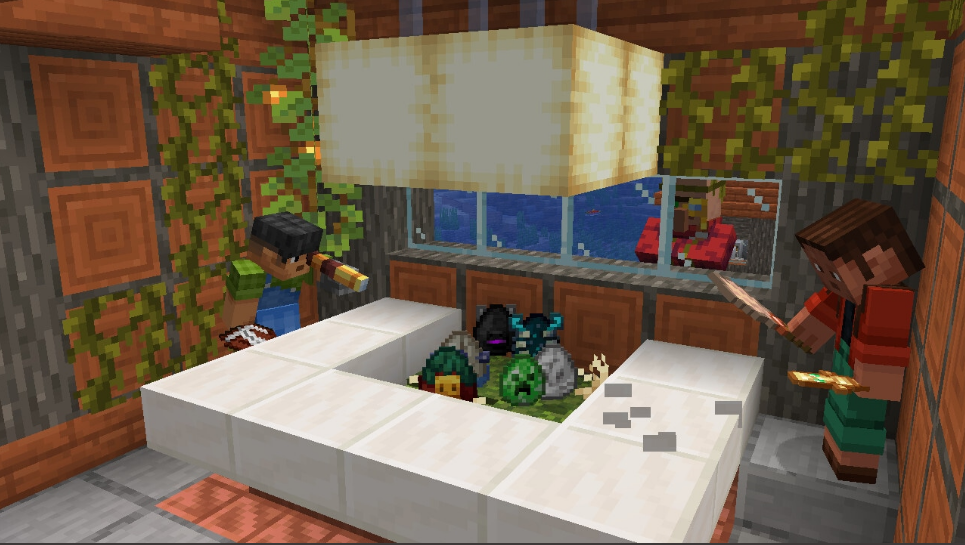
  • Spawn Eggs are now sorted thematically in the Creative Inventory, according to the following categories:
    • Overworld
      • Farm Animals
      • Mounts
      • Pets
      • Wild Animals
      • Aquatic
      • Miscellaneous
      • Golems
      • Villagers
      • Undead
      • Spiders
      • Monsters
      • Illagers
    • Nether
    • The End
  • Tools and weapons now lose durability when used to attack Armor Stands, just like they do when damaging other entities such as Minecarts, Paintings, Boats, or Leash Knots

Technical Updates

AI Goals

  • Made schemas for goals minecraft:behavior.explore_outskirts and minecraft:behavior.investigate_suspicious_location stricter when parsing and will fail to load an entity json that has invalid data in versions 1.21.130 and newer
  • Added the “minecraft:behavior.use_kinetic_weapon” AI goal
    • Description:
      • Allows a mob to make use of items with a “minecraft:kinetic_weapon” item component
      • The mob will approach the target before using the weapon and charging with it
      • If the target gets too close, the mob will retreat and reposition before charging again
      • Once all “max_duration”s in the item’s “minecraft:kinetic_weapon” component have elapsed, the mob goes on cooldown and retreats before approaching again
    • Fields:
      • “approach_distance”: The distance to the target within which the mob begins using its kinetic weapon
      • “reposition_distance”: The distance the mob retreats to once the target is closer than the midpoint of the item’s “minecraft:kinetic_weapon” component’s minimum and maximum “reach”
      • “reposition_speed_multiplier”: Multiplier applied to the mob’s movement speed while repositioning
      • “cooldown_distance”: The distance the mob retreats to after all of the item’s “minecraft:kinetic_weapon” component’s “max_duration” values have elapsed
      • “cooldown_speed_multiplier”: Multiplier applied to the mob’s movement speed while on cooldown
      • “weapon_reach_multiplier”: Multiplier applied to the item’s “minecraft:kinetic_weapon” component’s “reach”
      • “weapon_min_speed_multiplier”: Multiplier applied to each “min_speed” and “min_relative_speed” condition in the item’s “minecraft:kinetic_weapon” component
      • “min_path_time”: Minimum base time, in seconds, before recalculating a new attack path to the target (before increases are applied)
      • “max_path_time”: Maximum base time, in seconds, before recalculating a new attack path to the target (before increases are applied)
      • “path_fail_time_increase”: Time, in seconds, added to the attack path recalculation interval when the mob cannot move along the current path
      • “inner_boundary_time_increase”: Time, in seconds, added to the attack path recalculation interval when the target is beyond “path_inner_boundary”
      • “outer_boundary_time_increase”: Time, in seconds, added to the attack path recalculation interval when the target is beyond “path_outer_boundary”
      • “path_inner_boundary”: Distance at which to increase attack path recalculation by “inner_boundary_time_increase”
      • “path_outer_boundary”: Distance at which to increase attack path recalculation by “outer_boundary_time_increase”
      • “speed_multiplier”: Multiplier applied to the mob’s movement speed when moving toward its target
      • “require_complete_path”: Specifies whether a full navigation path from the mob to the target is required
      • “track_target”: Allows the mob to track its target even if it lacks a hard-coded sensing component
      • “cooldown_time”: Cooldown time, in seconds, between consecutive attacks
      • “melee_fov”: Field of view, in degrees, used by the hard-coded sensing component to detect a valid attack target
      • “x_max_rotation”: Maximum rotation, in degrees, on the X-axis while the mob is trying to look at its target
      • “y_max_head_rotation”: Maximum rotation, in degrees, on the Y-axis while the mob is trying to look at its target
      • “random_stop_interval”: Defines a 1-in-N chance for the mob to stop its current attack, where N equals “random_stop_interval”
      • “attack_once”: Allows the mob to perform this melee attack behavior only once during its lifetime
    • Requirements:
      • The mob must have an item with the “minecraft:kinetic_weapon” item component
      • Must otherwise fulfill the same conditions as other melee attack goals
  • “minecraft:behavior.melee_box_attack”, “minecraft:behavior.delayed_attack”, “minecraft:behavior.melee_attack”, and “minecraft:behavior.stomp_attack” now correctly apply their “path_inner_boundary” field
  • Added two new fields to behavior.float to enable more control of floating and how long the vehicle can be underwater before dismounting its passengers
    • chance_per_tick_to_float: The chance per tick to cause an upward impulse
    • time_under_water_to_dismount_passengers: Time in seconds that a floating vehicles head can be underwater before it causes its passengers to dismount
  • Added a new field to behavior.nearest_attackable_target to enable a probability of target being chosen by behavior.nearest_attackable_target goal
    • target_acquisition_probability: Probability (0.0 to 1.0) that a entity will accept a found target
    • The default value unless specified is 1.0
  • Modified behavior.nearest_attackable_target’s attack_interval field to support a range of value instead
    • range_min: Minimum time in seconds before the entity searches for a attack target, can now be set to other values than just 0
    • range_max: Maximum time in seconds before the entity searches for a attack target
  • Added the “hijack_mount_navigation” field to the “minecraft:behavior.use_kinetic_weapon” AI goal
    • Allows a mob to override its mount’s navigation behavior with the one defined by this goal
    • Requires the mount to be running the “minecraft:behavior.mount_pathing” goal, whose default behavior will be ignored

API

  • Fixed an issue where Dimension.getEntitiesFromRay and Entity.getEntitiesFromViewDirection stopped working for some entities such as minecraft:xp_orb, ground items, minecraft:arrow, minecraft:snowball and minecraft:thrown_trident
  • Released AABB from beta to v2.4.0
  • Released Entity.getAABB from beta to v2.4.0
  • Released ControlScheme from beta to v2.4.0
  • Released Player.setControlScheme from beta to v2.4.0
  • Released Player.getControlScheme from beta to v2.4.0
  • Released GetBlocksStandingOnOptions from beta to v2.4.0
  • Released Entity.getBlockStandingOn from beta to v2.4.0
  • Released Entity.getAllBlocksStandingOn from beta to v2.4.0
  • Added new module @minecraft/server-graphics to change graphics and rendering settings. The current set of APIs are associated with Atmospheric Scattering parameters in Vibrant Visuals
  • The /clone command now fires onBreak beta API event for custom blocks overridden at source destination
  • Moved Loot Table Discovery APIs from beta into 2.4.0
  • Released class BlockRedstoneProducerComponent from beta to v2.4.0
  • Released class InvalidBlockComponentError from beta to v2.4.0
  • Released LiquidSettings from beta to v2.4.0
  • JigsawPlaceOptions
    • Moved liquidSettings?: LiquidSettings from beta to v2.4.0
  • JigsawStructurePlaceOptions
    • Moved liquidSettings?: LiquidSettings from beta to v2.4.0
  • Fixing an issue in new worlds where calling world.getDimension, before a player has spawned, could result in a different spawn location than intended (MCPE-228041)
  • Released BlockComponentBlockBreakEvent from beta to v2.4.0
  • /structure and /place commands and StructureManager API Place function now trigger onBreak beta API event for custom blocks when overridden
  • Moved class Potions from beta to V2.4.0
  • Moved component ItemPotionComponent from beta to V2.4.0
  • Moved class PotionDeliveryType from beta to V2.4.0
  • Moved class PotionEffectType from beta to V2.4.0
  • Moved error InvalidPotionDeliveryTypeError from beta to V2.4.0
  • Moved error InvalidPotionEffectTypeError from beta to V2.4.0
  • Player method clearPropertyOverridesForEntity can now take an Entity or Entity ID as valid arguments in v1.19.0

Biomes

  • Fixed an issue where replacement biomes were not read for client-side chunk generation
  • The client side Molang queries query.entity_biome_has_all_tags, query.entity_biome_has_any_tags, and query.entity_biome_has_any_identifier no longer need the Upcoming Creator Features toggle to be used
  • Fixed biome replacement component (MCPE-229476)

Blocks

  • The “fit_to_frame” option in geometry files can no longer be disabled to render block-items larger than its frame from “format_version” 1.21.130 onward
  • Fixed minecraft:redstone_producer component not properly updating redstone signal for custom blocks on block state change (MCPE-229570)
  • Custom blocks will no longer be overly bright when flying between two inventory slots
  • Moved the Block Precipitations Interactions component from experimental to stable
  • Fixed “ambient_occlusion” field in “minecraft:material_instances” block component
  • “minecraft:collision_box” height is extended to 24 when using a format version of 1.21.130 or higher and the Upcoming Creator Features toggle is enabled
  • “minecraft:collision_box” now supports arrays of boxes when using a format version of 1.21.130 or higher and the Upcoming Creator Features toggle is enabled

Block Rendering

  • Fixed custom blocks rendered in Structure Block GUI

Commands

  • The clone command will no longer clone extra blocks sharing a position with a filtered out block (MCPE-179847)

Components

  • Added is_controlling_passenger_family entity filter to check if the passenger controlling a mount is of the specified family
  • Added has_item_with_component entity filter to check if the entity has equipped an item with the designated component name
  • Updates to minecraft:dash_action
    • Added new field “can_dash_underwater” that allows entities with this component to dash underwater
    • Disabled by default

Gameplay

  • Legacy tree features now respect biome borders (MCPE-168996)

General

  • Fixed disabling of building and mining abilities for players with operator permissions while in Creative mode

Editor

  • Added IListPanePropertyItem to pane API to create lists with text, button, checkbox, and image components
  • Added cubemap controls to the Vibrant Visuals Settings Pane
  • Updated Line Tool’s middle selector to now change to Hermite curve automatically when moving the gizmo
  • Updated Jigsaw Tool to automatically import template pools from loaded behavior packs
  • Fixed a bug that caused Editor scaling to be broken
  • Fixed a bug that prevented Summon tool from spawning custom entities
  • Updated Settings data to be saved across sessions, users need to manually save the Settings
  • Fixed a bug which caused detached gizmo to appear during ruler drag while axis locked
  • Fixed a bug that updated the rotation range to (-360~360) for Summon tool and Brush tool
  • Updated the settings for UI Settings, Tutorial, Keyboard and Graphics mode, users need to manually save these settings
  • Added new IModalDialog API to create scripted dialog windows. They can be registered from IModalDialogManager, and then activated like core dialogs
  • Added new selection tool utility “Quick Move” mode that allows you to easily move the contents of a selection in any one direction. Can also specify a specific destination
  • Added cursor setting to Farm Generator tool; player can place the farm at a position with the target mode
  • Adds a new EditorTagContainer UI component with accompanying modal for adding tags. Swapped theme color mapping for SecondaryActive and SecondaryDefault
  • Added support for Jigsaw blocks to Block Inspector tool
  • Editor will attempt to load jigsaw files from Behavior Packs if they do not conflict with an existing Jigsaw collection name
  • Fixed a bug that the previews position of repeater tool were displaced from the intended position
  • Fixed a bug that prevented the action bar selection menu from closing when pressing the Escape key
  • Moved the brush shapes rotation settings into Rotation sub pane
  • Added Tag management section in the Structure details panel, where tags can be added and removed
  • Fixed a bug that caused the default deleted hotbar to be re-added after re-entering a session
  • Fixed a bug that caused some cursor and brush tooltips to show incorrect key bindings
  • Fixed a bug that auto-save the keyboard binding after reset and reset all to the default
  • Fixed a bug that caused mob effects shortcut to not work in crosshair mode
  • Fixed a bug that caused tutorial message window and dimmer overlay to be misaligned
  • Added shrinkToIcon API property for IButtonPropertyItem creation options
  • Added maxVisibleEntries API property for IDropdownPropertyItem to modify menu size
  • Added enabled API property for IToggleGroupPropertyItemEntry
  • Changed ButtonPropertyItemVariant API enum to ButtonVariant
  • Added Generate Manifest button to Selection Tool
    • Added Deselect and Replace operations to Selection Tool block manifest – allows removing or replacing specific block types from the selection
  • Added “Paint” key bind for pencil in keyboard settings
  • Added filtering options in the Structure panel. Filtering can be by structure display name or Structure tags
  • Added Jigsaw block editing to the block inspector
  • Added bypass validation warning screen to generate jigsaw workflow
  • Added localized message and sub message support for logging APIs
  • Added new Raise and Lower Elevation modes for Terrain Tool
    • Ability to adjust brush falloff
    • Ability to specify how many terrain layers to clone or preserve when raising/lowering
    • Ability to adjust the brush radius
    • Added ability to hold the SHIFT key to lock the brush XZ coordinates in place while painting
  • Added Layout Instance baking (bake individual instances and added to export world and playtest) so that layouts are converted from holograms to actual blocks (Only works for Overworld at the moment)
    • Added Mirror/Rotation to layout templates
    • Added Mirror/Rotation to layout instances
    • Added Mirror and Rotation properties to instance Editor
    • Note: Only Overworld is supported for layout baking at the moment. The Nether and End will be supported in a future update
  • Updated the selection limit for Selection, Paste Preview, Line, Pencil, Brush, Smartfill, Terrain, Workbench, Ruler, Block inspector, Scale, Farm generator tools to match the video render distance setting
  • Updated UI and added multiplayer behaviors in Navigation Pane
    • Stored Locations are shared across all creators in the project and synced for new joiners
    • Implemented edit functionality for name, coordinates, and color of Stored Locations
    • Added select/deselect-all and delete option with confirmation modal; deletion affects all users
    • Introduced a new panel listing all creators in the project with color indicators
    • Added teleportation feature to jump to any other creator
  • Updated Quick Move functionality
    • Changed switching to Quick Move mode binding from M to N
    • Changed default keybinding for moving with the arrow keys with Alt+Shift+arrow
    • Both previous changes remove keybinding conflicts with other Selection mode shortcuts
    • Made it so the gizmo arm won’t disappear after you use it
    • Made the preview more transparent
    • You cannot enter quick move now if there is no selection
    • Fixed a bug where if you went from quick move to a selection (creation) mode that wasn’t the last you used the selection state would get messed up. Now it correctly will clear the selection
  • Fixed structure panel UI performance for projects containing a large number of structures
  • Fixed an issue where selecting certain Vibrant Visual settings caused an error
  • Fixed brush applying masked blocks incorrectly after switching dimensions
  • Fixed unhandled extrude tool error when it’s being applied out of world bounds
  • Fixed a critical crash and several logic issues in the Ruler Tool when using axis locks and editing start/end points
  • Fixed an issue where if you tried to move blocks outside of the bounds of the world, it would freeze the Editor.

Entity Components

  • Added the minecraft:body_rotation_locked_to_vehicle component, that causes the entity’s body to automatically rotate to align with its mounted vehicle
  • Added new field protection_slot to minecraft:burns_in_daylight, which allows specifying an equipment slot that should provide protection from burning in daylight. Valid values are “slot.weapon.offhand”, “slot.armor.head”, “slot.armor.chest”, “slot.armor.legs”, “slot.armor.feet”, and “slot.armor.body”. Leaving this field unspecified will default to having the Head armor slot provide protection from burning in daylight
  • In the “minecraft:ageable” and “minecraft:breedable” components, the “transform_to_item” field has been renamed to “result_item”
    • This field is now defined for each item entry in each component’s “items” list, enabling item-specific transformations on use
  • Added “result_item” field to the items in the “minecraft:healable” and “minecraft:tameable” components
    • This field is defined for each item entry in the “items” list
    • On a successful interaction, the consumed item is replaced with this item
  • Upgraded the minecraft:addrider entity component, allowing it to take an array of riders
    • Description:
      • Allows a rideable mob to spawn with one or more riders
    • Fields:
      • “riders”: Array of riders to add to the entity, with the mandatory field entity_type and optional field spawn_event
    • riders Fields:
      • entity_type: The type of mob to spawn
      • spawn_event: An optional event to spawn with the mob
    • Requirements:
      • The mob must have a minecraft:rideable entity component
      • The array of riders must be no longer than minecraft:rideable has seat_count
  • Added new boolean field can_dehydrate to minecraft:breathable. The field defaults to false to preserve previous breathable behaviour. When set to true, entities that only breathe water will take dehydration damage when out of water
  • Renamed the minecraft:body_rotation_locked_to_vehicle component to minecraft:rotation_locked_to_vehicle
    • The component now aligns both the entity’s body rotation and its overall rotation with that of its mounted vehicle
  • Added a lunge field to the minecraft:exhaustion_values component
    • Defines the amount of exhaustion applied when triggering the lunge enchantment, multiplied by the enchantment level
  • Added the ambient field to minecraft:mob_effect component
    • Causes the effect to render with the ambient effect background
    • Causes the effect to not pulse for timing out

Gameplay

  • Custom items tagged with minecraft::is_shovel now build paths on all blocks the Shovel does

General

  • Added file name to the assertion message for “MERS uniforms is being set more than once” to make future debugging easier

Graphical

  • Fix blocks using “render_method”:”blend” always being semi-transparent
  • Fix blocks using “render_method”:”blend” and “render_method”:”alpha_test” not having shaded sides in the inventory
  • Added cubemap controls to the Editor’s Vibrant Visuals Settings Pane
  • Added the ability to data-drive cubemap lighting and effects in Vibrant Visuals. See the updated Creator portal for more information

    • The new cubemap configuration files should be placed in the cubemaps directory of a resource pack.
    • Example of a cubemap configuration file with path cubemaps/mycubemap.json:
     { "format_version": "1.21.130", "minecraft:cubemap_settings": { "description": { "identifier": "mypack:mycubemap" }, "lighting": { "ambient_light_illuminance": { "0.00000": 4.0, "1.000000": 4.0 }, "sky_light_contribution": 1.0, "directional_light_contribution": 1.0, "affected_by_atmospheric_scattering": true, "affected_by_volumetric_scattering": true } } }
    
    • format_version: Required field containing “1.21.130”
    • minecraft:cubemap_settings: Required field
    • minecraft:cubemap_settings/description/identifier: Required field. If the identifier is equal to minecraft:default_cubemap, it will be used by default in all biomes. Otherwise, the cubemap configuration can be applied to a biome by supplying the same identifier in the respective .client_biome.json file for that biome. Example of a biome configuration file with path biomes/river.client_biome.json:
     { "format_version": "1.21.130", "minecraft:client_biome": { "description": { "identifier": "minecraft:river" }, "components": { "minecraft:cubemap_identifier": { "cubemap_identifier": "mypack:mycubemap" } } } }
    
    • minecraft:cubemap_settings/lighting: Required field. Any fields inside lighting are optional
    • minecraft:cubemap_settings/lighting/ambient_light_illuminance: Contains pairs of numbers, where the first number should be between 0.0 and 1.0 (time of day) and the second number should be between 0.0 and 100000.0 (ambient light). Default value is 5.625 for all times of day
    • minecraft:cubemap_settings/lighting/sky_light_contribution: Contribution of the sky light. It should be between 0.0 and 1.0. Default value is 1.0
    • minecraft:cubemap_settings/lighting/directional_light_contribution: Contribution of the directional light. It should be between 0.0 and 1.0. Default value is 0.0
    • minecraft:cubemap_settings/lighting/affected_by_atmospheric_scattering: Value is a boolean and controls the state of the atmospheric scattering effect applied the cubemap. Default value is false
    • minecraft:cubemap_settings/lighting/affected_by_volumetric_scattering: Value is a boolean and controls the state of the volumetric scattering effect applied the cubemap. Default value is true
  • Fixed black bars appears at the bottom of the screen when launching the game in fullscreen mode (MCPE-227955)
  • Fixed an issue where blocks moved by Pistons are too dark
  • Added Kelp Block to the list of blocks affected by dithering when near the player camera
  • Fixed blocks flashing yellow when pushed with a Piston with Vibrant Visuals enabled
  • Reduced flickering and fixed incorrect reflections on low roughness materials with height maps in Vibrant Visuals
  • Fixed damage particles sometimes rendering as black with vanilla renderer
  • Fixed archaeology items sometimes rendering as nearly black
  • Light absorption in water has been changed from 2 to 1 units, to match Java Edition
  • Updated supported devices for Vibrant Visuals on iOS and Android including additional support for the Adreno 700 series (MCPE-229154)
  • Fixed an issue where Improved Input Latency Response toggle would cause a crash at startup (MCPE-231485 )

Items

  • Fix issue with rendering custom blocks as “flying items” (MCPE-180489)

Item Components

  • Added the minecraft:swing_sounds item component
    • Allows overriding the swing sounds emitted by the user
    • Fields:
      • “attack_miss”: sound played when an attack misses or deals no damage due to invulnerability
      • “attack_hit”: sound played when an attack hits
      • “attack_critical_hit”: sound played when an attack hits and deals critical damage
    • At least one field needs to be specified
  • Added the minecraft:kinetic_weapon item component
    • Description:
      • Allows an item to deal damage and other effects every tick while in use, to all unobstructed targets found in a straight line from the user’s view vector
      • Damage is computed based on both the user’s and target’s velocity projected onto the view vector (via dot product)
      • The more the user and target move toward each other and align with the view vector, the higher the damage
      • After applying “damage_multiplier” and “damage_modifier”, the resulting damage is floored to the nearest lower integer
    • Fields:
      • “delay”: Ticks to wait before applying damage and effects
      • “reach”: Range along the view vector where entities can be hit
      • “hitbox_size”: Extra tolerance on the raycast to detect entities
      • “damage_multiplier”: Multiplies the sum of the projected velocities
      • “damage_modifier”: Adds to the multiplied sum of the projected velocities
      • “damage_conditions”: Conditions that need to be satisfied for damage to be applied
      • “knockback_conditions”: Conditions that need to be satisfied for knockback to be applied
      • “dismount_conditions”: Conditions that need to be satisfied for riders to be dismounted
    • “damage_conditions”, “knockback_conditions” and “dismount_conditions” fields:
      • “max_duration”: Time, in ticks, during which the effect can be applied after “delay” elapses
      • “min_speed”: Minimum user’s speed (projected onto the view vector via a dot product) required for the effect to be applied
      • “min_relative_speed”: Minimum relative speed of the user with respect to the target (projected onto the view vector via a dot product) required for the effect to be applied
      • If omitted, the corresponding effect does not apply
    • Requirements:
      • Requires the “minecraft:use_modifiers” item component on the same item
  • Added the “minecraft:piercing_weapon” item component
    • Description:
      • Allows an item to deal damage to all entities detected in a straight line along the user’s view vector
      • Items with this component cannot destroy blocks, as the attack action always takes priority, regardless of what the user is looking at
    • Fields:
      • “reach”: Range along the view vector where entities can be hit
      • “hitbox_size”: Extra tolerance on the raycast to detect entities
    • Requirements:
  • The “minecraft:cooldown” item component now supports a “type” field
    • Defines the action the cooldown applies to, in a mutually exclusive way, so cooldowns for one action type do not affect the other
    • Values:
      • “use”: puts the item on cooldown when used, preventing further use until it expires, but still allowing attacks, mining, and interaction
      • “attack”: puts the item on cooldown when attacking, preventing further attacks until it expires, but still allowing use, mining, and interaction
    • “use” is the default value, preserving the component’s original behavior
  • Added the creative_reach field to minecraft:kinetic_weapon item component
    • Defines the reach used when the user is in Creative Mode
    • Defaults to reach if unspecified
  • Added the creative_reach field to minecraft:piercing_weapon item component
    • Defines the reach used when the user is in Creative Mode
    • Defaults to reach if unspecified
  • Added the start_sound field to the minecraft:use_modifiers item component
    • Defines the sound to play when starting using the item

Mobs

  • Fixed content warning that incorrectly occurred for format_version field in entity json in versions before 1.8.0
  • Lowered the min_engine_version of the latest zombie_pigman.entity.json slice back to 1.8.0, allowing it to be overridden by existing third-party content (MCPE-229868)

Molang

  • Added four new Molang queries pertaining to the minecraft:on_use_kinetic_damage item component:
    • query.get_kinetic_item_delay, Returns the delay value from the main-hand item’s minecraft:on_use_kinetic_damage component, or 0 if the component is not present
    • query.get_kinetic_item_damage_duration, Returns the damage_duration value from the main-hand item’s minecraft:on_use_kinetic_damage component, or 0 if the component is not present
    • query.get_kinetic_item_knockback_duration, Returns the knockback_duration value from the main-hand item’s minecraft:on_use_kinetic_damage component, or 0 if the component is not present
    • query.get_kinetic_item_dismount_duration, Returns the dismount_duration value from the main-hand item’s minecraft:on_use_kinetic_damage component, or 0 if the component is not present
  • Added “query.kinetic_weapon_delay”, which returns the “delay” value from the main-hand item’s “minecraft:kinetic_weapon” component, or 0 if the component is not present
  • Added “query.kinetic_weapon_damage_duration”, which returns the “max_duration” value of “damage_conditions” from the main-hand item’s “minecraft:kinetic_weapon” component, or 0 if the component is not present
  • Added “query.kinetic_weapon_knockback_duration”, which returns the “max_duration” value of “knockback_conditions” from the main-hand item’s “minecraft:kinetic_weapon” component, or 0 if the component is not present
  • Added “query.kinetic_weapon_dismount_duration”, which returns the “max_duration” value of “dismount_conditions” from the main-hand item’s “minecraft:kinetic_weapon” component, or 0 if the component is not present
  • Added “query.ticks_since_last_kinetic_weapon_hit”, which returns the number of ticks elapsed since the user last hit something while using a kinetic weapon
    • Returns -1.0 if no kinetic weapon is being used or if nothing has been hit yet
    • Hits that occur while the user is unloaded are not counted
  • Added Pack Settings Molang queries
  • query.get_pack_setting(‘ns:slider_name’) the value of a slider
  • query.is_pack_setting_enabled(‘ns:toggle_name’) check if toggle is enabled
  • query.is_pack_setting_selected(‘ns:dropdown_name’, ‘dropdown_option_name’) if a dropdown option is selected

Network Protocol

  • Added ActorFlags::BODY_ROTATION_LOCKED_TO_VEHICLE
  • LevelSoundEventPacket modified: added LevelSoundEvent::SpearAttackHit, LevelSoundEvent::SpearAttackMiss, LevelSoundEvent::WoodenSpearAttackHit and LevelSoundEvent::WoodenSpearAttackMiss
  • ActorEventPacket modified: added ActorEvent::KINETIC_DAMAGE_DEALT
  • Added new Level Sound Event imitate.camel_husk
  • Added new Level Sound Event imitate.parched
  • Renamed ActorFlags::BODY_ROTATION_LOCKED_TO_VEHICLE to ActorFlags::ROTATION_LOCKED_TO_VEHICLE
  • Added Ambient bool field to MobEffectPacket, defines if the effect is considered ambient (like the ones applied by Beacons or Conduits)
  • LevelSoundEventPacket modified: added LevelSoundEvent::SpearUse and LevelSoundEvent::WoodenSpearUse

Particles

  • Fixed a bug that caused incorrect validation errors for particle texture path (MCPE-220351)

Scripting

  • Breakpoints that are checked by MC and considered invalid will appear disabled in VSCode
  • Fix bug causing breakpoints to miss under certain conditions

Structures

  • Prevented a crash when trying to export structures in unsupported platforms
  • Fixed rotation and mirroring of Vine blocks during structure placement

User Interface

  • String multiplication in UI expressions is now limited exclusively to %.<number>s
  • Added resolve_ancestor_scope boolean to view bindings as a way to bind to an ancestor that matches the source_control_name

Experimental Technical Updates

API

  • Debug drawing tech in @minecraft/debug-utilities now supports rendering shapes in different dimensions:
    • Added setLocation(location: minecraftserver.DimensionLocation | minecraftserver.Vector3): void method to DebugShape
    • The location property on DebugShape has been changed to read only (use setLocation above to modify the location)
    • Added dimension readonly property to DebugShape
    • Changed the constructors of all the debug shapes to instead take a variant of Vector3 or DimensionLocation
  • Fixed triggering of PlayerSwingStartAfterEvent to only happen on the start of a swing
  • Fixed issue where onBreak beta API event would not fire if a Piston was the breaking cause
  • Released @minecraft/server version 2.4.0
  • Added @minecraft/server version 2.5.0-beta
  • Debug Drawing
    • Fixed a bug where timeLeft would cause the DebugShape to be removed immediately
    • Fixed a bug where the arrow head of the DebugArrow would look incorrect at certain rotations
  • Fixed issue in preview where world.afterEvents.playerBreakBlock was providing an invalid block position (MCPE-229538)
  • Sends global dynamic property values to the Minecraft debugger’s Live Diagnostics when attached
  • Added EntitySwingSource for providing context of player swings to beta
  • Added PlayerSwingStartAfterEvent.swingSource to beta
  • Added PlayerSwingEventOptions.swingSource to beta
  • Fixed an issue where DebugShape objects were not cleaned up properly after running /reload
  • Fixed an issue where DebugText would not be affected by the scale property
  • World
    • Added property readonly tickingAreaManager: TickingAreaManager to beta
  • Added class TickingAreaManager to beta. This manager is used to add, remove or query temporary ticking areas to a dimension
    • These ticking areas are limited by a fixed amount of ticking chunks per pack independent of the command limits
  • Added interface TickingArea to beta. This provides information about a specific ticking area
  • Added interface TickingAreaOptions to beta. Options to create a ticking area using the TickingAreaManager
  • Added class TickingAreaError to beta
  • Added enum TickingAreaErrorReason to beta
    • Enum for the reason that a TickingAreaError was thrown
  • Added BlockComponentRedstoneUpdateEvent, which can be subscribed by custom block components
  • Added onRedstoneUpdate custom component subscription in beta with the following conditions
    • Block has minecraft:redstone_consumer component, otherwise CONTENT_ERROR is thrown
    • Subscription is not queued if the BlockComponentRedstoneUpdateEvent.powerLevel is less than minecraft:redstone_consumer field min_power Here is an example of a custom component json and the subscription script:
{ "format_version": "1.21.130", "minecraft:block": { "description": { "identifier": "test:custom_block" }, "components": { "minecraft:redstone_consumer": { "min_power": 10, "propogates_power": true }, "test:custom_component": {} } }
}
import { system } from '@minecraft/server-wrapper';
system.beforeEvents.startup.subscribe(init => { init.blockComponentRegistry.registerCustomComponent("test:custom_component", { onRedstoneUpdate: _ => { //insert logic here } });
});

API Infra

  • Modernized CommandOutputPacket serialization
    • Max number of “Output Messages” set max to 100
      • Field “Message Id”, set max size to 512 characters
      • Max number of “Parameters” set to 512
  • Modernized CommandRequestPacket serialization
    • Field “Request ID”, set max size to 39 characters
  • Modernized AvailableCommandsPacket serialization. Added these constraints:
    • Chained Subcommand Data / Name max size set to 512 characters
    • Commands / Name max size set to 512 characters
    • Commands / Description max size set to 1000 characters
    • Commands / Chained Subcommand Indexes max size set to 250 elements
    • Commands / Overloads max size set to 250 elements
    • Constraints / Constraint Indices max size set to 250 elements

Blocks

  • Added component minecraft:support behind the Upcoming Creator Features toggle Example:
"minecraft:support": { "shape": "stair" // "fence" is also valid }
  • Created a new block trait, minecraft:connection, to expose behavior like Fences or Glass Panes from Vanilla where blocks connect to other blocks around them. Using this trait with the example below adds the bool states minecraft:connection_north, minecraft:connection_east, minecraft:connection_south, and minecraft:connection_west. This is only available while the “Upcoming Creator Features” toggle is enabled Example:
{ "format_version": "1.21.130", "minecraft:block": { "description": { "identifier": "test:connection_block", "traits": { "minecraft:connection": { "enabled_states": ["minecraft:cardinal_connections"] } } } }
}
  • One known issue with this is that blocks using minecraft:connection don’t properly decide connections to blocks like Fences, Walls, Iron Bars, Fence Gates, and Glass Panes. Addressing this issue is currently in development
  • Added component minecraft:connection_rule behind the Upcoming Creator Features toggle which allows custom blocks to define whether other blocks with connection behavior – such as fences, walls, bars, and glass panes – can try to create a connection.
  • Added VanillaBlockTag minecraft:has_fence_connections that can be used to identify a custom block as a block that creates connections like a fence; this tag is required to create connections between custom and Vanilla fences. The component and tag can be used along with the minecraft:connection block trait to make a custom fence that creates connections like a Vanilla fence. The following is an example of how they fit into the JSON of a custom fence block:
{ "format_version": "1.21.130", "minecraft:block": { "description": { "identifier": "test:my_fence", "traits": { "minecraft:connection": { "enabled_states": ["minecraft:cardinal_connections"] } } }, "components": { "tag:minecraft:has_fence_connections": {}, "minecraft:connection_rule": { "accepts_connections_from": "only_fences" } } }
}
  • Added new state minecraft:corner_and_cardinal_direction to the minecraft:placement_direction block trait which enables the minecraft:corner with values none, inner_left, inner_right, outer_left, and outer_right to provide similar behavior to how stairs in Vanilla work
    • When this is set, you can use the field blocks_to_corner_with to decide the criteria with an array of block descriptors to determine what blocks to form a corner with
    • The default behavior for this field is to corner with the same block name
    • This all requires the Beta APIs toggle to be enabled on a world and the use_beta_features flag on your block
 "format_version": "1.21.130", "use_beta_features": true, "minecraft:block": { "description": { "identifier": "custom:custom_block", "traits": { "minecraft:placement_position": { "enabled_states": ["minecraft:vertical_half"] "minecraft:placement_direction": { "enabled_states": ["minecraft:corner_and_cardinal_direction"], "blocks_to_corner_with": [{"tags": "q.any_tag('minecraft:cornerable_stairs')"}] } }
  • With the Beta APIs toggle on, Vanilla Stairs have the tag minecraft:cornerable_stairs available, and can corner with custom blocks with the same tag if the block also uses minecraft:cardinal_direction block states
  • Blocks using minecraft:placement_direction Block Trait with the minecraft:corner_and_cardinal_direction had the inner_left/outer_left and inner_right/outer_right states backwards when a block was facing south or west
  • Made blocks that use the minecraft:placement_position block trait with the state minecraft:vertical_half and minecraft:placement_direction with the state minecraft:corner_and_cardinal_direction update the corner state immediately instead of happening a tick later
  • We now will mirror the minecraft:corner block state when used within a structure
  • Added minecraft:redstone_consumer component behind the Upcoming Creator Features experiment. A component describing how a block can consume and potentially propogate a redstone signal
    • Contains optional field min_power which defines the minimum value for incoming signal stregth. If signal strength is greater than or equal to this value then the onRedstoneUpdate event is sent to Scripts. Defaults to 0 meaning event is always emitted
    • Contains optional field propogates_power a Boolean to control whether a signal can pass through this block or not, defaults to false
    • This component is currently not available for block permutations
    • Example:

      { "format_version": "1.21.130", "minecraft:block": { "description": { "identifier": "test:custom_consumer_block" }, "components": { "minecraft:redstone_consumer": { "min_power": 5, "propogates_power": true } } }
      }
      
  • Modified minecraft:material_instances block component
    • Removed redundant experimental field shaded formerly named emissive
    • Same effect can be achieved with existing fields, example below
"minecraft:material_instances" : { "*": { "texture": "my_texture", "render_method": "opaque", "face_dimming": false, "ambient_occlusion", false }
}
  • Added minecraft:leashable block component, which allows custom blocks to receive a lead attachment, including an offset field to change the position of the leash knot. Currently only available with “Upcoming Creator Features” enabled

Editor

  • Initial experimental support for “Prefabs” in the Editor
    • This feature is highly experimental, has some issues, is guaranteed to change and is not yet documented
    • Do not use in production projects
  • Added a “Prefab Template Manager” to help create, edit and delete prefab templates
  • Added a “Prefab Instance Editor” to allow placement of prefabs in the scene, and edit the properties of the instance

Graphical

  • Fixed an error where Marketplace content containing local_lighting.json could spam content errors (MCPE-1498487)
Posted on Leave a comment

JAVA Edition: 1.20.2 Is Here!

New Features

Player Skin & Name Reporting

We are making some important updates to our Player Reporting Tool to better protect the online safety of our players.

Playing Minecraft should be an inclusive and safe experience for everyone, which is why alongside in-game chat messages, you will now be able to report player skins and usernames that violate our Community Standards in Java Edition.

Just like with chat reports, nothing is automated. Any reported skin or username will be reviewed manually by a team of trained Minecraft moderators, who will use the submitted evidence to decide whether the skin and/or username is in breach of our Community Standards. Skins that violate these standards will be removed from Minecraft and will no longer be accessible for use by any player. Usernames that violate these standards will need to be changed before that player can play online via a shared server or Realm; though single-player mode will still be accessible. To find out more about this and other safety policies, including more detail on the suspension procedure, appeals process, and how we handle malicious or repeat reporting, please visit our dedicated FAQ page.

  • Player Skins and Names can now be reported in the Social Interactions Screen
  • If a skin or name is reported and found to be violating the Community Standards, our team of human moderators can take action in a few ways:
    • Ban the skin from being used by any player
    • Ban the name from being used by any player
    • Suspend the player from online play in the case of repeated offenses
  • When a skin is banned, players with that skin:
    • Will have their skin removed
    • Will be notified when they launch the game
    • Will be automatically assigned one of the default skins
    • Can still play multiplayer and singleplayer
    • Can select a new custom skin at any time
  • When a player’s name is banned, that player:
    • Will need to choose a new name
    • Will be notified when they launch the game
    • Will not be able to play online until they change their name
    • Can still play singleplayer
  • A skin or name that has been banned cannot be used by any player in the future

Changes

  • The calculations to determine whether a mob can attack a player or other mobs have been changed
  • Diamond Ore is now generated more frequently in the Deepslate layers of the Overworld
  • Optimizations to networked play
  • Curing a Zombie Villager now only gives a big discount the first time
    • There is no longer a bonus discount for reinfecting and curing the same Villager multiple times
  • Sponges and Wet Sponges now have their own custom sounds
  • Barrier blocks can now be waterlogged by players in Creative mode
    • Water cannot be placed in them or taken out by non-direct interactions such as Dispensers
  • The positions that all entities ride on other entities have been adjusted to make more sense
  • Added the “Narrator Hotkey” accessibility option (default on)
    • The narrator can be toggled on and off with Ctrl+B when this is on
  • Added “I want to report them” Player Reporting category
  • Removed Herobrine

Mob Attack Reach Changes

The calculations to determine whether a mob can attack a player or other mobs have been changed. Previously a mob’s horizontal width was used to determine their attack reach and their height had no effect. The area where a mob can attack is now their bounding box extended in horizontal directions.

Here are some situations where the new rules will affect the reach of mobs:

  • If a mob is entirely below you, or entirely above you, it will not be able to reach you
  • While riding on a medium-sized mob, like a Horse, you will be protected from small mobs, like Baby Zombies
  • While riding on a tall mob, like a Camel, you will be protected from standard-size mobs, like Zombies
  • Also, Ravagers won’t be able to attack you through a few block-thick walls anymore
  • However, to escape from an Enderman, you need to be at least 3 blocks above the ground, not 1.5 as before
  • Mobs will be able to attack you with the bottom of their hitbox, assuming your head is in range
  • Builds that trap hostile mobs might need to be adjusted to be safe

This change does not affect the reach of players, and mobs still need to see their target to attack it.

Networked Play

The Multiplayer mode of the game has been optimized to enable more fluid online play. If you have previously experienced disconnections or slow loading into online servers, this version may significantly improve that experience.

  • The game world will now show earlier instead of the loading screen while loading into a world on a server
  • Clients with extremely low-bandwidth connections will not time out while loading the world
  • Clients with low-bandwidth connections can interact with the world while some chunks are still loading

Vibrations

  • Vibrations no longer risk being lost on simulation distance limit
  • Using Bone Meal emits an item_interact_finish vibration of frequency 3
  • Unequipping items emit a new unequip vibration of frequency 4
  • Camels eating Cactus emit an eat vibration of frequency 8
  • Carrots being eaten by Rabbits emit a block_change vibration of frequency 11
  • Sweet Berries being eaten by Foxes emit a block_change vibration of frequency 11
  • Chiseled Bookshelves emit a block_change vibration of frequency 11 when receiving books from Hoppers
  • Turtle Eggs cracking emit a block_change vibration of frequency 11
  • Turtle Eggs hatching emit a block_destroy vibration of frequency 12
  • Fire being doused by Water Potion emits a block_destroy vibration of frequency 12
  • Evokers evoking Vexes or Fangs emit an entity_place vibration of frequency 14

Miscellaneous Minor Tweaks

  • Chorus Flower no longer provides support for hanging or standing blocks
  • Updated structure icons on Explorer Maps sold by Cartographers
  • When Villagers unlock new trades, the order of those trades in the UI is now always random instead of sometimes being deterministic
  • The sizes of text fields in the user interface are now consistent with the size of buttons
  • You now need a taller pillar to escape taller mobs.
  • Rabbits eating Carrots now trigger Sculk Sensors

Technical Changes

  • The resource pack version is now 18
  • The data pack version is now 18
  • History of used commands is now saved and accessible across worlds
  • Optimized networking to improve the experience on low bandwidth connections
  • Added support for multi-version packs
  • Changed network protocol to allow for more data-driven content in the future
  • Added new log-ips option to server.properties
  • Added validation for symbolic links in datapacks and resource packs
  • When hitboxes are displayed through F3+B, entities that have a passenger will display the passenger’s attachment point
  • The charts on the debug screen can now be toggled with F3+1 (pie chart) and F3+2 (FPS and TPS) instead of holding Shift or Alt while opening the screen
  • Pressing F3+3 will now show charts for ping and received network traffic on the debug screen
  • The LWJGL library has been upgraded to version 3.3.2
  • The default Java version shipped with the game has been upgraded to Microsoft OpenJDK 17.0.8

Command History

  • The last 50 commands that you sent in chat will be remembered across game sessions
  • You can access the command and chat history by pressing the up or down arrows in the chat
  • Regular chat is only persisted within the same game session (leaving a server or world clears them)
  • Recent commands are stored in command_history.txt in the game folder

Network Optimizations

  • Gameplay packets are now packed into bigger TCP packets to reduce overhead from TCP headers, significantly reducing network usage
  • Chunks are not sent over the network to the client in one big continuous batch anymore
  • Chunks are instead sent in smaller batches depending on the available bandwidth, meaning that:
    • Clients with extremely low-bandwidth connections will not time out while loading the world
    • Clients with low-bandwidth connections can interact with the world while some chunks are still loading
  • Only chunks within the client’s render distance are now sent

Multi-Version Packs

New features have been added to datapacks and resource packs to allow the creation of packs that are compatible with multiple versions of the game.

Pack Metadata

  • Pack metadata now includes an optional field supported_formats which describes a range for pack formats that this pack supports
    • Examples: 16[16,17]{“min_inclusive”: 16, “max_inclusive”: 17}
  • pack_format field is still required and its format remains unchanged, to allow older game versions to read pack data
    • If supported_formats is present, it must contain the value declared in pack_format
    • Note: since this new information is ignored by older versions of the game, they will always see a “normal”, single-version pack, without any extended compatibility

Overlays

  • Packs can now contain overlay directories (“overlays”)
  • Overlays are sub-packs applied over the “normal” contents of a pack
    • These directories have the same layout as the top-level pack, including the assets and data directories
    • Overlays can be applied if they support the client’s pack format
    • Overlays can add and replace files, but not remove them
      • For example, if the overlay foo is applied, the file foo/assets/minecraft/textures/bar.png will replace the contents of assets/minecraft/textures/bar.png
    • pack.mcmeta and pack.png are ignored in overlay directories
  • New section called overlays has been added to pack metadata
    • It contains an entries field, containing a list of overlays
    • Every overlay entry has two fields:
      • formats – range of supported formats
      • directory – overlay directory (allowed characters: a-z0-9_ and )
  • Order of application: overlays are stacked from the bottom to top of the list
    • For example, if a pack has two overlays: “entries”: [{“directory”:”A”, …}, {“directory”:”B”, …}], the game will first look in B, then A and then in the top pack directory

Symbolic Link Validation

To improve safety, the game will now also detect symbolic links used inside data- and resource packs.

  • This feature expands on symbolic link validation in worlds added in the previous release
  • The game will now warn users if a pack added via drag and drop contains disallowed symbolic links
  • Packs containing disallowed symbolic links will not be visible in UI and commands
  • Additionally, directories and files that are not recognized as packs will no longer be copied via drag-and-drop
  • For a detailed explanation, see this help article

Network Protocol

As part of ongoing work towards more data-driven features, the network protocol has been changed to include a new configuration phase.

  • Configuration phase automatically starts after login phase (i.e. after client account has been verified) and lasts until the player joins the world (play phase)
  • Clients can stay in configuration phase indefinitely – it’s up to the server to release it to the world
  • Servers can also request clients to re-enter the configuration phase after it has entered the play phase
    • Other players will see such clients as disconnected
  • Users in configuration phase will not be visible on the player list
  • Actions allowed in configuration phase (moved from play phase):
    • Configuration of data-driven registries
    • Configuration of enabled features
  • Actions shared between configuration and play phases:
    • Application of server resource packs
    • Update of tags
    • Exchange of custom packets
    • Ping and keep-alive packets
    • Sending of client options
  • The server will now negotiate resource packs in the configuration phase
    • This means that the player will no longer be in the world when answering prompts and reloading resources

Secure Chat

  • Clients will no longer disconnect themselves when receiving an invalid chat message
    • A placeholder message will instead be shown in chat

server.properties

  • New option: log-ips (default true)
    • When set to false, will prevent player IPs from being included in the log when players join the game

Telemetry

  • Added a button to the Telemetry Data Collection Screen that links to the Microsoft Privacy Statement

Resource Pack Version 16

  • The process of upgrading your pack can be assisted by using this automated Slicer tool
  • All textures containing multiple sprites in a sheet for GUI have been split into individual sprites under textures/gui/sprites (automated by the Slicer tool)
  • All textures in the realms namespace have been moved into the Minecraft namespace (automated by the Slicer tool)
  • villager2.png has been renamed to villager.png (automated by the Slicer tool)
  • icon/trial_available and realm_status/expires_soon GUI sprites are animated with .mcmeta declarations instead of individual sprites (automated by the Slicer tool)
  • The Bundle tooltip background is now drawn as a nine-sliced sprite
  • The icons for the Accessibility, Language, and Realms News buttons have been split from their underlying button texture
  • The Realms Invite button is now drawn as an overlay on the normal button texture
    • The highlighted texture state for this button has been removed
  • The highlighted states for Realms invitation number icons have been removed
  • The exclamation marks on the notification\more.png have been removed

GUI Sprite Sheet

  • Sprites used in GUI drawing have been split into individual sprite files instead of larger sprite sheets
    • For example, widgets/button.png and widgets/button_highlighted.png have been split from widgets.png
  • Each sprite can now be individually overridden by a resource pack instead of replacing the entire sheet
  • Sprites are loaded into the GUI atlas from the textures/gui/sprites directory

GUI Sprite .mcmeta

  • Any sprite used in the GUI can now be animated using .mcmeta files, similar to other atlases
    • icon/trial_available and realm_status/expires_soon are now animated this way
  • Sprites in the GUI atlas can now configure scaling behavior through a new GUI section in .mcmeta files
    • For example, button textures must be scaled based on how big the button should be
    • The GUI section in .mcmeta contains one scaling field:
      • type: one of: stretch (default), tile, or nine_slice
      • When stretched, the sprite will be stretched across the desired space
        • No additional fields need to be defined
      • When tile, the sprite will be repeated across the desired space, starting from the top-left
        • width: number of pixels for this sprite to cover on-screen across its width
        • height: number of pixels for this sprite to cover on-screen across its height
      • When nine_slice, the sprite will be sliced into 4 corners, 4 edges, and 1 center slice, which will be tiled across the desired space
        • width: number of pixels for this sprite to cover on-screen across its width
        • height: number of pixels for this sprite to cover on-screen across its height
        • border: the size in pixels that the border slices should cover on-screen, one of:
          • Constant integer for uniform border size on all sides
          • Object containing lefttopright, and bottom

Resource Pack Version 17

  • The text field background is now a nine-sliced sprite at widget/text_field and widget/text_field_highlighted
  • The scroll bar in lists and text fields is now a nine-sliced sprite at widget/scroller

Resource Pack Version 18

  • The map_icons.png texture now contains new icons

DATA Pack Version 16

  • Gamerule randomTickSpeed now affects the rate of accumulation of Snow and Ice the same way it affects crops and other blocks affected by random ticking
  • Added a random command
  • Added support for function macros
  • Changed Display entities’ post-teleport interpolation
  • Added new attribute generic.max_absorption
  • Renamed belowName value in display slot argument in scoreboard command to below_name
  • Game event changes
  • New tags

Commands

Random

A new command for randomizing values and controlling random sequences. The value and roll forms can be used to draw a random value. In the case of roll, the resulting value is also shown in chat for all players.

Syntax:

random value|roll <range> [<sequenceId>]
random reset *|<sequenceId> [<seed>] [<includeWorldSeed>] [<includeSequenceId>]

Parameters:

  • range: A range of values to randomize between, inclusively
    • For instance, 1..6 is a regular D6 roll
  • sequenceId: The name of a random sequence to sample or reset
  • seed: A seed to use for the random sequence after reset
  • includeWorldSeed: A boolean [default: true] specifying whether to include the world seed when seeding the sequence
    • false means the sequence will evaluate to the same regardless of which world the command is run in
  • includeSequenceId: A boolean [default: true] specifying whether to include the sequence ID when seeding the sequence
    • false means all sequences will evaluate to the same regardless of which name they have

By default, all sequences are seeded as 0truetrue. Using * instead of a sequence ID resets all sequences and sets the default parameters.

If no seed is specified, the sequence resets to the default parameters.

Note that random value|roll <range> used without a sequence ID is available to non-operator players.

Functions

  • A single backslash as the last non-whitespace character of a line now allows a command to be continued on the next line
    • Leading and trailing whitespace of the following line are stripped before appending

Macros

Functions can now contain macro lines, making them Function Macros.

  • Any line beginning with $ (as the first non-space character) marks a macro line
  • A macro line also contains one or more substitutions in the form of $(variable)
  • When calling a function macro a compound with data for all argument variables must be provided
Calling Function Macros

The function command has new forms:

function <id> <compound>function <id> with <data source> [<path>]

New Arguments:

  • compound: A data compound, enclosed in {}
  • data source: A data source specification, like what could already be used for data get
  • path: An NBT path specification

Notes:

  • The data source and path must specify a compound data entry
  • The compound must contain one entry for each variable used in the macro
  • More data may be present in the compound and if so is ignored
  • Calling a non-macro function with a data compound is silently ignored
  • When a macro is called, the values provided are substituted in place of the variable specifications, and the resulting commands are executed
  • Any syntax errors in the lines resulting from variable substitution result in the entire function call being skipped
Performance Considerations

Using a macro means commands must be re-evaluated after variable substitution. This has an extra cost compared to running pre-parsed functions.

Regular commands (non-macro lines) are still pre-parsed. Only commands with variable substitutions in them are parsed when a macro is called and the game will attempt to cache the result of a certain parameter set being used in a call.

This makes repeated calls with the same parameter set cheaper than new calls with different parameters, but an overhead still remains compared to regular functions. Note that only the values referenced by macro as parameters are included in this cache, so any extra data in the provided compound is ignored.

Display Entity Interpolation

  • Display entities now start updating their client-side position and rotation on the first tick after an update
    • In previous versions, updates were applied in the same tick, causing uneven motion
    • The new behavior is similar to Armor Stands, mobs, and players
  • On the server, position and rotation are still updated immediately
  • The duration of this interpolation is controlled by the field teleport_duration
    • 0 means that updates are applied immediately
    • 1 means that the Display Entity will move from the current position to the updated one-over-one tick
    • Higher values spread the movement over multiple ticks
    • Please note that this value is clamped to avoid glitches due to periodic position updates
    • The new value will apply only to position and rotation changes made after it changed
      • That means any current movement will continue unchanged
  • Note: behavior while riding remains unchanged from previous versions

Attributes

  • Added new attribute generic.max_absorption
    • generic.max_absorption acts similarly to generic.max_health, but instead of being the upper bound for Health, it is the upper bound for AbsorptionAmount
    • The mob effect absorption increases generic.max_absorption as well as fills the AbsorptionAmount to the max when applied

Game Events

  • entity_roar and entity_shake game events have been removed and replaced with entity_action game event

Tags

  • Added no_knockback damage type tag which causes knockback to not be caused by the damage itself
    • Used in Vanilla for damage that is caused by events, such as explosions, which apply knockback separately
  • Added non_controlling_rider to represent entities that don’t override their vehicle’s movement control
  • Added concrete_powder block tag for Concrete Powder blocks
  • Added camel_sand_step_sound_blocks block tag for blocks that produce entity.camel.step_sand sound

DATA Pack Version 17

  • Changed mob effect storage on items, entities, and block entities
  • Added decal field to armor trim patterns (default: false)
    • If true, the pattern texture will be masked based on the underlying armor

Mob Effect Storage Changes

  • The game no longer uses numeric values when storing mob effects to a world (so, for example, 4 becomes minecraft:mining_fatigue)
  • Various mob effect fields have been renamed for consistency with new structures

Mob Effect Instance

This structure is used in many places, so its changes are described separately.

  • Id -> id, also changed from number to string id
  • Ambient -> ambient
  • Amplifier -> amplifier
  • Duration -> duration
  • ShowParticles -> show_particles
  • ShowIcon -> show_icon
  • HiddenEffect -> hidden_effect, also since it’s mob effect instance, changes apply recursively
  • FactorCalculationData -> factor_calculation_data

Items

potionlingering_potionsplash_potiontipped_arrow
  • CustomPotionEffects -> custom_potion_effects, contents transformed as a list of mob effect instances
suspicous_stew
  • Effects -> effects, for each entry:
    • EffectId -> id, also changed from number to string id
    • EffectDuration -> duration

Entities

mooshroom
  • Removed EffectId and EffectDuration
  • Added stew_effects with the same format as suspicious_stew.effects tag (i.e. list of effect id and duration)
area_effect_cloud
  • Effects -> effects, contents transformed as a list of mob effect instances
arrow
  • CustomPotionEffects -> custom_potion_effects, contents transformed as a list of mob effect instances
Players, Armor Stands, and mobs
  • ActiveEffects -> active_effects, contents transformed as a list of mob effect instances

Block Entities

beacon

  • Primary -> primary_effect, also changed from number to string id
  • Secondary -> secondary_effect, also changed from number to string id

Loot Tables

  • Added sequence loot function
    • Contains 1 field:
      • functions: an array of sub-functions to run in sequence
    • Can also be declared as an inline array without a type
      • This matches the existing behavior where loot function JSON files can be declared as an array of composite functions
  • all_of predicates in loot tables can now be declared implicitly as an inline array without a type
    • This similarly matches the existing behavior where loot predicate JSON files can be declared as an array of sub-predicates
  • Block or fluid state property matches in loot conditions no longer accept non-string values
    • Any number or boolean value in a property matcher must be quoted

DATA Pack Version 18

This data pack version removes the execute if function and return run functionality that existed for a time during the development of this version. Flaws with those commands (see bugs MC-264595MC-264699, and MC-264710) require some substantial changes to fix, which we do not want to make close to a release.

These commands will instead be reintroduced early in the next snapshot series when we can take the time to iterate on and test them together with pack makers.

  • Removed execute if|unless function command form
  • Removed return run command form
  • Numbers used as macro arguments are now always inserted without suffixes, regardless of numeric type
  • Added game rule enderPearlsVanishOnDeath, controlling whether thrown Ender Pearls vanish when the player that threw them dies (default true, which matches the existing behavior in previous versions)
  • Added damage type tag always_kills_armor_stands for damage types that should always fully kill an Armor Stand

Experimental Features

Villager Trade Rebalance

The Experiments screen when creating a world now has an option to enable the Villager Trade Rebalance. When this option is selected, some Villager trades will change.

This experiment does not affect normal worlds. You can find more information about Feature Toggles here.

Librarian Changes

  • Librarians from different biomes now sell different Enchanted Books
  • Each village biome has one special enchantment that is only available from Master Librarians with full XP
  • This means that players must visit all seven village biomes to get the full set of villager enchantments
  • There are two secret village biomes where villages do not generate
    • A player must build these villages to access their trades!
  • Some enchantments have been removed from village trading and must be found in other ways

Cartographer Changes

  • Cartographers can now sell seven new Explorer Maps
    • Five new maps show the way to five different types of village
    • The other two new maps show the way to a Swamp Hut and a Jungle Temple
  • Cartographers from different biomes now sell a different range of maps

Wandering Trader Changes

  • Wandering Traders now have lower prices and have a higher amount of each item in stock
  • Wandering Traders now sell Logs
  • Wandering Traders can now buy many items, instead of only selling

Armorer Changes

  • Armorer from different biomes now sell different Armor with different enchantments
  • Buying Diamond Armor now requires a small amount of Diamonds as well as Emeralds
  • Many other Armorer trades have been updated

Structure Loot

Certain Enchanted Books now have a high chance of generating in some structures:

  • Ancient Cities: Mending
  • Mineshafts: Efficiency (I to V)
  • Pillager Outposts: Quick Charge (I to III)
  • Desert Temples: Unbreaking (I to III)
  • Jungle Temples: Unbreaking (I to III)

Fixed Bugs In 1.20.2

Around 200 bugs were fixed in this release. View the list on the issue tracker.

Posted on Leave a comment

JAVA Edition: 1.20.2 Pre-Release 1

Today’s Pre-Release showcases the changes being made to rebalance Villager Trading as well as some changes to loot.  If you want to check out the snapshot yourself be sure to enable snapshots within your Minecraft Launcher in the Installations tab.

  • The Recipe Book search has been updated with the following changes:
    • The search will only match the beginning of any word in the item’s name
      • For example, searching for “tor” will still show Torch and Redstone Torch but not Daylight Detector anymore
    • All recipes, including those that have not been unlocked, will now show up in search results
    • This will enable experienced players to find the recipes they are looking for (even if it hasn’t been unlocked yet) without overwhelming new players
  • Updated structure icons on explorer maps sold by Cartographers
  • When villagers unlock new trades, the order of those trades in the UI is now always random instead of sometimes being deterministic
  • The data pack version is now 18
  • Client options are now sent during the configuration network phase when joining a server

Data Pack Version 18

This data pack version removes the recently introduced execute if function and return run functionality. Flaws with those commands (see bugs MC-264595MC-264699, and MC-264710) require some substantial changes to fix, which we do not want to make close to a release.

These commands will instead be reintroduced early in the next snapshot series when we can take the time to iterate on and test them together with pack makers.

  • Removed execute if|unless function command form
  • Removed return run command form
  • Numbers used as macro arguments are now always inserted without suffixes, regardless of numeric type
  • Added game rule enderPearlsVanishOnDeath, controlling whether thrown ender pearls vanish when the player that threw them dies (default true)

Villager Trade Rebalance Part 2

This pre-release updates the Villager Trade Rebalance experiment. This experiment has no effect on normal worlds. If you want to try these changes, you must turn on the Feature Toggle in the Experiments Menu when creating a new world. You can find more information about Feature Toggles here.

Thank you to everyone who has sent in their suggestions and feedback regarding the experimental trade change! We are trying out these changes to rebalance the villager trade system and make it more fair and fun for everyone. However, these changes are not yet final, and they will stay as experimental features while we continue to work on them. We appreciate your feedback on these changes. Visit this link to share your thoughts! We have been following the discussions about the previous Librarian and Wandering Trader updates and look forward to seeing the conversation continue.

Cartographer

Before now, Cartographers only sold maps to the Ocean Monument and Woodland Mansion. In this experiment, Cartographers can sell seven new maps as well. These new maps each point to a different village or structure and can be used to find seven different biomes. This will help players who want to quickly find a specific location without waiting until they come across it by chance.

Cartographers from different biomes will sell a different selection of maps. Starting from one village, it will be possible to find every other village type by following maps from village to village.

Cartographers now sell 7 new maps: Desert Village Map, Jungle Explorer Map, Plains Village Map, Savanna Village Map, Snow Village Map, Swamp Explorer Map, and Taiga Village Map.

Armorer

The Armorer’s trades have been updated with many changes.

The biggest change is that buying diamond armor now requires paying a small amount of Diamonds as well as Emeralds. This is meant to make the Armorer’s diamond armor trades less useful at the start of the game when players don’t have any Diamonds, while still giving a powerful advantage to advanced players who have spent some time collecting Diamonds.

Early-game players will find Armorers useful as a great source of iron armor, Shields, and Emeralds.

Other changes include:

  • Most master-level Armorers buy Iron Blocks (and pay very well for them)
  • Chainmail armor is exclusively sold by the secret Jungle and Swamp Armorers
  • The Savanna Armorers sells cursed diamond armor at reduced prices
  • The Taiga Armorer can swap one piece of diamond armor for another

Structure Loot

Certain Enchanted Books now have a high chance of generating in some structures:

  • Ancient Cities: Mending
  • Mineshafts: Efficiency (I to V)
  • Pillager Outposts: Quick Charge (I to III)
  • Desert Temples: Unbreaking (I to III)
  • Jungle Temples: Unbreaking (I to III)
  • MC-70127 – Some block state changes aren’t communicated to clients
  • MC-72721 – Chat messages show after death independent of the chat setting
  • MC-103800 – Sometimes armor stands won’t update their visual rotation
  • MC-119873 – The text used for the credits button within the title screen is untranslatable
  • MC-154827 – Typo in splash text “Verlet intregration!”
  • MC-177172 – Dash in villager/trader UI is hardcoded / untranslatable
  • MC-248778 – The item count symbol within the shulker box tooltips is untranslatable
  • MC-248833 – The parentheses used before and after the warning label within the language menu are untranslatable
  • MC-248844 – The page indicator symbol within the recipe book GUI is untranslatable
  • MC-248846 – The colon used within the death screen to show the player’s score is untranslatable
  • MC-249355 – The hyphen used within the statistics menu to show a null value is untranslatable
  • MC-252295 – The word “whilst” within several death messages isn’t spelled in American English
  • MC-252298 – Death messages relating to the Thorns enchantment don’t contain conjunctions where appropriate
  • MC-252316 – The word “burnt” within some death messages isn’t spelled in American English
  • MC-253241 – The player count indicator symbol within the multiplayer menu is untranslatable
  • MC-253269 – The advancement progress indicator symbol within the advancements menu is untranslatable
  • MC-253270 – The hyphen used within boss bars for raids is untranslatable
  • MC-253278 – The percentage symbol used within the level loading screen to show the loading progress of the world is untranslatable
  • MC-253281 – Text within filled map tooltips when advanced tooltips are hidden is untranslatable
  • MC-253283 – The percentage and chunk indicator symbols used within the optimize world menu are untranslatable
  • MC-253638 – The symbols used within shulker box tooltips to show random loot table contents are untranslatable
  • MC-255418 – Vertical redstone dust placed against dropper/dispenser/hopper doesn’t visually disappear when the dust above is removed
  • MC-256777 – The two characters used within the tab list to show players’ health are untranslatable
  • MC-260819 – The “death.attack.message_too_long” string is missing an article before the word “stripped”
  • MC-263133 – Inconsistent word usage in Out of Memory screen
  • MC-264233 – The player is shown as Anonymous after dying and respawning
  • MC-264574 – symlink does not work for the root world folder
  • MC-264615 – It takes several seconds for the absorption effect icon to display after obtaining the effect
  • MC-264656 – Regular golden apples don’t increase the number of gold hearts if you previously ate an enchanted golden apple and then took damage
  • MC-264657 – Absorption gold heart refilling is determined by whether the low level and the high level have the same hideParticles parameter
  • MC-264658 – Only integer numeric data type can be used in macro
  • MC-264809 – Redstone comparators cause redstone dust connection issue
  • MC-265053 – Programmer Art lapis lazuli outline texture in enchanting table UI incorrectly uses the old formatting
  • MC-265060 – Missing sprite for error in Loom GUI (loom.png)
  • MC-265126 – The ‘requirements’ field can no longer be skipped in advancements
  • MC-265151 – The “(Unknown)” string that’s displayed when being banned from a server for an unknown reason is untranslatable
  • MC-265209 – Switching to protocol “CONFIGURATION” causes race condition
  • MC-265213 – The chat message from the /random command says “between 1 and 6” instead of “1 to 6”
Posted on Leave a comment

Minecraft: JAVA Edition Trails & Tales Update!

It’s been a while and the day has finally come!  You can now download the latest version of Minecraft!

  • All features and changes from the “Update 1.20” experimental pack are now part of the game
  • Added Archaeology
  • Added Sniffer mob, Torchflowers, and Pitcher Plants
  • Added Camel mob
  • Added Smithing Template items and redesigned the Smithing Table
    • Added a new armor trimming system to visually customize your armor
    • Changed how Netherite equipment is crafted
  • Added the Cherry Grove biome and Cherry Wood Set
  • Added the Bamboo Wood Set
  • Added the Chiseled Bookshelf block
  • Added Hanging Signs
  • Improved customization options for Signs
  • Added the Calibrated Sculk Sensor block
  • Vibration resonance functionality has been added to Blocks of Amethyst
  • Added playable mob sounds with Mob Heads on Note Blocks
  • Added Piglin Mob Head
  • New music tracks added to Cherry Groves, Desert, Jungle, Badlands, and Flower Forest biomes
  • New Trails & Tales Advancements
  • Added support for Windows Aarch64/ARM64

Archaeology

  • Added craftable Brush item
  • Added Suspicious Sand and Suspicious Gravel
    • Suspicious Sand can be found in Desert Temples, Desert Wells, and Warm Ocean Ruins
    • Suspicious Gravel can be found in Cold Ocean Ruins and Trail Ruins
    • These fragile blocks are hard to spot and easy to destroy, so be careful!
    • Brushing Suspicious Sand or Suspicious Gravel with a Brush will extract objects that were buried long ago
  • Added the Trail Ruins, a buried structure from a lost culture
    • Four types of Armor Trim Templates can be found here
    • Trail Ruins can be located in Taigas, Snowy Taigas, all Old Growth forest biomes, and Jungles
    • A new music disc can be found by brushing suspicious blocks in this structure
      • When put in a Jukebox, “Relic” by Aaron Cherof is played
  • Added Pottery Sherds
    • Pottery Sherds have pictures on them
    • A total of 20 sherds have been distributed between the 5 Archaeology sites: Desert Wells, Desert Temples, Cold Ocean Ruins, Warm Ocean Ruins, and Trail Ruins
    • They cannot be crafted, and are only found by brushing Suspicious Sand or Suspicious Gravel

Decorated Pots

  • Crafting four Pottery Sherds together will create a Decorated Pot with a picture on each side
  • Brick items can be used instead of Pottery Sherds in the Decorated Pot recipe
    • The sides that were made from Brick items will not have pictures
  • Smash a Decorated Pot with any block-breaking tool to break it apart and get the Pottery Sherds back
    • Hitting the pot with bare hands, silk touch tools, or any other item will drop an intact pot instead
  • Crafted Decorated Pots with at least one pattern have a hover tooltip displaying the Sherd & Brick ingredients

Sniffer

  • The Sniffer is the mob vote winner of Minecraft Live 2022
  • Sniffers are passive, friendly mobs
  • Sniffers sniff the air and occasionally dig for seeds, which produce a Torchflower Seed or a Pitcher Pod item
  • Sniffers can only dig grass and dirt-like blocks
  • Sniffers can be tempted by, and bred with Torchflowers Seeds

Sniffer Egg

  • Can be found by brushing the Suspicious Sand of Warm Ocean Ruins
  • When two Sniffers breed they do not immediately spawn a Snifflet; instead, a Sniffer Egg is dropped
  • When placed in the world, the Sniffer Egg will hatch after some time
    • When placed on Moss, the Egg will hatch in approximately 10 minutes
    • On all other blocks, it will hatch in about 20 minutes

Torchflowers

  • The Sniffer can occasionally sniff up a Torchflowers seed, and it can be used to breed two Sniffers
  • The Torchflower seed can be planted on Farmland and grows into a Torchflower
  • The full-grown flower can be harvested and replanted
  • The Torchflower can be crafted into Orange Dye

Pitcher Plant

  • The Sniffer can occasionally sniff up a Pitcher Pod item
  • The Pitcher Pod, when planted on Farmland, grows into a Pitcher Crop
  • The Pitcher Crop has five growth stages
  • Once fully grown, the Pitcher Crop can be harvested, yielding a two-block-tall Pitcher Plant
  • The Pitcher Plant can be crafted into Cyan Dye

Camel

  • Camels can be equipped with a Saddle and ridden by two players
  • Camels spawn naturally when Desert Villages generate
  • Camels can be tempted by holding Cactus
  • Feed Cactus to Camels to breed them
  • Camels are tall
    • Most hostile mobs will not be able to reach you when you are on a Camel
    • They can walk over Fences and Walls
  • Camels randomly sit down
    • While sitting, it is difficult to convince them to move
  • Camels can either walk slowly or sprint quickly
  • They can also dash forward but will lose stamina for a while when doing so

Smithing

  • Smithing Tables have been redesigned into a workstation for physical equipment upgrades and modifications
  • Alongside slots for combining a piece of equipment and materials, there is now a required slot for an item type called Smithing Template
  • Smithing Templates define what type of upgrade you will be making to a piece of equipment
    • It specifies both what type of items you can upgrade, and which ingredients are valid to customize the upgrade
    • There are currently two categories of Smithing Templates: Armor Trim and Netherite Upgrade
  • Smithing Templates are consumed when used to upgrade an item in the Smithing Table
  • You can craft a copy of a Smithing Template in the Crafting Table with 7 diamonds + 1 block of material that the template is made out of + 1 smithing template, which will output 2 of the same Smithing Template

Netherite Equipment

  • Netherite equipment crafting now also requires a Netherite Upgrade Smithing Template
  • Netherite Upgrade Smithing Templates can be found randomly in all Bastion Remnant chests
    • Every Treasure Room Bastion Remnant will contain 2 Smithing Templates
  • This change was made for a variety of reasons:
    • Increase the time players utilize Diamond equipment before Netherite
    • Make Netherite equipment a more significant achievement in the game’s progression
    • Adapt Netherite more naturally into the new Smithing Table crafting system

Armor Trims

  • You can now visually customize your armor with a variety of unique trims at the Smithing Table
  • Armor trims are purely visual with no gameplay benefits
  • Armor trims can be applied to Helmets, Chestplates, Leggings, and Boots
    • All trim patterns are visually the same on an armor’s item icon, but the color will still change based on the trim material
    • To check which trim pattern a piece of armor has, you can hover over it in the inventory
  • Armor Trim Smithing Templates can be found throughout the world, and each of the following structures contains its own unique Smithing Templates:
    • Trail Ruins: Wayfinder, Raiser, Shaper, and Host Armor Trims
    • Pillager Outpost: Sentry Armor Trim
    • Desert Pyramid: Dune Armor Trim
    • Shipwreck: Coast Armor Trim
    • Jungle Temple: Wild Armor Trim
    • Ocean Monument: Tide Armor Trim
    • Ancient City: Ward and Silence Armor Trims
    • Woodland Mansion: Vex Armor Trim
    • Nether Fortress: Rib Armor Trim
    • Bastion Remnant: Snout Armor Trim
    • Stronghold: Eye Armor Trim
    • End City: Spire Armor Trim
  • Smithing Templates are found in chests in their respective structure
    • Trail Ruins have no chests, Smithing Templates are instead found by brushing Suspicious Gravel
    • The Ocean Monument has no chests, Elder Guardians sometimes instead drop a Smithing Template upon death
  • Some Armor Trim Smithing Templates are rarer than others, so be on the lookout for them to impress your friends!
  • An armor trim has two properties: a pattern and a material
    • The pattern is defined by the Smithing Template used to apply the trim and represents the visual pattern of the trim
    • The material is defined by which ingredient you used to apply the trim and controls the color of the trim
  • The viable ingredients you can use to define the color of your armor trim are the following:
    • Iron, Copper, Gold, Lapis, Emerald, Diamond, Netherite, Redstone, Amethyst, Quartz

Cherry Grovers

  • Added a new Cherry Grove biome, with pretty cherry blossom trees
    • The biome can be found in the mountains, in similar places as Meadows
  • Added a new Cherry wood set, with all the corresponding wooden things you can craft from it
  • Pink particles fall from beneath Cherry Leaves
  • Added a new Pink Petals block with lots of pink flowers on the ground
    • Each Pink Petal block can contain up to 4 petals
    • Using Bone Meal on it increases the number of petals
    • Placing a Pink Petal into an already placed block increases the number of petals
    • Drops the number of petals in the block when mined

Bamboo Wood Set

  • Added a new Bamboo wood set, with all the corresponding wooden things you can craft from it
  • Block of Bamboo can be crafted from 9 Bamboo and can be stripped like other wood logs
  • Bamboo Planks crafted from Block of Bamboo yields only 2 planks compared to 4 for wood logs
  • Added a new “Mosaic” plank variant that is unique to Bamboo called the Bamboo Mosaic
    • It can be crafted with 1×2 Bamboo Slabs in a vertical strip
    • You can craft Stair and Slab variants of Bamboo Mosaic
    • Bamboo Mosaic blocks cannot be used as a crafting ingredient where other wooden blocks are used, but they can be used as fuel
  • Added a unique Bamboo Raft and Bamboo Chest Raft which can be crafted like normal boats, but with Bamboo Planks
    • They function the same as ordinary boats but have a unique look to them

Chiseled Bookshelf

  • A new, chiseled variation of the Bookshelf
  • Crafted with 6 planks and 3 wooden slabs
  • Can store Books, Books and Quills, Written Books, Enchanted Books, and Knowledge Books
    • Holds up to 6 books
    • These can be added or removed from any slot by targeting the specific slot
  • The Comparator signal strength corresponds to the number of the last book that was inserted or removed
    • The numbering of book slots starts from 1 at the top-left, and increments from left-to-right
  • Works with Hoppers

Hanging Signs

  • Hanging Signs are a more expensive version of normal Signs
    • Crafted with 2 chains and 6 stripped logs of your preferred wood type
    • Crafting results in 6 Hanging Signs
  • Can be hung up in the following ways:
    • Underneath a block that can provide support in the center, like a full block or a fence
    • Attached to the solid side of a block
    • Attached to the side or underneath another Hanging Sign
  • Unlike normal Signs, they cannot be placed directly on the ground without support from the side or above
    • However, Hanging Signs that have a horizontal bar will not pop when the supporting block is removed

Signs

The following changes have been made for both Signs and Hanging Signs.

  • Sign text can now be edited after being placed in the world
    • This can be done by interacting with the Sign
    • Signs with non-text chat components can not be edited
  • Both sides of the Sign can now have separate text and colors, allowing for further customization options
    • By default, a Sign will prompt you to input the front side’s text when placed
    • To apply the text to the back side, you must walk to the other side and interact with that face to edit it
  • Signs can now also be waxed with Honeycomb, preventing any further edits to its text
  • Opening the sign edit screen in singleplayer no longer pauses the game

Calibrated Sculk Sensors

  • A new variant of Sculk Sensors that allows you to filter vibrations based on their frequency level
  • They are not found naturally and can only be crafted with 1 Sculk Sensor and 3 Amethyst Shards in the Crafting Table
  • One side of the Calibrated Sculk Sensor can receive a redstone signal as input
    • The strength of that redstone signal is the only vibration frequency the Sculk Sensor will listen to
  • They have a combined active and cooldown phase that lasts 20 game ticks
    • They output their redstone signal for the first 10 game ticks
  • They can detect vibrations up to 16 blocks away

Vibration Resonance

  • Blocks of Amethyst have a new behavior when placed adjacent to Sculk Sensors
    • If that Sculk Sensor receives a vibration, the Block of Amethyst will re-emit its frequency as a separate vibration at its location
  • This behavior is called Vibration Resonance and allows players to move vibration frequencies across long distances without having to recreate the vibration naturally

Playable Mob Sounds

  • When placing a Mob Head on a Note Block, that Note Block will now play one of the ambient sounds of that mob when played by a player or powered by Redstone
  • Mob Heads can be placed on top of Note Blocks without sneaking

Piglin Mob Head

  • Piglins will now drop their heads when killed by a charged Creeper
  • Placing the Piglin head on a Note Block will play one of the Piglin’s ambient sounds
  • The Piglin head will flap its ears when powered by Redstone, or when worn by a player while walking

New Music

  • Added the following new music tracks by Aaron Cherof to Cherry Groves, Desert, Jungle, Badlands, and Flower Forest biomes:
    • A Familiar Room
    • Bromeliad
    • Crescent Dunes
    • Echo in the Wind
  • Added a new music disc with the track “Relic” by Aaron Cherof, found in Trail Ruins

Windows AARCH64/ARM64 Support

  • Minecraft Java Edition is now fully supported on Windows devices using an Aarch64/ARM64 architecture, such as the Windows Surface Pro X

Advancements

New Husbandry Advancements

  • Smells Interesting: Obtain a Sniffer Egg
  • Little Sniffs: Feed a Snifflet (requires Smells interesting)
  • Planting the Past: Plant any Sniffer seed (requires Little sniffs)

New Adventure Advancements

  • Respecting the Remnants: Brush a Suspicious block to obtain a Pottery Sherd
  • Careful Restoration: Make a Decorated Pot out of 4 Pottery Sherds (requires Respecting the Remnants)
  • Crafting a New Look: Craft a trimmed armor at a Smithing Table
  • Smithing with Style: Apply these Trim Smithing Templates at least once: Spire, Snout, Rib, Ward, Silence, Vex, Tide, Wayfinder (requires Crafting a New Look)
  • The Power of Books: Read the power signal of a Chiseled Bookshelf using a Comparator
  • Changes to Sculk Sensor block behaviors
  • Vibration frequencies of many actions in the game have been tweaked
  • Colored Wool, Carpets, and Beds can now be dyed to any other color
  • Replaceable blocks no longer block the connection between enchanting tables and bookshelves
  • Wither effect particle and Potion of Slow Falling color have been adjusted to make them more distinguishable
  • Updated step sounds
  • Updated Advancements
  • The main menu background is now a Trails & Tales panorama
  • Updated the Minecraft Java Edition logo
  • Updated the Minecraft Realms logo
  • The game’s application icon has been updated
    • This will be a Grass Block in release versions and a Dirt Block in snapshot versions
  • GUI can be scaled on the Video Settings screen by holding Ctrl and scrolling the mouse wheel
  • Updated the credits
    • Added the ability to scroll upwards by pressing the up arrow key
  • The game will now display a message box on startup if the user enabled text-to-speech functionality, but it is not available
  • Removed Herobrine

Sculk Changes

  • If a vibration is scheduled to be received by a Sculk Sensor or Sculk Shrieker, they will stay queued until all adjacent chunks are loaded and ticking
    • Prevents vibration resonance setups from breaking when unloading their chunks from a distance
  • Waterlogging a Sculk Shrieker will now silence their shrieking sounds
  • Sculk Sensors’ default redstone output has been modified to be more reliable for distance calculations
  • Sculk Sensors and Calibrated Sculk Sensors now strongly power the block they are placed on
  • Both types of Sculk Sensors now stay in their Cooldown phase for 10 ticks, with other phase timings being adjusted to compensate

Sculk Sensor Phases

  • Sculk Sensors and Calibrated Sculk Sensors have three phases: Inactive, Active, and Cooldown
  • The default phase is Inactive
    • This phase lasts indefinitely until the block receives a vibration
    • During this phase, the block is able to listen to nearby vibrations until one has been scheduled
  • When a scheduled vibration is received, the block switches to the Active phase
    • This phase lasts 30 game ticks for Sculk Sensors, and 10 game ticks for Calibrated Sculk Sensors
    • During this phase, the block stops listening to nearby vibrations, wiggles its tendrils and emits a redstone signal and light
  • After the Active phase has finished, the block switches to a Cooldown phase
    • This phase lasts for 10 game ticks
    • During this phase, the block keeps wiggling its tendrils, but no longer emits a redstone signal nor light
    • Finally, once this phase is finished, the block will switch back to the Inactive phase
  • Previously, some of these phases had different timing values:
    • Active: 40 game ticks for Sculk Sensors and 20 game ticks for Calibrated Sculk Sensors
    • Cooldown: 1 game tick for both types of Sculk Sensors
  • These phase timings were tweaked so that it is less common for activated contraptions to recursively activate the Sculk Sensor that powered them

Vibration Frequencies

In preparation for the Calibrated Sculk Sensor, vibration frequencies have been greatly simplified to prevent unwanted interference. The following are category descriptions for each frequency and the expected events that they correspond to:

  1. Movement in any medium (land, water, and air)
  2. Landing on any surface (land or water)
  3. Item interactions
  4. Gliding with an elytra or unique mob actions (Ravager roar, Wolf shaking, etc)
  5. Dismounting a mob or equipping gear
  6. Mounting a mob or interacting with a mob
  7. Mobs and players getting damaged
  8. Consuming items (drinking and eating)
  9. Blocks ‘deactivating’ (door close, chest close, button unpress, etc)
  10. Blocks ‘activating’ (door open, chest open, button press, etc)
  11. Blocks changing (cauldron water level rising, adding food to the campfire, etc.)
  12. Blocks being destroyed
  13. Blocks being placed
  14. Mobs and players teleporting or spawning
  15. Mobs and players dying or an explosion

Step Sounds

  • Walking on a block will now always play a step sound
    • It was previously not the case if you were walking along the edge of a block with air or fluid beside it
  • Walking on the ocean floor will produce a step sound for the block you are walking on at a lower volume and pitch
  • When walking on Carpets, Snow, Nether Sprouts, Warped Roots, and Crimson Roots, a combination of step sounds will be played
    • The top-most block you are walking on is played as normal
    • The block underneath is played at a lower volume and pitch

Advancements

  • Breeding Camels and Sniffers now count for “The Parrots and the Bats” and are now required for “Two by Two”
  • Hanging Signs now count for “Glow and Behold”
  • Visiting a Cherry Grove is now required for “Adventuring Time”
  • Improved performance of the light engine
  • The data pack version is now 15, accounting for sign data format, item display orientation, and advancement changes
  • Removed update_1_20 feature flag and built-in datapack – features are no longer experimental
  • Added a return command
  • Tweaked display entity interpolation
  • Added a capped rule structure processor that limits the number of replaced blocks for a structured piece to a configured maximum
  • Configuring block entity fields in a rule processor rule is now delegated to a referenced block_entity_modifier instead of the previously fixed output_nbt configuration
  • Random sequences for loot tables are now deterministic
  • Added a reference loot table function
  • Loot table condition/predicate changes:
    • Renamed alternative to any_of
    • Added all_of
  • Advancement trigger changes:
    • Added recipe_crafted
    • Changed format of placed_blockitem_used_on_block and allay_drop_item_on_block triggers
  • Ingredients in array form are now also allowed in smithing_trim and smithing_transform recipes on fields templatebase, and addition
    • Those fields also allow empty arrays, which signalize that the slot needs to be left empty
  • Added new damage types: outside_border and generic_kill
  • Game events have changed vibration frequency and some have been removed
  • The resource pack version is now 15, accounting for the font and credits update
    • Updated the sprite layout of minecraft.png
    • Removed the overriding minecraft.png from the Programmer Art resource pack
    • Updated the sprite layout of invite_icon.png
    • legacy_unicode glyph provider has been removed
    • Bitmaps used by uniform font has been removed
    • uniform font has been updated to use Unifont 15.0.06
      • That changes the shape of multiple characters, while also adding support for new ones
      • Combining characters no longer include a circle overlayed over them (so M◌̆ now renders as M ̆)
    • Added a second level of organization of entries in credits.json on top of titles, called disciplines
  • Font textures are included in debug texture dump (F3 + S)
  • Added new font glyph providers: unihex and reference, removed legacy_unicode
  • Added support for Quick Play
  • Removed the server & port command line arguments as their functionality has been replaced by Quick Play
  • Updates to telemetry
  • Changed encoding of server.properties to UTF-8
  • Added validation for symbolic links in the world saves

Light Engine

The light engine is responsible for calculating the brightness of each block in the world.Light is calculated during world generation as well as updated when a block is changed in the world.Behavior of the light engine has not been changed.

  • The performance of calculating light has been improved
    • Reduces one source of lag spikes when crossing chunk borders
    • Improves FPS in situations when a lot of light updates occur
    • Improves how quickly chunks can be generated

Commands

Return

The return command can be used to control execution flow inside functions and change their return value. Effects:

  • Remaining separate top-level commands in the currently executing function (if any) are skipped
  • The result value of the function command that triggered the function is changed from the number of commands executed to value
  • The result value of the return command is also the value

Syntax:

return <value>

Parameters:

  • value: An integer return value

DATA

  • string data sources now accept negative boundaries, which are interpreted as index counted from the end of the string

Display Entity

Interpolation Changes

  • Previous values are always discarded if interpolation_duration is 0
  • Made sure that render properties are applied at the same time (so block_state is applied at the same time as transformation, i.e. at the next tick after receiving an update)
  • Display entities are not rendered until their initial data is received. That means display entities might not be shown on the first tick.
  • Note: due to how the game handles updates, changes to entities made after summoning might be delivered to clients within a later tick

Rendering Changes

  • item_display items have been rotated 180 degrees around the Y axis to better match the transformation that is applied when rendering items on an Armor Stand head and in Item Frames
    • For reference, the order of transformations applied to the model (starting from innermost) is item_transform, rotate Y 180, transformation field, entity orientation (billboard option + Rotation field + Pos field)

Structure Post-Processors

Capped Post-Processors

  • capped post-processor has been added which can limit how many blocks a delegated post-processor randomly transforms in a structure
  • This can be used to configure a structure piece to have an exact amount of specific blocks, instead of using random distribution
  • The capped post-processor has the following required parameters:
    • delegate A post-processor that performs the actual block transformation
    • limit the Maximum amount of blocks that the delegated post-processor can transform
      • The blocks inside a structure are all randomly passed to the delegated post-processor until it has transformed the limited amount
      • Either a constant or random number generator was sampled during post-processing

Rule Post-Processor Block Entity Configuration

  • Previously a rule could specify an optional fixed output_nbt which would be added to the processed output block entity
  • This field has now been changed to reference a block_entity_modifier
  • Existing block_entity_modifier‘s are:
    • passthrough Retains existing fields on the block entity
      • This is the default if no block_entity_modifier is specified
    • append_static Similar to the previous output_nbt this provides fixed fields to add to the block entity
      • A minor change is that this modifier appends configured fields to the processed block instead of replacing existing fields
    • clear Removes any existing fields on the block entity
    • append_loot Appends a loot table and seed to the block entity through the required parameter:
      • loot_table Referenced loot table to add to block entity as LootTable field
      • Field LootTableSeed is also added to the block entity using random seeded by block position

Loot Tables

Random Sequences

The game now uses named random sequences to deterministically produce loot for loot tables. Each random sequence produces a unique sequence based on the world seed and sequence ID, which means a loot table will produce the same results when run with the same parameters in the same world.

The ID of the random sequence to use for a loot table is specified in a new optional field called random_sequence. If no sequence name is given, loot is drawn using a non-deterministic random source.

Reference

New function reference allows functions to call sub-functions (similar to reference condition).

Fields:

  • name – location of function to call

Any_of/All_of

  • Loot condition alternative has been renamed to any_of
  • Added new loot condition all_of that passes only when all sub-conditions pass
    • Has the same syntax as any_of

Advancements

New Triggers

Recipe_Crafted

  • Triggered when crafting a recipe
  • Conditions:
    • recipe_id – the resource location of the recipe crafted
    • ingredients – an array of predicates for the item stacks used in the recipe
      • A single-item stack can only be used to fulfill one predicate
      • Each predicate needs to be fulfilled to trigger the advancement. This allows for separation between recipes that have the same identifier but use different ingredients.
      • This field is optional. When not provided, or left empty, only the recipe_id will dictate the success of the trigger

Changed Triggers

  • All fields in placed_blockitem_used_on_block, and allay_drop_item_on_block have been collapsed into a single location field
  • The new location is similar to the player field – it is a list of loot conditions/predicates
  • All conditions in this list must match for a trigger to run
  • Conditions are evaluated in a new loot context called advancement_location. It has access to:
    • Player as this entity
    • Position of the placed block
    • Block state of the placed/interacted block
    • Held/used item as “tool”
  • Migration guide:
    • Contents of the old location field should be migrated to location_check condition
    • Contents of the item field should be migrated to match_tool condition
    • Contents of the block + state fields should be migrated to block_state_property condition

Example (from make_a_sign_glow advancement):

Before:

{ "conditions": { "item": { "items": [ "minecraft:glow_ink_sac" ] }, "location": { "block": { "tag": "minecraft:all_signs" } } }, "trigger": "minecraft:item_used_on_block"
}

After:

{ "conditions": { "location": [ { "condition": "minecraft:match_tool", "predicate": { "items": [ "minecraft:glow_ink_sac" ] } }, { "condition": "minecraft:location_check", "predicate": { "block": { "tag": "minecraft:all_signs" } } } ] }, "trigger": "minecraft:item_used_on_block"
}

Damage Types

  • Players outside the world border are now hurt by the damage type outside_border instead of in_wall
  • Forcibly removing an entity using the /kill command now uses damage type generic_kill instead of out_of_world

Tags

Block Tags

  • Removed replaceable_plants since it was only used as a subset of the blocks for the tag above, and not as universally
  • Added replaceable_by_trees to better express blocks that are replaced when the tree grows through them
  • Added replaceable with all the blocks that can be replaced
    • This tag only represents the internal state of the game, changing this tag does not make blocks replaceable
  • Added sword_efficient to represent blocks that are broken 50% faster by a sword than normal
  • Added maintains_farmland to represent which blocks will not cause farmland to be converted into dirt due to drying out when placed on top of it
  • Added combination_step_sound_blocks that controls which block produces a combination of step sounds
  • Added enchantment_power_provider to control which blocks increase the level of an Enchantment Table
  • Added enchantment_power_transmitter to control which blocks are allowed between an Enchantment Table and a Bookshelf (or other Power Transmitter)
  • Added vibration_resonators to control which blocks transmit vibration signals when placed next to Sculk Sensors
  • Added trail_ruins_replaceable for blocks that Trail Ruins can replace when generating
  • Added sniffer_diggable_block to control which blocks Sniffers can dig
  • Added sniffer_egg_hatch_boost to that control on which blocks Sniffer Eggs hatch twice as fast
  • Added ceiling_hanging_signs
  • Added wall_hanging_signs
  • Added all_hanging_signs
  • Added stone_buttons block tag
  • Added cherry_logs block tag
  • Added bamboo_blocks block tag

Item Tags

  • Added villager_plantable_seeds to represent which kind of seeds Villagers can farm
  • Added noteblock_top_instruments to control which blocks can be placed on top of Note Blocks without sneaking
  • Added breaks_decorated_pots to control which tools can break Decorated Pots
  • Added decorated_pot_ingredients
  • Added decorated_pot_sherds
  • Added sniffer_food
  • Added trimmable_armor
  • Added trim_materials
  • Added trim_templates
  • Added stone_buttons item tag
  • Added cherry_logs item tag
  • Added bamboo_blocks item tag

Biome Tags

  • Added has_structure/trail_ruins

Game Events

  • Removed piston_contract game event in favor of block_deactivate
  • Removed piston_extend and dispense_fail game events in favor of block_activate
  • Many game events have new vibration frequencies:
    • 1: stepswimflap
    • 2: projectile_landhit_groundsplash
    • 3: item_interact_finishprojectile_shootinstrument_play
    • 4: entity_roarentity_shakeelytra_glide
    • 5: entity_dismountequip
    • 6: entity_mountentity_interactshear
    • 7: entity_damage
    • 8: drinkeat
    • 9: container_closeblock_closeblock_deactivateblock_detach
    • 10: container_openblock_openblock_activateblock_attachprime_fusenote_block_play
    • 11: block_change
    • 12: block_destroyfluid_pickup
    • 13: block_placefluid_place
    • 14: entity_placelightning_striketeleport
    • 15: entity_dieexplode

Fonts

New Unihex Glyph Provider

  • New glyph provider for reading Unifont HEX files
    • HEX format describes font glyphs using a bitmap
      • The height of every glyph is 16 pixels
      • The width of the glyph can be 8, 16, 24, or 32 pixels
    • Every line is made of two hexadecimal numbers separated by :
    • The first value describes a codepoint – it must have 4, 5, or 6 hex digits
    • The second value describes the glyph as a stream of bits, line by line
  • When rendering, empty columns on the left and right sides of glyphs are removed
    • Custom glyph widths can be set with size_overrides
  • This provider requires two fields:
    • hex_file – path to ZIP archive containing one or more *.hex files (files in the archive with different extensions are ignored)
    • size_overrides – list of codepoint ranges that should have width different from auto-detected (based on empty space in glyph). Fields:
      • fromto – start and end of codepoint range (inclusive)
      • leftright – integers describing the position of the left-most and right-most columns of the glyph in the range
        • Any bits in columns outside of this range will be discarded

New Reference Glyph Provider

  • New glyph provider that can be used to include providers from other fonts
    • Providers are guaranteed to be loaded only once, no matter how many times they are included
  • Provider has one field id, that describes another font to be included in the currently loaded one
    • Inclusion is performed after all fonts are loaded, so it will include all providers for a given font defined in all datapacks

Removed Legacy_Unicode Glyph Provider

  • The legacy_unicode glyph provider has been removed
  • This functionality has been replaced by the unihex provider

Quick Play

  • Added support for four new command line arguments that allow the game to be launched directly into a world
  • quickPlayPath takes a specified path for logging (relative to the run directory)
    • If a path is provided the following will be logged upon joining a world:
      • type: is either singleplayermultiplayer, or realms
      • identifier: represents the world you want to join
        • For singleplayer, the folder name of the world
        • For multiplayer, the IP address of the server
        • For realms, the Realms ID
      • port: represents the server port and is only logged for multiplayer
      • name: The name of the world
      • gamemode: The gamemode of the world
      • lastPlayedTime: The time you joined the world
    • Example:
      • –quickPlayPath “quickPlay/log.json” will resolve into .minecraft/quickPlay/log.json
  • quickPlaySingleplayerquickPlayMultiplayer, and quickPlayRealms all take their respective identifier
    • If one of these arguments is provided, the game will try to launch directly into the given world
    • Examples:
      • –quickPlaySingleplayer “New World”
      • –quickPlayMultiplayer “localhost:25565”
      • –quickPlayRealms “1234”

Telemetry

All Events

  • Added new property: launcher_name
    • This is set based on the minecraft.launcher.brand system property
    • This will help us troubleshoot game launch-related bugs more effectively, as we will be able to see whether the issue originated in the Minecraft launcher or a third-party program

Updated Required Events

  • world_loaded
    • Added new property: realms_map_content
      • When loading into a Realms Map Content world (Minigame), the world_loaded event will receive the name of that map
      • This is to help us understand how Java Realms players interact with Java Realms adventure or minimap content

New Optional Events

  • advancement_made
    • This event is triggered when a player completes an advancement and allows us to see the advancement ID and the time when the advancement was completed
    • This helps us as a studio understand player progress and limits, which informs our game design
  • game_load_times
    • This event is triggered when the game client is loaded
    • Includes the time it took for the client to load
    • This is so that we can work on improving and reducing the time it takes to load the game client

Server.Properties

  • File is now read in UTF-8 initially, with the previous encoding (ISO 8859-1/Latin 1) as a fallback
  • File is now written with UTF-8 encoding

SymbolicC Link Validation

To improve safety, the game will now detect symbolic links used inside the world directory. For a detailed explanation, check our help article.

  • If the target of a symbolic link is not on the user-configured allow-list, the game will not proceed with loading the world
    • Note: the world directory itself can still be linked
  • The list of allowed symbolic link targets is stored in the file allowed_symlinks.txt in the client or server top directory
  • The file consists of entries (one per line) with the following formats allowed:
    • Lines starting with # are comments and are ignored
    • [type]pattern, where type can be a globregex, or prefix
      • prefix matches the start of the path with the given pattern (so for /test paths /test/test/ and /test/foo.txt would match)
      • regex matches regular expression against the whole path
      • glob uses an OS-specific path-matching mechanism (for example *.txt would usually match files with a txt extension)
      • Note: paths will use OS-specific separators
    • pattern, which uses the default prefix type

Around 250 bugs were fixed in this release. View the list on the issue tracker.

 
Posted on Leave a comment

Malware included with some mods on CurseForge

A malicious user has created several accounts and uploaded projects containing malware to the platform.

Separately a user belonging to Luna Pixel Studios (LPS) was hacked and was used to upload similar malware.

CurseForge has banned all accounts relevant to this and disabled the LPS one as well. They are in direct contact with the LPS team to help them restore their access.

To be clear CurseForge is not compromised. No admin account was hacked.

CurseForge has made a Detector Tool that will enable you to check whether you have been compromised by any of the projects containing said malware. This tool relied on the amazing work of the author community who has investigated these malicious files and published their efforts on hackmd.io:
https://hackmd.io/B46EYzKXSfWSF35DeCZz9A#Credits

Please use the following article to understand which projects were containing said malware and whether you need to use the tool and how to do so: https://support.curseforge.com/en/support/solutions/articles/9000228509-june-2023-infected-mods-detection-tool/

CurseForge has made the tool available and open sourced and it can be directly found here: https://github.com/overwolf/detection-tool

Posted on Leave a comment

Minecraft Beta & Preview – 1.19.80.21

The latest changelog for the recently released Beta & Preview 1.19.80.21.

Experimental Features

Armor Trims

  • You can now visually customize your armor with a variety of unique trims at the Smithing Table
  • Armor Trims are purely visual with no gameplay benefits, and can only be applied to Helmets, Chestplates, Leggings, and Boots
    • All trim patterns are visually the same on an armor’s item icon, but the color will still change based on the trim material
    • To check which trim pattern a piece of armor has, you can hover over it in the inventory
  • Armor Trim Smithing Templates can be found all throughout the world, and each of the following structures contains its own unique Smithing Template:
    • Pillager Outpost
      • Sentry Armor Trim
    • Desert Pyramid
      • Dune Armor Trim
    • Shipwreck
      • Coast Armor Trim
    • Jungle Temple
      • Wild Armor Trim
    • Ocean Monument
      • Tide Armor Trim
    • Ancient City
      • Ward Armor Trim
    • Woodland Mansion
      • Vex Armor Trim
    • Nether Fortress
      • Rib Armor Trim
    • Bastion Remnant
      • Snout Armor Trim
    • Stronghold
      • Eye Armor Trim
    • End City
      • Spire Armor Trim
    • Smithing Templates are found in Chests in their respective structure, except for the Ocean Monument. Instead of finding it in Chests, Elder Guardians sometimes drop a Smithing Template when defeated
    • Some Armor Trim Smithing Templates are rarer than others, so be on the lookout for them to impress your friends!
    • An Armor Trim has two properties: a pattern and a material
      • The pattern is defined by the Smithing Template used to apply the trim and represents the visual pattern of the trim
      • The material is defined by what ingredient you used to apply the trim and represents the color of the trim
    • The viable ingredients you can use to define the color of your Armor Trim are the following:
      • Iron
      • Copper
      • Gold
      • Lapis
      • Emerald
      • Diamond
      • Netherite
      • Redstone
      • Amethyst
      • Quartz

Blocks

  • The Piglin Head Block’s ears now flap when the wearer is Riding a vehicle
  • Cherry Stripped Wood can now be crafted from Cherry Stripped Log (MCPE-168053)
  • Updated Cherry Leaves & Cherry Sign textures (MCPE-168059)

Archaeology feature set:

  • Added the Suspicious Gravel block

Mobs

  • Frogs born in the Cherry Grove biome are now the temperate variant instead of the cold variant (MCPE-168083)

Netherite Equipment

  • Netherite equipment crafting now also requires a Netherite Upgrade Smithing Template
  • Netherite Upgrade Smithing Templates can be found randomly in all Bastion Remnant chests, and there is a guarantee of 2 in every Treasure Room Bastion Remnant
  • This change was made for a variety of reasons:
    • Increases the time players utilize Diamond equipment before Netherite
    • Make Netherite equipment a more significant achievement in the game’s progression
    • Adapts Netherite more naturally into the new Smithing Table crafting system

Smithing Templates

  • Smithing Tables have been redesigned into a workstation for physical equipment upgrades and modifications
  • Alongside slots for combining a piece of equipment and materials, there is now a required slot for an item type called Smithing Templates
  • Smithing Templates define what type of upgrade you will be making to the equipment
    • It specifies both what type of items you can upgrade, and which ingredients are valid to customize the upgrade
    • There are currently two categories of Smithing Templates: Armor Trim and Netherite Upgrade
  • Smithing Templates are consumed when used to upgrade an item in the Smithing Table
  • You can craft a copy of a Smithing Template in the Crafting Table with 7 Diamonds + 1 block of material that the template is made out of + 1 Smithing Template, which will output 2 of the same Smithing Template

Features and Bug Fixes

Accessibility Features

  • Potions no longer have an enchantment glint due to it obscuring the color of the potion contents
  • Potions have had their colors adjusted to make them more distinguishable from each other
  • Decreased the default visibility of the glint on enchanted items, which can now be modified in the Accessibility Settings

Blocks

  • “fence” block is now split into unique names, “oak_fence”, “acacia_fence”, “birch_fence”, “dark_oak_fence”, “jungle_fence”, and “spruce_fence”
  • Commands will still work with “fence”, but only new fence names will be suggested in the command prompt

Gameplay

  • Fixed experience orb position desync after teleport (MCPE-59584)
  • Going into lava in third person view no longer causes the camera to turn black (MCPE-166861)
  • Fixed an issue where players load incorrect data when loading a local game after connecting to a server or Realm (MCPE-164765)
  • Fixed an issue where the player camera height was incorrect with or without the sneak toggle (MCPE-167559)

Graphical

  • LevelChunks no longer flicker in The End dimension when Clientside Chunk Generation is enabled

User Interface

  • Corrected toggle navigation in the Edit World menu while using a gamepad or keyboard that was previously skipped
  • Updated designs for sign-in and sign-up screens in the preview

Vanilla Parity

  • Search bar in Creative inventory screen is now automatically selected while using a keyboard

Villagers

  • Villagers will now wake up in a valid position and will not phase through blocks (MCPE-142544)

Technical Updates

AI Goals

  • Added “cooldown” field to target descriptors in “minecraft:behavior.nearest_attackable_target” goal

Blocks

  • Sponges no longer emit water drop particles underwater (MCPE-122138)

Commands

  • For worlds using game version 1.19.80 and above, acquiring a custom spawn egg through a command can only succeed with their full name rather than with an aux value, eg. “/give @s namespace:actor_spawn_egg”
  • Removed requirement for blockState argument(s) when using other optional args in /fill /setblock and /clone (MCPE-167959)
  • Implemented the “inputpermission” command, which allows for setting the player’s camera or movement as enabled or disabled
    • Syntax: /inputpermission set <target: player> <permission: camera | movement> <state: enabled | disabled>
  • Implemented the “haspermission” target selector, which allows for selection based on player permission levels

General

  • For behavior packs using version 1.19.80 and above, recipes no longer accept a Molang query for the item’s data field, instead use the item’s full name, eg. use { “item”: “namespace:actor_spawn_egg” } instead of { “item”: “spawn_egg”, “data”: “query.get_actor_info_id(‘namespace:actor’)” }

Experimental Technical Features

Editor

The Editor is in early development, and available for keyboard/mouse on Windows PC Bedrock Preview builds. Join our Discussion forum, post bugs, view more detailed release notes, and share your creations on GitHub.

  • Custom blocks are now listed in the block selector
  • Fixed z-fighting on paste preview over selection volume

 Scripting

  • Form promises are now rejected using typed errors, vs. strings as used previously

ItemStack

  • Added function getTags(): string[]– Returns all tags for the item
  • Added function hasTag(tag: string): boolean– Returns true if the item has the specified tag

EntityEquipmentInventoryComponent

  • This component is used to manipulate the equipment of mobs and players. To use it, call getComponent(‘equipment_inventory’)
  • Added function getEquipment(equipmentSlot: EquipmentSlot): ItemStack | undefined– Returns the item in the given equipment slot
  • Added function getEquipmentSlot(equipmentSlot: EquipmentSlot): ContainerSlot– Returns the container slot for the given equipment slot
  • Added function setEquipment(equipmentSlot: EquipmentSlot, itemStack?: ItemStack): void– Sets the item in the given equipment slot

ItemDurabilityComponent

  • The ItemDurabilityComponent now works with all damageable items, not just custom items
  • Removed property damageRange
  • Setting damage will now throw an exception if it is outside of the range [0, maxDurability]

GameTest Framework

  • Update specific GameTest exceptions to be thrown as GameTestError error objects
Posted on Leave a comment

Minecraft: JAVA Edition 1.19.4

Changes

  • Updated Horse Breeding
  • Jukeboxes have changed to be at parity with Bedrock
  • Interacting with armor or elytra items in-hand will now swap them with equipped gear
  • The camera tilt when hurt is now based on the direction of incoming damage
  • Potions colors have been adjusted to make different types of potions more distinguishable
  • Potions no longer have an enchantment glint due to it obscuring the color of the potion contents
  • Enchantment glint on items and armor is now more subtle
  • Armor Stands now preserve custom names when placed and broken
  • Vexes now use a separate charging animation when empty-handed
  • Tweaks to recipe unlocking to make discovering vital crafting recipes easier for new players
  • Updated the Create New World screen
  • New accessibility options and improvements
  • Updated the Realms screen to be more in line with the Singleplayer and Multiplayer screens
  • Added a notification system for Realms to tell you important information about your Realm
  • Added “Credits & Attribution” button in the Options menu

Horses, Donkeys, and Llamas

The speed, jump height, and health of a baby are now a variation of the average of the parents’ attributes, rather than being biased toward the average possible value.

This change makes horse breeding a viable way of getting great horses if a player starts with good parents and puts in enough time and Golden Carrots.

Jukebox

  • Emits a note particle above it while playing a music disc
  • While playing a music disc, it will emit a redstone signal of 15
  • Droppers and hoppers can now interact with it

Creative Menu

  • Added painting variants to the creative menu
  • Paintings with a pre-defined variant will now display the author and title in the item description when hovered over

Recipe Unlocking

  • The Crafting Table recipe is unlocked immediately on creating a new world
  • The Crossbow recipe is no longer unlocked by sticks
  • The Soul Campfire recipe is no longer unlocked by sticks

Updated Create New World Screen

  • The screen is now organized into three tabs
    • The Game-Tab allows to set the world name, Gamemode, Difficulty, and whether to allow cheats
    • The World-Tab allows to set the World-Type and Seed, and to toggle the generation of structures and the bonus chest
    • The More-Tab provides access to the Game Rules and DataPack Selection Screen
  • Tabs can be switched with the keyboard by pressing Ctrl+Tab and Ctrl+Shift+Tab
  • Specific tabs can also be navigated by pressing Ctrl+Tab Number
    • For example, Ctrl+2 navigates to the second tab
  • Removed the Import Settings button and the corresponding Export Settings button in the Edit World Screen
  • Added a screen to easily enable/disable experimental features
    • The screen can always be found under the More-tab
    • In snapshots, a shortcut button can be found under the Game-tab

Accessibility

  • Added an accessibility onboarding screen for players launching the game for the first time
  • Auto-Jump is now off by default
  • Added arrow key navigation
  • Added high contrast resource pack
  • The resource pack screen is now keyboard-navigatable
  • Changed how tooltips in the menu UI are positioned so buttons are still readable
  • Added a tooltip in the key binds screen that specifies which key binds are conflicting
  • Added a “Damage Tilt” accessibility option that controls the amount the camera shakes when being hurt
  • Added two new options in the accessibility menu for adjusting the speed and transparency of enchantment glints
  • Added a “Notification Time” accessibility option that changes how long notifications such as unlocked recipes, advancements, subtitles, and selected item names are visible for

Arrow Kew Navigation

  • Menu screens can now be navigated by using the arrow keys
  • When navigating with arrow keys, sliders need to be activated by pressing Enter or Space to start changing the value

High Contrast Resource Pack

  • Added a built-in resource pack that enhances the contrast of UI elements
  • Added a new option in the Accessibility menu that enables the high contrast resource pack
  • This only affects the menu UIs for now, but we’ll be looking to bring this to gameplay UIs in the future as well

Technical Changes

  • The data pack version is now 12
  • The resource pack version is now 13
  • Added a group of entities to display items, blocks, and text
  • Added entities to detect interactions and attacks
  • Added data-driven damage types
  • Added a damage command for applying damage to entities
  • Added ride command to mount and dismount entities
  • The clone command now supports cloning to and from different dimensions
  • A new string source is now available for the data modify command
  • New execute sub-commands: if dimensionif loadedonpositioned oversummon
  • Added a new type of atlas configuration source: paletted_permutations
  • Pressing F3+S will now dump contents of dynamic textures (like atlases, maps, etc.) to screenshots/debug/
  • Added fallback fields to translate text components
  • Out-of-bound arguments in translate formats are no longer silently ignored
  • Added the following game events:
    • entity_dismount with a vibration frequency of 6
    • entity_mount with a vibration frequency of 7
  • Changed the following game events:
    • item_interact_finish now has a vibration frequency of 2 instead of 14
  • Removed heldItemTooltips option from options.txt
  • Added a network protocol feature for forcing a bundle of packets to be processed within the same client tick
  • Added –pidFile argument to the dedicated server command line for printing process id to file
  • The vanilla resource pack en_us language file is now sorted alphanumerically by key
  • Added show_notification field to recipes
    • Accepts a boolean which determines if a notification is shown when unlocking this recipe
    • defaults to true if isn’t specified
  • A new recipe type smithing_transform has been added for the updated Netherite Upgrade recipe
  • A new recipe type smithing_trim has been added for the new Armor Trim recipe
  • A new recipe type crafting_decorated_pot has been added for the new Decorated Pot recipe
  • New registries trim_pattern and trim_material have been added for the armor trim system
  • Smithing table has temporarily two menu types
    • Old menu without the Smithing Template slot has been renamed to legacy_smithing
      • Will be removed when the Armor Trim feature stops being an experimental feature
    • New menu with a Smithing Template slot was added called smithing
  • Added new flag (value 128) to HideFlags NBT field for hiding armor trim item tooltips

Resource Pack Format

  • The enchantment glint now has two separate texture files: enchanted_glint_entity.png and enchanted_glint_item.png
  • The texture format used to dynamically scale buttons and sliders has been updated to always include fixed 20px borders on the left and right
  • Slider textures are now defined in a separate slider.png file
  • The Create New World screen now uses a separate light_dirt_background.png for its background, unlike other screens

Commands

Clone

The clone command now supports specifying the source and target dimensions.

New syntax:

clone [from <sourceDimension>] <begin> <end> [to <targetDimension>] <destination> …

Parameters:

  • sourceDimension: id of dimension to clone from
  • targetDimension: id of dimension to clone to

Damage

New command to apply damage to entities.

Syntax:

  • damage <target> <amount> [<damageType>] [at <location>]
  • damage <target> <amount> [<damageType>] [by <entity>] [from <cause>]

Parameters:

  • target: The entity to damage
  • amount: Amount of damage to inflict
  • damageType: The type of damage to inflict
    • This determines how the damage affects the entity as well as which death message is displayed
  • entity: The entity inflicting the damage
  • cause: The cause of the damage, in the case of indirect damage
    • Example: When shot by an Arrow, the entity is the Arrow projectile while cause might be a Skeleton
  • location: The location the damage originated at (when no entity caused the damage)
    • For instance, location might represent the location of a Bed exploding in the Nether

Data

New source available:

  • string <entity|block|storage> [path] [start] [end] – reads a value as text, resulting in a string value

New arguments:

  • start: Index of first character to include at the start of the string
  • end: Index of the first character to exclude at the end of the string

Effect

  • infinite is now a valid option for effect durations
    • Infinite effect durations show up as “∞” in the player inventory view

Execute

Execute If|Unless

New conditions available for the execute if|unless sub-command:

  • execute if|unless loaded <pos> – checks if the position given is fully loaded (regarding both blocks and entities)
  • execute if|unless dimension <dimension> – checks if the execution is in a matching dimension

Parameters:

  • pos: Block position to check
  • dimension: A dimension id

Execute On

New execute sub-command for selecting entities based on relation to the current executing entity:

  • execute on <relation>

Relations:

  • vehicle – the entity that the executing entity is riding
  • passengers – all entities directly riding the executing entity (no sub-passengers)
  • controller – the entity that is controlling the executing entity (for example: first passenger in a boat)
  • owner – the owner of the executing entity, if it is a tameable animal (like cats, wolves, or parrots)
  • leasher – the entity leading the executing entity with a leash (might be a leash knot in case of being attached to a fence)
  • target – the attack target for the executing entity
  • attacker – the last entity that damaged the executing entity in the previous 5 seconds
  • origin:
    • shooter, if the executing entity is a projectile (like Arrow, Fireball, Trident, Firework, Thrown Potion, etc.)
    • thrower, if the executing entity is an item
    • source of effect, if the executing entity is an Area Effect Cloud
    • igniter, if the executing entity is a Primed TNT
    • summoner, if the executing entity is Evoker Fangs or a Vex

If the relation does not apply to the executing entity or no entities are matching it, the selector returns zero elements.

Execute Positioned Over

New execute sub-command for finding positions on top of a heightmap. Changes the height of the execution position to be on top of the given heightmap.

Syntax:

  • execute positioned over <heightmap>
Heightmaps

A heightmap records the highest position in a column of blocks according to some criteria. Available options:

  • world_surface: Any non-air block
  • motion_blocking: Any motion blocking material (e.g. ignores flowers and grass)
  • motion_blocking_no_leaves: Any non-leaf motion blocking material
  • ocean_floor: Any non-fluid motion blocking material

Execute Summon

New execute sub-command for summoning a new entity and binding the context (@s) to it. Meant to simplify entity setup and reduce the need for raw NBT editing.

Syntax:

  • execute summon <entity id>

Fillbiome

  • The amount of network data transmitted when using the fillbiome command has been optimized

Title

  • All time arguments to title times are now time durations and work with ts, and d suffixes

Weather

  • The duration of the weather change now matches the game’s regular weather cycle if not specified
  • The duration parameter is now a time duration in ticks and works with ts, and d suffixes
    • To retain existing functionality, you need to add an s suffix to pre-existing commands

Ride

New command to allow entities to start or stop riding other entities.

Syntax:

  • ride <target> mount <vehicle>
    • Makes a single target mount a single vehicle
    • The command will fail if:
      • vehicle is a player
      • target is already riding a vehicle
      • target and vehicle are the same entity
      • vehicle is already a passenger (direct or indirect) of target
  • ride <target> dismount
    • Dismounts target from any vehicle it is riding
    • Fails if target is not riding anything

Damage Types

Damage Types are a new registry that can be extended through data packs. A Damage Type determines how damage is handled by the game. This includes which attributes the damage has as well as which death message is used when an entity dies due to that type of damage.

Example:

{ "exhaustion": 0.1, "message_id": "arrow", "scaling": "when_caused_by_living_non_player"
}

Fields:

  • message_id: The message id used for deaths caused by this damage type
    • Will be combined with other string fragments to form a translation key
  • exhaustion: The amount of hunger exhaustion caused by this damage type
  • scaling: Whether this damage type scales with difficulty levels. Possible values:
    • never: Damage is always the same
    • always: Damage always scales with difficulty
    • when_caused_by_living_non_player: Damage scales with difficulty if it was caused by a living entity who is not a player
  • effects: Optional field controlling how damage manifests when inflicted on players. Possible values:
    • hurt (default): the default hurt sound
    • thorns: Thorns hurt sound
    • drowning: Drowning sound
    • burning: A single tick of burning sound
    • poking: Berry bush poke sound
    • freezing: Freeze tick sound
  • death_message_type: Optional field that controls if special death message variants are used. Possible values:
    • default (default): No special death message logic is applied
    • fall_variants: Show a variant of fall damage death instead of a regular death message, e.g. death.fell.assist.item
    • intentional_game_design: Show the intentional game design message instead of a regular death message

Damage type tags control many aspects of how damage from different sources is interpreted.

Predicates

Damage Type Predicates

The following fields have been removed from damage type predicates: is_projectileis_explosionbypasses_armor,bypasses_invulnerabilitybypasses_magicis_fireis_magicis_lightning.

A new tags array has been added, with the predicate matching if all entries match. Each entry has two fields:

  • id: The ID of a damage type tag
  • expected: Whether the damage is expected to have or not have the tag for the predicate to match

Game Rules

  • Added commandModificationBlockLimit, controlling the maximum number of blocks changed in one execution of clonefill and fillbiome
  • Added doVinesSpread game rule, determining if vines will spread to nearby blocks
    • Defaults to true

Text Components

Added an optional fallback field to translate text components.

  • The new field is a string that will be used in place of translation if it is missing
  • If fallback is missing, the old behavior (i.e. using the key itself as the translation) is preserved

Display Entities

Three new entities have been added for flexible display of items, blocks, and text

  • Those entities, similarily to markers, don’t tick and have no collisions or physics
  • Models render at entity position, with normal rotation around X and Y axis (so it can be controlled by teleport commands), but also with additional arbitrary model transform

Common Data Types

Tag contents for display entities include some new data types with a complex structure. Any form can be used for modifying data, but only one form is used for saving.

Transformations

Arbitrary affine transform.

  • Matrix form: array of 16 numbers, describing row-major matrix
  • Decomposed form (used for saving): object with following fields:
    • translation – 3d vector
    • left_rotationright_rotation – rotation
    • scale – 3d vector
    • Transforms are composed in order translationleft_rotationscaleright_rotation

Rotations

  • Quaternion form (used for saving): array of 4 numbers, describing components (x, y, z, w)
  • Axis-angle form: object with following fields:
    • axis – unit 3d vector
    • angle – in radians

Interpolation

Some properties of display entities can be interpolated. That means that clients will see gradual changes over time instead of instantaneous jumps.

Display entities keep track of current and previous values of interpolated values:

  • All properties marked as “interpolated” are part of a single interpolation set
  • Any update to interpolated property will cause all values of interpolation set to be saved as “current”
    • Data command executions that do not change value of property (even if it’s present in NBT) do not count as updates
    • Updates are synchronized to clients at most once per tick, so multiple updates within command will still count as a single update
  • The last values generated before an update are saved as “previous”
  • If interpolation is enabled, the entity will transition between “previous” and “current” values over interpolation_duration ticks
  • Interpolation can be started by writing to the start_interpolation field (this field is not normally present in NBT)
    • The value in this field is a delay in ticks between client receiving the update and interpolation start
    • A value of 0 ticks means that interpolation will start in next client tick after receiving the update
    • Positive values increase this delay further
  • Interpolation will end (entity fully in “current” state) in start_interpolation + interpolation_duration ticks after receiving the update
  • The interpolation target can be updated without setting start_interpolation, but it will still behave as if it was started at the moment of the last update to start_interpolation
    • That means that if the value is updated, but more than interpolation_duration ticks have passed since last start_interpolation update, the entity will immediately jump to new values

Common Properties

All display entity types have the following fields:

  • transformation – the transformation applied to model (after normal entity orientation). Defaults to identity. Interpolated
  • billboard – option to control if entity should pivot to face player when rendered:
    • fixed – no rotation (default)
    • vertical – entity can pivot around its vertical axis
    • horizontal – entity can pivot around its horizontal axis
    • center – entity can pivot around its center point
  • brightness – if present, overrides light values used for rendering. Omitted by default (which means rendering uses values from entity position). Object has two fields:
    • sky – value of skylight, 0..15
    • block – value of block light, 0..15
  • view_range – maximum view range of this entity. Actual distance depends on client-side render distance and entity distance scaling. Default value 1.0 (roughly the same as fireball)
  • shadow_radius – size of shadow. Defaults to 0 (no shadow). Interpolated
  • shadow_strength – strength of the shadow. Controls the opacity of the shadow as a function of distance to block below. Defaults to 1. Interpolated
  • widthheight – describe size of culling bounding box
    • Bounding box spans vertically y to y+height and horizontally width/2 in all directions from entity position
    • If either field is set to 0, culling is disabled
    • Both default to 0
  • glow_color_override – override glow border color. Defaults to -1 (use team color). Alpha component is ignored

Item_Display

Displays a single item stack.

  • Stack can be changed with commands by setting slot container.0

Fields:

  • item – item stack to display. Same format as in inventory (example: {id: “minecraft:dirt”, Count: 1})
  • item_display – describes item model transform applied to item (as defined in display section in model JSON)
    • Values: none (default), thirdperson_lefthandthirdperson_righthandfirstperson_lefthandfirstperson_righthandheadguigroundfixed

Block_Display

Displays a block state.

  • Does not display all block entities, even if they would normally be created on block placement (like chests)

Fields:

  • block_state – block state to display. Same format as item held by endermen (example {Name:”minecraft:dirt”})

Text_Display

Displays a text component.

Fields:

  • text – text to display. Components are resolved with the context of the display entity
  • line_width – line width used to split lines (note: new lines can be also added with \n characters). Defaults to 200
  • text_opacity – opacity (alpha component) of rendered text. Defaults to 255. Interpolated
  • background – color of background. Includes alpha channel. Defaults to 0x40000000. Interpolated
  • default_background – if true, rendering uses default text background color (same as in chat). Defaults to false
  • shadow – whether the text should be displayed with a shadow. Defaults to false
  • see_through – whether the text should be visible through blocks. Defaults to false
  • alignment – how the text should be aligned
    • Values: center (default), leftright

Note: text display backgrounds uses new shader types rendertype_text_background and rendertype_text_background_see_through.

Interaction Entities

A new type of entity that records attacks (“left clicks”) and interactions (“right clicks”). Interactions are invisible and of a custom size.

Fields:

  • width: Width of the entity’s bounding box (default 1)
  • height: Height of the entity’s bounding box (default 1)
  • attack: Records the last attack action on the entity
  • interaction: Records the last interaction action on the entity
  • response: Boolean specifying if interacting should trigger a response (arm swing, sound effects, etc – default false)

Action Format

When an action is stored, it always has two fields:

  • player: The UUID (in standard integer array format) of the player performing the action
  • timestamp: The timestamp of the game tick when the event happened (stored as a long)

Advancement Triggers

  • Interacting with an Interaction entity triggers player_interacted_with_entity
  • Attacking an Interaction entity triggers player_hurt_entity

Execute On With Interactions

The Interaction entity targets the player who last interacted with it. That makes the following possible:

  • execute on attacker: execute as the last player who attacked the entity
  • execute on target: execute as the last player who interacted with the entity

Tags

Block Behavior

  • Fire burns out faster in certain biomes, and this is now controlled by the increased_fire_burnout biome tag

Mob Spawning

  • The only_allows_snow_and_gold_rabbits biome tag has been renamed to spawns_gold_rabbits to match its behavior
  • White Rabbit variants are now controlled by the spawns_white_rabbits biome tag
  • Fox variants are now controlled by the spawns_snow_foxes biome tag

Mob Behavior

  • Snow Golems melting in warm biomes is now controlled by the snow_golem_melts biome tag
  • Only mobs in the dismounts_underwater entity tag will now force the rider to dismount when underwater

Network Protocol

  • Clients now reset their Secure Chat session state when receiving the login packet

Packet Bundles

  • Added new delimiter packet to clientbound game protocol
  • All packets between two delimiters are guaranteed to be processed within the same tick
  • For security reasons this feature is not supported in the serverbound direction

Paletted Permutations

  • paletted_permutations is a new type of atlas configuration source used to dynamically generate new textures in memory based on a set of color palettes
  • Color palettes allow you to swap out the colors of a texture without having to supply all files for the variants of a texture in a resource pack
  • This is useful for things like armor trims, where you want to be able to change the color of parts of the armor without having to create a new texture for each color
  • The paletted_permutations source has a set of required parameters:
    • textures A list of namespaced locations of base textures
      • These textures will be used to generate variants of them that have been modified by color palettes
    • palette_key A namespaced location of a color palette key file
      • A color palette key is used to define the set of key pixel colors we want to swap out with the color palettes defined below
    • permutations A map of permutations from suffix to a namespaced location of a color palette file
      • The suffix is appended at the beginning to the resource location of the output variant textures, with a _ character separating the suffix and the base texture name
      • The color palette is a texture file with a set of pixels that are used for replacing pixels that match the color palette key in each base texture
      • The number of pixels in each color palette must be the same as that of the palette_key defined for this source
      • Key matching is done by comparing the RGB values of each pixel in the palette_key to the RGB values of each pixel in the color palette
      • The alpha channel is ignored for key matching, but in the resulting texture the alpha channel is multiplied with the color palette’s alpha channel
      • Pixels that do not match the palette_key are copied over to the resulting texture as-is
  • After defining a paletted_permutations source, you can then reference those namespaced output textures in other resources in your resource pack

For example, if you have the following paletted_permutations source:

{ "type": "paletted_permutations", "textures": [ "minecraft:item/leather_helmet", "minecraft:item/leather_chestplate", "minecraft:item/leather_leggings", "minecraft:item/leather_boots" ], "palette_key": "minecraft:colormap/color_palettes/leather_armor_color_key", "permutations": { "red": "minecraft:colormap/color_palettes/red", "green": "minecraft:colormap/color_palettes/green", "blue": "minecraft:colormap/color_palettes/blue" }
}

You can then reference the resulting textures in other resources like this:

{ "textures": { "layer0": "minecraft:item/leather_helmet_red", "layer1": "minecraft:item/leather_chestplate_green", "layer2": "minecraft:item/leather_boots_blue" }
}

Trim Patterns & Maternals

  • Trim patterns and materials for armor are defined by the server through the trim_pattern and trim_material registry respectively
    • As a result, new trim patterns and materials can be added via data packs
  • These are synchronized to clients when they join the server
    • However, clients must have an accompanying resource pack to see those registered trim patterns and materials
    • The paths to these textures are inferred based on the filename of the pattern json, and will try to find the textures within the same namespace as the trim pattern’s name field
  • The following data is defined by a trim pattern:
    • asset_id which is a namespaced id used to infer texture locations and localization
    • template_item which is the id of the smithing template item used to apply the trim pattern
    • description which is a text component used for displaying the pattern name of an armor trim when hovering an armor itemstack
  • The following data is defined by a trim material:
    • asset_name which is a string used as a suffix for armor trim texture locations
    • ingredient which is the id of the ingredient item used to apply the trim material
    • item_model_index which is a float which defines the item model override each armor item model should target to change their visuals for this material
    • override_armor_materials which is an optional map of armor material to overridden color palette
      • Map key is the armor material that this trim material wants to override with a different color palette
      • Map value is the name of the color palette that will be used when this trim material is applied to an armor piece with the corresponding armor material
    • description which is a text component used for displaying the material name of an armor trim when hovering an armor item stack
      • The style defined in this description is applied to the armor trim pattern description as well

Experimental Features

The following changes only apply when one or more Experiments is turned on, either by activating the corresponding experimental data pack or by turning it on in the Experiments screen while creating the world.

  • Added Smithing Template items
  • Redesigned the Smithing Table
  • Changed how Netherite equipment is crafted
  • Added a new armor trimming system to visually customize your armor
  • Added Sniffer mob and Torchflowers
  • Added the Cherry Grove biome
  • Added Archaeology
  • Mob Heads can now be placed on top of Note Blocks without sneaking

Smithing Templates

  • Smithing Tables have been redesigned into a workstation for physical equipment upgrades and modifications
  • Alongside slots for combining a piece of equipment and materials, there is now a required slot for an item type called Smithing Templates
  • Smithing Templates define what type of upgrade you will be making to equipment
    • It specifies both what type of items you can upgrade, and which ingredients are valid to customize the upgrade
    • There are currently two categories of Smithing Templates: Armor Trim and Netherite Upgrade
  • Smithing Templates are consumed when used to upgrade an item in the Smithing Table
  • You can craft a copy of a Smithing Template in the Crafting Table with 7 diamonds + 1 block of material that the template is made out of + 1 smithing template, which will output 2 of the same Smithing Template

Netherite Equipment

  • Netherite equipment crafting now also requires a Netherite Upgrade Smithing Template
  • Netherite Upgrade Smithing Templates can be found randomly in all Bastion Remnant chests, and there is a guarantee of 2 in every Treasure Room Bastion Remnant
  • This change was made for a variety of reasons:
    • Increase the time players utilize Diamond equipment before Netherite
    • Make Netherite equipment a more significant achievement in the game’s progression
    • Adapt Netherite more naturally into the new Smithing Table crafting system

Armor Trims

  • You can now visually customize your armor with a variety of unique trims at the Smithing Table
  • Armor trims are purely visual with no gameplay benefits, and can only be applied to Helmets, Chestplates, Leggings, and Boots
    • All trim patterns are visually the same on an armor’s item icon, but the color will still change based on the trim material
    • To check which trim pattern a piece of armor has, you can hover over it in the inventory
  • Armor Trim Smithing Templates can be found all throughout the world, and each of the following structures contains its own unique Smithing Template:
    • Pillager Outpost: Sentry Armor Trim
    • Desert Pyramid: Dune Armor Trim
    • Shipwreck: Coast Armor Trim
    • Jungle Temple: Wild Armor Trim
    • Ocean Monument: Tide Armor Trim
    • Ancient City: Ward Armor Trim
    • Woodland Mansion: Vex Armor Trim
    • Nether Fortress: Rib Armor Trim
    • Bastion Remnant: Snout Armor Trim
    • Stronghold: Eye Armor Trim
    • End City: Spire Armor Trim
  • Smithing Templates are found in chests in their respective structure
    • The Ocean Monument has no chests, Elder Guardians sometimes instead drop a Smithing Template upon death
  • Some Armor Trim Smithing Templates are rarer than others, so be on the lookout for them to impress your friends!
  • An armor trim has two properties: a pattern and a material
    • The pattern is defined by the Smithing Template used to apply the trim and represents the visual pattern of the trim
    • The material is defined by what ingredient you used to apply the trim and represents the color of the trim
  • The viable ingredients you can use to define the color of your armor trim are the following:
    • Iron, Copper, Gold, Lapis, Emerald, Diamond, Netherite, Redstone, Amethyst, Quartz

Sniffer

  • The Sniffer is the mob vote winner of Minecraft Live 2022
  • Sniffers cannot be tempted or tamed
  • Sniffers are passive, friendly mobs
  • Sniffers sniff the air and occasionally dig for seeds, which produce a Torchflower Seed
  • Sniffers can be bred by feeding them Torchflower Seeds
  • The Sniffer is currently only available as a Spawn Egg in the creative inventory

Torchflowers

  • The Torchflower seed can be planted on farmland and grows into a flower
  • The seed can be used to breed two Sniffers
  • The full-grown flower can be harvested and replanted but can also be crafted into a dye

Cherry Groves

  • Added a new Cherry Grove biome, with pretty cherry blossom trees
    • The biome can be found in the mountains, in similar places as Meadows
  • Added a new Cherry wood set, with all the corresponding wooden things you can make from it
  • Cherry Leaves have pink particles falling underneath
  • Added a new Pink Petals block with lots of pink flowers on the ground
    • Each pink petal block can contain up to 4 petals
    • Using bone meal on it increases the number of petals
    • Placing a petal on a block increases the number of petals
    • Mining the block gives you the number of petals in the block

Archaeology

The Brush

  • The brush is a craftable item you can use to brush things

Suspicious Sand

  • Can be found in Desert Temples and Desert Wells
  • This fragile block is hard to spot and easy to destroy, so be careful!
  • Brushing the Suspicious Sand with a Brush will extract objects that were buried long ago

Pottery Shards

  • Pottery Shards have pictures on them
  • They cannot be crafted and are only found by brushing Suspicious Sand

Decorated Pots

  • Crafting four Pottery Shards together will create a Decorated Pot with a picture on each side
  • Brick items can be used instead of Pottery Shards in the Decorated Pot recipe
    • The sides that were made from Brick items will not have pictures
  • Smash a Decorated Pot with any block-breaking tool to break it apart and get the Pottery Shards back
    • Hitting the pot with bare hands, silk touch tools, or any other item, will drop an intact pot instead

Fixed Bugs in 1.19.4

Around 150 bugs were fixed in this release. View the list on the issue tracker.

Posted on Leave a comment

Minecraft – 1.19.70

1.19.70 Patch Notes

The Sniffer and Archaeology are now available for players to test with this update.  Keep in mind that these features are not complete and are considered unfinished.  To enable these work-in-project features enable the “Next Major Update” toggle in your world settings.

The update will be released later on the Switch console.

  • Fixed multiple crashes that could occur during gameplay
  • When breeding horses, the baby horse now has a chance of being better than its parents in speed, jump strength, and health
  • Improvements to player emotes
  • Take an early look at archaeology and the sniffer mob with experimental features
  • Fixes to over 30 community-reported issues

Changes

Player Emotes

Several improvements have come to the emote system in Bedrock Edition!

  • Emote usage now appears in the chat
  • The emote wheel now has four slots with an improved interface
  • Quick emoting with new hotkeys
  • Easier sorting of emotes
  • Creating a new character now automatically applies four default emotes

Vanilla Parity

Improvements have been made with vanilla parity to align with Java Edition, especially with horse breeding, mobs, and blocks.

Gameplay

  • Fixed an issue where the night could not be skipped if one or more players were on the death screen
  • Eating and drinking animations are now always centered, regardless of screen aspect ratio

Mobs

  • Breeding horses can now produce random variants (MCPE-129071)
  • When breeding horses, the baby Horse now has a chance of being better than its parents in speed, jump strength, and health. This change is intended to make Horse breeding a viable way of getting great Horses if a player starts with good parents and puts in enough time and Golden Carrots
  • Horses cannot be pushed over Fences covered by Carpets anymore (MCPE-164717)
  • Ghasts’ sound volume will now fade the further they are from the player (MCPE-35222)
  • Villagers will now emit anger particles when hit by a player outside of a village
  • Fixed a bug where Zombified Piglins would spawn in the Nether in light levels above 11
  • Minecarts can now eject mobs into liquid blocks (MCPE-120078)
  • Witches will now drink a Fire Resistance Potion when standing on a Campfire

Blocks

  • Bells that are connected to multiple blocks no longer drop when one block is broken
  • Note Block sound attenuation over a distance is now linear (MCPE-164935)
  • Impact sounds of projectiles on Amethyst blocks and clusters are now audible
  • Dead Bush will now drop Sticks when broken with any tool except Shears, even those with the Silk Touch enchantment. Vines will drop nothing in the same situation (MCPE-163246)

Experimental Features

Archaeology

  • Added the Brush item
  • Added the Decorated Pot block
  • Added four Pottery Shards (Arms Up, Skull, Prize, and Archer)
  • Added the Suspicious Sand block
  • Added Suspicious Sand to the Desert Temple
  • Added Suspicious Sand to the Desert Well

Brush

  • The Brush is a craftable item you can use to brush things

Pottery Shards and Decorated Pots

  • Pottery Shards have pictures on them. They cannot be crafted and must be found in the world. Hint: you will need a Brush! By crafting four of these together you can create a Decorated Pot with a picture on each side.
  • You can also use Brick items instead of Pottery Shards in the crafting recipe. The sides that were made from Brick items will not have pictures.
  • Smash a Decorated Pot with any block-breaking tool to break it apart and get the Pottery Shards back! Or hit it with your fist to pick up the pot without breaking it.

Suspicious Sand

  • Desert Temples and Desert Wells now contain Suspicious Sand. This fragile block is hard to spot and easy to destroy, so be careful!
  • If you manage to find the Suspicious Sand and brush it with your Brush, you will extract objects that were buried long ago.
  • We’re giving you an early look at these Archaeology features. We want to spend more time developing them. Please let us know where you think we can improve or expand!

Sniffer

  • The Sniffer is the mob vote winner of Minecraft Live 2022 and the first [HS1] extinct mob brought to life and added to the game
  • Sniffers cannot be tempted or tamed
  • Sniffers are passive friendly mobs
  • Sniffer sniffs in the air and occasionally digs for seeds

Torchflower

  • The Torchflower seed can be planted on farmland and grows into a flower
  • The seed can be used to breed two Sniffers
  • The full-grown flower can be harvested and replanted but can also be crafted into a dye

Fixes

Stability and Performance

  • Fixed an issue where simultaneously pressing the “Mine” and “Place” buttons on any input device while targeting a Structure Block could cause the game to crash (MCPE-155689)
  • Fixed a crash on Nintendo Switch when attempting to log in while set to local network mode
  • Fixed a crash that could occur when entering a 1.7.1.0 world in 1.8 or above (MCPE-165564)

Gameplay

  • The player’s crosshair now properly mines/interacts with items in front of them while swimming/gliding, rather than 1 block above their position (MCPE-57257)
  • Players no longer take rapid damage when touching damaging blocks (MCPE-165347)
  • Projectiles shot while swimming/gliding no longer spawn from above the player’s position (MCPE-31896)
  • Items dropped while swimming/gliding, manually or on death, no longer spawn from above the player’s position (MCPE-31896)

Mobs

  • Fixed a bug where an Allay holding a Lead wasn’t able to be leashed unless the player held a full stack of 64 Leads in hand
  • Parrots will no longer shake while on a player riding a Horse that is turning mid-jump
  • Fixed a bug causing global entities (e.g. Ender Dragon and projectiles) to stop rendering when out of normal entity render distance (MCPE-161136)

Blocks

  • Sounds from all Button types and Lever are now controlled by the “Blocks” slider in Audio Settings (MCPE-166420)
  • Redstone source can now power a single block from different sides at the same time (MCPE-163651)
  • Destroying Mangrove Log or Mangrove Wood now properly cause leaves to decay
  • End Crystals occupying the same space as a block will no longer cause that block to disappear
  • Players are now able to place top Slabs in blocks that are only partially blocked by an entity (MCPE-155016)
  • Players can no longer see through partial blocks when sneaking or riding in third person (MCPE-156273)
  • Composter now always consumes an item when becoming full (MCPE-162020)
  • Importing experimental blocks into a non-experimental world using the Structure Block will now correctly place unknown blocks, which are not interactable
  • Error messages about building outside the world height limit no longer appear when simply interacting with blocks at the world height limit from certain angles (MCPE-152935)
  • Fixed a bug where Observers would not detect changes due to corrupted data (MCPE-150506)
  • Hoppers now pull in items from above them through all blocks that have a lower height than a full block (MCPE-55824)

Items

  • Crossbows now shake while charging arrows (MCPE-152952)
  • Spawn eggs for Snow Golem, Wither, and Trader Llama now appear correctly in the inventory and hotbar
  • Written Books can now be moved in the inventory even when the player has identical Written Books

Touch Controls

  • Updated the How to Play screen with information on new touch controls
  • Changing input modes from Gamepad to Touch while an item is selected will return the selected to the inventory or drop it
  • Fixed an issue on the Furnace screen where double-tapping the output window caused other slots to become unselectable (MCPE-164589)
  • Fixed a bug where stack splitting was automatically initiated on the first slot when opening a small Chest
  • Allowed left and right D-pad buttons to keep input when the forward button is pressed (MCPE-155199)
  • Added the leave Boat button when the player falls from a height within the Boat (MCPE-158489)
  • Fixed an issue that prevented players from removing equipped armor by tapping on an item or block in the Creative inventory (MCPE-165790)
  • Tweaked the keyboard interaction on Android devices for text input fields

User Interface

  • Fixed an issue where the “Mine” tooltip was appearing when targeting a block with a Trident in Creative game mode (MCPE-44846)
  • Navigating right with the controller left stick on the Marketplace sidebar now collapses it
  • Added a new ‘Marketplace’ icon to the Marketplace screen sidebar
  • Ocean Explorer, Woodland Explorer, and Treasure Maps now show the proper icon in the inventory (MCPE-163464)
  • Fixed a bug where mouse scrolling on the Friend Options dropdown would not scroll the dropdown contents
  • Resolved an issue where graphical elements of the Sign-In/Sign-Up screen could extend beyond the bounds of the dialog container
  • When starting a new world in Pocket UI, removed the “Press Open Chat to open chat” message for players with text-to-speech turned off
  • Double-clicking on the Furnace output slot will no longer drop the item (MCPE-165079)
  • Fixed a bug where moving the player or camera with a controller while text-to-speech for UI was turned on would cause the narrator to say “X of Y”
  • Fixed a bug where the Edit World screen couldn’t be opened for a world if the corresponding world directory had a space in it (MCPE-166763)
  • The loading screen no longer flickers when entering the Nether in immersive VR mode
  • The swap item animation now plays when switching hotbar items of the same type with the same durability

Spectator Mode

  • Phasing through blocks in third-person view no longer makes the camera zoom in and out towards the player’s head (MCPE-160467)
  • End Gateways can no longer be used in Spectator Mode (MCPE-165689)

Realms

  • Added a Sign In button on the Realms screen if the player is not yet signed in
  • Fixed the issue that the “Find Friends” button and the “Close Realm” buttons would be autofocused when the “Members” or “Subscription” tab was clicked
  • Fixed a bug where players were not able to create another world on Realms if the first Create World on Realms attempt was interrupted
  • Fixed a bug where players could see duplicate applied packs with unknown titles the first time they entered the Realms settings screen
  • Resetting a Realms World now correctly updates the World settings
  • Removed the Close button in the Play on Realm popup dialog when using controllers
  • Updated the reset/replace world confirmation text to make it clearer what each function does
  • Fixed the world list not updating with a new Realm immediately after accepting an invite
  • In Realms Settings->Members, the dropdown ‘…’ menu can now be opened/closed with the Enter key and navigated with arrow keys

Technical Updates

Updated Add-On Template Packs

  • Updated Add-On templates for 1.19.70 with new resources, behaviors, and documentation are available to download at aka.ms/MCAddonPacks

General

  • Behavior packs with scripts can now be removed from worlds
  • Item loot table conditions are no longer ignored in-game when used inside functions (MCPE-164582)
  • Carrots now display the proper name in item tooltips when used in can_place_on and can_destroy item components (MCPE-160838)
  • In JSON formats 1.19.70 and later, blocks fail to load if the “condition” field in Block Permutations is not a valid Molang string
  • Crafting Table component no longer appends “tile.” when defaulting to use block name for crafting table label

Wool Blocks

Wool has been flattened into separate blocks, namely:

  • white_wool
  • orange_wool
  • magenta_wool
  • light_blue_wool
  • yellow_wool
  • lime_wool
  • pink_wool
  • gray_wool
  • light_gray_wool
  • cyan_wool
  • purple_wool
  • blue_wool
  • brown_wool
  • green_wool
  • red_wool
  • black_wool

Commands, recipes, loot tables, etc. will still work with wool and an aux value or color state, but wool will not be suggested in the command prompt. Instead, the new wool block names will.

Commands

  • Fixed a crash with deferred command execution when the executing actor is removed before execution (MCPE-165374)
  • Summon command no longer causes some entities to be spawned at an angle
  • Removed support for field “data” in commands /clone, /execute, /fill, /setblock, and /testforblock beyond version 1.19.70, eg. /setblock ~ ~ ~ minecraft:wool 1 will only have its equivalent /setblock ~ ~ ~ minecraft:wool [“color”:”orange”] supported
    • Here are some additional examples[JW1] [JW2] [JW3] :
      • /setblock ~~~ green_wool [] [] is equivalent to the old 0
      • /setblock ~~~ wood [“wood_type”: “oak”]
      • /setblock ~~~ coral [“dead_bit” : true , “coral_color” : “blue” ]
      • /setblock ~~~ coral_fan [“coral_fan_direction” : 1, “coral_color” : “pink”]
      • /setblock ~~~ wool [“color”: “blue”]
      • /fill ~ ~ ~ ~5 ~5 ~5 gold_block [] replace air
    • More information about commands can be found at learn.microsoft.com/minecraft/creator/commands
  • Volume arguments no longer floor the selector’s position (MCPE-162237)
  • Selecting targets by volume will now select all entities whose hitbox collides with the volume box. This is versioned for 1.19.70 and later (MCPE-162237)
    • Previous behavior works as expected on versions less than 1.19.70
  • Volume arguments for selectors (dx, dy, dz) now support float values (MCPE-163863)
  • Replaceitem and loot replace block commands no longer place items in Cauldrons (MCPE-129472)
  • Rotation in the teleport command is now relative to the executor of the command instead of the target. Old usage of rotations in commands will stay relative to the target mob for backward compatibility

Entity Properties

  • Fixed an issue where Entity Property value changes could be discarded if done by events fired as part of the removal of active behaviors caused by other events

Mobs

  • Witch potion drinking and ranged attack behavior is now defined in its .json file
  • The game will no longer create a content error when Bee spawn eggs are used on a Mob Spawner

GameTest Framework (Experimental)

  • Test
    • Added optional searchDistance parameter to assertEntityPresent(entityTypeIdentifier: string, blockLocation: BlockLocation, searchDistance?: number, isPresent?: boolean)
    • Added assertEntityInstancePresentInArea(entity: Entity, isPresent?: boolean) to check if an entity instance is present in the test area
    • Made the searchDistance parameter optional in assertItemEntityPresent

API (Experimental)

  • IMPORTANT BREAKING CHANGE: The classes Location and BlockLocation no longer exist in the beta script API. All usages of these classes have been changed to use the Vector3 interface (that is, { x: 1, y: 2, z: 3} objects)
  • Also, note that several changes were made to properties and get/set methods across objects (listed below) to make them more consistent in calling structure
    • World Events
    • Added event entityDie – It is fired when an entity dies
    • Modified projectileHit to be a readOnly property on the Events class
  • Player
    • Added method getSpawnPosition – Gets the spawnPoint position
    • Added property spawnDimension – Gets the spawnPoint dimension
    • Added method setSpawn(spawnPosition : Vec3, spawnDimension : Dimension) i Sets spawnPoint with a position and dimension
    • Added method clearSpawn – Sets the spawnPoint position and dimension to undefined
    • Renamed function tell to sendMessage
  • World
    • Renamed function say to sendMessage
    • Added method ‘getDefaultSpawnPosition’ – Gets the spawnPoint position
    • Added method ‘setDefaultSpawn'(spawnPosition : Vec3) – Sets the spawnPoint position within ‘overworld’ dimension
  • BeforeChatEvent
    • Added function getTargets(): Player[] – Gets chat Player targets
    • Added function setTargets(players: Player[]) – Sets chat Player targets
    • Removed property targets
  • BeforeDataDrivenEntityTriggerEvent
    • Added function getModifiers(): DefinitionModifier[] – Gets entity definition modifiers
    • Added function setModifiers(modifiers: DefinitionModifier[]) – Sets entity definition modifiers
    • Removed property modifiers
  • BoolBlockProperty
    • Added function getValidValues(): boolean[] – Gets all valid boolean values for the BoolBlockProperty
    • Removed property validValues
  • Converted BlockHitInformation to an interface
  • ChatEvent
    • Added function getTargets(): Player[] – Gets chat Player targets
    • Removed property targets
  • Converted Color to an interface
  • DataDrivenEntityTriggerEvent
    • Added function getModifiers(): DefinitionModifier[] – Gets Entity definition modifiers
    • Removed property modifiers
  • DefinitionModifier
    • Added function getComponentGroupsToAdd(): string[] – Gets component groups that will be added with the DefinitionModifier
    • Added function setComponentGroupsToAdd(newGroups: string[]): void – Sets component groups that will be added with the DefinitionModifier
    • Added function getComponentGroupsToRemove(): string[] – Gets component groups that will be removed with the DefinitionModifier
    • Added function setComponentGroupsToRemove(removedGroups: string[]): void – Sets component groups that will be removed with the DefinitionModifier
    • Added function getTriggers(): Trigger[] – Gets event triggers of the DefinitionModifier
    • Added function setTriggers(newTriggers: Trigger[]): void – Sets event triggers of the DefinitionModifier
    • Removed property componentGroupsToAdd
    • Removed property componentGroupsToRemove
    • Removed property triggers
  • DirectionBlockProperty
    • Added function getValidValues(): Direction[] – Gets all valid direction enum values for the DirectionBlockProperty
    • Removed property validValues
  • Entity
    • Added function getViewDirection(): Vector3 – Gets view direction of the Entity
    • Added function getRotation(): XYRotation – Gets rotation of the Entity
    • Added function getVelocity(): Vector – Gets velocity of the Entity
    • Removed property viewDirection
    • Removed property rotation
    • Removed property velocity
  • Added function playAnimation(animationName: string, options?: PlayAnimationOptions)
    • Plays the specified animation for an entityReplaced general setVelocity call with methods to apply impulses to entities:
  • Added function clearVelocity(): void – Sets the current velocity of the Entity to zero
  • Added function applyImpulse(vector: Vector3): void – Applies impulse vector to the current velocity of the Entity
  • Added function applyKnockback(directionX: number, directionZ: number, horizontalStrength: number, verticalStrength: number): void – Applies knockback to the Entity in a specified direction based on vertical and horizontal strength
  • Removed function setVelocity
  • EntityAgeableComponent
    • Added function getDropItems(): string[] – Gets items that drop when entity grows
    • Added function getFeedItems(): EntityDefinitionFeedItem[] – Gets items that can be fed to the entity
    • Removed property dropItems
    • Removed property feedItems
  • EntityBreathableComponent
    • Added function getBreatheBlocks(): BlockPermutation[] – Gets blocks entity can breathe in
    • Added function getNonBreatheBlocks(): BlockPermutation[] – Gets blocks entity can’t breathe in
    • Removed property breatheBlocks
    • Removed property nonBreatheBlocks
  • EntityHealableComponent
    • Added function getFeedItems(): FeedItem[] – Gets healing items for the EntityHealableComponent
    • Removed property items
  • Converted EntityHitInformation to an interface
  • EntityRideableComponent
    • Added function getFamilyTypes(): string[] – Gets supported rider entity types
    • Added function getSeats(): Seat[] – Gets rider information for each seat
    • Removed property familyTypes
    • Removed property seats
  • EntityTameableComponent
    • Added function getTameItems(): string[] – Gets tame items of the EntityTameableComponent
    • Removed property tameItems
  • FeedItem
    • Added function getEffects(): FeedItemEffect[] – Gets effect of the FeedItem
    • Removed property effects
  • IntBlockProperty
    • Added function getValidValues(): number[] – Gets all valid integer values for the IntBlockProperty
    • Removed property validValues
  • ItemDurabilityComponent
    • Added function getDamageRange(): NumberRange – Gets the range of numbers that describes the chance of the item losing durability
    • Removed property damageRange
  • Converted NumberRange to an interface
  • ProjectileHitEvent
    • Added function getBlockHit(): BlockHitInformation – Gets block hit information from the ProjectileHitEvent
    • Added function getEntityHit(): EntityHitInformation – Gets entity hit information from the ProjectileHitEvent
    • Removed property blockHit
    • Removed property entityHit
  • StringBlockProperty
    • Added function getValidValues(): string[] – Gets all valid string values for the StringBlockProperty
    • Removed property validValues
  • ItemStack
    • ItemStack can now be constructed using a string identifier
    • Removed constructor parameter data
    • Removed property data
    • Removed function clearLore – To clear lore, call setLore with an empty array or undefined
    • Setting nameTag to an empty string will now clear the name tag
    • Setting nameTag to a string longer than 255 characters will now result in an exception
    • Setting amount greater than the maximum stack size will now clamp the value to the maximum stack size
    • Setting amount to a value less than 1 will now result in an exception
    • Item lore can now be cleared by calling setLore(undefined) or setLore([])
    • Fixed a bug where calling function ItemStack.getComponent or ItemStack.getComponents would fail on ItemStacks returned from EntityItemComponent.itemStack
    • Added read-only property getMaxAmount: number – Returns the maximum stack size for the item
    • Added read-only property isStackable: bool – Returns whether the item is stackable
    • Added function isStackableWith(itemStack: ItemStack): bool – Returns whether the item can be stacked with the given item
    • Added read-only property type: ItemType – Returns the type of the item
    • Added function clone(): ItemStack – Returns a copy of the item stack
    • Added property keepOnDeath: bool – Sets whether the item is kept on death
    • Added property lockMode: ItemLockMode – Sets whether the item can be moved or dropped
    • Added function setCanPlaceOn(blockIdentifiers?: string[]) – Sets which blocks the item can be placed on
    • Added function setCanDestroy(blockIdentifiers?: string[]) – Sets which blocks this item can destroy
  • ContainerSlot
    • Removed function clearItem – To clear the item, call setItem with undefined
    • Removed function clearLore – To clear lore, call setLore with an empty array or undefined

General changes to more consistently use methods when working with simple data-only objects vs. properties:

  • BeforeExplosionEvent
    • Added function getImpactedBlocks(): Vector3[] – Gets the blocks locations that are impacted by the explosion
    • Added function setImpactedBlocks(blocks: Vector3[]): void – Sets the blocks locations that are impacted by the explosion
    • Removed property impactedBlocks
  • BeforeItemUseOnEvent
    • Added function getBlockLocation(): Vector3 – Gets the location of the block being impacted
    • Removed property blockLocation
  • BlockInventoryComponent
    • Removed property location
  • BlockLavaContainerComponent
    • Removed property location
  • BlockPistonComponent
    • Added function getAttachedBlocks(): Vector3[] – Gets the blocks locations that are impacted by the activation of this piston
    • Removed property attachedBlocks
    • Removed property location
  • BlockPotionContainerComponent
    • Removed property location
  • BlockRecordPlayerComponent
    • Removed property location
  • BlockSignComponent
    • Removed property location
  • BlockSnowContainerComponent
    • Removed property location
  • BlockWaterContainerComponent
    • Removed property location
    • Added function getHeadLocation(): Vector3 – Gets the head location of the Entity
    • Removed property headLocation
  • ExplosionEvent
    • Added function getImpactedBlocks(): Vector3[] – Gets the blocks locations that are impacted by the explosion
    • Removed property impactedBlocks
  • ItemStartUseOnEvent
    • Added function getBlockLocation(): Vector3 – Gets the location of the block being impacted
    • Added function getBuildBlockLocation(): Vector3 – Gets the location of the resulting build block
    • Removed property blockLocation
    • Removed property buildBlockLocation
  • ItemStopUseOnEvent
    • Added function getBlockLocation(): Vector3 – Gets the location of the block being impacted
    • Removed property blockLocation
  • ItemUseOnEvent
    • Added function getBlockLocation(): Vector3 – Gets the location of the block being impacted
    • Removed property blockLocation
  • NavigationResult
    • Added function getPath(): Vector3[] – Gets the locations of the blocks that comprise the navigation route
    • Removed property path
  • Player
    • Added function getHeadLocation(): Vector3 – Gets the head location of the Player
    • Removed property headLocation
  • Block
    • Added function isAir – Returns if the block is an air block (i.e. empty space)
    • Added function isLiquid – Returns if the block is a liquid (e.g., a water block and a lava black are liquid, while an air block and a stone block are not)
    • Added function isSolid – Returns if the block is solid (e.g., a cobblestone block and a diamond block are solid, while a ladder block and a fence block are not)
    • The following blocks now have an inventory component:
      • Barrel
      • Beacon
      • Blast Furnace
      • Brewing Stand
      • Dispenser
      • Dropper
      • Furnace
      • Hopper
      • Jukebox
      • Lectern
      • Smoker

BlockPermutation

BlockPermutation has been significantly refactored! Every BlockPermutation now share a unique JavaScript handle so exact equality (===) will work for permutations that share exactly the same state values. We’ve also added utility methods that make interacting with permutations easier, which includes the removal of the XBlockProperty classes and now directly return properties (boolean | number | string) or a while collection of properties ( Record<string, boolean | number | string>)

  • Added method matches(blockName: string, properties?: BlockProperties): boolean which is used to match a block with optional states against a BlockPermutation
  • Added method withProperty(name: string, value: boolean | number | string): BlockPermutation; which returns a new block permutation with a given property set to a specific value. Throws if the provided data cannot be resolved as a valid block permutation
  • Added function static resolve(blockName: string, properties?: BlockProperties): BlockPermutation which resolves a BlockPermutation from a block name and optional states. Throws if the provided data cannot be resolved as a valid block permutation
  • Updated methods getProperty and getAllProperties to return values directly instead of wrapped into class objects. Example code:

Before:

const blockPermutation = MinecraftBlockTypes.stoneSlab.createDefaultBlockPermutation();
blockPermutation.getProperty(MinecraftBlockProperties.stoneSlabType).value = 'stone_brick';
blockPermutation.getProperty(MinecraftBlockProperties.topSlotBit).value = true;

Now:

const blockPermutation = BlockPermutation.resolve('minecraft:stone_slab', {
stone_slab_type: 'stone_brick',
top_slot_bit: true,
});

BlockProperties

  • Added a new class to expose BlockPropertyType

BlockPropertyType

  • Added a new class to track “definitional” data about block properties. This is how you can find which values are valid for each block property

Data-Driven Custom Blocks

  • Released block properties and permutations out of experimental in JSON formats 1.19.70 and higher
  • Added a content warning when loading the world with more than 65536 custom block permutations. Custom block permutation counts are logged in debug log
 
Posted on Leave a comment

Minecraft Preview 1.19.80.20

Minecraft Preview is available on Xbox, Windows 10/11, and iOS devices.  BETA is available on Android devices.  Android users will need to wait until early next week to receive the BETA update due to unavoidable circumstances.

Experimental Features

Cherry Grove

  • Introducing the Cherry Grove biome, with pretty Cherry Blossom trees. You can find it in the mountains, like Meadows
  • It has a new flower, Pink Petals, as ground cover, which can be crafted into Pink Dye
  • Pigs, Rabbits, Sheep, and Bees spawn there
  • Comes with a new wood set for the Cherry Blossom trees

Decorated Pot

  • Tweaked the Decorated Pot neck based on feedback (MCPE-167168)
    • With the former pot, we decided that the pot’s neck would clip with blocks so it would be extra flexible to build with. However, we’ve had some Z-fighting issues which means that 2 objects are in the same exact position and this causes flickering. With this new block model, we prevent that and the pot looks a little bit more complex!
  • Decorated Pot no longer provides support for blocks wanting to attach to its side faces (MCPE-167165)
  • Decorated Pot is not stackable in Inventory (MCPE-167223)
  • The base recipe for the Decorated Pot now shows up in the Survival recipe book
  • Decorated Pot particle is now based on the default Decorated Pot side texture
  • Updated archer Pottery Shard texture

Brush

  • Changed the Brush recipe to use a Feather, Copper Ingot, and Stick (MCPE-167619)
  • Breaking animations now work when holding a Brush in third person view (MCPE-167183)
  • Added a slight cooldown for particles and sounds when using the Brush item

Suspicious Sand

  • Suspicious Sand is no longer waterloggable (MCPE-167222)
  • Suspicious Sand now connects to Fence blocks
  • Suspicious Sand now turns into regular Sand after it’s been destroyed with a Brush (MCPE-167166)
  • Suspicious Sand now emits particles when broken by Pistons
  • Fixed an issue that caused the item inside Suspicious Sand to flicker while brushing (MCPE-167180)
  • Additionally, blocks that were previously not emitting particles when destroyed by pistons now do! (MCPE-109293MCPE-126257)

Camel

  • Camels now stop dashing when entering a rideable entity (MCPE-164065)

1.5 Sneak

  • The ability to sneak under 1.5 block gaps is now behind the Short Sneak toggle. Enable the toggle to continue to test out the feature while we continue polishing it

Features and Bug Fixes

Updated “You Died” experience
Starting today, we’re rolling out some changes to the screen you see when you die in Minecraft. This design is available to everyone in Preview/Beta, except if you have add-ons applied. We’d love to hear what you think! Please share your feedback with us here.

To use the old screen instead, go to Settings -> Video, and turn off ‘New “You Died” Screen (Experimental)’.

Accessibility

  • Text-to-speech no longer reads previously selected items after moving to a new one
  • Text-to-speech no longer gets stuck on reading accessibility tab while the user switches between different tabs
  • A glint strength slider that adjusts how transparent the visual glint is on enchanted items has been added to the Accessibility Settings
  • A glint speed slider that adjusts how fast the visual glint shimmers across enchanted items has been added to the Accessibility Settings

Blocks

  • Mangrove, Bamboo, and Polished Blackstone buttons are no longer visible on maps
  • Flowers are once again displayed immediately when placed inside a Flower Pot

Gameplay

  • Fixed the player moving in the wrong direction after exiting a container screen while using a gamepad (MCPE-121565)
  • Players can no longer sneak while flying (MCPE-166834)
  • Fixed an issue where unnecessary black boxes appeared in VR while around partial blocks
  • Fixed animation transition between swimming and walking (MCPE-166769)
  • Fixed a bug where command blocks could cause actors within a level chunk to freeze (MCPE-162011)
  • The health boost effect will no longer fully replenish the player’s health after the effect runs out (MCPE-165434)

General

  • Fixed ambient cave sounds to no longer play when the player enters or loads into The End (MCPE-141493)
  • Cooking Chorus Fruit in a Furnace will now generate experience (MCPE-68127)
  • Nether Portals can now replace blocks other than just air when being generated. This includes blocks such as Grass and Snow layers (MCPE-162272)
  • Light Blocks can no longer have their light levels changed in Survival or Adventure modes (MCPE-138868)
  • Campfire sounds are now louder and more clear (MCPE-122296)

Graphical

  • Fixed the issue where multiple light sources (such as torches) were incorrectly emitting white light in RTX (MCPE-166947)
  • Boots do not z-fight anymore when worn by a Player
  • The “leg” and “belt” parts of Leggings do not z-fight anymore when worn by the Player
  • Capes no longer flash red when getting damaged (MCPE-105347)
  • Fixed a visible gap in the Hopper model (MCPE-55122)
  • Fixed alignment of the output slot of the Crafting Table (MCPE-143255)
  • Halved the default visibility of the glint on enchanted items, which can now be modified in the Accessibility Settings (MCPE-167814)

Stability and Performance

  • Fixed a bug where invalid Banner Patterns were causing players in render distance to crash (MCPE-164478)

Touch Controls

  • Fixed an issue where items could get stuck in the Crafting Table when using touch input
  • If the player is underwater and Auto-Jump is enabled, they will rise as they approach a block that is 1 level higher than the current level. This also allows auto-jumping out of water onto land

User Interface

  • Added a header and title for the inventory tab in the inventory screen while using Pocket UI
  • Increased the spacing between headers in the settings screen to increase readability
  • Touchpad scrolling now matches the operating system’s scroll direction

Vanilla Parity

  • Renamed and enchanted weapons are now displayed in respawn and chat windows with color when a player is killed by an entity using it (MCPE-162679)
  • Weighted Pressure Plates now produce the same sound as in Java Edition (MCPE-164912)
  • Removed the character limit for scoreboard objective names and objective display names (MCPE-165064)
  • Melons and Pumpkins can now grow onto Mud, Podzol, Rooted Dirt, and Muddy Mangrove Roots
  • Nylium blocks are now grouped with Netherrack in the Creative inventory (MCPE-163587)
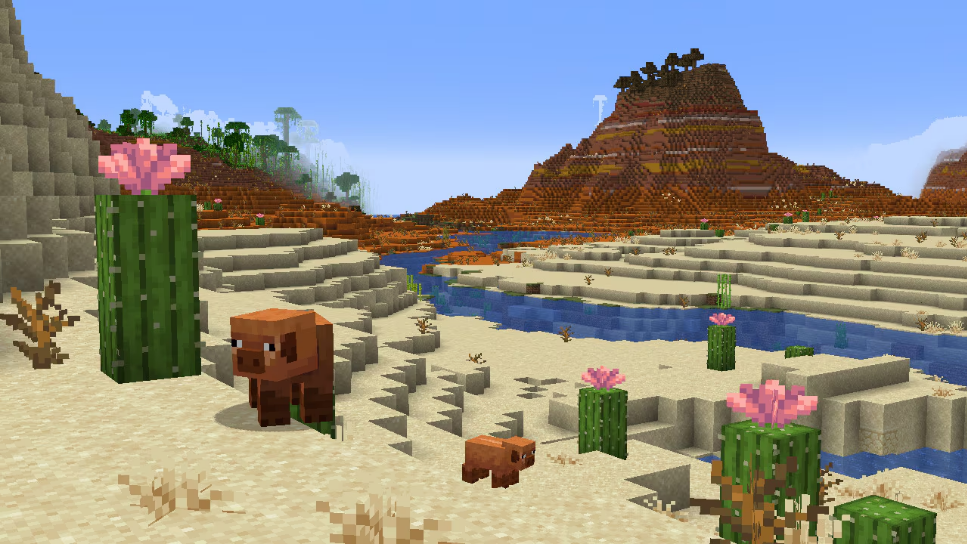
  • Armor Stands now vanish with no sound effects when killed with the /kill command (MCPE-159136)

Mobs

  • Mobs can now enter a Boat only if they are smaller than the Boat itself
  • Villagers will now generate green particles when a successful trade is completed
  • Mobs no longer play the player eat sound when fed breeding materials
  • Slightly decreased Panda collision box to match Java Edition
  • Slightly increased Polar Bear collision box to match Java Edition
  • Turtles can now enter Boats and Boats with Chest (MCPE-65719)
  • Hoglins, Polar Bears, and Spiders can no longer enter Boats and Boats with Chest (MCPE-161197)
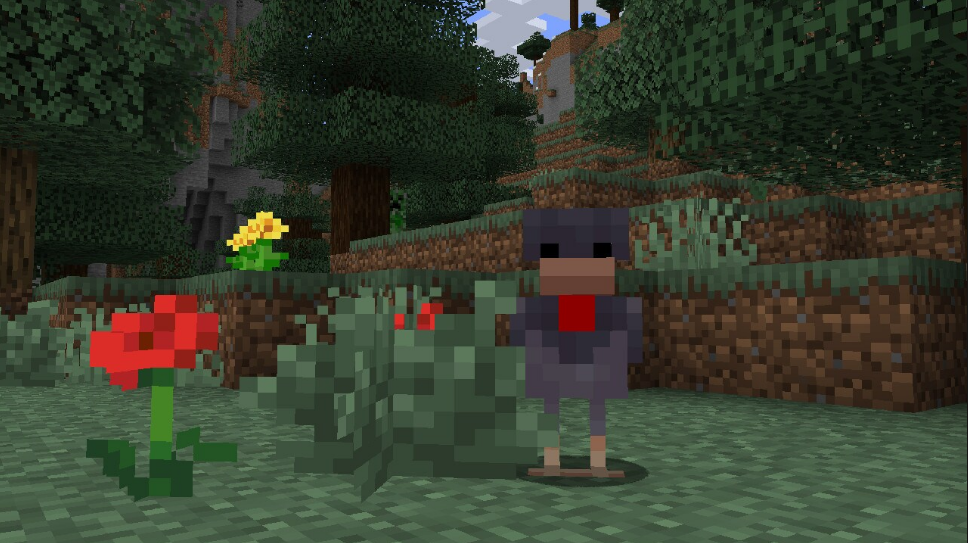
Commands

  • The /execute command will now display an appropriate error message when there is an error in the second or subsequent subcommand targetselector (MCPE-164304)
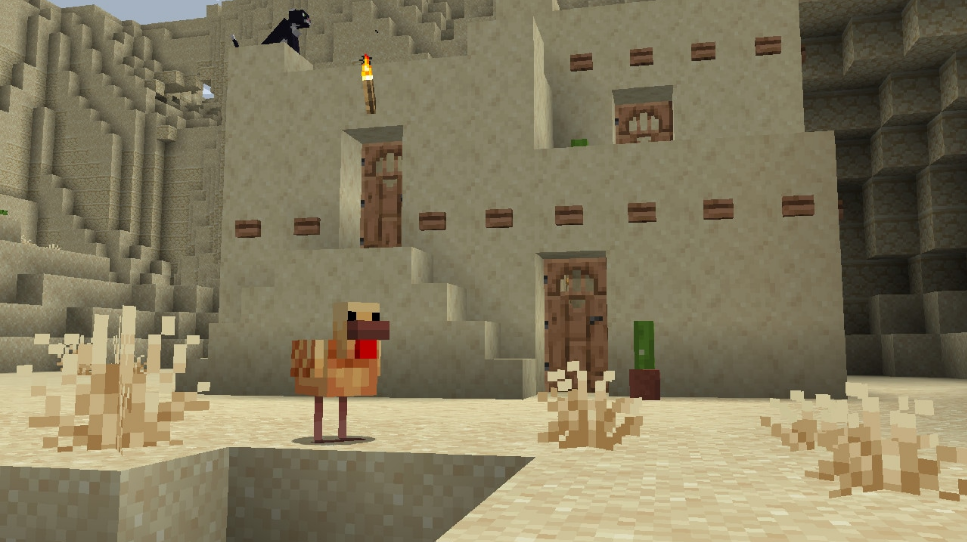
  • Provide auto-complete support for block states
  • Added two new overloads to the summon command :
    • /summon [spawnPos : x y z] facing <position: x y z> [spawnEvent: string] [nametag: string]
    • /summon [spawnPos : x y z] facing <lookAtEntity: target> [spawnEvent: string] [nametag: string]
  • Fixed an issue where the paste button in the Command Block UI would remember extra presses from failed pastes (MCPE-163705)

Technical Updates

Bedrock Editor

The Editor is in early development, and available for keyboard/mouse on Windows PC Bedrock Preview builds. It is an in-engine, multiblock editing experience focused on making it possible for creators of all skill sets to easily craft high-quality experiences in Bedrock! We’re working to add more capabilities, which will change significantly as we get feedback from creators like you.

  • Learn how to use the Editor
  • Join our Discussion forum, post bugs, view more detailed release notes, and share your creations on GitHub
  • Tag us on social channels with #BedrockEditor

Game Events

  • item_interact_finish game event now has a vibration frequency of 2 instead of 14
  • item_interact_start is no longer considered a detectable vibration
  • Reeling a fishing rod now emits projectile_shoot vibration

Data-Driven Components

  • Added “lose_target” field to projectile data to specify if an entity should unselect its target after shooting the projectile
  • Added a new Transformation component for blocks to support rotation, scaling, and translation. The component can be added to the whole block, and/or to individual block permutations. Eg.

“minecraft:transformation”: {
                “translation”: [0.0, 0.1, -0.1],
                “scale”: [0.5, 1, 1.5],
      “rotation”: [90, 180, 0]
}

  • Transformed geometries still have the same restrictions that non-transformed geometries have, eg. a maximum size of 30/16 units

Add-Ons and Script Engine

  • Chance information types used in tree feature JSONs for some trunks and foliage now allow 0 as the chance (values like 0.0001 were allowed, but not 0)

Entity Filters

  • Created new entity filter “is_raider” to determine if the subject is part of a raid

Blocks

  • Deprecated minecraft:part_visibility block component.
  • Added bone_visibility behavior to minecraft:geometry block component

 Marketplace

  • In the map WDW Magic Kingdom, the carts on the Big Thunder Mountain, Snow White and the Seven Dwarves, and Space Mountain rides now properly align with the invisible Minecart they are attached to

Servers

  • Blocks can now optionally (via a setting in StartGamePacket) use a hashed value for their network IDs. This hashed value is independent of all other blocks and remains stable across future releases

User Interface

  • Feedback button on the pause menu will now prompt the user with a modal before redirecting to the browser

Experimental Technical Features

API

  • Updated versions to add new APIs to stable:
    • Added version 1.1.0 of @minecraft/server
    • Added version 1.2.0-beta of @minecraft/server
    • Removed version 1.1.0-beta of @minecraft/server
    • Moved the following to @minecraft/server stable (1.1.0)
      • runTimeout
      • runInterval
      • clearRun
      • currentTick
      • Vector3
      • BlockPermutation  (only a subset of functionality)
      • Block
      • getBlock
      • sendMessage
      • sendMessage
    • Minecraft runtime errors are now fired as JavaScript Error objects instead of strings
    • Fixed several base class inheritance issues and added several new base classes to certain class types
    • /reload works if a script pack references a client RP.
    • Fixed a bug where the BeforeItemUseOnEvent function getBlockLocation would return undefined (MCPE-166945)
    • The BeforeItemUseOnEvent class now inherits from ItemUseOnEvent 
    • Moved the following to @minecraft/serverstable (1.0)
    • Fixed a bug where sendMessage would fail when the message contains Unicode quotation marks
    • Signs
      • Added setText to set the text on a sign with a regular string, a RawMessage, or a RawText
      • Added getText to get the string on a sign, will return undefined if setText was called with a RawMessage or a RawText
      • Added getRawText to get the RawText on a sign, will return undefined if setText was called with a string
      • Added getTextDyeColor and setTextDyeColor to read/write the dye of the sign text
    • Dyes
      • Added DyeColor enum
    • sendMessage
      • rawtext is now RawMessage[] instead of (string | RawMessage)[]
    • RawMessage
      • rawtext property on RawMessage is no longer (string | RawMessage)[] and is instead RawMessage[]
    • RawText
      • Added a RawText class for reading RawMessage like on Signs
    • Riding
      • Added getRiders to EntityRideableComponent which returns an array of all the entities currently riding this entity
      • Added EntityRidingComponent– this component is only on entities that are currently riding on another entity
        • Has an entityRidingOn property that returns the entity this entity is currently riding on
      • Added function getEntity(id: string): Entity | undefined– Gets an entity. Returns undefined for entities that don’t exist or aren’t loaded
    • Dimension
      • getEntities
        • Modified return type to Entity[]
        • Modified parameter name getEntities to options
        • New signature: getEntities(options?: EntityQueryOptions): Entity[]
      • getPlayers
        • Modified return type to Player[]
        • Modified parameter name getPlayers to options
        • New signature: getPlayers(options?: EntityQueryOptions): Player[];
      • @minecraft/server-ui
        • When building forms, all read-only user-facing strings (e.g., text labels, dropdown options etc.) now accept RawMessage This affects the following classes:
          • ActionFormData
          • ModalFormData
          • MessageFormData
        • Added function getItemStack(amount?: number, withData?: boolean): ItemStack– Gets an item stack of the block. Returns undefined for blocks that don’t have a corresponding item (e.g. air)
      • BlockPermutation
        • Added function getItemStack(amount?: number): ItemStack– Creates an item stack of the block permutation. Returns undefined for blocks that don’t have a corresponding item (e.g. air)
        • Removed data property
      • BlockComponent
        • Added read-only property block– Gets the block that the component is attached to
      • Renamed IEntityComponent to EntityComponent
      • Container
        • Replaced classes 
          BlockInventoryComponentContainerInventoryComponentContainer, and PlayerInventoryComponentContainer with Container
        • function addItem now returns the remainder of the added item stack if the container is full, else undefined
        • function transferItem no longer takes a destination slot and will now place the given item in the first available slot. The function now returns the remainder of the item stack if the container is full, else undefined
        • Added function moveItem(fromSlot: number, toSlot: number, toContainer: Container): void– Moves an item from one container to another, replacing any item in the destination slot
        • Function swapItems can now swap empty slots
        • Removed function clearItem – Please use setItem(undefined) instead
Posted on Leave a comment

Minecraft 1.19.4 Release Candidate 1

Changes to display entity interpolation:

  • interpolation always starts at the beginning on client tick
  • field interpolation_start is replaced with start_interpolation, with a different meaning
  • start_interpolation describes amount of ticks from the start of next client tick after receiving an update to start of interpolation
    • for example value 0 means that interpolation will start at the beginning of next client tick after receiving the update
  • start_interpolation is not stored in entity data
    • when using data commands, if interpolated value is updated, but start_interpolation is not present in modified tag, interpolation will continue from the time of previous update, but with new values
  • MC-260857 – Display entities summoned with initial transformation interpolate incorrectly from default transformation during next transformation

Release Candidate are available for Minecraft: Java Edition. To install the Release Candidate, open up the Minecraft Launcher and enable snapshots in the “Installations” tab.

Testing versions can corrupt your world, so please backup and/or run them in a different folder from your main worlds.

Cross-platform server jar:

Report bugs here: