Posted on Leave a comment

M2 Pro and M2 Max MacBook Pro models facing yet another delay

AppleInsider may earn an affiliate commission on purchases made through links on our site.

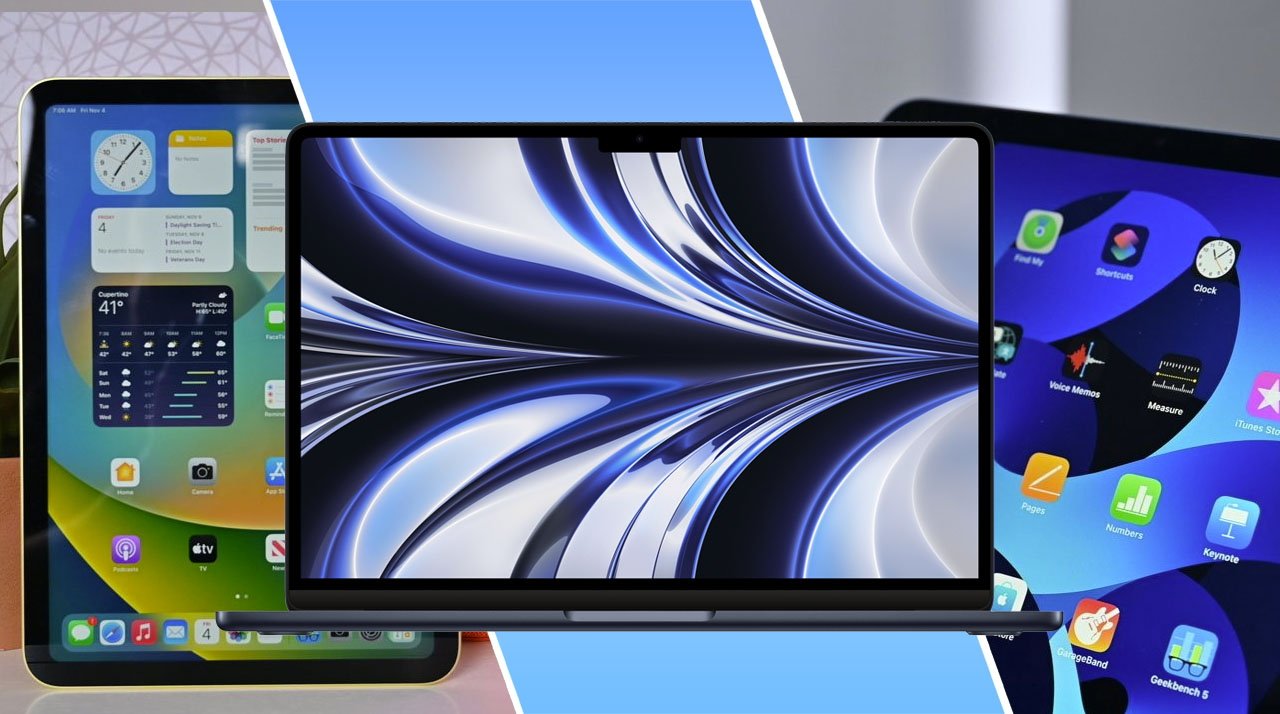
According to a new report, Apple’s next-gen 14-inch and 16-inch MacBook Pro models, slated to get M2 Pro and M2 Max chips, may be out even later than anticipated.

Now, a new report from DigiTimes suggests that the new models face additional delays. However, it does not say when the M2 Pro and M2 Max MacBook Pro line will launch.

Apple partner TSMC began mass production of its 3-nanometer chip process for the next generations of Mac, iPhone, and other Apple devices in late December. An earlier rumor in June claimed Apple would use the new chip process in the aforementioned MacBook Pro lineup.

Analyst Ming-Chi Kuo reported in September that Apple had cut orders for the M2 Pro and M2 Max MacBook Pro line as much as 30% before production began.

Posted on Leave a comment

Apple may be designing its own Apple Watch MicroLED screen

Apple Watch Ultra

AppleInsider may earn an affiliate commission on purchases made through links on our site.

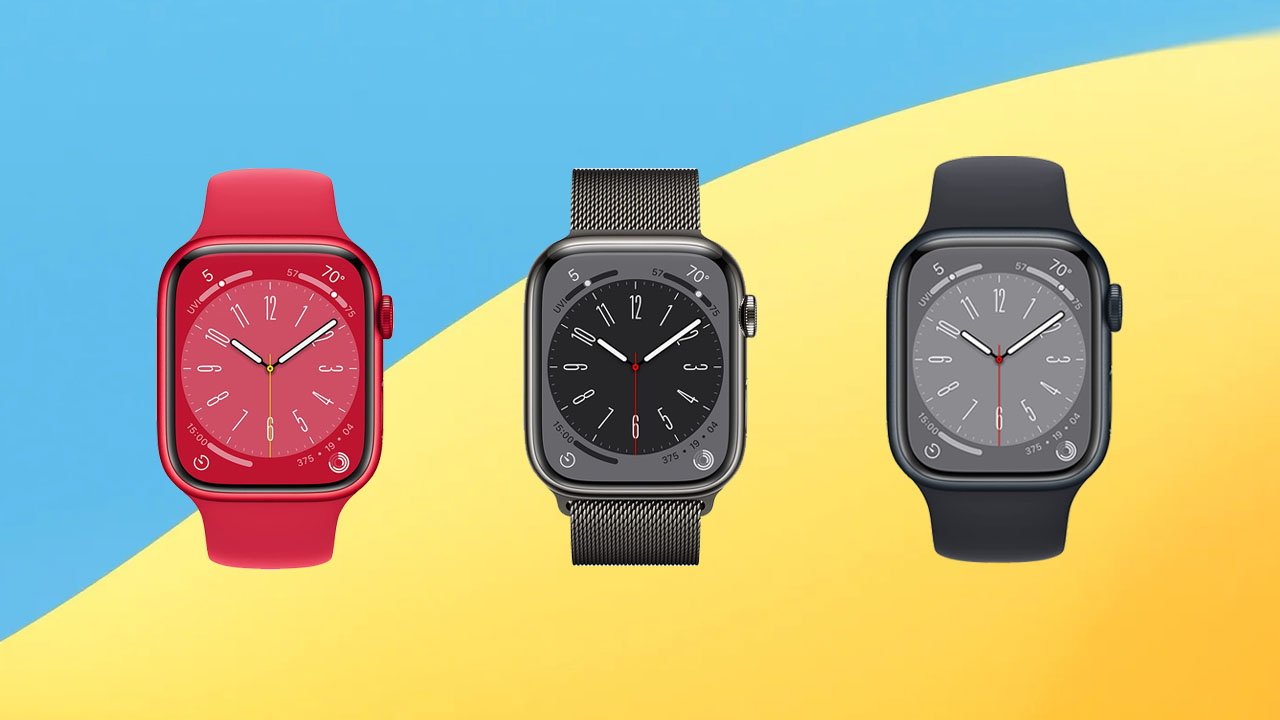
In a continuing effort to provide its own components for its devices and cut out potential market competitors, Apple is reportedly designing its own MicroLED screens starting with the Apple Watch.

As previously reported, Apple’s first implementation of MicroLED technology is expected to come to the high-end Apple Watch lineup first. A supply chain leak recently suggested that the tech giant will release an Apple Watch with a Micro LED display in the spring of 2025.

The move would reduce the company’s reliance on partners such as Samsung and LG.

According to Bloomberg, Apple will swap the Samsung-produced OLED display for its own Micro LED screen. It will, eventually, bring the technology to other devices such as the iPhone.

Apple is expected to still use manufacturing partners to mass-produce the display, however. If the report is accurate, it will be the first display that Apple will have designed from first principles itself, though.

Two years after Apple Silicon was introduced, Intel insists that it will win Apple back, despite the success of Apple Silicon.

Posted on Leave a comment

How to get Apple TV & HomePod working in hotels

You can get HomePods and an Apple TV to connect to a hotel’s Wi-Fi network.

AppleInsider may earn an affiliate commission on purchases made through links on our site.

You should bring creature comforts if you’re stuck in a hotel for a long period of time. Here’s how to get going with an Apple TV, HomePod, or both while working in a hotel.

Occasionally, you may find yourself spending a long time in a hotel. It could be a week, it could be longer, but it’s certainly long enough to yearn for your Apple devices that you probably left at home.

If you know full well that you’re going to be out at remote lodgings for an extended period, and that you’re going to be working at a hotel, you will probably want to bring along some parts of your home office setup along for the ride.

This isn’t as straightforward as you may think, due to the way most hotels provide Internet access to guests. Even in these cases, you may still be able to hook up an Apple TV or a HomePod in your temporary room to elevate the experience.

Here’s what you need to know.

The problem of access

A hotel’s network is one built to service the typical guest. To the hotel, that means someone with a smartphone like an iPhone, an iPad or something similar, and maybe even a MacBook Pro.

Since this is what is typically used by most guests, the Wi-Fi and ethernet network of a hotel is built to accommodate that scenario. Everything is made as reasonably secure and private as possible, and without necessarily considering alternate setups.

For example, most of the time, hotel networks disable peer-to-peer networking, so that guests can’t connect and communicate with the hardware of other network users. That makes sense from a security standpoint, but it means you’re not necessarily going to have your iPhone and iPad see each other over the hotel’s network alone.

You may want to connect HomePods and an Apple TV, but a hotel's network usually isn't set up to allow that to happen.

You may want to connect HomePods and an Apple TV, but a hotel’s network usually isn’t set up to allow that to happen.

This therefore becomes a problem if you want to use some non-standard devices in your hotel room. A HomePod or HomePod mini won’t necessarily connect through a hotel’s network, especially if theres’ a landing page or “captive portal” to navigate, since there’s no usable display on the HomePod itself.

Then there’s the Apple TV, which would be useful since you’d have all of your streaming services ready to go on the compact and easily transported set-top box, instead of dealing with the hotel’s own system. Again, it’s a problem of connectivity to the network.

In each of these cases you can get the non-standard Apple devices going on the hotel Internet connection. However, you’re not necessarily going to be able to get every feature running, nor are you necessarily going to get them working together.

HomePod at a Hotel

A single HomePod is relatively easy. You will have to use an iPhone or iPad to configure the connection, much like the initial setup of the smart speaker.

Be aware that this is something that has been introduced from iOS 15.4 and later. It also requires the network to use PEAP, EAP-TLS, EAP-TTLS, or EAP-FAST authentication types, though it’s easier to just try connecting it instead of looking that information up.

How to connect a HomePod to hotel Wi-fi

  1. Using an iPhone or iPad, connect to the hotel’s Wi-Fi network. Follow the instructions to establish the connection.
  2. Open the Home app, then touch and hold HomePod.
  3. Scroll down the page and tap “Move HomePod to” followed by the hotel’s network name.
  4. Tap Done.

You may see a warning advising that some features “may not work on this network.” This is chiefly due to the network blocking peer-to-peer Wi-Fi.

The list of blocked features can include setting up a HomePod stereo pair, Personal Requests, timers, using HomePod as an intercom, and home theater audio with Apple TV.

In some setups, you may be able to set up a stereo pair without relying on additional hardware. On locked-down networks, it’s unlikely.

Apple TV at a Hotel

Much like the introduction of iOS 15.4, tvOS 15.4 adds in the ability to navigate captive portals, again via the use of an iPhone or iPad already connected to the network.

Be aware that such networks may have a time limit for connections, and you may need to re-establish it every so often.

How to connect an Apple TV to hotel Wi-fi

  1. Using an iPhone or iPad, connect to the hotel’s Wi-Fi network. Follow the instructions to establish the connection.
  2. Hook up the Apple TV to the hotel room’s television and turn it on.
  3. On the Apple TV, open the Settings app.
  4. Select Network then Wi-Fi, and select the hotel’s Wi-Fi network.
  5. Once a captive network is detected, select the option to Continue on iPhone or iPad.
  6. On the iPhone or iPad, follow the on-screen instructions to access the network, such as any required usernames or passwords.

How to use an Apple TV and paired HomePods in a hotel

The above instructions are to directly connect your hardware to the hotel’s network, but it still leaves you with the peer-to-peer problem. You won’t be able to use HomePods as speakers for your Apple TV, for example, since they can’t see each other on the network.

The solution to this is to create your own room-specific network, that treats the hotel’s internet connection as a source of Internet rather than a local-area network.

A compact travel router could simplify your hotel room's networking.

A compact travel router could simplify your hotel room’s networking.

By using your own travel router, you will have a network that you can manage and control within the room, including enabling peer-to-peer connections between your devices. Meanwhile, as the router handles traffic going through the hotel’s network, it saves you from having to set up separate connections for each device.

You can do this with a lot of routers, but we like the GL.iNet GL-MT1300 (Beryl) travel router. Offering three Gigabit Ethernet ports and dual-band Wi-Fi, it also has a USB 3.0 port and microSD card slot, providing you with a form of file server for the network should you be so inclined.

It also includes IPv6 support, compatibility with over 30 VPN providers, Tor support, and can act as a repeater for public Wi-Fi to create a private Wi-FI network.

In general, the principle is to connect the router to the network and get it going, treating it like a home’s fiber internet connection. You then set your devices up to connect to the travel router, just like you would at home.

The procedure to do this varies somewhat. As a general rule, you connect one device to the hotel Wi-Fi and connect with the capture page. You then power up the router, use the router’s app or a specific webpage local to the router for configuration, and then connect it to the hotel Wi-Fi.

With our preferred router, you can connect an iPhone to it over USB, and use that as your source of Internet. It is important to note that hotel Wi-Fi is often bandwidth-challenged, and you’ll be sharing one connection with every device on your network that you just configured.

Practically, we use it just for our Apple TV and HomePod mini pair combo, since hotel flat-screen televisions aren’t known for audio quality. We then control the set with the Apple TV remote, or Siri.

If you travel and spend a lot of time in hotels and temporary lodgings with a lot of devices, this could be the best route forward to avoid spending more time setting up your Apple devices instead of relaxing and actually using them.

Posted on Leave a comment

Cherry KC 6000C for Mac review: A mediocre wired keyboard

Cherry KC6000C for Mac

AppleInsider may earn an affiliate commission on purchases made through links on our site.

A wired keyboard might be beneficial if you’re tired of constantly re-charging the batteries in all your devices, but the Cherry KC 6000C for Mac isn’t the first one we’d recommend considering.

The Cherry KC 6000C has a fixed wired USB-C connection, which could make it less useful for older Macs and inconvenient for newer ones. When using it, some force was needed to press the keys, with only a mediocre feel in exchange for the effort.

Of course, the KC 6000C for Mac keyboard isn’t all doom and gloom. It does feature a number pad, along with 19 function keys that can be assigned to custom commands or shortcuts.

Using a wired keyboard

When we first got on our hands on this Cherry keyboard (not to be confused with Cherry MX switches used by many other keyboard producers) the glaring issue was its wired connection.

There are plenty of reasons to use a wired keyboard, even in 2023, but it’s the fixed connection here that gets us. You can’t switch it out for a longer or shorter one, and you also can’t swap the thin, cheap-looking, white cable for a nicer-looking braided cable, for example.

The trade-off is a low cost for the product. With a retail price of $40, it’s hard to complain about the connection type and minimal feature set.

The KC 6000C for Mac has a slim profile.

The KC 6000C for Mac has a slim profile.

It’s a simple keyboard that forgoes fancy features in favor of providing seemingly respectable build quality and components. We didn’t have any issues with keycaps falling off or any other parts failing, but at least one Amazon review does mention otherwise.

The keyboard is quite slim if you enjoy a flat typing surface, but if you want an angle, the keyboard does come with rubber feet to prop it up. It’s a rudimentary solution that isn’t ideal for switching back and forth, but does work fine.

This KC 6000C for Mac keyboard does also have an integrated metal plate that keeps it weighted down. We did like that it didn’t scoot around our desk when pounding on it.

A number pad isn’t our thing anymore, since laptops, iPad keyboards, and Apple overall has generally favored them less over the years — and trained us away from expecting them. This number pad was fine, but it only made the keyboard wider than it needed to be in our eyes.

Typing on the KC 6000C for Mac

The KC 6000C for Mac keyboard uses a scissor mechanism for its keys. Typing on the KC 6000C was not as effortless as typing on an Apple Magic Keyboard, for example, as pressing keys here required more force.

It felt like there was more resistance, and while there was some spring and bounce back, there wasn’t enough to accommodate a swift effortless typing feeling.

For example, as we typed faster, we experienced more errors on the keyboard. If we didn’t decidedly press each key down strongly then the stroke wouldn’t register.

It forced more mental energy to concentrate on making every key press count, even after a week of constant writing.

We love the Apple Magic Keyboard because it only requires a delicate touch. The key caps are generously sized and overall it’s easy to type on, even if not everyone cares for the feel of its shallow key travel.

Comparatively, the KC 6000C for Mac keyboard had deeper travel, but it never felt particularly speedy to us. In the way that the best tools should encourage more productivity, we never got the sense that this keyboard would do that for us, no matter how long we continued to use it.

There is a number pad on the keyboard

There is a number pad on the keyboard

In terms of typing noise, the KC 6000C for Mac keyboard managed to remain much quieter than a mechanical keyboard and a little quieter than an Apple Magic Keyboard, but it wasn’t silent.

It will help keep the overall volume in a room down, but don’t expect the sound to disappear completely.

Do you need this the Cherry KC 6000C for Mac?

Despite the Cherry KC 6000C for Mac keyboard not being for us, some people may find its extended layout and price point a compelling combination. It’s hard to argue that it’s not a reasonable value at $40.

This keyboard is a fine product overall, but we didn’t find it to be a direct replacement for new, modern Apple keyboards.

The keyboard has a non-removable USB-C cable

The keyboard has a non-removable USB-C cable

It’s more of a solution for people who don’t like what Apple is offering, don’t want to spend the money on a third-party mechanical one, and are fine with a wired USB-C connection — a relatively small group we suspect.

Cherry KC 6000C for Mac – Pros

  • Slim, weighted design
  • Number pad for people who want it
  • Reason price and overall decent value

Cherry KC 6000C for Mac – Cons

  • Fixed 1.8 meter cable length
  • Not fast or convenient to adjust angle

Rating: 2.5 out of 5

Where to buy the Cherry KC 6000C

Posted on Leave a comment

Dridex banking malware modified to spread using macOS

Dridex targets Macs

AppleInsider may earn an affiliate commission on purchases made through links on our site.

A variant of the Dridex banking malware is using macOS to spread to others, by using email attachments that look like regular documents.

Security researchers at Trend Micro said on Thursday that the malware previously targeted Windows, but now the cybercriminals have changed their strategy to go after macOS.

The Dridex malware sample Trend Micro analyzed takes the form of a Mach-O file, an executable file that can run on macOS and iOS. File extensions they use include .o, .dylib, and .bundle.

The Mach-O file contains a malicious document that runs automatically once a user opens it. It then overwrites all Microsoft Word files in the macOS user directory and contacts a remote server to download more files, including a Windows executable file (.exe) that runs the Dridex malware.

Content of the executable file dropped by the malware. Source: Trend Micro

Content of the executable file dropped by the malware. Source: Trend Micro

These executables can’t run on macOS. But, if a user’s Word files are overwritten with malicious versions, Mac users could unwittingly infect others when they share the files online.

For now, Mac users are safe from the Dridex malware. Trend Micro says it’s possible that attackers could modify it to run on macOS in the future.

How to stay safe

First and foremost, with Dridex, the best way to protect yourself is to not open attachments where the provenance is unclear. Check who the sender is, not just by the displayed name of the sender, but also the email address.

For instance, your credit card company won’t send you a receipt from a Gmail account.

Apple includes security tools such as Gatekeeper and the XProtect antivirus software that are built into macOS. Users can also choose to download antivirus software from a third-party company.

An online tool called VirusTotal can scan URLs and files that people upload and detect if it contains malware. For example, if an email has a Microsoft Word document or a Mach-O file as an attachment, it may be a good idea to scan it with the website.

AppleInsider will be covering the 2023 Consumer Electronics Show in person on January 2 through January 8 where we’re expecting Wi-Fi 6e devices, HomeKit, Apple accessories, 8K monitors and more. Keep up with our coverage by downloading the AppleInsider app, and follow us on YouTube, Twitter @appleinsider and Facebook for live, late-breaking coverage. You can also check out our official Instagram account for exclusive photos throughout the event.

Posted on Leave a comment

Kuo predicts spring debut for Apple mixed-reality headset

AppleInsider may earn an affiliate commission on purchases made through links on our site.

Analyst Ming-Chi Kuo has revised his prediction for the official debut of the highly anticipated Apple augmented reality device, suggesting that the company will now announce it in spring 2023.

According to the analyst, Apple still faces delays with its mixed-reality headset. He cites issues “with mechanical component drop testing and the availability of software development tools.”

Because of this, it’s increasingly unlikely that Apple would announce it during a January media event.

Kuo predicts that the company will instead announce it during an Apple Event in spring or during the annual Worldwide Developers Conference in June.

While he believes that the device may be announced in the first half of 2023, he expects that it will not begin shipping until the end of the second or third quarter of 2023.

In December, Apple reportedly changed the name of its mixed-reality operating system to “xrOS,” signaling that the company could be close to releasing a mixed-reality headset.

Currently anticipated to be in an “advanced” stage of development, Apple’s first headset launch could include a pair of 4K OLED displays, 15 camera modules dotted around the outside, and potential support for eye tracking and hand gestures. The first wave could also be an expensive headset, with prices up to $3,000 proposed.

Posted on Leave a comment

SECURAM launches smart light and smart dimmer switches

New switches from SECURAM

AppleInsider may earn an affiliate commission on purchases made through links on our site.

SECURAM has unveiled a smart Wi-Fi light switch and dimmer switch that acts as a night light with hands-free voice control and other helpful features.

The company has designed and manufactured products since 1991. It offers home security systems, safe locks, and smart home technology.

Its newest products enter the smart home market to help people automate aspects of their homes. Users can group them with other products from the company using the SECURAM Guard app available in the App Store.

Smart light switch

Users can control the switch from anywhere using the Guard app to monitor the light status and turn electronics on and off. Group the switch with other devices from the company to create scenes.

For example, a user can group light switches with SECURAM’s EOS door lock as a scene. So whenever they return from work and unlock the front door, the living room and hallway lights are automatically turned on.

Smart light switch

Smart light switch

The night light feature lights up with the light is off to show the switch location in the dark. Users can turn the feature off in the Guard app if they don’t want it to always be on.

Away Mode is a feature that gives the appearance that someone is home while they are gone. During that period, the device will turn off and on and random intervals to deter would-be burglars.

Another feature lets users set schedules for the light switch to automatically turn it on at sunset and turn it off at sunrise. And with voice control using Amazon Alexa or Google Assistant, users can control the switch hands-free for convenience.

Smart Wi-Fi dimmer switch

The dimmer switch lets users control the light brightness with a button. It requires a neutral wire and only works in a single-pole setup.

The built-in Wi-Fi connects to a secured 2.4 GHz Wi-Fi network without needing a separate smart home hub. The dimmer switch also has a laser motion sensor that can automatically turn on lights when a user enters a room and turns them off after a preset period.

Smart dimmer switch

Smart dimmer switch

It shares other features with the Smart Light Switch, including app remote control, schedules, group control, and device sharing, and grouping with other SECURAM products.

SECURAM expects to launch the products around the end of November 2023.

AppleInsider will be covering the 2023 Consumer Electronics Show in person on January 2 through January 8 where we’re expecting Wi-Fi 6e devices, HomeKit, Apple accessories, 8K monitors and more. Keep up with our coverage by downloading the AppleInsider app, and follow us on YouTube, Twitter @appleinsider and Facebook for live, late-breaking coverage. You can also check out our official Instagram account for exclusive photos throughout the event.

Posted on Leave a comment

BOE regains Apple’s trust, could supply more iPhone 15 screens than Samsung

AppleInsider may earn an affiliate commission on purchases made through links on our site.

Analyst Ming-Chi Kuo claims that after losing millions of orders for the iPhone 14 screen, it’s now on track to produce 70% of iPhone 15 and iPhone 15 Plus displays.

According to Ming-Chi Kuo‘s tweets and fuller Medium report (linked in the Twitter thread), BOE has “secured most 2H23 new iPhone 15 and 15 Plus display orders.”

“If development and production proceed smoothly over the next few months,” writes Kuo in his fuller report, “BOE will become the largest display supplier for the iPhone 15 and 15 Plus, with a market share of around 70% (compared to Samsung’s 30%).”

Kuo expects BOE’s shipments to grow significantly Year Over Year, but notes that it is starting from a low base.

“For the 2H22 iPhone 14 series, BOE only obtained orders for the 6.1-inch iPhone 14 display and had the lowest market share,” he writes. “BOE’s market share of iPhone display shipments was only around 12-15% in 2022.”

“Therefore, even if iPhone shipments are negatively affected by the economic recession in 2023, BOE could still easily achieve a high YoY growth of 70-100%,” says Kuo, “due to the low base of iPhone display shipments in 2022, outperforming most Apple suppliers.”

Chinese display firm BOE has previously had a stormy relationship with Apple, and a tricky time with production. In early 2022, BOE is believed to have hit manufacturing problems with iPhone OLED Panels, with the global chip shortage reducing its production capacity.

Then in May 2022, the company was allegedly caught making an authorized change to the design of the iPhone 13 displays it was manufacturing. It’s claimed that the company changed the circuit width of the thin film transistors (TFT) without discussing it with Apple.

Sources claim that BOE was required to send senior staff to Apple headquarters to present a case for the design change. At the time, it was said that BOE asked Apple to approve its production of iPhone 14 OLED panels, but did not receive a clear response.

Nonetheless, by July 2022, it was reported that BOE had been given an order for five million iPhone 14 displays. At that time, it was estimated that Apple was buying 25 million screen panels from LG, and 60 million from Samsung.

Posted on Leave a comment

iPhone 15 Pro line could boast titanium frame, haptic buttons, and 8 gigs of RAM

AppleInsider may earn an affiliate commission on purchases made through links on our site.

Apple’s next line of Pro iPhones may get significant upgrades, including a 12-megapixel periscope lens.

The iPhone 15 is anticipated to release at the 2023 fall Apple Event, and analysts have already begun making predictions for Apple’s next generation of smartphones.

In a research note for Hong Kong investment firm Haitong International Securities seen by MacRumors, Analyst Jeff Pu outlined his expectations for the iPhone 15 line.

He believes the iPhone 15 and iPhone 15 Plus will boast a 3-stacked sensor and 48-megapixel wide lens. This is notable as it would be the same camera featured in the iPhone 14 Pro models.

In keeping with tradition, the base-level iPhone 15 models will not have a telephoto lens, nor will they feature a LiDAR scanner.

He also says the iPhone 15 will feature USB-C rather than Apple’s proprietary Lightning port. This idea has been predicted by other analysts, such as Ming-Chi Kuo.

Regarding the higher-end iPhone 15 Pro and iPhone 15 Pro Max, Pu expects that Apple will add a 12-megapixel periscope lens geared toward improved optical zoom.

Kuo has also backed up the addition of a periscope lens in Apple’s iPhone 15 Pro lineup.

Pu predicts the iPhone 15 Pro line will have Taptic Engine powered volume and power buttons.

Both the iPhone 15 Pro and iPhone 15 Pro Max are anticipated to have an A17 chip built with TSMC’s 3-nanometer technology, 8 gigabytes of RAM, and a new titanium frame.

AppleInsider will be covering the 2023 Consumer Electronics Show in person on January 2 through January 8, where we’re expecting Wi-Fi 6e devices, HomeKit, Apple accessories, 8K monitors, and more. Keep up with our coverage by downloading the AppleInsider app, and follow us on YouTube, Twitter @appleinsider and Facebook for live, late-breaking coverage. You can also check out our official Instagram account for exclusive photos throughout the event.

Posted on Leave a comment

iPhone 14 Pro long term review: Still worth the upgrade

iPhone 14 Pro box

AppleInsider may earn an affiliate commission on purchases made through links on our site.

In our long-term review of the iPhone 14 Pro, we differentiate between Apple’s marketing machine and nice-to-have features.

With the iPhone 14 Pro and iPhone 14 Pro Max, Apple introduced plenty of new features. We have a new, faster processor, satellite connectivity, improved thermal performance, and more.

After living with the iPhone 14 Pro every day for the last few months, we wanted to revisit our review to see what features wound up not much more than hype and which ended up as truly useful.

Always on display

One of our most asked-for features preceding the iPhone 14 announcement was an always-on display. It was a possibility with the iPhone 13 Pro, but it was apparently scratched at the last moment.

While testing competing Android handsets, it had always been one of the few features we wished Apple would take and expand upon. Apple delivered and even improved upon the always-on display post-release.

[youtube https://www.youtube.com/watch?v=fNT57glShZ0]

After first getting our iPhone 14 Pro a few months ago, the display took some getting used to. We constantly thought our iPhone was actually on and we needed to turn it off, but that was just the new display.

Now that we’ve adequately adjusted to it, it feels indispensable. Without touching our phones we can see the time, see unattended to notifications, as well as any Live Activities that are ongoing.

Despite many believing it is just another way for Apple to make you use your iPhone more, it has caused us to actively use our phones less. We don’t have to pick up our phone to check things like a timer or the bowl game score — we can already see it.

This stops us from grabbing our iPhones and getting sucked into an email or social media rabbit hole. Funny enough, it took our iPhones being on all the time to cut our usage.

Cameras

Apple consistently iterates on the cameras and this year had one of its most substantial upgrades to date. It moved to a massive 48MP sensor and used pixel binning to output 12MP photos.

In reality, most users won’t notice this. The output is still 12MP, and few are going to play around with the full 48MP RAW option.

We can see some low light improvement, but it’s minor without seeing pics side-by-side.

The iPhone 14 Pro camera bump

The iPhone 14 Pro camera bump

What was surprisingly helpful were the new zoom levels. Apple now lets you move between .5X, 1X, 2X, and 3X optical zoom levels.

The 2X zoom is created by using the center 12MP of the 48MP sensor, effectively cropping the outer edges of a higher-resolution image, to create an optical-quality zoom without the need for an additional camera lens between the standard and telephoto lenses.

We found ourselves zooming quite often to 2X in plenty of indoor situations. Before this option, if you wanted 2X zoom, you’d have to digitally zoom in on the old 12MP sensor, losing quality.

Plus, you can take 1X, 2X, and 3X zoom portrait mode shots. This may seem small, but it is one of the things we noticed most after months of using the iPhone 14 Pro.

Dynamic Island

Arguably, the most talked about new feature of the iPhone 14 Pro has been the Dynamic Island. This reimagining of the front-facing camera module has taken a static notch and turned it into useful information.

It has perhaps single-handedly changed the feeling of the phone the most. Pop-up alerts that used to obfuscate the display no longer do that.

The low power alert would pop up as a modal and force you to tap out of it, but now, that can now show in Dynamic Island. You can see charging status without having to open Control Center, see when your AirPods connect, see an AirDrop file download, and much more.

Not to mention Live Activities that will show, such as timers, scores, Uber Eats orders, and so much more. The Now Playing music UI is delightful, allowing you to quickly control it with less tapping than accessing Control Center.

Controlling AirPlay from the Dynamic Island

Controlling AirPlay from the Dynamic Island

If you have an Apple TV, the TV controls can display in the Dynamic Island. Pause, open the remote, or jump forward or back quickly from that interface.

This is an entirely new UI element that comes into play with so many facets of the phone, and it reinforces Apple’s entire ecosystem from the software to the hardware, to all of its other devices.

Worth the upgrade

Inventory of iPhone 14 Pro is finally starting to normalize, which means if you’re interested in one, you should be able to get it with little delay. This is good news as we’d easily recommend picking up the iPhone 14 Pro over an iPhone 14 or iPhone 13 Pro.

There are always features that end up being hyped by Apple, but end up underwhelming as you use the device. Some things are nice but the always-on display, the Dynamic Island, and the updated cameras have left a significant impression on us.

Three months later, iPhone 14 Pro is still worth the purchase.

iPhone 14 Pro – Pros

  • Always-on display
  • High performance A16 Bionic
  • Upgraded 48MP camera
  • Notch traded for Dynamic Island
  • Long battery life
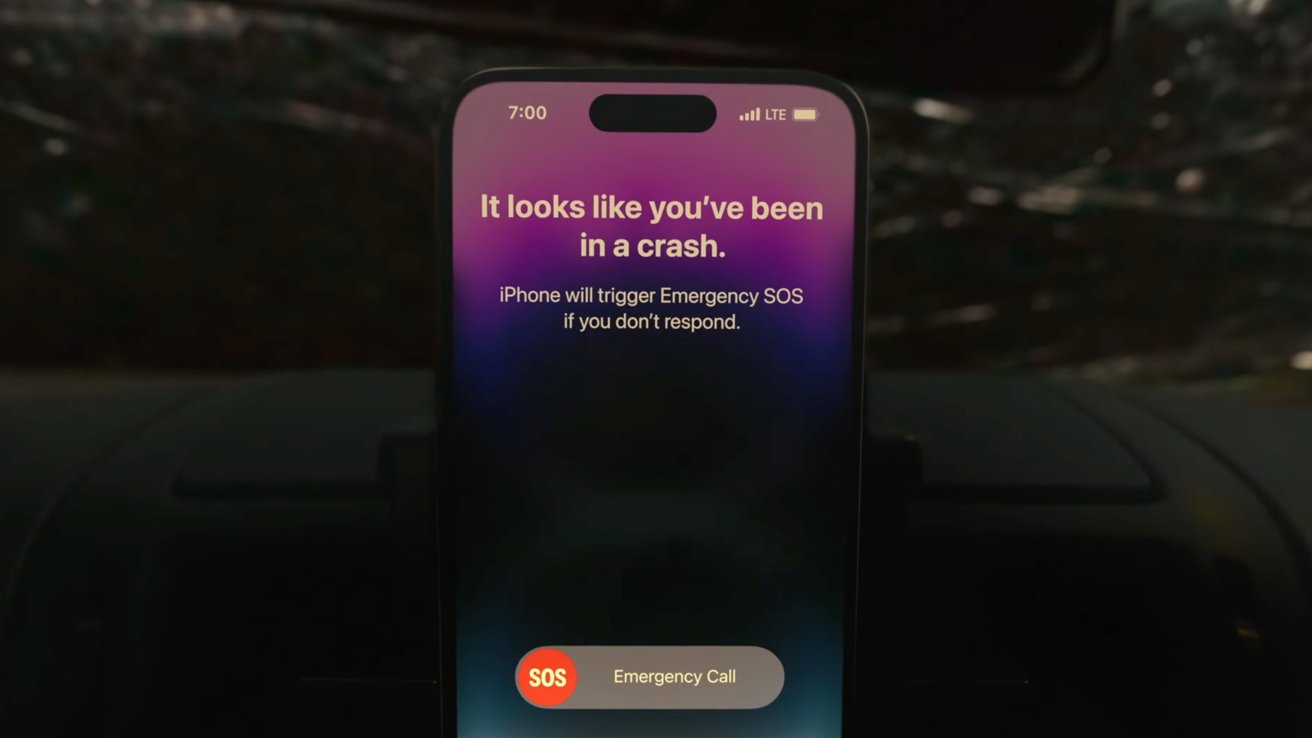
  • Crash Detection
  • Emergency SOS via Satellite

iPhone 14 Pro – Cons

  • Reused physical design, again
  • One 48MP camera sensor, but two 12MP sensors
  • Still Lightning, no USB-C

Rating: 4.5 out of 5

Where to buy the iPhone 14 Pro

Apple’s iPhone 14 Pro is available for purchase, with wireless providers AT&T and Verizon offering incentives on the latest devices.

If you have a used iPhone, you can also check out our Apple trade-in deals for exclusive cash bonuses on pre-owned devices, putting more money in your wallet for a new iPhone 14 Pro.