Posted on Leave a comment

iPhone 15 models show size differences compared to iPhone 14 cases

3D-printed models of the iPhone 15 range [Macotakara]

AppleInsider may earn an affiliate commission on purchases made through links on our site.

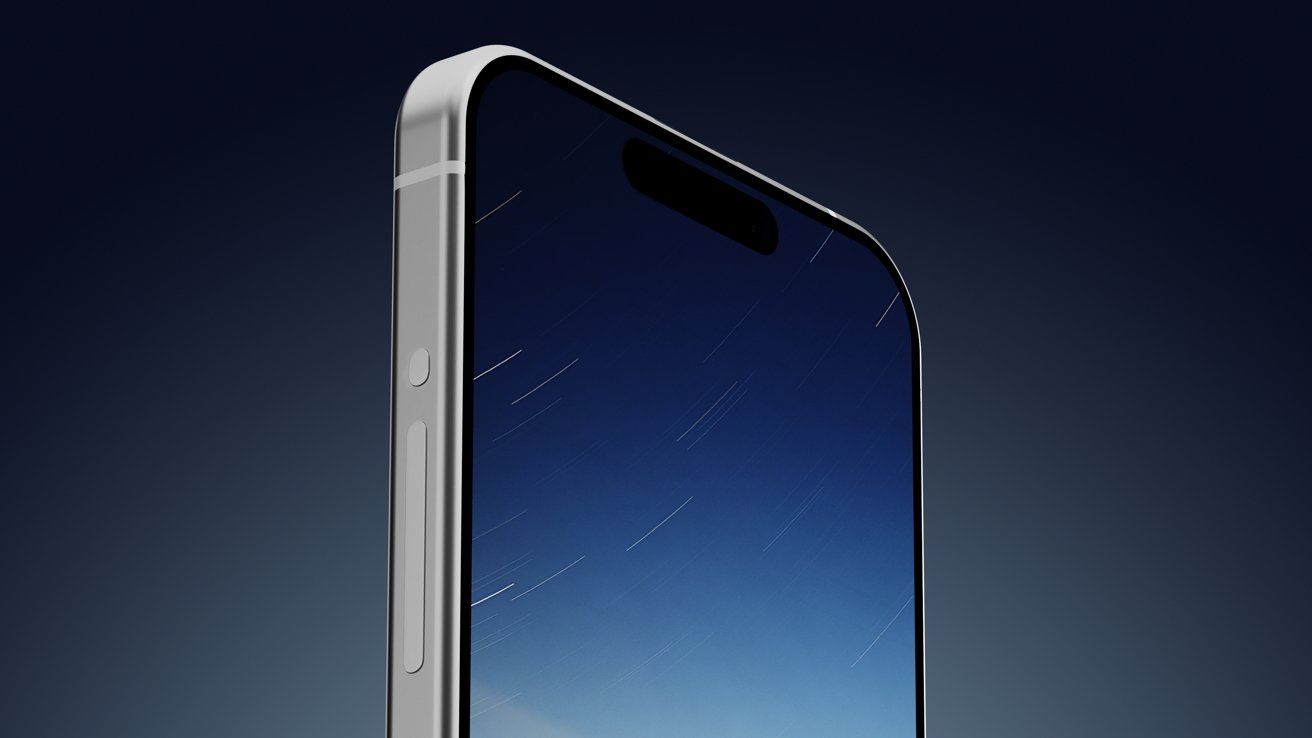
A set of 3D-printed mock-ups of the iPhone 15 family seemingly demonstrate that Apple’s next set of flagships will not fit into cases meant for the iPhone 14 range.

Leaks about Apple’s upcoming products often result in the release of schematics that allegedly describe the size and shape of inbound models. Such schematics can be used as the base for a 3D model that could be printed, which in one instance, has allowed for some inter-generational iPhone comparisons.

In a video posted by Macotakara, a set of 3D-printed dummies for the iPhone 15 were produced, showing some of the expected details in the 2023 releases. The mock-ups for the iPhone 15, iPhone 15 Plus, iPhone 15 Pro, and iPhone 15 Pro Max all feature camera bumps and anticipated camera lens positions, along with other details.

[youtube https://www.youtube.com/watch?v=xChIi6ihwb4]

The units all are given the Dynamic Island treatment, and have been dressed with a USB-C port in the base instead of a Lightning port. The models are also following rumors of smaller bezels and having curved edges, which can affect the dimensions of the devices.

To compare against the iPhone 14 model footprints, cases for the current-gen models were used with the plastic-printed objects. For the iPhone 15, a 1mm lengthening in size distorts the iPhone 14’s case, making it unable to be used.

The mock-up iPhone 15 Plus did fit the case for the iPhone 14 Plus with seemingly no issues. While the Pro and Pro Max models are 1mm narrower and shorter, therefore able to comfortably slide into their respective cases, the changes to the volume controls on the models means they won’t fit properly.

Printing models of schematics can give a good sense of what the final release items could look like, especially when compared to existing products. However, it’s entirely possible that the final products Apple releases could have different dimensions than the current mock-up roster months down the line.

Macotakara is generally accurate when it comes to rumors, however the sourcing of 3D-printed models from Alibaba may not be the most accurate way to determine what future releases will actually feel like to hold. The site has done this before with the iPhone 14, with those models seemingly quite accurate at the time.

Posted on Leave a comment

Samsung’s smartphone ‘space zoom’ may lean heavily on AI for moon shots

Samsung S23 Ultra

AppleInsider may earn an affiliate commission on purchases made through links on our site.

Moon photos taken with the “Space Zoom” of Samsung’s flagship smartphone models may actually be more a feat of AI trickery than an impressive smartphone camera, a Reddit user’s investigation into the feature claims.

Samsung’s flagship Galaxy smartphone lineup, including the Galaxy S23 Ultra, has an extremely high level of zoom for the rear cameras. With a 100x zoom level, created by augmenting 3x and 10x telephoto cameras with a digital zoom aided by Samsung’s AI Super Resolution technology, it can capture shots of things very far away.

That so-called Space Zoom could potentially allow users to photograph the moon, and many do. However, it may be the case that the level of detail in the moon shots may only be higher due to software shenanigans.

In Friday’s post to the Android subreddit, “u/ibreakphotos” declared that Samsung’s Space Zoom “moon shots are fake,” and that they had proof. The lengthy post then demonstrates that belief, in a fairly convincing way.

Referring to previous reporting that the moon photographs from the S20 Ultra and later models are real and not faked, the Redditor points out that no-one has managed to succeed in proving that they are real or fake, until their post.

The user tested the effect by downloading a high-resolution image of the moon, then downsized it to a 170 by 170-resolution image, and then applied a gaussian blur to obliterate any final details of its surface.

They then showed the low-res blurry moon at full screen on their monitor, walked to the other end of their room, zoomed in on the fake celestial body, and took a photograph. After some processing, an image of the moon was produced by the smartphone, but the surface had considerably more detail for the surface than the doctored source.

The low-res and blurry source image of the moon (left), and what Samsung's smartphone processed it as (right) [Reddit u/ibreakphotos]

The low-res and blurry source image of the moon (left), and what Samsung’s smartphone processed it as (right) [Reddit u/ibreakphotos]

The user reckons Samsung “is leveraging an AI model to put craters and other details on places which were just a blurry mess.” They go further to stress that while super resolution processing uses multiple images to recover otherwise-lost detail, this seems to be something different.

It is proposed that this is a case “where you have a specific AI model trained on a set of moon images, in order to recognize the moon and slap on the moon texture on it.”

“This is not the same kind of processing that is done when you’re zooming into something else, when those multiple exposures and different data from each frame account to something,” they propose. “This is specific to the moon.”

It is reckoned that since the moon is tidally locked to Earth, “it’s very easy to train your model on other moon images and just slap that texture when a moon-like thing is detected,” and that the AI is “doing most of the work, not the optics.”

Referencing to an earlier failed attempt to bust Space Zoom’s quality, Samsung assured that the feature used up to 20 pictures, then processed them as a composite with AI. That AI identifies the content of the scene, and then performs a “detail enhancing function” on the subject.

At the time of a previous investigation in 2021, attempts to trigger an overlay or AI processing on a clove of garlic on a black background or a table tennis ball failed to trick the smartphone. The 2023 test using a 170-by-170 resolution image of the real moon may have given the AI processing just enough basic detail to make it think it was looking at the actual moon.

The new test also eliminates any sort of multi-frame sharpening from being used, since it’s a shot of the same low-resolution moon for every frame.

It remains to be seen if this brief investigation will trigger closer scrutiny at the use of AI in photography, but the concept is one that has been employed across the entire mobile industry. Even Apple leans on computational photography to improve the quality of images from its cameras.

While the public may be convinced that AI processing techniques being applied to images from smartphone cameras is a good thing in general, oddly specific instances such as this may cause some pause for people who care about photography as an artform.

Posted on Leave a comment

Apple’s new yellow iPhone 14 is up to $1,000 off with preorder deals

Save on the yellow iPhone 14

AppleInsider may earn an affiliate commission on purchases made through links on our site.

Wireless carriers are clamoring for your business by offering up to $1,000 in incentives when you preorder the new iPhone 14 or iPhone 14 Plus in yellow.

Preorders opened early this morning for the iPhone 14 in yellow, and wireless carriers are already incentivizing the fun new color option to the tune of up to $1,000 off.

AT&T – Get an iPhone 14 for $0

AT&T is offering up to $800 off the iPhone 14 and iPhone 14 Plus, with the new yellow color included in the promotion. The discount is in the form of bill credits that span 36 months and the phone requires an eligible unlimited plan. You must also trade in an eligible smartphone in good working condition within 30 days of activation. See AT&T for additional terms and conditions.

Verizon – Get the iPhone 14 Plus for $5/mo

Verizon has one of the top iPhone 14 Plus deals available, with the new yellow model as low as $5 per month with select 5G Unlimited Plans. Plus, get $200 when you switch. The terms found on Verizon.com stipulate the offer applies to the 128GB model, and the $200 Verizon e-gift card is sent within eight weeks with a qualifying port-in.

Red Pocket Mobile – Save $100 on the yellow iPhone 14

Red Pocket Mobile is also selling the iPhone 14, with the wireless provider knocking $100 off any iPhone plus six months free on any unlimited GSMA plan. The 6-month promotional offer cannot be applied to existing phone lines, according to the provider. Visit RedPocket.com for the full list of terms and conditions.

Best Buy – AppleCare included with Totaltech

The yellow iPhone 14 is also available through the major wireless carriers at BestBuy.com. And Totaltech members can get up to 24 months of AppleCare on most iPhones while you’re a member. The Totaltech plan costs $199.99 per year and includes additional perks like 60-day return windows on eligible products, access to exclusive prices, and more.

Even more Apple markdowns

Best Apple prices on MacBook, iPad, Watch hardware

There are plenty of additional deals in effect on everything from the 2023 Macs to tax software. Here’s a sampling of some of the sales, with hundreds of items discounted substantially in our AppleInsider Apple Price Guide.

Posted on Leave a comment

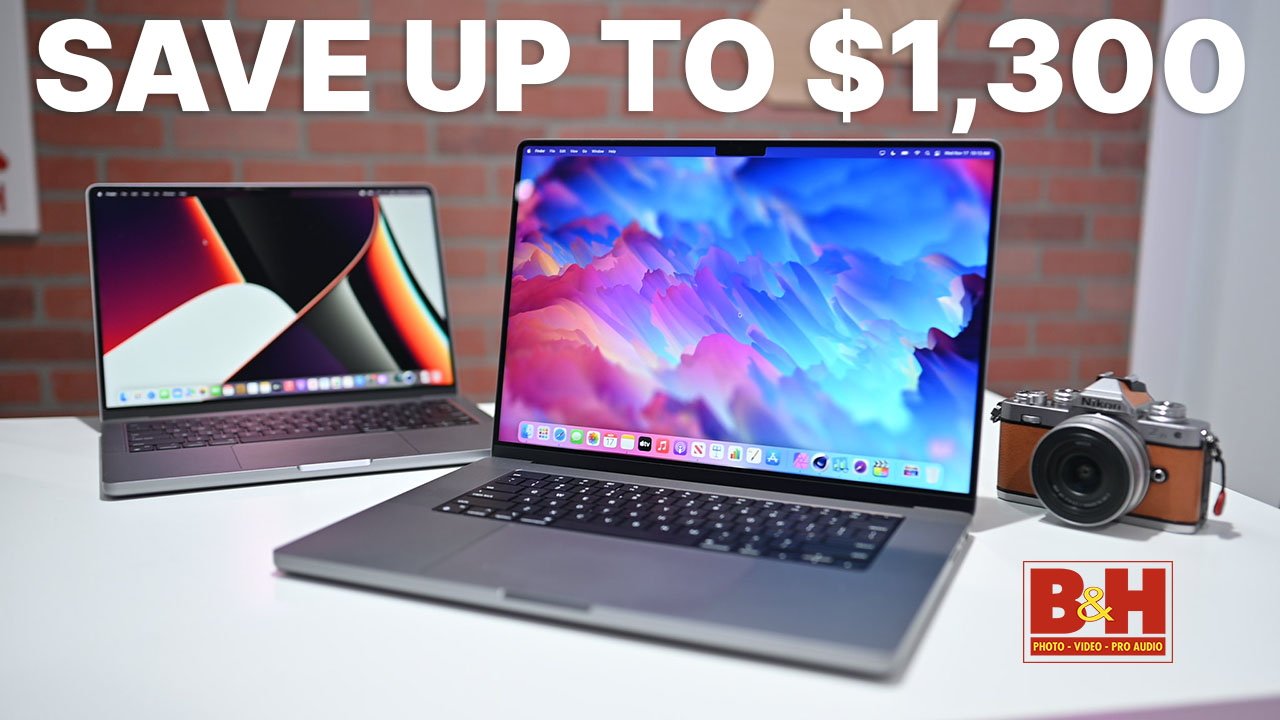
This M2 Max MacBook Pro with 64GB RAM is $200 off & in stock

Save on the M2 Max MacBook Pro.

In stock and on sale, this MacBook Pro 14-inch is loaded with upgrades, including Apple’s top-of-the-line M2 Max chip and 64GB of memory.

With the exclusive coupon, you can enjoy the cheapest MacBook Pro 14-inch price on the loaded CTO model that’s equipped with the M2 Max chip with a 12-core CPU and 38-core GPU. It also has 64GB of memory and a spacious 1TB SSD, making it a perfect daily driver for business professionals, content creators, students and more.

Along with the deal mentioned above, every other 2023 Mac is discounted with the APINSIDER coupon, including the standard 14-inch config that’s marked down to $1,849. You can find a roundup of the best MacBook Pro deals in our Mac Price Guide, which is updated multiple times a day.

Posted on Leave a comment

UK police shocked to discover taser disguised as iPhone

iPhone-shaped tasers are easy to find in US markets

A taser designed to resemble Apple’s iPhone was taken from a boy, and UK police say it was capable of delivering 650,000 volts.

Non-lethal tasers are illegal in the UK, but that didn’t deter someone from smuggling one in. The taser in question was built to look like an iPhone, which can be purchased easily in the United States.

According to a report from Birmingham Live, police in Sutton Coldfield arrested a boy in possession of such a taser. It resembled an iPhone, but a button pressed on the side showed it was clearly a taser.

“Apparently they were developed in the States to combat muggings and can deliver shock of up to 650,000 volts of electricity,” Councillor Richard Parkin said after a ward meeting. “They are illegal in this country; possession of a non-lethal taser is a criminal offence which I understand carries a maximum prison sentence of ten years.”

An actual photo of the taser wasn’t released, but a quick search on Amazon US will produce plenty of results. Tasers are sold in a variety of forms, from key fobs to flashlights, in order to keep a potential target from suspecting it is a weapon.

This novelty iPhone taser would likely hurt and knock someone down but wouldn’t be as effective as something more purpose-built, like a taser gun. Remember that volts hurt, but amps kill.

Posted on Leave a comment

Everything new in iOS 16.4 beta 3

iOS 16.4 beta 3 has few minor changes

AppleInsider may earn an affiliate commission on purchases made through links on our site.

The third iOS 16.4 beta offers slight improvements to new features and a possible feature change to Car Key. Here’s what’s new.

Betas for the iOS 16.4 testing cycle are coming more frequently, with the latest arriving only seven days after the last. The second beta arrived eleven days after the first.

It doesn’t seem like iOS 16.4, iPadOS 16.4, tvOS 16.4, and watchOS 9.4 are overly ambitious releases. Updates so far include new Shortcuts actions, UI refinements, and changes to the beta update workflow.

For the third beta, improved the new update workflow for public and developer beta testers. Now, users can authenticate a separate Apple ID just for enabling beta access.

This means those who have a separate personal and developer beta Apple ID won’t need to purchase two developer licenses just to test on all of their devices. The removal of beta profiles seems to be an effort to combat stolen or fabricated profiles that enable people to install betas without paying the $100 per year fee.

Code discovered by MacRumors shows that users could get different prompts if a Rapid Security Response update has caused issues with apps or the operating system. Those that have installed an RSR update have the ability to remove the update, and these prompts would guide the user to do so if an app crashes or other issue is encountered.

9to5Mac has discovered different code that references Car Key and its technology support. Apple may be dropping support for vehicles that do not have Ultra Wideband or are NFC only.

Such a move would restrict Car Key support to iPhone 11 or later or Apple Watch Series 6 or later. That eliminates support for the iPhone XS and Apple Watch Series 5, which work via NFC currently.

Code sleuth and MacRumors contributor Steve Moser shared a few additional code changes and updates via Twitter. Apple Music Classical is now in the privacy policy, and new Apple Watch face colors have been added to the color selection screen.

Discovered in previous iOS 16.4 betas

The second beta brought back the Apple Books page curl animation when turning a page and code in the Wallet app hinted at a South Korea Apple Pay launch. The Apple Music Classical app will also require the Apple Music app to be installed to work.

Also, code shows Apple will roll out support for 5G Standalone to global carriers, including T-Mobile, Vivo, TIM, and Softbank.

The first beta added a few user-facing features like rich previews of Mastodon links in iMessage and a new ellipsis in the Apple TV Up Next feature.

Toggle always-on display mode with Focus Filters

Toggle always-on display mode with Focus Filters

Shortcut updates and new Focus Filters give users control over the always-on display. Also, there’s a new parameter tracked in the battery settings that shows how much battery is used by the always-on display, specifically.

There are several other significant updates coming to Apple’s operating system we’ve already covered in detail.

Those include:

It isn’t clear when Apple intends on releasing iOS 16.4 and the other new updates. These beta cycles usually last for about a month, placing this release sometime in March.

Posted on Leave a comment

New iPhone 14 color ‘imminent’ says leaker

Apple’s next iPhone 14 color could be yellow

Rumors recently surfaced about a possible yellow iPhone 14 being announced soon, and leaker Mark Gurman corroborates this, calling a new color launch “imminent.”

That isn’t too specific, but given the source, it provides a lot more weight behind a Weibo post about an impending yellow iPhone launch. This is also corroborated by information obtained by MacRumors that suggests a press briefing would take place sometime this week.

Posted on Leave a comment

Victrola Stream Onyx review: The unofficial Sonos wireless turntable

Victrola Stream Onyx


AppleInsider may earn an affiliate commission on purchases made through links on our site.

Sonos, the wireless speaker company, doesn’t make a turntable, but if it did, the Victrola Stream Onyx might be what it would look like.

The Stream Onyx is sleek and modern and can connect to one or more Sonos speakers over Wi-Fi.

The Stream Onyx is Victrola’s second stab at a technology-driven turntable. The first was Stream Carbon which only debuted last year and retailed for $899.

Now, with Stream Onyx, the long-time music company is lowering the bar to entry for its Works with Sonos products.

There are some differences with the hardware, but not as many as you might expect for a $300 difference.

We enjoyed using the Stream Onyx connected to bookshelf speakers with RCA cables, but this line of turntables from Victrola is geared toward Sonos customers.

So, when considering a purchase of the Stream Onyx, or Stream Carbon, the choice comes down to whether you value the wireless aspect and how much you value the finest details.

The benefits of a wireless record player

When you consider the juxtaposition of the fiddly nature of listening to music on a turntable and still wanting the convenience of connecting it to wireless speakers, some mental juggling occurs.

Stream vinyl records wirelessly to Sonos speakers

Stream vinyl records wirelessly to Sonos speakers

For this reason, we have primarily avoided any Bluetooth-enabled turntables over the years and stuck to a wired connection.

Victrola’s use of Works with Sonos changes the equation a little, though. The Stream Onyx has Wi-Fi built-in and when on the same network, can instantly see and connect to any selected group of Sonos speakers.

This nicety and advantage go above and beyond other Bluetooth solutions in our minds. Plus, a stereo pair of Sonos One speaker or a Five speaker are great options for music listening.

Listening on the Stream Onyx

The Victrola Stream Onyx turntable is a sleek piece of hardware. Unlike Stream Carbon, it has a low profile and comes in a stealth black color. We preferred this color option to the silver variant.

Side view

Side view

RCA connectors are on the back, along with an ethernet port for a wired network connection.

A single knob on the front is primarily for adjusting the volume on wirelessly connected Sonos speakers but can be used for power or factory reset.

The tonearm is aluminum and includes an adjustable counterweight. In addition, there’s an anti-skiing adjustment available, and the unit has an automatic start.

To round out the features, there’s a two-speed belt drive to play 33 1/3 and 45 RPM vinyl records, and it comes with an Audio Technica AT-VM95E cartridge.

In our use, the turntable seemed well-made and played records as expected. It had a premium feel, but we’re not sure the components justify a $600 price.

Showing the back of the unit

Showing the back of the unit

Lowering the tonearm with the built-in lever was bouncier and less stable than most others we’ve tried — including the Stream Carbon.

The playback was flawless when wired to bookshelf speakers. We listened to records ranging from Sufjan Stevens to Mos Def, and the reproduction of the music was as expected.

On the wireless side, we ran into audio dropping out at time. Changing the audio delay in the Victrola mobile app from minimum to high helped with this but didn’t resolve it 100 percent.

Eventually, we moved from using Wi-Fi to wiring an ethernet cable directly into our router to try to avoid any random occurrences. This still didn’t resolve the dropping of audio playback from time to time. We also made sure the unit was up-to-date and tried factory resetting it more than once.

Of course, this network aspect will depend on people’s home Wi-Fi and external factors. We have a modern network configuration so it was disappointing to experience any unreliability.

We did like the instantaneous playback to our Sonos Play:Five when we lowered the needle. It was easy to go into the Victrola app and choose a new speaker group too.

Similarly, the volume knob on the Stream Onyx was a brilliant addition. It made adjusting the volume a breeze.

The less attractive parts of the Stream Onyx

Unfortunately, we were less than thrilled with the finer details of the Stream Onyx. The front knob had a slight wobble to it.

The dust cover leaned more toward the side of art than utility, which was unfortunate. It needed to be removed entirely with each use rather than tilted back. It also didn’t do a great job of keeping dust off the top of the unit.

Dust cover is molded around the arm and sits on top

Dust cover is molded around the arm and sits on top

The faults and detractions from the Stream Onyx were minimal but avoidable, making them feel even more disappointing.

Is the Victrola Stream Onyx worth its price?

The Victrola Stream Onyx is a fine turntable that gets most of its value from its Works with Sonos integration.

While it may sound surprising, we still think the Stream Onyx is a solid option for those who are all-in on the Sonos ecosystem. The network issues were random enough that it’s hard to write off the unit for everyone. It’s something we’ll continue to keep an eye on over the long term.

We do recommend considering the Victrola Stream Onyx for anyone who self-identifies as a music lover searching for a specifically modern option. In a lot of ways it felt like an unofficial Sonos turntable.

But most people interested enough in listening to vinyl records are also willing to go through the trouble required to get a better value on a less expensive turntable or spend more on better components.

Pros

  • Works with Sonos integration
  • Volume knob is handy and worked well
  • Sleek and stylish design

Cons

  • Audio drop-outs when using wireless or ethernet
  • Dust cover could be more functional, easier to use

Rating: 3 out of 5

The rating would have been higher if this product had been $50 to $100 cheaper and had fewer connection issues. However, we did like Stream Onyx better than the Stream Carbon for the savings.

This turntable is available for purchase at Victrola for $599.99.

Posted on Leave a comment

Sparkee portable charger review: Two portable chargers in one


AppleInsider may earn an affiliate commission on purchases made through links on our site.

If you are looking for a small, portable charger that offers a neat way to charge multiple devices, the Magsafe-compatible Sparkee charger might be the right choice for you.

Sparkee — a MagSafe compatible wireless portable charger — advertises that feature as the fundamental way to charge your iPhone, but the base detaches from the puck and becomes its own charger too.

Sparkee design

Sparkee has two components: the charging puck (that uses MagSafe) and the charging base. Both have their own housed batteries and can be charged together or separately.

Four-pin lights are on both parts to show how much battery is in the charger. USB-C ports are located on both to provide a wired charge to a device or charge the battery inside.

The base has pins that magnetically connect to the MagSafe puck that charges it when placed on top of it. The puck stays in place, but it is not the sturdiest. If you listen closely, you will hear a beep to confirm the two pieces are correctly connected.

Power buttons are located on both components next to the battery indicator lights to turn each battery on and off.

Spark is lightweight — weighing in at 7.9 oz — and houses an 8,500 mAH battery inside itself.

Sparkee detachable puck

Sparkee has a detachable puck that allows you to charge your iPhone via MagSafe or the USB-C port.

The detachable puck

The MagSafe puck weighs 3.5 oz, offers 15w charging speeds when plugged in via the USB-C port, and has fast Qi charging. There is a 3,500 mAH battery housed inside of it.

You can charge any devices that are MagSafe or wireless charging compatible.

If your iPhone does not support MagSafe — but does support wireless charging — then there is a magnet you can attach or put in your iPhone’s case to make it compatible. The puck also acts as a wireless charging pad when not connected to the back of an iPhone.

When you attach the MagSafe puck to the back of your iPhone, the MagSafe charging animation will appear and start charging your device until you remove it. The magnetic connection was strong and did not feel unstable when using the iPhone with it attached.

The detachable puck connected magnetically to an iPhone

If you do not have a device that supports MagSafe or wireless charging — like an Apple Watch — you can charge it through the USB-C port on the opposite side of the power button and battery-light indicators.

USB-C port on the detachable puck

You can charge the MagSafe puck by aligning it back on the magnetic pins on the charger’s base or through the USB-C port from a power supply.

Sparkee base

Sparkee allows you to charge from its charging base when using the MagSafe puck. You can charge your devices through the USB-C port next to its power button.

The Sparkee base

The base weighs 4.4 oz, houses a 5,000 mAH battery inside, offers 20w charging speed when the puck is placed in the cradle and supplies fast charging via the USB-C port.

While you can charge the same devices with the base as you could with the MagSafe puck, you can also charge an iPad from it as well due to its bigger battery and wattage output.

The lights on top of the base show how much battery is left inside the charger, and you can charge the base by plugging it into a power source via the USB-C port.

Location of the USB-C port for the base of Sparkee

Pick your charger

Sparkee is a great charger that gives you multiple different ways to charge your devices and charges multiple simultaneously.

The light design and easy detachable pieces allow for a swift and smooth charging design that uses every inch of the body to give you more charging power. It’s great to see that you can charge devices with either the two pieces together or apart.

The MagSafe puck sticks securely to the back of the iPhone and offers the same MagSafe experience any other accessory would give. The puck also charges quickly when it needs to be refilled.

The base — while basic in what it can do — offers a faster charging wattage and allows you to charge another device via USB-C. Fast charging available on both components is also a great feature to see on it.

One downside was that the MagSafe puck did not feel secure enough to the base when it was set down to charge. While it would stick and continue charging, there was fear that the base would fall from it. Another was the proposed retail price tag, which is supposed to be $150. Though it is two chargers in one, it would be more fitting for Sparkee to cost $100 at most.

If you are looking for a good portable charger that offers multiple ways to charge multiple devices, Sparkee may be the correct charger to invest in.

Sparkee pros

  • Light design
  • Different ways to charge
  • Two chargers in one
  • USB-C compatible with input and output charging
  • Both chargers can be used together or apart
  • Fast charging

Sparkee cons

  • MagSafe puck does not feel secure when charging on puck
  • High price tag

Rating: 4 out of 5

Where to buy Sparkee

Sparkee is currently a project on Kickstarter — which is $89 when preordered or will be sold in stores for $150 — and the accessory comes in pink, blue, orange, and black.

Meet Sparkee - The 8,500 mAh Power Bank with 2-Way Charging — Kicktraq Mini

Those interested should be cautioned that crowdfunding campaigns are known to miss deadlines or sometimes not ship at all. AppleInsider has a policy to only cover crowdfunded products if hands-on time with the hardware is available, as in this case.

Posted on Leave a comment

Apple’s vice president of cloud engineering departs in April

Michael Abbott

AppleInsider may earn an affiliate commission on purchases made through links on our site.

Amid a recent wave of departures, Apple’s top executive for the company’s iCloud technology has also announced his departure.

Michael Abbott reports directly to Services chief Eddy Cue, the second top person under Cue’s management to leave following Peter Stern. He will leave Apple in April.

Abbott joined Apple in 2018 after acting as an investor at venture capital giant Kleiner Perkins and an executive at Twitter, Microsoft, and Palm. As Apple’s vice president of cloud engineering, he is responsible for various iCloud services and infrastructure, CloudKit, and oversees privacy and security engineering for Apple’s services.

The cloud services group has significantly invested in the infrastructure supporting its services. But, Apple has scaled back that effort lately to use servers hosted by Google and Amazon Web Services.

Abbott’s group oversees a custom layer on top of that infrastructure to optimize it for Apple’s offerings. He has hired several cloud industry leaders, but the integration of the new staff hasn’t gone as easily as some had hoped, aaccording to Bloomberg.

Apple has had other key executives leave the company in late 2022 and early 2023. For example, chief Privacy Officer Jane Horvath left in August for law firm Gibson, Dunn & Crutcher in Los Angeles.

And in October, Apple’s industrial design chief Evans Hankey announced her departure. The company had difficulties in finding a replacement, then decided to eliminate her role with COO Jeff Williams overseeing her team.

Peter Stern, an executive at Apple who helped establish the Apple TV+ operations, left the company in January after six years. Apple is currently dividing his past responsibilities into three divisions and restructuring the Services business to emphasize streaming and advertising more.