Posted on Leave a comment

Tested: Apple’s patch fixes the thermal slowdowns in the 2018 i9 MacBook Pro

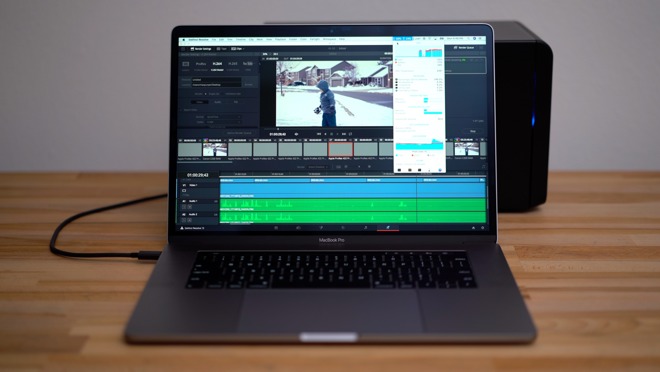
Apple’s patch on Tuesday seems to fix most —if not all —of the clock speed excursions that the 15-inch MacBook Pro was experiencing when under load. AppleInsider delves into the situation, runs the numbers in some real-world applications, and talks about what led us to this point.

2018 MacBook Pro

How this began

Intel’s 2.9GHz six-core Core i9 processor with Turbo Boost speeds up to 4.8GHz is offered as a premium $300 option on Apple’s 2018 15-inch MacBook Pro with Touch Bar, but according to Lee, the chip is unable to reach its full potential due to the laptop’s design.

In a video posted to his YouTube channel on July 17, Dave Lee shows the top-of-the-line MacBook Pro running Adobe Premiere Pro at surprisingly low clock speeds. Tests conducted by Lee put the average clock speed of the processors under load at around 2.2GHz, well below the advertised 2.9GHz.

“This i9 in this MacBook can’t even maintain the base clock speed,” Lee said. “Forget about Turbos and all that stuff, it can’t even maintain the 2.9GHz base clock, which is absurd. This CPU is an unlocked, over-clockable chip, but all of that CPU potential is wasted inside this chassis, or more the thermal solution that’s inside here.”

Apple apparently worked with Lee to identify the issues, and roll out Tuesday’s patch.

Benchmarks and initial testing before Tuesday’s patch

Lee’s test was on Adobe Premiere —a real world test, albeit one using software that performs better with an Nvidia GPU rather than an AMD one.

MacBook Pro 2018 Geekbench

We shifted to a different benchmark for our initial series of tests. Using Cinebench 15, we ran 10 total runs on the i9 MacBook Pro.

Immediately after starting the first test, the CPU clock speed shot up to 4.17 GHz. It rapidly dropped to 3.86GHz until it hit the chip critical temperature of 100C. It then dropped nearly immediately to 2.57GHz with a temperature drop to 84C.

The speed of the processor varied between 2.33GHz and 2.9GHz during the test, with one profound dip to 2.02GHz.

The first time we ran the test, it hit 921. The second time it scored an 877, with an average across the 10 tests of 906.

We ran the same tests on the “base” i7-equipped MacBook Pro and got relatively similar results —which should not have been the case given the difference between the i7 and i9. Out of the gate, the i7 jumps to 3.8GHz, just below the advertised boosted clock rate of 4.1GHz for that chipset.

After several back-to-back tests, keeping the processors warm and the fans running, we were able to regularly get scores of up to 916. Using Intel Power Gadget, we clocked the processor speed averaging around 2.3Ghz and 2.6GHz, almost exactly what we were getting with the i9.

Both series of tests prior to Apple’s patch application remained the same, when monitored with Intel’s newest version of the Power Gadget CPU monitoring tool that was released over the weekend.

Post-patch

Geekbench testing was about the same as it was during the first round of testing —but that was expected.

We repeated the same Cinebench test on the MacBook Pro with Core i9 processor, under the same conditions, and the same ambient temperature. The first run of the test hit 953, with a 10-run average of 945. Clock speeds remained high, with only very brief excursions below rated speed.

A 3.5GHz speed was maintained in the Core i9 model, with most of the speed excursions only going down to 3.1GHz.

Actual projects

The gains aren’t just measurable in a synthetic benchmark.

A five-minute 4K project with effects in Final Cut Pro X rendered in three minutes and 39 seconds before the update, and three minutes and 29 seconds afterwards.

Premiere Pro saw big gains, going from 24 minutes and one second pre-patch rendering time for the same project, to 21 minutes and eight seconds.

A one-minute 4.5K Red RAW project with effects rendered in Premiere Pro took eight minutes and one second to complete before Apple’s patch, and six minutes and 59 seconds after application.

What’s fixed?

We don’t know yet what specifically Apple has changed. Theories, including our own, regarding the cause of the problem in the first place have varied, including voltage regulator module overheat and an insufficient thermal design.

Originally, we said that the most obvious immediate solution was for Apple alter the peak speed of the processor by adjusting the power that the CPU gets. In doing so, slowing the peak speed of the processor may have allowed it to finish tasks quicker, as it will slow down less to keep the CPU cool. But, it doesn’t appear that this is what Apple has done, given the CPU speeds we saw.

Another possibility was for Apple can to alter the fan speed thresholds to accommodate a CPU load better, by setting them to kick in sooner and faster than it did at launch, but this also doesn’t seem to be the case.

A third theory alleged that Intel’s monitoring tool was somehow faulty, but an update to the software over the weekend didn’t change the results at all. We know, because we tried the tests after the tool was re-released after a brief absence.

The patch fixes some or all of these things minutely, or is a software bug repaired elsewhere. It doesn’t really matter what, though, because it appears to be fixed now.

Compared to other i9 machines on running Windows, the Cinebench testing on the i9 is still a bit behind. But, the real-world testing isn’t behind by much, if at all. We’ll keep looking into the situation, and run other tests moving forward.

Posted on Leave a comment

Hands on: Apple’s new 2018 15-inch MacBook Pro with Core i9 processor

The 2018 MacBook Intel Core i9-powered 15-inch Pro refresh strikes some chords with some long requested features, and as often is the case with Apple products, stirs up some controversy.

On the outside, the largest size MacBook remains utterly unchanged, but that’s not a bad thing. It’s still 17 percent lighter and 14 percent thinner than its 2015 predecessor, and feels as premium as ever.

The unibody aluminum design mates beautifully with the glass display, touchpad, and Touch Bar with touch ID sensor. We’ve used a wide variety of premium laptops, and while some copycat designs look nice in professional photographs online, nothing else comes close to the MacBook Pro.

Keyboard first

The only physical difference you can touch is the updated third generation butterfly switch keyboard. Apple has been forthcoming about how quiet the new keyboard is, and we can positively confirm that.

But, minus conflicting internal documents, Apple still has nothing to say about a silicone gasket sheet attempting to fix the problems plaguing what Apple calls a “small percentage” of MacBook Pro owners.

We’re not taking the keys off to show you. But, the crew at iFixit suspects that the quiet keys is a secondary effect of the silicone protection layer added.

Only time will tell how effective this will be, but the still tactile but quieter keyboard is a welcome change. We will continue to collate data regarding failures, and will update you all in six months or so.

Speakers

Just like with the 2018 13-inch MacBook Pro with Touch Bar, the speakers have been updated. This is an impressive feat since the MacBook Pro already has the best sounding speakers, so we applaud Apple for improving things they really didn’t need to.

Finishing off with the exterior, the display now supports Apple’s True Tone technology, and retains the P3 color gamut.

The Touch Bar is unchanged and still has the same utility as it did at launch —but your mileage may vary, as ours does inside AppleInsider.

At the (Intel) Core of the matter

Intel’s long awaited 8th generation CPU’s are here and Apple chose to include a six-core processor in every model of the 15-inch MacBook with the i7 in the base model, which we’ve already looked at, and the i9 in this one.

That i9 is remarkably affordable at about a $400 option. With a base clock speed of 2.9GHz and a massive maximum turbo boost speed of 4.8GHz, this chip has great potential for performance.

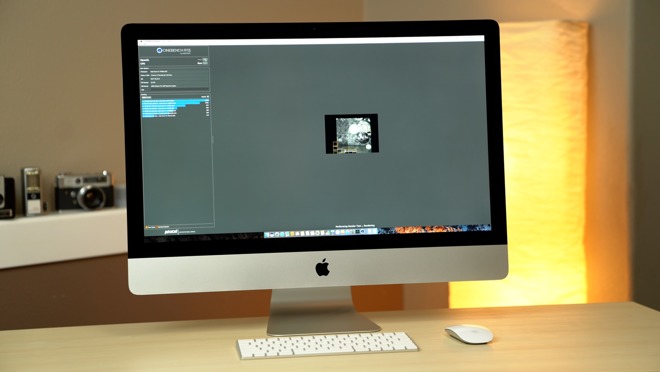
Testing with Geekbench 4, our i9 MacBook Pro scored a very impressive 5555 points in single core and 24,326 in multi core, coming in 14 percent and 10 percen higher respectively than our 15-inch base i7 model. Putting this into perspective, the best available CPU in the current model 27-inch 5K iMac scores a slightly higher 5736 in single core, but a much lower 19,774 in multi-core.

Unfortunately, this potential isn’t fully realized in such a thin and light laptop because of thermal throttling, which has stirred up quite a controversy.

Under Cinebench R15’s CPU test, which puts a 100 percent CPU load while running a complex render for a long period of time, our 2018 15-inch i9 MacBook Pro scored an average of around 920 points, where the base model averages 885. That’s just a 4 percent performance difference, mostly because the processor is slowing down because of heat.

This isn’t a new phenomenon, and it isn’t just Apple facing thermodynamics problems with the toasty i9 processor. Dell and Lenovo are catching heat from users regarding the throttling in laptops as well.

Furthermore, All 15-inch MacBook Pros from past generations we have tested going back to 2014 have experienced some amount of slowdown under extended high CPU load applications. This newest generation gets hit the most. More cores, more heat.

But, the thermal condition, and processor throttling isn’t a cut-and-dried situation, and greatly depends on workflow and applications used. We’ll be taking a much closer look at the performance differences in real life usage, including Final Cut Pro, in our full review.

Thunderbolt 3

Yes, we’re talking about it again. Thunderbolt 3 is a game-changer. Every port has sufficient bandwidth to drive a dock that supports every possible port you could want, and a high-resolution monitor, in addition to power.

USB-C is here to stay on the MacBook Pro. Two years later, it’s time to stop complaining about it. At this point, it is very apparent that Apple is ignoring the complaints about no USB-A.

If you don’t want the “dongle life,” like we have about always had, get cables for your peripherals. USB-C to whatever you want on the other end is pretty cheap now.

32GB of RAM, and a better GPU

Moving onto other components, The RAM has been updated from 16GB of 2133MHz LPDDR3 to 16GB of 2400MHZ DDR4 soldered onto the motherboard for an additional $400. Our model is configured this way, which could be reason enough to upgrade to a 2018 MacBook Pro, again, depending on your workflow.

You already know if you need 32GB of RAM. If you’re wondering if you do, you probably don’t.

On the graphics side, both the base model Radeon Pro 555X, and top spec Radeon Pro 560X, include 4GB of video memory. In the recent past, we had either integrated graphics or a 2GB dedicated graphics chip which is adequate for light to medium tasks but there were noticeable slowdowns or limitations with heavy tasks, especially if connected to a 5K display.

The actual graphics performance looks to be a fair improvement over the 560 in the 2017 model, with the 560X scoring 52,499 in Geekbench 4 OpenCL vs around 42,000.

We opted for 512GB of storage, but Apple now offered up to 4TB of ultra-fast SSD if you can afford it. The $3200 jump in price over the 512GB model gives you massive and fast storage locally, but also a price tag that Apple has only eclipsed in portables a few times before.

A lot of computer for a lot of money

The thermal condition in the MacBook Pro is real. It does impact some workflows, particularly those with high, sustained processor loads.

However, the doom and gloom about the machine being slower than the computer’s predecessors is inaccurate, across the board. Unequivocally, despite the heat, the 2018 15-inch MacBook Pro models are faster than the 2017 in every regard —if not as fast as it could be.

If you’ve been holding off with your trusty older Retina MacBook Pro, and the low-travel keyboard isn’t a problem, we can tell you right now to not wait to buy either the i7 model we first looked at on Friday, or this i9.

This all said, it is not the computer it could be, and there are theoretically steps Apple can take in software. We’ll see what comes with Mojave and future system updates.

We’ll be putting this $3,500 2018 15-inch MacBook Pro with an intel i9 CPU through its paces in a variety of tasks, including connecting the BlackMagic eGPU kit, for our full review that will be coming in the next few days.

Where to buy

Those looking to purchase a 2018 15-inch MacBook Pro, including models equipped with Intel’s Core i9 processor, can save $50 instantly with coupon code APINSIDER at Apple authorized reseller Adorama.

To activate the discount, you must use this shopping link or the pricing links in our 2018 15-inch MacBook Pro Price Guide, and enter the code APINSIDER during checkout. In addition to the coupon savings, Adorama will not collect sales tax on orders shipped outside New York and New Jersey, and shipping is free. Those wanting to finance the purchase can also take advantage of no interest financing when paid in full within 12 months using the Adorama Credit Card.

Need help? Send us a note at priceguides@gmail.com and we will do our best to assist.

Posted on Leave a comment

Series of fraudulent iTunes charges reported in Singapore


Dozens of iTunes users in the Southeast Asian country report that they have lost hundreds of dollars due to charges recorded to their accounts for purchases they did not make.

Apple loves Singapore sign

According to Channel News Asia, two people say they were charged the equivalent of around $5,100 to iTunes on their bank-connected credit cards. The bank, Oversea-Chinese Banking Corporation (OCBC) reported 58 cases total of the fraudulent charges.

A customer at another bank, DBS, told the news organization that six fraudulent transactions led to his account balance being “completely wiped out.”

Apple Singatore told Channel News Asia that it is “looking into” the charges, and has nullified the purchases.

Several of the charges were in the amount of exactly $112.03 in Singapore dollars ($82.22). Another customer reported the charge showing up on his phone bill, charged to “iTunes orders.”

Apple has of late made a strong push into Singapore. It opened its first Apple Store there last year, with an “Apple Loves Singapore” insignia in front of the store as it was prepared for opening- and it also added transit directions in that country to Apple Maps.

Apple has refunded many of the charges, but not all. The company also says that it is looking into the situation.

Posted on Leave a comment

Comparing the Dell XPS 13 9370 versus Apple’s 2018 13-inch MacBook Pro with Touch Bar

Apple’s 13-inch MacBook Pro with Touch Bar gets some pretty substantial improvements for 2018, with a beefier processor, faster GPU and new True Tone display. The upgrades bring the small form factor Pro on par with Dell’s XPS 13, our all-time favorite Windows laptop. But which one is right for you?

[embedded content]

In an earlier comparison of the previous generation 13-inch MacBook Pro without Touch Bar and a comparable XPS 13-inch, Apple’s notebook edged out the Dell in a few key categories. The base 13-inch MacBook Pro is completely unchanged from last year, so if you’re in the market for a computer in the $1300 price range, it’s worth a look.

The 13-inch Touch Bar MacBook Pro for $1,799 has seen some massive updates, so this time it will be compared to the $1,799 version of Dell’s XPS 13.

As Dell is constantly having sales on their laptops, you can probably find the 9370 on offer at a much lower price.

Big differences

The main differences between both computers is that the Dell comes with double the SSD storage and a 4K-resolution display instead of a 2.5K display on the MacBook Pro.The XPS is also smaller and lighter than the MacBook, even though it has the same 13-inch screen, thanks to the infinity edge design

Most would agree that the XPS’s design isn’t as nice as the MacBook’s beautiful all aluminum build, but it still looks and feels great.

The MacBook has a larger 58 Watt-hour battery, compared to 52 on the Dell. It also includes a higher-wattage USB-C charger. Either way, battery life is great on both laptops.

The XPS has three USB-C ports, two of which support Thunderbolt 3, and a microSD card slot, along with a USB-A adapter that ships with it in the box. The MacBook Pro has four Thunderbolt 3 ports, meaning you can connect more demanding devices like eGPUs or 5K displays.

Performance

Both machines come with 8 gigabytes of RAM, but the MacBook’s memory is clocked slightly faster.

The new Touch Bar 13-inch MacBook Pro is now powered by Intel’s 8th generation i5 quad-core processor, comparable to the XPS’s quad-core i7. The base clock speed is quite a bit higher on the Mac, but the XPS boosts to a slightly higher 4.0GHz.

In the first benchmark, Geekbench 4’s CPU test, both laptops turned in nearly the exact same single-core score, However, the MacBook Pro completely destroyed the XPS in multi-core tests.

Taking a look at Cinebench R15, the MacBook Pro scored 621 points, compared to 598 on the XPS. It’s close, but there’s no doubt that the MacBook Pro has a faster CPU.

Testing graphics performance, the MacBook Pro again defeats the XPS with a score of 32,831 against 22,008.

The MacBook Pro is the obvious choice for performance. In everything from light gaming to video editing, it comes out on top. It then becomes a case of looking at the rest of the MacBook Pro’s features to see if it’s worth the extra cash.

Keyboards and Trackpad

Apple has updated the keyboard to include silicone barriers under each key, potentially protecting the key switches from dust. While Apple has not officially confirmed the purpose of the barriers, they could address keyboard issues that popped up in older butterfly key MacBooks.

The XPS keys are fairly quiet with good travel and a quality feel resulting in a keyboard we think most will prefer compared to Apple’s minimal-travel butterfly keys.

The XPS’s trackpad is likely one of the best for Windows laptops, but it’s a huge step behind Apple’s Force Touch trackpad, one that’s twice as large and has perfectly even input no matter where you press. Feedback can also be adjusted to a user’s preference, and honestly, nothing else compares.

Audio, Touch Bar, and T2

In our previous comparison, the 13-inch base MacBook Pro’s speakers blew the XPS out of the water. For 2018, the MacBook Pro’s speakers have been updated with great improvements in the bass and mids. Volume on the XPS is good enough for most situations but the sound quality is subpar and the speakers fire to the sides. The MacBook speakers face the user and are louder with much more bass, clean mids and crisper highs.

The Touch Bar MacBook Pro obviously comes with the Touch Bar, but without wide third-party app support, its utility is very limited. MacBook also boasts a fingerprint scanner in Touch ID, a function mirrored by a generic scanner on the XPS.

However, the Touch Bar model comes with Apple’s T2 chip, which takes care of a bunch of system controllers so the CPU doesn’t have to handle those tasks. The list includes automatic SSD encryption that doesn’t slow down the SSD, previously one of the biggest drawbacks of encrypting Mac storage.

The T2 chip also enables “Hey Siri” on the MacBook, and when macOS Mojave arrives this fall, it can be used to control your HomeKit devices.

The Dell’s almost bezel-less design is striking, but it also forces the webcam down next to the hinge. This makes for a very unflattering perspective that could be a dealbreaker for those who use the webcam often. Apple’s version not only sports a better and higher viewing angle, but also tops the Dell in video and sound quality.

One of our favorite features on the XPS is Windows Hello sign in. While not as advanced as Face ID, the software-based bio-recognition function works incredibly well. Unfortunately, Apple’s new MacBook Pro didn’t get Face ID like we hoped it would, so the XPS wins there.

Screens

Both of these machines fall into the 13-inch category, but the MacBook’s screen is slightly larger and uses a 16:10 format resulting in extra vertical space. Because of this, the MacBook Pro has just over 22 percent more surface area when compared to the XPS 13-inch, which is closer to the 12-inch Retina MacBook in terms of usability.

The XPS features a beautiful 4K display, which obviously tops the MacBook Pro’s 2.5K display. On top of that, it’s more color accurate, with 100-percent sRGB color.

The XPS is advertised at 400 nits of brightness, but many reviewers rated it at about 350 nits. The MacBook Pro comes out at an accurate 500 nits of brightness, so it will be much better for outdoor use.

The 2018 MacBook Pro now comes with True Tone, a feature that automatically adjusts the screen’s color temperature to match the ambient light in your room, so it’ll look more natural. For anyone doing professional editing work that requires accurate color reproduction, switching True Tone on is a bad idea.

Although the 4K display on the XPS is nice, it’s ultimately going to affect battery life, and for a screen so small, 4K isn’t as noticeable as it would be on a larger display.

In Summary

Dell has done a great job creating and updating the 13-inch XPS. Not only is it thinner, lighter, and smaller than Apple’s latest 13-inch MacBook Pro, but it’s got a better keyboard, better display, and better sign-on tech.

However, the 2018 MacBook Pro is much more powerful, with a better trackpad, much better speakers, better camera, the dedicated T2 chip, True Tone display and arguably better design.

The choice you make will ultimately come down to what features you care about most. Although the operating system comes down to personal preference, almost everyone can admit that Windows 10 experiences a lot more issues and glitches compared to macOS, and to me, that’s the most important factor of all.

Where to buy

The Dell XPS 13 9370 can be configured to your liking at Dell Home. At press time, the system qualifies for an additional $50 off with coupon code 50OFF699. B&H Photo also carries several configurations with instant discounts of up to $700 off MSRP.

Apple’s 2018 13-inch MacBook Pro with Touch Bar is also on sale with $50 off coupon code APINSIDER at Adorama. For step-by-step instructions on how to redeem the coupon, please see our how-to guide.

Posted on Leave a comment

Killer Deals: Save $50 on Apple’s 2018 MacBook Pro with no tax in 48 states & 0% financing

The first material discount on Apple’s brand-new 2018 MacBook Pro has arrived, and it’s available exclusively at AppleInsider. Save $50 on every 2018 13-inch MacBook Pro with Touch Bar and 15-inch MacBook Pro with Touch Bar with coupon, plus no sales tax outside NY and NJ and no interest financing for 12 months.

$50 off every 2018 13-inch MacBook Pro with Touch Bar

The first double-digit discount on Apple’s Mid 2018 13-inch MacBook Pro with Touch Bar is here, and it’s available only at AppleInsider. Adorama is knocking $50 off every single new model with promo code APINSIDER. These are the lowest prices available for the quad-core systems, with several already in stock and ready to ship. The rest of the upgraded CTO models are expected to begin shipping soon (most likely within the next two weeks).

But that’s not all. The $50 exclusive discount is in addition to no sales tax (collected) on orders shipped outside New York and New Jersey — and shipping is free. Those looking to finance the systems can also take advantage of no interest financing when paid in full within 12 months with the Adorama Credit Card, a great option for those wanting lower monthly payments. Details on how to apply can be found below.

These systems are brand-new and factory sealed, exactly like you get at the Apple Store, only much cheaper. With the coupon discount and lack of sales tax collected in most states, many shoppers can save roughly $200 to $350 compared to buying from Apple.

To redeem the APINSIDER coupon code, please shop through the pricing links below or in our 13-inch MacBook Pro with Touch Bar Price Guide and follow the step-by-step instructions near the bottom of this post. Need help? Send us a note at priceguides@gmail.com and we will do our best to assist.

2.3GHz Core i5 quad-core systems

8GB RAM

16GB RAM

2.7GHz Core i7 quad-core systems

8GB RAM

16GB RAM

Add AppleCare

You can easily tack on an AppleCare extended protection plan to these 2018 13-inch MacBook Pros for $269 by selecting the AppleCare option immediately after you press the “Add to Cart” button on Adorama’s website.

$50 off Apple’s 2018 15-inch MacBook Pro (every model)

The $50 bonus discount extends to the powerful 2018 15-inch MacBook Pro as well. Featuring six-core processors and up to 32GB of RAM, these robust machines offer desktop-class performance in a portable chassis. With coupon code APINSIDER, which knocks $50 off, these are the absolute lowest prices available from an Apple authorized reseller, according to our 15-inch MacBook Pro Price Guide.

And like the 13-inch Touch Bar models highlighted above, these systems also qualify for free shipping (expedited, no less) with no sales tax on orders shipped outside New York and New Jersey. Shoppers can also take advantage of no interest financing when paid in full within 12 months when you sign up for the Adorama Credit Card. The savings really add up, averaging out to $240 to $585 for many shoppers, compared to purchasing from Apple directly. And since Adorama is an Apple authorized reseller, you can rest assured that these are the same factory sealed MacBook Pros you would get from the Apple Store.

2.2GHz Core i7 six-core systems

Radeon Pro 555X graphics
16GB RAM

32GB RAM

Radeon Pro 560X graphics
16GB RAM

32GB RAM

2.6GHz Core i7 six-core systems

Radeon Pro 560X graphics
16GB RAM

32GB RAM

2.9GHz Core i9 six-core systems

Radeon Pro 555X graphics
16GB RAM

32GB RAM

Radeon Pro 560X graphics
16GB RAM

32GB RAM

(*) Step by Step Instructions for Coupon Deals at Adorama

    1) Make sure you’re using a browser with cookies enabled that isn’t in private mode.
    2) Click on the price link to the desired configuration from this article or the Adorama price links in our Price Guides. You MUST click through our links in the same shopping session that you use our coupon. If you try to save a link for late, the coupon WON’T WORK. Once you click through a price link, you’ll see a price that’s higher than advertised (we’ll fix that in a moment).
    3) Add the MacBook to your cart anyway, and when you’re done shopping, begin the checkout process.
    4) After you enter your shipping information, move to the Payment section during checkout.
    5) Look for a link that says “Do you have a gift card or promo code?” next to the gift icon. Click that to bring up a coupon code field.

    6) Enter the coupon code APINSIDER in the field and click apply. The discount should appear under “Promo Savings” above the order total.
    7) That’s it. If you live outside NY & NJ Adorama will also not collect sales tax on your order.

    As always, if you have any issues, you can reach out to us at priceguides@gmail.com and we’ll try and help.

(*) Step by Step Instructions for Special Financing with the Adorama Credit Card

Additional Apple Deals

AppleInsider and Apple authorized resellers are also running a handful of additional exclusive promotions this month on Apple hardware that will not only deliver the lowest prices on many of the items, but also throw in discounts on AppleCare, software and accessories. These deals are as follows:

See if there is a Mac, iPad, Apple Watch or Certified Used iPhone deal that will save you $100s by checking out prices.appleinsider.com and deals.appleinsider.com.

Posted on Leave a comment

MacBook Pro keyboard silicone eases but doesn’t solve dust ingress issue


The addition of the silicone membrane to the butterfly keyboard in the 2018 MacBook Pro may not be that effective in keeping the mechanism free from debris, after testing shows particles can still bypass the protection and cause issues with typing.

Source: iFixit

Source: iFixit

Part of an examination of the 2018 MacBook Pro, iFixit tested the theory that the membrane is meant to protect the key mechanism, by applying a variety of particulates to the keyboard and finding its breaking point.

The initial test using a fine-powdered paint additive found the membrane pushed the dust to the edges, keeping the mechanism clear. Adding more dust and typing aggressively does eventually allow dust to slip in between the membrane and the keycap covering the hole where the keycap clips pass through the silicone layer.

Source: iFixit

Source: iFixit

After finding the system isn’t fully protective of the mechanism, the team moved on to using sand, eventually leading to the key failing to function.

On Wednesday, it was discovered some internal and service documentation for the 2018 MacBook Pro claimed the membrane was included to “prevent debris from entering the butterfly mechanism.” Other documents for US personnel and service providers do not make the same claim, while marketing copy has simply mentioned the new keyboard is quieter, without stating anything about it improving reliability.

After removing enough hardware to gain access to the keyboard, the team had to remove all 64 keycaps in order to pull apart the main keyboard layer. The membrane itself turns out to be a “single die-cut and molded sheet” that is applied to the casing before the main section of the keyboard.

A related patent application submitted in March for the membrane is thought to explain how the membrane functions, such as the gaps in the membrane existing to allow both for keycap attachment and to allow key presses without interference from an air cushion. One described implementation sandwiches the membrane between the keyboard and the keycap without connecting it to either, similar to what was discovered in the teardown.

It was also discovered the keycaps used in the new keyboard have received a slight redesign compared to the version used in 2017, with the thickness reduced down from 1.5mm to 1.25mm. It is speculated this gives the keys more room to travel, as well as easier access to pry off individual keys, including the space bar.

The introduction of the membrane is likely to have been prompted by a number of cases where the mechanism failed in the 2016 and 2017 MacBook Pro, as well as the MacBook. The issues caused Apple to launch a keyboard service program that provided affected users with free servicing on their notebooks.

Apple has also become the subject of lawsuits over the matter, with two separate class action complaints against the company in May alone calling the butterfly mechanism prone to failure.

Posted on Leave a comment

Apple self-driving car fleet grows to 66 vehicles in California


Apple is continuing to increase the number of autonomous vehicles it has on the roads for testing, reportedly registering more vehicles with the Californian Department of Motor Vehicles to bring the fleet up to 66 self-driving cars operating in the state.

In a recent filing with the state DMV spotted by Macreports, the 66 cars being used by Apple are being controlled by 111 registered drivers. This is an increase in both vehicles and drivers since May 14, when Apple had 55 test vehicles and 83 authorized drivers.

The increases suggest Apple is adding more vehicles to the fleet at a steady rate. The previous update on March 20 claimed there to be 45 Apple-owned self-driving cars, which would put Apple at introducing roughly ten more cars to the collection every two months.

Despite the increases, Apple still does not operate the most autonomous test vehicles in the state. California’s records indicate Apple’s fleet to be the third-largest, behind the 117 cars and 333 drivers for GM Cruise, as well as the 72 cars and 411 drivers of Waymo. Tesla has 39 cars and 92 registered drivers in its own project.

California has issued 56 autonomous vehicle testing permits, with 468 approved vehicles operated by 1,677 approved drivers. Notably, Apple has yet to apply for a driverless car permit from the DMV, suggesting it would prefer to continue with driver-assisted testing for the moment.

Worked on under the “Project Titan” name, Apple’s autonomous vehicle technology was originally thought to be part of a branded car, but the focus reportedly changed to just the self-driving vehicle system in late 2016. It is unclear what the current goal for Apple’s work is, but it is thought to be the autonomous platform itself rather than an entire vehicle, with the potential of partnering with an outside firm to create a ridehailing service.

A connected self-driving project intending to shuttle company employees between facilities was reported in May to use Volkswagon T6 Transporter vans, after attempts to negotiate with BMW to work on the project allegedly failed. Running from Palo Alto to Infinite Loop, the PAIL program will include specialized dashboards, seats, and extensive modifications made to the vehicles, and will still be operated by a back-up driver and co-pilot, in case the self-driving element fails.

Apple is also expanding the self-driving car team with senior Waymo engineer and NASA JPL engineer Jamie Waydo, who was responsible for checking the safety of prototype vehicles and coaching the autonomous competitor ahead of real-world road tests in Phoenix. Before Waymo, Waydo’s time at NASA included working on one of the agency’s Mars rovers.

Project Titan has also been the subject of attempted trade secret theft, with one former Apple employee entering a plea of not guilty on July 16, after being accused of stealing a 25-page detailed schematic of a circuit board intended for use in an autonomous vehicle.

Posted on Leave a comment

Apple issues third macOS Mojave beta to public beta testers


Following Apple’s release of a fourth macOS Mojave developer beta, the company on Tuesday pushed out a third evaluation version of the upcoming Mac operating system to members of its public beta program.

macOS Mojave

The third macOS Mojave public beta is identical to the latest developer version, which includes few major changes save for compatibility with Apple’s latest MacBook Pro hardware.

Apple’s forthcoming Mac operating system incorporates a number of user interface enhancements and productivity tools designed to better take advantage of underlying software technology. An updated Quick Look, for example, provides direct access to photo and video editing tools, as well as Markup capabilities.

Related Finder upgrades include customizable, contextual Quick Actions that save users time on common tasks like resizing images, adding passwords to documents and creating a PDF file from multiple photos.

A new Stacks feature clears up desktop space by automatically grouping files, folders and other documents into stacks, while the screenshots mechanism has been enhanced to more efficiently process images and video captures.

Expanding on existing Continuity tools, Continuity Camera lets users take a photo on an iPhone and insert the image directly into a macOS app like Pages or Keynote. Also revamped is the Mac App Store, which borrows heavily from the successfully redesigned iOS App Store.

[embedded content]

Apple will in a future version of macOS enable developers to port iOS apps into versions that run on macOS. Initially, however, the company is testing the technology with first party apps like News, Stocks, Voice Memos and Home, the latter of which allows users to control their HomeKit accessories from a Mac.

Users who wish to take part in the beta testing process can sign up for access through the Apple Beta Software Program webpage, which also offers downloads for upcoming iOS 12 and tvOS 12 builds.

Posted on Leave a comment

Complete 2018 MacBook Pro teardown shows off six-cell battery, bigger speakers


Finishing up its teardown of the latest 13-inch MacBook Pro, iFixit on Monday noted that the computer has bigger battery and speaker components, which appear to have come without an increase in overall weight.

2018 MacBook Pro

The system has upgraded from a five-cell, 49.2 watt-hour battery to a 58 watt-hour six-cell part, the repair firm said. The battery is indeed slightly heavier, up to 232.7 grams (8.2 ounces) versus 196.7 (6.9 ounces). Updated speakers are both “longer and narrower,” to the point that they bump up against the logic board.

To compensate, Apple appears to have cut some mass off of the top case, iFixit indicated.

The teardown mostly illustrates expected features of the Pro, such as its T2 co-processor for functions like “Hey Siri,” security, and boot operations. One other point of interest however is its modified power adapter, model A1947, which has more shielding as well as added impact-resistant foam, at the expense of switching from a metal USB-C port to plastic.

The Pro is as hard as ever to repair, with a soldered processor and memory, and the upper case — including the battery, keyboard, and speakers — forming a single unit. The one significant improvement is said to lie in the trackpad, which can be removed by extracting several Torx screws.

Apple’s new Pros have a variety of upgrades over 2017 models beyond standard processor and memory upgrades. These include Bluetooth 5.0, and the first use of True Tone color balancing on a Mac.

Posted on Leave a comment

Hands on with the new Apple and Blackmagic Thunderbolt 3 eGPU

Along with Thursday’s 2018 Macbook Pro refresh, Apple also announced a partnership with Blackmagic Design which resulted in a new external GPU with an 8GB AMD Radeon Pro 580 GPU —and AppleInsider has it on the test bench.

[embedded content]

Blackmagic says that the $699 unit should boost speeds by as much as 2.8 times on the 15-inch MacBook Pro, and up to eight times on 13-inch systems.

As with the rest of the external GPU units we’ve examined, it connects through Thunderbolt 3, and is designed to connect to an external display for maximum performance boost. However, the Blackmagic one is the first that will accelerate a Thunderbolt 3 display without relying on hacks or other hardware workarounds —more on that in a bit.

High quality design, space grey aluminum shell

The Blackmagic’s eGPU is dense, as compared to others AppleInsider has tested. The weight is about the same, but the unit is condensed, taking less desk real estate than the Mantiz or assorted Sonnet units.

The top and bottom vents look to be plastic but are also well made, The body’s space grey anodizing matches the MacBook Pro pro quite closely.

The design is reminiscent of the 2013 Mac Pro with an intake vent at the bottom and an single large fan at the top. Unfortunately, also just like it, the eGPU lacks the ability to take an upgrade in the future.

The first eGPU to support Thunderbolt 3 displays

Monitor connectivity is provided by HDMI 2.0 for the most part. While other units have incorporated a pass-through Thunderbolt 3 port, the Blackmagic eGPU is the first to use the port to accelerate a downstream monitor, which we can happily confirm. Neither Apple nor Blackmagic mention native USB-C monitor support so that’s something we will be looking into.

Blackmagic eGPU ports

Along with the Thunderbolt 3 ports we have 4 USB 3.1 ports which run at Generation 1 speeds. As such, they are limited to 5Gbps.

One omission is a DisplayPort output, meaning those that have an older display that doesn’t have an HDMI port may be out of luck. Active HDMI to DisplayPort adapters can be expensive, and problematic, and the about $90 it costs to get one probably isn’t worth the effort.

This is where the differences between USB-C and Thunderbolt 3 come in to play. Thunderbolt 3 is USB-C, but not all USB-C devices are Thunderbolt 3 —so we’re not sure yet how USB-C alternate modes which allow for easy monitor connectivity will work with the eGPU.

This all said, We do have a USB-C to DisplayPort cable and adapter on order. If the eGPU will connect to a monitor with a USB-C alternate mode, it will be the saving grace for those that need to connect with anything else than HDMI or Thunderbolt 3.

This thing is quiet!

One of the biggest complaints we’ve had with the many external graphics enclosures we’ve reviewed is the noise. Typically, you have a fan for the power supply, one to three fans on the graphics card, and another fan or two for the enclosure which results in a constant drone that doesn’t go away, and gets worse when the system is under load.

After plugging the eGPU into our 2018 Macbook Pro and our LG 5K display, we started trying to figure out how to turn it until we realized it was on, and just super quiet. Apple quoted a sound level of only 18dB and they weren’t kidding.

Foregoing upgradability and designing the GPU and other components as a coherent whole allowed Blackmagic to use larger heatsinks and a single large fan which keeps everything very quiet, even under load.

As for connectivity, our LG UltraFine 5K display worked flawlessly connected to the Blackmagic Design eGPU. Now a single Thunderbolt 3 cable will allow users to connect to an external display, external graphics, have a mix of USB 3.1 and USB-C ports, and charge a laptop with 85 watts of power coming from the eGPU.

Performance

Launching Geekbench 4, our 2018 13-inch Macbook Pro with Touch Bar with Iris Plus 655 scored 32,991 in the OpenCL compute score. After plugging in the eGPU, and selecting the Radeon Pro 580 inside the device from the menu resulted in a score of 110,507, practically the same score as our top-of-the-line 2017 5K iMac with an internal Radeon RX 580 GPU.

We’ll do more testing for the full review.

Having access to a graphics card with this much performance along with the new quad-core CPUs in the 2018 Macbook Pro could mean that some 15-inch Macbook pro users could now downsize to a the smaller model. It would be more convenient when on the go, and there would be a performance gain when at the desk versus using a 15-inch with no eGPU.

This comes at a cost, though. The Blackmagic eGPU is $699. This is $200 more than the current retail price on the Gigabyte eGPU we looked at not all that long ago, for the same performance. The former is quieter, but the latter is yet smaller —but has a power brick, and is much louder.

AppleInsider has been living with eGPUs for some time, and have lived with the noise and size. So, we have a lot more testing to do to see how a setup like this works in the real world, and stacks up against other GPUs, and how it fully lines up against a 5K iMac.

Where to buy

The Blackmagic eGPU, which is available only at Apple, sells for $699 with free shipping or in-store pickup.