



03-26-2011, 09:45 PM
Well i thought this was pretty cool and since i haven’t seen a tutorial i guess i will make one.
* Requirements*
Jailbroken iPhone
Cydia
General knowledge…
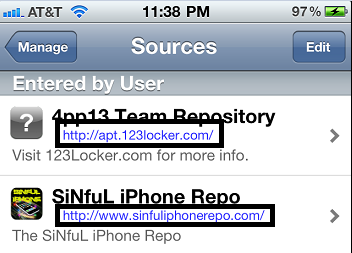
1. Add these sources…
2. Getting the GBA emulator
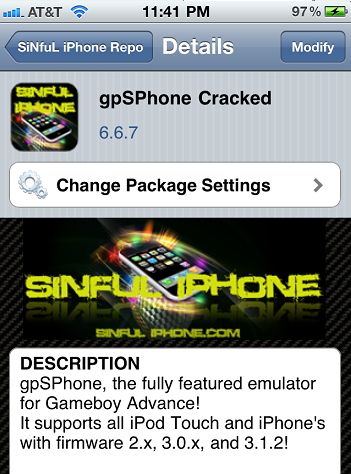
In Cyda>Manage>Sources>SiNfuL iPhone Repo, find gpSPhone Cracked
Install it.
3. Getting the roms
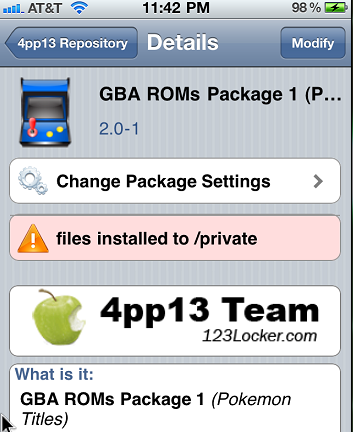
go to Cydia>Manage>Sources>4pp13 Team repository
find the package that ends with a §, this has all games that start with a P or Pokemon.
Install it.
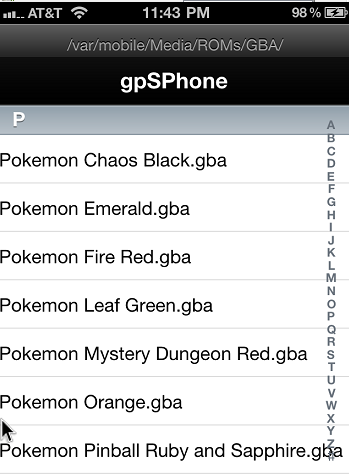
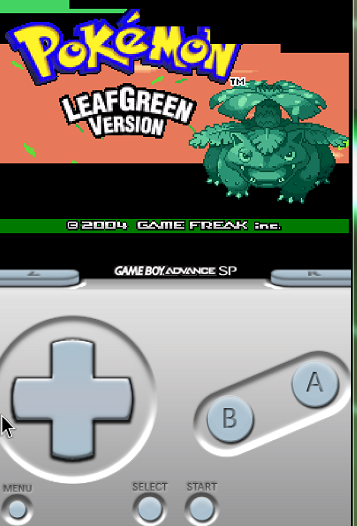
Now go to gpSPhone, and you shall find a crap load of pokemon games all for you enjoyment, and on the go
Last step: PLAY!
* Requirements*
Jailbroken iPhone
Cydia
General knowledge…
1. Add these sources…
2. Getting the GBA emulator
In Cyda>Manage>Sources>SiNfuL iPhone Repo, find gpSPhone Cracked
Install it.
3. Getting the roms
go to Cydia>Manage>Sources>4pp13 Team repository
find the package that ends with a §, this has all games that start with a P or Pokemon.
Install it.
Now go to gpSPhone, and you shall find a crap load of pokemon games all for you enjoyment, and on the go
Last step: PLAY!