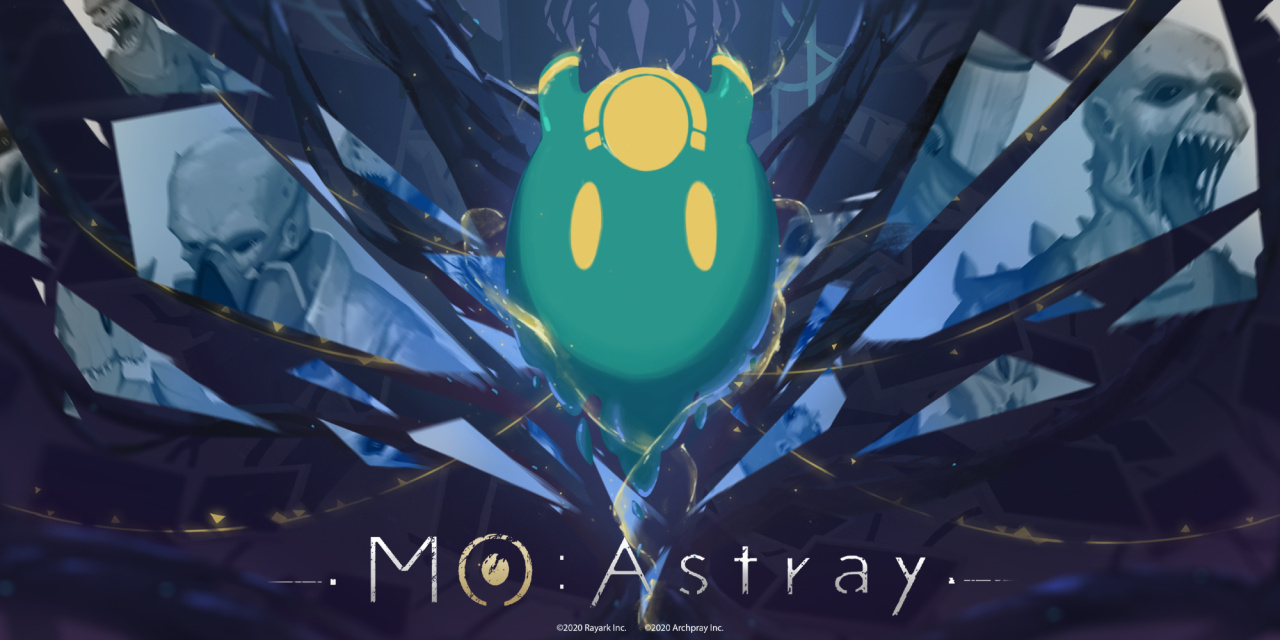
Mini Review: MO:Astray – A Grim And Gory Game Which Deserves A Look
If you’re not familiar with MO:Astray beyond its utterly weird name, then it’s high time you start paying attention. Originally released on Steam back in October 2019 to little fanfare, MO:Astray is a 2D puzzle-platformer boasting unique gameplay mechanics, meticulously designed environments, and gorgeous pixelated visuals. There are flavours of the Metroidvania genre sprinkled into MO:Astray, but it’s an altogether more linear experience, and all the better for it.
You play as an unassuming blob called MO. Initially, MO’s movements are severely restrained, and it can only slide across the ground in a rather pitiful manner. After absorbing a bit of energy early on, MO gains the ability to leap and stick to walls and ceilings. In doing so, it’s able to bounce around the environment with ease, flitting between parallel surfaces and propelling itself through the air. It’s a surprisingly versatile way of navigation; you utilise the right analogue stick to point MO in the desired direction, and tap L or LT to jump, with the strength of your jump dependent on how far you move the analogue stick.
As you progress, you’ll gain new abilities such as the classic double jump, and the ability to possess nearby creatures by latching to their heads, like a parasite. Every ability is fully utilised, and nothing wasted. Even better, there’s very little – if any – backtracking involved, so you’re constantly moving forwards, learning new ways to tackle the environments and defeat your enemies. Boss battles are also plentiful, and we were consistently surprised by their unique design and, quite frankly, their intimidating move set.
If we had to complain about anything (and we’re stretching here), it’s that death can come thick and fast if you’re not careful. The majority of the game feels like a very carefully constructed platformer that reminds us of Celeste in some ways, but there are a few occasions in which you’ll be pulling your hair out over the tiniest of errors. Thankfully, respawning is almost instantaneous, and for the majority of the time, you can be safe in the knowledge that most deaths are a result of your own mistake, and not the game itself.
MO:Astray is so confident in every facet, including its slick gameplay, well-implemented backstory, and stunningly atmospheric visuals. This is a grim, gory game, but one that retains a level of charm that could perhaps be likened to the Metroid franchise. There are so many wonderful surprises around every corner, whether it’s a new ability or a fearsomely intimidating boss battle. Don’t let MO:Astray fall under the radar; it’s a real treat and deserves to gain a place in your library.
Posted by: xSicKxBot - 09-12-2020, 11:00 AM - Forum: Python
- No Replies
What Is Python Output Buffering and How to Disable It?
Summary:Python output buffering is the process of storing the output of your code in buffer memory. Once the buffer is full, the output gets displayed on the standard output screen. Buffering is enabled by default and you can use one of the following methods to disable it:
Execute the Python code with the -u command line switch, for example python -u code.py
Wrap sys.stdout in TextIOWrapper and set the buffered size to 0
Set PYTHONUNBUFFERED to a non-empty string
Problem: Given a Python program; how to disable output buffering?
Overview Of Python Output Buffering
Before we learn buffering in the context of Python, we should ponder upon what buffer means in real life? Let me answer this question with another question. When you are in a stressful situation, whom or what do you look up to as an option to lessen your stress? On a personal level, I look up to my friends and family. So they are my “buffer” against stress.
According to the dictionary definition, a buffer is a person or thing that reduces a shock or that forms a barrier between incompatible or antagonistic people or things. This is what exactly a buffer does when it comes to a programming language like Python (though it is not a person in this case).
In terms of computer science, you may consider buffer as a middle layer which ensures a more efficient way for data to be transferred from one location to another in the system. For example, if you are downloading a 100 MB file and 1 MB gets written at a time to the hard disk would mean that it would require a total of 100 disk writes. However, a buffer could ensure that 10 MB gets written at a time to the disk, and this way only 10 disk writes will be needed.
Advantages and Disadvantages:
From the above scenario, we learned how buffer can act as an intermediate resource and reduce the number of disk writes thereby enhancing write efficiency and memory management. However, when it comes to a programming language, buffering has a downside too. We cannot see the output in real-time. This does not make much of a difference in case of simple or short programs but in complex and long programs that require a lot of computation, this might become a major drawback since we might need a more granular output rather than the entire output being displayed at once for debugging and testing purposes.
Example: Consider the following program for which we shall compare the buffered and unbuffered outputs:
for buffer in range(20): print(buffer, end=" ")
We know that the Output is a range of numbers from 0 to 19, that is
0 1 2 3 4 5 6 7 8 9 10 11 12 13 14 15 16 17 18 19
But we are more interested in understanding the nature of the output. If buffering is enabled you will get the output at once on the screen after waiting for 19 seconds. However, when buffering is disabled the numbers will be displayed one by one every 2 seconds.
You can try this in our interactive shell:
Exercise: Which behavior do you observe?
How To Disable Output Buffering In Python?
By default output buffering is enabled in Python. Let us have a look at the different ways in which we can disable output buffering in python.
Method 1: Running Python With -u Command Line Arguement
If you want to skip buffering for the entire program then the simplest solution to do this is to run your program using the command line interface and use the -u switch to bypass buffering. The syntax to disable buffering through the command line is:
python -u filename.py
Output
Method 2: Using The Flush Keyword
If you want to skip buffering for specific lines of your code, passing the flushkeyword as an argument to the print statement is a good option. By default, the flush argument is set as False. To ensure that output buffering is disabled, the flush argument should be set to True.
Let us have a look at the following example to understand the syntax and usage of the flush keyword:
import time

for buffer in range(20): print(buffer, end=" ", flush=True) time.sleep(2)
Output
Method 3: Using sys.stdout.flush()
Using the sys.stdout.flush() forces the program to flush the buffer. Therefore everything in the buffer will be displayed on the standard output without delay.
Let us have a look at how sys.stdout.flush() works in the following program:
import time

import sys for buffer in range(20): print(buffer, end=" ") sys.stdout.flush() time.sleep(2)
Output
Method 4: Wrapping sys.stdout Using TextIOWrapper And Setting Buffered Size = 0
Another approach to disable the output buffering in python is to open up the stdout in write mode with buffer size set to 0 (unbuffered) and then wrapping it using TextIOWrapper to ensure that you get a TextIO stream and not a binary file object. Also, you must ensure to enable the write_through to eliminate all buffers.
Let us have a look at the following code to get a better grip on the above explanation:
# open the stdout file descriptor in write mode and set 0 as the buffer size: unbuffered

import io

import os

import sys

import time try: # open stdout in binary mode, then wrap it in a TextIOWrapper and enable write_through sys.stdout = io.TextIOWrapper(open(sys.stdout.fileno(), 'wb', 0), write_through=True) # for flushing on newlines only use : # sys.stdout.reconfigure(line_buffering=True)

except TypeError: # In case you are on Python 2 sys.stdout = os.fdopen(sys.stdout.fileno(), 'w', 0) print("Enter a Line: ")

line = sys.stdin.readline()

for i in line: print(i, end=" ") time.sleep(2)
To become successful in coding, you need to get out there and solve real problems for real people. That’s how you can become a six-figure earner easily. And that’s how you polish the skills you really need in practice. After all, what’s the use of learning theory that nobody ever needs?
Practice projects is how you sharpen your saw in coding!
Do you want to become a code master by focusing on practical code projects that actually earn you money and solve problems for people?
Then become a Python freelance developer! It’s the best way of approaching the task of improving your Python skills—even if you are a complete beginner.
The Unfinished Swan, from the developer of Edith Finch, is out now on iOS
Annapurna Interactive has released the artistic adventure game, The Unfinished Swan on iOS. The game was originally developed by Giant Sparrow, now famous for the popular indie title, What Remains of Edith Finch, and was actually the developer’s first game.
The Unfinished Swan sees you step into the shoes of Monroe, a ten year old orphan who is chasing a swan that escaped from a painting, and ran off into a mysterious storybook kingdom. You traverse the world in chapters, using paint to find a path through different regions, but also encountering all sorts of strange and wonderful characters in search of the eccentric ruler who built the realm.
The Unfinished Swan was originally released on the PS3 back in 2012, and though it’s also available on PS4, never made its way to PC. The game was highly praised, though, and even won two BAFTAs in 2013: one for game innovation, and the other for best debut game. It’s exciting to see The Unfinished Swan make its way to mobile, as we think the walking-simulator-esque format will really suit the platform.
If you want to watch some gameplay for yourself, check out the original launch trailer below:
You can find The Unfinished Swan on the App Store, where it will set you back $4.99 (£4.99).
Japanese Charts: Ring Fit Adventure Beats Marvel’s Avengers To Number One
Famitsu’s Japanese chart figures are now in for 31st August – 6th September, revealing that Ring Fit Adventure has managed to fend off the competition to secure a number one spot.
The game, which also secured second place last week, sold more physical copies than new PS4 title Marvel’s Avengers. Ring Fit’s 63,958 sales mean that it has almost sold 1.5 million units in Japan alone.
Chart regular Animal Crossing: New Horizons is in at number three this week, with Switch taking six of the top ten positions in total.
Here are the top 10 (first numbers are this week’s estimated sales, followed by total sales):
1) [NSW] Ring Fit Adventure (Nintendo) {2019.10.18} – 63.958 / 1.483.985 2) [PS4] Marvel’s Avengers (Square Enix) {2020.09.04} – 42.979 / NEW 3) [NSW] Animal Crossing: New Horizons (Nintendo) {2020.03.20} – 32.136 / 5.660.598 4) [NSW] Mario Kart 8 Deluxe (Nintendo) {2017.04.28}- 13.523 / 3.145.381 5) [NSW] Clubhouse Games: 51 Worldwide Classics (Nintendo) {2020.06.05} – 13.410 / 362.420 6) [PS4] Ghost of Tsushima (Sony Interactive Entertainment) {2020.07.17} – 9.563 / 385.143 7) [PS4] NBA 2K21 (Take-Two Interactive Japan) {2020.09.04} – 8.541 / NEW 8) [NSW] Super Smash Bros. Ultimate (Nintendo) {2018.12.07} – 7.725 / 3.817.668 9) [PS4] The Legend of Heroes: Hajimari no Kiseki (Nihon Falcom) {2020.08.27} – 7.606 / 91.286 10) [NSW] eBaseball Powerful Pro Baseball 2020 (Konami) {2020.07.09} – 7.318 / 215.075
Switch hardware sales are near identical to last week, with the original model continuing to sell more units than the Lite. Here are this week’s figures, followed by lifetime sales in brackets:
Nintendo Switch: 45,961 (12,489,095) PlayStation 4: 1,713 (7,643,744) PlayStation 4 Pro: 103 (1,571,424) Xbox One S: 12 (21,518) Xbox One X: 17 (20,777)
Nintendo Switch Lite: 31,650 (2,583,930) New Nintendo 2DS LL: 867 (1,144,602) New Nintendo 3DS: 56 (5,888,466)
Mario Kart Live: Home Circuit comes in two distinct sets, one with a Mario RC kart and another with Luigi. Each set also comes with four checkpoint gates, two arrow signboards, and a USB-C charging cord to power the kart. The game will be free to download from the eShop.
The kart has a mounted camera that keeps track of progress as you maneuver it around the room with the Nintendo Switch (or Nintendo Switch Lite). You can get creative with the layout of your track, provided you have the room to move the checkpoint gates around freely. The kart's movements will appear on the Switch's screen alongside added elements such as boost pads, items, and defined track limits. The kart will react to obstacles and power-ups in the game. For example, if you run into something, the kart will stop, and if you get a boost, the kart will speed up.
To assign the result of a function get_value() to variable x if it is different from None, use the Walrus operator if tmp := get_value(): x = tmp within a single-line if block. The Walrus operator assigns the function’s return value to the variable tmp and returns it at the same time, so that you can check and assign it to variable x subsequently.
Problem: How to assign a value to a variable if it is not equal to None—using only a single line of Python code?
Example: Say, you want to assign the return value of a function get_value(), but only if it doesn’t return None. Otherwise, you want to leave the value as it is. Here’s a code example:
import random def get_value(): if random.random()>0.5: return None return 1 # Naive approach:

x = 42

tmp = get_value()

if tmp != None: x = tmp

print(tmp)
While this works, you need to execute the function get_value() twice which is not optimal. An alternative would be to assign the result of the get_value() function to a temporary variable to avoid repeated function execution:
x = 42

temp = get_value()

if temp != None: x = temp

print(x)
However, this seems clunky and ineffective. Is there a better way?
Let’s have an overview of the one-liners that conditionally assign a value to a given variable:
Exercise: Run the code. Does it always generate the same result?
Method 1: Ternary Operator + Semicolon
The most basic ternary operatorx if c else y consists of three operands x, c, and y. It is an expression with a return value. The ternary operator returns x if the Boolean expression c evaluates to True. Otherwise, if the expression c evaluates to False, the ternary operator returns the alternative y.
# Method 1

tmp = get_value(); x = tmp if tmp else x
You cannot run the get_value() function twice—to check whether it returns True and to assign the return value to the variable x. Why? Because it’s nondeterministic and may return different values for different executions.
Therefore, the following code would be a blunt mistake:
x = get_value() if get_value() else x
The variable x may still be None—even after the ternary operator has seemingly checked the condition.
A beautiful extension of Python 3.8 is the Walrus operator. The Walrus operator := is an assignment operator with return value. Thus, it allows you to check a condition and assign a value at the same time:
# Method 2

if tmp := get_value(): x = tmp
This is a very clean, readable, and Pythonic way. Also, you don’t have the redundant identity assignment in case the if condition is not fulfilled.
Python programmers will improve their computer science skills with these useful one-liners.
Python One-Linerswill teach you how to read and write “one-liners”: concise statements of useful functionality packed into a single line of code. You’ll learn how to systematically unpack and understand any line of Python code, and write eloquent, powerfully compressed Python like an expert.
The book’s five chapters cover tips and tricks, regular expressions, machine learning, core data science topics, and useful algorithms. Detailed explanations of one-liners introduce key computer science concepts and boost your coding and analytical skills. You’ll learn about advanced Python features such as list comprehension, slicing, lambda functions, regular expressions, map and reduce functions, and slice assignments. You’ll also learn how to:
• Leverage data structures to solve real-world problems, like using Boolean indexing to find cities with above-average pollution • Use NumPy basics such as array, shape, axis, type, broadcasting, advanced indexing, slicing, sorting, searching, aggregating, and statistics • Calculate basic statistics of multidimensional data arrays and the K-Means algorithms for unsupervised learning • Create more advanced regular expressions using grouping and named groups, negative lookaheads, escaped characters, whitespaces, character sets (and negative characters sets), and greedy/nongreedy operators • Understand a wide range of computer science topics, including anagrams, palindromes, supersets, permutations, factorials, prime numbers, Fibonacci numbers, obfuscation, searching, and algorithmic sorting
By the end of the book, you’ll know how to write Python at its most refined, and create concise, beautiful pieces of “Python art” in merely a single line.
CK3 is out, Dying Light Enchanted Edition with Techland Deals
Dying Light - Enhanced Edition at 75% OFF
[www.indiegala.com] Enjoy the definitive Dying Light experience with the brand-new Legend system, improved visuals, major gameplay enhancements, and more.
Mario Kart Live caused quite a stir when it was announced recently; it’s a new ‘toy’ from Nintendo which mixes the real world with augmented reality via your Switch console’s display, and it launches next month.
Nintendo has teamed up with developer Velan Studios to create Mario Kart Live, but it’s worth noting that this isn’t the first time the Japanese giant has dabbled with the concept of remote control cars. Back in 1972, it produced the Lefty RX, a RC set designed by Gunpei Yokoi, who would later create the Game & Watch and Game Boy lines.
Despite arriving at a time when RC toys were still quite new and expensive, Lefty RX kept costs low by only allowing the car to turn left (hence the name, see?) and keeping the internal parts as basic as possible. It cost ¥4.980 (around $45), which was much cheaper than Tamiya’s first RC car, based on the Porsche 934 Turbo RSR, which didn’t arrive until 1976.
Like Mario Kart Live, Nintendo decided to release the Lefty RX in a single pack variant which gave you one car, a remote control, a charging station, batteries, a screwdriver and a sheet of stickers. The car – available in red, blue and gold colours – contained a rechargeable power cell which was topped up by connecting it physically to the charging station. While other RC cars were expected to perform a wide range of moves – acceleration, turning in two directions and even reverse motion – the Lefty RX reduced this complexity (and therefore price) by offering just one button on its remote control. To make the car move forward, you pushed down on the trigger, and to make it slow down and turn left, you simply released the button.
This streamlined control method had its limitations, of course. Because the cars could only turn left, players could only race in an anti-clockwise direction. You could create a track with a set of small plastic cones (included in the Lefty RX ‘Double’ and ‘Triple’ sets) which neatly predicted the ‘virtual track’ you have to make with Mario Kart Live – or you could simply create your own course around your living room.
The Lefty series was later expanded to include the Lefty RX G.T Sport and Lefty RX Proto-Type, and was incredibly successful in Japan. Mario Kart Live looks certain to equal or surpass this success, but it’s interesting that it’s not Nintendo’s first attempt at cracking this particular market.
Ahead of FIFA 21's release in October, EA Sports has now announced the top 100 highest-rated players, and there are no surprises at the top.
The Number 1 overall player is FC Barcelona's Lionel Messi, who has a 93 overall rating. Rounding out the top five are other superstars like Cristiano Ronaldo (92), Robert Lewandowski (91), Kevin De Bruyne (91), and Neymar Jr. (91).