Fedora - Share your game achievements with Gamerzilla
Gamerzilla is an open source game achievement system that stores and shares your game achievements. Games use libgamerzilla to easily add achievements. The Gamerzilla library is written in C but bindings exist for other languages.
Two years ago I described how to setup a Gamerzilla server. In addition to the .net implementation, php and python implementations are available. But you probably don’t want to run your own server. Here is an introduction to a public server and the Gnome interface.
Public server
My web server now hosts an instance of Gamerzilla with public registration enabled. To create an account click on the Sign In link on the top right corner. From there click the Register link next to the Login button.
The user accounts collect very little information. Simply enter a username and password. You do not need to enter your real name or email address. As a result, forgotten password is not implemented.
Accounts start as invisible. If you want the public to see your achievements after login, click on your username on the top right of the page and select Make Visible. New users must be approved before they can upload achievements. Currently no indication appears whether you are approved or not.
Getting an achievement
Before you get your first achievement, you need to install the Gamerzilla gnome shell extension with:
sudo dnf install gnome-shell-extension
After installation you will need to logout and log back in. The extension needs to be enabled with the the following:
The game controller icon appears in the top bar of the gnome shell.
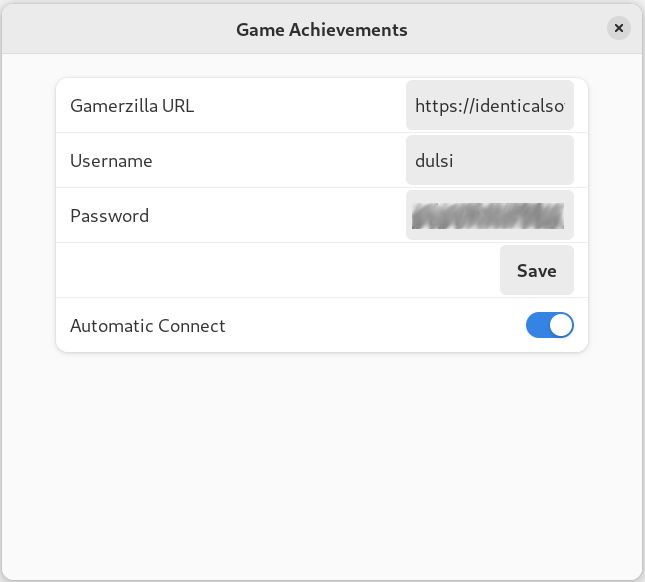
Click on the controller icon and select preferences. On the resulting screen enter your gamerzilla url including the trailing slash but without the ‘trophy’ destination for the UI. If using my server, the value will be ‘https://identicalsoftware.com/ ‘. Fill in your username and password. Click on save. By default Automatic Connect is enabled. If you don’t want to always connect disable this.
Gamerzilla Controller menu
Unfortunately a bug prevents the shell extension from working right away. You need to logout and log back in again. Fixing this is high priority.
Currently Supported Games
Several games in the Fedora repository support Gamerzilla achievements. If you want to get one to try it out, I suggest Shippy 1984, Seahorse Adventures, or Anagramarama. Seahorse Adventures will store some progress as soon as you complete a single level. If you play Super Tux Kart, you may already have achievements. Simply starting the game will synch any previous completed achievements. Gamerzilla does not display any notification when achievements complete but games may implement it on their own.
Going Forward
Besides fixing the bug with connecting the first time, I want a local browser for achievements. That way you can view all your game achievements without forcing you to upload them.
Achievements do have negative aspects. Some people feel compelled to complete them. This can lead to negative play experience, if the achievements are very difficult. I understand this concern but some people enjoy these aspects as well. More importantly, to attract and retain players, I feel open source games need a game achievement system.
We need more games to implement Gamerzilla achievements. We need players to show their support for the system. I continue to add achievements to my games and other open source games I try out.
Award-winning UK publisher Lost in Cult is teaming up with our sister site Time Extension for The Console Chronicles, a new book covering the history of home console gaming, from the earliest Pong machines to the present day.
In fact, there are some more familiar names adding their words to this one – our very own Alana Hagues, Alex Olney, PJ O’Reilly, Liam Doolan, Gavin Lane and Ollie Reynolds. That’s right – they’ll all be contributing to The Console Chronicles, alongside fellow Hookshot Media staffers Stephen Tailby, Aaron Bayne, and Fraser Gilbert.
And remember, by pledging your financial support to this project, you’re not only allowing us to produce more exciting books with Lost in Cult, but you’re also directly supporting the work we do across the entire Hookshot Media network.
The Console Chronicles will be sponsored by The Embracer Games Archive. Based in Karlstad, Sweden, The Embracer Games Archive is one of the most active forces in the realm of video game preservation, and its collection currently stands at over 80,000 games, consoles, and accessories.
Please note that some external links on this page are affiliate links, which means if you click them and make a purchase we may receive a small percentage of the sale. Please read our FTC Disclosure for more information.
If you’d like to know more or you’re itching to order a copy, then head over to the book’s page here.
[www.indiegala.com] Hidden and never seen before, now brought to light, a collection of important indie video games that the history books will remember [www.indiegala.com]
(Free Game Key) The Dark Pictures Man of Medan - Free Steam Game
The Dark Pictures: Man of Medan
This is a giveaway made by the developer.
Giveaway is region locked
https://beta.bandainamcoent.eu/en/cb/man-of-medan-for-free During|Until Out of Stock@everyone Total Keys|100,000 Countries Available|Europe, Middle East, Oceania/Asia _(Partially)_, and some Africa countries Keys will be delivered during Oct 02 - 05.
AppleInsider - iPhone 15 users can see battery cycle count & more in Settings
Battery chart showing MagSafe charging all day
Apple quietly added the ability to see additional battery data in iPhone 15 Settings, including the current cycle count.
First reported by 9to5Mac, an X post from Inverse editor Ray Wong showed off a screenshot of the new battery section. It shows information like the battery manufacture date, the first time it was powered on, and the current cycle count.
Of the parameters shown here, users will benefit most from the current cycle count. With this data point and the battery health percentage, users will have more insight into how much their internal battery has aged.
These new features could be tied to specific hardware components, like a new power management processor. Otherwise, it isn’t clear why they won’t appear on older iPhones at a later date.
AppleInsider continues to recommend to avoid overthinking charging habits. Use cables with proper safety certification, stick to MagSafe instead of Qi if wireless charging is used, and just charge your device as needed. Anything else, for the average user, is overkill.
Fedora - Using Cockpit to graphically manage systems, without installing Cockpit on
It probably sounds too good to be true: the ability to manage remote systems using an easy to use, intuitive graphical interface – without the need to install extra software on the remote systems, enable additional services, or make any other changes on the remote systems. This functionality, however, is now available with a combination of the recently introduced Python bridge for Cockpit and the Cockpit Client Flatpak! This allows Cockpit to manage remote systems, assuming only SSH access and that Python is installed on the remote host. Read on for more information on how this works and how to get started.
If you are not familiar with Cockpit, it is described on the project’s web site as a web-based graphical interface for servers. Cockpit is intended for everyone, especially those who are:
new to Linux (including Windows admins)
familiar with Linux and want an easy, graphical way to administer servers
expert admins who mainly use other tools but want an overview on individual systems
You can easily and intuitively complete a variety of tasks from Cockpit. These including tasks such as:
expanding the size of a filesystem
creating a network bond
modifying the firewall
viewing log entries
viewing real time and historical performance information
managing Podman containers
managing KVM virtual machines
and many additional tasks.
Objections to using Cockpit on systems
In the past, I’ve heard two main objections to using Cockpit on systems:
I don’t want to run the Cockpit web server on my systems. Additional network services like this increase the attack surface. I don’t want to open another port in the firewall. I don’t want more HTTPS certificates in my environment to manage and maintain.
I don’t want to install additional packages on my systems. I don’t even have access to install additional packages). The more packages installed, the larger my footprint is, and the more attack surface there is. For me to install additional packages in a production environment, I have to go through a change management process, etc. What a hassle!
Let’s address these one at a time. For the first concern, you have actually had several options for connecting to Cockpit over SSH, without running the Cockpit web server, for quite some time. These options include:
The ability to set up a bastion host, which is a host that has the Cockpit web server running on it. You can then connect to Cockpit on the bastion host using a web browser. From the Cockpit login screen on the bastion host you can use the Connect tooption to specify an alternate host to login to (refer to the LoginTo cockpit.conf configuration option). Another option is to authenticate to Cockpit on the bastion host, and use the Add new host option. In either case, the bastion Cockpit host will connect to these additional remote hosts over SSH (so only the bastion host in your environment needs to be running the Cockpit web server).
You can use the Cockpit integration available with the upstream Foreman, or downstream Red Hat Satellite, to connect to Cockpit on systems in your environment over SSH.
You can use the cockpit/ws container image. This is a containerized version of the Cockpit web server that acts as a containerized bastion host
For more information on these options, refer to the Connecting to the RHEL web console, part 1: SSH access methods blog post. This blog post focuses on the downstream RHEL web console, however, the information also applies to the upstream Cockpit available in Fedora.
This brings me to the second concern, and the main focus of this article. This is the concern that I don’t want to install additional packages on the remote systems I am managing. While there are several options for using the web console without the Cockpit web server, all of these options previously had a prerequisite that the remote systems needed to have at least the cockpit-system package installed. For example, previously if you tried to use the Cockpit Client Flatpak to connect to a remote system that didn’t have Cockpit installed, you’d see an error message stating that the remote system doesn’t have cockpit-bridge installed.
The Cockpit team has replaced the previous Cockpit bridge (implemented using C) with a new bridge written in Python. For a technical overview of the function of the Cockpit bridge, and how the new Python bridge was implemented, refer to the recent Monty Python’s Flying Cockpit DevConf presentation by Allison Karlitskaya and Martin Pitt.
This new Python bridge overcomes the previous limitation requiring Cockpit to be installed on the remote hosts.
Using the Cockpit Client Flatpak
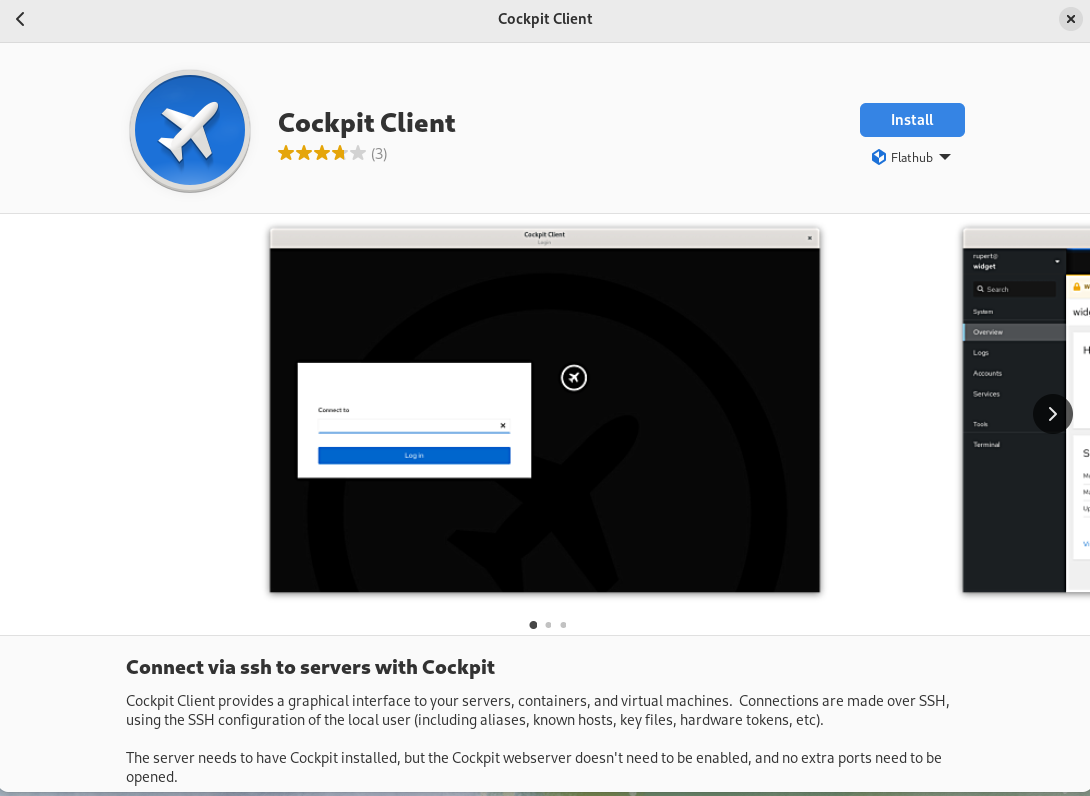
With the Cockpit Client Flatpak application installed on a workstation, we can connect to remote systems over SSH and manage them using Cockpit.
Installation
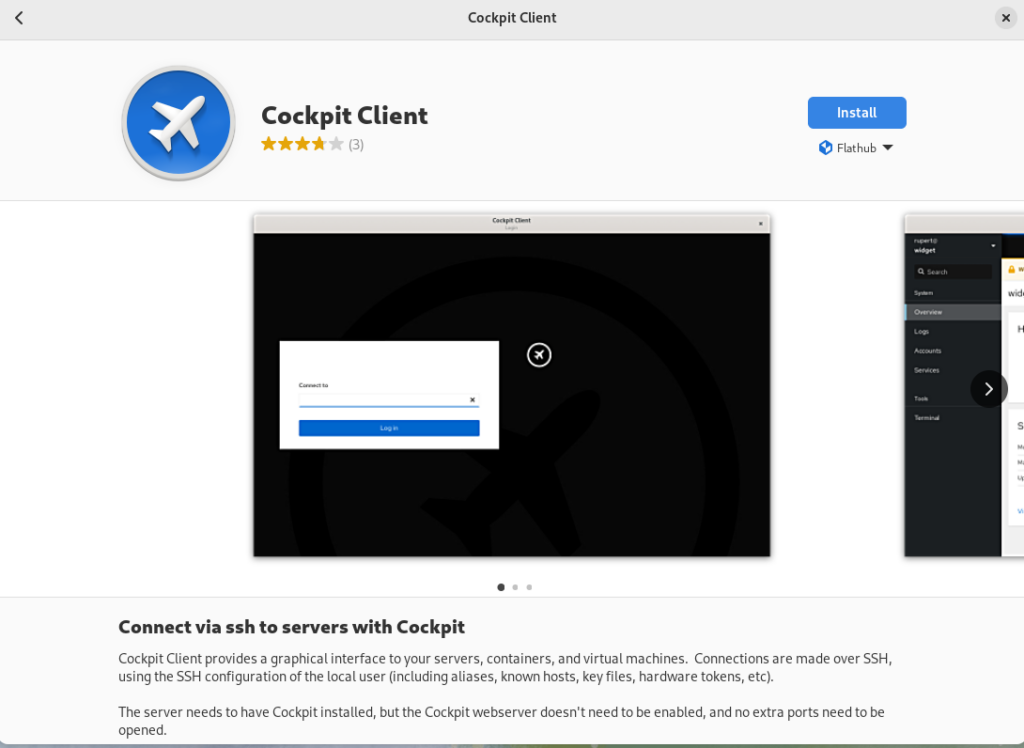
In the following example, I’m using a Fedora 38 workstation. Install the Cockpit Client Flatpak by simply opening the GNOME Software application and searching for Cockpit. Note that you’ll need to have Flathub enabled in GNOME Software.
Using the Cockpit Client
Once installed, you’ll see the following when opening the Cockpit Client:
You can type in a hostname or IP address that you would like to connect to. To authenticate as a user other than the user you are currently using, you can use the user@hostname syntax. A list of recent hosts that you’ve connected to will appear, if this is not the first time using the Cockpit Client. In that case, you can simply click on a host name to reconnect
If you have SSH key based authentication setup, you’ll be logged in to the remote host using the key based authentication. With out SSH keys setup, you’ll be prompted to authenticate with a password. In either case, if it is your first time connecting to the host over SSH, you’ll be prompted to accept the host key fingerprint.
As a special case, you can log into your currently running local session by connecting to localhost, without authentication.
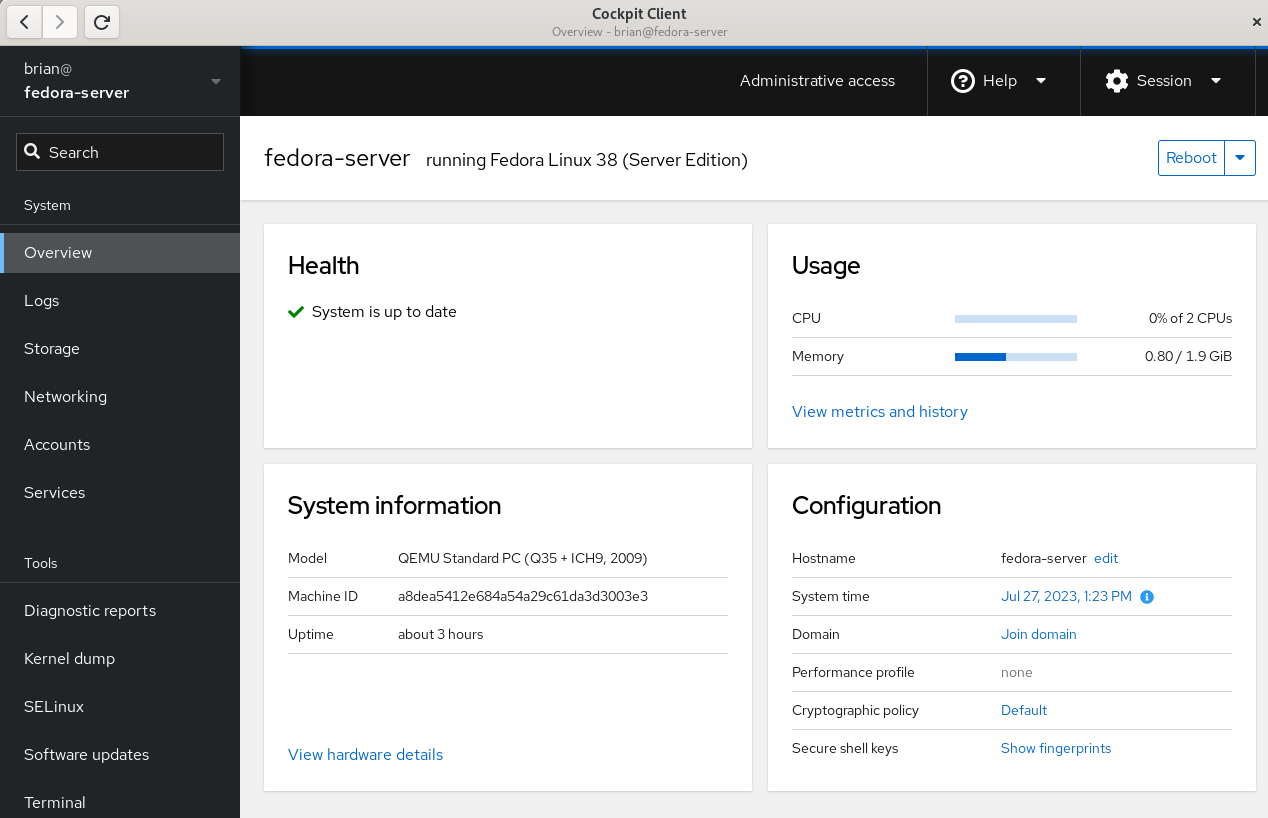
Once connected, you’ll see the Cockpit Overview page:
Cockpit overivew menu
Select the Terminal menu item in Cockpit to show that the remote system that I’m logged in to does not have any Cockpit packages installed:
Cockpit Terminal view
Prerequisites for connecting to systems with Cockpit Client
There are several prerequisites for utilizing Cockpit Client to connect to a remote system. If you are familiar with managing remote hosts with Ansible, you’ll likely already be familiar with the prerequisites. They are the same:
You must have connectivity to the remote system over SSH.
You must have a valid user account on the remote system that you can authenticate with.
If you need the ability to complete privileged operations in Cockpit, the user account on the remote system will need sudo privileges.
If you are connecting to a remote system that doesn’t have Cockpit installed, there are a couple of additional prerequisites:
Python 3.6 or later must be installed on the remote host. This is not usually an issue, with some exceptions, such as Fedora CoreOS which does not include Python by default.
An older version of Cockpit Client can not be used to connect to a newer operating system version. For example, if I installed Cockpit Client on my Fedora 38 workstation today and never updated it, it may not work properly to manage a Fedora 39 or Fedora 40 server in the future.
Frequently asked questions
Here are some frequently asked questions about this functionality:
Question: Cockpit is extendable via additional Applications. Which Cockpit applications are available if I use the Cockpit Client to connect to a remote system that doesn’t have Cockpit installed?
Answer: Currently, Cockpit Client includes
cockpit-machines (virtual machine management)
cockpit-podman (Podman container management)
cockpit-ostree (used to manage rpm-ostree based systems)
The Cockpit team is looking for feedback on what Cockpit applications you’d like to see included in the Cockpit Client. Post a comment below with your feedback.
Question: I connected to a remote system that doesn’t have Cockpit installed, but I don’t see Virtual Machines or one of the other applications listed in the menu. I thought you just said these were included in the Cockpit Client Flatpak?
Answer: When you login to a remote system that doesn’t have Cockpit packages installed, you’ll only see the menu options for underlying functionality available on the remote system. For example, you’ll only see Virtual Machines in the Cockpit menu if the remote host has the libvirt-dbus package installed.
Question: Can Cockpit applications available in the Cockpit Client be used with locally installed Cockpit applications on the remote host? In other words, if I need a Cockpit application not included in the Cockpit Client, can I install just that single package on the remote host?
Answer: No, you cannot mix and match applications included in the Cockpit Client flatpak and those installed locally on the remote host. For a remote host that has thecockpit-bridge package installed, Cockpit Client will exclusively use the applications that are installed locally on the remote host. If the remote host does not have the cockpit-bridge package installed, Cockpit Client will exclusively use the applications bundled in the Cockpit Client Flatpak.
Question: Can I use Cockpit Client to connect to the local host?
Answer: Yes! Simply open Cockpit Client and type in localhost and you’ll be able to manage the local host. You don’t need to have any Cockpit packages installed on the local host if you use this method. You only need the Cockpit Client Flatpak.
Question: What Linux distributions can I connect to using the Cockpit Client?
Answer: Cockpit is compatible with a number of different Linux distributions. For more information, see the Running Cockpit page. If connecting to a remote system that doesn’t have Cockpit installed, keep in mind the previously mentioned requirements regarding not connecting to newer OS’s from an older Cockpit Client.
Question: Does the Cockpit team have any future plans regarding this functionality?
Answer: The Cockpit team is planning on adding the ability to connect to remote hosts without Cockpit packages installed to the cockpit-ws container image. See COCKPIT-954 ticket for more info.
Have more questions not covered here? Ask them in the comments section below!
Conclusion
The new Python bridge, and the corresponding ability to use the Cockpit Client to connect to remote systems without installing Cockpit, makes it incredibly easy to use Cockpit in almost any circumstance.
Try this out! It’s easy to do. Simply install the Cockpit Client Flatpak, and use it to connect to either your localhost or a remote system. Once you’ve tried it, let us know what you think in the comments below.
News - Sonic Origins Plus Is Getting A Numbered Physical Edition Through Pix’n Love
Image: SEGA
Sonic Origins Plus is getting a limited collector’s edition via the retailer Pix’n Love, which will be limited to just 1200 units and will be numbered as such.
Pre-orders for the product will launch on the Pix’n Love website on September 27th, 2023 at 4pm BST, with copies priced at €79.90 (roughly £69).
As for what’s included, all pre-orders will contain a Mega Drive / Genesis snap case in addition to the following:
– The Sonic Origins Plus physical game for Nintendo Switch (includes: a slipcase, a 20-page artbook and a reversible cover). – A certificate numbered to 1200 copies. – A brand new 96-page artbook. – One acrylic plate. – Four lithographs. – A large-format cardboard box with screen-printed plastic sleeve.
We’re quite taken with the new art book, particularly if it’s of a decent size and quality. As for the rest? Well, it’s nice, and we’re sure it will appeal to hardcore fans of the franchise.
Image: Pix’n Love
In our Sonic Origins Plus review, we said that “there’s no escaping the sense that Sega could’ve done a lot more for this update and chose not to”, ultimately awarding the updated compilation a score of 6/10.
Will you be picking up this limited physical edition of Sonic Origins Plus? Let us know your thoughts with a comment down below.
Posted by: xSicKxBot - 09-26-2023, 06:40 AM - Forum: Lounge
- No Replies
News - Mineko’s Night Market review – you can’t resist the toebeans
Mineko’s Night Market has been on my radar for a long time – over two years, in fact. Back when I first started working on Pocket Tactics, I remember falling in love with my first glimpses of the game and telling my team that I would love to review it when the release date came around. So it feels pretty satisfying to sit here after so much time has passed, finally able to dive into a Mineko’s Night Market review.
But, with a long wait comes a build-up of anticipation and expectations – so does the game live up to the hype? Well, I may be a tad biased due to Mineko’s Night Market checking most of my boxes, but I genuinely love this game. It’s simple and charming, with a fun sense of humor, a touching narrative, and a relaxing yet engaging gameplay loop, all making for a very enjoyable little title with heaps of personality.
Mineko’s Night Market describes itself as a narrative-driven, social simulation adventure that celebrates Japanese culture, and it certainly delivers on that front. The story follows a young girl called Mineko, who moves to a small island with her dad. However, there are strange goings on happening on this island – and she soon finds herself in the middle of it all.
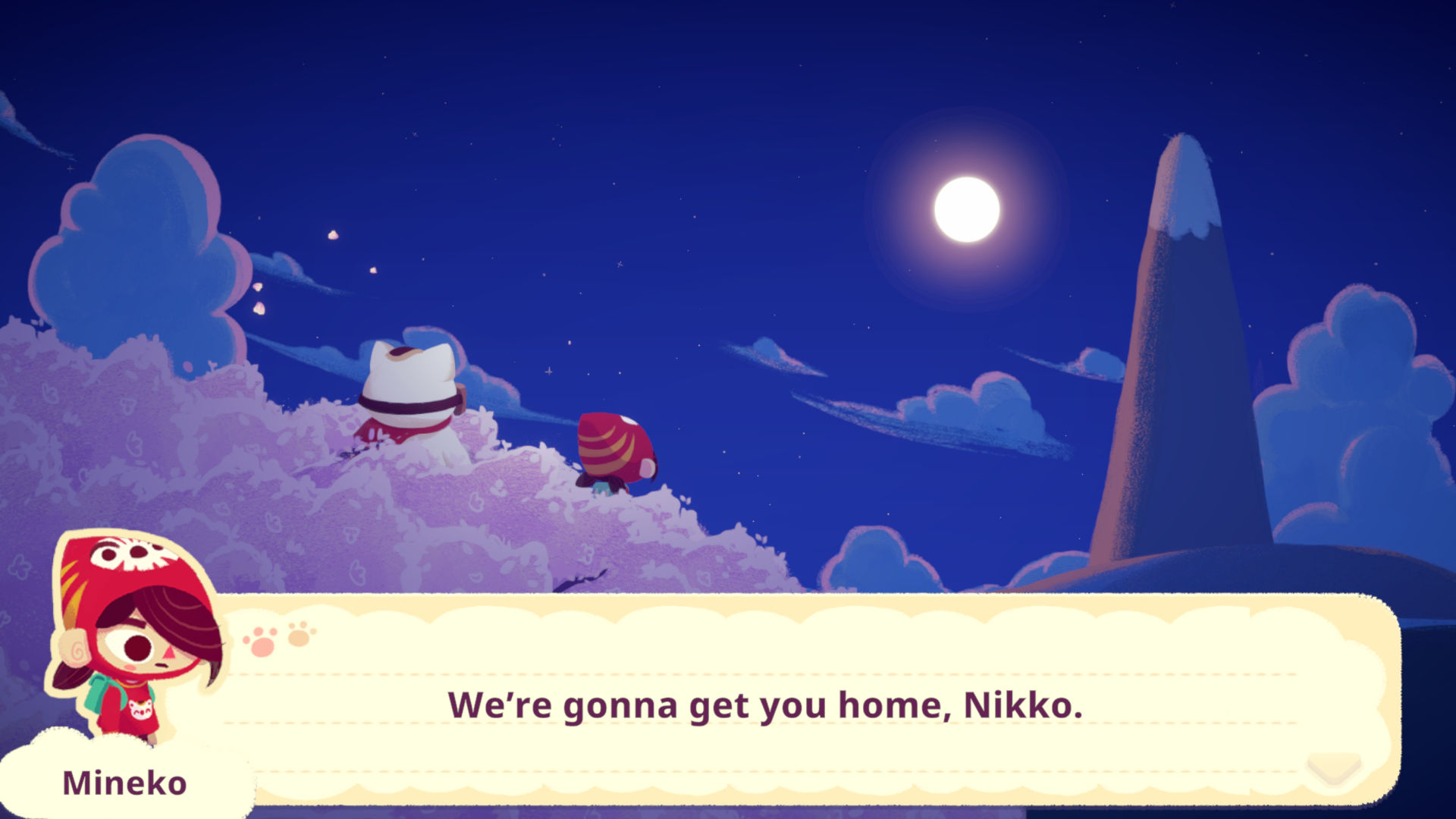
The island was once populated by many cats, as well as the Sun Cat, Nikko – a giant cat who lived atop Mt. Fugu and watched over the people below. However, with Nikko seemingly gone, the island is now a shell of its former self, and many of its inhabitants don’t even believe he exists – that is, except for Bobo, who immediately befriends Mineko and invites her to help prove Nikko’s existence.
Finding evidence of Nikko and returning the island to its former glory isn’t an easy task, as there are heaps of mysterious agents poking around – and they’ve even captured all the cats in cages. But one night, Nikko visits Mineko, and she embarks on a mission to not only free all the captured cats and help build the island back up, but to also help Nikko return to his home on top of Mt Fugu.
The narrative is utterly adorable, and I absolutely love the references to Japanese mythology throughout. The characters are also wonderful, from adults like Mineko’s dad and Hank the Hunk to the other kids like the initially antagonistic Miyako and boyband-obsessed Hana. The dialogue you share with them is charming and even insightful at times, with playful quips and jokes, sweet little anecdotes, and endearing backstories. There are also some truly moving moments throughout, exploring themes of friendship and belonging in a really touching way.
The main gameplay revolves around a weekly calendar. Throughout the weekdays, you can explore different areas, collect resources, craft items, and complete quests. On Saturday evenings, it’s time for the titular Night Market, where you sell your wares and take part in events to increase the market’s level and, ultimately, help it flourish into the iconic attraction it used to be.
You travel to different locations by going to the bus stop outside of your house. There isn’t a usual clock, so you can spend as much time in each area as you like, but time passes when you return from a location. Buses only run during the day and evenings, so you can visit a maximum of two locations a day, but you can explore them and gather items to your heart’s content, as long as you have the stamina for it.
Speaking of stamina and hearts, you only have one heart’s worth when you start the game. Harvesting or collecting items takes a set amount of stamina, from picking up a hairball or a flower, to chopping wood or mining rocks. You can eat or drink in order to restore stamina, with drinks and small snacks generally giving you half a heart and larger meals like yakisoba or sushi to-go giving you a full heart, but you can only eat or drink three items a day – so generally it’s best to splash out and buy the to-go meals rather than the cheaper ramune.
This feels a little restrictive at first, but as you progress through the story, you gain additional hearts so you can complete more tasks in a day. Also, each consumable gives you a cute little message when you use it, which is a nice added detail.
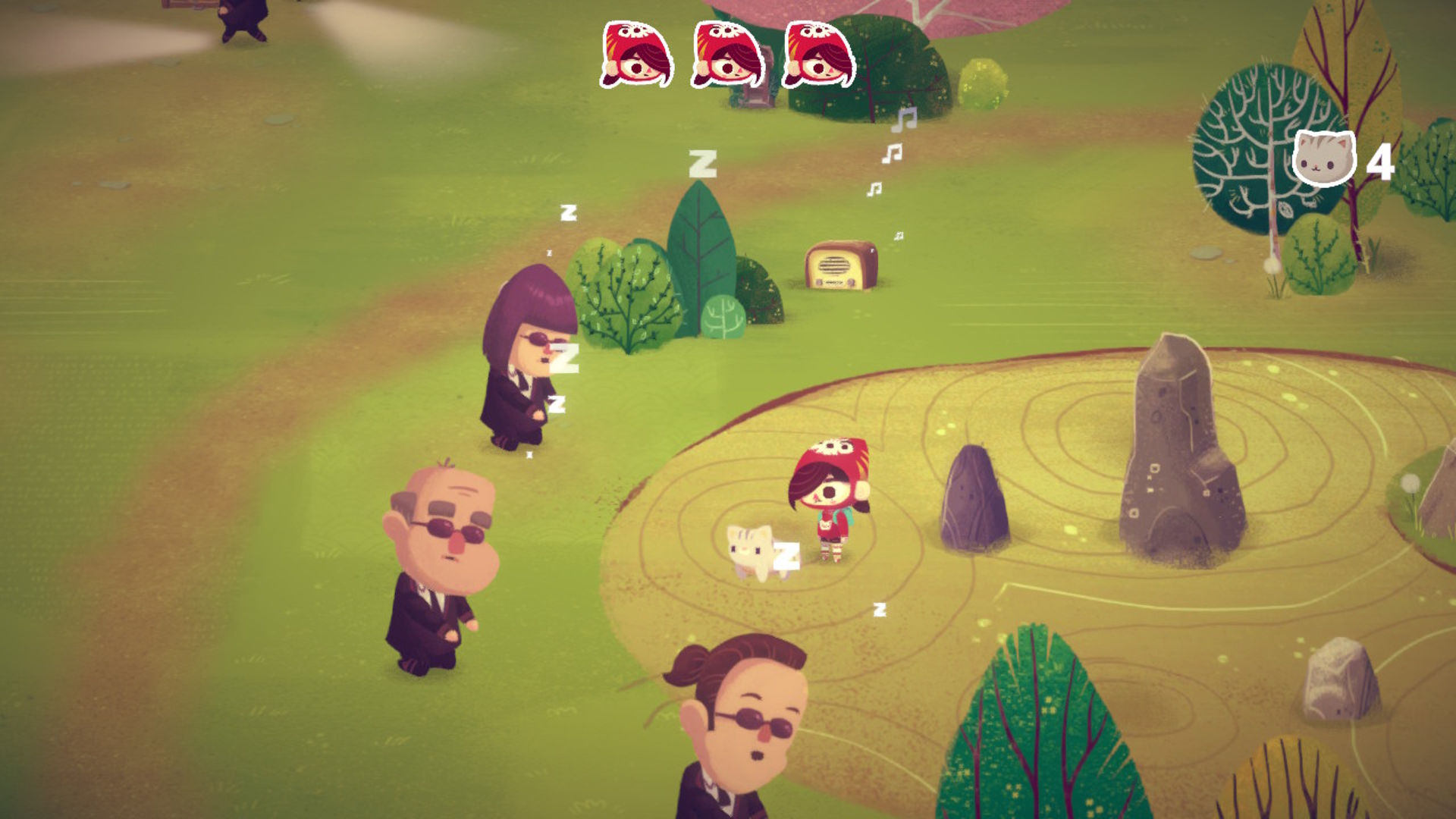
Usually, on your first visit to a new location, it’s infested with agents – and a few of the locations require you to have bought a tool from Hank’s Tool Shop before you can go there at all. Once you arrive, in order to unlock the location fully and progress further, you need to get past the agents, free a set amount of captured cats, and then complete a final task such as locating a Nikko artifact, disconnecting a comms tower, or destroying a supply crate.
In these sections, you have three ‘lives’ (noted by little Mineko head icons at the top of the screen). If you step in front of an agent’s flashlight, you lose a ‘life’. If you lose all three ‘lives’, you have to start the sequence again. Getting past most of the agents is generally a case of timing – wait until they move out of the way, then sprint through to get to the caged cat. However, there’s some variation that requires a bit of puzzle-solving or even bribery.
While these sections are all the same at their core, they still offer enough variety that you sometimes need to stop and think, and I find them very enjoyable. You also get a very satisfying moment when you manage to free all the cats and push the agents out of the area, allowing you to see it with all its flowers, resource points, and kitties out in the wild again. Oh, and how could I forget? Each location generally has a bunch of cats sitting around. And, yes, you can pet them – it doesn’t even cost any stamina to do so.
Some kitties just change position when you pet them, while others follow you around in a cute little kitten conga line until you leave the area and go home. The follower kitties sometimes get in the way, especially if you’re collecting items off the floor, meaning you may end up petting a cat rather than collecting an item – but honestly, as a cat mom, that’s pretty much my real life anyway, and due to the lack of stamina required to pet cats and there being no time limit in each location, there’s really no harm done.
Outside of picking items up on the floor, such as flowers or hairballs, the resources you collect each have their own sort of minigame. For example, mining rocks and chopping trees requires you to hit a button at the right moment, hold it, and release it when the marker is in the right place.
Fishing is another simple, quick-time-esque gathering game, where you need to wait until the fish pulls the lure down, then hit the button to real. Pretty much every resource you gather is useful for crafting, but you can also submit certain items to museums. Once you submit enough items, the museums get a makeover and open to the public, once again helping the island to expand and earning you some nice items.
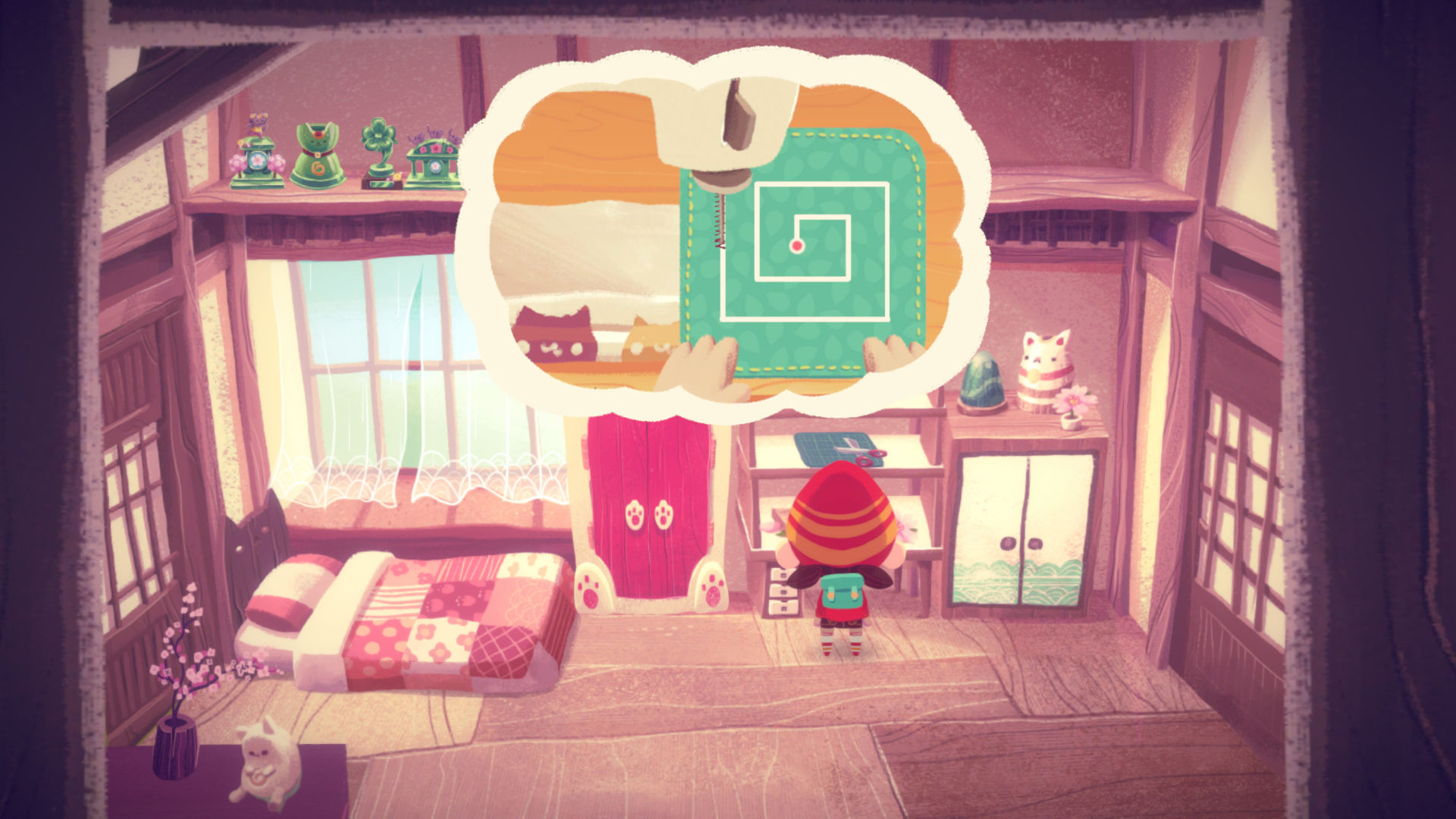
Similarly, different crafting benches have their own minigames, too. These range from simple – such as hitting a button when the marker is hovering over the right section to cut a stem on the flower craftbench – to a bit more complex – such as guiding a paint brush around a map on the art craftbench or following a pattern with a sewing machine on the sewing craftbench. If you pull it off perfectly, you get a perfect item, which is worth more money. If you do well but don’t get it exactly right, you get a normal item. And, if you completely mess up, you get a garbage item that isn’t worthy of selling at all.
As mentioned earlier, the main purpose of crafting is to have stock to sell at the Night Market on Saturdays. However, you can also sell items at shops throughout the week if you need a bit of extra cash to buy some food, or a new tool or craftbench. You also get villager requests, where different characters ask for specific items – initially, these are usually food items, though later, they start asking for specific crafted items.
Completing village requests increases your relationship with the characters and is a great way to unlock new recipes or receive items. Though you can also unlock recipes through bottles that you catch while fishing, this is a nice incentive for you to cultivate friendships with the different characters around town, contributing to a nice level of world-building that feels very wholesome. It’s also very satisfying when you get the chance to give the villagers items that they then use to kit out their house, sprucing the island up even further.
When you get used to these different elements, it’s easy to fall into a comfortable rhythm, visiting certain locations throughout the week to top up your resources, crafting the items that sell the best, and then turning up to the market to make a big profit. But, with frequent new locations and story developments, this gameplay loop doesn’t get stale too quickly, and there’s always something new to do. However, if you prefer to take things slow, there’s no real time limit, either. So you can spend as many weeks as you want gathering and crafting before progressing on to the next part of the story.
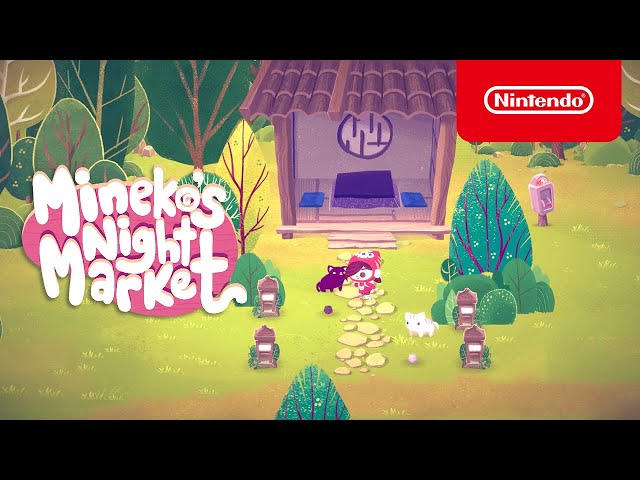
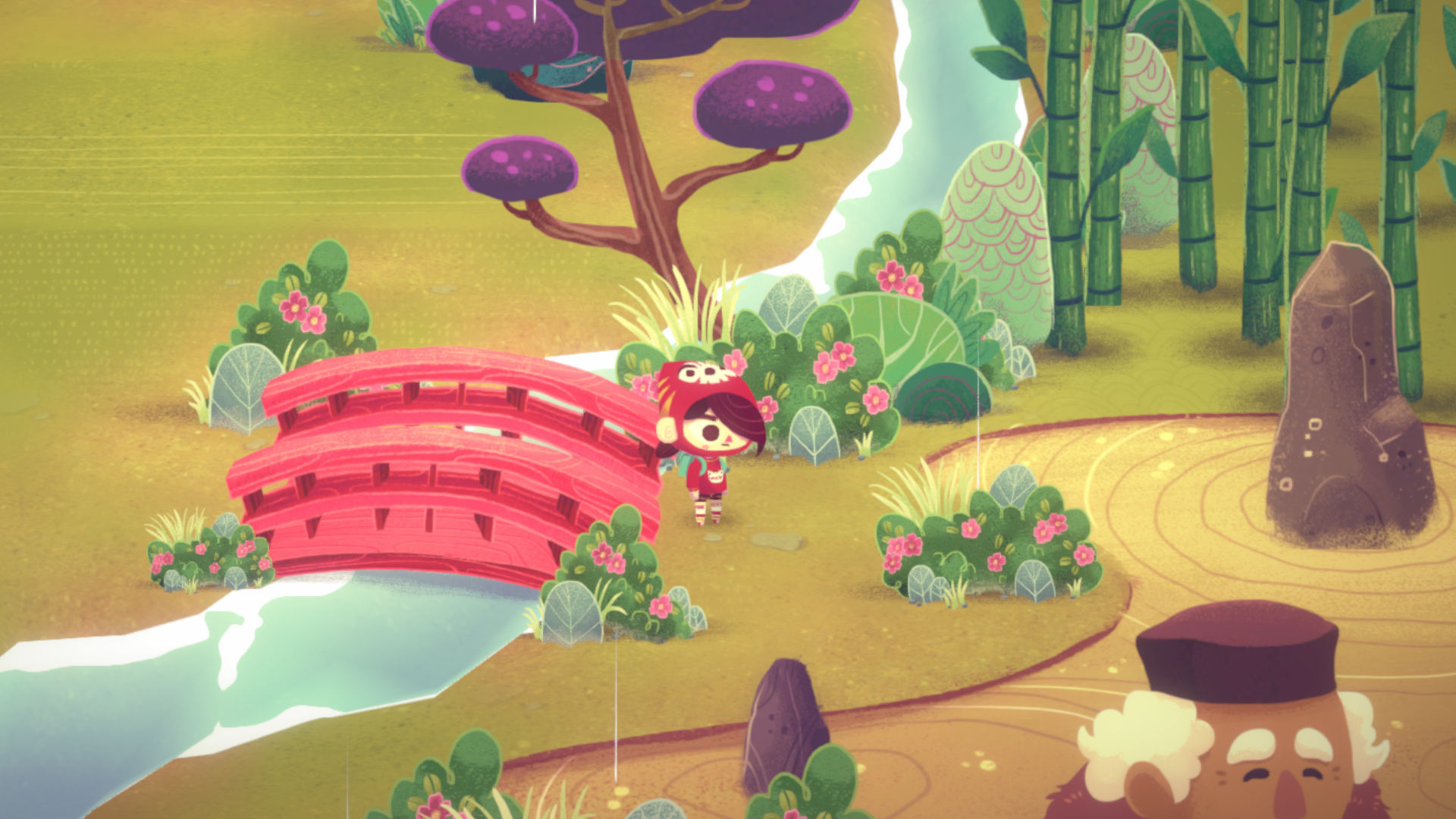
Visually, Mineko’s Night Market is equally as beautiful. It adopts a simplistic, 2D picture-book aesthetic with lovely elements that nod to iconic Japanese artwork such as Hokusai’s The Great Wave off Kanagawa. The colors are varied yet somewhat muted, adding to the soft, relaxing vibe of the world, and everything feels like it’s washed in the golden light of a setting sun.
The music is also lovely, with unique, soothing tracks for the gathering locations and a jazzy, whimsical piece that backs up the espionage-esque sections with the agents, among others. Most of the pieces have a lo-fi vibe, and some even incorporate instruments reminiscent of classic Japanese music. It’s a lovely OST that truly enhances the relaxing nature of the game, and I could definitely imagine myself listening to it as I work in the future.
Outside of that, the sound design for the bulk of the game is unintrusive and fitting. The characters aren’t voiced at all, but to be honest, that doesn’t really detract from my enjoyment at all, especially as, combined with the large speech bubbles, it only seems to enhance the overall pop-up picture-book feel.
I was lucky enough to get my hands on both a Switch version and the Steam beta version, both of which I’ve tested thoroughly and played for hours. When it comes to controls, Mineko’s Night Market feels very intuitive on the Switch. Press one trigger to sprint and press the other to creep. One button for inventory, another for opening your journal, and another for collecting an item. It all feels comfortable and responsive, and I didn’t need to do any remapping for it to feel right.
The Steam version, on the other hand, took me a little while to get used to. While WASD works for movement, the default controls seem designed around using the directional arrows, as left shift is sprint and right shift is creep. You press enter to collect/interact with things, E to open your inventory, and J to open your journal, and the mouse doesn’t do anything at all. Luckily, you can remap the controls pretty easily through the settings menu, and after I got used to my new layout (left shift will always be sprint for me, it’s second nature at this point), I’ve come to find it comfortable and somewhat reminiscent of older PC games from back when I was a kid.
The performance on the Switch and Steam is mostly comparable. The simplistic art style and animations makes for a smooth and visually pleasing experience on both platforms for the most part, and screenshots even look comparable – which is a rarity for the Switch.
However, the Switch version does have some issues. Load screens are much longer, so you become very familiar with the running Mineko sprite on the bottom right corner. This is especially frustrating when you are going between the craft shop and tool shop in the village, as there’s a load screen for entering and exiting both of the shops, making the act take much longer than it needs to.
There’s also quite a bit of stuttering when you load into a new area or enter a cutscene, with the music cutting out and the characters sometimes freezing. These issues are essentially absent from the Steam version, so keep that in mind if choosing between platforms.
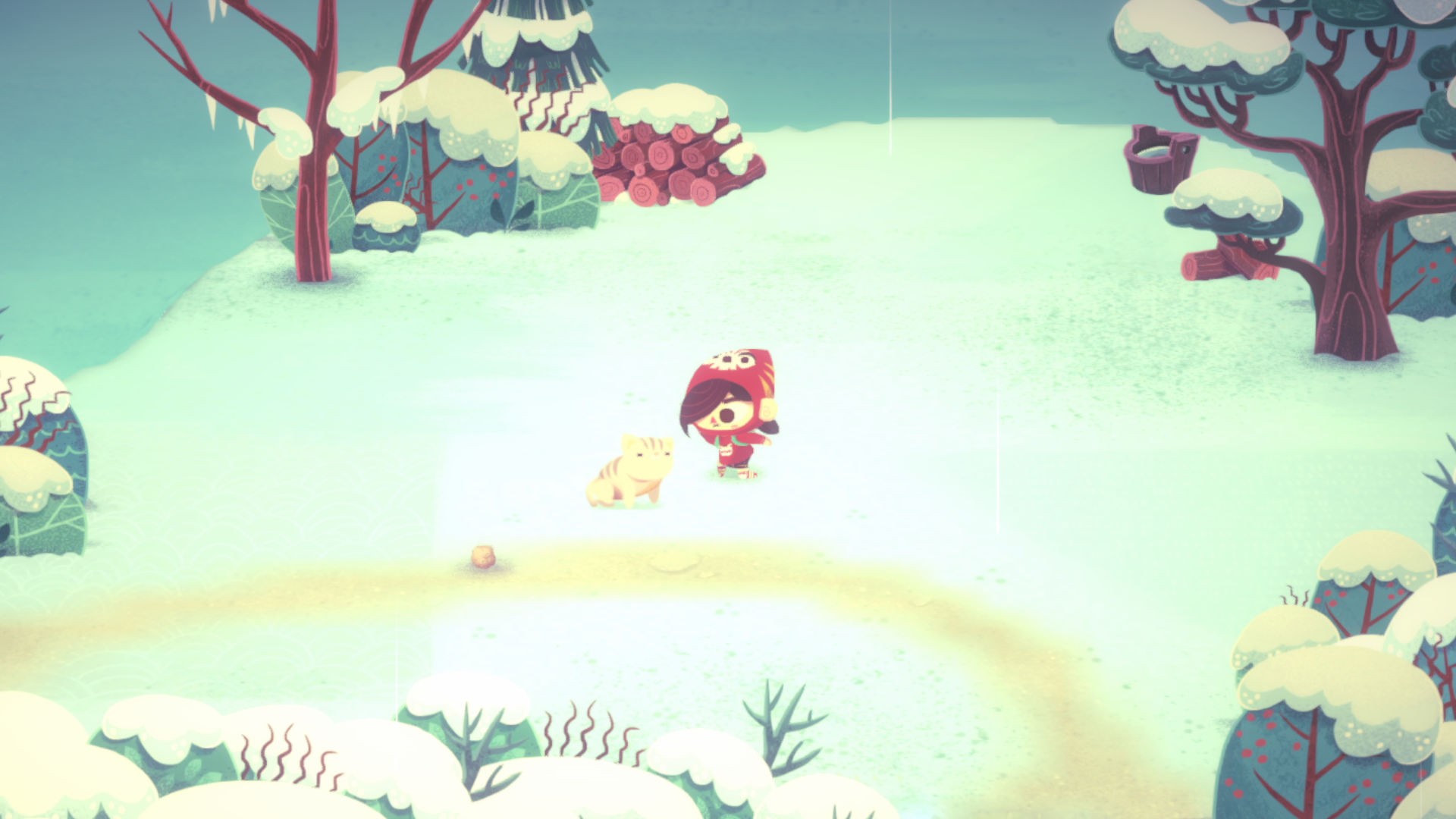
Outside of that, I experienced some bugginess in the HQ where, on the second floor, jumping into a vent to progress to the area where the door code was broken. I couldn’t progress, which meant I had to restart the game and lost my progress for the day. I also had a few buggy moments on the frozen lake, where Mineko would get caught on the corner of one of the frozen, slip-stream-esque sections, but it always worked itself out. This issue seems to be consistent across both the Steam and Switch versions. However, as this is a beta build, I’m cutting the game some slack here – and I have faith that the devs will fix these grievances in the full launch.
Overall, Mineko’s Night Market is a delightfully charming game, and, to me, it was well worth the wait. I know it’s cliche to say, but it really does emit the same coziness present in Animal Crossing games and Studio Ghibli films (specifically My Neighbor Totoro vibes), while also managing to pay homage to a beautiful culture and stand on its own two feet as a unique experience.
It’s simple and certainly doesn’t try to reinvent the wheel, but it’s also very relaxing and perfect for those days where the world feels a bit too much. So, if you’re having a rough time and feeling a bit blue, remember the Night Market is every Saturday, and Nikko is waiting for you.
Mineko’s Night Market is a truly charming little game, full of cute cats, quirky characters, and plenty of chill vibes. Its narrative successfully celebrates Japanese culture, friendship, and belonging in such a beautiful way, and is supported by a simple yet engaging gameplay loop made up of gathering, crafting, and even a spot of espionage. A must for cozy game lovers all over the world, and the perfect way to unwind after a stressful day.