| |
| Using Linux as Local Server for Streaming Movies Using Kodi |
|
Posted by: xSicKx - 06-18-2018, 08:06 PM - Forum: Linux, FreeBSD, and Unix types
- No Replies
|
 |
hello everyone.
I've been having such a good time with this i think I will just document it out for you guys. Kodi is amazing as a video player. It will auto search the movie title from databases and add all information about them for you.
![[Image: sQUr9dDkSzK8eOhMAxfGAQ.png]](https://image.prntscr.com/image/sQUr9dDkSzK8eOhMAxfGAQ.png)
I just sort all my movie files in folders like so
![[Image: Z3uPLaEPR8OvkqQIW0lSGg.png]](https://image.prntscr.com/image/Z3uPLaEPR8OvkqQIW0lSGg.png)
Kodi scans the folder and does the rest. I do have to make sure there are no extra files besides subtitle files and video files. otherwise it will show doubles in Kodi.
I have 200+ Movies
50+ Tv Series some with 19+ seasons! (South park...) lol
Gives you genre, director, writer, first aired, description about the movie/tv show and lots more! how long it is, visual quality, sound quality.. Just so much more information on screen compared to all other media players. Kodi exceeds them by far!
HOW TO:
1. First things first, you need a server/computer to use as the host for the files.
2. Install Samba onto Ubuntu. this will make it able to connect to all other devices. Windows, kodi, other linux systems, etc.
3. Make a mount point for your media server. I chose /srv/media
a lot of people just recommended using srv as it works with a lot of other things on ubuntu's side. sooo. just follow. My other folder is business name.
4. Open Kodi, click "Movies" >> "Add Videos..."
5. From here you will just direct kodi to find the videos on your server. From windows I had to map the network drive out or it wouldn't work. On my android box, i did have to manually type //SERVER/SRV/MEDIA
6. Now I would go into the settings and change it so it updates on startup ever time. I add movies constantly, so it's nice when i load up, it loads all new content i've added.
7. If you change the labels on anything and some things just aren't in your library anymore, go into settings and find "Clean up library" it will delete old links.
8. You have a movie / tv show in the folder but kodi isn't finding it. Okay, so basically the movie isn't labeled right, or kodi isn't understanding the label on it or imdb or tvdb doesn't have that movie / tv show on their database. try renaming the movie file first so kodi can see it and understand it better. I've run into that problem quite a few times.
If you guys have any further questions, please feel free to shoot me a message! i've been doing this for quite some time now, and the family just loves it.
Hope this helps! Thanks!
|

|
|
| News - Editor Roundtable: How does Ubisoft’s HitRecord partnership impact devs? |
|
Posted by: xSicKxBot - 06-18-2018, 07:39 PM - Forum: Lounge
- No Replies
|
 |
Editor Roundtable: How does Ubisoft’s HitRecord partnership impact devs?
 This week, Ubisoft announced that for Beyond Good and Evil 2, they’d be partnering with HitRecord to create art & music assets as part of a fan collaboration project to “build the universe” of their Nietzsche-named sequel.
Later, after journalists and developers alike raised concerns about the prospect of this being unpaid work, they confirmed a $50,000 pool that would be available for people whose work is used in the game, sparking a week-long conversation about the nature of fan labor, spec work, and if Ubisoft was depressing the value of creative work with this initiative.
Actor and HitRecord founder Joseph Gordon-Levitt did do post a follow-up blog that indicated he and his cohorts were listening to developer feedback and hoping to create a clear, transparent process around Beyond Good & Evil 2, but we at Gamasutra still wanted to suss out why this topic resonated with developers and readers over the course of the week.
So during our E3 wrap-up chat (which you can watch in its entirety here), we revisited Ubisoft’s announcement and Gordon-Levitt’s follow-up comments to examine our own feelings about this kind of collaborative work, whether or not it qualifies as spec work, and what it means for the game industry at large.
Emma Kidwell, contributing editor (@EmmaKidwell): Well, I think people should get paid, always. And I know he mentioned in his blog post that it’s unrealistic to pay everybody who wants to contribute. Which is fair. But also I think that if you’re using, “hey fans of Beyond Good & Evil 2 should work on this,” I think it’s almost a little manipulative, even though I honestly believe Joseph Gordon-Levitt has good intentions with it but doesn’t understand the kind of grunt contract and freelance work a lot of developers go through.
So I think the intentions are good, but not really understanding “how do I know if my work’s going to be put in the game,” “how are the funds going to be split,” and I think over the past few days they’ve clarified that on certain points, but based on what I’ve researched, I don’t think there’s a clear vetting process.
It’s clearly not a contest…but it’s more like a bunch of collaborators building on top of each other’s work, and that muddles up how you’re going to get credit, how everyone’s going to get paid, because they put aside $50,000, and then that’s it. And I know that if your work is used more, you get paid more, and there’s no guarantee anyone gets paid. It just kind of depends on who decides what is worthy. And I don’t know that I like that very much!
But I do think they had good intentions, and it’s not a good way to execute asking for assets, when I think a big company should be able to pay for what they’re asking for.
Alissa McAloon, contributing editor (@Gliitchy): Re: the contest thing, it’s hard to be on stage and say “it’s not a contest, we’re just going to pay people…everyone contributes work, and the stuff that gets used gets paid.” That kind of just reads like you’re competing against other artists to see who gets a chunk of that pie, because everyone’s only getting the $50k that HitRecord put up, which is being split among every creator that contributes based on how much work they put into it.
So it’s—it’s muddy. I feel like it would have been better received if Ubisoft put in additional money on top of that, or if there were more for that. I don’t know.
One of the other criticism I’ve seen is that people are like “oh you could be paying someone at Ubisoft, you could be hiring composers to do this,” because they’re looking for art to add into the game for posters, but they also want songs to play on in-game radios, announcements on in-game radios…there’s a lot of voice acting, music, writing, art, graphic design, all these different different contributions which are like, these are actual professionals who, if they have the skills to do this for this fan project, it’s likely they have the skills to do it professionally.
So having them contribute as a fan rather than a professional is demeaning in a way to the work that they do? I would say?
Alex Wawro, managing editor (@awawro): I think this whole thing is so interesting. I agree with you both ,and I think with most people, that it could have been handled better, the rollout. I think Ubisoft kind of hung HitRecord out to dry by not getting on top of this more quickly, and maybe taking off the gate on how much money they’re going to pay out or being more clear about that.
But it does seem like something done in relative good faith, or at least I could believe it was, and I think it’s so interesting that if you think about—if you look at Kickstarter, that’s a platform where people give money to developers. They give time, in money form, for people to make a video game. And in return, they get a copy of the game, or rewards.
Would this be different, if instead of giving them money for their contributions, they gave them a copy of the game? Or is that just a different way of looking at crowdfunding? Like I think it’s so—
Bryant Francis, contributing editor (@RBryant2012): That was some galaxy brain shit right there.
Wawro: I think Ubisoft should be doing what Gordon-Levitt is doing. I think it’s a good look to be listening to people, I think it’s good to be having a conversation about labor, and about what it means to do spec work versus actual, meaningful, remunerative work, but I don’t think it’s pure evil. I think it’s an interesting way of talking about this, I wish Ubisoft had been more upfront and more open to talking about it.
Kris Graft, editor-in-chief (@KrisGraft): I saw him show up [at Ubisoft’s private event], and I was like “oh my god, I need to ask him if he’s supposed to be Robin at the end of The Dark Knight Rises.” He’s got a great smile! Certainly can’t be evil.
So, no, but I think one of the key things that Alissa hit on is that, I think they made this, and they announced it, like, thinking so much that this would be a fan-contributed thing. They thought this would be a good opportunity for the fans, and that’s cool, but they didn’t think that, what about professionals? Or people with skills that are professional people that are putting time into this stuff?
Maybe they look at it as ‘whipping up a quick bassline’ like Ed in his basement is laying down a track or two then uploading it to HitRecord. I think that the whole thing is meant to be just for hobbyists, and that wasn’t in the messaging enough, and even if it was in the messaging, I don’t know how you say that.
Francis: “Professionals need not apply” is such a weird thing.
Graft: So yeah, it completely turns out to be 99 percent spec work. That’s the only way you can really describe it. Making something without getting paid but you might get paid. That’s the definition of it. Yeah, I don’t know. It’s just a flawed model and I don’t know how you explain your way out of it. Sorry JGL!
Francis: I’m going to jump in…I was trying to mull about this all week because like JGL, I was trying to listen to everyone talking. What I would like to point out is that from Ubisoft’s end, I was trying to put myself in Ubisoft’s point of view, they are thinking about this I’m sure from a marketing standpoint.
What they have is a new game, based on a franchise that has a fanbase, but not for the kind of game they’re making. They made a 3rd-person platformer in the 2000s, it became a cult hit, it turned out people were passionate about it, now they’re making a nearly No Man’s Sky-level Space Game with exploration, and ships that go into other ships. That’s big, that’s expensive, and I’m sure they’re trying to make sure to advocate to it to other people when they move into the bigger PR stages.
I think a lot of developers for a while have been trying to figure out how to integrate their communities more with their games. You got to BlizzCon and you see fan art contests, the work’s as good as professional. Blizzard’s own employees will cosplay, like they had a Widowmaker cosplay out there the day Overwatch was announced, so like, what happens when your own employees are fans of your own games, or other people’s games, and they’re doing that kind of thing…it can’t be overstated that, every developer out there, if they could take fan art and legally work it into their game as fast as possible,
I’m sure they would, because that’s a good way to reward your audience, the people who are buying your game, playing your game, telling you how much they love your game, and hopefully if they do it more, it helps you stay in business.
From Ubisoft’s standpoint, I don’t—Alex you were implying earlier in the stream they might need to reach out to fill up this universe with assets, but I only don’t agree with that in that I don’t think Ubisoft would have gone up there and said “this project is TOO BIG, we’re teaming up with HitRecord to fill up our game…” they 100% could on their own!
Wawro: I want to back that up, I did imply that and I didn’t mean—I don’t think anyone at Ubisoft is relying on HitRecord as a meaningful part of their production pipeline. A couple of years down the line, once more companies have more opportunity to work with partners like this, that could be a real concern. But this just seems like a genuine marketing effort.
Francis: My 100 percent concern walking away—I think the spec labor concerns are real, I think I agree with Alex in that JGL has done his best to at least not be silent about it. They didn’t even mention the pay onstage first thing and he jumped on Twitter and was like “100%, we screwed that up, here’s the pay details.”
But it doesn’t take much of a bad faith read, or a bad faith actor to look at what they’re doing, and if they get away with it, to say “hey, sweet, now we can take fan labor and get it into our game,” because not other companies have as many employees as Ubisoft.
Ubisoft relies on—we talked to Nouredine Abboud about this a while back—relies on the fact that they can onboard a lot of developers from one of their studios really quickly to help out with a game project. So that means we can only look it from their perspective as a marketing challenge, that they are now going “oh god this isn’t what we expected, is this gonna be worth it, we’re going to have to deal with this PR mess through the rest of production,” but, other game developers are looking at it and going “if THEY can get away with it, can we?” And I have a lot of faith in game developers, but it’s not a giant leap in a kind of scary way.
McAloon: I just wanted to mention that, the second this was announced, my chaos of a Twitter feed became people saying “these people are gonna get paid right?” It was all people asking about compensation and going “free work is not okay.” Developers, press, and people who aren’t in the industry at all, people who know the value of creative work. No matter what comes of this, if Ubisoft makes a statement or not, it’s good that people are having this conversation and that that was the first reaction is uplifting in a way.
For more editor roundtables & developer interviews, be sure to follow the Gamasutra Twitch channel!
|
|
|
|
| News - Weekly Jobs Roundup: Rabbit, Digital Extremes, and more are hiring now! |
|
Posted by: xSicKxBot - 06-18-2018, 07:39 PM - Forum: Lounge
- No Replies
|
|
Weekly Jobs Roundup: Rabbit, Digital Extremes, and more are hiring now!
 Whether you’re just starting out, looking for something new, or just seeing what’s out there, the Gamasutra Job Board is the place where game developers move ahead in their careers.
Gamasutra’s Job Board is the most diverse, most active, and most established board of its kind in the video game industry, serving companies of all sizes, from indie to triple-A.
Here are just some of the many, many positions being advertised right now. If you’re a recruiter looking for talent, you can also post jobs here.
Location: Champaign, Illinois
Deep Silver Volition is seeking an experienced UI Artist to help own and drive the style of its interface as it start its next exciting project. Using compelling motion graphics, 2D, and 3D designs you will work with the studio’s UI team to create innovative interfaces. The team is looking for someone passionate about UI and player experience.
Location: Burbank, California
The Game Art & Design program at Woodbury University in Burbank is looking to expand its faculty for the Fall 2018 semester. The University is looking to hire part-time instructors for a number of courses in game design and game art, including game level design, user interface design, story development for interactive media, Maya: 3D art fundamentals, 3D character design and modeling, and more.
Location: San Mateo, California
Rabbit is looking for a contract Lead Game Designer to join the studio on creating a social trivia title. Ideally, this role requires five years of game design experience, knowledge of designing game systems and economies, and in-depth knowledge of both mobile and PC games.
Location: London, Ontario, Canada
Digital Extremes is looking to add a Weapons Artist to its team. The position seeks a developer with exceptional knowledge of the asset creation process and flexible skills to work along with other team members and create hi and low poly models, textures, and materials for use as real-time game assets.
Location: Burbank, California
Insomniac Games is looking for someone to work closely with the design and animation departments to build the gameplay systems and features that define its games. In this role, you would help the studio realize the creative vision for the game by using established codebase and your own skills and abilities, building its next gameplay experience.
|
|
|
|
| Xbox Wire - E3 2018: Anthem, Battlefield, Star Wars, and More at EA Play |
|
Posted by: xSicKxBot - 06-18-2018, 07:39 PM - Forum: Xbox Discussion
- No Replies
|
|
E3 2018: Anthem, Battlefield, Star Wars, and More at EA Play
EA officially kicked off their annual EA Play 2018 FanFest Saturday with a slew of announcements, reveals, and deep dives into a handful of highly-anticipated, upcoming games.
Battlefield V kicked off the festivities. The big news? Battlefield V will have a confirmed battle royale mode coming post-launch. A short trailer showcasing Battlefield’s classic destructibility gave us a glimpse at the Grand Operations multiplayer, though a deeper look at the War Stories single-player content is being held back for Microsoft’s E3 2018 Media Briefing. The game comes to Xbox One on October 19.
The next entry in the best-selling soccer franchise, FIFA 19, will feature UEFA Champions League integration. The game launches on September 28, but in the meantime, current FIFA 18 players can download a free World Cup update, taking their country of choice through the biggest tournament on the planet. A free trial of the full game is available now for a limited time on Xbox One.
Respawn Entertainment’s Vince Zampella gave us the show’s big first reveal, confirming that the developer is working on a new Star Wars game called Star Wars: Jedi Fallen Order. Set between “Star Wars: Episode III – Revenge of the Sith” and “Star Wars: Episode IV – A New Hope,” it’s a dark tale about the Jedi being hunted after the order was disbanded at the end of “Revenge of the Sith.” It’s due out Holiday 2019.
Star Wars fans won’t have to wait that long to scratch their itch – new content is coming to Star Wars: Battlefront II, with a new squad system, a new Starfighter mode, a new large sandbox mode, and fresh content from the Clone Wars — that means playable heroes like General Grievous, General Obi-Wan Kenobi, Count Dooku, and Anakin Skywalker. It’s all coming later this year.
On a slightly smaller scale, Coldwood’s Martin Sahlin returned to the EA stage to reveal Unravel Two. Yarny returns to action, this time joined by a friend. The upcoming puzzle-platformer features solo or drop-in, drop-out co-op play, demonstrated live during a tense two-player escape from an aggressive grouse. And you don’t have to wait to play – Unravel Two is available right now for the Xbox One.
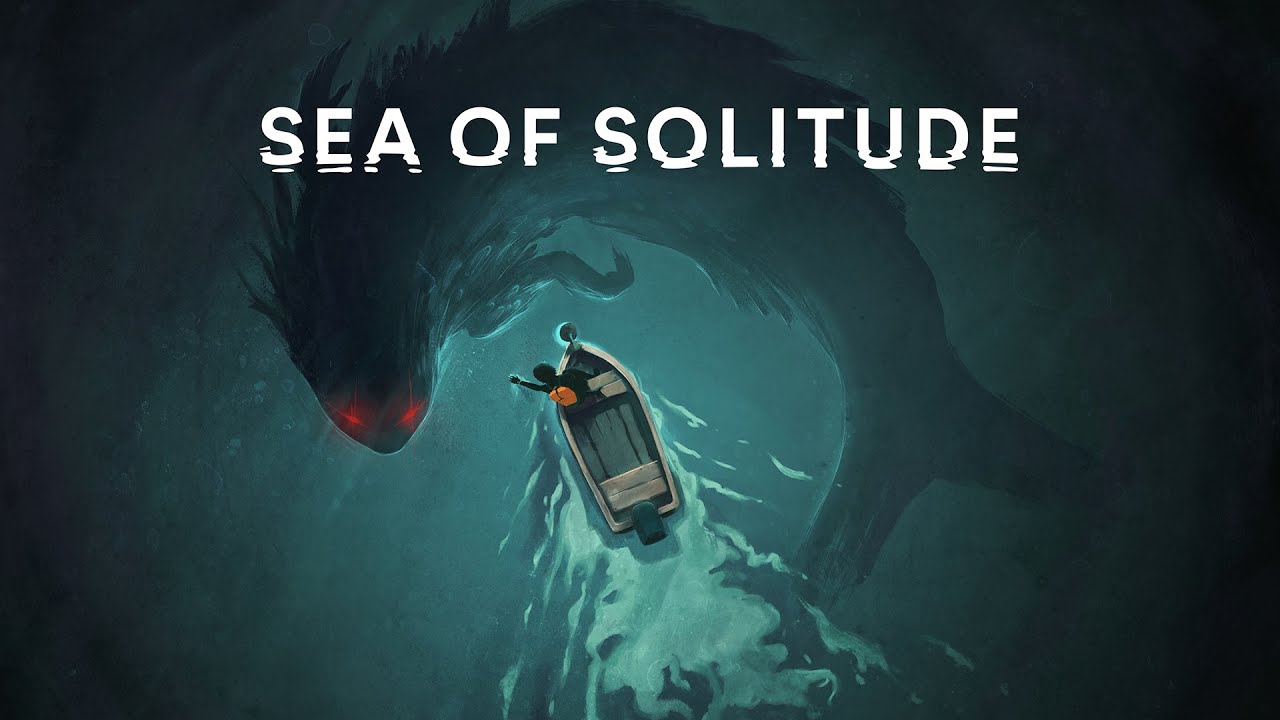
A second EA Originals title, Sea of Solitude from independent developer Jo-Mei Studios, was announced next. A touching journey about the nature of depression, it stars a lonely girl whose inner fears and emotions transform her into a monster. It’s your task to help her find solace in a beautiful, waterlogged world.
Trailers for NBA Live 19 and Madden 19 offered a glimpse into the next entries in the EA Sports vaunted franchises, but the biggest reveal was for the game everyone came to see: Anthem.
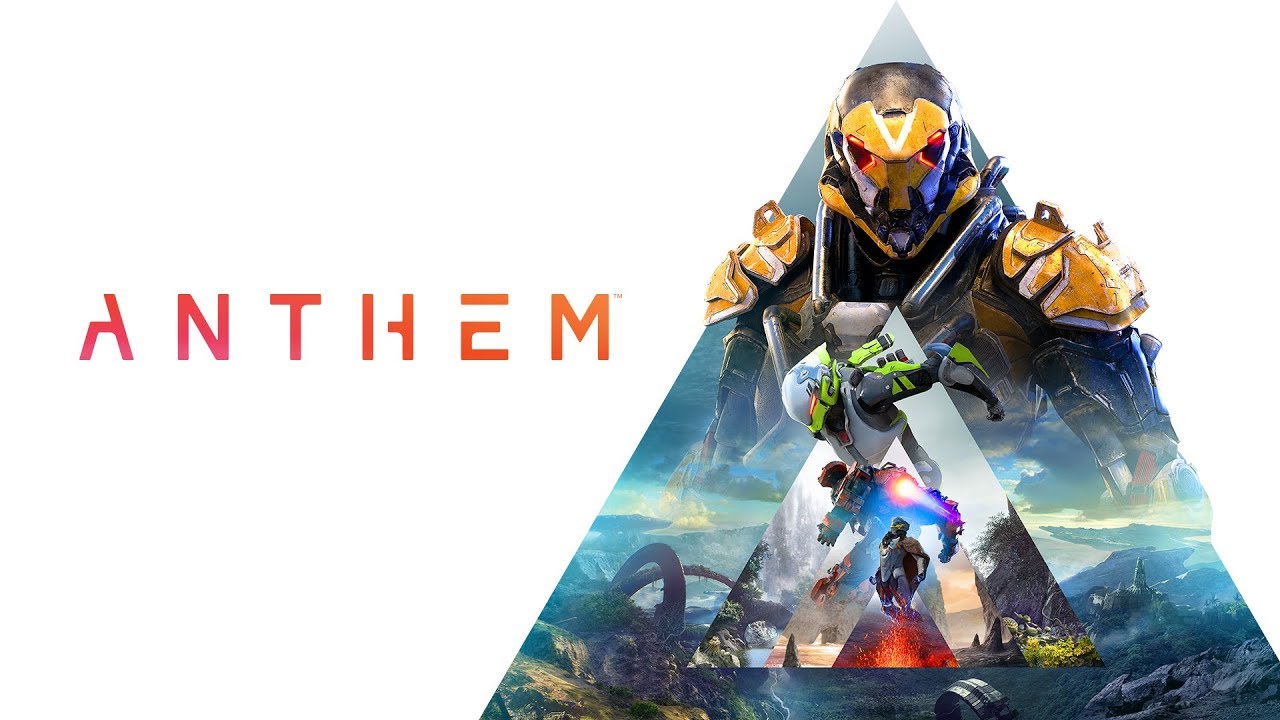
Developers from BioWare took viewers on a deep dive through their anticipated, action-packed shooter. Players will take on the role of a freelancer, tasked to explore a dangerous, storm-ravaged environment using a powerful, rocket-powered exosuit called a Javelin. Four types of Javelins will give players different ways to play – the Colossus is a big, heavy suit suitable for tanking, while the Ranger is a more nimble, generalized suit built for longer-range battles, for example.
A dynamic, shared world can be enjoyed with multiple players, but when returning to home base, the game shifts into a single-player experience, letting players chat with other characters, develop relationships, and gear up for their next mission. BioWare also confirmed while cosmetic items will be available for purchase, Anthem will not feature loot boxes. A gameplay trailer brought it all together, highlighting Anthem’s high-flying action, Javelin abilities, enormous enemies, and expansive, colorful world. We also got a release date: February 22, 2019.
We’ll have much more to share on Anthem and several other games throughout the week as Xbox Wire is on-site here at E3 2018. For all the latest news on these and other upcoming games, keep it dialed to Xbox Wire and don’t forget to tune in Sunday, June 10 at 1:00 p.m. PDT for the annual Xbox E3 2018 Briefing.
|
|
|
|
| News - Runbow Sprints Towards A New Release Date On Switch, Now Available 3rd July |
|
Posted by: xSicKxBot - 06-18-2018, 07:39 PM - Forum: Nintendo Discussion
- No Replies
|
|
Runbow Sprints Towards A New Release Date On Switch, Now Available 3rd July
Headup Games has announced that Runbow’s delay woes are now over, with a 3rd July release date finally secured for the title on Switch.
If you missed the game when it first arrived on Wii U, Runbow is all about multiplayer madness, with changes in the background resulting in more chaos than you’ll ever be ready to deal with. Players race and fight their way through courses and arenas, keeping an eye on the platforms and obstacles as they unforgivingly disappear. It’s fast, it’s frantic, and we loved it in our review of the Wii U version.
Here’s a handy list of features should you want to know a little more:
Features:
– Go head to head with your friends, locally or online, in Run, Arena, or King of the Hill, for a colourful, crazy competition. Host a Private Game for you or your friends, or hop into an Open Party and take on the world!
– Tons of costumes and indie guest characters are waiting for you to unlock, including Shovel Knight, CommanderVideo, Shantae, Lilac, and many more.
– Save Poster District from the evil Satura in Adventure, and choose your own path through a massive map of over 140 single player levels.
– Take on The Bowhemoth, a single, ultra-difficult challenge in the belly of a colossal beast. On your own or with friends, it’s sure to test the skills of even the toughest platforming veterans.
– Hundreds of pieces of unlockable Gallery content await you, from concept art to characters, and even some hidden secrets…
A retail ‘Deluxe Version’ including all DLCs and some collectable stickers was also promised before the game’s delay, and this edition should now be arriving in “Q3 2018”.
Let us know if you’ve been waiting for this one on Switch in the comments below.
|
|
|
|
| Steam - Daily Deal – Little Nightmares, 60% Off |
|
Posted by: xSicKxBot - 06-18-2018, 07:39 PM - Forum: PC Discussion
- No Replies
|
|
Daily Deal – Little Nightmares, 60% Off
Underhollow changes;
* When defeated, heroes now drop the 3 highest net worth items they are carrying. The remaining items are converted and dropped as gold for their sale cost.
* Significantly increased the amount of experience awarded for player eliminations.
* Fixed invisible Roshan killing players.
* Adjusted difficulty of a few combat encounters.
* Added an initial stock time to dynamite of 60s.
* Fixed heart being purchasable via its recipe.
* Added localization.
|
|
|
|
| How SUSE Is Bringing Open Source Projects and Communities Together |
|
Posted by: xSicKxBot - 06-18-2018, 05:59 PM - Forum: Linux, FreeBSD, and Unix types
- No Replies
|
|
How SUSE Is Bringing Open Source Projects and Communities Together

The modern IT infrastructure is diverse by design. People are mixing different open source components that are coming from not only different vendors, but also from different ecosystems. In this article, we talk with Thomas Di Giacomo, CTO of SUSE, about the need for better collaboration between open source projects that are being used across industries as we are move toward a cloud native world.
Linux.com: Does the mix of different open source components create a challenge in terms of a seamless experience for customers? How can these projects work more closely with each other?
Thomas Di Giacomo: Totally, more and more, and it’s unlikely to slow down. It can be because of past investments and decisions, with existing pieces of IT and new ones needed to be added to the mix. Or, it might be because of different teams or different parts of an organization working on their own projects with different timelines etc. Or, again, because companies work with partners coming with their own stacks. But maybe even more importantly, it is also because no single one project can be the only answer on its own to what needs to be done.
An OS needs additional modules and applications on top of it to address use cases. To address use cases, IaaS needs to handle specific networking and storage components that are provided by relevant projects. Infrastructure on its own is pretty useless if it’s not paired with application delivery elements, not only to manage the compute part but to tie in software development and application lifecycle.
Linux.com: Can you point out some industry wide efforts in that direction?
Thomas Di Giacomo: There’s a lot of more or less structured initiatives and approaches to that. On one hand, open source is de facto facilitating cross-project work, not only because the code is visible but with a focus on (open) APIs for instance, but it is also indirectly making it sometimes challenging as more and more open source projects are being started. That’s definitely a great thing for innovation, for people to contribute their ideas, for new ideas to grow, etc., but it requires specific attention and focus on helping users with putting together cross-project solutions they need for achieving their plans. Making sure cross-project solutions are easy to install and maintain, for example, and can co-exist with what’s already there.
What starts to happen is cross-project development, integration, and testing with, for instance, shared CI/CD flows and tools between different project. A good example is what OPNFV has initiated a while ago now, with cross CI/CD between OPNFV, OpenStack, OpenDaylight, and others.
Linux.com: At the same time, certain technologies like Kubernetes cut through many different landscapes — whether it be cloud, IoT, Paas, IaaS, containers, etc. That also means the expectations from traditional OS change. Can you talk about how SUSE Linux Enterprise (SLE) is evolving to handle containerized workloads and transactions/atomic updates?
Thomas Di Giacomo: Yes, indeed. Cutting through many different landscapes is also something Linux did (and still does) — from different CPU architectures, form factors, physical and virtualized, on-prem and public clouds, embedded to mainframes, etc.
But you’re right, although the abstractions are improving — getting to higher levels and better at making the underlying layers become less visible (that’s the whole point of abstracting) — the infrastructure components and even the OS, are still there and foundational for the abstracted layers to work. Hence, they have to evolve to meet today’s needs for portability, agility, stability.
We’ve constantly worked on evolving Linux in the past 26 years now, including some specific directions and optimizations to make SUSE Linux both a great container host OS or container base OS, so that container based technologies and use cases would run as smoothly, securely and infrastructure agnostically as possible. Technically, the snapshotting and transactional upgrade/rollback capabilities coming from btrfs as a filesystem, as well as having different possible container engines, keeping the certification, stability and maintainability of an enterprise-grade OS really makes it uniquely appropriate for running container clusters.
Linux.com: While we are talking about OSes, SUSE has both platforms — traditional SLE and atomic/transactional Kubic/SUSE CaaSP. How do these two projects work together, while making life easier for customers?
Thomas Di Giacomo: There are two angles of “together” here. The first one is our usual community/upstream first philosophy, where Kubic/openSUSE Tumbleweed are the core upstream projects for SUSE CaaS Platform and SUSE Linux Enterprise.
The other “together” is about bringing traditional and container-optimized OS closer together. FIrst, the operating system is required to be super modular, where not just a particular functionality is a module but where everything is a module. Second, the OS needs to be multi-modal. By that we mean it should be designed to take care of requirements for both traditional infrastructure and software-defined/cloud-native container-based infrastructure. This is what the community is putting together with Leap15, and what we’re doing for SUSE Linux Enterprise 15 coming out very soon.
Linux.com: SUSE is known for working with partners, instead of building its own stack. How do you cross-pollinate ideas, talent, and technologies as you (SUSE) work across platforms and projects like SLE, Kubic, Cloud Foundry, and Kubernetes?
Thomas Di Giacomo: We work upstream in the respective open source projects as much as we can. Sometimes some open source components are in different projects or outside upstream, and here again we try to bring them back as much as possible. Let me give just a couple of examples to illustrate that.
We’ve been initiating and contributing to a project called openATTIC, aiming at providing a management tool for storage, software-defined storage solutions, and especially for Ceph. openATTIC is obviously open source like everything we do, but it was sitting outside of Ceph. Working with the Ceph community, we’ve started contributing openATTIC code and features to the upstream ceph dashboard/ceph manager, speeding it up with fueling more existing capabilities rather than re-developing the whole from scratch. And then together with the Ceph partners/community and with other Ceph components, we’re facilitating cross-projects by somehow merging them.
Another example is a SUSE project called Stratos. It is a UI for Cloud Foundry distributions (any one of them, upstream and vendors), which we contributed to Cloud Foundry upstream.
Linux.com: Thanks to Cloud Foundry Container Runtime (CFCR), Cloud Foundry and Kubernetes are working closely, can you tell us about the work SUSE is doing with these two communities?
Thomas Di Giacomo: There are lots of container-related initiatives within the Cloud Foundry Foundation, for instance. Some of them we’re leading, some of them we are involved with, and in any case working together with the community and partner companies on those topics. We, for instance, focus on the containerization of Cloud Foundry itself, so that it is lightweight, portable, easily deployable, upgradable on any type of Kubernetes infrastructure (via Helm), so that containers and services are available to both Kubernetes and Cloud Foundry applications on there, and that actually simply containerized applications and Cloud Foundry developed ones co-exist easily.
So today such a containerized Cloud Foundry is available on top of AKS or EKS, on top of SUSE CaaS Platform obviously as well, as possibly any Kubernetes. This was started a while ago and now part of Cloud Foundry upstream, used by our solutions obviously but also by others to provide the CF developer experience on Kubernetes in the most straightforward and native way as possible. There are other activities focused on providing a pluggable container scheduler for CFCR, as well as improving the cross-interoperable service capabilities.
Now this is currently mostly happening in the CF upstream and CF community, and we’re also working to start a workgroup within CNCF on the same topic (especially the containerization of Cloud Foundry), to bring the projects and their communities closer together.
This article was sponsored by SUSE and written by The Linux Foundation.
Sign up to receive updates:
|
|
|
|
| PS4 - Jurassic World Evolution |
|
Posted by: xSicKxBot - 06-18-2018, 05:25 PM - Forum: New Game Releases
- No Replies
|
|
Jurassic World Evolution
Place yourself at the heart of the Jurassic franchise and build your own Jurassic World.
Take charge of operations on the legendary islands of the Muertes archipelago and bring the wonder, majesty and danger of dinosaurs to life. Build for Science, Entertainment or Security interests in an uncertain world where life always finds a way.
Bioengineer dinosaurs that think, feel and react intelligently to the world around them. Play with life itself to give your dinosaurs unique behaviours, traits and appearances, then contain and profit from them to fund your global search for lost dinosaur DNA.
Control the big picture with deep management tools or go hands-on to confront challenges on the ground or in the air. Expand your islands and choose your own journey in an all-new narrative featuring iconic characters from across the franchise and decades of Jurassic lore at your fingertips. Publisher: Frontier Developments Release Date: Jun 12, 2018
|
|
|
|
| Fedora - Anaconda improvements in Fedora 28 |
|
Posted by: xSicKxBot - 06-18-2018, 05:25 PM - Forum: Linux, FreeBSD, and Unix types
- No Replies
|
|
Anaconda improvements in Fedora 28
 Fedora 28 was released last month, and the major update brought with it a raft of new features for the Fedora Installer (Anaconda). Like Fedora, Anaconda is a dynamic software project with new features and updates every release. Some changes are user visible, while others happen under the hood — making Anaconda more robust and prepared for future improvements.
User & Root configuration on Fedora Workstation
When installing Fedora Workstation from the Live media, the user and root configuration screens are no longer in the installer. Setting up users is now only done in the Initial Setup screens after installation.
The progress hub on a Fedora 28 Workstation live installation.
The back story is that the Fedora Workstation working group aimed to reduce the number of screens users see during installation. Primarily, this included screens that let a user set option twice: both Anaconda and the Gnome Initial Setup tool upon first boot. The working group considered various options, such as Anaconda reporting which screens have been visited by the user and then hiding them in Gnome Initial Setup. In the end they opted for just always skipping the user and root configuration screens in Anaconda and just configuring a user with sudo rights in Gnome Initial Setup.
Because of this the respective screen (user creation) shows up just once (in Gnome Initial Setup), making the installation experience more consistent.
It’s also worth noting that this change only affects the Fedora Workstation live image. All other images, including the Fedora Workstation netinst image and other live images, are unaffected.
Anaconda on DBus
Last year we announced the commencement of our next major initiative — modularizing Anaconda. The main idea is to split the code into several modules that will communicate over DBus. This will provide better stability, extensibility and testability of Anaconda.
Fedora 28 is the first release where Anaconda operates via DBus. At startup, Anaconda starts its private message bus and ten simple modules. For now, the modules just hold data that are provided by a kickstart file and modified by the UI. The UI uses the data to drive installation. This means that you can use DBus to monitor current settings, but you should use the UI to change them.
You can easily explore the current Anaconda DBus API with the live version of Fedora Workstation 28. Just keep in mind that the API is still unstable, so it might change in the future.
To do so, boot the live image and install the D-Feet application:
sudo dnf install d-feet
Start the installer and get an address of the Anaconda message bus:
cat /var/run/anaconda/bus.address
Start D-Feet, choose the option ‘Connect to other Bus’ and copy the first part of the Anaconda bus address to the text field (see the picture below). Click on the ‘Connect’ button. The application will open a new tab and show you a list of available DBus services. Now you can view the interfaces, methods, signals and properties of Anaconda DBus modules and interact with them.

Connecting to the Anaconda DBUS session.

The Anaconda DBUS API as visible in D-Feet.
Blivet 3.0 and Pykickstart 3.0
Fedora 28 provides version 3 of blivet and Pykickstart, and Anaconda uses the updated versions too. While this is not really visible from end user perspective, changes like this are important to assure a robust and maintainable future for the Anaconda installer.
The main change in Pykickstart 3 is the switch from the deprecated optparse module to argparse for kickstart parsing. This not only brings all the features argparse has, it was also one of the prerequisites for having automatically generated kickstart documentation on Read the Docs.
Blivet 3 is less radical update, but includes significant API improvements and cleanups. Some installer-related code still sitting in Blivet was finally moved to Anaconda.
Migrating from authconfig to authselect
The authconfig tool is deprecated and replaced with authselect in Fedora 28, so Anaconda deprecated the kickstart command authconfig and introduced a new command: authselect. You can still use the authconfig command, but Anaconda will install and run the authselect-compat tool instead.
Enabled hibernation
Previously, Hibernation didn’t work after installation because of a missing kernel option, so it had to be set up manually. Starting with Fedora 28, Anaconda adds the kernel option ‘resume’ with a path to the largest available swap device by default on x86 architectures.
Reducing Initial Setup dependencies
The Initial Setup tool is basically a lightweight launcher for arbitrary configuration screens from Anaconda. And while Anaconda often runs from a dedicated installation image, Initial Setup always runs directly on the installed system. This also means all the dependencies of Initial Setup will end up on users system, and unless they are uninstalled, they will take up space more or less forever.
The situation is even more dire on ARM, where users generally just dd a Fedora image to memory card or internal storage on the ARM board and Initial Setup basically acts as the installer, customizing the otherwise identical image for the given user. In this case Initial Setup dependencies directly dictate how small the Fedora image can be.
In Fedora 28, the new anaconda-install-env-deps metapackage depends on all installation-time-only dependencies. The anaconda-install-env-deps package is always installed on installation images (netinst, live), but is not an Initial Setup dependency and should thus prevent all the unnecessary packages from being pulled in to the installed system. There is also a nice side effect of finally consolidating all the install-time-only dependencies in the Anaconda spec file.
|
|
|
|
| Microsoft - E3 2018: Gaming for everyone, a conversation with Phil Spencer |
|
Posted by: xSicKxBot - 06-18-2018, 05:25 PM - Forum: Windows
- No Replies
|
|
E3 2018: Gaming for everyone, a conversation with Phil Spencer

E3 is always an incredible time to come together to appreciate the breadth of creative energy that abounds in our industry and to celebrate what’s ahead for gamers. At this year’s E3 Coliseum series, Phil Spencer, Head of Xbox sat down with Tina Summerford, Head of Programming at Xbox, to discuss Microsoft’s approach to gaming, his perspective on E3 and to hear why the industry has a responsibility to make gaming for everyone.
Other topics discussed during the panel were the unique games Xbox is looking to bring to the ID@Xbox program, insight into the creation of the Xbox E3 2018 Briefing, from matching thematic elements to creating an engaging experience, and the creation of the Xbox Adaptive Controller. The discussion also included insights from Phil on his conversations about gaming with CEO of Microsoft, Satya Nadella, his appreciation of and participation in the gaming community. Spencer also took a variety of questions from the audience, ranging on bringing more games to Xbox created by Japanese developers and growing the Women and Gaming initiative.
You can watch the full interview with Phil Spencer above from the E3 Coliseum.
|
|
|
|
|