Tips and Tricks for Breaking into the Challenging World of 20XX
Hi there! 20XX, out today, is an action-platformer roguelite that plays like the 2D sidescrolling platformers of yesteryear, but with random level generation so it’s always fresh, and co-op so you can play it with a friend! If you’re reading this, you’ve either jumped into 20XX and gotten whomped a few times, or you’re really excited to. 20XX is a very knowledge-based game; the more you know about the game’s ecosystem, the better prepared you’ll be for every Job you undertake. While 20XX is a challenging game, its wide range of difficulty options make it accessible to any gamer looking for an action platforming challenge. Here are a few nuggets to help you get going.
Use Boss Powers
When you defeat a boss, you’ll have the option to take his power, some nuts (currency), or a stat-boosting Augs. It’s tempting to take the known quantity – money’s always good, and a damage or health boost can be really handy – but until you know enough about each power to know which ones you don’t want, try them out! Powers make every contractor’s life easier – each either deals excellent damage, helps keep you safe, or both. In addition, powers each have two special properties.
1) Each boss has one power they’re weak to (learning this cycle will make your life a lot easier) 2) Each power has a bonus utility effect. For example: the Boomerang Blade (from the Rollster boss) can pick up items for you, and the Force Nova (from Vile Visage) can destroy Skytemple’s laser pairs! Learning to effectively use 20XX‘s powers is a big piece of getting good at the game
Manage your Nuts
As you find nuts from slain enemies and destroyed crates, it can be tempting to spend them at every opportunity. The allure of spending three nuts per health to top off at a Green Machine is strong, but sometimes it’s better to resist unless you really need it. Spent wisely, your nuts can buy you powerful Augs to complement the way your character develops over the course of a run; spent poorly, your nuts can buy you items you don’t need and make you very sad. Knowing what Augs could be coming in a nearby shop — and knowing when to save for them — will dramatically improve your play.
Beware of Prototypes
Every so often, the game will offer you the chance to enter a Very Safe Lab. These labs are not very safe, or even a little bit safe, as their spooky music might indicate. The prototype Augs offered in these areas offer great power at a great cost; each has specific situations where it’s very useful, but careless acquisition of prototypes is sure to doom your run. Nothing’s worse than picking up Focusing Sagelens (massive boost to power damage, but basic attacks are almost useless) when you either have no boss power or no energy to use them with, but with the right setup, the Sagelens is a potent damage boost. Think before you pick them up!
Pay Attention to Stage Order
20XX‘s levels are randomly generated, but in most cases, you’ll still have some control over which stage and theme comes next. Each stage theme evolves over the course of a playthrough, and it’s important to make sure you have the tools you need to tackle the later stages of the game. If Skytemple gives you trouble, taking Force Nova (to disable its laser pairs) or picking Skytemple early will make your runs much easier.
Good luck learning the intricacies of 20XX. We hope these tips help ease you in.
Sonic Mania Lead Talks About The Fan Service Magic That Makes The Game Tick
With Sonic Mania Plus‘ recent release on Switch, it feels fitting to allow ourselves another chance to bask in the nostalgia-filled glory the original game presented. Sonic games can be a touchy subject to talk about, with fans of the series liking and disliking different elements of each – and a general sense of disappointment emanating from some recent Sega-developed releases – but Sonic Mania seemed to change all of this. Suddenly, Sonic fans were happy again.
But how did this happen? Why were Sonic fans pretty much universally enamoured with Mania? To try and answer this, Eurogamer recently sat down with the game’s project lead Christian Whitehead – a man responsible for a number of fan-made Sonic remakes before getting the official call-up from Sega itself.
“The first game I ever really played was Sonic 2 – and that really set off my interest in video games,” he says. “There was this special cheat debug mode, and for me it was the first time you could see some of the tricks of how games work. That really sparked my curiosity in how games are developed.”
This curiosity and fan-level understanding of what makes a Sonic game truly feel like a Sonic game helped Whitehead to produce Sonic Mania. In a period of time when fans of the series were left consistently underwhelmed with the latest games, Whitehead managed to stand up and give them a game worth celebrating. The full interview is very much worth a read if you’re interested, but this snippet below talks about Whitehead’s own ideas on what makes Sonic tick – and ultimately, what makes Sonic Mania so great, too.
“It’s interesting with Sonic. There’s a lot of different fans, and they all have different feelings on what Sonic is to them. So I can only use what my own personal feelings are for Sonic, and for me it’s always been… Obviously the character itself has a very appealing design, it’s very iconic. For gameplay there are a lot of inspirations from pinball – all these outside elements – almost skateboarding, really, the idea of picking up speed as you roll down slopes. It’s all these physics interactions.
“The core premise of the game is really simple – it’s just get to the end of the level and win – but there are so many different ways you can interact with the stages, picking up speed at certain angles, jumping off at certain angles. It’s got a very playground feel. Going fast feels good – and at the time on the Mega Drive that was a very impressive technical feat – but also the freedom of gameplay, it’s what appeals to me as a Sonic fan.
What are your thoughts on Sonic Mania and its relationship to other games in the franchise? Was it a welcome return to the gameplay you’ve always loved, or were you happy with Sega’s recent efforts anyway? Share your thoughts with us below.
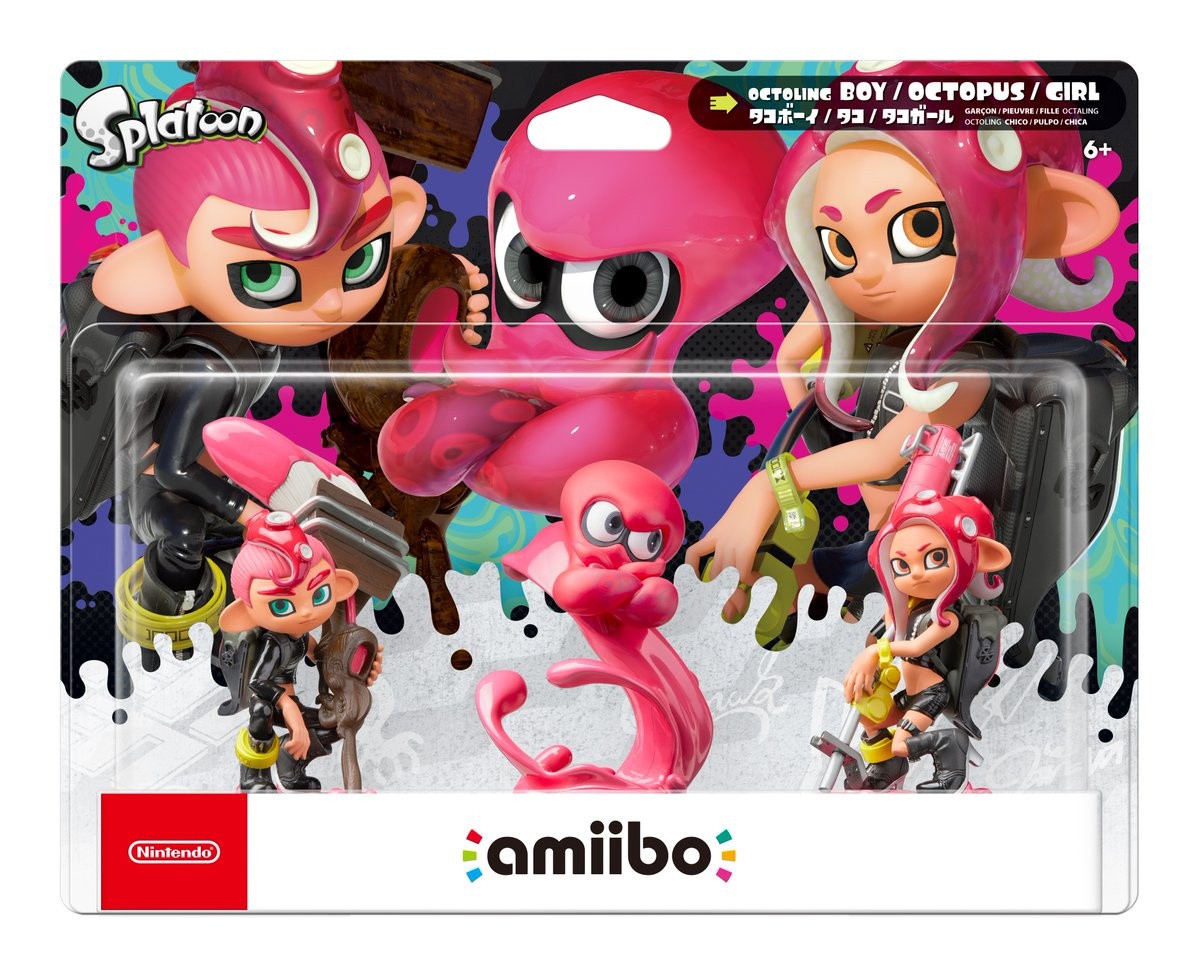
Splatoon 2’s Octoling amiibo Hit Japanese Stores On 9th November
Update: As if to lovingly prove us right, Nintendo France has shared this tweet to confirm a European release on the same day. North America is very much expected to follow suit.
Original Article: Nintendo has revealed that the lovely Octoling set of amiibo for Splatoon 2 will land in Japan this November.
To celebrate the release of Splatoon 2’s Octo Expansion, Nintendo had previously announced a three-in-one pack for Octoling amiibo, with Boy, Girl, and Octopus figures all available. This new tweet below reveals that the figures will become available in Japan on 9th November, either as that triple set or individually if you prefer.
No western release date has been confirmed just yet, but amiibo figures often release on the same day worldwide so we’d expect to see them in other regions on the same day (or at the very least in a similar time frame).
Live Spectating: * You will no longer be removed from the matchmaking queue while live spectating. * Fixed a bug where you could get stuck in a Battle Cup match lobby. * Alt-Clicking on the death screen damage numbers no longer incorrectly broadcasts the message. * Fixed various bugs that would occur after changing the camera to Player Perspective and back to Free Camera (for example having to drag to select units, and still seeing that player’s mouse cursor). * Chat can be now opened like normal by hitting Enter (live spectators still cannot send messages, but this allows them to bring up the chat history). * Enemies can no longer be selected by clicking their portrait on the top bar. * Fixed a bug where you’d see an error message if you tried to live spectate a game you were already live spectating.
Posted by: xSicKxBot - 07-21-2018, 10:58 AM - Forum: Lounge
- No Replies
This Week At Bungie – 7/19/2018
This week at Bungie, we released a prestigious update to Destiny 2.
It’s been another busy week. We deployed Update 1.2.3, kicked off a World First raid race, and started up the last Faction Rallies of Season 3. All on the same day!
You can read the full patch notes to get all of the details on what has changed. We also whipped up another Dev Insight video that dives into what’s new and what else is coming with the Solstice of Heroes event this summer.
Along with the news and commentary about the update, we also showed off what you’ll earn in the Solstice of Heroes. The event starts on July 31 and is available to all players of Destiny 2.
World First
We had a double serving of World First runs this week. Tuesday featured Prestige Eater of Worlds, and Wednesday followed up with Prestige Spire of Stars. Players already knew the mechanics and were at max Power, so it was just a matter of who could execute the quickest with the loadouts and modifier we threw at you. Here are the results…
Prestige Eater of Worlds
Eon
Tehkidmarc
GooeyGravy
Phammy
Chevy
Gigz
Prestige Spire of Stars
Incerae
Sotosolice
Noviq
EtherPanda
Balla
Alex
Congratulations to these elite fireteams who rose above the rest. These races were close—Spire of Stars saw the top two teams finish within a minute of each other. The next World First race is coming in September. Maybe your team will be the next to be honored here.
A Final Rally
Future War Cult is still riding high from the last Faction Rallies, where they claimed their first victory ever. Dead Orbit won the first event of this season, so New Monarchy should be eager to reclaim the crown they wore many times last season. Who do you think is going to win? Go to the Tower to cast your vote.
This is the final Faction Rallies event of Season 3. Grab up any gear you haven’t collected yet. Here is a look at what you can expect through the month of July:
Hotness
We returned from Tampa earlier this week with full hearts and sweaty clothes. Our away team went down to GuardianCon to show off Gambit to a sea of players, many of whom were excited to try out the new mode. It was great to meet everyone who attended and to hear stories of clans meeting in person for the first time and the impact Destiny has had on some players. All together, the event raised $2.7 million for St. Jude’s Children’s Research Hospital. It was an astonishing outpouring of generosity. Thank you to everyone who donated.
While we were there, we put Gambit on the mainstage in a friendly competition to see who could take home the really tall trophy we made. Everyone played well, but team Gambiteers won in an exciting final match, in which one of the rounds left True Vanguard shocked and speechless. You can watch a replay of the event on the GuardianCon channel.
Here are a few moments from the event.
Player Support Report
You may have noticed we have a fancy new GIF. We are rebranding this section. Player Support Specialist Chris Alejo has the details.
Chris: Some of you may remember, in a bygone era, Bungie’s weekly blog was titled the “Bungie Weekly What’s Update.” In the age of Destiny, in partnership with our Destiny Operations Center, we took this name and began publishing a segment called “What’s Up, DOC?” The purpose of this segment was to inform Destiny players of known and emerging issues, as well as make official statements on the state of the Destiny service.
This segment has long since been authored by the Destiny Player Support team, but now we’re officially making it our own. Players can expect the same content and coverage that they’ve come to know in “What’s Up, DOC?”, but with a fresh coat of paint and a new identity. Our prime directive continues to be serving Destiny players.
Today, I’m proud to announce that this segment is donning a new name: the Player Support Report.
Destiny 2 Update 1.2.3
This week, we deployed Destiny 2 Update 1.2.3 to players. This update brought changes to the game experience, including Prestige raid lairs, new Exotic Masterworks, and Crucible playlist updates.
Since this update has gone live, two important issues have emerged that we’d like to bring to the attention of players:
Armor earned from the “Leviathan, Eater of Worlds” raid lair is not displaying its Prestige raid lair ornament or ornament requirements. These ornaments may still be unlocked by completing the actions listed below. This information is also available in this help article.
Head Armor Ornament: Complete Prestige “Leviathan, Eater of Worlds” and the Throne Challenge
Arms Armor Ornament: Complete Prestige “Leviathan, Eater of Worlds” and the Gardens Challenge
Chest Armor Ornament: Complete Prestige “Leviathan, Eater of Worlds” and the Pools Challenge
Leg Armor Ornament: Complete Prestige “Leviathan, Eater of Worlds” and the Gauntlet Challenge
Class Item Ornament: Complete Prestige “Leviathan, Eater of Worlds”
Weapons earned in Prestige raid lairs cannot be infused directly into other Legendary weapons. They may be infused into Exotic weapons, and those Exotic weapons may then be infused into non-raid Legendary weapons, but players should exercise caution when doing so because non-Prestige raid lair Legendary weapons will be capped at 385 Power when infused. This information is also available in this help article.
[Editor’s Note: Weapons from Prestige raid lairs and armor from Solstice of Heroes were not intended to be infusion fodder for two reasons:
These items are intended to be trophies, for players to show their accomplishments leading up to Forsaken.
If players who own Curse of Osiris but do not own Warmind use these items for infusion, any gear infused above 335 Power will no longer be available for use.
Players who have already done this can claim a duplicate of their weapon from their Weapon Collections, which will become available to all players when Forsaken launches on September 4, 2018.]
Faction Rallies
Right now, Destiny 2 players are invited to participate in the final Faction Rallies event of Season 3. Players can pledge to Dead Orbit, Future War Cult, or New Monarchy for glory and rewards, but they should be reminded that all pledges are account-wide.
Players in search of more information on Faction Rallies should see our Faction Rallies Guide. Players who encounter game issues should report them to the #Help forum.
Bungie.net Emblem Codes
Over the past months, players have had the opportunity to earn exclusive Destiny 2 emblem codes by participating in special offers in the Bungie Store, as well as by playing Gambit at E3 and GuardianCon.
Players who have received these codes should visit our Code Redemption Guide for information on how they can redeem the codes. When redeeming Bungie.net codes, players should pay close attention to which account they are logged in with. Codes redeemed on unintended Bungie.net accounts will not be restored or returned.
Green Screen
Welcome to another edition of Movie of the Week. This is our chance to pick a few community-created videos and share them with a wider audience. The creators also get a special emblem for their excellence. If you want your shot, submit your video to the Creations page. Just make sure you tag the player names for all who contributed to the video in the description.
Before we go, here are last week’s top scores for the Nightfall. We seem to have some familiar faces in the top three each week.
I’ve been out for a bit lately—went to visit the fam, then GuardianCon. It’s good to be back. This update is lighter than some, but we have a lot more we’ll want to talk about before the launch of Forsaken. We know you have burning questions about how exactly we’ll keep some of our promises regarding the new state of combat, and we’re working out details for how we’ll serve up those answers. Some of them will happen in real time on stream. Others will land right here, on a Thursday yet to come.
Keep your eyes on this space, and you’ll learn everything you need to know to take your first steps in avenging Cayde!
If you’re a developer, then you know your way around development tools. You’ve spent years studying one or more programming languages and have perfected your skills. You can develop with GUI tools or from the command line. On your own, nothing can stop you. You code as if your mind and your fingers are one to create elegant, perfectly commented, source for an app you know will take the world by storm.
But what happens when you’re tasked with collaborating on a project? Or what about when that app you’ve developed becomes bigger than just you? What’s the next step? If you want to successfully collaborate with other developers, you’ll want to make use of a distributed version control system. With such a system, collaborating on a project becomes incredibly efficient and reliable. One such system is Git. Along with Git comes a handy repository called GitHub, where you can house your projects, such that a team can check out and check in code.
I will walk you through the very basics of getting Git up and running and using it with GitHub, so the development on your game-changing app can be taken to the next level. I’ll be demonstrating on Ubuntu 18.04, so if your distribution of choice is different, you’ll only need to modify the Git install commands to suit your distribution’s package manager.
Git and GitHub
The first thing to do is create a free GitHub account. Head over to the GitHub signup page and fill out the necessary information. Once you’ve done that, you’re ready to move on to installing Git (you can actually do these two steps in any order).
Installing Git is simple. Open up a terminal window and issue the command:
sudo apt install git-all
This will include a rather large number of dependencies, but you’ll wind up with everything you need to work with Git and GitHub.
On a side note: I use Git quite a bit to download source for application installation. There are times when a piece of software isn’t available via the built-in package manager. Instead of downloading the source files from a third-party location, I’ll often go the project’s Git page and clone the package like so:
git clone ADDRESS
Where ADDRESS is the URL given on the software’s Git page. Doing this most always ensures I am installing the latest release of a package.
Create a local repository and add a file
The next step is to create a local repository on your system (we’ll call it newprojectand house it in ~/). Open up a terminal window and issue the commands:
cd ~/ mkdir newproject cd newproject
Now we must initialize the repository. In the~/newproject folder, issue the command git init. When the command completes, you should see that the empty Git repository has been created (Figure 1).
Next we need to add a file to the project. From within the root folder (~/newproject) issue the command:
touch readme.txt
You will now have an empty file in your repository. Issue the command git status to verify that Git is aware of the new file (Figure 2).
Even though Git is aware of the file, it hasn’t actually been added to the project. To do that, issue the command:
git add readme.txt
Once you’ve done that, issue thegit status command again to see that readme.txt is now considered a new file in the project (Figure 3).
Your first commit
With the new file in the staging environment, you are now ready to create your first commit. What is a commit? Easy: A commit is a record of the files you’ve changed within the project. Creating the commit is actually quite simple. It is important, however, that you include a descriptive message for the commit. By doing this, you are adding notes about what the commit contains (such as what changes you’ve made to the file). Before we do this, however, we have to inform Git who we are. To do this, issue the command:
Where EMAIL is your email address and FULL NAME is your name.
Now we can create the commit by issuing the command:
git commit -m “Descriptive Message”
Where Descriptive Message is your message about the changes within the commit. For example, since this is the first commit for the readme.txt file, the commit could be:
git commit -m “First draft of readme.txt file”
You should see output indicating that 1 file has changed and a new mode was created for readme.txt (Figure 4).
Create a branch and push it to GitHub
Branches are important, as they allow you to move between project states. Let’s say you want to create a new feature for your game-changing app. To do that, create a new branch. Once you’ve completed work on the feature you can merge this feature from the branch to the master branch. To create the new branch, issue the command:
git checkout -b BRANCH
where BRANCH is the name of the new branch. Once the command completes, issue the command git branch to see that it has been created (Figure 5).
Next we need to create a repository on GitHub. If you log into your GitHub account, click the New Repository button from your account main page. Fill out the necessary information and click Create repository (Figure 6).
After creating the repository, you will be presented with a URL to use for pushing our local repository. To do this, go back to the terminal window (still within ~/newproject) and issue the commands:
Where URL is the url for our new GitHub repository.
You will be prompted for your GitHub username and password. Once you successfully authenticate, the project will be pushed to your GitHub repository and you’re ready to go.
Pulling the project
Say your collaborators make changes to the code on the GitHub project and have merged those changes. You will then need to pull the project files to your local machine, so the files you have on your system match those on the remote account. To do this, issue the command (from within ~/newproject):
git pull origin master
The above command will pull down any new or changed files to your local repository.
The very basics
And that is the very basics of using Git from the command line to work with a project stored on GitHub. There is quite a bit more to learn, so I highly recommend you issue the commandsman git, man git-push, and man git-pull to get a more in-depth understanding of what the git command can do.
Happy developing!
Learn more about Linux through the free “Introduction to Linux” course from The Linux Foundation and edX.
Posted by: xSicKxBot - 07-21-2018, 08:40 AM - Forum: Windows
- No Replies
6 great ways to score big during Ultimate Game Sale
Ultimate Game Sale* is back! Now is the perfect time to save big and upgrade your slowing gaming PC, stock up top-rated PC games, or pick up that new gaming keyboard and mouse at Microsoft Store. While Ultimate Game Sale is our biggest ever, you need to jump all over these deals now because the sale ends July 30.
1. Save up to 50 percent on more than 100 top-rated games for Windows
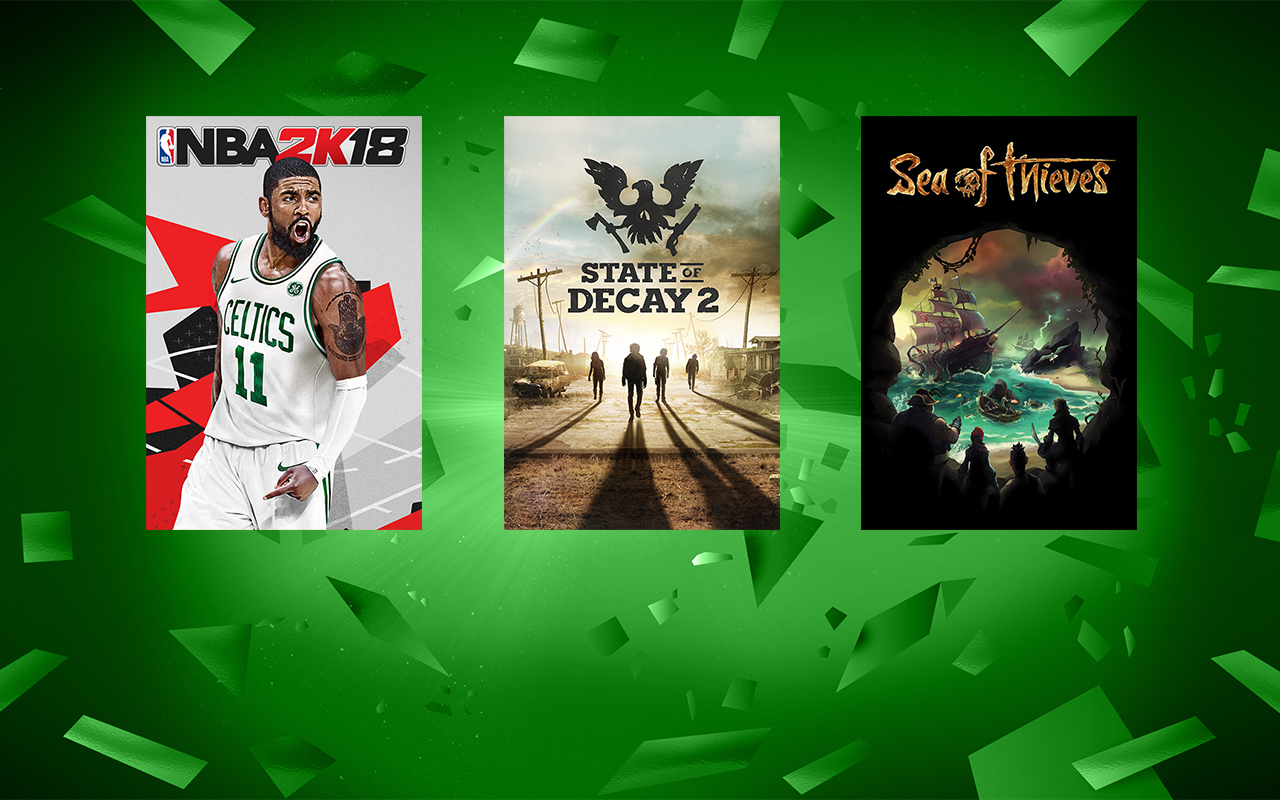
Save big on select Windows 10 games such as “State of Decay 2,” “Sea of Thieves,” “Middle Earth: Shadow of War,” “Forza Motorsport 7,” “Zoo Tycoon: Ultimate Animal Collection” and more. There’s more than 100 popular PC games on sale during Ultimate Game Sale and many support Xbox Play Anywhere, meaning one purchase gets you the game on Xbox One and Windows 10 with cross save capability (PC hardware requirements may vary for games on Windows 10).
2. Save up to 60 percent on select gaming PCs and accessories
Dell G3 15” Gaming PC
Discover great deals on more than 20 gaming PCs, keyboards, mice, headsets, and more including the following:
3. Save with great in-game deals on your favorite free-to-play games
Click on the image to see a video preview of these games
Looking to give your favorite game a boost or in need of a new game to keep you entertained this summer? With the return of the Ultimate Game Sale, you’ll find deals on select in-game content for your favorite free-to-play titles including “Cooking Fever,” “Nonstop Knight,” “Hill Climb Racing 2,” “Minecraft for Windows 10,” “Seekers Notes: Hidden Mysteries” and more.
4. Save up to $250 and take a giant leap into new worlds with select Windows Mixed Reality Headsets
Acer Windows Mixed Reality Headset with Motion Controllers
Ultimate Game Sale is a great time to save on select Windows Mixed Reality headsets with motion controllers from Acer and HP. Immerse yourself in a new reality that features a wide range of epic experiences. Select headsets with motion controllers start at $199 during the sale.
5. Save big on select Xbox games, consoles, accessories, and more
If console gaming is more your speed, then Ultimate Game Sale is the perfect time to save up to 65 percent on more than 700 Xbox games including “Far Cry 5,” “PLAYERUNKNOWN’S BATTLEGROUNDS,” “Fortnite: Save the World Founders Pack” and more.
Not yet an Xbox Live Gold or Xbox Game Pass member? There’s also huge savings on Xbox Live Gold and Xbox Game Pass memberships during Ultimate Game Sale. Get 3 months of Xbox Live Gold for $10** or 3 months of Xbox Game Pass for $10**. Exclusions apply and promotional offers not valid for existing members.
6. Enter to win the Ultimate Doppelgamer Sweepstakes
Help us celebrate the return of Ultimate Game Sale with the Ultimate Doppelgamer Sweepstakes! Whether it’s an accidental resemblance or the result of hours of cosplay, we know there’s a game character you look like — your doppelgamer. Share that resemblance by uploading your pic on Instagram or Twitter (or both) with the tags #UltimateDoppelgamer and #Sweepstakes, between July 17-30 to be entered for a chance to win a trip to PAX West in Seattle****. Learn more and check out the full rules.
Ultimate Game Sale already is in full swing, so visit your local Microsoft Store or shop online to take advantage of these deals before the sale ends July 30.
*Offers shown are available 7/19/2018 to 7/30/2018 on select items in Microsoft Store while supplies last. Offers and content varies by market and may change at any time. Not valid on prior orders or purchases. May not be combinable with other offers. Other exclusions and limits may apply. Offers on gaming devices, accessories, and Windows Mixed Reality headsets are limited to the US, Puerto Rico, and Canada.
**After promotional period, Xbox Live Gold subscription continues to be charged at the then-current regular monthly price (subject to change) plus applicable taxes, unless cancelled. Credit card required. Promotional offer not valid for existing subscribers.
***After promotional period, Xbox Game Pass subscription continues to be charged at the then-current regular monthly price (subject to change) plus applicable taxes, unless cancelled. Credit card required. Promotional offer not valid for existing subscribers. Subscription required to play games; catalog varies over time.
****No Purchase Necessary. Open only to legal residents of the 50 U.S. + DC 18+. Game ends 7/30/18. For details, see Official Rules.
Posted by: xSicKxBot - 07-21-2018, 12:10 AM - Forum: Lounge
- No Replies
Comic-Con 2018: Star Trek Discovery Season 2 Trailer Sets Up New Adventure
At San-Diego Comic Con the first trailer for Star Trek: Discovery Season 2 made its debut. At a panel moderated by Tig Notaro--who also plays new character Reno in Season 2--and attended by executive producers Alex Kurtzman and Heather Kadin, the crew of the USS Discovery were shown beginning a brand new voyage.
Anson Mount joins the show as Captain Christopher Pike and has taken command of the ship under orders from Starfleet. During the panel it was also confirmed that beloved Star Trek character Spock will be seen in the season, and he is even a focal point in the narrative.
Wilson Cruz, who played Dr. Culber, was also at the panel and confirmed he will return for the second season, but didn't explain exactly how the good doctor will make his return. Mount added that we will meet the original Number One, who will be played by Rebecca Romijn (X-Men). Kurtzman emphasized that family is going to be a big theme of the season, and the events that transpire will put the crew's bonds to the test.
Season 2 is set to begin airing in January 2019, but there will be four short films called "Short Treks" that will begin releasing from September. Each of these films will be 10-15 minutes in length, and focus on specific characters. Characters such as Sylvia Tilly, Harry Mudd, and Saru will be featured in them. The premiere episode of Star Trek: DiscoverySeason 2 is directed by Alex Kurtzman.
For Star Trek fans, there's plenty more to look forward to beyond Season 2 of Discovery. Kurtzman has signed a new five-year deal with CBS Television Studios to release several new Star Trek projects. "CBS has also allowed us the great pleasure of reintroducing the world of Star Trek audiences new and old," he said about the deal. "We are very excited to keep working alongside them to expand that world."
Although details on the new shows are scarce, there are rumors that Patrick Stewart will be reprising his role as Captain Picard in one of the shows. However, as of yet no deals have officially been put in place.