No one likes kicking the bucket in a game. Whether you’re licking your wounds in a beat-’em-up or lamenting a mistimed jump in a platformer, death is the constant that keeps us coming back for more with respawns, ‘Game Over’ screens and more. But what if popping your proverbial clogs could be used as a gaming mechanic that actually helps you? Not an ominous bloodstain on the floor or a warning-like corpse, but an army of ghosts ready to help fight the fight they couldn’t finish?
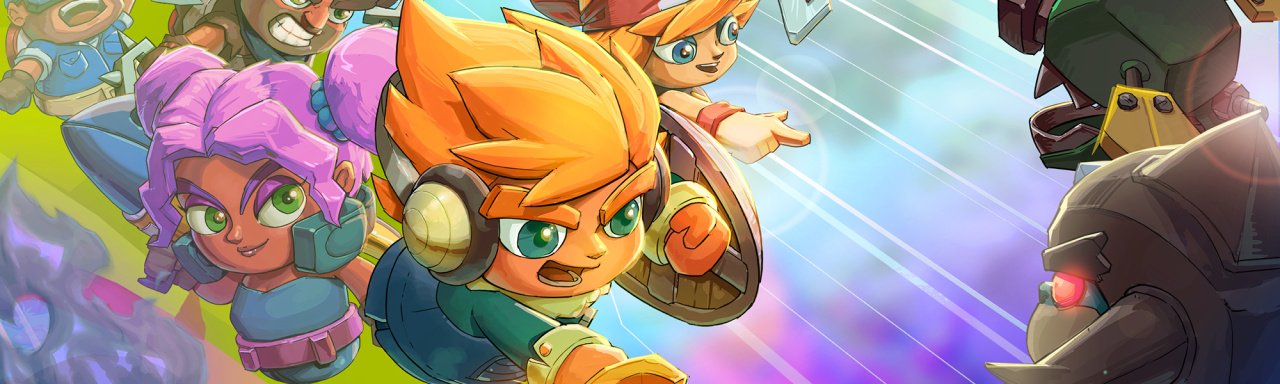
That’s the premise behind Next Up Hero, and it makes for a Diablo-lite dungeon crawler that’s both immensely fun and utterly frustrating in equal measure. With a bright, hand-drawn art style somewhere between a Pop Cap mobile game and Skylanders, Digital Continue’s latest project has bags of charm right from the off. Its procedurally generated levels come in all manner of sizes, offering a vast selection of randomised setups that refresh every few days. You can even create your own and share these monster-filled levels with others.
Known as the Ceaseless Dirge in the game’s story, these enemies aren’t just there to provide a challenge. They also happen to drop items that can help shape your loadout. Once you’ve picked your chosen Hero (including a dual-wielding DJ called Mixtape and a bongo drum-toting warrior by the name of Symposer), you can unlock new abilities and buffs by collecting enough enemy-specific tokens. There are also Prestige Tokens, which are used to unlock new Heroes, upgrade existing ones and – in a neat twist – increase the chances of encountering rare enemies (and, thus, rarer loot) in a level.
As a top-down dungeon crawler, you’ll likely know what to expect when it comes to the familiar grind of killing every enemy in the vicinity and collecting stuff to spend later. However, don’t be lulled into a false sense of sword-swinging superiority. Next Up Hero is mercilessly difficult, even on its easiest difficulty setting. Health can’t be restored once lost and it won’t be replenished after completing each level, so you’ll need to rely on the support of those ghost-like Echoes and the Ancients they unlock.
Ah yes, those ‘ghosts’ we were talking about. Everytime a player dies, they leave behind a spectral version of themselves. You’ll find a handful of these beings lying on the floor of each colourful dungeon, and you’ll need to hold ‘X’ to revive them. Once restored, you can recruit up to eight of them at once and they’ll automatically follow you and attack any nearby enemy without the need to command them. A couple of Echoes won’t make much difference to an enemy’s health pool, but get a horde of them going and they’re a welcome way to distract more powerful foes.
Echoes can also perish, and there’s only a pre-determined number on each level, so there’s a satisfying reward to using them sparingly, especially on the harder difficulties. Ancients use Echoes like a sacrificial currency, enabling you to unlock additional powers (such as Ely’s temporary health boost or Numbskull’s melee assistance). You can customise which Ancients you want to use in the pre-game loadout, and you’ll need to decide whether sacrificing your Echoes to unlock a certain power is worth the risk of going it alone.
These are all really rewarding systems that show Digital Continue is a developer with real talent and vision, but there are real problems with the game that hold it back from gelling as a cohesive procedural whole. Enemy AI is far too aggressive, and their individual damage outlays are far too high. Add in the fact that the game’s dash mechanic is mapped to a press of the right analog stick (which never feels natural), and that it has a cooldown timer, and you realise the only viable option is to choose a ranged character and pepper every enemy from afar.
You can play the game in online co-op, which does alleviate some of the steep difficulty (you can drop into another player’s game mid-battle, or have another Hero join your quest while you’re doing the same), but it’s a balance issue that should have been addressed by now. It should be noted that this is an online-only experience as every level is stored and shared on a server. If you’re playing away from a Wi-Fi connection, or you have poor connection issues, you simply won’t be able to enjoy it.
There’s also the many serious technical issues Next Up Hero brings with it to Switch. Slowdown is a real problem for this game, especially when there are lots of characters on screen at once. Considering the game is all about having lots of Echoes fighting in your corner, and a wave of enemy types trying to rush you, you’ll start encountering serious drops in frames a handful of times per level.
Then there’s the fact that it continually crashes, freezing the game and locking the HD Rumble into a perpetual state of angry vibration. There’s no way to save the game in this state, so a hard reset of the software is the only way to solve it; all those foes you just ground through, all those Prestige Tokens you collected and all that time you spent carefully finding Echoes is gone. Our review copy froze in this way three times in our first couple of hours alone and the problem persisted throughout our playthrough.
Conclusion
There’s plenty to like about Next Up Hero. Turning death into an applicable AI co-op mechanic is a neat spin on a game with a high death turnover, and its cartoon art style complements an impressively large menagerie of monsters to kill. Unfortunately, there are inherent problems with balancing and some disastrous technical problems. Its grinding takes too long, melee characters are all but pointless due to the high damage output of enemies, and those technical issues make committing time and effort a constant risk.
Take on the role of a modern farmer in Farming Simulator 17! Explore farming possibilities in a new North American environment. Drive over 250 farming vehicles and equipment from over 75 manufacturers, including new brands such as Challenger, Fendt, Valtra or Massey Ferguson.
Posted by: xSicKxBot - 08-18-2018, 02:30 AM - Forum: Lounge
- No Replies
This Week at Bungie – 8/16/18
This week at Bungie, we’re heading to gamescom.
The away team is all packed up and ready to ship out to Köln, Germany, for a week of community love and Gambit trials. Our booth will be home to some friendly skirmishes. We’ll host as many Guardians as we can. We’ll find some moments to show you some things you have yet to see and tell you some things you have yet to hear. Keep your eyes on our social channels next week!
Not all of us will be battling jetlag and minions of Darkness. Here at home base, Forsaken is in the very final stages of development. We’re applying finishing touches, and we know there are still some questions you want answered before the Prison of Elders is breached.
Let’s introduce you to the devs with the details for this week.
Known by All
Many of you have asked about how rewards will work in Gambit. We’ve seen questions as to whether it will feature a ranking system akin to Valor or Glory in the Crucible. Senior Designer Robbie Stevens and Test Lead Sam Dunn can answer these questions with an explanation of Infamy ranks.
Robbie: With Forsaken just around the corner, Gambit will soon be unleashed into the wild. I wanted to discuss our high-level goals for the mode:
Fuse the best aspects of PvE and PvP into a brand-new activity that you can experience only in Destiny 2
Make the mode accessible to players of all skill levels, but give it depth and variety that will keep even the most hardcore Guardians coming back for more
There’s always a role to play; whether it’s slaying enemies, scooping up Motes, or invading, there’s always a way to contribute to your team’s success
Communication isn’t required, but strategy and quick thinking are just as important as thumb-skill
Always make it possible for teams that fall behind to come back, so they don’t become discouraged
Gambit was designed with replayability and variety as a core part of the experience, but we knew that wasn’t enough. Players need desirable loot to chase and a way to show their dedication. So, with that in mind, we created our very own ranking system: Infamy.
At a high level, Infamy is:
A progression-based ranking system where completing matches earns you points
Winning matches will greatly accelerate your climb, while losing matches still earns you points, just fewer than if you win
An experience that rewards players with unique Gambit weapons and armor
We’ve been watching the response to the Valor ranking system in the Crucible. A lot of this new work takes that community feedback into account. At this point, I’m going to pass it to Sam, who pulled double duty to design and test the Infamy ranking system.
Sam: To start, we’ve designed Infamy ranks to be more granular by splitting most of the familiar ranks into three tiers. This will allow players to work toward shorter-term goals that are achievable in a few play sessions, rather than over many weeks. It also gives us more opportunities to grant rewards. The Guardian, Brave, Heroic, Fabled, and Mythic ranks will all have three tiers. The Legend rank will remain as one solid chunk.
Apart from this major change, Infamy ranks will function very much like Valor ranks:
Each rank will require more Infamy points to complete than the last
Win streaks award bonus points
Your win streak caps at 5 and doesn’t get reset until you lose a match
Your win streak won’t be reset if you join a match in progress
In addition to completing matches, you can also earn Infamy by completing Gambit bounties. Each day, the Drifter will have a selection of daily bounties available for sale that will award Infamy points, as well as other rewards. He’ll also sell a special weekly bounty once you reach Level 50. The weekly bounty will award a large number of Infamy points and a piece of powerful gear. This allows you to always be making progress toward Legend, no matter what your short-term goals are.
Guardians notorious enough to catch the Drifter’s eye by climbing the Infamy ranks will be able to earn some pretty sweet gear.
Guardians who have tried Gambit in the wild have given it high marks for fun. At the same time, we know you well enough to know that a worthwhile reward is another crucial ingredient in a recipe that brings you back to the fight again and again. We hope to see you in Gambit when it launches with Forsaken!
“Magnificent!”
During our combat reveal stream, we used the Crucible as a proving ground to show off how new weapon systems and tuning will affect the way we fight in all activities as Guardians in Year 2 of Destiny 2. The updates to the tools of the trade are not the only changes you can expect in the arenas that pit players against players. Senior Crucible Designer Kevin Yanes is here to be accountable for how you’ll distinguish yourselves and earn awesome rewards in glorious combat.
Kevin: I’m glad to have the chance to talk to you all about Crucible ranks going forward. This past season of gameplay has taught us a lot about what has worked well and where we can do better. As we kick off the next season, we’re excited to give players new ranks to earn! Let’s dive right into the goals we had for designing the Crucible rank system in Season 4 and the changes that they generated:
Goal: Make earning a high rank in Glory NOT feel like your second job
Changes:
Glory rank points gained and lost have been re-tuned to reduce the overall climb to higher ranks
The weekly award has been fixed and its gains have been doubled
Goal: Recognize the achievements of players who did not receive their weekly awards in Season 3
Changes:
Players who competed in Season 3 will earn bonus rank points for completing their first match in Season 4
Does not require completion of any previous weekly milestones
Goal: Encourage more players to strive for higher Glory ranks
Changes:
Losses in the Competitive playlist no longer reset your Valor win streak
Radar has been reenabled during Competitive gameplay
Control and Clash modes have been added to the Competitive playlist
Loss streaks have been removed
We are currently investigating activity reconnections to Competitive Crucible for players who encounter an error midgame; this will not be available at the launch of Forsaken, but we are looking to add this feature postlaunch
Goal: Remove the time pressures associated with Glory ranks
Changes:
Pinnacle Crucible rewards are now awarded via quests
Some of these quests will ask you to engage with Valor or Glory ranks
These quests will NOT go away at the end of the season
Redrix’s Claymore is being retired in Season 4
Players who already earned the weapon will still be able to equip and use it
Players will be unable to earn Redrix’s Claymore beyond Season 3
Shaxx will offer a new quest that players can complete to earn Redrix’s Broadsword, a companion weapon to Redrix’s Claymore
Redrix’s Broadsword features a similar talent arrangement, but it does not share the lore and Triumphs associated with Redrix’s Claymore
Once you’ve earned the weapon, random roll versions of Redrix’s Broadsword will start dropping from Crucible engrams
Each drop will have the fixed Outlaw + Desperado combination
Each drop will also have randomized barrels, magazines, and Masterwork perks
Players who earned Redrix’s Claymore in Season 3 will receive additional bonuses
Owners of Redrix’s Claymore will be granted an exclusive emblem when redeeming the corresponding Triumph
Claymore owners will be eligible for drops of Redrix’s Broadsword from Crucible engrams even without completing the corresponding quest
A new Crucible reward will be added via a quest in Season 4
Goal: Continue to promote Rumble as a third mode
Changes:
Earning a place in the Top 3 in Rumble will now count as a win
The correct number of Valor rank points will be granted
If you committed to any of the rank ladders we established in Season 3, thanks for making the fight lively. We love supporting the competitive community, no matter your skill or mood. Keep your feedback coming, and we’ll keep making the Crucible a place where you submit to some of the finest tests of skill that Destiny has to offer players.
—Kevin
You heard him.
Getting Social
Since the original launch of Destiny 2, we’ve been reporting your feedback on Guided Games and matchmaking systems to our Social team. Today, Design Lead Steve Dolan will be detailing changes that will make it easier to keep your Fireteam together. He also has news for how Clan features will be updated in Forsaken.
Steve: I want to fill you in on changes coming to social systems before we start our Forsaken adventure together.
We’re bringing back a feature that many have asked for on many occasions. Fireteams that are formed in some activities will stay together once the activity is complete. This applies to the following:
Strikes
Gambit
Crucible
Note: This does not apply to Competitive Crucible. Additionally, if a Crucible match ends by a mercy ruling, or the scores are wildly disproportional, players will be put back into matchmaking to find a new team.
Activity Reconnections
Starting with Forsaken, if you disconnect from a Guided Game, you’ll be offered the opportunity to reconnect to the activity if it is still active. We’ll reserve your slot for up to three minutes. After that, Guides will be able to backfill the Guided Game with Seekers that are currently in queue.
In Guided Raids, these reconnections will help with individual player disconnects. In the case that an entire Fireteam disconnects, we want to minimize the impact to raid teams. Going forward, players will be able to take their raid checkpoints out of Guided Games and use them in the normal version of the raid. If you all disconnect, form up your Fireteam again and head into the normal version to continue on your path of total raid destruction.
Clans Update
Since launch, 50% of you have hit max rank in your Clans each season. Going into Forsaken, there are two major things we wanted to improve with Clans:
Give you more reasons to play with your clanmates
Make clan perks more interesting
How you earn Clan XP is changing. When you start your journey in Forsaken, Hawthorne will have three daily bounties. They can be completed alone or with a Fireteam to grant a small amount of Clan XP. Once your character reaches level the new 50, Hawthorne will add three additional weekly bounties that grant larger amounts of Clan XP, but require you to fireteam up with your clanmates.
Here is a preview of the new clan perks for Season 4 that will be more impactful and worth the time it takes to achieve them.
Rank 3: Increased resilience when you’re in a fireteam with clanmates.
Rank 5: Grants a chance to receive additional Etheric and Baryon resources when collecting them in the Reef.
Rank 6: The weekly clan milestone also grants a Masterwork Core.
Express Yourself
And of course, we’ve been busy making sure you’ll be able to express yourself to other Guardians in the world come Forsaken. Here’s a sneak peek at what’s coming on September 4.
If you don’t have a Clan, someone is always recruiting. You’re missing out on another roster of willing teammates, a whole shared loot stream, as well as all these new features.
Going out with a Bang
Next week, a new mode will be featured in Crucible Labs, and we’re expecting explosive results. Senior Designer Andrew Weldon is here to set the stage for your final lab session of Season 3.
Andrew: This past weekend, you got a chance to play the updated version of Showdown. This iteration contained updates based on your feedback and our own observations. Like Lockdown, we’ll gather as much information as we can and start making decisions as to our next steps and will update you when we have more to share.
We’ve received feedback on both Lockdown and Showdown that both modes felt too tilted toward the Competitive playlist style of gameplay – 4v4, round-based, higher stakes, etc. And you’re right – that was the target experience for both modes. This next time around, however, we’re going to swing the pendulum the other way…
Our next Crucible Labs will be the mode Scorched. This mode has a very deep, complex, and serious rule set:
You spawn with a Scorch Cannon
Everyone else spawns with a Scorch Cannon
You shoot each other with said Scorch Cannons
Seriously, that’s it
Our designers were so pre-occupied with whether or not we could, we didn’t stop to think if we should.
Tuesday, 8/21 at 10 a.m. PT: Free-for-all
Friday, 8/24 at 10 a.m. PT: 6v6
This is a wild and zany mode, but one that we’ve had a ton of fun playing here at Bungie. We hope you’ll also have a blast with this mode as the final Labs offering before Year 2 begins.
Scanning…
Update 2.0 is just around the corner, followed by Forsaken a week later. Destiny Player Support has a forecast for what to expect on the week between, where you may notice a few hiccups in the experience.
This is their report.
Hotfix 1.2.3.2 Recap
This week, to address issues blocking some players from upgrading their Solstice Armor at the Statue of Heroes, we deployed Destiny 2Hotfix 1.2.3.2.
Upon installing this hotfix, some players on PC reported seeing odd behavior in the character screen. With the conclusion of the Hotfix 1.2.3.2 deployment we expect issues causing this behavior to be resolved, however, players who continue to be affected should try running Scan and Repair from the Blizzard launcher.
Players who encounter other issues following this hotfix should report them to the #Help forum.
Resplendent Masterworks
Last week, we confirmed that Solstice Armor can no longer be upgraded after the conclusion of Solstice of Heroes. This week, we can confirm that players will be able to complete objectives to masterwork their Legendary Solstice Armor (Resplendent) after Solstice of Heroes ends on August 28.
This will require players to have already upgraded to their Legendary Solstice Armor (Resplendent), since the Statue of Heroes will no longer be available to upgrade the Scorched and Rekindled sets. As a reminder, these armor sets only generate elemental orbs during Solstice of Heroes.
Lastly, players should be aware that Valor ranks reset at the conclusion of Season 3. If players do not unlock their masterwork for achieving Legend in their Valor ranking by the end of Season 3, their Valor rank will reset and they will have to begin anew in Season 4.
For more details on Solstice of Heroes, players should visit our Vital Information thread.
Forsaken Preparation
To set the table for the launch of Forsaken on September 4, all players will be prompted to accept Destiny 2 Update 2.0.0 on August 28.
As Destiny 2 crosses into its second year, players may observe a number of issues in the week between August 28 and September 4. While we are working to document known issues for this week-long transition, players should be prepared for some general turbulence.
To set expectations, here is a sampling of issues confirmed for the week leading up to Forsaken, starting on August 28:
Exotic weapons will lose their +5 Power mod in preparation for the Year 2 mod system, but Legendary weapons will not until September 4
Nightfall strikes will not have scoring until September 4
Some tooltips and item descriptions may reflect Year 2 item behavior, even if item functionality is not updated until September 4
Some tooltips and item descriptions may reflect Year 1 item behavior until September 4, even if item functionality has already been updated for Year 2
Year 2 weapon slots will be live for all players, which may cause some weapons in players’ inventories to go to their Postmaster
All players should ensure their Postmasters are clear by August 28 to prevent loss of items
Some Year 1 Power weapons which previously had an elemental attribute will become Kinetic for Year 2
The elemental attributes for a handful of targeted Year 1 weapons will be changed and locked to a specific attribute for Year 2
All other Year 1 Energy and Power weapons in players’ inventories will have their elemental attributes locked for Year 2
Players can expect more details about the week leading into Forsaken in next week’s Player Support Report.
Splice it together
With just a few short weeks until Forsaken releases, we’re seeing some great plays in the Crucible being shared amongst the Community. While weapons slots and sandbox changes are imminent, we still want to tip the hat to those who’ve been showcasing skill through the first year of Destiny 2. Not only skill with a controller, but also in for form of awesome artwork being posted to the Creations Page.
Movie of the Week: If Destiny 2 had an Anime Opening!
Honorable Mention: Rest well, Cayde.
Honorable Mention: Look at this Titan main.
If you’d like a chance to earn the Lens of Fate emblem, make sure to submit your video to the Creations page on bungie.net and include #MOTW in your title.
Here are last week’s top scores for the Nightfall
Tomorrow, 3x Valor kicks off at 10AM in the Crucible. 12 days left to complete your Moments of Triumph, and your Solstice of Heroes armor sets. Once August 28 rolls around, we’ll be in a new world with Sandbox and Weapon slot changes. Seven short days after that, Forsaken launches. Time flies when you’re having fun, and I have to say, it’s flying fast.
As a final note, I’d like to throw a shoutout to a collection of our community artists. Their work inspires so many of us here at Bungie, and we want to give them the proper spotlight that they deserve.
The Fedora Magazine recently interviewed Lennart Jern on how he uses Fedora. This is part of a series on the Fedora Magazine. This series profiles Fedora users and how they use Fedora to get things done. Contact us on the feedback form to express your interest in becoming a interviewee.
Who is Lennart Jern?
Lennart Jern is a Swedish-speaking Finn, who has been living in Umeå, Sweden, for about three years. He was born and raised in southern Finland where he obtained his master’s degree in applied mathematics. His time at university exposed Lennart’s true passion. “While at the university, I realized that computer science was really what I wanted to work with.” In order to follow his dream of working in computer science he moved to Sweden with his wife to pursue a master’s program in computer science. After a short while he had learned enough to land a job with a local startup. “I’m working with cloud/distributed systems, specifically with tools like kubernetes and OpenShift.”
Lennart’s first contact with Linux was in 2006. Some of the computers in his high school were running OpenSuse. He installed Ubuntu’s Hardy Heron in 2008 and has been using Linux ever since.
The Hobbit: An Unexpected Journey and Star Wars: The Force Awakens are his two favorite movies. Lennart likes simplicity. “I generally don’t like fancy food. Nothing beats a homemade pesto-mozzarella pizza.”
Self hosting is one of Jern’s hobbies. He hosts a private blog and a git service running on a cluster of Raspberry Pi computers. “For my blog I am using Jeckll and the git service is gogs.” The Raspberry PI cluster makes use of Kubernetes. Lennart uses several other open source tools to maintain the hosted environment. “I use for the self hosting environment are certbot for certificates, ansible for automation and parallelization of tasks.”
The Fedora Community
Lennart became active with the Fedora Community when his friend introduced him to Fedora. “A friend of mine, Ludvig, was running Fedora on his laptop and I got curious. I wanted to know more about the differences between Linux distros so I simply tried it out.” His friend, Ludvig, also convinced him to get involved with the open source world. “He was using Fedora when we were in high school, probably because it was what Linus Torvalds was using at the time.”
Lennart’s first interactions with the Fedora Community came when he was looking for solutions to issues with Pulse Audio. He found the community friendly and welcoming. “It is nothing to be afraid of, just try it! You don’t have to commit all your free time to it, nobody expects that. If you stumble across something that you can fix or report, do it! It will feel great!”
When asked what he would like people to know about Fedora Lennart was quick to mention stability. “I feel that many still have the impression of Fedora being a bleeding edge distro with problems and broken applications every new release. Bleeding edge might still be true, but I find Fedora very well polished and stable these days.” Lennart would also like to see Fedora more well know in Nordic countries.
What Hardware?
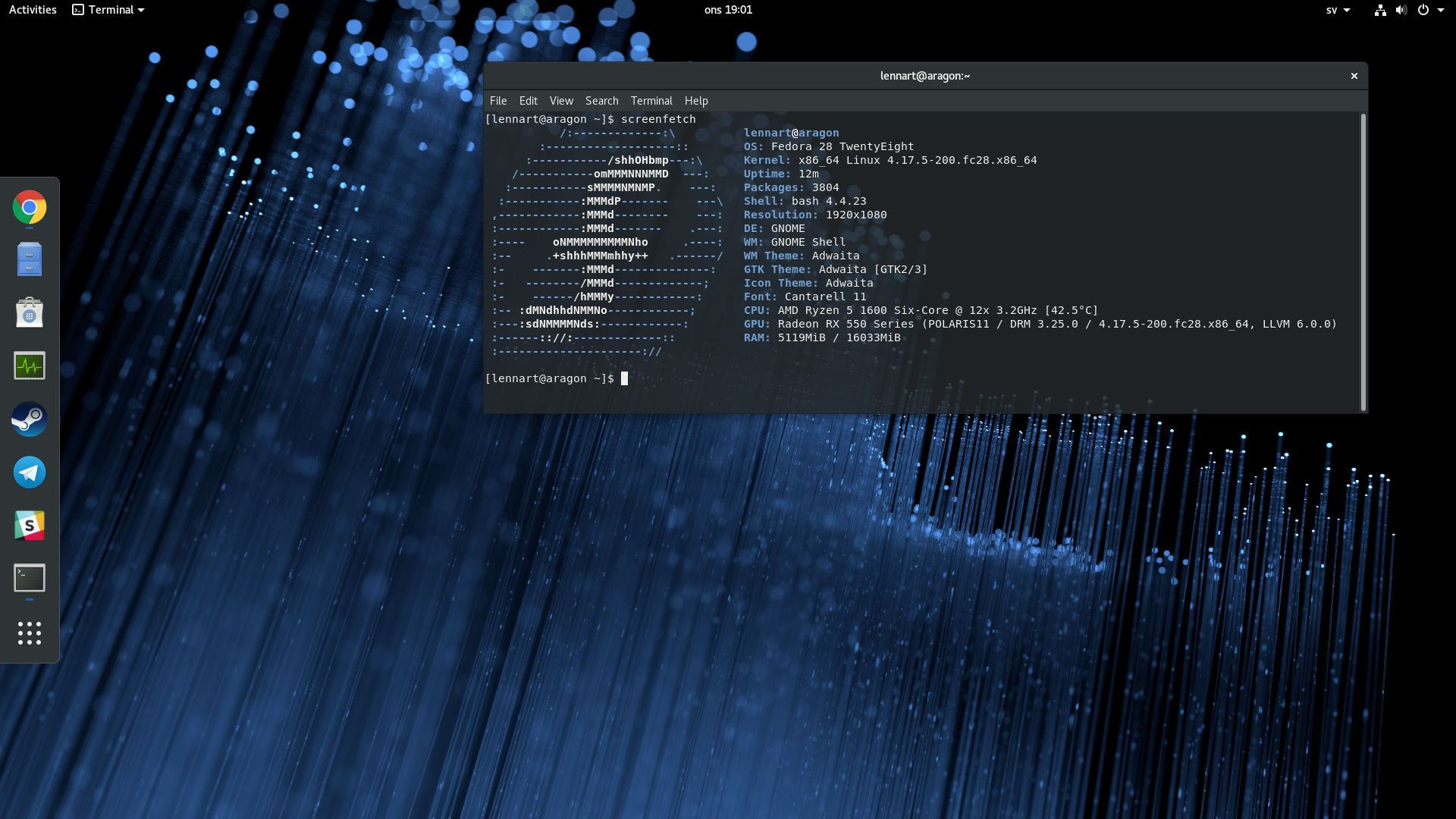
Jern has five machines running Fedora. One desktop, one laptop and three Raspberry Pi computers. The desktop is a custom computer with an AMD Ryzen 5 1600 CPU and 16 GB of ram. The desktop makes use of two graphics cards for multi seating. The video cards are both made by Asus. The first is a Radeon 6870 and the second is a Radeon RX 550. The laptop is a refurbished HP ProBook 430 G2. It is equipped with an Intel Core i5-4210U and 4 GB or ram. Two of the Rasberry Pi computers are model 3 B+ and the other is a model 3B.
What Software?
All of Lennart’s computers run Fedora 28. “The laptop and desktop are both on the Workstation edition while the raspberries have minimal installations.”
One of the raspberries (the model B) is still running ARMv7, while the other two are running the newer aarch64 images. Jern’s laptop and desktop are close to the base workstation edition. “I just add a couple of GNOME extensions specifically the Drop Down Terminal and the Dash to Dock extensions.” Notable applications that Lennart uses include:
Chrome as browser,
Atom as text editor/IDE,
Gedit or vim for ad hoc text editing,
Slack and Telegram for chatting.
Lennart also use git for version control, occasionally with gitg and meld as helping tools. He makes use of Gnome Boxes and vagrant for experimenting with things in virtual machines and docker for his container needs. “Finally, an important piece of software that I have come to rely on is pass and QtPass for password management.” Jern also uses syncthing for synchronizing files between my computers.
“When I’m done geeking around, I relax with some Steam games. And, when I do not need the full power of my desktop I let it contribute to the World Community Grid.“
Zephyr Project Embraces RISC-V with New Members and Expanded Board Support
The Linux Foundation’s Zephyr Project, which is developing the open source Zephyr real-time operating system (RTOS) for microcontrollers, announced six new members, including RISC-V members Antmicro and SiFive. The project also announced expanded support for developer boards. Zephyr is now certified to run 100 boards spanning ARM, x86, ARC, NIOS II, XTENSA, and RISCV32 architectures.
Antmicro, SiFive, and DeviceTone, which makes IoT-savvy smart clients, have signed up as Silver members, joining Oticon, runtime.io, Synopsys, and Texas Instruments. The other three new members — Beijing University of Posts and Telecommunications, The Institute of Communication and Computer Systems (ICCS), and Northeastern University – have joined the Vancouver Hack Space as Associate members.
The Platinum member leadership of Intel, Linaro, Nordic Semiconductor, and NXP remains the same. NXP, which has returned to an independent course after Qualcomm dropped its $44 billion bid, supplied one of the first Zephyr dev boards – its Kinetis-based FRDM-K64F (Freedom-K64F) – joining two Arduino boards and Intel’s Galileo Gen 2. Like Nordic, NXP is a leading microcontroller unit (MCU) chipmaker in addition to producing Linux-friendly Cortex-A SoCs like the i.MX8.
RTOSes go open source
Zephyr is still a toddler compared to more established open source RTOS projects like industry leader FreeRTOS, and the newer Arm Mbed, which has the advantage of being sponsored by the IP giant behind Cortex-M MCUs. Yet, the growing migration from proprietary to open source RTOSes signals good times for everyone.
“There is a major shift going on the RTOS space with so many things driving the increase in preference for open source choices,” said Thea Aldrich, the Zephyr Project’s new Evangelist and Developer Advocate, in an interview with Linux.com. “In a lot of ways, we’re seeing the same factors and motivations at play as happened with Linux many years ago. I am the most excited to see the movement on the low end.”
RISC-V alignment
The decision to align Zephyr with similarly future-looking open source projects like RISC-V appears to be a sound strategic move. “Antmicro and SiFive bring a lot of excitement and energy and great perspective to Zephyr,” said Aldrich.
With SiFive, the Zephyr Project now has the premiere RISC-V hardware player on board. SiFive created the first MCU-class RISC-V SoC with its open source Freedom E300, which powers its Arduino-compatible HiFive1 and Arduino Cinque boards. The company also produced the first Linux-friendly RISC-V SoC with its Freedom U540, the SoC that powers its HiFive Unleashed SBC. (SiFive will soon have RISC-V-on-Linux competition from an India-based project called Shakti.)
Antmicro is the official maintainer of RISC-V in the Zephyr Project and is active in the RISC-V community. Its open source Renode IoT development framework is integrated in the Mi-V platform of Microsemi, the leading RISC-V soft-core vendor. Antmicro has also developed a variety of custom software-based implementations of RISC-V for commercial customers.
Antmicro and SiFive announced a partnership in which SiFive will provide Renode to its customers as part of “a comprehensive solution covering build, debug and test in multi-node systems.” The announcement touts Renode’s ability to simulate an entire SoC for RISC-V developers, not just the CPU.
Zephyr now supports RISC-V on QEMU, as well as the SiFive HiFive1, Microsemi’s FPGA-based, soft-core M2GL025 Mi-V board, and the Zedboard Pulpino. The latter is an implementation of PULP’s open source PULPino RISC-V soft core that runs on the venerable Xilinx Zynq based ZedBoard.
Other development boards on the Zephyr dev board list include boards based on MCUs from Microchip, Nordic, NXP, ST, and others, as well as the BBC Microbit and 96Boards Carbon. Supported SBCs that primarily run Linux, but can also run Zephyr on their MCU companion chips, include the MinnowBoard Max, Udoo Neo, and UP Squared.
Zephyr 1.13 on track
The Zephyr Project is now prepping a 1.13 build due in September, following the usual three-month release cycle. The release adds support for Precision Time Protocol PTP and SPDX license tracking, among other features. Zephyr 1.13 continues to expand upon Zephyr’s “safety and security certifications and features,” says Aldrich, a former Eclipse Foundation Developer Advocate.
Aldrich first encountered Zephyr when she found it to be an ideal platform for tracking her cattle with sensors on a small ranch in Texas. “Zephyr fits in really nicely as the operating system for sensors and other devices way out on the edge,” she says.
Zephyr has other advantages such as its foundation on the latest open source components and its support for the latest wireless and sensor devices. Aldrich was particularly attracted to the Zephyr Project’s independence and transparent open source governance.
“There are a lot of choices for open source RTOSes and each has its own strengths and weaknesses,” continued Aldrich, “We have a lot of really strong aspects of our project but the community and how we operate is what comes to mind first. It’s a truly collaborative effort. For us, open source is more than a license. We’ve made it transparent how technical decisions are made and community input is incorporated.”
How to get more speed and features out of Safari on Mac and iOS
Maybe it’s just because it comes free on your Mac and iOS devices, but somehow it never seems fashionable to like Safari. Yet this is a remarkably capable app and it has hidden depths. AppleInsider delves into using Safari.
Safari doesn’t get enough credit as being a fast and capable browser, but that is partly it’s own fault. On iOS in particular, Safari gets out of your way so that you just see the website you want. You’re meant to forget that you’re using a browser at all and unfortunately that means you do tend to miss just how much Safari is doing for you —and what more it can do too.
Browsers are a matter of personal taste, so if you don’t like Safari, we’re not going to change your mind. Yet, we’re going to try and if you use any of them at all, these tips will show you just how much more power there is in this ubiquitous yet somehow also disregarded app.
Settings for this website (macOS)
Go to any website in Safari on the Mac and when it’s loaded, click on the Safari menu, then Settings for this website.
A drop-down dialog appears under the website’s address bar. It doesn’t have many options and they vary a little depending on the site but they are all handy to know.
There’s one marked Enable content blockers and this is one of macOS’s tools for battling the more intrusive of web ads. By default, it’s switched on and it’s hard to guess why you’d change that but you can.
You’re more likely to change a setting called Auto-Play. This is the tool that prevents a loud video playing when you first visit a site. By default, this is set to Stop Media with Sound which lets videos play but keeps them silent.
Instead, you can say you don’t even want the videos to play at all or you can go back to old days and have sound and video blasting out at you.
There are also options here for whether a site can use your location, your camera or your microphone. Each one is automatically set to require the site to ask you for permission but again you can apply a blanket allow or deny.
That’s a blanket permission for this site and this site alone. Similarly, on this same dialog you can choose Use Reader when available and that applies only to this website.
Use Reader view (macOS and iOS)
Reader or Reader View is when Safari attempts to strip away all of a website’s graphics and just display the text of the article you’re reading. It’s not always effective: you’ll find that sometimes text is missing from the article because of how the website has arranged its page.
Also, usually you want the graphics. Yet when a site is just so ferociously blinding with ads and popups and videos, being able to dismiss it all and get on with what you want to read is a boon.
On the Mac, you could use the same Settings for this website and Safari would remember to switch to Reader view every time you visited.
However, just click on the icon to the side of the website’s address —if there is one. The icon you need is a symbol showing four lines representing text but you won’t see it on the front or menu pages of a site. You have to go into an article first.
When you’re there, the icon appears and on the Mac you can click it to switch on Reader mode immediately. On iOS, you tap the same icon and get the same result.
What’s less commonly known is that this icon comes with more options. On the Mac, click and hold on it to get these extra settings and on iOS, press and hold for a moment.
On both platforms, the options you then get are to do with when Safari should automatically switch to Reader mode and when it shouldn’t. You can tell it that every single time you visit any page on the current site, Safari should switch on Reader. Or in the same place you can say that you want this to happen for every website ever.
Safari remembers this and if you change your mind, you click or tap and hold on that same Reader icon for a moment. Then the options are to automatically switch Reader off.
It’s not just about reading (macOS)
We may not like it when a video we weren’t expecting starts playing and we jump out of our seats. Yet the web is at least as much about video as it is text and Safari has ways to make watching better too.
As of macOS Sierra, you’ve been able to use Safari to watch Picture in Picture. It’s like being able to tear off a video from a site and drag it somewhere on your screen.
So you can keep a news channel running in one corner, for instance. Or if you’re watching a YouTube video about using some software, you can have that on screen next to the app.
For many websites including Vimeo, you find the video you want and start playing it. When it’s begun, there will typically be a Picture in Picture button on the bottom. Click that and your video pops out into this side panel: no website around it, no controls, just the video itself.
Unfortunately, not every site plays this nicely and that includes YouTube. For YouTube, you have to fiddle. Find a video, set it running and then right-click in the middle of the image. Ignore the menu that appears and instead right-click again.
Seriously. Right-click, then right-click again. The first time you do it you get a menu from YouTube but if you do it again immediately, you get a menu from Safari instead. Choose Enter Picture in Picture from that and you’re done.
Or nearly. Picture in Picture defaults to appearing in the top right of your display but you can move it —within limits. You can actually drag it anywhere and while you’re dragging, it will continue to play but then when you let go it will snap to the nearest corner.
You can resize it. Click on an edge and you can drag to increase the size to about a quarter of your screen or reduce it to a postage stamp. Unfortunately you can’t change the size and then restore it to the default unless you close the video and do it again.
To close it, move your cursor over the video image and you’ll get controls for pausing the video or popping it back into its website.
There’s no way to rewind or fast-forward and you can’t have more than one video playing Picture in Picture. That’s not even if you open a second tab or try to play videos from different sites.
Plus you do have to keep the original tab open. You can minimize it but the original tab or Safari window is also how you mute the sound of the video alone.
Extensions (macOS)
Arguably Google Chrome is famous for how you can download extensions that add various extra pieces of functionality for it but certainly Safari isn’t. Which is at least partly because there aren’t as many available —and possibly because there is an oddity in how Apple shows you them.
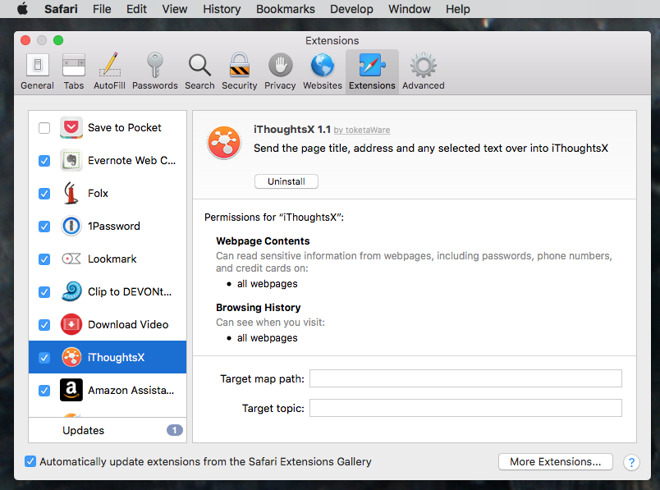
On the Mac, choose the Safari menu and then do not choose Safari Extensions. Instead, choose Preferences and click on the Extensions tab.
This is where you see what extensions you may already have and it’s where you uninstall or update them. There’s also a More Extensions button which takes you to Apple’s online store of these. That’s actually where the menu item Safari Extensions takes you so perhaps it’s useful the very first time you look at this.
It’s just that you don’t often go into your extensions so whenever you do, it is ridiculously easy to assume you want to choose the menu item with Extensions in its name.
These extensions really all make Safari automatically do something that you could already use it for in some automatic way. There’s an iThoughts extension that takes the current website’s address and adds it to a mind map in that application.
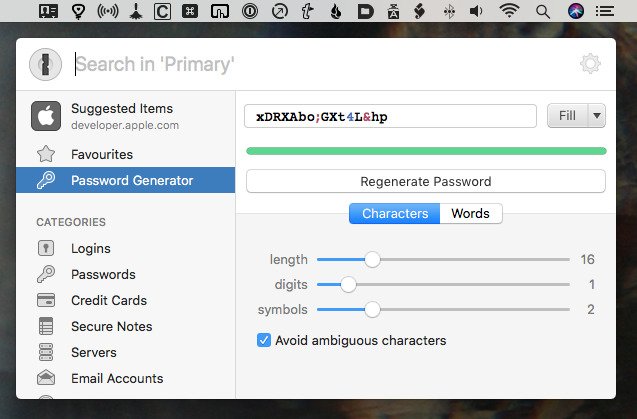
Or probably the most useful example of them all is the 1Password extension.
With this installed in Safari, you can tap a keystroke or click an icon and call up this password manager. It will pop passwords into place for you, it will quickly generate new ones, it will show you all your credit card details, or it will fill in forms.
The main 1Password app does all of this but the Safari Extension puts it all a keystroke away.
It’s all about speed
Safari is a fast browser. There, we’ve said it. Chrome and Firefox fans tend to say their browser is quicker and we daresay if we ever find an Internet Explorer user they might claim the same. This is because part of speed is how used you are to the slightly different ways browsers work.
Safari is very good at speeding up jobs for you. As well as the Safari Extensions which bring extra tools to your mouse click or keyboard tap, there are the Reader view settings that make reading quicker. Then, though, there are the now almost silly number of ways Safari can get you to the sites you want and remember them afterwards.
As with any browser, you can hold down the Command key and tap L to move the cursor up to the address bar. It moves the cursor and it also selects everything there so if you want to type a completely new address, you just start typing and the old one is immediately replaced.
If you want to change the existing address, just tap the right or left arrow keys and now the selection is gone and your cursor is at the start or end of the address.
Safari will auto-complete the names of sites you’ve been to before. Once you’re there, you can click on the Bookmarks menu and choose Add Bookmark.
If you’ve opened a lot of tabs then right next to that option there is a command to bookmark all of them. It applies only to the ones in the current window so if you also have multiple windows, you have to go to each one first.
Bookmarks are so 1990s, though. Click in the Safari address bar and delete the address there. Safari then shows you a Favorites screen which by default includes a section with sites you frequently visit.
Pinned tabs
If you really visit them frequently, though, you can pin them. This is the same as loading the page but instead of taking up a whole tab in the menubar, you’re using a favicon-sized one.
To add a site to this collection that’s always displayed at the side of every Safari window, start by going to a site you want. When it’s loaded, you can click on its favicon to the left of the site name in the address bar and drag it over to the other pinned tabs.
Sometimes clicking on that favicon is fiddly, though, so you can instead click and hold on the tab itself. Drag on that and you can slide it over into the pinned tabs and let go.
For sheer speed of access, pinned tabs are excellent. However, they have a problem.
Safari is now very good at preventing sites from blasting you with sound from auto-playing videos. Plus if you have two dozen tabs open and one of them is playing audio, you can now see which one because Safari puts an icon in that tab. It also gives you the option to right-click on that icon and mute the sound without ever going to that tab.
There’s no room for that icon in the pinned tabs. So you can still have sound playing and not know where it’s coming from.
Also, even though you make these pinned tabs by dragging a site’s little favicon, what you get in the tab bar is rarely that favicon. It’s more common to get just a single letter. If you pin AppleInsider then it will become a little button marked “A.” That’s fine until you pin Amazon and now you’ve got two pins with the same letter.
For that reason, it’s best to severely limit the number of tabs you pin because the time saved using them can be lost in hunting for the right one.
There’s another reason to limit them, though. Every tab in every browser takes up some resources from your Mac, even if Safari is good at limiting this. You can end up with a site in a pinned tab that is slowing your Mac down.
So don’t regard pinned tabs as a way of bookmarking, see them instead as where you keep your most urgently and often used sites.
Everything’s adjustable
You could rearrange your pinned tabs to spell out words. Or you could unpin one by right-clicking on choosing from the options that pop up.
That’s Safari at its very heart: you see only a simple interface but you get many more options by right-clicking or choosing Preferences.
The aim is to leave you thinking about the sites you’re visiting and that is laudable. It just also means that you often miss the features that make Safari genuinely superb.
Welcome to the Weekender, your weekly look at the best new games, sales, and updates. We’ve got a few new games and content updates, including a great action option. This week’s sales feature a host of RPG options as well as a Civ VI price drop.
We’ve had a bunch of great content pop up on the website this week; refreshes of a couple ofkey guides mark the start of a new season of updates. We‘ve got new ones in the pipelines, but we’re going to get more regular with updating older stuff as well. A good week for reviews too – from King and Assassins to Football Manager Touch 2018. We’ve also been trying to keep on top of important news, like Rome: Total War’s iPhone release date.
The highlight of the week is action-RPG Barbearian. Combat is frenetic and features huge hits against massive hordes of enemies, loads of fun and effective special weapons, and challenging tactical choices. Check out my five-star review for more info on the game.
[embedded content]
Mars Power Industries (iOS Universal) – Full Review Coming Soon!
Mars Power Industries is a minimalist puzzle game, which means there’s no high scores, no time limits, no stars…just you and the puzzle. You goal is to build powers stations in a Martian colony such that power is supplied to all buildings. As you play a mystery is revealed through the game’s imagery. It’s a very chill game and would work nicely for more laid-back gaming sessions.
[embedded content]
The Draugr (iOS Universal) – Full review coming soon!
The Draugr is a tabletop card game where reanimated dead with magical powers invade and seek to corrupt the town of Stjørdal with their foul influence. You play as a revenant hunter who has come to protect the town and slay the Draugr. To win you have to slay four of the six Draugr.
The game is played out over two phases. In the first phase the Draugr spread their corruption and in the second the hunter tracks and attempts to destroy them. The game plays pretty well and I like the simple yet attractive graphics. It does work much better if you understand the game going in. The rules are referenceable but there isn’t much of a tutorial.
Zach Gage’s take on pool games, Pocket Run Pool, just got a nice content update. Two new payout tables and five new betting conditions have been added, which increases the options nicely. Pocket Run Pool is free with in-app-purchases to unlock certain features. It’s well worth a look.
Mini Metro is a great simulation/puzzle game where you must build a train system for a well-known metropolitan area and handle increasingly savage congestion. Several new features have been added since launch and now a new one is available: Challenge Mode. In it you pick an achievement challenge and attempt to build your metro under some additional constraints.
Amirali Rajan’s minimalist RPG/adventure A Noble Circle is surprisingly deep for a two-dimensional game. It’s also full of surprises and thought-provoking story. Oh, and its free right now, so there’s zero reason not to grab it!
If you’re ready to make some tough choices in a grim, dystopian future now’s your chance. Beholder, a game where you run an apartment building and must spy on and rat out your unpatriotic neighbors, is on sale for $1.99 (normally $5).
Aspyr Media has a nice sale going with its mobile RPG catalog. We’ll kick it off with Jade Empire, currently half off. It’s inspired by the myths and legends of ancient China and full of places to explore and plots to uncover.
Star Wars: Knights of the Old Republic is a little dated at this point but has long been enshrined as one of the best RPGs of all time. It’s also half off and worthy of inclusion in your mobile-game collection if you’re into Star Wars, RPGs, or nostalgia.
The big-hitter of Aspyr’s lineup is also on sale. Normally $60, you can unlock the full Civ VI experience for your iPad for $24. The in-app content packs, normally $5 to $9, are also on sale for $2 to $3. If you enjoy Civilization and want it on your iPad, this is a great deal, as the mobile port is really quite good.
Seen anything else you like? Played any of the above? Let us know in the comments!
The 2018 season sees the return of the French Grand Prix for the first time since 2008, at the Circuit Paul Ricard, which last hosted the French Grand Prix in 1990. The German Grand Prix also returns to the Championship after not featuring last year, with the Hockenheimring hosting the race in July. F1 2018 features all of the official teams, the drivers and circuits of the 2018 season. [Codemasters]
Most Linux distributions are simply that: A distribution of Linux that offers a variation on an open source theme. You can download any of those distributions, install it, and use it. Simple. There’s very little mystery to using Linux these days, as the desktop is incredibly easy to use and server distributions are required in business.
But not every Linux distribution ends with that idea; some go one step further and create both a distribution and a platform. Such is the case with AryaLinux. What does that mean? Easy. AryaLinux doesn’t only offer an installable, open source operating system, they offer a platform with which users can build a complete GNU/Linux operating system. The provided scripts were created based on the instructions from Linux From Scratch and Beyond Linux From Scratch.
If you’ve ever attempted to build you own Linux distribution, you probably know how challenging it can be. AryaLinux has made that process quite a bit less stressful. In fact, although the build can take quite a lot of time (up to 48 hours), the process of building the AryaLinux platform is quite easy.
But don’t think that’s the only way you can have this distribution. You can download a live version of AryaLinux and install as easily as if you were working with Ubuntu, Linux Mint, or Elementary OS.
Let’s get AryaLinux up and running from the live distribution and then walk through the process of building the platform, using the special builder image.
The Live distribution
From the AryaLinux download page, you can get a version of the operating system that includes either GNOME or Xfce. I chose the GNOME route and found it to be configured to include Dash to dock and Applications menu extensions. Both of these will please most average GNOME users. Once you’ve downloaded the ISO image, burn it to either a DVD/CD or to a USB flash drive and boot up the live instance. Do note, you need to have at least 25GB of space on a drive to install AryaLinux. If you’re planning on testing this out as a virtual machine, create a 30-40 GB virtual drive, otherwise the installer will fail every time.
Once booted, you will be presented with a login screen, with the default user selected. Simply click the user and login (there is no password required).
To locate the installer, click the Applications menu, click Activities Overview, type “installer” and click on the resulting entry. This will launch the AryaLinux installer … one that looks very familiar to many Linux installers (Figure 1).
In the next window (Figure 2), you are required to define a root partition. To do this, type “/” (no quotes) in the Choose the root partition section.
If you don’t define a home partition, it will be created for you. If you don’t define a swap partition, none will be created. If you have a need to create a home partition outside of the standard/home, do it here. The next installation windows have you do the following:
That’s all there is to the installation. Once it completes, reboot, remove the media (or delete the .iso from your Virtual Machine storage listing), and boot into your newly-installed AryaLinux operating system.
What’s there?
Out of the box, you should find everything necessary to use AryaLinux as a full-functioning desktop distribution. Included is:
The caveats
It should be noted that this is the first official release of AryaLinux, so there will be issues. Right off the bat I realized that no matter what I tried, I could not get the terminal to open. Unfortunately, the terminal is a necessary tool for this distribution, as there is no GUI for updating or installing packages. In order to get to a bash prompt, I had to use a virtual screen. That’s when the next caveat came into play. The package manager for AryaLinux is alps, but its primary purpose is working in conjunction with the build scripts to install the platform. Unfortunately there is no included man page for alps on AryaLinux and the documentation is very scarce. Fortunately, the developers did think to roll in Flatpak support, so if you’re a fan of Flatpak, you can install anything you need (so long as it’s available as a flatpak package) using that system.
Building the platform
Let’s talk about building the AryaLinux platform. This isn’t much harder than installing the standard distribution, only it’s done via the command line. Here’s what you do:
Once you reach the desktop, open a terminal window from the menu.
Change to the root user with the command sudo su.
Change directories with the command cd aryalinux/base-system
Run the build script with the command ./build-arya
You will first be asked if you want to start a fresh build or resume a build (Figure 3). Remember, the AryaLinux build takes a LOT of time, so there might be an instance where you’ve started a build and need to resume.
To start a new build, type “1” and then hit Enter on your keyboard. You will now be asked to define a number of options (in order to fulfill the build script requirements). Those options are:
After you’ve completed the above, the build will start. Don’t bother watching it, as it will take a very long time to complete (depending upon your system and network connection). In fact, the build can take anywhere from 8-48 hours. After the build completes, reboot and log into your newly built AryaLinux platform.
Who is AryaLinux for?
I’ll be honest, if you’re just a standard desktop user, AryaLinux is not for you. Although you can certainly get right to work on the desktop, if you need anything outside of the default applications, you might find it a bit too much trouble to bother with. If, on the other hand, you’re a developer, AryaLinux might be a great platform for you. Or, if you just want to see what it’s like to build a Linux distribution from scratch, AryaLinux is a pretty easy route.
Even with its quirks, AryaLinux holds a lot of promise as both a Linux distribution and platform. If the developers can see to it to build a GUI front-end for the alps package manager, AryaLinux could make some serious noise.
Learn more about Linux through the free “Introduction to Linux” course from The Linux Foundation and edX.
Posted by: xSicKxBot - 08-17-2018, 05:34 AM - Forum: Lounge
- No Replies
$12 PC Game Bundle Available Now, And It Gives You A Choice
Most PC gamers are probably aware of the Humble Monthly gaming subscription. For $12 per month, you get a monthly bundle of games worth over $100. The catch is that some of the games you'll get are a mystery until after you've already paid. But as an assurance, you always get to unlock at least one game early. For the September 2018 Humble Bundle, you actually get a choice. You can either unlock Rise of the Tomb Raider or a trio of games: Sniper Elite 4, Tales of Berseria, and Staxel.
Rise of the Tomb Raider has appeared in Humble Monthly before, but if you haven't played it, it's a good choice. Not only is it an excellent game (see our 9/10 Rise of the Tomb Raider review), but you'd probably have time to finish it before Shadow of the Tomb Raider comes out on September 14. In either case, a handful of additional games will be revealed at the end of the month (though occasionally a game or two will unlock a couple weeks in).
The games come in the form of Steam codes that are saved in your Humble account. Unlike some other game subscription services, you get to keep and play your Humble Monthly games forever, whether you have an active subscription or not.
Humble Monthly subscribers get a number of additional bonuses as well. All active subscribers get 10% off every game in the Humble Store and access to subscriber-only deals. You also get access to the Humble Trove, a collection of mostly well-received indie games you can play as long as your subscription lasts. You get slightly better deals for subscribing for three or six months at a time. Subscribe for a full year, and you get a free month. Plus, 5% of Humble's proceeds go to charity.
All in all, Humble Monthly is one of the best deals in PC gaming. And with a choice of early unlocks for September, you have more control than usual over which games you receive.