Monster Slayers is a rogue-like deck-building RPG adventure. Create a hero and choose your path through the perilous Northern Valley as you battle to become a true Monster Slayer.
Halo: Infinite Is Halo 6, Not A Prequel, Microsoft Says
Microsoft has been saying for years now that it wants to get away from numbered Halo games, but some fans were still left scratching their heads when the new game was revealed at E3 as Halo: Infinite and not Halo 6. Now, 343's Jeff Easterling has spoken up to stress that Halo: Infinite is Halo 6, even if it's not specifically called that.
"It is Halo 6," Easterling said during a recent Mixer broadcast. "You should just consider it Halo 6. Don't think of it as a weird prequel kind of thing. It's the next story. It's the next chapter in what is going on."
Studio head Chris Lee already confirmed that Halo: Infinite is a direct sequel to 2015's Halo 5: Guardians. It's also been confirmed that the new game will focus more on Master Chief, which is notable because Halo 5 split time between Chief and Agent Locke.
It's good to hear 343 start to talk about what Halo: Infinite is, but we still have so much more we want to know. While the trailer at E3 was impressive, it was for the new game engine, Slipspace, and not the game itself. Microsoft has not yet shown any gameplay. There are also rumours that the game will release in at least two parts, with single-player arriving at the end of 2019 followed by multiplayer in 2020. None of this is confirmed at this point, however.
Intriguingly, 343 has said that the studio is "making changes to how we approach things" with Halo: Infinite. 343 is also hoping to take players to "new and unexpected directions" with the game. These vague statements could mean a number of things, and the possibilities are exciting to think about. It seems encouraging that 343 isn't rushing things with Halo: Infinite, and while that game might not be out soon, Halo 5 and Halo: MCC continue to get new updates and refreshes on a semi-regular basis.
Posted by: xSicKxBot - 08-20-2018, 05:43 PM - Forum: Windows
- No Replies
‘Minecraft: Education Edition’ is coming to iPad
We’ve spent our summer building innovative tools to help students of all ages and levels get the most out of learning, the minute they walk back into your classroom. In this latest edition of What’s New in EDU, we’re excited to share a new batch of features and enhancements to help you encourage independent learning and engage your students – and we’re kicking it off with the expansion of Minecraft: Education Edition.
[embedded content]
Transform your classroom with Minecraft: Education Edition for iPad
Today, we are excited to announce we’re bringing the magic of Minecraft: Education Edition to iPad. Now, students can tap into the power of iPad to build historic monuments, swim through coral reefs with the Update Aquatic, bring creative stories to life, experiment with chemistry, and document their learning with the camera and portfolio features.
Educators trying Minecraft: Education Edition for the first time can get started with a beginner’s tutorial world and access a number of free class resources on education.minecraft.net. A global community of Minecraft Mentors offers year-round onboarding and classroom support, right alongside the growing Minecraft: Education Edition community – now with 35 million licensed teachers and students in 115 countries.
“Minecraft: Education Edition on iPad unlocks new and intuitive ways of collaborating and sharing and has revolutionized the way our students and teachers explore curriculum and projects,” says Kyriakos Koursaris, Head of Education Technology for PaRK International School. “The features allow for deep and meaningful learning, and the values it promotes, from inclusivity to 21 century skills, empower everyone to use technology with extraordinary results,” said Koursaris.
Here’s how to get Minecraft: Education Edition on your school’s iPads next month:
If your school district is already licensed through Microsoft:
If your school is licensed through Microsoft 365 for Education (A3 or A5), you already have access to Minecraft: Education Edition. You will be able to download the app onto iPads in September. To learn more, visit this webpage. What’s more, we’ve updated Intune for Education so it’s easier than ever for IT administrators to manage student devices from one unified, streamlined console.
If you’re interested in trying Minecraft: Education Edition on iPad in your school but have not purchased a license in the past:
Minecraft: Education Edition is licensed via yearly subscriptions that are purchased through the Microsoft Store for Education, via volume licensing agreements and through partner resellers. To learn more, visit our webpage on how to license Minecraft: Education Edition.
Minecraft: Education Edition is licensed via yearly subscriptions, purchased through Authorized Education Partners, or directly from the Microsoft Store for Education. To learn more, visit our webpage on how to license Minecraft: Education Edition.
And for Minecraft players and families who play outside of school:
We’re excited to share that players of the Windows 10 PC and Xbox console version of Minecraft can now use the Chemistry Resource Pack, released originally for Minecraft: Education Edition.
The Chemistry Resource Pack introduces lab tables, element blocks and items that are craftable only using the new chemistry features. With this added feature, players can create elements and combine them into compounds, build a periodic table and combine materials using chemistry to create new items like helium balloons, sparklers, latex, and underwater torches. Learn and experiment with the building blocks of chemistry in the world of Minecraft!
To get the Chemistry Resource Pack, go to the ‘Create New World’ option in the game and, under the ‘Cheats’ menu, toggle the ‘Education’ option.
What else is new in Microsoft Education this month?
Office 365 Education:
Microsoft OneNote helps teachers organize class content, create and deliver interactive lessons, provide feedback, and collaborate. Graphing in Math Assistant is now available in OneNote Online – this tool helps students visualize math problems and equations as they learn the steps to solving a problem.
OneNote is also making improvements to help you save valuable teaching time. Roaming Ink enables Pens and Ink preferences that follow you from device to device. You and your students can easily reuse the custom pens and ink you love, even when you switch devices. Learn more about using OneNote in your classroom.
Open Up resources:
We’re extremely excited to partner with Open Up Resources to offer high quality, free curriculum materials through Microsoft OneNote and Forms. Since the partnership announcement, we’ve been working to incorporate Open Up curriculum seamlessly into OneNote and Forms.
Using OneNote Class Notebook to access the Open Up curriculum, teachers can distribute course materials on any device. Students can write, draw, collaborate, and save their work automatically in their personal digital notebooks. Open Up content in OneNote integrates seamlessly with common LMS and SIS platforms. Using Open Up in Forms, teachers can access one-click assignment and efficient scoring. Get started using Open Up curriculum now.
Technology can be a wonderful tool to help personalize learning for every student in your class. To help students customize reading even more, we’ve added additional colors for page themes in Office Lens. Choose from the expanded selection with the latest update of Office Lens (version 2.15) for iPhone or iPad. Read more details here.
Closed captioning in Stream is also now available so you can make a lesson more accessible by recording it and adding captions.
Microsoft Teams:
Microsoft Teams is the digital hub that brings conversations, content, assignments, and apps together in one place. Educators can create collaborative classrooms, connect in professional learning communities, and communicate with school staff – all from a single experience in Office 365 Education. Check out all the new updates in the Teams back-to-school blog post.
Rubric Grading now available. Built directly into Teams, rubric grading helps increase assignment transparency for students and allows teachers to give more meaningful feedback. Customize your grading criteria with your own rubric to enable skills-based grading of your assignments.
[embedded content]
Updates to the assignments experience on mobile: With new updates to iOS and Android apps, you can now access all of your assignments directly when you launch the Teams app and see a simplified list of upcoming tasks, across all of your classes. Students can work on their assignments directly on their phones and turn in.
Archiving teams: Instead of deleting older teams, you can now archive the team, placing it in a read-only state. This way you can go back and reference what you covered last year, any time you want.
Reusing assignments: Reuse assignments from current or archived class teams, bringing over instructions, attachments, and customizations from previous assignments to your new assignment.
New Class Notebook and Staff Notebook tab app: Teachers can enjoy the new and improved Class Notebook and Staff Notebook settings directly inside of Teams. Just select “Manage.”
Skype in the Classroom:
Skype in the Classroom (SITC) is an online community that enables thousands of teachers to inspire the next generation of global citizens through transformative learning over Skype.
New Activity Plans for your favorite Skype in the Classroom activities. Whether you are going back to school or in the middle of the academic year, make learning relevant and fun for your students by participating in one of the Skype in the Classroom LIVE learning experiences. Use the new Activity plans, written by teachers, to enrich your students’ learning experiences with activities and assessments aligned to ISTE standards. They can be followed step by step, or you can adjust them based on your classroom’s needs. Explore all activity plans here.
Microsoft Photos App:
The Microsoft Photos App makes it easy to tell stories with photos and videos. There is a built-in video editor, making it easy for you and your students to create movies using photos, video clips, music, 3D models, and Hollywood-style special effects. Whether it’s a group history project, a lab report, or a music video just for fun, the Photos app makes it easy to quickly assemble content, add titles, drop in music, enhance your story with special effects, and share. If you liked making videos with Movie Maker, you’ll love what you can do with the Microsoft Photos App.
Newsroom-inspired 3D effects. We’ve added newsroom-inspired offerings to the 3D effects built into the Photos app. Now your class can add “LIVE” overlays to their video projects, and identify breaking news, 24-hour coverage, or inspiring sports stories.
Video Editor tile: Jump directly into video projects, or start a new one quickly, with the new Video Editor Tile. Your next big story is only a click away.
Surface Go
When we sit down with our education customers, many tell us that they’re looking for hardware that seamlessly integrates with their larger ecosystem of Microsoft-powered devices. Beyond that, our education customers need a device that’s small and sturdy while still providing the performance their students need. And all of this has to be at the right price. That’s why we’re excited about what Surface Go offers for schools, and the magic that it unlocks within each student who uses it.
Surface Go equips both students and teachers with the quality and productivity that Surface is known for in a more compact – and affordable – package. At just 1.15 pounds and 8.3 mm thin, Surface Go packs amazing portable performance into a 10” device. Starting at just $399 MSRP for education customers, it represents a new entry point for the Surface family, while keeping the premium qualities that have come to define Surface.
Surface Go is a great device for schools looking for a Windows 10 device that offers tablet to laptop flexibility, pen and touch input, a natural typing experience with the Surface Go Type Cover, seamless digital inking, and the ability to run full desktop applications.
Early reception to the device has been positive and tech journalists across the world are excited for what Surface Go can do for education.
More information about Surface Go is available here. Education customers who are interested in purchasing Surface Go should contact their Microsoft sales representative or device reseller today.
Intune for Education makes it easy to set up and manage Windows 10 devices in just a few steps, including deploying apps or settings to users, and managing shared devices.
iOS device management features are now available in Intune for Education. Intune for Education is already a great way to manage your school’s Windows 10 devices, and you will now be able to use it to manage apps and settings on your classroom iOS devices. With these new features, Intune for Education continues to grow as a unified, streamlined administrative console to manage your school devices.
Posted by: xSicKxBot - 08-20-2018, 11:34 AM - Forum: Lounge
- No Replies
Blizzard Confirms Diablo 3 Eternal Collection For Nintendo Switch Release
Blizzard has officially confirmed that Diablo 3 is coming to Nintendo Switch. Titled Diablo 3: Eternal Collection, it will feature the original game, alongside the Reaper of Souls expansion, Adventure Mode (fully unlocked from the outset), Challenge Rifts, Kanai's Cube, and the Crusader class. Additionally, it'll also have the Rise of the Necromancer pack, which primarily consists of the Necromancer class. The game does not have a specific release date but Blizzard has said it is tentatively aiming for Fall 2018 with an MSRP of $60 in the US.
The Switch version of Diablo 3 is being developed in-house and utilizes the work done for the well-received PS4 and Xbox One ports of the game. Senior producer Pete Stilwell described the portability that Nintendo Switch offers as a new evolution of the Diablo 3 experience.
"I think this [is] the next evolution. The portability of Switch [and] the ability to play offline with your friends locally between multiple Switch [consoles] is really powerful. We're excited to be able to travel, [play] this on a plane, get off the plane, [and] upload progress."
By utilizing the Nintendo Switch's online service, save files will be automatically uploaded to the cloud, allowing for progress to be backed up and also transferred onto other devices.
"Switch automatically uploads save files. The only thing that won't upload is leaderboards, but anything else such as achievements or progress that's made through campaign will be [uploaded]," explained associate producer Matt Cederquist.
"Another cool feature is the ability to play offline and still have progress count, and you can load your profiles back and forth, so if you're on a buddy's Switch you can load your file and get the character you want in the game too," added Stilwell.
When the console version of Diablo 3 launched, Blizzard implemented a feature that let players transfer characters from PS3 and Xbox 360 to PS4 and Xbox One, respectively. However, this functionality is not going to be available for the Switch version. Cross-platform play will also not be supported. Online multiplayer in the Nintendo Switch version will be up and running when the game comes out and, like uploading saves to the cloud, it will use the Nintendo Switch's paid online service.
In terms of performance, Diablo 3 on Switch will run at 60 frames per second "across the board." In handheld mode the game is displayed at 720p and then flips to 960p when docked.
"That was a huge focus, to make sure we were giving a responsive, awesome gameplay experience and we've managed to achieve that," said Stilwell. "Part of the technology itself changes [depending on whether] you're docked or not. That was one of our learning experiences along the way, dealing with how the architecture changes depending on whether you're docked or mobile. It's just an optimization effort.
"In my mind the only thing that changes is the Switch itself goes from 720p to 960p. You should not be feeling any different; we don't feel anything different ... We for the past couple of months have spent more time just making sure that the game feels as great no matter what controller setup you have, whether you're plugged in or not. Our biggest motivation was to make sure that we weren't giving you an inferior experience."
Diablo 3: Eternal Collection accounts for the various controller configurations available to Switch owners, supporting everything but touch.
"The real power of the Switch is the multiple ways you can play it, whether it's handing your friend a controller and playing on the same Switch at the same time, linking multiple Switches, or going old school and playing it on your TV," said Stilwell. "We're taking full advantage of what Switch has to offer. The responsiveness you get from Diablo with controller is an evolution of the experience from clicking on PC, and we've done the work to get it as playable and as responsive on Switch as any other platform so we're extremely excited about the offering.
"We support everything except for touch at this point," he added. "We did some experiments with touch and we didn't think there was enough compelling reasons to use it in the current state. We felt the controllers were a superior method of controlling the game."
The Switch version also comes with some exclusive goodies for Nintendo fans, including the ability to use the transmogrification feature to turn into The Legend of Zelda villain Ganondorf. You can read all about the Diablo 3 Switch Nintendo tie-ins here.
Posted by: xSicKxBot - 08-20-2018, 05:28 AM - Forum: Lounge
- No Replies
Fortnite Week 6 Challenge: How To Complete Timed Trials (Season 5)
The weekly challenges for Fortnite have been refreshed on PS4, Xbox One, PC, Nintendo Switch, and mobile, which means there's a new batch of Battle Stars to be earned. We've already put together a guide to all the Season 5, Week 6 challenges, along with a walkthrough of how to complete the Search Where The Stone Heads Are Looking challenge. However, there's a second challenge in the latest batch that is a little more difficult than the rest--complete timed trials. But never fear, we've got some tips that will help you through it.
The challenge is exclusive to the paid Battle Pass tier and asks players to complete five timed trials. This is the first challenge of its kind and involves collecting a number timer symbols within a certain location before the allotted time runs out. This is pretty easy on its own, but it's not simply a case of running to them and grabbing them. Some of the timed trials are much easier if you build your way up to the collectible, so you'll need to have resources handy. Others, meanwhile, can be done quicker by using an ATK, which doesn't automatically spawn nearby, so you'll have to hunt for one.
Thankfully, the trials are repeatable, so you can usually take a shot at one, get a feel for where the timer collectibles are placed, and then figure out what you need to get them all. Completing this is very much a case of trial and error, so set aside a little time to work through the process and get it done. Below you can find a map of where we found the Time Trials.
Once you've completed this week's challenges, there's still plenty of Battle Stars left to earn for those who haven't managed to finish previous challenges. To make that easier for you, we've put together a round-up of guides for all Season 5's challenges. Alternatively you can find the specific one you're looking for below.
Developer Epic Games has released the full patch notes for Fortnite update 5.21, which has a couple of new Limited-Time Modes and a new weapon. The two modes include Soaring 50s, where players get to leap and glide around to their heart's content, and Sniper Shootout, a mode where the new Heavy Sniper Rifle weapon can be used to pick off unsuspecting enemies.
Posted by: xSicKxBot - 08-20-2018, 05:28 AM - Forum: Lounge
- No Replies
Blog: Tips for building VR and AR device-independent Unity projects
The following blog post, unless otherwise noted, was written by a member of Gamasutras community. The thoughts and opinions expressed are those of the writer and not Gamasutra or its parent company.
It’s wonderful to see the variety of new virtual reality (VR) and augmented reality (AR) technologies, devices, toolkits, and platforms that are continuously emerging. But, for developers, such variation becomes a nightmarish tangle of software, features and business priorities.
How does a Unity developer “create once, build many” while dealing with this rich, varied, constantly changing plethora of features and services? The ability in Unity to choose a target platform is often not granular enough. Unity’s moving to address some of these issues with emerging support for XR player settings and API classes. But inevitably, developers need to use higher level toolkits that cater to the actual devices they are targeting in a Unity project. The diagram below illustrates the challenge developer face juggling multiple SDKs, and high-level toolkits that include player rigs, prefabs, very useful script components, shaders and example scenes.
At Parkerhill, we have developed many VR and AR projects and demos, and experienced the pain of trying build for a spectrum of different devices using different SDKs. As a result, we came up with a set of best practices that work for us. Even better, we have implemented a collection of Unity in-editor utilities that facilitate these design patterns, and released them on the Unity Asset Store as the Parkerhill BridgeXR package.
Tip #1. Use additive scenes for player rigs
Unity projects are naturally divided into scenes which implement levels of a game. Unity also allows you to additively load a scene to the current main scene. Additive scenes are a great tool for modularly organizing scenes as separate object hierarchies.
We commonly use additive scenes to load device-specific player rigs containing camera components, input devices and physical event handling. To keep the main scene device-independent, for example, we may have one additive scene with the SteamVR player rig and another containing the Daydream player rig. And then write a scene manager script that adds the corresponding player rig scene when the app starts, based on the actual target device.
Tip #2. Use conditional objects for SDK-specific prefabs
Device SDKs include prefab objects that you use in your scene to implement various features. Examples include teleportation pods, video players, environmental mapping tools, avatars and so on. Another example, based on the target device, you might lso want low-poly versus high-poly versions of your models, since performance and quality requirements vary widely between devices and platforms. Your project can choose to use the appropriate version of a prefab based on the target device, instantiated at runtime.
Tip #3. Apply conditional components to implement SDK-specific behaviors
One of the most distinguishing features of device SDKs are the component scripts you can add to your game object, to implement specific behaviors. A common example of this are interactables, with grabbing and highlighting behaviors. Unfortunately there is no easy way built into Unity for conditionally adding components to objects.
One solution is to save separate versions of your interactable objects as prefabs, and then use the conditional object technique described above to add the correct one to your scene. This results in your maintaining completely separate versions of the same object (one for each device SDK) which introduces a maintenance problem should you want to change the original object.
Unity 2018 introduces new a Variant prefab feature that can help, which allow you to define prefab assets derived from other prefab assets. You could have an original game object as the base prefab, and then make Variants with added interactable components, one variant prefab for each SDK. You’d still end up having separate variant prefabs for each target device, but at least if the base object were modified, the changes will be reflected in each variant.
At Parkerhill we implemented a better solution, called Refabs. In a sense, Refabs are the inverse of Variant Prefabs. A “refab” is a reusable collection of components (saved as a prefab) that can be applied to any game object. They let you separate behavior from objects, as a set of one or more components that are used as a template on game objects.
Refabs work like this: Add components to an empty game object and save it as a prefab. This set of components can be added to any game object using the Refab Loader component. Then the object in your scene, instead of the SDK-specific components, would just have a Refab Loader that points to which refab to use. The same reusable set of components can be added to other game objects too. (For specific examples, see the video “Refabs for Unity demo” https://youtu.be/bkJR1xBLtf0 ).
Tip #4. Map device-specific input events to application semantic events
In addition to player rigs, prefabs and object components, you should also decouple your application from device-dependent input events. For canvas-based UI input, such as buttons, try to use Unity’s standard Event System.
For more general object interactions, like grabbing, using, and throwing, your device-specific SDK may directly manage the user’s hands or input controller, raycasts, and haptic feedback.
To decouple your app from the SDK, don’t use toolkit-specific events in your application. You should map toolkit-specific events to application semantic events. Semantic events are events that have meaning in context of your application. For example, instead of responding to “the left hand trigger button was pressed,” your application may only need to know, “this object has been grabbed.”
Tip #5. Exclude SDK folders to avoid compiler and build conflicts
When you go to build a project that has imported multiple SDKs for a specific platform you may encounter editor or build errors due to conflicts between plugins libraries. You need to remove the unused offending folder. A workaround is to rename the folder with a trailing tilde (“FolderName~”) so it will be ignored by Unity.
The Parkerhill BridgeXR Toolkit
Using these five strategies can go a long way in help make your app device-independent by decoupling it from any one specific SDK. It involves some work, but it can be done manually. Fortunately, Parkerhill has a tool that helps you manage it all nicely!
The Parkerhill BridgeXR plugin for Unity includes a set of in-editor utilities that support each of the five best practices listed above, as follows:
Scene Bridge — makes it easy to selectively load an additive scene to a current scene, based on a current active device identifier (Bridge ID). Useful for player rigs and other device-specific object hierarchies to be included in a scene.
Prefab Bridge — selectively instantiate a Game Object prefab at a spawn point in your scene based on the current active bridge ID. It is used when you have similar but different prefabs for different devices, such as teleport points, video players, and level of detail objects.
Component Bridge — when you have different sets of components defining a complex behavior for each target device, use a Component Bridge to selectively add one or more Unity components to a Game Object based on the current active Bridge ID. Based on the Parkerhill Refab utilities, Component Bridges are a powerful tool for implementing common behaviors with SDK-specific components.
Input Event Mapping — decouple your core application from device-specific SDK input events by mapping them into application-specific semantic events, using BridgeXR’s event sender and receiver components.
Folder Exclusions — in-editor tool that lets you exclude specific folders from builds when targeting one device or another.
Taken separately, each of these utilities are useful in their own right. Combined, they provide a the means to build build a device-independent layer within your Unity projects. BridgeXR helps you manage multiple SDKs in a single project, without version control branches or other unsatisfactory tasks.
Whether implemented yourself, or with the aid of Unity utilities like Parkerhill BridgeXR (available on the Unity Asset Store), using these tips, you can continue to use the high level toolkits you already know and trust, leveraging the best of breed software from the leading VR and AR vendors, and avoid much of the VR and AR toolkit SDK fragmentation that can disrupt your development.
Posted by: xSicKxBot - 08-20-2018, 05:28 AM - Forum: Lounge
- No Replies
Tekken and Yakuza voice actor Unsho Ishizuka has passed away
Japanese anime and video game voice actor Unsho Ishizuka has passed away at the age of 67.
Ishizuka voiced a variety of characters in a number of notable video games, including Heihachi Mishima in Tekken Tag Tournament 2 and Tekken 7, Tetsuo Tamashiro in Yakuza 3, and Hojo Ujiyasu in Samurai Warriors.
He also appeared in popular anime shows, and some will know him as the Japanese voice of Professor Oak in Pokemon, Jet Black in Cowboy Bebop, and Van Hohenheim in Full Metal Alchemist.
The veteran actor had been receiving medial care for esophagus cancer, but according to a statement from his talent management agency Aoni (translated by Twitter user BlackKite), no treatment proved effective.
We know you’re busy and might miss out on all the exciting things we’re talking about on Xbox Wire every week. If you’ve got a few minutes, we can help remedy that. We’ve pared down the past week’s news into one easy-to-digest article for all things Xbox! Or, if you’d rather watch than read, you can feast your eyes on our weekly video show above. Be sure to come back every Friday to find out what’s happening This Week on Xbox!
Unlock Good Times with Your Friends During Free Play Days for All Get ready to sample the awesomeness of Xbox Live Gold. This Summer, Xbox is happy to invite all Xbox Live members without an Xbox Live Gold membership to play online with friends for free during our Free Play Days For All event from 12:01 a.m. PDT on August 9 to 11:59 p.m. PDT on August 12 on Xbox One… Read more
Xbox Game Pass: Doom and Rage Available Today Xbox Game Pass members! It’s time to wake from hibernation and save the future with two incredible sci-fi shooters making their way to Xbox Game Pass today. Emerge from your underground shelter and enter a post-apocalyptic future in Rage, and wake from a centuries-old possessed sleep as the Doom Slayer… Read more
Register Now for the Fifth Annual ID@Xbox Pre-PAX Open House For the fifth year in a row, ID@Xbox is hosting a Pre-PAX Open House on the Microsoft campus. Register here (the event is free) to start your PAX party a day early! We’re super excited to host everyone on our home turf on campus in Redmond to play more than 50 super cool Xbox games from independent developers… Read more
For State of Mind’s Richard Nolan, Transhumanism Becomes Personal Drama State of Mind is a thriller with a transhumanist theme. This means its topics deal with a futuristic school of thought, which has many followers among the key personalities of Silicon Valley. Transhumanists believe that technological development is exponential and that we are on a path of superintelligences and digital immortality… Read more
Join the Fun! We Happy Few is Available Today for Xbox One! Lovely day for it! We Happy Few is now available around the world for Xbox One! In We Happy Few, you’ll play the tale of a plucky bunch of moderately terrible people trying to escape from a lifetime of cheerful denial in the city of Wellington Wells. In this alternative 1960s England, conformity is key… Read more
Meet Ollie Starkey, We Happy Few’s Final Playable Character In We Happy Few, you’ll play the tale of a plucky bunch of moderately terrible people trying to escape from a lifetime of cheerful denial in the city of Wellington Wells. In this alternative 1960s England, conformity is key. You’ll have to fight or blend in with the drug-addled inhabitants, most of whom don’t take kindly to people… Read more
Watch the Red Dead Redemption 2 Official Gameplay Video America, 1899. The end of the wild west era has begun as lawmen hunt down the last remaining outlaw gangs. Those who will not surrender or succumb are killed. After a robbery goes wrong in the western town of Blackwater, Arthur Morgan and the Van der Linde gang are forced to flee. With federal agents and the best bounty hunters… Read more
Division Rivals Headlines FIFA 19 FUT Features Millions of gamers around the world play FIFA Ultimate Team (FUT) every day and the mode is getting even better in FIFA 19 with a host of new features. Division Rivals is the most significant addition, providing a match mode that nearly any player can enjoy. The UEFA Champions League, a big part of FIFA 19… Read more
8 Great Moments from Shadow of the Tomb Raider Lara Croft, the longtime heroine of the Tomb Raider series has never had an easy go of it, constantly facing adversity as she attempted to uncover the world’s secrets. In the 2013 Xbox One reboot of Tomb Raider, she had to battle her way across the dangerous island of Yamatai after a harrowing shipwreck. Then, in 2015’s Rise of the Tomb Raider… Read more
Return to the Onion Kingdom Today in Overcooked 2 on Xbox One Overcooked 2 has been one of the most difficult secrets I’ve ever had to keep. For months leading up to the announcement, we had hundreds of emails from the community, shocked that we had abandoned the game and angry that we were ignoring the myriad messages from players hungry for online multiplayer… Read more
Pele Enters the Battleground of the Gods in Latest Smite Update Pele, goddess of fire and volcanoes, erupts onto the battleground of the gods with the latest Smite update. Islands and nations have been born from the volcanic forces of Pele, who is capable of great creation, but she also can incinerate her enemies on the battlefield with a series of fiery attacks which leave her surrounded… Read more
3D Platformer Robot 64 is Now Available on Roblox for Xbox One What better way to beat the heat this summer than going on an epic mission to defeat the sun? It sounds absurd, but that’s just one of many reasons why we at Roblox love playing Robot 64 on Xbox One. Robot 64 is an old-school 3D action-adventure game with a modern twist. You play as Beebo, a robotic hero… Read more
10 Tips & Tricks for Mastering Hyper Universe on Xbox One If you’re looking for a high-speed MOBA that combines team strategy with side-scrolling action, then you’re in luck, because Nexon’s brand new free-to-play game Hyper Universe is officially out now on Xbox One! Hyper Universe pits you in a 4v4 match with the goal of eliminating the enemy team’s towers… Read more
80s Retro Game The VideoKid Coming Soon to Xbox One The VideoKid is my homage to the era I love the most: the 80s. If you grew up in the 80s like me, you were spoilt for choice with amazing TV shows, great cartoons, and engrossing video games. Back then everything was just so cool: talking cars, transforming robots, time travel, ghost busting, super heroes galore, and much more… Read more
Halo: Fireteam Raven Now Available in all Dave & Buster’s! Just before this year’s E3 conference, we unveiled a brand-new addition to the Halo legacy – Halo: Fireteam Raven. Developed by Raw Thrills and Play Mechanix in partnership with 343 Industries, this interactive arcade experience places players in the heroic boots of an ODST (Orbital Drop Shock Troopers) squad dropping feet-first into the battle on Alpha Halo… Read more
New Kick Off Mode Reinvigorates Local Multiplayer in FIFA 19 For many gamers, their first FIFA experience was probably a head-to-head matchup with a friend, on the couch, in a dorm room or childhood bedroom. Kick Off mode is traditionally a pure FIFA experience in which two (or four) people pick teams and face off in a straightforward, two-team, 90-minute match. Bragging rights are… Read more
Buy an Xbox One and Get a Bonus Game Just in Time for Madden Season Starting today, when you purchase any new Xbox One console, you’ll get a digital copy of Madden NFL 19 as a bonus with your purchase. Madden NFL 19 gives you game-changing control on and off the field. Real Player Motion transforms the way you play Madden delivering you gameplay control with precision and intent… Read more
Platformer Puzzle Adventure Game Flipping Death Available Now on Xbox One Hi, I’m Ryan! I’m a comedy writer, the author behind the webcomic “Dinosaur Comics,” two choose-your-own-path versions of Shakespeare, “Squirrel Girl” for Marvel Comics, and more to the point: Flipping Death, the super rad new platformer puzzle adventure from Zoink Games, available now on Xbox One… Read more
How to Master the Four Seasons in Forza Horizon 4 In Forza Horizon 4, Seasons change everything where players must master driving in dry, wet, muddy, snowy and icy conditions. A first for the racing genre and rarely seen in any open-world game, dynamic seasons create a world that is constantly evolving each week and with more than 450 cars, novices and veterans… Read more
Five Pro Tips to Survive the Creative World of TerraTech, Out Now on Xbox One We’re insanely excited to release TerraTech on Xbox One, but we couldn’t let ourselves launch it without giving future prospectors some top tips before they head out into the endless, procedurally-generated world of TerraTech. 1 – Hide Your Cab Our first tip for survival in TerraTech is: hide your cab… Read more
Dunk with the Legends Thanks to NBA 2K19 Xbox One Bundles We’ve got something special for all you basketball lovers out there: a brand-new trailer featuring all-new gameplay from the upcoming NBA 2K19 basketball video game that you can watch above. And what better way to celebrate a new gameplay clip than to tell you about new Xbox One bundles designed for basketball fans… Read more
Microsoft Movies & TV Now Supports Movies Anywhere Today we are excited to announce that the Microsoft Movies & TV app for Xbox and Windows 10 devices now supports Movies Anywhere, which brings your favorite film libraries together in one place. When you connect your Microsoft account with your Movies Anywhere account, all of your eligible movies from Microsoft… Read more
Talking Point: What Are You Playing This Weekend? (August 18th)
Another weekend is well and truly upon us, so what better time to discuss our weekend gaming plans – and then actually go and play them, of course! This time around, we’ve got RPGs, whacky minigame collections, older classics, retro goodness, and more, but what about you? Read through the Nintendo Life team’s words, and then let us know what you’ll be playing via our poll and comment sections below. Enjoy!
Dave Frear, retro reviewer
I seem to have slipped into a routine of playing a chunk of Octopath Traveler at the weekend and that will be happening again this week. Combined with another (non-Nintendo system) game I’ll be trying out, I don’t think I’ll have large amounts of free time for anything else. Small amounts of time, though? Sure, and so I’ll be playing some WarioWare Gold between other things. I’ve long been a fan of the quick bursts of frantic microgame action the series provides so I’m keen to get stuck into the mix of old and new challenges offered up in this latest release. I’ll be button-tapping, stylus-ing, and turning my way through, inevitably getting confused at some point but having a blast nonetheless.
Glen Fox, guides editor
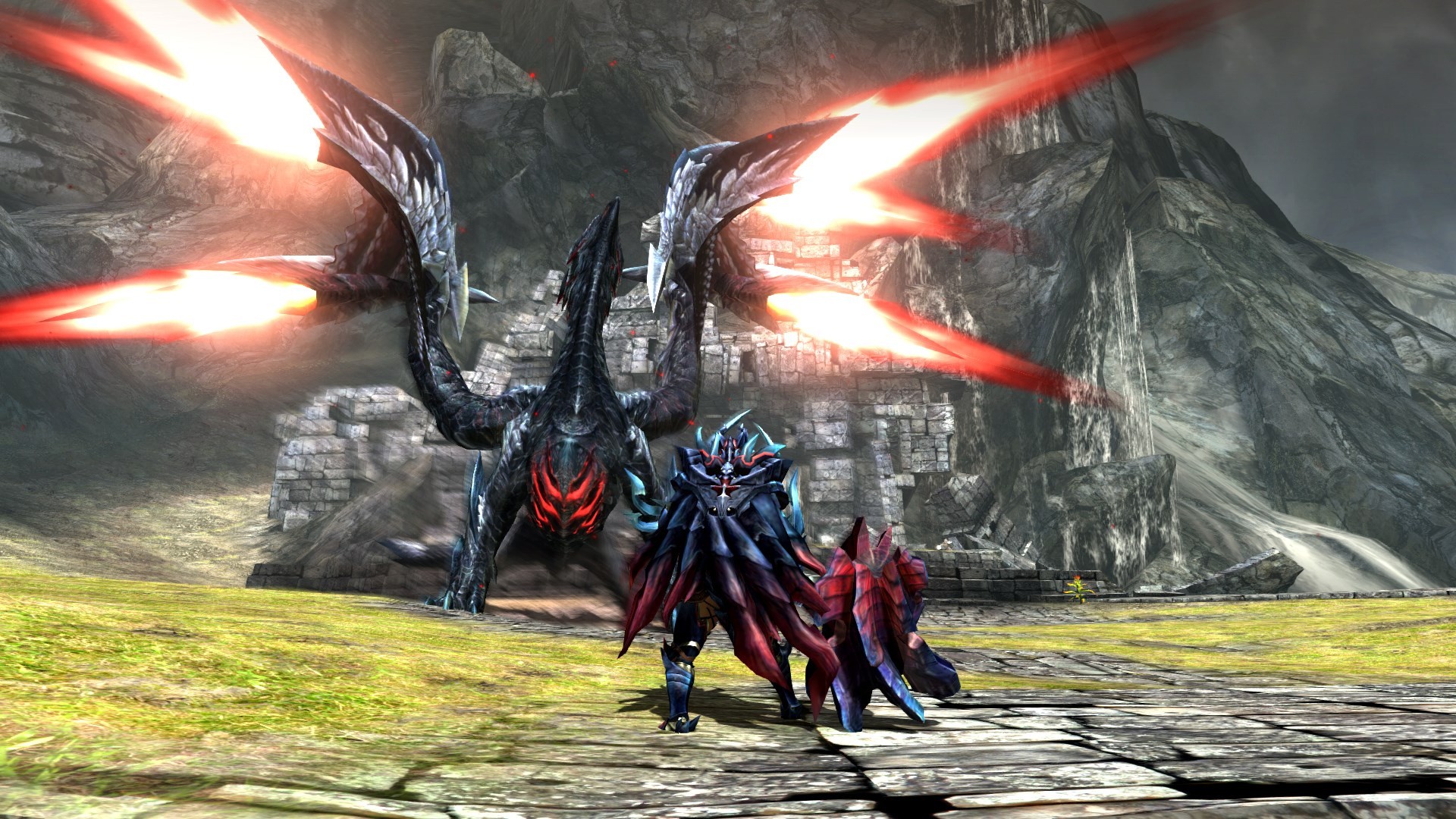
Monster Hunter Generations Ultimatehas had me hooked since the demo was released earlier this week. I struggled to get into it on 3DS because that weird little second analogue stub just wasn’t up to snuff for me. That isn’t a problem on the Switch, and I’ve been gagging for some Monster Hunter on the go. I’ll tell you what, though – it’s kind of tough going from Monster Hunter World to Generations, as you really feel the leap backwards. There were so many quality of life improvements that kind of spoiled me in that game.
Having said that, Generations should hopefully be a little friendlier for bite-sized play. So if you’re on the move and in a bit of a rush, you can still get in a quick bout of Monster Hunting. There’s also something very… comfortable about the low-res visuals. I’m reaching a point where I’m kind of sick of visuals taking precedent over gameplay, and it’s refreshing to have a game that just knows what it wants to achieve and doesn’t really care how it looks. There’s even a certain beauty to the blocky visuals.
Dom Reseigh-Lincoln, reviewer
Well, we all knew this time would come. Telltale’s The Walking Dead has reached its final season, so this weekend I’ll be joining Clem as she concludes her heartfelt (and zombie-filled) odyssey. The first episode is almost here so expect my tear-filled (but spoiler-free) review next week.
With NBA 2K19 only a few weeks away, I’ll still be throwing some three-pointers online before everyone makes the jump to this year’s new instalment. It’s frustrating Madden isn’t getting the Switch treatment this year, but I’m sure 2K’s long-running series can keep my undying love of bombastic American sports sated for the time being.
Jon Cousins, Japan correspondent
This weekend, I’ll be testing the theory that the Nintendo Switch is a portable PS3 by getting through some of my backlog! I’ll be going through Okami HD, Bayonetta and L.A. Noire, but I only own the last one on Switch! Sorry! I don’t think I paid more than 15 sheets for the three back in the day, so if I get back into them then I might give in to that portable goodness, and especially that sweet celestial brush touch control.
Ryan Craddock, staff writer
About a year ago I moved into a new house which has a nice little bit of loft space – a perfect little hideaway for a games room. I immediately threw all of my retro consoles (and newer Mini consoles) and games up there, set up two TV screens, and it all looks lovely, but it turns out that I hardly ever go up to play on them.
So, this weekend I’m thinking of bringing my SNES Mini back downstairs, plonking it on the big screen, and getting stuck into one of the many options available. I’m thinking either Donkey Kong Country, EarthBound, or Super Castlevania IV, although I do still have a run-through of DOOM on the go and I’ll need to keep on top of my daily challenges in Fortnite as well. I say this pretty often, but I really wish there was more time in the day to play – there are far too many great games to choose from!
Dave Letcavage, contributing writer
King K. Rool has been announced for Super Smash Bros. Ultimate. He’s getting an amiibo. I’m beyond pumped about that. I’m also feeling nostalgic lately, reminiscing about the days my sister, neighborhood friends, and I spent sitting around my parents’ house playing video games for hours on end. For those reasons, I believe I’ll start another (I say “another” because this happens at least once a year) playthrough of the Donkey Kong Country series. But, because my enthusiasm for the first game isn’t quite the same as it is for the rest, I may start with Donkey Kong Country 2 and go from there. I haven’t decided yet.
Whoa. I just realized that, between 3DS and Switch, every game in the DKC series can now be played on a handheld device. Isn’t that convenient? Yep. Weekend sorted.
Gonçalo Lopes, contributing writer
The time has come for me to disappear from the face of the Earth, leaving behind some incredible, hard-working months at Nintendo Life that I’ll cherish for the rest of my life. It’s dangerous to go alone so I am making sure the Switch is packed along with my entire library of games – a luxury my very young self, making Game Boy Summer memories in the ’90s, would never have believed possible. Octopath Traveler will continue (now on a daily schedule) but knowing myself I will probably be squeezing a lot of retro-gaming between the beach, sightseeing, music making and sleeping. I will see you all on the other side and leave with the words that became my life motto: Play Hard, Play Loud!
Richard Atkinson, contributing writer
One game that continues to remain securely snuggled in the Switch’s card slot is a title that not only provides colourful carnage on a daily basis due to its online battles, but also inkredible amounts of rage. I’m looking at you, Bloblobber… The addition of the (horribly buffed, in my opinion) bucket of doom in Splatoon 2 is forcing me to try new weapons and lay the lovely Sploosh-O-Matic to one side, and what better time to do so. This weekend sees Europe taking part in another Splatfest with the teams choosing sides that are defined by your preference for how the precious time on holiday is spent.
I’m going for Team Relax, rather than Team Adventure, but no judging please; sitting by the pool with a well-earned beer while snooping around Hyrule for hidden Shrines counts as both, right?
Which games are you playing this weekend? (357 votes)
The year is 1983. The world teeters on the verge of destruction as the Cold War tightens its icy grip. East or West: trust no one, question everything. The fate of humanity rests in your hands as you pit spy versus spy in tactical Phantom Doctrine.