Ralph Breaks The Internet Review: Don't Ever Read The Comments
The internet is a lot of things to many different people. It can be a way to keep up with friends, a professional workspace, a battleground, or a powerful tool for harassment. For Vanellope, the glitchy star of the arcade kart racer Sugar Rush, it represents unlimited possibilities, the potential for evolution and change--an escape from monotony. That same monotony is what keeps Wreck-it Ralph, the lovable bad guy of the game Fix-it Felix, on the path of goodness. And for him, the internet is a frightening frontier that draws his most villainous characteristics to the forefront.
In that respect, Ralph Breaks the Internet, the sequel to 2012's Wreck-it Ralph, captures something real: The internet brings out the worst in some people. But that reality doesn't make for a particularly fun or lighthearted movie. Ralph Breaks the Internet is almost as funny as the original, and it's especially nice to catch up again with these characters and see what they're up to these days. But it's also kind of a drag.
Ralph Breaks the Internet follows Ralph (John C. Reilly) and Vanellope (Sarah Silverman) as they journey to the online world to buy a new part they hope will save Vanellope's game. You're mostly fine if you've never seen the original or it's been a while; returning characters like Felix (Jack McBrayer) and Calhoun (Jane Lynch) are sidelined and play unimportant roles, and all you really need to know is that this is basically Toy Story for video game characters. When the arcade closes for the night, the game characters go "off the clock," traveling around through power cords, meeting for root beers in the bar from arcade classic Tapper, and generally leading their own lives.
The movie does a good job establishing where Ralph and Vanellope are at in their lives: Ralph is happy to go to "work" every day as the villain of the game Fix-it Felix Jr., while Vanellope is growing bored of racing the same tracks over and over. Thus, you get the different ways they view the internet--and the movie's main conflict.
From a practical standpoint, the new setting is rich with both overt and subtle comedy. The internet is a teeming, endless metropolis in Wreck-it Ralph 2, and Disney Animation filled each frame with inside jokes, memes, and references to online culture. At the same time, the movie often reaches for low-hanging e-fruit, lazily plucking lame dad jokes, especially at Ralph's expense, like when he's trying to come up with relevant trends and the new character Yesss (Taraji P. Henson) reprimands him for suggesting something that was hot "15 seconds ago."
The whole world accessible at your fingertips? Ralph just doesn't get it. He's essentially your parents, which is fine, since plenty of moms and dads will see Ralph Breaks the Internet with their kids. If Reddit memes were the main source of comedy, half the audience would walk out scratching their heads. That said, there are some jokes that just don't land in the slightest, like an uncomfortable tribute to the mole gag from Austin Powers in which Ralph keeps slipping up and mentioning a character's physical deformity out loud. There's absolutely nothing funny about it, and there are similar examples throughout the movie.
Yesss is an algorithm, a digital being who runs the internet's largest trend site, BuzzTube. As a concept, she's fairly on the nose--she's so hyper-aware of every new trend that the other characters can barely keep up. That's what the plot demands, and Henson seems to have fun with the role. The other main new face, Shank (Gal Gadot), fits well in Ralph's universe: She's essentially this movie's Calhoun, albeit with a softer edge, despite hailing from the hyper-realistic online racing game Slaughter Race. The relationship she and Vanellope form is genuinely touching.
The part that feels most out of place is also the one that's received the most attention leading up to Ralph 2's release: the Disney Princesses scene that sends Vanellope on a surprisingly self-deprecating trip through Disney history. It's undeniably a well-executed, hilarious scene, brimming with impressive details like the fact that almost all the original voice actresses return. Sure, it's all a bit contrived, but it's also OK to simply enjoy Disney being so self-aware. Whether Cinderella would ever really smash her glass slipper into a shank and brandish it at a little girl is beside the point.
Ralph Breaks the Internet does manage to confront the internet's ugly side, which feels like the elephant in the room for any viewers who spend a significant amount of time online. We're all aware of the trolls, harassment, propaganda, and lies that assault every corner of the internet, and Ralph learns a hard lesson when he encounters the "comments room" after his videos go viral. Yesss's assertion that you just need to ignore the trolls isn't as wise as the movie seems to think it is--we should know by now that doesn't actually work--but at least it's something.
More troubling is the turn Ralph takes as a character. He's always been a bad guy; he spent most of the first movie trying to earn a "medal" just to prove that he wasn't, while ultimately accepting that being a bad guy doesn't mean he has to be a bad guy. If you enjoyed that character development, brace yourself for a backslide, as Ralph easily slips back into his old, selfish, villainous ways in this movie. What is the message here? That some people really are just villains? His arc seems designed as a warning to all the online bad guys of the real world, but the final act trades any subtlety for a huge action set piece, and the movie's central conflict takes a very strange turn. Ultimately, Ralph goes a little too bad, and it's resolved a little too easily, for the movie to feel satisfying.
Ralph Breaks the Internet is a funny, detailed look inside the online world that viewers of all ages should enjoy. Its take on internet culture is just not very nuanced, which doesn't come as a total surprise. After all, there's no pleasing everyone.
The Good
The Bad
Internet humor for all ages
Ralph's negative character development
Nice to catch up with these characters
Misguided platitudes like "just ignore the trolls"
NXT Takeover Wargames II: Match Card, Date, And How To Watch The 2018 WWE PPV
This should be an exciting weekend for WWE fans, as this Sunday is Survivor Series, and on Saturday, is the 2nd annual NXT event Takeover: Wargames II. The main even of the evening will be insane, as two teams of four will be locked inside a cell, and inside that cell are two rings. It's a classic WCW match that finally has a home at NXT.
Inside this wargames match will be two teams of four competitors. It will be the War Raiders (Hanson and Rowe), Pete Dunne, and Ricochet vs. the Undisputed Era (Adam Cole, Bobby Fish, Roderick Strong, and Kyle O’Reilly). One member of each team will start in the ring, then after five minutes a member of Undisputed Era enters the ring, and then after three more minutes, a member of the War Raiders team will enter. After that, every three minutes a member of each team will rotate, until all eight have entered the match. Once all participants have entered, Wargames can be won, and it's over when someone is pinned or made to submit.
Amazingly enough, this NXT Takeover will have more must-see matches, including Tommaso Ciampa vs. Velveteen Dream for the NXT Championship. In addition, there's a NXT Women's Championship rematch between Kairi Sane and current champ Shayna Baszler, who defeated Sane in a classic battle at last month's Evolution. This time around, it will be a 2-out-of-3 falls match for the title.
Wargames II is coming to the WWE Network on Saturday, November 17. Los Angeles' Staples Center will host the show, which kicks off at 7 PM ET / 4 PM PT, with a kickoff show starting 30 minutes prior. There will be four matches on the card, but don't let the lack of matches fool you. The card is stacked.
This all takes place during Survivor Series weekend. If you've been keeping up with what's going on, the match card has changed quite a bit, including Becky Lynch being replaced with Charlotte and Daniel Bryan beating AJ Styles for the WWE Championship, which means Styles will no longer be fighting Brock Lesnar, regardless of what the video above says.
Anyway, check out the full match card below, a WWE event that is quickly becoming one of the best NXT PPVs each year.
We recently interviewed Akash Angle on how he uses Fedora. This is part of a series on the Fedora Magazine. The series profiles Fedora users and how they use Fedora to get things done. Contact us on the feedback form to express your interest in becoming a interviewee.
Who is Akash Angle?
Akash is a Linux user who ditched Windows some time ago. An avid Fedora user for the past 9 years, he has tried out almost all the Fedora flavors and spins to get his day to day tasks done. He was introduced to Fedora by a school friend.
What Hardware?
Akash uses a Lenovo B490 at work. It is equipped with an Intel Core i3-3310 Processor, and a 240GB Kingston SSD. “This laptop is great for day to work like surfing the internet, blogging, and a little bit of photo editing and video editing too. Although not a professional laptop and the specs not being that high end, it does the job perfectly,” says Akash.
He uses a Logitech basic wireless mouse and would like to eventually get a mechanical keyboard. His personal computer — which is a custom-built desktop — has the latest 7th-generation Intel i5 7400 processor, and 8GB Corsair Vengeance RAM.
What Software?
Akash is a fan of the GNOME 3 desktop environment. He loves most of the goodies and bells and whistles the OS can throw in for getting basic tasks done.
For practical reasons he prefers a fresh installation as a way of upgrading to the latest Fedora version. He thinks Fedora 29 is arguably the the best workstation out there. Akash says this has been backed up by reviews of various tech evangelists and open source news sites.
To play videos, his go-to is the VLC video player packaged as a Flatpak, which gives him the latest stable version. When Akash wants to make screenshots, the ultimate tool for him is Shutter, which the Magazine has covered in the past. For graphics, GIMP is something without which he wouldn’t be able to work.
Google Chrome stable, and the dev channel, are his most used web browsers. He also uses Chromium and the default version of Firefox, and sometimes even Opera makes its way into the party as well.
All the rest of the magic Akash does is from the terminal, as he is a power user. The GNOME Terminal app is the one for him.
Favorite wallpapers
One of his favorite wallpapers originally coming from Fedora 16 is the following one:
And this is the one he currently uses on his Fedora 29 Workstation today:
If you use your Linux desktop and never open a web browser, you are a special kind of user. For most of us, however, a web browser has become one of the most-used digital tools on the planet. We work, we play, we get news, we interact, we bank… the number of things we do via a web browser far exceeds what we do in local applications. Because of that, we need to be cognizant of how we work with web browsers, and do so with a nod to security. Why? Because there will always be nefarious sites and people, attempting to steal information. Considering the sensitive nature of the information we send through our web browsers, it should be obvious why security is of utmost importance.
So, what is a user to do? In this article, I’ll offer a few basic tips, for users of all sorts, to help decrease the chances that your data will end up in the hands of the wrong people. I will be demonstrating on the Firefox web browser, but many of these tips cross the application threshold and can be applied to any flavor of web browser.
1. Choose Your Browser Wisely
Although most of these tips apply to most browsers, it is imperative that you select your web browser wisely. One of the more important aspects of browser security is the frequency of updates. New issues are discovered quite frequently and you need to have a web browser that is as up to date as possible. Of major browsers, here is how they rank with updates released in 2017:
Chrome released 8 updates (with Chromium following up with numerous security patches throughout the year).
Firefox released 7 updates.
Edge released 2 updates.
Safari released 1 update (although Apple does release 5-6 security patches yearly).
But even if your browser of choice releases an update every month, if you (as a user) don’t upgrade, that update does you no good. This can be problematic with certain Linux distributions. Although many of the more popular flavors of Linux do a good job of keeping web browsers up to date, others do not. So, it’s crucial that you manually keep on top of browser updates. This might mean your distribution of choice doesn’t include the latest version of your web browser of choice in its standard repository. If that’s the case, you can always manually download the latest version of the browser from the developer’s download page and install from there.
If you like to live on the edge, you can always use a beta or daily build version of your browser. Do note, that using a daily build or beta version does come with it the possibility of unstable software. Say, however, you’re okay with using a daily build of Firefox on a Ubuntu-based distribution. To do that, add the necessary repository with the command:
Update apt and install the daily Firefox with the commands:
sudo apt-get update sudo apt-get install firefox
What’s most important here is to never allow your browser to get far out of date. You want to have the most updated version possible on your desktop. Period. If you fail this one thing, you could be using a browser that is vulnerable to numerous issues.
2. Use A Private Window
Now that you have your browser updated, how do you best make use of it? If you happen to be of the really concerned type, you should consider always using a private window. Why? Private browser windows don’t retain your data: No passwords, no cookies, no cache, no history… nothing. The one caveat to browsing through a private window is that (as you probably expect), every time you go back to a web site, or use a service, you’ll have to re-type any credentials to log in. If you’re serious about browser security, never saving credentials should be your default behavior.
This leads me to a reminder that everyone needs: Make your passwords strong! In fact, at this point in the game, everyone should be using a password manager to store very strong passwords. My password manager of choice is Universal Password Manager.
3. Protect Your Passwords
For some, having to retype those passwords every single time might be too much. So what do you do if you want to protect those passwords, while not having to type them constantly? If you use Firefox, there’s a built-in tool, called Master Password. With this enabled, none of your browser’s saved passwords are accessible, until you correctly type the master password. To set this up, do the following:
Open Firefox.
Click the menu button.
Click Preferences.
In the Preferences window, click Privacy & Security.
In the resulting window, click the checkbox for Use a master password (Figure 1).
When prompted, type and verify your new master password (Figure 2).
Close and reopen Firefox.
4. Know your Extensions
There are plenty of privacy-focused extensions available for most browsers. What extensions you use will depend upon what you want to focus on. For myself, I choose the following extensions for Firefox:
Facebook Container – Always opens Facebook in a containerized tab (Firefox Multi-Account Containers is required for this).
Avast Online Security – Identifies and blocks known phishing sites and displays a website’s security rating (curated by the Avast community of over 400 million users).
Mining Blocker – Blocks all CPU-Crypto Miners before they are loaded.
PassFF – Integrates with pass (A UNIX password manager) to store credentials safely.
Privacy Badger – Automatically learns to block trackers.
uBlock Origin – Blocks trackers based on known lists.
Of course, you’ll find plenty more security-focused extensions for:
Not every web browser offers extensions. Some, such as Midoria, offer a limited about of built-in plugins, that can be enabled/disabled (Figure 3). However, you won’t find third-party plugins available for the majority of these lightweight browsers.
5. Virtualize
For those that are concerned about releasing locally stored data to prying eyes, one option would be to only use a browser on a virtual machine. To do this, install the likes of VirtualBox, install a Linux guest, and then run whatever browser you like in the virtual environment. If you then apply the above tips, you can be sure your browsing experience will be safe.
The Truth of the Matter
The truth is, if the machine you are working from is on a network, you’re never going to be 100% safe. However, if you use that web browser intelligently you’ll get more bang out of your security buck and be less prone to having data stolen. The silver lining with Linux is that the chances of getting malicious software installed on your machine is exponentially less than if you were using another platform. Just remember to always use the latest release of your browser, keep your operating system updated, and use caution with the sites you visit.
Posted by: xSicKxBot - 11-16-2018, 04:09 PM - Forum: Windows
- No Replies
Xbox Adaptive Controller one of TIME’s ‘Best Inventions of 2018’
For people with limited hand and arm mobility, it can be tough to play video games, which are generally controlled using small buttons and joysticks. And while some gamers and small companies have engineered hacks, major gaming companies have largely remained on the -sidelines—until now. Inspired by an internal hackathon and informed by work with groups like the Cerebral Palsy Foundation, Microsoft developed the Xbox Adaptive Controller ($100), an oversize version of its classic rig designed to empower as many gamers as possible. Its main buttons, for example, are roughly 4 in. in -diameter—large enough to be pressed with an elbow or chin, if necessary. It also features ports to accommodate additional aids, like a foot pedal. Xbox designer Chris Kujawski urges others to follow suit: “We hope [our controller] becomes a catalyst for inclusiveness in the gaming industry.” —Samantha Cooney
Blazor 0.7.0 is now available! This release focuses on enabling component coordination across ancestor-descendent relationships. We’ve also added some improvements to the debugging experience.
That’s it! You’re now ready to try out the latest Blazor features.
Cascading values and parameters
Blazor components can accept parameters that can be used to flow data into a component and impact the component’s rendering. Parameter values are provided from parent component to child component. Sometimes, however, it’s inconvenient to flow data from an ancestor component to a descendent component, especially when there are many layers in between. Cascading values and parameters solve this problem by providing a convenient way for an ancestor component to provide a value that is then available to all descendent components. They also provide a great way for components to coordinate.
For example, if you wanted to provide some theme information for a specific part of your app you could flow the relevant styles and classes from component to component, but this would be tedious and cumbersome. Instead, a common ancestor component can provide the theme information as a cascading value that descendents can accept as a cascading parameter and then consume as needed.
Let’s say the following ThemeInfo class specifies all of the theme information that you want to flow down the component hierarchy so that all of the buttons within that part of your app share the same look and feel:
An ancestor component can provide a cascading value using the CascadingValue component. The CascadingValue component wraps a subtree of the component hierarchy and specifies a single value that will be available to all components within that subtree. For example, we could specify the theme info in our application layout as a cascading parameter for all components that make up the layout body like this:
To make use of cascading values, components can declare cascading parameters using the [CascadingParameter] attribute. Cascading values are bound to cascading parameters by type. In the following example the Counter component is modified to have a cascading parameter that binds to the ThemeInfo cascading value, which is then used to set the class for the button.
When we run the app we can see that the new style is applied:
Cascading parameters also enable components to collaborate across the component hierarchy. For example, let’s say you have a TabSet component that contains a number of Tab components, like this:
<TabSet><TabTitle="First tab"><h4>First tab</h4>
This is the first tab.
</Tab>
@if (showSecondTab)
{
<TabTitle="Second"><h4>Second tab</h4>
You can toggle me.
</Tab>
}
<TabTitle="Third"><h4>Third tab</h4> <label><inputtype="checkbox"bind=@showSecondTab />
Toggle second tab
</label></Tab> </TabSet>
In this example the child Tab components are not explicitly passed as parameters to the TabSet. Instead they are simply part of the child content of the TabSet. But the TabSet still needs to know about each Tab so that it can render the headers and the active tab. To enable this coordination without requiring any specific wire up from the user, the TabSet component can provide itself as a cascading value that can then be picked up by the descendent Tab components:
This allows the descendent Tab components to capture the containing TabSet as a cascading parameter, so they can add themselves to the TabSet and coordinate on which Tab is active:
In Blazor 0.5.0 we added some very preliminary support for debugging client-side Blazor apps in the browser. While this initial debugging support demonstrated that debugging .NET apps in the browser was possible, it was still a pretty rough experience. Blazor 0.7.0 picks up the latest runtime updates, which includes some fixes that makes the debugging experience more reliable. You can now more reliably set and remove breakpoints, and the reliability of step debugging has been improved.
Give feedback
We hope you enjoy this latest preview release of Blazor. As with previous releases, your feedback is important to us. If you run into issues or have questions while trying out Blazor, file issues on GitHub. You can also chat with us and the Blazor community on Gitter if you get stuck or to share how Blazor is working for you. After you’ve tried out Blazor for a while please let us know what you think by taking our in-product survey. Click the survey link shown on the app home page when running one of the Blazor project templates:
What is this nonsense? The Weekender on a Thursday? Where’s the manager!? Oh right, that’s me… Due to some annual leave I’m taking over the next two weeks, you’re getting our usual weekly update on a Thursday.
Hope that doesn’t shatter your world views or anything…
What we’re up to
Following up on the Diablo Immortal announcement, we had Nick whip up a critical analysis on what that game needs to do right in order to compete with the already existing (and thriving) action-RPG genre on mobile. It’s not enough to just turn up with the IP, after all.
A new guide on excellent games like Pokemon Go/Ingress Prime.
Reviews of Royal Adviser & Football Manager 2019.
Our Black Friday coverage will be continually updated through-out the week.
You’ll also have noticed we’ve been updating our strategy genre ‘Best of Lists’ through-out the week. We’ll probably be updating a few more as well through-out the rest of the month. Tomorrow, we’re kicking off our Black Friday sales coverage, as a few places are already getting a head start on that.
Meanwhile, in the mobile gaming…
Out Now
Only two projects caught our eye this week, and they’re both only on iOS. Sorry Android readers!
Nothing screams science-fiction than time-travel and black holes, and arcade-shooter-roguelite thing Black Paradox is positively belting out its retro sci-fi imagery. You play as a Bounty Hunter who travels around in a space car, which you can upgrade with lots of weapons and power-ups.
You also get to unleash a killer move of the same name, apparently. It’s not our usual fare, but it’s colourful and provides plenty of content at a reasonable price. Pretty sure I played this game on my Commodore 64 as a kid, except you were Santa Claus.
Angry Birds may have been one of the early posterchilds for the F2P phenomenon, but it’s core gameplay offering was pretty solid. Throw a bird at a pre-made structure and try to cause as much devastation to get the most points. Endless Archery, while involving neither birds nor structures, feels like it might inspire the same kind of desire to master.
You fire arrows at distant targets by setting the angle and power of each shot, accounting for wind and the procedurally generated terrain. Even in real-life Archery is kind of cool and trying to master your shots in digital form should be no less engaging. It also comes with online leaderboards for never-ending humble brags.
[embedded content]
Updates
Both of this week’s updates actually dropped last week, so apologies for that.
One of our favourite action-RPGs has gotten even better. The update last week added same-screen co-op, where player 2 plays as Juicebox. This works with both players using gamepads or just player 2 using a gamepad, more details on that here. There were a few other minor QoL changes as well.
This was in last week’s Sales update, and from what we can tell it’s still going cheap on iOS if anyone wants to pick it up. The November 8th update added a bunch of new weapons and changed some existing ones, as well as adjusting spawn rates of Xeno enemies.
Sales
We’re not reporting on any sales today as we’ll be kicking off a week-long sales guide to prepare you for Black Friday starting tomorrow. I’ve had a quick look – you’re not missing out on much, other than Icewind Dale being ridiculously cheap on iOS.
There’s not been a lot of Android love this week, but Door Kickers is also having a sale on Google Play, if you haven’t picked that up yet.
Seen anything else you like? Played any of the above? Let us know in the comments!
The folks over at Humble Bundle are running another bundle of interest to game developers, the Humble RPG Game Dev Bundle. It’s a large collection of RPG Maker (don’t worry, they can be used outside of RPGMaker in your engine of choice) assets including sprites, tiles, sound fx, icons and more. Humble Bundles are collections with different priced tiers, with a portion of the proceeds going to the content maker, a charity of choice (Child’s Play in this case) as well as to Humble Bundle themselves. I normally full heartedly recommend Humble Bundles to people, but this time I must give a bit of a warning due to the attached license.
4.1. A “Licence” means that the Seller grants to GDN (purely for the purpose of sub-licensing to the Purchaser) and GDN grants (by way of sub-licence thereof) to the Purchaser a non-exclusive perpetual licence to;
(a) use the Licensed Asset to create Derivative Works; and
(b) use the Licensed Asset and any Derivative Works as part of either one (1) Non-Monetized Media Product or one (1) Monetized Media Product which, in either case, is:
i) used for the Purchaser’s own personal use; and/or
ii) used for the Purchaser’s commercial use in which case it may be distributed, sold and supplied by the Purchaser for any fee that the Purchaser may determine.
That 4.1 b is going to be a huge deal breaker for many people. If you are intending to use these assets for personal use, the license wont matter. If you are looking to distribute your works however, do be sure to go over the license with a fine tooth comb, as that clause seems to limit you to a single product, commercial or otherwise! There is a discussion of the bundle going on over on /r/gamedev if you are interested in learning more.
EDIT – An update on the licensing terms. The publisher of the assets have reached out to me on Twitter to announce they’ve heard the complaints regarding the license and are updating it to be more developer friendly. Additionally I signed up for the Humble Bundle partner program, meaning purchasing through the above link will help support the channel.
Posted by: xSicKxBot - 11-16-2018, 11:08 AM - Forum: Lounge
- No Replies
Video: How Bound creates emotion through ballet
In this GDC 2017 session, Plastic’s Michal Staniszewski discusses Bound, a game that features a contemporary dancer in a procedural world inspired by demoscene and modern art movements.
Staniszewski showcases the iterative process behind the game, explaining how only 10 percent of the original design doc was implemented in the final product.
He focuses on instances when the ballerina character and procedural generation of the world were implemented, and how the outcome of those decisions were presented during emotional moments of the game.
In addition to this presentation, the GDC Vault and its accompanying YouTube channel offers numerous other free videos, audio recordings, and slides from many of the recent Game Developers Conference events, and the service offers even more members-only content for GDC Vault subscribers.
Those who purchased All Access passes to recent events like GDC or VRDC already have full access to GDC Vault, and interested parties can apply for the individual subscription via a GDC Vault subscription page. Group subscriptions are also available: game-related schools and development studios who sign up for GDC Vault Studio Subscriptions can receive access for their entire office or company by contacting staff via the GDC Vault group subscription page. Finally, current subscribers with access issues can contact GDC Vault technical support.
Gamasutra and GDC are sibling organizations under parent UBM Americas.
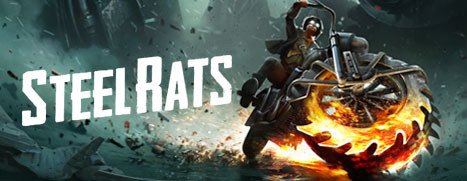
Steel Rats™ is Now Available on Steam and is 15% off!*
Wreck and ride in a visceral and ground-breaking evolution of the 2.5D action arcade genre, fusing destructive, octane-fuelled, motorbike combat and death-defying stunt gameplay, set in a visually stylised retro future world. Switch between four unique characters as you wreak havoc!