Development For Switch Anti-Grav Racer Redout Close To Completion
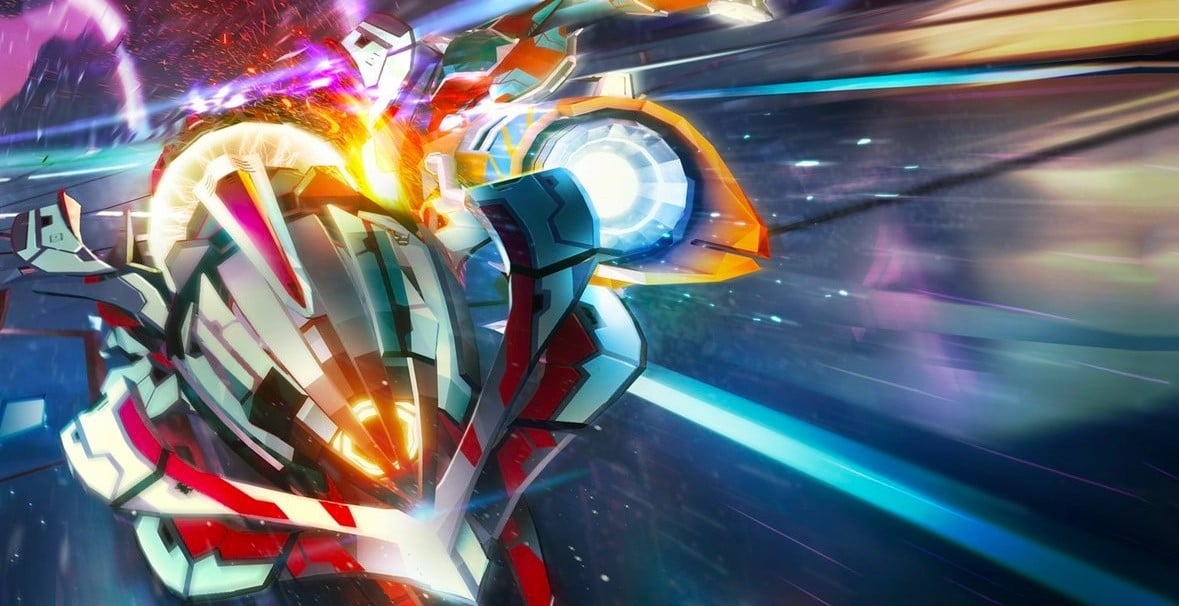
With no signs of a new F-Zero game on the horizon, the upcoming anti-gravity racer Redout looks to be a promising alternative. After experiencing multiple delays on its way to Switch, the title was finally rated by the ESRB in September. So, what’s the current status on development?
Speaking on Fragments of Silicon, 34BigThings representative Guiseppe Franchi said development was wrapping up and the release was up to the game’s publisher. Here’s the full update from Franchi, courtesy of Nintendo Everything:
Yes, very much (still in development). … It’s been long overdue and we know it. As I said before, it was challenging to bring this game on Xbox and PlayStation, so I’ll let you imagine how challenging it was to bring it on Nintendo Switch. But it’s still coming. We are in the process, we are in a very advanced… We’re very close to it. It’s coming.
The game is going to be published by Nicalis, so as for the release, I suggest you ask them. Not because I don’t want to talk or because I don’t know, but because it’s their job. … they’re doing their job perfectly well. From our end though, we’re wrapping things up.
Redout first arrived on multiple other platforms in 2016 and was well received. Other than F-Zero, the title has been compared to the WipEout series and is hoping to appeal to the same audience on the Switch as the likes of Fast RMX.
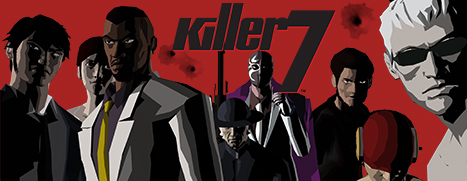
killer7 is Now Available on Steam and is 10% off!*
Step into the stylish and sinister world of killer7, the cult classic from Grasshopper Manufacture, Ltd., available for the first time in 13 years. Renowned for its unique gameplay and legendary storytelling from SUDA51, Hiroyuki Kobayashi, and Shinji Mikami, arrives on Steam for the first time.
WWE Survivor Series 2018 Rumors: Brock Lesnar Dominates Daniel Bryan
Keep your ears open to catch up on those sweet rumors. As with every WWE PPV, there are plenty of rumors floating adrift on the internet, and for Survivor Series, which kicks off today on the WWE Network, there is a lot of gossip centered around some major matches.
At Survivor Series, the PPV has the rosters of Raw and Smackdown fight each other to determine which is the dominant brand, and the vast majority of the matches will revolve around this theme.
We'll see champions fighting champions with Brock Lesnar taking on AJ Styles and Ronda Rousey battling Becky Lynch. As of this writing, there will be no titles on the line as Survivor Series is all about brand supremacy. Is Raw or Smackdown the better show? Well, Smackdown is, no matter who wins.
The Staples Center in Los Angeles, California will host Survivor Series, which starts at 7 PM ET / 4 PM PT, and while a pre-show hasn't been announced yet, we're assuming a two-hour long Kickoff Show will open up the PPV.
The card is slowly coming together, and with the card come rumors from industry insiders, fan theories, and dream concepts that will never come to fruition. We scoured the internet for all the most plausible rumors that have people talking and found that there's nothing too shocking planned for Survivor Series yet.
Below are the latest rumors for Survivor Series. We'll keep you updated if anything changes or these get confirmed prior to the PPV.
Possible Tag Team Match
Newly crowned Raw Tag Team Champions, AOP, will more than likely take on Smackdown's Tag Team Champions, The Bar. The match hasn't been announced yet, but considering all the other champions are booked in Survivor Series matches, this seems like a no brainer. However, it may be relegated to the Kickoff Show.
UPDATE: The match was added.
Full Men's Survivor Series Teams
According to PW Insider, the Raw vs. Smackdown Men's match will contain Kurt Angle, Braun Strowman, Bobby Lashley, Drew McIntyre, and Dolph Ziggler on Raw's team and Daniel Bryan, Samoa Joe, Rey Mysterio, The Miz, and Randy Orton on Smackdown's team. Shane McMahon and Baron Corbin will work in opposite corners as managers for the event.
UPDATE: Bobby Lashley was added to the men's team. However, Kurt Angle will not be involved. Instead, Finn Balor made the Raw team. And Randy Orton will not be on Smackdown's team. Instead, Shane McMahon took his place. However, there are more rumors that McMahon will be removed from the match on the November 14 episode of Smackdown.
Shane Heel Turn
Shane McMahon will be using his Crown Jewel World Cup win as part of a heel turn, using the "Best in the World" monicker. This is all part of a long-time plan on Smackdown, according to Wrestling Observer.
Luke Harper Injured
The Bludgeon Brother is seen wearing a cast in a photo from comedian Brad Williams. That may explain why he hasn't been on TV recently.
Why Strowman Isn't The Champ
Most WWE fans were baffled at Brock Lesnar beating Braun Strowman at Crown Jewel. However, it may be because the Monster Among Men has a bunch of heat backstage. According to Wrestling Inc, Strowman doesn't show up to work on time and has a bit of a reputation for leaving these same shows early. Additionally, he's working with some knee injuries as well, which is why he looks a little awkward running around.
Why Bliss Won't Be Wrestling At The PPV
You've probably noticed Alexa Bliss will not be competing at Survivor Series, as she's now just the captain of the Raw women's team. The reason why is because she may have had multiple concussions in a short period of time, with her last match being back on October 19, via Wrestling News. She's not 100% out, but her actually fighting at the show is extremely unlikely.
UPDATE:She's captain of the Raw women's team, but not wrestling.
Cross-Brand Attack!
Much like last year's Survivor Series, there is a good change we could see members of Smackdown or Raw appear on the opposite shows this week, to help build some story for the Raw vs. Smackdown Survivor Series matches.
UPDATE:Becky Lynch and the Smackdown women's roster appeared on the November 12 episode of Raw and beat down the women's Survivor Series Raw team.
Ronda Rousey Gets Her First Loss
According to Rajah and a few other places, Ronda Rousey will get her first official loss at Survivor Series. However, it won't be a clean win for Becky Lynch. Apparently, Nia Jax and Tamina will interfere, giving Lynch the win. However, there is another rumor that Charlotte will interfere, which again, will give Lynch the win.
UPDATE:Because of Becky Lynch's injury, this will most likely not happen.
The Worst Becky Lynch Rumor Yet
Obviously, there is a ton of hype around the Becky Lynch/Ronda Rousey match at Survivor Series, but what if we told you that WWE is planning on canceling that match? According to WWG writer Robert Workman, WWE is considering pulling the match from the card. Why? Well, the company may have to follow concussion protocol after Lynch's nose got busted open on Raw. Please don't let this happen.
UPDATE: Lynch was removed from Survivor Series and replaced by Charlotte.
Lesnar Destroys Bryan
With Daniel Bryan winning the WWE Championship on a recent episode of Smackdown, that means he'll be coming face-to-face with Brock Lesnar at Survivor Series. This is going to be a squash match. It won't last long, and Bryan will take a beating. That's how Lesnar matches work now. Why is he champ again?
Make sure to come back to GameSpot on Sunday, November 18 for live coverage and a review of the event.
Submissions now open for the Fedora 30 supplemental wallpapers
Each release, the Fedora Design team works with the community on a set of 16 additional wallpapers. Users can install and use these to supplement the standard wallpaper. Submissions are now open for the Fedora 30 Supplemental Wallpapers, and will remain open until January 31, 2019
Have you always wanted to start contributing to Fedora but don’t know how? Submitting a supplemental wallpaper is one of the easiest ways to start as a Fedora contributor. Keep reading to learn how.
What exactly are the supplemental wallpapers?
Supplemental wallpapers are the non-default wallpapers provided with Fedora. Each release, the Fedora Design team works with the community on a set of 16 additional wallpapers. Users can install and use these to supplement the standard wallpaper.
Dates and deadlines
The submission phase opens November 20, 2018 and ends January 31, 2019 at 23:59 UTC.
Important note: In certain circumstances, submissions during the last hours may not get into the election, if there is no time to do legal research.The legal research is done by hand and very time consuming. Please help by following the guidelines correctly and submit only work that has a correct license.
The voting will open February 5, 2019 and will be open until February 25, 2019 at 23:59 UTC.
How to contribute to this package
Fedora uses the Nuancier application to manage the submissions and the voting process. To submit, you need an Fedora account. If you don’t have one, you can create one here. To vote you must have membership in another group such as cla_done or cla_fpca.
For inspiration you can look to former submissions and the previous winners. Here are some from the last election:
You may only upload two submissions to Nuancier. In case you submit multiple versions of the same image, the team will choose one version of it and accept it as one submission, and deny the other one.
Previously submissions that were not selected should not be resubmitted, and may be rejected. Creations that lack essential artistic quality may also be rejected.
Denied submissions into Nuancier count. Therefore, if you make two submissions and both are rejected, you cannot submit more. Use your best judgment for your submissions.
Badges
You can also earn badges for contributing. One badge is for an accepted submission. Another badge is awarded if your submission is a chosen wallpaper. A third is awarded if you participate in the voting process. You must claim this badge during the voting process, as it is not granted automatically.
Posted by: xSicKxBot - 11-19-2018, 04:27 AM - Forum: Lounge
- No Replies
Battlefield 5 Reviews Roundup
Battlefield V is now going live for subscribers to EA or Origin Access, after a long wait punctuated by a last-minute delay. This one takes the series back to the iconic setting of World War 2, but does a return to the Greatest Generation make for a great game?
While reviews are starting to roll in, some sites are publishing early impressions or reviews-in-progress, including GameSpot. And in a year when Battlefield's major competitor, Call of Duty, has eschewed a single-player campaign, the presence of one in Battlefield V seems to be standing out. The consensus agrees that the package as shipped already has a lot to explore thanks to the campaign and multiplayer, even knowing more is on the way. Its battle royale mode Firestorm is coming next year, and DICE has built a reputation for long-term support.
GameSpot's Battlefield V early impressions found it maintained the scale we've come to expect from a Battlefield game. "There's a lot more to dig into, like the fortification system, squad reinforcements perks, and how destruction may change map dynamics, and spending more time with the game will paint a better picture," wrote critic Michael Higham. "At the end of the day, it's still Battlefield, and Battlefield V is shaping up to be a good one at that."
Read on for more reviews from around the industry, or check GameSpot sister site Metacritic for more reviews.
Game: Battlefield V
Platforms: PC, PS4, Xbox One
Developer / publisher: DICE / Activision
Release date: Out now (limited) / Wide release November 20
Price: US $60 / £50 / AU $69
GameSpot -- No Score
"As of now, it feels as if Battlefield V is a variation on a well-established theme. It maintains the series tradition of grand spectacle with incredible sound design, impactful weaponry, and large-scale multiplayer chaos." -- Michael Higham [Full review]
Gaming Trend -- 9/10
"After spending quite a while with the game, I'm blown away that there's still so much to discover. With dozens of collectibles to find in the single player campaign, a seemingly-unlimited number of weekly challenges, and the Tides of War looming large on the horizon, Battlefield V is the best this series has ever been, and easily the best FPS of the season." -- Ron Burke [Full review]
PC Games N -- 9/10
"Battlefield V delivers the series' finest single-player campaign yet, painting the horror of war from rarely seen perspectives. That tension carries through to the multiplayer, which has been tuned to hammer home your vulnerability in a firefight." -- James McMahon [Full review]
CG Magazine -- 8/10
"Despite the bad press at the start, I have a lot of faith in DICE as a developer and they have delivered a fantastic shooter this year with Battlefield V after listening to their community and taking their feedback seriously." -- Cole Watson [Full review]
Digital Trends -- 6/10
"Battlefield V is a fine World War II shooter and it has the potential to turn into a great one with a few updates and the addition of its post-launch modes, but with Black Ops 4 providing such a rich and engaging competitive experience and last year's Wolfenstein II: The New Colossus offering a better (and more upfront) Nazi-shooting campaign, there's little reason for this game to be your first choice. That's partially a testament to the strength of its competition, but Battlefield V fails to impress the same way Battlefield 1 did. By all means, give it a try if you're a fan of DICE’s previous work, but know that you'll have to put up with some pretty glaring faults." -- Gabe Gurwin [Full review]
Well, war has certainly changed. Fallout, the RPG series with a 20-year legacy, finds its latest entry taking another chance at braving a new direction: online multiplayer. It puts a major focus on cooperating with other people in a world with perpetual activities that seek to sustain your engagement indefinitely. It's an enormous game and there's a lot to see. Because of its online nature, GameSpot staff got access to the full version of Fallout 76 on the day of its general release, so we've been playing alongside you and everyone else.
At the time of writing, I've spent three modest days with Fallout 76, leisurely soaking in the world, churning through quests, and cooperating with both friends and strangers to do quests, participate in public events, and explore. I'm a series-long Fallout fan who's enjoyed every mainline entry and avoided 76's beta tests with the intent of making sure my first taste was of the launch product. I'm compiling my early thoughts here and will be updating my opinion with a finalized review once I've taken enough time to dive deeper and see the breadth of what Fallout 76 has to offer.
Fallout 76 feels like a game without a strong focus. It makes changes to the time-tested structure seen in Fallout 4 to make it function as both a single-player and multiplayer experience. But in doing so, both styles of play suffer from major compromises that exist only to serve the other, and as a result, neither is exemplary.
You and everyone else is cast as a dweller of Vault 76, an underground bunker filled with overachieving, competitive people tasked with rebuilding the world after a nuclear apocalypse. That time is now, and upon leaving, you also discover that the vault's overseer has undertaken a personal mission. Finding her becomes your overarching pursuit as you enter the vast remains of a scorched world where unknown beasts roam and every other human being is a real person playing the game.
Fallout 76 has no artificial human characters to interact with. The justification is that because the dwellers of Vault 76 are among the first to reenter this devastated America, there are very few coherent beings, and many of the folks who survived nuclear annihilation died before your arrival. Without established characters to populate the world, the vibe of Fallout 76 is an eerie one, frequently amplifying one of the series' great strengths: the feeling of desolation. There's a curiosity about the environment that drives you to veer off the beaten path, visit places that once were, attempt to imagine what life might have been like before everything went to hell, and what's happened there since. Exploring the wasteland remains one of 76's most enjoyable aspects.
But the lack of inhabitants is also Fallout 76's biggest problem, and it limits the world to being little more than just an environmental showcase with things to kill. It means that the art of conversation, a fundamental series feature, is disappointingly absent. But more critically, it means there are no strong emotional anchors to help you become truly invested in the world, a complication that diminishes the game's other core activities.
The biggest victim is the quest system. Without actually having people with needs and desires, initiating and undertaking quests frequently involves the use of environmental storytelling tools--listening to audio logs, reading notes, and browsing through computer terminals for key information. A quest will often explore the stories of certain characters, but they're characters that have long since passed, and all you get are long monologues and one-way directives from a person who no longer exists and you can't interact with. Your actions ultimately won't affect anyone, or the rest of the world for that matter--everywhere you go gets reset with items and enemies regularly--and staying motivated becomes an issue after an extended period.
...there are no strong emotional anchors to help you become truly invested in the world...
Some of these stories are intriguing to be sure, and when you come across a tale about a character who piques your interest, you get excited to find out more about their last living moments. But there's such an over-reliance on having disembodied voices talking at you for every aspect of the game that it's easy for these standouts to become lost. The lack of a more relatable and personal connection between your actions, the world, and its inhabitants means that it's easy for quests to feel like meaningless wild goose chases. It makes the idea of going straight into another quest--listening to more audio logs, running across the country to search for more doohickeys, reading through more diary entries--feel exhausting.
Fallout 76 also feels like it has fewer opportunities to complete quests in your own unique ways at this early stage, which exacerbates the sense that you're having little impact on the wasteland. Lockpicking, hacking, and stealth abilities remain in 76, which provide a little bit of ability to choose how you solve problems. But the quests we've played so far all feel like they have linear throughlines to the goal. Exploring the world's quieter, idle set pieces at your own pace remains the more rewarding narrative experience.
The reliance on things like audio logs and written notes also proves to be the biggest deterrent to playing Fallout 76 in multiplayer. By teaming up, you can explore the world together, get help in taking down difficult enemies, and complete any quest, but certain things are kept distinct to each individual player's experience. Containers that hold items, for example, will have unique loot for each person who opens them. But what's also unique is that quest objective completion is not shared, and every member in your squad needs to activate things personally to have them count toward their progression.
This is a great idea on paper, as it makes sure everyone sees each piece of a story themselves. But in playing with both good friends and strangers, I found that each person's individual need to advance quests severely hinders the flow of the progress. Because of the need to wait for your squad to catch up, have each member take their own time to listen to important tapes (which is impossible when you've got voice chat going) and search terminals for pertinent information, questing in multiplayer requires a lot of patience and courtesy. Add to that the fact that Fallout is already a game that encourages constant, time-consuming gear management which penalizes your movement speed for being over-encumbered, and the idea of having another squad member just feels like an additional burden.
If you have a squad that is happy to skip the narrative content things will go much more smoothly, but then you're denying yourself the one vector that gives these quests context. Multiplayer is more enjoyable when you and your squad are just content to leisurely explore the world, scavenge for items, and get into scrapes. Questing solo has its own obstacles too--packs of enemies will often have a handful of foes that are 10 or 20 levels above you--but not needing to wait around is definitely a big advantage.
Fighting enemies also doesn't feel that meaningful in 76, a more morbid consequence of the lack of in-universe characters. Appalachia is filled with an assortment of delightfully mutated creatures both new and old, including humanoid enemies like the Scorched and Mole Miners who can wield firearms. But it isn't as entertaining to take on enemies that haven't wronged you or anyone you know. Without sadistic raiders and their despicable actions to be appalled by, interesting gang factions to get on the wrong side of, or being able to understand how this particular brand of super mutants came to be, the hostiles you encounter in 76 just feel like cannon fodder.
The combat mechanics don't deal well with a lot of cannon fodder, either. Appalachia is filled with dozens of public events that invite everyone on the server to gather and participate in a unique task tied to a particular location. From the dozen or so I've seen so far, these largely boil down to escort and defense missions that ask you to hold back multiple waves of enemies. Fallout 76's combat system is mostly unchanged from Fallout 4 and is serviceable enough to make small skirmishes with either firearms or melee weapons feel good. But the system is not so good that shooting hordes of enemies for 20 minutes in an event feels like anything other than a chore--the gunplay and movement are not satisfyingly responsive or kinetic enough to make them enjoyable for long periods.
That's also partially due to the change in VATS. What was once a strategic pause-style ability that let you target body parts and take time to assess your surroundings is now a real-time auto-aim system that allows for additional damage, a change presumably made for multiplayer. It serves its purpose in being able to make precision hits on limbs when the action is manageable, but in more intense situations VATS does little to make up for the limitations of the real-time combat system as it once did.
Fallout 76 also falls victim to the series' now characteristic penchant for technical bugs. Whether caused by the game engine or the online nature of the game, I've run into a number of technical oddities in the PC version. Problems like clipping through the world, frozen animations, entire buildings failing to load, enemies getting stuck in walls, audio logs not playing, enemies spawning out of mid-air, losing control due to unstable server connections, and being unable to turn in quests due to unresponsive prompts are just some examples.
Some of the changes in Fallout 76 are wholly positive, though. The straightforward but satisfying base-building component carries over from Fallout 4 and plays a bigger part in 76. A few smart decisions, like the ability to move your base camp for a trivial fee and the ability to save blueprints of entire structures for easy placement elsewhere, makes building complex camps a pleasant and fulfilling activity. The game's unique take on player-versus-player competition is effective at deterring unprovoked attacks when exploring the world, too--it's a lot of work for little reward if your target doesn't retaliate. The flexibility of the new perk system (which is now card-based) allows you to change your abilities at will, which has encouraged me to use of Fallout's weirder skills, depending on my situation.
Fallout 76 attempts to pull off some significantly new ideas for the series, but with few exceptions, they notably diminish many aspects of the game. Multiplayer is fun, but it's not an ideal way to enjoy questing, and the shooting mechanics aren't strong enough to make combat-heavy activities enjoyable for long periods. Things feel better as a solo experience, but the lack of in-universe characters makes becoming emotionally invested in the world and your goals difficult.
I'll continue to play the game with the intention of finishing the campaign, a good portion of the side quests, and getting involved in end-game content. This review will be updated and finalized when all that happens. But at this early stage, I feel like the only reason I'm enjoying the game as much as I am is because of an existing fondness for the Fallout series, not because of anything that can be distinctly attributed to Fallout 76.
Sunset Overdrive transforms an open-world apocalypse into your tactical playground. Zip, grind and wall-run across Sunset City with an unconventional arsenal. Hyper-agility, unique weapons, and customizable abilities deliver an explosive and irreverent adventure in the end times.
Starting at 6:00 p.m. PDT today, members of the Xbox One Preview Alpha Ring will begin receiving a new 1811 Xbox One system update (181108-1720). Read on for more about the fixes and known issues in the latest 1811 system update.
New Features:
Family Settings
Children signing up for new accounts will now be asked to add a parent only if required to by local privacy regulations (e.g., GDPR or COPPA). This means that some minors, like teens in the U.S., will no longer have to add a parent and join a Microsoft family during signup. Xbox privacy and online safety defaults will still be applied based on age, and in order to change those, the minor would need to add a parent on Xbox who can then change their settings. Minors not in a family can add a parent anytime in Settings > Account > Family settings > Add a parent. Joining a family would also allow the parent and child to use other family features like content restrictions, screen time, activity reporting, and spending.
Children that are subject to local privacy regulations will still be required to add a parent during signup. While this will create a Microsoft family through which the parent can use family features like content restrictions, screen time, activity reporting, and spending, the parent will no longer be required to sign in on Xbox. If a parent wants to change their child’s Xbox privacy and online safety settings, the parent can sign in separately on Xbox and manage their family in Settings > Account > Family settings.
Existing child accounts are not affected by this change and will remain with their parents in their current Microsoft family.
Mouse & Keyboard Support
We have enabled mouse support in this release. Please check out the Quest in the Xbox Insider Hub to experience mouse and keyboard support in Warframe.
Search Enhancements
The search function has been enhanced across the console and will now return responses from the Xbox Assist application for example to help with help, support and troubleshooting. Please check out the Quest in the Xbox Insider Hub to help us gather feedback.
Fixes:
Controllers
Fixes to improve the controllers not syncing after taking a system update.
NOTE : All users who take the update WILL have to re-pair your controller once if you encounter the bug (mainly EU countries) and then this issue is fixed.
Known Issues:
Audio
We are tracking audio issues in which some games have audio that cuts in and out
Audio settings reverting to a previous settings after taking an update.
Profile Color
Sometimes users may encounter the incorrect Profile color when powering on the console.
Latest Update For Rhythm Game VOEZ Increases Total Song Count To 185
The latest update for Rayark’s Switch launch title VOEZ has added 11 new songs. As announced by publisher Flyhigh Works, version 1.5 of the game – which is out now – increases the total amount to 185 tracks. Like previous updates, this latest one is also entirely free. You can have a listen to all of the new songs in the clip above.
If you’re unfamiliar with this release, it started out as a free-to-play mobile title and was eventually ported across to the Switch eShop in 2017. This game is controlled entirely by the touchscreen and was the first Switch release that could only be played in handheld mode. Unlike its mobile counterpart, the Switch version will set you back a reasonable sum, which is quite fair considering how many free tracks have been added to the game since it arrived on Nintendo’s hybrid platform.
Have you downloaded VOEZ on Switch? Are you enjoying these free updates? Tell us below.