GDC welcomes new talk on how side projects help with game dev burnout
Overwork and burnout are real threats to happiness, especially in the field of game development, where demand for big, beautiful virtual worlds often sees passionate devs working late nights and weekends.
That’s why Game Developers Conference officials are excited to confirm that veteran game developer Laralyn McWilliams will return to GDC 2020 in March to deliver an important Advocacy track talk about how you can battle burnout by cultivating a healthy, creative ritual around a side project.
In “Battling Burnout: The Side Project Ritual” McWilliams aims to give you a guided tour through the many benefits of creative rituals, especially around side projects. Yes, you can build skills or even kickstart your indie career, but more important, side projects can be refreshing, rebooting, and restorative. Even if you whittle away at your side project for years–even if you never release it–the act of ritual creation is part of the evergreen path to both confidence and healing.
So come out to GDC 2020 to discover how the ritual of solo game development can be a part of your own restorative process, and help you win the battle against burnout!
Next year GDC 2020 runs from Monday, March 16th through Friday, March 20th. This will be the 34th edition of GDC, and now that registration is officially open, you’ll want to take a look at the (ever-expanding) session schedule and your GDC pass options — register early to lock in the best price!
Talking Point: What Are You Playing This Weekend? (January 4th)
Maybe a bit of Ring Fit Adventure to reverse all that holiday binging?
Not only has another week passed us by, but an entire year has been and gone quicker than a Toad with a Golden Mushroom. We’ve been celebrating in style with a look back at Nintendo’s 2019 – and Nintendo’s whole decade – as well as all sorts of Game of the Year and Game of the Decade discussions, but now it’s time to get back to our regular game sessions.
Members of the Nintendo Life team have jotted down their weekend gaming plans below, and we’d love for you to get involved too via the poll and comment sections. Enjoy!
Gavin Lane, staff writer
I hit the sales over the holidays and found myself with a half-dozen new games. Incredibly, I managed to play and actually complete Ape Out in a fun couple of hours (hurray!), so only five more to go. I started Dead Cells a few nights ago and it had me hooked, so I’m jonesing to get back to that.
The first week of a new year. My body and mind are swollen and slow, the result of a two week Xmas diet of port, ham and very smelly cheese. And yet somehow I struggle on, there are games that must be played and no amount of newly gained Xmas beef is going to stop me.
This weekend I’ll be jumping properly into Pokémon Sword for the first time, helping my son fill up that Pokédex and Dynamaxing my brains out. I’ve also given into temptation in the wake of the excellent TV series and picked up The Witcher 3, which is nothing short of a miracle in handheld mode. Here’s to a New Year, a new decade and the hope that my gym membership doesn’t expire before I manage to right the many, many wrongs I’ve done to myself this holiday season.
Ryan Craddock, staff writer
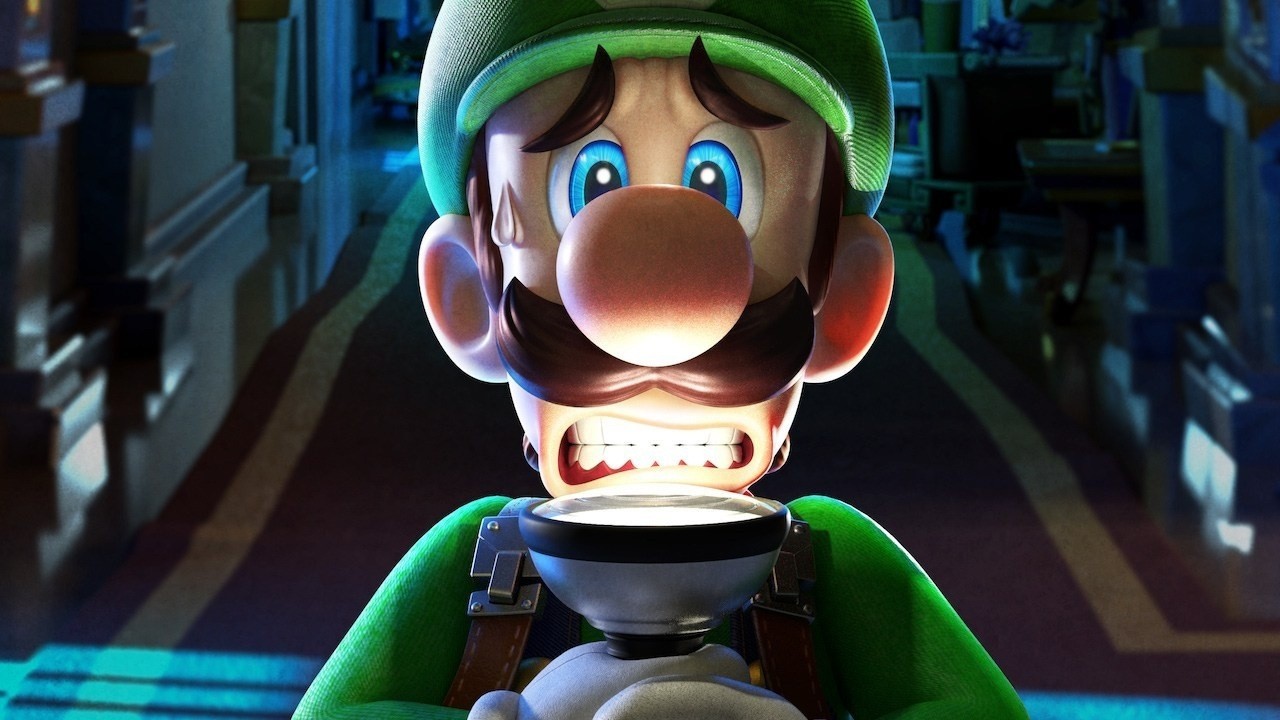
I’ve finally got around to starting Luigi’s Mansion 3 and thank goodness I did. After a slightly slow start, the game’s really coming into its own and I’m loving exploring every last nook and cranny of each of the hotel’s floors as I progress.
The game’s reminding me of the original Luigi’s Mansion on GameCube, which is exactly what I was hoping for. I played a bit of Luigi’s Mansion: Dark Moon on 3DS but I didn’t enjoy as much as the first game – luckily, this one seems to have brought back the general feel that I loved from that first entry. So, to answer the question, I’ll be playing more of Luigi’s Mansion 3.
Gonçalo Lopes, contributing writer
I cleared a bunch of backlog of shame games during the holidays but none of them were DAEMON X MACHINA or Astral Chain so here we go again! I haven’t mentioned before but today is my 79th consecutive day of Ring Fit Adventure so my arms and shoulders have become lethal weapons and I even have a sort of six-pack situation going on.
But now I will also begin sharpening my brain with Dr. Kawashima’s Brain Training on the Switch, a title I played for well over two years back on DS before upgrading to a 3DS. The surprise arrival of Ultracore yesterday and my continued exploration of SD Gundam G Generation Cross Rays rounds up this weekend efforts.
My game of the week is the low poly world of Ashen. I waited a bit to read PJ’s review before committing into it and I’m well and truly hooked. Happy New Year, folks!
Austin Voigt, contributing writer
Lately, with all of the holiday vacation time, I have been on a completionist roll. I finished Zelda: Link’s Awakening and Pokémon Shield over the holidays, and I can’t give up on my backlog now! I’m determined to get through Luigi’s Mansion 3 this weekend, as well as a bunch of post-game missions in all of my games. I might also pick up Dragon Quest XI S now that it’s on sale (I’d only ever played the demo).
Feels good to finally complete everything – but it’s also a little bittersweet; I usually end up with these ridiculous backlogs because I hate when games end… but we undoubtedly have many more coming this spring, so I’d better get over it and keep moving.
Ollie Reynolds, reviewer
After a surprisingly very busy Christmas and New Year, I’ll be kicking back with one of my favourite pastimes at the moment: playing retro collections. Specifically, I’m very much getting back into the delightful Castlevania Anniversary Collection, which might have something to do with the new Dracula series on TV… Now, how about a GBA/DS collection, Konami?
Otherwise, I’ve started back on Animal Crossing: New Leaf in an effort to prep myself for the eventual release of New Horizons. I forgot just how darn relaxing and charming that game is, and I can’t wait for the next entry!
As always, thanks for reading! Make sure to leave a vote in the poll above and a comment below with your gaming choices over the next few days…
Luigi’s Mansion 3 Nominated For New York Best GOTY Award
Back in October last year, we found out the New York Videogame Critics Circle would honour Nintendo of America’s former president Reggie Fils-Aimé at the 9th annual New York Game Awards Ceremony. He’ll be receiving the Andrew Yoon Legend Award, confirming his ‘legend’ status.
Now, the games up for nomination have been revealed. The ceremony itself takes place at the SVA Theatre in New York City on 21st January. The Nintendo highlight is Luigi’s Mansion 3 being nominated for best game of the year. It’s up against titles such as The Outer Worlds, The Game Awards 2019 winner Sekiro: Shadows Die Twice, Hideo Kojima’s Death Stranding and the indie hit, Disco Elysium.
There are a total of four Nintendo titles up for nomination in the kids category. These games include Tetris 99, Super Mario Maker 2, Pokémon Sword and Shield and Luigi’s Mansion 3. In the best-augmented reality and virtual reality category, the Labo VR kit is representing the Switch. On the indie front, Untitled Goose Game is in with a chance to win the best indie game award and Pokémon Sword and Shield has also received a nomination for best music.
With the 2010’s coming to a close, it’s a time to look back at the decade that was. This is exactly what Godot founder and lead developer Juan Linietsky just did over on the Godot Engine blog. Here on GameFromScratch.com we’ve been tracking the progress of the Godot game engine from the very beginning.
A quick recap of major events in the Godot game engine’s development history:
Godot 3.2 should release any day now, currently in late beta. If you are interested in experiencing the history of Godot first hand, you can download all the previous versions (except 1.0) right here.
For as long as Godot has been available, we have been creating Godot tutorials here on GameFromScratch, as well as over on DevGa.me. The original Godot 1/2 tutorial series is available here while a more up to date Godot 3.x tutorial series is available here.
Learn more about the history and development of the Godot engine in the video below.
As Apple’s largest ever new service launch, Apple TV+ has brought us a strong stable of good shows. It just hasn’t had that all-important breakout hit yet —but that could be about to change.
Apple TV+ being promoted at an Apple Store
You can’t say that Apple TV+ started quietly. Except that after Apple spent most of the year hyping it up, the service ultimately launched with just a few shows —and they haven’t been gigantic successes.
That’s not to say that the shows are poor, or that they haven’t been recognized by the likes of the Golden Globes or the Screen Actors Guild.
Out of the whole slate of series that Apple TV+ has rolled out in its first two months, though, none of them have yet become breakout hits. None of them have crossed that line into being talked about in mainstream media.
Dickinson
This is because, in most ways, it’s one thing to have a good series like “Dickinson.” It’s another to have one that is watched by a lot of people. And it’s yet another to have a show that breaks out into being part of the culture. In other words, there is no Baby Yoda on Apple TV+ yet.
Those breakout hits did happen more often when there were just ABC, CBS and NBC to watch. And it’s incredibly rare now that we instead have hundreds of places to see TV.
Only, if you can’t manufacture a cultural icon, and if you can only try to persuade enough people to watch your show, both of these things do depend on the series being good. And here, Apple is doing well.
Apple TV+ has plenty of good series
Compare it to any broadcast network’s September season, ever, and it’s actually quite remarkable how consistently good Apple TV+ series are. The whole reason we all got so used to mid-season replacements every January was that so many September launches would fail.
The definition of a failure on network TV, though, is and always was entirely in the viewing figures, not at all in the quality of the series. Very good shows died on the air before they found their audience. It could be such a fast and ruthless process that producer Alan Spencer, creator of ABC’s “Sledge Hammer!,” once joked that his show was cancelled during its first ad break.
Now if the sheer volume of choices mean it’s harder to find an audience, Apple is not so frantically chasing ratings, it is not trying to win its hour slot against its rivals.
The Morning Show
Apple does know precisely how many people watch any given show, but it isn’t then trying to deliver that audience to advertisers. No one sets out to make a poor series, but if Apple TV+ has a dud, it does not have the same urgent reason to pull it after a couple of episodes and burn off the rest on late nights in the summer.
The odd poor series sitting in Apple TV+’s library isn’t going to cause a problem. A lot of poor series would. If all you ever saw when you turned on Apple TV+ was dud after dud, each bad show would be cumulatively damaging.
Whereas it only takes a single great show to make a service a success.
Previously on TV
We forget this now, but “House of Cards” was not just a very good Netflix series, it was an advertisement for the service. The success of that single show, the amount of buzz it created, lifted the whole of Netflix and helped get it noticed.
To a lesser degree, “Transparent” did the same for Amazon Prime.
This uplift from a single show is not limited to streaming services, either. HBO has been around since the early 1970s, but the reason you’ve heard of it is “The Larry Sanders Show” in the 1990s. You may not have seen that series, perhaps you don’t even know the name now, but what it did back then was ignite the cable service.
“The Larry Sanders Show” attracted viewers to the service, and the presence of viewers meant that HBO was then also attracting talent. Producers would already have known that HBO supported more interesting fare than network TV, and now they could see that there was an audience.
Apple has attracted talented creatives right from the start. You can be certain that Oprah’s phrase of “a billion pockets y’all,” or something similar, was said by Apple at every first meeting with every producer.
And you can be certain that every producer was already conscious of how much money Apple has.
No guarantees
The money, the audience, and the lack of adverts interrupting shows, all mean that the Apple TV+ service launched with very good people doing their best to make very good television.
It does not follow automatically that they succeed, but you don’t get a hit without trying.
That series is the closest Apple TV+ has to a hit, and it’s the only one to be nominated for any awards so far.
Everyone wants a hit
“The Morning Show” is not a breakout hit, though. It is getting mentioned on other TV talk shows, it is getting some news value from its awards and reviews. It’s just not yet making such a noise that “Entertainment Tonight” is desperate to feature exclusive news from the set.
For the moment, though, two months into the service, Apple TV+ feels like HBO in its early days. It has a reputation for high quality, but it hasn’t had its Larry Sanders or Baby Yoda moment.
Let’s not downplay that point about quality, though. Making television is unlike anything Apple has ever done before.
Since November 1, it’s brought us ten series across drama, comedy, children’s and Oprah’s Book Club. Assuming that Oprah Winfrey gets renewed, as her series surely must, then half of that slate is already coming back for a second run.
You can’t entirely trust that a show getting a second series got it through being a success. It can just be that the original deal was for more than one run.
Nonetheless, quantitatively it’s the sole metric we currently have or are even likely to get unless Apple decides to reveal its ratings.
Qualitatively, more visibly, and actually more surprisingly, none of the series so far have been complete duds.
And that’s what is going to get Apple success in television. Its shows are lacking buzz so far, but they’re not lacking in quality and we are already seeing how that has changed things.
AppleInsider sources in television long ago told us that Apple had been intent on signing exclusive deals with TV creators and, at launch, it had singularly failed to do that. Now, though, having seen how Apple TV+ works, and knowing from other creatives what is involved, it’s changing.
In late December, Apple signed comedy writer and star Sharon Horgan to a first-look deal. And around the same time, filmmaker Alfonso Cuaron similarly signed a multi-year movie deal with Apple.
Neither is as well known on screens as, say, the Reese Witherspoon and Jennifer Aniston partnership that produced “The Morning Show.”
But the shows and films they make are extraordinarily good, to the extent that both of these deals are true coups for Apple.
Apple TV+ just needs one great hit to get those billion people reaching into their pockets, and that first hit is going to come from attracting more and more talent to the service.
Ni no Kuni Anime Movie Arrives On Netflix Later This Month
Last year, Nintendo fans got to experience Level-5’s beautiful series, Ni no Kuni, for the first time ever, when Wrath of the White Witch was ported across to the Switch. In our review, we said it was a heartwarming experience and a love letter to the golden era of JRPG.
If it has left you hungry to experience more of Ni no Kuni universe, then why not take a look at the Ni no Kuni animated film when it launches on the streaming service Netflix on 16th January. Here’s the official description:
Two average teens go on a magical quest to save the life of their friend and her counterpart from another world. But love complicates their journey.
Studio Ghibli animator Yoshiyuki Momose (“Spirited Away”) directs this enchanting film based on the renowned video game.
This follows on from the release of Pokémon The Movie: The Power of Us, which arrived at the start of this year on the streaming platform. If you don’t happen to have a subscription to this service, you can always try out the free 30-day trial if you’re a first time user.
Do you plan to watch this movie when it is releasd on Netflix? Leave a comment down below.
Posted by: xSicKxBot - 01-05-2020, 04:27 AM - Forum: Lounge
- No Replies
When Is More PS5 Info Coming? A Look Back At PS4's Reveal Event
Sony has announced the PlayStation 5 is coming this holiday season, which leaves less than 12 months for the company to announce all the details in preparation for launch. If Sony follows the roadmap set by the PS4, the PS5's big debut could be extremely close.
PS4 Reveal Event's Date, Time, And Location
In January 2013, Sony invited media to attend a special "PlayStation Meeting" to take place on February 20 at 6 PM PT in New York City. The showcase took place at the Hammerstein Ballroom, and it was during the event that the company outlined the PlayStation 4 launch plans.
This event was the first we'd heard of the PS4's tech specs, with a detailed breakdown from hardware architect Mark Cerny. The event also showed the DualShock 4 controller with Share functionality, a PlayStation smartphone app, and promised games would be playable while downloading. It also gave a launch window of holiday 2013.
If Sony follows this timeline, which would allow maximum time for its retail partners to prepare for the holiday season, we can expect a similar rollout of information. The debut would take place in the first quarter, possibly as early as February. The 2013 event was scheduled for the evening, giving US fans who wanted to watch live from home the opportunity to do so after work. That time would be all the more important now, as publishers have increasingly messaged directly to fans.
E3 No-Show?
Alternatively, Sony could hold its announcements for the second quarter, near or even overlapping with E3. The annual ESA event is usually a showcase for new hardware, and will likely be the first public hands-on with Sony's primary competitor, the Xbox Series X. Sony may skip the event altogether, as it did in 2019. It hasn't given any public indication that it plans to come back this year.
Ceding the E3 ground to Microsoft would allow the industry's biggest event to focus almost entirely on Sony's chief competition. Sony may not be keen on giving Microsoft such a gift, so it could counter-program with its own event even if it doesn't attend the show. That could be the reveal of the PlayStation 5, or it could be a public showing that builds upon the momentum from an earlier reveal event.
What We Know So Far
Whenever Sony chooses to lift the curtains, it will add much more to the limited details we have so far. Sony has begun talking about the PlayStation 5, but very rarely and in a tight-lipped manner. In fact, the company only confirmed late in 2019 that the system would be called the PlayStation 5 at all.
We also know the system will use an AMD CPU based on a third-gen Ryzen. It will have eight cores of the Zen 2 microchip. The graphics chip will be a custom version of the Radeon Navi. All that hardware power is said to support 8K resolution, and ray-tracing for both graphical and audio effects. Sony has also confirmed it will include a Blu-ray disc drive, which can play 4K Blu-rays. Finally, it will be compatible with PSVR in some capacity, and Sony issued a statement promising increased energy efficiency as part of a UN initiative.
The PS5 controller will replace the rumble tech from the last several PlayStation controllers with new haptic feedback. It will also include adaptive triggers on L2 and R2, which allows developers to adjust the resistance. Sony says that these two features working in conjunction with each other creates a unique simulation experience. A new UI will allow you to view more details about friends' games without opening the applications.
What We Don't Know Yet
That leaves plenty for Sony to reveal, whenever the company decides to do so. We haven't been given solid information on the price, release date, or launch lineup. We have no information on what the hardware--the console or controllers themselves--will actually look like. And the company's commitment to more nebulous ideas like PSVR aside, we don't know exactly what that means.
Most significantly, we haven't seen any of these hardware or UI features in action. Hearing about features like ray-tracing is one thing; seeing the difference it can make to an environment in a real game is another one entirely. Seeing the PS5 load Spider-Man much faster than usual was nice, but a new console launch demands some graphical "wow" moments. Sony is sure to provide those with a look at next-generation software running on the PlayStation 5.
Review: LastFight – A Weak Clone Of Capcom’s Legendary Power Stone
Piranaking’s LastFight attempts to recapture the crazy multiplayer chaos of Capcom’s classic Power Stone series, lifting its signature chaotic gameplay wholesale and transplanting it into the world of cult comic book Lastman. All of the most recognisable elements of Power Stone – small 3D fighting arenas, numerous objects and weapons that litter stages to fling and fire at your opponents and the ability to transform into a temporarily hulked-out version of yourself by collecting and holding three power stones – are present and correct here. While Piranaking has managed to inject its game with a decent sense style and a unique identity through the use of characters from the Lastman universe, all of its good work is almost entirely undone by clunky, unsatisfying gameplay, disappointing enemy A.I, a severe lack of modes and a bizarre lack of any online co-operative play.
Although the moment-to-moment gameplay in LastFight, at its most basic level, is heavily reminiscent of Capcom’s classic party fighter – and fans will immediately feel at home – at every conceivable turn, it’s the fourteen-year-old game that outdoes this latest attempt to revive the popular genre. The campaign mode here – which is inexplicably only playable in solo – lasts all of thirty minutes and features a nonsensical, barebones story about a bunch of fighters who’ve gone a bit mad on a drug called Anitrans and kidnapped the girlfriend of Richard Aldana, the hero of the Lastman comic series. It’s a total waste of the golden opportunity to set the game in an established comic book universe, which should have given the developers an engaging and fun backdrop to the heart of the game – and does absolutely nothing to give its characters any sort of identity or personality.
Speaking of the characters here, the roster of ten available fighters – each with a name that very lamely seems to be referencing some sort of illegal drug or other – may all look unique, but in practice, they control and fight so similarly that, besides a unique special attack, it really doesn’t matter who you choose to take into an arena. Adding to this disappointment is the fact that the enemy AI is disappointingly one-note and bizarrely easy to overcome. We found that, for the most part, simply running around arenas in a circle and throwing objects at your adversary when you have space is enough to deal with everyone we encountered during the campaign.
In Versus mode – where you can choose to fight 1v1, 2v2 or in a 4-way free-for-all – it’s entirely possible to just let the enemy AI to scrap it out until there’s only one remaining, who you’ll then likely have no problem overcoming. It’s a disappointing situation that’s exacerbated by the fact you can’t change the game’s default difficulty setting; there’s no way to make any aspect of this game more challenging, no options to add random fun variables to stages or remove or limit the various throwable objects at your disposal. What happened to the idea of having rocket launcher-only matches or duking it out in a fists-only affair? On top of this, as we already noted, there’s no online play, meaning that if you don’t have a bunch of pals to play local co-op matches with, you’re stuck with a game that struggles to provide much more than an hour’s worth of entertainment across its paucity of game modes.
Besides that short campaign and versus battles you’ve got just ranked battles – a strange faux-online mode that pits you against an endless ladder of opponents who are actually AI-controlled – and Pinball mode, which sees you stripped of the ability to do damage with your regular attacks in favour of throwing large balls at each other – and it’s every bit as bad as it sounds.
If LastFight had managed to make its central gameplay less clunky and provided some more options, online co-op and reasonable AI for the solo player to pit themselves against, there is a decent little party fighter here and – especially against a couple of friends – it is capable of providing some entertainment. We like how a perfectly-timed block regains a little of your character’s health or how dashing at just the right moment provides you with momentary invincibility, but, overall, there’s just not enough polish here. Attacks don’t feel reliable, stages are constructed without much in the way of ingenuity and the whole thing just ends up feeling like a quickly slapped-together version of a vastly superior old classic.
Conclusion
LastFight lifts the classic gameplay of Capcom’s Power Stone series and dumps it into an established comic book universe which it then entirely fails to utilise. It’s sorely lacking in game modes and inexplicably fails to provide any online co-operative gameplay options. The AI here is pretty dumb, stages are bland and the central gameplay aspects are hampered by a lack of polish, from attacks that don’t feel satisfying to long loading times between every bout. If you’ve got a bunch of pals who like to get down and dirty with a party brawler you may be able to knock more than a handful of hours of fun out of this one, but if you’re playing solo, you’ll genuinely struggle to stick with it for any reasonable amount of time.
2020 is here, and with the new year, Sony has announced the first month of free PS4 games for PlayStation Plus subscribers. January 2020's lineup will go free beginning on Tuesday, January 6, so be sure to snag December's games--Titanfall 2 and Monster Energy Supercross--before then.
Starting January 6, PS Plus users with a PlayStation 4 can claim Uncharted: The Nathan Drake Collection and Goat Simulator. This effectively gets you four games, as The Nathan Drake Collection is a remastered compilation of the first three games in the series: Uncharted: Drake's Fortune, Uncharted 2: Among Thieves, and Uncharted 3: Drake's Deception (although only the single-player components are included in all three). Both of the PS Plus titles are free until February 3, and you'll have access to both of them for as long as you're subscribed to PlayStation Plus. Once they become available, you can claim them through the links below.
"Uncharted: Drake's Fortune was a fine game in 2007, but its wrinkles are deeper now, its age more apparent," critic Mike Mahardy wrote. "With Uncharted 2 and 3, though, Naughty Dog transcended Drake's own small beginnings. The Nathan Drake Collection is a firsthand account of Naughty Dog's growth as a storyteller, and this collection is the best way to relive that history, and witness its transformation up close."
Goat Simulator, on the other hand, is a hilarious romp through multiple open worlds that each offer ample opportunity for goat shenanigans. There's no denying it's a weird game, but if you're the kind of person who likes to mess around, inadvertently cause explosions, and stick your goat tongue to things to see what happens, then Goat Simulator is absolutely worth trying when it goes free with PlayStation Plus.
– Fixed a bug that caused Frostivus chat wheels and consumable items to not be usable. – Fixed a bug where some neutral creeps would not correctly de-aggro. – Fixed a bug where the armory UI would not scroll to a typed hero name. – Mouse clicks are now lower priority on friendly wards than enemy wards. – Labels for items on the ground now appear after a short delay when holding Alt. – Add an alias “Inai” for Void Spirit so that you can search for that on the hero grid. – Turbo: The neutral item drop schedule is now 7 minutes earlier in Turbo games.