While Black Desert on PS4 and Xbox One is still far behind the PC's Black Desert Online in terms of content updates, big steps are being taken to catch these versions up. The latest of these updates brings the Maehwa class, which is focused on a combination of melee and ranged combat, to Xbox One and PS4 for the first time.
The Maehwa was an orphaned child, raised by a high-ranking military official. Under his eye she trained her whole life to become a deadly fighter, eventually mastering the legendary blue flames of the Crescent Petal. Wielding the Kerispear, a long polearm, she fights with a mix of close range melee and ranged combat, using her blue flames for ranged attacks.
The Maehwa will be launched with both her original and Awakening skills:
Posted by: xSicKxBot - 03-19-2020, 09:07 AM - Forum: Lounge
- No Replies
Bungie’s COVID-19 Response
For the past several weeks, we’ve been busy working to prepare Bungie for the impact of the COVID-19 outbreak. Now that we are well into our efforts, we thought it would be a good time to share some of what we’ve learned and some of the plans we’ve put in place in case they could be helpful to other game studios, tech companies, or indeed any organization that is facing the immediate challenges of this coronavirus pandemic.
First of all, we aren’t experts in COVID-19. We make games. However, because we are located in the greater Seattle area, we were hit with the outbreak earlier than most game companies in North America and, as a result, have had to move quickly.
The overarching challenge of managing the impact of COVID-19 is that some employees might think that the virus won’t impact them very much, personally, when they read about mortality rates for their demographic group. But, even among younger demographics, there will be people in at-risk categories (such as those with diabetes, and those who are immune compromised or pregnant) or who are caring for family members in at-risk categories.
It is critical for all of us, as leaders in the industry, to promote social distancing among our employees. It is a complex message: we need to reduce the rapid spread of the virus to prevent a “big spike” in serious cases that can overwhelm a regional health care system. This is a civic responsibility.
Here are some of the recommendations we have for organizations that are still building their own plan to respond to COVID-19.
Right Now
If you haven’t done so already (and your team is still coming into the office), put signage up across your facility communicating:
Wash your hands frequently.
Sneeze/cough into your elbow (or a tissue, and dispose of it immediately).
If you are ill, or if you have a family member who is ill, stay home! As COVID-19 has multiple symptoms, better to take the extra precaution even if it looks like a mild cold.
Planning & Communication
A thoughtful plan and a regular cadence of communication are two of the biggest steps you can take to successfully prepare your employees and your organization to take on the challenges posed by COVID-19. Here is what we recommend:
Set priorities for how you are going to manage through COVID-19 for your business, and communicate those priorities to EVERYONE. Because it is impossible to solve every problem in a single day, these priorities should guide what you focus on first in your efforts. Bungie’s stated priorities are:
Keep our employees safe. Put policies and procedures in place to support this.
Ensure core studio functions stay operational.
Ensure our live game services remain online and functional.
Ensure we are able to deliver on our 2020 goals.
Support our partners, colleagues, neighbors, and community to manage successfully through the outbreak.
Build a plan that addresses the multiple phases of the COVID-19 outbreak in your area. Keep it simple (at the high level) and communicate it to the organization so that you can start to manage through the change that is coming. Here is Bungie’s five-phased plan (we are in Phase 3 because of state guidelines):
Phase 1: No COVID-19 present in King County
COVID-19Remote Work Policy offered.
14-day self-quarantine required from employees returning from travel to CDC L2+ countries.
Phase 2: Active COVID-19 transmission in King County (no Bungie employees)
Phased preparations for remote work/work from home + introduction of “COVID-19 Time” PTO options.
Self-quarantine required for ill employees or those exposed to those tested or showing symptoms of COVID-19.
Phase 3: COVID-19 cases among Bungie employees (no workplace exposure), or state or federal remote work request, or state or federal recommendation for all employees to work from home
All employees who are able to work from home are required to do so.
Phase 4: COVID-19 cases among Bungie employees (workplace exposure), or state or federal closure order
Studio closed; required work from home only.
Core business continuity plan activated + studio decontamination.
Phase 5: COVID-19 receding, and state or federal closure order lifted
Studio comprehensive cleaning and decontamination.
Phased plan for employees’ return to the studio for work.
Create a cross-functional COVID-19 strike team for your organization and meet daily to identify and address the biggest questions you need to resolve. The team should include representation from groups such as:
Operations
Facilities
Security
IT
Admin
HR
Representatives from your game teams: Production, Test, and Engineering, in particular
Community
Have a single, senior point person on your COVID-19 strike team who is in charge of setting the agenda, who can make decisions quickly, and who can authorize budget to apply to problems (or who can get budget approved quickly).
Have that point person (or someone with whom they are working closely) send a daily update to your organization with the latest updates and the company’s status relative to your multi-phase plan (as well as encouraging words wherever possible!)
Create a central Wiki for all of your documents regarding COVID-19 and point to it in every communication you send.
Link to all of the policy documents you create (see below).
Create an FAQ space for people to pose questions and answer them for each other – especially as they problem-solve to work remotely.
Set up for 1-to-many communications (using technology such as livestreaming) so that you can have your leadership team continue to talk with you employees in an “all hands” fashion. We use our internal chat channels to take questions from employees dynamically during these sessions.
Setting Up to Work Remotely & Making Your Workspace Safe
One thing that is clear in all of the COVID-19 workplace-related literature: It’s imperative to make it as easy as possible for people to stay home from work if they are ill at all or have been exposed to someone who is ill. Here are some things to consider:
Post your remote work policy, and make it clear that you will NOT require more than notification of someone’s manager to enable them to work from home.
Cancel all business travel immediately.
As soon as you can (the sooner the better) move to a posture of “Anyone who can work from home should work from home.” Remind people that this is about protecting the people whose jobs require them to be at work.
Consider offering additional COVID-19-related PTO to your employees. We are offering 15 days of “COVID-19 Time” (on top of regular PTO) for our employees to be used if employees or family members develop COVID-19 symptoms or if they have to care for family members who are home (e.g. school closure).
Be sure to solve for your contingent staff, too. Work with you vendors so you can align on a policy that:
Ensures they can work remotely.
Ensures they can get COVID-19 Time, too.
If you haven’t, get your IT team to quickly roll out a video conferencing solution to everyone. There are many available options, including Zoom, LifeSize, and Microsoft Teams, among others.
Limit all non-employees in the studio to only those who are required to operate the business.
Set up for play testing remotely. Consider how you currently perform your play tests in the office and what new infrastructure you may need. We’ve been fortunate to be supported by Google Stadia to scale up our remote playtesting capabilities quickly.
Troubleshoot for Individuals
The game industry is made up of so many different disciplines that it is likely that one remote work solution will not solve things for all of your employees. Use your priority list to guide who you need to solve for first, but keep a master list of everyone who is having a challenge, and steadily keep making progress on their remote work setups.
Survey your employees to determine who is working effectively, who is not, and what they need. We are doing this weekly right now. We ask people to identify themselves and exactly what they need.
Because your IT team will likely be overwhelmed, have a point person outside of IT who is triaging the list of people who are having remote work problems and is prioritizing addressing those problems guided by your overall COVID-19 priorities.
Empower your employees to buy and expense small technology items they need to support their work (a mouse, keyboard, monitor, docking station, etc.). This could make a huge difference in their well-being and productivity and is totally worth the cost.
As you ramp up remote work, make sure you have a person who monitors and reports on your corporate network infrastructure as part of your COVID-19 strike team.
Prepare for the Long Haul
As of this writing, there is no current timeline of when the COVID-19 outbreak will subside and Bungie employees will return to the studio to resume our regular in-office rituals. The fact is, that day might be a weeks or months away, so it’s best to prepare for that possibility now.
People may be working from home for a long time and may not have a home office set up for such an arrangement. Consider providing your employees a reimbursable sum of money to support them setting up their home office as a healthy workspace.
Be sure you have people in your HR team immediately focused on the mental and physical health of employees.
Share information and documents about how to work home effectively.
Provide links to resources for your employees, including direction to benefits they might not have previously used.
If you have the coverage, promote use of remote/tele-medicine. We offer Teladoc to our employees, which means they can meet with a doctor through video chat without having to potentially expose themselves to COVID-19 if they need to get a prescription for something minor.
Plan for Business Continuity
Once you have started getting your people working remotely, you need to begin planning for business continuity in case you have an outbreak in your studio and need to close the doors (or dramatically reduce staff onsite) or in case the government needs to close all non-essential businesses in your area (like has happened in France and Italy).
Determine what essential functions you must keep running. For us, the core business continuity staff list includes:
Business continuity leadership and communications group
Physical security at your facility (which could be remote monitoring if the building has to be locked)
HR
Facilities support for core systems
On-site hardware support (e.g. internal and external servers)
Network hardware
General IT support
Live game/data center support
Game deployment support
Be sure you have three people who can cover each core business continuity role in case 1 or 2 people get sick in each function.
Create an “A” and “B” team for each function to ensure that all of the people in each of your core business continuity functions are separated (social distancing) at all times. Ideally, at least one person in each function should work remotely.
Create a master list of contact information (name, work and personal e-mail address, phone number, distance from facility) for everyone in your core business continuity group, and post it somewhere visible to all. Encourage people to keep a printed copy of this document.
Consider critical systems (technology, facilities) that might need maintenance in the coming months.
Make sure you have lists of contact information for all of your partners and vendors posted with your business continuity plan in case your normal contact becomes ill.
Order spare parts for anything that you believe could fail and be a problem for your business operations.
Prepare for an Incident
As COVID-19 continues to spread, make sure you’ve written up the steps you will take if you discover you have a case in your facility. This should include:
A designated person who will declare your facilities closed.
Notification plan and contact information for local public health officials.
Contact tracing process for the person or people who have become ill.
Notification plan and contact information for a company to clean your facility.
Determining how many days after a cleaning you will re-open (if you are allowed to).
While you have the time now, be sure you have identified and made contact with a company familiar with cleaning facilities that may have been contaminated with a virus (likely a company that has hospital cleaning experience).
Resources
There are several great resources that we’ve relied on to build our plans.
As COVID-19 spread, we have relied increasingly on resources from the Washington State and King County Public Health, which have been at the forefront of the national outbreak management:
To understand how state/regional government may react in stages to the virus as it expands in each area, this presentation explains the 5-Level approach for interventions that mirrors similar patterns that we’ve seen in other countries. This can help you prepare for what might be coming.
These are uncertain and unpredictable times, but what we’re focusing on is doing what’s best for our employees and our broader community, one day at a time. We’ll keep you updated with how things are going for us. Be well, and take care of yourself.
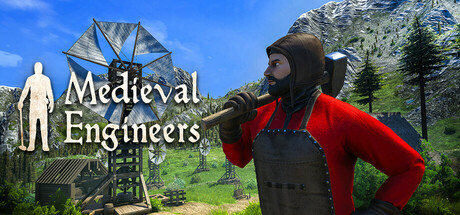
Medieval Engineers is a sandbox game about engineering, construction and the maintenance of architectural works and mechanical equipment using medieval technology. Players build castles; construct mechanical devices and underground mining. There is an entire planet to explore!
Knights and Bikes follows a pair of young girls on wild, imagined adventures throughout their seaside home town, petting geese, throwing frisbees, and overcoming evil together.
Gamasutra sat down with Moo Yu, Rex Crowle, and Kenny Young of Foam Sword to learn about the feelings of childhood energy that permeated the visual style, the imagination that fueled the sounds and music, and how the game encourages togetherness through cooperative play.
Yu: I’m Moo Yu and I was the programmer on Knights and Bikes.
I’ve been a gameplay programmer for 15 years or so. Most of my known work has been from console games like Ratchet and Clank and LittleBigPlanet during my time at Media Molecule, which is where I met Rex. I’ve also wandered the games industry making Facebook games, mobile games, web games, kids games, and all that kind of stuff. I even was able to program a game called Subsurface Circular during the development of Knights and Bikes.
Crowle: Hello! I’m Rex Crowle, and I juggled a lot of roles, but Art, Level Design and Story took up most of my development time on the game.
I’m from an illustration and animation background, and although it was my dream, I never expected to end up working in games. Luckily, a path via interaction design and TV animation brought me into the industry. First, I was at Lionhead Studios, and then I was helping my pals as they set up Media Molecule to define how the company would stand out and be perceived, along with the pitch for our first game, LittleBigPlanet.
After making a couple of those games, the studio supported me to take on leading a project that became Tearaway on the Vita and then Tearaway Unfolded on PS4. I’ve always enjoyed doing lots of personal-projects outside of studio work to keep things fresh, from making short-films to apps, and Knights And Bikes became by far the biggest of those to date.
Crowle: Myself and Moo had been playing around with the idea of making an experience similar to that classic 1980s film The Goonies. We imagined a game about managing a gang of kids, each with their own abilities which they’d have to use both separately and as a team to have some kind of treasure-hunting adventure. That ultimate quest being a bit of a MacGuffin, because really it would be about friendship and coming-of-age and going on an emotional journey as well as a physically-demanding adventure.
Initially, the player would have been controlling a larger gang of kids and dealing with turn-based battles along the way. The whole package skewed closer to our video game inspirations: Secret of Mana and Earthbound. But with time, it developed more of its own personality. We trimmed back the cast to just our two favorite characters, Nessa and Demelza, so that the story could focus far more on their developing relationship with each other. And while combat remained, it became real-time and a smaller part of the way players interacted with the world. The same player abilities used in battles were given an overhaul so they could be used to solve puzzles, allowing players to be more expressive, and most importantly, collaborate meaningfully with the other player.
All of this felt like a much better overall balance and the game became mostly about being a good friend and bonding with someone else on an emotional journey. Along with a healthy dose of bike-riding, goose-petting and high-fiving each other along the way!
Yu:Knights and Bikes was developed in Unity 3D. We also used tools like Spine for animation and Rewired for controller support. On top of Unity, we built a suite of custom tools that we also used to build the game.
Crowle: Having almost the smallest content-creation team it’s possible to have, we needed to have the shortest possible content pipeline. So, the solution was to paint the “concept art” in Photoshop, save it out as PNGs, and then reposition them in a 3D scene within Unity. And skip all the stages in-between that you’d have on a true 3D title like modeling, texturing, and so forth. This reduced the workload a lot, although using 2D animation in a world you could navigate fully in 3D (on foot and on bikes) mostly added all that saved-time back onto the project again!
Crowle: The concept behind the visual style is that it’s a world you are looking at through the eyes of the characters that are experiencing it. It’s their own unique take on what’s ‘there’. If you’d been playing as an adult in the story, it might have all been rendered in quite a different style, but in this particular tale, you’re playing as a pair of energetic, imaginative kids.
So, the visuals are created in the same materials that our characters might try to document the story themselves: in paint, chalk and pastels. But it’s not a total fantasy environment; it’s based on a real setting. So, it was a case of using those expressive materials to describe a much less fantastical reality. I wanted it to be based on somewhere with lots of very real issues and actually be a little bit bleak, so that this more fantastical interpretation would have a very strong and real foundation underneath it. It’s the kids imagination that elevates the ordinary and turns a rundown seaside resort into the setting for a grand adventure.
Aside from the painting style, the key ingredient was environmental animation. The visuals needed to be alive and with lots of movement, suggesting both the stormy island setting that the game takes place on, but most importantly, that it’s a representation of the endless energy that kids have. It tries to depict not just their physical energy, but also the power of their imagination. So, everything on screen is shimmering and “wobbling” like a stop-motion animation to suggest that everything is in play. It’s like their molecules are struggling to stay in one form. Nothing is certain and everything has the potential to be warped and changed by the character’s imagination.
As we continued development, this aspect was one that players were particularly enjoying. Juxtaposing the reality and the fantasy was something we leaned into more and more. Before long, rusty chicken-wire fences were warping into castle-battlements and a bike race might be given extra drama as a shower of shimmering chalk arrows rained down around the players.
Crowle: All that movement meant a lot of painting! Most “static” items are painted multiple times so they could shimmer in that stop-motion style, and that was time-consuming. Placing objects in the 3D scenes was also extremely painstaking as there were often thousands of individual animated 2D paintings on screen at any one time. Each object was individually hand placed and tinted to make sure it created a cohesive and attractive composition, and there was a huge amount of pinging back and forth between Edit and Play modes in Unity to nudge a tuft of grass a few pixels this way or that.
Having said that, character animation was probably the biggest challenge. Visually, it needed to still have that stop-motion feel, but with hundreds of animations required and with many viewed from multiple angles, it would have to use a bone-based animation solution, for which we chose Spine 2D. Much of the actual work was just the slog of animating and maintaining a huge library of movements, as well as setting up all the triggers in the game-world, cut-scenes and dialogue to trigger them all and keep the characters feeling alive and engaged in the story at all times.
But the bike-riding was the trickiest single task, as it required a combination of character animations, bike animations, plus extra overlaid animations, and all created in many more compass directions than the regular on-foot movements. There was obviously a huge amount of code to control all this and a lot of tweaking by Moo to get it feeling good. I struggled a bit with no preview of how well the player animations were matching up with the bike animation without running the game, but with a lot of guesswork, collaboration, and experimentation, I think we got something that feels both smooth to control while still matching the style of the rest of the game, and hopefully making you feel like you’re 8-years old again, freewheeling carefree down a mountainside on a bike with dodgy brakes!
Yu: One of the challenges that I found myself facing was just making sure everything played together nicely. Knights and Bikes is a grab bag of different methods to create its distinctive look. There are tons of sprites, some animated frame-by-frame and others animated using Unity’s legacy or MechAnim tools. But it also has 3D meshes (some authored in Maya, some dynamically created with custom tools, and others created at runtime with code), particle effects, Spine animations, and I’m sure I’m forgetting some other bits.
Yu: I thought a lot about what my fondest moments playing video games were, and they all had one thing in common: bringing friends together to enjoy the medium. So, I was just hoping to capture that feeling again of getting together with your friends, not knowing what the future holds, and plunging forth into adventure. It’s something that I missed living such a structured adult life, but also something I’m looking forward to now that I have a 1-year-old child.
Yu: One of the main things that was really important to us was that each girl was her own person. From a gameplay perspective, they couldn’t just be the same character with different costumes on. Each girl needed to have her own personality and abilities, and it was necessary for them to work together to find their way through this journey.
Crowle: Yep! And in designing each kid’s abilities, it was important that they felt quite improvised and centered around them and their own world-view. They’re going on this Arthurian quest to find their Holy Grail, but there aren’t any ladies in lakes gifting them with magical swords.They are using the everyday objects that they find along the way, like Frisbees and toilet-plungers. And even though it’s kinda silly, it also takes a lot more courage to go into battle with the ancients armed only with pair of rubber rain boots and pack of water-balloons.
And that thematic imbalance between the challenge ahead and the player’s tools to deal with it hopefully creates more dramatic juxtapositions and more bonding between players. Which then leads to more invention on how to combine those skills together, and a few more surprising outcomes as well. In comparison, it’s kinda hard to design anything particularly surprising to do with a sword or a gun, so this was a lot more fun to make! We ended up with a spreadsheet cross-referencing how each of these more improvised abilities could be combined by players together. There are some very obscure combinations possible, particularly with the late-game powers that allow players to get pretty playful if they just want to take a bit of time out from the story and creatively mess around, just like any pair of kids would!
Young: Daniel Pemberton’s score is probably best summarized as nostalgic, but with more of an emphasis on childhood than the game’s 1980’s setting. The opening song ‘I Wanna Ride My Bike’ has a late-70’s punk vibe that a rebel like Nessa might very well have had on her mix tape, but it primarily serves to score the girls’ youthful spirits and energy, not least because it is sung by an eleven year old girl! It’s also quite deliberately not very gamey, and breaking with tradition sets the tone for the audio experience from the get go.
The score has quite a broad palette, and I love how Daniel reuses the main theme in various different guises but always serves the purpose of reminding us of the lost treasure and Demelza’s mum. So, sometimes it is quite exposed and vulnerable (the melodica phrases), other times mysterious and mystical (the Gregorian chant), but even manages to be gritty and galvanizing (the synth version used during the Laser Kingdom sequence). There’s a lighter side to the music experience, too – the percussive pieces used during racing and combat score the frenetic energy of the girls and the situations they find themselves in, and the kazoo is a fun nod to the naivety of childhood.
For the sound, there was a definite attempt and intention to further blur the distinction between what is real and what is imagined by Nessa and Demelza. For the most part, that means that everything is taken at face value irrespective of how outlandish it might be, which gives a consistency to the experience – everything is very real for the girls. But some of the more interesting examples take the form of naturalistic sounds we hear in the environment, such as the distant horses whinnying when they get on their bikes, the source of which is ambiguous, and other times, it is sounds made by the girls themselves that offers a more overt insight into their imaginations, such as the vehicle sounds they make with their mouths whilst running or racing.
Another big focus was the ambient sound world of Penfurzy itself; exploring the island is a significant aspect of the game, and we wanted players to be immersed in that experience. It’s common for games to rely on music or abstract sound design to differentiate between areas on a map and signify to players what they should be feeling at all times. So, I think we took a bit of a risk in asking players to form their own emotional response to uncovering the island. But once players accept that this is how it’s going to be, hopefully it offers a refreshing experience that gives the game a unique tone.
The intention is that this acts as an invitation to players to revisit those feelings of exploring and discovering their environment as a kid. I don’t know how close we got to pulling that off, but what I do know is that it’s rare for a game to expect players to truly listen to it, and I’d like to think that Knights and Bikes rewards those that do.
A big upside of breaking with tradition and emphasizing the environmental audio is that when we do use music, it has a much bigger impact and really helps to heighten the experience during challenges, combat, and the game’s more emotional moments of exposition. As with all powerful substances, overusing music dulls its effects
Crowle: Although the game is often silly and playful and loud, under the surface it’s definitely a game about deeper emotions and feelings. It’s quite a personal story for me, but it also deals with lots of universal themes, too, and it’s good to know that it’s been connecting with players. Lots of reviews have used the word “Heartfelt” which I’m very happy about. Although it sometimes felt very “Heart-Wrung” to me in that I’ve really squeezed myself out into a video game. But I’m glad it’s out there and we all managed to deliver on the thing that we originally promised our Kickstarter backers.
And of all the player reviews and messages we get, it’s the ones where people say “I played this together with my wife/husband/partner/kids” and you know they shared this particular story together, and you wonder about all those specific little moments of bonding and friendship they had snuggled up on the couch together, when it became their story instead of ours.
This game, an IGF 2020 honoree, is featured as part of the Independent Games Festival ceremony, which will be free to stream virtually starting at 5pm PT (8pm ET) Wednesday, March 18 on GDC’s Twitch channel.
In the first line, you create the list lst consisting of five integers. You then remove all elements from the list. The result is the empty list.
Puzzle – Try It Yourself:
Syntax: You can call this method on each list object in Python. Here’s the syntax:
list.clear()
Arguments: The method doesn’t take any argument.
Return value: The method list.clear() has return value None. It operates on an existing list and, therefore, doesn’t return a new list with the removed element
Video:
Python List clear() vs New List
Now, if you’re an alert reader, you may ask the following interesting question: why to use the clear() method in the first place when you also can simply create a new list and be done with it?
Here’s an example where both ways lead to the same result:
I know the code seems to be a bit odd but it shows that instead of clearing an existing list, you can also create a new list. In this case, this leads to the exact same result.
However, Python is an object-oriented language. And if you just create a new object and assign it to a variable, the original list still exists in memory. And other variables may point to the object.
Consider the following code snippet that exemplifies this:
I’ve created a Python visualization for you so that you can see the objects in memory:
Simply assigning a new list to the variable lst will leave the other variable lst_2 unaffected. Instead, you should have used lst.clear() to make sure that both variables now point to the same empty list object.
The effect of the clear() method is that the list is now empty.
In theory, you released the Python virtual machine from the burden of keeping the elements in the memory. Python uses reference counting to determine if some elements in the memory are not referenced anymore (and, thus, can be considered unused). Those elements will be removed—we say, they are deallocated from memory. If you clear the list, you essentially remove all references from the list to the list elements. However, some old list elements may still be referenced from the outside (e.g. by another variable). So they are not necessarily removed because they may still be needed! Just keep this in mind when clearing the list.
In practice, however, even referenced elements may still exist in the memory until the Python garbage collector (or even the operating system) removes the elements from memory.
Python List clear() Complexity
The runtime complexity of list.clear() is O(n) for a list with n elements. Why? Well, you first need to understand what happens if you remove all elements from a list. The list elements are not physically (or, for that matter, digitally) stored in the list. The list contains only references to the real list element objects in memory. If you clear the list, you remove all those references.
The garbage collector in Python goes over all elements in the memory to remove the ones that have a reference count of zero. Why? Because they are the ones that cannot be accessed in the code. Thus, the garbage collector can safely assume that they are unused and are not needed anymore. As you see, the garbage collector needs the reference count information for each element in memory.
The algorithm when clearing a list is simple: reduce the reference count of each list element object by one. The objects that end up with reference count zero can now be removed from memory. But as you need to go over all list elements, the runtime complexity is linear to the list size.
Python List clear() Not Working
The Python list.clear() method was added in Python 3.3 (official source). So if you try to use it for any Python version before that, you must use the del list[:] method that is semantically equivalent and works for earlier Python versions, too.
Have you tried to use Python list.clear() in Python 2.7? It’s not possible. The clear() method was added in Python 3.3 (official source). So if you try to use it for any Python version before that (including 2.7), you must use the del list[:] method that is semantically equivalent and works for earlier Python versions, too.
Remove an element from the list (by index) and return the element
lst.clear()
Remove all elements from the list
del lst[3]
Remove one or more elements from the list (by index or slice)
List comprehension
Remove all elements that meet a certain condition
Python List clear() Thread Safe
Do you have a multiple threads that access your list at the same time? Then you need to be sure that the list operations (such as clear()) are actually thread safe.
In other words: can you call the clear() operation in two threads on the same list at the same time? (And can you be sure that the result is meaningful?)
The answer is yes (if you use the cPython implementation). The reason is Python’s global interpreter lock that ensures that a thread that’s currently working on it’s code will first finish its current basic Python operation as defined by the cPython implementation. Only if it terminates with this operation will the next thread be able to access the computational resource. This is ensured with a sophisticated locking scheme by the cPython implementation.
The only thing you need to know is that each basic operation in the cPython implementation is atomic. It’s executed wholly and at once before any other thread has the chance to run on the same virtual engine. Therefore, there are no race conditions. An example for such a race condition would be the following: the first thread reads a value from the list, the second threads overwrites the value, and the first thread overwrites the value again invalidating the second thread’s operation.
All cPython operations are thread-safe. But if you combine those operations into higher-level functions, those are not generally thread safe as they consist of many (possibly interleaving) operations.
Python List Clear Duplicates
How to remove all duplicates of a given value in the list?
The naive approach is to go over each element and check whether this element already exists in the list. If so, remove it. However, this takes a few lines of code.
A shorter and more concise way is to create a dictionary out of the elements in the list. Each list element becomes a new key to the dictionary. All elements that occur multiple times will be assigned to the same key. The dictionary contains only unique keys—there cannot be multiple equal keys.
As dictionary values, you simply take dummy values (per default).
Then, you simply convert the dictionary back to a list throwing away the dummy values. As the dictionary keys stay in the same order, you don’t lose the order information of the original list elements.
If you keep struggling with those basic Python commands and you feel stuck in your learning progress, I’ve got something for you: Python One-Liners (Amazon Link).
In the book, I’ll give you a thorough overview of critical computer science topics such as machine learning, regular expression, data science, NumPy, and Python basics—all in a single line of Python code!
OFFICIAL BOOK DESCRIPTION:Python One-Liners will show readers how to perform useful tasks with one line of Python code. Following a brief Python refresher, the book covers essential advanced topics like slicing, list comprehension, broadcasting, lambda functions, algorithms, regular expressions, neural networks, logistic regression and more. Each of the 50 book sections introduces a problem to solve, walks the reader through the skills necessary to solve that problem, then provides a concise one-liner Python solution with a detailed explanation.
Vulkan Ray Tracing consists of a number of Vulkan, SPIR-V, and GLSL extensions, some of which are optional. The primary VK_KHR_ray_tracing extension provides support for acceleration structure building and management, ray tracing shader stages and pipelines, and ray query intrinsics for all shader stages. VK_KHR_pipeline_library provides the ability to provide a set of shaders which can be efficiently linked into ray tracing pipelines. VK_KHR_deferred_host_operations enables intensive driver operations, including ray tracing pipeline compilation or CPU-based acceleration structure construction to be offloaded to application-managed CPU thread pools.
Vulkan Ray Tracing shaders are SPIR-V binaries which use two new extensions. The SPV_KHR_ray_tracing SPIR-V extension adds support for ray tracing shader stages and instructions; SPV_KHR_ray_query adds support for ray query shader instructions. Developers can generate those binaries in GLSL using two new GLSL extensions, GLSL_EXT_ray_tracing and GLSL_EXT_ray_query, which are supported in the open source glslang compiler. Engineers at Khronos member companies, including NVIDIA, have also added support for the SPIR-V extensions to DXC, Microsoft’s open source HLSL compiler, enabling Vulkan Ray Tracing SPIR-V shaders to be authored in HLSL using the syntax defined by Microsoft, with minimal modifications.
Beta drivers are available from NVidia here although it should be cautioned, these drivers are very much for developers only! You can read more about the announcement in this 20 page pdf presentation, as well as a more in-depth technical overview of raytracing support in this blog post.
You can learn more about raytracing support in Vulkan in the video below.
Code discovered in the gold master of iOS 13.4 reveals each of Apple’s new iPad Pro models, released on Wednesday, boast 6GB of RAM and the company’s U1 Ultra Wideband chip, the latter of which could be used to locate rumored “AirTag” device trackers.
Code spelunking performed by 9to5Mac shows all versions of the new 2020 iPad Pro get identical 6GB allotments of system memory, 2GB more than all but the highest tier 1TB configuration of 2018’s iPad Pro.
The additional RAM will assist iPad Pro’s new A12Z processor chew through critical tasks and should allow more apps or browser tabs to be open simultaneously in the background.
Not much is known about Apple’s A12Z processor beyond its 64-bit architecture and 8-core graphics capabilities, but Apple claims the chip outpaces most laptop PCs available today.
Beyond memory, iOS 13.4 code reveals the fourth-generation iPad Pro integrates Apple’s U1 Ultra Wideband chip. The company fails to mention U1 support in documentation released today as part of the hardware announcement, but it can be assumed that the tablet will include features similar to iPhone 11.
Introduced in 2019 with iPhone 11 and iPhone 11 Pro, the U1 chip uses UWB technology for spatial awareness as it applies to other similarly equipped devices. For example, iPhone 11 can precisely determine its location relative to another nearby iPhone 11 or, as revealed today, 2020 iPad Pro.
Currently, the U1 is limited to prioritizing AirDrop recipients (accomplished by pointing an iPhone 11 to another iPhone 11 or 11 Pro), but that is expected to change in the near future. Apple is rumored to release a Tile-like tracker that is a shoo-in for UWB integration.
Pokémon Sword And Shield Version 1.1.1 Is Now Live, Pokémon Home Also Updated
It’s been a while since we’ve heard much about Pokémon Sword and Shield. In fact, the last major news about it was the reveal of the new mythical monkey Zarude, and before this in January, we found out about the Expansion Pass coming to the game, and the launch of Pokémon Home.
Today, though, Nintendo’s attention has briefly returned to Sword and Shield – with a new update released for the game. Unfortunately, it’s not all that much. According to the official patch notes over on the Nintendo support page, several issues have been fixed to improve the gameplay experience:
Ver. 1.1.1 (Released March 17, 2020)
Fixed several issues to improve gameplay experience.
Apart from this, that’s it! The next major update for the game is part one (The Isle of Armor) of the Expansion Pass. This will be released in June and The Crown Tundra is expected to follow. You can head over to the eShop right now and pick up the pass for £26.99 / $29.99.
Pokémon Home has also been updated to Version 1.0.1. Like Sword and Shield, it has a patch fixing several issues to improve the overall gameplay experience.
Have you noticed anything else about the latest patch for Sword and Shield? How about Home? Leave a comment down below.
Posted by: xSicKxBot - 03-19-2020, 07:22 AM - Forum: Lounge
- No Replies
When Can You Play Animal Crossing: New Horizons On Nintendo Switch?
The highly-anticipated cutesy life-sim Animal Crossing: New Horizons launches this Friday, March 20 on Nintendo Switch. If you're wondering when Tom Nook will invite you to hang out on the game's new deserted island, Switch owners only need to check Nintendo's support FAQ to see when New Horizons unlocks.
According to Nintendo, certain games available for pre-purchase will become playable at 9 PM PT / 12 AM ET on the day the game is scheduled to go live. This is a policy instated across the entirety of the Eshop and not specific to New Horizons. However, Nintendo does make it clear that "some third-party titles are not available until 12 PM PT" on the day the game is supposed to come out. Being a first-party game, however, we can expect New Horizons to be available at 9 PM PT on Thursday, March 19.
Animal Crossing: New Horizons is available to pre-load right now after you pre-order it on Nintendo Switch. You can check out our New Horizons pre-order guide to learn about the available bonuses. An update for New Horizons is scheduled to go live later today, but the contents of the 1.1.0 patch remain a mystery.
The 160th GalaQuiz will be LIVE soon, win up to $100 in GalaCredit!
[www.indiegala.com] The GalaQuiz will take place in less than 15 minutes from this announcement Today's GalaQuiz[www.indiegala.com] hints are up. The theme will be Freebie #4 Redux.









 in GalaCredit!


