Mechstermination Force Is The Latest Switch Indie To Go Physical
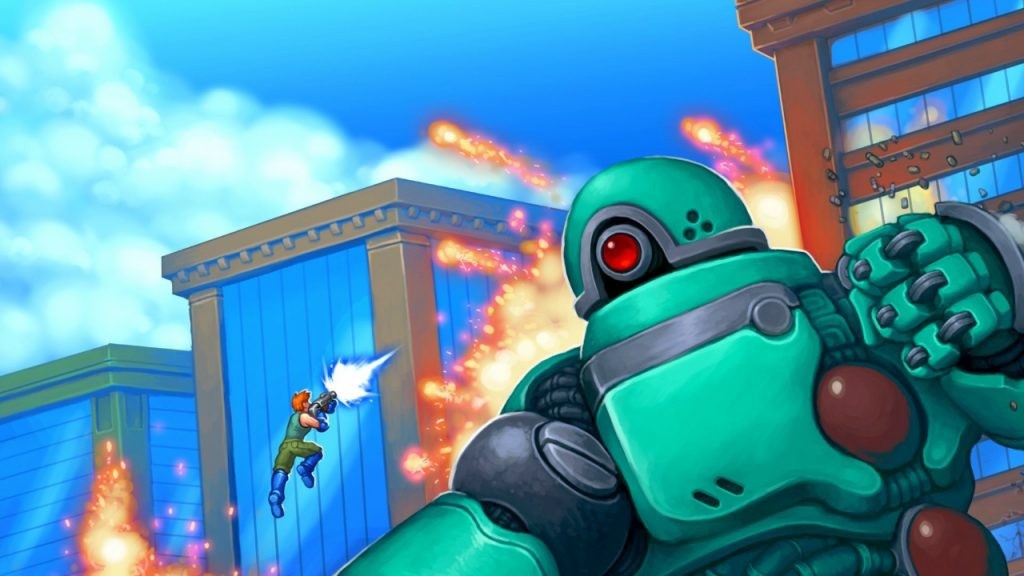
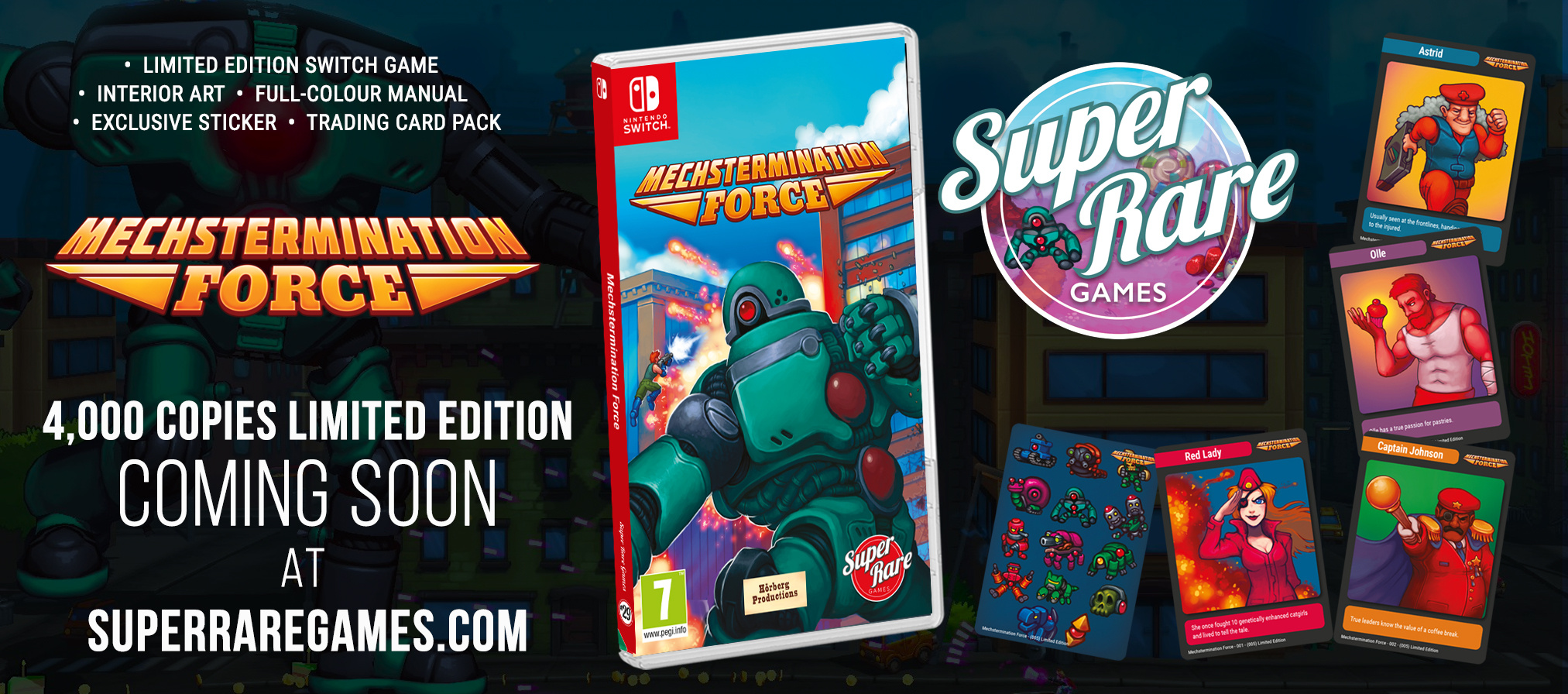
Super Rare Games has today revealed that the next indie release to receive a limited edition physical release on Switch is none other than Mechstermination Force.
Pre-orders for the new release are set to open on March 26th at 6pm GMT on Super Rare Games’ website. 4,000 copies have been printed in total, and each purchase comes with a 20-page full-colour manual, interior artwork, an exclusive sticker, and three trading cards randomly selected from a five-card set.
We enjoyed the game when we first played it on Switch last year. Feel free to read up on it in our review if you want to learn more. Here’s a snippet:
With Cuphead just around the corner, we can’t help feeling sorry for Mechstermination Force. It’s certainly less of a head-turner, but it’s a more approachable take on boss rush platforming, with less of an emphasis on twitch-based, pixel-perfect precision. It’s peppered with ingenious design and amusing writing and we thoroughly enjoyed our time with it.
Are you a fan of the game? Are you tempted to try it now that it’s coming out in physical form? Let us know with a comment.
Review: DOOM 64 – Will Tide You Over Until DOOM Eternal Arrives On Switch
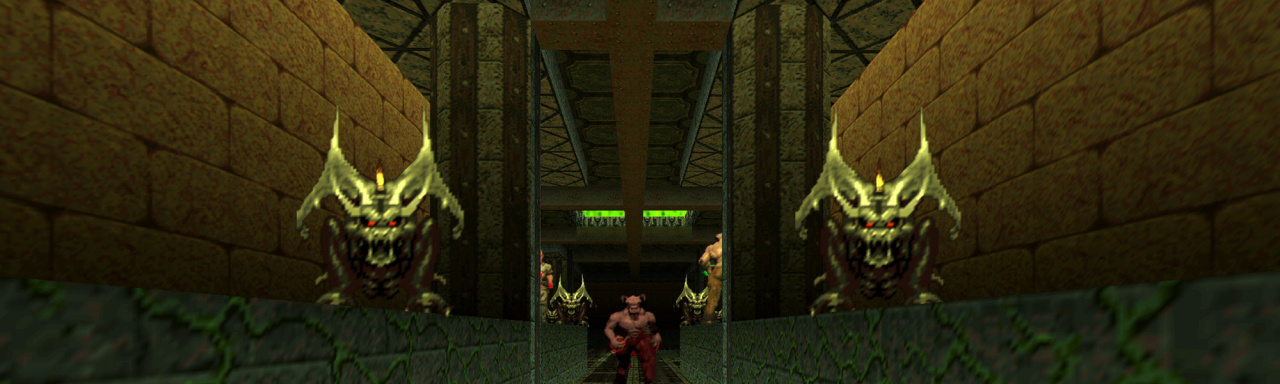
Players of a certain generation might recall just how special it was having an actualDoom on Nintendo 64. The FPS that put corridor shooters firmly on the map was pretty ubiquitous in its ports – even back in 1997 – but having a graphically superior take with bigger levels, more guns and even more challenging demons to slay made that little grey cartridge feel even more special. Doom 64 was also a bit of a time capsule; a last-ditch throwback to the genre’s roots while the likes of Turok: Dinosaur Hunter and GoldenEye 007 (both released the same year) started pushing boundaries with large, open levels and stealth.
Unsurprisingly, it’s built up quite the cult following over the years, and with good reason, too. Despite being an ultra-violent bloodbath designed for the typically family-friendly library of Nintendo, Doom 64 wasn’t censored (well, not in the West, at least) and unashamedly revelled in its cacophony of blood, guts and demonic entrails. And it wasn’t even developed by id Software, instead falling into the hands of the long-defunct Midway Games. It didn’t even have multiplayer, a staple of the couch play era of N64. And yet, it remains an underrated classic – and now you can play it on your Switch.
Why is it so fondly remembered today? Because, with id Software’s supervision, Midway understood exactly what it meant to be a Doom game. Doom 64 isn’t concerned with story; sure, it includes a plot surrounding the rise of a Mother Demon in the wake of Final Doom, but even the game simply doesn’t care about such things. It immediately drops you into action, barely takes a breath before it plonks a shotgun into your hands and proudly points you in the direction of the nearest zombie. It doesn’t rewrite the formula, because why would it? Doom works because of its simplicity, so Midway simply did more of the same with bigger levels and more guns to collect and unleash.
It’s a testament to the talent of that studio that Doom 64 feels so instantly playable in 2020. And in the very capable porting hands of Nightdive Studios – a developer that did the first two Turok games justice on Switch and other platforms, and is now working on a port of the equally underrated Shadow Man – this slice of mid-’90s action-adventure fits the Switch like a glove. The fifth Doom game to arrive on Switch (and not the last this year with DOOM Eternal also on the horizon) brings with it another take on a popular format that’s a perfect match for the console’s perpetual love for nostalgia and retro ports.
Nightdive has done a fine job of transitioning a game that’s nearly a quarter of a century old for a new console. Despite the limitations Doom 64 inherited from the original games, it feels fast and fluid with modern analogue sticks. The shotgun still kicks with glorious recoil, the Unmaker still (ahem) unmakes enemies with wanton abandon and demons still turn into piles of ectoplasmic gore when you empty enough slugs into them. All the same secret rooms are still there, and there are even some in-game achievements to help you feel rewarded in your search for the Mother Demon.
Changes include motion controls, naturally, and if you’ve played the studios other retro shooter ports – including Turok: Dinosaur Hunter and Turok 2: Seeds of Evil – you’ll know how well these work either in handheld mode or via a Pro Controller. There are more than 30 levels to slay your way through, including a newly-designed level that serves as an additional epilogue for the game. It ties directly into the events of DOOM and DOOM Eternal, giving this often overlooked entry a little more significance. And for those Switch users having to wait a little longer for the Eternal port, you’ve now got a little something extra to tide you over.
As you’d imagine, there’s still no support for multiplayer of any kind. It was an issue that added to Doom 64’s mixed reception back in the late ’90s – local deathmatches were already all the rage at the time – but we hardly expected Nightdive to go in and build support for an entirely new aspect to the game. In that regard, the DOOM reboot on Switch is still probably your best bet for multiplayer action (even if the lobbies aren’t as busy as they once were).
Conclusion
While it was already something of a relic when it launched on the N64 almost 25 years ago, Doom 64 remains a great example of just how refined a formula the series offers and just how good a job the late Midway did in the shadow of id Software. The lack of local multiplayer support still stings, even after all these years, but with support for motion controls on Switch – something Nightdive has already pulled off to a tee with its Turok ports – and the addition of a new DOOM Eternal-themed level, this is classic retro shooter that deserves a little more love.
Posted by: xSicKxBot - 03-21-2020, 09:57 AM - Forum: Lounge
- No Replies
Animal Crossing And Doom Join Forces In A Very Metal Music Video
March 20 marked the launches of both Animal Crossing: New Horizons and Doom Eternal. They are extremely different games, and it can be difficult to choose which one to play first. 3D animator Andrei Mishanin decided to avoid the decision entirely by putting them together in a roaring metal music video.
DOOMANIMAL stars the Animal Crossing cast as they headbang and rock out to Doom music. Isabelle is on drums, slamming the kit as hard as her little paws manage before delivering an incredible fill. The guitars rage, the bass grooves, and Tom Nook stands in the background playing his synthesizer as he plots how to take his bandmates' money from them.
They aren't playing for an empty theater, either, as an audience of villagers has formed a rave. It's the perfect show to attend before diving into the demon-slaughtering action of Doom Eternal, though it's a little intense to watch before playing Animal Crossing: New Horizons.
Posted by: xSicKxBot - 03-21-2020, 09:42 AM - Forum: Python
- No Replies
Python List copy()
Surprisingly, even advanced Python coders don’t know the details of the copy() method of Python lists. Time to change that!
Definition and Usage: The list.copy() method copies all list elements into a new list. The new list is the return value of the method. It’s a shallow copy—you copy only the object references to the list elements and not the objects themselves.
Here’s a short example:
>>> lst = [1, 2, 3]

>>> lst.copy()

[1, 2, 3]
In the first line, you create the list lst consisting of three integers. You then create a new list by copying all elements.
Puzzle – Try It Yourself:
Syntax: You can call this method on each list object in Python. Here’s the syntax:
list.copy()
Arguments: The method doesn’t take any argument.
Return value: The method list.clear() returns a list object by copying references to all objects in the original list.
Video:
Python List Copy Shallow
Before you can truly understand the copy() method in Python, you must understand the concept of a “shallow copy”.
In object-oriented languages such as Python, everything is an object. The list is an object and the elements in the list are objects, too. A shallow copy of the list creates a new list object—the copy—but it doesn’t create new list elements but simply copies the references to these objects.
You can see that the list below is only a shallow copy pointing to the same elements as the original list.
In Python, the list.copy() method only produces a shallow copy which has much faster runtime complexity.
Changing the third list element of the copied list impacts the third list element of the original list.
Python List Copy Deep
Having understood the concept of a shallow copy, it’s now easy to understand the concept of a deep copy. A shallow copy only copies the references of the list elements. A deep copy copies the list elements themselves which can lead to a highly recursive behavior because the list elements may be lists themselves that need to be copied deeply and so on.
Here’s a simple deep copy of the same list as shown previously:
In contrast to the shallow copy, the list [1, 2] is copied separately for the deep copy list. If one changes this nested list in the original list, the change would not be visible at the deep copy. (Because the nested list of the deep copy list is an independent object in memory.)
Note that in a deep copy, the string object must not be copied. Why? Because strings are immutable so you cannot change them (and, thus, there will be no dirty “side effects” seen by other copies of the list pointing to the same object in memory.
To get a deep copy in Python, use the copy module and use the deepcopy() method:
Say, you want to copy the list. What options are there?
Method
Description
list.copy()
Returns a shallow copy of the list.
import copy
copy.deepcopy(list)
Import the copy module and uses its method to create a deep copy of list.
list[:]
Use slicing with default indices to create a shallow copy of the list.
list(x)
use the built-in list constructor list(...) to create a shallow copy of the list x.
[el for el in lst]
Use list comprehension to create a shallow copy of the original list lst.
Slicing belongs to the fastest methods (very dirty benchmark here). If you need to refresh your Python slicing skills, here’s a tutorial on the Finxter blog:
The main reason why the list.copy() method may not work for you is because you assume that it creates a deep copy when, in reality, it only creates a shallow copy of the list. To create a deep copy where the list elements themselves are copied (e.g. for multi-dimensional lists), simply import the copy module and use its method deepcopy(x) to copy list x.
How to copy a list and append an element in one line of Python code?
Simply use slicing to copy the list and the list concatenation operator + to add the list of a single element [x] to the result. But there are other nice ways, too. Check out the following ways to append element x to a given list lst and return the result as a copy:
lst[:] + [x]
lst.copy() + [x]
[*lst, x]
The third way to copy a list and append a new element is my personal favorite because it’s fast, easy-to-read, and concise. It uses the asterisk operator to unpack the elements of the original list into a new list.
Python List Copy By Value
Do you want to copy all elements in your list “by value”? In other words, you want not only the list object to be copied (shallow copy) but also the list elements (deep copy).
This can be done with the deepcopy() method of Python’s copy library. Here’s an example:
The element 42 was not appended to the nested list of lst.
Python List Copy With Slice
You can simply copy a list lst by using the slice operation lst[:] with default start and stop indices so that all elements are copied in the list. This creates a shallow copy of the list lst.
To copy a list without its first element, simply use slicing list[1:]. By setting the start index to 1 all elements with index larger or equal to 1 are copied into the new list.
Here’s an example:
>>> lst = [1, 2, 3, 4]

>>> lst[1:]

[2, 3, 4]
Python List Copy Without Last Element
To copy a list without its last element, simply use slicing list[:-1]. By setting the start index to -1 (the right-most list element) all elements but the last one are copied into the new list.
Here’s an example:
>>> lst = [1, 2, 3, 4]

>>> lst[:-1]

[1, 2, 3]
Python List Copy Time Complexity
The time complexity of shallow list copying—examples are list.copy() or slicing list[:]—is linear to the number of elements in the list. For n list elements, the time complexity is O(n). Why? Because Python goes over all elements in the list and adds a copy of the object reference to the new list (copy by reference).
I wrote a quick script to evaluate that the time complexity of copying a list is, in fact, linear in the number of list elements:
import matplotlib.pyplot as plt

import time y = []

for i in [100000 * j for j in range(10)]: lst = list(range(i)) t0 = time.time() lst_2 = lst[:] t1 = time.time() y.append(t1-t0) plt.plot(y)

plt.xlabel("List elements (10**5)")

plt.ylabel("Time (sec)")

plt.show()
Here’s the result:
The runtime grows linearly in the number of list elements.
Python List Copy Partially
How to copy a list partially? To copy only the elements between start index (included) and stop index (excluded), use slicing like this: list[start:stop]. This results in a new list that contains only parts of the list.
Python List Copy Multi-Dimensional List
To copy a multi-dimensional list (a list of lists), you need to create a deep copy. You can accomplish this with the copy library’s deepcopy() method as follows:
You can see that the copy was really deep because the first element of the lst was not affected by the clear() method that removed all elements for the deep copy lst_2.
Python List copy() Thread Safe
Do you have a multiple threads that access your list at the same time? Then you need to be sure that the list operations (such as copy()) are actually thread safe.
In other words: can you call the copy() operation in two threads on the same list at the same time? (And can you be sure that the result is meaningful?)
The answer is yes (if you use the cPython implementation). The reason is Python’s global interpreter lock that ensures that a thread that’s currently working on it’s code will first finish its current basic Python operation as defined by the cPython implementation. Only if it terminates with this operation will the next thread be able to access the computational resource. This is ensured with a sophisticated locking scheme by the cPython implementation.
The only thing you need to know is that each basic operation in the cPython implementation is atomic. It’s executed wholly and at once before any other thread has the chance to run on the same virtual engine. Therefore, there are no race conditions. An example for such a race condition would be the following: the first thread reads a value from the list, the second threads overwrites the value, and the first thread overwrites the value again invalidating the second thread’s operation.
All cPython operations are thread-safe. But if you combine those operations into higher-level functions, those are not generally thread safe as they consist of many (possibly interleaving) operations.
Where to Go From Here?
The list.copy() method creates a shallow copy of the list. The copy.deepcopy(list) method creates a deep copy of the list.
If you keep struggling with those basic Python commands and you feel stuck in your learning progress, I’ve got something for you: Python One-Liners (Amazon Link).
In the book, I’ll give you a thorough overview of critical computer science topics such as machine learning, regular expression, data science, NumPy, and Python basics—all in a single line of Python code!
OFFICIAL BOOK DESCRIPTION:Python One-Liners will show readers how to perform useful tasks with one line of Python code. Following a brief Python refresher, the book covers essential advanced topics like slicing, list comprehension, broadcasting, lambda functions, algorithms, regular expressions, neural networks, logistic regression and more. Each of the 50 book sections introduces a problem to solve, walks the reader through the skills necessary to solve that problem, then provides a concise one-liner Python solution with a detailed explanation.
Join our Crypto Sale,[www.indiegala.com] and get an EXTRA 30% OFF on all bundles and 15% OFF on all store deals when paying with a supported cryptocurrency! The sale is ending tomorrow!
GDC Organisers Reveal New Three Day Summer Event For August
At the end of February, this year’s Games Developers Conference – scheduled to take place this month, in March – was postponed due to the coronavirus outbreak. A statement on the GDC website said the plan was to host the annual event later on in summer.
Everything has now been sorted and in place of the original conference is a brand new three-day summer expo, taking place between 4th – 6th August, at the Moscone Center in San Francisco. Here’s the full rundown:
GDC Summer’s conference program will consist of high-quality technical content, mixed with valuable roundtable discussions to foster conversation and connection.
The event will host a new series of microtalks and fireside chats, as well as a dedicated space for comprehensive career development sessions covering topics such as how to pitch your game, effective communication strategies, how to land an investor/publisher and business development strategies.
As a celebration of the game development industry, GDC Summer 2020 will roll out a new community partnership program. Organizations will have the opportunity to apply for space onsite to host meetings and gatherings alongside the main event. Qualifying organizations could include SIG meetings, non-profit board meetings, local meet-ups, hosted “office hours” by community professionals, portfolio review rooms, podcast recording and more.
This program enables GDC as an organization to reach areas of the industry previously untapped due to space restrictions. Meanwhile, sponsorship packages are designed to be easy to execute, with a shorter-than-average runway compared to other industry events.
GDC Summer will give the game development community a chance to come together in a way that hasn’t currently been possible due to COVID-19. Safety remains the GDC organizers’ paramount concern and the GDC team will continue to monitor the latest information from health officials to ensure a safe and compelling event for everyone at GDC Summer, GDC 2021 and beyond.
More details about GDC summer can be viewed via the official GDC website. And for additional information, you can subscribe to regular updates on Facebook and Twitter.
Posted by: xSicKxBot - 03-21-2020, 03:45 AM - Forum: Lounge
- No Replies
Call Of Duty: Modern Warfare 2 Remastered Might Be Coming
Activision Blizzard remastered the original Call of Duty 4: Modern Warfare in 2017, and the company appears primed to give its sequel the same makeover treatment. The South Korean ratings board has apparently leaked the game.
The Game Rating and Administration Committee (GRAC) site has a listing for Call of Duty: Modern Warfare 2 Campaign Remastered, registered on February 26. Given the name, this is just a remaster of the campaign, not the multiplayer. Modern Warfare Remastered did include its own game's multiplayer with new tweaks and achievements. This doesn't necessarily mean it will be missing from the final MW2 Remastered product, though, as that listing could simply be separate.
None of this is to be confused with Call of Duty: Modern Warfare, the relaunch of the Modern Warfare series that released last year. That's currently getting a ton of ongoing content with ongoing seasons and battle passes. Most recently it added the battle royale Warzone, which is free to all players regardless of whether you own the base game, and gives you the same cosmetic battle pass rewards.
Good Smile’s Isabelle Nendoroid Gets A Fourth Run, Pre-Orders Are Now Live
To celebrate the release of Animal Crossing: New Horizons on the Nintendo Switch, Good Smile Company has re-released its Isabelle Nendoroid for the fourth time in a row. Pre-orders are now live, so if you’ve missed out on previous occasions, we suggest you claim one for yourself while you still can.
This lovely Animal Crossing-themed Nendoroid is priced at $43.99 / €38.90, and a maximum of three are available per person. Although this reprint lines up with the launch of New Horizons on the Switch, as highlighted on the company’s website, the Nendoroid is actually based on Isabelle’s look in the 3DS title, Animal Crossing: New Leaf.
In addition to interchangeable parts, this figure includes Isabelle’s trademark hair accessory (including a real bell), a question mark, some musical notes, multiple bases, and a clipboard and pen. Pre-orders close on 16th April 2020 at 12 pm JST. Would you be interested in owning this Isabelle Nendoroid? Let us know down below.
Animal Crossing: New Horizons -- What To Do On Your First Day
Animal Crossing: New Horizons is now available, which means it's time to get your new island life started. Like previous Animal Crossing games, time in New Horizons passes as is does in real life--and you often have to wait until the following day or days to see the effects of what you're doing. We've outlined everything you should do on day one on your new island so you can maximize your early progress.
The game switches to a real-time clock after you complete the tutorial section--it ends when you go to sleep after the party. Luckily, Tom Nook's Resident Services tent is open 24 hours a day, so if you start your game later in the day, you won't be missing out on anything. You can talk to Tommy and Tom Nook to get some direction, and one of the first things you should do after the tutorial is enroll in Tom Nook's DIY workshop so you can start crafting important things.
Once you're able, craft a flimsy net and flimsy fishing rod. Catch some bugs and fish and then give five of them to Tom Nook--this will start the process of bringing the museum to your island. Doing this day one is important, because Blathers, the museum curator, will give you access to the shovel and vaulting pole when he arrives the next day.