Posted by: xSicKxBot - 03-24-2020, 04:59 AM - Forum: Lounge
- No Replies
Epic Games Store Shows Off Its Spring 2020 Lineup, Including Samurai Shodown
The Epic Games Store will continue to expand over the next few months, with several new titles due to arrive during spring. A new trailer showcasing the games that you'll be able to grab soon has been released, and you can watch it below to get a sneak peek at several titles.
Although the trailer does not explicitly label these games as timed exclusives, it seems like a strong possibility that they will be, as these games do not have Steam pages.
The games shown in the trailer are Dread Nautical, Control's first expansion (The Foundation), Industries of Titan, Totally Reliable Delivery Service, Diabotical, Saturnalia, Sludge Life, Among Trees, and Samurai Shodown. They're mostly smaller or indie titles, but based on the trailer above, it looks like a solid line-up. Epic Games has also released a synopsis for each title, so you can see if any of them appeal to you.
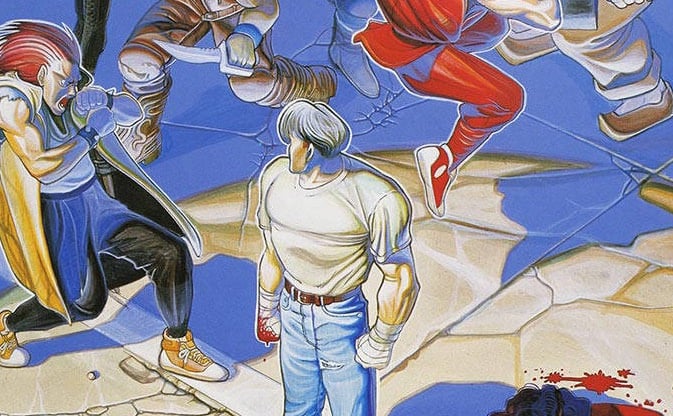
Final Fight’s Iconic Arcade Artwork Was Inspired By Dragon Quest
Legendary Capcom artist Akira “Akiman” Yasuda – famous for illustrating games such as Street Fighter II, Captain Commando, Power Stone and many, many more – has revealed the unlikely inspiration for one of his most iconic pieces of artwork.
The arcade poster for Capcom’s Final Fight – which was originally supposed to be released as Street Fighter ‘89 – shows playable character Cody standing over a prone enemy lying in a pool of blood. His face is turned away from the viewer, eyes already trained on another incoming foe.
If you are young enough to remember the arcade release of the game you may recall seeing this art in video game magazines of the period (we see to recall UK magazine CVG giving this away as a free pull-out poster), but it was later used on the North America cover for their Sega CD version. It’s a brilliantly brutal piece of artwork that perfectly communicates the tone of the game.
Yasuda has revealed his inspiration for the art – Enix’s Famicom epic Dragon Quest. He states in a tweet that he tried to copy the idea that the hero’s face isn’t clearly displayed because the player will be taking the place of the hero (it’s worth noting that Guy, another playable character in Final Fight, also has his back to the viewer).
Yasuda notes that Dragon Quest’s Akira Toriyama appears to have been inspired by illustrations for the Dungeons & Dragons tabletop game, which also adopts the same approach to showing the hero.
So there you have it – one of the most striking pieces of ‘80s arcade artwork was inspired by an RPG. Who would have thought it, eh?
Half-Life: Alyx Multitool Puzzles Guide -- How To Solve Every Puzzle
Half-Life: Alyx is primarily an action game, but like other games in the Half-Life series, there are some light puzzles to solve along the way. In more standard Half-Life fashion, there are environmental "puzzles" that require you to pull levers, push buttons, and operate machinery--since you're playing as Alyx, you're also a hacking whiz who can rewire electronics using her handy multitool. But Half-Life: Alyx has even more uses for the multitool, including solving some traditional spatial puzzles.
You'll encounter a number of multitool puzzles while playing Half-Life: Alyx. They come in many forms and are often used to lock access to important devices, like Combine fabricators and supply lockers. There's also a special one for disarming laser tripmines.
These puzzles are randomly generated each time you encounter one, but the logic to solve them is always the same. Below we've broken down the common multitool puzzle types and explained how to solve each one. Again, the exact solutions won't be the same, but the method of solving them will be. Some puzzles have "lose" conditions, but there is no consequence for failing a multitool puzzle--if you do fail, you just need to start it over.
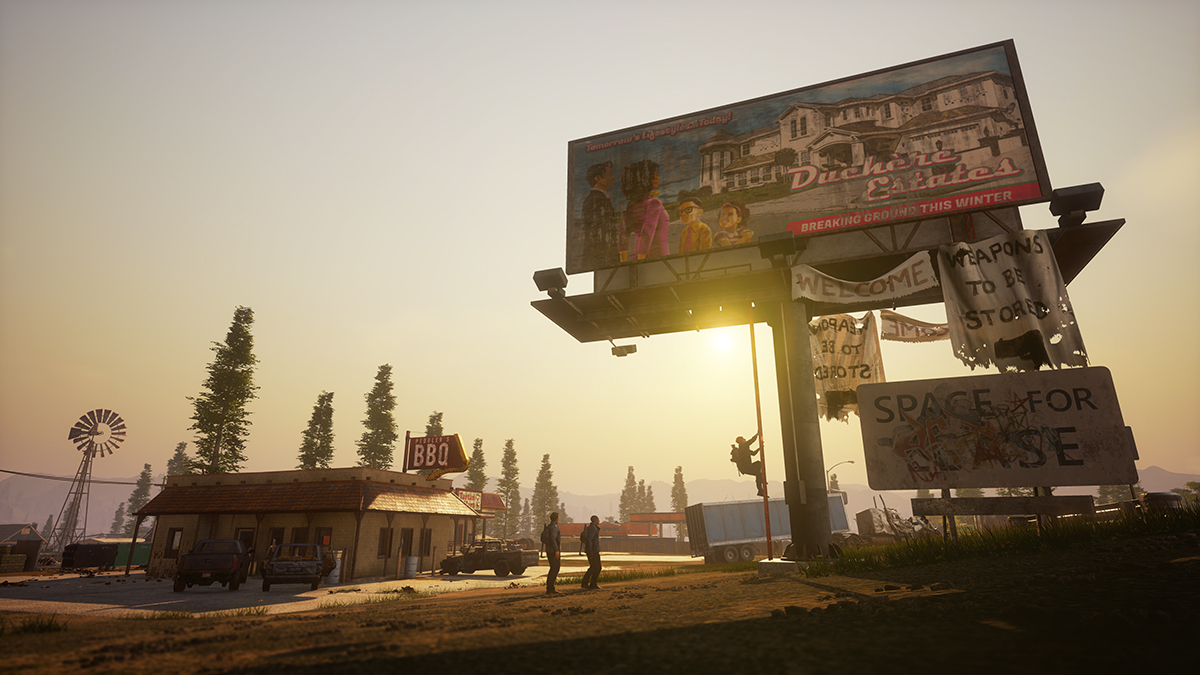
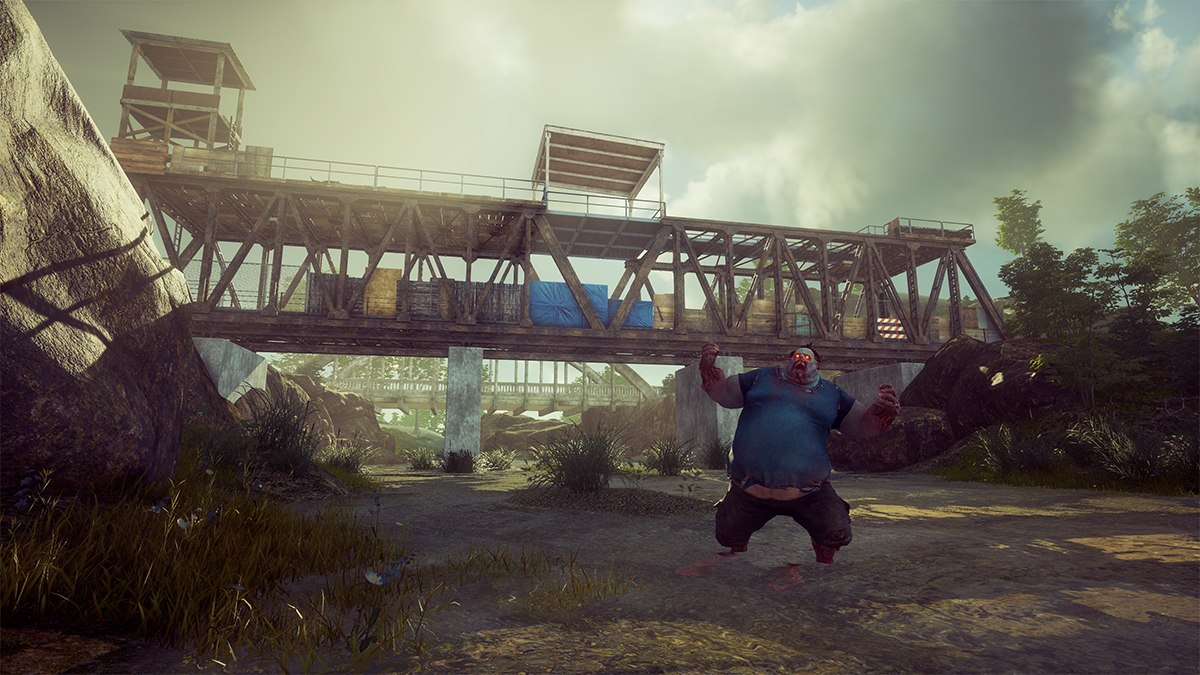
State of Decay 2: Juggernaut Edition Available Now
Summary
Available for Xbox Game Pass, Xbox One, Windows 10 PC, Steam and the Epic Games Store.
Includes all three add-on packs released to-date: Independence Pack, Daybreak Pack, and State of Decay 2: Heartland.
Over seven million State of Decay 2 players will enjoy State of Decay 2: Juggernaut Edition at release.
State of Decay 2: Juggernaut Edition is the next evolution of Undead Labs’ popular zombie survival fantasy game series, and it becomes available for zed hunters across the globe today! Last month we shared a sneak peek into what the community can expect with Juggernaut Edition, and we can’t wait for players to dive in. We’re looking forward to celebrating with over seven million fellow survivors that are playing State of Decay 2 and put our zombie apocalypse plan into action.
Available at no cost for all existing owners of State
of Decay 2, players will also receive exclusive in-game gifts after updating
and logging on to collect them. New players will immediately experience the
best that State of Decay 2 has to offer, at the same $29.99 USD price
point or included as part of their Xbox Game Pass
membership.
Juggernaut Edition provides the highest quality and most
expansive State of Decay experience in a single title, replacing the
Standard and Ultimate editions, and includes all previous add-on packs (Independence Pack, Daybreak Pack, and State of Decay 2: Heartland). This new
edition not only unlocks all previously released DLC, but also adds a
tremendous amount of new content like a new open-world map named Providence
Ridge, fully remastered graphics and audio, and hundreds of minor improvements
for veterans and new survivors alike.
To commemorate Juggernaut Edition’s release, we’re
releasing an all-new companion soundtrack available today on iTunes for $9.99
USD featuring the new music of Juggernaut Edition, plus additional unreleased
music from State of Decay 2 and Heartland. And it will soon be
available on Steam and Epic Games Store as a lossless two-disc download which
includes the original State of Decay 2 soundtrack!
State of Decay 2: Juggernaut Edition is available with Xbox Game Pass, Xbox One, Windows 10 PC, Steam, and the Epic Games Store. Existing players on Windows 10 PC looking to upgrade State of Decay 2 to State of Decay 2: Juggernaut Edition can find more information here.
All platforms will have cross-network play enabled
through Xbox Live.
GameStop abruptly shuts down all stores in California
Word is spreading today that GameStop stores in California are closing down as the state continues to push for closure of all non-essential businesses to combat the spread of coronavirus.
Today, Kotaku reports an updated memo has gone out confirming all stores in California are to close, and that “the closure will remain in effect until further notice as we obtain more information from the California Governor’s Office”, suggesting the struggling retailer’s efforts to sidestep the state’s quarantine measures were ineffective.
GameStop has been in rough financial waters for some time, and the retailer’s most recent financial report revealed weaker-than-usual holiday profits.The company has been slow to respond to the rapidly-shifting demands of the coronavirus outbreak, though it did publicly pause its trade-in programs (until March 29th) this week and implement other enhanced in-store safety measures in response to staff and customer concerns.
Gamasutra has reached out to GameStop to confirm and clarify these closures.
Video: Storytelling lessons learned in 14 years at BioWare
In this 2018 GDC talk, former BioWare creative director Mike Laidlaw details some of the most important lessons he’s learned about how narrative fits within games.
Plus, Laidlaw explored how writers and narrative designers tasked with bringing stories to life can gel into cohesive storytellers, while still working well with the larger game team.
And of course, all week the official GDC Twitch channel will be livestreaming speaker-recorded talks that were planned for GDC 2020, originally slated to take place this week. Tune in now to watch, or check back later to watch the archives on Twitch or the official GDC YouTube channel!
In addition to this presentation, the GDC Vault and its accompanying YouTube channel offers numerous other free videos, audio recordings, and slides from many of the recent Game Developers Conference events, and the service offers even more members-only content for GDC Vault subscribers.
Those who purchased All Access passes to recent events like GDC or VRDC already have full access to GDC Vault, and interested parties can apply for the individual subscription via a GDC Vault subscription page. Group subscriptions are also available: game-related schools and development studios who sign up for GDC Vault Studio Subscriptions can receive access for their entire office or company by contacting staff via the GDC Vault group subscription page.
Python Regex Quantifiers – Question Mark (?) vs Plus (+) vs Asterisk (*)
In this tutorial, I’ll show you the difference of the regular expression quantifiers in Python.
What’s the difference between the question mark quantifier (?), the plus quantifier (+), and the asterisk quantifier (*)?
Say, you have regular expression pattern A.
Regex A? matches zero or one occurrences of A.
Regex A* matches zero or more occurrences of A.
Regex A+ matches one or more occurrences of A.
Try it yourself:
Asterisk vs Question Mark
You can read the Python Re A? quantifier as zero-or-one regex: the preceding regex A is matched either zero times or exactly once. But it’s not matched more often.
Analogously, you can read the Python Re A* operator as the zero-or-more regex (I know it sounds a bit clunky): the preceding regex A is matched an arbitrary number of times.
The regex ‘ab?’ matches the character ‘a’ in the string, followed by character ‘b’ if it exists (which it does in the code).
The regex ‘ab*’ matches the character ‘a’ in the string, followed by as many characters ‘b’ as possible.
Asterisk vs Plus
You can read the Python Re A* quantifier as zero-or-more regex: the preceding regex A is matched an arbitrary number of times.
Analogously, you can read the Python Re A+ operator as the at-least-once regex: the preceding regex A is matched an arbitrary number of times too—but at least once.
The regex ‘ab*’ matches the character ‘a’ in the string, followed by an arbitary number of occurrences of character ‘b’. The substring ‘a’ perfectly matches this formulation. Therefore, you find that the regex matches eight times in the string.
The regex ‘ab+’ matches the character ‘a’, followed by as many characters ‘b’ as possible—but at least one. However, the character ‘b’ does not exist so there’s no match.
Summary: When applied to regular expression A, Python’s A* quantifier matches zero or more occurrences of A. The * quantifier is called asterisk operator and it always applies only to the preceding regular expression. For example, the regular expression ‘yes*’ matches strings ‘ye’, ‘yes’, and ‘yesssssss’. But it does not match the empty string because the asterisk quantifier * does not apply to the whole regex ‘yes’ but only to the preceding regex ‘s’.
Question Mark vs Plus
You can read the Python Re A? quantifier as zero-or-one regex: the preceding regex A is matched either zero times or exactly once. But it’s not matched more often.
Analogously, you can read the Python Re A+ operator as the at-least-once regex: the preceding regex A is matched an arbitrary number of times but at least once.
The regex ‘ab?’ matches the character ‘a’ in the string, followed by character ‘b’ if it exists—but it doesn’t in the code.
The regex ‘ab+’ matches the character ‘a’ in the string, followed by as many characters ‘b’ as possible—but at least one. However, the character ‘b’ does not exist so there’s no match.
Where to Go From Here?
You’ve learned the difference of the regex quantifiers in Python.
Summary: Regex A? matches zero or one occurrences of A. Regex A* matches zero or more occurrences of A. Regex A+ matches one or more occurrences of A.
Want to earn money while you learn Python? Average Python programmers earn more than $50 per hour. You can become average, can’t you?
Join the free webinar that shows you how to become a thriving coding business owner online!
Hello, everyone, we hope you are all doing well. We would like to remind you to try to avoid going outside in this period, if possible, due to the current situation. Here in Italy, just like in many places around the world, we were affected by the outbreak and are currently working from home.[blog.indiegala.com]
We used our time in quarantine to practice our blog writing skills...to make our first post in a while[blog.indiegala.com]. As you can tell, there is still plenty of room for improvement.
With the recent events, in order to give you an incentive to stay safely inside, we also prepared a special giveaway for you. [blog.indiegala.com] Each lucky winner (from the total 100) will receive $20 in GalaCredit which can be spent on the IndieGala site for both big AAA titles as well as plenty of indie gems, it's your choice.Join here![blog.indiegala.com]
FREE Activities for you to try during this period
Don't forget, we've offering plenty of more free activities & opportunities, such as:
FREEbies [freebies.indiegala.com]- free games to add to your IG account and play
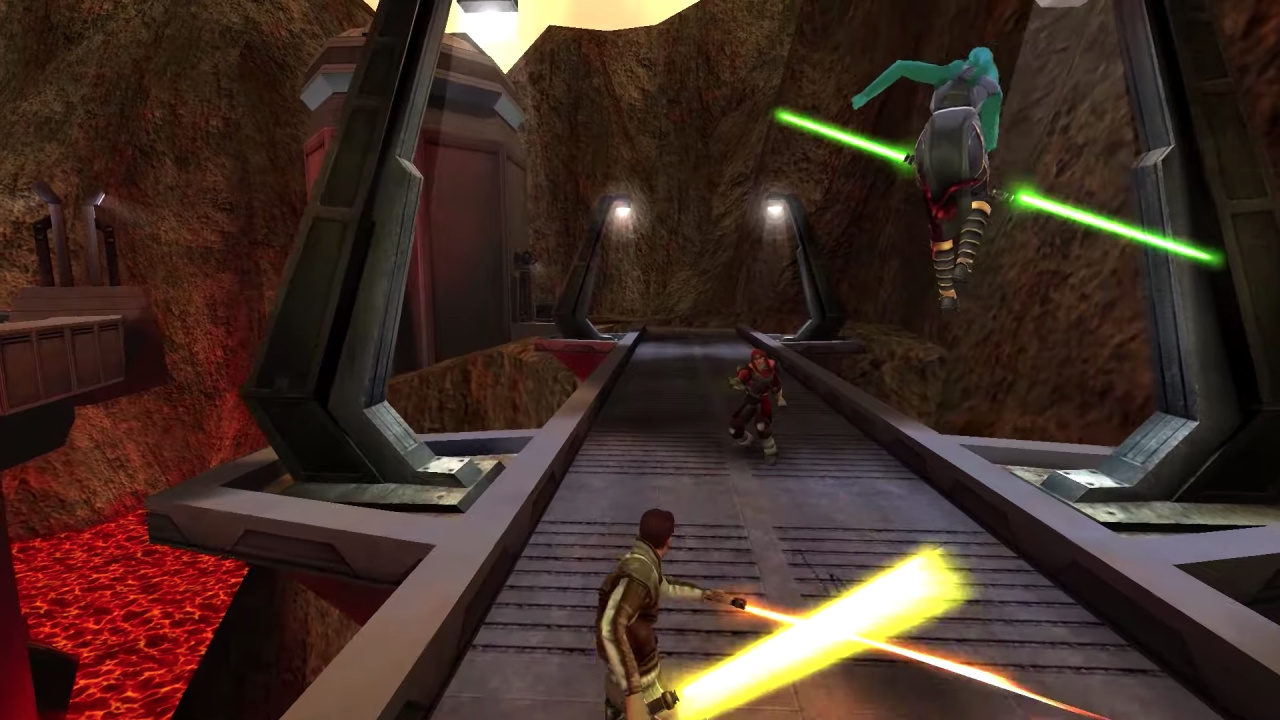
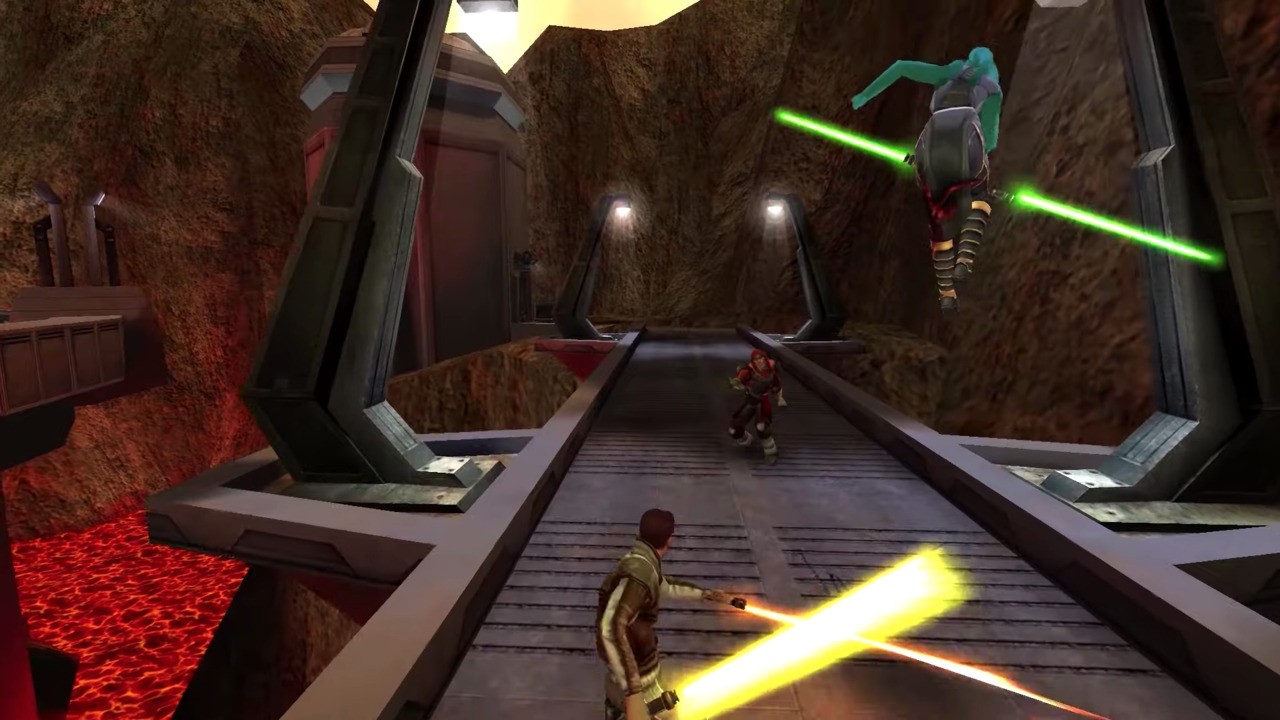
Star Wars: Jedi Knight: Jedi Academy Might Be Released On Switch Next Week
One welcome surprise on the Switch last year was the release of Star Wars Jedi Knight II: Jedi Outcast. Although this version didn’t include the much-loved multiplayer component, Aspyr Media still made the effort to improve the solo experience over time with some patches.
What’s going on with Star Wars: Jedi Knight: Jedi Academy, though? It was confirmed for Switch last September alongside the reveal of Jedi Knight II: Jedi Outcast and was scheduled to be arriving early on in 2020. Well, the latest update comes from the PlayStation Blog of all places. Yep, according to a new post, Jedi Knight: Jedi Academy is arriving digitally on the PlayStation 4 on 26th March. Here’s the description for this console:
The online multiplayer classic comes to PS4 with Trophies and modernized controls! Take on the role of a new student eager to learn the ways of the Force from Jedi Master Luke Skywalker. Interact with famous Star Wars characters as you face the ultimate choice: fight for good and freedom on the light side or follow the path of power and evil to the dark side.
While there’s obviously no mention of the Nintendo Switch release on this page, there’s a theory going around it could be linked to the rumoured Nintendo Direct, which is believed to be taking place on 26th March. This same rumour already predicted the recent Nintendo Indie World Showcase. Keep in mind, there is no guarantee, so we’ll just have to wait and find out.
Welcome to Box Art Brawl, the weekly perusal of regional retro box art variants that ends with a vote on the best of the bunch.
Last weekPerfect Dark for the Nintendo 64 battled itself in round #34 and, quite frankly, we thought Japan’s moody red and black cover would absolutely destroy the competition, as lovely as they are. We’d even avoided doing Perfect Dark because the result seemed so painfully predictable, but it turned out to be much, much closer than we expected. Japan still won, of course, but with 41% to Europe’s 33%, with North America coming in just behind that with the remaining 26%. A far more even split than we had anticipated.
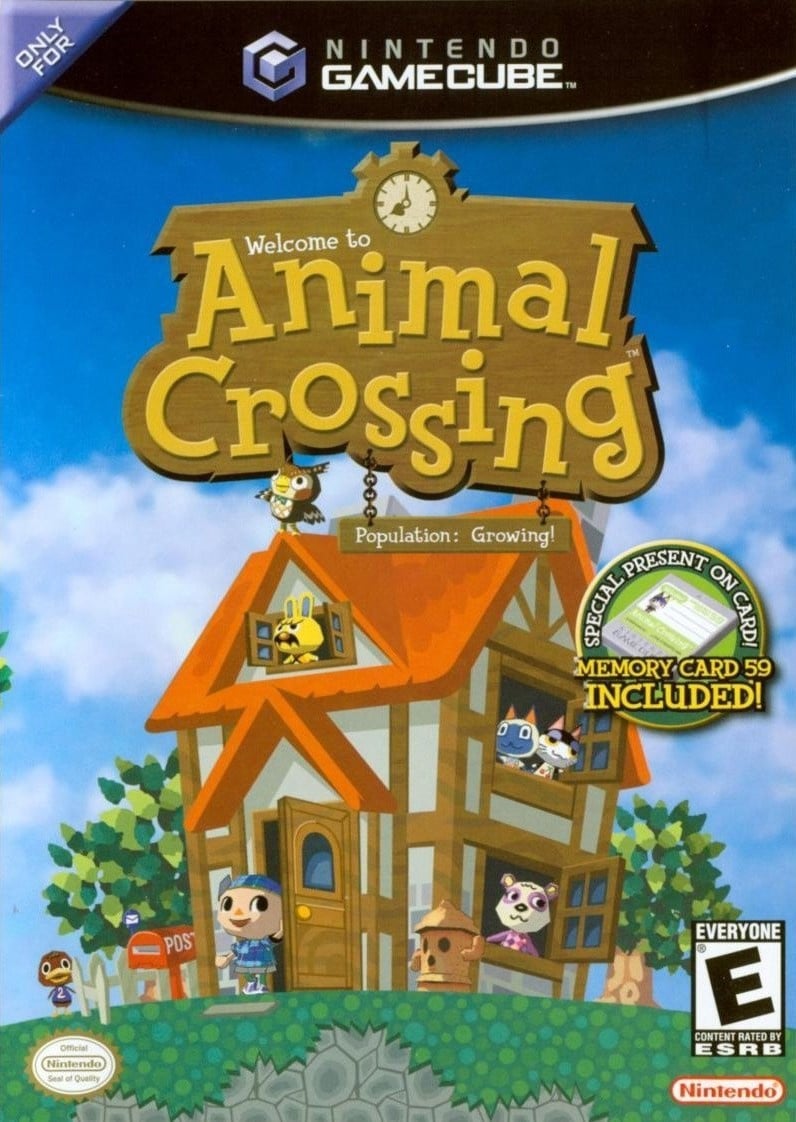
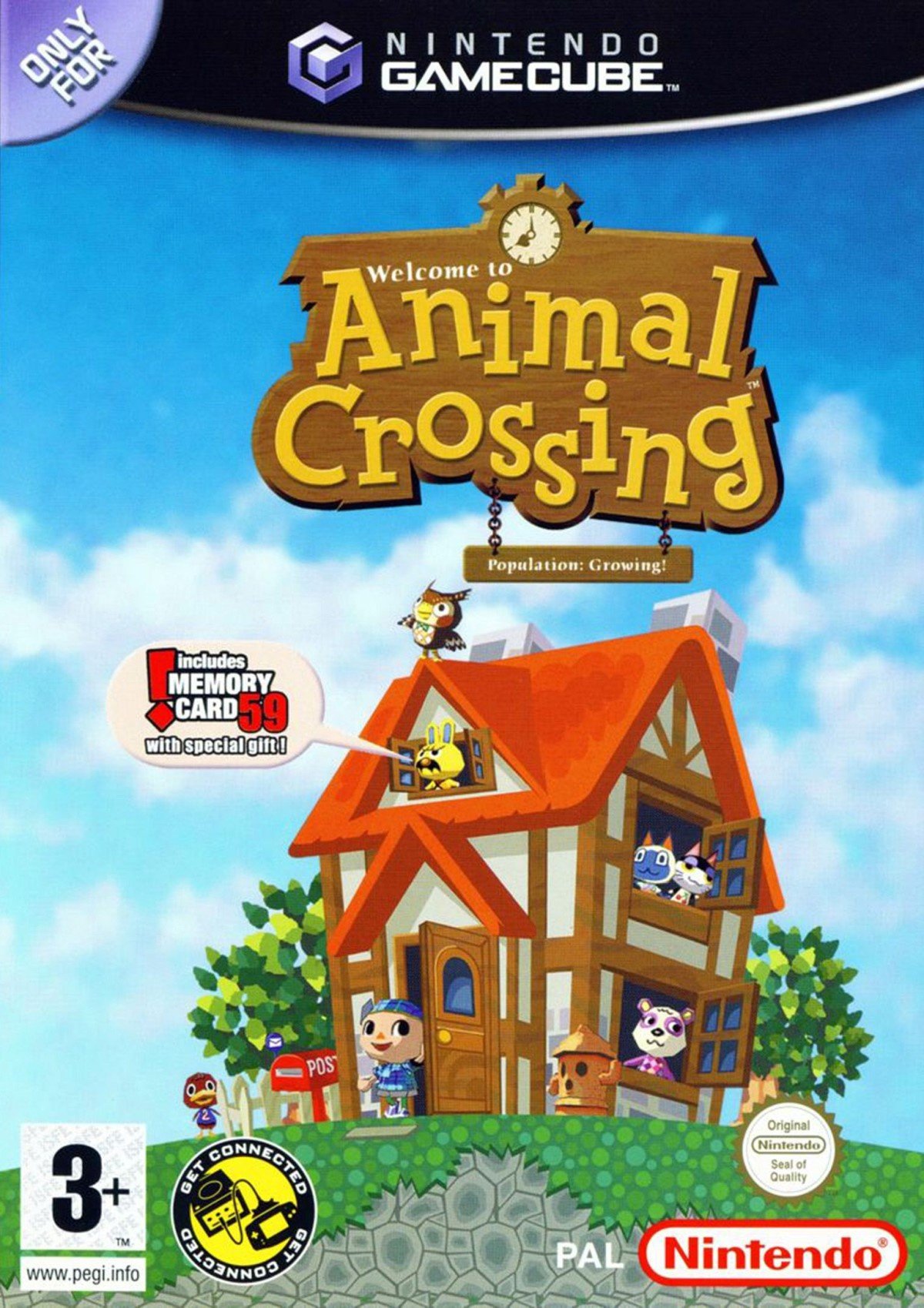
This week you might have heard that there’s a new Animal Crossing game on Switch? Well, we thought we’d go back to the very beginning and take a look at the first one. To be honest the differences between the European and North American versions are minor, but with a couple of bonus Japanese covers to enjoy, we threw caution to the wind.
Come on, city folk, let’s go to the forest...
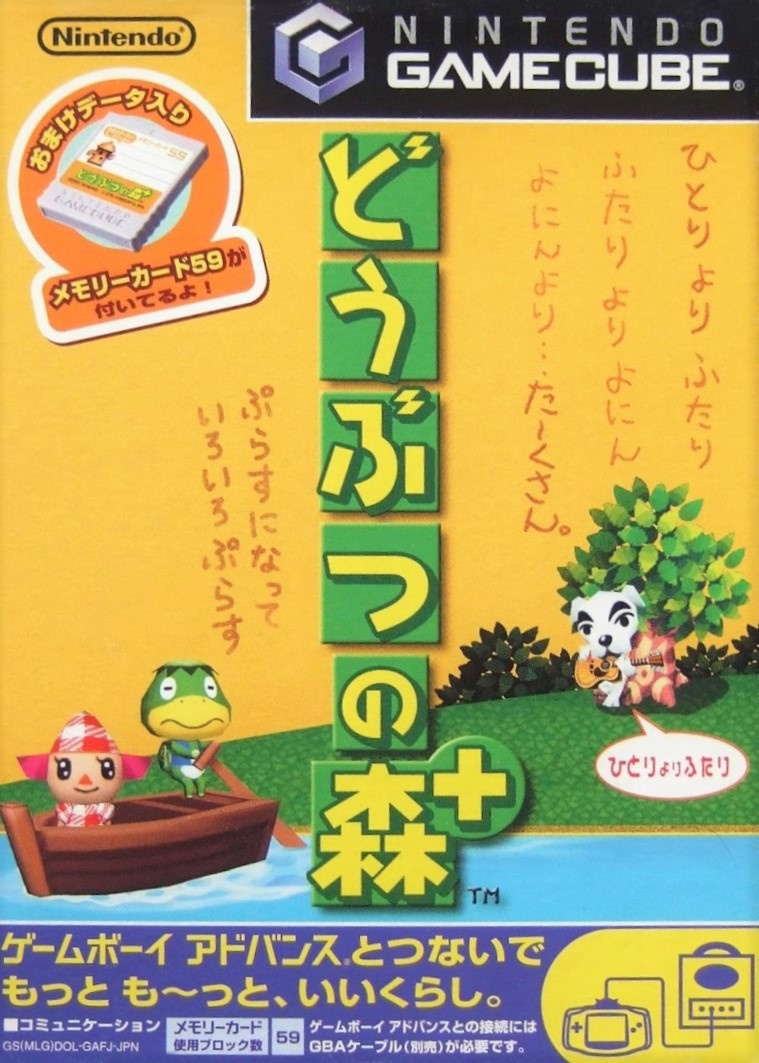
Japan
The Japanese version for GameCube wasn’t the original – the Japanese game began life on Nintendo 64 – but it carried over the yellow theme of the original (which you can see at the bottom of the page). The GameCube port of Dōbutsu no Mori or ‘Animal Forest’ had a ‘+’ added to it along with GBA connectivity enabling you to visit a tropical island via Kapp’n’s boat, and you can see this referenced with said boat at the shore.
We love the yellow, we love the characters, we love the boldness of the logo. The top half is lacking a little something, perhaps, and the strip at the bottom is a bit noisy, but it’s not bad.
North America
Again with the Memory Card ‘sticker’, the North American version puts a lovely house front and centre, with various animals poking their heads out of windows and the villager coming out the front door to check the post. It’s all set against a beautiful blue sky as Blathers stands on the roof, presumably about to nod off as a new day begins.
Full of optimism and promise, it’s a winner in our eyes. If we’re really searching for issues, the wood-to-letter ratio of the logo is a little wood-heavy, maybe.
Europe
Finally we have Europe which reduces the size and reframes the house and the logo slightly to the right. The memory card ‘sticker’ is replaced here with a speech bubble coming from Gaston the grumpy yellow rabbit. This one also highlights the GBA connectivity that wasn’t advertised on the NA box with a natty little black, yellow and white stamp which we’re rather partial to.
It’s all much of a muchness between the non-Japanese pair, to be honest. It all depends on the details you prefer. Bigger house or speech bubble? PEGI or ESRB? Get connected or… get a better view of the grass?
Bonus!
Seeing as Japan got not one, not two, but three versions of this game (the N64 original, the Gamecube ‘+’ port and the ‘e+’ version which added e-card features and a host of updates that brought features and events from the North American localised version back to Japan), we thought we’d include the other two for your delectation and delight. They’re not in the poll, but are here to be enjoyed all the same. We particularly enjoy the postage stamps on the N64 box:
And there you have it! All that’s left to do is click your favourite variant below and hit the ol’ vote button:
We hope you’re enjoying New Horizons. Let us know below if you think the N64 or ‘e+’ versions trump the three in the poll and we’ll see you next time for another round.