At the moment, there’s a report going around that suggests Nintendo will remaster most of Mario’s back-catalogue to celebrate the iconic plumber’s 35th anniversary this year. If you read our original story about it, you’ll already know this news surfaced on VGC, and was then backed up by Eurogamer.
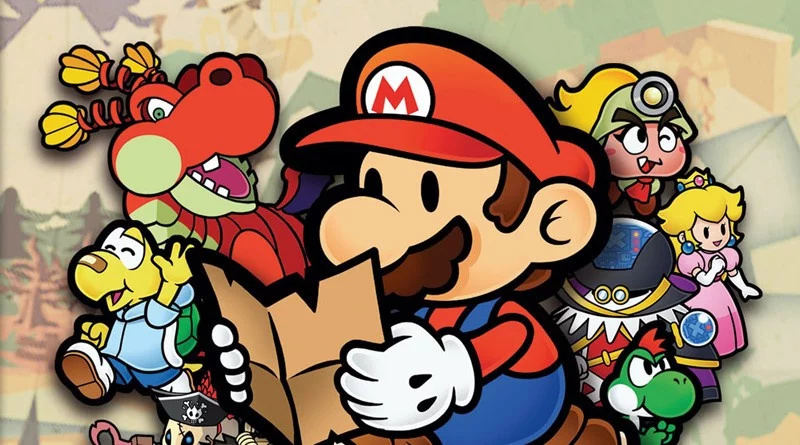
In short, both outlets claim many of Mario’s 3D adventures will be making a return in 2020, alongside a new Paper Mario game. If you’re still not convinced, well now VentureBeat’s staff writer Jeff Grubb has chimed in. For the record, he’s the same guy who said we’d be getting two Nintendo presentations on certain dates this month, and we did. In addition to this, he’s now reached out to his own source about the latest report. Here’s what he found out:
For the remasters, our source is telling us that Nintendo is pursuing something like a Super Mario All-Stars 2 for the 3D Mario games. This would include Super Mario 64, Super Mario Sunshine, and then Super Mario Galaxy and Super Mario Galaxy 2. It’s likely that 3D World may get its own, separate Deluxe-style release. While it’s possible the older 3D Mario games could come in a single compilation, it’s also likely that Nintendo will release them individually as it did with its Zelda remasters.
The Paper Mario game, meanwhile, represents a return to that franchise’s roots. This means something closer to the Nintendo 64 and Gamecube games, which are beloved. And leaving behind the baggage of the more forgettable entries on 3DS and Wii U.
Finally, expect Nintendo to fill out the Mario celebrations in other ways as well. This could mean even more Mario games on the Nintendo Switch Online subscription service, for example.
Again, it sounds too good to be true, but now that Jeff Grubb has relayed what he’s heard from his own source, we’re starting to believe. To add to this, a few months ago, the well-known Nintendo leaker Sabi said the Paper Mario series would return to form in 2020.
GamesBeat went to the extent of reaching out to Nintendo, and while it had nothing to say about the rumoured Direct-style event to celebrate’s Mario 35th anniversary this year, it hasn’t provided an official response to the main chunk of the original report just yet.
What do you make of all of this so far? What Mario games would you like to see make a comeback? Tell us below.
Video: The Best Switch Games To Play When You Can’t Leave The House
When you can’t go outside what should you do? Play video games, of course! Our lovely senior video producer Alex Olney has been indoors a little more regularly than usual as of late, and to help pass the time he’s decided to put together a video of the best Nintendo Switch games to play in this situation.
So, there you go – if you’re bunkering down indoors for a prolonged period of time, these are some of the games that will keep you entertained, help get your mind off things, provide a healthy dose of interaction and various other lifestyle and wellbeing benefits. What did you think of this list? Would you add anything else to it? Leave a comment down below.
Posted by: xSicKxBot - 03-31-2020, 09:15 AM - Forum: Lounge
- No Replies
Pokemon Go Will Let You Do Raids From Home Soon
With the ongoing COVID-19 pandemic forcing many parts of the country into lockdown, Pokemon Go developer Niantic has been tweaking the hit AR mobile game to make it easier to play while social distancing. As part of the changes, the studio has recently begun offering 1 PokeCoin bundles in the in-game store and removed the walking requirement to take part in the Go Battle League, and it will soon let players participate in Raids from afar as well.
In a new blog post, Niantic outlined some further changes it will make to Pokemon Go. One of the most notable is that you won't need to leave your home in order to join Raids. "You'll soon be able to team up with friends and take on Raid Battles together in Pokemon Go from the comfort of home," the developer wrote.
This is certainly a welcome change, as players previously needed to physically travel to a Gym where a Raid was taking place in order to join the battle. Raids are one of the few ways you can catch rare Legendary Pokemon, which are typically only available for a limited time, and this adjustment will ensure that everyone will have a chance to capture these monsters while they're in the game.
Posted by: xSicKxBot - 03-31-2020, 12:43 AM - Forum: Windows
- No Replies
Introducing the new Microsoft 365 Personal and Family subscriptions
Introducing the new Microsoft 365 Personal and Family subscriptions
Today, we offer a powerful set of free applications and services that help you create, share, connect, and collaborate with your friends and family across the web and on Windows, macOS, iOS, and Android devices. Used by more than a half billion people, free Office, Word, Excel, PowerPoint, Skype, Outlook, OneNote, and OneDrive apps enable you to coauthor, video chat, organize, and come together. We are committed to improving and innovating on these experiences every day.
Review: Operencia: The Stolen Sun – A Rich And Satisfying Dungeon Crawler
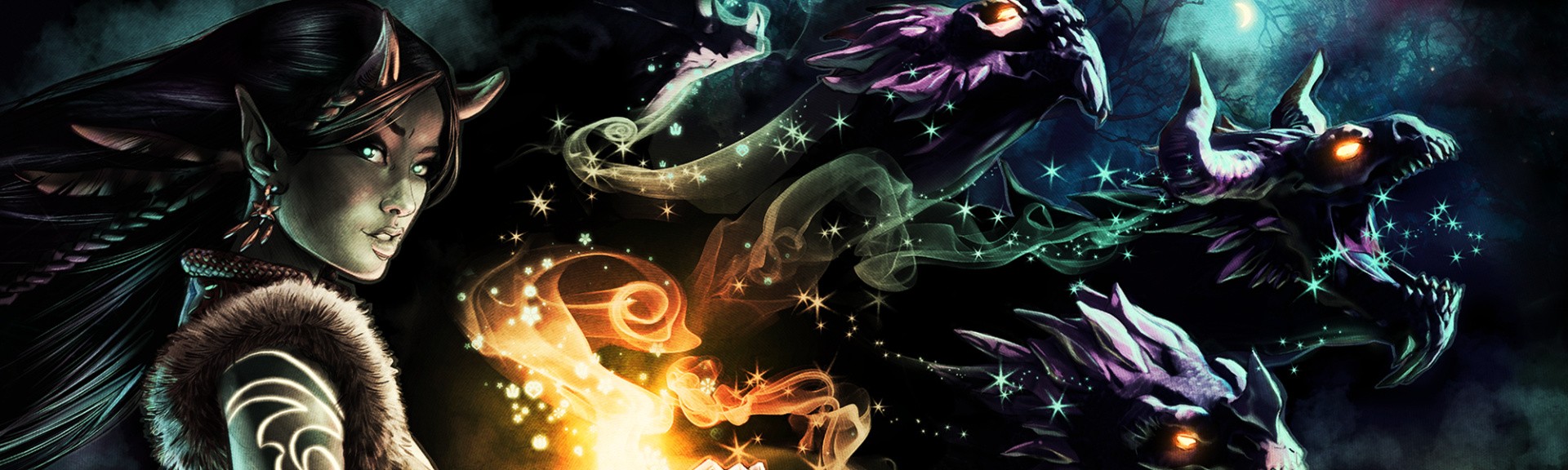
Zen Studios’ Operencia: The Stolen Sun doesn’t really get off to the brightest of starts on Nintendo Switch. Opening with a prologue that sees you assume control of King Attila and his wife Reka as they attempt to close a portal between their land and the underworld, things kick off here with a ten-minute introduction that highlights a few of this port’s niggling technical issues, namely a slightly blurred image quality with regards to enemies during battle and a lack of motion controls that can make some puzzles a little finnicky to interact with. Persevere through this very short sequence, however, make peace with the aforementioned negatives, and you’ll be handsomely rewarded with a rich and satisfying dungeon crawler that strikes a sweet balance between engaging story, meaty combat, addictive treasure hunting and clever puzzles.
Once you’ve managed to get the somewhat janky prologue out of the way you’ll be briefly whisked through a character creation suite and then quickly plonked in the ruins of a sunken castle for some good-old fashioned dungeon-crawling action. Gameplay here will be familiar to fans of the Bard’s Tale series, in particular The Bard’s Tale 4 which modernised the franchise’s traditional old-school gameplay mechanics by introducing the much more freeform style of traversal and camera controls that you’ll get to grips with here.
In Operencia: The Stolen Sun you and your party move around dungeons and all other areas of the game world as a single unit from an entirely first person perspective. Traversal takes place on a grid-based system with only four directions of travel but with full control of the game’s camera for engaging with your surroudings. You’ll make your way around sprawling dungeons, uncovering their intricate maps bit by bit as you carefully inch forwards, avoiding various environmental obstacles, solving puzzles and battling with the many beasties you’ll encounter as you go. Instead of random encounters, enemy engagements here can be avoided or instigated – for the most part – at a time of your choosing and sneaking up on your foes will see you ambush them, giving you a welcome stat boost in the combat encounter which follows.
That combat is pretty much par-for-the-course for the genre, a turn-based affair which sees your party of four fighters engage the enemy with a wide variety of melee, ranged, magic and AOE attacks, being careful to manage health and energy bars and applying buffs and healing where necessary to see you through. Arenas are three layers deep, signified here by coloured lines on the floor, and attacks will be more effective if they match the range at which your target is positioned. Each character in your squad has an extensive skill tree to unlock which differs depending on which class they happen to be and XP is gained by battling monsters, finding secrets and treasure, solving puzzles and completing various other tasks. After battles you’ll rest up at campfires to heal, level up, create potions – in itself a very satisfying little minigame – and buy weapons and armour from a merchant.
If it all sounds pretty run of the mill, well, on a basic level it is, there’s nothing in the moment-to-moment gameplay here that will come as a surprise to any fan of this particular sub-genre. However, where Operencia: The Stolen Sun really elevates itself is in a story that’s steeped in fascinating Hungarian folklore, a fun cast of characters who constantly banter back and forth as they go about their business and a series of really well-designed and engagingly atmospheric dungeons that strike a nice balance with how they mix their combat, puzzling and treasure hunting.
Indeed, it’s in the little details where Operencia: The Stolen sun really shines. The voice-acting here, for example, may a bit of a mixed bag but it’s saved for the most part by some fun writing that sees your companions constantly wise-cracking, spinning yarns and having a laugh at each other’s expense as they creep around corridors and battle bad guys. In combat too, enemies have been beautifully animated with a ton of detail in how they move, fight and react to being punished by your attacks – we love how skeletons will occasionally lose their concentration and drop their weapons during battle – and your various magic and AOE attacks are all accompanied by plenty of screen-filling explosions and environmental effects. The combat here is satisfyingly meaty and, although it can occasionally be a little bit monotonous against bog-standard foes, it’s mostly pleasingly strategic and provides plenty of moments where you’ll need to pause and carefully consider your options if you’re to make it through, especially when it comes to the many excellent boss battles that are dotted throughout dungeons.
Puzzling, too, is pretty much uniformly excellent with a good level of variety in the many challenges laid before you as you make your way across Operencia. You’ll need to put the vast array of tools you collect on your journey to work in order to unlock magical doorways, traverse booby-trapped rooms or broken bridges and operate all sorts of mechanical devices that block your path. On more than one occasion we had to bust out a notepad and pen to help us work out how to solve certain brain-teasers and, overall, the game does a very good job of ensuring that it properly challenges you without sliding into frustrating territory. Dungeons also tend to build towards a satisfyingly tough climax each time with boss battles that’ll force you to employ all of your latest attacks and skills usually preceded by some puzzle element and/or miniboss to really keep you on your toes.
Across the roughly thirty-hour campaign here, as you battle to save the kidnapped Sun King Napkiraly by retrieving King Attila’s legendary sword, you’ll engage with a cast of characters plucked from both the pages of history and traditional Hungarian Folklore in a story that’s impressively strong for this type of game and, although it does begin to run out of steam a little in the second half, it’s an entertaining ride that does a fantastic job of framing all the juicy dungeon crawling you’ll get up to in your epic quest.
One thing we would advise as you play through Operencia: The Stolen Sun is that you take your time in each of its levels, investigate your surroundings fully and hoover up every secret and piece of treasure you can find. There’s a wealth of weapons, armour and important recipes to be found as a reward – you can have quick check in your game map to see how much of each area you’ve completed – and doing so will see you level up and avoid missing items or running into a brick wall – as we did – quite early on against some boss or other who you’re just not ready to face. The game also includes a fast travel system which is unlocked four chapters in and is brilliant for returning to earlier dungeons when you’ve unlocked some new traversal options that let you access previously out-of-bounds areas – yes, there’s even a little touch of Metroidvania here. It’s also a good idea to make multiple saves just in case you get completely stuck or find you’ve made the wrong choice somewhere along the way – we’re speaking from bitter experience here. This is a game that rewards thorough exploration of its excellent levels and can really punish you in big battles if you’ve rushed things along – Queen Reka, we’re looking at you.
In terms of this Switch port, as we mentioned there are a handful of niggling issues with the resolution getting a little blurry from time to time during busy combat encounters and we really, really wish motion controls were an option to help fine-tune our movements when trying to place small objects or interact with some finnicky part of the environment. Touchscreen controls are included here but we found them much more of a hassle to use overall than sticking with a controller.
Beyond these minor inconveniences, however, this is a fine port. In both docked and portable modes loading times are short, the framerate never stutters, we didn’t encounter any bugs during our playthrough and the game looks and sounds excellent for the most part as you make your way through its many dungeons. It may not look quite as sharp as the Xbox One version but we reckon that’s a trade-off more than worth making in order to have this game available to play in portable mode where we can dip in and out of its labyrinthian levels at our leisure.
Conclusion
Operencia: The Stolen Sun is a mostly excellent first person, grid-based dungeon crawler that’s brought brilliantly to life via an engaging story, fun cast of characters and some well-designed and hugely atmospheric dungeons. Combat here is satisfying and puzzles, for the most part, land just on the right side of challenging. If you’re looking for a meaty old-school dungeon-crawling adventure with a ton of secrets and treasures to find as you make your way across its world, this one comes as a nice surprise and is highly recommended.
Bienvenido aBox Art Brawl, our weekly look back at the same game’s retro box art from around the world with a cheeky vote attached.
To coincide with the release of Animal Crossing: New Horizons we took a look at the first game in the series last week. Despite the North American and European variants being very similar, the minor differences elevated the North American version way above the rest with a comfortable 59% of the vote. Japan mopped up just 7% leaving Europe in the middle with the remainder.
After the lovely and contemplative relaxation of Animal Crossing, we’re taking to the streets (digital ones, we hasten to add) with Streets of Rage 3 this week. Yes, we broke the mould with a non-Nintendo system game back in Box Art Brawl #32 with Sonic the Hedgehog, with the proviso that the game has appeared on a Nintendo platform. This week’s game is available on Switch as part of the rather excellent Sega Mega Drive Classics collection (which, crucially, includes the Japanese version, AKA the one you should play).
To be honest we’re just whetting our appetites for the upcoming Streets of Rage 4 with this selection, and with many people across the globe currently under a lockdown of some sort thanks to COVID-19, what better way to release some of that pent up tension with an underappreciated beat ’em up, eh?
Let’s get down to it, then. Round 1…
North America
We begin in North America with Axel, Blaze, Dr. Zan and unlockable character Roo practising their moves on a dock as the sun sets (or rises?) behind the city in the background. Skate, or Sammy if you prefer, is entirely absent for some reason and the positioning of the four characters is a little odd. Your eye is drawn to Zan’s electrified cyborg arm, and while he and Blaze are rendered pretty well, poor Axel has seen much better days.
Midway through his patented Grand Upper punch, the veteran brawler’s mug is enough to distract you from the odd proportions of his body. His hands and feet are enormous and the poor chap has taken some heavy blows to the face. This is the third game, we suppose.
We like how Zan’s hand breaks over the red Genesis strip down the left side, although we’re less enthused with Roo’s foot doing the same. There are some strange perspective issues here that become more evident the longer you look, but it’s got plenty of energy.
Japan
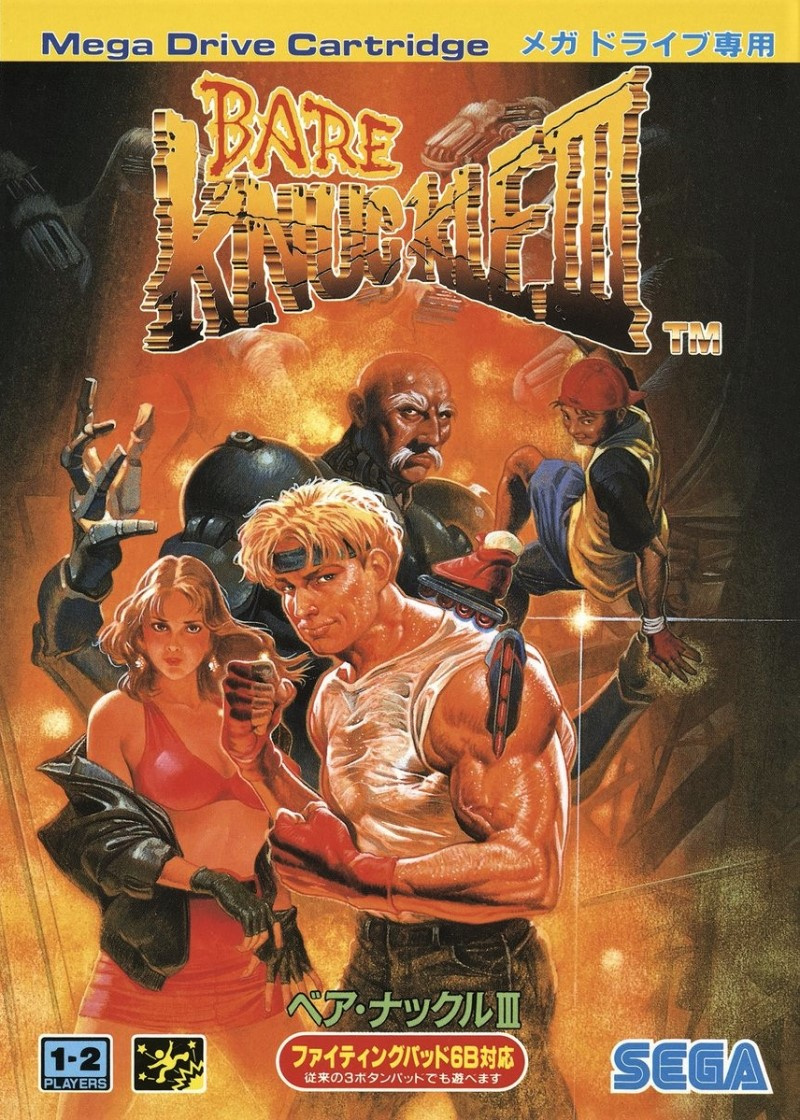
All the characters look more or less as you’d imagine them from the in-game sprites on the Japanese cover, with Axel looking suitably ripped and Blaze reminding us of her, er, formative influence on us as a young gamer. Ahem.
Sammy is present and correct and Zan’s massive cyborg body presents the cast as they all stand in front of a blazing… something. We see robotic hands reaching out behind the kick-ass Japanese title. It’s evocative, dynamic, colourful and beautifully painted. In fact, the only fault we can find with it is Axel’s shirt. What’s going on with that? Is it cling film? Is his white t-shirt just soaking wet with sweat after giving dozens of goons a sound beating? It almost looks like he has smeared lard over his chest in the form of a vest.
Europe
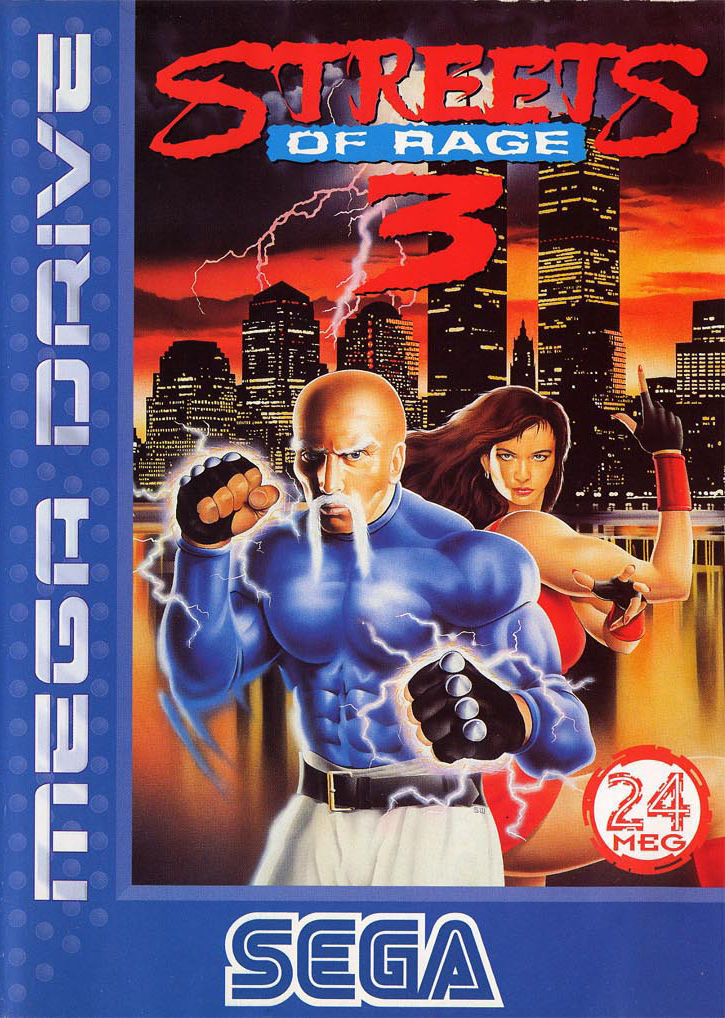
Taking a leaf from the North American book when it comes to omitting characters, Dr. Gilbert Zan takes centre stage on the European blue box, although with less obviously cyborg appendages. Killer ‘stache, though. We assume Blaze has just had her head crushed and twisted by an unseen enemy thanks to its unnatural angle and curiously small size compared to the rest of her body.
The city with the ominous lightning storm looks nice, the water looks nice, the logo is cool and we don’t mind the big blue strip with prominent placement of the Mega Drive and SEGA logos, either. It is still lacking something, though, and despite any good points it may have, we can’t stop scrutinising Blaze’s head.
Them’s your picks this week. Click your favourite below and hit the ‘Vote’ button to register your choice:
We hope you’re all keeping safe and sound wherever you are. Happy gaming and we’ll see you next week for another round.
Posted by: xSicKxBot - 03-31-2020, 12:42 AM - Forum: Lounge
- No Replies
SoulCalibur 6 Gets Update Before New DLC Character, Full Patch Notes Detailed
In preparation for SoulCalibur 6's upcoming guest DLC character, Bandai Namco has released a new update on PC, PlayStation 4, and Xbox One for the long-running fighting game. We've compiled the full patch notes below.
The headlining feature of the update is Haohmaru, the white gi-clad samurai from SNK's Samurai Shodown. The patch adds him as a playable character, though he can only be acquired by purchasing him individually for $6 or picking up the game's $34 Season Pass 2. Haohmaru will become available on Tuesday, March 31.
The patch also adds new creation items for the game's character creator, including new weapons for Cervantes and Taki-based created fighters, extra clothing and accessory options, and more.
Python: How to Count Elements in a List Matching a Condition?
I stumbled across this question when browsing through StackOverflow and it got me thinking: what’s the best way to count the number of elements in a list that match a certain condition? Can you generalize this way to both general conditions (e.g. x>3) and regular expressions (e.g. 'a.*')?
Short answer: you can count the number of elements x that match a certain condition(x) by using the one-liner expression sum(condition(x) for x in lst). This creates a generator expression that returns True for each element that satisfies the condition and False otherwise. Since the True and False values are represented by integer 1 and 0 values, you get the number of matching elements by summing over the iterable.
Try it yourself with the interactive code shell:
In case, the browser interpreter doesn’t show up in your browser, here’s the raw Python code:
## FRAMEWORK FOR CONDITIONAL COUNT ## # Define any condition here

def condition(x): return x > 10 # Create the list

lst = [10, 11, 42, 1, 2, 3] # Count the number of matching elements

print(sum(condition(x) for x in lst))

# What's the output?
How can you count elements under a certain condition in Python? For example, what if you want to count all even values in a list? Or all prime numbers? Or all strings that start with a certain character? There are multiple ways to accomplish this, let’s discuss them one by one.
Say, you have a condition for each element x. Let’s make it a function with the name condition(x). You can define any condition you want—just put it in your function. For example this condition returns True for all elements that are greater than the integer 10:
But you can also define more complicated conditions such as checking if they are prime numbers.
Python List Count If
How can you count the elements of the list IF the condition is met?
The answer is to use a simple generator expressionsum(condition(x) for x in lst):
>>> def condition(x): return x>10 >>> lst = [10, 11, 42, 1, 2, 3]

>>> sum(condition(x) for x in lst)

2
The result indicates that there are two elements that are larger than 10. You used a generator expression that returns an iterator of Booleans. Note that the Boolean True is represented by the integer value 1 and the Boolean False is represented by the integer value 0. That’s why you can simply calculate the sum over all Booleans to obtain the number of elements for which the condition holds.
Python List Count Greater / Smaller Than
If you want to determine the number of elements that are greater than or smaller than a specified value, just modify the condition in this example:
>>> def condition(x): return x>10 >>> lst = [10, 11, 42, 1, 2, 3]

>>> sum(condition(x) for x in lst)

2
For example, to find the number of elements smaller than 5, use the condition x<5 in the generator expression:
>>> lst = [10, 11, 42, 1, 2, 3]

>>> sum(x<5 for x in lst)

3
Python List Count Zero / Non-Zero
To count the number of zeros in a given list, use the list.count(0) method call.
To count the number of non-zeros in a given list, you should use conditional counting as discussed before:
def condition(x): return x!=0 lst = [10, 11, 42, 1, 2, 0, 0, 0]

print(sum(condition(x) for x in lst))

# 5
Python List Count Lambda + Map
An alternative is to use a combination of the map and the lambda function.
Here’s the code for this one using the wildcard operator in a pattern to count all occurrences of this pattern in the list.
>>> import re

>>> lst = ['Susi', 'Ann', 'Susanne', 'Susy']

>>> pattern = 'Sus.*'

>>> frequency = sum(1 if re.match(pattern, x) else 0 for x in lst)

>>> print(frequency)

3
The generator expression produces a bunch of 1s and 0s—the former if the list element starts with prefix 'Sus' and the latter if it doesn’t. By summing over all elements, you get the number of matches of the wildcard operator.
Where to Go From Here?
You’ve learned how you can get the number of elements that match a certain condition. It can be a Boolean condition or even a regular expression—the framework stays the same.
Do you want to accelerate your learning efficiency? Do you want to work from the comfort of your own home? Do you want to make a comfortable living by coding 3-5 hours for clients online?
Then join my Python freelancer program and take your first steps towards six figures and attainment of your practical code projects in no time!
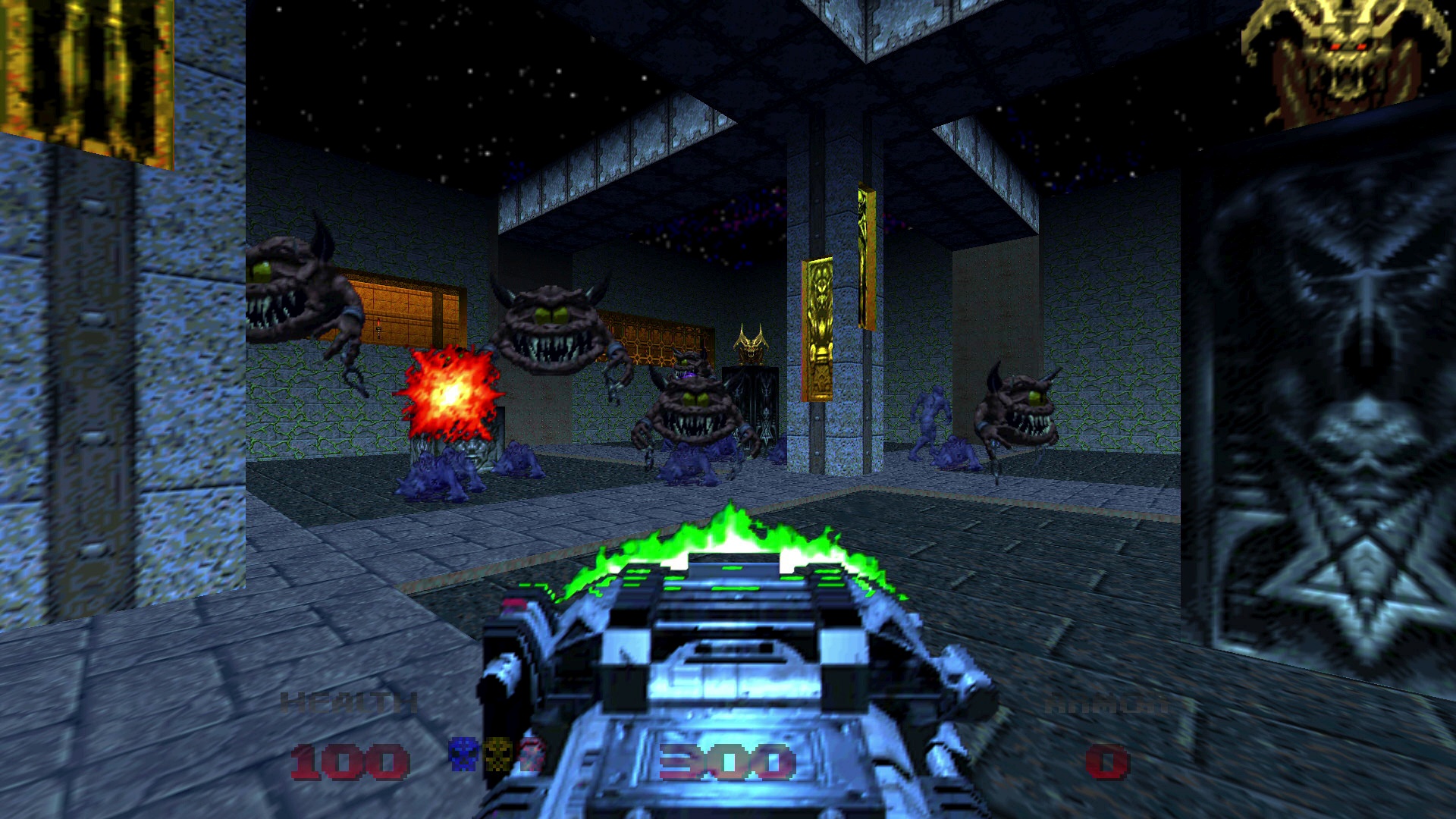
No more dusting off old cartridges to experience a cult classic: Doom 64 is now available on home consoles for the first time since it released on Nintendo 64 in 1997.
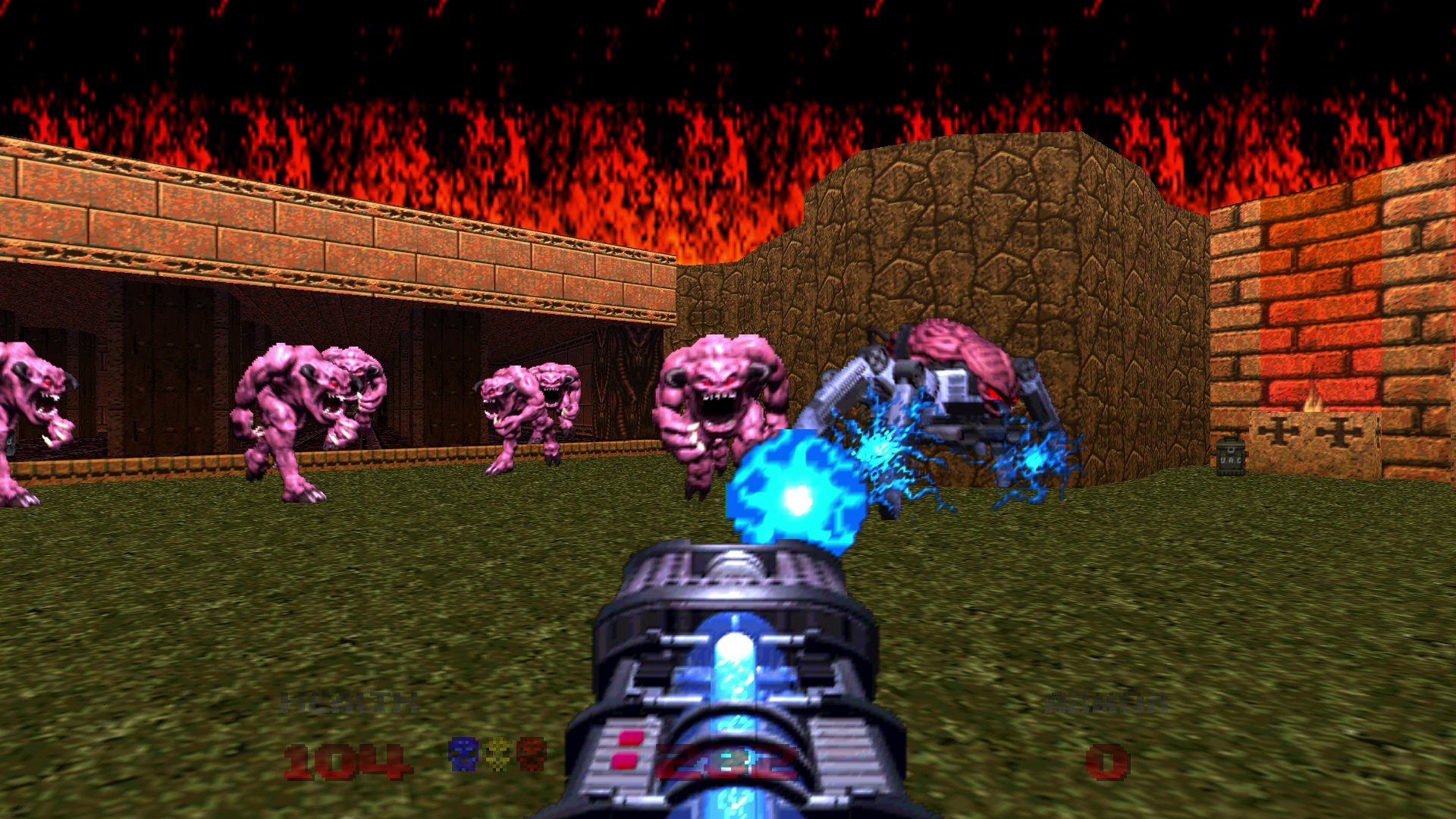
Fight hordes of bloodthirsty demons across Doom 64’s 32 levels of fast-paced, first-person shooter action. In classic Doom style, you’ll rely on quick reflexes, big freakin’ guns, over-the-top power-ups, and even your own fists to take on Hell’s armies!
We’re excited to bring this action-packed chapter in the Doom franchise to a whole new generation of Slayers. So, whether you’re feeling nostalgic or jumping in for the first time, we hope you enjoy some old-school demon slaying on Xbox One — pick it up today on the Microsoft Store!
DOOM 64
Bethesda Softworks
☆☆☆☆☆62
★★★★★
Celebrate DOOM’s 25th anniversary with the release of DOOM 64, originally released on the Nintendo 64 in 1997, and now available for the first time on Xbox One. Fight against demons in your crusade to hunt down the Mother of Demons and stop Hell’s invasion. As you battle through more than 30 action-packed levels, be on the lookout for enhanced weapons and secrets to help you put an end to the demonic threat.