How ‘classical game mechanics’ and physics converge in VR hit Boneworks
After an early 2017 visit to Seattle, Brandon Laatsch and Alex Knoll were stuck at the airport for nearly seven hours. They had been up in the Pacific Northwest to see an early version of Valve’s new Index virtual reality controllers.
They were excited. “[Valve] showed us the Index long before anyone else,” said Knoll, who was still working on Stress Level Zero’s other project, Duck Season, at the time. “We immediately got the idea into our head of how this is going to change how we interact in VR.”
That experience gave them the idea of “the incredible physics experience” they wanted to create. Laatsch told Gamasutra over video chat, “We let ourselves run wild creatively. What would these controllers be for? It moved away from being controllers in your hands to capturing the presence of hands themselves. Let’s make something that centers around your physical agency.”
Laatsch started working on this new concept as soon as he got back to Los Angeles. It launched in December of last year as Boneworksand has become a breakout VR hit on PC and a standard-bearer for interactivity in VR.
Boneworks is an experimental, sandbox-style VR adventure with an extremely high level of interactivity. Laatsch describes the game’s concept as “full body presence, maneuverability throughout the world.” Players can move, pick up, and throw any items they would be able to in real life in order to solve puzzles and defeat enemies. Objects have weight and can be manipulated in ways not possible in most other VR games. “Creatively this felt like the start of VR generation 2,” Knoll said. “…It went from seeing everything to touching everything.”
Laatsch and Knoll believed that VR design was lacking elements of non-VR game design. Teleportation, the lack of an ability to jump or crouch, and the lack of full-body presence (our bodies are more than just floating hands and heads) limit the player’s perspective.
“VR games weren’t attempting to use those in their suite of tools,” Laatsch said. Stress Level Zero wanted to restore those elements in Boneworks and use them to encourage players to explore and interact with the environment in whatever way the players wanted.
Once they knew what they wanted the Boneworks concept to be, the team searched for a narrative structure that would help them direct their focus. They chose to set the game in a virtual operating system so they could move players into open rooms with combat encounters and puzzles.
Puzzles range from destroying boxes in order to reveal a crowbar that’s blocking a door, to using a hook to weigh down a bridge you need to walk across. All the puzzles are fairly simple and they give players the option to approach from multiple heights, angles, and items depending on the level.
“I wanted to just improvise most puzzles,” he said. “I had very few that I planned out in advance. I would essentially have the place where the player starts, the place where he needs to get to, and all these pieces and I would just start putting things together.”
Knoll and Laatsch knew players would try to manipulate and break the physics engine whenever possible to bypass puzzles, which is common for many games trying to do what Boneworks does. “Pre-launch, a lot of players assumed that they would be able to exploit the flaws in the physics system,” Knoll said. “And post-launch, it seems as though they’ve found that the physics is working well enough and is robust enough that there aren’t really any exploits they can accomplish with bugginess of the physics.”
The two designers believe the lack of bugginess is due to their commitment to “classic game mechanics.” Their commitment to the concept of full-body maneuverability means they couldn’t take some game design shortcuts that save time.
“We were able to do it by sticking with a pure simulation where there isn’t something introducing an infinite force. The way jumping works is that your feet physically thrust down to propel yourself up,” Laatsch said. “It’s not sudden like you just get a magical force pushing you up. Something went down in order to create this equal opposite reaction and the decision to stick with that made it our system robust against the normal sort of physics exploits. Just by sticking to the principles of classical mechanics.”
So when your character goes to jump in Boneworks, their legs actually bend as they prepare to leave the ground. Like all objects in the game, the player has an actual weight (82 kilograms) which helps ground the design. The jumps, and amount of force the player can apply to objects, is rooted in that weight. “It takes more code and more time to implement,” Laatsch said. “But the reward of implementing it that way and sticking with that format made everything sort of inherently compatible with each other.”
Despite a lack of exploits available to players, they’ve still created all sorts of ways to bypass puzzles that Knoll created. One player even created a pogo stick by combining a metal stick with a cannonball to better maneuver around a level. Solutions like that, which Laatsch and Knoll had no way of predicting, is something the development team wanted. Players can’t use exploits to help them get through puzzles, they wanted the physics engine to give a level of freedom that feels like an exploit even when it isn’t.
For many challenges, if a player can think of a solution it’ll probably work. They can climb over fences, use a crowbar as a Swiss army knife, and all sorts of unconventional approaches. “If you feel like you’re breaking the puzzles in order to solve them, you’re doing it right,” Knoll said. This level of freedom for players does come with its own set of challenges, particularly that puzzles can’t be too complicated or intricate. Making too much of a specific task would mean players might be limited to how they can progress.
“A lot of the design over the course of the game for me was very much like a roller coaster,” Knoll said before bringing up the level “Runoff” as a specific example. “Almost all the puzzles involved go upwards and all of the combat generally involves going downwards. That sort of exemplifies the feeling that I wanted to get across the entire game.”
Laatsch brought up a comparison to Breath of the Wild, that players can basically fast travel by using Link’s glider once they climb to a high enough peak. “The rewards for the puzzles is sometimes getting up to a higher altitude,” Laatsch said. “And then from that vantage point you’re going to be able to physically progress faster by going downhill.”
On the surface, Boneworks is a straightforward first-person shooter with a deep level of environmental interactions for its puzzles. What makes it special is how unprecedented that level of interaction really is. It’s something that the two didn’t think they could make without the experience of their previous games and the visit to Valve.
It took iterating off their other games for years. The release of non-VR games No Brakes Games’ Human Fall Flat and Spiderling Studios’Besiege led them to believe that the market might be ready for a game with a physics engine with the depth they envisioned.
“I don’t think anybody could have made this game in 2016,” Laatsch said. “The three years of iterations, four or five years of developing the in VR, [and] thinking in VR before it all came together gave us the necessary experience. There was nothing stopping us from writing this code four years ago, other than that nobody knew how to do it.”
How to Match an Exact Word in Python Regex? (Answer: Don’t)
This morning, I read over an actual Quora thread with this precise question. While there’s no dumb question, the question reveals that there may be some gap in understanding the basics in Python and Python’s regular expression library.
So if you’re an impatient person, here’s the short answer:
How to match an exact word/string using a regular expression in Python?
You don’t! Well, you can do it by using the straightforward regex 'hello' to match it in 'hello world'. But there’s no need to use an expensive and less readable regex to match an exact substring in a given string. Instead, simply use the pure Python expression 'hello' in 'hello world'.
So far so good. But let’s dive into some more specific questions—because you may not exactly have looked for this simplistic answer. In fact, there are multiple ways of understanding your question and I have tried to find all interpretations and answered them one by one:
(You can also watch my tutorial video as you go over the article)
How to Check Membership of a Word in a String (Python Built-In)?
This is the simple answer, you’ve already learned. Instead of matching an exact string, it’s often enough to use Python’s in keyword to check membership. As this is a very efficient built-in functionality in Python, it’s much faster, more readable, and doesn’t require external dependencies.
Thus, you should rely on this method if possible:
>>> 'hello' in 'hello world'

True
The first example shows the most straightforward way of doing it: simply ask Python whether a string is “in” another string. This is called the membership operator and it’s very efficient.
You can also check whether a string does not occur in another string. Here’s how:
>>> 'hi' not in 'hello world'

True
The negative membership operator s1 not in s2 returns True if string s1 does not occur in string s2.
But there’s a problem with the membership operator. The return value is only a Boolean value. However, the advantage of Python’s regular expression libraryre is that it returns a match object which contains more interesting information such as the exact location of the matching substring.
So let’s explore the problem of exact string matching using the regex library next:
How to Match an Exact String (Regex)?
Here’s how you can match an exact substring in a given string:
After importing Python’s library for regular expression processing re, you use the re.search(pattern, string) method to find the first occurrence of the pattern in the string. If you’re unsure about this method, check out my detailed tutorial on this blog.
This returns a match object that wraps a lot of useful information such as the start and stop matching positions and the matching substring. As you’re looking for exact string matches, the matching substring will always be the same as your searched word.
But wait, there’s another problem: you wanted an exact match, right? But this also means that you’re getting prefix matches of your searched word:
What if you want to match only whole words—not exact substrings? The answer is simple: use the word boundary metacharacter '\b'. This metacharacter matches at the beginning and end of each word—but it doesn’t consume anything. In other words, it simply checks whether the word starts or ends at this position (by checking for whitespace or non-word characters).
Here’s how you use the word boundary character to ensure that only whole words match:
In both examples, you use the same regex '\bno\b' that searches for the exact word 'no' but only if the word boundary character '\b' matches before and after. In other words, the word 'no' must appear on its own as a separate word. It is not allowed to appear within another sequence of word characters.
As a result, the regex doesn’t match in the string 'nobody knows' but it matches in the string 'nobody knows nothing - no?'.
Note that we use raw string r'...' to write the regex so that the escape sequence '\b' works in the string. Without the raw string, Python would assume that it’s an unescaped backslash character '\', followed by the character 'b'. With the raw string, all backslashes will just be that: backslashes. The regex engine then interprets the two characters as one special metacharacter: the word boundary '\b'.
But what if you don’t care whether the word is upper or lowercase or capitalized? In other words:
How to Match a Word in a String (Case Insensitive)?
You can search for an exact word in a string—but ignore capitalization. This way, it’ll be irrelevant whether the word’s characters are lowercase or uppercase. Here’s how:
All three ways are equivalent: they all ignore the capitalization of the word’s letters. If you need to learn more about the flags argument in Python, check out my detailed tutorial on this blog. The third example uses the in-regex flag (?i) that also means: “ignore the capitalization”.
How to Find All Occurrences of a Word in a String?
Okay, you’re never satisfied, are you? So let’s explore how you can find all occurrences of a word in a string.
In the previous examples, you used the re.search(pattern, string) method to find the first match of the pattern in the string.
Next, you’ll learn how to find all occurrences (not only the first match) by using the re.findall(pattern, string) method. You can also read my blog tutorial about the findall() method that explains all the details.
>>> import re

>>> re.findall('no', 'nononono')

['no', 'no', 'no', 'no']
Your code retrieves all matching substrings. If you need to find all match objects rather than matching substrings, you can use the re.finditer(pattern, string) method:
The re.finditer(pattern, string) method creates an iterator that iterates over all matches and returns the match objects. This way, you can find all matches and get the match objects as well.
How to Find All Lines Containing an Exact Word?
Say you want to find all lines that contain the word ’42’ from a multi-line string in Python. How’d you do it?
The answer makes use of a fine Python regex specialty: the dot regex matches all characters, except the newline character. Thus, the regex .* will match all characters in a given line (but then stop).
Here’s how you can use this fact to get all lines that contain a certain word:
>>> import re

>>> s = '''the answer is 42

the answer: 42

42 is the answer

43 is not'''

>>> re.findall('.*42.*', s)

['the answer is 42', 'the answer: 42', '42 is the answer']
Three out of four lines contain the word '42'. The findall() method returns these as strings.
How to Find All Lines Not Containing an Exact Word?
In the previous section, you’ve learned how to find all lines that contain an exact word. In this section, you’ll learn how to do the opposite: find all lines that NOT contain an exact word.
This is a bit more complicated. I’ll show you the code first and explain it afterwards:
import re

s = '''the answer is 42

the answer: 42

42 is the answer

43 is not

the answer

42''' for match in re.finditer('^((?!42).)*$', s, flags=re.M): print(match) '''

<re.Match object; span=(49, 58), match='43 is not'>

<re.Match object; span=(59, 69), match='the answer'> '''
You can see that the code successfully matches only the lines that do not contain the string '42'.
How can you do it?
The general idea is to match a line that doesn’t contain the string ‘42', print it to the shell, and move on to the next line. The re.finditer(pattern, string) accomplishes this easily by returning an iterator over all match objects.
Finally, you need to define the re.MULTILINE flag, in short: re.M, because it allows the start ^ and end $ metacharacters to match also at the start and end of each line (not only at the start and end of each string).
Together, this regular expression matches all lines that do not contain the specific word '42'.
Where to Go From Here?
Summary: You’ve learned multiple ways of matching an exact word in a string. You can use the simple Python membership operator. You can use a default regex with no special metacharacters. You can use the word boundary metacharacter '\b' to match only whole words. You can match case-insensitive by using the flags argument re.IGNORECASE. You can match not only one but all occurrences of a word in a string by using the re.findall() or re.finditer() methods. And you can match all lines containing and not containing a certain word.
Pheww. This was some theory-heavy stuff. Do you feel like you need some more practical stuff next?
Then check out my practice-heavy Python freelancer course that helps you prepare for the worst and create a second income stream by creating your thriving coding side-business online.
Posted by: xSicKxBot - 03-08-2020, 02:43 PM - Forum: Windows
- No Replies
Women as allies for women: understanding intersectionality
One of my earliest learnings was that my experiences as a woman were not identical to other women’s experiences, although they were similar. As with any dimension of identity, the way women experience the world depends on much larger context. As a white girl growing up in Victoria, British Columbia, there were multiple layers to my experiences. Although my brothers and I had what was necessary, we did not have much socioeconomic privilege. What I learned as I watched the world around me is that as a benefit of my race, it was easier for me to cover my socioeconomic status than it was for my friends who were not white.
The United Nations marked March 8 as International Women’s Day by declaring that “fundamental freedoms require the active participation, equality and development of women everywhere.” This declaration is inclusive of all women with intersectionality in mind.
Understanding intersectionality in the workplace
It starts with something as simple as the way we think about all the dimensions of our identity, including things like race, ethnicity, disability, religion, age and sexual orientation. Even class, education, geography and personal history can alter how we experience womanhood. When Kimberlé Crenshaw coined the term intersectionality 30 years ago, she explained it as how these overlapping identities and conditions impact the way we experience life’s challenges and opportunities, the privileges we have, the biases we face.
So simply focusing on a single dimension of identity, without that context, is not always helpful. When we consider women as a single category, as a monolith, it can be misleading at best, dangerous at worst. Doing so overlooks the variations of circumstances and perspectives within the group and obscures real lived experiences as outliers or exceptions. “Women’s workplace issues” is a vague term without enough specificity to drive action. Women of color, women with disabilities, transgender women, women who are the first of their family to work corporate or professional jobs, women who are caregivers — all women deal with additional social, cultural, regional or community demands that may not exist for others. Although all women navigate varying degrees of conscious and unconscious gender biases, intersections of identity can place compounded pressure on a woman to downplay other aspects of her life to conform — a behavior called covering, as explored by Kenji Yoshino — leading to even greater workplace stress.
To increase hiring, retention, representation and the development of women in the workplace, companies must be intentional and accountable for being aware of the diversity within the diversity. Conventional strategies to increase the representation of women in a workplace have mostly benefited those who do not also experience intersectional challenges. By getting curious and exploring the lived experiences of women through the lens of intersectionality, we become more precise about the root cause and about finding ways to generate systemic solutions for all.
Setting the stage for allyship
Understanding all this can be a powerful catalyst for change, not just for organizations as a whole but also for individuals. At Microsoft we are refining how we think about allyship. Part of that exploration is the recognition that as Microsoft employees each of us has some dimension of privilege. This isn’t meant to minimize or negate the very real ways that communities experience significant, systematic historical bias or oppression. But rather it is meant to shine a light on our opportunity to show up for each other. For example, as a community of women we have an opportunity to be more thoughtful about the experiences of our peers who face greater challenges due to their intersectional identity. So although traditionally we might look to men in the workplace to carry the full weight of allyship, women in the workplace also have an opportunity to be thoughtful allies for others in their community.
Such an awareness opens the door for true allyship — an intentional commitment to use your voice, credibility, knowledge, place or power to support others in the way they want to be supported. I am very aware of my opportunity, due to my personal privilege, to show up for other women in a meaningful way. I embrace my obligation to create space for other voices to be heard, not just on International Women’s Day, but all year round.
We’re Getting Serious Captain Toad Vibes From New Switch Puzzler Mekorama
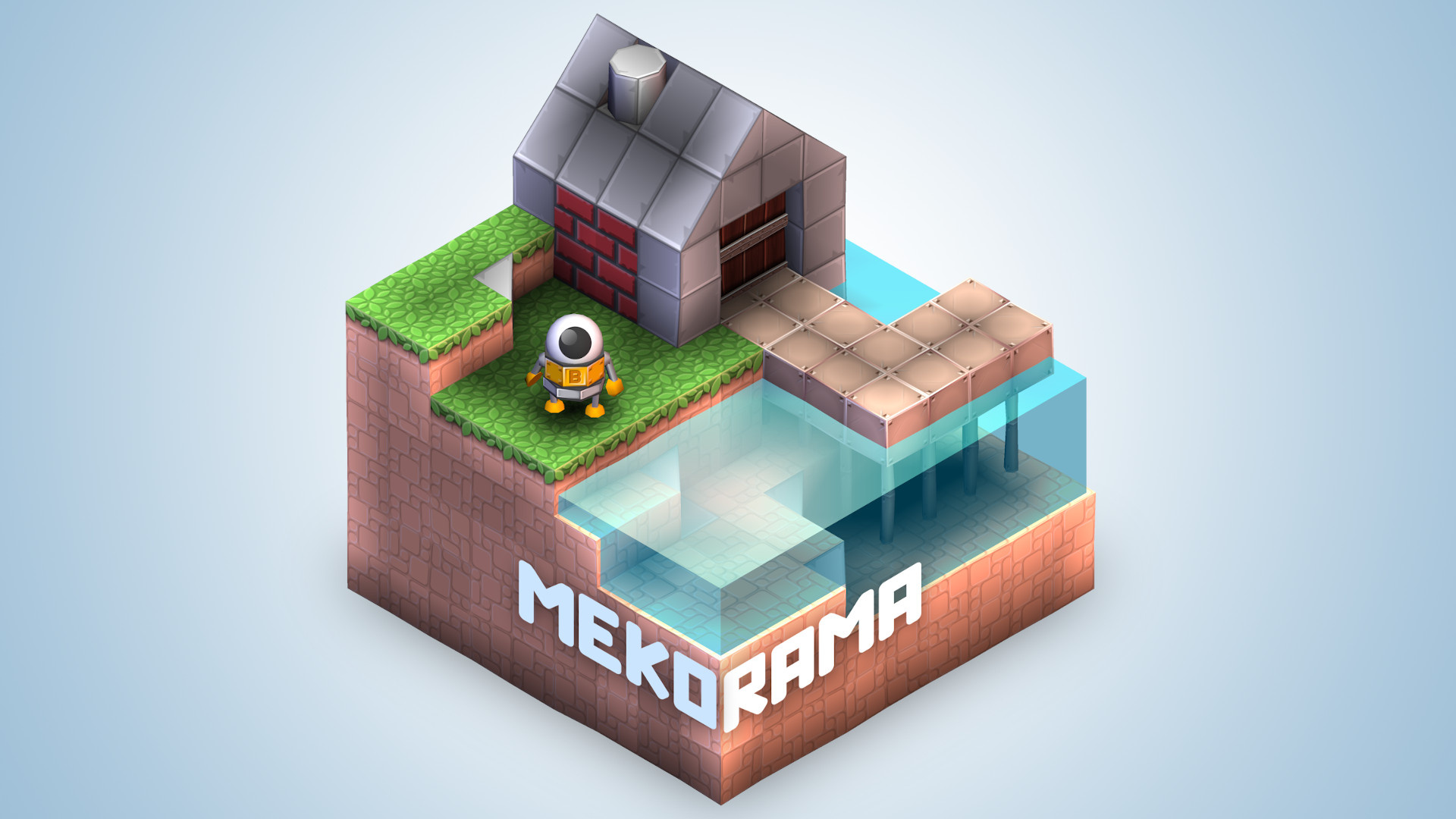
Later this month sees the launch of a cute little puzzler on Switch called Mekorama, and this new trailer is giving off some serious Captain Toad: Treasure Tracker vibes.
The game has you guiding ‘B’, a little robot who bears a striking resemblance to Star Wars‘ BB8 in our opinion, around a variety of rotatable, isometric puzzle levels. Your adorable little buddy has crash landed on this strange cubic planet, and you’ll need to explore each level to search for a way out.
You can make use of lifts and slide platforms to get around, while keeping an eye out for any dangers that present themselves, and – just like with Captain Toad – you’ll want to think outside the box to really get ahead. There’s also a level editor to try, should you want to work on your very own designs.
This Switch version of the game has been beefed up from the original mobile release, with an extra 50 levels being added to create a total of 100. It’s pretty cheap, too, with pricing scheduled to sit at $4.99 / 4.99€.
The game will launch on Switch on 26th March, but you’ll actually be able to pre-order it from the eShop starting on the 12th.
Think you might give this one a go? Share your thoughts on the game with us in the comments below.
Miyamoto Reminds Us Nintendo Wants Its Characters To Go Beyond Video Games
At the start of the year, Nintendo’s President Shuntaro Fukukawa spoke about the company expanding beyond its core business dedicated to video game platforms, in order to increase the number of people who have access to its IP. He went on to state how the company was starting to see the results with the opening of its Tokyo Store in Japan.
Now, in that recent 12-page interview with Famitsu, Nintendo’s iconic game designer Shigeru Miyamoto has reiterated the points the president made at the start of the year – explaining how the Japanese company wants to expand into a “variety of settings” with its video game characters by collaborating with various other companies. Here’s the full translation (thanks once again to Oni Dino of Nintendo Everything):
We want to expand our video game characters to a variety of settings – not just in games, all while keeping their value. In other words, we’ll be collaborating with various other companies. If we’re able to accomplish that, we can create more opportunities for people to make contact with our characters on a much larger scale than usual.
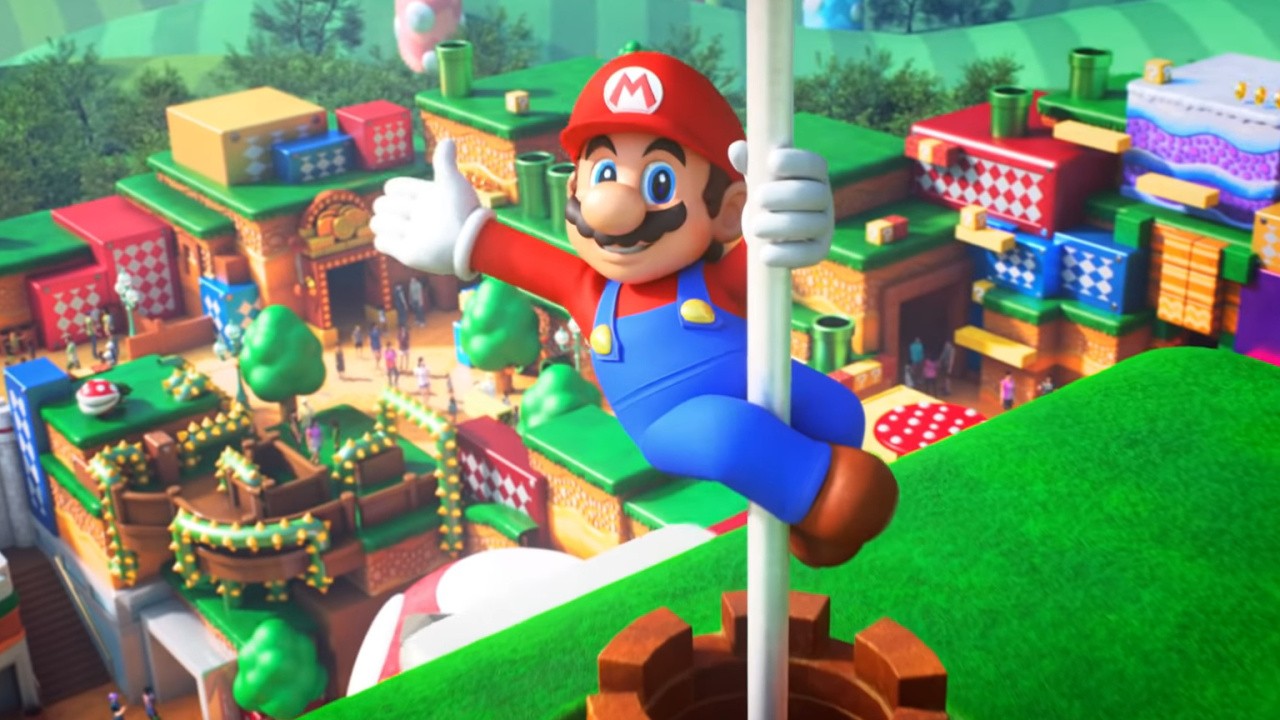
Thinking outside of the realm of video games, Nintendo is moving into theme parks with the assistance of Universal Parks & Resorts. Furukawa has previously said it’s an “especially large” initiative to expand the number of people who have access to Nintendo IP. There’s also a motion picture in partnership with Illumination in the works, which is currently targeting a 2022 theatrical release. How do you feel about Nintendo collaborating with other companies to expand its characters beyond video games? Share your thoughts below.
First is the Team Rocket takeover. From now until 10 PM local time on March 9, Dark, Poison, and other Pokemon typically associated with Team Rocket will appear more often in the wild. The rare Dark type Absol is one of the Pokemon you'll be able to encounter, and you'll also have a chance to find a Shiny Skorupi for the first time in Pokemon Go.
During the event, there will be a surge in Team Rocket activity on Saturday, March 7, from 2-5 PM local time. During that window, more Poke Stops will be under the control of Team Rocket grunts. Team Rocket leaders Sierra, Arlo, Cliff, and even Giovanni will also be more active during this time. Not only will you earn twice the usual amount of Stardust for defeating the leaders, there's a chance the Shadow Pokemon you rescue from them could be Shiny.
To make space for the Face ID notch, Apple took away the old battery percent number from the iPhone’s home screen. But there are still many ways to get this useful information when you need it.
You don’t really need a percentage charge figure when it’s this low, but for the rest of the time, it’d be handy to know the detail.
The battery icon at the top right of your iPhone’s screen is good in a pinch. It’ll tell you whether the phone is fully charged, for instance, and therefore that you can relax. Or in what feels like the more common case, it’ll show you that the battery is close to empty. It’s just that in between the extremes, it’s not a great deal of use —it’s nowhere near as helpful as a percentage charge figure would be.
Certainly you can’t tell from the icon whether your charge is dropping unusually quickly. And instead being able to see that you’ve gone from 100% to 95% the second you step out of your door is important.
We lost the battery percentage when we gained the Face ID notch with the iPhone X, and all status icons were pushed to either the right of left.You’ll notice that the iPad and iPad Pro retain the percentage figure, but that’s because they don’t lose about half the top area of the device to the notch, as happened with the iPhone X, iPhone XR, iPhone XS, iPhone XS Max, iPhone 11, iPhone 11 Pro, and iPhone 11 Pro Max. There are rumors that we will see the notch reduced in the 2020 “iPhone 12,” which might let Apple give us this percentage figure back.
For now, though, it’s hard to argue that given the smaller available space, Apple was wrong to ditch the percentage, because it did keep the battery icon, plus Wi-Fi and cellular data. We wouldn’t swap the last two out, but it would be good to replace the battery icon with the percentage.
However, you can still find out the specific percentage charge when you need to. There are several ways to do it, and if none is quite so handy as being able to just glance at the top of your iPhone screen, one of them will suit you.
Use Control Center
Depending on what you’re currently doing with your phone, most of the time the fastest way to see your battery charge is through Control Center.
The battery charge percentage is always at the top right in Control Center
Swipe down from top right to launch Control Center
Read the battery percentage at top right
That’s it. Whatever app you’re in, or even if you’re not in an app, you can call up Control Center and immediately read the percentage.
Use Notification Center
This needs to be set up the first time you do it, but thereafter the battery level will be listed in your iPhone’s Notification Center. If you use that feature a lot, it may even be faster than going via Control Center.
Plus it might be handier, too, as the Notification Center version will not only show you the charge in your iPhone, it will list your Apple Watch, too. If your AirPods are connected, and either out of their case or that case’s lid is open, then it will show you the charge for those too.
To set this up for the first time, do the following, starting at your iPhone’s first home screen, or the lock screen.
Swipe left to go into Notification Center
Scroll all the way down to the bottom and tap on Edit
Swipe down to the section headed More Widgets
Find Batteries and tap the green plus sign next to it
This moves Batteries up into the top area, which is the list of which widgets are displayed in Notification Center. It’s also the list showing the order they will be shown. So if you want to see your battery charge at the top, do this.
Tap on the grab handle (three horizontal bars) to the right of Batteries
Drag upwards to rearrange
Let go when it’s in place
Lastly, tap Done to finish editing the widgets.
Once you’ve edited your widgets (left), just swiping to Notification Center can show you the battery charge percentage (right)
Now you’re set up to use Notification Center to show you all the battery percentages, so at any time when you want to know the exact charge left, do the following.
Swipe Left from the Lock Screen or the first home screen
There are different ways to phrase it, but “Hey, Siri, what battery charge do I have left?” always works.
You can also ask Siri on your iPhone to tell you what charge is left on your Apple Watch. However, you can’t ask Siri on your Watch to tell you the charge left on your iPhone.
Look quickly when you charge
If you have a Qi wireless charger near you, put the iPhone on that. The iPhone’s lock screen will display the current battery percentage.
It will do the same thing if you just plug the iPhone into a charger, but in both cases it only shows the percentage for a brief moment.
Your iPhone will show briefly show you the battery percentage when you put it on charge (left), or take it off again (right)
If you don’t catch it in time, though, you can take the iPhone off the charger, and that will again briefly get you the percentage charge figure.
One more way
For absolute completeness, let us also tell you that you’re able to create your own Shortcut to display the charge percentage too.
It’s a particularly simple Shortcut to create and it displays the percentage as a regular notification. That might be handy because a notification can stay on your screen until you choose to dismiss it.
Plus, you can use what the Shortcut finds to do something more. By default, your iPhone will prompt you with a Low Power Mode when the charge reaches 20%, but maybe you know that’s not going to get you through the rest of your day. You could create a Shortcut that whenever you run it, checks the charge, and if it’s below 50%, offer you that same Low Power Mode.
Left: a simple Shortcut to find and display your battery percentage. Center: that Shortcut running. Right: a more elaborate Shortcut offering you choices depending on what that battery percentage is
In this and every case, you have to positively choose to do something in order to find out your battery percentage charge. That’s never going to be as handy as just being able to glance, but it doesn’t look likely that Apple will bring back that option any time soon.
There is one thing, though. Back when Apple did give the option of showing a battery percentage, it was easy to get over anxious about it. You could keep picking up your phone to see how the battery was, and of course that action would then contribute to the battery going down. So even though you now have all of these different ways to find out the battery percentage, perhaps you should avoid doing it too often.
Video: Alex Answers Your Questions About Animal Crossing: New Horizons
There are only a few more weeks until the release of Animal Crossing: New Horizons on the Switch now. To tide you over until then, our lovely senior video producer Alex Olney has taken time to answer 21 of your questions, now that he has gone hands-on with it.
Unfortunately, he’s still under embargo, so he can’t answer every question just yet. The messages he has responded to were sent to him over on YouTube. Ever wondered if the grass gets trampled? What about the flowers? Are paintings and sculptures in the museum? You’ll just have to view the video above to find out:
And if you’d like a much more thorough rundown of what you can expect from the latest entry in the Animal Crossing series, be sure to read Alex’s full impressions, where he talks about terraforming and a bunch of other interesting things within the new game. Did you learn anything new? Tell us below.
Now that it’s the weekend, though, members of the Nintendo Life team have gathered to discuss their gaming plans. We’d love for you to get involved too via our poll and comment sections. Enjoy!
PJ O’Reilly, reviewer
This weekend I’m gonna be doing my bit to help stop the spread of Coronavirus by sitting on my couch all weekend and hammering the tutorial mode in Under Night In-Birth Exe:Late [cl-r]. It’s a fun name that isn’t it, Under Night In-Birth Exe:Late [cl-r], fun to type, especially if you’re reviewing it and need to type it loads. Yes. Anyway, I’m a total amateur at the moment, making my way slowly through the easy challenges to help me build on the very basic Street Fighter 2 skills I’m currently packing, but the tutorial in this game is so in-depth I’ve no doubt I’ll be playing at Evo 2021 when it rolls around.
I’ve also just got around to picking up Super Mario Party so will be getting stuck into that with the kids, trying out the minigames and taking no prisoners as I assert my absolute dominance as the king of games in my household. Have a fun weekend, guys, and remember to wash your hands!
Ryan Craddock, staff writer
After spending the last couple of weeks shooting, shiving, and sneaking my way around infected in The Last of Us Remastered, I’m about to once again dive into the colourful world of Nintendo magic this weekend.
I thought I’d pick up Pokémon Mystery Dungeon: Rescue Team DX on Switch and give it a go, despite the fact that I already own the originals and have plenty of other things I could be playing instead – why must video games be so compelling? There’s something about Pokémon that I just can’t resist, and I’m looking forward to seeing my favourite ‘mon in the game’s cutesy art style probably more than I should.
Gavin Lane, staff writer
This week it’s Witcher 3 for me. I’m not even out of the tutorial section yet, but I can already tell I’m going to enjoy this immensely. After hearing that combat wasn’t brilliant I was prepared to tolerate some jank, but from what I’ve played so far it’s got its own flow and is far better than I expected.
I’ll probably finish off DOOM too, which I picked up for peanuts on sale. Originally I was put off not only by the Switch version’s dodgy frame rate but also the belief that original DOOM really needs a keyboard and a big ol’ space bar to ‘feel’ right. After 5 minutes with the patched-up Switch port, though, it almost feels like it was made for a gamepad. And the shotgun is still one of gaming’s finest weapons. Meaty.
Austin Voigt, contributing writer
This weekend I have a road trip across the country I’ll be headed out on, so I’ll probably end up playing nearly every game in my library out of sheer boredom. In fact, I’ve been tempted to restart Zelda: Breath of the Wild, and this may be just the trip to do so. I’m also (still) trying to finish Luigi’s Mansion 3, and I also have some post-game work to do in Pokemon Shield. And, of course, I’m sure the friends joining me on the trip will want to whip out Mario Kart 8 Deluxe and Super Smash Bros. Ultimate for some couch co-op…
We all know this is one of the last weeks before my canned ‘What Are You Playing?’ response simply becomes “Animal Crossing… Animal Crossing… Animal Crossing“, so enjoy this while it lasts.
Ollie Reynolds, reviewer
In the run-up to the release of Ori and the Will of the Wisps, I’ve gone back to play Ori and the Blind Forest again on Switch. Like every other game ever released, I firmly believe it’s at its best on the Switch, and I’m having an absolute blast with it (even if it does make me tear up occasionally)!
I’m also plugging away at Mega Man Zero/ZX Legacy Collection – as a huge fan of Mega Man, missing out on the initial release of these games has played on my mind for a while, so being able to experience them all in one handy package is great. I don’t think I was quite prepared for how difficult they are, though!
Gonçalo Lopes, contributing writer
Lack of progress during the week on SD Gundam G Generation Cross Rays annoys me to no end so expect to see me on that battlefield once more. Some nice arrivals including Metro Redux, Rune Factory 4 Special and the unavoidable Pokémon Mystery Dungeon Rescue Team DX will also get some playtime. Or should I say “stream time”? That’s right, in (yet another) middle-age crisis, I’ve picked up one of those fancy video capture cards and am well on my way to becoming a part-time streamer.
My game of the week is Warface. Let’s face it: There are a ton of really great ideas on that package that help it stand apart from other FPS, so it’s attending my Call of Duty needs quite nicely.
As always, thanks for reading! Make sure to leave a vote in the poll above and a comment below with your gaming choices over the next few days…



 Sherlock Holmes: Crimes and Punishments at 80% OFF