



02-27-2015, 08:22 PM
Flash Player Fix
Game: Realm of the Mad God
Details
Hey guys... Here we go.
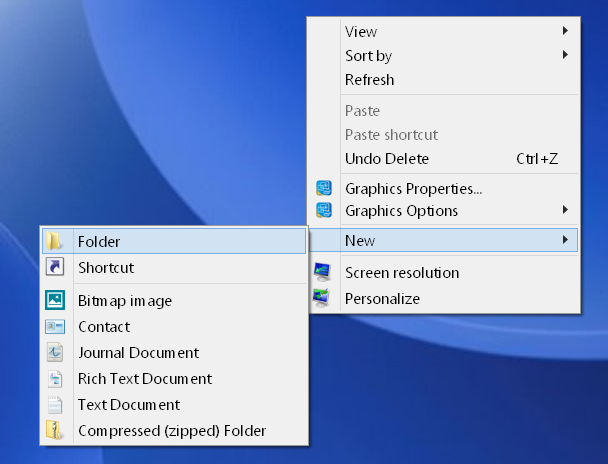
Create a New Folder on your Desktop and name it whatever you want (RotMG, Realm, etc.):
Right click on this: http://www.realmofthemadgod.com/Asse...1421184941.swf
And save it to the folder you just made.
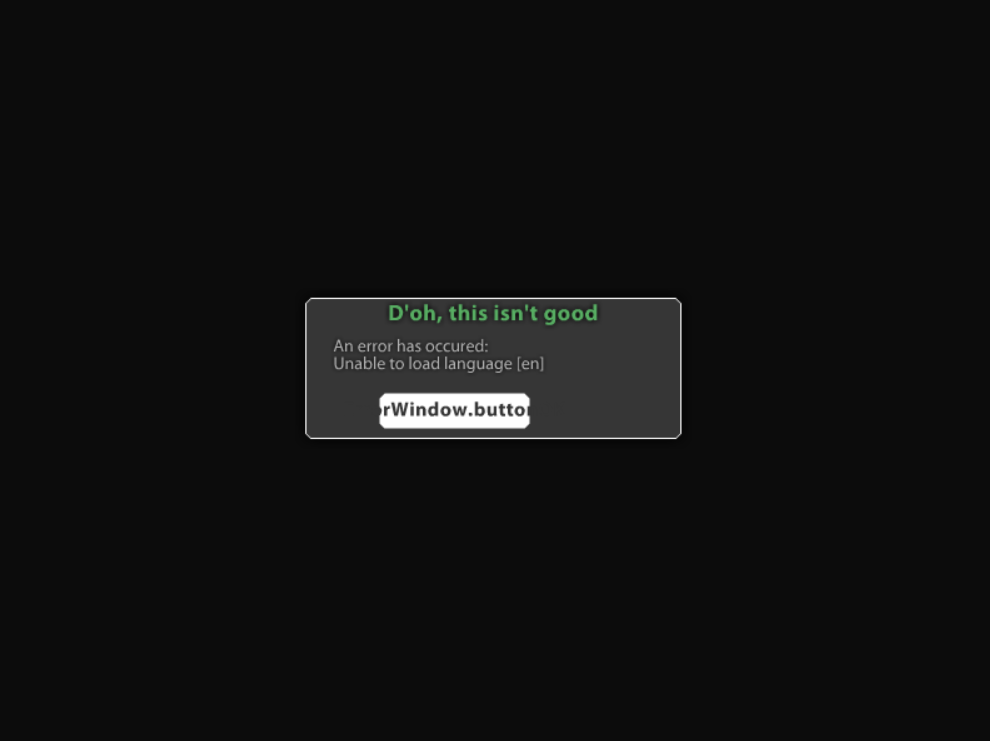
Open it via a Flash Player Projector and it should look like this:
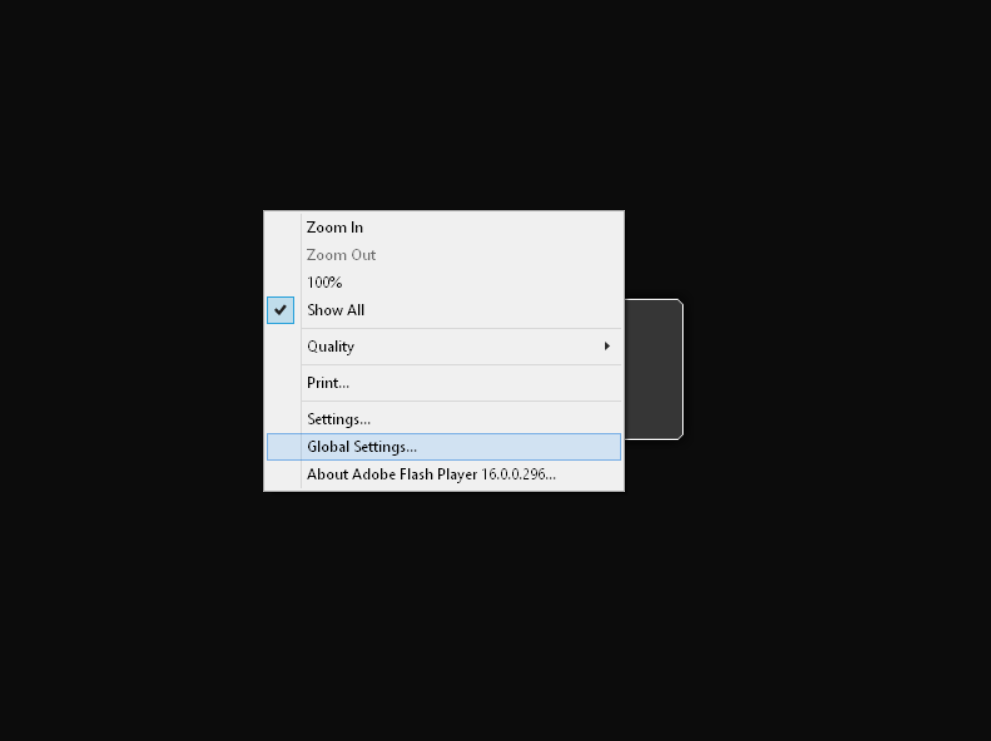
Right-Click in the Flash Player Projector and click "Global Settings":
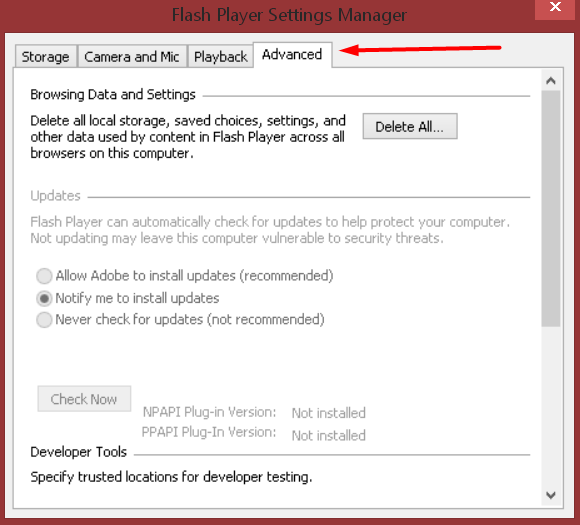
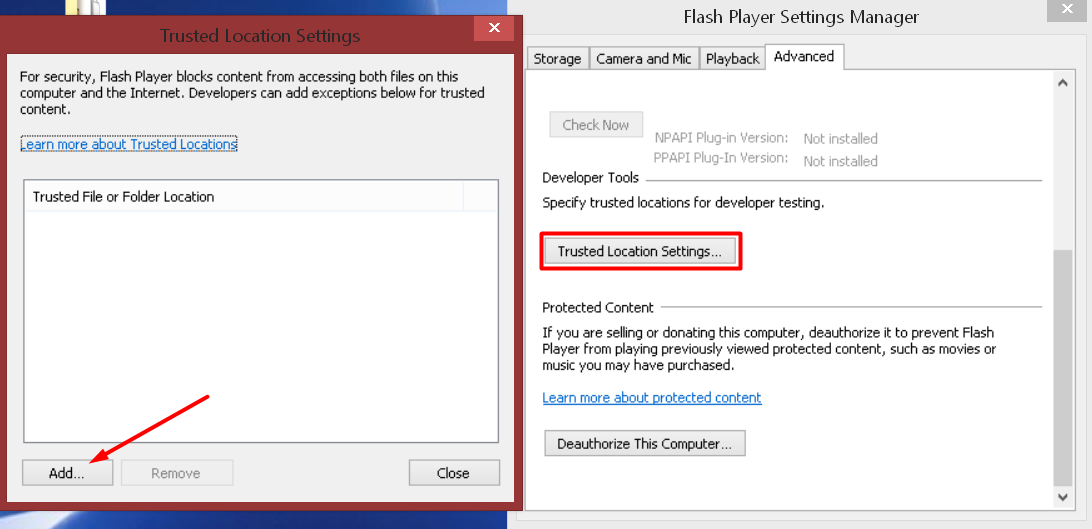
Click the "Advanced" Tab:
Click "Trusted Location Source" then click "Add...":
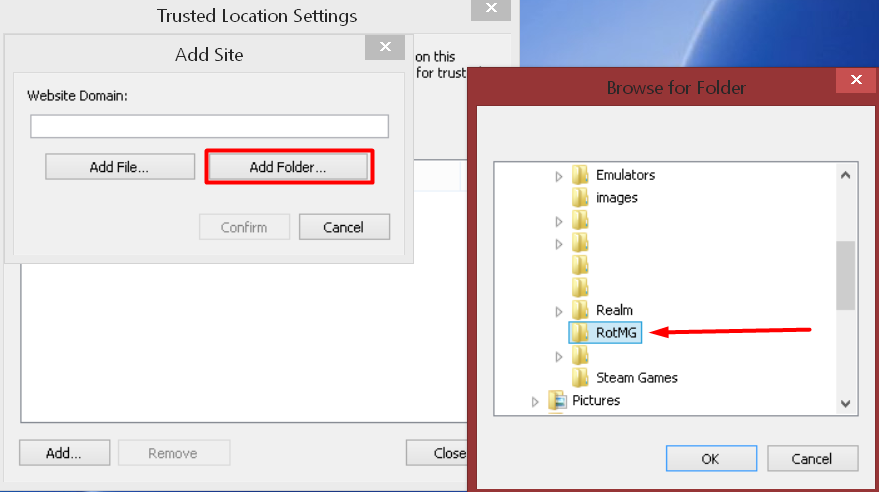
Then, click "Add Folder..." and a menu should come up. Find the Folder you previously created on the Desktop (in my case it is "RotMG), and click it. Then click "OK":
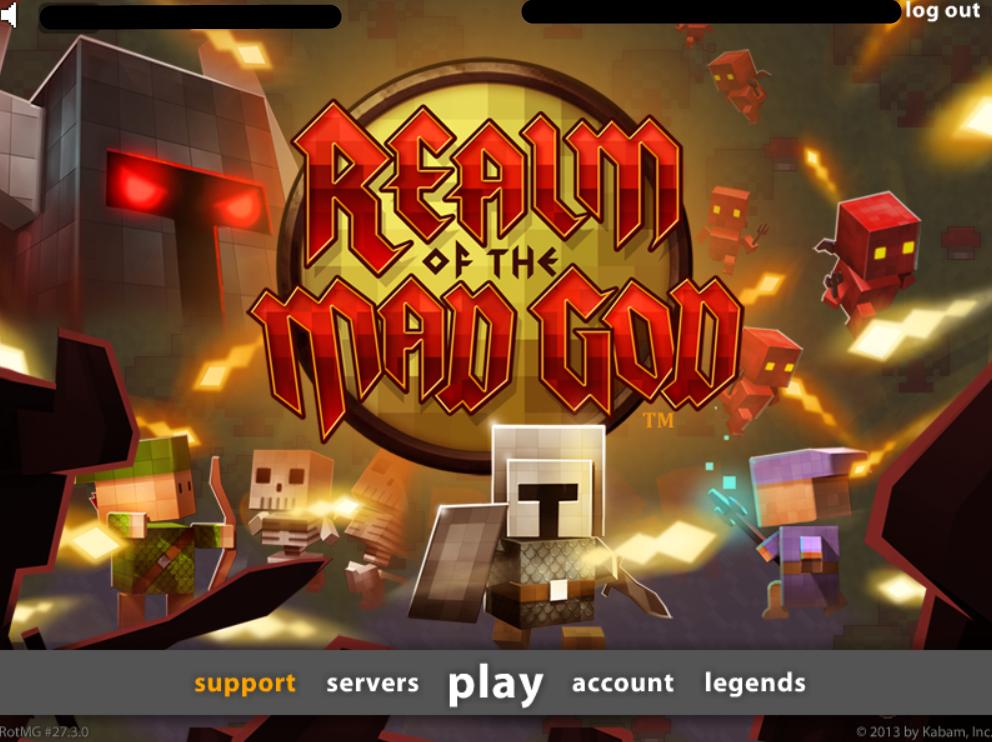
Click "Confirm" then close out of all of those windows. Open the .swf file in Flash Player and PRESTO! It should work.
Hopefully this works for you all!
If it still doesnt work then just update your Flash Projector to v16 and try again.
P.S. this also works with hacked clients. Instead of putting the "Vanilla" Client in the Folder, put your hacked Client. I just had to keep it clean for my previous post on the Kabam Forums ;3
Preserved from the original MPGH tutorial for archival purposes.
Game: Realm of the Mad God
Details
Hey guys... Here we go.
Create a New Folder on your Desktop and name it whatever you want (RotMG, Realm, etc.):
Right click on this: http://www.realmofthemadgod.com/Asse...1421184941.swf
And save it to the folder you just made.
Open it via a Flash Player Projector and it should look like this:
Right-Click in the Flash Player Projector and click "Global Settings":
Click the "Advanced" Tab:
Click "Trusted Location Source" then click "Add...":
Then, click "Add Folder..." and a menu should come up. Find the Folder you previously created on the Desktop (in my case it is "RotMG), and click it. Then click "OK":
Click "Confirm" then close out of all of those windows. Open the .swf file in Flash Player and PRESTO! It should work.
Hopefully this works for you all!
If it still doesnt work then just update your Flash Projector to v16 and try again.
P.S. this also works with hacked clients. Instead of putting the "Vanilla" Client in the Folder, put your hacked Client. I just had to keep it clean for my previous post on the Kabam Forums ;3
Preserved from the original MPGH tutorial for archival purposes.