



06-12-2012, 06:51 PM
1. Put as many items into your inventory as possible in-game then save and exit
2. Extract your save from your USB
3. Open your save into the Editor
4. Mod what you want and Save
5. Rehash/Resign your save and put your save back on your USB
6. PLAY!
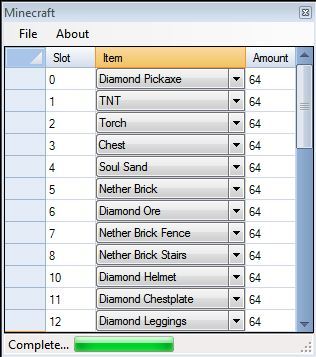
Make sure you have Framework 4.0
 idlehands88:
Update v1.2:
Virus Scan the TR/Dropper is a false positive. Thanks o HORIZONS o
Thanks to Idlehands88, fairchild, and Buddah from 360haven
[Release] Minecraft XBLA Editor
2. Extract your save from your USB
3. Open your save into the Editor
4. Mod what you want and Save
5. Rehash/Resign your save and put your save back on your USB
6. PLAY!
Make sure you have Framework 4.0
Quote:The KV.bin Error is nothing to worry about (it’s annoying but doesn’t really do anything). If you want to fix it then download this file and put it in the folder that it says it’s missing from:
Also the String Error is caused because the Editor sometimes doesn’t display some items (Blank Drop-down box), to make it work, just change the Blank Items to any Item and the Editor will save.

Update v1.2:
Quote:
- Fixed the Errors
- Fixed some spelling mistakes
Virus Scan the TR/Dropper is a false positive. Thanks o HORIZONS o
Thanks to Idlehands88, fairchild, and Buddah from 360haven
[Release] Minecraft XBLA Editor