Black Panther 2 is reportedly set to begin shooting in Atlanta in July 2021, after being temporarily sidelined after the tragic and unexpected death of actor Chadwick Boseman, according to sources that spoke with The Hollywood Reporter. The movie was originally scheduled to begin filming in March before the delays.
In addition to the new production date, Narcos: Mexico star Tenoch Huerta is said to be joining the film as an unidentified antagonist. He will star alongside returning cast members from the first Black Panther, including Letitia Wright, Winston Duke, Lupita Nyong'o, and Angela Bassett.
THR's sources also implied that Wright's character, Shuri, the younger sister of T'Challa, could potentially see a much larger role in the upcoming film. This would be consistent with Shuri's trajectory in the comics, where she has taken over the Black Panther mantle in her brother's stead several times.
“It’s time we took a peek behind the Iron Curtain.” – Russell Adler, Call of Duty: Black Ops Cold War
Ready to make history?
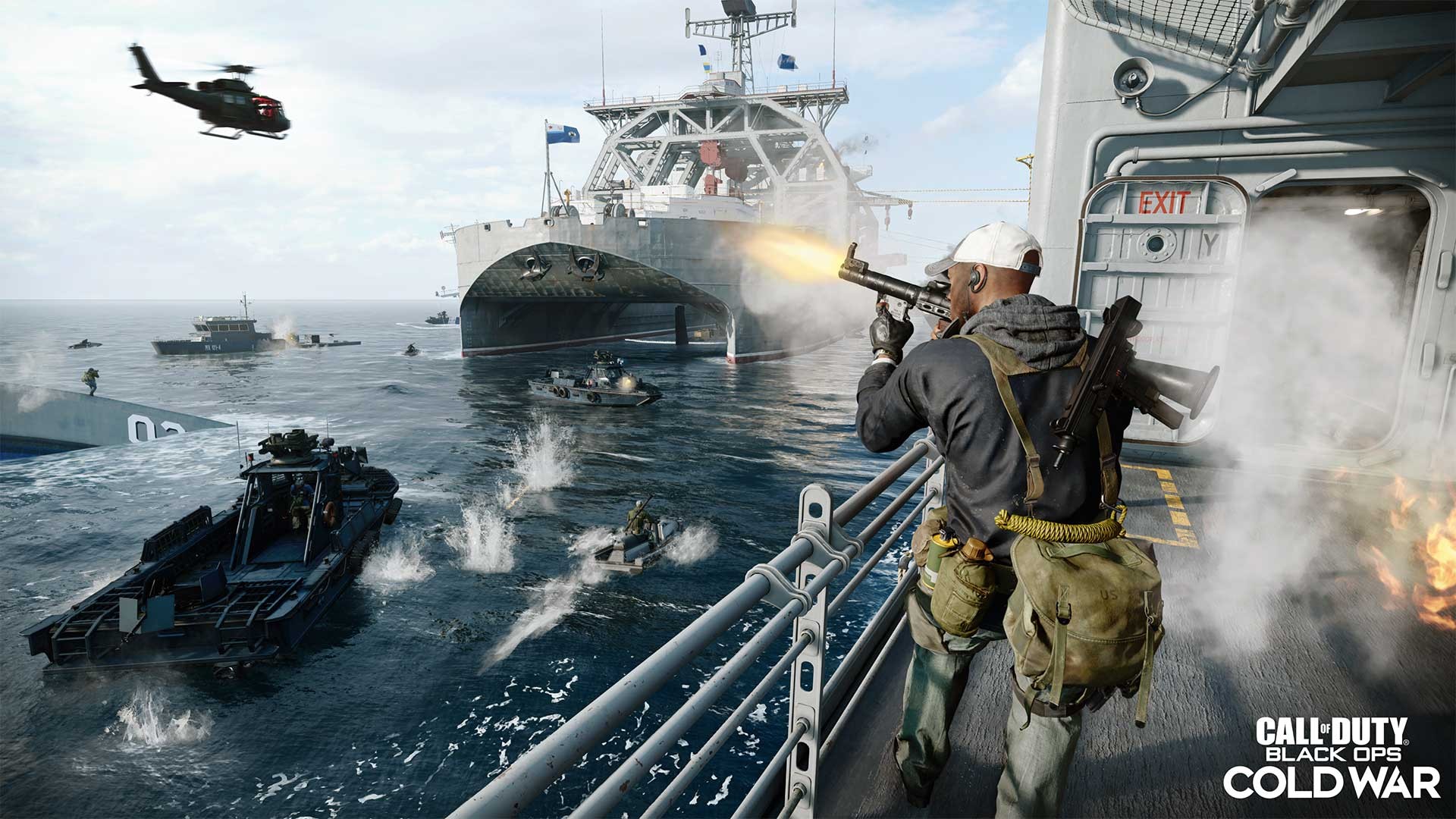
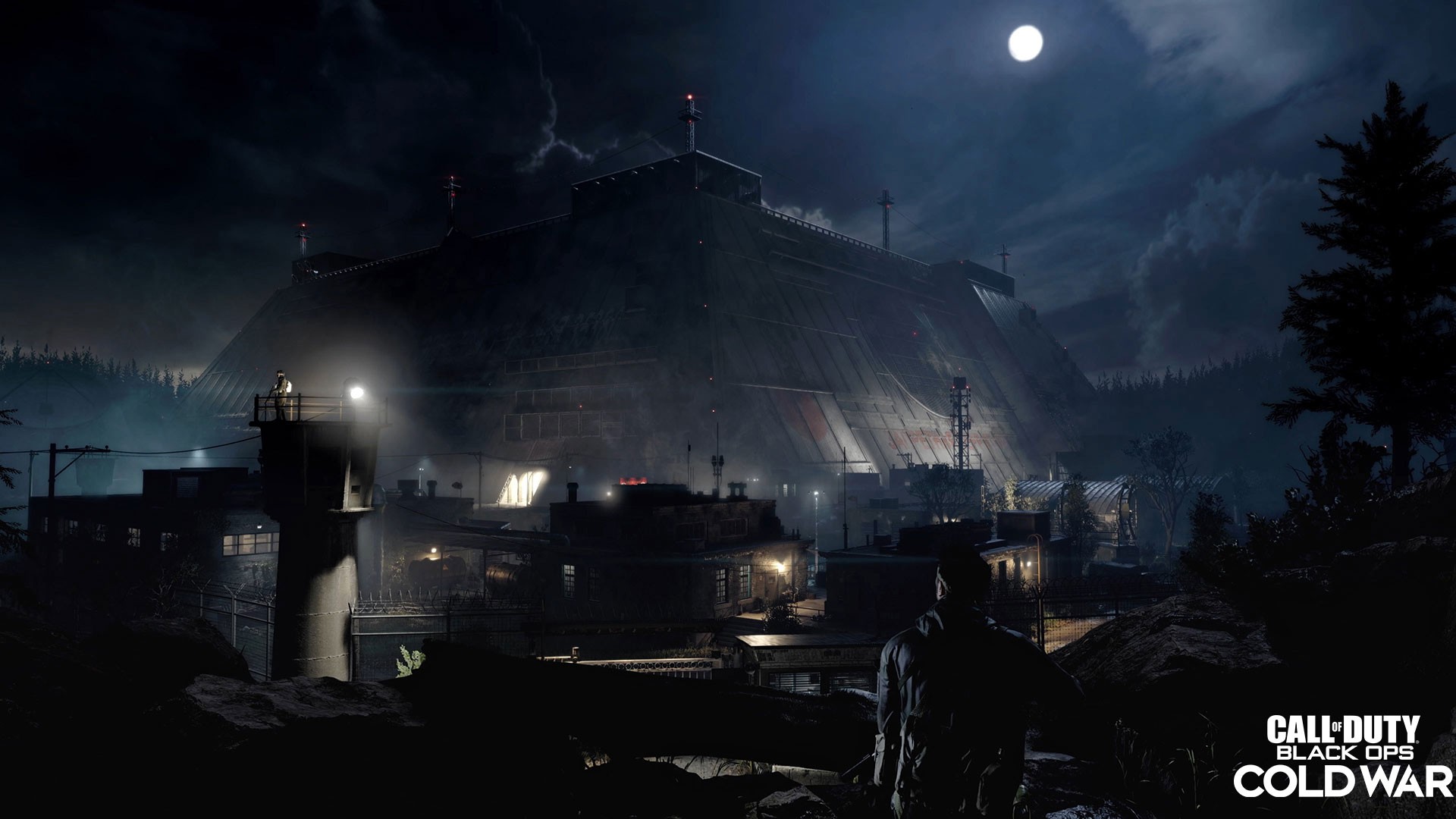
It’s time to blow up a Cold War conspiracy decades in the making with Call of Duty: Black Ops Cold War, the direct sequel to the original and epic Black Ops. Jump into the 3 explosive modes of play: a mind-bending single-player Campaign, a bold new chapter in the cooperative Zombies mode and an action-packed Multiplayer mode, all connected to deliver a creative and immersive experience for fans. Black Ops Cold War expands access for players on all platforms with new and revamped crossplay and cross-progression features. Multiplayer and Zombies will also share a new progression system and players will be able to earn the prominent Prestige Master title in every future Season that is released. Study up on the features and content packed into this iconic game.
Campaign
Alex Mason, Frank Woods, and Jason Hudson make their return in the single-player experience to navigate through deniable operations, where nothing is really as it seems. From creating your own operative or playing as Mason, your mission is to chase down the Soviet agent ‘Perseus’, a myth who has appeared after decades of dormancy, and save the world from unimaginable disaster. Each Mission in the Campaign will offer different scenarios for you to play through, from long-range combat and close quarter to stealth and all-out warfare.
Multiplayer
The iconic Multiplayer experience expands the vast suite of fun and competitive modes with a revamped progression system and customizable loadouts in Black Ops Cold War. Team up and face off with other members in the Call of Duty community and drop into the signature modes of Team Deathmatch, Free-For-All, Domination and more. Multiplayer will also bring back the 6v6 mode Control, which tasks players to capture or defend two objectives on the map, as well as introduce the all-new VIP Escort, where a team must escort one player successfully to an exfil site or eliminate the opposing team to win. For larger combat modes, players can battle each other in vehicles within the 12v12 Combined Arms or fight for supremacy against 10 squads of four operators in Fireteam: Dirty Bomb.
Create the best loadout for your playstyle and dominate the battle with the ultra-customizable Create-a-Class, a rule-breaking Wildcard and a resourceful Field Upgrade. By racking up Scorestreaks from repeated eliminations, earn powerful rewards that include heavy-hitting weaponry to controllable aerial vehicles to keep your lead in the fight against other players.
Zombies
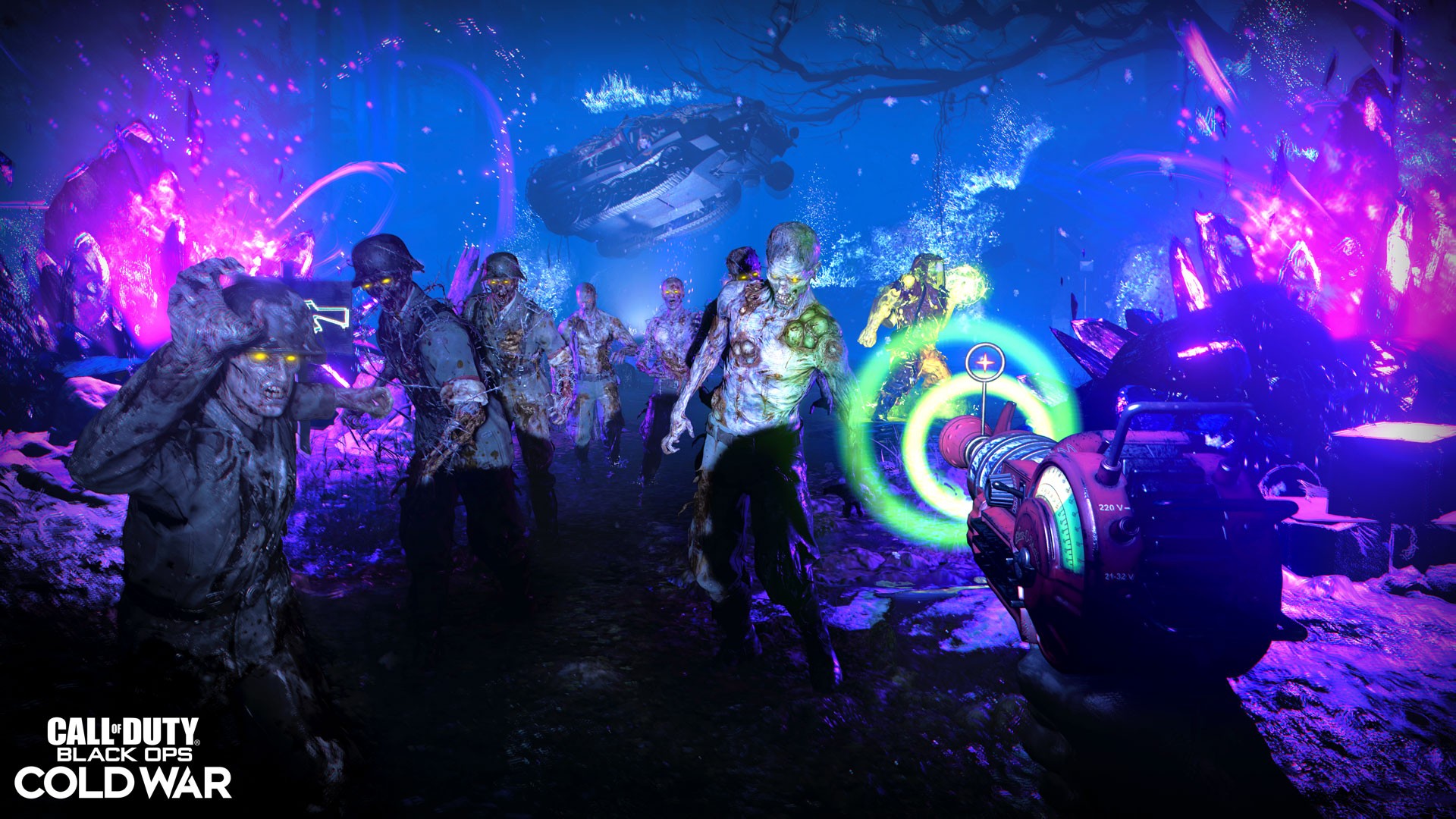
Fight off legions of undead horrors in this co-op experience, featuring you and up to three other Operators. As agents of Requiem, a CIA-backed international response team led by Grigori Weaver, your mission is to investigate and suppress supernatural anomalies around the world.
To battle against the waves of the undead and maintain global order, Requiem agents will have access to upgradeable Perks and an arsenal of Cold War-era weaponry. Agents will also go head-to-head with the rival Soviet-led Omega Group, who have taken a keen interest in studying and harnessing the anomalies, as well as unraveling mysterious secrets that have been left hidden over the decades.
The next co-op top down arcade shooter will also be included to play with either yourself or a team of four in the Zombies menu. Survive as long as you can through expansive open world areas, challenging new arenas, bonus areas and randomly generated dungeons.
Post-Launch Content and Warzone: Live seasons are on the schedule for post-launch plans and will feature plenty of new and free post-release content for all players. These live seasons will also integrate into the next evolution of Warzone, which now features Black Ops Cold War operators.
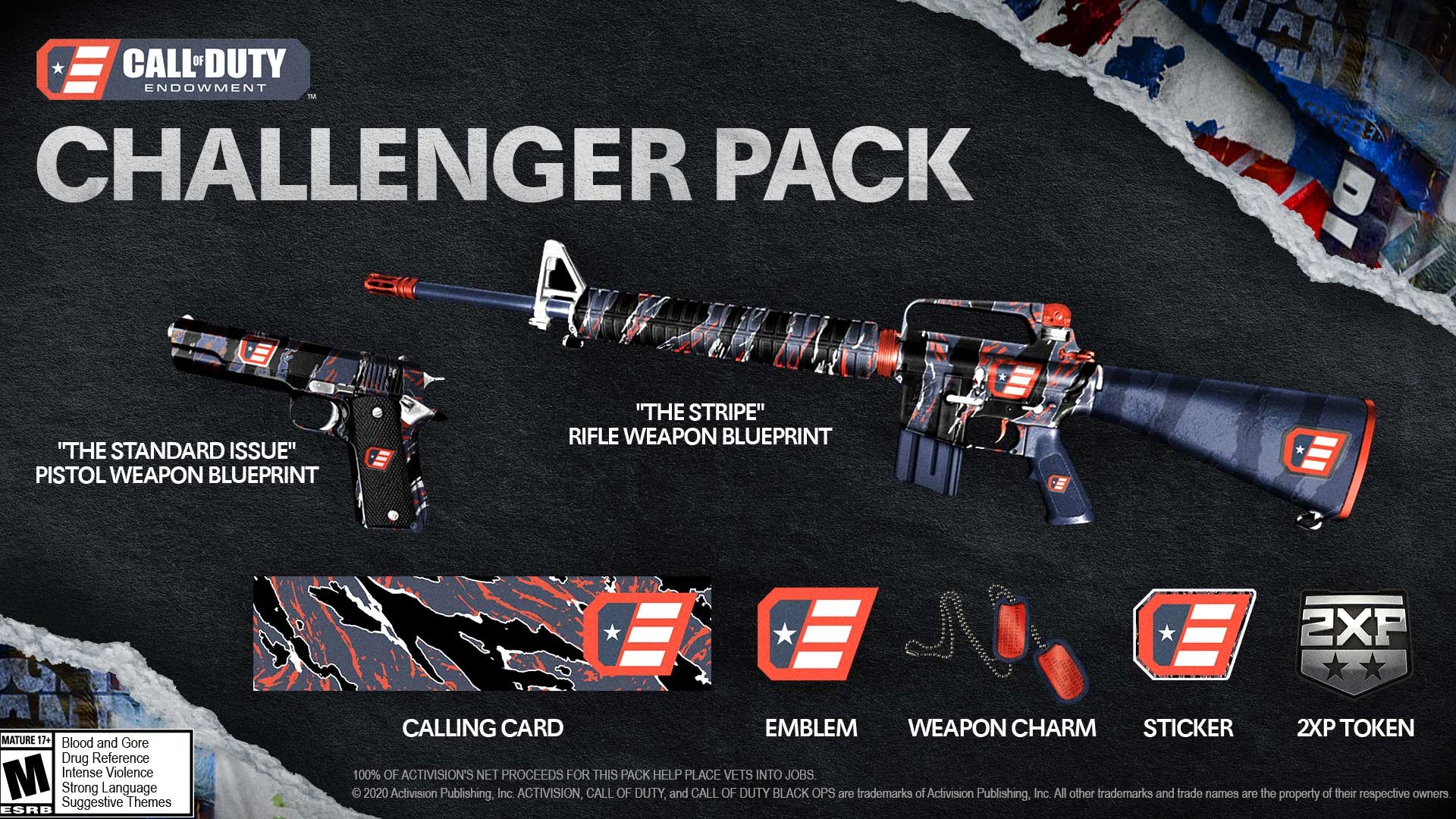
Along with the launch of Black Ops Cold War, the Call of Duty Endowment, a non-profit organization that helps US and UK veterans find high-quality civilian jobs, is bringing players the Challenger Pack, available now in-game and in Warzone in December.
By purchasing the pack, you will receive such items as “The Stripe” Marksman Rifle Weapon Blueprint, “The Standard Issue” Pistol Weapon Blueprint, a Calling Card, an Emblem, a Weapon Charm, and a Double Weapon XP Token.
100% of Activision’s net proceeds will go towards the Endowment’s efforts to support groups that prepare veterans with finding high-quality careers in the job market and raise awareness of the value that veterans bring to the workplace. The pack will be available until $5 million USD is raised, so don’t miss out!
Confrontation Weapon Pack
Digital purchases will not only receive the Woods Operator pack for Call of Duty: Modern Warfare and Warzone but also get the Confrontation Weapons Pack in Black Ops Cold War.
This pack contains two weapon blueprints: the relentless Soviet inspired ‘Iron Curtain’ Assault Rifle and the patriotic American inspired ‘Western Front’ Tactical Rifle. Before unlocking the five pre-configured attachments that are included on each Blueprint, you can test them out and see which fits your style best.
You can equip these two Blueprints from the Loadouts menu once the Create-a-Class section is unlocked.
Get a Bonus Shotgun Blueprint and Charm by Signing Up for Emails
Want to expand your arsenal and add some flair to your favorite weapons? Opt-in to Call of Duty emails to get the ‘Battle Worn’ Weapon Blueprint, which sports a badass black and green MACV-SOG camo with the group’s iconic insignia. This weapon is pre-configured with an extended mag, stock and grip that makes it fantastic for close-quarter fights and potentially one-shot enemy players with the powerful pump-action.
Along with the Blueprint, get a special weapon charm available around your birthday when you sign up for the latest intel drops delivered straight to your email. Simply log into your account on the Call of Duty site, navigate to the preferences tab of your profile, and check the box to opt-in for emails. Once you first log in to Black Ops Cold War, you’ll receive the Weapon Blueprint via email.
Digital Editions Breakdown
Players can choose from three distinct editions to play Black Ops Cold War: Standard, Cross-Gen, and Ultimate. All digital editions include The Confrontation Weapon Pack and offer loads of value and incredible content.
The Digital Standard Edition($59.99) includes the game on Xbox One and the option to upgrade to the Digital Cross-Gen Edition, which includes the Xbox Series X|S version of the game for an additional fee. Note: The Digital Standard Edition is playable on Xbox Series X|S via backwards compatibility but will not include any next gen features.
The Digital Cross-Gen Edition($69.99) includes both Xbox One and Xbox Series X|S versions of the game through a dual-license tied to your Xbox account and the Digital Ultimate Edition($89.99) includes both the Xbox One and Xbox Series X|S versions of the game, the Land, Sea, and Air Pack, and the Battle Pass Bundle (Includes 20 immediately activated Tier Skips) to purchase a Battle Pass for any Season of Black Ops Cold War.
As for the Battle Pass bundle, the Battle Pass system includes free, earnable weapons, unlockable Operator skins, Call of Duty points, and more. The Battle Pass Bundle will give access to unlock all tiers of your chosen Black Ops Cold War Season’s Battle Pass system and includes 20 tier skips.
File Size (At Launch)
In order to download and play Black Ops Cold War, you must have the following free drive space on your Xbox:Xbox One: 93GB/ Xbox Series X|S: 136GB. Players can choose to uninstall specific game mode packs, such as for Campaign or Zombies, to reduce the game’s overall file size. This content can be managed in-game through the “Account & Network” section of the Settings menu.
Stay Connected to Additional Intel
Be sure to check back at the Activision Games Blog daily for the latest information on Black Ops Cold War. Also, be sure to visit Treyarch’s Blog for more Call of Duty: Black Ops Cold War announcements and content.
Follow @CallofDuty and @Treyarch on Twitter, Instagram, and Facebook for additional information.
Call of Duty®: Black Ops Cold War – Cross-Gen Bundle
Posted by: xSicKxBot - 11-23-2020, 11:40 AM - Forum: Lounge
- No Replies
Blog: General tips for ‘Games as a Service’ indie games
<!– –>
Gamasutra: Yannick Elahee’s Blog – Updating your games after production, general tips for Games as a Service for indie games
Gamasutra is part of the Informa Tech Division of Informa PLC
This site is operated by a business or businesses owned by Informa PLC and all copyright resides with them. Informa PLC’s registered office is 5 Howick Place, London SW1P 1WG. Registered in England and Wales. Number 8860726.
If you enjoy reading this site, you might also want to check out these UBM Tech sites:
The following blog post, unless otherwise noted, was written by a member of Gamasutras community. The thoughts and opinions expressed are those of the writer and not Gamasutra or its parent company.
Tips to organize Live Updates for indie games
When your game passes the gold version but still get updates, we call it live ops developement or “game as a service” (GAAS). Big companies are praising live ops and indies are getting in this new trend as well. But this is not a small decision and you should be aware of major challenges. We will talk about:
Changing your production organization
New marketing challenges
Understanding your players expectations
and much more!
Should you do live ops at Release?
If you have a narrative game, live ops is probably not for you! But you can think of new stories in DLC or free chapters to add later.
If your game is not purely narrative, you have a few things to consider before doing live updates:
Do you really want it? Don’t do it if you’re exhausted from production.
Did you bring enough revenue so updates are actually worth the money?
Has your game under-reached it’s potential? Maybe updates can help on long-term sales to catch up!
Yes, those two last points are super hard to estimate. I generally advise to not do live-ops updates if your game has been sufficiently marketed and only generated 25% of it’s production costs during month 1 of release.
Check out this article by Simon Carless to see an average on how much games do 1 week, 1 month and 1 year after release.
When creating updates, there is a continuous flow of things developer have to do. Game designers have to tune in new features, developers have to implement new stuff, level designers have to tweak values, graphic artists have to make new mockups and graphic items.
The problem is that now, the time scale is much tighter. They used to have 3 to 6 months to plan ahead and prepare stuff. Now, it’s only 1 or 2 months max. The art direction must stay the same, no bugs should arise from old features, new content has to be even better than the previous one.
In this storm, as a marketer you’ll be the one at the end of the pipeline. Most of the time, everything must be 100% ready before you can speak about it. Players will complain that you’re not talking enough. The truth is if you’re only speaking to say useless things or features that will never see the light, they’ll resent you as well.
The key here is to improve your tools. If you’re fast enough, you’ll be able to put up PR & dev blogs on the fly without spending too much time in preparation. Here are some things you can put up in place:
Learn to make gifs, arts & others on your own. It doesn’t necessarily mean understanding how to design, it can also be using premade assets & fonts from the graphic art team.
Get a good translation pipeline. Try to hire translators who can be reactive and answer emails fast. Getting professional translators is often better because amateurs tend to do it on the side.
For everything mass mailing, use some newsletter system and get something easily editable, with templates and such.
Get a proofreading app. It will help you clean 50% of mistakes on your own and maybe avoid getting an editor.
Have a solid database of organized assets. You don’t want to fetch assets, links, texts for too long!
Hiring & People Management
The problem with live ops is that you probably have 2 years or so behind you. When the game got released, you team might be burned-out. Think abot your structure, getting new people, or putting the current one on new projects!
New people give a new perspective on game design, art and much more. They have a solid base that can get new, exciting, sometimes game-breaking changes.
Be careful to hire people that get, and like the base, the vision. They need to push the game in the best direction possible while keeping the current players happy!
After the release of your game, let your team take holidays or days off in the week. Maybe switch to a 3 days work week during a few weeks or even during this whole new phase can be interesting. You’re going a fresh energy, either from new or former workers.
Game companies sometimes hire third-party studios to create new DLCs and updates ! Motion Twin gave Dead Cells to Evil Empire, they’re now producing DLC with paid and non-paid content. I’ve heard there are other companies more and more doing this!
When releasing a game, it’s interesting to have a clear roadmap. Players love to know what’s coming up, what content is in preparation, how the game will change and evolve.
Be careful though, if you change the roadmap make sure the changes are SUPER visible. Your hardcore fans ARE waiting for some features!
I suggest that you separate your upcoming content into MAJOR and MINOR features.
For instance you can release every 1 or 2 months, 1 major feature, and at least 2–3 minor features. It’s even better if it’s aimed for short, medium or long term game sessions. Make sure every profits from getting a new update!
Community Debugging
Some people take the opportunity of live players to allow them to report bugs. People like to complain when there is a bug, and they like to know it’s acknowledged by developers. There is nothing more frustrating to a player that a recurring bug that never gets addressed!
We’re missing some tools to make this community debugging, but the most frequents are:
Discord, sometimes helped by a bot
Trello, where people can upvote / sometimes create issues
Public repository such as the example of Spellcasters University
Ingame reporting tools, that get more popular but lack an efficient tool that can be easily deployed
Analytics
You can implement Analytics when the release is 75% completed! Too soon and you’ll lack content to analyze. Too late you’ll miss a good chunk of players as well as the opportunity to balance things out!
I’ve struggled with it myself, and built a custom backend! But it was too much work, and I’m now using Game Analytics. It was a bit complicated at first, but now we have pretty interesting marketing & design stats!
Quick & Good promo
Biggest studios get a video trailers to showcase the changes! You can also do one, but it takes new skill you may not have inhouse. I think we’ll see these “promo trailer” more and more.
Be careful though, they take time to make and sometimes don’t gather enough attention because it’s “only” a game update. It depends on the type of new content you’re pushing!
That’s it for now! Have a great day and let me know if you have any questions about live ops for indies.
Posted by: xSicKxBot - 11-23-2020, 06:03 AM - Forum: Python
- No Replies
How Does Pandas Concat Work?
The pandas.concat( ) function combines the data from multiple Series and/or DataFrames fast and in an intuitive manner. It is one of the most basic data wrangling operations used in Pandas. In general, we draw some conclusions from the data by analyzing it. The confidence in our conclusions increases as we include more variables or meta-data about our data. This is achieved by combining data from a variety of different data sources. The basic Pandas objects, Series, and DataFrames are created by keeping these relational operations in mind. For example, pd.concat([df1, df2]) concatenates two DataFrames df1, df2 together horizontally and results in a new DataFrame.
Pandas Concat Two or More DataFrames
The most important and widely used use-case of Pandas concat – pd.concat( ) is to concatenate DataFrames.
For example, when you’re buying a new smartphone, often you might like to compare the specifications and price of the phones. This makes you take an informed decision. Such a comparison can be viewed below as an example from the amazon website for recent OnePlus phones.
In the above image, the data about four different smartphones are concatenated with their features as an index.
Let us construct two DataFrames and combine them to see how it works.
>>> import pandas as pd

>>> df1 = pd.DataFrame(

... {"Key": ["A", "B", "A", "C"], "C1":[1, 2, 3, 4], "C2": [10, 20, 30, 40]})

>>> df1.index = ["L1", "L2", "L3", "L4"]

>>> print(df1) Key C1 C2

L1 A 1 10

L2 B 2 20

L3 A 3 30

L4 C 4 40

>>> df2 = pd.DataFrame(

... {"Key": ["A", "B", "C", "D"], "C3": [100, 200, 300, 400]})

>>> df2.index = ["R1", "R2", "R3", "R4"]

>>> print(df2) Key C3

R1 A 100

R2 B 200

R3 C 300

R4 D 400
From the official Pandas documentation of Pandas concat;
The two major arguments used in pandas.concat( ) from the above image are,
objs – A sequence of Series and/or DataFrame objects
axis – Axis along which objs are concatenated
Out of the two arguments, objs remains constant. But, based on the value of the axis, the concatenation operation differs. Possible values of the axis are,
axis = 0 – Concatenate or stack the DataFrames down the rows
axis = 1 – Concatenate or stack the DataFrames along the columns
Remember this axis argument functionality, because it comes in many other Pandas functions. Let us see them in action using the above created Dataframes.
1. Row-Wise Concatenation (axis = 0 / ’index’)
>>> df3 = pd.concat([df1, df2], axis=0)

>>> print(df3) Key C1 C2 C3

L1 A 1.0 10.0 NaN

L2 B 2.0 20.0 NaN

L3 A 3.0 30.0 NaN

L4 C 4.0 40.0 NaN

R1 A NaN NaN 100.0

R2 B NaN NaN 200.0

R3 C NaN NaN 300.0

R4 D NaN NaN 400.0

>>> df3_dash = pd.concat([df1, df2])

>>> print(df3_dash) Key C1 C2 C3

L1 A 1.0 10.0 NaN

L2 B 2.0 20.0 NaN

L3 A 3.0 30.0 NaN

L4 C 4.0 40.0 NaN

R1 A NaN NaN 100.0

R2 B NaN NaN 200.0

R3 C NaN NaN 300.0

R4 D NaN NaN 400.0

>>> print(len(df3) == len(df1) + len(df2))

True
Any number of DataFrames can be given in the first argument which has a list of DataFrames like [df1, df2, df3, ..., dfn].
Some observations from the above results:
Note the outputs of df3 and df3_dash are the same. So, we need not explicitly mention the axis when we want to concatenate down the rows.
The number of rows in the output DataFrame = Total number of rows in all the input DataFrames.
The columns of the output DataFrame = Combination of distinct columns of all the input DataFrames.
There are unique columns present in the input DataFrames. The corresponding values at the row labels of different input DataFrames are filled with NaNs (Not a Number – missing values) in the output DataFrame.
Let’s visualize the above process in the following animation:
>>> df3 = pd.concat([df1, df2], axis=1)

>>> print(df3) Key C1 C2 Key C3

L1 A 1.0 10.0 NaN NaN

L2 B 2.0 20.0 NaN NaN

L3 A 3.0 30.0 NaN NaN

L4 C 4.0 40.0 NaN NaN

R1 NaN NaN NaN A 100.0

R2 NaN NaN NaN B 200.0

R3 NaN NaN NaN C 300.0

R4 NaN NaN NaN D 400.0

>>> print("The unique row indexes of df1 and df2:", '\n\t', df1.index.append(df2.index).unique())

The unique row indexes of df1 and df2: Index(['L1', 'L2', 'L3', 'L4', 'R1', 'R2', 'R3', 'R4'], dtype='object')

>>> print("The row indexes of df3:", "\n\t", df3.index)

The row indexes of df3: Index(['L1', 'L2', 'L3', 'L4', 'R1', 'R2', 'R3', 'R4'], dtype='object')

>>> print("The column indexes of df1 and df2:", "\n\t", df1.columns.append(df2.columns))

The column indexes of df1 and df2: Index(['Key', 'C1', 'C2', 'Key', 'C3'], dtype='object')

>>> print("The column indexes of df3:", "\n\t", df3.columns)

The column indexes of df3: Index(['Key', 'C1', 'C2', 'Key', 'C3'], dtype='object')
Some observations from the above results:
The DataFrames are concatenated side by side.
The columns in the output DataFrame = Total columns in all the input DataFrames.
Rows in the output DataFrame = Unique rows in all the input DataFrames.
There are unique rows present in all the input DataFrames. The corresponding values at the column labels of different input DataFrames are filled with NaNs (Not a Number – missing values) in the output DataFrame.
Let’s visualize the above process in the following animation:
Pandas Concat Columns
Please take a look at the initial OnePlus phones comparison table from the amazon website. A column in that table constitutes all the specifications of a given smartphone. Such all equivalent specifications (row labels) of all varieties (phones – column labels) are concatenated as columns to form the final comparison table.
So, to concatenate columns, we should have the same row indexes. In Pandas, the Series data structure is exactly designed to represent the columns and their combination forms the DataFrame data structure.
Let us construct two Series and concatenate them as columns to form a resultant DataFrame.
Let us consider a use-case where we have hourly weather data for 4 hours about two cities. The data that we have are only the temperature (degC) and wind speed (kmph). One way of storing their data is to store them in different DataFrames per city. It can be done the following way,
>>> Date_Hourly = pd.date_range(start = '2020-11-20', periods = 4, freq = 'H')

>>> df_city1 = pd.DataFrame(

... {"temp(degC)": [27, 24, 22, 20],

... "windspeed(kmph)": [18, 17, 17, 18]},

... index = Date_Hourly

... )

>>> df_city2 = pd.DataFrame(

... {"temp(degC)": [30, 33, 33, 34],

... "windspeed(kmph)": [23, 25, 27, 30]},

... index = Date_Hourly

... )

>>> print("Weather Data of City 1:", "\n", df_city1)

Weather Data of City 1: temp(degC) windspeed(kmph)

2020-11-20 00:00:00 27 18

2020-11-20 01:00:00 24 17

2020-11-20 02:00:00 22 17

2020-11-20 03:00:00 20 18

>>> print("Weather Data of City 2:", "\n", df_city2)

Weather Data of City 2: temp(degC) windspeed(kmph)

2020-11-20 00:00:00 30 23

2020-11-20 01:00:00 33 25

2020-11-20 02:00:00 33 27

2020-11-20 03:00:00 34 30
Now, we might want to collect data of two cities into one DataFrame for easier analysis. MultiIndex keys serve as identifiers to specify the source of the data. This can be achieved by MultiIndex concatenation.
The same can be achieved for many cities. After concatenation, all of the data is in one single DataFrame. This makes us analyze the weather efficiently instead of fetching data from multiple sources.
Pandas concat vs append
Concatenation along the rows (axis = 0) is very common. If you observe the weather data scenario after each hour data gets appended in the next row. So, for that purpose, a method called append( ) is built on top of DataFrame to append another DataFrame row-wise. This makes you achieve the same results as pd.concat( ) with few keystrokes.
It can be implemented as follows,
>>> df1 = pd.DataFrame({'C1': ['A', 'B', 'C', 'D']})

>>> df2 = pd.DataFrame({'C1': ['E', 'F', 'G', 'H']})

>>> print("DataFrame 1:", "\n", df1)

DataFrame 1: C1

0 A

1 B

2 C

3 D

>>> print("DataFrame 2:", "\n", df2)

DataFrame 2: C1

0 E

1 F

2 G

3 H

>>> pd.concat([df1, df2]) C1

0 A

1 B

2 C

3 D

0 E

1 F

2 G

3 H

>>> df1.append(df2) C1

0 A

1 B

2 C

3 D

0 E

1 F

2 G

3 H
You can observe above the same results for pd.concat([df1, df2]) and df1.append(df2).
Pandas concat slow
Each and every time we do a concatenation operation, it creates a new DataFrame. DataFrame concatenation operates equivalent to an SQL join operation. So, the output DataFrame’s index is formed first by join operation. Resolving all the mismatches between indexes of input DataFrames makes it slow. In some scenarios, indexes might not be of importance. In such cases, we can ignore indexes to make the concat operation faster.
Along with concat, all other Pandas functions are executed by utilizing only a single core in the CPU. Operations on smaller datasets run in a seamless manner. As the dataset size increases, the functions of Pandas start to throttle because they do only one operation at once.
Modin is the python package created to speed up the execution of Pandas functions. It distributes the computation load to all the available cores. It does so by fragmenting the DatFrame and making the function run on DataFrame fragments in other cores parallelly. Please look after this article to know about it in detail.
What the Golf’s Snowtime update brings a white – and weird – Christmas
For anyone who hasn’t played What the Golf, it’s a parody golf game which gives the words “crazy golf” a whole new meaning. Each level presents a course with club, ball, and hole – like any golf game – but after that, who knows what will happen?
Perhaps your ball has a mind of its own (literally) or your club turns into a sheep. There is seriously no way to predict what each level will bring, and it’s your job to figure out how to get the ball (or sheep, or tree) into the hole (or mountain, or car). If you’re beginning to think that you’ve figured out the meta vibes of What the Golf: you’d be dead wrong.
Every update for the game has brought new, inventive levels and nothing feels old. The developers have a seemingly bottomless brain-pit filled with physics-based puzzles and quirky alternatives for golf clubs. And the Snowtime update, which went live on the App Store and Apple Arcade yesterday, looks to be more of the same.
For What the Golf’s non-denominational winter celebration, the developers have recruited frozen peas, frozen pizzas, and a frozen landscape for Snowtime fun – after all, there’s Snowtime like the present, right?
There will also be some snowman-related challenges, perfect in case we don’t get an actual White Christmas (which seems unlikely, given we literally never do). Here’s everything included in the Snowtime update (if you can decipher it):
Fetch the pizza quest
Yes now with snow
Pizzas
Extra COOL levels
Frozen peas, pizzas, and popsicles
A moose – NOT frozen!
A snowman trying to keep a snow profile
Did we mention pizza?
Even more chilly physics!
As well as a penchant for puns and pizza, the Snowtime update is sure to bring more inventive levels, dubious humour, and exciting changes to everyone’s favourite parody golf game.
If you like the sound of What the Golf, make sure to also check out the best mobile puzzle games. They might not carry the same irreverent humour, but definitely offer a great challenge. Alternatively, check out our roundup of all the Apple Arcade games to make sure you get the most bang for your buck!
Video: A Look At Ocean Software’s Cancelled SNES Game Green Lantern
Green Lantern might not be remembered for much other than a failed movie starring Ryan Reynolds over the past decade, but long before this in the early ’90s, British developer Ocean Software was working on a licensed Super Nintendo video game for the DC Comics hero.
This unreleased project has been largely shrouded in mystery up until now, but thanks to video game historians Liam Robertson and Frank Gasking – creator of Games That Weren’t – we’ve now got our first look at the game in motion after all these years.
Ocean began working on Green Lantern in 1991 for multiple platforms but shelved it within months. By 1993, work started again on the project, this time for the SNES. It was a mixture of genres including a platformer, shoot ’em up and even made use of the Nintendo system’s Mode 7 capabilities. A third iteration followed in 1995 and was eventually cancelled.
This third take borrowed the company’s Jurassic Park 2 engine and aimed to be more faithful to the source material. It also swapped out Hal Jordan for the new Green Lantern Kyle Rayner, but was ultimately axed when DC Comics announced a “world altering” event for series, which also impacted the wider DC universe.
To get the entire rundown about this unreleased game, be sure to watch the Did You Know Gaming video above.
The Super Famicom this week celebrates its 30th anniversary and you know what that means, right? The F-Zero series is now also 30 years old. The first game was released in Japan on 21st November 1990 and followed with a North American release in 1991 and a European release in 1992.
Since the original game’s arrival, Nintendo has published new entries in the series on platforms like the N64 and GameCube. The most recent entry in the series was the 2004 Japan-only Game Boy Advance release, F-Zero Climax.
Since then, F-Zero has popped up in games like Nintendo Land and Mario Kart 8, and Captain Falcon is obviously still on the Super Smash Bros. roster. If you want to celebrate 30 years of F-Zero, the original F-Zero is nowadays playable on the Switch Online SNES service.
Are you eager to see this series make a comeback? What are your own memories of this series? Tell us below.
Posted by: xSicKxBot - 11-23-2020, 06:03 AM - Forum: Lounge
- No Replies
The Last Of Us Part 2 Drops To $30 For Black Friday 2020
The Last of Us Part 2 is the long-anticipated sequel to Naughty Dog's critically acclaimed game surrounding an apocalyptic disease. After a string of delays, The Last of Us Part 2 finally released on PS4 over the summer, and if you missed it during those dog days, you can pick it up now at a discount thanks to Black Friday 2020. Note that if you own a PS5 with a disc drive, you'll be able to play this physical PS4 copy on that system as well thanks to backwards compatibility.
The best Black Friday deal we've spotted for The Last of Us Part 2 is already live now at Amazon. You can grab TLOU2 for $30, half-off the MSRP. Starting next week, Walmart and GameStop will have it for the same price as well, though GameStop knocks off a couple more bucks if you buy pre-owned. That means that if you're out of luck at one retailer, there will probably be another where you can get it for the same price.
The Last of Us was known for its moral ambiguity and dark themes, and The Last of Us 2 follows in its footsteps. Instead of the first game's Joel as your protagonist, you now play as a fully grown Ellie. The world is just as grim as ever in the years following TLOU, as Ellie's journey puts her face-to-face with warring factions fighting for survival and power.
Beepbox is a free online tool for quickly generating music via sketching. It’s written in a combination of JavaScript and TypeScript with the source code available on GitHub under the very permissive MIT license. Getting started with Beepbox is as simple as going to the website and starting to lay down some notes. There are a variety of instruments available and you can layer multiple tracks of sounds to easily create music.
Perhaps coolest of all, as you create your song, the song’s data is encoded into the URL. You can simply share your songs URL and others can either open it in the player or they can open it in the editor and make changes. You can also download your song in .mid or .json formats for later updating, or you can export out into WAV format for use in your game engine of choice. In addition to BeepBox is there a modified more complex version called ModBox you can check out here. It is forked from the same source code but offers additional tools and levels of control at the cost of complexity.
You can learn more about BeepBox and see it in action in the video below.