| |
| Microsoft - New breakthroughs in combatting tech support scams |
|
Posted by: xSicKxBot - 11-29-2018, 06:14 PM - Forum: Windows
- No Replies
|
 |
New breakthroughs in combatting tech support scams
 On Nov. 27 and 28, over 100 local India law enforcement officials from Gurgaon and Noida raided 16 call center locations identified as engaged in tech support fraud by Microsoft, resulting in 39 arrests so far. These call center operations fraudulently represented themselves as affiliated with a number of respected companies including Microsoft, Apple, Google, Dell and HP. The New York Times reports that Senior Superintendent of Police Ajay Pal Sharma stated “the scammers had extracted money from thousands of victims, most of whom were American or Canadian.” Microsoft alone has received over 7,000 victim reports associated with these 16 locations from over 15 countries.
Anyone may receive an unwanted phone call or experience a pop-up window on your device with a “warning” that your computer has a problem requiring immediate tech support. These messages are often very convincing and use scare tactics to entice consumers into contacting a fraudulent “tech support” call center. Call center operators typically encourage the victim to provide remote access to their device for “further diagnosis” before charging the victim a fee – typically between $150 – $499 – for unnecessary tech support services. In addition to losing money, victims leave their computer vulnerable to other attacks, such as malware, during a remote access session.
This latest raid comes just six weeks after the successful raid operation by the Delhi Cyber Crime Cell of 10 call center locations resulting in the arrest of 24 individuals and the seizure of substantial evidence including call scripts, live chats, voice call recordings and customer records from tech support fraud operations. The case was also registered by the Delhi Cyber Crime Cell on the basis of a complaint by Microsoft.
Tech support fraud operations typically involve multiple entities including those engaged in marketing, payment processing and call centers. Recent law enforcement successes in India build on a solid track record of global law enforcement taking action to combat the multiple layers of tech support fraud supported by referrals from Microsoft and other industry partners. For example, the U.S. Federal Trade Commission and multiple partners announced 16 separate civil and criminal enforcement actions against tech support fraudsters in May 2017 as part of “Operation Tech Trap.” And, in June 2017, the City of London Police announced the arrest of four individuals engaged in computer software services fraud.
Our work to partner with law enforcement agencies in addressing this problem is driven by a combination of technology and action taken by our customers. In 2014, Microsoft launched an online “report a scam” portal to enable victims to share their tech support fraud experiences directly with our Digital Crimes Unit team. The reports have been a critical starting point for our international investigations and referrals. Our data analytics and innovation team has added additional tools to proactively hunt and pull data from approximately 150,000 suspicious pop-ups daily targeting millions of people and use machine learning to identify those related to tech support fraud.
In addition to making referrals to law enforcement based on this data, we are building what we learn about cybercriminals’ behavior into improved products and services for consumers. Microsoft has built-in protection in Windows 10 which includes more security features, safer authentication and ongoing updates delivered for the supported lifetime of a device. Windows Defender delivers comprehensive, real-time protection against software threats across email, cloud and the web. The SmartScreen filter, built into Windows, Microsoft Edge and Internet Explorer, helps protect against malicious websites and downloads, including many of those frustrating pop-up windows. People who have experienced tech support scams should know they aren’t alone, but there are steps you can take to identify and help defend yourself against criminals looking to impersonate legitimate companies. According to our recently released 2018 global survey, three out of five consumers have experienced a tech support scam in the previous 12 months. Although this reflects movement in the right direction, and a 5-point reduction since 2016, these scams persist and successfully target people across all ages and geographies. The best thing you can do to help protect yourself from fraud is to educate yourself. If you receive a notification or call from someone claiming to be from a reputable software company, here are a few key tips to keep in mind:
- Be wary of any unsolicited phone call or pop-up message on your device.
- Microsoft will never proactively reach out to you to provide unsolicited PC or technical support. Any communication we have with you must be initiated by you.
- Do not call the phone number in a pop-up window on your device and be cautious about clicking on notifications asking you to scan your computer or download software. Many scammers try to fool you into thinking their notifications are legitimate.
- Never give control of your computer to a third party unless you can confirm that it is a legitimate representative of a computer support team with whom you are already a customer.
- If skeptical, take the person’s information down and immediately report it to your local authorities.
Tags: cybersecurity, Tech scams
|

|
|
| Nithya Ruff on Open Source Contributions Beyond Code |
|
Posted by: xSicKxBot - 11-29-2018, 04:45 PM - Forum: Linux, FreeBSD, and Unix types
- No Replies
|
|
Nithya Ruff on Open Source Contributions Beyond Code

Sometimes when we think about open source, we focus on the code and forget that there are other equally important ways to contribute. Nithya Ruff, Senior Director, Open Source Practice at Comcast, knows that contributions can come in many forms. “Contribution can come in the form of code or in the form of a financial support for projects. It also comes in the form of evangelizing open source; It comes in form of sharing good practices with others,” she said.
Comcast, however, does contribute code. When I sat down with Ruff at Open Source Summit to learn more, she made it clear that Comcast isn’t just a consumer; it contributes a great deal to open source. “One way we contribute is that when we consume a project and a fix or enhancement is needed, we fix it and contribute back.” The company has made roughly 150 such contributions this year alone.
Comcast also releases its own software as open source. “We have created things internally to solve our own problems, but we realized they could solve someone else’s problem, too. So, we released such internal projects as open source,” said Ruff.
Watch the video interview at The Linux Foundation
|
|
|
|
| News - New AC Odyssey DLC Trailer Includes A Tie To Assassin's Creed 2 |
|
Posted by: xSicKxBot - 11-29-2018, 12:12 PM - Forum: Lounge
- No Replies
|
|
New AC Odyssey DLC Trailer Includes A Tie To Assassin's Creed 2
Ubisoft has released the launch trailer for Legacy of the First Blade - Episode 1: Hunted, the first major DLC expansion for Assassin's Creed Odyssey. Divided into three episodes, Legacy of the First Blade tells the story of Kassandra/Alexios meeting the first person to wield the Assassins' iconic hidden blade. Hunted launches on December 4. The launch trailer reveals further details about the upcoming DLC, including the faces of the friends and foes that Kassandra/Alexios will meet. We finally get our first good look at the man who shows Kassandra/Alexios the hidden blade. Assassin's Creed II established Darius I, son of the Persian king Xerxes, as the first recorded person to use a hidden blade, but this will be the first time the man has appeared in a mainline Assassin's Creed game since Ezio Auditore explored his tomb. The trailer also shows a new Persian-based enemy group trying to kill Kassandra/Alexios. Not much is revealed about them other than that they are hunting down Odyssey's protagonist for being one of "the tainted ones." The enemies are wearing masks though, some of which look a lot like those worn by the members of the Order of Ancients in Assassin's Creed Origins. Ubisoft previously announced that each episode of Legacy of the First Blade will release roughly six weeks apart, so we can probably expect Episode 2: Shadow Heritage in January 2019 and Episode 3: Bloodline in late February or early March. The second major Odyssey DLC, The Fate of Atlantis, is also divided into three episodes and scheduled to premier in Spring 2019. Between each episode of both DLCs, Odyssey is getting smaller expansions titled The Lost Tales of Greece. Odyssey's DLC is all the Assassin's Creed that fans will be getting in 2019, as Ubisoft has announced there will be no new game for the series next year. Assassin's Creed Odyssey is available for Xbox One, PS4, and PC.
|
|
|
|
| News - Epic Adds Gifting Feature To Fortnite For A Limited Time |
|
Posted by: xSicKxBot - 11-29-2018, 12:12 PM - Forum: Nintendo Discussion
- No Replies
|
|
Epic Adds Gifting Feature To Fortnite For A Limited Time
If you want to keep your Fortnite experience as free as possible, Epic has now temporarily added a gifting feature, allowing your friends to send you gifts. If you are prepared to empty your own pockets, you can also send gifts yourself.
In the latest Fortnite news update, Epic explained how this new feature would be trialled for a week alongside version 6.31. To test it out, all you have to do is head over to the Item Shop, choose an item to purchase, select “Buy As A Gift” and choose a friend to send it to. As a bonus, you can add a custom message. Then, the next time your friend logs in, they’ll receive the gift box. There’s currently a good selection of outfits and emotes on the shop you can gift. Again, this will only run for a trial period of a week.
Before you can gift, you’ll need to ensure you have multi-factor authentication enabled. In terms of the finer details, you need to be friends with someone for at least 48 hours before you can send them a gift, and you can’t send more than three gifts within a 24 hour period. All gifts purchased are not refundable. and you can only gift items that are available in the Item Shop. If you don’t want to receive gifts, you can disable the option in your account settings.
Have you been playing Fortnite on Switch recently? Will you be sending a gift to someone on your friend list? Tell us below.
|
|
|
|
| Fedora - Fedora 29 on ARM on AWS |
|
Posted by: xSicKxBot - 11-29-2018, 12:12 PM - Forum: Linux, FreeBSD, and Unix types
- No Replies
|
|
Fedora 29 on ARM on AWS
 This week Amazon announced their new A1 arm64 EC2 Instances powered by their arm64 based Graviton Processors and, with a minor delay, the shiny new Fedora 29 for aarch64 (arm64) is now available to run there too!
Details on getting running on AWS is in this good article on using AWS tools on Fedora article and over all using Fedora on the AWS arm64 EC2 is the same as x86_64.
So while a new architecture on AWS is very exciting it’s at the same time old and boring! You’ll get the same versions of kernel, same features like SELinux and the same versions of the toolchain stacks, like the latest gcc, golang, rust etc in Fedora 29 just like all other architectures. You’ll also get all the usual container tools like podman, buildah, skopeo and kubernetes, and orchestration tools like ansible. Basically if you’re using Fedora on AWS you should be able use it in the same way on arm64.
Getting started
The initial launch of A1 aarch64 instances are available in the following four regions: US East (N. Virginia), US East (Ohio), US West (Oregon), Europe (Ireland). Direct links to launch the Fedora aarch64 AMIs directly are available here on the Fedora Cloud site.
Getting help
The Fedora support for aarch64 is very robust. It’s been widely used and tested across a number of platforms but of course with new users and new use cases will pick up issues that we’ve yet to encounter. So what is the best way to get help? If you’re having a crash in a particular application it should be reported in the usual way through RH Bugzilla, we have an ARMTracker tracker alias to block against to help identify Arm issues. For assistance with Arm specific queries and issues the Fedora Arm mailing list and we have the #fedora-arm IRC channel on Freenode.
Known issues
We have one known issue. The instance takes a while to get started, it can be up to 5 minutes. This is due to entropy and has been a general problem in virtual environments, across all architectures. We’re working to speed this up and it should be fixed soon. Once things are up an running though everything runs as expected.
Upcoming features
There will be Fedora 29 Atomic host coming in the next Two Week Atomic release, we unfortunately missed their release this time by a small window but it’ll be available in about 2 weeks with their next release and will appear on the site once released. We can’t let you have all the fun at once
|
|
|
|
| Mobile - Review: Farabel |
|
Posted by: xSicKxBot - 11-29-2018, 12:12 PM - Forum: New Game Releases
- No Replies
|
|
Review: Farabel
 Here is a game with a novel and interesting twist. At first glance, Farabel may appear to be a fairly standard turn-based fantasy strategy game. However, start playing, and you immediately realise that, in a Memento-style plot twist, you actually begin at the end of the story and finish at the beginning. The upshot is that Farabel commences at the climax of a long and bloody conflict between humans and orcs. Play through to the end of the thirteen scenarios and you will travel right back to the beginning of the conflict, discovering why the two races got so cross with each other in the first place.
You play as human leader Cendor, and each time that you manage to lead your army to victory, you will be pushed back a little further in time. The problem with this temporal regression is that it causes poor Cendor’s battle experience to diminish. Consequently, Cendor’s skills will actually decrease as the game progresses. This is a bit of a bummer, but manipulating time does also have its advantages. During the course of each battle, Cendor has the power to reverse time. He first chooses a unit that has already completed its actions, said unit will then rewind to its original position as of the start of the round. This allows the unit to recover from any damage or ill effects that they may have recently suffered. Better still, the unit can move, attack and use abilities for a second time. It is a powerful ability and consequently, Cendor can only call upon this power a maximum of three times during each battle.
The action is portrayed in a low-key style, the unit graphics being quite simplistic and the map rather sparse without much visual appeal. It can be difficult to differentiate between certain units and the lack of an option to zoom in close or rotate the battlefield doesn’t help matters. The interface follows a similar minimalist philosophy but actually works really well. All of the actions only take two or three taps to execute, without any sub-menus or extra options to worry about. Each round, small coloured indicators will dim when a unit has used its movement or offensive actions, which makes issuing commands a breeze. This means that after a look at the brief tutorial, even inexperienced players will be ready to jump right into the thick of the action.
The bleak landscapes do not really present many opportunities for tactical manoeuvring, but the interplay between the various troop types certainly does. Battles rarely involve more than a dozen units, so the focus is on skirmishing. The units have a nice range of abilities: mounted troops can boost their attacks by charging into the heart of the battle, whilst scouts can teleport around the outskirts, peppering enemy units with crossbow bolts. You will also always have your healer on hand to dispense any necessary first aid. Enemies are similarly well designed, having a range of different powers, ensuring that the game remains challenging. The scenarios are also nicely varied, with an assortment of different goals. One level may see you trying to flood an enemy occupied village, whilst another will see you placed underground battling hordes of goblins, whilst simultaneously trying to destroy their points of entry. Some scenarios also have powerful boss creatures to overcome.

Sometimes these levels rely a little too much upon trial and error. Hidden enemies often ambush your troops leaving them vulnerable. Often, the only option is to restart the scenario with the only consolation being that forewarned is forearmed. When planning your manoeuvres it would have been useful to have some graphical representation of enemy movement and attack zones, rather than being forced to count hexes. There is a satisfying difficulty curve to these battles, but with no mid-point save options, defeat will mean that you will have to restart the current level from scratch.
The variety in the abilities of units on both sides and the range of different scenario goals means that you constantly have to tinker with your strategy. The time manipulation mechanic requires a further layer of tactical thinking. Deciding when to use your leader’s ability to reverse a unit’s turn so that they can take a second action is a key consideration. Furthermore, having to reduce your leader’s abilities initially feels very counterintuitive, but turns out to actually be a very effective part of the game’s design. It can be really tricky to decide which of Cendor’s five abilities to reduce. The inevitable decline in your leader’s prowess means that you will inevitably have to switch from a gung-ho approach to a much more considered one.

Once you have battled your way through to the end, or rather the beginning, of the main story, there are a few other options to keep you occupied. You can earn prestige in the daily challenges, or use gold to build an army from scratch. This army can then be used to either play through a series of different battles or to survive as long as possible against a never-ending stream of enemies. It would have been the icing on the cake to have a player versus player option but there is certainly plenty of content here. The whole package represents excellent value for money.

Farabel is a game that doesn’t take itself too seriously; the bickering characters and humorous unit descriptions regularly poke fun at fantasy stereotypes. Even the rousing but clichéd music seems to be a bit of a parody. The background story is presented in short amusing sequences that do not outstay their welcome. The game itself manages to be both entertaining and challenging. The time travel mechanic could have been just a cheap gimmick but in fact, it turns out to be a clever and thought-provoking addition. Some may find Farabel’s straightforward approach too simplistic, but for anyone looking for something a little different, this is well worth considering.
|
|
|
|
| News - Destiny 2 Update 2.1.0 |
|
Posted by: xSicKxBot - 11-29-2018, 09:31 AM - Forum: Lounge
- No Replies
|
|
Destiny 2 Update 2.1.0

Sandbox
Supers
- Chaos Reach
- Fixed an issue in which having multiple Chaos Reach beams active at one time caused their visual effects to merge together
- Fixed an issue to allow Chaos Reach beams to penetrate friendly Banner Shields
- Fixed an issue in which Chaos Reach did not damage Taken Blights
- Note: Changes to Chaos Reach Cancellation will come with Destiny 2 Update 2.1.1, scheduled for 12/4/2018
- Nova Warp
- Fixed an issue in which Nova Warp would sometimes fail to detonate on release.
- Sentinel
- Fixed an issue in which Sentinel Shields and Banner Shields would lose energy when guarding near friendly detonations (most notably Thundercrash)
- Spectral Blades
- Retuned the Spectral Blades Super to increase the reliability of melee attacks in PvP and to bolster the effectiveness of Super’s stealth capabilities
- Burning Maul
- Decreased camera shake and screen flash on hit in an attempt to alleviate feelings of motion sickness when using the Burning Maul Super
- Thundercrash
- Adjusted camera during flight sequence in an attempt to alleviate feelings of motion sickness when using Thundercrash Super
Exotic Armor
- Fixed an issue in which Ophidian Aspect was not increasing the melee range on various Warlock charged melees (Igniting Touch, Ball Lightning, Entropic Pull, Devour, and Atomic Breach)
- Fixed an issue in which buffs granted by Lunafaction Boots would last for only 15 seconds inside Well of Radiance rather than the entire duration
- Fixed an issue on Ursa Furiosa so that Super gain from guarding is more consistent between PvE and PvP
Weapons
- Warden’s Law
- Replaced perks on Warden’s Law that did not function properly with the weapon’s archetype
- Triple Tap replaced with Feeding Frenzy
- Fourth Time’s the Charm replaced with Zen Moment
- Warden’s Law now has bullet contrails
- Updated the intrinsic perk text on Warden’s Law to distinguish it from Aggressive Burst Sidearms
- High-Impact Scout Rifles
- High-Impact Scout Rifle damage increased by 1.87%
- Dev commentary: Previously it was possible to, at VERY high resilience levels, survive three headshots from a high impact scout rifle. This change will ensure that players at any resilience level will be defeated by three headshots.
- Note: A fix that will return High-Impact Scout Rifles to 150 RPM is planned for Destiny 2 Update 2.1.1, scheduled for 12/4/2018
- Shotguns
- Rapid-Fire Frame on Shotguns now increases the reload of all Shotgun shells when empty instead of just the first shell
- Trench Barrel
- Trench Barrel perk now deactivates after three shots
- Trench Barrel description updated to reflect new behavior and also fix an error where it called out increased accuracy instead of increase reload speed
- Submachine Guns
- Slightly increased range on Submachine Guns
- Machine Guns
- Slightly increased accuracy on Machine Guns
Exotic Weapons
- Prometheus Lens
- Prometheus Lens damage increased by 10%
- Hard Light
- Fixed an issue where Hard Light could overpenetrate an enemy Banner Shield”
- Ace of Spades
- Memento Mori reduced to five bullets, but can now be refreshed on reload without having to get rid of all the bonus damage bullets
General
- Fixed mantle animation for the Queenbreaker
- Fixed an issue where some particle effects were appearing in first-person view when using One Thousand Voices
- Fixed an issue where Bows would sometimes become invisible when equipped
- Polished the Blade Barrage animation for when the player is holding a Bow
- Buffed out a missed spot on the Refer-a-Friend Borealis ornament
- Fixed an issue that would delay the nocking of an arrow when the player picked up ammo while the Bow was both stowed and out of ammo
- Fixed an issue where the Headseeker perk would no longer function after being activated numerous times without dying
- Fixed an issue where the Ikelos Hand Cannon and Shotgun where displaying icons for Malfeasance and Chaperone in the obituary
- Polished Grenade Launcher strafing animations to remove up and down reticle veering
- Polished Grenade Launcher animations while jumping to prevent stocks from blocking the first-person camera
- Polished Sniper Rifle and Machine Gun animations while jumping to prevent stocks from blocking the first-person camera
- Fixed an animation issue that would occur when firing and walking with a Machine Gun
- Polished Tractor Cannon’s sprint animation to feel more natural
- Fixed an issue where Swords dropped with mods intended for Rocket Launchers, and Rocket Launchers dropped with mods intended for Swords
- Rapid Hit now displays a status effect buff on activation
- Known issue: Sniper Rifle precision kills will stack the perk twice; this will be fixed in a later patch
- Updated Oathkeeper’s Exotic perk to remove text for Bow charge speed
- Tireless Blade perk description updated to match actual behavior where ammo is returned on every other powered Sword kill
- Fixed an issue where the Momentum Transfer perk was not functioning properly
Crucible
Modes
- Mayhem will return as a 6v6 rotating playlist with scoring support for new Forsaken Supers
- Lockdown and Showdown will return as rotating playlists and have been added to Private Matches
- Scorched and Team Scorched have been added to Private Matches
- New Shaxx lines, spread between Rumble, Lockdown, Showdown, and a few special medals
- Single round modes (Clash, Control, etc.) now end with a “Match Complete” countdown similar to those displayed at round complete in round-based modes
- Added new Crucible medals and associated Triumphs for Forsaken Supers, the Machine Gun weapon archetype, and the Lockdown game mode
- Added two new gold-tier medals—happy hunting!
- Fixed an issue where “The Cycle” medal was not being tracked properly
- Iron Banner now awards unique Iron Banner-themed medals with unique audio cues
- Iron Banner uses new unique Match Complete banners
Ranks
- Valor and Glory are now subdivided into three sub-ranks similar to Gambit
- Valor and Glory have NOT subdivided the Legend rank
- Valor does NOT require players to win at Legend
Shaxx
- Shaxx has a new rotation of items available for direct purchase.
- Players must earn Valor to collect these items
- A new set of Seasonal Items has been added to Shaxx’s inventory
- Previous seasons’ exclusive items have been removed
- A new pinnacle weapon quest has been added to Shaxx’s inventory
- To allow players to make progress on any character, each step features account-wide objectives
- This quest requires two types of objectives to be completed: Reach a specific Rank and complete a specific Triumph; players can complete these objectives in any order
- Previous pinnacle weapon quests continue to be available on Shaxx
Gambit
Ranks
- Adjusted Infamy rank rewards to better match Valor and Glory. Subdivision rank ups will now always award Gambit Legendary gear
Bounties and Quests
- Infamy Rank Point rewards from all Gambit bounties have been doubled
- Many bounties have had their objectives retuned to take less time and be easier to complete
- Added a new daily bounty for killing Primeval envoys, and slotted it into the daily rotation
- Fixed an issue where the Malfeasance quest could be progressed in Crucible modes
NOTE: Once S5 begins and Infamy is reset, you must play one Gambit match before redeeming any bounties. Players who turn in these bounties after Season of the Forge begins, but before playing a Gambit match, will not correctly receive points to their Infamy rank from these bounties.
Primeval Mechanics
- Catch-up mechanics have been adjusted to ensure that the leading team retains more of an advantage
- The trailing team will now receive a maximum of only one bonus stack of the Primeval Slayer buff (previously, they received up to three stacks depending on how far behind the trailing team was)
- The time before the bonus stack kicks in has been increased to 32 seconds, up from 22 seconds
- Primevals will hard ping less often, to reduce stunlock against highly coordinated teams
Matchmaking
- Further addressing error codes that could occur during matchmaking, leading to potential quitter penalties
Clans
General
- Last Wish raid bounties are now available to anyone who has access to the Last Wish raid.
- Does not require Clan Rank 4
- A new season of progression is available, with new perks to pursue
- Fixed an issue where Weekly Raid Challenge Bounties were only available for 24 hours after reset
Items and Economy
General
- Fixed an issue where the “Rainmaker” consumable didn’t provide showers of Glimmer from defeated enemies
- Fixed an issue where Public Defender Ghost perk wasn’t properly applying to public events on Mars, the Tangled Shore, or the Dreaming City
- Fixed an issue where Nightfall unique rewards were not dropping at the rate intended for non-Forsaken owners
- Fixed an issue where not picking up Prime Engrams could allow players to earn more than the Prime Attunement buff allows for, putting them in a deficit of further Prime Engrams for a time corresponding to the number of extra Prime Engrams received
Triumphs
- Fixed an issue where the title of Triumph “Steadfast” was “Meet Sloane on the moon Titan” (you must still meet Sloane on the moon Titan)
Collections
- Added missing Year 2 gunsmith weapons to Collections (not purchasable due to random rolls)
- Fixed an issue where the BrayTech RWP Mk. II Scout Rifle was not counting towards Collections for some players
- Unearned Season 4 gear is now hidden
PC
Controls
- Added new “Take Screenshot” keybind (defaults to the “Print Screen” key)
- Screenshots are available here after taken: %APPDATA%/Bungie/DestinyPC/screenshots
Text Chat
- Added new friend management commands
- Added new fireteam management commands
Note: The fireteam commands can target any player by providing the player’s full BattleTag, allowing players to assemble fireteams without sending friend requests.
UI
General
- Adjusted item tooltips to fix an issue where perks or other information was cut off on the Character Screen
- Fixed an issue where the rank-up banner for Crucible and Gambit was not being appropriately displayed on 21:9 resolutions
- Fixed an issue where players were unable to return to orbit while the Results Screen was up at the end of an activity
Localization
- Traditional Chinese
- Fixed an issue where some parts of the Traditional Chinese UI was not loading properly in-game
Misc
Performance
- Improved activity and destination load times on consoles
- Note: We are actively investigating load times for loading the player inventory screen, switching between UI tabs starting up the game, signing on, and selecting characters. See This Week at Bungie – 11/08/2018 for more details.
HDR
- Fixed an issue where brightness was not adjusting properly for players
General
- Fixed an issue with missing Transmat FX on Amanda’s exchange
- Fixed an issue with erroneous source strings on multiple Dawning and Crimson Days items
- Fixed an issue that caused several shaders to be unavailable for bulk exchange at Rahool
- Fixed an issue where some UI elements would not load properly if interacting with a vendor and launching into character inventory
- Fixed an issue where the Fortunate Projection was causing visual effects issues in third person
- Fixed an issue in which the IGR version of the “High and Mighty” bounty did not count wanted escapee kills
- Fixed an issue in which the IGR version of the “I’m Not Sorry, I’m Lost” bounty required too many points for completion
- Fixed an issue in which the IGR version of the “Through the Crucible” bounty required too few points for completion
- Fixed an issue that caused high amounts of Baboon errors in the Tower
|
|
|
|
| News - Video: How being a Dungeon Master inspired The Bard’s Tale |
|
Posted by: xSicKxBot - 11-29-2018, 09:23 AM - Forum: Lounge
- No Replies
|
|
Video: How being a Dungeon Master inspired The Bard’s Tale
 In this GDC 2018 postmortem, Michael Cranford shares the vision that led him to the conception of The Bard’s Tale series, walking through the design and development decisions inspired by his years as a dungeon master.
Cranford discusses how the games grew from an expression of his personal love for the genre and desire to surpass the experience of tabletop gaming, explaining his vision behind the games which helped illuminate a trajectory in gaming that still remains strong.
It’s an insightful talk that’s definitely worth watching, so developers shouldn’t miss the opportunity to do so now that it’s freely available on the official GDC YouTube channel!
In addition to this presentation, the GDC Vault and its accompanying YouTube channel offers numerous other free videos, audio recordings, and slides from many of the recent Game Developers Conference events, and the service offers even more members-only content for GDC Vault subscribers.
Those who purchased All Access passes to recent events like GDC or VRDC already have full access to GDC Vault, and interested parties can apply for the individual subscription via a GDC Vault subscription page. Group subscriptions are also available: game-related schools and development studios who sign up for GDC Vault Studio Subscriptions can receive access for their entire office or company by contacting staff via the GDC Vault group subscription page. Finally, current subscribers with access issues can contact GDC Vault technical support.
Gamasutra and GDC are sibling organizations under parent company Informa
|
|
|
|
| Xbox Wire - Kingdom Two Crowns Closed Beta Now Live for Kingdom: New Lands Owners! |
|
Posted by: xSicKxBot - 11-29-2018, 09:23 AM - Forum: Xbox Discussion
- No Replies
|
|
Kingdom Two Crowns Closed Beta Now Live for Kingdom: New Lands Owners!
This week we’re excited to invite all owners of Kingdom: New Lands on Xbox One to participate in the Closed Beta for Kingdom Two Crowns! There’s limited space available for this Closed Beta, so please follow the steps under HOW TO PARTICIPATE to join in now.
Kingdom is a 2D sidescrolling strategy/resource management hybrid with a minimalist feel wrapped in a beautiful, modern pixel art aesthetic. Kingdom Two Crowns introduces a new campaign mode where rulers work to build a kingdom that lasts until The Greed are defeated for good. Find new units and defense technologies, explore new environments for hidden secrets, and more!
In a new co-op experience, rulers choose between a solo experience or seek the assistance of a friend in local or online multiplayer. A challenge awaits all who seek it for first-time rulers and longtime fans. Be brave, for Two Crowns reign stronger than one!
HOW TO PARTICIPATE:
- On your Xbox One console, sign in and launch the Xbox Insider Hub app (or install the Xbox Insider Hub app from the Store first if necessary).
- From the main landing page, navigate to Insider content > Games > Kingdom Two Crowns.
- Select Join.
- Wait for the registration to complete (Pending will disappear) to be redirected to the Store and install Kingdom Two Crowns!
NOTE:
- You must be signed in with an account that owns Kingdom: New Lands on Xbox One to join the Kingdom Two Crowns Closed Beta via the Xbox Insider Hub.
- Space is limited for the Kingdom Two Crowns Closed Beta, and will be offered on a first-come first-served basis.
In the Kingdom Two Crowns Closed Beta we’re looking for feedback on:
- The difficulty levels of the game, with regards to defeating The Greed, acquiring currencies, and unlocking special items. How should we adjust these things? How can we improve on them? What would make the game more enjoyable and challenging for you?
- What did you like the most with the game? A specific feature? Ability to play with a friend? Visual style? Audio and music? Campaign structure? Please give examples to your feedback.
- What did you not like and how would like it to be improved?
Submit feedback, suggestions, and issues you encounter via Report a problem (hold down the Xbox button on the controller and select Report a problem from the power menu).
Thanks for being an Xbox Insider!
|
|
|
|
| Steam - Now Available on Steam – Darksiders III |
|
Posted by: xSicKxBot - 11-29-2018, 09:23 AM - Forum: PC Discussion
- No Replies
|
|
Now Available on Steam – Darksiders III
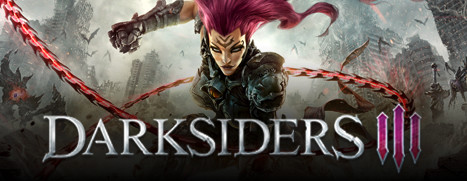
Darksiders III is Now Available on Steam!
Return to an apocalyptic Earth in Darksiders III, a hack-n-slash Action Adventure where players assume the role of FURY in her quest to hunt down and dispose of the Seven Deadly Sins. The most enigmatic of the Four Horsemen, FURY must bring balance to the forces that now ravage Earth.
|
|
|
|
|