New functional block that provides a simplier way to craft various stones (Stairs, Slabs, Chiseled, etc)
Crafted with 3 stone + 1 iron ingot
To get snapshots, open your launcher and go to the “launch options” tab. Check the box saying “Enable snapshots” and save. To switch between the snapshot and normal version, you can find a new dropdown menu next to the “Play” button. Back up your world first or run the game on in a different folder (In the “launch options” page).
Please report any and all bugs you find in Minecraft to bugs.mojang.com.
Snapshots can corrupt your world, please backup and/or run them in a different folder from your main worlds.
Share your thoughts on how 1.14 is shaping up in the comments below!
For every player of Destiny 2, the Season of the Drifter will bring a new offering of rewards and challenges. As ranks in Crucible, Gambit, and Vanguard activities reset, new pinnacle weapons will beckon Guardians to reach their maximum potential again. The first spring event for Destiny will reveal a familiar forest in bloom with fresh loot. Across the spectrum of action and activity, you’ll earn more Power, Triumphs, lore, and vanity.
Players who own the Destiny 2 Annual Pass will receive our second extension for the Destiny endgame. This time, it’s the Drifter who will be your dealer, with evolutions of that little game he calls Gambit and a dangerous alliance with the Nine.
Here are some developers from our team to talk about what we have planned for your Guardians.
With the beginning of a new season, some of our earlier promises come into clearer focus. The calendar for the year of gameplay that began with Forsaken has received updates with some new details for you to ponder.
The Allegiance quest, previously forecast as the Joker’s Wild weekly quest, will invite you to choose between the Vanguard and the Drifter. Pick a side to progress through the quest from their perspective. This pledge is character based, so if you have more than one Guardian, you can play both sides. Choose wisely!
Invitations of the Nine, once upon a time referred to as Xûr Bounties, will be an exploration of the Nine and their mysterious place in the universe.
The path begins with Xûr on Friday, March 15. Annual Pass owners will be able to pick up an “Invitation of the Nine” from Xûr. Once the objectives are completed, it will transform into a bounty called “Into the Unknown.” These will be available to complete once per character, similar to the bounties you got at the beginning of Forsaken for completing an activity with a full gear set. Week over week, for Nine weeks, you’ll collect new lore and powerful rewards.
For Annual Pass holders, the rest of the Season of the Drifter packs in new combat specialties to embrace and new challenges to master. Like Season of the Forge, this journey will roll out over time, but the Drifter has plenty of action for players to experience on day one. If you think your Power is low and you want to get caught up to the rest of the community, see the Drifter to complete his new Power Surge Bounties. There are enough of them to bring your level-50 characters up to 640 Power.
Here is a more in-depth view of what you can expect during the Season of the Drifter.
The dates above lead to new activities, new realizations about the worlds you’ve been exploring, and (most importantly) new rewards to make your Guardian more powerful in some surprising ways.
Tips: How to pair your AirPods with a Galaxy S10 — or any other device
Video
By Andrew O’Hara Saturday, March 09, 2019, 08:14 am PT (11:14 am ET)
Using AirPods with a new Samsung Galaxy S10 is easy to do. AppleInsider walks you through how to pair them, as well as what features you may miss out on.
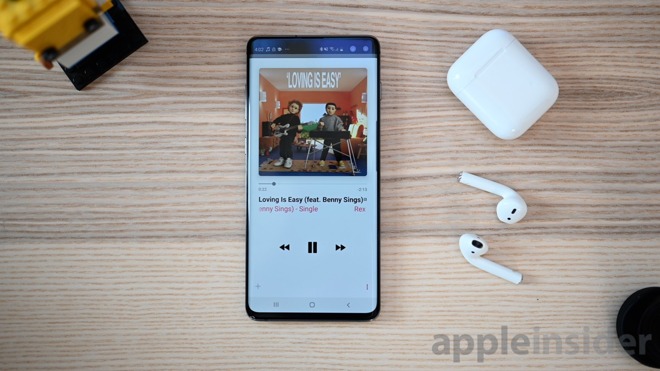
Samsung Galaxy S10+ and AirPods listening to Apple Music
AirPods have become the king of true wireless earbuds, taking over the iOS world. Fortunately, you don’t have to have an iPhone or iPad to use AirPods. While you lose out on a couple features, here is how you can pair your AirPods with your brand new Samsung Galaxy S10, S10+, S10e, or most other Bluetooth devices.
How to
Start by placing your individual AirPods into the charging case. While the case is open, press and hold the small pairing button located on the back.
Open the Bluetooth settings menu on your Galaxy S10 (or another device).
AirPods Bluetooth pairing process
Choose AirPods and confirm the pairing.
Now you can listen to your music, movies, podcast or whatever else through your AirPods just like any other Bluetooth earbuds.
When you’re done, from the Bluetooth menu, forget or unpair the headphones so they no longer connect. All previous iCloud associations remain intact as well, so when you unpair from your work PC you can instantly use them once more with your iPhone.
Trade-offs
Being that other non-Apple devices lack certain aspects, there are a few things that don’t work as they do on iOS. For starters, as outlined above, the simple and elegant pairing process is a no-go. You are stuck pairing the old fashioned way.
AirPods can be double tapped to play/pause songs
The controls on the sides of the earbuds also act differently. A double-tap on either earbud will act as a play/pause button. On iOS, this can be configured to suit your preferences.
You also don’t get to take advantage of the iCloud sharing that seamlessly syncs the AirPods to all your devices, as it does on Mac, iPhone, iPad, Apple TV, and Apple Watch.
What you get
The sound is still good, the range and signal strength is fantastic, they pack a ton of battery in a small design, and they are iconic enough to be recognized by anyone as you walk down the street.
Whether you’re going from an iPhone to a new Galaxy S10 or you already have an Android device but want to rock Apple’s buds, it is extremely easy to do.
Pre-Orders For Mario And Yoshi Statue Go Live On First 4 Figures Website
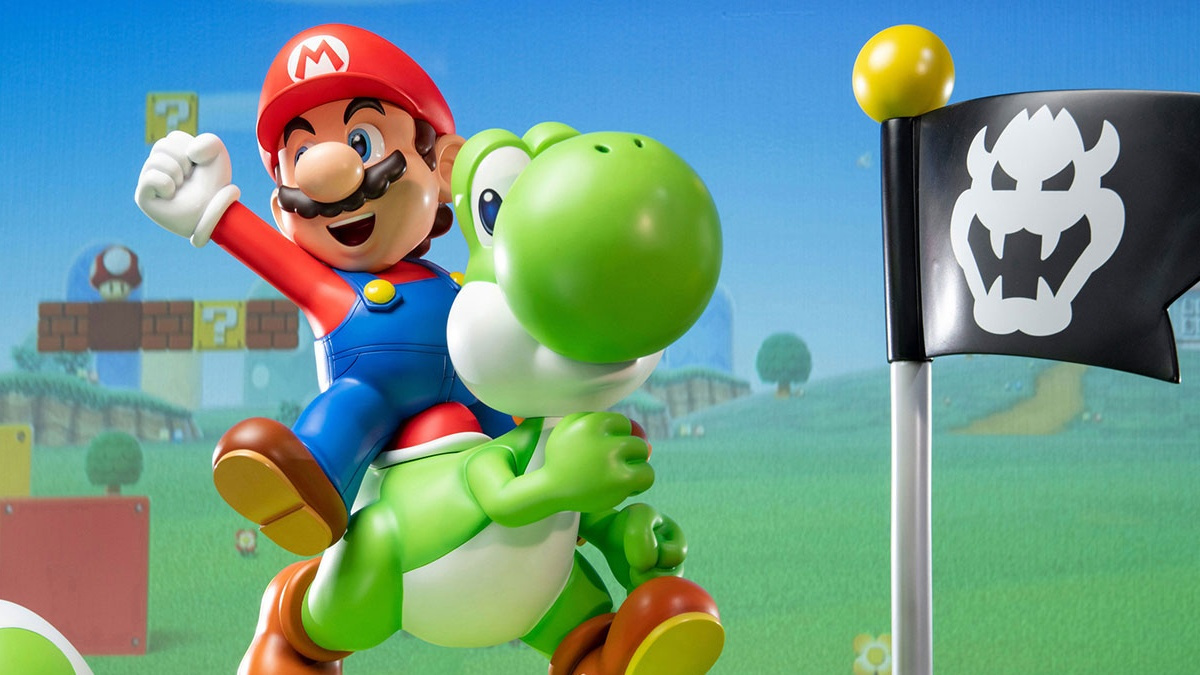
Last weekend, we shared news about First 4 Figures teasing its long-awaited Mario and Yoshi statue. In the latest update, the statue is now available to pre-order.
If you like the look of it, you can select from the standard edition, exclusive edition or the definitive edition. As you might have guessed, all of these statues cost a small fortune and will probably take up half of your living space they’re so gigantic.
Pre-orders for the definitive and exclusive editions are open until 19th April. It’s also worth noting how you’ll need to return to the F4F website on 22nd March to validate your order. The product is estimated to be released at some point around Q2 2020.
Get a better look at this latest F4F statue in the videos below:
Would you be interested in a large and expensive statue like this one? Tell us down in the comments.
Talking Point: What Are You Playing This Weekend? (March 9th)
Another busy week has gone by, with rumours of another 2019 Zelda release and Mario game discounts popping up all over the place, but we’ve finally made it to the weekend and it’s time to play some games. As always, team Nintendo Life has gathered together to discuss our plans and we’d love to have you involved. Feel free to join in via the poll and comments below. Enjoy!
Austin Voigt, contributing writer
This weekend we’ll be getting a snowstorm in my neck of the woods, so I’m probably going to hunker down and force myself to get into more of the multiplayer games I’ve purchased and not devoted enough time to playing. I’m definitely more of an RPG/adventure gamer, so it sounds crazy, but I’ve really only played things like Super Smash Bros. Ultimate, Splatoon 2, Mario Kart 8 Deluxe, etc. in short bursts when there have been friends around to play with.
That ends this weekend, whether I have to play online, against some CPUs, or just trap some unsuspecting friends inside of my house to play against. I might also finally give the Stardew Valley multiplayer mode a shot.
Ryan Craddock, staff writer
Dearest NL readers, I have a problem. And that problem is Tetris 99.
As you’ll already know if you saw our stories earlier this week, My Nintendo points are potentially up for grabs if you can claim a victory royale this weekend. As such, and because it’s so addictive, part of me wants to take on this challenge all weekend. The problem is that winning a game is so freakin’ hard. I’ve always liked Tetris casually but haven’t played it to death over the years like some, and when I’m up against the monstrous beasts who seem to play this game, it really shows.
I’ll probably give it a go, but perhaps the biggest challenge here will be accepting defeat!
Dom Reseigh-Lincoln, reviewer
My free time is a little on the thin side this weekend, but when I do fire up my Switch I’ll be taking on the world’s toughest crime lords in RICO. A first-person shooter and a roguelike in one? With slow-mo breaches and gunfights galore? How out of character for my tastes… I’ll be putting it thoroughly through its paces and giving you an official verdict right here on Nintendo Life next week!
Gonçalo Lopes, contributing writer
I am still hooked on Gameloft’s Modern Combat Blackout. Some sort of early-stage midlife crisis perhaps? Nintendo Life’s clan is still very modest, but I am getting the job done every day. A bit of Super Smash Bros. Ultimate here, a bit of Tetris 99 there (I want those 9.99 Gold points!) and back to this week’s eShop offerings: The nostalgia traps of Awesome Pea and Beat Cop, brilliant slices of pixelated shenanigans for very distinct reasons.
In one of those ‘better late than never’ cases, my game of the week goes to the twin-stick shmup perfection named Assault Android Cactus+. The lean Jeff van Dyk soundtrack just sweetens the whole deal further.
Liam Doolan, news reporter
After reading the news about how Octopath Traveler is receiving a mobile prequel, I’ve decided to revisit the original outing on Switch. I’ll admit that I didn’t spend as much time as I would have liked to on this release when it arrived last year, so this weekend I’m planning to rectify the situation.
When I’m not playing this, I’ll probably be getting my butt kicked in the Tetris 99 Grand Prix event. And when I’m not playing either of these games, I might finally focus my attention on Wargroove to test out the new quality of life update.
Which games are you playing this weekend? (303 votes)
Well I don’t know about you guys but I’ve had an enjoyable week – we managed to get some key reviews online and there’s been some interesting new games to pad out one’s collection, depending on your preferences. It feels like we’re finally getting out of the slump that struck the start of the year, at least.
Don’t forget to check out our competition for a chance to win a free iOS code for Shieldwall Chronicles, by the way! First competition we’ve done in a while so you don’t’ want to miss out.
Meanwhile, In mobile gaming…
Out Now
Pirate Outlaws (iOS & Android) – Full review coming soon!
Our main game highlight of the week is this roguelike/card game hybrid that features turn-based combat. We’ve always got a lot of time for card mechanics here and there’s been some very interesting games that play around with roguelike concepts, so we’re hoping this one can live up to the emerging genre hits.
There are six playable characters, each with a pre-made deck. A further 250 cards and 80 relics are available to find and collect within a procedurally generated world. A unique feature appears to be the presence of ammunition, whereby you’ll have to make sure your abilities or attacks are ‘loaded’ before you use them. It’s worth noting that while the base game is only a dollar, there are IAPs covering the various in-game resources & currencies. We’ve got someone working on a full review of this so we’ll let you know the full score ASAP.
Utility and gaming-adjacent apps is something I’ve thought about covering more of here – after all, we all have interested beyond just mobile gaming and the great thing about mobile is that you can get apps that support your other hobbies. As a PS4 owner myself, the recently released PS4 Remote Play app on iOS would in theory be right up my street… except I’m not on iOS. Sadly, the Android version only supports Sony-made phones and tablets. Guess I’ll just have to play my PS4 on an actual TV, like a pleb.
If you are an iOS user and have a PS4, however, this might be relevant to your interests. Reports vary on how well the app performs, but Mikhail Madnani over at Touch Arcade has done some testing which is worth a read. Personally, I wish they’d bring back the second-screen initiative a bunch of games dabbled with half-a-decade ago, but there you go.
Tides of Time (iOS & Android) – Full review coming soon!
This isn’t actually due out till tomorrow (who launches a game on a Saturday? I mean really!), but I don’t want to sit on this for an entire week until the next Weekender update. I’m flagging this up to you now instead, although note we don’t have store links at the time of writing. Hats off to Dave for pointing this out – I would have missed it otherwise.
This is a two-player micro-game that involves card-drafting, set collection and combos to score victory points. The premise is you’re laying out the wonders of your Kingdom through time, with each round representing an ‘Age’. As time moves on, your achievements crumble but you get to keep one card from the previous round as a kind of ancient legacy to inform your future strategy.
I’ve actually got the physical game and it’s a relaxing, fun experience for two people that can be played quite quickly and only requires some light record keeping. It’s not something you can play a lot off, mind, but It’s a good a candidate as any for a digital conversion. According to the devs it’ll feature solo-play vs. and AI, as well as hotseat multiplayer with a friend or loved one.
Updates
Unless I’ve gone blind, there doesn’t appear to have been any updates of note this week but do let readers know in the comments if you’ve spotted something I haven’t. One thing: Even though Shieldwall Chronicles launched its’ 1.03 update yesterday, 1.04 has already been released to fix some critical bugs that cropped up.
Sales
It’s not a great week for sales of note, unfortunately, although as a nice change of pace we actually have an Android-exclusive sale to flag up this time around:
This hidden gem of an RTS game came out in 2012, but we only did our official review in 2017 after the developer decided to launch the steam version. It’s a great strategy title that pays homage to the genre greats like C&C. If you’re still wary, there is a Demo version you can try as well.
This is one of those games that we keep talking about but have never formally reviewed. This RPG adventure title about playing your way through different game genres is going for just a buck.
Seen anything else you liked, played any of the above? Let us know in the comments!
Posted by: xSicKxBot - 03-10-2019, 09:16 AM - Forum: Lounge
- No Replies
New Divinity: Original Sin 2 Update Out; Full Patch Notes Listed
Larian Studios has released a new update for Divinity: Original Sin II. The update adds the first of several gift bags planned to drop in the 2017 computer RPG, as well as some bug fixes.
"Working in cooperation with Fool's Theory and Anshar Studios, we have created new visual options for your characters," Larian Studios wrote in a blog post. "There are new faces for each race, more hairstyles, and additional facial features for you to use when creating a new character. You can also respec your existing characters using these new options by using the Magic Mirror aboard the Lady Vengeance."
The developer has more gifts bags planned for 2019, each of which contains "treats" that will "continue to enrich your adventures in Rivellon." Larian Studios shared no more information other than that, but promises additional details will be available "soon." As stated before, the rest of the update deals with bug fixes. The most notable of these addresses the issue with fast-travelling to the Lady Vengeance as well as the bug that causes Source to be incorrectly absorbed by Sir Lora. The full patch notes in the update is outlined below.
Divinity: Original Sin II March 8 Update Patch Notes
Updates
Added new Character Creation assets
Mac Pro 2013 now supported
MacOS 10.14.4 introduces a fix for Apple Gamecenter lobbies
Bug Fixes
Fixed a rare crash when joining multiplayer games with certain mods
Fixed save file compatibility issue
Fixed an issue with using the Swornbreaker in multiplayer games
Fixed issue with player fast-traveling to Lady Vengeance
Fixed Dashing June not taking gold from player inventory
Fixed Sir Lora incorrectly absorbing Source
Fixed the Frozen Family incorrectly initiating combat if defrosted in a certain way
Fixed issue with Malady not appearing on the lower deck in some situations
Fixed issues with players not receiving Seascape and Liberator achievements
Fixed issues with The Gargoyle's Maze quest not appearing in the Journal under certain circumstances
GM: Fixed issues with certain children missing faces and limbs when switching torsos
Fixed minor visual and audio issues
Fixed some dialogue issues
Fixed UI cutoff in Spanish
Divinity: Original Sin II is one of the few games we've given a 10/10, and it went on to be included in our list of top 10 games for 2017. In our Divinity: Original Sin II review, Brett Todd wrote, "From lonely farmhouses through pitched battles with gods in far-flung dimensions, Divinity: Original Sin II is one of the most captivating role-playing games ever made in both its original and Definitive incarnations, with the latter proving that even the most complicated role-players can be ported successfully to gamepad-limited consoles. This immaculately conceived and emotion-wrought fantasy world, topped by brilliant tactical combat, make it one of the finest games of recent years, and it remains an instant classic in the pantheon of RPG greats."
Posted by: xSicKxBot - 03-10-2019, 03:16 AM - Forum: Lounge
- No Replies
Netflix Releasing A Live-Action One Piece Series, Apparently
The streaming giant, Netflix, is no stranger to anime. It's also no stranger to live-action anime adaptations either. Just last year, the California-based company released a live-action version of Tite Kubo's Bleach. Two years ago, Hiromu Arakawa's Fullmetal Alchemist received the same treatment. And in August 2017, the company unleashed Ryuk with a live-action adaptation of Tsugumi Ohba's Death Note. It seems Eiichiro Oda's One Piece is next in line to join Netflix's live-action ranks.
According to a Netflix listing, One Piece is making its way to the platform. There's no information about the series though. No casting announcements. No release date. There isn't even a title card for the series. There's only a description that sounds like a cut-and-paste of One Piece's synopsis:
"Monkey D. Luffy sets sail with his trusty crew to find the One Piece treasure and become the ultimate Pirate King! Based on the manga by Eiichiro Oda."
That's it. That's all the information available about the upcoming Netflix live-action One Piece adaptation. Searching "One Piece" on the platform pulls up nothing--not even the anime, which can be found on Crunchyroll and Hulu for those looking to get caught up with Luffy and friends.
One Piece started as a manga serialized in Weekly Shonen Jump since 1997. 22 years later, the manga's still going with 92 volumes currently released. In addition to a manga, the series was adapted into an anime and picked up by Funimation in 1999, running 875 episodes. Like the manga, the anime's still going. There have also been several films released at the turn of the century, including 2000's One Piece: The Movie, 2009's One Piece: Strong World, 2016's One Piece Film: Gold, and more. There are also several games released based on the popular anime, including 2001's One Piece: Grand Battle, 2010's One Piece: Gigant Battle, One Piece Thousand Storm, and others.
The latest game in the One Piece franchise, One Piece: World Seeker, is scheduled to set sail on PC, PlayStation 4, and Xbox One on March 15, 2019. One Piece: Stampede, a forthcoming animated film based on the franchise, is slated to launch on August 9, 2019.
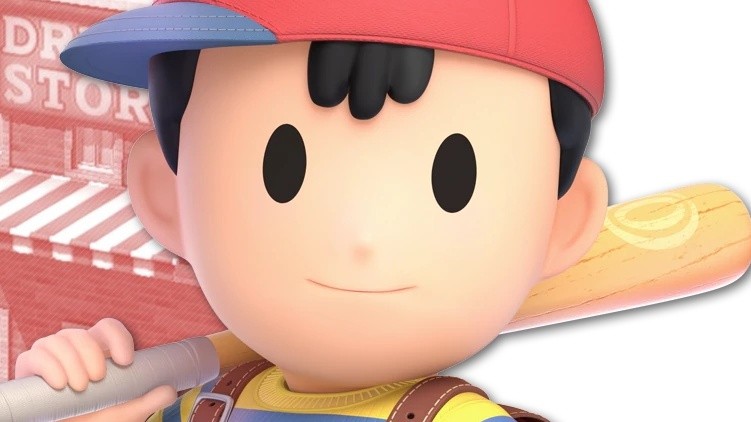
Rumour: Home Run Contest And Stage Builder Returning To Super Smash Bros.
There’s a new Super Smash Bros. Ultimate rumour suggesting the popular home run contest mode and stage builder will be added to the game in a future update.
This information comes from the YouTube Channel Source Gaming, where it reveals dataminers have found files within the ‘How To Play’ section of Ultimate, making reference to the above-mentioned modes. The first file is “howtoplay_stage_builder.html” and the second file mentions the home run contest mode.
These placeholders are apparently enough evidence the modes will appear in a future Ultimate update. Source Gaming goes onto speculate both could be added to version 3.0, which Nintendo teased during its most recent Direct presentation.
Would you like to see the return of these modes in Super Smash Bros. Ultimate? Leave a comment below.
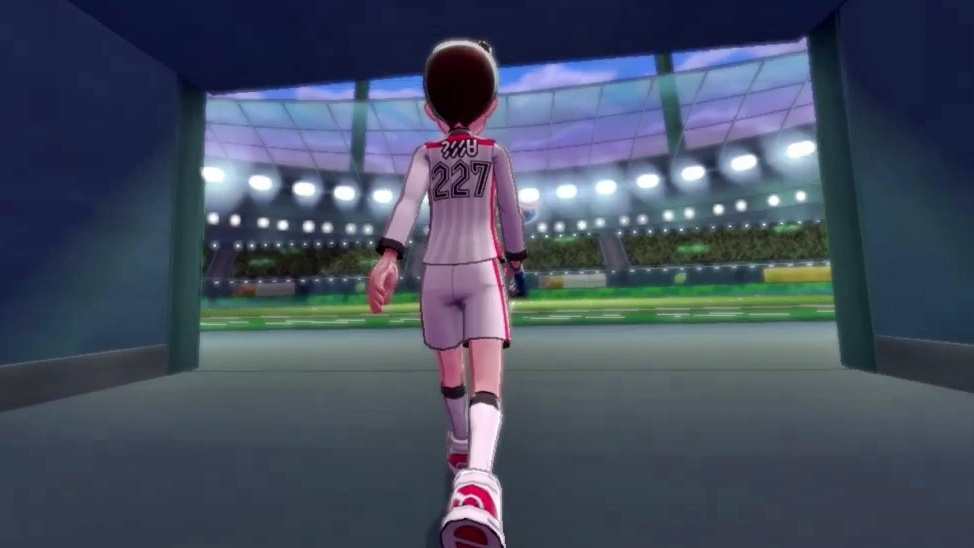
Nintendo Of America Deletes Tweet About The Gyms In Pokémon Sword And Shield
Nintendo of America appears to have accidentally shared new information about Pokémon Sword and Shield ahead of schedule.
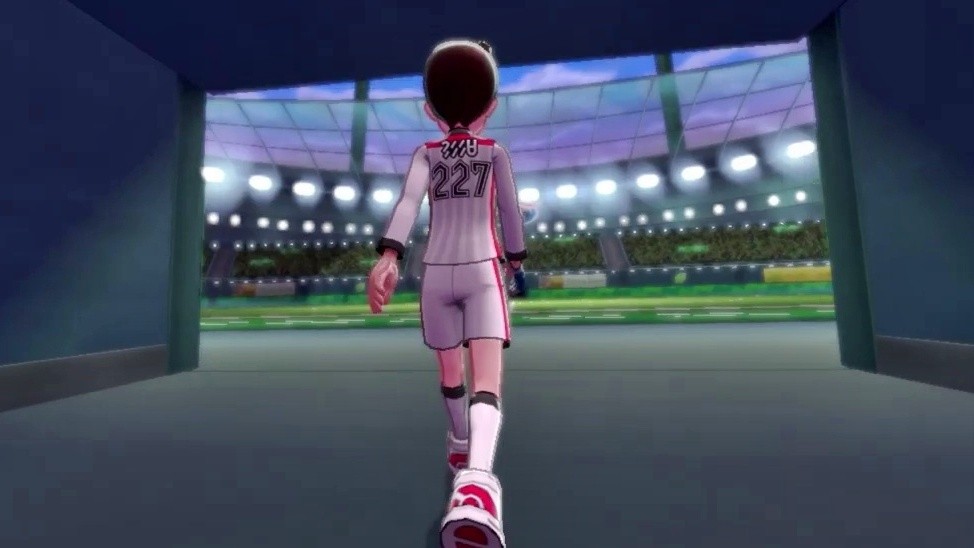
According to the Pokémon website Serebii.net, Nintendo of America published a tweet, confirming “once and for all” the stadiums found across the Galar region are in fact Gyms. While this may have already been evident based on the information provided in the recent Pokémon Direct, it’s now reportedly been made official. Gym Leaders also appear to be referred to as Gym Masters in this region. Right now, it’s not clear if this is a simple name change, or it means something else.
Not long after the tweet was posted, Nintendo of America then deleted it. Perhaps one of its social media ninjas jumped the gun or it was incorrect. Fortunately, Twitter user @mngzeno managed to grab a screenshot before it was removed:
What do you make of this? Are you looking forward to the new Pokémon games for Switch? Tell us down in the comments.