First Call of Duty: WWII DLC Pack The Resistance Emerges Today
Epic, Highly-Anticipated First DLC Pack Offers Fans New Multiplayer Maps, War Mode Mission and Nazi Zombies Experience
Global Call of Duty Community Event Featuring New Content, New Gear and Return of Fan-Favorite Game Modes Continues for Fans
SANTA MONICA, Calif.–(BUSINESS WIRE)– Players can join the Resistance starting today as Call of Duty®: WWII– The Resistance, the first DLC pack for the No. 1 top-selling console video game of 2017 in North America, is out now, available first on PlayStation®4. Packed with new multiplayer content, The Resistance DLC pack delivers three new Multiplayer maps and an all-new War Mode multiplayer mission themed to reflect the spirit of the citizen soldiers who fought for freedom during World War II. The DLC pack also features The Darkest Shore, the terrifying new chapter in the twisted Nazi Zombies saga. In addition, this first DLC pack from Call of Duty: WWII, lands during TheResistance community event (January 23 through February 27), a five-week celebration that features new gear, game modes and Supply Drop content available to all players.
In The Resistance DLC pack, players will fight in iconic World War II locations, from Paris to Prague, all centered around historic uprisings in three new Multiplayer maps and an all-new high-octane War Mode map.
Valkyrie – Located in the Masurian Woods, East Prussia, this map was inspired by The Wolf’s Lair – The Fuhrer’s Eastern-front headquarters during Operation Barbarossa – the Nazi invasion of the Soviet Union. This is a medium-sized map with multiple overwatch positions and mounted machine guns.
Anthropoid – Based in Prague, Czechoslovakia, this map is inspired by Operation Anthropoid – the famous assassination attempt on a high-ranking German officer during World War II. This map is divided by a river, with long-flanking paths that can be used by snipers for ranged attacks.
Occupation – In this remake of a classic Call of Duty® map, players battle through the streets and shops of German-occupied Paris during WWII. Nearby homes and storefronts lend defensive positions for ambush and recovery.
Operation Intercept – Outside of St Lo, France, the next War Mode experience, developed in partnership with Raven Software, leads you on an urban rescue mission to save Resistance fighters being transported by train. The first objective on the Allied side is freeing the fighters, followed by the destruction of key communication equipment, and ends with stopping a train.
The Resistance DLC pack also features the newest horror-filled chapter in the co-operative Nazi Zombies saga, The Darkest Shore. Only days after the horrific disaster of Mittelburg, the crew has received intel that suggests Doktor Straub is on an island just north of Germany. Blanketed in fog, this island is surrounded by enemy air and sea power – and crawling with the Undead. Marie, Drostan, Olivia and Jefferson will need to battle all this and more to uncover the mysteries hidden within.
As part of The Resistance community event, which kicked off on Jan. 23 and runs through Feb. 27, all Call of Duty: WWII players will have access to the new “Resistance Division.” The new Resistance Division embodies the skills and experience of citizen soldiers from across Europe, and features the new Tactical Knife Skill, a new Division-specific 9mm SAP Pistol, as well as perks that can alter the tide of battle, such as the ability to scramble enemy maps.
The Resistance community event offers players new Supply Drop content and new weapons and uniforms used in Resistance uprisings across war-torn Europe during World War II. Fans can also participate in new game mode events, including the limited-time return of Prop Hunt and Demolition game modes, along with rotating 2XP playlists across Multiplayer, War Mode and Zombies. Resistance Supply Drops can be earned for free simply by playing Call of Duty: WWII during the event. Players can return to Headquarters each week of the event for a free Resistance Supply Drop, as well as receive special Orders and Contracts that grant new weapons, Supply Drops, XP boosts, Armory Credits and more. Players can also purchase Resistance Supply Drops using Call of Duty Points in-game currency. The Resistance community event features all-new, limited-time Resistance-themed Collection Rewards.
Call of Duty: WWII – The Resistance DLC pack is available now, first on PlayStation®4 for a suggested retail price of $14.99. The Resistance DLC Pack is also included in Call of Duty: WWII DLC Season Pass*, featuring all four DLC Packs planned for the year, as part of the discounted bundle offered at a suggested retail price of $49.99 – a discount of $10 off the individual purchase of all four DLC Map Packs. Season Pass content is available first on PlayStation®4.
*Season Pass purchasers receive 2018 Call of Duty: WWII Season Pass content.Season Pass content is not final, is subject to change, and may not include all downloadable content available for the game. Season Pass content may not be available in all countries, and pricing and release dates may vary by platform. Season Pass content should be downloaded from the in-game store only; do not purchase separately, or you will be charged again. Season Pass content may be sold separately.
Headquartered in Santa Monica, California, Activision Publishing, Inc. is a leading global producer and publisher of interactive entertainment. Activision maintains operations throughout the world and is a division of Activision Blizzard (NASDAQ: ATVI), an S&P 500 company. More information about Activision and its products can be found on the company’s website, www.activision.com or by following @Activision.
Cautionary Note Regarding Forward-looking Statements: Information in this press release that involves Activision Publishing’s expectations, plans, intentions or strategies regarding the future, including statements about the dates and features of the Resistance community event, the WWII DLC Season Pass and The Resistance DLC Pack, are forward-looking statements that are not facts and involve a number of risks and uncertainties. Factors that could cause Activision Publishing’s actual future results to differ materially from those expressed in the forward-looking statements set forth in this release include unanticipated product delays and other factors identified in the risk factors sections of Activision Blizzard’s most recent annual report on Form 10-K and any subsequent quarterly reports on Form 10-Q. The forward-looking statements in this release are based upon information available to Activision Publishing and Activision Blizzard as of the date of this release, and neither Activision Publishing nor Activision Blizzard assumes any obligation to update any such forward-looking statements. Forward-looking statements believed to be true when made may ultimately prove to be incorrect. These statements are not guarantees of the future performance of Activision Publishing or Activision Blizzard and are subject to risks, uncertainties and other factors, some of which are beyond its control and may cause actual results to differ materially from current expectations.
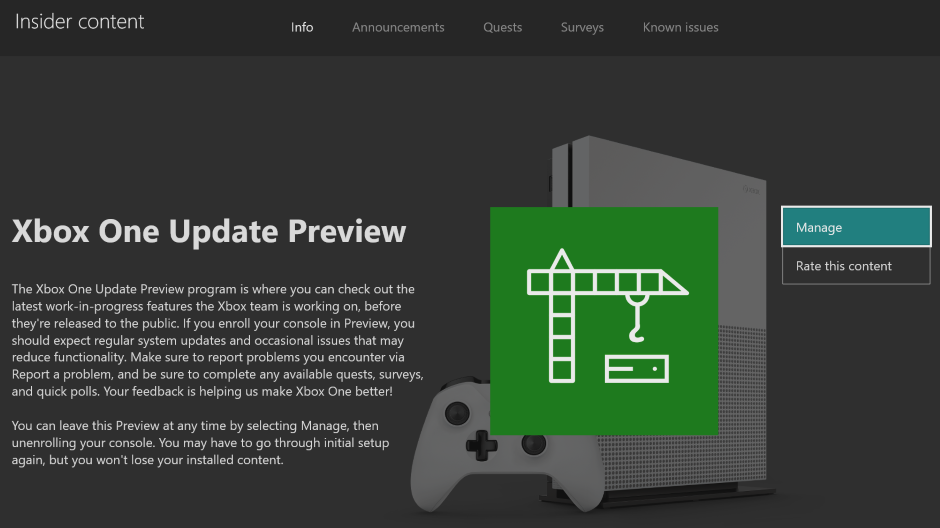
September 3rd : New Preview Alpha Ring 1910 Update (1910.190830-1916)
Starting at 2:00 p.m. PST today, members of the Xbox One Preview Alpha Ring will begin receiving the latest 1910 Xbox One system update (Build: 19H1_RELEASE_XBOX_DEV_1910\18363.7134.190830-1916).
DETAILS:
OS version released: 19H1_RELEASE_XBOX_DEV_1910\18363.7134.190830-1916
Available: 6:00 PM 9/3/19
Mandatory Date/Time: 3:00 AM 9/4/19
FIXES:
Backgrounds
Fixed an issue where backgrounds were sometimes not appearing correctly when set on the dashboard.
System
Various updates to properly reflect local languages across the console.
KNOWN ISSUES:
System
Some users have reported the console shutting down unexpectedly while using Netflix.
Note: If you encounter this issue after today’s update, the console will take longer to reboot than normal. This is expected information to assist with investigating the cause of the behavior is being collected from the console.
Some users have reported the console shutting down while playing games.
Note: If you encounter this issue after today’s update, the console will take longer to reboot than normal. This is expected information to assist with investigating the cause of the behavior is being collected from the console.
Dolby Access
Users are unable to complete the setup for Dolby Atmos in the app and the app is not recognizing Dolby Atmos headphones.
Note: This is an issue with the Dolby Access app and the app developers are aware and investigating.
Audio
Users who have Dolby Atmos enabled and console display settings set to 120hz with 36 bits per pixel (12-bit) are experiencing loss of Dolby Atmos audio in some situations.
Workaround: Disable 120hz or set Video Fidelity to 30 bits per pixel (10-bit) or lower.
Gamertag
Customers attempting to change their GT using the new Gamertag features on the console will not yet see those changes reflected on the console.
Profile Color
Sometimes users may encounter the incorrect Profile color when powering on the console.
Blog: From Air to Unity – The monstrous cloud editor under our bed
The following blog post, unless otherwise noted, was written by a member of Gamasutras community. The thoughts and opinions expressed are those of the writer and not Gamasutra or its parent company.
This is a guest devblog co-written with our programmer Ondrej Paška. We will be doing these from time to time.
Game development is a race against time. Not only because of looming deadlines, but also because technology rapidly evolves. Established tech from ten years ago, might be hopelessly obsolete today.
We learned it the hard way. When I started working on Attentat 1942 as a programmer at the end of 2011, we put some of our bets on technologies, that we should’ve seen were slowly fading away. With our next game Svoboda 1945 those decisions came back to haunt us, just like historical traumas from post-war period are still felt by our characters.
Let me show you the journey of our small Czech team into the depths of Flash development, showing our attempts to build our own git, creating our own cloud editor, but eventually ending up loving Unity.
The problem was that we weren’t experienced designers. The initial idea was to create an editor in which our historians could put the game together themselves. They would assemble dialogues, storylines and interactive scenes.
We wanted our own tool to be accessible so we – yes, yes, we know – decided that it should run in the browser. And the best way how to make interactive stuff on the web at that time was, you guessed it, Flash.
What seems like a horrible decision made sense back then. For GUI elements there was Adobe Flex, which enabled XML layouts with code hooks – similar to what Android does now.
So we started making our own online editor, with user management and basic tools for creating interactive fiction. Behold:
We named it MIVE. And to be honest, I also feel proud. We made this beast from scratch and we came up with some ideas that we would be happy to have today. For example you could send a link to a scene to someone and they could immediately play it inside their browser, without installing anything. Upon release, we exported a package directly from the server, coupled it with a standalone Adobe AIR engine and sent out PC and Mac versions.
Our initial plan that the script writers and historians would work on the game soon started to fall apart. We weren’t able to make the editor accessible enough. We had to hire people we called scripters to work as intermediaries between writers and programmers.
But this moved programmers further away from game designers, creating new kinds of funny incidents. Attentat 1942 started as a text only game. So when the request to add a video playback function came, we thought that it would only be intro or some minor part of the game. We coded it and forgot about it. Later, scripters came and told us about a weird bug – the game was freezing and crashing. We took a look at the data and found 30 videos playing simultaneously in one scene. That turned out to be deliberate.
In the end, Attentat 1942 became a full FMV game. But we had to grapple with it along the way.
Too many things, too much bugs
In the end, the main problem was that we tried to do a bit of everything. MIVE had user permission system, online directories like Google Drive, version control as Git, access management, automatic video conversions, interactive scene editing and much more. You could pick it up and create a lot of different games. But for our particular game, it made things much harder.
And honestly, it was also a buggy mess. Complicated scenes took minutes to load. Our scripting system was getting really convoluted and inexperienced junior scripters got lost among entangled variables and dependencies.
Things got much worse when Flash fell out of grace. Browsers rolled out security improvements which broke our editor regularly. Standalone version of Adobe AIR had 1 GB memory limit which we often exceeded and the garbage collector often dropped our frames.
Every little bugfix took its toll. We finished Attentat 1942 through gritted teeth and released it. We got nominated for the IGF, won several awards and the reception was generally really good. It’s good no one was able to see all the hacks and mess, which kept our serious story of nazi occupation together.
In the end, no one is judging the quality of your code.
New times require new tools
Fast-forward to 2019. We are currently developing our new game Svoboda 1945. Although we did some early prototypes in MIVE, we very soon decided to move away from Flash altogether. It wasn’t an easy decision, but we really hated the long waits and also wanted to target more platforms.
In recent years, Unity implemented better 2D game features. We decided to switch and port our entire game onto a new platform. How did that work?
Even with fewer resources than we had for Attentat 1942, as a single programmer, I was able to create Unity tools with game designers in mind. Simple draggable scripts, polished dialogue system, scriptable objects for variables – Unity enabled me to easily create a kind of scripting LEGO. Our scripters can now quickly create not only prototypes, but whole game scenes. Versioning is left to git and we started doing video conversions by hand in ffmpeg.
Using standard Unity stuff and putting a layer of useful gadgets on top greatly sped up our development. Ease of use and error-proofness were the main goals. Bugs are now easier to find and we can spend more time thinking about game design and less time waiting for scenes to load.
So: What we learned?
Before the “final” game design, create cheap prototypes. Don’t make your code too general. When you are satisfied with your prototype, start from scratch.
Listen to feedback and make tools easy to use
Don’t make general tools, make tools specifically for your game!
Be aware that your favorite technology might be forgotten in 5 years
Don’t expect non-programmers to start coding without proper guidance
Had we knew all that in 2011, we would have saved a lot of time, energy, avoided much of development stress. And we wouldn’t have to debug a single character’s scene for roughly a year. Ludmila is a central figure of Attentat 1942 story. But for us programmers, she is also a long and confusing list of variables running in Flash.
Unity allowed us to create characters of Svoboda 1945 much easily. Instead of hunting for the one wrong variable, we could focus on making our characters as truthfully as possible, capturing every bit of historical nuance. Because that’s the real upside of having better development – you don’t have to fight your tools and instead create a better game.
The Game Creators have just announced an excellent new perk for owners of AppGameKit Studio, their newly released 2D game engine with a full editor built on top of the AppGameKit SDK. Available as free DLC, AppGameKit Studio owners will now get the Mega Media Bundle free.
This FREE DLC for AppGameKit STUDIO includes these AppGameKit Classic media libraries:
3D Asset Pack
Community Template Games
Games Pack 1
Games Pack 2
Giant Asset Pack 1
Giant Asset Pack 2
3D Asset Pack Includes over 250 low polygon 3D models, complete with diffuse, normal and specular textures, ready to drop into your project. The assets are subdivided into eight categories, and provide an ideal starting point for your 3D game or app
Community Template Games A range of AppGameKit projects with full source code and media to help you learn how different game genres can be created
Games Pack 1 Over 20 AppGameKit game projects you can play, many of which come with full source code
Games Pack 2 Full project source code is included with all the seventeen games in this pack
Giant Asset Pack 1 A library of over 400 megs of 2D art assets are at your disposal. Includes platformer graphics, space genre art, explosion animations, UI art, vehicles and much more
Giant Asset Pack 2 Art for classic board games, pixel art, slots, icons, characters and more – over 350 megs of art assets
Owners of AppGameKit Studio can download the pack from TheGameCreators Order History Area and Steam users can just add the DLC to their library for FREE.
If you are interested in learning AppGameKit Studio be sure to check out our step by step tutorial available here or watch the video embedded below.
The worst way to play Hyper Light Drifter is the best way to learn it
By Jerret Green13 Sep 2019
Heart Machine’s Hyper Light Drifter is one of the best action adventure games you’ll play this side of A Link to the Past. It’s sombre and contemplative, and yet can be surprisingly uplifting and warm. It’s beautiful in both its moody and brooding backdrops and in it’s lush and vibrant locales alike. It’s available on basically anything that can play games, and it’s a pleasant experience everywhere you decide to check it out.
Well, *almost* everywhere.
Recently, the Special Edition of HLD was ported to mobile, and while I’d hoped it would make for the perfect place to start yet another run of this instant classic, the iOS port leaves so much to be desired.
The content is all there, of course. You’ll still be playing the wandering Drifter, as they battle a plague that has corrupted both the world and their well-being. Armed with a sword, a gun, and a trusty robot sidekick, you’ll climb the highest of heights and sink to the deepest depths in order to save what’s left.
The charming anti-dialogue is still just as enrapturing. All conversations with NPCs are had via pictograph, small slideshows depict the jist of what they’re trying to say to you, and outside of conversation, there are plenty of level design tricks that train you to examine every inch of a room you’re in for possible secrets. All that remains just as clever as it ever has been.
But the controls suffer greatly. Many action games that come to mobile – be they ported to or developed primarily for phones – tend to use the touch screen controller set up that HLD employs here to a wide range of successes and failures. A couple hours in, I still can’t rightly determine what side of the spectrum this control set is on.
When exploring areas and taking out small groups of enemies, things seem to be working well enough. The moving is done with a digital left stick that appears wherever you tap or hold on the left side of the screen, and it does it’s best to keep up with your rapidly changing angles or long drags in a single direction… but it’s responsiveness is dicey. All the action buttons – dashing, shooting, attacking – are on your right side, and these tend to respond well, but with so many actions for basically just one finger to be responsible for, you end up being a jumbly mess after a while.
It may seem a little nitpicky, but when combat heats up, this control solution can often make a tough fight feel near impossible. On a controller, these options were spread out as such to allow the sort of complicated sequences of actions you have to make in order to beat some bosses. Even some extra challenges, like the dash room in the main hub town, are frustrating feats. You really miss the shoulder buttons on mobile.
Hyper Light Drifter was never a cake walk. The struggle, though maybe not Dark Souls, was still part of the experience. This port’s struggle seems artificial, or at the very least, incidentally difficult. It sort of mars what I used to consider well balanced and designed encounters. To make matters worse, there’s no way to adjust or change the control scheme, further sending home the concept that you’re going to have to struggle with it as is if you want to play it in this format.
All that said, if you’ve never played Hyper Light Drifter, the mobile port may still be the best way to get into it. There’s an Easy Mode, which takes a lot of the combat pressure off of you. With less and weaker enemies on screen hitting, the mistakes you’ll inevitably make due to the control scheme will be forgiven far more often. It’s also the cheapest way to play it — at around $7 bucks, it’s well worth the cost to experience the visuals on a nice handheld, given how pretty their screens are these days. Be sure to grab a good pair of headphones, though; Disaterpiece’s score should not be missed. It’s easy to look down on mobile ports of action titles because of the inevitability of their tactile shortcomings, but when it comes to one of the best Zelda-like adventure games available today, consider meeting this one half way.
Posted by: xSicKxBot - 09-13-2019, 05:19 PM - Forum: Windows
- No Replies
Azure Media Services unveils new AI-powered innovations at IBC 2019
Animated character recognition, multilingual speech transcription and more now available
At Microsoft, our mission is to empower every person and organization on the planet to achieve more. The media industry exemplifies this mission. We live in an age where more content is being created and consumed in more ways and on more devices than ever. At IBC 2019, we’re delighted to share the latest innovations we’ve been working on and how they can help transform your media workflows. Read on to learn more, or join our product teams and partners at Hall 1 Booth C27 at the RAI in Amsterdam from September 13th to 17th.
Video Indexer adds support for animation and multilingual content
We made our award winning Azure Media Services Video Indexer generally available at IBC last year, and this year it’s getting even better. Video Indexer automatically extracts insights and metadata such as spoken words, faces, emotions, topics and brands from media files, without you needing to be a machine learning expert. Our latest announcements include previews for two highly requested and differentiated capabilities for animated character recognition and multilingual speech transcription, as well as several additions to existing models available today in Video Indexer.
Animated character recognition
Animated content or cartoons are one of the most popular content types, but standard AI vision models built for human faces do not work well with them, especially if the content has characters without human features. In this new preview solution, Video Indexer joins forces with Microsoft’s Azure Custom Vision service to provide a new set of models that automatically detect and group animated characters and allow customers to then tag and recognize them easily via integrated custom vision models. These models are integrated into a single pipeline, which allows anyone to use the service without any previous machine learning skills. The results are available through the no-code Video Indexer portal or the REST API for easy integration into your own applications.
We built these animated character models in collaboration with select customers who contributed real animated content for training and testing. The value of the new functionality is well articulated by Andy Gutteridge, Senior Director, Studio & Post-Production Technology at Viacom International Media Networks, which was one of the data contributors: “The addition of reliable AI-based animated detection will enable us to discover and catalogue character metadata from our content library quickly and efficiently. Most importantly, it will give our creative teams the power to find the content they want instantly, minimize time spent on media management and allow them to focus on the creative.”
Some media assets like news, current affairs, and interviews contain audio with speakers using different languages. Most existing speech-to-text capabilities require the audio recognition language to be specified in advance, which is an obstacle to transcribing multilingual videos. Our new automatic spoken language identification for multiple content feature leverages machine learning technology to identify the different languages used in a media asset. Once detected, each language segment undergoes an automatic transcription process in the language identified, and all segments are integrated back together into one transcription file consisting of multiple languages.
The resulting transcription is available both as part of Video Indexer JSON output and as closed-caption files. The output transcript is also integrated with Azure Search, allowing you to immediately search across videos for the different language segments. Furthermore, the multi-language transcription is available as part of the Video Indexer portal experience so you can view the transcript and identified language by time, or jump to the specific places in the video for each language and see the multi-language transcription as captions as a video is played. You can also translate the output back-and-forth into 54 different languages via the portal and API.
Read more about the new multilingual option and how to use it in Video Indexer in our documentation.
Additional updated and improved models
We are also adding new and improving existing models within Video Indexer, including:
Extraction of people and locations entities
We’ve extended our current brand detection capabilities to also incorporate well-known names and locations, such as the Eiffel Tower in Paris or Big Ben in London. When these appear in the generated transcript or on-screen via optical character recognition (OCR), a specific insight is created. With this new capability, you can review and search by all people, locations and brands that appeared in the video, along with their timeframes, description, and a link to our Bing search engine for more information.
Editorial shot detection model
This new feature adds a set of “tags” in the metadata attached to an individual shot in the insights JSON to represent its editorial type (such as wide shot, medium shot, close up, extreme close up, two shot, multiple people, outdoor and indoor, etc.). These shot-type characteristics come in handy when editing videos into clips and trailers as well as when searching for a specific style of shots for artistic purposes.
Our topic inferencing model determines the topic of videos based on transcription, optical character recognition (OCR), and detected celebrities even if the topic is not explicitly stated. We map these inferred topics to four different taxonomies: Wikipedia, Bing, IPTC, and IAB. With this enhancement, we now include level-2 IPTC taxonomy.
Tanking advantage of these enhancements is as easy as re-indexing your current Video Indexer library.
New live streaming functionality
We are also introducing two new live-streaming capabilities in preview to Azure Media Services.
Live transcription supercharges your live events with AI
Using Azure Media Services to stream a live event, you can now get an output stream that includes an automatically generated text track in addition to the video and audio content. This text track is created using AI-based live transcription of the audio of the contribution feed. Custom methods are applied before and after speech-to-text conversion in order to improve the end-user experience. The text track is packaged into IMSC1, TTML, or WebVTT, depending on whether you are delivering in DASH, HLS CMAF, or HLS TS.
Live linear encoding for 24/7 over-the-top (OTT) channels
Using our v3 APIs, you can create, manage, and stream live channels for OTT services and take advantage of all the other features of Azure Media Services like live to video on demand (VOD), packaging, and digital rights management (DRM).
Broadcast content frequently has an audio track that contains verbal explanations of on-screen action in addition to the normal program audio. This makes programming more accessible for vision-impaired viewers, especially if the content is highly visual. The new audio description feature enables a customer to annotate one of the audio tracks to be the audio description (AD) track, which in turn can be used by players to make the AD track discoverable by viewers.
ID3 metadata insertion
In order to signal the insertion of advertisements or custom metadata events on a client player, broadcasters often make use of timed metadata embedded within the video. In addition to SCTE-35 signaling modes, we now also support ID3v2 or other custom schemas defined by an application developer for use by the client application.
Microsoft Azure partners demonstrate end-to-end solutions
Bitmovin is debuting its Bitmovin Video Encoding and Bitmovin Video Player on Microsoft Azure. Customers can now use these encoding and player solutions on Azure and leverage advanced functionality such as 3-pass encoding, AV1/VVC codec support, multi-language closed captions, and pre-integrated video analytics for QoS, ad, and video tracking.
Evergent is showing its User Lifecycle Management Platform on Azure. As a leading provider of revenue and customer lifecycle management solutions, Evergent leverages Azure AI to enable premium entertainment service providers to improve customer acquisition and retention by generating targeted packages and offers at critical points in the customer lifecycle.
Haivision will showcase its intelligent media routing cloud service, SRT Hub, that helps customers transform end-to-end workflows starting with ingest using Azure Data Box Edge and media workflow transformation using Hublets from Avid, Telestream, Wowza and Cinegy, and Make.tv.
SES has developed a suite of broadcast-grade media services on Azure for its satellite connectivity and managed media services customers. SES will show solutions for fully managed playout services, including master playout, localized playout and ad detection and replacement, and 24×7 high-quality multichannel live encoding on Azure.
SyncWords is making its caption automation technology and user-friendly cloud-based tools available on Azure. These offerings will make it easier for media organizations to add automated closed captioning and foreign language subtitling capabilities to their real-time and offline video processing workflows on Azure.
Global design and technology services company Tata Elxsi has integrated TEPlay, its OTT platform SaaS, with Azure Media Services to deliver OTT content from the cloud. Tata Elxsi has also brought FalconEye, its quality of experience (QoE) monitoring solution that focuses on actionable metrics and analytics, to Microsoft Azure.
Verizon Media is making its streaming platform available in beta on Azure. Verizon Media Platform is an enterprise-grade managed OTT solution including DRM, ad insertion, one-to-one personalized sessions, dynamic content replacement, and video delivery. The integration brings simplified workflows, global support and scale, and access to a range of unique capabilities available on Azure.
Many of our partners will also be presenting in the theater at our booth, so make sure you stop by to catch them!
Short distance, big impact
We are proud to support the 4K 4Charity Fun Run as a gold sponsor. This is a running and walking event held at various media industry events since 2014, and it raises awareness and financial support for non-profits focused on increased diversity and inclusion. Register and come join us on Saturday, September 14th, at 7:30am at the Amstelpark in Amsterdam.
Don’t miss out
There’s a lot more going on at the Microsoft booth this IBC. To learn more, read about how the community of our customers and partners are innovating on Azure in media and entertainment, or better yet come and join us in Hall 1 Booth C27. If you won’t be there, we’re sorry we’ll miss you, but you can try Video Indexer and Azure Media Services for yourself by following the links.
Today the GNOME project announced the release of GNOME 3.34. This latest release of GNOME will be the default desktop environment in Fedora 31 Workstation. The Beta release of Fedora 31 is currently expected in the next week or two, with the Final release scheduled for late October.
GNOME 3.34 includes a number of new features and improvements. Congratulations and thank you to the whole GNOME community for the work that went into this release! Read on for more details.
GNOME 3.34 desktop environment at work
Notable features
The desktop itself has been refreshed with a pleasing new background. You can also compare your background images to see what they’ll look like on the desktop.
There’s a new custom application folder feature in the GNOME Shell Overview. It lets you combine applications in a group to make it easier to find the apps you use.
You already know that Boxes lets you easily download an OS and create virtual machines for testing, development, or even daily use. Now you can find sources for your virtual machines more easily, as well as boot from CD or DVD (ISO) images more easily. There is also an Express Install feature available that now supports Windows versions.
Now that you can save states when using GNOME Games, gaming is more fun. You can snapshot your progress without getting in the way of the fun. You can even move snapshots to other devices running GNOME.
The Fedora 31 Workstation Beta release is right around the corner. Fedora 31 will feature GNOME 3.34 and you’ll be able to experience it in the Beta release.
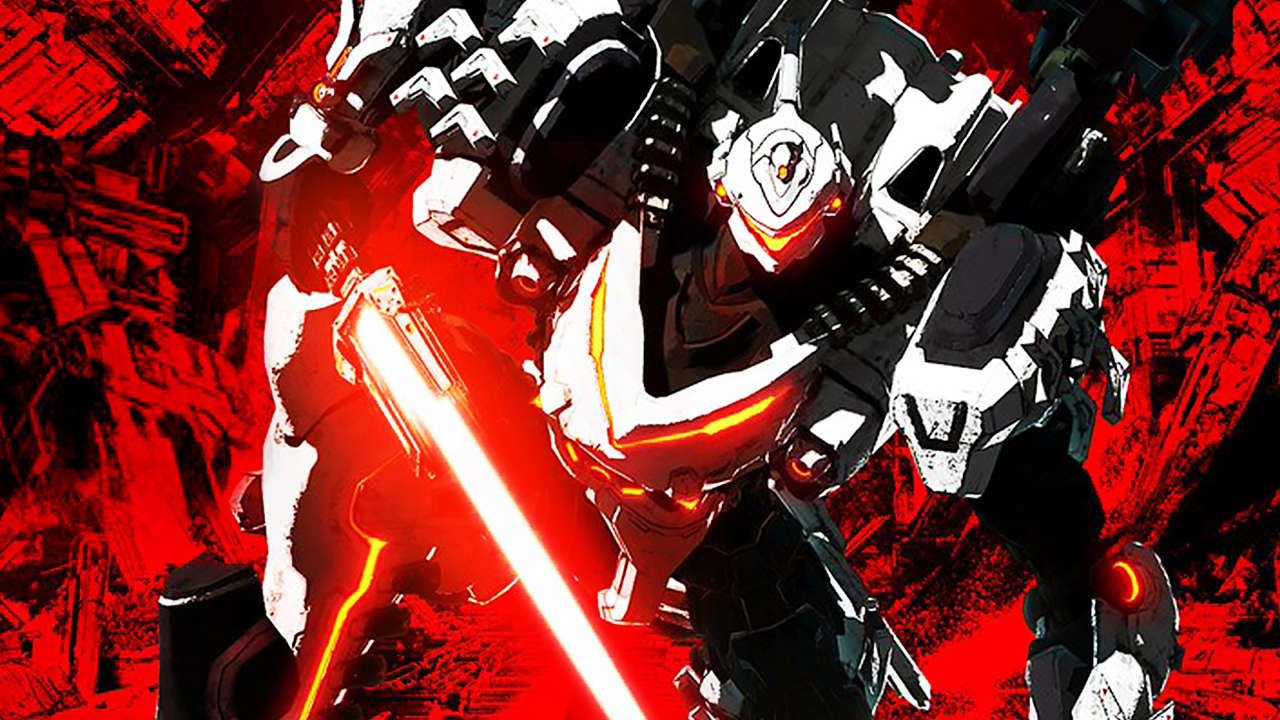
Poll: Daemon X Machina Is Out Today, Are You Getting It?
Today sees the launch of Daemon X Machina, which has perhaps unintentionally become of the most intriguing Switch releases this year.
We say that because the last few months have been quite the rollercoaster for the game and developer Marvelous Entertainment. Back in February, a demo was released with the intention of gaining player feedback; plenty of players took the time to give it a go, but the reaction wasn’t exactly positive.
Since then, changes have been made to satisfy fan requests, and the game has absolutely seen a significant turn for the better. Despite this, there seems to have been a general, ‘put-off’ kind of vibe surrounding the game ever since, and we suspect that a lot of the initial hype may have deteriorated.
So, to settle it once and for all and see if we’ve got the wrong end of the stick here, we’re throwing things over to you. Feel free to chuck a vote in our poll and stick around to see the results as more votes come in – are you picking up a copy?
If you’re interested, we found the game to be pretty enjoyable when playing it for review, even if it does feel quite repetitive at times. You can read our full thoughts here (including why we think you should try out the new and improved free demo), but we’ve got a snippet for you below:
At its core Daemon X Machina is a solid mech action game that controls well and gives the player a generous helping of customisation options. Its mission structure can get repetitive, and its plot is so difficult to grasp it may as well be soaked in grease, but as long as you’re willing to put up with these and get through its initially bewildering array of gauges and icons you should have a good time with it.
Thanks to anyone who took the time to vote! Feel free to share any additional thoughts with us on this one in the comments below.
Review: Super Kirby Clash – Monster Hunter Meets The Cute Pink Puffball
When Kirby: Planet Robobot launched in 2016, one of the sub-games included was a neat little RPG-lite take on a boss rush mode called Team Kirby Clash. A year later, HAL opted to expand on the concept further in a free-to-play release on the 3DS eShop called Team Kirby Clash Deluxe, which added in several more bosses, weapon sets, and underlying mechanics to the experience. Unfortunately, this latter release largely flew under the radar, as the Switch had launched only a month earlier and the entirety of Nintendo fandom was far too busy fawning over The Legend of Zelda: Breath of the Wild to care about yet another random Kirby spin-off on yesterday’s hardware.
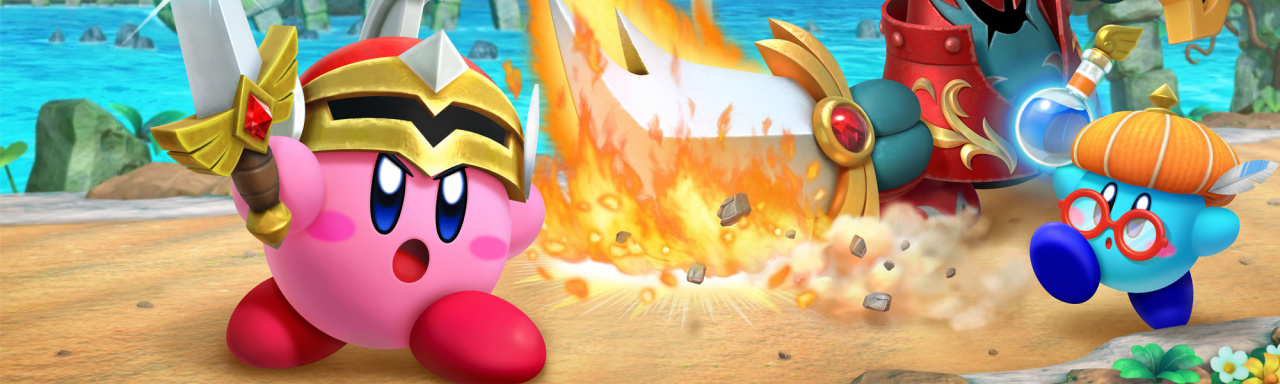
Not ones to let a good game go to waste, HAL opted to bring Team Kirby Clash Deluxe into its Kirby Star Allies engine, replaced all the assets with HD equivalents, and added in a hefty dose of new bosses and equipment sets on top of it, releasing it to the world again on the Switch as (drum roll, please) Super Kirby Clash. By the director’s own admission, this is the ‘complete’ version of the game he envisioned, so the question remains: how does it measure up to the Kirby series’ lofty standards?
Super Kirby Clash takes place in a parallel universe to the mainline Kirby series in a place called the Dream Kingdom, where a travelling Kirby forms a team of… well, other Kirbies to fight off the raging tide of savage beasts that threaten the peace of the kingdom’s virtuous citizens. Though it technically does fit into the Kirby series’ surprisingly dark and detailed lore, the story for a multiplayer beat ‘em up such as this obviously is being used as little more than a framing device for the countless battles to come.
At its heart, Super Kirby Clash is essentially a Kirbyfied take on the tried-and-tested formula of the Monster Hunter series. You’ve got a small hub village where you can purchase new equipment pieces and, when you’re all geared up, you can head over to the job board and choose to take on various boss monsters one at a time in gradually more difficult battles. After every fight – win or lose – you’ll be granted XP which raises your character level and bolsters your stats, while occasionally unlocking access to higher rank gear once you pass certain milestones.
One would think that applying such mechanics to the relatively simple setup of the mainline Kirby series combat would seem contrived or awkward, but it’s surprising how well it works in practice. There are four different character classes you can play as, and while there aren’t any advanced mechanics like skill trees to speak of, each one nonetheless has a unique role that fills a different niche.
The Beam Mage class, for instance, is the de facto ranged unit and his main contribution to a fight is the ability to completely disable the boss for a brief period of time using a charged beam attack. The Hammer Lord, on the other hand, is a far slower, melee-focused character, but what he lacks in mobility he makes up for in the incredible damage output of his Hammer Flip swing.
Every fight will always have four Kirbies – AI takes over if you haven’t got anyone else to play with – and your success will be largely dependent upon how well you plan out your teams and equipment setups. If you’re going up against a highly mobile boss, for example, it might be a good idea to replace your Sword Hero with another Time Mage so you can have more of those time-stop windows to work with. Decisions like that matter, yet at the same time, HAL has smartly kept the RPG mechanics nice and simple. We never find ourselves bogged down with tons of choices at the outset of another fight – this is a Kirby game, after all – but we were pleasantly surprised by the flexibility offered by these RPG-lite systems. There’s just enough free choice and player progression offered up to give you the feel of an RPG, without going too far into those depths that Super Kirby Clash stops feeling like a Kirby game first and foremost.
In typical series fashion, the early to mid-game is mostly easy and painless, but the difficulty ramps up considerably as you push ever deeper into the substantial endgame on offer. By the time you’ve started getting into more of the new content for this HD re-release, learning the various move-sets and hit-boxes for the bosses becomes an absolute must, as only a few hits will knock your character out and cost your team some precious seconds to revive you.
Super Kirby Clash pulls from all across the long history of the Kirby series, with plenty of old nemeses returning to take a crack at the super tuff pink puff. It goes without saying that longtime fans will get a lot more out of this boss variety in the long run, but even newcomers will no doubt appreciate the diversity of the rogue’s gallery here. Aside from the palette swap variations, no two bosses play the same, which keeps the experience feeling fresh and interesting as you grind ever deeper. There’s a certain rush to each new boss you unlock, to the struggle of learning their move-sets and finding the gaps in them, that keeps Super Kirby Clash engaging throughout and keeps you coming back.
A big part of this loop, too, is the overarching achievement system, called “Heroic Missions”, which pushes you to play in challenging and sometimes unconventional ways. There are 900 of these missions to complete, and they can range from being as simple as buying a single piece of gear at the shop to as difficult as beating a boss encounter in under twenty seconds. There’s more to these than just bragging rights, however, as the rank of gear you have access to is directly tied to how many missions you’ve completed; you have no hope of touching those higher-level bosses if you haven’t put in the work and filled out a lot of the missions on the lower level foes so you can get those better weapons.
What’s nice about this system is how it keeps you rotating through all the roles and trying different playstyles, squeezing extra replayability out of the already lengthy boss roster as you’re encouraged time and again to go above and beyond the minimum. It’s an extra incentive to do better and push your limits, but most importantly, these missions also serve as your main income for Gem Apples.
See, Super Kirby Clash is completely free to play, but just about everything in-game is dictated by a currency called Gem Apples. Gem Apples unlock new bosses. Gem Apples buy you new equipment sets. Gem Apples can revive you if your team wipes. Virtually every facet of Super Kirby Clash is tied to this currency, and this is where the main squeeze of the free to play mechanics is felt.
A small tree in the town will give you a measly payout of Gem Apples every twelve hours, so you’re otherwise left with the options of either grinding out Heroic Missions or opening your wallet and shelling out some cash for them on the eShop. In typical mobile game fashion, you’re all but drowned in Gem Apples at the start as you knock out Heroic Missions left and right, but that torrent quickly slims down to a drizzle as the requirements for Heroic Missions are raised ever higher. Bear in mind, too, that every attempt at a quest – win or lose – will cost you some “Vigor”, which recharges over real-world time.
It would be easy to decry all these mechanics as greedy cash-grab moves from Nintendo, but Super Kirby Clash proves to be remarkably generous, all things considered. For one thing, the microtransactions have a hard cap of forty bucks. If you pay up to this cap, the free to play elements are essentially removed. Even if you don’t hit the cap, the Gem Apple tree ‘upgrades’ after you buy certain amounts from the eShop, giving you bigger payouts when it refreshes every twelve hours.
In the baseline game, there certainly are areas where the Gem Apple bottleneck is felt, but patient gamers will have no problem navigating these, and those of you that want it all right now can rest assured that the pricing feels far from unreasonable or predatory. And the issue with the time-gating stamina system is largely negated by the fact that there are actually two separate bars depending on which kind of mission you’re playing. Your stamina is refilled and the cap is upgraded every time you level up, which conveniently can usually be achieved before you’ve completely emptied both your stamina bars. All of this is to say, the free to play elements certainly are a noticeable and ever-present fixture of Super Kirby Clash, but there’s nothing here that feels like Nintendo is overstepping its bounds.
New to Super Kirby Clash is the ability to play in online multiplayer, and while it’s a welcome and enjoyable feature if you happen to be playing with friends, performance ranges from shabby to downright unplayable when you go with random players. A large part of this poor performance is down to Nintendo’s peer-to-peer setup for the underlying online services for Switch, but the issue nonetheless rears its ugly head here.
In our experience, the best connection we had in a random match had about half a second of input lag, while the worst was easily over a second. There were several times, too, where the connection dropped partway through a battle, kicking us back to the job board while still costing the full amount of Vigor we spent to attempt the quest. In a game as timing intensive as Super Kirby Clash, this laggy online performance is simply unacceptable and stands as a harsh negative on this otherwise excellent release. Playing locally – whether on the same Switch or with others in the room – is fortunately as snappy as it needs to be, which softens the blow and somewhat salvages the multiplayer options for this release.
In terms of presentation, Super Kirby Clash adopts the same art style and design of Kirby Star Allies, meaning it runs in 30 FPS, but it looks quite pretty as it does so. The chunky models are simple, but coloured with an impressively versatile palette that’s quite the visual treat, while the fantasy-themed backgrounds are slightly blurred to give a depth of field effect.
It’s far from the most visually interesting release on the Switch, but it holds its ground well, especially compared to past entries in the series, and this is all supported well by the catchy soundtrack. A few new tracks and several remixes of old favourites make an appearance here, and the frantic, slightly goofy vibe of the music does a great job of matching up with the pace of the cartoonish action. Like the visuals, the music is nothing to write home about, but you’ll hardly be disappointed by what’s on offer.
While at the Tokyo Game Show, DBZ: Kakarot producer Ryosuka Hara told GameSpot about additional details about the game, as well as what players can expect for pre-ordering it. Previous descriptions for DBZ: Kakarot have made it sound like Goku, Kid Gohan, and Future Trunks would be the only playable characters in the game, but you'll also be able to take control of adult Gohan and explore the world as the Great Saiyaman during the Majin Buu Saga.
For pre-ordering DBZ: Kakarot, you'll get access to the side quest "A Competitive Party With Friends," an ultra-special meat that can be used while cooking, and early access to Bonyu's training. Bonyu is a new character designed by Dragon Ball Super writer Akira Toriyama, and you normally fight against her in a virtual training match during the Cell arc. Pre-ordering DBZ: Kakarot allows you to face her as early as the Android Arc.
There are a few different editions of DBZ: Kakarot that you can pre-order. The standard edition just includes the game. The Deluxe edition also gets you a special deluxe cooking item. The Ultimate edition includes the base game, a special ultimate cooking item, the season pass, a music pack, and an in-game vehicle for Goku. The Collector's Edition is composed of the game, an 8x8x8 diorama figure, and a collectible steelbook.
DBZ: Kakarot is a video game retelling of Goku's adventures in Dragon Ball Z--the latter half of the popular manga/anime series, Dragon Ball. Dragon Ball follows the life of Goku, one of the last survivors of his destroyed planet. As an alien, Goku possesses enhanced reflexes, strength, and speed in comparison to humans, but his human-like appearance allows him to blend in with society. Also there's lots of cool fighting.