



If you’ve ever found yourself in a situation where you need to update or upgrade a package using Python’s pip, but just can’t figure out how, don’t worry! You’re not alone.
 The Correct Command to Upgrade a Package
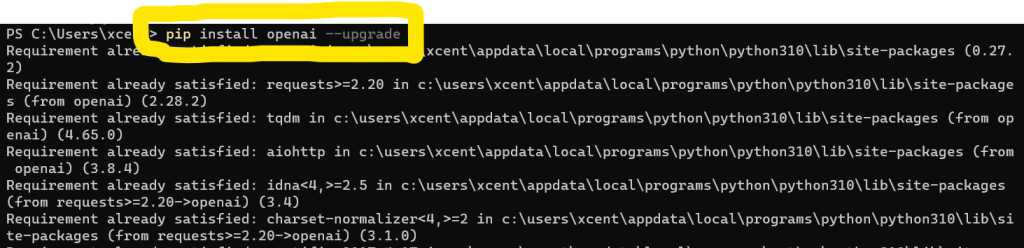
To upgrade a package with Python’s pip, you can use the install command along with the --upgrade or -U flag. Open a command prompt or terminal and run the following command: pip install my_package -U.
pip install --upgrade my_package
or
pip install -U my_package
Replace my_package with the name of the package or module you want to upgrade. This command will automatically check for the latest version of the package and upgrade it if a newer version is available. If the package is already at its latest version, the command will do nothing.
Ensure you have the appropriate permissions (e.g., administrator or sudo access) if you’re upgrading a package installed globally on your system.
 Using Sudo and –user Flag
When upgrading a package installed globally on your system, ensure you have the appropriate permissions, such as an administrator or sudo access. However, using sudo is considered unsafe, so avoid it if possible.
If you don’t have admin access, consider using the --user flag to install the package only for the current user:
pip install <package_name> --upgrade --user
 Updating Pip Itself
Though the original question focused on updating specific packages, some users might want to update pip. To do that, use the following command:
For Python 3.4+:
sudo pip3 install pip --upgrade
For Python 2.7:
sudo pip install pip --upgrade
 Extra Tip: Updating All Packages
If you’re looking to update all your installed packages at once, you can use the following one-liner:
for i in $(pip list -o | awk 'NR > 2 {print $1}'); do sudo pip install -U $i; done
This will update all outdated packages, but remember that it will require root access.
 And there you have it! You now know how to update or upgrade a package using Python’s pip. Happy coding!
Make sure to check out the free Finxter cheat sheet collection (with OpenAI and basic Python cheat sheets):
https://www.sickgaming.net/blog/2023/03/...p-upgrade/