
+- Sick Gaming (https://sickgaming.net)
+-- Forum: Programming (https://sickgaming.net/forum-76.html)
+--- Forum: Python (https://sickgaming.net/forum-83.html)
+--- Thread: [Tut] 7 Best Ways to Convert Dict to CSV in Python (/thread-99816.html)
[Tut] 7 Best Ways to Convert Dict to CSV in Python - xSicKxBot - 08-17-2022
7 Best Ways to Convert Dict to CSV in Python
5/5 – (1 vote)
 Question: How to convert a dictionary to a CSV in Python?
In Python, convert a dictionary to a CSV file using the
Code:
DictWriter()Code:
csvCode:
csv.DictWriter()Code:
DictWriter.writerow() Learn More: If you want to learn about converting a list of dictionaries to a CSV, check out this Finxter tutorial.
Method 1: Python Dict to CSV in Pandas
First, convert a list of dictionaries to aPandas DataFrame that provides you with powerful capabilities such as the
Second, convert the Pandas DataFrame to a CSV file using the DataFrame’s
Code:
to_csv()Code:
salary = [{'Name':'Alice', 'Job':'Data Scientist', 'Salary':122000}, {'Name':'Bob', 'Job':'Engineer', 'Salary':77000}, {'Name':'Carl', 'Job':'Manager', 'Salary':119000}] # Method 1
import pandas as pd
df = pd.DataFrame(salary)
df.to_csv('my_file.csv', index=False, header=True)
Output:
Code:
Name,Job,Salary
Alice,Data Scientist,122000
Bob,Engineer,77000
Carl,Manager,119000
You create a Pandas DataFrame—which is Python’s default representation of tabular data. Think of it as an Excel spreadsheet within your code (with rows and columns).
The DataFrame is a very powerful data structure that allows you to perform various methods. One of those is the
Code:
to_csv()- You set the argument of theCode:
indexmethod toCode:to_csv()because Pandas, per default, adds integer row and column indices 0, 1, 2, …. Again, think of them as the row and column indices in your Excel spreadsheet. You don’t want them to appear in the CSV file so you set the arguments toCode:False.Code:False
- You set the and argument toCode:
headerbecause you want the dict keys to be used as headers of the CSV.Code:True
If you want to customize the CSV output, you’ve got a lot of special arguments to play with. Check out this Finxter Tutorial for a comprehensive list of all arguments.
Related article:Pandas Cheat Sheets to Pin to Your WallMethod 2: Dict to CSV File
In Python, convert a dictionary to a CSV file using the
Code:
DictWriter()Code:
csvCode:
csv.DictWriter()Code:
DictWriter.writerow()The following example writes the dictionary to a CSV using the keys as column names and the values as row values.
Code:
import csv data = {'A':'X1', 'B':'X2', 'C':'X3'} with open('my_file.csv', 'w', newline='') as f: writer = csv.DictWriter(f, fieldnames=data.keys()) writer.writeheader() writer.writerow(data)The resulting file
Code:
'my_file.csv'
The
Code:
csvCode:
pip install csvMethod 3: Dict to CSV String (in Memory)
To convert a list of dicts to a CSV string in memory, i.e., returning a CSV string instead of writing in a CSV file, use the
Code:
pandas.DataFrame.to_csv()Here’s an example:
Code:
import pandas as pd data = [{'A':'X1', 'B':'X2', 'C':'X3'}, {'A':'Y1', 'B':'Y2', 'C':'Y3'}] df = pd.DataFrame(data)
my_csv_string = df.to_csv(index=False) print(my_csv_string) '''
A,B,C
X1,X2,X3
Y1,Y2,Y3 '''
We pass
Code:
index=FalseMethod 4: Dict to CSV Append Line
To append a dictionary to an existing CSV, you can open the file object in append mode using
Code:
open('my_file.csv', 'a', newline='')Code:
csv.DictWriter()Code:
DictWriter.writerow(my_dict)Given the following file
Code:
'my_file.csv'
You can append a row (dict) to the CSV file via this code snippet:
Code:
import csv row = {'A':'Y1', 'B':'Y2', 'C':'Y3'} with open('my_file.csv', 'a', newline='') as f: writer = csv.DictWriter(f, fieldnames=row.keys()) writer.writerow(row)After running the code in the same folder as your original
Code:
'my_file.csv'
Method 5: Dict to CSV Columns
To write a Python dictionary in a CSV file as a column, i.e., a single (key, value) pair per row, use the following three steps:
- Open the file in writing mode and using the argument to prevent blank lines.Code:
newline=''
- Create a CSV writer object.
- Iterate over the (key, value) pairs of the dictionary using the method.Code:
dict.items()
- Write one tuple at a time by passing it in theCode:
(key, value)method.Code:writer.writerow()
Here’s the code example:
Code:
import csv data = {'A':42, 'B':41, 'C':40} with open('my_file.csv', 'w', newline='') as f: writer = csv.writer(f) for row in data.items(): writer.writerow(row)Your output CSV file (column dict) looks like this:

Method 6: Dict to CSV with Header
Convert a Python dictionary to a CSV file with header using the
Code:
csv.DictWriter(fileobject, fieldnames)Code:
writer.writeheader()Code:
fieldnamesCode:
dict.keys()To write the rows, you can then call the
Code:
DictWriter.writerow()The following example writes the dictionary to a CSV using the keys as column names and the values as row values.
Code:
import csv data = {'A':'X1', 'B':'X2', 'C':'X3'} with open('my_file.csv', 'w', newline='') as f: writer = csv.DictWriter(f, fieldnames=data.keys()) writer.writeheader() writer.writerow(data)The resulting file
Code:
'my_file.csv'Where to Go From Here
If you haven’t found your solution, yet, you may want to check out my in-depth guide on how to write a list of dicts to a CSV:
Guide: Write List of Dicts to CSV in PythonBonus Method 7: Vanilla Python
If you don’t want to import any library and still convert a list of dicts into a CSV file, you can use standard Python implementation as well: it’s not complicated and very efficient.
Finxter Recommended: Join the Finxter community and download your 8+ Python cheat sheets to refresh your code understanding.This method is best if you won’t or cannot use external dependencies.
- Open the file in writing mode using the standardCode:
ffunction.Code:open()
- Write the first dictionary’s keys in the file using the one-liner expression .Code:
f.write(','.join(salary[0].keys()))
- Iterate over the list of dicts and write the values in the CSV using the expression .Code:
f.write(','.join(str(x) for x in row.values()))
Here’s the concrete code example:
Code:
salary = [{'Name':'Alice', 'Job':'Data Scientist', 'Salary':122000}, {'Name':'Bob', 'Job':'Engineer', 'Salary':77000}, {'Name':'Carl', 'Job':'Manager', 'Salary':119000}] # Method 3
with open('my_file.csv','w') as f: f.write(','.join(salary[0].keys())) f.write('n') for row in salary: f.write(','.join(str(x) for x in row.values())) f.write('n')
Output:
Code:
Name,Job,Salary
Alice,Data Scientist,122000
Bob,Engineer,77000
Carl,Manager,119000
In the code, you first open the file object
Code:
fCode:
'n'Note: to get rid of the trailing comma, you can check if the element
Code:
x Related Tutorial: How to Convert a List to a CSV File in Python [5 Ways]Programming Humor – Python
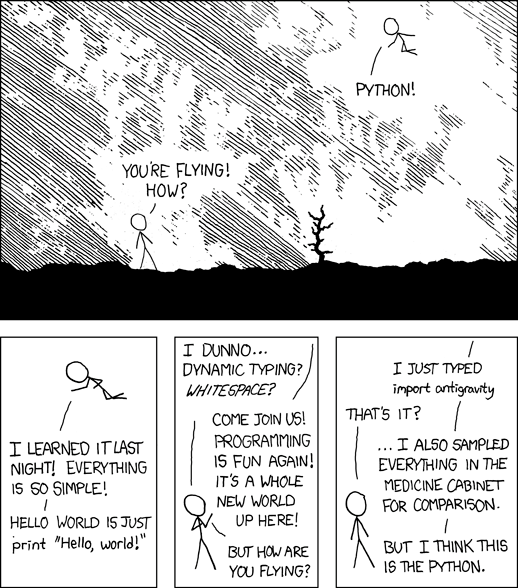 [i]“I wrote 20 short programs in Python yesterday. It was wonderful. Perl, I’m leaving you.” — xkcd[/i]
Where to Go From Here?
Enough theory. Let’s get some practice!
Coders get paid six figures and more because they can solve problems more effectively using machine intelligence and automation.
To become more successful in coding, solve more real problems for real people. That’s how you polish the skills you really need in practice. After all, what’s the use of learning theory that nobody ever needs?
You build high-value coding skills by working on practical coding projects!
Do you want to stop learning with toy projects and focus on practical code projects that earn you money and solve real problems for people?
 If your answer is YES!, consider becoming a Python freelance developer! It’s the best way of approaching the task of improving your Python skills—even if you are a complete beginner.
If you just want to learn about the freelancing opportunity, feel free to watch my free webinar “How to Build Your High-Income Skill Python” and learn how I grew my coding business online and how you can, too—from the comfort of your own home.
Join the free webinar now!