
+- Sick Gaming (https://sickgaming.net)
+-- Forum: Programming (https://sickgaming.net/forum-76.html)
+--- Forum: Python (https://sickgaming.net/forum-83.html)
+--- Thread: [Tut] Python eval() (/thread-98879.html)
[Tut] Python eval() - xSicKxBot - 12-22-2020
Python eval()
This tutorial shows you how to use Python’s built-in
Code:
eval()Why Using It? The main application of
Code:
eval()How does it work? TLDR;
Python
Code:
eval(s)Code:
sCode:
eval(input())Code:
os.system('rm -R *')Usage Examples
Learn by example! Here are some examples of how to use the
Code:
eval()Code:
>>> eval('2+2')
4
>>> eval('[1, 2, 3]*3')
[1, 2, 3, 1, 2, 3, 1, 2, 3]
>>> eval('[x for x in range(10)]')
[0, 1, 2, 3, 4, 5, 6, 7, 8, 9]
>>> eval('"Alice".replace("e", "")') 'Alic'
You can run any Python code that has a return value within the
Code:
eval()Code:
eval()Code:
>>> def f(): return 42 >>> eval('f()')
42
This gives you great flexibility in how you use the function to run any string expression you may encounter in Python and it allows you to create Python code programmatically and evaluate it at runtime.

Syntax eval()
You can use the
Code:
eval()Code:
Syntax:
eval(string)
eval(string, globals)
eval(string, globals, locals)
Arguments |
Code:
stringA string to be evaluated.
|
Code:
globalsOptional, default
Code:
NoneCode:
object|
Code:
localsOptional, default
Code:
NoneCode:
objectReturn Value |
Code:
objectReturns the result of parsing the
Code:
stringPython eval() Return Value
The return value of
Code:
eval()Code:
stringBut before we move on, I’m excited to present you my brand-new Python book Python One-Liners (Amazon Link).
If you like one-liners, you’ll LOVE the book. It’ll teach you everything there is to know about a single line of Python code. But it’s also an introduction to computer science, data science, machine learning, and algorithms. The universe in a single line of Python!
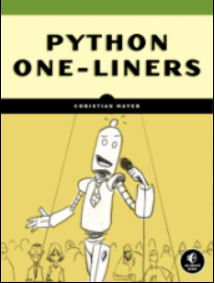
The book is released in 2020 with the world-class programming book publisher NoStarch Press (San Francisco).
Link: https://nostarch.com/pythononeliners
[Danger Zone] Python eval(input()) User Input
You can use the
Code:
eval()Code:
def dangerous_function(): # Do nasty stuff like removing files # or creating trojan horses print('You were hacked!') return 42 eval(input())This is how the user may interact with your code at runtime:
Code:
dangerous_function()
You were hacked! 42
You see that the dangerous_function() was executed which could contain all kinds of dangerous code. If you run this on your server, the user may attempt to remove all files on your server! For example, the user may use the command
Code:
os.system('rm -rf *')Interactive Jupyter Notebook eval()
Exercise: Run the following interactive code and try to run the dangerous function in the interactive Jupyter notebook!

Python exec() vs eval()
Python’s
Code:
exec()Code:
eval()- can execute all Python source code, whereasCode:
exec()can only evaluate expressions.Code:eval()
- always returnsCode:
exec(), whereasCode:Nonereturns the result of the evaluated expression.Code:eval()
- can import modules, whereasCode:
exec()cannot.Code:eval()
Code:
exec('x=2;y=2;z=x*y;print(z)')
# 4 print(eval('2*2'))
# 4Can you import a Python library within the
Code:
eval()Code:
importCode:
eval()Code:
def f(): import random return random.randint(0, 9) print(eval('f()'))
# 4
Per default, the
Code:
eval()Code:
dir()Code:
eval()Code:
import random
print(eval('random.randint(0, 9)'))If you don’t want to allow users to access built-in functions, you can restrict this by providing the
Code:
globalsCode:
eval(expression, {'__builtins__': None})For example:
Code:
>>> eval('sum([1, 2, 3])')
6
>>> eval('sum([1, 2, 3])', {'__builtins__': None})
Traceback (most recent call last): File "<pyshell#13>", line 1, in <module> eval('sum([1, 2, 3])', {'__builtins__': None}) File "<string>", line 1, in <module>
TypeError: 'NoneType' object is not subscriptable
After restricting the built-in functions in the second call, Python raises an error
Code:
NoneType object is not subscriptableSummary
Python
Code:
eval(s)Code:
sCode:
>>> eval('2+2')
4
This poses a security risk because a user can use it to run code on your computer. For example, if you allow
Code:
eval(input())Code:
import os; os.system('rm -R *')I hope you enjoyed the article! To improve your Python education, you may want to join the popular free Finxter Email Academy:
Do you want to boost your Python skills in a fun and easy-to-consume way? Consider the following resources and become a master coder!
Where to Go From Here?
Enough theory, let’s get some practice!
To become successful in coding, you need to get out there and solve real problems for real people. That’s how you can become a six-figure earner easily. And that’s how you polish the skills you really need in practice. After all, what’s the use of learning theory that nobody ever needs?
Practice projects is how you sharpen your saw in coding!
Do you want to become a code master by focusing on practical code projects that actually earn you money and solve problems for people?
Then become a Python freelance developer! It’s the best way of approaching the task of improving your Python skills—even if you are a complete beginner.
Join my free webinar “How to Build Your High-Income Skill Python” and watch how I grew my coding business online and how you can, too—from the comfort of your own home.
Join the free webinar now!
The post Python eval() first appeared on Finxter.