
+- Sick Gaming (https://sickgaming.net)
+-- Forum: Programming (https://sickgaming.net/forum-76.html)
+--- Forum: Python (https://sickgaming.net/forum-83.html)
+--- Thread: [Tut] Python bytes() Function (/thread-98646.html)
[Tut] Python bytes() Function - xSicKxBot - 12-08-2020
Python bytes() Function
Python’s built-in
Code:
bytes(source)Code:
bytesCode:
sourceCode:
0<=x<256Code:
bytearray()Code:
bytearrayHere’s a minimal example that creates a
Code:
byteCode:
>>> bytes([1, 2, 3])
b'\x01\x02\x03'
The prefix
Code:
\xCode:
\x01Code:
chr(0x01)=16*0+1=1Code:
SOHCode:
Syntax: bytes([source[, encoding[, errors]]])Argument |
Code:
sourceAllows you to initialize the
Code:
byte integer –> array has this size and is initialized with 0 bytes:
>>>
Code:
bytes(4)b'\x00\x00\x00\x00' iterable –> integers in the range Code:
0 <= x < 256>>>
Code:
bytes([1, 2, 3])b'\x01\x02\x03' string and you provide the encoding (and optionally, errors) arguments –> Code:
bytes()Code:
str.encode()Code:
>>> bytes('hi', 'UTF-8')b'hi' object implementing the buffer interface –> initializes the byte object via a read-only object buffer.Argument |
Code:
encodingThe encoding used in case you provide a string argument. Example:
Code:
'UTF-8'Argument |
Code:
errorsThe action to take when the encoding conversion fails. Only makes sense if
Code:
sourceReturn Value |
Code:
byteReturns a new object of type byte—a sequence of bytes that is immutable. For a mutable version, consider using the
Code:
bytearray() Without an optional argument, it returns a byte object with one byte 0:
Code:
>>> bytes()b''Here are some basic usages of the function:
Code:
Input : bytes(4)
Output : b'\x00\x00\x00\x00' Input : bytes([1, 2, 3])
Output : b'\x01\x02\x03' Input : bytes('hi', 'UTF-8')
Output : b'hi'
Want to learn more? We’re going to dive into more examples next!
But before we move on, I’m excited to present you my brand-new Python book Python One-Liners (Amazon Link).
If you like one-liners, you’ll LOVE the book. It’ll teach you everything there is to know about a single line of Python code. But it’s also an introduction to computer science, data science, machine learning, and algorithms. The universe in a single line of Python!
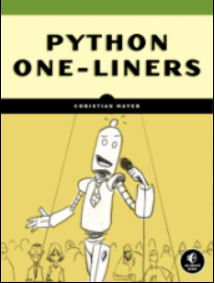
The book is released in 2020 with the world-class programming book publisher NoStarch Press (San Francisco).
Link: https://nostarch.com/pythononeliners
Create Bytes Object From Single Integer Argument — Examples
The following code shows you how to use the
Code:
bytes()Code:
# Single Integer Input Argument
print(bytes())
print(bytes(2))
print(bytes(4)) '''
b''
b'\x00\x00'
b'\x00\x00\x00\x00' '''
If you provide only one input argument, it uses this input argument to determine how many bytes should be created. It just uses bytes with value 0, in byte notation
Code:
x00Code:
byteCreate Bytes Object From Iterable of Integers — Examples
You can also provide an iterable argument to obtain a new byte object:
Code:
# Iterable Input Argument
print(bytes([1, 1, 1]))
print(bytes([14]))
print(bytes({9, 8, 7})) '''
b'\x01\x01\x01'
b'\x0e'
b'\x08\t\x07' '''
The iterable must consist of a number of integers between 0 and 256. If you fail to do so, Python will throw a ValueError:
How to Fix “ValueError: byte must be in range(0, 256)”
If you use the
Code:
bytes()Code:
ValueError: byte must be in range(0, 256)Here’s an example of the ValueError where you use a number larger or equal than 256:
Code:
>>> bytes([999])
Traceback (most recent call last): File "<pyshell#15>", line 1, in <module> bytes([999])
ValueError: bytes must be in range(0, 256)
Another example when using a number smaller than 0:
Code:
>>> bytes([-10])
Traceback (most recent call last): File "<pyshell#16>", line 1, in <module> bytes([-10])
ValueError: bytes must be in range(0, 256)
Fix it by modifying the numbers to lie within the interval 0 to 256:
Code:
>>> bytes([255])
b'\xff'Python’s built-in function
Code:
bytes()Code:
byte integer –> array has this size and is initialized with 0 bytes:Code:
>>> bytes(4)
b'\x00\x00\x00\x00'
iterable –> integers in the range Code:
0 <= x < 256Code:
>>> bytes([1, 2, 3])
b'\x01\x02\x03'
string and you provide the encoding (and optionally, errors) arguments –> Code:
bytes()Code:
str.encode()Code:
>>> bytes('hi', 'UTF-8')
b'hi'
object implementing the buffer interface –> initializes the byte object via a read-only object buffer.Do you want to boost your Python skills in a fun and easy-to-consume way? Consider the following resources and become a master coder!
Where to Go From Here?
Enough theory, let’s get some practice!
To become successful in coding, you need to get out there and solve real problems for real people. That’s how you can become a six-figure earner easily. And that’s how you polish the skills you really need in practice. After all, what’s the use of learning theory that nobody ever needs?
Practice projects is how you sharpen your saw in coding!
Do you want to become a code master by focusing on practical code projects that actually earn you money and solve problems for people?
Then become a Python freelance developer! It’s the best way of approaching the task of improving your Python skills—even if you are a complete beginner.
Join my free webinar “How to Build Your High-Income Skill Python” and watch how I grew my coding business online and how you can, too—from the comfort of your own home.
Join the free webinar now!
The post Python bytes() Function first appeared on Finxter.